The Sims 4 Discover University Expansion Pack has just been released to online & retail stores worldwide!
You can also get the pack right now via Origin! The price of the pack, just like any other Expansion Pack, is set for $39.99!

The Sims 4 Discover University Expansion Pack has just been released to online & retail stores worldwide!
You can also get the pack right now via Origin! The price of the pack, just like any other Expansion Pack, is set for $39.99!
Presented by EA Game Changers
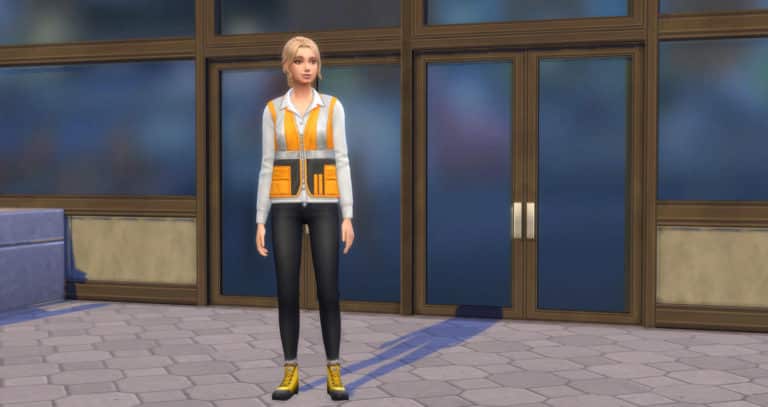
The Engineer Career is just one of three brand new careers that come with The Sims 4 Discover University. The career itself comes with two branches.
As with any career, your Sim can join the Engineer Career simply by sitting down at a laptop/computer, using their cell phone or by the job tab on the user interface. You should keep in mind that if your Sim has completed a degree that relates to the chosen career that your Sim is joining, they have the option to either start at the lowest level or at a higher point in the career. You will also notice that your Sim will receive a higher hourly rate and a signing bonus (which is only awarded once per Sim every seven days) and also more vacation days.
Once you have joined the career you will be greeted with a pop up asking you if you wish to start the first Work From Home Assignment/Work Assignment/Daily Task. You can either start it right away or hold off and do it at a time that suits your Sim better. Just make sure it is completed as soon as possible every time.
Note: If you are not sure what your Sims work from home assignment is or what you need to do you, can head to the Career panel and there will be a section for Work From Home Assignments/Work Assignment. Hover over the required task and it will let you know how to complete it.
When it is time for your first shift you will be presented with another small pop up which asks you if you want your Sim to Go To Work, Work from Home or Take Paid Time Off (PTO). The choice is up to you. If you choose to Go To Work or Work From Home you will still be working towards your Sims next promotion. If you choose to Take PTO your Sim can go about their day however they please. If you choose to Work From Home make sure you check the Career Panel to see what tasks your Sim needs to complete during the day.

The Engineer Career divides into two different branches which are either the Computer Engineer branch or the Mechanical Engineer branch. You can choose either one and see where it takes your Sim.

Once your Sim earns the PC Prodigy promotion, there will be no further promotions. However, your Sim can periodically earn a bonus and also a raise that will increase their hourly rate over time based on their performance.

Once your Sim earns the Master of Machines promotion, there will be no further promotions. However, your Sim can periodically earn a bonus and also a raise that will increase their hourly rate over time based on their performance.


Lets us know what you think about the Engineer Career in the comments below!
Presented by EA Game Changers
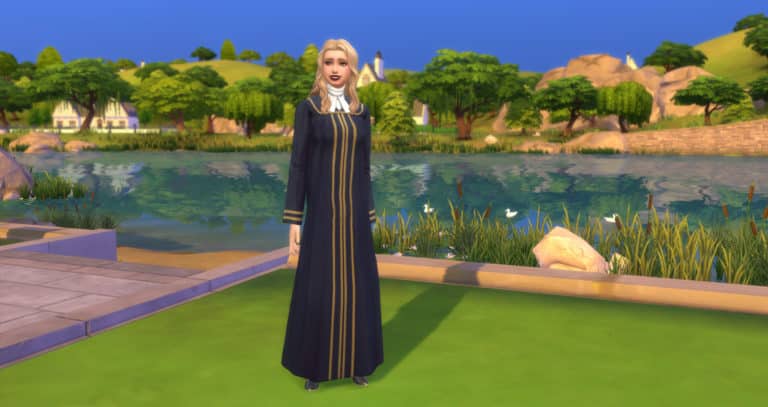
The Law Career is just one of three brand new careers that come with The Sims 4 Discover University. The career itself comes with two branches.
As with any career, your Sim can join the Engineer Career simply by sitting down at a laptop/computer, using their cell phone or by the job tab on the user interface. You should keep in mind that if your Sim has completed a degree that relates to the chosen career that your Sim is joining, they have the option to either start at the lowest level or at a higher point in the career. You will also notice that your Sim will receive a higher hourly rate and a signing bonus (which is only awarded once per Sim every seven days) and also more vacation days.
Once you have joined the career you will be greeted with a pop up asking you if you wish to start the first Work From Home Assignment/Work Assignment/Daily Task. You can either start it right away or hold off and do it at a time that suits your Sim better. Just make sure it is completed as soon as possible every time.
Note: If you are not sure what your Sims work from home assignment is or what you need to do you, can head to the Career panel and there will be a section for Work From Home Assignments/Work Assignment. Hover over the required task and it will let you know how to complete it.
When it is time for your first shift you will be presented with another small pop up which asks you if you want your Sim to Go To Work, Work from Home or Take Paid Time Off (PTO). The choice is up to you. If you choose to Go To Work or Work From Home you will still be working towards your Sims next promotion. If you choose to Take PTO your Sim can go about their day however they please. If you choose to Work From Home make sure you check the Career Panel to see what tasks your Sim needs to complete during the day.
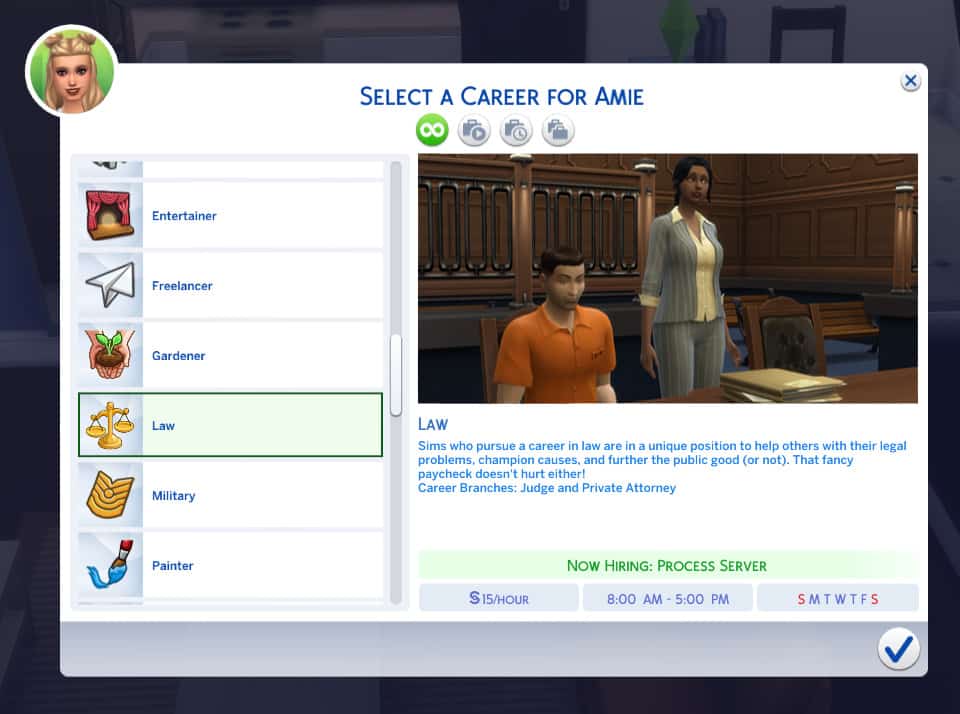
The Law Career divides into two different branches which are either the Judge branch or the Private Attorney branch. You can choose either one and see where it takes your Sim.

Once your Sim becomes earns the Chief of Justice promotion, there will be no further promotions. However, your Sim can periodically earn a bonus and also a raise that will increase their hourly rate over time based on their performance.

Once your Sim becomes earns the Preeminent Partner promotion, there will be no further promotions. However, your Sim can periodically earn a bonus and also a raise that will increase their hourly rate over time based on their performance.


Let us know what you think of the new Law Career below in the comments!
Presented by EA Game Changers
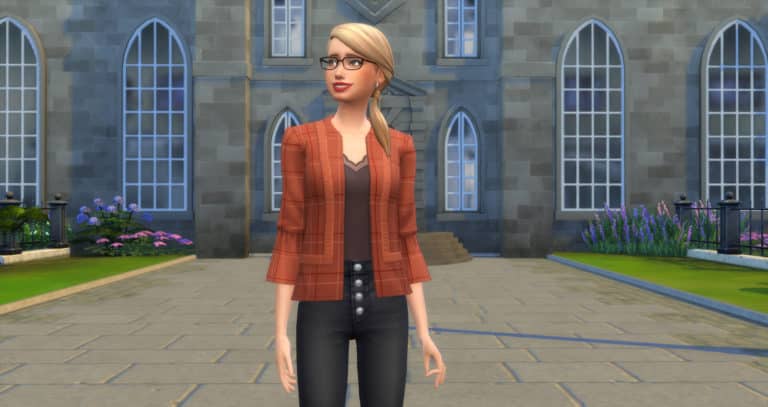
The Education Career is just one of three brand new careers that come with The Sims 4 Discover University. The career itself comes with two branches.
As with any career, your Sim can join the Engineer Career simply by sitting down at a laptop/computer, using their cell phone or by the job tab on the user interface. You should keep in mind that if your Sim has completed a degree that relates to the chosen career that your Sim is joining, they have the option to either start at the lowest level or at a higher point in the career. You will also notice that your Sim will receive a higher hourly rate and a signing bonus (which is only awarded once per Sim every seven days) and also more vacation days.
Once you have joined the career you will be greeted with a pop up asking you if you wish to start the first Work From Home Assignment/Work Assignment/Daily Task. You can either start it right away or hold off and do it at a time that suits your Sim better. Just make sure it is completed as soon as possible every time.
Note: If you are not sure what your Sims work from home assignment is or what you need to do you, can head to the Career panel and there will be a section for Work From Home Assignments/Work Assignment. Hover over the required task and it will let you know how to complete it.
When it is time for your first shift you will be presented with another small pop up which asks you if you want your Sim to Go To Work, Work from Home or Take Paid Time Off (PTO). The choice is up to you. If you choose to Go To Work or Work From Home you will still be working towards your Sims next promotion. If you choose to Take PTO your Sim can go about their day however they please. If you choose to Work From Home make sure you check the Career Panel to see what tasks your Sim needs to complete during the day.

The Education Career divides into two different branches which are either the Administrator branch or the Professor branch. You can choose either one and see where it takes your Sim.

Once your Sim becomes earns the Head Chancellor promotion, there will be no further promotions. However, your Sim can earn a raise that will increase their hourly rate over time.

Once your Sim becomes earns the Master Educator promotion, there will be no further promotions. However, your Sim can earn a raise that will increase their hourly rate over time.


Let us know what you think about the new Education Career below in the comments!
Presented by EA Game Changers
While it’s important to do well in your classes at university, school is not the only thing university students have to focus on. Students looking to strike a balance between work and play (or maybe neglect work in favour of more play) might be interested in joining an organisation. Organisations are like school clubs that offer your Sims a chance to make friends while learning new skills and unlocking benefits that can help them both academically and socially.
Each school has three organisations to choose from, as well as a “hidden” seventh organisation, which is the secret society that students from either school can join.

Sims can join an organisation by finding members of that organisation and asking them to join after introducing themselves. Organisation members can be found all around both campuses during organisation events, so keep an eye out and don’t be shy about joining in on these events and getting to know the members.
Sims can be part of multiple organisations, but remember that organisations can be time consuming. It’s all about finding a balance between school and other activities. Make sure your Sim isn’t biting off more than they can chew.

Every organisation has its own events that happen regularly around campus. There are minor events which your Sim won’t be notified about but can stumble across randomly while exploring campus. There are also large events for each organisation, which all Sims will be notified about. Sims who are part of an organisation can see all of their organisation’s event times in the social group info panel.
Sims don’t need to be part of an organisation to participate in that organisation’s events, so feel free to join in on any of the organisation activities you find happening around campus. This can be a good way to socialise and build a few extra skills without making a huge time commitment to a specific organisation.
There are also a few minor events that are not affiliated with an organisation, like Mixer Nights at the Commons, where Sims from both universities get together to mingle. Sims will be notified about these inter-school events.

Each organisation has three membership levels. Sims start out as a New Member in any organisation they join. Members can increase their rank in the organisation by completing tasks and participating in organisation events. Organisations have their own tasks to complete, much like careers, but the difference here is that organisation tasks can be completed at your Sim’s leisure and there is no penalty for failing to complete an organisation task. Participate in organisations as much or as little as you like, but Sims who excel in organisations can receive a variety of benefits at higher levels within the organisation.
There is no rush to rise in membership ranks; your progress in an organisation carries over into the next term. You have your entire university career to work on becoming a Senior Member of your organisation.
For players who have the Get Together expansion pack installed, Organisations will be in the same panel as Clubs, but under separate tabs. This is because Organizations and Clubs function independently of each other. They are not the same thing. Clubs function differently than Organisations. Unlike Clubs, you cannot create your own Organisations. Sims must join an existing Organisation and participate in its unique activities and events. Sims must be enrolled in university in order to join an Organisation.
However, if Get Together is installed, there is nothing stopping you from creating your own clubs focused on University-related activities. They will just be treated as standard clubs rather than Organisations with membership tiers and benefits.

Use your power of convincing to rise in the ranks of the unabashedly outspoken Debate Guild. Think that was a mouthful? There’s more to come. Drop some serious schooling to fellow Debate Guild Members at Debate Practice or leverage the Debate Showdown to tell the world what’s up.

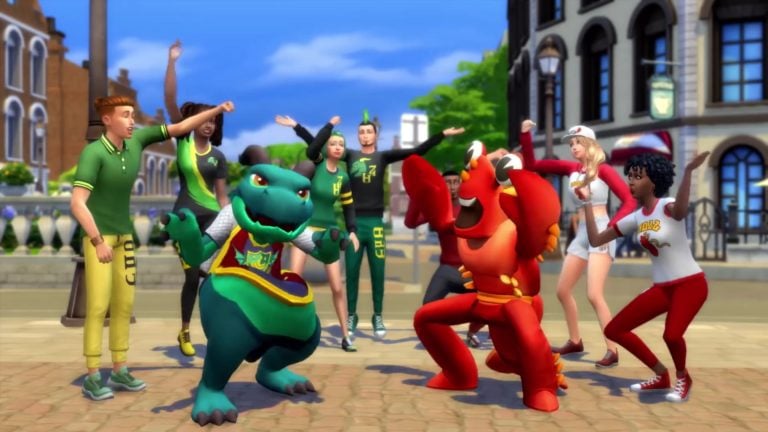
The Britechester Spirit Corps has a mission to spread the joy of school cheer in everything they do. They help to make Britechester shine just a bit brighter every day with wholesome high-fives, pepping up other Sims, and taunting that loathed Foxbury Lobster.

Are you consumed by the insatiable need to create? You’re not alone! Share that passion with your comrades in the Art Society. Earn Organisation progress in your spare time by doing creative Tasks.

Tinker alone or tinker with friends! Bot Savants have regular meetups to build robots together or celebrate their latest creations. Gain robo cred on the side and earn Organisation points by doing Robotics Tasks in your free time.

Party lightly with School Spirit Day or party hard with the Game Day Party! Expect your school’s Lobster Mascot or the juice keg to make an appearance at one or both of these gatherings.

The growing brain needs food. And that’s no exception for The Brainiacs. This knowledge-hungry and over-achieving Organisation meets up for regular Study Sessions at the Library. Gain extra-curricular Brainiac points by completing Organisation Tasks.
STOP! SPOILER WARNING!
The following section contains major spoilers about the Secret Society’s events, membership ranks, and rewards. It also details how to join the Secret Society. If you want to find all this out on your own, don’t continue reading. This is the last section of the guide, so you will not miss out on any other important info.

The secret of the sprites has been held precious for generations. It is truly a gift to be awoken to their blessings. Bestow the sprites with respect (or sweets) and they will graciously return the favour. Snub them and things may not go as well for you.
PSST! Joining The Order of Enchantment is different than joining the other Organisations. It’s not as easy as just introducing yourself to a member and asking them to join. If it was, it wouldn’t really be a “secret” society, would it?
We managed to get our Sim into this elusive Organisation by having her offer Excellent quality baked goods at the university statues, which gave her a Surreal Focus moodlet. When our Sim returned home, all she had to do was wait. Organisation members showed up at her dorm while she was sleeping and invited her to join their ranks. Other Excellent quality foods and collectibles should work, too.
Which organisation will your Sim be joining? Let us know in the comments or come chat with us on social media!
Presented by EA Game Changers
It’s that time again! The Sims 4 Discover University is nearly here and it is time to take a look at just a few of the new features that are included in the expansion pack. There is so much to explore and discover in this expansion pack that it was hard to choose which ones we wanted to share in this article.
The historical town of Britechester offers something for everyone. Whether you are a Foxbury Institute Student, a University of Britechester Student or even just a resident of Britechester there is something for everyone. You can find out more about Britechester here.


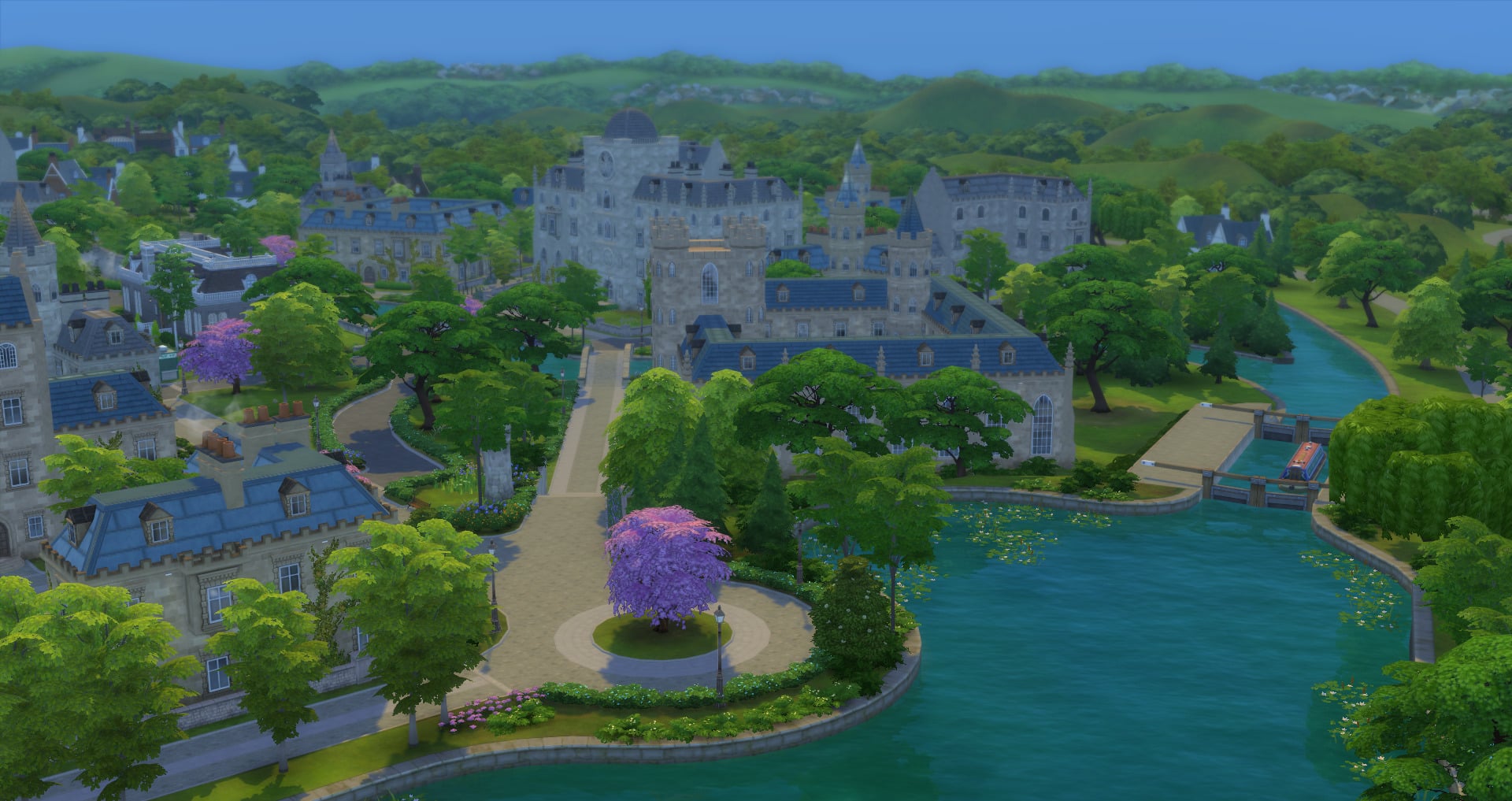
Don’t forget to look out for the new opening swimming areas too!
Home of Darby the Dragon, UBrite students take on a more classical approach to higher education with more arts-based degrees.

Home of Larry the Lobster, Foxbury Institute specialises in science-based degrees. Foxbury Institute strives on supporting Sims’ personal passions!

There are three new Careers that come with The Sims 4 Discover University. These are the Law, Education and Engineering Careers. Your Sims can also work while studying meaning your Sims can live a relatively normal life outside of university.

As a University Student, you are able to join either the E-Sports Team or the Soccer Team. These are primarily classed as after school activities but they are also a great way to build up specific skills and interact with other students with similar interests. Don’t forget to keep a lookout for Larry and Darby too!

Servo is back and not without a few new Utili-Bot friends!
There is plenty to explore in regards to robotics from building your own Servo, creating Utili-bots, Crafting Cybernetics and much more!


We might be biased but we love Party-Bot!
Being at University means living with Roommates. In fact, your Sim can even advertise for Roommates even if they want providing, they don’t live in University Housing. While you aren’t able to choose your Roommates if you live in University Housing, you are able to potentially find your perfect roommate if you live off-campus!

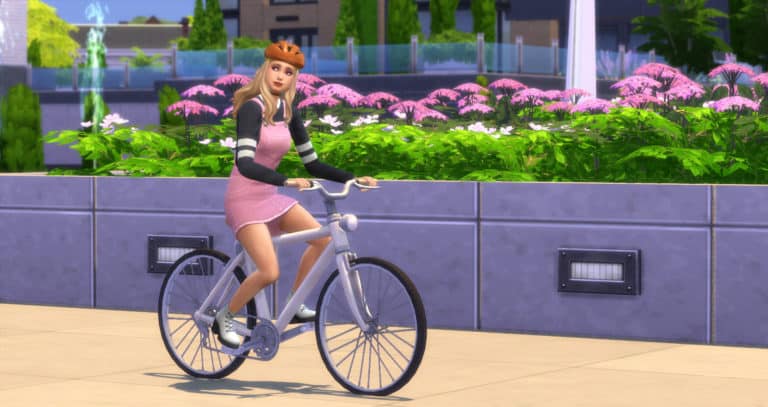
The perfect way to get around Campus is definitely on two wheels! In fact, why not use your Bicycle to head into Gibbs Hill or even when you are visiting one of the other worlds?

Like most universities, there is always an event of some kind happening on one of the two campuses. Whether your Sim attends a Foxbury Spirit Squad event or you take part in a Figure Painting event run by The Art Society there is plenty on offer. Why not join one of the many organisations too while you are at it?

You can keep up to date with when events are happening via the Social Groups panel.
This secretive group appear every now and then at night but who they really are or how you join them really is a mystery to most in Britechester!

There is plenty to explore in the world of Britechester and both university campuses. This is just some of the many features that come with the new expansion pack. There is definitely plenty more to discover too!
Don’t forget to let us know what you are most excited to check out in The Sims 4 Discover University Expansion Pack and you can find more articles about Discover University in our dedicated section of the site here.
Today we will be celebrating the launch of The Sims 4 Discover University Expansion Pack by throwing a live launch party!
Join us as we count down to the official release of the pack in Europe and North America. The stream is set to begin at 9PM CET / 8PM BT / 12PM PT and will last for more than 10 hours! For more information about the release of the pack, click here!
Hope to see you there 🙂
Presented by EA Game Changers
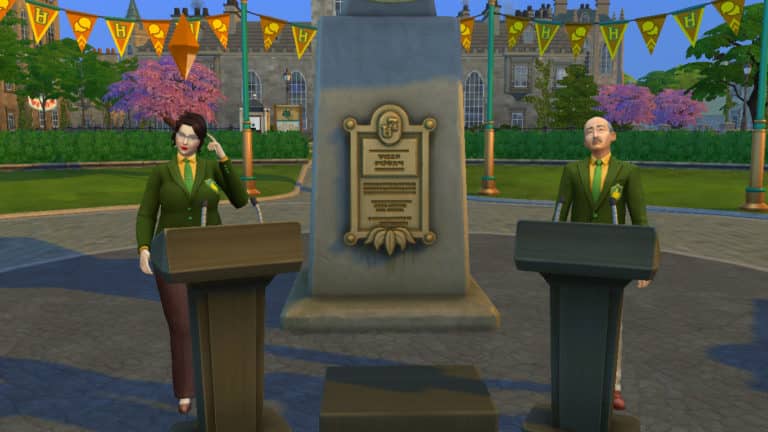
The Research & Debate skill is a new 10-level skill that comes with The Sims 4: Discover University. Sims will learn the power of persuasion and the importance of doing their research with this skill, which will come in handy for coursework, debates, and convincing other Sims to do various tasks.
Leveling up in this skill will help your Sims win debates, so Sims involved in UBrite’s Debate Guild organization will want to focus on building this skill. Any academically-inclined Sims will benefit from this skill, as it will allow them to finish homework and write term papers faster. Mischievous Sims may have an interest in building this skill in order to convince other Sims to do all kinds of tasks for them, from cleaning and cooking to doing their homework for them.
The Research & Debate Skill is built by researching topics on the research machine and practicing debates either at a debate podium or in the mirror. Researching the Secret Society and Urban Legends does not build the Research & Debate skill.
What’s your favourite part of the Research & Debate skill? Let us know in the comments or come chat with us on social media!
For a full breakdown of the Robotics skill, check out our article, Discover University: Robotics Skill Overview
Presented by EA Game Changers
Is your Sim fresh out of high school and eager to start the next chapter of their life? Maybe they’re a struggling single parent who wants a fresh start and an opportunity to provide a better life for their child? Or maybe they’re an elder looking to spend their retirement expanding their mind?
No matter the story, any Young Adult or older Sim can apply to university! The process is easy. The most difficult part is waiting for that acceptance letter and any scholarship approvals.

Before applying to university, it’s a good idea to apply for scholarships. Sims can apply for scholarships through the phone, computer, or mailbox. Sims can get an idea of which scholarships they’re likely to be eligible for by consulting with a guidance councilor through the computer as well.
There are six types of scholarships:
When your Sim applies for a scholarship, they’ll be presented with a list of every scholarship they are eligible for. Your Sim can choose to apply to some or all of them. Being eligible for a scholarship isn’t a guarantee that your Sim will be accepted, but it doesn’t hurt to apply to everything you can. You never know!

Once your Sim has sent out all their scholarship applications, they’ll receive the results in the mail the next day. Collect the mail and then open the envelopes for all the scholarships your Sim applied to in order to see if they’ve been accepted or not. Sims can also check the status of their applications on the phone or computer.

Once your Sim has some scholarships, they should apply to university. Sims can apply to university through the computer. They can also research universities on a computer, which will present them with an information popup that details all the degrees offered by both universities, the University of Britechester and Foxbury Institute.
It costs §75 to apply to university. Once an application has been sent off, your Sim will receive an acceptance letter in the mail the following day. Sims can also check their application status on the phone.
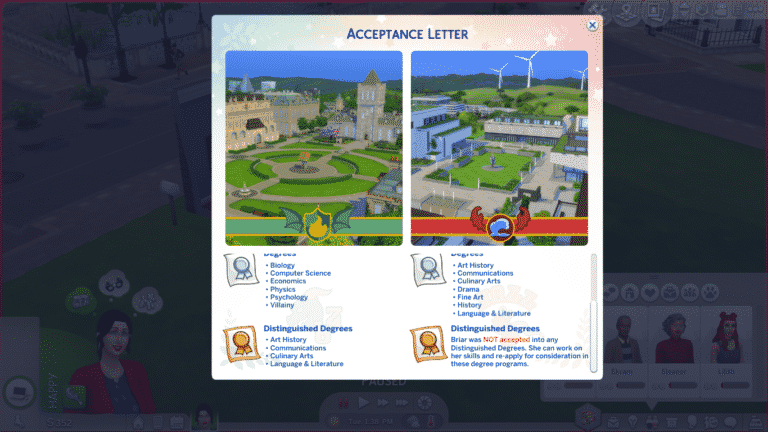
Sims will never be outright rejected from university all together; they will always be accepted into the standard degrees regardless of high school grades or skills, but unskilled Sims with poor grades will most likely not be accepted into any distinguished degrees from either school. Sims seeking a distinguished degree should make sure they are applying with good grades and/or a few skills. Distinguished degrees are more prestigious and offer better scholarships, rewards, and career boosts after graduation.
When your Sim receives their acceptance letter, it will detail which degrees your Sim has been accepted into. Depending on your Sims’ grades and skills, they may be accepted into some distinguished degrees from one school, but not the other. It’s up to you to decide which school and degree your Sim should attend based on the degrees they’ve been accepted into.

Once your Sim has received their acceptance letter, they can enroll. Sims can enroll in university on the computer. When enrolling, a information popup screen will guide you through the process of enrolling step-by-step. This screen is where you will make all the big decisions about which school you’ll enroll in, which degree and classes you’ll take, where you’ll live, and how you’ll be paying for your tuition.
Once your Sim has made all the necessary arrangements, they will be officially enrolled in university! If your Sim chose to move somewhere else, you’ll be taken to a household split and merge screen where you’ll be able to transfer any household funds over and, if your Sim was the last Sim on the lot, sell any furnishings in the home.
Do you know which school your Sim will be attending? What degree will they take? Let us know in the comments or come chat with us on social media!

Presented by EA Game Changers
Getting into university is one thing; excelling in university is quite another. For most people, the joys of university lie in balancing work with pleasure. A little studying here, a little partying there, leading to an overall well-rounded university experience.
This guide is not for the casual university student. This guide will walk you through how to throw yourself completely into your education in order to achieve the best grades (and the best future) possible. Throw away your juice kegs and break out those textbooks because school is all you’re going to know for the next three terms.
For a breakdown on scholarships and applying to university, see our guide, Discover University: Applying to University!
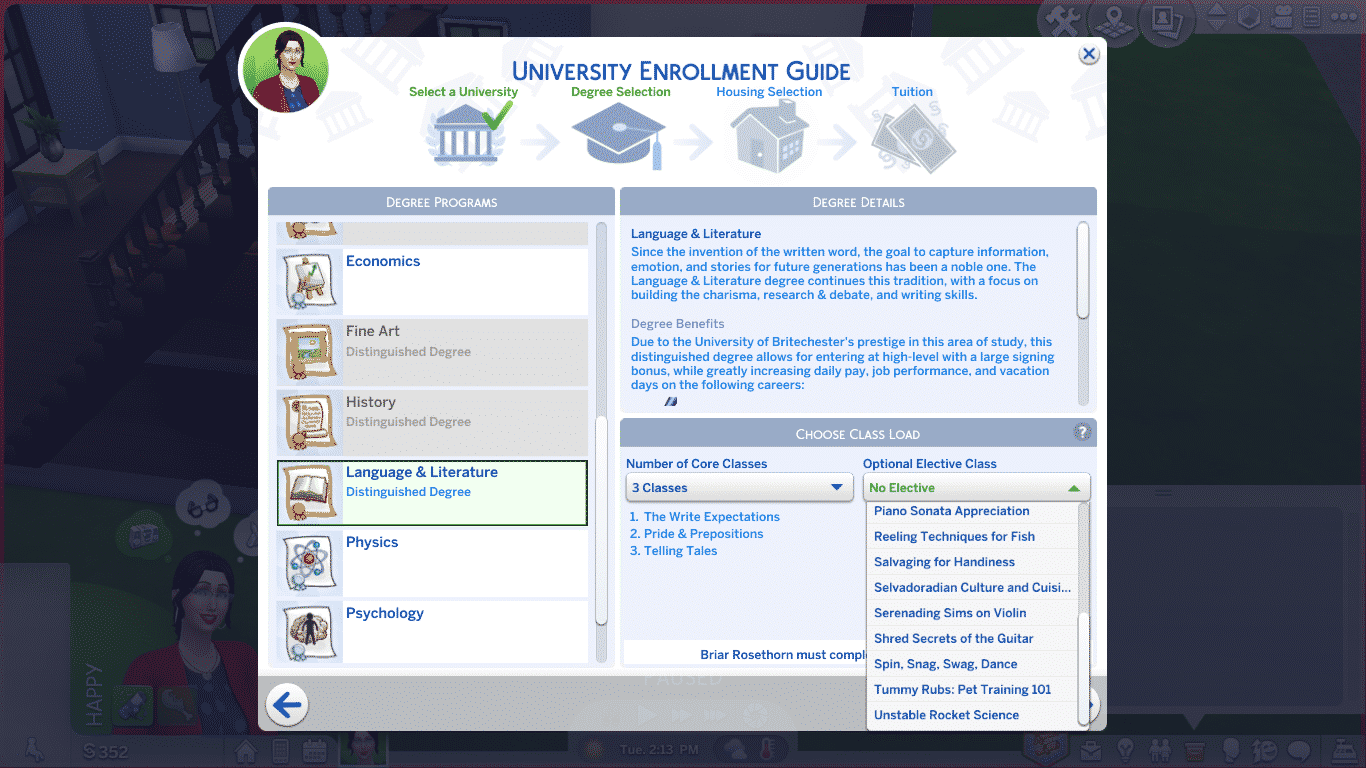
Of course, it all starts with enrolling and selecting your degree and classes. No matter which degree you pursue, you’ll have to select up to 4 classes per term. Classes change every term so you’ll see new ones available every time you select your classes at the start of term. You can’t change which classes you’ll be taking for your degree; you can only choose the number of classes.
However, Sims have the option of enrolling in 1 elective each term. Electives are fun classes that focus on skills outside of your degree and you will be able to select which elective your Sim will take that term. There are all kinds of electives that span a wide variety of skills. Electives are fully integrated across all packs, so depending on which add-on content you have installed, you may see different electives for skills from different packs.
Electives are optional; your Sim doesn’t need to take any electives at all, but if they do choose to take an elective, they can only take up to 3 other classes. Sims are limited to 4 classes per term in total, so either 4 classes, or 3 classes and 1 elective.
Our recommendation? Take 3 classes and 1 elective every term for maximum academic success. Electives still count as credits towards your degree so taking an elective doesn’t hurt your progress at all, plus your Sim will graduate with a few extra skills thanks to the electives they took.

One term last 5 working days. There is no way to shorten or lengthen a term. They are fixed periods. Sims can begin a new term anytime during the week, but weekends don’t count as term days. If your Sim starts a new term on a Friday, the term won’t end until Thursday the following week. Starting a new term in the middle of the week can be a good academic strategy for dedicated students because it will give them the weekend to catch up on homework and final assignments.
How many terms your Sim needs to complete in order to graduate is entirely dependent on how many classes they decide to take per term. A Sim needs to earn 12 credits in order to graduate.
Here is the breakdown of how many terms your Sim will need to complete based upon their classes:
These calculations are based on the assumption that your Sim completes the same number of classes every term. It is possible to take a different number of classes each term (4 classes one term, 2 the next term, for example), in which case the number of terms needed to graduate will vary.
Even if a Sim only takes 3 terms to graduate, they will still spend the majority of their young adult life in university; however, unlike past Sims games, your Sims are not trapped on campus with no way to work or live a life outside of university. Sims can live wherever they want, have a job, and raise a family while going to school, so this balances things out. If the length of university is not ideal for your play style, we recommend turning aging off in the game options while your Sim is in university. That way, they don’t lose any time to climb a career ladder or pursue other life goals.
Of course, you will want to be taking 4 classes every term for maximum efficiency. Sims who don’t mind sacrificing their social life and plan to devote all their time to their studies should take a full course load every term.
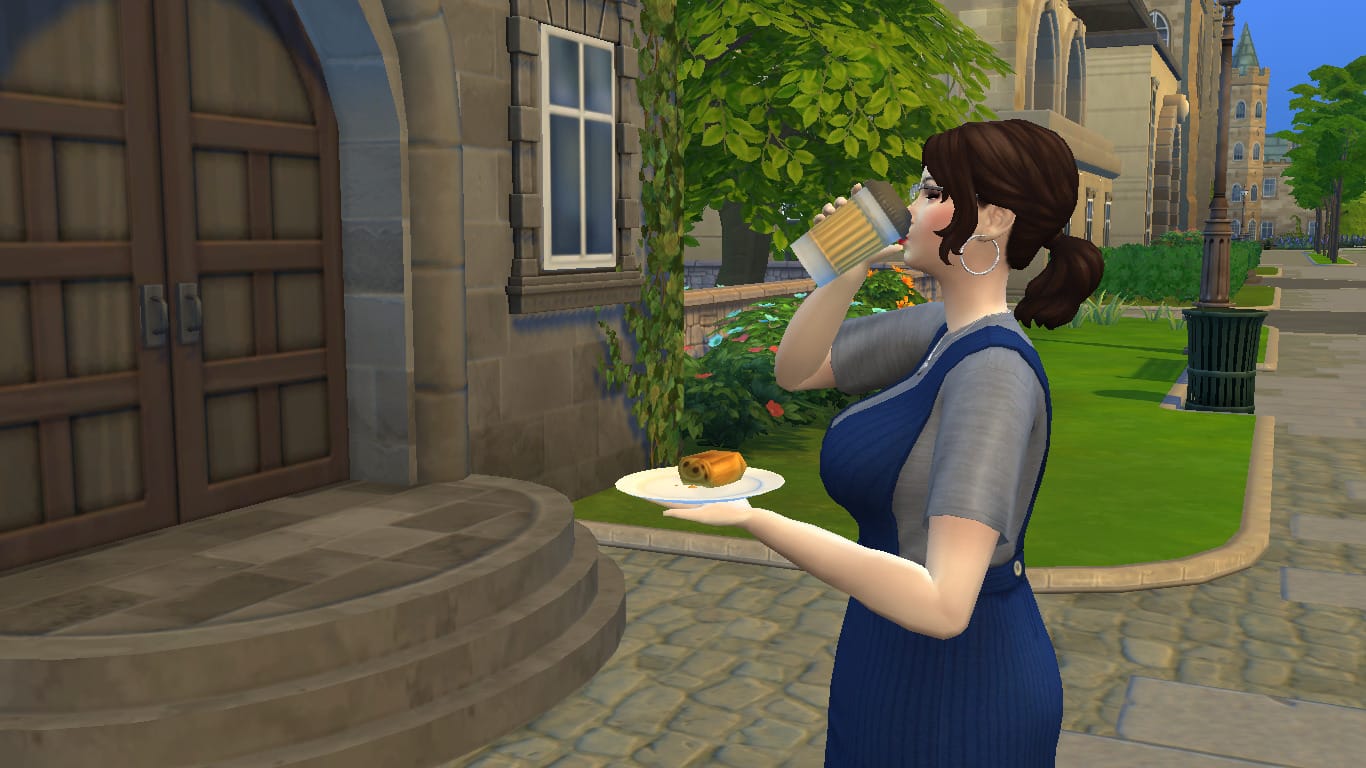
It’s important to actually attend class in order to get the most out of your university education. Missing class will hurt your grades. Sims in the area will autonomously try to get to class a little early. Sims who’ve arrived to class early will wait outside the building with the other early bird students. This can be a good time to get some last minute homework finished or to quickly finish the rest of that coffee and snack you purchased to-go at the cafe vendor.
While your Sim is inside the classroom rabbithole, they will have various options available to them by clicking on their portrait, much like the different work options for inactive careers. Click the class icon on the Sim’s portrait to see the various actions they can take in class. Sims can Actively Listen, Take Notes, Sleep in Class, or Chat with Friends. To get the most out of every class, make sure your Sim is taking notes or actively listening. I’m sure we don’t need to tell you that sleeping in class and chatting with friends are not good ways to improve your grades.
If you’re taking a full course load, it’s likely that your Sim will have more than one class in a day, or even back to back classes. Make sure to check the career panel often to keep track of your class schedule so you can budget your time for homework, finals, and self-care effectively.
Ideally, you will want your Sim to attend every single class with all of their homework completed and taking an active role in the class while they are there. This will ensure your Sim gets the most out of their classes and, in turn, gets the best grades at the end of term.
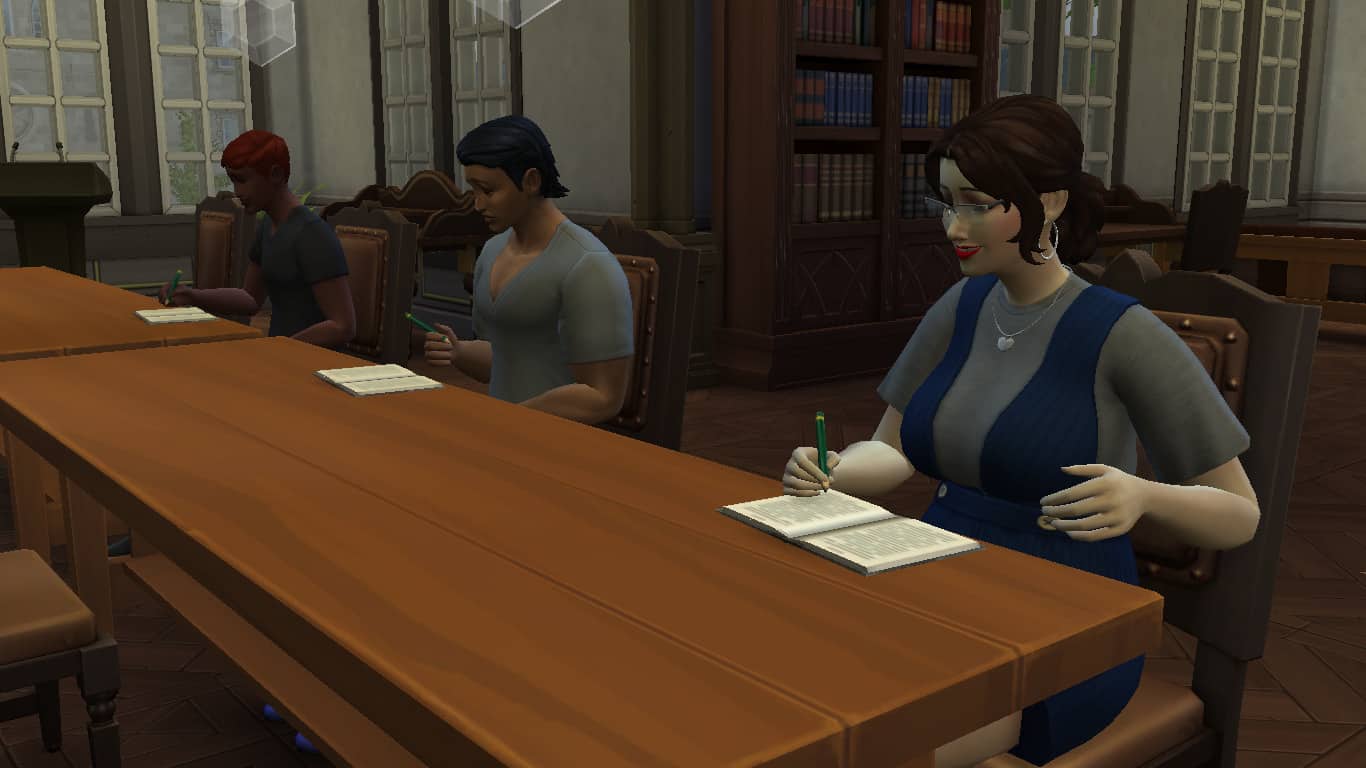
Every course your Sim takes has homework due before every class. When your Sim enrolls in university, they are automatically given a homework notebook in their personal inventory. Sims can complete homework for all their classes using this notebook. Homework takes some time to complete, but Sims with high enough Research & Debate skill complete homework faster.
Sims who stay on top of their homework and pay attention in class will get more out of attending classes and it will have a positive impact on their final grade. Always complete homework before every class and actively pay attention in class for maximum academic success.
In addition to homework that must be completed on a regular basis throughout the term, each class also has a final. Finals are very important and worth a large chunk of your grade. Skipping out on your finals will have a big negative impact on your final grade, so make sure you complete all of them.
Each class will have different requirements for its final. Some classes will require your Sim to write a term paper. Others have final exams and presentations. Look at your class schedule in the career panel to see what’s required of each class.

Exams take place during the last class of the term. If your Sim has done all their homework and attended all their classes, they’re likely to do well on their exam, but Sims can also study for a class using a course book purchased from the university kiosk, a computer, or research station to boost their chances of doing well on their exam.
Don’t miss your final exam! Failing to write the exam results in a big fat zero and will seriously hurt your final grade!
PSST! You can also cheat on your exam by selecting the option on your Sim’s portrait while they’re in the exam… but you would never do that… would you? Getting caught has serious consequences.
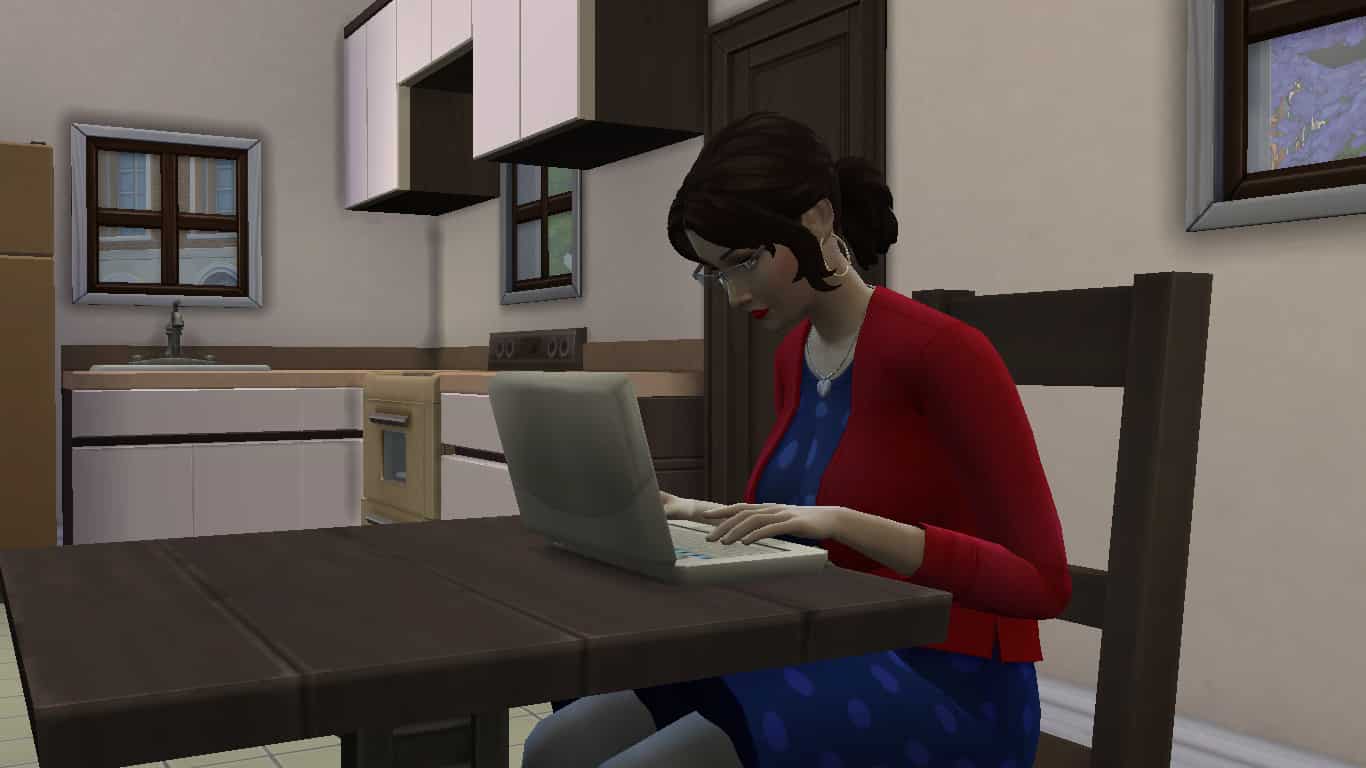
Term papers can be written on the computer under the University menu option. A Sim can write and submit a term paper for a class at any point during the term, so dedicated Sims might want to get these out of the way early.
Term papers take a long time to complete, but Sims with high enough Research & Debate skill complete term papers faster. The first draft of a term paper is usually poor quality. Your Sim can submit poor quality term papers, but f they want the best grade, they should spend some time editing their paper before they submit it.
Term papers can be edited until they are outstanding quality. You’ll receive a notification telling you that your term paper won’t benefit from any further editing once your Sim has increased its quality to outstanding. Scrolling over the term paper option in the computer’s menu will tell you the quality of the term paper.
When your Sim is satisfied with the quality of their paper, they can submit it using the computer.
PSST! You can also plagiarize your term papers by selecting the plagiarize option on the computer… but you would never do that… would you? Getting caught has serious consequences.
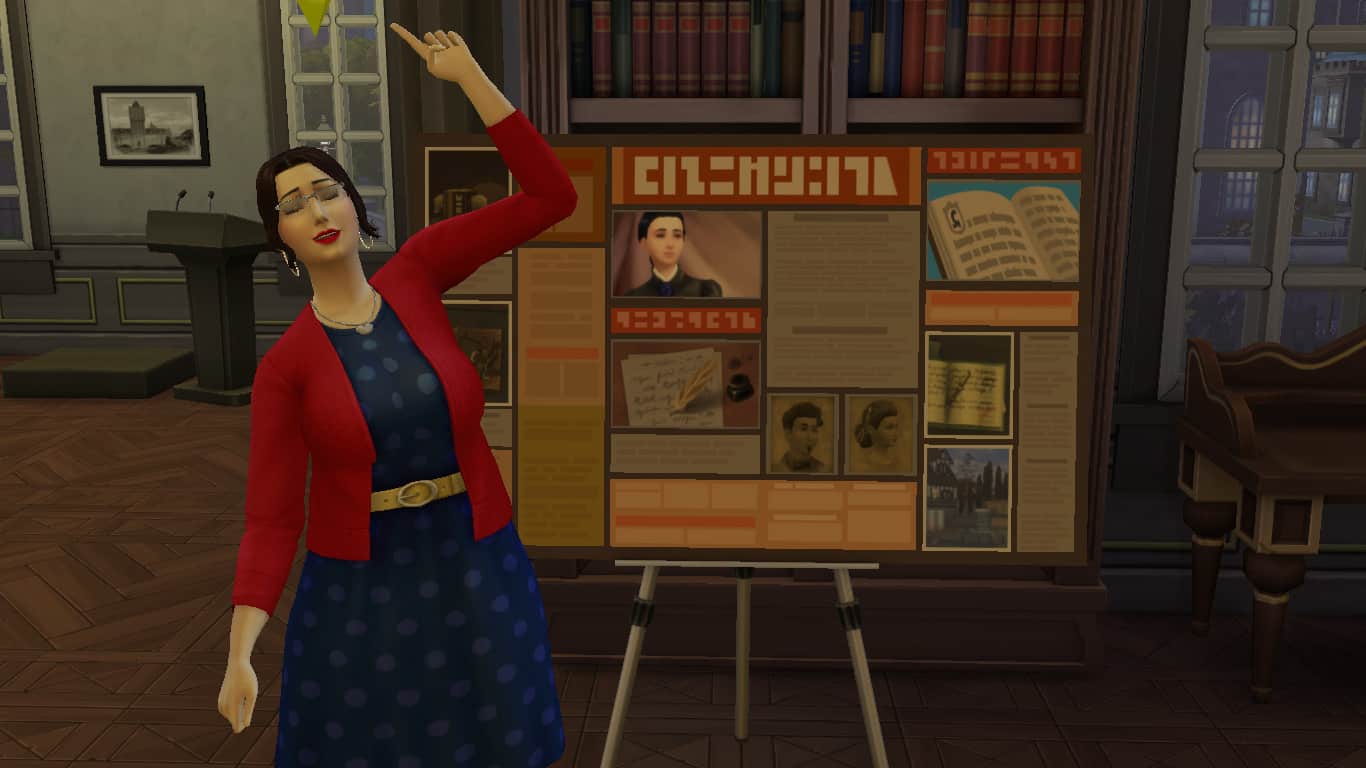
Your Sim will receive a presentation board in their personal inventory at the start of term for any classes that have a presentation requirement as their final. Presentations function similar to term papers; your Sim will need to compile all of their material on the board, then refine the presentation board until it’s suitable to present in class.
To start, drag the presentation board out of your Sim’s inventory and into the world somewhere, then choose the Capture Information option on the board. Your Sim will spend some time compiling all their material for their presentation onto the board. When they’ve finished, they will have a poor quality presentation board. You can see the board’s quality by hovering over it.
Sims can improve the quality of their presentation by refining and organizing it, and asking other Sims for feedback on their presentation. They can also practice their presentation. Practicing presentations builds the Charisma skill. Once the board cannot be improved any further, you will receive a notification informing you that your Sim’s presentation board looks great and that continuing to fiddle with it won’t improve it any more.
When your Sim is satisfied with the quality of their presentation, they can go to class with the presentation board in their inventory and present it. Presentations do not take place during regular classes; your Sim must click on the class rabbithole and select the presentation option. Presentations can only be given during the day. Your Sim won’t be able to present in the middle of the night.
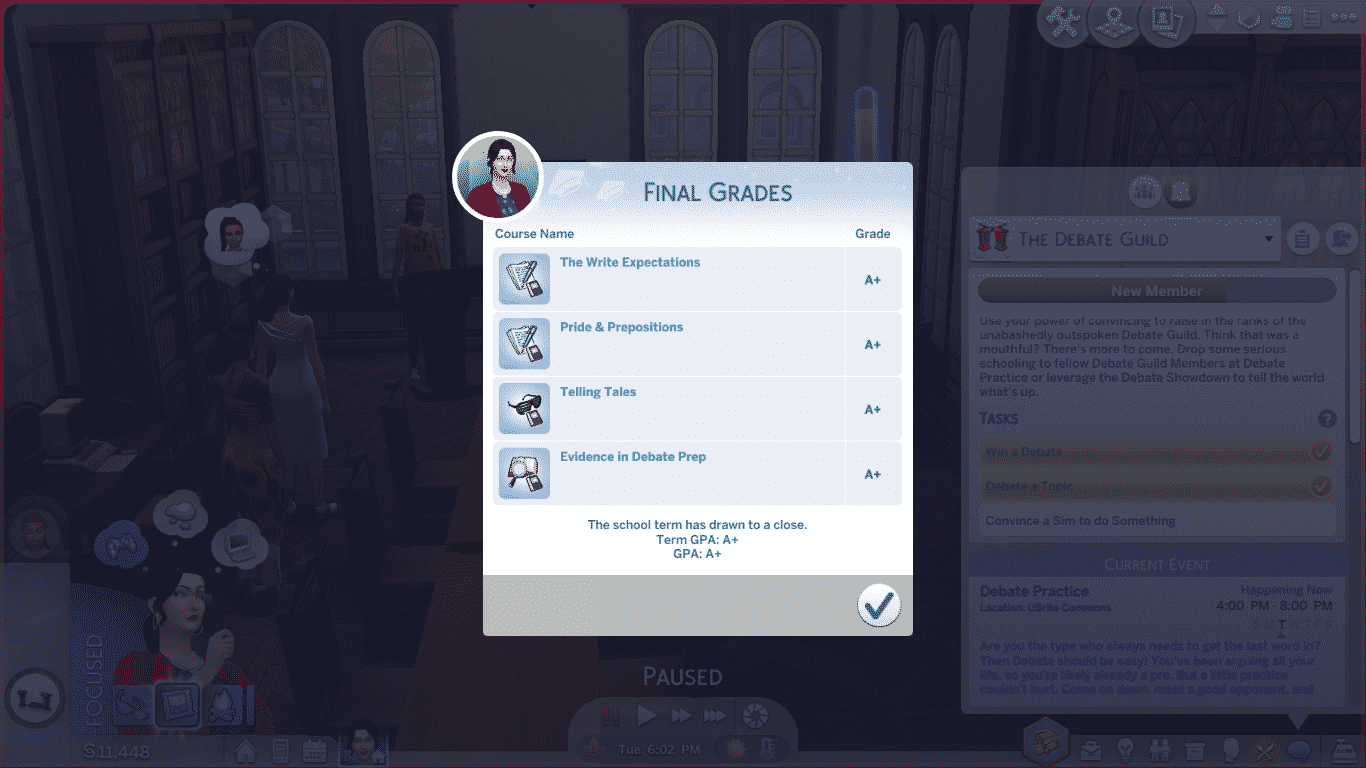
If your Sim has done all their homework, attended every class as an active participant, and completed all their finals with outstanding quality, they should have no trouble getting an A+ grade in every class. However, perfect grades don’t come easy. You’ll find that your Sim has little to no time for extracurricular activities, organizations, or socialising when they are taking 4 classes and trying to achieve an A+ grade in every single one of them. University is definitely a rewarding challenge in The Sims 4, just like in the real world.
Since grades aren’t given out until the end of term, it’s up to your Sim to take a proactive approach to finding out how they’re doing in their classes. They can visit their professors during their office hours or email them on the computer to get an idea of how they’re performing in their classes and how they can improve.
Once all coursework has been submitted, your Sim will be free to enjoy themselves (for once) while their final grades are being processed. Once the final grades are in, you’ll receive a popup with all your final grades for each class, as well as your overall GPA.
From there, you can choose to enroll in another term right away, or take some time off before starting a new term. If your Sim has any scholarships, they must enroll in a new term immediately or they will lose their scholarships. Tuition costs for the new term will be handled at this point as well. Sims can pay with household funds or take out a loan to pay any tuition costs for the new term that scholarships don’t cover.
Your Sim will also be given the opportunity to make different housing arrangements at the start of each new term. They can choose to stay wherever they are currently living, or move somewhere else. This change does not happen right away. Your Sim will have about a day left in their old residence, which gives them an opportunity to pack up any personal items they may have purchased for their living space. A small “Packing Up” event will occur a couple hours before the move to remind your Sim to gather up their things, too.
As long as your Sim continues on the path to success they started in their first term, all their future terms are bound to result in perfect A+ grades across the board. Keep doing that homework, working on those finals, and paying attention in class!
Have any tips of your own for academic success? Share them with us in the comments or come chat with us on social media!
Presented by EA Game Changers
Welcome to Britechester!
“Begin a new chapter in the historical University of Britechester or modern Foxbury Institute. Live in a dorm room or off-campus in the welcoming town of Gibbs Hill. Explore Britechester on a bicycle, spend time in the student commons, and have a study session at the library. Cheer on the student body at a school spirit event and wear school colours to show your Sim’s pride.”

The world is essentially divided into three areas. Foxbury Institute Campus on the left-hand side, Gibbs Hill in the middle and University of Britechester Campus on the right-hand side. There is a total of thirteen lots in Britechester although nine of these are tied to the Universities.
“Foxbury Institute may seem young compared to the historical town surrounding it, but it has quickly distinguished itself in academia. For the students who have worked hard to attend Foxbury Institute, it’s not just work, but the pursuit of personal passions that keeps this campus bustling.”

This lot is the Foxbury Commons.

Foxbury Institute students only.

This University Housing Lot is occupied by Cameron Fletcher when you first enter Britechester.

Foxbury Institute students only.

“Gibbs Hill is nestled in the centre of Britechester right between the two universities, Foxbury Institute and the University of Britechester. It was the first centre of activity in Britechester and its famous Laurel Library has stayed a key location for many students to study and learn. The Pepper’s Pub has also become a common spot for students from all around to make friends regardless of their rivalries.”

This lot is unoccupied.

This lot is occupied by The Pleasant Family when you first enter Britechester.

This lot is occupied by The Elderberry Family when you first enter Britechester.


“This university is the oldest in Britechester, founded by the famous Felix Psyded, who was well known for his enthusiasm for learning and humorously large books. As the years have passed the University of Britechester has established itself as an esteemed institute of classical education.”

University of Britechester students only.

This is the UBrite Commons lot.

This lot is occupied by The Best Friends Family when you first enter Britechester. This lot is also for University of Britechester students only.

University of Britechester students only.

There is plenty to explore in the historic world of Britechester. With plenty of open spaces and places to explore on land, water and even on two wheels!


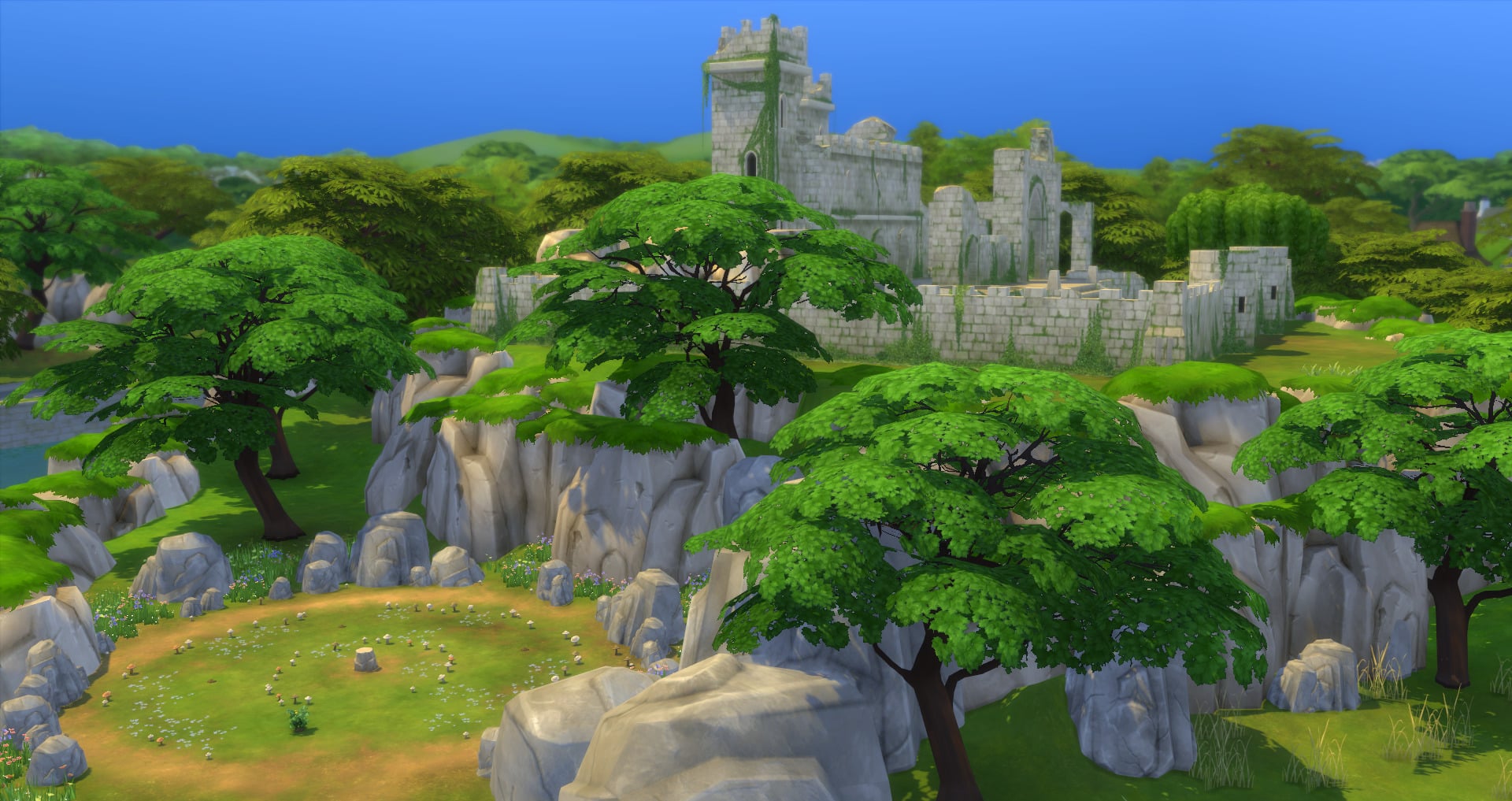


Whether it is learning more at Laurel Library or catching up with friends at Pepper’s Pub there is plenty for University Students, Residents and those planning on studying at one of Britechester’s two universities in the future. Add Britechester’s historical background and charm into the mix and it really is the place your Sims need to be. Just keep an eye out for strange and mysterious things happening near the castle late at night.
Join us at 6PM Pacific Time / 3AM Central European Time (yup, I’ll be livestreaming at 3AM) as I cover The Sims 4 Discover University Expansion Pack!
We’ve gotten a special, Early Access copy of the pack so we can cover the content and showcase it to you guys and we’re beginning with today’s Early Access Livestream. Hope to see you there!
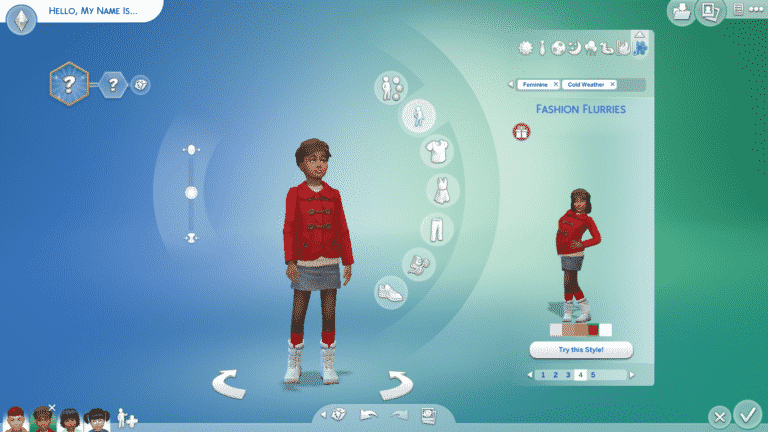
The Sims 4 received a new content update today that added a new accessibility feature, updates to the home screen, some new holiday CAS assets for children and toddlers, new build tools, and a new radio station.
Let’s dive right in and showcase all these new goodies, shall we?

Upon loading the game, players will now be informed of all the latest updates for the game as well as new blog posts and any upcoming content. Players can cycle through these notifications to make sure they stay up to date on all the latest Sims news.


For children, we have 1 new female top, 1 unisex top, and 1 unisex pair of boots.


For toddlers, we have 1 new male full-body outfit, 1 new female full-body outfit, and 1 unisex pair of shoes.


We also have 4 new styled looks across both genders and age groups! Look for them in the everyday and cold weather clothing categories.

Builders rejoice! There are new tools regarding columns at your disposal! Columns are now multi-story and can be dragged out up to four stories high to accommodate the tallest buildings. Columns that have had their height extended will keep their height when being moved or copied.
Most columns can be dragged out to the full four stories, but a few have a max height restriction due to their visual design. You can see which columns have a max height restriction when you scroll over their thumbnail in the Build/Buy catalogue.

The Hip Hop radio station from Get Famous has now been added to the base game! Songs on the Hip Hop station that were exclusive to Get Famous still require Get Famous, but some new songs have been added to the Hip Hop station for the base game:
“Big Moe,” by Beau Young Prince
“Dumbstruck,” by Ceraadi
“Good Life,” by RDGLDGRN & Daniela
“Block List,” by Rico Nasty
“Litest,” by Supreme Madness

There is now a new tab in the Game Options, called Accessibility. Players can now scale the UI up and down in the Accessibility tab. If the player tries to scale the UI too large or small, a warning will appear informing the player that some parts of the UI may overlap or bleed off the screen at the current size.
That’s it for new content features but today’s update also came with TONNES of crucial bug fixes for both the base game and various packs! See the full patch notes here for more details!
What’s your favourite part of today’s update? Let us know in the comments or come chat with us on social media!
PSST! Want the inside scoop on a few “hidden” update features not mentioned in the patch notes? Check out Sims Community’s YouTube channel!
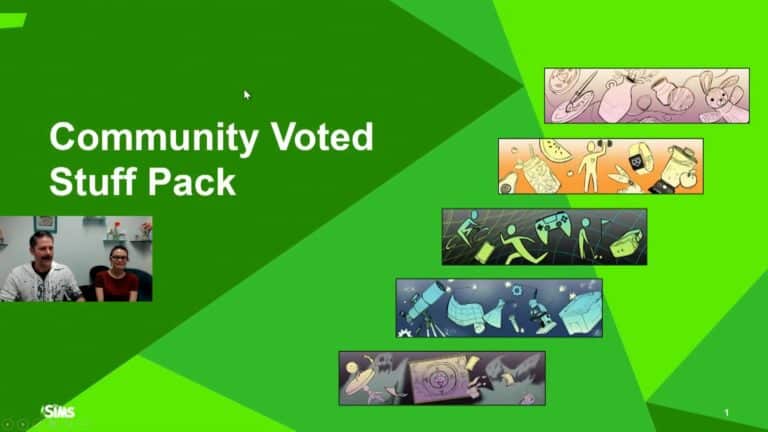
During the November Maxis Monthly livestream, it was revealed that The Sims team is creating another Community Voted Stuff Pack. SimGuruNinja and SimGuruDana explained the overall timeline for this Community voted Stuff Pack but also gave us a glimpse of the themes & gameplay features that we, as a community can vote for from 18th November 2019!
After this first voting block there will be four more voting periods spaced out over the next few months.
Important: Make sure you have surveys enabled in game! To do this simply go into your Game Options > Other > Enable in-game surveys.

As for the Themes and Gameplay features, there are five different ones to chose from. When voting goes live we will see more information about each of the five themes but take a look at the gallery below for an overview of what each theme is.


You can read more about the Community Voted Stuff Pack in more detail here.
Let us know which theme you like the most in the comments below!