Home Blog Page 298

July Sims 4 Build Challenges on Twitch

Seasons Greetings in July! Now that the new Sims 4 EP: Seasons has been out for a hot minute, let’s expand our horizons and check out some build challenges currently running for the month of July.

Twitch streamers have been busy as bees coming up with some fun and interesting build challenges for you to flex your creative muscles. I’ve collected a few to share with you, so perhaps you’ll spend the weekend buckling down and designing something magical!

Save The Date

Created by Gitsie

Overview:
A build challenge designed to highlight the events we celebrate between Holidays! “I hope this challenge captures the imaginations of Simmers, and encourages people to explore the “event” section of the new Sims calendar as well as the new Holidays feature.”
– Gitsie

Full rules in the image below.

Start date: July 1st 2018
End date: July 31st 2018

sims 4 build challenges, twitch build challenges, twitch, sims 4 twitch, seasons build challenges

Family Traditions: A Sims 4 Seasons Build Challenge

Created by Phirehero

Overview:
Your challenge is to create the perfect lot to cater to a family, in celebration of the Sims 4 Seasons Traditions! Roll a die, or have the community decide on which family you shall cater your build to! Oh, and the families are 8 members strong! Better make room!

Full rules in the image below.

Start date: July 1st 2018
End date: July 21st 2018

sims 4 build challenges, twitch build challenges, twitch, sims 4 twitch, seasons build challenges

Two Seasons

Created by Simarchy and UKSimmer2014

Overview:
A collab challenge created by two simmers! Create two homes on one lot and decorate them each for a different season.

Full rules in the image below.

Start date: July 1st 2018
End date: July 30th 2018

sims 4 build challenges, twitch build challenges, twitch, sims 4 twitch, seasons build challenges

The Sims 4 Seasons didn’t get the hype and promotion it deserved

The Sims 4 Seasons was the biggest speculated expansion pack ever since the release of The Sims 4 Base Game in 2014. There were numerous conspiracies about the pack coming out, rumors about The Sims Team hinting at the pack in some of the object descriptions and even unreliable sources working at EA Customer Service telling that the game will come out this year.

All of that led to the final moment where The Sims Team officially announced the Seasons Expansion Pack on May 24th. The entire community reacted to the announcement extremely well, especially considering the fact that the pack was set to release in less than a month after the announcement (June 22nd). Considering that we had only 4 weeks until the pack releases I was expecting that EA will have a full-blown promo strategy up their sleeve to get the word out about Seasons. However, it felt like all EA did was pay dust to this long-awaited Expansion, and here’s why:

After The Sims 4 Seasons was fully announced to the world everyone was eager to get some new information about this Expansion Pack and how it’ll influence our gameplay. The Seasons announcement that we got was enough for the week when the announcement material came out. However, as the days passed by all we got were a few blog posts and tweets from the developers elaborating some features, saying that they’ll be able to share more during the week of EA Play. Oh, and also a paid promotion clip from Millie Bobby Brown.

The Sims 4 Seasons didn’t get the hype and promotion it deserved

Considering that the first teaser ever for Seasons being announced was a tweet saying that we’ll be able to get our hands on “the next Sims Experience” at EA Play, I was expecting that there would be more promotion and footage material being shared at the press conference. Before the conference we did get a new trailer showcasing gameplay revolving around Holidays. However, nothing about Holidays or Seasons was shared at the EA Play Press Conference stage which was watched by a quarter million people across the globe. Instead, EA focused on Battlefield 5 Multiplayer Reveal, Star Wars saying nothing more that they can do better and that they’ll release a few updates in the next few months, EA Sports titles and Anthem.

SimGurus shared on twitter that they didn’t have The Sims 4 Seasons on stage because the pack was already announced. However, FIFA 18 shared a portion of EA’s Press Conference stage talking about the World Cup Update and the features of it which have already been revealed a few weeks before EA Play. The press conference was a perfect opportunity for The Sims Team to show how Seasons would affect each world and the entire Sims 4 ecosystem of packs which would only give them more attention from the press and the general public. Sadly, they missed that opportunity and because of it the press only focused their eyes on shooters and sports games, leaving The Sims in the dark. Due to that people relied on folks who registered for EA Play and got a chance to play the game for around 15 minutes to share information about Seasons which could’ve easily been shared at the Press Conference. Instead, simmers had to rely on social networks and fansites to get more bits of news and pictures taken from smartphones of the people who attended the event.

This is how new footage was shared during EA Play:

Pic from SimClub

The Sims 4 Seasons didn’t get the hype and promotion it deserved

The week before Seasons’ release we got another Milly Bobby Brown promotional clip and a single 2-hour livestream, as well as some other info bits from the developers on twitter.

I was grateful that I got an opportunity to capture footage during EA Play of The Sims 4 Seasons and get it out to the world. However, we were allowed to share all of it in the week of Seasons’ release. Up until that point people still mostly relied only on tweets, leaks and the single livestream that was hosted.

Shortly after Seasons was released worldwide and The Sims Team released a short (but sweet) Launch Trailer.

That was it. That was all the promotion The Sims Team gave to a game-changing Expansion Pack. I’ve wrote about and followed every Expansion Pack announcement and release ever on this website since Get to Work and I can honestly say that Seasons and its promotion was underwhelming. Just take a look at some of the promotion we had for Cats & Dogs compared to Seasons:

  • Cats & Dogs: 4 Gameplay Trailers
  • Seasons: 3 Gameplay Trailers
  • Cats & Dogs: 5 Promotional Social Media Clips
  • Seasons: 2 Mille Bobby Brown Ads on her own Social Network profiles
  • Cats & Dogs: 3 Livestreams
  • Seasons: 1 Livestream

It’s also worth mentioning that previous Expansion Packs had 5 Trailers shared on The Sims’ official YouTube Channel.

So, why am I writing all of this? Well, The Sims Team recently announced that they’ll be doing things differently with upcoming packs. One of the things that they’ll be doing is that they’ll give a different, surprise approach with upcoming Pack announcements and releases, starting with Seasons:

Starting with the recent surprise announcement and release of The Sims 4 Seasons, we’re shifting our approach regarding the types of packs we create, and when they’ll be released.


Sure, the fact that Seasons was announced closely to its release was great, but it could’ve been easily announced earlier in exchange for more information and official promo material.

This could easily mean that with future Expansion Pack announcements we’ll be in the dark for some time and then immediately get an announcement with a much closer release date, rather than knowing about the pack for 2-3 months and get staggered releases of new footage and information during that time.

Do you think that The Sims 4 Seasons could’ve been promoted more and what do you think about the change of how packs are being released and announced? Let us know in the comments!

Playstation Mid-Year Sale: Save 40% off on select The Sims 4 Titles

Playstation is currently having a Mid-Year Sale on plenty of video game titles, including The Sims 4 and some of the packs!

The Sims 4 Base Game, City Living, Get to Work, Dine Out, Vampires and the first DLC Bundle are all 40% off! You can find and purchase these games from the official links we’ve put down below:

If you have a PS Plus membership then you’ll be getting an additional 10% off! The sale ends on July 17th at 5PM CET.

Playstation Mid-Year Sale: Save 40% off on select The Sims 4 Titles

The Sims 4 Seasons Livestream: Every Day is a Holiday

0

Join us on a whole new journey in The Sims 4 Seasons as we together fill up the entire calendar with Holidays!

The Sims Mobile: Summer Backyard Barbecue Event Tips, Tricks & Information

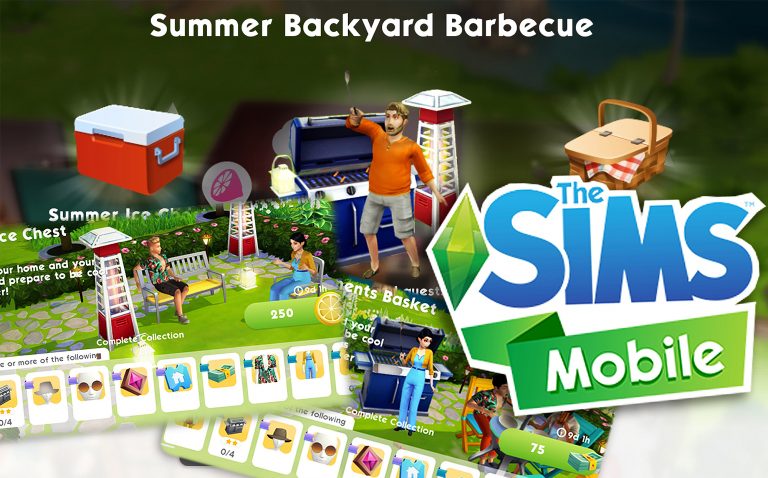
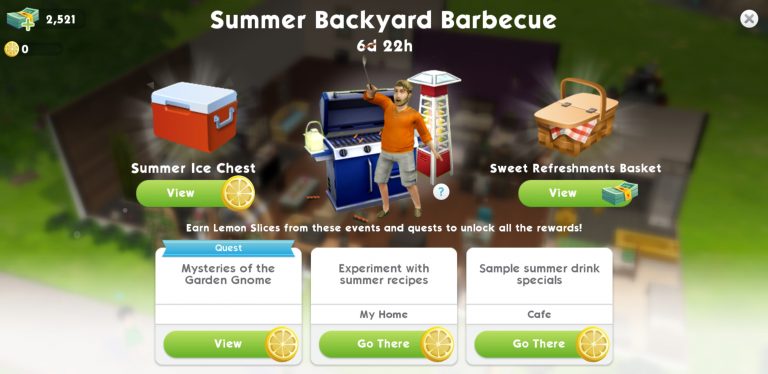
An update today for The Sims Mobile has a new event: Summer Backyard Barbecue. It comes with the limited time Quest: Mysteries of the Garden Gnome. Beside the main event rewards, you will also receive a bonus of 3 gnomes for your garden (A Triptych of Garden Gnomes) if you manage to complete this Quest within 7 days. Note that you got less than 7 days to complete this event from now, so be quick!

Summer Backyard Barbecue rewards

You can get rewards from the Summer Ice Chest (cost: Lemon Slices) or the Sweet Refreshments Basket (cost: SimCash).

The Sims Mobile: Summer Backyard Barbecue Event Tips, Tricks & Information


Note: the Rarity showed below is applied for items in the Summer Ice Chest.

Item Rarity: Rare 15% (purple tag)

The Sims Mobile: Summer Backyard Barbecue Event Tips, Tricks & Information

  • The Original Haute Dog, quantity: 1, colour The Sims Mobile: Summer Backyard Barbecue Event Tips, Tricks & Information
  • Summer BBQ Grill Deluxe (Large Grill), quantity: 4, quality: 2-star, colour The Sims Mobile: Summer Backyard Barbecue Event Tips, Tricks & Information
  • Vented Hiking Hat, quantity: 1, colour The Sims Mobile: Summer Backyard Barbecue Event Tips, Tricks & Information
  • Ultra Posh Glasses, quantity: 1, colour The Sims Mobile: Summer Backyard Barbecue Event Tips, Tricks & Information
  • Fashion Gem
  • Super Home Ticket

Item Rarity: Uncommon 25% (blue tag)

The Sims Mobile: Summer Backyard Barbecue Event Tips, Tricks & Information

  • SimCash
  • Floral Breeze, quantity: 1, colour The Sims Mobile: Summer Backyard Barbecue Event Tips, Tricks & Information
  • Summer Chic Jumpsuit, quantity: 1, colour The Sims Mobile: Summer Backyard Barbecue Event Tips, Tricks & Information
  • Summer Chill Tower (Patio Heater), quantity: 8, quality: 2-star, , colour The Sims Mobile: Summer Backyard Barbecue Event Tips, Tricks & Information
  • Summer Padded Dining Chair (Req. for actions at Tables and Desks), quantity: 8, quality: 2-star, colour The Sims Mobile: Summer Backyard Barbecue Event Tips, Tricks & Information
  • Home Ticket
  • Sim Ticket
  • Simoleons

Item Rarity: Common 60% (green tag)
The Sims Mobile: Summer Backyard Barbecue Event Tips, Tricks & Information

  • Summer Dinning Chair (Req. for actions at Tables and Desks), quantity: 8, quality: 1-star, colour The Sims Mobile: Summer Backyard Barbecue Event Tips, Tricks & Information
  • Summer Umbrella Table (Patio Table), quantity: 4, quality: 2-star, colour The Sims Mobile: Summer Backyard Barbecue Event Tips, Tricks & Information
  • Summer Steely Arms Loveseat (Loveseat), quantity: 6, quality: 1-star, colour The Sims Mobile: Summer Backyard Barbecue Event Tips, Tricks & Information
  • Summer Steely Arms Chair (Accent Chair):, quantity: 6, quality: 1-star, colour The Sims Mobile: Summer Backyard Barbecue Event Tips, Tricks & Information
  • Summer Illumination Light (Outdoor Ground Light), quantity: 12, quality: 2-star, colour The Sims Mobile: Summer Backyard Barbecue Event Tips, Tricks & Information
  • Summer Lantern (Small Table Light), quantity: 6, quality: 2-star, colour The Sims Mobile: Summer Backyard Barbecue Event Tips, Tricks & Information


*Sweet Refreshments Basket: you will need SimCash to purchase this Basket. These items are the same as the items in Summer Ice Chest, the only difference is there is a higher chance to get the Uncommon (30%) and Rare (25%) items.

Quest bonus reward

You will get a bonus reward after completing the 9-part event quest Mysteries of the Garden Gnome: unlock A TripTych of Garden Gnomes for your gardens.

The Sims Mobile: Summer Backyard Barbecue Event Tips, Tricks & InformationHow to earn Lemon Slices

The Sims Mobile: Summer Backyard Barbecue Event Tips, Tricks & Information


This token is the new currency for this event.

Spend the Lemon Slices that you saved to get all reward items from the Summer Ice Chest.


Here are ways to earn Lemon Slices.

Event Activities

The Sims Mobile: Summer Backyard Barbecue Event Tips, Tricks & Information

  • Experiment with summer recipes
    Location: Home
    Time required: up to 6 hours
    Lemon Slices earned: 400
    Cool down time is 20 hours.
  • Sample summer drink specials
    Location: cafe in Parkside
    Time required: up to 4 hours
    Lemon Slices earned: 125
    Cool down time is 8 hours.

    Note: It will show “In Process” if you are currently doing the activities.

Event Quest: ‘Mysteries of the Garden Gnome’

There are 9 parts that you need to complete:

The Sims Mobile: Summer Backyard Barbecue Event Tips, Tricks & Information

  • Part 1: Search in potted plants for gnome clues

The Sims Mobile: Summer Backyard Barbecue Event Tips, Tricks & InformationRewards: 220 Lemon Slices.

Guide: Tap on a potted plant at home and use the ‘look for clues’ action. You will need to search 10 times.

Tips: do the search on different potted plants since you will need to wait 5 minutes to do another search on the same pot. If you don’t have enough potted plants you can buy more of the cheapest pots or just simply wait it out.


  • Part 2: Sprinkle the gnomes favourite drink on potted plants.

The Sims Mobile: Summer Backyard Barbecue Event Tips, Tricks & InformationRewards: Summer Drink Tray.

Guide: Tap on potted plants at home and use ‘sprinkle the gnome’s favourite drink’ action. You will need to do it 5 times.

Tips: same as part 1, use different potted plants to complete this action.


  • Part 3: Place a tray of drinks and wash down the summer stinks.

The Sims Mobile: Summer Backyard Barbecue Event Tips, Tricks & InformationRewards: 220 Lemon Slices.

Guide: Do this action at home, go to your Home Storage, find the Summer Drinks Tray and place it in your home lot.


  • Part 4: Search for the experts that makes you think about improvements to your drink.

The Sims Mobile: Summer Backyard Barbecue Event Tips, Tricks & InformationRewards: 220 Lemon Slices.

Guide: Travel to the Cafe in Parkside to start the Sample summer drinks special event.

Tips: if you are in the middle of doing this event, you will just need to wait for your sim to complete it and collect the rewards.


  • Part 5: Experiment with summer recipes at home.

The Sims Mobile: Summer Backyard Barbecue Event Tips, Tricks & InformationRewards: 220 Lemon Slices.

Guide: Do this event at home. Tap on the lemon icon floating on top of the fridge, stove, or Summer drink tray to complete this event.

Tips: if you are in the middle of doing this event, you will just need to wait for your sim to complete it and collect the rewards.


  • Part 6: Spend Lemon Slices to open Summer Ice Chests.

The Sims Mobile: Summer Backyard Barbecue Event Tips, Tricks & InformationRewards: 220 Lemon Slices.

Guide: Tap on the live event button, spend Lemon Slices on the Summer Ice Chest (located at the top right of the screen). You will need to spend 925 Lemon Slices.


  • Part 7: Sample summer drink specials at the Cafe (same as part 4).

The Sims Mobile: Summer Backyard Barbecue Event Tips, Tricks & InformationRewards: 220 Lemon Slices.

Guide: Travel to the Cafe in Parkside to start the Sample summer drinks special event.

Tips: if you are in the middle of doing this event, you will just need to wait for your sim to complete it and collect the rewards.


  • Part 8: Experiment with summer recipes at home (same as part 5).

The Sims Mobile: Summer Backyard Barbecue Event Tips, Tricks & InformationRewards: 220 Lemon Slices.

Guide: Do this event at home. Tap on the lemon icon floating on top of the fridge, stove, or Summer drink tray to complete this event.

Tips: if you are in the middle of doing this event, you will just need to wait for your sim to complete it and collect the rewards.


  • Part 9: Spend the Lemon Slices to open Summer Ice Chests (same as part 6).

The Sims Mobile: Summer Backyard Barbecue Event Tips, Tricks & InformationRewards: 220 Lemon Slices.

Guide: Tap on the live event button, spend Lemon Slices on the Summer Ice Chest (located at the top right of the screen). You will need to spend 1400 Lemon Slices.


Other events

Get extra Lemon Slices when completing these events: any Career, Hobby, Relationship and Special Events (such as Exercise Bootcamp and Speed Dating in the Park)

Tips:

  • Try to complete the Event Activity as soon as it becomes available after the cool down as you will get a greater amount of Lemon Slices from it compare to other events.
  • When it comes to career or any other events, try to do quick session for more effective results.
  • Watching ads may give you extra Lemon Slices!

The Sims Mobile: Summer Backyard Barbecue Event Tips, Tricks & Information

Overall it is an easy-to-complete event, you can possibly finish it within a day, or even faster if you use Cupcakes to speed up the events. Make sure to collect as many Lemon Slices as you can to unlock all the rewards from this event.


And those Lemons are cute too!

The Sims Mobile: New Update! (July 3rd, 2018)

0

The Sims Mobile Team released a brand new update for the game, adding a new Summer Backyard Barbecue Event as well as a new Picturesque Patio Set!

Unlike most major updates which require you to update the game entirely via Google Play / App Store, this update will apply to your game automatically after opening it. It’s around 50MB and will give you the new items and features after re-opening it.

The Sims Mobile: New Update! (July 3rd, 2018)

Right from the start you’ll notice the brand new Summer Backyard Barbecue Quest which is similar to limited-time quests we’ve had before. You obtain Lemon Slices (which is a currency for this event) and with them you’ll be able to purchase a Summer Ice Chest which will bring you a potential new item.

The Sims Mobile: New Update! (July 3rd, 2018)

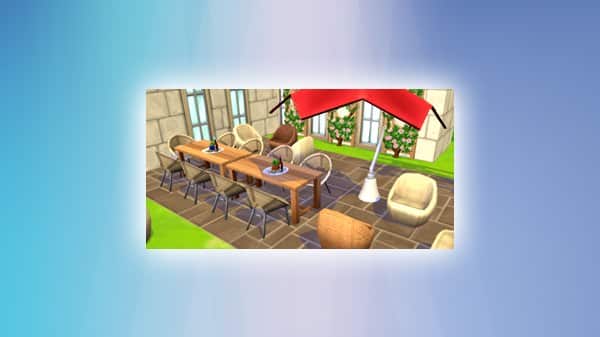
There’s also a new Picturesque Patio Set of new items in Build Mode for players who are Level 19 and above!

The Sims Mobile: New Update! (July 3rd, 2018)

The Sims 4: Expect Changes to Upcoming Pack Releases + More on Upcoming Quarters

13

After the announcement that Quarterly Teasers for The Sims 4 are no more, many were left wondering what it means exactly that “there will be quarters where we don’t release new paid content”. SimGuruKate emphasized the fact that this only means that there’s going to be some quarters where paid content won’t be released, meaning that we can expect free content & updates to be released on occasion during that period.

She also mentioned the fact that EA / Maxis are changing the way paid content is delivered to the public.

Does this mean that Expansion Packs for The Sims 4, just like Seasons, are now going to be released less than a month away from their announcement and are there more changes to the way Game Packs and Stuff Packs are being released? We’ll have to wait and find out! After all, there are at least 3 more years of content in plan for The Sims 4!

The Sims 4 Seasons Gallery Spotlight: Houses

The Sims 4 Seasons Gallery Spotlight: Houses

In this Spotlight, we’re featuring all sorts of homes built with The Sims 4 Seasons Expansion Pack, as well as some other packs.

Hover over the pulsing plumbobs to see screenshots of marked areas. Pulsing plumbob that’s on the left bottom corner contains all the info (and download link) of the lot.

To see more of our previous Gallery Spotlights, CLICK HERE!

[ult_hotspot main_img=”id^76289|url^https://simscommunity.info/wp-content/uploads/2018/07/07-02-18_9-25-23-PM.jpg|caption^null|alt^null|title^07-02-18_9-25-23 PM|description^null”][ult_hotspot_items icon_type=”custom” icon_img=”id^39525|url^https://simscommunity.info/wp-content/uploads/2015/09/plumbob2.png|caption^null|alt^null|title^plumbob2|description^null” img_width=”38″ tooltip_custom_color=”” tooltip_custom_bg_color=”rgba(255,255,255,0.01)” tooltip_width=”400″ tooltip_position=”right” enable_bubble_arrow=”off” tooltip_continuous_animation=”on” hotspot_position=”53.99153930131004,61.22699386503068″]

The Sims 4 Seasons Gallery Spotlight: Houses

[/ult_hotspot_items][ult_hotspot_items icon_type=”custom” icon_img=”id^39525|url^https://simscommunity.info/wp-content/uploads/2015/09/plumbob2.png|caption^null|alt^null|title^plumbob2|description^null” img_width=”38″ tooltip_custom_color=”” tooltip_custom_bg_color=”rgba(255,255,255,0.01)” tooltip_width=”400″ tooltip_position=”right” enable_bubble_arrow=”off” tooltip_continuous_animation=”on” hotspot_position=”33.97925764192139,61.963190184049076″]

The Sims 4 Seasons Gallery Spotlight: Houses

[/ult_hotspot_items][ult_hotspot_items icon_type=”custom” icon_img=”id^39525|url^https://simscommunity.info/wp-content/uploads/2015/09/plumbob2.png|caption^null|alt^null|title^plumbob2|description^null” img_width=”52″ tooltip_custom_color=”#1e73be” tooltip_custom_bg_color=”#ffffff” tooltip_width=”450″ tooltip_position=”right” tooltip_continuous_animation=”on” hotspot_position=”89.61858624454149,3.190184049079755″ tooltip_custom_border_size=”border-style:solid;|border-width:2px;border-radius:5px;|border-color:#81d742;”]

Seasons Family Home (Download Here)

by SarahAmina

Value: §96,417
Size: 30×20
Lot Type: Residental Lot[/ult_hotspot_items][/ult_hotspot][ult_hotspot main_img=”id^76292|url^https://simscommunity.info/wp-content/uploads/2018/07/07-02-18_9-36-34-PM.jpg|caption^null|alt^null|title^07-02-18_9-36-34 PM|description^null”][ult_hotspot_items icon_type=”custom” icon_img=”id^39525|url^https://simscommunity.info/wp-content/uploads/2015/09/plumbob2.png|caption^null|alt^null|title^plumbob2|description^null” img_width=”38″ tooltip_custom_color=”” tooltip_custom_bg_color=”rgba(255,255,255,0.01)” tooltip_width=”400″ tooltip_position=”right” enable_bubble_arrow=”off” tooltip_continuous_animation=”on” hotspot_position=”60.91703056768559,61.717791411042946″]

The Sims 4 Seasons Gallery Spotlight: Houses

[/ult_hotspot_items][ult_hotspot_items icon_type=”custom” icon_img=”id^39525|url^https://simscommunity.info/wp-content/uploads/2015/09/plumbob2.png|caption^null|alt^null|title^plumbob2|description^null” img_width=”38″ tooltip_custom_color=”” tooltip_custom_bg_color=”rgba(255,255,255,0.01)” tooltip_width=”400″ tooltip_position=”right” enable_bubble_arrow=”off” tooltip_continuous_animation=”on” hotspot_position=”83.86326419213974,61.59509202453988″]

The Sims 4 Seasons Gallery Spotlight: Houses

[/ult_hotspot_items][ult_hotspot_items icon_type=”custom” icon_img=”id^39525|url^https://simscommunity.info/wp-content/uploads/2015/09/plumbob2.png|caption^null|alt^null|title^plumbob2|description^null” img_width=”38″ tooltip_custom_color=”” tooltip_custom_bg_color=”rgba(255,255,255,0.01)” tooltip_width=”400″ tooltip_position=”right” enable_bubble_arrow=”off” tooltip_continuous_animation=”on” hotspot_position=”32.710152838427945,61.59509202453988″]

The Sims 4 Seasons Gallery Spotlight: Houses

[/ult_hotspot_items][ult_hotspot_items icon_type=”custom” icon_img=”id^39525|url^https://simscommunity.info/wp-content/uploads/2015/09/plumbob2.png|caption^null|alt^null|title^plumbob2|description^null” img_width=”52″ tooltip_custom_color=”#1e73be” tooltip_custom_bg_color=”#ffffff” tooltip_width=”450″ tooltip_position=”right” tooltip_continuous_animation=”on” hotspot_position=”89.61858624454149,3.190184049079755″ tooltip_custom_border_size=”border-style:solid;|border-width:2px;border-radius:5px;|border-color:#81d742;”]

Pleasant Seasons House (Download Here)

by SimplyNando

Value: §101,117
Size: 30×20
Lot Type: Residental Lot[/ult_hotspot_items][/ult_hotspot][ult_hotspot main_img=”id^76296|url^https://simscommunity.info/wp-content/uploads/2018/07/07-02-18_9-44-30-PM.jpg|caption^null|alt^null|title^07-02-18_9-44-30 PM|description^null”][ult_hotspot_items icon_type=”custom” icon_img=”id^39525|url^https://simscommunity.info/wp-content/uploads/2015/09/plumbob2.png|caption^null|alt^null|title^plumbob2|description^null” img_width=”38″ tooltip_custom_color=”” tooltip_custom_bg_color=”rgba(255,255,255,0.01)” tooltip_width=”400″ tooltip_position=”right” enable_bubble_arrow=”off” tooltip_continuous_animation=”on” hotspot_position=”56.66962336244541,67.11656441717791″]

The Sims 4 Seasons Gallery Spotlight: Houses

[/ult_hotspot_items][ult_hotspot_items icon_type=”custom” icon_img=”id^39525|url^https://simscommunity.info/wp-content/uploads/2015/09/plumbob2.png|caption^null|alt^null|title^plumbob2|description^null” img_width=”38″ tooltip_custom_color=”” tooltip_custom_bg_color=”rgba(255,255,255,0.01)” tooltip_width=”400″ tooltip_position=”right” enable_bubble_arrow=”off” tooltip_continuous_animation=”on” hotspot_position=”35.876091703056765,68.46625766871166″]

The Sims 4 Seasons Gallery Spotlight: Houses

[/ult_hotspot_items][ult_hotspot_items icon_type=”custom” icon_img=”id^39525|url^https://simscommunity.info/wp-content/uploads/2015/09/plumbob2.png|caption^null|alt^null|title^plumbob2|description^null” img_width=”52″ tooltip_custom_color=”#1e73be” tooltip_custom_bg_color=”#ffffff” tooltip_width=”450″ tooltip_position=”right” tooltip_continuous_animation=”on” hotspot_position=”89.61858624454149,3.190184049079755″ tooltip_custom_border_size=”border-style:solid;|border-width:2px;border-radius:5px;|border-color:#81d742;”]

Winter Family Home (Download Here)

by Kait411

Value: §94,733
Size: 30×20
Lot Type: Residental Lot[/ult_hotspot_items][/ult_hotspot][ult_hotspot main_img=”id^76299|url^https://simscommunity.info/wp-content/uploads/2018/07/07-02-18_9-47-27-PM.jpg|caption^null|alt^null|title^07-02-18_9-47-27 PM|description^null”][ult_hotspot_items icon_type=”custom” icon_img=”id^39525|url^https://simscommunity.info/wp-content/uploads/2015/09/plumbob2.png|caption^null|alt^null|title^plumbob2|description^null” img_width=”38″ tooltip_custom_color=”” tooltip_custom_bg_color=”rgba(255,255,255,0.01)” tooltip_width=”400″ tooltip_position=”right” enable_bubble_arrow=”off” tooltip_continuous_animation=”on” hotspot_position=”49.17781113537118,57.668711656441715″]

The Sims 4 Seasons Gallery Spotlight: Houses

[/ult_hotspot_items][ult_hotspot_items icon_type=”custom” icon_img=”id^39525|url^https://simscommunity.info/wp-content/uploads/2015/09/plumbob2.png|caption^null|alt^null|title^plumbob2|description^null” img_width=”38″ tooltip_custom_color=”” tooltip_custom_bg_color=”rgba(255,255,255,0.01)” tooltip_width=”400″ tooltip_position=”right” enable_bubble_arrow=”off” tooltip_continuous_animation=”on” hotspot_position=”29.462336244541486,58.03680981595092″]

The Sims 4 Seasons Gallery Spotlight: Houses

[/ult_hotspot_items][ult_hotspot_items icon_type=”custom” icon_img=”id^39525|url^https://simscommunity.info/wp-content/uploads/2015/09/plumbob2.png|caption^null|alt^null|title^plumbob2|description^null” img_width=”52″ tooltip_custom_color=”#1e73be” tooltip_custom_bg_color=”#ffffff” tooltip_width=”450″ tooltip_position=”right” tooltip_continuous_animation=”on” hotspot_position=”89.61858624454149,3.190184049079755″ tooltip_custom_border_size=”border-style:solid;|border-width:2px;border-radius:5px;|border-color:#81d742;”]

SEASONS (Download Here)

by theholybackpack

Value: §124,880
Size: 40×30
Lot Type: Residental Lot[/ult_hotspot_items][/ult_hotspot]

No More Quarterly Teasers for The Sims 4 + Update on Future Plans

2

SimGuruKate has shared a post on The Sims Forums talking about Quarterly Teasers for The Sims 4. More precisely, she explained that there will be no more quarterly teasers for the game and that The Sims Team is taking a different approach to announce and release packs from this point on.

You can check out the full elaboration below:

Hello Simmers!

With July now here we know many of you have been anticipating the next quarterly teaser video. Getting straight to the point, I’m here to let you know that we will no longer be releasing quarterly teasers. As much as we enjoyed sharing a sneak peek into the future, there’s a good reason why they don’t make sense moving forward.

Since the beginning of The Sims 4, we’ve been forthright in saying that pack releases won’t fall into predictable patterns, and to expect for things to change as we try new approaches to creating fun experiences. As you may be guessing, we’re mixing things up. Starting with the recent surprise announcement and release of The Sims 4 Seasons, we’re shifting our approach regarding the types of packs we create, and when they’ll be released. This change means that there will be quarters where we don’t release new paid content, so quarterly teasers won’t be the right format for sharing information.

That said, we’re also reaffirming that a bright future lies ahead for The Sims 4. The full Sims 4 Development Team is working hard on multiple packs that are in various stages of development. We also remain committed to improving the game via updates and more free content, which will continue to release on a frequent cadence. Ultimately this is a signal that we’ve heard your feedback, and we’re tweaking our plans to deliver the content you’ve been asking for.

Thank You!
SimGuruKate


We’re looking forward to what upcoming quarters have in store for The Sims 4. Until then, please enjoy our super cheesy compilation of all the quarterly teasers that we had:

The Sims 4 Seasons: Holiday Friend’s Home Build Challenge

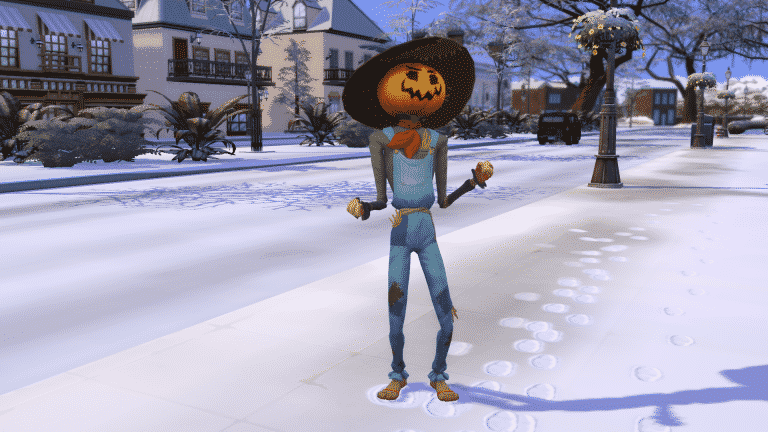
Simarchy has created a new build challenge all based around our new Holiday friends from The Sims 4 Seasons. Appropriately named Holiday Friend’s Home Build Challenge the aim of the challenge is to build a home or homes for your favourite holiday friend. Choose either Patchy, Father Winter, Flower Bunny or the Holiday Gnome and create a home based around each friend’s specification. Simarchy will also be touring some of the builds over on her Twitch channel during July too!

You can find all the information about each build and the rules for the challenge in the image below.

The Sims 4 Seasons: Holiday Friend’s Home Build Challenge
You can find Simarchy on Twitch here or follow her on Twitter as well! Also have you seen these four holiday friend’s are on Twitter too! Click the links below to check them out.
Patchy The Scarecrow – TalesofPatchy
Flower Bunny – TheFlowerBunny
Father Winter – WinterFather
Holiday Gnome – GnomeHoliday

Let us know what you think of the challenge and let us know which of the friends you are going to make a build for first!
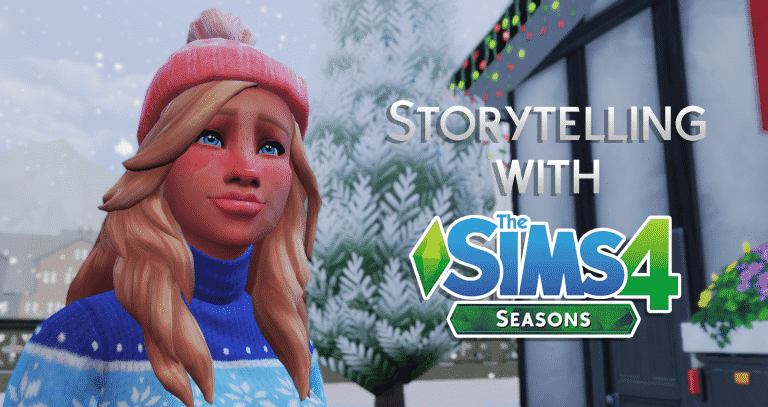
Using The Sims 4 Seasons to Create Immersive Storytelling

With the Seasons expansion, storytelling has never been this easy in the Sims 4! With a handful of new features, and a few pre-existing ones, you can make your game come to life for your gameplay and your sims stories. Utilizing new decorating options, multiple outfits, and tweaking the seasons settings to suit your experience, gives your game a whole new depth and telling a more dynamic story than ever before – just think of the screenshots!

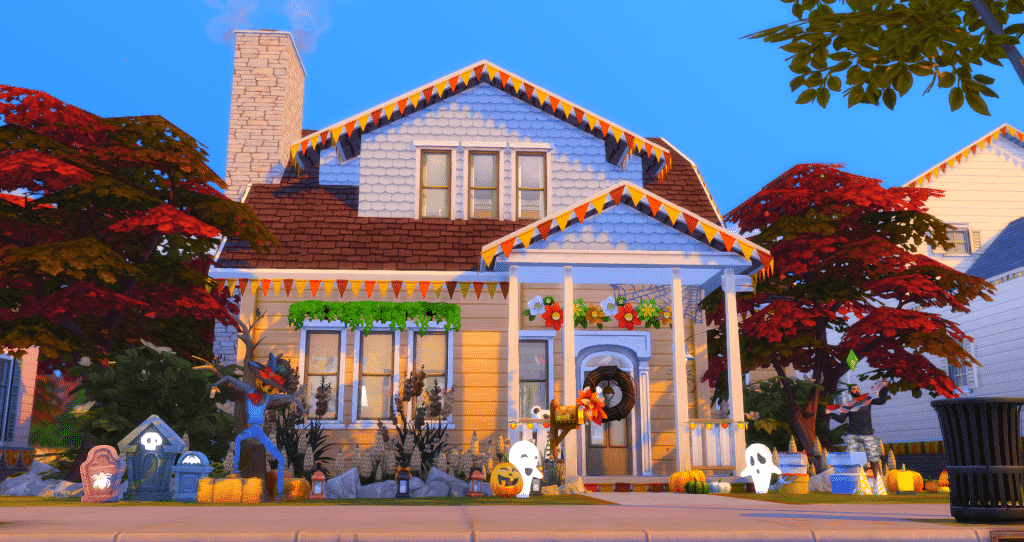
Decorating the house exterior

Use the new decorations box to quickly and easily get your house ready for the festivities of the season! You have plenty of options from bunting to lights to streamers, and plenty of colour options to cycle through to perfect the atmosphere. You can even use these decorations for everyday, and they can all be taken down with one click on the box. The perfect way to immerse yourself into seasonal gameplay and take wonderful screenshots with none of the fuss!

Search The Attic Stack Decoration Box in build/buy mode.

Using The Sims 4 Seasons to Create Immersive Storytelling

Using multiple outfits for all your categories

Utilising the multiple outfit system from the base game makes it easy to have your sims dressed for every occasion! Having some alternate outfits set up means you can switch super easily from your snow coat to your festive winter sweater, or from your shorts and flip flops to a dress, hat and sunglasses. Making use of multiple outfit options with the new weather and holiday functions adds realism to your gameplay, and makes your screenshot stories so much more dynamic. There’s some gorgeous new Winterfest sweaters that are sure to get your sims in the holiday mood!

Using The Sims 4 Seasons to Create Immersive Storytelling

More decorating

If you want to spend more time decorating, Seasons has added a load more festive decorations for you to manually place in your sims abode to up the realism in game. Not sure what to choose? By using the decorations box, you can be provided with some seasonal decorations in the matching colour scheme for that time of year. That way, you don’t have to search through the catalogue to get a homey seasonal feel. If that’s not enough, don’t forget to download the free Holiday Stuff through Origin for even more Winterfest decorations, or use The Sims 4 Spooky Stuff for any Halloween shenanigans!

Using The Sims 4 Seasons to Create Immersive Storytelling

Fine tune your seasons

Trying to take the perfect screenshot, but the extreme weather in some of the neighbourhoods keeps getting in the way? Use the seasons menu to fine tune your neighbourhoods weather effects, so you can choose how much your sims are affected by the daily forecast. Playing in Oasis Springs, but your sims can’t go outside without getting heat stroke midsummer? Turn that off, and you can have all the fun you want outdoors! It’s all about fine tuning your experience to you, to give you the most immersive experience possible.

Using The Sims 4 Seasons to Create Immersive Storytelling

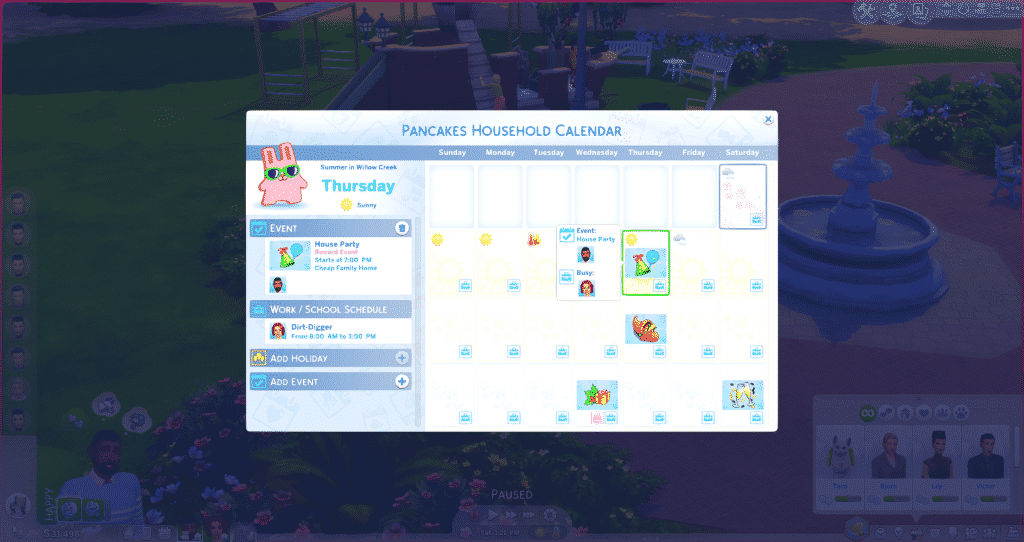
Using events for storytelling

Got a sim who throws big raging parties every week? Or a family that gathers for a movie night every second Sunday? Use the new calendar functions to add events like these into your sims lives! This way, you can organise when some gameplay highlights will happen, and you can coordinate sims around work or other activities to make sure you can tell the story you want to tell. The calendar will also tell you other important dates such as sim birthdays, making it even easier to know when sims will be aging up and to plan the perfect party to celebrate. For an expanded explanation of the new calendar system, click here.

Using The Sims 4 Seasons to Create Immersive Storytelling

What are your tips for incorporating storytelling with The Sims 4 Seasons? Let us know in the comments!

SimGuruGrant’s Final Poll about Life States in The Sims 4

3

SimGuruGrant, a senior producer on The Sims 4 has shared his final poll about which Life States would you like to see in The Sims 4. After sharing your thoughts in the first and second poll, you can now vote in the final life stages poll, letting you choose between Witches, Mermaids, Fairies and Imaginary Friends.

Unlike with previous polls you have 3 days to vote in this one. Do note that you need a twitter account in order to share your vote on a poll linked below!

SimGuruGrant’s 2nd Poll on which Life State do you want in The Sims 4

5

SimGuruGrant has shared a second poll asking simmers about which life state do you want to see in The Sims 4.

He also shared an important piece of information about what these polls are being used for:

We’re using the polls to gather information, confirm or refute our assumptions, and guide what/how we make…sometimes. It’s useful information.


Down below you can choose between Zombies, Robots, Mermaids and Imaginary Friends! Once again, please note that you’ll need a twitter account in order to vote in this poll!

SimGuruGrant’s 2nd Poll on which Life State do you want in The Sims 4

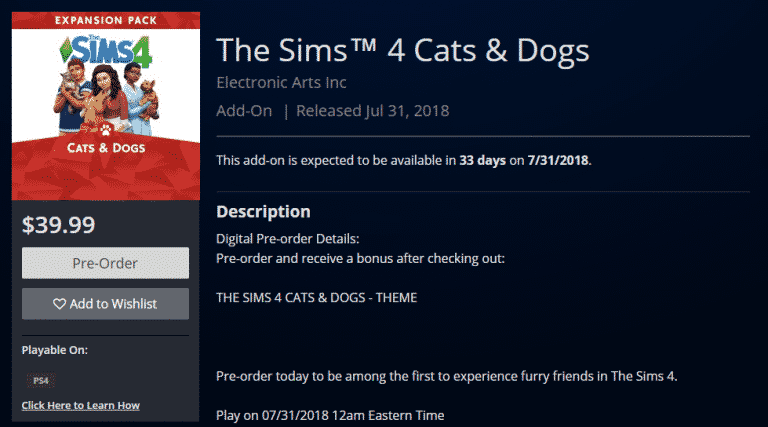
Pre-Order The Sims 4 Cats & Dogs on Microsoft and Playstation Store

The Sims 4 Cats & Dogs Expansion Pack is now available for pre-order for Xbox One and PS4 on the Microsoft and Playstation Stores!

There’s also a special bonus for PS4 users – by pre-ordering The Sims 4 Cats & Dogs now you get to enjoy the Cats & Dogs PS4 Theme!

Down below we’ve linked the pages where you can officially pre-order the game:

Pre-Order The Sims 4 Cats & Dogs on Microsoft and Playstation Store

The Sims 4 Cats & Dogs is coming to Xbox One & PS4 on July 31st

The Sims Team has finally announced that The Sims 4 Cats & Dogs Expansion Pack will be arriving to Xbox One and PS4 on July 31st, 2018.

Down below you can check out the console trailer that’s been just released!

The Sims Team also published an official blog spot talking more about the features that Cats & Dogs will bring to the console!