Home Blog Page 316

The Sims Mobile: Spring It On! Objects Pack Now Available for SimCash

0

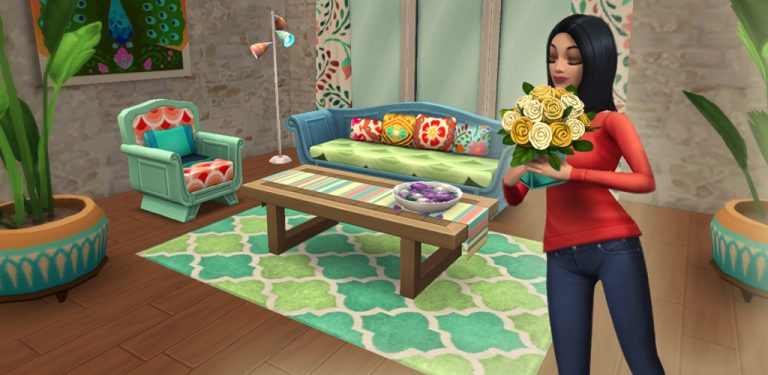
The Sims Mobile’s latest update offers a brand new objects pack that you can purchase for 550 SimCash! It features a sofa, a loveseat, two decor items, a coffee table, a rug and a tample lamp.

You can check out the object qualities and what they look like down below:

The Sims Mobile: Spring It On! Objects Pack Now Available for SimCash

Make sure you take advantage of this offer as it’s only availble for a limited time (11 days).

The Sims Mobile: New Update! (March 28th, 2018)

0

The Sims Mobile Team has released a new update for the game, addressing a few game issues, adding new items to the game and preparing for the upcoming Spring Egg Hunt that starts tomorrow!

Version 9.3.0

Check out our latest update, where we’ve made some Sim-tastic improvements. Thanks for playing!

The Sims Mobile: New Update! (March 28th, 2018)

The Sims Mobile: The Spring Egg Hunt Event Begins Tomorrow

0

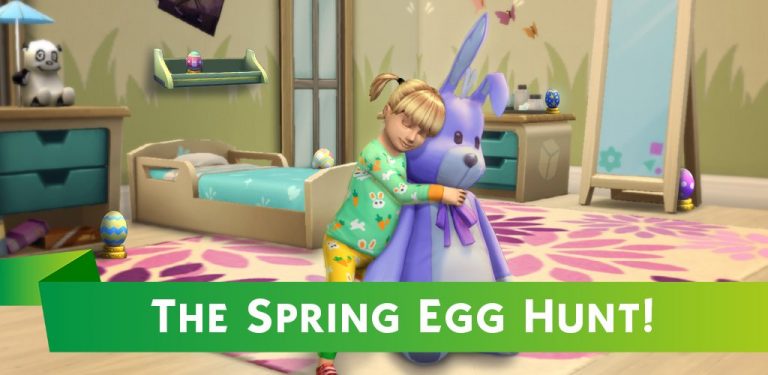
The Sims Mobile Team has announced that they’re doing a brand new event for the game called the Spring Egg Hunt.

We don’t have any specific information just yet other than the information that it’s beginning tomorrow at 8AM (your local time) and the screen they’ve provided below:

The Sims Mobile: The Spring Egg Hunt Event Begins Tomorrow

Stay tuned on our website for the latest information about the upcoming event!

The Sims Mobile confirms attendance at EA Play 2018

The Sims Mobile has just confirmed that they’ll be attending the EA Play event!

EA Play is a gaming event held at the Hollywood Palladium in LA to celebrate all sorts of released (and upcoming) games by Electronic Arts. The event promises new announcements and hands-on experiences on their latest video games.

The Sims 4 will also be attending the event with a promise of new experiences coming our way!

The Sims 4 Gallery Spotlight: 18 Unique Venues

The Sims 4 Gallery Spotlight: 18 Unique Venues

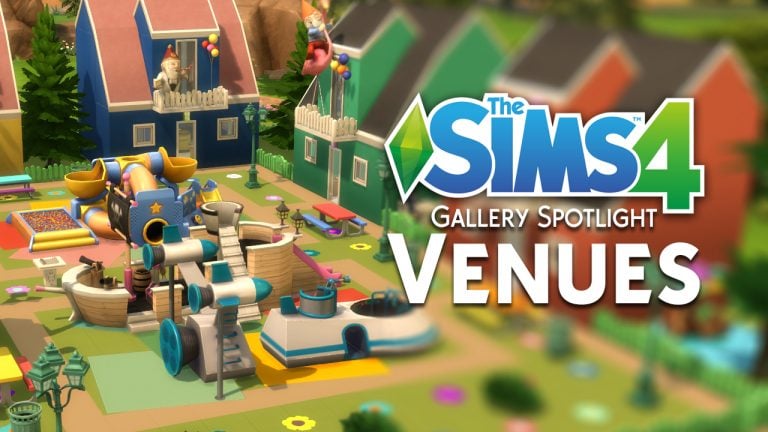
In this Spotlight, we’re all sorts of venues built with The Sims 4 (and some other packs as well).

Hover over the pulsing plumbobs to see screenshots of marked areas. Pulsing plumbob that’s on the left bottom corner contains all the info (and download link) of the lot.

To see more of our previous Gallery Spotlights, CLICK HERE!

[ult_hotspot main_img=”id^72990|url^https://simscommunity.info/wp-content/uploads/2018/03/03-27-18_1-14-21-AM.jpg|caption^null|alt^null|title^03-27-18_1-14-21 AM|description^null”][ult_hotspot_items icon_type=”custom” icon_img=”id^39525|url^https://simscommunity.info/wp-content/uploads/2015/09/plumbob2.png|caption^null|alt^null|title^plumbob2|description^null” img_width=”38″ tooltip_custom_color=”” tooltip_custom_bg_color=”rgba(255,255,255,0.01)” tooltip_width=”400″ tooltip_position=”right” enable_bubble_arrow=”off” tooltip_continuous_animation=”on” hotspot_position=”53.0279600984665,13.163271220114545″]
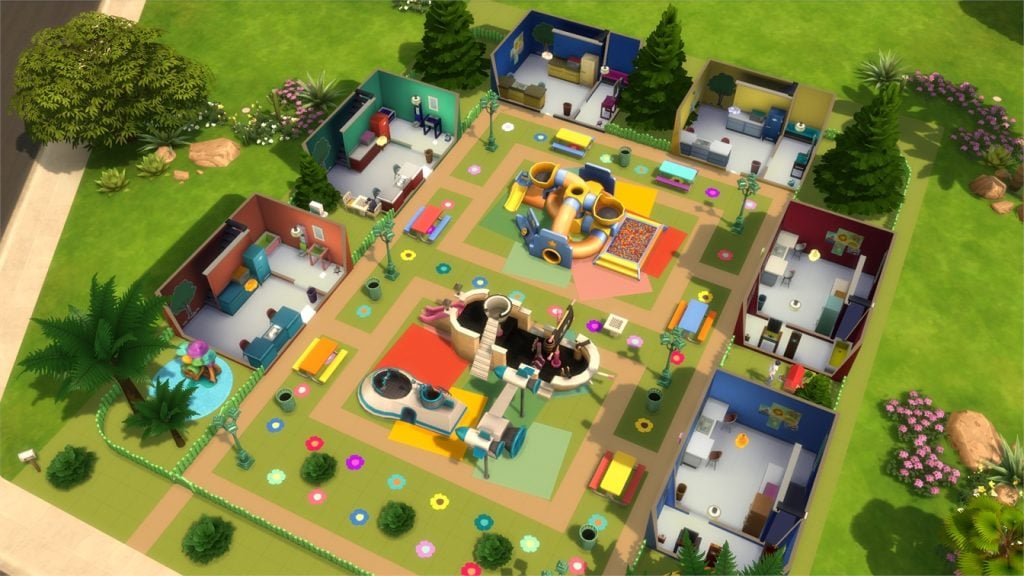
The Sims 4 Gallery Spotlight: 18 Unique Venues

[/ult_hotspot_items][ult_hotspot_items icon_type=”custom” icon_img=”id^39525|url^https://simscommunity.info/wp-content/uploads/2015/09/plumbob2.png|caption^null|alt^null|title^plumbob2|description^null” img_width=”38″ tooltip_custom_color=”” tooltip_custom_bg_color=”rgba(255,255,255,0.01)” tooltip_width=”400″ tooltip_position=”right” enable_bubble_arrow=”off” tooltip_continuous_animation=”on” hotspot_position=”33.249184554320756,11.931975154712484″]
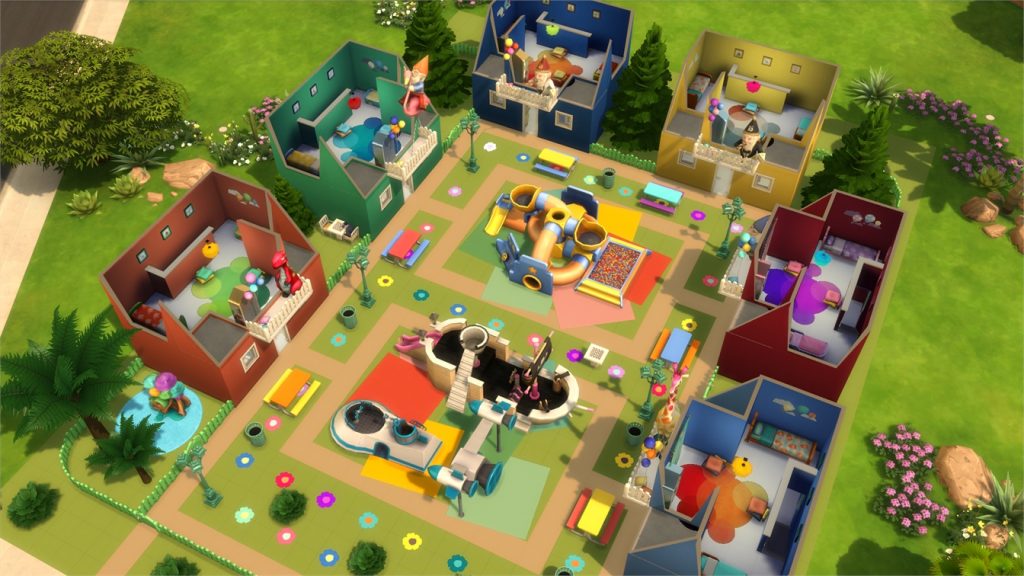
The Sims 4 Gallery Spotlight: 18 Unique Venues

[/ult_hotspot_items][ult_hotspot_items icon_type=”custom” icon_img=”id^39525|url^https://simscommunity.info/wp-content/uploads/2015/09/plumbob2.png|caption^null|alt^null|title^plumbob2|description^null” img_width=”52″ tooltip_custom_color=”#1e73be” tooltip_custom_bg_color=”#ffffff” tooltip_width=”450″ tooltip_position=”right” tooltip_continuous_animation=”on” hotspot_position=”89.61858624454149,3.190184049079755″ tooltip_custom_border_size=”border-style:solid;|border-width:2px;border-radius:5px;|border-color:#81d742;”]

Kidzonia Family Fun Park (Download Here)

by MabgLopes

Value: §140,431
Size: 40×30
Lot Type: Park[/ult_hotspot_items][/ult_hotspot][ult_hotspot main_img=”id^72984|url^https://simscommunity.info/wp-content/uploads/2018/03/03-27-18_1-08-19-AM.jpg|caption^null|alt^null|title^03-27-18_1-08-19 AM|description^null”][ult_hotspot_items icon_type=”custom” icon_img=”id^39525|url^https://simscommunity.info/wp-content/uploads/2015/09/plumbob2.png|caption^null|alt^null|title^plumbob2|description^null” img_width=”38″ tooltip_custom_color=”” tooltip_custom_bg_color=”rgba(255,255,255,0.01)” tooltip_width=”400″ tooltip_position=”right” enable_bubble_arrow=”off” tooltip_continuous_animation=”on” hotspot_position=”92.7022709076061,61.8282003742889″]
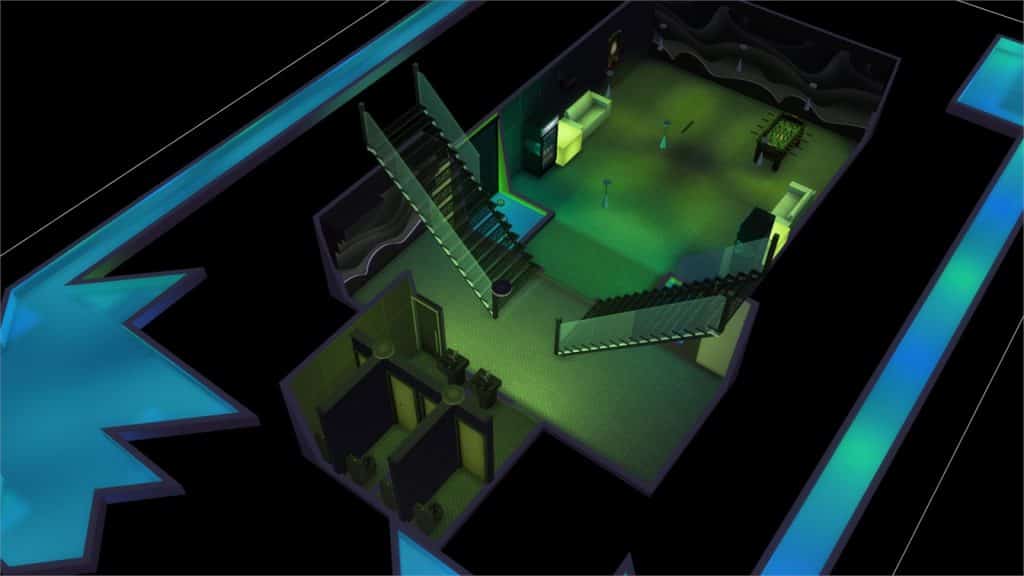
The Sims 4 Gallery Spotlight: 18 Unique Venues

[/ult_hotspot_items][ult_hotspot_items icon_type=”custom” icon_img=”id^39525|url^https://simscommunity.info/wp-content/uploads/2015/09/plumbob2.png|caption^null|alt^null|title^plumbob2|description^null” img_width=”38″ tooltip_custom_color=”” tooltip_custom_bg_color=”rgba(255,255,255,0.01)” tooltip_width=”400″ tooltip_position=”right” enable_bubble_arrow=”off” tooltip_continuous_animation=”on” hotspot_position=”70.25260758712302,62.5662077543627″]
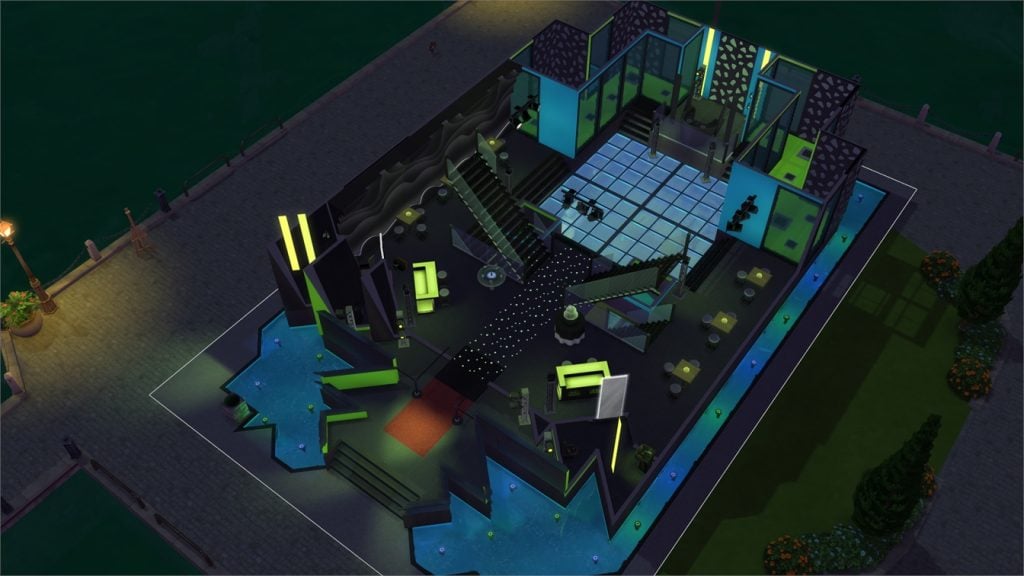
The Sims 4 Gallery Spotlight: 18 Unique Venues

[/ult_hotspot_items][ult_hotspot_items icon_type=”custom” icon_img=”id^39525|url^https://simscommunity.info/wp-content/uploads/2015/09/plumbob2.png|caption^null|alt^null|title^plumbob2|description^null” img_width=”38″ tooltip_custom_color=”” tooltip_custom_bg_color=”rgba(255,255,255,0.01)” tooltip_width=”400″ tooltip_position=”right” enable_bubble_arrow=”off” tooltip_continuous_animation=”on” hotspot_position=”54.89674197534286,62.205747484720945″]
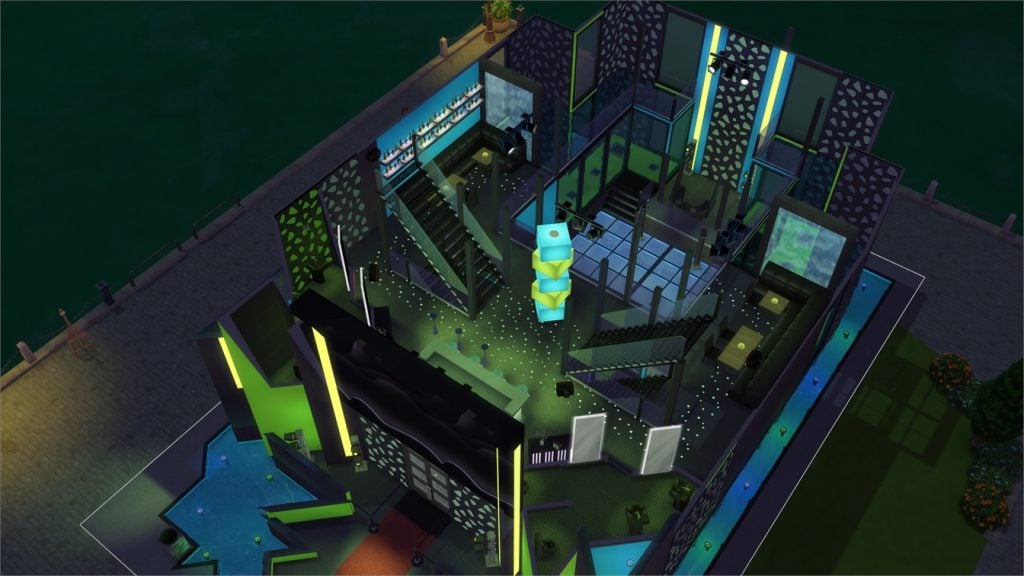
The Sims 4 Gallery Spotlight: 18 Unique Venues

[/ult_hotspot_items][ult_hotspot_items icon_type=”custom” icon_img=”id^39525|url^https://simscommunity.info/wp-content/uploads/2015/09/plumbob2.png|caption^null|alt^null|title^plumbob2|description^null” img_width=”38″ tooltip_custom_color=”” tooltip_custom_bg_color=”rgba(255,255,255,0.01)” tooltip_width=”400″ tooltip_position=”right” enable_bubble_arrow=”off” tooltip_continuous_animation=”on” hotspot_position=”38.32408455261497,62.95186285603091″]

The Sims 4 Gallery Spotlight: 18 Unique Venues

[/ult_hotspot_items][ult_hotspot_items icon_type=”custom” icon_img=”id^39525|url^https://simscommunity.info/wp-content/uploads/2015/09/plumbob2.png|caption^null|alt^null|title^plumbob2|description^null” img_width=”52″ tooltip_custom_color=”#1e73be” tooltip_custom_bg_color=”#ffffff” tooltip_width=”450″ tooltip_position=”right” tooltip_continuous_animation=”on” hotspot_position=”89.61858624454149,3.190184049079755″ tooltip_custom_border_size=”border-style:solid;|border-width:2px;border-radius:5px;|border-color:#81d742;”]

Disco! 300 Follower <3 (Download Here)

by TheKalinotr0n

Value: §228,647
Size: 30×20
Lot Type: Nightclub[/ult_hotspot_items][/ult_hotspot][ult_hotspot main_img=”id^72983|url^https://simscommunity.info/wp-content/uploads/2018/03/03-27-18_1-03-27-AM.jpg|caption^null|alt^null|title^03-27-18_1-03-27 AM|description^null”][ult_hotspot_items icon_type=”custom” icon_img=”id^39525|url^https://simscommunity.info/wp-content/uploads/2015/09/plumbob2.png|caption^null|alt^null|title^plumbob2|description^null” img_width=”52″ tooltip_custom_color=”#1e73be” tooltip_custom_bg_color=”#ffffff” tooltip_width=”450″ tooltip_position=”right” tooltip_continuous_animation=”on” hotspot_position=”89.61858624454149,3.190184049079755″ tooltip_custom_border_size=”border-style:solid;|border-width:2px;border-radius:5px;|border-color:#81d742;”]

Tropical Jungle Escape (Download Here)

by leni3902

Value: §114,203
Size: 40×30
Lot Type: National Park[/ult_hotspot_items][/ult_hotspot]

EA to announce “Next Sims 4 Experience” at EA Play (UPDATED)

17

UPDATE: The Sims Team has posted the tweet again on their twitter, only this time saying “Next Sims 4 Experience”.

The Sims Twitter has published (and quickly deleted) a tweet, saying that EA will be announcing “Next Sims Experiences” at EA Play which is held this June in Hollywood.

This isn’t the first time that EA has teased new things for Sims coming at EA Play. A few weeks ago EA France has teased upcoming Sims announcements, saying “What if we talked about the future of your favorite Sims game?”

Picture captured by @BroBastii

EA to announce “Next Sims 4 Experience” at EA Play (UPDATED)

What exactly will be announced at EA Play? Stick around on Sims Community for upcoming news about the next Sims experiences!

The Sims Mobile: New Relationship Stories are in Development

2

SimGuruMiriam has confirmed that she’s currently working on bunch of new stories for The Sims Mobile! This means that we’ll get a lot more than 17 Relationship Stories which are currently available in the game.

In case you don’t know, The Sims Mobile’s relationship stories allow you to unlock new items by progressing through different types of relationships which bring interesting dialogues between your Sim and the Sims you’re building a relationship with.

The Gallery for The Sims 4 on Xbox One and PS4 is currently in Development

SimGuruDuke, one of the producers on The Sims 4 Console has confirmed that The Gallery is currently in development for Xbox One and PS4!

There’s currently no “launch date” for the Console Gallery but it’s a good thing to know that the console players will eventually get to enjoy this feature.

The Sims 4 Console: PlayStation 4 Easter Sale (UK)

As part of PlayStation’s big Easter Sale simmers from UK will be able to pick The Sims 4 base game and selected packs up to 50% off.

Here’s a list of all the games and additional content you can find on sale right now!

  • The Sims 4 (Standard Edition) – £24.99
  • The Sims 4 (Deluxe Party Edition) – £34.99
  • The Sims 4 City Living – £19.99
  • The Sims 4 Vampires – £9.99
  • The Sims 4 Dine Out – £9.99
  • The Sims 4 Perfect Patio Stuff – £4.99
  • The Sims 4 Vintage Glamor Stuff – £4.99
  • The Sims 4 Cool Kitchen Stuff – £4.99
  • The Sims 4 Luxury Party Stuff – £4.99
  • The Sims 4 Bundle (City Living, Vampires & Vintage Glamour) £28.99
  • The Sims 4 Digital Deluxe Party Edition Upgrade – £4.99

The only packs not to be included in the sale are The Sims 4 Romantic Garden Stuff Pack and the recently released expansion The Sims 4 Get To Work.

Click here to visit Easter Sale on the PlayStation Store

The Sims 4 Get to Work is Now Available on PS4 and Xbox One

The Sims 4 Get to Work Expansion Pack is now available for purchase on the Xbox One and PS4 store! Like all Expansion Packs this one is priced 9.99USD.

For more information about Get to Work including CAS Overview, Build Overview and Gameplay features, check out our Get to Work Post Category!

The Sims 4 Get to Work is Now Available on PS4 and Xbox One

Origin Sale: Save up to 60% off on select The Sims 4 Games!

Origin is currently having an Easter Sale where you can save up to 60% off on select The Sims 4 games!

Those include:

  • The Sims 4 Base Game (50% off)
  • The Sims 4 Base Game + Cats & Dogs Bundle (50% off)
  • The Sims 4 Expansion Packs (60% off – Cats & Dogs excluded)
  • The Sims 4 Cats & Dogs (50% off)
  • The Sims 4 Bundles (20% off)

Make sure you take advantage of this sale before it’s too late! Sale ends on March 27th at 10AM PST.

Origin Sale: Save up to 60% off on select The Sims 4 Games!

The Sims 4: New Update + Patch Notes! (March 20th, 2018)

The Sims 4: New Update + Patch Notes! (March 20th, 2018)

The Sims Team has released a brand new Update for The Sims 4 on PC and Mac!

To download the latest version of The Sims 4, simply open your Origin program and if the game doesn’t update automatically, right click on The Sims 4 and select ”Update”.

In case you have Mods or Custom Content, the game will automatically disable them for you after first launching The Sims 4 after the update. To re-enable all your Mods and Custom Content, select the Settings option in the Menu and select Settings. Under the”Other” section you’ll find the ”Enable Custom Content and Mods” option. Check it and restart your game in order for it to take effect!

Patch Notes

Version PC 1.41.42.1020 / Mac 1.41.42.1220 

  • You may have been perplexed when you noticed that you couldn’t read anymore. Weird, right? Well just as mysteriously as the ability disappeared, it’s back. Try it, I promise you can do it now.
  • If you lost things when switching a household in an apartment in the same building, we blame naughty gremlins in the machine… It won’t happen again.
  • When you throw a social event, attendees will now do their part to complete communal events.
  • Serums work as advertised.
  • In case you forgot your fish’s name, the fish bowl tooltip will now remind you.

Will Wright wants you to turn your Memories into 3D art for his upcoming game – Proxi

0

Will Wright, the creator of Maxis’ biggest titles such as The Sims, SimCity and Spore has just officially announced that he’s working on a new mobile game project called Proxi.

Proxi is a game where you’ll be able to build the environment around you using nothing but your memories.

Will Wright, world-renowned game designer and creator of The Sims, SimCity, and Spore, has announced that his game dev studio, Gallium Artists, which was co-founded by Where in the World is Carmen Sandiego creator Lauren Elliott, is working on its newest mobile game, Proxi. Proxi is a simulation game built in Unity software that allows players to build entire worlds from their personal memories.

Will Wright wants you to turn your Memories into 3D art for his upcoming game – Proxi


Right now the game is still in development and Gallium Artists, the game development studio behind Proxi, wants YOU to help make these memories come to life!

In order to bring this vision to life, Will Wright and Gallium Artists are launching the Proxi Art Challenge, a 3D game art challenge hosted on Unity Connect. They have partnered with Unity to leverage the extensive talent pool of the Unity community to find a 3D artist to help them create their next big game!

To enter, you need to create three (3) personal memories represented by three environment scenes. Pick any three memories from your past that have a lot of meaning for you. All models created during the contest must be created by you during the span of the contest – you cannot use any models you have created previously. As well, your project cannot contain any models purchased from the Asset Store or any external marketplaces. All of the scenes must be rendered in Unity.

The Sims Mobile: Retirement and Heirlooms

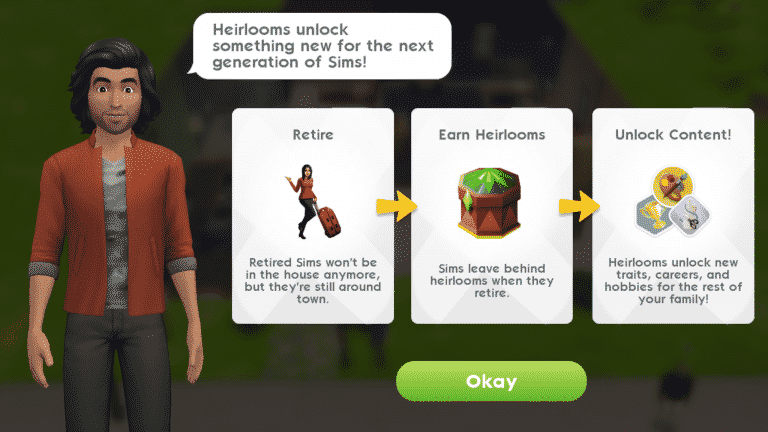
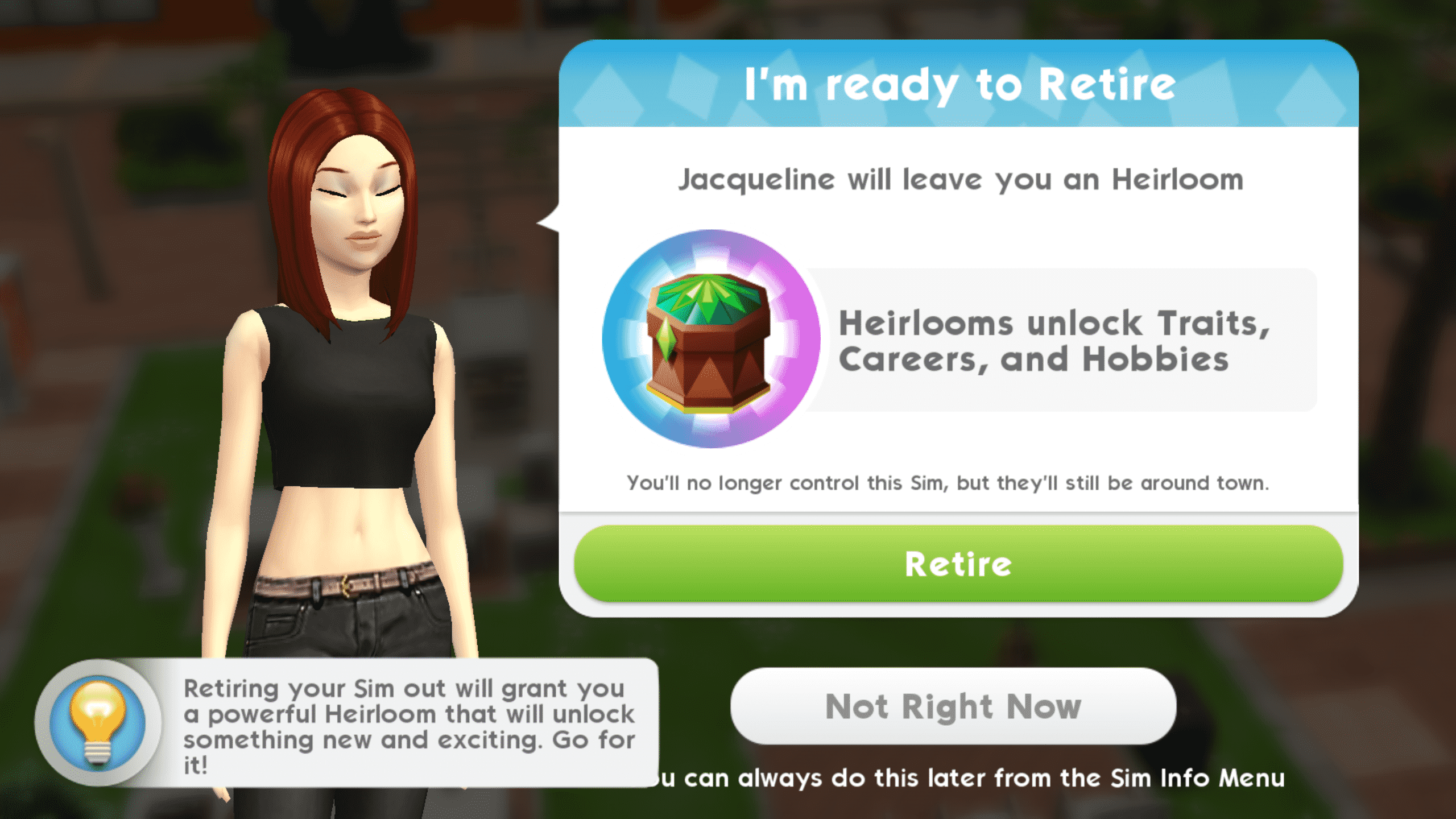
When your Sims have lived a long, fulfilling life, they’ll let you know that they’re ready to retire.

When a Sim retires, they will become an elder and leave the playable household, but they’re not gone forever. They will stay on the lot as NPCs until you move them out via the family portrait. Retired Sims will leave behind an heirloom for future generations to enjoy. Heirlooms are decorative trophies that strengthen existing traits or unlock new traits, hobbies, and careers.

If you’re not ready to retire your Sim when the game prompts you, you can choose to retire them later. If you choose to retire your Sim at a later point, go into their Sim info panel and select their trait tab to retire them whenever you feel they’re ready. Don’t wait too long to retire your Sims, though. You can keep your Sims adults forever if you’d like, but you’ll miss out on powerful heirlooms that will make life easier for future generations of Sims. You’ll get the most out of The Sims Mobile if you’re retiring your Sims and playing through many generations.

Retired Sims can provide benefits to younger Sims in the playable household. Retired Sims have special family events where they can mentor your adult Sims in their hobbies and careers. Retired Sims do not die. When you’re ready to say goodbye to a retired Sim for good, move them out via the family portrait.

When you receive your first heirloom from a retired Sim, you’ll also receive an heirloom collection box you can place in your home. Tapping on the collection box will allow you to view all the heirlooms your family has collected so far. The heirlooms are like a special collection. There are common, uncommon and rare heirlooms. Each heirloom provides a permanent special benefit to your family. The rarer the heirloom, the more powerful the benefit. Some heirlooms strengthen traits while others unlock entirely new traits. Some heirlooms even unlock new careers and hobbies. Collecting all the heirlooms is not only fun, but crucial to improving the lives of your Sims as well.

The Sims Mobile: Retirement and Heirlooms

The heirlooms that your retired Sims leave behind are random. This means you will sometimes get an heirloom your family already has. You can sell your duplicate heirlooms in exchange for heirloom tickets. Selling uncommon and rare heirlooms will give you super and luxe heirloom tickets. You cannot sell an heirloom you do not have a duplicate of. Sell your heirlooms by opening the heirloom collection box and tapping on that heirloom, then select Sell Heirloom.

The Sims Mobile: Retirement and Heirlooms

Your main method of getting heirlooms will be through retiring Sims, but heirlooms can be purchased as well. Common heirlooms will cost regular heirloom tickets, while uncommon and rare heirlooms will cost super and luxe heirloom tickets.

What heirlooms have your Sims collected so far in The Sims Mobile?

The Sims Mobile: Aging and Earning Traits

If you were one of the lucky few who got to play The Sims Mobile before its worldwide launch, you’ll notice that there have been some big changes to aging and traits. Previously, Sims aged on their own each day that you logged in and you chose their traits in CAS. Things are very different now, so let’s break down the aging process and traits.

Playable Sims

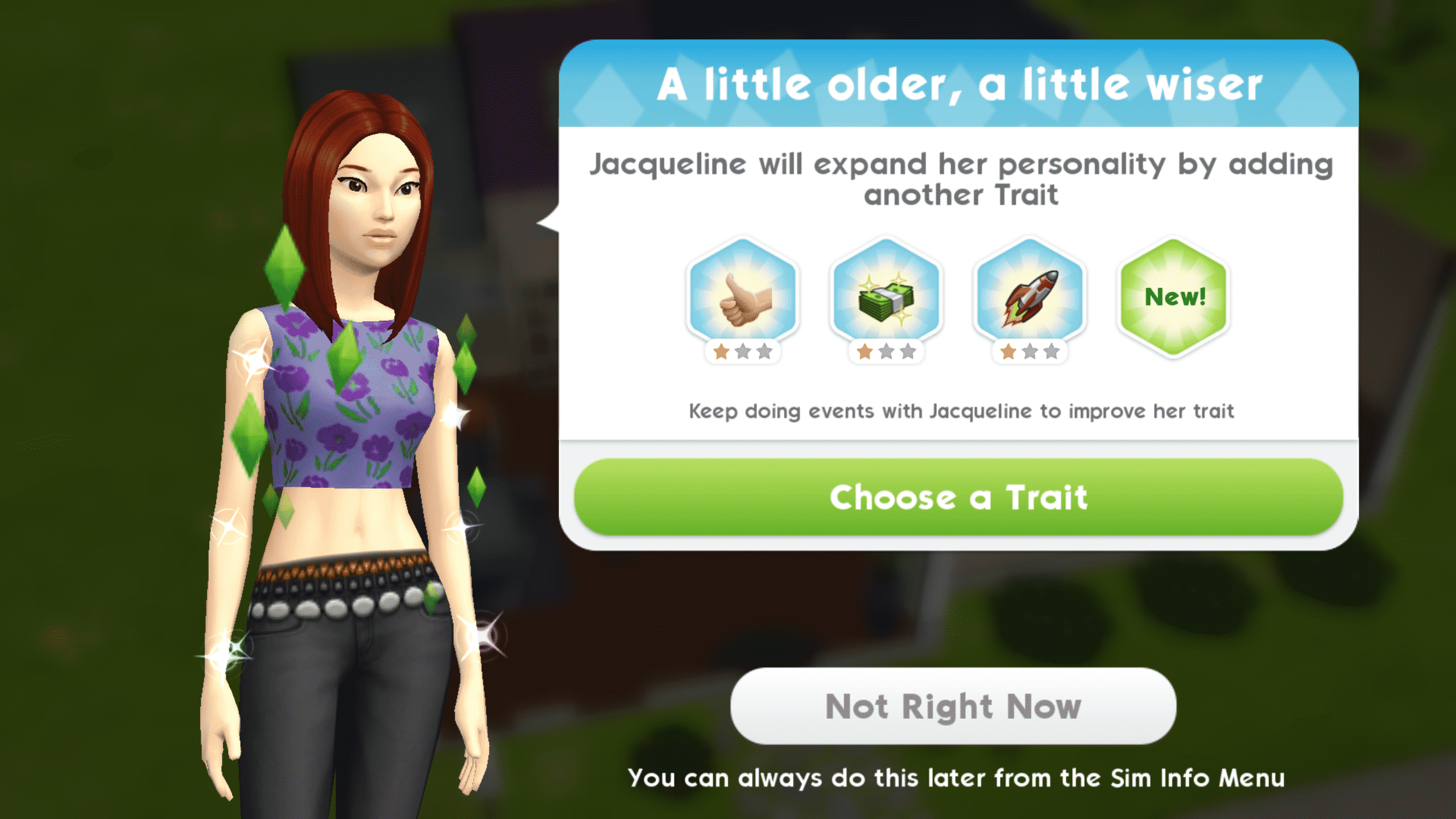
Your playable Sims (Sims that take up a household slot) age as you play with them. They age according to their life experience. Completing events and story chapters will slowly age your Sim. When your Sim reaches a new age milestone, you’ll be prompted to pick a new trait for them. Sims can have up to four traits. Being able to select your Sim’s traits as they go through life allows you to cultivate their personality according to their actions and decisions in the game. You aren’t required to lock in their personality right away in CAS. Not all traits are available from the start of the game. Play through multiple generations and retire older Sims to unlock new heirlooms and traits.

The Sims Mobile: Aging and Earning Traits

Don’t forget to throw a birthday party for your Sims when they earn a new trait. That’s right, every new trait earned represents a birthday. Your Sims will not grow old from having a birthday. Birthdays are a way to celebrate your Sim earning a new trait and gaining more life experience.

Some time after your Sim gains their fourth trait, they’ll let you know that they’re ready to retire. Retiring your Sim will cause them to grow old and leave the active household, but they will remain on the lot as NPCs until you decide to move them out in the family portrait. If you’re not ready to retire your Sim yet, you can choose to retire them later. You can keep your Sims adults forever this way; however, it’s not recommended. The rewards you earn from retiring Sims and playing through many generations make the game easier for future generations of Sims. Not retiring your Sims means missing out on these powerful rewards.

Your younger Sims can benefit from having retired Sims in the house as well. Retired Sims have special family events where they can mentor your adult Sims in their hobbies and careers.

Retired Sims do not die. When you’re ready to say goodbye to a retired Sim for good, move them out in the family portrait.

Children

Children age differently from adult Sims. They age naturally over time. When your Sim has a baby, the baby will stay in its bassinet for about a day. When the baby is ready to age up, you will see a blue birthday cake icon above the bassinet. Tap the bassinet to age your baby into a toddler.

The Sims Mobile: Aging and Earning Traits

Toddlers will age up after a few days. When they are ready to grow older, they will also have a blue birthday cake icon above their heads. Tap it to age your toddler into a child.

Children do not go to school, but babies, toddlers, and children all have daily family events their parents can do with them. Complete a family event with your Sim’s child to give them the Good Upbringing trait. Continue completing family events with your Sim’s child daily to strengthen this trait. The Good Upbringing trait makes Sims better at all events as adults.

Children will age up after a few days as well. Just like babies and toddlers, they will have a blue birthday cake icon above their heads when they’re ready to grow up. Tap the birthday cake icon to age your child into an adult. There is no teen life stage in The Sims Mobile.

The Sims Mobile: Aging and Earning Traits

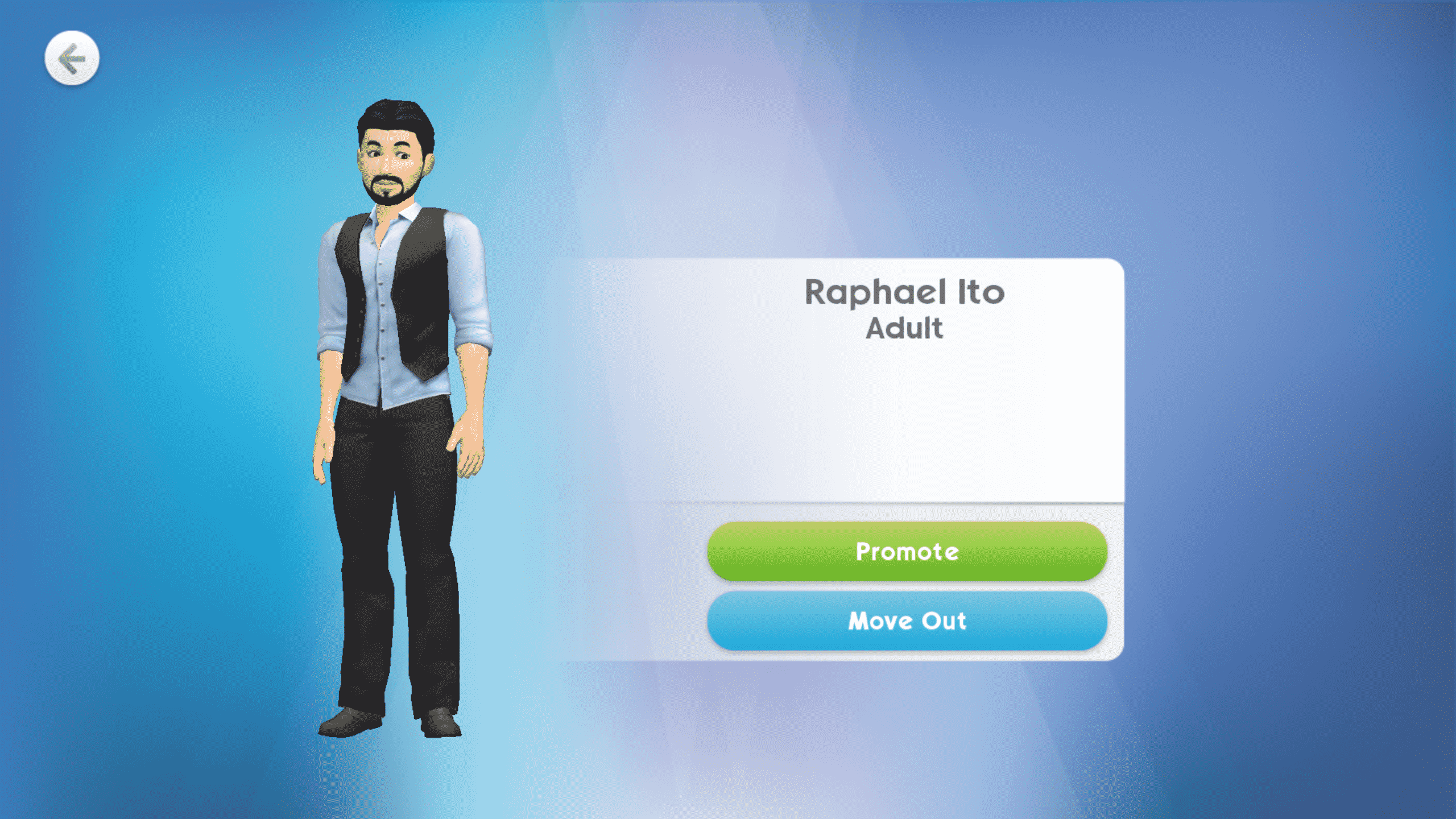
Children and younger Sims cannot be made playable, but when a child becomes an adult, you can make them playable in the family portrait by promoting them. You must have a free household slot to promote your Sim’s adult child. Retire older Sims to make room for your fully grown children to take the reins. If you have fully grown children you do not want to keep in the house, you can move them out in the family portrait.

Adult Sims who were raised from babies will have the Good Upbringing trait in addition to the four traits they will earn throughout their lives.