Home Blog Page 332

The Sims 4: Simdew Valley Challenge

Guide to SimDew Valley

Challenge created by Tichery

Inspired by ConcernedApe and his amazing game Stardew Valley.

First I would like to say I have been working on this challenge during my live streams and offline as well for over a year. This is the Original Simdew Valley Challenge inspired by the game Stardew Valley created by ConcernedApe that was released February of 2016. This is a work in progress and I will continue to create rules for this on my twitch channel here as well as updating the Google Document here.  As new Expansions are added these rules will be updated. 

I wish to give thanks my community and especially the following for helping me build houses/community lots as well as flesh out these rules.

As well as my Justified Gaming Stream Team Family. Without the support of these people this challenge would not have been made.

Setup

The Sims 4: Simdew Valley Challenge

1-Bulldoze all lots in the Sims worlds as you will need to either download my builds or make your own for the Pelican Town. My Origin is Tichery As an alternative you can also download the blank world save made by SrslySims here. You will still need to bulldoze Brindleton Bay until the save file is updated by SrslySims.

All CC used will be listed at the end of this document.

2- Make your sim any way you wish male/female and the traits and aspiration you want.

3- Download the starter farm or build your own remember that unlike SDV (Stardew Valley) you will need to  provide a bathroom for them. When downloading the houses and placing them Elliot’s Cabin and Willy’s Bait Shop should be placed in Brindleton Bay. The other lots can be places as you wish. Please enable bb.moveobjects when placing them. There is no CC in most of the builds unless listed on the building description on the gallery.

4-Residence from SDV these can be downloaded from my gallery or make your own.

5-Use free real-estate to get into the house and then reduce your money to 500 Simoleons.

6- You cannot use cheats except for those mentioned.

7- All rules for the previous generation must be followed as well in reference to jobs and earning money.

8- Turn aging off also turn off fill empty houses. 

9- No services can be hired to help with taking care of your home and family.

The Sims 4: Simdew Valley Challenge

Tasks to complete before Marriage

1-Your first Sim will need to meet all the residence from SDV there are 2.

2- In order to marry you must have a friendship to 100% and a total of 5000 Simoleons as you will need to have a wedding. 

3- You must upgrade your house with a master bed and a full kitchen. ( this means enough counter space for a microwave, coffee-maker, sink, dish rack, and meal prep.)

4-You will be aging up your children as you complete certain tasks via the birthday cake.

5- You cannot have a job you must make all money from farming, fishing, foraging, painting etc.

6- Sim must make enough money to upgrade the house with a specific room for each eligible Sim for marriage. See list below 

7-You must have at least a cat or dog I recommend that you add a Fox and Racoon as well. Randomize the traits with the randomizer here

The Sims 4: Simdew Valley Challenge

8- Your Farm must have at least one to three cowplants these are available as a recipe from gardening or fishing from the park in Oasis Springs.

9- Before your Sims Child can age up to a Young adult you must finish all the collectables. You can check your progress by looking at the collections list. To access this click inventory then click on the diamond icon at the top left of the window that opens. These will need to be placed into the Museum. You must also clean up and renovate the Community Center making it a place where your Sims can gather.

10- The Pets must be fully trained in all their skills dogs must know all tricks and cats must be fully trained in not being on counters etc.

The Sims 4: Simdew Valley Challenge

Progression/aging

In order to progress you must age your children up artificially with a birthday cake. The following conditions must be met for each life stage. Randomize your Sims traits with this tool.

First Stage Infant– This lasts 3 Sim days

Second Stage Toddler– Your toddler must max out all their skills and your Adult Sims must gain level 2 in Cooking, Parenting, charisma, handiness, painting and gardening must all be at least level 4. Your Adult Sim must find all the my sims statues. 

Third Stage Child- Your child must be an A student. They must max out at least  Your Adults must max out their parenting skills. The adults must also get their skills at least a lvl 6 or higher. The Adult Sims must find all the frogs in the Sims worlds. ( For those who don’t have all the packs you can collect what you do have)

Fourth Stage Teen- Your teen must not have a job outside of the house. They must maintain an A grade. They must max out their handiness skill, as well as meet all the SDV residence. Their Gardening, painting, writing, cooking, charisma skills must be maxed out. 

Fifth Stage Young Adult- Your Sims will be able to take over the farm at this point and you could turn this into a Legacy by turning aging on and proceeding as a regular legacy as created by Pinstar. Or if you wish this is the end of the Challenge.

The Sims 4: Simdew Valley Challenge

List of Eligible SDV Villagers 

The villagers as they become part of your family will need to max out their skills that are listed above as well as they skill tied into their hobby area as listed below.

The Sims 4: Simdew Valley Challenge

Bachelors

Alex- you must build Alex a gym when adding him to the household. Alex’s outside area will have a workout machine perhaps the new Fitness Rock climbing wall. Skill to max Fitness.

Elliot- Build a writting room with a coffee station bookcases and a PC. Elliot’s outside area will have small gardening pots and a bench where he can read books. Skill to max Writing.

Harvey- Build a workbench and hobby room. Harvey’s outside area will have small gardening pots and a bench where he can read books. Skill to max Woodworking.

Sam- Build a music room with keyboard, books and a PC. Sam’s outside area will have a treadmill or you can provide him with a small firepit and a couple chairs. Skill to max Fitness

Sebastion- A PC and tabletop games like a foosball table or don’t wake the Llama. Sebastion’s outside area will have a Rocketship. Skill to max Rocket Science.

Shane- A gaming and weight room with a excerise maching and a PC. Shane’s outside activity will be to play with his pet dog/cat. Skill to max Vet.

Bachlorettes

Abigail- Gaming room with a PC and a Motion Gamepad. Abigail’s outside area will have a guitar so she can play. Skill to max Guitar.

Emily- Build a crafting room wood working bench, books and a Painting easle. Emily’s outside area will have a meditation bench and yoga mat. Skill to max Wellness.

Haley- Photography Studio and wall of photos with PC. Haley’s outside area will have take pictures and paint from reference. Skill to max Painting.

Leah-  Build a wood working workbench, and a painting easle. Leah’s outside area will have another woodworking bench. Skill to max Woodworking.

Maru-  Build a PC room with a robot and a experiment area. Maru’s outside area will have a tinkering area place a Rocketship to build. Skill to max Rocket Science.

Penny- Build a reading room with a lot of books. Penny’s outside area will have a meditation bench and yoga mat. Skill to max Wellness.

The Sims 4: Simdew Valley Challenge

Please comment below and let me know how you are enjoying this challenge.

The Sims 4 Console: New Update + Patch Notes! (November 21st, 2017)

The Sims 4 Console: New Update + Patch Notes! (November 21st, 2017)

The Sims Team has released a brand new Update for The Sims 4 for Console devices – Xbox One and PS4! The latest Update fixes the issue with save games.

Update: 11/21/2017 – v1.02

Saves are better now.
-SumGuruCleaningLady

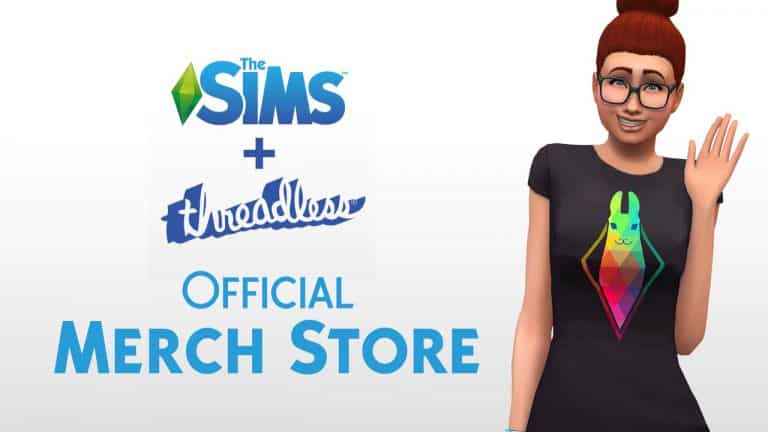
The Sims now has its own Official Merch Store!

6

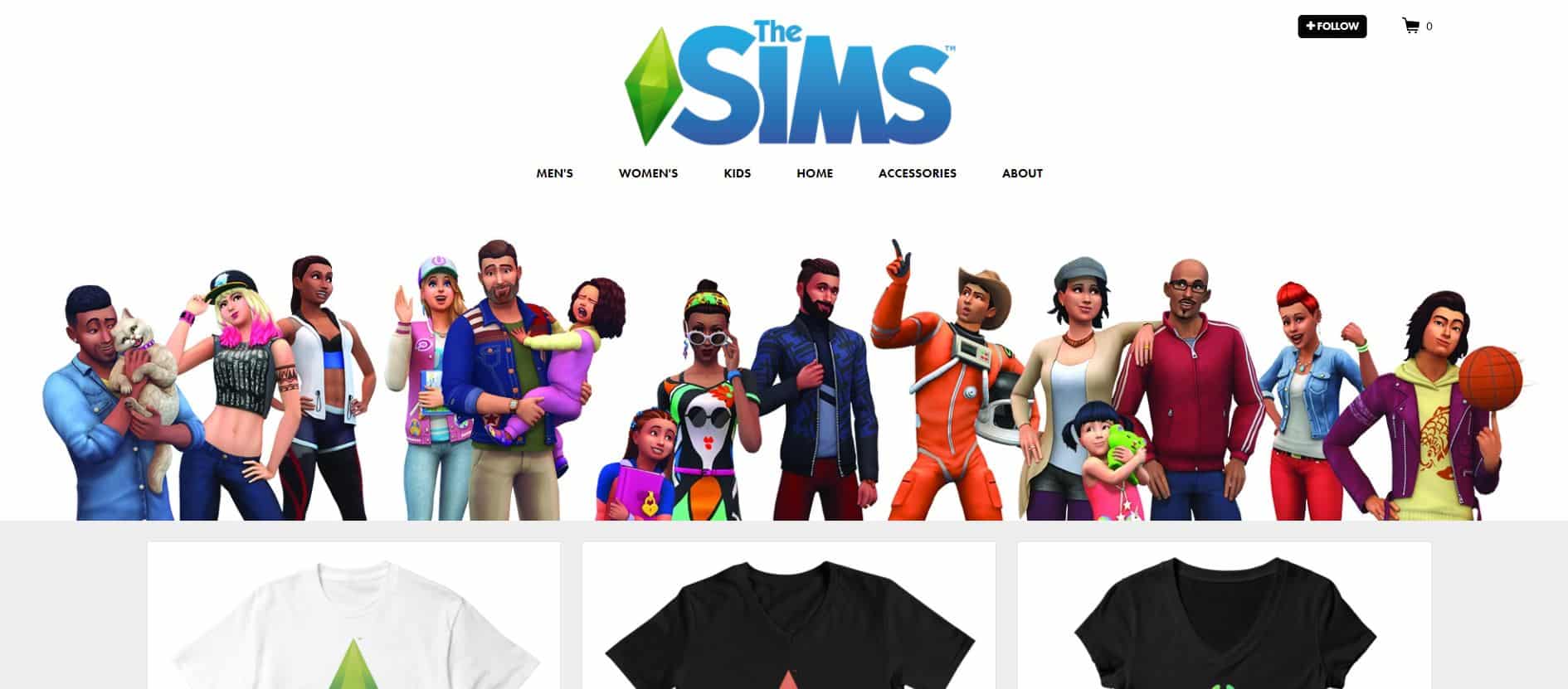
The Sims Team, in cooperation with Threadless have created their very own official Merch Store! This Merch Store provides so much – from clothing (T-Shirts, Tank Tops, Hoodies, Sweatshirts & more) to cool accessories.

November 21, 2017 –Best-selling life simulation game The Sims™ and global artist community shop, Threadless, teamed up to launch an exclusive product line that brings fans an official The Sims merchandise store for the first time ever. Starting today, fans can purchase t-shirts, cell phone cases, notebooks, mugs, and more, featuring 17 unique The Sims designs through the Threadless shop .

For over 17 years, The Sims has brought players the power to play with life and express themselves through video games. Through Sims, players create and control everything from hairstyles, skin color and outfits, to Sims’ homes, hobbies, and career aspirations. By supporting an online community of artists, Threadless shares that same passion for giving people the power to create and shape their image in real-life.

The Sims and Threadless partnershipcollaboration is a match made in creative-expression heaven,” said Jake Nickell, CEO, Threadless. “We are two brands that deeply believe in people having the power to show the world who they are and who they want to be, whether that world is virtual or real. We’re looking forward to bringing the Threadless audience a new avenue to bring their Sim’s world to life. We are thrilled that The Simsfans will be able to explore the branded shop, as well as other artist’s awesome artful products on our website.”

Developed byIn addition to brining fans official The Sims merchandise, Maxis,  also launched two fan-requested The Sims 4 games launched earlier this month. Available for PC and Mac players, The Sims 4 Cats & Dogs* is the furriest expansion yet, where players can design their purrrfect pet with unique features and personalities, while discovering new activities to enjoy in the coastal shores of Brindleton Bay. The Sims 4base game is also available to Xbox One and PlayStation® 4 players, bringing the iconic game players know and love to new platforms.


Check it out!The Sims now has its own Official Merch Store!

The Sims 4: ModifyRelationship Cheat has been updated!

16

Some of you probably noticed that the ModifyRelationship cheat doesn’t function properly ever since the latest big update for The Sims 4.

SimGuruNick posted a tweet about this saying that the cheat still works – it was just renamed and needs a LTR_ prefix to the “Friendship_Main / Romance_Main” part of the cheat.

FOR SIMS: If you want to add a relationship between Sims, use the following code:

FRIENDSHIP: modifyrelationship <yoursimFirst> <yoursimLast> <TargetsimFirst> <TargetsimLast> <+amount> LTR_Friendship_Main

ROMANCE: modifyrelationship <yoursimFirst> <yoursimLast> <TargetsimFirst> <TargetsimLast> <+amount> LTR_Romance_Main

FOR SIMS + PETS: If you want to add a relationship between Sims and Pets use the following code:

FRIENDSHIP: modifyrelationship <yoursimFirst> <yoursimLast> <TargetPetFirst> <TargetPetLast> <+amount> LTR_SimToPet_Friendship_Main


For more cheats visit our The Sims 4 Cheats Page!

The Sims 4 Cats & Dogs Mod Spotlight

In this post we are going to showcase some of the latest Mods made for The Sims 4 Cats & Dogs Expansion Pack!

Before you continue, please note the following:

  • EA does not pre-screen Custom Content /Mods and players should always exercise caution when adding Custom Content to their game files.
  • Make sure your mods are up to date. For a full list of broken and fixed mods CLICK HERE!
  • After each The Sims 4 Update your game will automatically disable Mods and Custom Content. You can re-enable them by going to Game Options > Other > Enable Custom Content and Mods.

You can find more of our Mod Spotlights HERE!


Playable Pets Mod

Gives you full control over your Cats and Dogs!

The Sims 4 Cats & Dogs Mod Spotlight

Praise Vet Employee All You Want

This mod removes the restrictions on praising your Vet Employees.

The Sims 4 Cats & Dogs Mod Spotlight

All Perks Free (Updated for Vet Clinic)

Unlocks all Vet Clinic Perks making them free!

The Sims 4 Cats & Dogs Mod Spotlight

Pet Sale Price Increase

This Mod lets you sell your Cats and Dogs for a higher price!

The Sims 4 Cats & Dogs Mod Spotlight

Vet-Hire Who Ever!

This mod will allow you to hire Sims for your Vet Clinic regardless of their skill level.

The Sims 4 Cats & Dogs Mod Spotlight

The Sims Mobile: New Clip

1

The Sims Mobile has shared a new clip on their Instagram to promote the ability to Pre-Register for the game’s release. Check it out!

Origin Black Friday Sale (Save Up to 75%)

7

Origin is currently having a huge Black Friday Sale where you can save up to 75% on many popular games, including The Sims 4 Base Game, Expansion Packs, Game Packs and Bundles.

Here are the prices of each Sims 4 game + pack type during this sale:

  • The Sims 4 Base Game ($9.99)
  • The Sims 4 Expansion Packs ($15.99) (Cats & Dogs not included in the sale)
  • The Sims 4 Game Packs ($14.99)
  • The Sims 4 Bundles ($29.99)

The sale ends on November 28th at 10AM PT. Make sure you take advantage of this offer while it lasts!

Origin Black Friday Sale (Save Up to 75%)

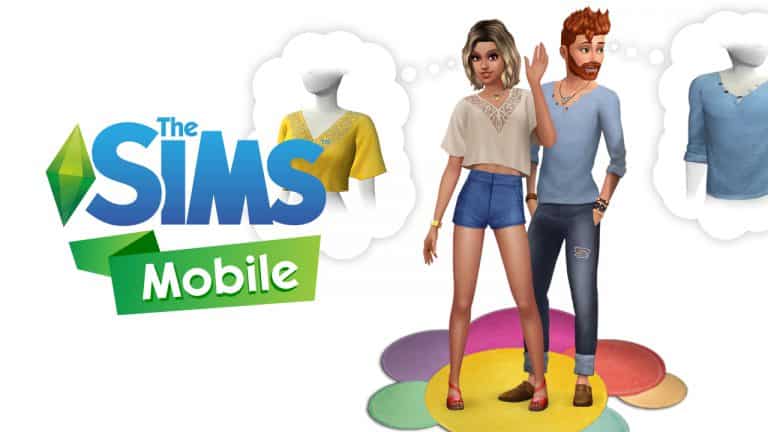
You can now Pre-Register for The Sims Mobile and get Bonus Content

1

The team from The Sims Mobile has just shared some more news about the game. Although we still don’t know when’s the exact release time of this game you do now have the ability to pre-register for the worldwide release, giving you bonus content once the game is out! Here’s what you get by pre-registering:

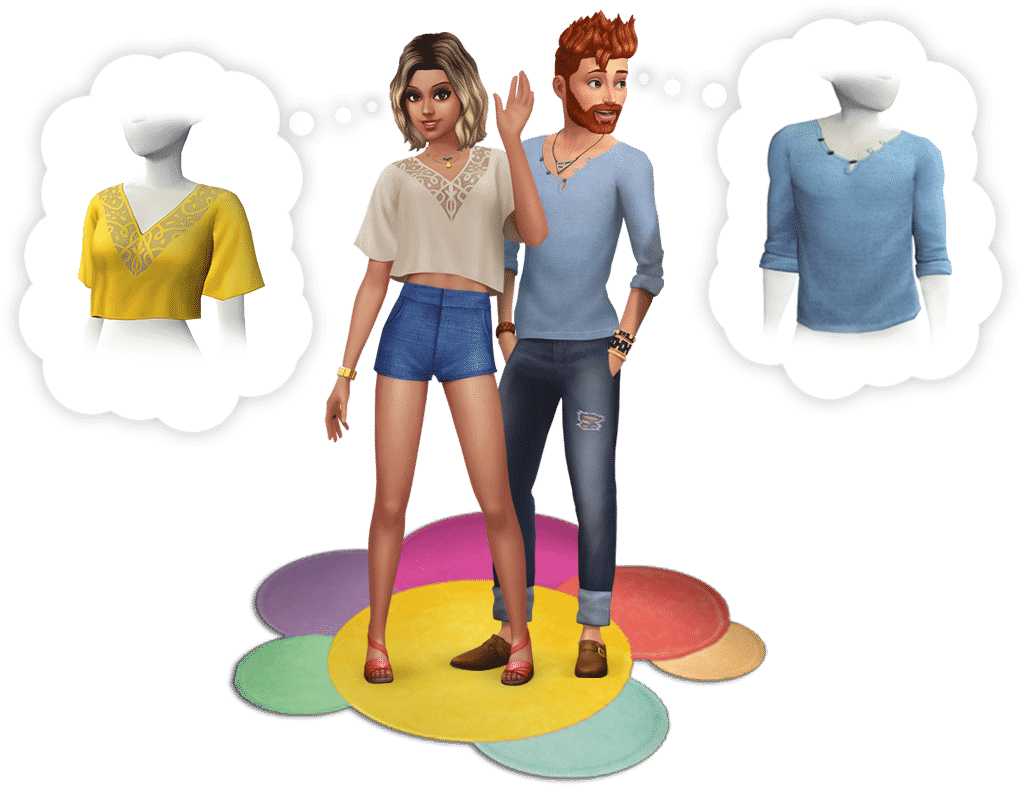
Receive an early bird gift, including A Mid-Flutter’s Dream Top, Artist’s Mood Tee, and a Burst Your Bubble Rug, when you play within the first 15 days of official release.


Here’s how to pre-register:

For iOS

Go to The Sims Mobile website and enter your details such as birthday, mobile number and country.

For Android

Go to the official Google Play product page and select “Pre-Register”.


You can now Pre-Register for The Sims Mobile and get Bonus Content

Create Three Legged Pets in The Sims 4 Cats & Dogs with this Mod

6

One of the top questions by the community once The Sims 4 Cats & Dogs was announced is if we’ll be able to create three-legged pets in the game. Although The Sims Team didn’t want to get involved with this sensitive aspect, modder Wyattssims came to the rescue with a mod that lets you create your three legged companions in the game.

Create Three Legged Pets in The Sims 4 Cats & Dogs with this Mod

The mod comes in two variations:

You can find these in Create A Pet’s clothing section where both mods are treated as a clothing piece that you can select. Both mods are purely cosmetical and will not influence your gameplay or animations in the game.

To install these extract the zipped content to Electronic Arts > The Sims 4 > Mods folder. Make sure you have Mods / CC enabled in your game options!

Simmers show off their cute moments in The Sims 4 Cats & Dogs

The Sims 4 Cats & Dogs Expansion Pack has been out for a few days already – just enough to give Simmers time to prepare some cute screenshots and moments that they’ve captured in their game.

We asked Simmers on twitter to show off their adorable, lovely and funny moments from the game. Here’s what we got:

Share with us YOUR cute The Sims 4 Cats & Dogs Screenshots by tweeting us @TheSimCommunity!

4 Challenges for The Sims 4 Cats & Dogs you should try out

Looking for more challenges with The Sims 4 Cats & Dogs that will give you new ways to play? Check out these 4 cool challenges submitted by our members on Sims Community Social!

For more information about each challenge click on the challenge names below!

Family Vets Challenge

You are a single sim with an adopted child, you are a professional writer but with your extra money you are secretly building a veterinary clinic on a small piece of land in Brindleton Bay. Your adopted child grows up with a dog in the house and wants to be a vet when he/she grows up. When the child grows into a teen that’s when you bring him or her to the clinic you have been building but not using. That is when you and your child run the clinic and this clinic goes on through the generations.

The Pet Pedigree Challenge

Your goal is it to establish a pedigree, starting with the progenitor pet, that encompasses 10 generations of cats/dogs. Your caretaker may marry and have children, but they are not allowed to take a job. Their job is to take care of the pets. They may paint or write to earn money, however. Your first goal is it to establish a bond between caretaker and progenitor, and to raise the progenitor pet to adult. After the progenitor has reached the adult lifestage, it is time to find them a mate.

Wags To Riches Challenge

The rules to this challenge are quite simple – you have to open up a Vet Clinic and earn your way to 5 stars. There is a plot twist though – the only source of your Household income is breeding and selling your Cats & Dogs.

Crazy Catlady Challenge

There are two versions of this challenge. The first version is simple and it requires you to have one Sim with 7 kittens with various traits who you should guide and raise successfully to their adulthood. The second version revolves around befriending and adopting 7 strays.


Have a challenge idea for The Sims 4 Cats & Dogs? Why not submit it to our Challenges Forum!

The Sims 4 Cats & Dogs Review

After years of waiting and months of speculation The Sims 4 Cats & Dogs Expansion Pack has finally hit the shelves. However, does it justify the long wait and the $40 price tag? Read our review to find out!

Game Review Standards

This review is based on 25+ hours of gameplay.  Even though I was given an early review copy by EA to test the game, I am not by any means paid or bribed to state positive (or negative) opinions about this Expansion Pack.  I will give my honest opinion of this pack; its content and what it brings to the game.


Create A Pet

Create A Pet is so detailed in The Sims 4 Cats & Dogs. From the ability to pick and search for breeds to sculpting any part of their body – you’ll find yourself enjoying creating a creature that doesn’t even have to be a Cat or a Dog. Just look at this Tiger created using Create A Pet!

Created by TheKalinotr0n

The Sims 4 Cats & Dogs Review

One of the greatest thing about this pack is that it brings a tool so powerful that it throws shade at all other creative tools in The Sims 4. It’s so good that it makes you wonder “why can’t I do this for my Sims as well”.

Honestly though – even Pets now have better makeup options than Sims in The Sims 4. Can you draw a highlighter on your Sim’s cheekbone and set it to a certain opacity? Nope, but you can do that to your cats.

Please don’t do this to your pets in real life.

The Sims 4 Cats & Dogs Review

Create A Sim

After years of my complaining The Sims Team has delivered a somewhat equal amount for both Masculine and Feminine fashion choices. The difference was drastic in previous packs but in this pack you can really tell that the team has devoted their time into creating equal assets – and they’ve done a great job.

There are new assets for Sims of all ages and they are just pawesome!

Also, this feminine curly hairstyle has definitely raised some standards. More of these hairstyles in future content please!

The Sims 4 Cats & Dogs Review

Build Mode

Most of the new objects that revolve around indoor residental furnishing are country-themed objects – and it’s a breath of fresh air from all the modern items we have received with previous content!

There are only 2 things I dislike about Build Mode which will impact the rating of the build mode section greatly: lack of pet objects and an excessive amount of decals.

You’d think that you’d get more objects for a pack that revolves only around Cats & Dogs but nope – you only get basic objects to satisfy your pet needs including a refurbished toy box designed for pets and an obstacle course.

Was there really a need to add 67 decals?! I understand that it’s all cute and awesome to add cats and dogs imagery on your Vet Clinic sign or decorate your house with paw prints, but The Sims Team could’ve stopped at that and not create an excessive amount of decals. All of that work strenght could’ve been spent on new wallapapers / floors because compared to previous Expansion Packs this one lacks of them!

Brindleton Bay

Cats & Dogs comes with a new world called Brindleton Bay and it’s gorgeous in so many ways. Sure, there are only 4 neighborhoods / 16 lots in total but you get so much space to spend amazing moments with your Pets and take them to go out and explore.

There are some amazing details and features that are tied into each neighborhood and that level of attention is not that noticable with worlds in previous packs – which means that it can only get better from this point on.

Another great thing is that the team is focusing on giving each neighborhood its own story. They are continuing the tradition that started off with The Sims 4 City Living’s San Myshuno where each neighborhood got its own description and theme.

The Sims 4 Cats & Dogs Review

Updating, Patch Notes and Version Information for The Sims 4 on PS4

The Sims 4 has just been released with its first ever “Day 1” Update and you’re probably wondering how to update the game on your PS4 device and how to check what version of the game do you have right now.

You can check that out by following the next steps:

Updating The Sims 4

Find The Sims 4 in your library and select the “Options” button on your Dualshock controller. Select “Check for Update”. If PS4 tells you that the game is already updated to the latest version that means that you don’t have to update it. If there’s a new version available you’ll be asked if you want to download the new version of the game.

Updating, Patch Notes and Version Information for The Sims 4 on PS4

Patch Notes

You can find the latest patch notes for The Sims 4 in the “Options” panel by selecting “Update History”. There you’ll find all the latest versions of the game as well as what’s been fixed and added with the new updates.

Updating, Patch Notes and Version Information for The Sims 4 on PS4

Version Information

Don’t know what’s the current version of your game? You can check that out by selecting the “Information” option in the “Options” section. There are also some other details including when was the game last updated, what size is it and where is it installed.

Updating, Patch Notes and Version Information for The Sims 4 on PS4

The Sims 4 Console: New Update + Patch Notes! (November 17th, 2017)

The Sims 4 Console: New Update + Patch Notes! (November 17th, 2017)

The Sims Team has released a brand new Update for The Sims 4 for Console devices – Xbox One and PS4!


Update: 11/14/2017  – v1.01

Hiya Simmers,

So here we are on a momentous day!  The Sims 4, on your TV, with a controller!  Did you ever think this day would come?!  Don’t answer that, it was rhetorical.

Like every special day there is a huge amount of research, planning, work, and running around like mad lemmings that goes into it.  This is our recital, and it was important for us to rock it, right on time.  Things are bound to get missed, or sometimes, turn out… unexpectedly.  Otherwise, I wouldn’t get the opportunity to write you all these little notes.  And, I cherish these notes.

So, what happened was: we fixed some stuff.  Lots of stuff. I mean, a normal amount of stuff, for a game of this size, right?  All with the goal of making this play and look really darned awesome on your TV. There’s so much here and you want to get on with playing, so here are the highlights:

  • Controls.  We think they’re very vital. They’re tricky, tricky, tricky, tricky…
  • Crashes.  Zoom in with the camera and turn it all about. Install, uninstall, reinstall, and shake it all about. Dance the Hokey Pokey with the network cable.  It won’t crash — now, that’s what it’s all about!  (Disclaimer: Do anything not listed here and it might crash. Let us know if it does.)
  • Some things looked wonky.  We unwonkified it, mostly anyway.
  • Everyone can now use the Holiday Celebrations Pack.  No more age restrictions on ugly holiday sweaters.
  • Teens now have the right number of trait buttons.  But really, how many buttons do we need for surly, know-it-all, professional eye-roller?

Until we chat again folks, stay Sims.

Yours truly,

SimGuruCleaningLady

The Sims 4 Console Launch Trailer

1

https://www.youtube.com/watch?v=1kWjJnl5cmU

The Sims Team has released a new trailer, celebrating the launch of The Sims 4 + some packs for PS4 and Xbox One!