Learn how to use and enable Cheats on The Sims 4 Console!
Cheats on The Sims 4 for Xbox One and PS4 are almost exactly the same as the ones on PC. However, the way you use them is a little bit different.
You open up the cheat console by pressing L1 + L2 + R1 + R1 (PS4) / LT + LB + RT + RB (Xbox One).
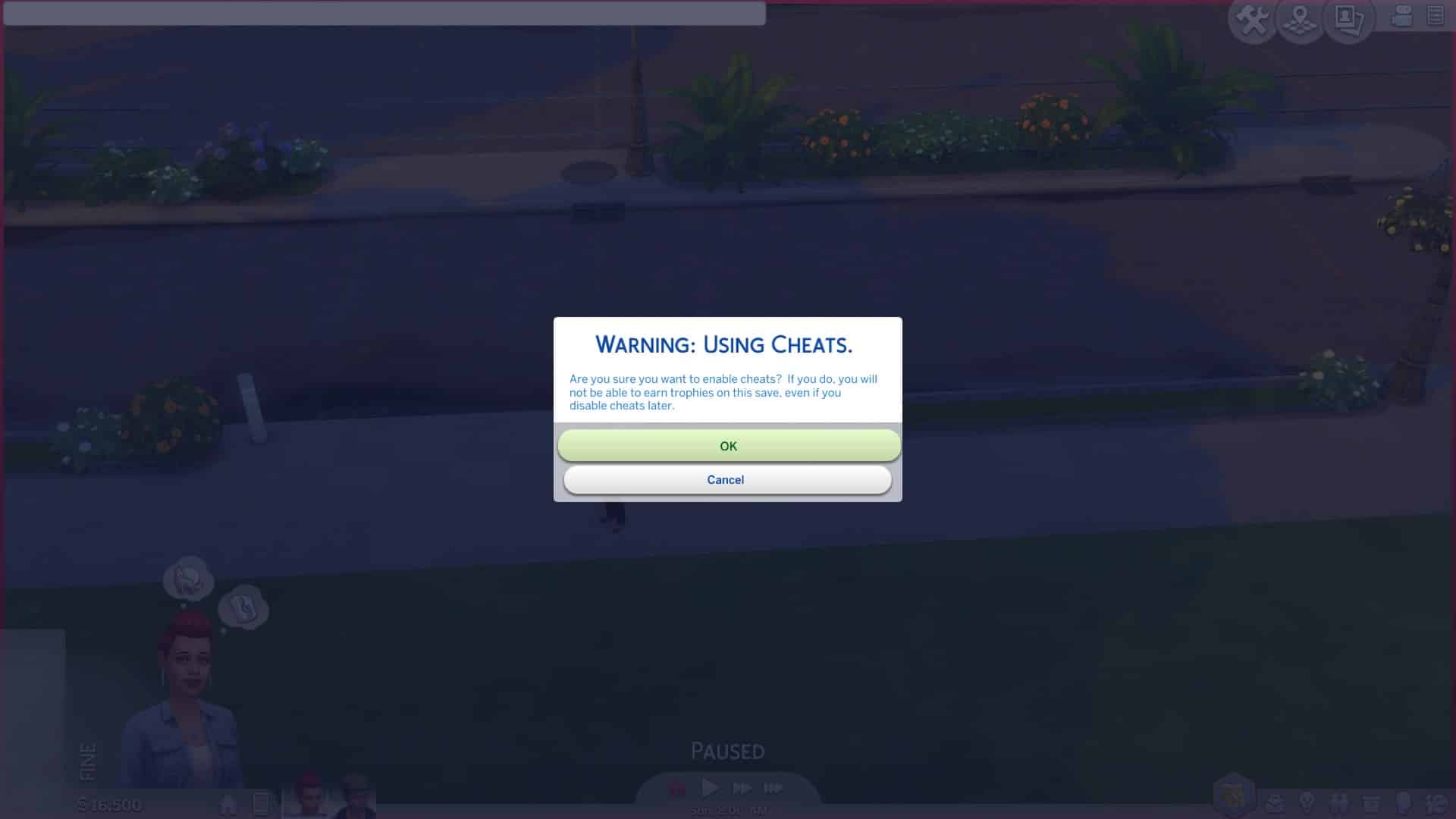
NOTE: What’s different with cheats for The Sims 4 Console is that almost all of them require the testingcheats true enabled cheat before entering other ones. You will have to enter this cheat or otherwise other cheats won’t function.
After entering that cheat the game will let you know that it’ll disable trophies on your current save game because cheats and achievements don’t go along together.
Enabling Cheats on Sims 4 for PS4
After you hit OK you are free to enter any type of cheat that’s currently available in The Sims 4 for PC. Yes, motherlode is available.
However, one of the great things about this is that the game lets you use Debug cheats as well – meaning that you can promote your Sims’ careers using the following cheat:
Careers.promote [Career Name]
Also – spawn cheats are working as well! I managed to spawn a fish right next to my Sim.
However – not all cheats revolve around entering text in the cheat console. Enabling the testingcheats true cheat will also unlock some object-specified and Sim-specified cheats. For example you can fill the motives of your entire household or add a Sim to the family (just some of the examples) by holding O + pressing X (PS4) / holding A + pressing B (Xbox One).
We know how it all goes – you install way too much games on your console to the point where you have to sacrifice some of your storage. Even if that’s not the case you still might wish to save your save games to some place safe.
Playstation 4 lets you storage and backup The Sims 4 Save Game files in two ways:
By uploading it to Playstation’s cloud (requires paid subscription – Playstation Plus)
By copying it to your external drive
The best way to backup your save game files is to copy them to your external drive (because I’m sure you don’t want to depend on your internet connection too much).
Transferring Save Games to External Drive
Here are the steps that you need to take in order to copy your save game files onto your external drive:
Connect your external drive to your PS4 console
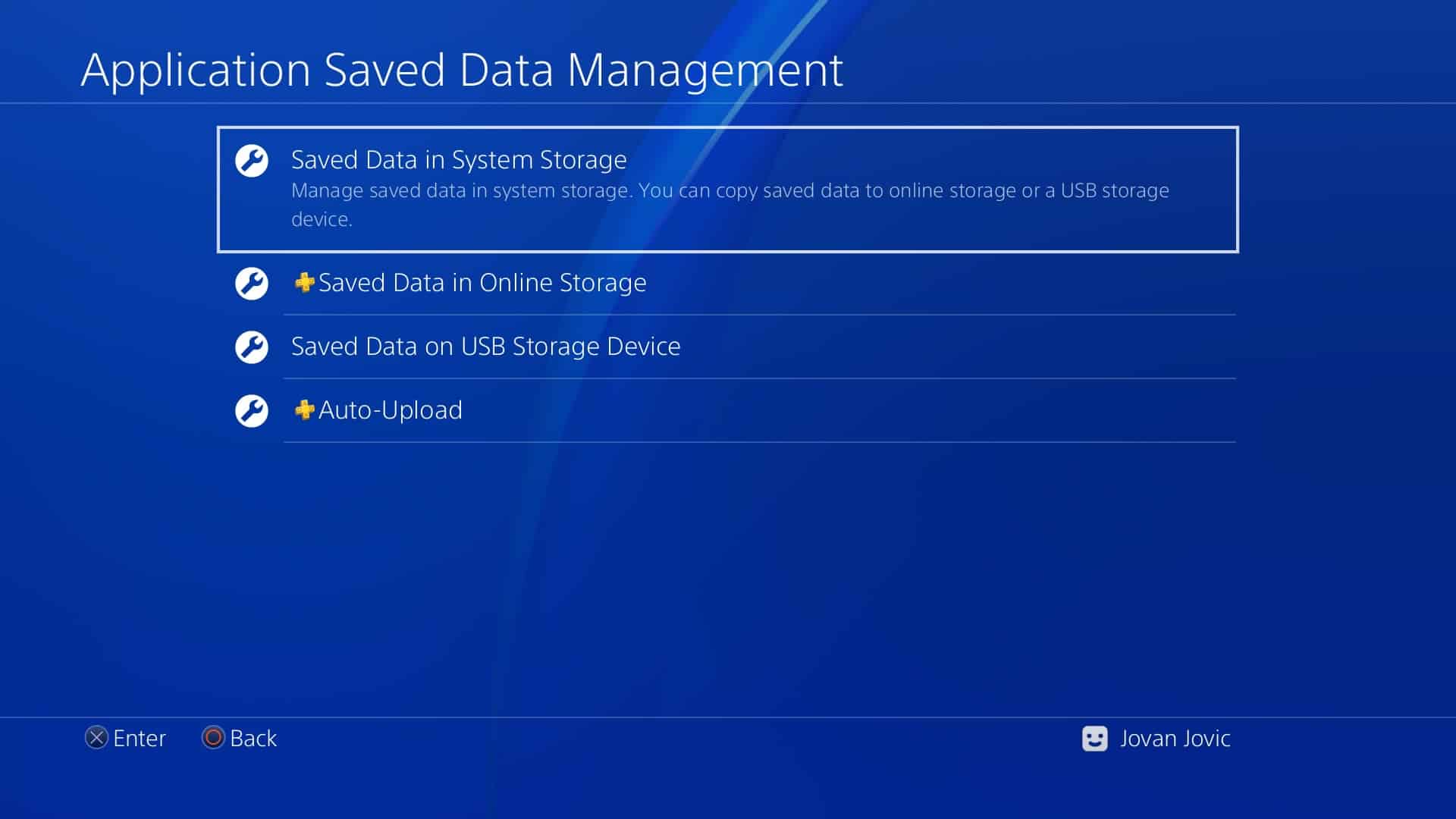
Go to Settings and select “Application Saved Data Management”
Select “Saved Data in System Storage”
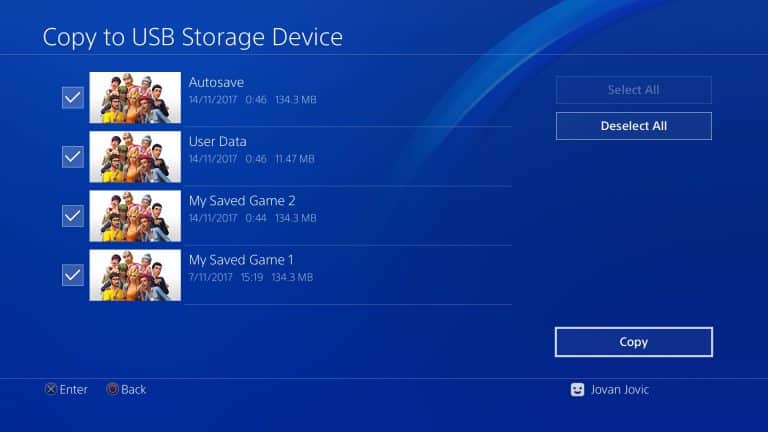
Copy to USB Storage Device
Select “The Sims 4” and then select which save game files do you want to transfer. If you’re not sure which one is which you can check out the time / date of when was the save game last modified. You can also select multiple save game files.
TIP: I recommend that you give your save game files in the game actual names instead of the automated “My Saved Game” to clear confusion 🙂
20171114005706
20171114005714
Select copy and wait for the files to transfer to your external drive. We recommend that you use an SSD drive for much faster results.
Transferring from External Drive to PS4
If you want to copy your save game files from the external drive onto your PS4 device you can do so by doing the following steps:
Go to Settings > Application Saved Data Management > Saved Data on USB Storage Device > Copy to System Storage
Select which game and which save game files do you want to transfer and select “copy”!
Christina Chan has published some of the concept art she created for the recently released Cats & Dogs Expansion Pack on Twitter. Take a look below and let us know what you think!
With the release of The Sims™ 4 Cats & Dogs Expansion Pack* (and the holidays just around the corner), we are embracing the season of giving by helping Pets in need.
Starting today, we are kicking-off a wonderful collaboration with the SPCAI where we give them $5,000 a week for four weeks (totaling $20,000). These donations will go towards the Shelter Support Fund grants, which provides assistance to shelters throughout the United States and all over the world, and the Disaster Relief Fund program, which provides animal shelters with financial assistance when they need it most.
We would love for you to help us spread the word about this amazing program by joining in on one of four fun community challenges, with the first one launching today!
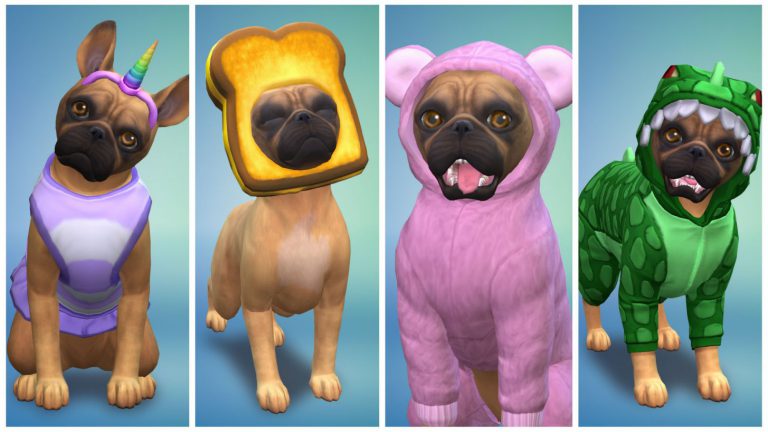
Our cute little pup Ruby (whom you may recognize from the announce trailer for The Sims 4 Cats & Dogs Expansion Pack), is looking for help on deciding which of her two outfits is the best. To vote on your favorite outfit for Ruby be sure to visit our web gallery, login to your EA account, and like your favorite Ruby outfit.
Want to make your own outfit for Ruby? You can download her from the gallery, but be sure to tag your creations with #RubyRocksSims4Paws.
Keep an eye out next week for a new challenge, which we will feature on our brand new hub page, and we look forward to seeing the amazing pets you create using The Sims 4 Cats & Dogs Expansion Pack.
In The Sims 4 Cats & Dogs you can have up to 7 Cats / Dogs in 1 household as the household limit is 8 Sims / Pets with 1 Sim needing to be in a household in order to take care of pets. However, this limit can be adjusted with a reliable mod – MC Command Center.
Right now the MC Command Center is the only mod out there which allows you to extend the number of Sims in a households. All other mods have been affected by the latest game update and it could take some time for them to be updated.
You can get MC Command Center’s latest mod version HERE (link has been removed)! Select the right download link that says McCmdCenter_AllModules. Extract the .zip file to Electronic Arts > The Sims 4 > Mods. When it comes to extending the household number you’ll only need these 2 files:
mc_cmd_center.ts4script
mc_cmd_center.package
Make sure you have Mods / CC enabled in your game options, as well as script mods!
After installing these mods you are now ready to extend the Household number. Select any computer in The Sims 4 and select “Mc Command Center”. Go to MCCC Settings > Gameplay Settings > Maximum Household size and select the maximum amount of Sims / Pets allowed in households (max number is 25).
After you select “OK” you will have to restart the game in order for it to take effect.
With this mod you are able to adopt cats and dogs without having to worry too much about the limit. You can also use testingcheats true > shift + click on a Sim / Pet to “Add to Family”. However, please note that you cannot add more than 8 Sims to the household using Create A Sim – you’ll have to use the tools that are given to you for adding Sims in live mode.
lease note that this feature is not recommended for those with low-spec computers.
With some help from Zerbu we managed to extract cheat codes for The Sims 4 Cats & Dogs Expansion Pack which were hidden deep into the game code.
These cheats give you Vet Clinic perks and the ability to kill your Pet from old age. We’re still collecting a few more cheats – including the new Feather Collection object IDs.
Please note that the testingcheats true cheat is required for these cheats to function.
Vet Clinic Perks
The cheat is bucks.unlock_perk [code] true. Down below you can see the Perks and their codes that you should input in the place where the brackets are (brackets are not required).
Additional Vet #1 – AdditionalVet_1
Unlock Vet Supply Quality – SupplyQuality
Vet Rush – MoreCustomers
Patient Patients – LengthenImpatienceTimeout
Additional Vet #2 – AdditionalVet_2
Inspirational Speech – InspirationalSpeechSocial
Lower Employee Training Costs – LowerEmployeeTrainingCost
Well Managed – LowerChanceBadEvents
Reduce Pet Stress – ReducePetStress
The Vet Coat – UnlockCASItem
Skills
Down below you can find the 2 new Skills and their cheats. Instead of “[level]” add a skill number.
Pet Training – stats.set_skill_level Skill_DogTraining [level]
Vet Skill – stats.set_skill_level Major_Veterinarian [level]
Pet Death
You can kill a pet by using the following cheats.
First you need to get the ID of your pet. You can do so by entering the following cheat:
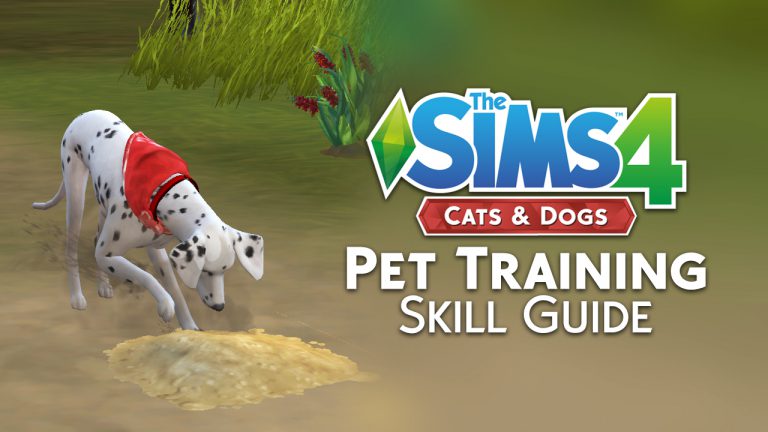
The Pet Training skill is a 5-level skill that comes with the Cats & Dogs expansion for The Sims 4. Sims can build this skill in order to teach their pets how to do a variety of things. Pets will be able to perform new actions on command if they have a skilled owner. While the Pet Training skill is largely dog-focused, cats are not excluded from this skill.
Let’s dive into this skill by taking a look at how it works in-game. The best way to learn about the Pet Training skill is to see it in action for yourself.
Pongo and Skye
Meet Skye Woodruff and her faithful dalmatian, Pongo. They’ll be showing you how to get the most out of the new Pet Training skill. Skye loves both dogs and cats equally. She actually has a cat named Cleopatra, but she’s going to start building this skill by teaching Pongo some tricks. You’ll see Cleopatra later, I promise.
You can see here that Pongo is a smart dog. He’ll learn tricks faster than most dogs. This will help Skye build the pet Training skill, too.
11 11 17 1 02 27 PM
11 11 17 1 00 08 PM
11 11 17 1 00 02 PM
If we click on Pongo, we can see a Training option in the pie menu. Clicking it will show us all the tricks Pongo can learn right now. His owner hasn’t even learned the Pet Training skill, yet, so there are only a few tricks here. As Skye builds her Pet Training skill, she’ll be able to teach Pongo more complicated tricks. Let’s start by teaching Pongo the most basic of commands: Sit.
Trick Training
Only dogs can learn how to do tricks. Cats can’t partake in this aspect of the Pet Training skill, so it’s good to have a dog in the house if you want your Sim to start learning the Pet Training skill quickly. Dogs can learn how to perform tricks anywhere.
11 11 17 1 00 36 PM
11 11 17 1 02 33 PM
11 11 17 1 02 57 PM
11 11 17 1 03 05 PM
As soon as Skye starts teaching Pongo, she learns the Pet Training skill. The notification lists the tricks Skye is able to teach Pongo right now. When a dog learns a new trick, you’ll get a notification that the dog has learned a new trick. A new option in the dog’s pie menu will show up, called Trained Commands. When a dog learns a trick, that trick disappears from the Training category and moves to the Trained Commands category. Your Sim will be able to command their dog to perform that trick at any time now.
11 11 17 1 21 21 PM
11 11 17 1 20 58 PM
Successfully teaching a dog a trick gives your Sim a +1 Happy moodlet, called “Quality Time.” Sometimes, even the smartest dog will occasionally fail to perform a trick properly. When this happens, your Sim will get a +1 Tense moodlet, called “Stressed from Training.” These moodlets have a minor effect on emotion and only last for a short time.
Pet Training: Level 2
After Pongo learns to Sit, Skye begins teaching him how to Lie Down. This raises her Pet Training skill to level two.
11 11 17 1 04 17 PM
11 11 17 1 31 11 PM
At level two of the Pet Training skill, your Sim will be able to teach dogs how to Heel, Shake, and Play Dead. A new option opens up under the Training tab in the pie menu: Practice Tricks. This allows your Sim to teach their dog a series of random tricks. It’s useful for continuing to build the Pet Training skill after a dog has already learned every trick.
11 11 17 1 05 34 PM
11 11 17 1 05 46 PM
You can see the skill level required for a trick by hovering over that trick under the Training tab in the dog’s pie menu. As you can see here, hovering over the Heel trick on Pongo tells us that Pongo is able to learn this trick because his owner is at level two of the Pet Training skill. If we check the Trained Commands tab now, we see that there is a new trick there. Pongo has learned to Lie Down.
We asked people on Twitter to show off their kittens and puppers being the perfect companions during the first few hours of The Sims 4 Cats & Dogs Expansion Pack release. Here are some adorable photos that we received:
Here’s coco, I wish I could give the dogs one eye, but we’re reimagining her with two! Lol I gave her the trait playful and as you can tell she always has a toy in her mouth. We’re obsessed with this expansion! Best one yet!! pic.twitter.com/93mdtlQZkr
The first thing you probably noticed when updating your Sims 4 game to the latest version is the file size (2.6GB). It’s been confirmed as the biggest update for The Sims 4 so far. However, the game only brought stability improvements and a few new features to the game. What’s so interesting is the fact that the update which brought the biggest amount of content (Toddler Update) back in January 2017 was much smaller than this one – which is why I wanted to investigate why this update is so big.
After going through the game files I was surprised – The Sims 4 PC data files were FULL of files for The Sims 4 Console.
Some UI features like modifying the user interface width and height (features exclusive to the console version) are also present in the PC files:
There are also new lessons added which have been made for the console version exclusively.
Text strings from The Sims 4 Console and the main menu itself have also transferred over to the PC version.
We don’t know yet if this means that The Sims Team is working on making the Console and PC version a more streamlined experience or if they want to move some features from Console to PC and vice versa. However, they wouldn’t add a ton of these files for nothing!
If you’re anything like me, then you have what might just be the slowest Internet connection in the world, or at least it feels that way to you. If you’re a Simmer like me (and obviously, you are, because you’re here reading this), you know all too well how agonizing a slow connection can be on the day of a new expansion release. It’s usually hours and hours of crying, pleading with the Sims gods, and scratching desperately at your computer screen in anticipation.
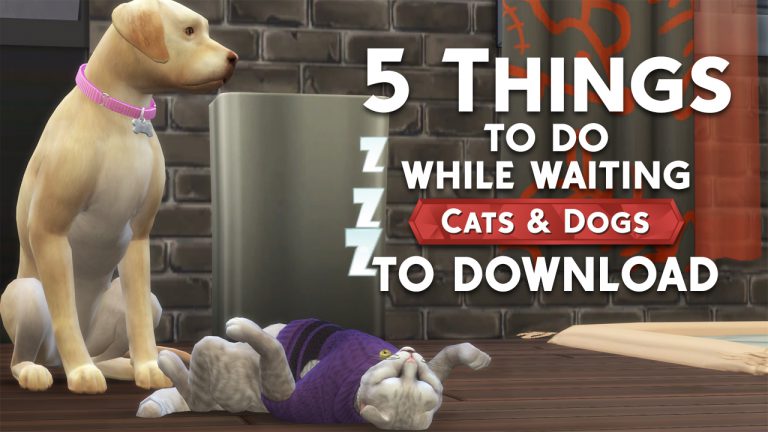
But fear not! I have the solution! Instead of all that unpleasantness, here are five ways you can pass the time and get your Cats & Dogs fix while waiting for Cats & Dogs to come to you at last.
Watch ALL of the livestreams
Hey, if you can’t play your favourite game, what’s the next best thing? Watching someone else play your favourite game, of course! Luckily, there are plenty to keep you entertained for hours on end until you can play, yourself. Stroll on over to Sims Community‘s YouTube channel to check out replays of all of the SimGuru livestreams for Cats & Dogs. We also have our very own launch party livestream replay available on our channel. We are so here for you during this difficult time.
Read ALL of the articles
Sims Community has got you covered with all of the latest and greatest info about Cats & Dogs, from Build/Buy and CAS overviews to an interactive Brindleton Bay world map and much more! Brush up on your research ahead of time so you can dive right into all the fun when that glorious Ready to Play button pops up in Origin. You can find all of our Cats & Dogs articles right here.
Get your smustle on
You can always air out your pre-expansion jitters with some therapeutic interpretive dance; the smustle. Naturally. Break out your best smustling moves in the middle of the living room. Who knows? Maybe your real life cats and dogs will decide to join in! They’re lovably unpredictable like that, aren’t they?
Chat with us!
Did you know Sims Community is on social media? Well, we are, and we love hearing from you! Tweet us or leave us a comment on Facebook to let us know about all the Cats & Dogs feelings! All of them! You might not know this, but we here at Sims Community are in fact, licensed therapists! DISCLAIMER: That was a joke. We are not licensed therapists. We just really love The Sims. Like you.
Breathe!
That’s right. In… and out. In… and out. Ahhhh. It will be okay. You will get through this and Sims Community will be here for you through it all with our videos, articles, and social media posts. We can’t really help you with the smustle, though. Sorry.
We’re pawsitive that these five coping techniques are exactly what you need right meow to make it through your download process. It can be ruff, but we’re not kitten when we say you’ve got this! (Too much pun? Nah. Never too much pun).
As one of the most highly anticipated packs of the entire Sims 4 history Cats & Dogs is due to have some amazing reception, but does it live up to the hype?
I’ve eagerly waited these past months in utter joy, counting down the days and hours till I myself could have some furry friends to play with. Finally, 11 pm hits in the UK, where I live, and Origin alerts me my Sims game is ready to download, it’s here! Of course, I then spend the next 5 hours glued to my screen. I played with the create-a-pet which in my opinion isn’t as versatile as I thought it would be. It was a struggle to make my dog Gracie look like her computer counterpart. However, I enjoyed experimenting with the paint and getting to grips with the feature, of which I hope comes to create-a-sim some day. Brindleton Bay was my next adventure to move into, sorry Windenburg, and it’s blown me away. The immense detail of the world is phenomenal, the Sims team have outdone themselves to create a world that feels like a home for not just our Sims but our Pets as well.
I’ve been planning my vet legacy for a week now and so, of course, I went ahead and spent an hour and a half building a Clinic. It took me a few tries to work around the equipment size but in the end, I was rather happy with it. I was able to make dog and cat specific rooms thanks to the new locks and mats. This helped it feel more realistic for a storyteller like me. People might be comparing this to Get To Work’s Doctor career but it flows so much smoother with easier diagnoses and equipment use. The only thing that puzzled me, that wasn’t immediately clear, was that some pets needed surgery as a part of the treatment but it didn’t tell me so on the screen. However, this is a career I feel like I am going to spend hours divulging into.
Of course, the pack was due to have its teething problems and I encountered many of them. First thing I noticed was my Sim wouldn’t stop bathing my dog. My dog was losing its needs as was my Sim but the bath just wouldn’t stop. I was able to fix this issue by debugging but for people who don’t know how or use cheats it’s a real issue. Another issue I found was my dogs getting dirty every day! I was spending so long bathing them when in real life you don’t have to wash a dog every day. I hope this is just a bug and not an in-game feature as it’s highly annoying. One last issue I’ve had with the game is my dog’s passing out from exhaustion when they have beds and haven’t been doing anything crazy. It’s so frightening to see your pet randomly passed out while walking around the house.
The latest Sims 4 Update keeps on with amazing surprises. So far we know that the game has improved stability and that it fixed some major bugs and issues that were present before. However, there is one huge thing that was changed with the update that wasn’t mentioned in the patch notes.
SimGuruNick confirmed that The Sims 4’s population cap has increased from 305 Sims to 575 Sims in all worlds. This means that you’ll encounter more different Sims walking around your neighborhood.
In this cap are also included Cats and Dogs if you have The Sims 4 Cats & Dogs Expansion Pack.
The population cap is actually at 575 now, not 305 🙂











 Starting today, we are kicking-off a wonderful collaboration with the SPCAI where we give them $5,000 a week for four weeks (totaling $20,000). These donations will go towards the Shelter Support Fund grants, which provides assistance to shelters throughout the United States and all over the world, and the Disaster Relief Fund program, which provides animal shelters with financial assistance when they need it most.