Home Blog Page 338

The Sims 4 Console: EA Access Trial Coming This Thursday To Xbox One!

0

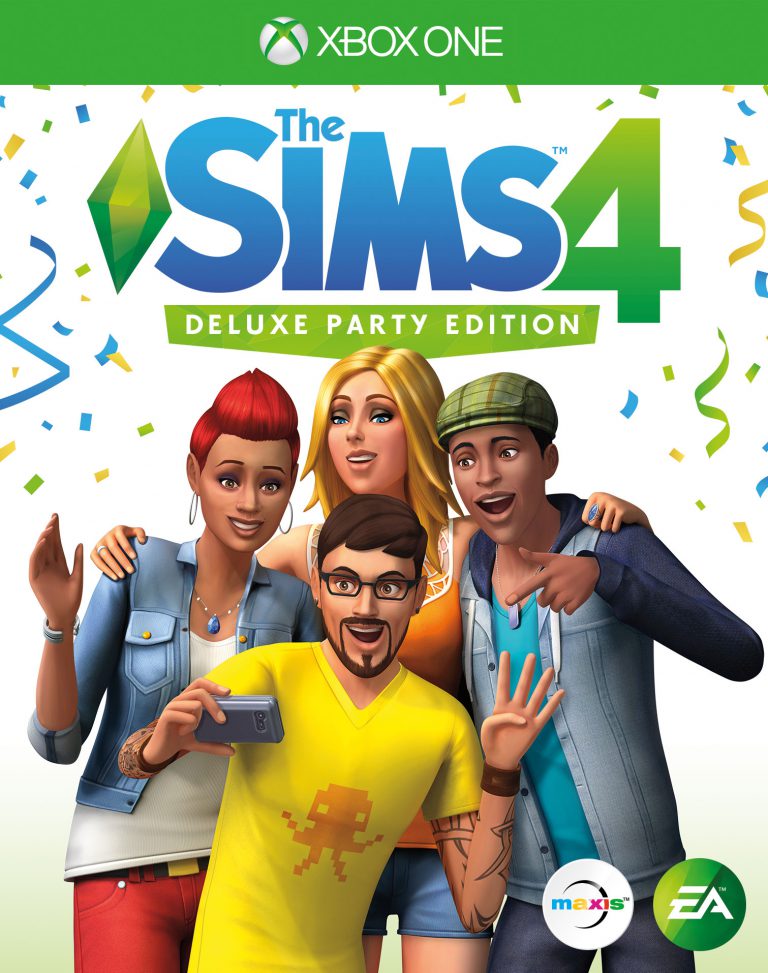
For those of you who have an Xbox One/Xbox One X and have EA Access you will be able to play the 10 hour trial for The Sims 4 as of Thursday 9th November. Also anything that you do in the trial will carry over into the game when it is officially released.

To find out more about EA Access click here!

If you pre-order The Sims 4 on Xbox One from the Microsoft store the game will pre-install ready for the launch. The base game file size is around 12GB and Perfect Patio stuff is 167mb. Once pre-installed the game will list under My Games & Apps and will have a little pre-order tag line accross the bottom of the tile until release day.

Remember you will only need internet access to download and update the game. Playing The Sims 4 on console does not require internet access.

The Sims 4 Console: EA Access Trial Coming This Thursday To Xbox One!


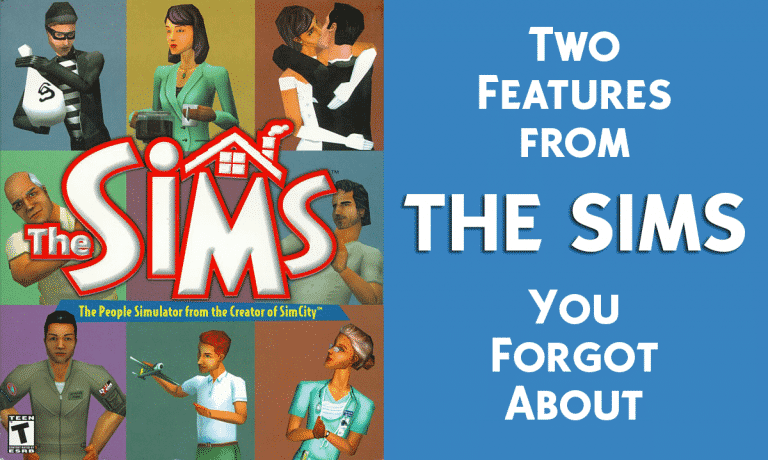
Two Features from The Sims 1 You Forgot About

When you look back at how far The Sims has come from those robotic pixel blobs moving across the screen of your clunky beige desktop, it’s hard to imagine that there’s anything we’ve lost between then and now. Would you believe us if we told you there are actually two useful features from those simpler days that are no more?

Back in the days of The Sims, clicking on the household’s simoleons would bring up the budget panel. This panel was used for managing your household’s finances. This was where players could see how much their Sims were spending and making. The Budget panel broke down income and expenses over the past three days so you could see exactly where all the money in the house was going. It was a great tool for keeping the books balanced.

Your household’s total funds are dynamically displayed below the Speed buttons. Remember, your Sims may lust for a plasma TV, but if daddy’s not bringing in the dough (nor momma as well), you might be sending your Sims to skid row. – The Sims guide booklet, pg. 17


In the house panel in Live Mode, players got a ten-point breakdown of just how cool (or lame) their Sim’s house was. The household was ranked from 0 to 10 in several categories, from size to landscaping to layout. Houses that Sims could move around in easily got a high layout score. Homes with beautiful gardens would do well in the landscaping category. It was an easy way to see just how well your Sims were keeping up with their neighbours.

Your Sims are quite concerned with their house’s structure and condition, at both the aesthetic and essential level. They like open spaces, comfortable rooms, lots of windows and nice furnishings… If you design or furnish their house in such a way that it makes the Sims long, cumbersome trips to accomplish a task, or if objects block the clear pathway to objects they’re interested in, they won’t hesitate to complain. Be a compassionate master: Make their house a home. – The Sims guide booklet, pg. 28


Would you like to see either of these features make a return in The Sims 4? Let us know in the comments!

The Sims 4 Console: Base Game Livestream Facts

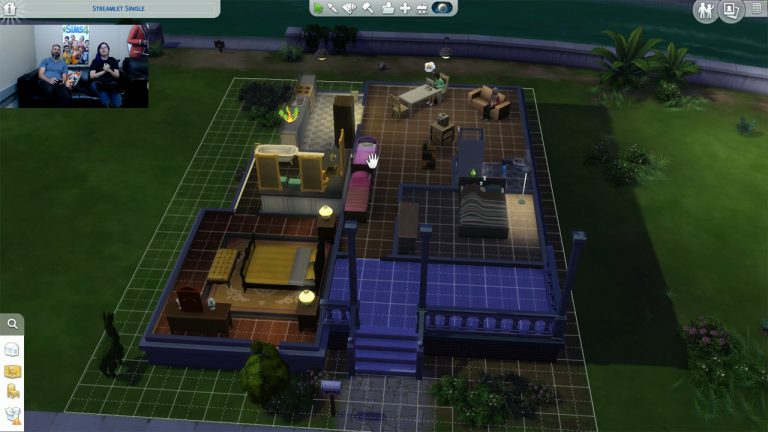
SimGuruDuke and SimGuruDrake held a livestream where they got their hands on The Sims 4 Console (Base Game). Here’s what we learned from the livestream:

  • The Sims Team wanted the console game to make completely identical with the PC version.
  • There is no Gallery available but you do have a Library.
  • You have two options: to use the virtual cursor and to use the analog stick to switch between options.
  • All the free updates and content made for The Sims 4 PC in the last 3 years are available in the console version.
  • The user interface is enlarged in some aspects.
  • There’s a loading bar in loading screens.
  • The graphic settings are automatically set to the highest possible options.
  • X and Y throughout the game are modifier keys.
  • Speed is tied to the left and right bumpers on the controller.
  • If you enable cheats you won’t be able to earn achievements on the save game where you enabled cheats – even if you disable cheats later.
  • Custom Content won’t work on the console version.
  • All maxis-created content including pre-made households and lots can be found in the Library.
  • The game is offline. You only need internet to download the game + keep your game updated.
  • All future game updates for the PC version will be available for Console as well.
  • There are some special game options just for the console version:
    • Trail Animation
    • Controls Overlay Reminder
  • There’s a re-imagined “Tab Mode” called “Free Cam” where you can freely move around your camera without the user interface getting in your way.
  • Build Mode’s user interface is more nested, meaning that you have to go through a bit more clicks than you normally would on PC in order to uncover and find an object or a tool that you wanted.
  • You can plug-in the keyboard on your PS4 / Xbox One and use it for areas that require writing.
  • With PS4 Pro and Xbox One X you’ll get better results with loading screens.
  • Some cheats are now moved and work only when you have the testingcheats true cheat enabled.

The Sims 4 Console: Deluxe Party Edition Livestream (REPLAY)

0

UPDATE: The livestream has ended. You can watch the replay down below!

The Sims Team is going to play The Sims 4 Console for the first time – LIVE! They’ll be covering the Base Game gameplay along with other extra content that come with Deluxe Party Edition of the game.

The livestream begins at 8PM CET / 7PM BT / 11AM PT. We’ll make sure to update this post with a livestream replay after it’s over!

A Lookback at The Sims Console Games: Part Three

0

In the last article we took a look back at The Sims 2 and The Sims 2 castaway but in this article it is all about The Sims 2 Pets! With Cats & Dogs being all the talk at the moment it seems fair that The Sims 2 Pets and The Sims 2 Apartment Pets get their own article.

The Sims 2 Pets

Nintendo GameCube, Nintedo Wii and PlayStation 2 & Sony PSP

The Sims 2 Pets was released on consoles in October 2006 meaning the intial releas of the game is just over eleven years old. The Sony PSP installment of the game was released shortly after in December 2006 and the the Nintendo Wii version being releases in June 2007.

The console version was designed to be almost identical to the PC expansion. However unlike previous console installments the Player isn’t forced to complete goals. The player just creates a Sim and controls them and then of course then aquire a Pet. Of course the console version came with a handful of differences. Here’s just a few of them below:

  • New Paramedic & Therapist NPC added to the game.
  • All sims are adults meaning that there are no Toddler, Child or Teen Sims. Elder Sims can be created by changing the Sims hair colour. Sims will also not die but will pass out when the hunger bar hits zero.
  • Sims abducted by aliens will not get pregnant.
  • Pranking other Sims on the phone will not get you in trouble.

Game Boy Advance & Nintendo DS

The Sims 2 Pets on Game Boy Advance and Nintendo DS was released in late 2006. This also saw the last game from The Sims franchise to be released on Game Boy Advance (the same with the Nintendo Game Cube version of the game).

Both versions of the game are set in Bakersville. As a Vet you are tasked with helping look after Pets in the town. Once the Pet Paitent is well again the owner will return. Depending on how well you cared for the paitent depends on how much the owner pays you. If you do well you will earn good money and recieve an increased reputation. Of course you can also own your Pet as well.

Random Trivia: If you have ever played The Sims 2 Pets on Game Boy Advance then you may recognise some of the Pet’s Furniture from The Sims Unleashed!

Also why not check out 25 minutes of game play from SheGamerReloaded (now SheGamerxo) as she takes you through the start of the Game Boy A

The Sims 2 Apartment Pets – DS

Released nearly two years after The Sims 2 Pets was released, The Sims 2 Apartment Pets combined the PC expansions Apartment Life and Pets to give us the final installment for The Sims 2 on consoles.

The aim of the game was to progress through the games storyline and look after your Uncle’s Pet Spa as well as your Sim’s own pet. Apartment Pets was also one of the only console games to contain a more developed Create-A-Sim feature despite it’s limited content. This also made the feature stand out compared to other console versions of the game.

Sadly The Sims 2 Apartment Pets didn’t gain great reviews but after tracking down a copy on eBay I feel that it is still a great addition to the franchise despite it’s flaws.

That’s it for the third installment of the A Lookback at The Sims Console Games series. There is just one more part to come and then we will be getting ready for the release of The Sims 4 on Xbox One and PlayStation 4!

Don’t forget you can check out the previous parts to this mini series. Click here for part one and for part two of the series click here.

Best Buy Offer: Get an exclusive Pet Tag with The Sims 4 Cats & Dogs

1

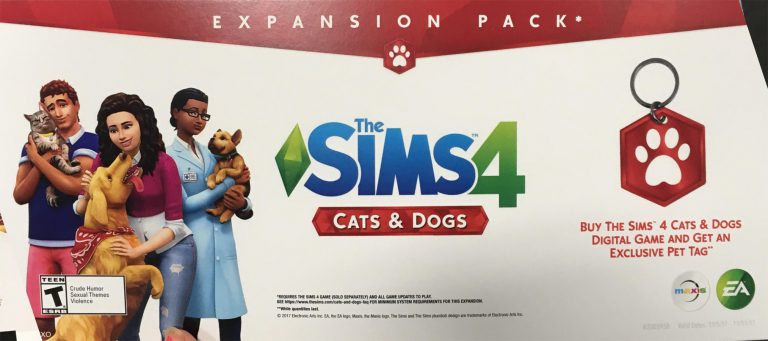
According to a Reddit user ValeriePancakes BestBuy is currently having an offer where you can get an exclusive Pet Tag in a shape of the Cats & Dogs icon with a purchase of The Sims 4 Cats & Dogs Expansion Pack!

The supplies are limited so if you haven’t already pre-ordered Cats & Dogs and have a Best Buy nearby this is the perfect opportunity!

Best Buy Offer: Get an exclusive Pet Tag with The Sims 4 Cats & Dogs

The Sims 4 Mod: Place Certain Objects anywhere in the World

2

The ability to place certain objects anywhere in The Sims 4 was a fantasy – until now.

Modder K9DB managed to make certain objects in The Sims 4 placeable anywhere in the world without depending if you’re on your lot or not.

Here are all the objects K9DB managed to make placeable so far:

  • Monkey bars
  • Both kids jungle gyms
  • Voidcritter battle station
  • Observatory (telescope)
  • All the picnic tables
  • Basketball hoop
  • Wishing well
  • Gravestones
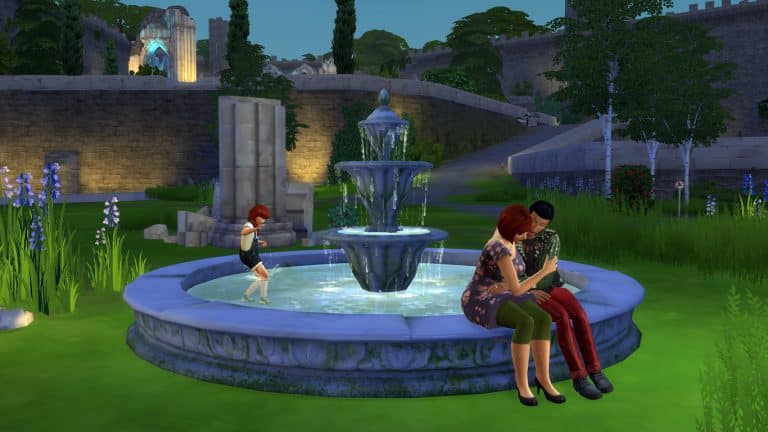
  • Romantic Garden Fountain

You can get this mod by downloading the .zip content and extracting it to Electronic Arts > The Sims 4 > Mods folder. Make sure you have Mods / CC enabled in your game options!

[mks_button size=”large” title=”DOWNLOAD!” style=”rounded” url=”http://modthesims.info/download.php?t=602446″ target=”_blank” bg_color=”#1e73be” txt_color=”#FFFFFF” icon=”fa-arrow-down” icon_type=”fa” nofollow=”0″]

The Sims 4 Mod: Place Certain Objects anywhere in the World

Preparing for The Sims 4 Cats & Dogs

The Sims 4 Cats & Dogs is one of the most anticipated Expansion Packs in The Sims Franchise so we totally understand you if you “get lost” after installing the pack on November 10th. Here are some tips and advices for you to do before getting your hands on Cats & Dogs:

Create A Household Concept

Creating a household is probably the first step that any simmer takes after installing the pack that they’ve been waiting for so long. We know – you can’t currently create a cat or a dog in The Sims 4 but you can think of an interesting concept for your Sim household.

A recently married couple who want to start a family with not just a bunch of children but new pets as well or an elder Sim who’s kids have moved on with their lives and who wants a loyal companion are just some of the household ideas!

Build them a House

Even though you cannot get your hands on new items from The Sims 4 Cats & Dogs Expansion Pack just yet you can start working on a house with areas that you can fill in after you install the pack.

Think of a Challenge

Have some awesome ideas for The Sims 4 Cats & Dogs that you’d like to share with other Simmers as well? We have a perfect section on Sims Community Social where you can do just that. Our Challenges forum is full of challenges created by others. There’s even a cool new Pet Pedegree Challenge made just for Cats & Dogs!


Preparing for The Sims 4 Cats & Dogs doesn’t just revolve around what you can do in the game. There are a few things that you should focus around your save game files as well as hardware and your system specifications:

Clear your Cache

The Sims 4 Cats & Dogs brings a lot of new life to your game and therefore it’s important to treat your save game files with extra care and attention. Feel free to delete files shown in this post as they automatically rebuild throughout your Sims 4 gameplay. It’s proven that clearing your cache files regularly can help improve your game performance.

Prepare your Mods

As with every Pack release The Sims 4 gets a new game update. Considering this update is really, really huge you may want to remove your mods and check for compatibility on pages of your mod source to make sure it’s safe for using.

The Sims 4 will automatically disable your mods after the update but it’s best if you check every mod functionality.

Back Up your Save Game

The Sims 4 Cats & Dogs is a huge pack and it’s not guaranteed that it will work perfectly for everyone. Before installing the upcoming game update or the expansion pack itself it’s best if you back up your save game in case things go wrong.

Make sure you meet the NEW requirements

Cats & Dogs brings new system requirements that you’ll need to meet in order to play the game.

PC Minimum Requirements

MINIMUM OS: 64 Bit Required. Windows 7 (SP1), Windows 8, Windows 8.1, or Windows 10

CPU: 1.8 GHz Intel Core 2 Duo, AMD Athlon 64 Dual-Core 4000+ or equivalent (For computers using built-in graphics chipsets, the game requires 2.0 GHz Intel Core 2 Duo, 2.0 GHz AMD Turion 64 X2 TL-62 or equivalent)

RAM: At least 4 GB RAM

DISC DRIVE: DVD ROM drive required for installation only

HARD DRIVE: At least 3 GB of free space (14 GB if installing with The Sims 4) with at least 1 GB additional space for custom content and saved games

VIDEO: 128 MB of Video RAM and support for Pixel Shader 3.0. Supported Video Cards: NVIDIA GeForce 6600 or better, ATI Radeon X1300 or better, Intel GMA X4500 or better

DIRECTX: DirectX 9.0c compatible

SOUND CARD: DirectX 9.0c Compatible

INPUT: Keyboard and Mouse

ONLINE REQUIREMENTS: Internet connection required for product activation.

Mac Minimum Requirements

MINIMUM OS: Mac OS® X 10.7.5 (Lion)

CPU: Intel Core 2 Duo 2.4GHz Processor or better

RAM: At least 4 GB RAM

HARD DRIVE: At least 3 GB of free space (14 GB if installing with The Sims 4) with at least 1 GB additional space for custom content and saved games

VIDEO CARD: NVIDIA GeForce 320M, 9600M, 9400M, ATI Radeon HD 2600 Pro or better. Video RAM of 256MB or better.

INPUT: Keyboard and Mouse

ONLINE REQUIREMENTS: Internet connection required for product activation.

The Sims 4: Teen Style CC Pack is now available!

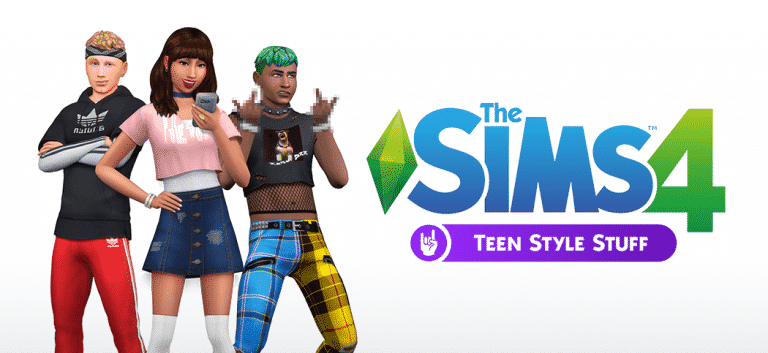
Custom Content Creators Synth and Luumia have come together to create the Teen Style Stuff pack! It features the ‘Athlete’, a Jock inspired set, ‘It Girl’ a popular girl inspired set and ‘Punk Kid’ which is more goth and scene styles. Whats great is all the styles are Maxis Match which means the CC Creators have tried to keep to the Sims 4 Style as much as possible so the stuff doesn’t stand out in your game.

Here are the notes from the pack:

The Sims 4: Teen Style CC Pack is now available!

Featuring 14 pieces of CC for your adolescent pixels!

Everything you need to know about what is included in this pack is in the above pictures.

Notes:

  • There are two versions of the DIY Crop and the Longline Sweater: One has an undershirt, and one does not. Go crazy with accessory tees of your choosing!
  • *The Bandanas Are Lit Hair is NOT hat compatible. However, you are able to pick what texture you want on the bandana with a bandana selector located in the Hats section.
  • All the assets included in this pack are disabled for random. Some of them are unisex, and some are only for one gender.

All three looks are available separately as individual packages and merged package files. There is also an All-In-One package in the root folder.

Please enjoy our labour of love! 😘😘😘😘

Credit to @standardheld for the Bangin’ Bangs Hair base textures.

If this pack sounds like something your Teen Sims would love click the download button below!

You can install this custom content pack by extracting the content of it to Electronic Arts > The Sims 4 > Mods folder. Make sure you have Mods / CC enabled in your game options.

[mks_button size=”large” title=”DOWNLOAD!” style=”rounded” url=”http://luumiasims.com/post/167072426529/sxl-presents-teen-style-stuff-a-brand-new-cc-pack” target=”_blank” bg_color=”#1e73be” txt_color=”#FFFFFF” icon=”” icon_type=”” nofollow=”0″]

Countdown to the release of The Sims 4 Cats & Dogs (With different Time Zones)

71

There’s been a lot of confusion about the full release of The Sims 4 Cats & Dogs Expansion Pack and so we wanted to make it a bit more clearer by making this countdown post that includes different time zones.

In case you don’t know, this pack will release worldwide on the same day but with a staggered release across different time zones. Down below you can find countdowns for multiple time zones.

Central European Time (Midnight, November 10)

British Time (11PM, November 9)

[ult_countdown count_style=”ult-cd-s2″ datetime=”2017/11/10 00:00:00″ countdown_opts=”sday,shr,smin,ssec” br_style=”solid” br_size=”5″ br_color=”#dd3333″ br_radius=”5″ timer_bg_color=”#dd3333″ tick_col=”#ffffff” tick_sep_col=”#dd3333″ tick_style=”font-weight:bold;” tick_size=”desktop:46px;” tick_line_height=”desktop:46px;” tick_unit_style=”font-weight:bold;” tick_sep_size=”desktop:18px;” tick_sep_line_height=”desktop:18px;”]

Pacific Daylight Time (9PM, November 9)

Eastern Daylight Time (Midnight, November 10)

[ult_countdown count_style=”ult-cd-s2″ datetime=”2017/11/10 05:00:00″ countdown_opts=”sday,shr,smin,ssec” br_style=”solid” br_size=”5″ br_color=”#dd3333″ br_radius=”5″ timer_bg_color=”#dd3333″ tick_col=”#ffffff” tick_sep_col=”#dd3333″ tick_style=”font-weight:bold;” tick_size=”desktop:46px;” tick_line_height=”desktop:46px;” tick_unit_style=”font-weight:bold;” tick_sep_size=”desktop:18px;” tick_sep_line_height=”desktop:18px;”]

Australian Eastern Daylight Time (12AM, November 10)

RELEASED!

REMINDER: The Sims 4 Cats & Dogs comes out next week!

0

We’re less than 7 days away from the release of The Sims 4 Cats & Dogs Expansion Pack! We know it feels crazy saying that after so many speculations, hints and leaks that happened before the official announcement of this pack.

Unlike with previous expansion packs, The Sims 4 Cats & Dogs Expansion Pack will be released worldwide on the same day. If you’ve already pre-ordered The Sims 4 Cats & Dogs you can check when exactly will it be released in your time zone.

REMINDER: The Sims 4 Cats & Dogs comes out next week!

SimGuruDrake confirmed that the pack will have a “staggered” release depending on the time zone you’re in. For example – the pack will come out at midnight on November 10th in Central European Time. However, it’ll be available at 9PM in Pacific Time. This means that people who belong in the Central European time zone will get to play the pack 5 hours early as 9PM PT = 5AM CET.

We get it, all these time zones are really, really confusing. That’s why we’re currently working on a countdown post that includes different time zones.

Are you excited for the release of The Sims 4 Cats & Dogs? Let us know in the comments and make sure you stay tuned on all the latest updates!

The Sims 4 Cats & Dogs: Iron Seagull interviews SimGuruRomeo

2

Iron Seagull got a chance to interview SimGuruRomeo, one of the producers on The Sims 4 Cats & Dogs Expansion Pack. He asked a lot of questions about the pack, including why there are no dog houses included. It’s a 20-minute long interview with plenty of info so make sure to check it out!

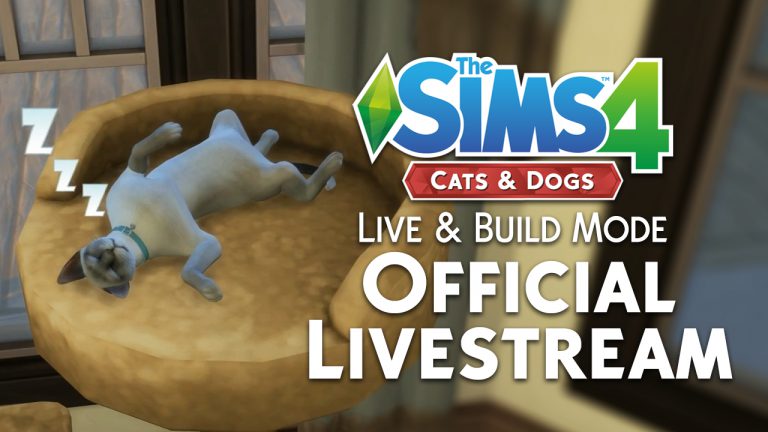
The Sims 4 Cats & Dogs: Live & Build Mode Livestream YouTube Replay

0

For those who have issues or just prefer watching content over YouTube we’ve added The Sims Team’s official The Sims 4 Cats & Dogs Live & Build Mode Livestream from Twitch onto our YouTube Channel.

The original livestream with the chat can be found here!

The Sims 4 Console DLC Bundle Price has been confirmed!

0

In case you missed the announcement – The Sims 4 for Consoles will have a special DLC Bundle which includes City Living Expansion Pack, Vampires Game Pack and Vintage Glamour Stuff Pack. However, all this time we had no certain information about what’s the price of this Console Bundle.

SimGuruDuke finally confirmed the price of this pack on Twitter, saying that the pack will be available for $49.99 / €49.99. This is quite a deal considering that City Living is 40$, Vampires is 20$ and Vintage Glamour is $10 when purchased seperately ($70 total).

The Sims 4 Console DLC Bundle Price has been confirmed!

Twitch Tidbit: Shift Click to Place Multiple Objects

10

After watching today’s Livestream hosted by the SimGurus (which you can rewatch here) you may have noticed that the Guru’s were using the Shift Place trick to place multiple objects. Now some Simmers may already know this trick but if you don’t then this is a very useful and easy trick to know!

So, if you want to place multiples of the same object all you need to do is simply just select the object like you would normally. Hold shift and place the object. It really is as easy as that. The trick works on normal Buy Mode Objects as well as windows, doors, stairs, plants and more. Think about how much easier this trick will make landscaping your builds!

Twitch Tidbit: Shift Click to Place Multiple Objects

Let us know if you already knew about this handy trick and how you use it in your game or if this is news to you how excited are you to use this super easy trick!