

The Sims Team has released a pre-order trailer for The Sims 4 on Xbox One and PS4. By pre-ordering any of 2 editions for The Sims 4 for Consoles, you receive The Sims 4 Perfect Patio Stuff Pack completely free!
You can pre-order the game on Amazon:

The Sims Team has released a pre-order trailer for The Sims 4 on Xbox One and PS4. By pre-ordering any of 2 editions for The Sims 4 for Consoles, you receive The Sims 4 Perfect Patio Stuff Pack completely free!
You can pre-order the game on Amazon:
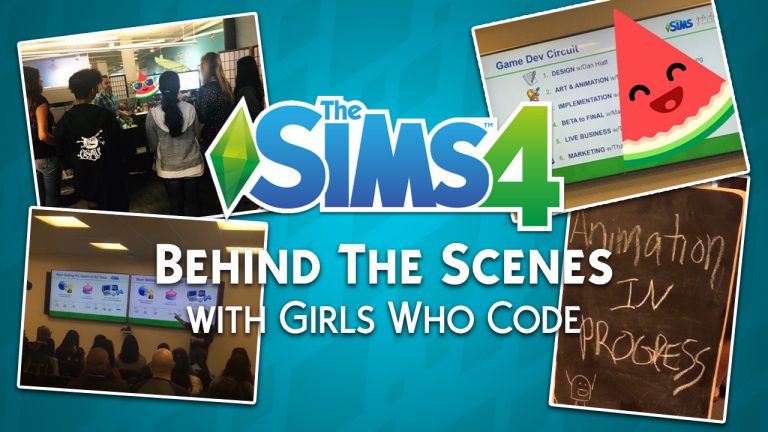
Girls Who Code, a non-profit organization with a mission to close the gender gap in technology and video gaming industry, had a chance to visit Electronic Arts at Redwood Shores. More specifically – they had a chance to spend their day at the Maxis studio and see what goes in the development of The Sims 4.
The tour revolved around the game development circuit, which consists of:
They also had a chance to pitch some of their own ideas to the team and design an Expansion Pack for The Sims 4. In the video above you can also see two developers: Manu Sharma and Megan Ginter (also known as SimGuruMegs on Twitter) explaining their role in The Sims Studio.
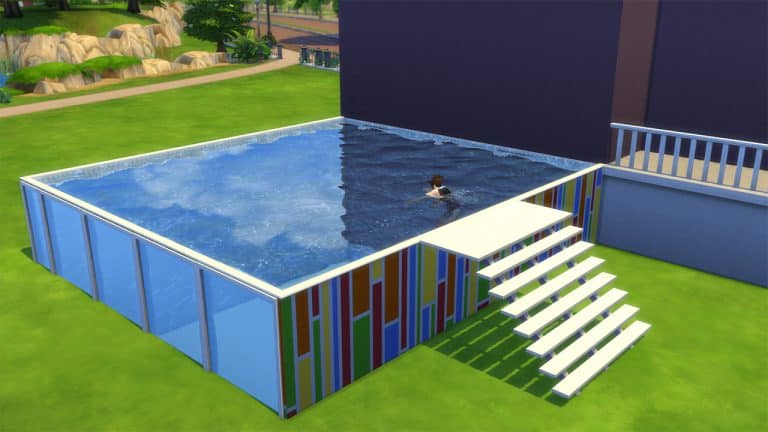
In this tutorial you’ll be learning how to create an above ground pool with windows in The Sims 4! Before we continue please note that you’ll need The Sims 4 City Living Expansion Pack in order to create this type of pool.
You can already place pools on foundations. However, what you can’t do is place windows on the sides of each foundation and add wallpapers (and not foundation textures) to it.
Follow these simple steps in order to create a customizable above ground pool in The Sims 4:
Step 1: Build a pool shaped deck with foundation at max height:
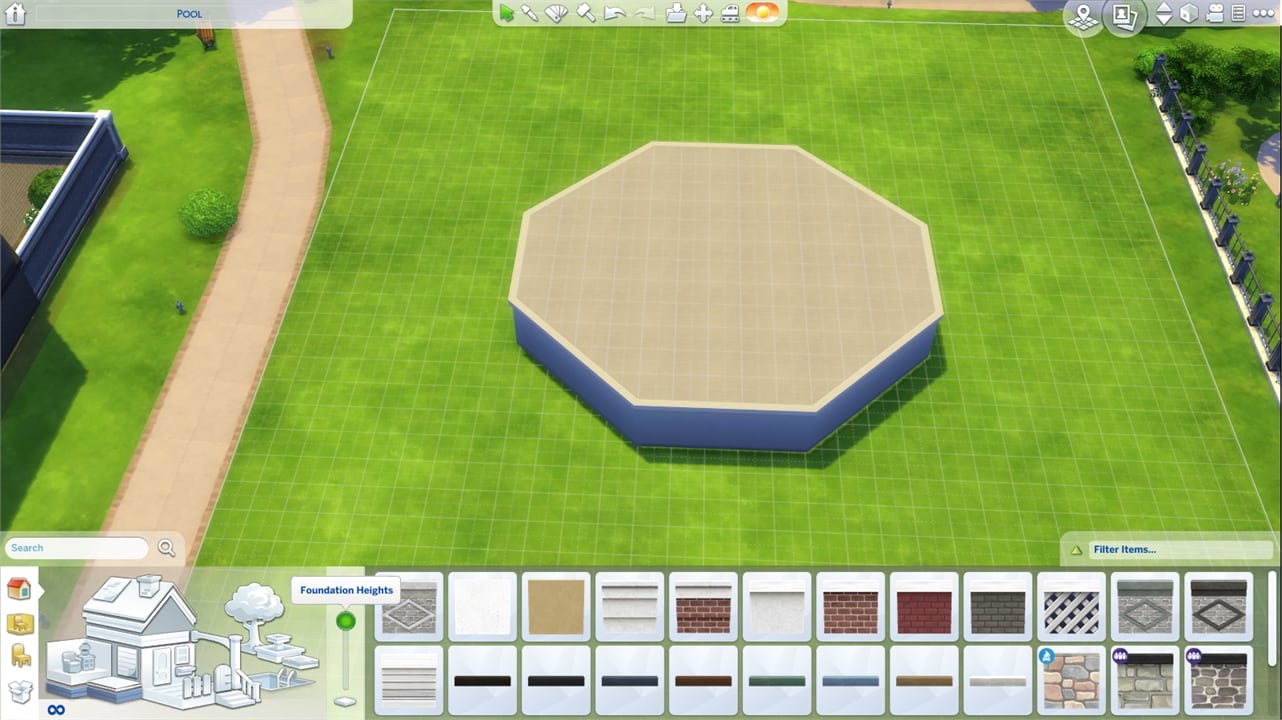
Step 2: Draw a pool to cover the entire deck!

Step 3: Open the Cheat Console by pressing CTRL+SHIFT+C. Input the cheat code testingcheats true, then type bb.showhiddenobjects to show debug items and press enter. Select this foundation from City Living:

Step 4: Drop down to the basement level and select a wallpaper for the exterior of the pool and apply.

Step 5: Select a wallpaper for the pool interior!

Step 6: Select a tile for the pool floor.

Step 7: Move back to ground level and add a ladder of your choice. You can even add windows if you’d like!


If you want to add a deck, draw a deck that matches the side of the pool, but keep it one space away. You then can select that deck and move it into place next to the pool:


Here’s the end result:

Huge thanks to Steve Storm who found out about this neat little trick. You can find some of his builds HERE!

There are plenty of items in The Sims 4 that you’re not able to use in Build Mode such as objects, fences and plants that you can find in certain neighborhoods. Modder plasticbox released a couple of mod releases which “liberates” these objects and lets you use them in build mode.
Here’s a full list of liberated items that you can get on Mod The Sims:
Considering these objects require a mod to be unlocked, each liberated object is treated as a mod in game, meaning that it’s going to have a “Mod” tag if you plan to use these liberated objects for your build and share it to The Gallery.
Plasticbox also has a couple of other mods / build objects which are either redesigns or new creations for build mode. Diagonal fireplaces, maxis match fences and stone walls, windows, doors and more! Make sure you check out his full catalog of objects HERE!

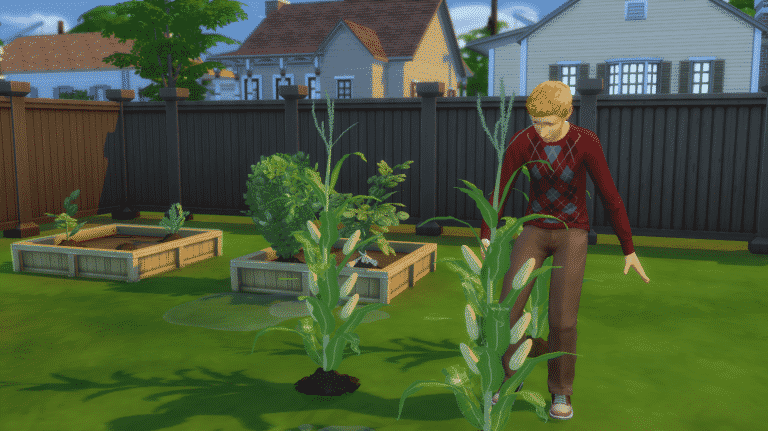
Feel like The Sims 4 is missing out on some harvestable plants that you’d love for your Sims to grow and nurture? Simmers icemunmun and plasticbox took the matter in their own hands and created custom harvestables for The Sims 4!
The great thing about these harvestables is that they completely match with The Sims 4’s art style. You’ll feel like they’re a part of your game!
Here are all the custom harvestables by icemunmun and plasticbox that you can get:
icemunmun:
plasticbox:
You can only find them using Custom Content filter in build mode.

Place the produces/seeds on planter boxes in order to plant them. Harvestables that already appear grown in thumbnails in build mode can only be grown on free land. Want to grow a corn stalk? Just place it on grass and nurture it like every other plant!
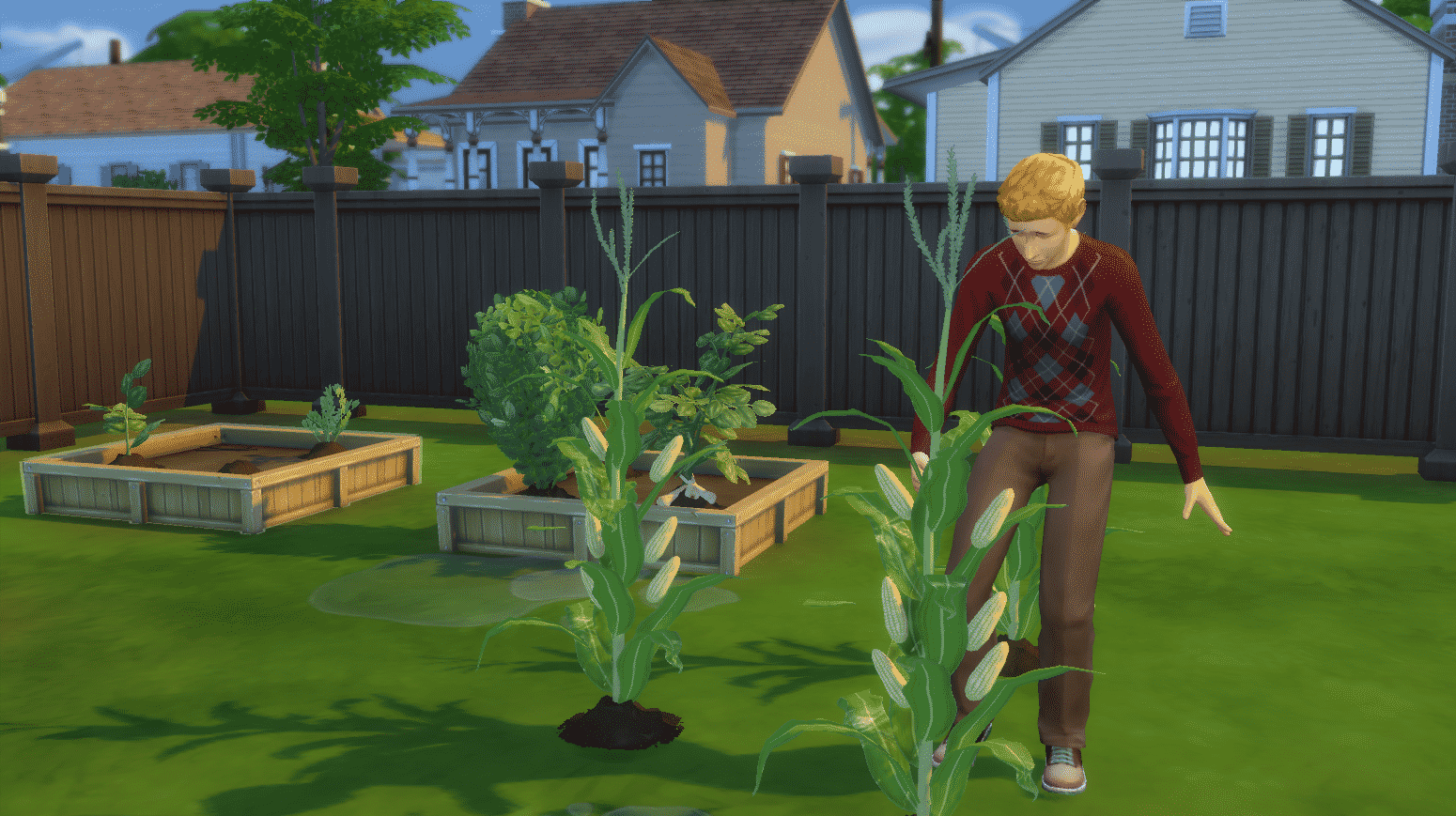
Some plants have integrated gameplay into them. You can use corn in your inventory for making popcorns with the popcorn maker from Movie Hangout Stuff. The cocoa bean is involved in various recipes which involve chocolate and so on.
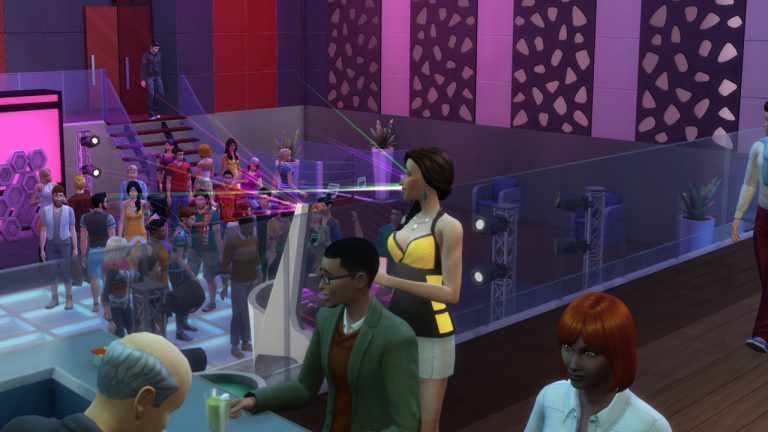
There are some things in The Sims 4 that could be improved like lightning, Sims behavior and more. In the list down below we’ll be showcasing such mods. Some fix the gameplay, some improve it and some change the way certain things function in the game.
All mods down below are tested on the day of this post being published!
Sick and tired of unplayed households being removed from the game? This mod fixes that!

TV screens will no longer distort when you speed up your game. This is just a visual improvement but still means a lot.

Another visual improvement mod which prevents trees and streetlamps from fading when you move your camera near them.

This mod is an absolute game changer! It turns emotions into skill experiences. Being in a certain emotional state will level up your lifetime emotional experience which can later further boost other moods. Your household’s financial situation can also influence the way they behave. There’s also a new aspiration, 2 new party types and changes to aging that come with this Mod Pack.

With more packs and content coming to The Sims 4 it’s harder to see all the items in Create A Sim with only 2 columns. This mod lets you expand the user interface to 3 or 4 columns!


I’m not one of those CC or Mod addicted simmers that have hundreds of files in their Mods folder, however there are a few mods for The Sims 4 that I can’t play the game without.
To download these mods just click on the headlines linked below!
This mod is a great tool for my articles and tutorials. It lets me change my Sim’s emotions, fill their needs, level up skills and much more. The mod itself doesn’t add new gameplay – it just enables the debug cheats that are already available in the game files.

For screenshots with multiple Sims I use this mod which lets me add more than 8 Sims to a club. For this mod you’ll need The Sims 4 Get Together EP in order for it to function properly.

I’m a bit annoyed with how innacurate the original map of Magnolia Promenade is so I got this mod that “fixes” it.


I find this mod absolutely essential for The Sims 4. The body hair is done beautifully and it matches just right with Maxis’ Sims 4 art style.

A must-have mod for all control freaks out there. You get to change the autonomy of your Sims, prevent culling, the way your Sims interact, the way your neighborhood acts and much, much more.
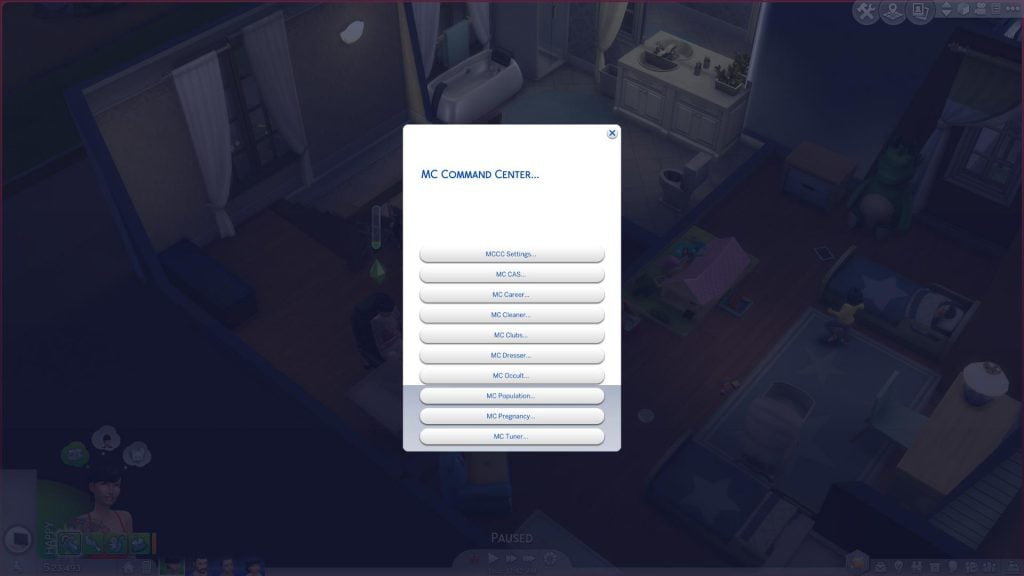
This mod adds a lot of cheats in the user interface of The Sims 4. Want to change the current time in your Sims 4 game? Just right click on the time! Want to remove an undesirable buff? Just right click on it!

Our third themed week – Mods Week, begins now!
From July 31st to August 6th we’ll be posting articles that are related exclusively to mods for The Sims 4. This means that we’ll be publishing all kinds of roundups, spotlights and playthroughs of mods.
If you have any mods that you want to share with us feel free to do so on our Mods Forum on Sims Community Social.
To keep track of our Mods Week posts, check out the Themed Week Tag!
After 6 years since the last Sims console release (The Sims 3 Pets), The Sims is coming back to a new generation of consoles. In about 3 months you’ll be able to play The Sims 4 in the comfort of your couch. The game is making its worldwide debut on Xbox One and Playstation 4 on November 17th, 2017.
Many players are wondering how exactly will this game work and if there are going to be any differences from the PC version. To sum up all of the answers to your questions, here’s everything you need to know about The Sims 4 for consoles:
There won’t be anything new in this console version like we had in previous console games (different stories, worlds, objects and so on). The Sims 4 for Consoles will give you the same experience as The Sims 4 for PC, minus The Gallery feature. The console version will bring the in-game game hub which we yet have to learn more about…
The Sims 4 for consoles will immediately come with all the updates and update content that have been releasing to The Sims 4 PC for the past 3 years. Not only that but the team plans to release new updates periodically, just like with the PC version.

Unlike with previous console games which only came with a limited amount of cheats, The Sims 4 for consoles will bring almost every cheat from PC.
For the first time in the console history of The Sims there are going to be various packs sold for a console game. The Sims 4 will offer some of your favorite Expansion, Game and Stuff Packs that are currently available on PC. These packs will be available some time after the launch. There’s currently no information if all of the packs will make their way to consoles but we’ll get more information about DLC in the coming months…

A different team called Blind Squirrel is helping Maxis port the game to Xbox One and PS4, meaning that there won’t be any resources taken away from The Sims 4 PC development.
The talented team @Blind_Squirrel_ are helping us port this over. This is not taking any resources away from the PC product.
— Drake (@SimGuruDrake) July 26, 2017
The sole purpose of The Sims 4 arriving to consoles is that more people get to enjoy the game. Not everyone owns a PC or is interested in spending money on expensive graphic cards, storage, and other hardware when they can just get a $400 console (an estimate of the current price of Playstation 4 on Amazon).
My goal is to bring #TheSims4 to more players who don’t play pc or lack a powerful pc, not divide our audience https://t.co/ThmcSYbb98
— Michael Duke (@SimGuruDuke) July 30, 2017
The Sims 4 for consoles comes in 2 editions: Standard Edition and Deluxe Party Edition. The standard edition comes with just the standard game while the Deluxe Party Edition comes with all the content shown below:

Unlike with most games that you pre-order and get disappointed at the first day of the game’s launch due to lacking features (The Sims 4 PC in the first few weeks of the release is a perfect example), The Sims 4 for consoles is going to be a complete experience just like The Sims 4 PC version that is today. Plus, by pre-ordering any of the 2 editions you get The Sims 4 Perfect Patio Stuff completely free! If you miss the pre-order you’ll be able to buy Perfect Patio Stuff after the launch.

By pre-ordering the Deluxe Party Edition you get to play the game 3 days earlier, starting November 14th!
Here’s the edition comparison chart created by EA that’ll help you out:

You’ll be able to try the trial of The Sims 4 on November 9th if you’re a member of EA Access, a subscription service which lets you play multiple games for just $5 a month.
Michael Duke (now known as SimGuruDuke on Twitter) who works as a producer on The Sims 4 for Xbox One and PS4 has answered some of the comment questions written on the PS4 Blog. Check out what he has to say about performance, controls, graphics and more:
Question: Will it be multiplayer? Even if it’s 2-player on free play mode I would be content!
Michael: The Sims 4 is single player.
Question: How will this work with all of the expansion and stuff packs that are currently on PC? Will they be up for download at the same price at some point?
Michael: We are still working through what packs to bring over when. We should have more news in the future. I would love to hear from players about what they want to see first.
Question: Personally id prefer something like say Ni-Oh, where we have the option to pick between resolution or performance. Also it sounds like we can expect stuff and expansion packs on consoles now?
Michael: The Ni-Oh suggestion is a great idea, thx! As for DLC, our plan is to port the content over, but I don’t have details on the what and when just yet. We are working on it.
Question: Wonder how the loading times are for Sims on console…
Michael: It is a priority for me as well. In the end you guys are the judge. I will be curious to hear what folks think after getting hands on at Gamescom next month.
Question: Will the console port have direct control like sims 2 on the ps2 had, or just point and click?
Michael: We debated direct control. In the end, we felt the point and click version did a better job of enabling the gameplay that makes the Sims 4 great.
Question: There is only ONE thing that would make me consider getting/buying a SIMs game.. and thats if they were online “open world” i.e I have my Sims in my house..
Michael: The Sims 4 on Console is not open world. That said, you may enjoy our newest mobile game once it launches.
Question: Will the game have the same control and interface of PC version? Will the game run at a stable framerate?
Michael: We have not finalized controls yet, still iterating. We are hard at work on performance to achieve our goal of making the best Sims Console game ever. As for Graphics, is is too soon for me to guarantee something, but we have a lot of ambition on that front. 🙂
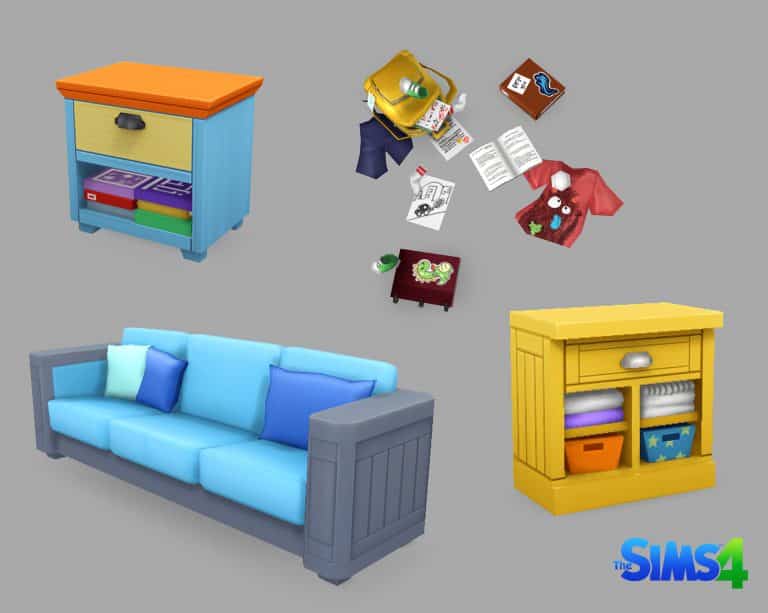
Lauren Neel published some of the work that she has done for The Sims 4 Parenthood Game Pack. Check it out!


With the announcement of The Sims 4 coming to Xbox One and PlayStation 4 later this year, I decided to take a look back at the console games that we have seeen over the years. Watching some of the trailers brings back so many memories and I’m sure it will for many of you reading this.
This article is part of a series and in this article I will be looking at the console and handheld games from The Sims 1 era.

The Sims was released for PlayStation 2, GameCube and Xbox in January 2003. This was the first of The Sims games to come to consoles and it also introduced a full three dimensional camera and environment. The game also saw an object limiter added to the game which restricted the amount of items allowed in each household.
The Sims features two game modes, the first being the Get A Life mode. This mode was an objective based mode where you found your self living at your parent’s home, unemployed and with no money at the start with a dream of owning a yacht.
The second game mode called Play The Sims technically was a free play mode where you could play The Sims how you would if you were playing the PC Version. This mode also came with five pre-made families. This included the Goth, Newbie, Roomies, Pleasant and Bachelor families.
Click here to view the trailer for The Sims on PlayStation 2.

Released in December 2003 was The Sims Bustin’ Out. This was also the first game from The Sims that appeared on handheld consoles. Ultimately this saw your Sims bust out of their homes and into the world outside.
The console version of The Sims Bustin’ Out came with two modes. Freeplay Mode and Bust Out Mode. Similar to The Sims Get A Life Mode the Bust Out Mode was focused on objective based gameplay. The aim was to recover repossessed possession that Malcolm Landgraab had taken from various Sims, return them and then to evict Malcolm from his own mansion. The Playstation 2 version of the game was the first to have online features. The feature was supported until August 2008 when EA shut down the service.
The handheld version of The Sims Bustin’ Out on the other hand was different. Not only was it the first handheld console version for The Sims but the storyline for this version was different. It strayed away from the traditional point and click mechanic that had been seen in previous games but it allowed you to freely move around your character. Unlike the console version of the game, the handheld version was objective based. You had to complete each objective before moving on to the next part of the story.
Click the links below to watch the trailers for The Sims Bustin’ Out.
Playstation 2, GameCube & Xbox Trailer / Game Boy Advance & Nokia N Gage Trailer
Also you can check out my previous article where I took a look back at The Sims Bustin’ Out!

The third game to be released in November 2004 was The Urbz: Sims in the City. This was released on GameCube, PlayStation 2 and Xbox as well as Game Boy Advance and the Nintendo DS.
The consolve version of The Urbz was set in Urbzville and broken down into nine different districts. The main objective of the game was to build your reputation up in order to gain fame and advance to new districts. There was also a selection of mini games which would help increase your skills and also help you with making money in jobs. Additionally the console version of the game also featured real time weather which was a first for The Sims games. The next time we saw weather was in The Sims 2 Seasons expansion pack.
As many fans know the console version of The Urbz also featured The Black Eyed Peas who provided music for the game and also would appear as Sims in the game too.
The Urbz for Game Boy Advance and Nintendo DS had a different storyline. Your Urb lives and works in the city of Miniopolis but is fired from their job. From there you have to find somewhere to call home and help uncover an evil plot and save the city from falling into the hands of a crazy maniac. Sounds pretty easy right? Like the console version of the game there are four groups who you need to earn rep with which will also help you on your way when completing the game.
You will also see some familiar faces from The Sims Bustin’ Out in the game like Lottie Cash, Olde Salty, Misty Waters, Dusty Hogg and Giuseppi Mezzoalto to name a few.
Click the links below to view the trailers for The Urbz: Sims in the City.
PlayStation 2, GameCube & Xbox Trailer / Game Boy Advance Trailer / Nintendo DS Trailer.
That’s it for this article. The next post in this series will look at the console games from The Sims 2 era! Let us know in the comments below or on Twitter if you played any of these games and what some of your best memories are from the games. Also let us know what you think about the upcoming release of The Sims 4 on console too!
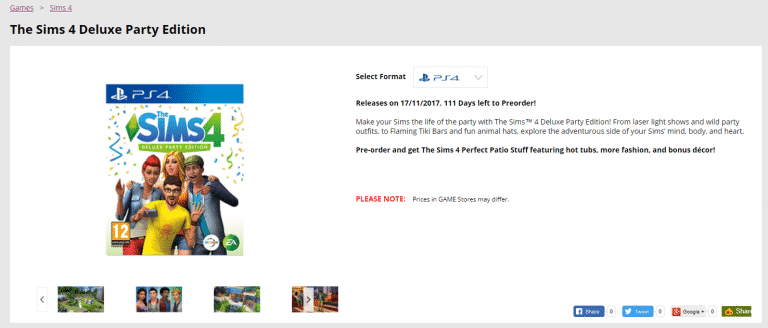
Good news for those who prefer physical over digital copies – GAME UK is selling physical copies of The Sims 4 for Xbox One and PS4 (both editions included).
Those who pre-order the game in UK won’t be charged with shipping while international pre-orders will be charged with a fee.
Here’s all the games that you can pre-order:


The first Fiscal Year of 2018 has started and EA is reporting that The Sims 4 is doing more than well in not just the last quarter but in the last 12 months. Here’s some important remarks by EA for The Sims:
- Our Sims community continues to be strong: monthly active players in The Sims 4 increased more than 20% year-over-year in Q1, and we’re excited to have a new Sims Mobile game in soft launch.
- Yesterday, we announced that The Sims 4 is coming to Xbox One and PS4 players this November, bringing the same unique gameplay and self-expression from the PC game to console players. Much of the content added post-launch on PC will be included, with more game updates to come.
- Net sales for the quarter were $775 million, up $93 million on the prior year, and $25 million above our guidance. There was an FX headwind of approximately $16 million compared to the prior year. The outperformance relative to guidance was driven by Ultimate Team, The Sims 4 and FIFA Online 3.
- Live services net sales were up 22% year on year, to $420 million. The growth was broad based, driven by FIFA Ultimate Team, Battlefield 1, and The Sims 4.
- Notably, Sims 4 expansion packs continue to perform extremely well, and the last twelve months have been the best in the title’s history.
Unlike for PC, EA games don’t have a completely dedicated store for consoles where you can purchase their games. However, there are plenty of other options:
For more information about what will each edition of The Sims 4 bring check out this Edition Comparison Chart!