Seeing as we’re celebrating the brilliant The Sims 4 base game I decided to dig out a fantastic feature in the game which often goes unnoticed. The Sims 4 has a dedicated memory system which of course links in with the emotions within the game, have you ever wanted events in your sims lives to affect them in the present? Well wish no more because I’m going to tell you about the emotional memory system!
You may know of the system and how great it is, but so many players don’t as it’s not immediately obvious it even exists, I’m going to show you exactly how you can use it. The system is great for story tellers and adds a whole new depth to gameplay.
Guide
Firstly you must get your sim into an emotional state, every single one (including fine) has an allocated memory, but this is a bit tricky as it’s not as simple as an emotion causing the same emotional memory, check out this list for the memory/emotion combinations.
Happy – Happy memory
Sad – Sad memory
Angry – Angry memory
Confident – Confident memory
Embarrassed – Embarrassed memory
Flirty – Flirty memory
Inspired – Inspired memory
Fine – Happy memory
Playful – Happy memory
Dazed – Happy memory
Uncomfortable – Sad memory
Tense – Sad memory
Bored – Sad memory
Focused – Confident memory
Energised – Confident memory
2. Next you should take a screenshot including the sim who has the ideal emotion, make sure the emotion belongs to the active sim as this is the emotion the memory will take. All sims involved in the memory will be able to recall this memory and take the active sims emotion, not the one they had at the time.
3. Once you’ve taken a screenshot you should enter the screenshot manager, this can be found by clicking the camera options button to the right of the speed settings. Once there you should select the screenshot you have just taken.
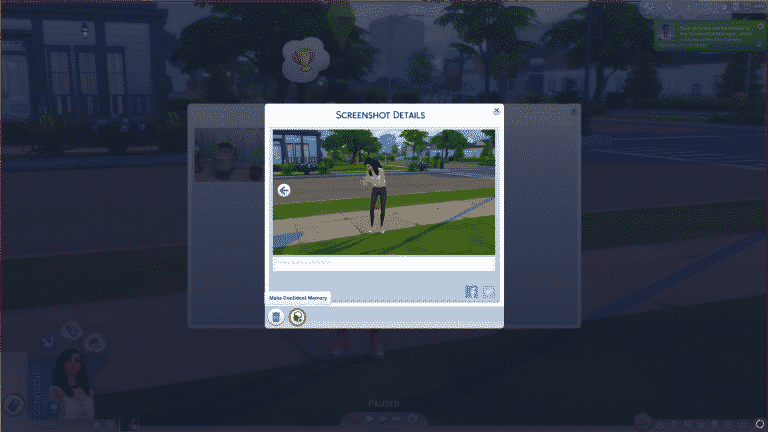
4. When you click this you can then press the button circled below which modifies the screenshot into an emotional memory, this means that it can be remembered and has an affect on any sims involved. This will also tell you what kind of emotion is linked to the memory.
5. Once this is done the memory will gain an icon and an emotion, from this screen you can also view which sims are involved in the memory, you can delete and add sims back to the list. If a sim isn’t in the image they can not be added.
So that’s it! Now you can let your sims remember days past, it’s honestly a really good system. I would say this easily rivals The Sims 2’s memory system which was limited in that you couldn’t add custom memories. Spread the word and let your Simming friends know their sims can remember the good old days!
It’s that time of year again where Amazon holds it’s Prime Day deals! Included in this years event is The Sims 4 and a couple of expansions.
Currently on Amazon UK you can find The Sims 4 Standard Edition (PC Origin Code) for just £24.99 instead of £49.99. Also two of the games expansions, City Living and Get Together are just £17.49 instead of £29.99. Although it is not on a Prime Day deal you can also get the Get To Work expansion for just £14.99!
Prime Day is yet to start in the US but we will update this post with any new deals as they become live!
Installing the first version of The Sims 4 Base Game version wasn’t easy, but I somehow managed to do it.
After launching the game I was immediately greeted with the familiar main menu which is very minimalistic and features video clips of Sims doing things instead of a render with visual effects.
Immediately I noticed something off-putting about the first version. There’s something about font styling that’s very odd and disturbing, at least to me. There’s an unusal amount of spacing between each word which is present in the entire game (I added extra spacing in the last few words to prove a point).
TS4 2017 07 10 13 09 41 73
TS4 2017 07 10 11 42 14 73
Moving on to Create A Sim, there are a couple of things I noticed that are missing right away and that’s Toddlers and Gender Customization. What was so apparent about the gender customization features is that I was only able to pick 3 voice types and not 6 like we can today. Same goes for clothing, hairstyles and other items which are exclusive to male and female genders.
What’s also missing is the Swimwear outfit category (because there were no pools back in the day) and the option to randomize Sims from the gallery. There are also 2 traits that you won’t find in the first version of this game and those are Jealousy and Kleptomaniac.
TS4 2017 07 10 11 45 50 35
TS4 2017 07 10 11 43 10 15
The whiteness of the loading screen really burns your eyes, especially if you were playing the game during night time.
World maps were a bit of a mess because you couldn’t tell what a lot looks like until you hover over a certain neighborhood.
TS4 2017 07 10 11 47 57 63
TS4 2017 07 10 11 47 23 67
Once I started playing with my household I immediately noticed that there’s weird stuttering in the game. After The Sims 4 has launched the game had to go through several updates for it to be optimized for all computers. Until then, many simmers had to play the game that was mostly stuck in 30-40 fps with sudden drops here and there.
One thing that annoyed me the most are the in-game tutorials. Just when you think you got rid of the tutorial it pops up again for a different feature when you click on something. It literally took me about 15 to 20 minutes to get rid of it completely. I tried entering the-no_tutorial command in Origin game options however it seems that game options only work when you’re in online mode, and I had to go offline because otherwise I wouldn’t be able to enter the game without updating it first.
Update: it turns out the command to bypass tutorials is actually –no_tutorial (with two dashes). However, you won’t be needing this because it’s easy to turn off tutorials in the current version.
TS4 2017 07 10 13 18 43 99
TS4 2017 07 10 12 25 39 20
TS4 2017 07 10 11 56 16 96
TS4 2017 07 10 11 49 18 56
The more I played the game the more I noticed how essential features were missing. The absence of pools, ghosts and genealogy really makes the game bareboned, not to mention that the game didn’t even come with dishwashers…
Build Mode was also missing some crucial things like basements, half-walls and useful tools like copy room or place the ability to move the entire lot around, not just the house structure.
During conversation you’d have to scroll through all Sims involved instead of having a full thumbnail list of sims involved:
The phone on the current Sims 4 version luckily no longer looks like this:
There’s an issue that was common in the month of September 2014 (before it was patched out) where Sims would just magically go missing. For example, the moment my baby Sim aged up to child (glad that’s no longer a thing) she was missing and I couldn’t find her or focus on her by right-clicking her thumbnail.
There was something about the user interface design that just didn’t look pleasing, and I’m not just talkinga bout the weird spacing between words…
What really, really bugs me about this version is how Sims can’t stay in one place when socializing. If they have many surfaces to sit on around them while socializing they’ll move around like crazy.
There are a lot more bugs that I encountered, such as my Sims getting stuck under the stairs or my Sim collecting dishes and stopping for no reason, scattering all the dishes they’ve collected around them.
07 10 17 2 06 PM
07 10 17 1 42 PM
There are a few things that I noticed that are missing in the current version of The Sims 4 and that were present back in the day:
You were able to take screenshots in game, turn those screenshots into memories and assign a certain emotion to each memory, so that when a Sim chooses the “Reminisce” interaction they’d get a moddlet appropriate with the emotion you’ve assigned to the memory.
UPDATE: I found out you can still do that in the current version, just not choose an emotion at your will. Check out our Emotional Memories articlefor more info!
What really struck out in this version of The Sims 4 is the way that outdoor shadows are moving. They’re natural and are rendered about 1-2 times each second, unlike in the current version of The Sims 4 where they’re updated every 5 seconds. Seriously though, they became really choppy since around the end of 2015 and we still have no explanation why is that so.[mks_col]
[mks_one_half]
[/mks_one_half]
[mks_one_half]
[/mks_one_half]
[/mks_col]
Playing with this version of The Sims 4 really made me realize how far we’ve come in terms of base game content. The game went through a lot of needed cosmetic changes and the features we’ve gotten such as new life stage, pools, ghosts, new build tools and a lot more were really welcome. I’m not sure why they initally charged this game for 60$ when it didn’t have many features we have today.
Today, not only does the base game feel more complete but it’s also a lot more cheaper than before. If you’re planning to get The Sims 4 you can either get it HERE on Origin or subscribe to Origin Access and have it as a part of the Access Vault.
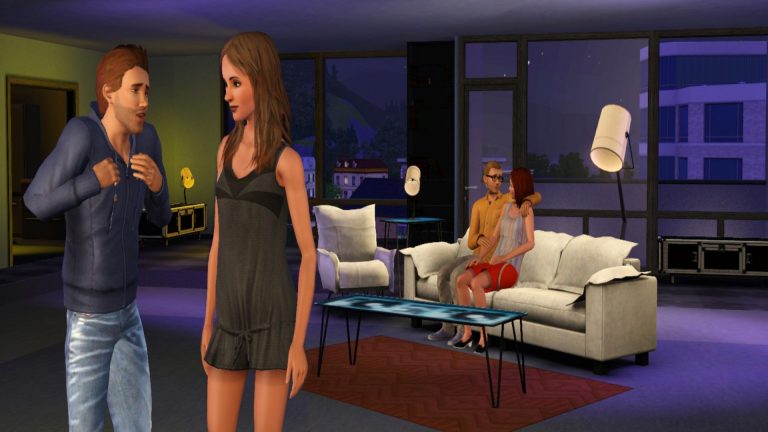
On this day just 5 years ago The Sims 3: Diesel Stuff was released, this pack added real life Diesel branded clothes and items in to The Sims 3 which was definitely a welcomed addition. The Pack received a warm welcome and adds that extra touch of style to the game.
Thankfully the pack didn’t just add clothing, plenty of brand new furniture which was equally stylish as the clothes made their way to the buy section. Mostly modern and contemporary the items made any home the perfect environment for their sims.
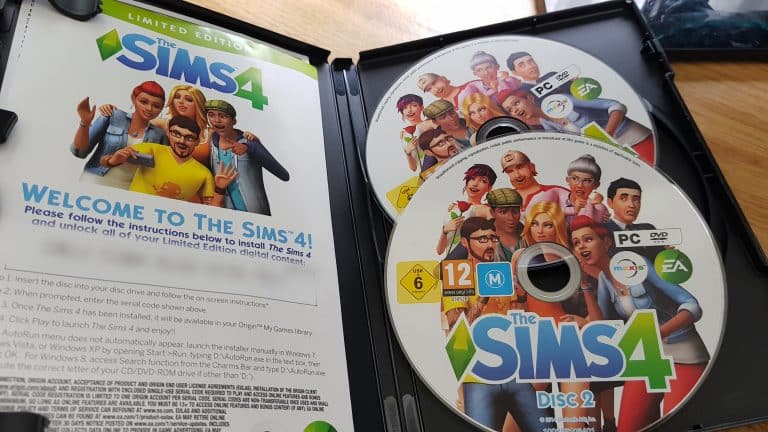
It’s the first day of our Base Game Week and I’m planning to do a huge comparison article of the first version of The Sims 4 Base Game vs the current version. If you wish to do this as well please note that you can only find the first version on The Sims 4 CDs sold in retail stores. However, it won’t be that easy for me since I already have the latest version of The Sims 4 and all packs installed on my computer. Before I install content from the CD I’ll have to make sure I’ve moved all TS4 files from Origin Games install directory to some place safe.
Do not try the following steps at home!
So, I copy – pasted all of my TS4 installed files to Documents, out of Origin’s reach.
The next step was to secure all of my save game files and paste them some place safe as well.
After I’ve done all that, I had to make sure that the game is completely removed from my system.
Now my computer is completely The Sims 4-free, at least that’s how my computer sees it.
I put the first disc into my computer and waited for the install startup:
I had to disconnect my internet during the installation process as the installed would force me to automatically download the new version of the game if I still was connected to the internet.
After finishing the installation I connected to the internet. Immediately Origin tried to update the game (wow, 3,5GB of base game content has been added over the last 3 years) and install all of my packs. However, after cancelling the update all packs stopped downloading.
I tried to open the game but Origin didn’t let me play it because it wasn’t update. I finally succeeded once I went to offline mode in Origin:
Over the next few days I’ll be doing a coverage on some important differences between the first version of The Sims 4 and the current version. Stick around!
Electronic Arts has recently announced new games coming to Origin Access (including The Sims 4 Digital Deluxe). Check out their blog post below for more information about the upcoming games being added:
We’re pleased to announce that the best shooters of the year are coming to Origin Access* (PC) and EA Access* (Xbox One) – members will soon be able to play all Star Wars™ Battlefront™ Expansions, Battlefield™ 1 and Titanfall® 2 as much as they want! Then it’s time to hit the pitch and try FIFA 18 before official release. Members will get to play all these and more this season – check out all the titles headed to Origin Access and EA Access from July to September 2017:
Now Available on Origin Access and EA Access:
Star Wars™ Battlefront™ Expansions – The galaxy far, far away just got way, way bigger. Now all four Star Wars™ Battlefront™ Expansions (Outer Rim, Bespin, Death Star and Rogue One: Scarif) are part of Origin Access and EA Access! Members can now play as every hero in the game – from Greedo to Lando Calrissian to Jyn Erso – explore every new map and dominate in additional game modes.
Coming to Origin Access and EA Access:
Battlefield 1 – Battlefield 1 takes you back to the days of The Great War, WWI, where armies on horseback, massive tanks, and warplanes collided. See every corner of a world at war, join massive multiplayer battles and fight in totally destructible environments where no battle is ever the same.
Titanfall 2 – Call down your Titan and get ready for an exhilarating first-person shooter adventure. Drop into a fresh single-player campaign that explores the bond between a Pilot and his behemoth Titan companion, or blast your way through the kinetic multiplayer mode where speed means everything.
FIFA 18 Play First Trial – Powered by Frostbite™, FIFA 18 blurs the line between the virtual and real worlds, bringing to life the players, teams and atmospheres of The World’s Game. Go on a global tour in The Journey: Alex Hunter Returns or dive into the stunning multiplayer – and do it all before official launch.
Also coming to Origin Access (PC):
The Sims™ 4 Digital Deluxe Edition – Enjoy the power to create and control a wild cast of characters. Customize your Sims’ appearances and personalities. Build them the perfect home, choosing your favorite design and décor options. Help them pursue careers, develop skills and build relationships with other Sims. It’s up to you who your Sims will become!
Oxenfree – In Oxenfree you play as Alex, a bright, rebellious teenager who brings her new stepbrother Jonas to an overnight party on an old military island. The night takes a terrifying turn when you open a ghostly gate spawned from the island’s cryptic past. How you deal with these events, your peers, and the ominous creatures you’ve unleashed is up to you.
Rebel Galaxy – Go on a swashbuckling space adventure, with action-packed combat, exploration, discovery, trade and “negotiation” with the outlandish denizens at the edge of the known universe. Choose your path as a roguish do-gooder, crafty space-trader or power-hungry privateer – or maybe a little of each!
Also coming to EA Access (Xbox One):
Madden NFL 18 Play First Trial – Experience Madden like never before. Control who gets the ball and when with all-new target-passing. Choose from three new Play Styles or play the best real world match-ups each week in Play Now Live. Members get to hit the field and start practicing days before release.
NHL® 18 Play First Trial – NHL 18 delivers the speed, creativity and action of today’s young NHL superstars. Play the arcade-inspired 3-on-3 NHL™ THREES mode, or create your own custom team with the new Expansion Draft. Do it all with the most co-op and competitive multiplayer options ever in an EA SPORTS™ NHL game, and start testing it out before launch day.
NBA LIVE 18 Play First Trial – Become the greatest basketball player on the planet in NBA LIVE 18. Take on THE ONE, an all-new, dynamic career experience centered on your player, your choices and your legacy. Become a legend by mastering your role on the court, traits and signature abilities only you can pull off.
Origin Access and EA Access are each just $4.99/month or $29.99/year. For more information about member benefits – including a 10% discount on EA digital purchases – please visit www.origin.com/store/origin-access and www.ea.com/eaaccess.
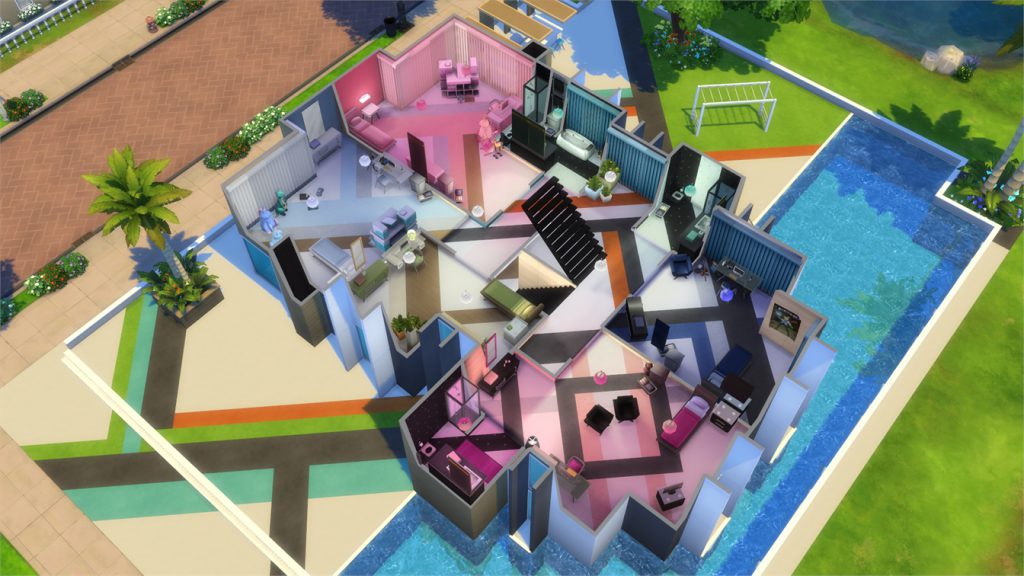
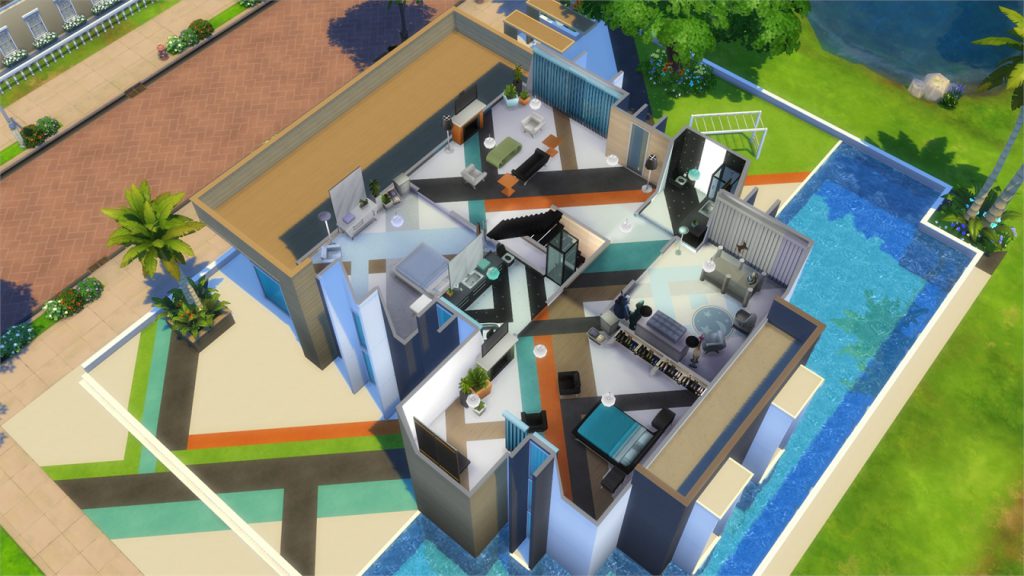
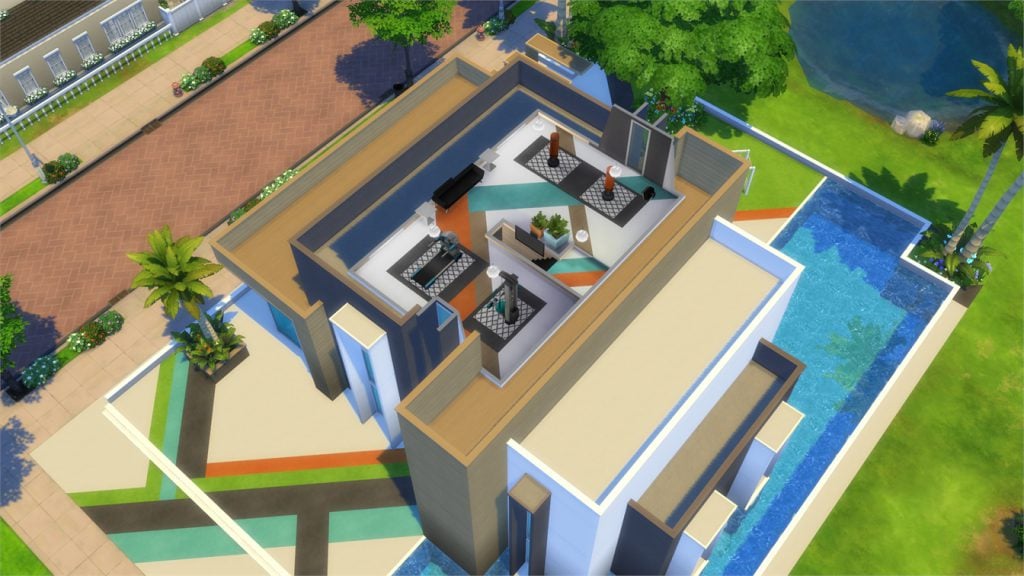
In this Spotlight, we’re featuring homes that have been built using only The Sims 4 Base Game!
Hover over the pulsing plumbobs to see screenshots of marked areas. Pulsing plumbob that’s on the left bottom corner contains all the info (and download link) of the lot.
To see more of our previous Gallery Spotlights, CLICK HERE!
We’re introducing a brand new segment on Sims Community called Themed Weeks!
During themed weeks we’ll be releasing articles, tips, tricks and spotlights that are all related to a certain game that we’re dedicating our week to. Themed weeks are planned according to news, announcements and quarterly teasers, so expect a themed week each time there’s not much going on related to news and announcements.
To celebrate the launch of The Sims 4 Base Game (Digital Deluxe) on Origin Access, we’ll be dedicating the upcoming week starting July 10th to July 16th to the Base Game. Expect all sorts of interesting articles and tips for the game.
We hope you enjoy our themed weeks and if you have any suggestions regarding which theme you’d like to see next, let us know in the comment section and / or tweet us @TheSimCommunity.
Expect first base game related posts to surface in the next 24 hours!
As you probably know, The Sims 4 only has “visual decor cars” that appear in neighborhoods. There is no option to own a car and a garage like in The Sims 2 or The Sims 3. This is your perfect chance to be heard and let SimGurus know about your car gameplay ideas.
Hello everyone and welcome to a brand new series here on SimsCommunity! This is ‘Our Opinion’ and it’s pretty much what it sounds like, as writers on here we don’t often get to express our opinions on big announcements, so this is aimed at changing that. Please note while this article is based off the opinions and views of some of the staff it is not a reflection of the whole team.
I’m sure most people reading this will be aware that the quarterly teaser for July, August and September was released a couple of days ago and it was met with critisism, a lot of people were upset because there was only one pack shown in the teaser.
SnarkyWitch – When I was in university, The Sims 3 was the most current game and I always found myself scrambling for money to purchase the new packs for it during the school year because there were so many other things I had to pay for like rent and groceries and tuition fees and school books. Then when summer rolled around and I stayed with my parents and no longer had to pay for all those things, there were no packs to buy!
The team felt the same way, most of us agree it isn’t fantastic that we’re only getting one pack over summer and honestly we felt it didn’t make sense. The Sims series is aimed at children and teenagers and while a whole array of people do play a huge chunk have the whole summer away from school/college. We thought that generally most have more money through summer jobs and not having to spend as much day-to-day so we couldn’t understand why the Guru’s wouldn’t take advantage of this, releasing more packs than during other months.
This isn’t a surprise though, if history is anything to go by packs don’t often get released during summer. During the 17 years since The Sims was released there has only been 8 packs released during July and August, although with all the leaks and spoilers recently hopefully after this quarter the news might be a bit more exciting.
Krista – I’m actually pretty excited for this pack. It’s nice to see a pack aimed at toddlers although I really do hope there is more than just this pack this quater.
It isn’t all bad though, we all mutually agree’d that the toddler pack teased in the quarterly teaser looked awesome, with the lack of toddler items and clothing it’s definitely a welcomed addition and we all can’t wait for the release, as well as more onesies for our toddlers! Although we are excited, we can’t help but think that it’s going to be a long summer.
Let us know what you thought about the quarterly teaser and the new toddler stuff pack coming out soon!
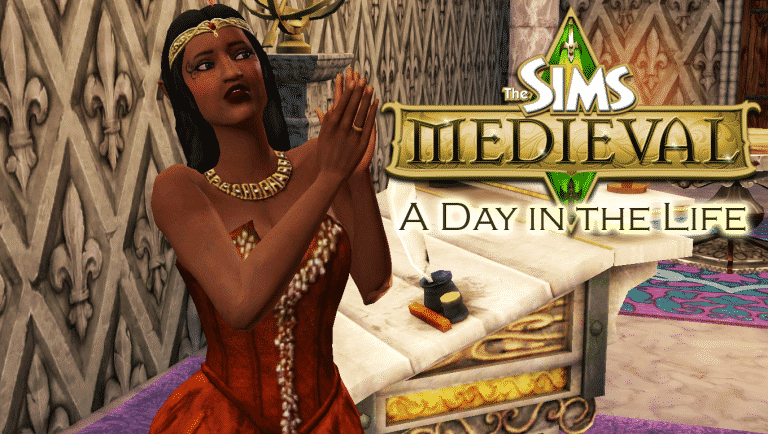
The Sims Medieval is easily my favourite spinoff of The Sims series. How could putting my Sims in a medieval kingdom full of magic and adventure where they are the destined heroes of the land be anything but amazing? Unfortunately, The Sims Medieval did not have a long life, but I picked up the Deluxe Edition of this game a few days ago and have fallen in love with it all over again. In fact, I was so excited about it, I decided to share the experience with all of you in this walkthrough-style Day in the Life segment! Are you ready for some medieval adventure? Let’s go!
[vc_message 0=””]Helpful Hint! You can click or tap on any image in this article to view the full size version. Don’t hesitate to get a closer look at every detail described in this medieval adventure. There’s lots to see![/vc_message]
[vc_message]PSST! Did you notice the Achievements on the Kingdom Ambitions screen? Just like your Hero Sims, you as the player (or The Watcher as your Sims prefer to call you) can level up as well. There are hundreds of Achievements for you to earn as you play, covering every aspect of the game, from collecting herbs to making Simoles. As you earn Achievements, your Watcher Level increases. Become the mighty, all-knowing Watcher you’ve always dreamed you could be![/vc_message]
The first thing you’re greeted with after the intro and title screen when you fire up The Sims Medieval is the Kingdom Ambitions screen. If that confuses you, you can just call it the game’s main menu, because that’s essentially what it is. This is where you can start a new game or load a previously saved game. Before starting a new game, you’ll have to choose an Ambition for your game. Think of Ambitions as the overall goal for your entire kingdom.
Since this is my first time playing this copy of The Sims Medieval, I can only select one Ambition. It’s called New Beginnings. If I click on that Ambition, I can see that my kingdom’s goal will be to erect buildings in my kingdom. The more buildings that go up during my playthrough of this kingdom, the better my Ambition score will be. Completing Kingdom Ambitions unlocks new Kingdom Ambitions to play, which encourages me to explore all the different ways to build and run a kingdom. I don’t need to stick with one strategy; in fact, completing many Kingdom Ambitions will ensure that I never play the game the same way twice!
Once I’ve selected a new game to play with the New Beginnings Ambition, I’m prompted to select a throne room and give my kingdom a name. I’m a big fan of Doctor Who, so I chose the name Gallifrey but you can name your kingdom anything you like. For the throne room, you get your pick of a couple different styles or you can choose an unfurnished throne room. Choosing an unfurnished throne room lets you start with more Simoles to decorate but I think I’m just going to select the Princess throne room that came with the Deluxe Edition of this game and jump right into the meat of the game.
After starting a new game, I get to take my first look at my kingdom. It’s a big place but wow is it ever empty! It looks like just the throne room has been built. Speaking of which, my throne room needs a Monarch. A kingdom can’t function without a King or Queen! Monarchs are just one type of Hero Sim you can play in The Sims Medieval. There are ten in total. In addition to the Monarch, you can also play as a Knight, Spymaster, Jacoban Priest, Peteran Priest, Blacksmith, Merchant, Bard, Wizard, and Physician. More Heroes will be added to the kingdom as we construct the buildings they need to operate. For now, let’s just worry about our Monarch.
I can choose from two premade Sims to run my kingdom or I can go into Create a Sim and make my own Monarch. Picking one of the premade Sims is a good way to just jump right into all the action if you’re eager to get questing, but I love customizing the perfect Hero Sims for my kingdom so I’m going to make my own Monarch.
Create a Sim works the same way as it did in The Sims 3, so if you’ve played The Sims 3, you’ll be familiar with this. I decide to make an elven queen named Eolwyn. Most of the items I’ve used on her are from the Pirates & Nobles Adventure Pack, which also comes with the Deluxe Edition of The Sims Medieval on Origin.
Sims still have traits in The Sims Medieval, but they work a little differently. You can only pick three traits for a Hero Sim, and one of these traits must be negative. This negative trait is called a Fatal Flaw. Think of the Fatal Flaw as a weakness in character that your Hero Sims will have to find ways to overcome during their quests. I’ve chosen the Eloquent and Entitled traits for Eolwyn. Being Eloquent will help her in situations where a diplomatic approach is needed. Being the Queen of Gallifrey, this is a useful trait for her to have. Royalty have a tendency to be a bit spoiled, however, so I’ve also selected Entitled. This means Eolwyn will be happier in lavish surroundings and become unhappy in dingy or plain surroundings. She’ll also get new socials related to this trait to use with other Sims.
For her Fatal Flaw, I’ve selected Hubris. This means our queen thinks a little too highly of herself and has a tendency to become overconfident. This overconfidence can be her undoing because it will saddle her with a negative buff that will lower her Focus quite frequently during quests. Unfocused Heroes have a harder time succeeding in their quests.
[vc_message]Use Your Imagination! There are no fantasy races in The Sims Medieval like the kind in The Sims 3 Supernatural, but you can create Hero Sims with elf-like appearances by adjusting the point and size of their ears and playing around with some of the skin tones. Some quests even feature elven Sims from other lands! Queen Eolwyn has no special powers due to her elven lineage, but it’s fun to play with backstories.[/vc_message]
EA doesnot pre-screen Custom Content /Mods and players should always exercise caution when adding Custom Content to their game files.
Make sure your mods are up to date. For a full list of broken and fixed mods CLICK HERE!
After each The Sims 4 Update your game will automatically disable Mods and Custom Content. You can re-enable them by going to Game Options > Other > Enable Custom Content and Mods.
I don’t often write about The Sims 3 (I should really do something about that) but when I do it’s usually when I’m blown away by a community creation, and this time is no exception.
To install this Mod, extract the zipped content to Electronic Arts > The Sims 3 > Downloads and install the custom world through The Sims 3 Launcher (don’t worry, it’s only 14MB).
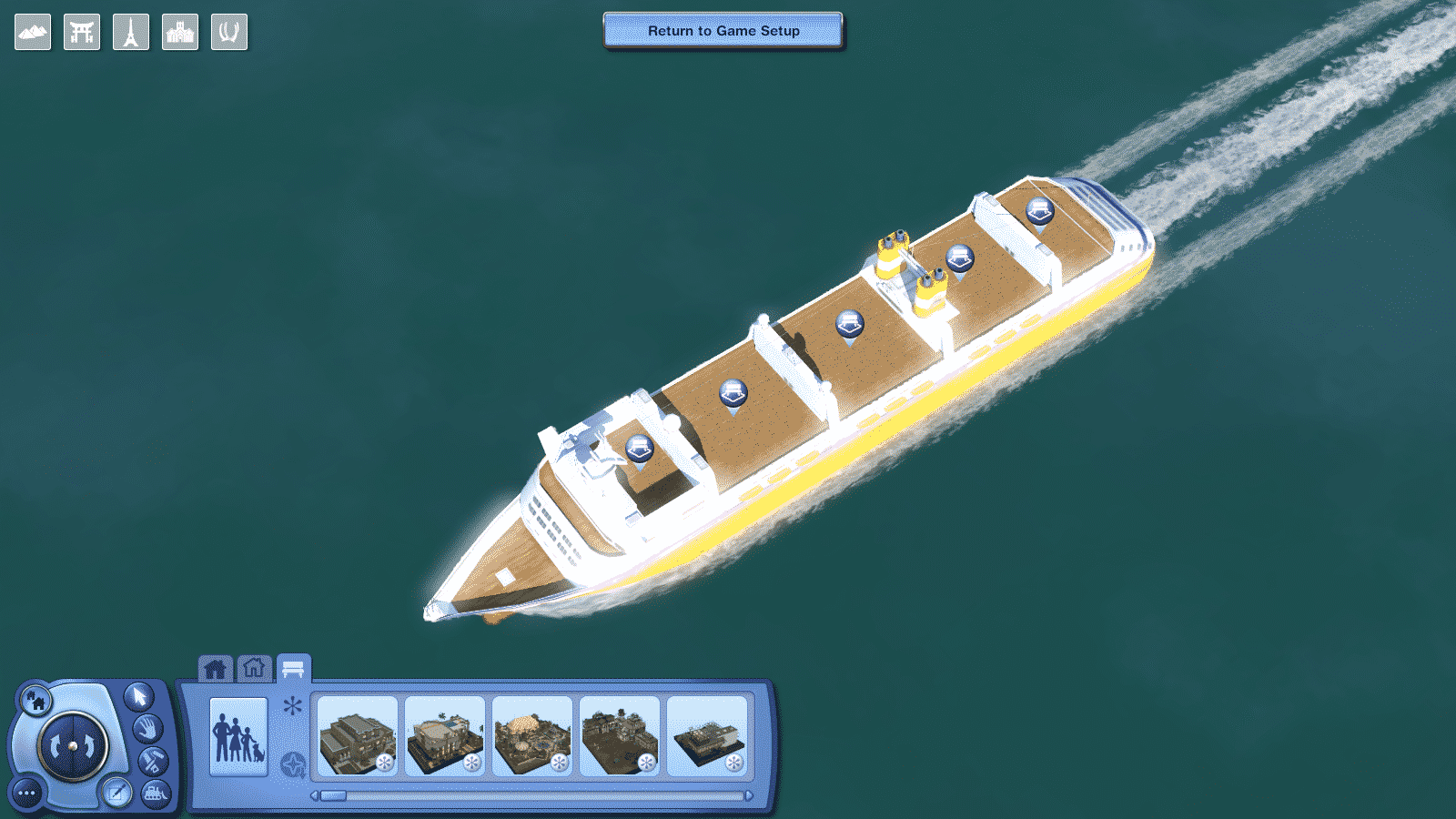
You can start off your cruise by selecting the MS Plumbob Dream world in the main menu.
It’s also a good idea to use this world as a turning point when travelling from one world to another. Why not just stop by to a cruise and give your Sims a feeling like they’re travelling across the sea to their destination?
It only takes a few seconds to load this world. This cruise ship comes with 5 empty lots (two 30×50 lots, three 60×50 lots) that you can build and populate:
The movements of the surroundings will go on indefinitely, meaning that you cannot get off the ship until you decide to travel to a different world.
Ready to go on a cruise? Press the download button below!
Origin has announced on their website that The Sims 4 base game will be added for members of the Origin Access on July 11th! Previously you could only access The Sims 3 Starter Pack which includes The Sims 3 base game, Late Night expansion and the High End Loft Stuff pack.
If you don’t know what Origin Access is simply a PC gaming subscription and with that grants you access to a growing collection of EA games which you can download and play as little or as much as you want. Membership can be paid either monthly at £3.99/$4.99. There is also a yearly membership option too. Not only that as an Origin Access member you also get 10% off purchases in the Origin store.
Let us know what you think about The Sims 4 addition to the Vault on Twitter or in the comments below.
Yes, I know it has been a while. I really am sorry about that. I have been playing The Sims 2 alot lately (even though I was HYPED about The Sims 4: Parenthood coming out.) But I am the Sims Community “The Sims 2” writer, and because of that, I have a new article for all of you today.
GARDENING
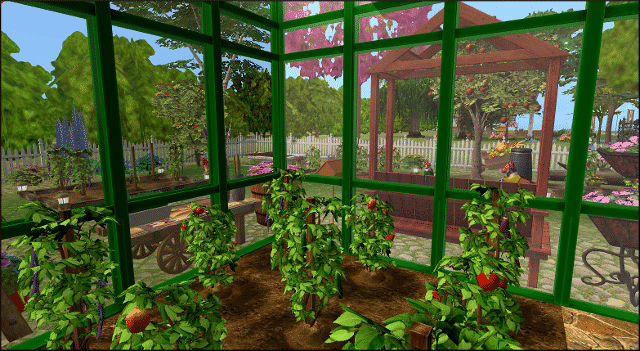
Yes. Gardening. This is one of my favorite hobbies that came with the Sims 2. So much so, that I try to make every sim in the game have a garden. Gardening to me was the best in the Sims 2. You actually had to buy your plot of soil. Build mode actually had a “garden center” which is something I love. The best part about having gardens in The Sims 2 is that you can have greenhouses. Greenhouses were something that I really enjoyed using, and I can always have my plants grow, regardless of the season.
Another thing that I really enjoy about gardening in the Sims 2 is that you can actually juice your fruits and veggies. I love this, because your sims can achieve so much, just by what juice they drink. Your sim kids can drink apple juice and they have a small boost in doing homework. Another perk in drinking juice is if your sim is sick, drinking a glass of orange juice will help out with fighting their cold.
Gardening requires one main purchase from build mode: A gardening plot.
This can be bought and laid out just like how you would lay floors, just buy click and dragging. The price is 10 simoleans per tile. Once these are bought, you can then start your foray into gardening.
As with many other hobbies within The Sims 2, talent badges can be earned by the more time you spend gardening. If one reaches the coveted gold badge, you are able to talk to plants and even satisfy the social need.
Greenhouses are something I truly miss when it comes to later sims games. These keep my plants alive at all times of the year. sad thing is however, is that they are expensive as all could be. But, once you have the money, the investment in greenhouses is totally worth it.
One of the cool things about gardening is that you can make pretty good money off of it. When an elder retires, they can really make some great cash off of the gardening skills, especially if they have a lot of plants and part of the garden club. The garden club is a small but really cool club that your sim can join. But, your sim’s garden better be in tip top shape before the club arrives for their inspection!
Overall, the Sims 2 gardening skill is probably the best in the series. No matter what sim I create, I always make he or she have a garden of some kins. I even want to garden one day when I get my own place. But for now, The Sims 2 can really make me feel like I have a realistic garden unit then.





 It’s that time of year again where Amazon holds it’s Prime Day deals! Included in this years event is The Sims 4 and a couple of expansions.