Find out when the upcoming Sims 4 Expansion Pack comes out in your area!
We’re just a few quick hours away until the biggest worldwide launch of this year – next to Sims 1 and Sims 2 Rereleases. That’s right, we’re talking about The Sims 4 Businesses & Hobbies Release!
The Expansion Pack is set to launch on March 6th, 2025 across Desktop and Console platforms. Retailing at $39.99USD, or a price equivalent to your local currency. In this article we’ll be explaining the Expansion release and show exactly when the Pack unlocks in your area! Let’s begin:
Table of Contents
The Sims 4 Businesses & Hobbies Release: Date & Time
The Sims 4 Businesses & Hobbies release is officially slated for March 6th, 2025 at 10AM PT / 7PM CET / 6PM GMT. To make things more simple for you we’ve included a handy countdown below. As soon as the timer hits zero you’ll be able to download and play the Expansion Pack!
Countdown to The Sims 4 Businesses & Hobbies Expansion Pack Release
Coming to PC, Mac, Xbox One, S and X, Playstation 4, 5 and Pro Series.
[janky target_time=”1741284000″ color=”#235c82″]
The latest Sims 4 Expansion Pack release is currently available on the following official platforms, including:
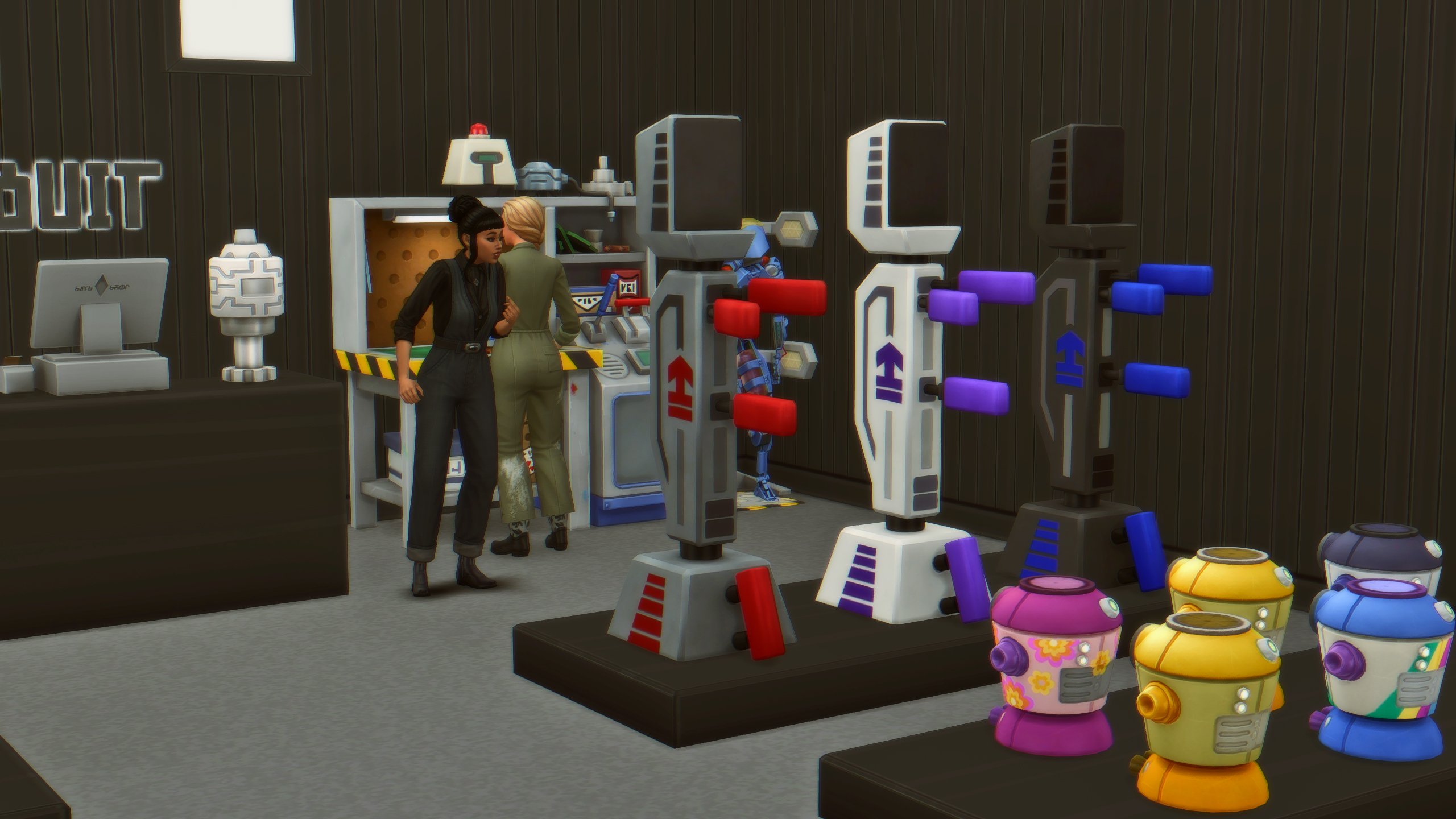
The Sims 4 Businesses & Hobbies is the 18th Expansion Pack in the game series. Introducing a whole new Small Businesses feature that reintegrates with previous Sims DLC Features. Allowing you to create and monetize existing Base Game hobbies and activities, plus all the activities we’ve gotten from past Sims Packs. There are also two new Hobbies: Tattooing and Pottery. Both which include deep levels of craft options and customization.
The new world called Nordhaven features 12 new Lots, scattered across two new Neighborhoods: Gammervik and Iverstad. The developers revealed yesterday the inspiration behind this world – citing Scandinavian cities as Stockholm (Sweden), Copenhagen (Denmark) and Oslo (Norway). Some elements of Amsterdam (The Netherlands) were also incorporated, citing extra inspiration from London (UK) and Berlin (Germany) too.
The Sims 4 Businesses & Hobbies release also features a great length of miscellaneous new Features. Including the Family Recipe System, Shady NPC, Skill Classes and plenty more. We can’t wait to dive deeper into this pack shortly after the release. Stick around to Sims 4 Businesses & Hobbies category for new guides coming soon!
Limited Order Bonus
If you purchase the Businesses & Hobbies Expansion Pack from link sources mentioned above, you’ll get the Set Up Shop Digital Content, featuring these three exclusive objects:
Practice Makes Perfect Priscilla Statue
Beautiful Flaws Lamp
Sweetest Treat Display Case
This exclusive Digital Content set is available for redemption until April 18th, 2025 at 10AM PT.
Are you excited for The Sims 4 Businesses & Hobbies release? Do you plan on getting the Expansion Pack now, are you waiting for a sale or is the theme just not for you? Let us know in our latest community poll below:
Businesses & Hobbies – Second Time’s The Charm For The Sims Team’s Deep Dive!
Last Friday was supposed to be our first in-depth look at The Sims 4 Businesses & Hobbies Expansion Pack in the form of a developer livestream. However, due to a power outage at Maxis’ studio in Redwood City California (Or was it the Landgraab Power Company?) the live stream was rescheduled to today, Monday, March 3rd. Let’s take a look at the developer’s insights into the pack, its creation, and inspiration! If you haven’t already watched it you can find the Livestream below.
The Sims 4 Businesses & Hobbies: Livestream Recap
Nordhaven – A Scandinavian Business Hub
At the start of February, we were treated to the first look at the new Scandinavian-inspired world coming with Businesses & Hobbies: Nordhaven. Mersea and Scott have helpfully clarified that it is pronounced “Nord-H-aah-ven” with an emphasis on the ‘ahh; sound. However, this is just the local pronunciation so don’t worry content creators if you feel like you may be getting it wrong. Nordhaven is home to 12 new lots – one particular lot has had the community excited since the first reveal, ‘New Harbor Park’ created by Danish creator Laireen35! Check out the build below!
Art Director Eva gave us some insight into the inspiration behind Nordhaven. The world is primarily based on Scandinavian cities such as Stockholm in Sweden, Copenhagen in Denmark, and Oslo in Norway. Eva also went on to say that there are also small elements of London, Berlin, and Amsterdam thrown into the mix. The Scandinavian inspiration does not stop at the world design as Eva went on to explain later in the stream that much of the Build-Buy catalogue, as well as the Create a Sim items, are inspired by the region too!
New Collections
With a new world comes new collectables. That’s right, there are two new collections with Businesses & Hobbies: Nordhaven Bike Parts and Trashley Certified Art. The latter connects to the new Shady NPC Trashley (Who is definitely not three racoons in a trenchcoat!) More on him in a bit.
Meetups
Similar to past worlds, Nordhaven includes its own set of world events called Meetups! These meetups focus on different hobbies ranging from writing to food and painting to exercise. At these meetups you will be able to meet Sims with relevant traits to the hobby, as well as matching skills in those activities. These meetups seem to be the perfect place to find new employees for your business!
Running a Business – Turning Passion Into Cash
The senior game designer Scott started the stream by dropping a mind-blowing figure! With every possible business activity available (with just base game and Businesses & Hobbies) the total number of configurations is 2.2 Billion! Yes, that is Billion with a ‘B’! These combinations are made up of 76 different activities, and even more if you own other Expansion, Game, and Stuff packs!
Classes & Lectures
Classes and Lectures are two types of events you can run as a business owner, or attend as a customer. Classes are goal-based, and you can attain bronze, silver, or gold depending on how well your Sim has done in class, or how well you have taught one. Lectures on the other hand are free for Sims to attend and allow your business-minded Sims to pass their skills on to others. These lectures can be held on your home lot for those you know, at your business, or on other community lots.
Visiting Neighbours
If you wish to visit another household that lives on a Small Business Residential lot then you are given a choice. You can choose between visiting the household as you would with a regular residential lot, or visiting their business!
Burglar Integration
Let’s not forget the latest NPC to be added to The Sims 4 via an update: The Burglar! Burglars will visit your Small Business Residential lots as your Sims sleep, similar to how they would a regular Residential lot. Be sure to place the Alertz Burglar Alarm on your business property to catch these sneaky thieves in the act!
Business Earnings
At the end of a business day when you close your business you will be given an end-of-day report. This will detail all of your cash flow and your net profit. The Net profit is calculated by adding your ticket sales (if applicable), retail sales, service revenue, and tip jar, and will subtract the business opening fee (§75 for all businesses), and employee wages. You will also be given customer feedback which can give you an insight into what you are doing right, and what you could do to improve your business.
Build-Buy – Move Over Ikea
Art Director Eva gave us an overview of the Build and Buy mod options available with Businesses & Hobbies. She tells us that they wanted to strike a balance between traditional and modern designs that are often found throughout Scandinavia. The Nordic inspiration really shines through with the sleek minimalism blending perfectly with the traditional brick and wood designs.
There is a wide variety of objects to choose from to decorate your businesses. The team wanted to give players the choice between neutral tones, and colourful patterns with almost every item from curtain to sofa to wardrobe! An addition to Businesses & Hobbies that we have previously seen with packs such as Dine Out and Cats & Dogs is business signage. This can be mixed and matched and includes logos that match the logos you can choose in the business configuration menus. These decals can be placed on a variety of signage to advertise your storefront.
Set Up Shop Digital Content
Mersea and Scott also showcased some of the new Digital Content that is available if you purchase The Sims 4 Businesses & Hobbies Expansion Pack before April 16th. This set includes a new statue, a display that can be used to sell crafted goods, and a kintsugi-inspired lamp.
CAS – New Clothes, Hair, and Tattoos!
Lead Designer Xènia gave us a look at some of the new Create-A-Sim options coming with Business & Hobbies. Similarly to the Build-Buy Catalogue, the CAS selection is heavily inspired by Scandinavian fashion, including lots of hats, coats, and warm sweaters to help your Sims survive the cold Northern European climate!
There has been a focus in recent packs to give us both clean and dirty variants of clothing, and Businesses & Hobbies is no different. The team wanted the catalogue to feel lived in and like it is being worn by hard-working potters, candy makers, and crafts people.
Tattoos
With the recent update, all players were given the ability to sort tattoos by location, and Businesses & Hobbies go a step further by allowing you to layer tattoos on top of one another. The new tattoos included have taken inspiration from a variety of backgrounds including Celtic cultures from Ireland and Scotland. The stencil tool can allow you to have a guide when painting tattoos on Sims, or you can go it alone with freehand drawing tools allowing you to pick from a selection of brushes and colours. Mersea mentioned how players with early access have been using the tool to add custom birthmarks and beauty marks to their Sims.
The Sims 4 Business and Hobbies Expansion Pack launches on March 6, 2025, for PC, Mac, and consoles. Follow the Sims Community for more updates on the upcoming Businesses & Hobbies release!
Visual Designer shares Concept pieces for The Sims 4’s latest Redesign!
The Sims 4 Main Menu got refurbished back in January 2025, and this weekend we’ve gotten more into what went into the development of this interface update.
John Montenegro, who worked on The Sims 4 Main Menu redesign project shared interesting concept art pieces. Including exploration for The Sims 4 Main Menu UI, Splash Screens, Sims 4 Events and more. Even revealing some interesting character exploration with a Grinch-Like Sim.
Please note: Some of the elements that the concept artist used here have been pulled from Google and various Sims creators. Including fan-made custom Sims 4 World Icon created by Hazza Plumbob and the Rosie Sims 4 CC Sandals.
The Sims 4 Main Menu Concept Art piece that you see above contains quality versions of paintings that we have in the game. Such as the Cordelia’s Palace Painting.
The Sims 4 Live Event Concept Screens
Miscellaneous
Please note that all images above, including Concept Art pieces within The Sims 4 Main Menu images are all explorative and do not contain any hints or clues for the future of Sims 4 DLC. Everything shared is purely illustrative of the road to the Main menu design we have in the game today.
What are your thoughts on these Concept Art pieces? Let us know in the comments!
The first expansion pack of the Motherload season has been announced, and as the season’s roadmap hinted, our Sims will be able to start a side hustle or a small business with the The Sims 4 Businesses and Hobbies Expansion Pack!
Simoleons for Small Businesses
On February 18th, the Sims 4 team released a Deep Dive that went over what we can look forward to with this new pack, introducing the Tattoo and Pottery skills plus more simoleon-making opportunities like goaled lecture events. This pack brings small business management to the Sims 4 universe, letting your Sim start the candle-making business they’ve always dreamed of out of their own closet if they want! Plus, Simmers got an extra chance over the weekend to watch EA Creators review the pack as the Embargo is officially lifted.
Table of Contents
Passion Project or Budding Corporation?
Whether your Sim is an actor yearning to give back to their community through teaching acting classes and mentoring young stars, or a self-made entrepreneur with big dreams of their karaoke bar becoming the next (and most lucrative) hot spot in town, the Sims 4 Businesses and Hobbies Expansion Pack looks like it has everything you need to make it happen.
X/Twitter Reactions
While this new gameplay sounds exciting, will it live up to the hype? We won’t know for sure until the pack is released, but here’s what members of the community on X (formerly Twitter) are saying so far:
A lot of Simmers seem hesitantly hopeful that this pack will bring variety to their business-ownership storylines and to see what else they can uncover:
But there is also a fair share of, understandable, skepticism about all this pack has to (or doesn’t) offer, leaving many gamers undecided about the Businesses and Hobbies Expansion Pack:
Instagram Reactions
Simmers also shared their thoughts on the Businesses and Hobbies Expansion Pack on Instagram and, as you can expect, it was a mixed bag of emotions, reactions, and more in the comments:
Sims Community Reactions
We took a look through comments on our Sims Community articles for The Sims 4 Business and Hobbies Expansion Pack to see what our readers had to say too:
There are those looking forward to all the new additions that come with this pack, feeling like it really resonates with them:
But there has also been some lively debate, raising questions such as: Is this needed? Is the cost too high? Has the Sims 4 team listened to the community?
Community Thoughts
The overall community reaction to the new Businesses and Hobbies Expansion Pack seems to be mixed. For those simmers who have been longing for some type of daycares and the ability to create custom tattoos, this is a huge win. To these community members, adding Small Business Perks and business management tools such as the Add Employee Task feature add a deeper level of gameplay that they look forward to. On the other hand, some community members don’t feel this pack is worth the cost and is, instead, an unnecessary sequel to Get to Work.
We want to know what are your thoughts about getting the next Expansion Pack on the release week. Do you plan to get it now, later or never? Let us know in this quick community poll:
[totalpoll id=”159729″]
Do you have any additional thoughts on the Sims 4 Businesses and Hobbies Expansion Pack? Let us know in the comments below!
Mark Your Calendars
The Sims 4 Business and Hobbies Expansion Pack launches on March 6, 2025, for PC, Mac, and consoles. Follow the Sims Community for more updates on the upcoming Businesses & Hobbies release!
Move Over Tinder! Simmers Prefer This Swiping App.
CC Swiper is here to save you time when searching for the perfect CC. Most of us are familiar with the swipe-app concept. Be it dating apps like Tinder or Hinge, or apps for freeing up space in your photo album. Well, this app integrates with The Sims 4 Mod Manager by GameTimeDev allowing you to choose and install CC straight from your phone. Let’s take a look at the features and a detailed walkthrough on how to set up the app.
CC Swiper Installation Guide
An Introduction to The Sims 4 Mod Manager
As the name suggests, The Sims 4 Mod Manager by GameTimeDev manages your Sims 4 mods folders for you. It gives you an overview of all installed mods and custom content, organises it into categories for you, and will even show you a thumbnail of the item/mod so you don’t have to remember your CC by name or creator! It also features handy tools to help you declutter your folders and batch enable or disable mods when they are outdated.
If your mods are downloaded via Curseforge it will notify you when you are running an outdated version of said mod. For those of you who play on lower settings or a less powerful PC, you can even view the polygon count of CC if you are trying to make your game run smoother. Let’s take a look at some more features!
Remove duplicates of CC
Check what CC and Mods are used in each save
Preview custom content on a Sim mannequin in-app
Upload a screenshot of your CC and let the mod manager identify it for you
Batch delete unneeded files
In-app pack disabler
Identify conflicting mods
Create your own loading screens from saved images
CC Swiper
In my opinion, CC Swiper is the best feature of Sims 4 Mod Manager. As previously mentioned, CC swiper allows you to browse CC and Mods from the palm of your hand and remotely download it straight into your game. It can be a bit tricky for first-time users, but don’t worry as I’ve got you covered with a handy tutorial below.
How to install CC Swiper
Step 1: Installing Sims 4 Mod Manager
To install Sims 4 Mod Manager head to the button below, click ‘Download the Mod Manager, and choose your operating system. The program supports both Mac and Windows systems. For ease, choose the default option rather than the alternative setup unless you are running into issues.
Once installed – hover over the icons in the bottom left to expand the sidebar and click on tools.
Step 3: Finding CC Swiper
Scroll down to the ‘Fun tools’ category and find CC Swiper. Click ‘Open’ and a new page should open. On your right, you should see the app icon and a QR code. Take your phone and scan the QR code which will take you to a webpage to select your relevant app store. Then download the app! If you’re viewing this article on mobile you can use the buttons below to download the app.
Go through the simple set-up instructions. Select your language and hit next and you will be able to read the information that follows. You will be given a list that you will need to bear in mind:
Both devices (computer & mobile phone/tablet) must be connected to the same home network.
The connection can only be established in a local, private network. NOT VIA CELLULAR NETWORKS OR SIMILAR.
The CC Swiper Server must be running in the mod manager. (Tools > Fun Tools > CC Swiper)
Network permission popup must be accepted (Windows only)
Only 2 devices can be connected at a time.
Now you will be met with a similar layout to the images above. On your Sims 4 Mod Manager, you will see your IP address listed next to a green power button. Click the power button, this will enable connections. On your phone tap ‘Add new device’ and type the IP address shown on the Mod Manager. Once connected hit ‘Connect’ and then ‘Let’s Start’
Step 6 & 7: Finding CC
Now that you’re successfully connected tap the centre icon in the bottom bar and you will be taken to a page with two options. Tap the ‘Curseforge’ (Bottom) button. From here you can search through different filters depending on what you’re looking for. For myself, I have selected Buy Mode. Simply tap ‘Start’ to begin your search.
Step 8: Start Swiping
For those familiar with other apps using the swipe-app concept you will be familiar with the layout. For those who aren’t in-the-know let me break it down for you:
Swipe Left – Dislike
Swipe Right – Like and add to basket
Rewind Arrow – Go back to the previous CC
Fast Foward – (This arrow does not seem to have a function for me)
If you want to view more photos you can tap on the right of the image to swipe through the gallery of images uploaded by the creator. If you want more information on the pack simply tap the item’s name and you will be able to see the download count, release date, and last update. You can tap the ‘Categories’ bar to see how this mod is categorised, and the ‘Description’ bar to view the creator-provided description for the CC/Mod.
Step 9 & 10: Transferring your chosen CC/Mods
Once you are finished swiping away hit ‘Home’ at the bottom of your screen and you will be taken back to the app’s home page. From here tap the button in the middle that reads ‘CC Bakset’. This will show you how many items you have swiped right on. From the next menu (Step 10 in the image above) you can tap edit and tick any items you have changed your mind on. Once ticked you can select ‘Delete (number) from list’. Once you are happy with your selection tap ‘Transfer Basket to Mod Manager’.
Step 11 – Downloading Your Basket
Heading back to your PC/Laptop now you will see that a download bar has appeared underneath the Curseforge logo (Anvil with a flame). Click on this and select ‘Downloads’ from the options at the top of the page. From here you can see the status of your downloads.
Step 12: Viewing Your Installed CC and Mods
Once downloaded, hover over the expandable taskbar on the left-hand side of the program and select ‘Overview’. This page will allow you to take a look at all of your CC and Mods you have installed using CC Swiper. Your number of installed content will be listed at the top. Hit the drop-down arrow (if not already expanded) and take a look at your collection. Then simply load up your game and enjoy your new content. You can even launch your game from Sims 4 Mod Manager by clicking the play button on the bottom left-hand side of the screen.
What are your thoughts on CC Swiper and Sims 4 Mod Manager? Tell us below and stay tuned on Sims Community for the latest news for The Sims 4!
Today The Sims 4 developers are taking you through their latest Expansion Pack!
UPDATE #2: The livestream has been scheduled for March 3rd, 2025 at 10AM PT / 7PM CET. There’s a new official livestream link that we’ve included below where you can watch the entire developer livestream. Hopefully no technical challenges this time around!
UPDATE: The livestream has been unfortunately cancelled due to technical difficulties. Leading to the entire Electronic Arts broadcast studio in Redwood City without electricity.
Hi Simmers, unfortunately our broadcast studio has lost power impacting our Businesses & Hobbies Livestream. Was it Robin Banks?! We’ll be rescheduling our livestream and will share details when they become available.
The Sims Team is doing their official Sims 4 Businesses & Hobbies Livestream today, February 28th!
Some of the developers who got a chance to work on this Expansion Pack will be taking you through all the novelties of this DLC release. Including Create A Sim and Build Mode items catalogue, Nordhaven World overview, as well as the new gameplay features of this Pack.
The Sims 4 Businesses & Hobbies Livestream is best watched on The Sims’ official YouTube Channel. Set to start at 10AM PT / 7PM CET. We’ve linked the official watch page down below where you can click the play button and find out the start time in your area!
The fifth Patch for The Sims 1 and The Sims 2 has just arrived!
The Sims Team has no intentions at stopping to make the rerelease experience the smoothest it can be. New The Sims 1 and Sims 2 Update has just been rolled out for Windows PC players on Steam, EA App and Epic Games.
Downloading the new rerelease patch on EA App
Check out what’s been fixed and improved in the official patch notes down below:
Fifth Rerelease Patch
Official Sims 1 and Sims 2 Update Notes
Sul Sul, Simmers!
Thank you for your support as we continue to improve PC compatibility issues and community reported issues. We appreciate your patience and hope you’ve seen some good improvements over the last few weeks. Please continue to report any issues on the official EA Forums.
– The Sims Team
February 27, 2025 Patch Notes:
The Sims 1 Update Notes
Fixed Issues:
General stability and performance improvements
Some players had difficulty setting/changing the game language
Some players had problems with with their game save directories not being recreated and, in some cases, causing a crash on the Steam platform
In some situations the game would not recreate missing UserData folders. The game is now more robust in replacing missing UserData folder in the game save directory
The game could sometimes take a very long time to launch
A crash would occur when queuing certain events at the Goth house
The game would crash on some computers that were waking from sleep
Text/caption added to a snapshot would not be saved
Family friend counter would sometimes be grey
The Sims General Notes:
Please note that The Sims (TS1) requires a Vulkan compatible GPU. Please check on your GPU manufacturer’s website to see if your GPU is compatible with Vulkan and ensure you are updated to the latest driver version.
The Sims 2 Update Notes
Fixed Issues:
General stability improvements
Some players had difficulty setting/changing the game language
Several game issues occurred when a University-lot pre-made Sim graduates and relocates to the home neighborhood
The game could sometimes take a very long time to launch
Restored music tracks from Acceptance and Annie
“Wants” go missing after a teen goes to University and game focus is kept on them
When a child ages to a teen, quitting without saving would not fully revert the aging process (the teen attributes would now be on a child body)
Sims can sometimes become stuck at the hotel when vacationing (“Too many iterations” error on the loading screen)
The Sims 2 General notes:
There are recurring problems being reported on Intel Arc systems. Intel has recently ended direct support for DirectX 9 and is providing support via a transparent mapping layer. It is possible that this solution can have flaws that may impact any programs that rely on DirectX 9.
There may be issues not listed here that are in the process of being addressed as certain issues require an extended investigation on our end. Even though these fixes may be in active review, it’s not a guarantee that we’ll have an immediate fix for it in an upcoming patch.
Dag Dag,
The Sims Team
Have you downloaded the latest Sims 1 and Sims 2 Updates on your Windows PC yet? Catch up on all the Game Updates right here!
We have a brand new look at the upcoming Creator Kits coming this April!
In case you missed out on the news during this eventful week, we’re getting two new The Sims 4 Creator Kits: Sleek Bathroom Build Kit and Sweet Allure CAS Kit. These new Kit releases are expected to launch somewhere around April 2025, with the first description and features already up!
Today, the two creators behind these Sims 4 Creator Kits aharris00britney (CAS Kit) and Syboulette (Build Kit) have shared new photos from their upcoming Kit releases. Showcasing the new items in another light. Plus, we got High Quality versions of the original Kit photos. Let’s take a look.
The Sims 4 Creator Kits (April 2025)
The Sims 4 Sweet Allure Kit (aharris00britney)
The Sims 4 Sleek Bathroom Kit (Syboulette)
Both The Sims 4 Sweet Allure and Sleek Bathroom Kits will be priced at $4.99USD each – or a price equivalent to your local currency.
Are you interested in getting these new Sims 4 Creator Kits? Let us know in the comments below!
EA releases an official statement and workaround for new Sims 4 Glitch.
The new Sims 4 Patch that came out on February 25th didn’t just introduce Burglars. As expected with all big game patches, something is almost always bound to break. And this game patch was no exception as multiple players reported a Sims 4 Body Distortions Glitch. Saying that their Children Sims are looking “Pregnant” and having weird face and body distortions.
Thankfully, EA has quickly responded to the fiasco – giving both reassurement that they’re working on a hotfix update and a proper workaround solution!
The Sims 4 Body Distortions Glitch
Player Reports on The Glitches
Over 200 players upvoted the newest Sims 4 Body Distortions forum thread. With the first screenshot coming from Elleuneedislove who reports the following:
I removed my mods and cc to see if that made her normal again but it didn’t she looks like she’s pregnant. It even looks like that in CAS
The following screenshot comes from EA Forum member dimharr, who also reports the same issue with Children in Create A Sim, among other things.
I also have adult neck problems. And the bodies of children are changed in abnormal proportion. Toddler faces have also been changed beyond recognition.
The official EA Forums community manager EA_Cade has released an official statement regarding the Sims 4 body distortions glitch. Saying that The Sims Team is actively working on addressing this bug in the upcoming update. Until that happens, there’s a workaround that will successfully restore all your Sims’ looks until the patch comes out:
Hey all,
We have identified the cause of an issue with Child Sims experiencing body distortion, and we are working to release an update which will resolve this issue in existing saves. Child Sims in brand new saves will not be affected by this bug. In the meantime, you can manually restore your Sims by using the following workaround:
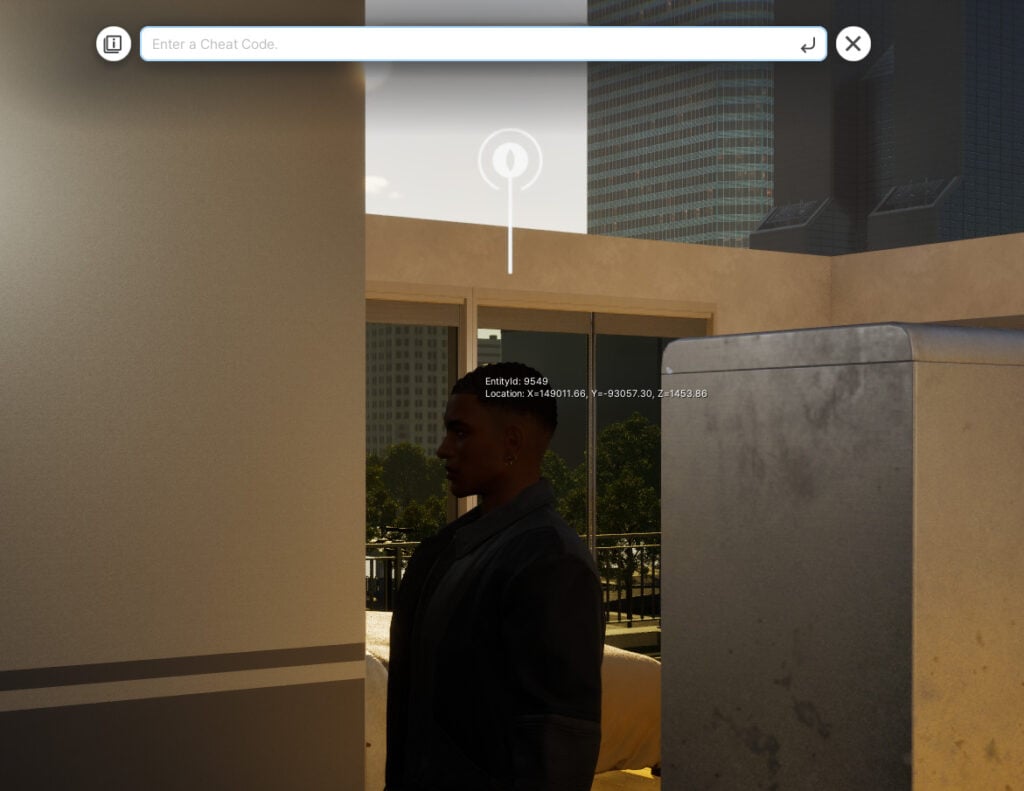
Open the cheat window with CTRL+SHIFT+C. Console folks, you can plug in a USB keyboard to do so.
Type in “testingcheats true” and hit enter.
Type in “CAS.fulleditmode” and hit enter.
Shift click on your Child Sim and select “Modify in CAS” from the pie menu.
In the top left of the screen, change the gender of your Child Sim, and then change it back.
The Sim should be back to normal, click the tick button in the bottom right of the screen to return to Live mode.
To remove cheats, open the cheat window with CTRL+SHIFT+C.
Type in “CAS.fulleditmode false” and hit enter.
Type in “testingcheats false” and hit enter.
Have you encountered The Sims 4 body distortions glitch in your game? If so, let us know how the new workaround works for you and stay tuned for latest updates on The Sims 4!
The Sims 4 Blast From The Past Week 4 is the final week of this longoing limited time event. Which started all the way back in January! The last week of this event will let you unlock two exclusive Quest Rewards including the Surprise Birthday Cake and ElectroDance Floor.
Discover what it takes to complete the fourth week of The Sims 4 Blast From The Past:
The Sims 4 Blast From The Past Week 4
Hidden Motives Quest
With the thief caught in the act, Emit has one last order of business — to find out why they stole to begin with. Put the final pieces together so this never happens again.
Report to Emit on the Experiment (+35 Event Points) – There is a lot to report back to Emit about the time travel experiment and the thief’s email. Select Report on Experiment on Emit.
Emit can be found at Magnolia Blossom Park, or select the Social category on the Phone to Invite Emit Over.
Send a Time Travelling Email to the Thief (+35 Event Points) – As odd as it may seem, Emit believes that the time travel component infused computer can send an email to the thief, whenever they may be, to get some answers why the theft. Select Send Time Travelling Email on a Computer.
Retrieve the Thief’s Letter from the Mailbox (+35 Event Points) – The thief’s response is in the mailbox? And it has been waiting all this time – that’s the mystery of time! Select Retrieve Thief’s Letter from a Mailbox.
Read the Thief’s Letter (+35 Event Points) – The theif has responded to the email with a letter. Select Read Thief’s Letter from the letter in your inventory to find out their motive!
The Good Thief
The thief had the right intentions but the wrong methods. As a fan of time, they wanted to preserve the treasures of the past into the present and on to the future to keep forever.
Tell Emit about the Thief’s True Intentions (+35 Event Points) – Find Emit and let him know what you have learned about the thief’s intentions. Select Tell about Thief’s True intentions on Emit.
Say Goodbye to Emit (+35 Event Points) – The mystery is solved, the thief has been…not caught, but uncovered, sort of…actually who is the thief? Maybe a question for another day…
For now, it’s time to say a fond farewell to Emit. Select Say Goodbye on Emit.
The Sims 4 Blast From The Past Event: Week 4 Rewards
There are seven rewards in The Sims 4 Blast From The Past Week 4. Including five reward items and two exclusive event items, such as:
Happy Potion
Energized Potion
Instant Hygiene
25 Satisfaction Points
500 Simoleons
The ElectroDance Floor
Surprise Birthday Cake
Reward Overviews
Surprise Birthday Cake
The last week of The Sims 4 Blast From The Past Event brings a new cake. Which lets your Sim perform a dance routine as they step down the stairs! Take a look at this video preview:
Video Preview of New Cake Dancing Interaction
The object is multipurpose, meaning that you can entertain the guests, call Sims over for a celebration, or just choose to take a slice!
The ElectroDance Floor
Celebrate the 25th Anniversary with a new Base Game Dance Floor! You can also choose to turn on / off the lights and light up the surroundings in vibrant colors.
The fourth and final week of The Sims 4 Blast From The Past Events ends on March 18th, 2025 at 10AM Pacific Time. To make things easier for you we’ve included a simple countdown below which marks the end of the latest event across all platforms.
Countdown to The End of The Sims 4 Blast From The Past Live Event
What do you think about the final week of the latest Sims 4 Event? Let us know in the comments below and stay tuned for more updates on Sims 4 Live Events!
Here’s an unused new addition from the 1.113.277 game patch to consider for future speculation. There are now two new variables for a new type of CAS sliders labeled as “aged”. Perhaps these will be used to make Sims look more aged with special sliders tied to aging, like in a new pack that would have features related to getting old.
Currently The Sims 4 only has two sliders in Create A Sim – Body Weight and Muscle Definition. Both being closely related to body customization and looks.
The speculated two new Sims 4 Aging Sliders will bring one new slider for Sim Faces and one for Sim bodies. Letting you manipulate the age of your Sim through a visual slider that will change their looks.
At the moment this is all we know about The Sims 4 Aging Sliders and their assumed functionality. We’ll make sure to keep you posted if anything new surfaces in the meantime!
Yesterday we reported about the new Sims 4 Businesses & Hobbies leaks hitting the internet. From a look into the new world to a whole preview of the brand new Family Recipe System. The Sims Creators took further liberty to explore the game files from the Expansion Pack build version from August 2024. Revealing new User Interface mechanics, types of small businesses and plenty more!
Let’s discover all the new gameplay facts for The Sims 4 Businesses & Hobbies:
The Sims 4 Businesses & Hobbies: New Gameplay Facts
Types of Preset Small Businesses
The Sims 4 Businesses & Hobbies Expansion packs different types of Small Businesses. Completely compatible with some of the features from The Sims 4 Base Games and previous DLC releases. Here are the types of preset small Businesses that you’ll be able to open immediately:
Cafe Bookshop
Arts Center
Bar
Bubble Tea Cafe (High School Years)
Cafe (Get Together)
Community Garden (Eco Lifestyle)
Gym
Karaoke Bar (City Living)
Library
Lounge
Makerspace (Eco Lifestyle)
Museum
Nightclub (Get Together)
Onsen Bathouse (Snowy Escape)
Park
Pool
Recreation Center (Growing Together)
Relaxation Center (Spa Day)
University Commons (Discover University)
Pottery Shop (Businesses & Hobbies)
Tattoo Shop (Businesses & Hobbies)
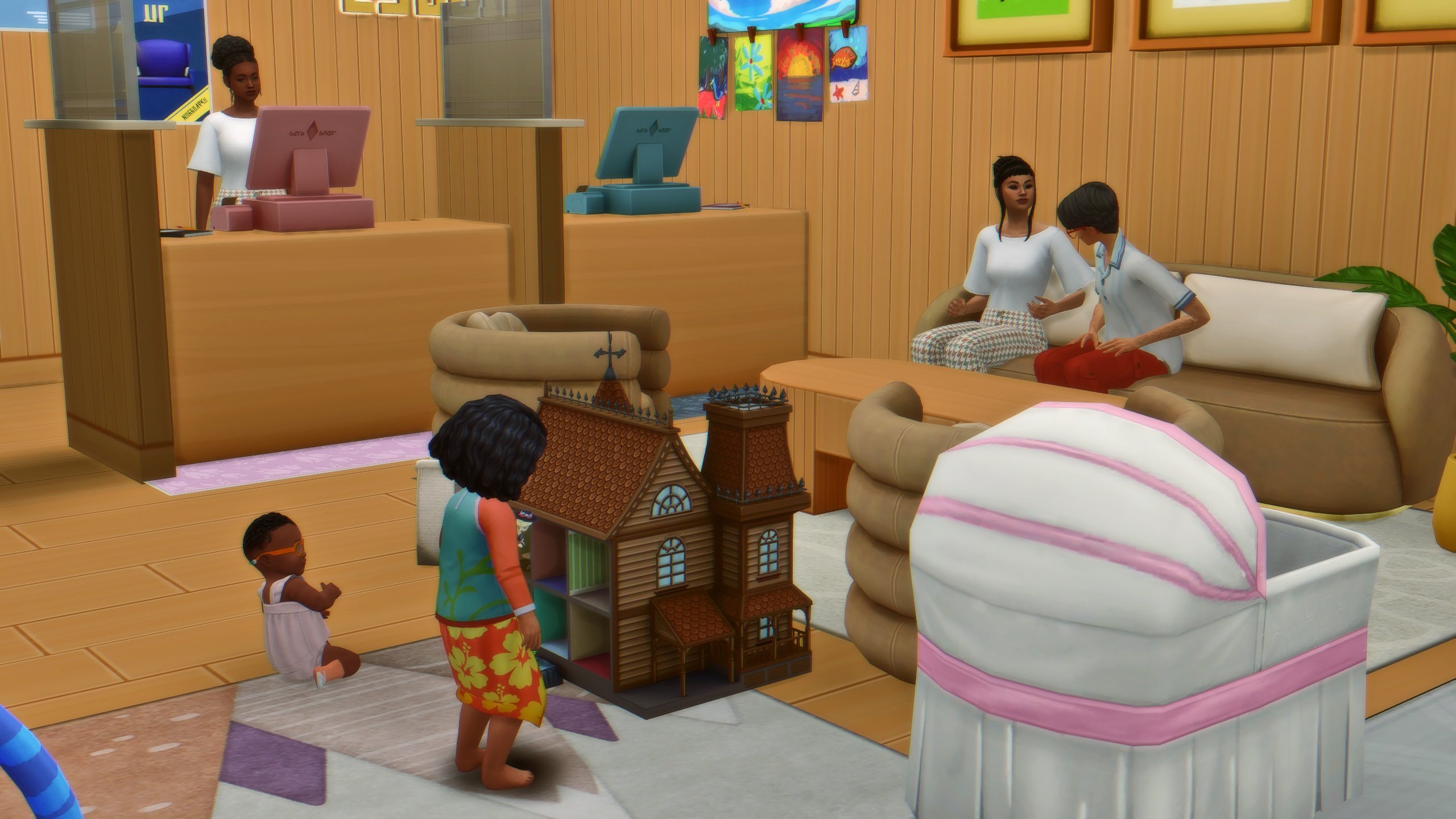
Daycare for Cats, Dogs and Horses!
Daycares that we reported on last week are getting big cross-pack compatibility features with previous Pet Expansion Pack releases. Such as Cats & Dogs and Horse Ranch.
One creator reported that they’ve discovered in the files that Sims will be able to take care of not just Human Sims like Babies and Elders – but Pets too! This includes Cats, Dogs and Horses. The customization options go so deep that you can select whether or not the caretaker stays or leaves once they’ve arrived with the spawn/dog/cat/horse.
The information is further visually confirmed by @lunar_britney, who posted a new game screenshot from The Sims 4 Businesses & Hobbies. Confirming extra features between employees and supervised customers that want to leave their Kids at your daycare.
Visiting Businesses in Live Mode and Loading Screens
The Sims 4 Businesses & Hobbies Expansion brings different perspective gameplay options. Whether you want to play as a Small Business owner or a Small Business visitor.
Sims creator @Simmattically posted a screenshot of the new Visit screen in World Map view. Letting you choose if you’d like to visit a Small Business as a customer or as a household guest instead.
The creator also confirmed that there are no loading screens when moving between Residental and Small business areas.
Random World Information and Screens
Nordhaven, the new world with The Sims 4 Businesses & Hobbies will have swimmable areas! Check out the image preview:
If you have The Sims 4 Get to Work Expansion Pack installed, you’ll be able to find all the retail objects from this Expansion in the new Small Business Build category.
Usability of certain display shelves from Get to Work has also been confirmed. Meaning that some shelves and displays will work when setting up your Small Business!
The Legitimate and Normal Trashley Reelpearson is the official name of the new Shady NPC coming in The Sims 4 Businesses & Hobbies. With new visual clues front and back that this NPC is everything but a normal one!
Without too many gameplay spoilers, see what the Shady NPC looks like in the game:
Looks like Sims will be able to take turns when using the Woodworking Table from The Sims 4 Base Game. No further information about the gameplay effects though.
The upcoming Sims 4 Expansion Pack lets you toggle Small Business Dilemmas in the Game Option. In case you don’t know, Businesses & Hobbies is introducing Small Business Perks and Dilemmas. Including specific business events like Computer Virus, Tax Audit, Fake Payment and many more.
All of those can be triggered and enabled / disabled in options!
We have some additional looks into The Sims 4 Businesses & Hobbies CAS features thanks to @anadius on X. The first two photos showcase a new Hairstyle on the left. As well as the Custom Tattoo Paint Mode on the right.
And, it seems that the first Custom Tattoos have already been uploaded to the gallery. Anadius seems to have left a mark online permanently!
What do you think about the new Gameplay Facts from The Sims 4 Businesses & Hobbies Expansion? Let us know in the comments below and stick around for the latest on the upcoming EP release!
See how the new Family Recipes will work in The Sims 4 Businesses & Hobbies!
We have an entirely new look at The Sims 4 Family Recipes system coming with the Businesses & Hobbies Expansion Pack. Which is out on March 6th, 2025 across PC, Mac, PS and Xbox platforms!
The latest preview was brought together by @lunar_britney who created an entire thread from the latest Sims 4 Businesses & Hobbies leak. Visually explaining how the new Family Recipes system will work in the game!
Creating a Sims 4 Family Recipe
To create a Family Recipe in The Sims 4 Businesses & Hobbies, simply click on the fridge > Family Recipes… From there, you’ll be able to select four different interactions:
Create a Family Recipe…
Prepare a Family Recipe…
Teach Family Recipe….
View Family Recipes
The creation of a Sims 4 Family Recipe is quite intuitive. You’ll be able to create unique Family foods using three different components. A Base Recipe, Secret Ingredient and a Special Touch!
All of these can be mixed together into a unique Sims 4 Family Recipe combination that you can name and save to your game. As mentioned above, Family Recipes will be able to get passed down the generations and get taught to other Sims. Making it an excellent way to deliver the unique flavors out to the world!
The Base Recipe is what’s going to define your Sims 4 Family Recipe the most. You’ll also be able to use Fresh Ingredients from your inventory, choosing from various Fruits, Vegetables, Meats, Nonmeats, Dairy and Lactose-Free options. For Secret Ingredients you’ll be able to experiment using The Sims 4 Fuits, Vegetables and flour.
Special Touch is a new Gameplay Effect for your Family Recipe. Letting you control exactly how a Sim is going to feel after eating a specific Sims 4 Family Recipe!
There are also exclusive Family Recipe special touches that you can unlock through The Sims 4 gameplay. Such as the Fertility Unleashed Special Touch.
The Family Recipe System is just one of the new features coming with The Sims 4 Businesses & Hobbies! Stay tuned on Sims Community for more exciting feature coverages.
Some very suspicious looking Sims have been released into The Sims 4 today as part of the game’s Motherlode Season. What has been teased with the eyes emoji over the past few weeks now finally makes sense. However, we can finally say as a community that the long awaited introduction of The Sims 4 Burglars is here!
The addition of these crafty non-playable Sims and Police Sims come as part of the 25th Anniversary celebrations as well as the 25th February 2025 free game update. This means you don’t need any extra packs for this feature!
Table of Contents
The Sims 4 Burglars, Who Are They Really?
These cunning Sims by day would be like any other typical Sim, however in the dead of night they become Robin Banks. A Sim who has planned their mission to come creeping into your household’s home and grab anything of value before hopefully making an escape unnoticed.
How Do I Know if a Burglar Event is happening?
Upon The Sims 4 Burglars event starting, you’ll see the Burglar approach the front of your Sims lot, as well as an orange pop up notification in the top right-hand corner of the screen.
Can I Stop Them?
There are a few ways to stop these sneaky The Sims 4 Burglars.
Firstly, install a Burglar alarm by any door that a Burglar could enter through. Secondly, and if your Sim is fast enough, they can call the Police who will come and arrest the Burglar.
However, there is a third way your Sims can take on The Sims 4 Burglars, and that is by dealing with them directly themselves. Of course, more buff Sims will stand a better chance of putting the Burglar in its place.
I Don’t Have an Alarm, Now What?
If you don’t have a Burglar Alarm and a Burglar comes into your home, unless a Sim steps in and confronts them, or they call the police, they will happily take as many objects as they want and can fit into their bag.
Of course, if you don’t confront them or call the police, they will leave the lot with the objects they’ve swiped. You’ll also get a pop-up notification to tell you what they’ve taken.
Just make sure not to call the Police after the event has happened, as they won’t be too happy with you for wasting their time.
Alertz Burglar Alarm
Protecting your home, and deterring these pesky Sims has never been easier thanks to the Alertz Burglar Alarm.
Coming in at $85 Simoleons, this Sims 4 Burglar Alarm comes in three different colours, white, black and grey and is the most effective way to fend of grabbing your Sims attention when trouble strikes.
Now, your Sims can also take it one step further by implementing some upgrades.
Police Link Security Upgrade (Requires Level 3 Handiness)
Take That! Shock Upgrade (Requires Level 7 Handiness)
Make sure to have plenty of Electronic and Common Upgrade Parts in your Sims’ inventory! These can ordered from your Sims computer or found throughout the worlds.
Note: You can also disable the Police Link Security and Take That! Shock Upgrades by selecting the Burglar Alarm again.
Interacting With A Burglar
Now, when the Burglar Sim is on your Lot, you will be able to interact with them. You’ll have three options to choose from.
Confront the Burglar
Fight
Call Police Station (only available if the Police Link Security Upgrade is not applied to the Burglar Alarm)
Special Interactions & Reactions
As stated in The Sims 4 Burglars feature post on The Sims official website, the team shared some exciting information. This showcased some of the new interactions and reactions particular Sims would experience when a Burglar event was in progress!
Have a dog? They’ll chase the Burglar right out. (Requires: The Sims 4 Cats & Dogs Expansion Pack)
Werewolves can intimidate the Burglar into leaving. (Requires: The Sims 4 Werewolves Game Pack )
Spellcasters? They’ve got everything from confusion spells to full-on transformations. (Requires: The Sims 4 Realm of Magic Game Pack)
Servos can zap the Burglar into place with their defense matrix. (Requires: The Sims 4 Discover University Expansion Pack)
Scientists can use the Freeze Ray to immobilize them. (Requires: The Sims 4 Get to Work Expansion Pack)
Vampires, of course, might take advantage of the situation for a quick warm-blooded snack before commanding the Burglar to leave. (Requires: The Sims 4 Vampires Game Pack)
The Sims Team also went on to explain how Teenage Sims might suddenly stop and attempt to take a selfie with the Burglar before they make their great escape.
Players would also discover that some of the most iconic characters in the game such as Bonehilda and Agnes Crumplebottom are more than ready to fight if needed. Can you imagine being face to face with Agnes’s handbag in a fight?
The Sims 4 Burglars add a total of 50 new unique reactions across the Base Game alone, with an additional 17 found across different packs. That’s not to mention 37 player-initiated interactions too!
How Often Are Burglar Events?
By default, Burglar events are not going to happen, however if you want to have a little more of a chaotic gameplay experience, you can apply the brand new Heist Havoc Lot Challenge!
This new lot challenge will see your Sims have run-ins with Robin Banks much more frequently, but they’ll also be putting your home security to the test.
Can I Turn Off Burglars?
Yes you can!
Simply head to the Game Options menu and then into Gameplay. You’ll then see an option to turn them off on this page, as shown below.
What Objects Will They Take?
They’ll focus more so on everyday objects such as sofa’s, televisions, computers, you know, all the things that would inconvenience your Sim on a daily basis. They won’t go for things like windows, doors, outdoor plants, lights etc.
Can you imagine, waking up one day and go your Sim goes to work, and you discover that some stealthy Burglar has taken all your windows!
What Else Can Burglars Do?
Well, you can befriend them and have them join your household. If Robin Banks dies, the game will regenerate a new Robin Banks for you. Much like we’ve seen previously with Father Winter.
Forced Burglar Events
If you have the testingcheats true cheat enabled, you will be able to force a Burglar event to happen when it next hits nightfall.
Simply shift+click on the mailbox to bring up the debug menu to trigger the event.
With that said, this is everything you need to know about these sneaky and pesky The Sims 4 Burglars.
Are you excited to see them back in The Sims 4? Do you feel they are something that will play a part in your storylines? Why not let us know on our social media or down below in the comments.
The Sims 4 Survey Expansions have come to life yet again!
Just a few days ago, we covered the official new Sims 4 Expansion Packs 2025 Survey recently released by The Sims 4 team, asking players for their input and opinions on the future of The Sims 4 Expansion packs. This survey instantly became a hot topic within the Sims 4 Community, as multiple creators and simmers discussed the different offerings and ideas of what could be coming next to the game. These creators and the survey sparkled in-depth discussions as Simmers eagerly shared their ideas, hopes, and predictions of what could be coming next to The Sims 4. From long-requested features to fresh and unexpected themes, players have been vocal about what kind of content they’d love to see in the Sims 4. It’s clear to us that excitement is building (even as we speak!), and many Simmers are looking forward to seeing how The Sims 4 continues to evolve with innovative new gameplay experiences.
The Sims 4 Expansion Packs 2025 Survey: Images and Concepts
Visualizing The Future of The Sims 4 Expansion Packs
The Sims 4 Creator and Simmer @BroBastii dedicated countless hours and tons of effort into crafting absolutely stunning screenshots that visually capture the potential future of The Sims 4, which were inspired by the recently survey released by The Sims 4 team. With a clear vision of these concepts could potentially look like, @BroBastii used a combination of in-game assets, custom content (CC), and mods to bring these ideas to life that seriously feel both immersive and authentic to the game itself. By expertly blending these elements, this talented creator was able to give us a tangible glimpse of what the future could hold for The Sims 4, allowing players to imagine the breath of life these expansions might potentially bring to the game,
Down below in this article, you will find an entire gallery of images that showcase images for each specific idea proposed in the survey. These images not only highlight the pack names and ideas but also offer visuals that could represent the themes, features, and aesthetics of each proposed expansion. Many simmers have been excited by this preview, giving the fans a sneak peak into the potential future of The Sims 4.
The Sims 4 Ocean Exploration
Live at the sea shore and breathe in the cool, misty air each morning in your fully-equipped houseboat. Take a long stroll on the beach, seeking small, metallic valuables with your new metal detector. Make crafts with driftwood, sea glass, and other trinkets. Embark on your vessel as a sea captain, hunting for crabs and lobsters, or chartering your boat for sightseeing, whale watching, fishing, and scuba diving trips.
The Sims 4 Community Careers
Welcome to a charming world built around community and neighborhood antics where Sims embrace exciting new active careers!
Tour the local fire station and learn preparedness skills, or become a Firefighter / EMT, tackling neighborhood emergencies like fighting fires, rescuing stranded pets from trees, or freeing a toddler whose head is stuck in a stair railing. Enjoy the comforts of the station with fellow firefighters until a call comes in, then gear up, ride out in a shiny firetruck, and be ready for anything because whether your Sim is braving the career or the one calling for help, there’s never a dull moment when the alarm bells ring!
When the kids come home with gum in their hair, get out the shears to practice home haircuts before opening a professional salon. Expand offerings with luxury shaves, advanced braids, and custom wigs as the shop goes from a gossip-fueled salon to the cornerstone of sage advice and transformational style.
Open a dentist office for teeth cleanings, x-rays, and extractions. Level up to specialize in creating perfect smiles from braces to new teeth to a shiny grill. From replacing lost dentures or fixing a cracked tooth from a schoolyard brawl, the dentist always saves the day! Patients leave with a smile and a lollipop to ensure return visits.
With each career, Sims can choose to give back to the neighborhood, build up community skills, and discover the day-to-day lives of the locals, whether on the job or unwinding at the neighborhood barbeque.
The Sims 4 Car Life
Enter the ultimate pack that weaves cars into the day-to-day stories of your Sims! Start by sparking kids’ love for cars with playful collectible toys and a mini mechanics toolbox. Express imaginations while racing RC cars and playing with epic toy car tracks. Join an afterschool gearhead club, or climb into the racing arcade simulator and go head-to-head against friends.
Send your teens to driving school so they can get their license and gain independence with their first car, with every choice reflecting your Sim’s personality and aspirations. Enjoy a movie at the drive-in theater with friends and family or share intimate moments at a scenic overlook under the stars with your sweetheart.
Send your Sims off to work as gig worker, car salesperson or professional race driver, or take on an active profession as a mechanic working at the local garage. As your Sims grow their income, elevate their status with celebrity limos & luxury cars.
Whether they’re pretending to drive the couch or fixing up a broken down jalopy, every Sim can find their dream ride. Get ready to fuel your Sims’ passions with their dreams to drive and explore the world of cars in The Sims like never before!”
The Sims 4 Suburban Living
“In the heart of suburban life, every day is an adventure in work, play, and a greener lawn than your neighbor! Unleash your potential at a trade school, learning to be a cosmetologist, auto mechanic, truck driver or become the ultimate house-spouse with top-notch homemaking expertise. Imagine owning a gas station and mechanics shop where you fix up cars, trucks, and motorcycles with your skills and unique flair. After a bustling day, grab a quick bite from the fast food drive-thru. When the weekend arrives, will you kick your feet up in your plush recliner or tackle that ever-growing to-do list? Teach your teen auto repair in the driveway or share laughs and drinks with neighbors. Maybe you’ll finally mow that wild lawn (or hire the kid next door), much to the delight of the nosy neighbor! Send your teens to work as a fry cook, babysitter, tutor, car washer, or a lifeguard at the community swimming pool.
But how well do you really know the neighbors? What’s hiding behind the seemingly idyllic façade of suburbia? Societal pressures may lead to dark secrets, hidden relationships, and even criminal activities. Will you shake the foundation or help maintain appearances in this dynamic suburban playground?”
The Sims 4 Van Life
Embark on a thrilling journey of self discovery and freedom! Jump into your fully-customized dream travel van and explore breathtaking destinations. Experience whimsical adventures as you meet fascinating people, swap stories, jam on new musical instruments, and share crafts and delicious recipes. Whether you’re at truck stops or campgrounds in vibrant national parks, you’ll encounter intriguing folks everywhere—even on the roadside when you pick up a friendly-looking hitchhiker.
Embrace the minimalist lifestyle on the road: tackle challenges like refueling, fixing a flat tire, or testing your mechanic skills with a roadside repair. Imagine waking up to a new, stunning location every day, like quiet beaches, perfect for serene paddle boarding and surfing. Whether you’re traveling with your partner, family, friends, or going solo, hitting the road will weave rich, generational tales as you live freely and celebrate your wanderlust.
Lastly, we would like to take a moment and give a huge shoutout and Kudos to @BroBastii, for their hard work dedication, and passion in bringing these ideas and concepts to life. This talented creator creatively used in-game assets, mods, and custom content, he has managed to make each concept full immersive, and feel as realistic as possible, allowing The Sims 4 community to envision how these future expansions could enhance the overall game feel and experience! You can check out the full gallery of 2024 Survey images here.