Two mods for Paralives bringing the same Camera Solution from a 2009 game!
The Paralives Mods have exploded with the game's first launch week. Ranging from funny "twerking" dance animations to useful solutions - like the latest Sims 3 Camera for Paralives Mods!
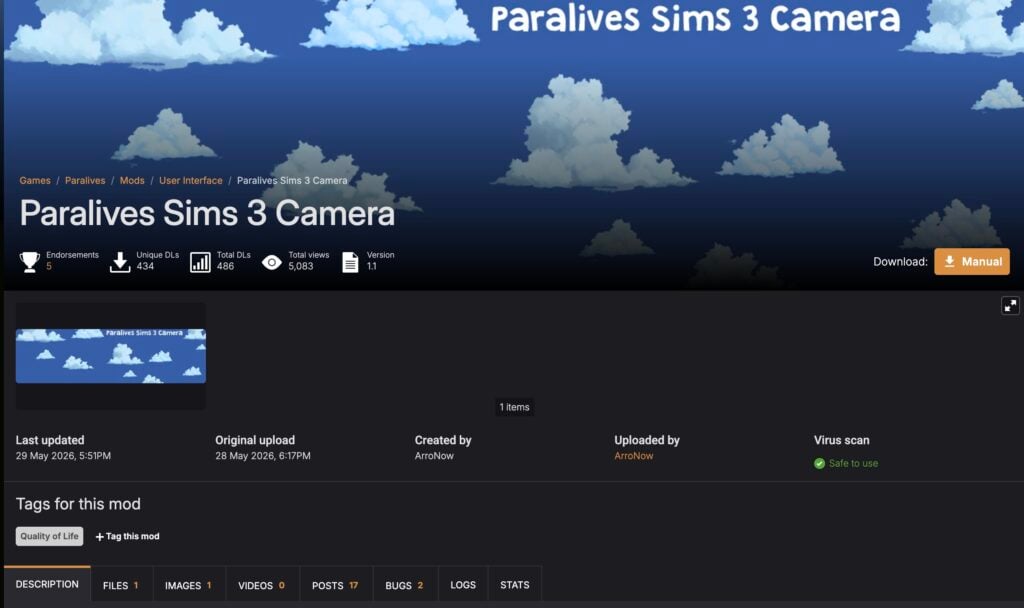
There are currently two Mods available: the first one was released by TwistedMexi titled "Sims 3 Camera - First Paralives Script Mod" from the same longtime Sims 4 .package and script modder who brought expanded Mod solutions like Better Build / Buy, T.O.O.L. and many more! The second mod titled by a longtime Sims 3 Modder ArroNow - who brought Sims 3 Mod solutions and even Expanded CAS UI to the 2009 entry - released a mod called "Paralives Sims 3 Camera".
In this review we're going to talk about the pros and cons of both Paralives mod solutions and what they bring to the table!
Table of Contents
Sims 3 Camera - First Paralives Script Mod by TwistedMexi
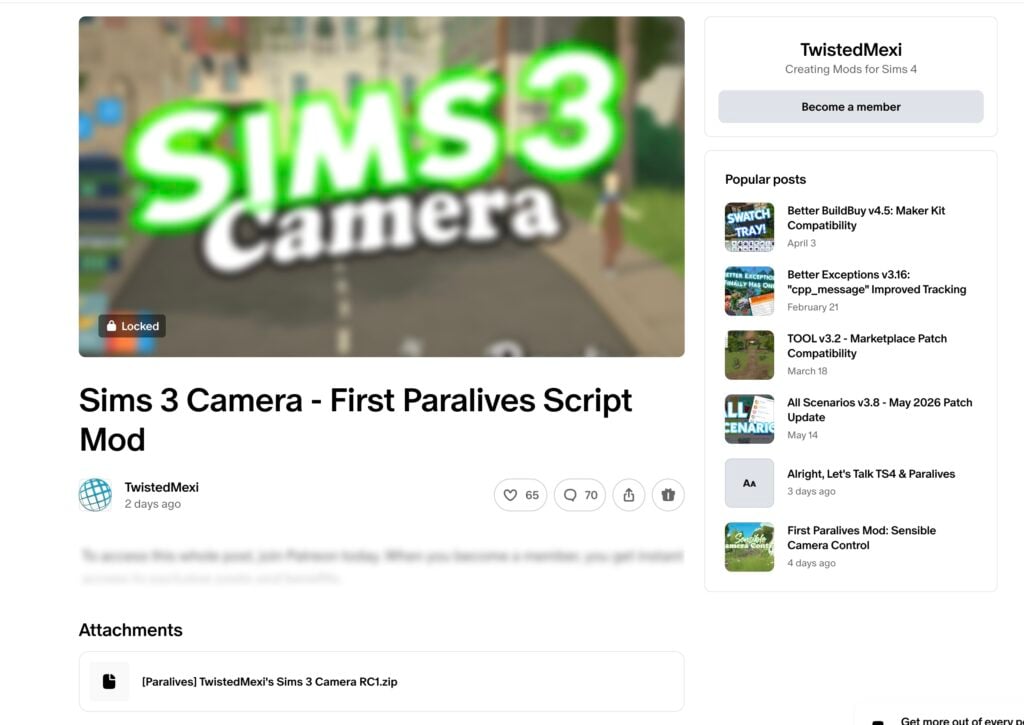
The first Sims 3 Camera mod that was released is titled "Sims 3 Camera - First Paralives Script Mod" released by Twisted Mexi two and a half days ago. According to the modder, it's also the "First Paralives Script Mod" released by them.
The public statement on social platform X states the following:
First Paralives Script Mod is out!
Sims 3 Camera: Swaps camera controls out for Sims 3 Camera controls we all know and love.
We tried to access the Sims 3 Camera mod content and files for review but unfortunately it was hidden behind a first-tier $5 dollar paywall. We'll make sure to update the article with new information and mod usabilty after the Mod goes public in twenty five days.
The Paralives Sims 3 Camera by ArroNow released more than two days ago, with what I'm guessing a similar principle and delivery of game camera controls from The Sims 3. This one was uploaded with the same dependency on script modding Paralives, except it links to the source of the first script mod released 5 days ago.
Installing BepInEx
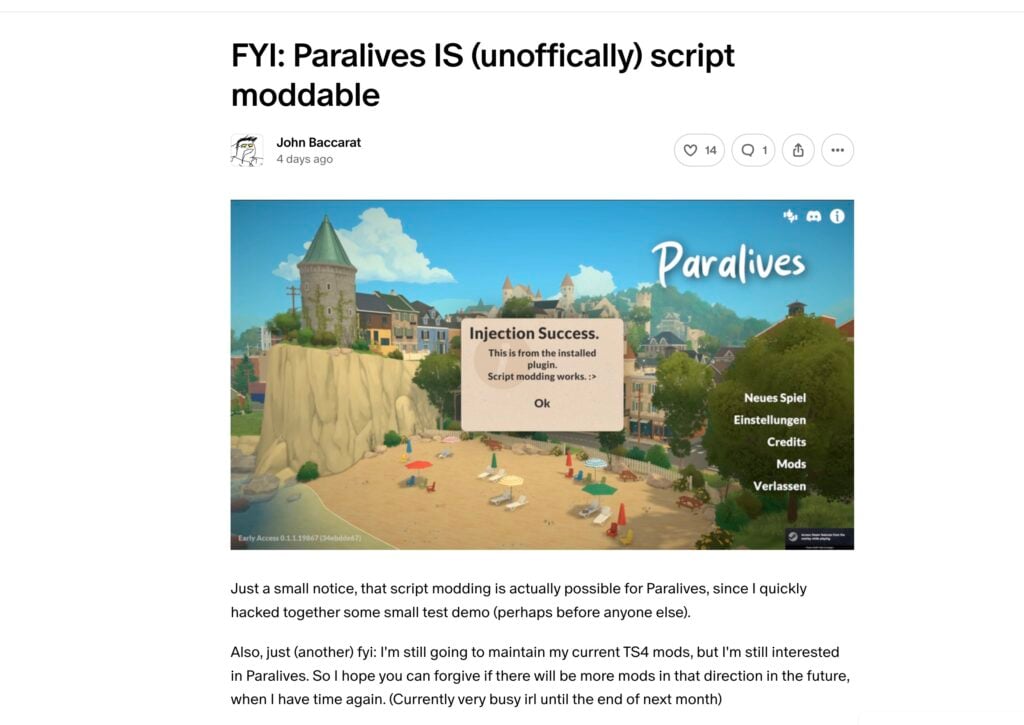
Before installing The Sims 3 Camera Mod for Paralives by ArroNow, the player has to download and setup the new "BepInEx" script modding system first discovered by John Baccarat and posted just hours after Paralives Early Access release.
Just a small notice, that script modding is actually possible for Paralives, since I quickly hacked together some small test demo (perhaps before anyone else).
Also, just (another) fyi: I'm still going to maintain my current TS4 mods, but I'm still interested in Paralives. So I hope you can forgive if there will be more mods in that direction in the future, when I have time again. (Currently very busy irl until the end of next month)
The same modder who discovered Paralives script modding also provided a video and install instructions, along with the file that allows for script modding. All within a public Patreon post released first May 25th, 2026:
0. A WARNING - READ ME Do NOT install random script mods on a whim, but make sure that the creator is trustworthy first. Mod plugins are just .dll files, which are program libraries that can contain viruses or other malicious code.
With that said...
1. Download BepInEx This is a modloader that basically works with pretty much all Unity games. Download "BepInEx_win_x64_5.4.23.5.zip" from here: https://github.com/BepInEx/BepInEx/releases
2. Extract to Paralives directory: From the downloaded .zip file extract: - winhttp.dll - doorstop_config.ini - BepInEx (The whole folder) into the same folder as where Paralives.exe is
3. Run the game once and then close the game when at the main menu This is so that BepInEx creates its own directories.
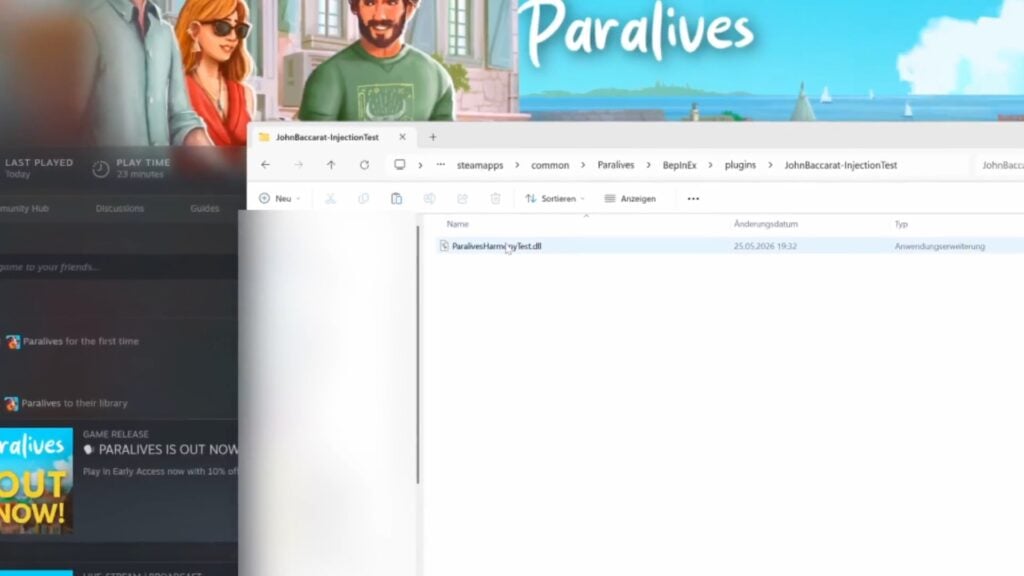
5. Go to the right directory Go to: Paralives -> BepInEx -> plugins
6. Extract the contents of "TestDemo.zip" into the plugins folder. So that "JohnBaccarat-InjectionTest" exists in the plugins folder and in that folder is "ParalivesHarmonyTest.dll"
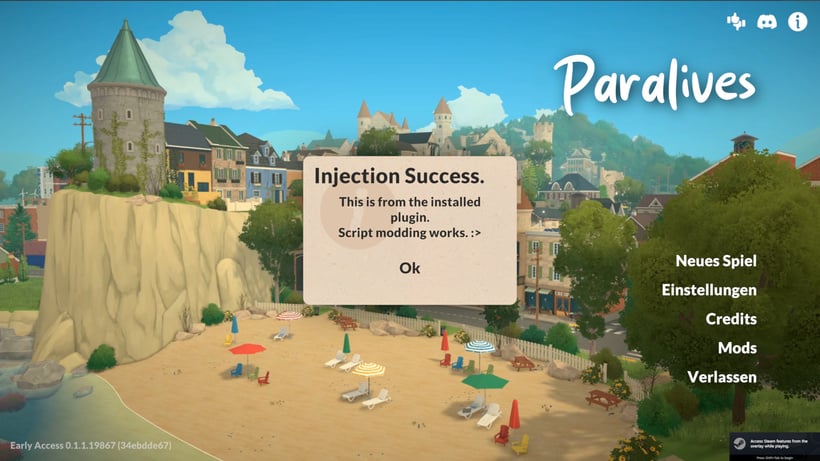
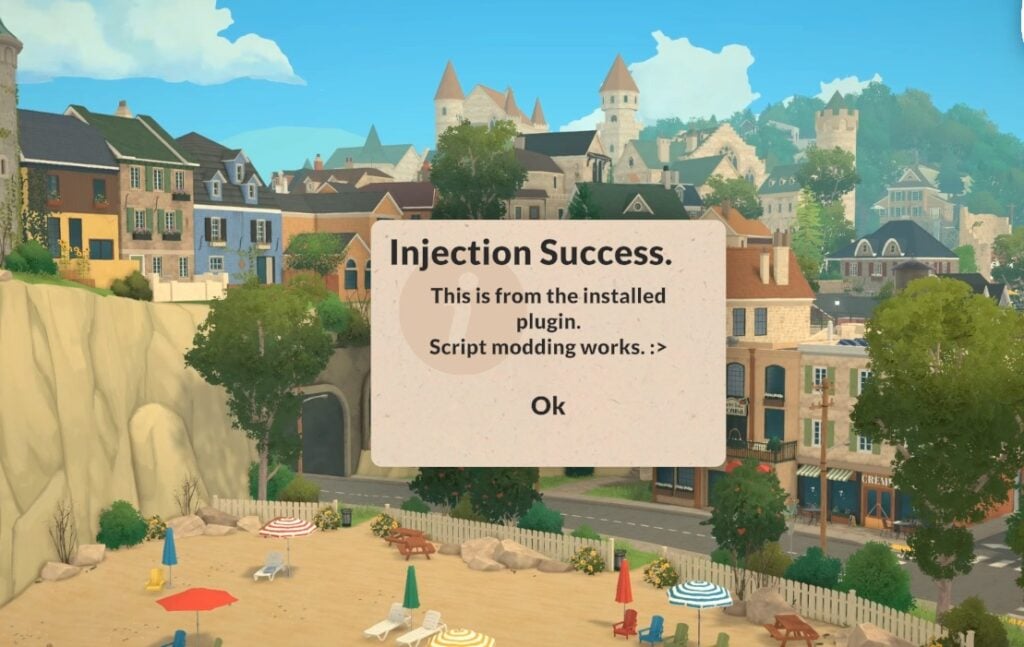
7. Start the game It should now show you the prompt when at the main menu.
After following the instructions on Paralives script modding, posted publicly just hours from game's first release, I was able to continue downloading the free Paralives Sims 3 Camera Mod by ArroNow.
Here are the modder's instructions posted for their Camera Mod:
Installation instructions 1. Make sure you have BepInEx installed. Great guide! 2. Place "Arro_ParalivesSims3Camera.dll" inside *\Paralives\BepInEx\plugins (create a "plugins" folder if you don't have it).
A small note: The information about script modding test file has been removed as you only require one mod file after installing BepInEx - and that's Arro_ParalivesSims3Camera.dll!
In-Game Impressions
After injecting the script Mod released shortly after the game's early access launch, I also installed the Sims 3 Camera Mod by ArrowNow released 2 days ago. The game immediately recognized the Paralives script Mod solution from John Baccarat and recognized the camera Mod by ArrowNow behind the scenes.
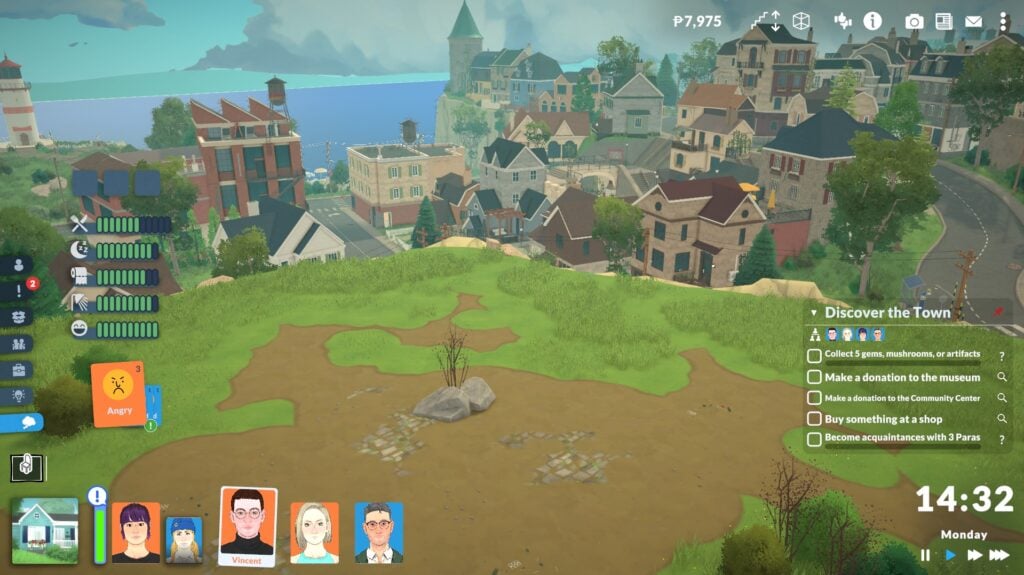
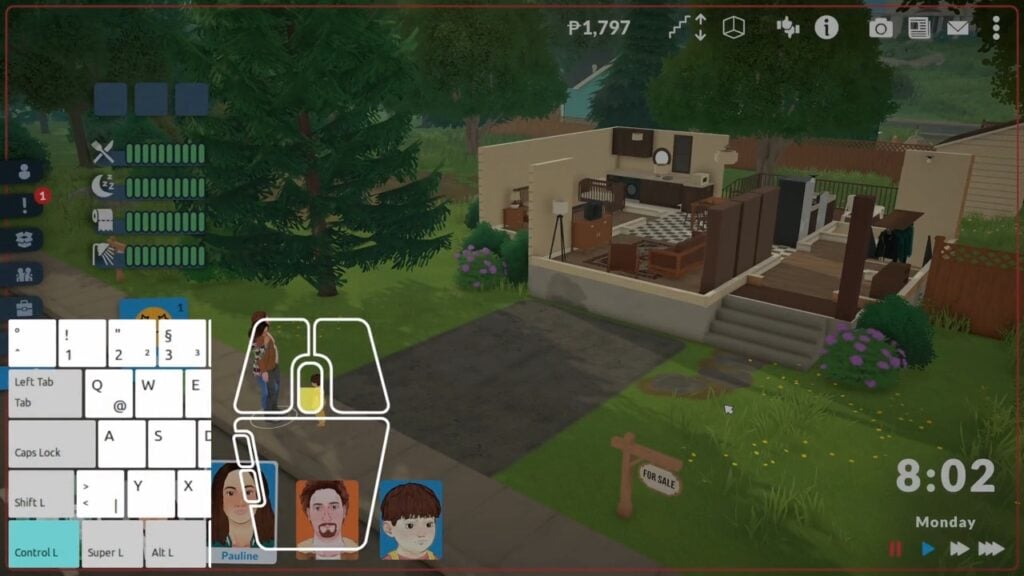
I clicked, dragged and moved the camera using the WASD key combinations alongside regular mouse controls like right click and mouse wheel rotation. It felt nostalgic coming back to old controls on a new Early Access game release!
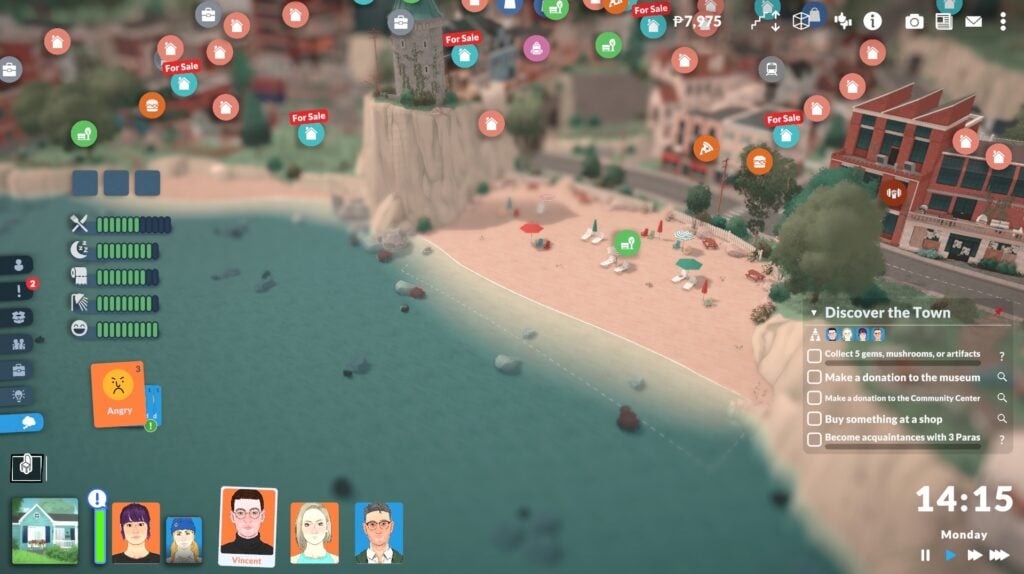
There are definitely some bugs to be considered such as the focal point effect happening when moving around town, objects being hidden when they shouldn't be at certain camera angles and more. But that's the joy of exploring new game mechanisms together, first week into the game's release!
Final Verdict
We decided to wait for the public release of TwistedMexi's First Script Mod released almost 3 days ago, considering the mod is going public later next month. We will update the article with in-game overview, functionality and install instructions from them once it goes public June 23rd!
For The Sims 3 Camera Mod by ArroNow released 2 days ago I was impressed how similar it felt to Sims 3 Controls, down to the full zoom out effect and checking up what my Parafolks are up to more up close.
John Baccarat, who first tested script modding for Paralives publicly also posted a great new mod titled "Scroll to change Floor" which uses a special keyboard + mouse functionality. Read more and download here!
Both mods are great solutions for Simmers and all those players who want to know what controlling The Sims 3 felt like, and it's great to see efforts in making a new Life Sim game entry as moddable as possible.
What are your thoughts on The Sims 3 Camera Mods released in the Launch Week of Paralives Early Access? Let us know your thoughts in the comments down below and stay tuned for the latest Life Sim Games coverage reports on Sims Community!
7 Comments
Onei
man tf u mean u couldn’t support and buy 5$ mode lame broke ahh bitcc
Jovan
Reply to Onei
I refrained from mentioning this in my review but the first modder mentioned that their Early Access for their Sims 3 Camera is around 27 days since posting their mod. Looking at the tier lists on their Patreon none of those 27 days of Early Access fit the profile. It just says “2-3 weeks” early access, which felt like misleading the buyer and not ensuring if the Early Access mod coming in almost 4 weeks fits the promised timeframe.
Sammyyy
Reply to Jovan
this is weird. then why put a mod in the review article that you haven’t tried in any way?
Jovan
Reply to Sammyyy
Because as I stated in the article I’ll be covering it after the mod comes out publicly in 25 days? It’s useless making two articles on the topic of a Sims 3 Camera Mod focus keyword.
Leandro
Can you change the public release of TwistedMexi mod?
It was changed to June 10
The Twisted Mexi mod is actually available for free right now. He changed the date pretty quickly after it was announced. Said he was just testing to see what felt like a good timeline for the audience. I’d like to read your comparison of the two mods.
Welcome to Sims Community!
Our community is about connecting people through open and thoughtful conversations. We
want our readers to share their views and exchange ideas in a safe space.
In order to do so, we've created a simple set of rules that will improve your experience.
Simply put, keep it civil.
Your post will/might be rejected if it contains:
Spam
Insults, profanity, incoherent, obscene or inflammatory language and threats of any kind
Attacks on the identity of other commenters or the article's author
User accounts will/might be blocked if we notice:
Continuous attempts to re-post comments that have been previously moderated/rejected
Racist, sexist, or homophobic comments
Attempts or tactics that put the site security at risk
So, how can you be a power user?
Stay on topic and share your passion. Feel free to elaborate to get your point across.
'Like' or 'Dislike' when you are filled with emotions!
Protect your community. Use the report tool to alert us when someone breaks the rules.
Thanks for reading our community guidelines. Please note that we're aware of certain
issues with Sign In / Log In and Create Account / Email Confirmation issues. We're working
behind-the-scenes on a new Account Creation process. Thank you for your patience and
remember - freedom of speech is not freedom of reach
As though there has been any shortage of activity coming out of the marketplace and the Sims 4 Maker Packs that it produces, another two maker packs have hit the front page of the Sims 4 Marketplace; A new Y2K-themed bedroom collection by maker AlexCroft and a simple desk clutter collection by maker Kerriganhouse are…
A New CLOSED Sims 4 Survey Has Appeared! With little prompting and only sent to certain playtesters, a new official survey from EA has surfaced! A closed Sims 4 Survey, meaning that only certain people were given access to it, was sent out that covers overall satisfaction with The Sims 4 and the Sims Franchise…
More Insider Information on The Sims 4 Pack Performance & Project X Has Dropped. With EA, Project X, and The Sims 4, it never takes long for new insider information to come out about production, development, and the inner workings of Electronic Arts and their game development. The well-known ATRL Insider has graced us with…
While the dust settles from the much larger InZOI Update that hit yesterday, September 3rd 2026, the InZOI Development Team as well as Producer & Director Hyungjun ‘Kjun’ Kim are hard at work developing a wide variety of new features, systems, and assets to be added to the game in the future. Since planning and…
Sea Stars, Sea Turtles, Sea Urchins, Oh My! The major InZOI Vacations Update has dropped! While vacations aren’t the only part of this decently large update, they are a real centerpiece of the gameplay expansions surrounding this update. Released on September 3rd, 2026, the InZOI September Update added loads of new features outside of vacations…
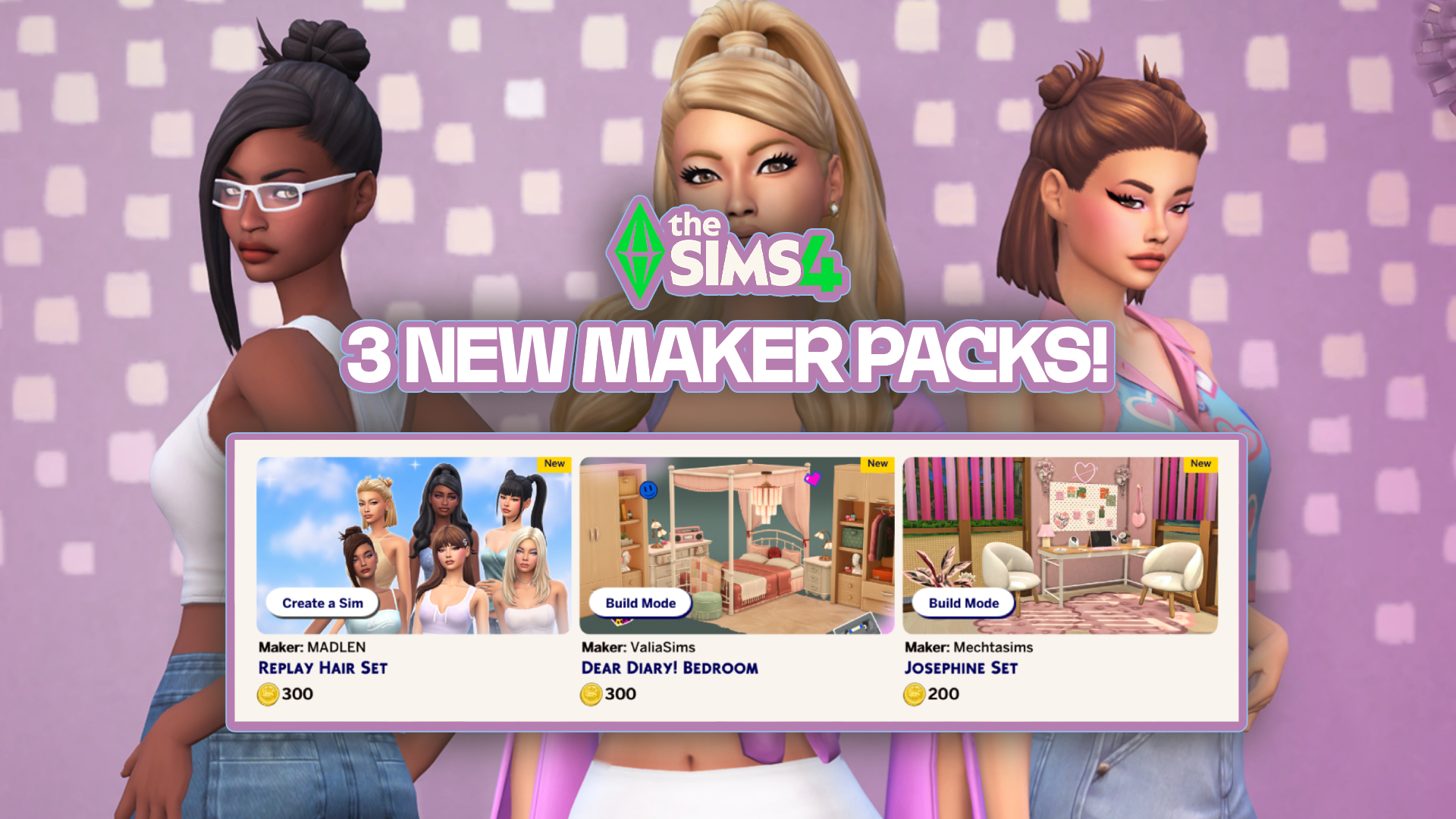
In just over one week, six new Sims 4 Maker Packs have been released on the Marketplace, and today three more have been added! The new sets are by creators Mechtasims, MADLEN, and ValiaSims, bringing with them new hair and furniture for our Sims. Check them out below! The Latest Sims 4 Maker Packs! Replay…
New features have arrived with in the latest InZOI Update! The KRAFTON team has just released a new InZOI Update on Steam and Mac App Stores worldwide. This September Update adds both quality of life improvements as well as new features, including ability to vacation in any world, expanded interactions, an entire Dine Out experience…
As we celebrate The Sims 4’s 12th anniversary, we look into the repeating pattern of what’s coming next. Happy birthday to The Sims 4 Base Game, which released first in United States back on September 2nd, 2014. With the retail version being $60, Deluxe and Limited Editions with 70$ and above prices, this launch felt…
Another Build Maker Pack enters The Sims 4 Marketplace! The Sims Team has dropped a new The Sims 4 Maker Pack on the Marketplace just after releasing two yesterday. Titled “Soft Balance” by Comiko, this Maker Pack gives you 10 Build Mode objects in exchange for 200 Moola – or 2 dollars. Find out alll…
Today, September 1st 2026, The Sims 4 Quality Assurance and Quality Verification team answered the community’s questions in the latest Q&A over on the Sims 4 official Discord server. The next update for The Sims 4 is due to launch September 22nd, and with it comes fixes for the most upvoted bug on the forum.…







7 Comments
man tf u mean u couldn’t support and buy 5$ mode lame broke ahh bitcc
Reply to Onei
I refrained from mentioning this in my review but the first modder mentioned that their Early Access for their Sims 3 Camera is around 27 days since posting their mod. Looking at the tier lists on their Patreon none of those 27 days of Early Access fit the profile. It just says “2-3 weeks” early access, which felt like misleading the buyer and not ensuring if the Early Access mod coming in almost 4 weeks fits the promised timeframe.
Reply to Jovan
this is weird. then why put a mod in the review article that you haven’t tried in any way?
Reply to Sammyyy
Because as I stated in the article I’ll be covering it after the mod comes out publicly in 25 days? It’s useless making two articles on the topic of a Sims 3 Camera Mod focus keyword.
Can you change the public release of TwistedMexi mod?
It was changed to June 10
Reply to Leandro
https://x.com/i/status/2061839329874313438
The Twisted Mexi mod is actually available for free right now. He changed the date pretty quickly after it was announced. Said he was just testing to see what felt like a good timeline for the audience. I’d like to read your comparison of the two mods.
Welcome to Sims Community!
Our community is about connecting people through open and thoughtful conversations. We want our readers to share their views and exchange ideas in a safe space.
In order to do so, we've created a simple set of rules that will improve your experience. Simply put, keep it civil.
Your post will/might be rejected if it contains:
User accounts will/might be blocked if we notice:
So, how can you be a power user?
Thanks for reading our community guidelines. Please note that we're aware of certain issues with Sign In / Log In and Create Account / Email Confirmation issues. We're working behind-the-scenes on a new Account Creation process. Thank you for your patience and remember - freedom of speech is not freedom of reach