

Update 27th July: Since this article was published, Paralives have now added in a custom rug into the game, so this can now be done without mods!
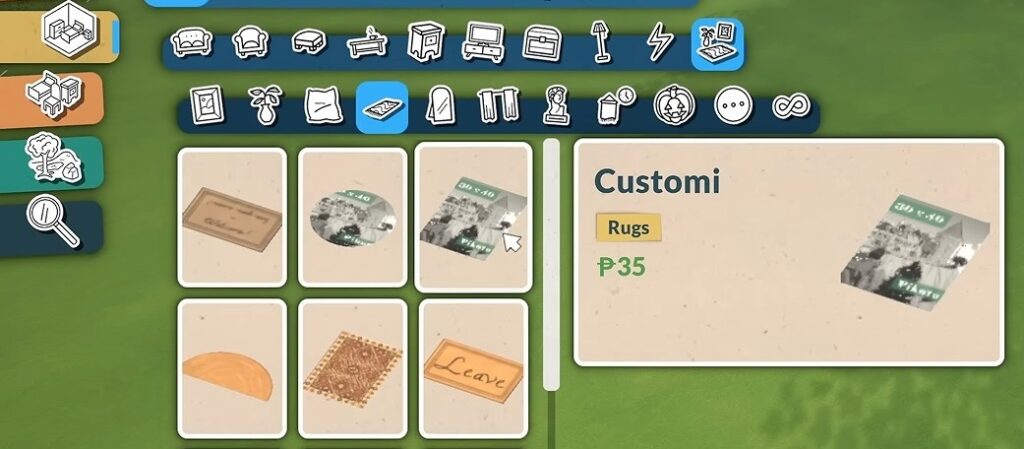
All other steps in the guide are the same.
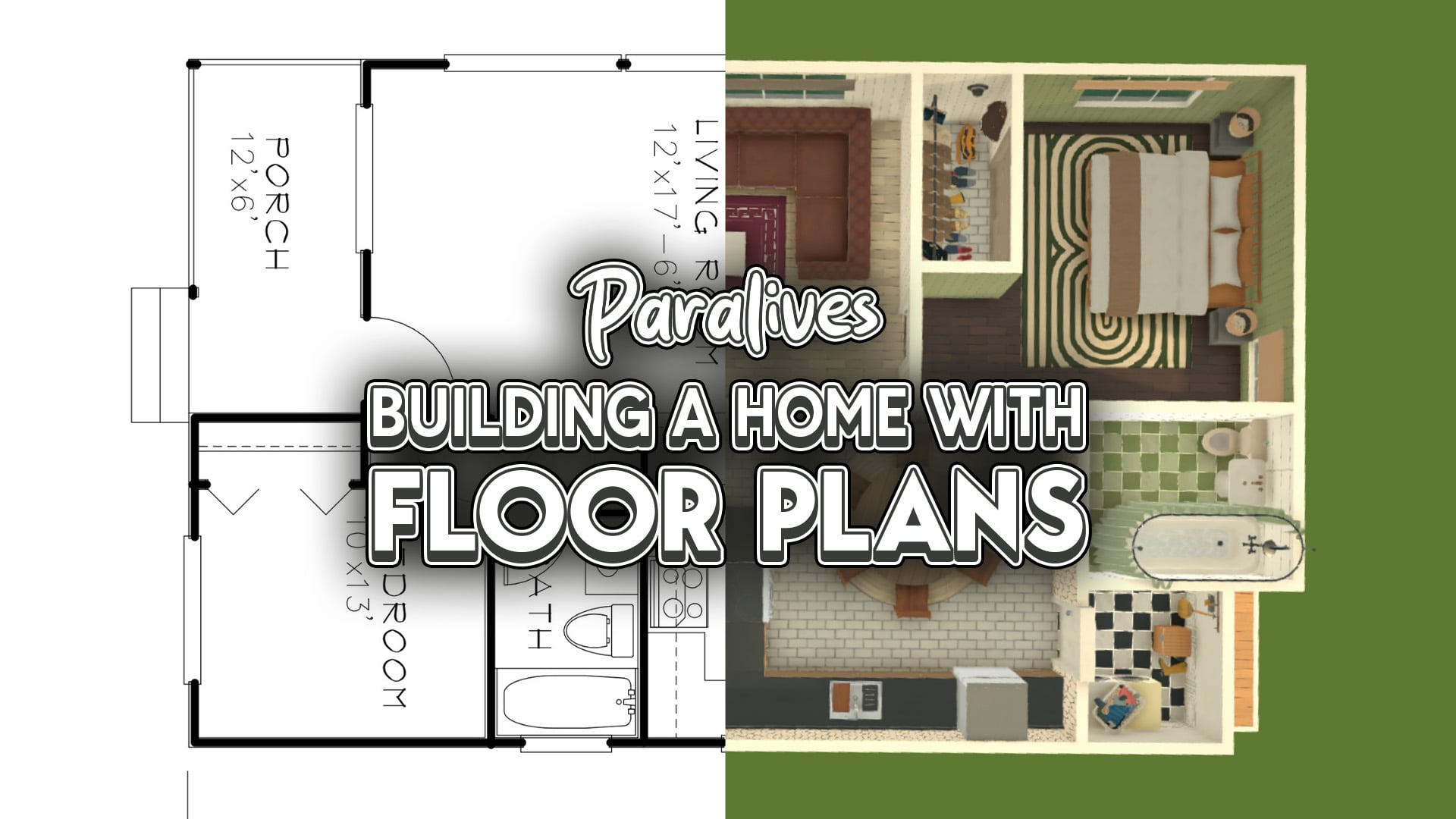
One of the fantastic things about Paralives is its building features and endless customisation. But if you are not a natural builder, it can be a struggle to find somewhere to begin. Thankfully, there is a world of real-life examples for you to pull inspiration from out there, and modders have come through to make them even easier to implement.
With this customisable flooring mod, it's never been easier to build, as you can build a home in Paralives using a real floor plan as inspiration! Here's a step-by-step guide to follow to build your own Paralives home.
We have lots of guides for you to browse, covering all known Paralives features, which you can read here.
Paralives Building From Floorplans
Building Realistic Floorplans
There are lots of real estate websites which have floor plans you can view and save for inspiration.
Once you've chosen your floorplan, save it to your computer and get ready to import it into the game.
Importing & Using Custom Images
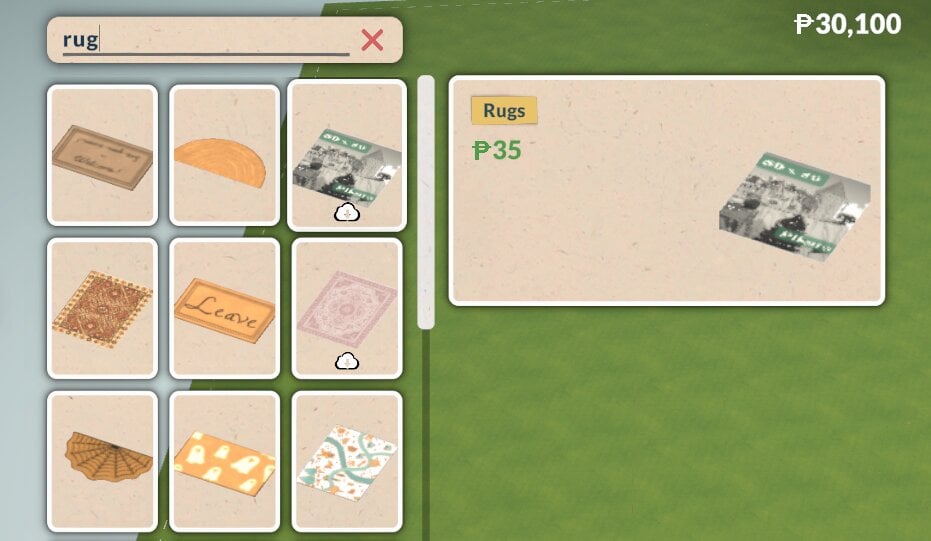
Once you have downloaded the modded rug, you can find it by using the search function in build mode or by looking in the decor category.
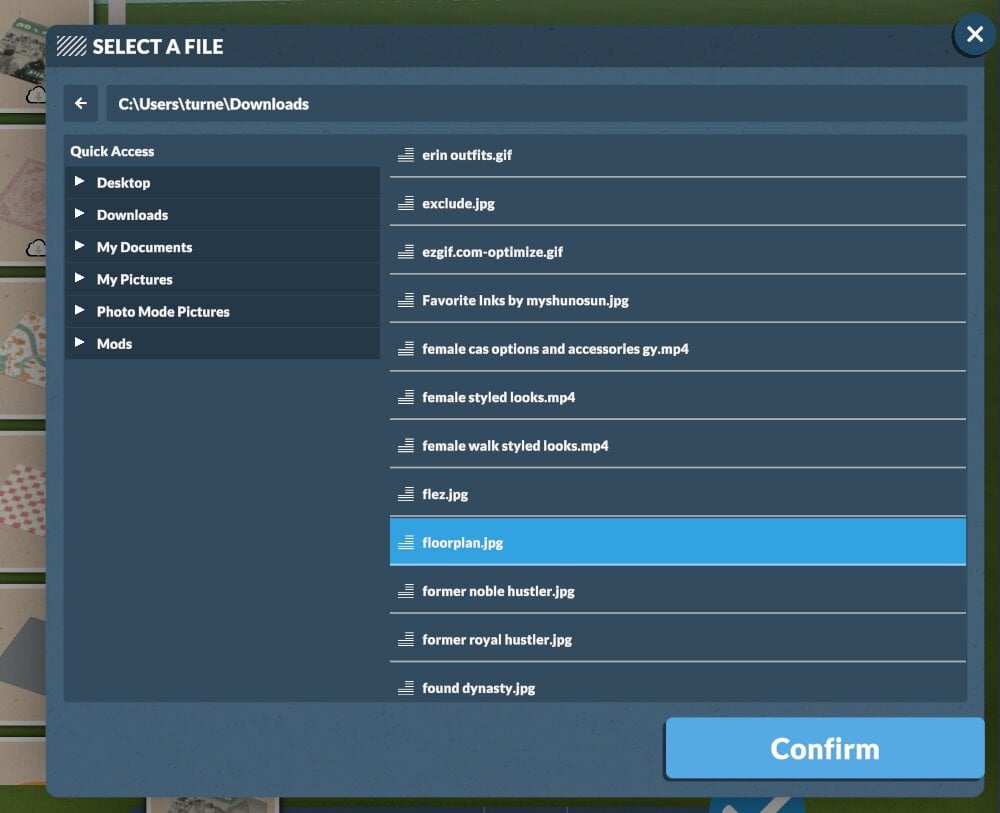
Once you place it, click the image icon in the options, then click the plus to import your own images.
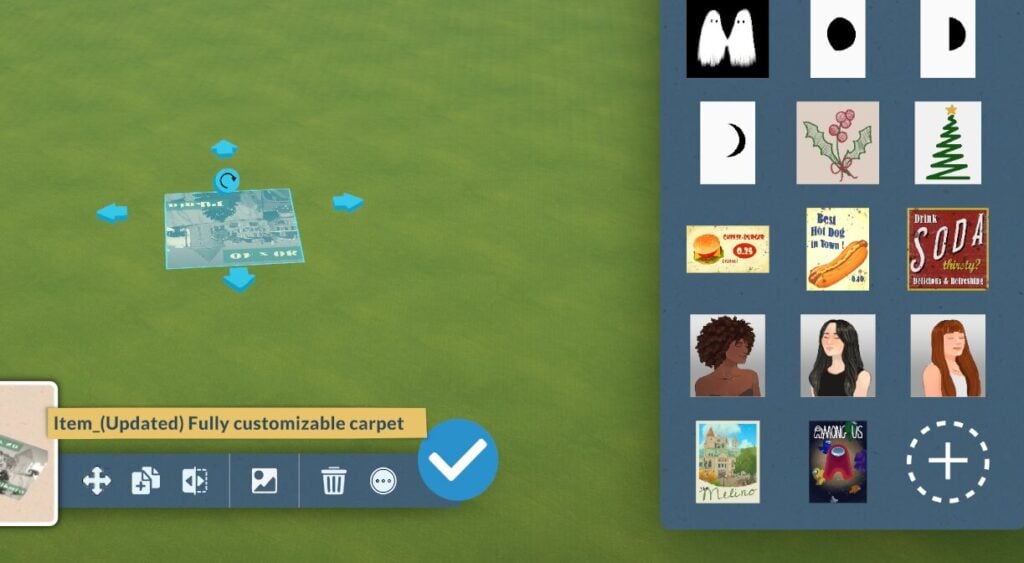
Then size it up as big as you need to make each room.
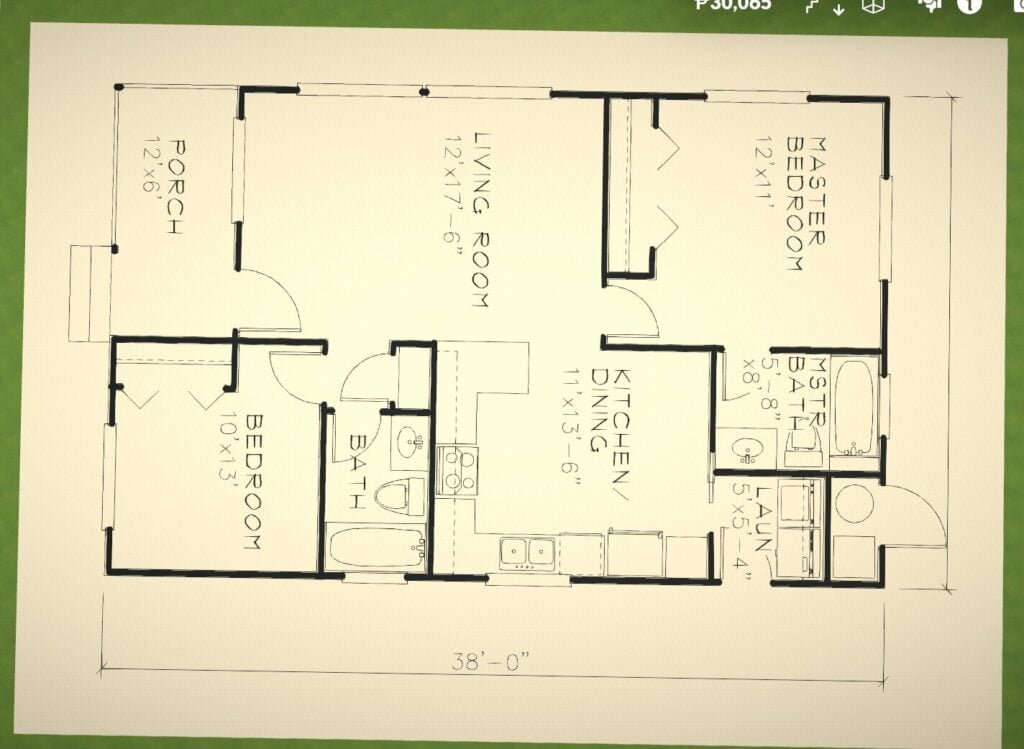
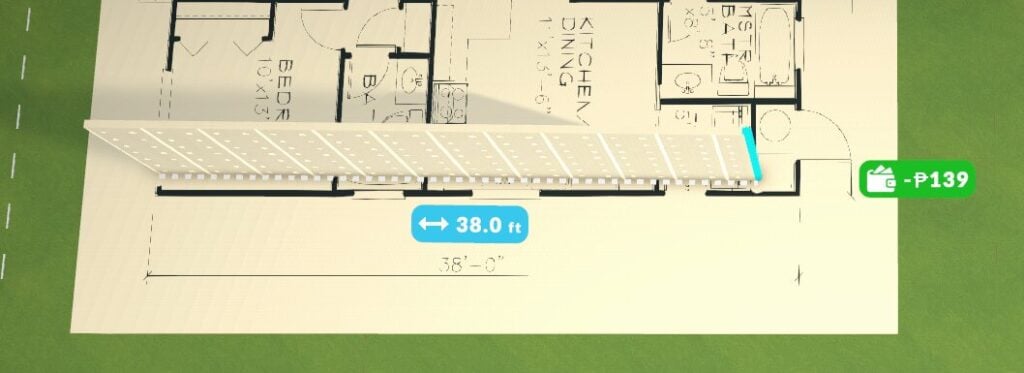
A quick tip: make sure your measurement settings match the ones used in the floor plan; otherwise, you will end up with a huge house!
Building Homes In Paralives Using Floorplans
Once you have got your floor plan sorted, start building the outside walls of your home. Then once you've got the basic outline sorted then start building the interal walls and structures.
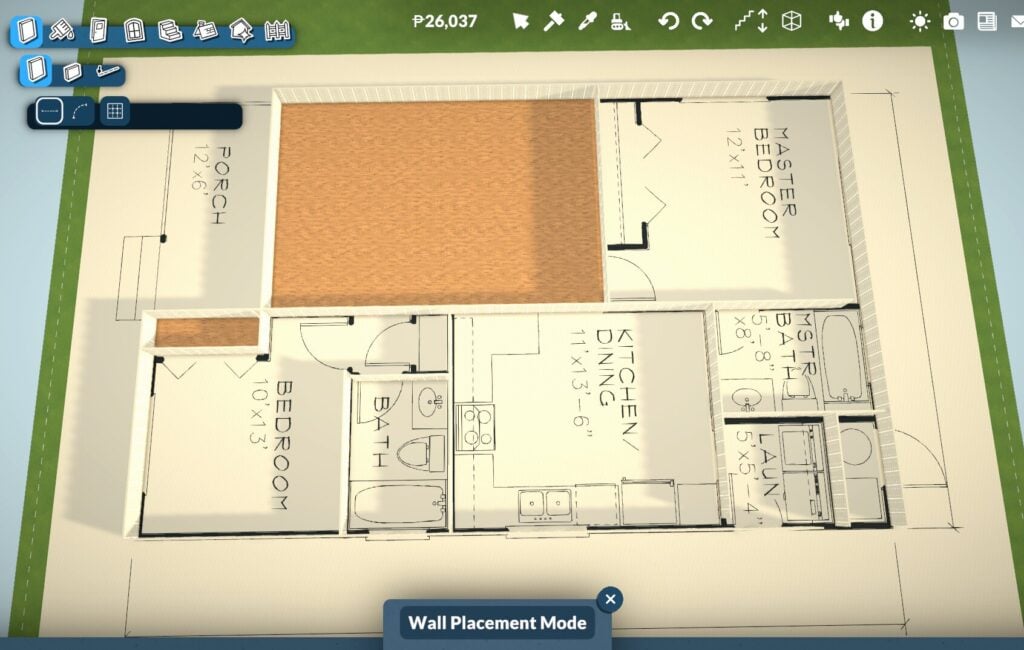
To make it easier to see the floor plan details, leave a small gap in the dividing walls until you are almost done. This will stop it from turning the walls into a room and covering up the rug with the auto-placed floor.
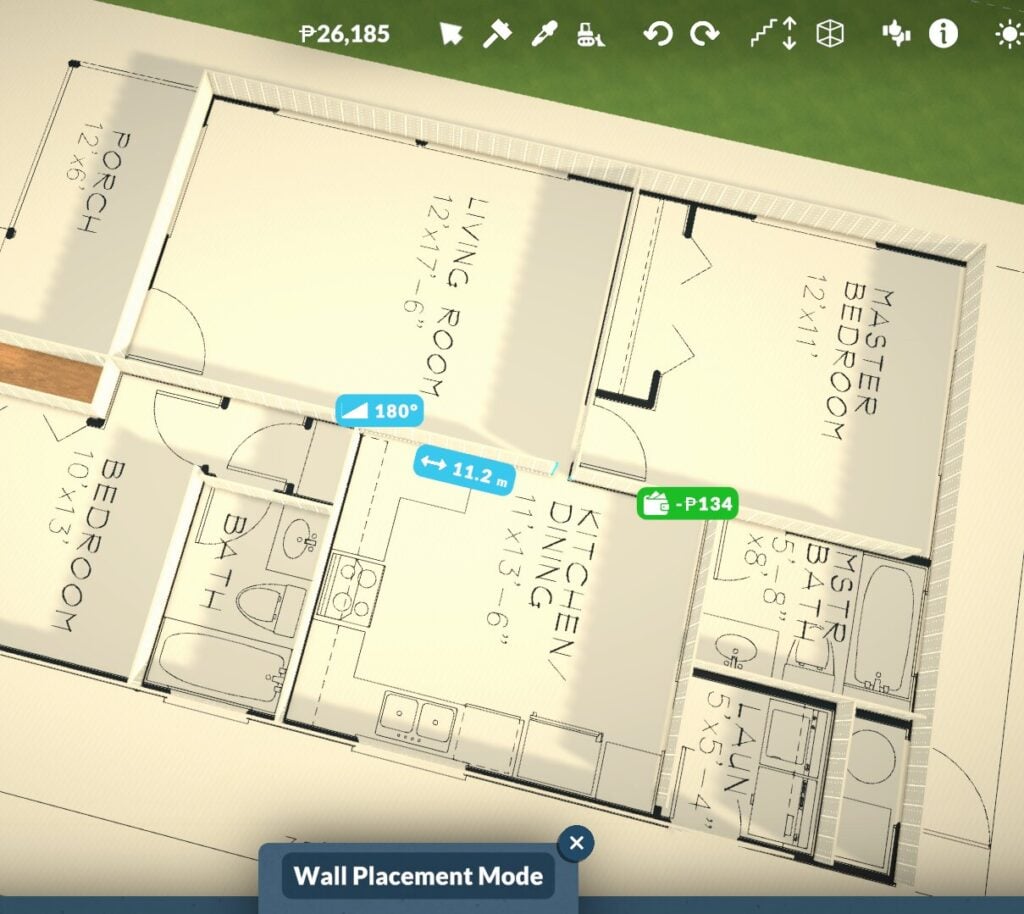
Then, once you have built the main structure, you can start placing all of your appliances, furniture, and fixtures.
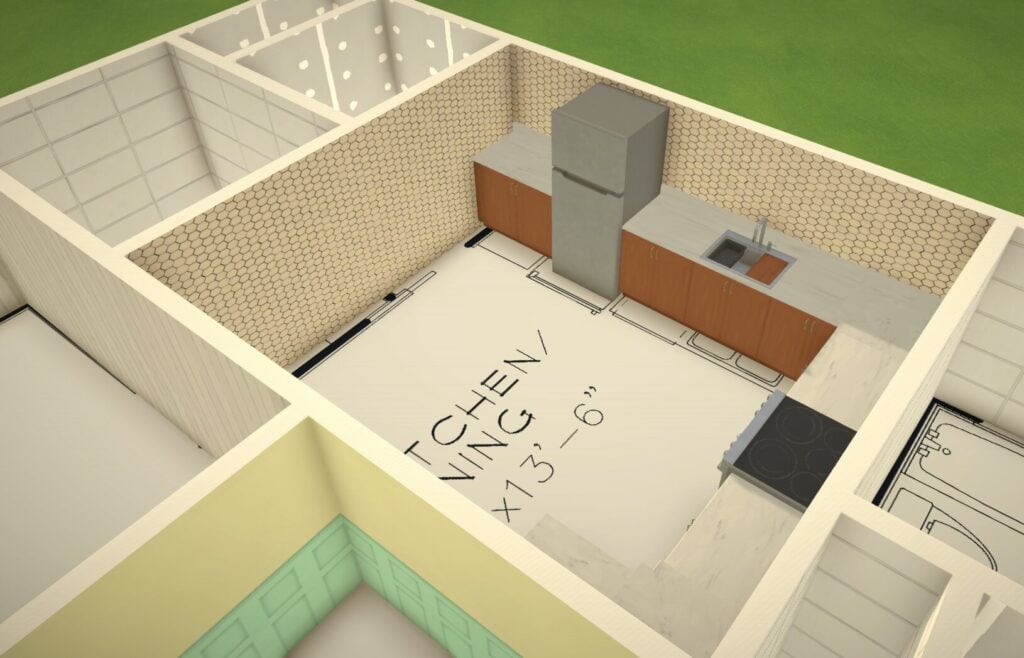
Unwanted Furniture Sticking To The Floor Plan
Because this is a customised rug, the game recognises it as flooring and lets you place items directly onto it.
Whilst that is handy, the downside is that once you delete your floor plan guide, the furniture you placed will also be removed.
To get around this, move your floor plan guide out of your main house structure, then drag it back into place to double-check door, wall, or furniture placement if needed.
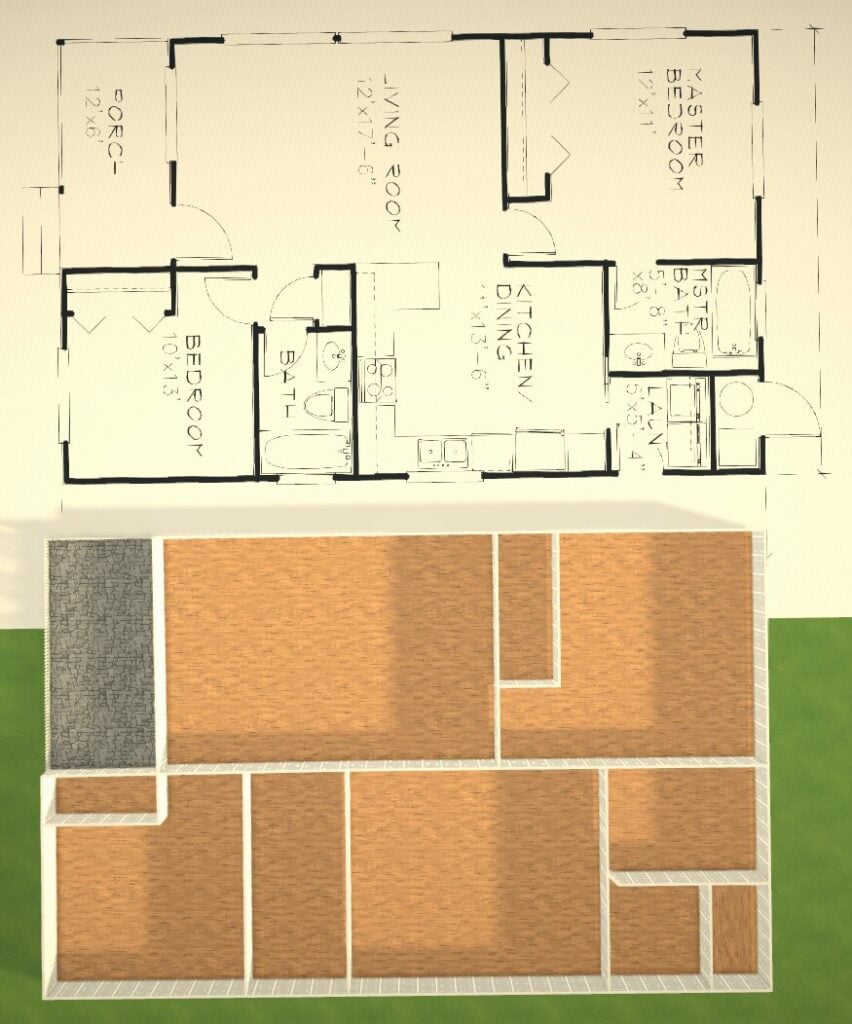
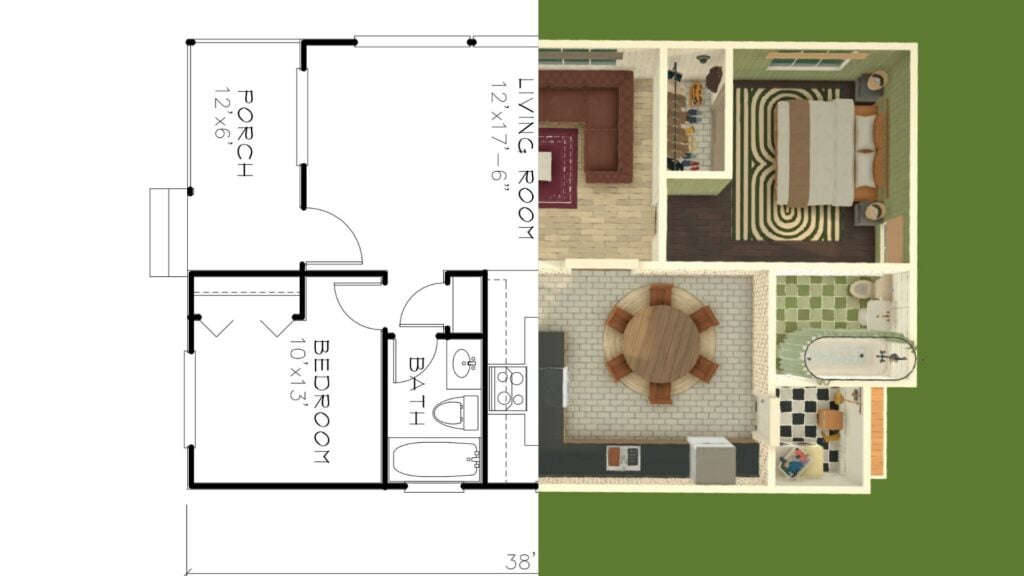
Before long, you'll have a fully furnished, realistic home, developed straight from a real-life floor plan.
No Mods? No Problem
Given that Paralives is still in early access and mods can at times be tempromental in ay game, its possible that you might encounter bugs or glitches which mean that you aren't able to use the custom flooring to build from your floor plan you downloaded.
If that is the case, you can build homes using floor plans without this mod, but it is more fiddly.
Instead of using custom flooring, you can use a photo frame and then make it lie flat with advanced transformation tools.
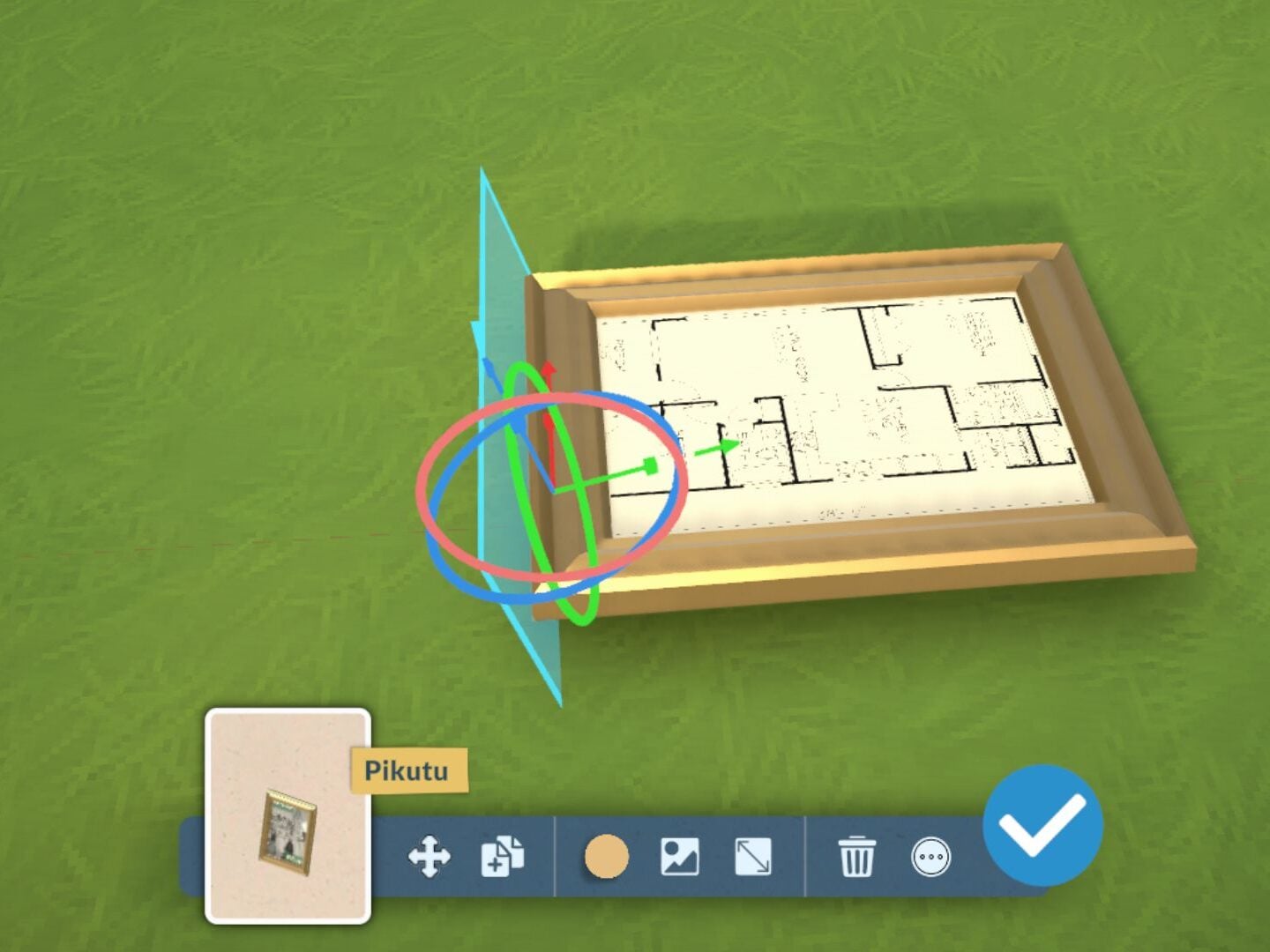
Follow the same directions above to build using the floor plan; the only difference is that this uses a framed photo instead of a rug.
You will have to be really precise and have to work around the frame, but it is doable.
Have you managed to build any homes using this method in Paralives yet? Let us know below or on social media.





5 Comments
I love this info. Thank you. Although I’ve logged over 3,000 hours in The Sims 1-4, I’m very green to Paralives. I bought the early access game out of curiosity. So far I like it, but I don’t know how to build only in the game. I want to get as much out of this game as I have in TS4. How do I start a build? Do I need to create a Para first like in The Sims? Can someone help me, please?
Reply to Alice Mills
Hi Alice! You can start on an empty terrain if all you want to do is build. When you start a new save, click on the simple terrain option instead of the town, and you’ll load into an empty blank lot. Hope that helps!
It helps that with Paralives you can do half tile walls too. Which helps following floor plans much easier.
Reply to Dan
Or in .1 increments if you have the grid turned off.
Reply to Dan
Yes! I agree. This is an awesome feature. I wish The Sims 4 had this.
Welcome to Sims Community!
Our community is about connecting people through open and thoughtful conversations. We want our readers to share their views and exchange ideas in a safe space.
In order to do so, we've created a simple set of rules that will improve your experience. Simply put, keep it civil.
Your post will/might be rejected if it contains:
User accounts will/might be blocked if we notice:
So, how can you be a power user?
Thanks for reading our community guidelines. Please note that we're aware of certain issues with Sign In / Log In and Create Account / Email Confirmation issues. We're working behind-the-scenes on a new Account Creation process. Thank you for your patience and remember - freedom of speech is not freedom of reach