Players are reporting that they can’t even open The Sims 4 now after the recent updates.
ARTICLE UPDATE: The Sims Direct Team acknowledged this issue on X, stating that they’re currently working on a fix and testing it over this weekend to resolve it as soon as possible. The current time frame for this hotfix for a hotfix update is set for early next week. Stay tuned as we find out more!
We’ve been investigating the “Failed to launch game” error message & have been tracking via EA Forums. We’re working on a fix & testing it over the weekend to resolve this asap, currently targeting a patch early next week. We’ll update you as we can.
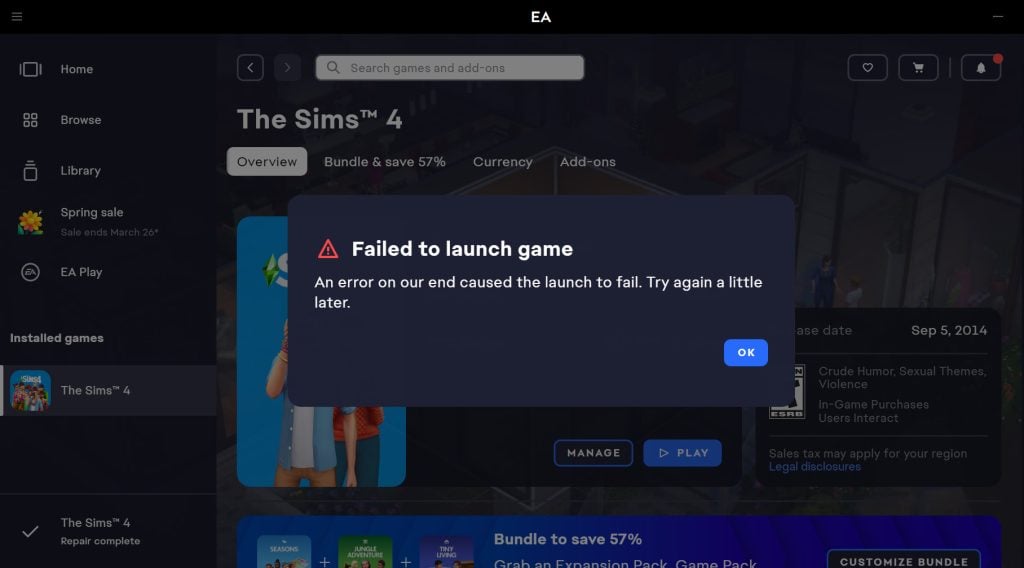
The Sims 4’s Quality of Life improvements for the Base Game are off to a great start. EA’s promises of putting new scotch tape over a paper mache foundation of a Base Game is met with new player error reports. “Failed to Launch The Sims 4” is an error message that keeps popping out for players who use select Custom Content in The Sims 4, with a dedicated EA support forum thread of over 190 upvotes.
What is the new “Failed to Launch The Sims 4” Error about?
The issue persists for players who both updated with the March 17th and March 18th Updates for The Sims 4 on PC / Mac. Some players report that they expected the issue with broken Sims 4 Custom Content to be fixed in the Hotfix before encountering this issue, while some report they can’t even test out which Mods are causing the issues due to the launch crash. Here are some of the experiences reported by different players:
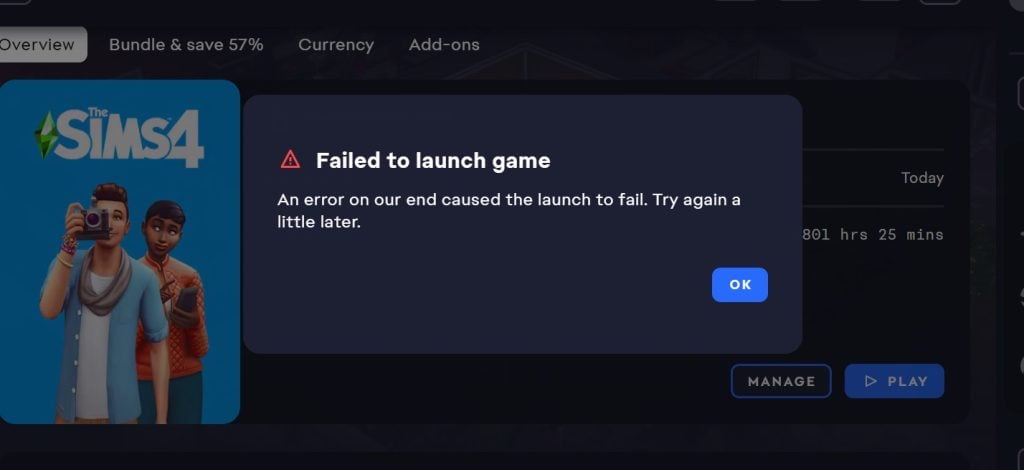
My game launch once after the update finished (without cc and mods) and isn’t launching at all with mods and cc! It has a error message popping up saying “An error on our end caused the launch to fail. Try again a little later.”
Are you kidding me? Yesterday at least my game was opening, but today it won’t even launch. How is this supposed to be a solution? Am I really the only one experiencing this? It’s honestly impossible not to lose your mind over this. I can barely even force close the game because the screen completely freezes and nothing responds.
Is anyone else experiencing this issue? I updated my game yesterday and again with today’s fixes, but it still won’t launch. I do play with mods and CC, and I’ve already gone through the whole process — deleting my cache, creating a new folder, and adding everything back one by one. I understand my mods need to be updated, so I haven’t added those back yet. However, my CC still isn’t working. Some CC will let the game launch, but when I try again with the same CC folders, they suddenly stop working. I’ve spent a few hours adding and removing things, but nothing seems to work.
Source: camrynboone13
The Hotfix That Further Broke The Game
You’d normally expect for a Hotfix Patch release to work as intended, but that’s not the case with The Sims 4. Players first reported only not being able to see Custom Content and Mods in their game after the March 17th Patch.
After EA promised to fix that in a new Hotfix Update the following day, it made the situation worse for some by not allowing them to open the game at all. Causing the “Failed to Launch The Sims 4” error message with no solution but to remove the entire Mods folder.
The helper really isn’t helpful, Did all those methods myself and even took so many of my mods out to all script mods off and it still is unable to launch. the looking through cc isn’t the issue its the patch itself that’s the issue. I can’t even run the game without mods even turned on! And I have a fresh install and tried it on three computers now ! Nothing works mods, no script mods, cc only, no mods, no scripts, half and half nothing works anymore. It launched maybe 2 times for me during the test periods perfect but when I redid the same launch with same files it would give the error. it doesn’t matter its an error on the side of EA/ you can have a vanilla game and it will still say “unable to launch, sorry error has occured or simple frozen ea app”
The Issue Could Be Related to Select CC Clothing Pieces
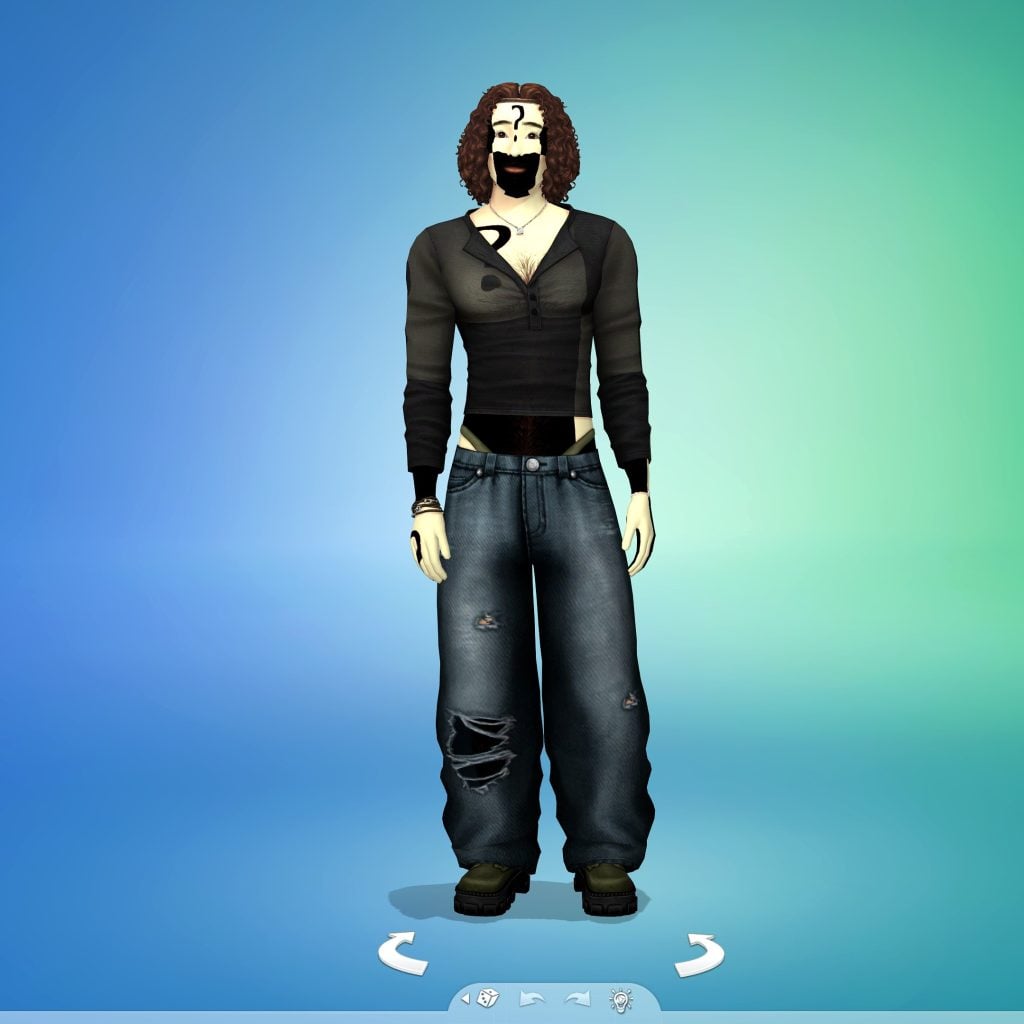
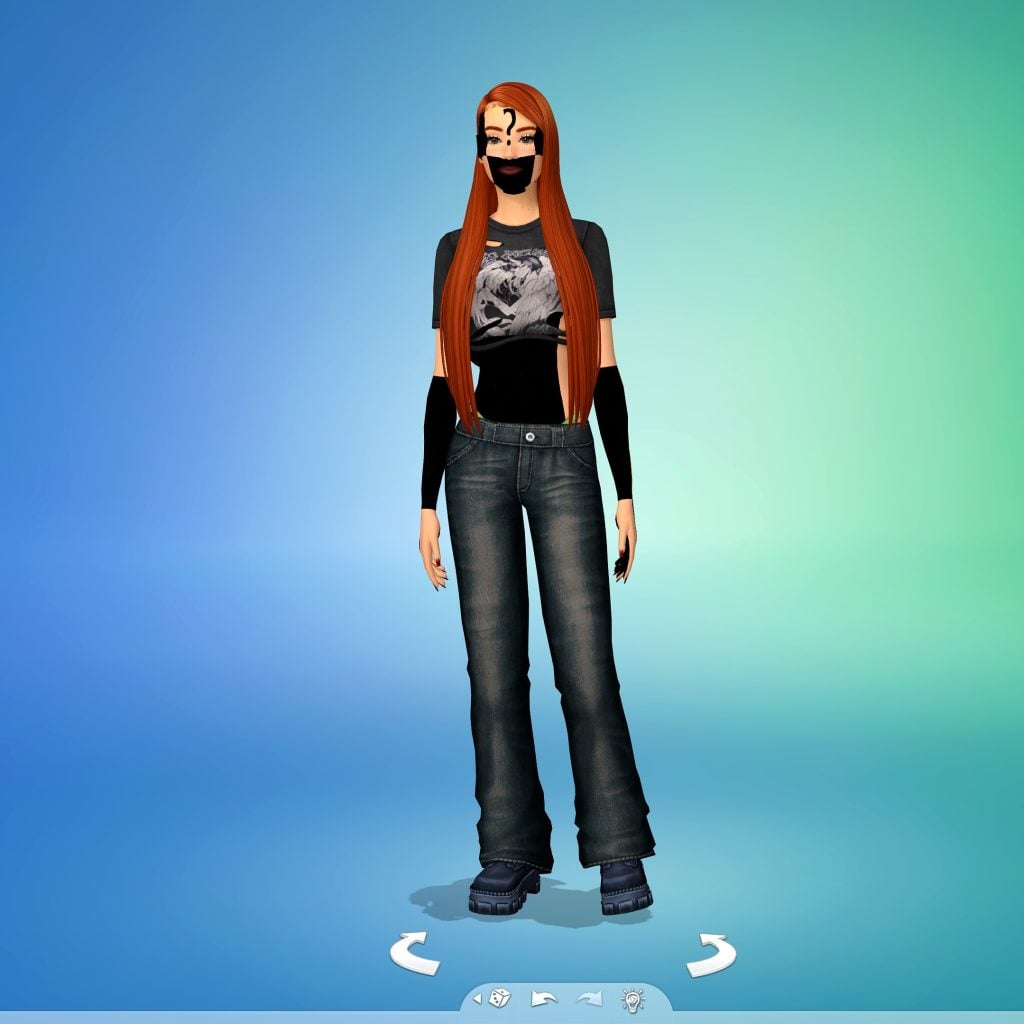
Sims players who were patient and persistent in testing which CC / Mods could cause The Sims 4 launch error to happen might have found some CC categories that are causing this issue.
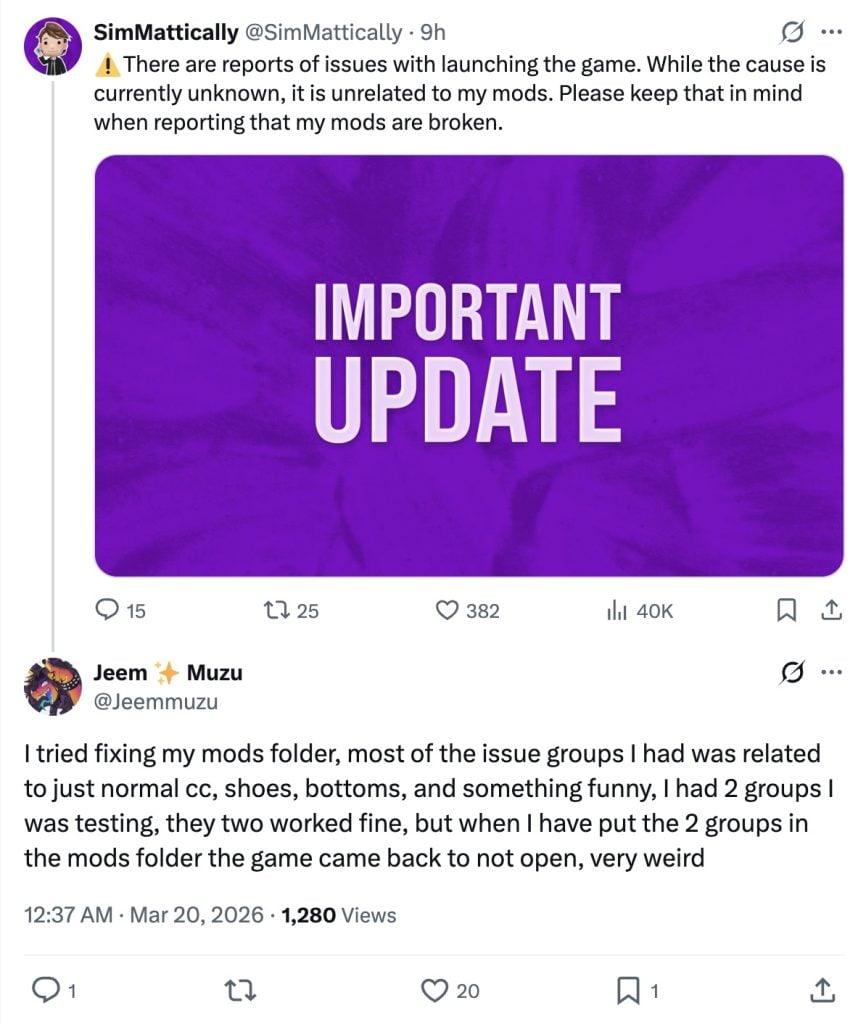
I tried fixing my mods folder, most of the issue groups I had was related to just normal cc, shoes, bottoms, and something funny, I had 2 groups I was testing, they two worked fine, but when I have put the 2 groups in the mods folder the game came back to not open, very weird
This is driving me crazy! So far, I’ve managed to load about 50% of my mods. But the folders with hair, clothes, and shoes are still causing the same error, and the game won’t start! I have thousands of items—clothes, hair, and shoes—from different creators, not to mention that they’re a fundamental part of my saved games.
I’m so frustrated… I feel like banging my head against the wall just thinking about how many hours it’s going to take to figure out which shoe, which outfit, and which hairstyle is causing the conflict (if the problem is even with this custom content).
Why do I have to waste my time and give up my custom content because of their sloppy work? Two updates, and custom content is still causing conflicts—which wasn’t happening before. This clearly wasn’t tested properly. I should at least be able to roll back the update, since I have no intention of using that garbage marketplace.
EA Community Manager EA_Solaire has acknowledged this issue through the “Failed to launch error” help thread, asking for players to submit their Save Game files to EA for further testing and investigation.
Hello all,
For those of you still encountering this issue, could you share your Electronic Arts folder to help us investigate this further? You can find this folder under Documents-> Electronic Arts.
If so, please send me a DM with a link to your folder. Instructions can be found here
Thanks!
At least we have the completely functional Sims 4 Marketplace with microtransactions to enjoy without any errors until EA decides to take these issues seriously.
Are you experiencing Failed to Launch The Sims 4 error when opening up your game? Let us know about your current experiences with the recent patches in the comments below and stay tuned to Sims Community for latest updates on the game state.
Reticulating splines as a webmaster for Sims Community over the last 12 years. You can find me here writing articles and doing reports on your favorite life sim games, among other things!
Our community is about connecting people through open and thoughtful conversations.
We want our readers to share their views and exchange ideas in a safe space.
In order to do so, we’ve created a simple set of rules that will improve your experience.
Simply put, keep it civil.
Your post will/might be rejected if it contains:
Spam
Insults, profanity, incoherent, obscene or inflammatory language and threats of any kind
Attacks on the identity of other commenters or the article’s author
User accounts will/might be blocked if we notice:
Continuous attempts to re-post comments that have been previously moderated/rejected
Racist, sexist, or homophobic comments
Attempts or tactics that put the site security at risk
So, how can you be a power user?
Stay on topic and share your passion. Feel free to elaborate to get your point across.
‘Like’ or ‘Dislike’ when you are filled with emotions!
Protect your community. Use the report tool to alert us when someone breaks the rules.
Thanks for reading our community guidelines. Please note that we're aware of certain issues with Sign In / Log In and Create Account / Email Confirmation issues. We're working behind-the-scenes on a new Account Creation process. Thank you for your patience and remember - freedom of speech is not freedom of reach!
The most inportment cc of me are not causing the crash, but if I add more cc it will. Its look like the game can’t handle it if you got more than 1k off cc in the mod folder. Now I’ve not more then 200 in my mod folder. Fortunately i have also a version of my simself without cc in it.
It seems almost certainly tied to how much cc you have. My mods are all divided into category folders and the game loads just fine when testing with each individual folder, but as soon as I put several or all folders back I get the failure to launch error.
This is true, I first thought it was how many mods I had or certain mod types that were causing my game to not open. It turns out to just be how many mods are in my folder at the time of launching the game?? Which I believe is VERY stupid.
because mods are not made by EA. I understand the frustration and I find it just as annoying to have to fix, but expecting overworked devs to test their software with third-party items they didn’t make is actually an insane demand, especially when we know EA kept cutting back on QA (meaning they literally were not given the time to test it)
When baking, you have to use exact measurements, but some things are to taste. If the recipe specifically calls for sugar, the devs will give you wiggle room to add or remove some sugar. This is the *ability* to mod a game. You can have it extra sweet, very tart, or replace the sugar entirely. It’s very robust!
Your friend tells you to replace the sugar with sweetcorn, and you do. This is modding. You are choosing to change the recipe of your own volition, despite the baker warning you it won’t taste the same. You are allowed to do this, and it turns out well structured! However, it tastes simply awful.
By demanding devs “test their updates” in regards to mods so they don’t “ruin your game”, you are basically asking to know why the baker didn’t think to try making the cake with sweetcorn for you, and that THEY ruined your dessert because they didn’t think to tell you not to do that (only they did)
This doesn’t apply *here*, as the error is not on the “ingredient’s” side but on the game’s implementation, so here it’s entirely EA’s fault. But this is not the first time I’ve seen people in the sims community forget that it’s not actually the dev’s job to test unverified third-party software they didn’t make.
Jayce they/faun
1 month ago
So good to know that this is a bigger issue in a way. Its not completely in vain for me, as its forcing me to clean up my cc folder a bit
Rose
1 month ago
I still don’t understand why EA thought the marketplace was even a good idea? Yea it could help with console users, but why do pc/mac users ALSO have to have it like we can’t just go find our own cc and mods?! This is literally intentional and I have no doubt they want us to switch over to the marketplace completely.
Meandering
1 month ago
What is frustrating is that EA is giving the advice to update or go through cc and mods even though there is good reason to believe it isn’t even those that are the issues. I have tried with and without mods and cc and I am getting failure to launch with mods EXCEPT when I delete caches, resource file and launch the game in offline mode or from the shortcut. Then the game launches. The cc works. The mods work. But I have to delete caches, resource, go through shortcut etc EVERY TIME. I am thinking that them saying the mods need updating or players need to sort their mod folders is just them not wanting to admit that they don’t want to fix what they broke.
It seems to be any CAS related items for me. Especially hairs, or anything to do with the eyes. I have over 30K CC pieces in my game and I CANNOT play without them. This is awful
Mason
1 month ago
My game did do the same thing but when I download The Sims 4 ultimate mod Manager, it started working
Noname
1 month ago
“At least we have the completely functional Sims 4 Marketplace with microtransactions to enjoy without any errors until EA decides to take these issues seriously.”
I love it when you’re being salty 😀
Yana
1 month ago
oh thank gods there was a bigger issue. i spend last 4 hours cleaning my cc folders but none of that make any difference or sense, started to think im going insane
Ashley
1 month ago
They better fix it ASAP, it’s literally been 3 days without CC. I can’t play
Are You kidding?!
1 month ago
I think we can safely say the marketplace and those recent updates are failures. EA, listen when your fanbase is complaining! Fix the game!
Keys Flavour
1 month ago
Thats why im not using any CC or Mods ,bec. it can cost alot of prob. in The Sims 4 ,its sadly but true.
MadSpinsterAunt
1 month ago
When are they just going to admit that they’re doing it on purpose? They started out encouraging mods, then realized that wouldn’t make them money. They want to push out mods completely so players will eat up every little overpriced package they toss us.
And so many of these kits and bundles they have are so UGLY compared to some of the genuinely beautiful CC I have had the pleasure of being able to download FOR FREE. And with the Marketplace, I have a feeling they’re going to be trying to monopolize some of these CC creators who got suckered into partnering with EA so the creators can’t potentially funnel profits away from EA
Dani
1 month ago
“There’s a problem with your game’s config. Please, reinstall it”. Wait, what, and why? There wasn’t problems before the update. And I updated it on the 20th, to avoid any further problem. I tried to launch it with and without mods, but none of the options worked for me. I looked up if my DirectX is up to date, and yes, it is. I repaired my game, obviously. I tried the same with the app, but nothing seems to work. I don’t know what else to do. Please help.
WaifuMaterialSims
1 month ago
I have 10,000 mods, my life is over. I’m tired of this, we spend 1500 plus on packs, I paid for most of my cc, and now I’m being punished once again for being loyal.
It’s becoming painfully obvious that they don’t care about us. They care about the Boardroom and lining pockets. I’ve spent the last 3 days in complete agony.
Last edited 1 month ago by WaifuMaterialSims
Sarina
1 month ago
The only thing preventing from game from opening is my Hair CC and Clothing CC folders, all scripts mods work fine. jewelry cc, fairy wings, mermaid tails, custom nails, tattoos, skin details, and ALL my build/buy cc work too.
Anna
1 month ago
Hi everyone! I finally managed to fix my game after the recent update, so I wanted to share what actually worked for me. Maybe this will help someone.
First of all, the issue was NOT just mods — it was also the EA App and cache.
Here’s what I did:
1. Completely closed EA App
→ Don’t just close the window
→ Exit it from the system tray (bottom right corner)
2. Cleared EA App cache
→ Press Win + R
→ Type: %localappdata%
→ Go to Electronic Arts
→ Delete the folder called “EA Desktop”
3. Verified game files in Steam
→ Library → The Sims 4 → Properties
→ Installed Files → Verify integrity of game files
→ Steam found a broken file and fixed it
4. Cleared Sims 4 cache (VERY important)
In Documents → Electronic Arts → The Sims 4 delete:
– localthumbcache.package
– avatarcache.package
– cachestr folder
– onlinethumbnailcache folder
5. Created a clean Sims 4 folder
→ Renamed “The Sims 4” to “The Sims 4_backup”
→ Launched the game so it generated a new clean folder
6. Added mods back gradually
→ NOT all at once
→ Tested by categories
In my case:
✔ Hair, clothes, accessories, furniture — all worked fine
❗ The only things that caused issues were:
– skin details
– body sliders
Those needed to be sorted and partially removed.
After that, everything works нормально again, including CC and mods.
Hope this helps someone because this update was a nightmare
Jenny Smith
1 month ago
It won’t start for me either And there’s no point in playing without cc and mods
Jessica
1 month ago
I hope they fix this soon. As much as this game has cost me over the years it makes it really annoying to not be able to play when I actually have time for once… For me it loaded with the mods turned off but as soon as I clicked them beck on in game options and restarted the game it would not launch. I did not even get an error message.
Abi
1 month ago
Honestly, it feels like EA just invents problems and then releases updates that can create said problems just to make us suffer. I didn’t have any problems before the patch from the 17th/18th. Now, if I have TMEX mods on, the game won’t open, and it won’t let me into build/buy and live modes, no matter what CC I use. Why do you do this, EA? Why must you always release broken updates?
Last edited 1 month ago by Abi
Bie
1 month ago
I’m not surprised EA has messed up this badly. In the pursuit of profit, nothing else matters – including making a functional game. Still sucks, of course, but clearly the Marketplace and all of the microtransactions that come with it are more important to the executives.
Kelsey
1 month ago
Verifying my game files in Steam, then repairing the EA App got my game working!
It's been revealed in today's announcement of The Sims 4 Lady Bridgerton Kits that there will be a new Sims 4 Login Event titled Lady Bridgerton Masquerade Bal...
You've heard of 5 dollar power outlets, now get ready for single pieces of hairstyle that cost more than 2 bucks!
The Sims 4 Marketplace keeps pushing the l...










Thank god my custom content didn’t break after the fix…
The most inportment cc of me are not causing the crash, but if I add more cc it will. Its look like the game can’t handle it if you got more than 1k off cc in the mod folder. Now I’ve not more then 200 in my mod folder. Fortunately i have also a version of my simself without cc in it.
It seems almost certainly tied to how much cc you have. My mods are all divided into category folders and the game loads just fine when testing with each individual folder, but as soon as I put several or all folders back I get the failure to launch error.
This is true, I first thought it was how many mods I had or certain mod types that were causing my game to not open. It turns out to just be how many mods are in my folder at the time of launching the game?? Which I believe is VERY stupid.
I only have clothes and hair and it won’t start. Why don’t they test these updates before release so they don’t ruin our game.
because mods are not made by EA. I understand the frustration and I find it just as annoying to have to fix, but expecting overworked devs to test their software with third-party items they didn’t make is actually an insane demand, especially when we know EA kept cutting back on QA (meaning they literally were not given the time to test it)
When baking, you have to use exact measurements, but some things are to taste. If the recipe specifically calls for sugar, the devs will give you wiggle room to add or remove some sugar. This is the *ability* to mod a game. You can have it extra sweet, very tart, or replace the sugar entirely. It’s very robust!
Your friend tells you to replace the sugar with sweetcorn, and you do. This is modding. You are choosing to change the recipe of your own volition, despite the baker warning you it won’t taste the same. You are allowed to do this, and it turns out well structured! However, it tastes simply awful.
By demanding devs “test their updates” in regards to mods so they don’t “ruin your game”, you are basically asking to know why the baker didn’t think to try making the cake with sweetcorn for you, and that THEY ruined your dessert because they didn’t think to tell you not to do that (only they did)
This doesn’t apply *here*, as the error is not on the “ingredient’s” side but on the game’s implementation, so here it’s entirely EA’s fault. But this is not the first time I’ve seen people in the sims community forget that it’s not actually the dev’s job to test unverified third-party software they didn’t make.
So good to know that this is a bigger issue in a way. Its not completely in vain for me, as its forcing me to clean up my cc folder a bit
I still don’t understand why EA thought the marketplace was even a good idea? Yea it could help with console users, but why do pc/mac users ALSO have to have it like we can’t just go find our own cc and mods?! This is literally intentional and I have no doubt they want us to switch over to the marketplace completely.
What is frustrating is that EA is giving the advice to update or go through cc and mods even though there is good reason to believe it isn’t even those that are the issues. I have tried with and without mods and cc and I am getting failure to launch with mods EXCEPT when I delete caches, resource file and launch the game in offline mode or from the shortcut. Then the game launches. The cc works. The mods work. But I have to delete caches, resource, go through shortcut etc EVERY TIME. I am thinking that them saying the mods need updating or players need to sort their mod folders is just them not wanting to admit that they don’t want to fix what they broke.
It seems to be any CAS related items for me. Especially hairs, or anything to do with the eyes. I have over 30K CC pieces in my game and I CANNOT play without them. This is awful
My game did do the same thing but when I download The Sims 4 ultimate mod Manager, it started working
“At least we have the completely functional Sims 4 Marketplace with microtransactions to enjoy without any errors until EA decides to take these issues seriously.”
I love it when you’re being salty 😀
oh thank gods there was a bigger issue. i spend last 4 hours cleaning my cc folders but none of that make any difference or sense, started to think im going insane
They better fix it ASAP, it’s literally been 3 days without CC. I can’t play
I think we can safely say the marketplace and those recent updates are failures. EA, listen when your fanbase is complaining! Fix the game!
Thats why im not using any CC or Mods ,bec. it can cost alot of prob. in The Sims 4 ,its sadly but true.
When are they just going to admit that they’re doing it on purpose? They started out encouraging mods, then realized that wouldn’t make them money. They want to push out mods completely so players will eat up every little overpriced package they toss us.
And so many of these kits and bundles they have are so UGLY compared to some of the genuinely beautiful CC I have had the pleasure of being able to download FOR FREE. And with the Marketplace, I have a feeling they’re going to be trying to monopolize some of these CC creators who got suckered into partnering with EA so the creators can’t potentially funnel profits away from EA
“There’s a problem with your game’s config. Please, reinstall it”. Wait, what, and why? There wasn’t problems before the update. And I updated it on the 20th, to avoid any further problem. I tried to launch it with and without mods, but none of the options worked for me. I looked up if my DirectX is up to date, and yes, it is. I repaired my game, obviously. I tried the same with the app, but nothing seems to work. I don’t know what else to do. Please help.
I have 10,000 mods, my life is over. I’m tired of this, we spend 1500 plus on packs, I paid for most of my cc, and now I’m being punished once again for being loyal.
It’s becoming painfully obvious that they don’t care about us. They care about the Boardroom and lining pockets. I’ve spent the last 3 days in complete agony.
The only thing preventing from game from opening is my Hair CC and Clothing CC folders, all scripts mods work fine. jewelry cc, fairy wings, mermaid tails, custom nails, tattoos, skin details, and ALL my build/buy cc work too.
Hi everyone! I finally managed to fix my game after the recent update, so I wanted to share what actually worked for me. Maybe this will help someone.
First of all, the issue was NOT just mods — it was also the EA App and cache.
Here’s what I did:
1. Completely closed EA App
→ Don’t just close the window
→ Exit it from the system tray (bottom right corner)
2. Cleared EA App cache
→ Press Win + R
→ Type: %localappdata%
→ Go to Electronic Arts
→ Delete the folder called “EA Desktop”
3. Verified game files in Steam
→ Library → The Sims 4 → Properties
→ Installed Files → Verify integrity of game files
→ Steam found a broken file and fixed it
4. Cleared Sims 4 cache (VERY important)
In Documents → Electronic Arts → The Sims 4 delete:
– localthumbcache.package
– avatarcache.package
– cachestr folder
– onlinethumbnailcache folder
5. Created a clean Sims 4 folder
→ Renamed “The Sims 4” to “The Sims 4_backup”
→ Launched the game so it generated a new clean folder
6. Added mods back gradually
→ NOT all at once
→ Tested by categories
In my case:
✔ Hair, clothes, accessories, furniture — all worked fine
❗ The only things that caused issues were:
– skin details
– body sliders
Those needed to be sorted and partially removed.
After that, everything works нормально again, including CC and mods.
Hope this helps someone because this update was a nightmare
It won’t start for me either And there’s no point in playing without cc and mods
I hope they fix this soon. As much as this game has cost me over the years it makes it really annoying to not be able to play when I actually have time for once… For me it loaded with the mods turned off but as soon as I clicked them beck on in game options and restarted the game it would not launch. I did not even get an error message.
Honestly, it feels like EA just invents problems and then releases updates that can create said problems just to make us suffer. I didn’t have any problems before the patch from the 17th/18th. Now, if I have TMEX mods on, the game won’t open, and it won’t let me into build/buy and live modes, no matter what CC I use. Why do you do this, EA? Why must you always release broken updates?
I’m not surprised EA has messed up this badly. In the pursuit of profit, nothing else matters – including making a functional game. Still sucks, of course, but clearly the Marketplace and all of the microtransactions that come with it are more important to the executives.
Verifying my game files in Steam, then repairing the EA App got my game working!