Home Blog Page 149

The Sims 4 Snowy Escape is on a FREE Trial!

1

Enjoy Snowy Escape THIS Weekend – starting NOW!

The Sims Team announced their latest FREE Trial Weekend for The Sims 4!

This time around you’re able to get your hands on The Sims 4 Snowy Escape Expansion Pack for FREE this weekend. Similar to previous weekend trials this one will last for approximately 3 full days – until January 10th, 2022 when it ends on 10AM Pacific Time.

Unfortunately all Expansion Pack Trials are exclusive to Origin, meaning that you can only try Snowy Escape if you’re playing The Sims 4 on PC or Mac.

You can get the free trial version of Snowy Escape right now on Origin!

It’s also worth noting that Snowy Escape, along with other Expansion Packs are currently 50% off on Origin! You can get the pack for half the price by January 11th at 10AM PT.

For more information about the trial check out the Frequently Asked Questions below:

Snowy Escape Trial – FAQ

When does The Sims 4 Snowy Escape Trial take place?

The Sims 4 Snowy Escape Trial will be available between the following dates and times:

  • Start:
    January 7, 2022
    10:00AM PST / 18:00 UTC
  • End:
    January 10, 2022
    10:00AM PST / 18:00 UTC

During this time, you will be able to play as much Snowy Escape as you like.

What do I need to know about the Snowy Escape Trial?

There are a few prerequisites to using the Snowy Escape Trial.

You must:

  • Have the most up to date version of The Sims 4 installed on your PC/Mac
  • Have the most up to date version of Origin installed on your PC/Mac. EA app is not currently supported by the Snowy Escape trial.
  • Claim the Snowy Escape through the Origin client, Origin.com or from The Sims 4 Main Menu.

What can I use in The Sims 4 Snowy Escape Expansion Pack during the Trial?

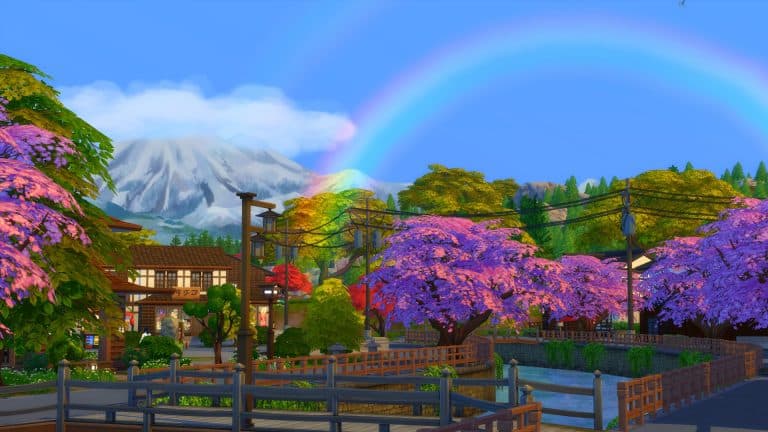
You will be able to use every part of Snowy Escape including the beautiful mountain town of Mt. Komorebi where you can test your Sim’s skill and endurance with mountainside activites such as snowboarding and rockclimbing or discover your inner zen in the natural hot springs or while unwinding over hot pot around a kotatsu table. If you are more of a creative Simmer then all of the pack content is available to you in CAS and Build mode.

Can I run The Sims 4 Snowy Escape Expansion Pack Trial on my PC/Mac?

If you have the latest version of Origin and your PC or Mac meets The Sims 4 minimum and recommended system requirements then you can take part in the Snowy Escape Trial

Can I play The Sims 4 Snowy Escape Expansion Pack Trial on PlayStation or Xbox consoles?

Currently our DLC Trials are only compatible with the Origin client for PC and Mac.

Can I play The Sims 4 Snowy Escape Expansion Pack Trial with an EA Play subscription?

Yes. If you have an active EA Play or EA Play Pro subscription for PC, you can download The Sims 4 from Origin, claim the Snowy Escape Trial and play with the pack content.

Can I play The Sims 4 Snowy Escape Expansion Pack Trial with The Sims 4 Legacy Edition?

No, The Sims 4 Legacy Edition does not support pack Trials. You must have the latest version of The Sims 4 and Origin to take part in the Trial.

Can I play The Sims 4 Snowy Escape Expansion Pack Trial with The Sims 4 Trial?

Yes. If you do not currently own The Sims 4 and haven’t previously used The Sims 4 Trial, you can claim the 48 hour trial from Origin and the Snowy Escape Trial and try out everything in one go.

Why does it ask me to Restart The Sims 4 when switching between Trial Saves and my existing Saves?

The Sims 4 will ask you if you want to restart your game so that it can include or exclude the Snowy Escape Trial from your current session.

Selecting to restart when going back to a non-trial save will keep the Snowy Escape Trial on your PC/Mac for when you want to come back to the trial later. When you want to play with Snowy Escape again, load a saved game or start a new trial save and you’ll be asked to restart the game so that Snowy Escape can be included in your session for as long as the trial is available.

Can I use my saves with the Trial?

Yes. If you want to put Snowy Escape into saved games you have already created, you can. Simply select your Save from the LOAD screen on the Main Menu and when asked if you want to PLAY WITH TRIAL? Select Yes, Start as New Trial Save. Once you do that, The Sims 4 will make a copy of your save to use with the trial and lets you save your progress without affecting your original saved game files.

I created a new Trial save based on my existing save, how do I tell the difference?

If you load an existing save while using the Snowy Escape Trial, we will copy your save and rename it for you so that it can be identified as a Trial save. Once you have loaded your save, you can hit Save to finish applying the Trial to your save game. If you do not save your session, you will still have a Trial save but it will not use Snowy Escape and you will be able to use the save without the Trial content.

What happens to my Trial Saved Games when the trial ends?

Your saves created while using the Snowy Escape Trial will still be available after the trial ends. If you choose to add Snowy Escape to your collection, you will be able to pick up where your saves left off.

I created a new Trial save based on my existing save, how do I tell the difference?

If you load an existing save while using the Snowy Escape Trial, we will copy your save and rename it for you so that it can be identified as a Trial save. Once you have loaded your save, you can hit Save to finish applying the Trial to your save game. If you do not save your session, you will still have a Trial save but it will not use Snowy Escape and you will be able to use the save without the Trial content.

What happens to my Trial Saved Games when the trial ends?

Your saves created while using the Snowy Escape Trial will still be available after the trial ends. If you choose to add Snowy Escape to your collection, you will be able to pick up where your saves left off.

AFTER THE TRIAL

The Trial has ended. Now what?

Snowy Escape will stay installed on your machine and if you purchase Snowy Escape, you will be ready to start playing with your content straight away.

If you have decided that you do want to remove Snowy Escape Trial from your PC/Mac follow these quick steps.

PC Steps

  • Find your The Sims 4 installation directory (Default C:Program Files (x86)Origin GamesThe Sims 4)
  • Look for a directory called EP10
  • Select the directory, Right Click and select Delete
  • This will move Snowy Escape to your Recycle Bin
  • Right click on Recycle Bin and select Empty Recycle Bin to free up disk space
  • If you decide to purchase Snowy Escape in the future, you will need to re-download the pack from Origin or EA app.

Mac Steps

  • Find your The Sims 4 Packs directory (usually located in the same place as The Sims 4.app, which is located in ~/Applications by default)
  • Look for a directory called EP10
  • Select the directory, Right Click and select Move to Trash
  • This will move Snowy Escape to the Trash, and select Empty Trash to free up disk space
  • If you decide to purchase Snowy Escape in the future, you will need to re-download the pack from Origin

The Sims 4 Dine Out: Tips to Make Managing a Restaurant… Barely Tolerable

Over the past two years or so, I’ve been on a mission to do everything there is to do in The Sims 4 across every pack with the SuperSim Challenge. Overall, this has been a very fun adventure. The Sims 4 has a lot to offer and every time I think I’ve discovered everything, I find something new to immerse myself in. However, I won’t lie; there are certain features of the game I’ve been dreading taking on. Like restaurants.

The Sims 4 Dine Out: Tips to Make Managing a Restaurant… Barely Tolerable

Dine Out has got to be the biggest mess The Sims 4 has ever released. The idea of eating out at restaurants and managing your own restaurant sounds great in theory and all the mechanics are there for a great dining and management experience. The problem is that none of those mechanics work properly. Eating out as a customer is a gamble; will you wait 8 hours to get your food just to have the waiter drop it on the floor, leading to another 8 hour wait time? Or will you even get your food at all? Will other diners walk up and take your food right off the table while you’re in the bathroom? Managing a restaurant is even worse. Between your staff not showing up, leaving the lot at random to go for a jog, dumping dirty plates on tables where diners are still eating, and many customers never receiving their food and leaving 1 star reviews, you’ll spend more time doing damage control as a restaurant manager than actually focusing on your restaurant.

I did manage to get my restaurant to 5 stars very quickly with my SuperSim but by that time, I couldn’t wait to get rid of the place. While managing this culinary nightmare, I did pick up a few tips for keeping things running smoothly. Barely. Unfortunately, a lot of it was done with the MCCC mod and cheats to troubleshoot glitches.

Hey Sims Team, when are we getting a Dine Out refresh???

Start Out Wealthy

The Sims 4 Dine Out: Tips to Make Managing a Restaurant… Barely Tolerable

I really don’t recommend trying to start a restaurant with starting funds. A lot of your restaurant’s success will depend on you being able to dump more money into it than you’re making for quite a while until you start to see a real payoff. The best way to start off on the right foot is to already have a million or so simoleons (at least) to buy a really nice restaurant with great ambiance, spend tonnes of money on training your staff as fast as possible, and give away lots of freebies to keep customers happy when things go wrong. You will lose a lot of money doing this at first so make sure your Sim already has the funds to be able to afford big losses.

Invest in Your Staff

The Sims 4 Dine Out: Tips to Make Managing a Restaurant… Barely Tolerable

To be honest, even fully trained staff can be pretty useless but poorly trained staff are much, much worse. Chefs won’t be able to cook your most expensive dishes properly, waiters will drop food, and hosts will be rude to your customers, leading to a bad dining experience and poor reviews. As soon as you hire your staff, invest money into training them. Pay for the best training available on each staff member every shift. Consider it an essential investment for your business. If your customers are eating excellent food that wasn’t dropped in their laps and being treated nicely by the staff, they’re going to leave happy and that means good reviews for your restaurant. Your staff will also work harder when they’re happy with their job. This means promotions. Be generous with handing out promotions to your staff.

Pay Attention to Your Customers

The Sims 4 Dine Out: Tips to Make Managing a Restaurant… Barely Tolerable

Most Simmers who’ve worked in the restaurant business will already be familiar with this but there’s a certain order in which customer interactions are usually done. First, welcome the customers as soon as they sit down at their table. Once the customer receives their food, go and check on their table to make sure everything is going well. If the customers are unhappy with something, appease them with some sort of freebie. If they feel the staff treated them rudely or they aren’t happy with the quality of their meal, offer them free drinks. If they have a bigger problem, like the waiter dropped their food, offer them a free dessert. If they’ve been waiting ages for their food, prioritize their order in the kitchen and offer them free drinks while they wait. Comp their entire meal only as a last resort if your customers are stuck at 1 or 2 stars and you’ve exhausted all other efforts to make them happy. Being attentive to the diners can help cushion any mishaps caused by incompetent staff. These management actions also give you perk points to spend on rewards for your restaurant so you want to be schmoozing with your customers constantly.

If All Else Fails… Troubleshoot

The Sims 4 Dine Out: Tips to Make Managing a Restaurant… Barely Tolerable

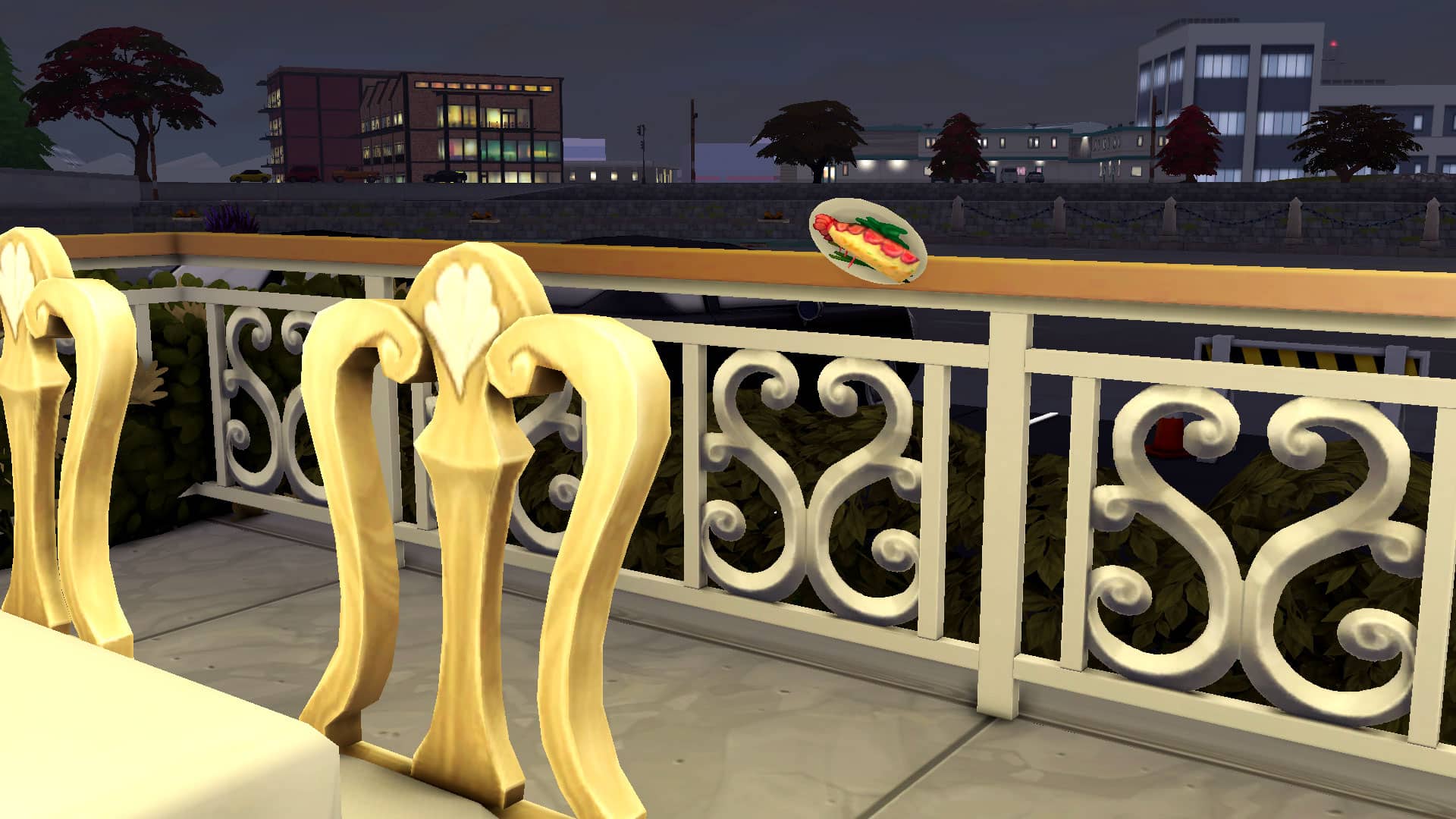
A lot of the time, you will find that no matter what you do, you cannot make a customer happy because of glitches. Dine Out is plagued with glitches. It was so frustrating for me when all the diners in the restaurant would randomly reset themselves next to their tables, breaking the queue in the kitchen resulting in no food going out. I had no choice but to use mods and cheats to get them out of my restaurant before their star rating dropped to 1. I would also end up with full plates of food floating at a 45 degree angle in the air that no one could clean up. Or stacks of dishes on tables where diners were eating. No matter how many times waiters tried to clean them up, they’d glitch out and just put them on another table. Not to mention diners would get up from their seats to just wander around aimlessly with their food. I wanted to pull my hair out.

I highly recommend the MCCC mod by Deaderpool to help with this. You can turn on advanced cheats with this mod so you can shift-click stacks of dirty dishes and floating plates with testingcheats true on and destroy the object instantly. MCCC will also let you click on any Sim to force them to leave the lot. This can be very handy when it’s become clear that the kitchen has completely lost the customer’s order and they won’t be receiving their food at all. Instead of being stuck waiting for them to stomp out angrily and give your restaurant a 1 star review, you can usher them out with a 3 or 4 star rating instead which will avoid completely tanking your restaurant’s reputation.


Will all these tips make running a restaurant a dream come true? Honestly, probably not. But I did find that managing my restaurant was a little more tolerable when I was doing these things. I hope they’ll help you survive this messy game pack, too. Until The Sims finally does something about Dine Out, we’re unfortunately left to find workarounds on our own.

That said, this should be an urgent call to The Sims Team to focus on Dine Out again. We appreciate all you do, but please revisit Dine Out. It’s been broken for an unacceptably long time.

EA wants your feedback on The Sims 4 Scenarios

The FIRST version of scenarios, to be more precise!

EA has released a brand new official survey for The Sims 4 that’s all about Scenarios!

The Scenarios Feature, which launched in November last year has allowed for players to start a brand new game with different challenges and outcomes. It was stated in the beginning of the rollout that there are going to be more Scenarios and more features added eventually in the game.

Now, it’s time to let your voices be heard! In the first official Survey for The Sims 4 Scenarios, The Sims Team wants your feedback on the current features of this gameplay mode, including feedback on the 6 Scenarios that they’ve launched in the past 2 months.

This is only the first iteration of Scenarios in The Sims 4 – as clued in the URL of the Survey with Scenarios-V1-Survey tagline. If you want to see more complex challenges and outcomes of this feature now’s the time to have your voices be heard!

Down below are some of the questions you’ll see throughout the survey so you can help prepare yourselves with answers.

Survey Questions

  • How did you learn about Scenarios?
  • How satisfied are you with Scenarios?
  • What excited you most about Scenarios?
  • Thinking about what made you most excited about Scenarios, how well did Scenarios live up to your expectations?
  • Some Scenarios were only available for a limited time. Please rate your agreement with the following statement: Limited-time Scenarios were available for long enough for me to be able to play them.
  • What, if anything, would you like to see us improve about Scenarios?
  • Which Scenario(s) did you play?
    • How satisfied were you with these Scenarios?

Ready to take the Survey? Click the button below!

[mks_button size=”large” title=”TAKE THE SURVEY!” style=”squared” url=”https://survey.alchemer.com/s3/6601243/Scenarios-V1-Survey” target=”_blank” bg_color=”#1e73be” txt_color=”#FFFFFF” icon=”” icon_type=”” nofollow=”0″]

EA wants your feedback on The Sims 4 Scenarios

What are your thoughts on the current version of Scenarios and how did you vote in the Survey? Let us know in the comments below!

The Sims 4’s Upcoming Game Pack could be about Weddings and Dating

9

Bringing romance back to The Sims 4!

The Sims Team released their first roadmap of 2022 for content planned for The Sims 4. The roadmap includes releases planned for the next 3 months – up until the end of March this year.

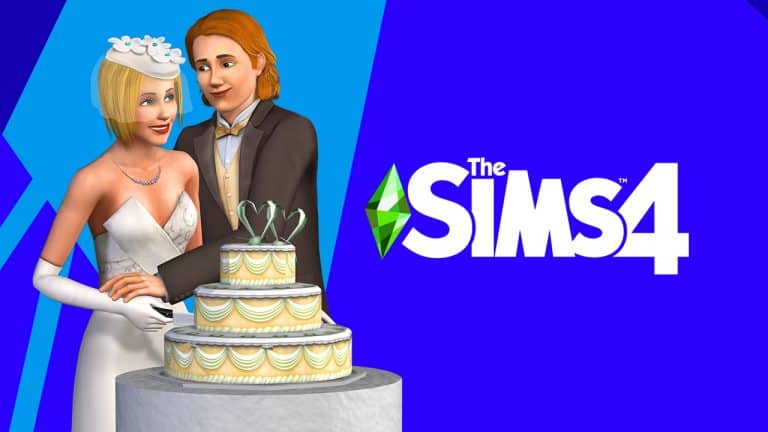
One of the highlights from the roadmap is a Game Pack that suggests you’ll be able to “throw a party for love”. In case this isn’t a hint already for a Weddings / Dating Game Pack the roadmap also came with significant teasers within the confetti.

Take a closer look at the marriage rings and wedding cake icons below:

The Sims 4’s Upcoming Game Pack could be about Weddings and Dating

So, what could the new Wedding Game Pack include? We had an initial vision from The Sims Team shared all the way back in Spring 2017.

Throughout the release of numerous official Pack Surveys and suggested themes, one of the suggested Game Packs were The Sims 4 Love Life.

Check out The Sims Team’s initial vision for this potential Game Pack:

Sims interested in matters of the heart are going to be pleased with The Sims 4 Love Life. Go on a variety of romantic dates at all-new locations or be the matchmaker for your friends. Experience wedding fun (and drama) from asking parents for permission to enjoying the honeymoon.

  • Go on Dates – Have your first dates, blind dates, or group date at a variety of new locations from the Lovers’ Garden to the Moonlit Cafe complete with private concert stage.
  • Be a Matchmaker – Practice your matchmaking skills by setting your Sims up on dates, give romantic advice, and navigate the dating drama as a matchmaker.
  • Throw a Wedding – Weddings are bigger than ever. Ask Sims’ parents for permission to marry, experience bachelor or bachelorette party fun, even plan the details of your big day.

Source: @TheBoyXP
The Sims 4’s Upcoming Game Pack could be about Weddings and Dating


Of course this proposed survey dates back from a few years ago, so some visions from the proposed key features could have been changed since then considering its only a survey proposal.

If we gather all the evidence and hints its almost certain that the next Sims 4 Game Pack is about Weddings / Dating. How will The Sims Team execute this idea? We’ll just have to wait and see!

New Year Resolutions: The Sims Edition

Now that I had a bit of spare time before returning to work after the festive season, I decided to spend some time actually playing The Sims 4. Usually you’ll find me hopping in and out of the game, checking out this feature or building something this, instead of actually just playing my personal save.

With it being a new year, I decided to do a little of spring-cleaning on my end.  I cleared my Cache files, backed up my saves & screenshots, tidied up my mods folder and also updated a few of my mods that were long overdue an update. I know, I know! I’m terrible at keeping things up to date sometimes.

After my little spring-cleaning moment, I took a quick look at some custom content I wanted to add into my game and finally jumped into my save.

New Year Resolutions: The Sims Edition

Honestly, it has been far too long since I last played this save. I had been playing with the Pancakes household in another save where I had been testing out a few different mods and not really doing too much else. Currently, my Sim is living in an apartment in San Myshuno and is working her way through the Critic career, while this is fun for the most part there’s part of me who wants to see more of a challenge in my own gameplay and just change things up a bit.

As I was playing through, it got me thinking about what I wanted to do with this save. Essentially, this was just a single Sim save with not much else going on. Did I want to maybe start a challenge or a legacy with this Sim? Possibly use this Sim to tell a story or try and complete all the in game achievements or aspirations. There were quite a few possibilities.

The more I thought about it, the more I was heading towards setting some kind of The Sims themed resolutions for this year. The aim would be encouraged me to keep playing my personal save on a much more regular basis.

Gameplay Ideas

  • Start a Legacy Challenge and actually stick with it
  • Start the Not So Berry Challenge
  • Complete all Skills and Aspirations as well as earning all Reward Traits
  • Complete a gameplay challenge
  • Explore new story ideas
  • Revisit features in the game that I usually don’t use – Careers I tend to not play, for example.

Building

  • Explore different styles of building
  • Push myself to build out of my comfort zone
  • Renovate one of the worlds

General

  • Discover more custom content and mod creators
  • I’ve always enjoyed sharing what I’ve been up to in my game. Whether that is a Sim I’ve created, something I’m building, general gameplay or something funny that has happened. The only thing is, I’m not good at doing it on a regular basis. So for this year I want to regularly share what is happening in my game either on  my Tumblr.

New Year Resolutions: The Sims Edition

While these may seem like things that are pretty straightforward and very generalized, I’m actually excited at starting to work through these resolutions. They will always be there with the aim of having fun and exploring a variety of different things within The Sims 4.

What are your plans for your game this year? Let us know in the comments below!

The Sims 4 announces its first Roadmap for 2022!

19

The Sims Team has just released their first roadmap for 2022!

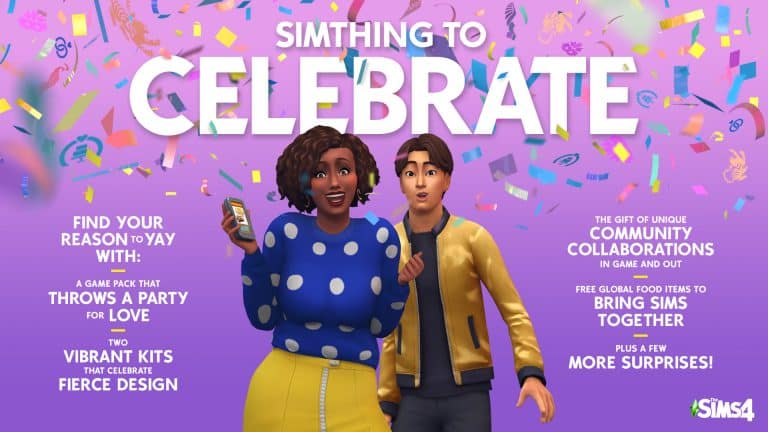
The roadmap is focused primarily on new releases for The Sims 4 that we can expect for the upcoming quarter. It’s been confirmed that the roadmap will last for the next 3 months, so by the end of March 2022!

The theme of the current Roadmap is Simthing to Celebrate and it includes the following releases:

  • New Game Pack that throws a Party for Love
  • Two Vibrant Kits that celebrate Fierce Design
  • The Gift of unique Community Collaborations in game and out
  • Free Global Food Items to Bring Sims Together
  • …Plus a few more surprises!

The Sims 4 announces its first Roadmap for 2022!

What do you think about the new roadmap for The Sims 4? Let us know in the comments down below and stay tuned on Sims Community for any future updates!

Celebrating The New Year with The Sims

0

With Winterfest celebrations coming to a close and a new year on the horizon, here are a few ways that you can celebrate the New Year with your Sims!

New Year’s Eve Holiday

Get into the New Years celebration by taking part in the New Year’s Eve Holiday event.

Take a quick look at your Household Calendar to see when it is, or create your own New Year’s Eve Holiday on a day that suits your Sims. Using the options that come with The Sims 4 Seasons as well as many other packs will allow you to really customize how your Sims celebrate!

Celebrating The New Year with The Sims

Host a Social Event

Don’t want to wait for the New Year’s Eve Holiday to come around? Then why not jump in and plan your own New Year’s Social Event instead?

Chose from a variety of different party activities including a house party, black and white bash or a costume party. You could even host a New Year’s Dinner Party if you wanted. Host from your own home or even at a community lot of your choice!

Celebrating The New Year with The Sims

Want to make it more of a challenge? Why not turn your social event into a Goaled Event and see if you can complete it in time!

Celebrating The New Year with The Sims

Clubs

If you own The Sims 4 Get Together, why not start a Club Gathering and hangout with other club members to celebrate the New Year? Choose between either a pre-made Club or create your own and have fun taking part in a range of different activities!

Celebrating The New Year with The Sims

Dress Up or Dress Down!

Don’t feel like hitting the town with your Sims but would rather stay at home? That’s fine! You can still wear your favourite fancy outfit or your favourite hoodie and have your own at home celebrations. Put on a movie or play some games, the choice is up to you!

Celebrating The New Year with The Sims

While these are just a few of the ways you can celebrate the New Year with your Sims, there are so many more ways you can do too!

So sit back, relax and celebrate the New Year with your Sims!

Sims Community: Author Rewind 2021

1

2021 is coming to an end in less than two days (or a few hours if you’re on the far east!) and we’re celebrating by looking back at everything that made this year special!

We started out strong in late Spring with a bunch of original articles that stood out and added a fun twist to our flow or regular news and updates on The Sims Franchise. In total for 2021 – 7,5 million unique users* stopped by on simscommunity.info to see what’s up in the world of The Sims (and beyond).

Before we continue with our very first Author Rewind, I’d like to thank our authors SnarkyWitch and Krista who tremendously helped out with the original content pieces and made this website what it is today. This year personally was very hard on me, but them, the community and The Sims helped me escape and find myself again when I needed it the most.

Without further ado, here’s our rewind and opinions on what made 2021 special!

Sims Community: Author Rewind 2021


Favorite Content Update for The Sims 4

SnarkyWitch: I’m a big fan of the addition of lot challenges introduced to the base game shortly before the Cottage Living release. I think it was a smart move to shift negative lot traits over to lot challenges. This frees up space in the lot traits for more beneficial traits and allows us to really challenge ourselves with as many lot challenges as we want. My favourite lot challenge is Simple Living; it encourages my Sims to utilize everything they harvest on their farms because they depend on it for their food.

Krista: My favourite content update for The Sims 4 this year would have to be the Spa Day Refresh. I really enjoyed exploring the new features that came with the refresh. Spa Day happened to be a Game Pack I barely played with prior to the update, and now it is one that I use frequently in my main save game. I’m looking forward to seeing more pack refreshes in the future! I also really enjoyed the Sims Session limited time event. I had great fun taking my Sims to the performances, as it was just something different for my Sims to do. I’d love to see the event return in some way next year!

Jovan: This year definitely felt like The Sims Team finally started taking notice on how to improve the core experience of The Sims 4. To me the biggest improvements were the introduction of Neighborhood Stories and my favorite one – the CAS Preferences Update. The game’s preparations for the Dream Home Decorator Game Pack was probably the biggest one The Sims Team has done (well, for a Game Pack) with a much needed addition of New Hair Colors, Bunk Bed Improvements and of course – Likes and Dislikes. Here’s to hoping that they add more activities and categories in 2022. I’d personally love for my Sims to pick their favorite foods and drinks.


Favorite (and least favorite) Kit released this year:

SnarkyWitch: My favourite Kit released this year definitely has to be Fashion Street. It offered far more items than we usually get in kits, along with several pieces that were unique, like the nose ring and henna tattoos. The colours and patterns on everything were just gorgeous as well. I use that kit all the time and really enjoy it.

My least favourite kit would have to be Modern Menswear. This kit just missed the mark completely in terms of what players were actually asking for with more masculine clothing. I would have much preferred it if they had focused on fixing the existing feminine clothes in the game, so they fit a masculine frame properly, rather than charging players $5 (or more in some countries) for one or two skirts made for masculine frames. This kit felt like a band-aid solution to two problems; a lack of masculine clothes, and feminine clothes that don’t fit masculine frames properly. Unfortunately, it didn’t really fix either problem.

Krista: This was actually really tough for me. I still find myself sat in the middle, as to whether I like the Kit concept or not. There are definitely Kits I use more than others. I also find myself using more of the Build Kits than the CAS or Gameplay Kits. My favourite Kit right now would have to be the Industrial Loft Kit. I’ve been doing a lot of building recently with the industrial style in mind, so it is certainly more of a go-to for me.

As for my least favourite, I would have to say Bust the Dust. I rarely use the vacuums as they still glitch a lot for me. I find it becomes annoying as my Sims are constantly vacuuming all the time! The Dust Bunnies are kind of cute though, I can’t lie there!

Jovan: I had high hopes that The Sims 4 would introduce more Gameplay Kits rather than just vacuuming. The Bust the Dust Kit had a lot of potential but it went through a buggy, disasterous launch in the first months of its release. Because of it I have a feeling that the team never gave Gameplay Kits a second chance because they just continued pushing out Build and CAS Kits that – although some of them were hits – a lot of them felt unecessary and completely missed the mark.

If I had to pick a favorite Kit released this year it would definitely be the Incheon Arrivals Kit. The CAS items hit all the right spots and understands the assignment of what was missing in the CAS Catalog.

On the other hand – the Modern Menswear Kit was embarrassingly bad. As someone who was screaming with every Pack release how the game was always providing way more feminine fashion choices compared to masculine – the Kit didn’t fill any gaps it was supposed to. Instead, the Kit provided awful translations of Stefan Cooke’s fashion catalogue that don’t seem fitting at all in The Sims 4. Of course, this isn’t a commentary on the team’s decision to finally add skirts and other clothing pieces that are perceived as more feminine. I applaud the bravery especially after seeing some harsh, bigoted comments on our socials how “they’re making sims gay” by giving masculine Sims feminine fits. It’s 2021. A piece of fabric doesn’t determine anyone’s sexuality – I thought we all understood that by now.

Still, it doesn’t feel like the right time to break the style boundaries when the game still doesn’t have proper modern fits and looks for masculine Sims. From outdated hairstyles to the lack of facial hairs, to fits that always end up either too loose or too tight – The Sims 4 still doesn’t understand what Modern Menswear is.


The Sims 4 decisions that made you raise your eyebrows

SnarkyWitch: I’m still scratching my head over this Bretman Rock partnership. I was familiar with him and his work beforehand and I see the correlation between creative influencers and the creativity of The Sims but I just don’t see what this partnership offers to the players. A poorly designed game cover change and a confusing trailer just seem to exist for the sake of existing. I don’t get it. Maybe I’d be more into it if I was a bigger Bretman Rock fan, I guess? I’m not really upset by it but I’m definitely perplexed.

Krista: There are a few different things that have left me either a little confused or questioning choices this year when it comes to The Sims 4. However, I would have to agree with SnarkyWitch on this one. Even though I know of Bretman Rock, I don’t really know much about him or his work. It just felt like the partnership was out of the blue and a bit confusing initially. I guess now that I’ve seen the promotional material shared online and also watched some of Bretman Rock’s content I understand how the partnership came about and how it works with the current Season of Selves marketing it makes a lot more sense, but I still feel that the campaign was out of the blue.

Jovan: Even though I applaud The Sims Team for stepping out of their comfort zone by focusing on the core experience of the Sims 4, some of the decisions felt “experimental” and contradictory.

First off we have Kits that were said to have no impact on the usual yearly Pack cycle that we’re used to. Although the timing of Pack releases was never set in stone, we’ve somewhat gotten used to 1-2 Expansion Packs, 2 Game Packs and a 2-4 Stuff Pack releases throughout a year. With the introduction of Kits it feels like we’re never going to see another Stuff Pack again – which compared to Kits are of much greater value, especially with each one giving a decent amount of new gameplay.

Cottage Living is a good Expansion Pack, but other than this Pack every other paid release has been very much focused on just new Build and CAS items. Even Dream Home Decorator is nothing but an oversized Stuff Pack with glitches that still need to be fixed to this day.

The content updates released this year have been promising, but it feels like their actual potential will be reached in the year to come.


The Sims 4 Updates, Events and Content you’d like to see

SnarkyWitch: I definitely want to see more pack refreshes, and I want Sims Sessions to make a seasonal return. Sims Sessions was such a fun and unique experience I’ve never had in a video game before. I discovered new artists I might not ever have come across without Sims Sessions. I also got the opportunity to get my Sims out of their regular routines to do something different. I just really loved how special the whole thing felt. I’d love to see it again with even more additions, improvements and new artists.

In terms of pack refreshes, the Spa Day refresh was a huge hit with just about everyone. Nails, facial masks, new ways to make money as a spa specialist and new aspirations all breathed new life into an old pack that was good to begin with but definitely needed a revamp after six years. I’d love to see either Dine Out or Get Together refreshed next.

Krista: More pack refreshes! I was pleasantly surprised with the Spa Day refresh, and it certainly brought a new lease of life to the pack. I’m interested to see how the Neighbourhood Stories plays out into future content next year, as well as the updated Townies. I’d like to hope that Babies may get an update at some point next year, as I’d love to have more gameplay for them.

Jovan: I share the same opinions with SnarkyWitch and Krista on Pack Refreshes. It’s an excellent move that, even though admits on one hand that some of the Packs are lacking and unfinished, also admits that the team is willing to listen to the players.

Still, if it weren’t for Pack Refreshes I would like to see more of Scenarios. No, not the current version of Scenarios that we have right now. They are a decent playthrough of the game to someone who’s just starting out with The Sims 4. Luckily The Sims Team said that this is the first iteration of Scenarios in the game.

The ideal scenario (hah, get it) on how this feature could expand is by giving more tools to the players that would let them turn their own challenges into Scenarios that they could share with the players. People are already creating their own Scenario Mods with the current version of this feature. Why not expand it with an extra layer of complexity and rewards, or even let players share their own Scenarios to The Gallery? This would make the game infinitely more fun to play with.

Oh, and also Cars and Babies.


Article you’re most proud of:

SnarkyWitch: This year, I really strove to highlight my skills as a storyteller and fiction writer, so I’m most proud of the new Story Starter Kit series I launched with Sims Community this year. It gave me a chance to show off different skillsets; Sim creation, building, and storytelling. It’s been a huge success, and I’m so grateful to the community for their enthusiasm and support for the Story Starter Kits. I can’t wait to keep bringing out new Story Starter Kits in 2022.

Krista: There are so many I want to choose for this question! I had a lot of fun with the Tell Me You Play The Sims Without Telling Me You Play The Sims article. I was blown away by the responses I had to the tweet that spawned that article. Many responses left me laughing along the way, and it was fun going through each of the replies and putting the whole article together.

I’d also like to mention two opinion pieces that I wrote, too. These being The Sims 4 Kits: My Personal Opinion & My thoughts so far on The Sims 4 Cottage Living. I tend to find opinion posts more challenging and out of my comfort zone, but with the more posts I’ve written like this, the more confident I’ve become writing them. I hope to be able to share more opinion based articles like this of my own and of community opinions in the future!

Jovan: This year I had a chance to focus more on delivering news regarding the franchise with, of course, some walkthroughs, guides and articles on the releases done this year. I’d be lying if I said that i didn’t enjoy doing some investigation and research on writing articles regarding the next generation Sims Game as well.

Still, in the midst of many news and articles published this year that you’d probably categorize as “professional”, the news report on the Chicken in a Suit has to be my favorite one for 2021.


Favorite Custom Content released this year:

SnarkyWitch: I actually don’t use a lot of CC in my game at all so all my favourite CC is several years old. I don’t tend to download much new CC. I’ll have to default to my favourite CC of all time which is the Pufferhead Stuff CC pack by MLys. This custom pack was released two years ago and it’s had a permanent home in my Mods folder ever since. It takes the world of Harry Potter and reimagines it in the world of The Sims based on the base game Henry Puffer poster. It creates new lore for the game based on one of my favourite book series and every piece is so perfectly Maxis Match, you would never know it wasn’t made by Maxis.

Krista: After keeping my game pretty much in a vanilla state for the past couple of years, this year saw me jump in and re-explore the world of custom content. While I could sit here and list all of my favourite individual pieces of custom content, here are some of my favourite Custom Content Creators that I have discovered this year! This includes SixamCC, Aretha, ThePeachyFaerie, ClumsyAlien and MyshunoSun to name a few!

Jovan: It’s not unusual for Custom Content creators to jump in and expand catalogues of newly released packs. HeyHarrie and Felixandresims blew up the original expectations of CC creators by releasing a two-part Orjánic Country Living Collection that perfectly accompanies the Cottage Living Build Catalog. They released 129 objects with flawless Maxis Match design and presets that fit into any modern or rustic cottage surrounding. What makes this so groundbreaking is that they’ve done it just weeks after the release of Cottage Living. Definitely a must have for anyone who can’t get enough of the Cottage Living lifestyle!


Favorite Mod released this year:

SnarkyWitch: I cannot get enough of Ravasheen’s Photographic Memory mod! She revamped it this year to add new features and refine old ones. It’s a must-have for any player who loves to take photographs of their families and decorate their homes with all those family memories. In fact, I loved this mod so much, I wrote an in-depth walkthrough of all of its features. Definitely check it out and go download this amazing mod ASAP.

Krista: Other than the go-to mods that many of us have in our games already, I don’t really use a lot of mods. One that I did enjoy was the collaboration between SixamCC and Nando which was the Breeze of Greece World Mod and CC Pack. I had great fun exploring all aspects of the collaboration and loved how Granite Falls was transformed into the world of Simtorini instead! Not only is the world beautiful, the accompanying CC Pack really brings everthing alive!

Jovan: Arnie’s Plumfruit Mod Pack brought the actual modern realism that was missing in The Sims 4 for so long. I’ve kept it in my Mods folder since the release of version 2.0, and it’s going to be my go-to for many more versions to come!


Huge thanks to all of our readers and the community for trusting in us. We can’t wait for the year ahead!

Stay safe and happy new 2022!


*Google Analytics report taken from January 1st to December 30th, 2021

The Sims 4: Gameplay to Make the Most of the Winter Season

1

With many northern regions of the world covered in a blanket of snow, the chilly weather has gotten us in the mood for winter activities! In The Sims, of course! Why freeze your plumbob off outdoors when you can stay toasty warm inside and watch your Sims freeze, instead? I love the idea of winter snow activities. I just don’t like actually doing them. Because snow is uh… cold. Good thing I can enjoy all winter has to offer from the comfort of my living room couch!

Here are some great winter activities to enjoy in The Sims 4 using Seasons and Snowy Escape!

Snowpals

The Sims 4: Gameplay to Make the Most of the Winter Season

These adorable little snow Sims can be built during the winter season when there is an ample amount of snow on the ground. There are a variety of snowpals that can be created and I love the surprise of seeing which ones my Sims will make. Use them as holiday decorations while the weather’s still frosty because come spring, these cute little guys will melt away. Until next year, little snowpal!

Snow Angels

The Sims 4: Gameplay to Make the Most of the Winter Season

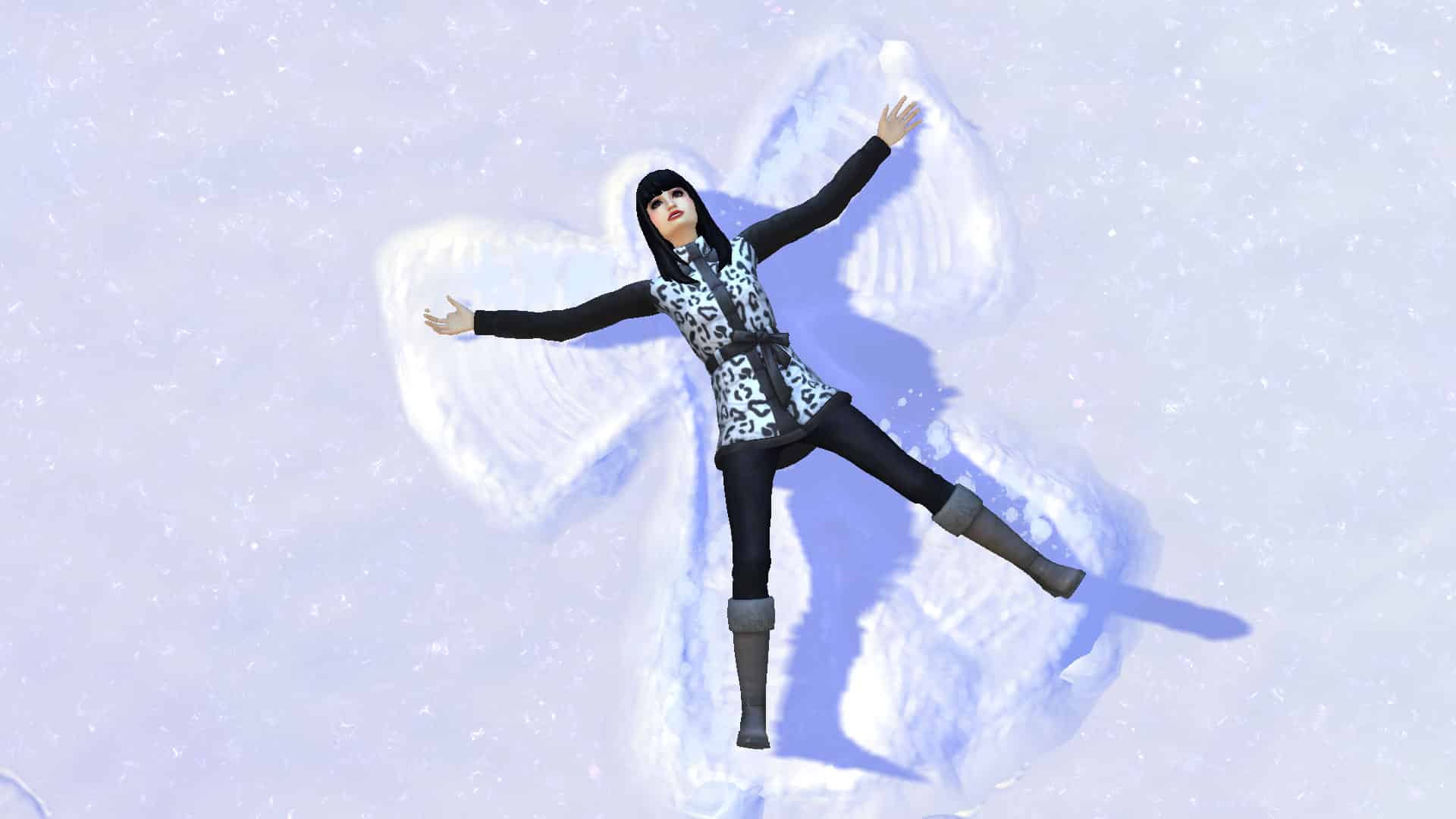
Who doesn’t have fond memories of falling backwards into the snow and creating snow angels as a kid? Our Sims can have memories like these, too! Wait for a good snowfall and then send them out to create snow angels anywhere where there’s an open section of snow! They’re fun, easy, and add some personality to an otherwise barren lawn.

Snowball Fights

The Sims 4: Gameplay to Make the Most of the Winter Season

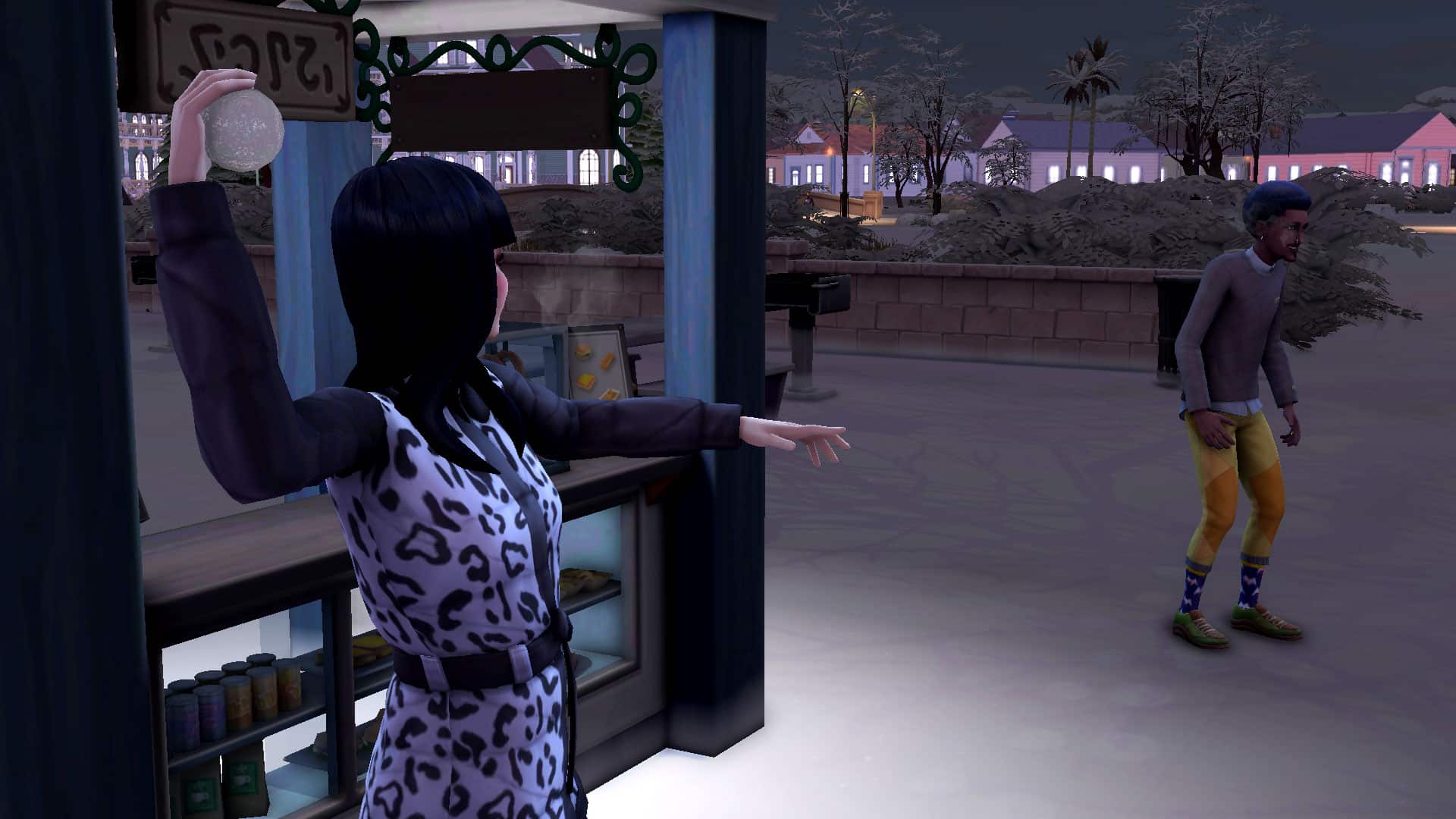
Some people love snowball fights. Others hate them. They can be fun… and painful. Personally, I’d much rather watch my Sims get a snowball to the face than experience it myself. Just take a group of two or more Sims outside on a snowy day and have them start a snowball fight! Very entertaining for you but maybe not for them if they aren’t good at dodging balls of snow.

Hot Drinks

The Sims 4: Gameplay to Make the Most of the Winter Season

The Seasons expansion adds seasonal vendors all over the common space each season and the winter vendors sell all kinds of hot, delicious drinks to warm your Sims up on a cold winter day. If you own Snowy Escape, the vending machines in Mt. Komorebi also sell a variety of hot drinks and snacks to keep warm up on the mountain.

Skating

The Sims 4: Gameplay to Make the Most of the Winter Season

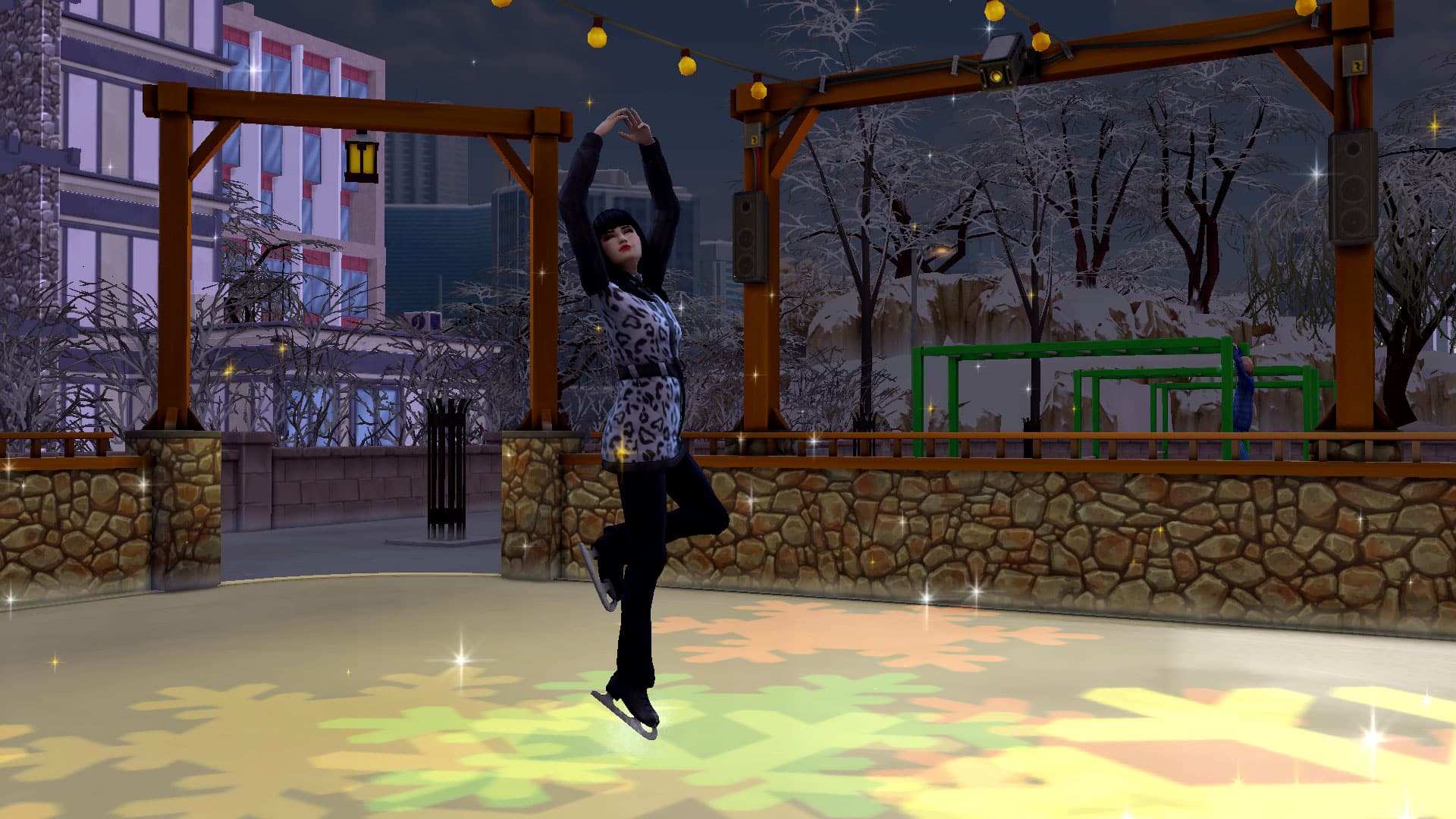
Ever seen skating rinks pop up around the world during the winter season? If not, take a closer look next time! The skating rinks are a lot of fun. They can be used by up to 8 Sims at the same time so the whole family can go skating together. Adjust music, lights, and special effects to skate with sparkles, snow, and a variety of light patterns. Sims will start off being clumsy and fall a lot but with enough practice, they’ll be showing off the most beautiful figure skating moves!

Skiing

The Sims 4: Gameplay to Make the Most of the Winter Season

With Snowy Escape, your Sims can enjoy winter all year round in the Yukimatsu mountain district! This neighbourhood is always snowy, making it perfect for skiing! Rent a pair of loaner skis, or purchase your own and hit the slopes! We recommend the bunny slopes to build up your skiing skill a bit before taking on the larger slopes. The big slopes can be hazardous!

Snowboarding

The Sims 4: Gameplay to Make the Most of the Winter Season

If skiing’s not your style, the Yukimatsu district also has snowboarding! Like skiing, you can rent a loaner snowboard or purchase your own but remember to start small and get some practice in on the bunny slopes, first. The big slopes come with more hazards and complicated jumps so a beginner is likely to get hurt on those slopes.

Tobogganing

The Sims 4: Gameplay to Make the Most of the Winter Season

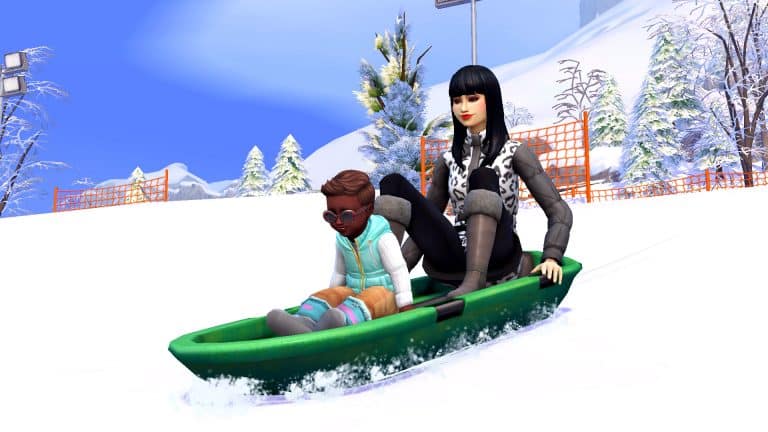
Tobogganing (or sledding as its more commonly known outside of Canada) is a fun winter activity for the whole family! While children can ski and snowboard on the bunny slopes, tobogganing is something even toddlers can partake in during the winter season. With adult supervision, of course. Take the tiny tots onto the bunny slopes for some tobogganing fun. It’s great that toddlers aren’t completely left out of all the fun winter has to offer.


What’s your favourite winter activity to do in The Sims 4? Let us know in the comments or come chat with us on social media!

Star warm, everyone!

The Sims 4: Winterfest Lookbook

Are you in the festive spirit, Simmers? If not, maybe our Winterfest lookbook will get you in the mood to celebrate the holidays. Winterfest is nearly upon us, and that means ugly holiday sweaters and Father Winters at every shopping mall.

As usual, our looks are CC-free and only use a limited number of packs. For this lookbook, we’ve used the base game, Seasons, the free Holiday DLC, and one other pack to compliment some of our looks.

Santa Baby

The Sims 4: Winterfest Lookbook

Santa, baby, slip a Sable under the tree for me… This sultry, seductive holiday look complete with a string of pearls and fishnet stockings will have Father Winter doing a double take when he hurries down your chimney tonight. Hey, if our Sims weren’t supposed to woo Father Winter, there wouldn’t be a Father Winter’s Baby trait, am I right?

Hair: Chin-Length Bob (Seasons)

Body: Santa Mini-Dress (Seasons)

Shoes: Rounded Toe High Heels (Base Game)

Accessories: Santa Hat (Seasons) / Pearl Necklace (Cottage Living) / Nails & Leggings (Base Game)

Makeup: Eyeshadow, Contour, & Lips (Base Game – MAC Cosmetics) / Eyeliner (Base Game)

Bow Ties & Christmas Trees

The Sims 4: Winterfest Lookbook

A classy Winterfest look perfect for any young Sim!

Hair: Smart Side Swept (Vintage Glamour)

Top: Christmas Cardigan (Seasons)

Bottoms: Black Jeans (Base Game)

Shoes: Black & White Lace Ups (Base Game)

Accessories: White Socks (Base Game)

The Dad Look

The Sims 4: Winterfest Lookbook

No, Dad, we really don’t want to take a family Winterfest photo in matching PJs. Dad, please, you’re embarrassing me with that ugly Winterfest sweater! UGH, not this joke again… Yep, that’s right, Dad has woken up on Christmas morning and he’s ready to embarrass the whole family in his super not-cool plaid PJ bottoms, bunny slippers, and silly hat. He may not be on anyone’s Cool list, but he’s definitely on Father Winter’s Nice list and we love Dad anyway.

Hair: Short Curls (Base Game)

Top: Snowpal Sweater (Holiday DLC)

Bottom: Plaid PJs (Base Game)

Shoes: Fluffy Bunny Slippers (Base Game)

Accessories: Reindeer Hat (Holiday DLC)

Misc: Facial Hair (Base Game)

Cute Little Elf

The Sims 4: Winterfest Lookbook

Now, you can’t forget about our Toddler Sims getting into the Festive Spirit! This cute little Elf outfit is adorable and perfect to wear throughout Christmas Day while spending time with family and having fun!

Hair: Twin Ponytails (Base Game)

Full Body: Little Elf (Seasons)

The Winterfest Ball

The Sims 4: Winterfest Lookbook

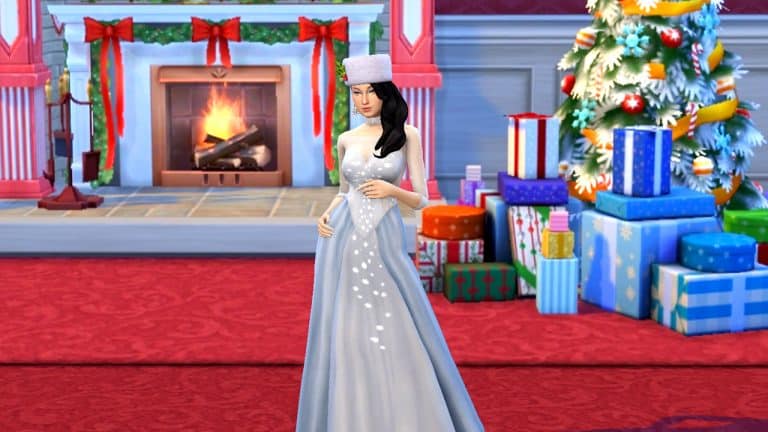
You’ll be the belle of the ball this holiday season in this elegant floor-length white glittery ballgown with a tint of blue. Chandelier earrings, a beaded choker, and a warm fluffy hat adorned with holly top off this truly magical look that’s reminiscent of a Hallmark holiday movie.

Hair: Side Swept Waves (Base Game)

Body: Snowflake Ballgown (Holiday DLC)

Shoes: Rounded Toe High Heels (Base Game)

Accessories: Holly Hat (Seasons) / Chandelier Earrings & Beaded Choker (Fashion Street Kit) / Nails (Base Game)

Makeup: Eyeshadow, Contour, & Lips (Base Game – MAC Cosmetics) / Eyeliner (Base Game)

Pretty in Pink

The Sims 4: Winterfest Lookbook

The ultimate fairytale Christmas look! Perfect to wear throughout the day or even during Christmas Dinner.

Hair: Short Clipped Back Waves (Vintage Glamour)

Full Body: Pink Sequin Dress (Holiday Celebration)

Shoes: Smart Shoes (Base Game)

Accessories: White Socks, Bracelets, Necklace and Glasses (Base Game)

Makeup: Purple Nails (Base Game)

Bah Humbug

The Sims 4: Winterfest Lookbook

Ah, those unruly teen years. Too cool for Winterfest but too young to be able to do whatever you want. This reluctant teen’s parents have forced him to at least wear red and green for the family Winterfest photo but he’s still sticking it to the man with his red hoodie, combat boots, and green plaid punk rocker jeans with pointless zippers in random places. Take that, Winterfest!

Hair: Short Curls (Base Game)

Top: Baggy Hoodie (Realm of Magic)

Bottoms: Plaid Zipper Pants (Base Game)

Shoes: Combat Boots (Realm of Magic)

Accessories: Nails (Base Game)

Makeup: Eyeliner & Eyeshadow (Base Game)

Misc: Facial Hair (Base Game)

Oh, Little Christmas Tree

The Sims 4: Winterfest Lookbook

How adorable would your Toddler Sims look dressed in this Christmas Tree one piece? 

Full Body: Christmas Tree One Piece (Seasons)


Credits

This post was a collaboration between Krista and SnarkyWitch!

Don’t forget to show us your Winterfest looks over on social media!

We Built Advent Calendars for All Season Lengths in The Sims 4!

2

Sometimes, inspiration comes from strange places but when it strikes, you just have to go for it no matter how silly it sounds. That was how this concept came into being for me today. I was scratching my head, feeling very uncreative and looking around my living room for inspiration. My eyes settled on my almost-finished advent calendar leaning against the wall on my entertainment unit. Seeing the calendar made me remember a Christmas movie I watched recently called The Holiday Calendar, about a vintage advent calendar that can predict the future.

A light bulb went off in my head. What if I built an advent calendar in The Sims 4? In fact, what if I built three advent calendars; one each for 7, 14, and 28 day seasons? It was a weird idea, sure, but weird is kind of what The Sims is all about, right?

We Built Advent Calendars for All Season Lengths in The Sims 4!

The result? Behold! Possibly the silliest thing I have ever built in The Sims 4 but also one of the most unique. Three separate advent calendar builds for three different season lengths, each one with a little toy or trinket behind every door. The advent calendars are technically functional; by that, I mean the toys and trinkets can be dragged out of their cubbies in either Live or Build mode to be admired or played with. The overall structure, however, is just for looks. Sims cannot enter the giant advent calendars. This was deliberate to keep all the toys safe from being grabbed before it was time to take them out.

We Built Advent Calendars for All Season Lengths in The Sims 4!

I originally wanted to upload these as rooms so you could plop them down on any lot but the 28-day calendar is actually two rooms on two separate stories so I could not upload it as a single upload. In the end, I decided to place them all on a small 20×15 lot and upload the lot to keep all the calendars intact. You can place the lot down and delete the two calendars you don’t need; keep the one that matches your season length. If you’d like to put this very extravagant Christmas decoration in your backyard, save them as rooms to your library and place them on your home lot.

We Built Advent Calendars for All Season Lengths in The Sims 4!

If you choose to put an advent calendar on a lot owned by your Sims, they’ll be able to take and keep the toys for each day of the winter season. If you place the calendar on an unowned lot that your Sims are just visiting, your Sims will be able to play with the toys but won’t be able to take them home and keep them as the game does not recognize the objects as being owned by your Sims.

We Built Advent Calendars for All Season Lengths in The Sims 4!

However you choose to enjoy these ridiculously oversized advent calendars, we hope you and your Sims will get as much entertainment out of them as I got out of building them.

Happy Holidays, Happy New Year, and stay safe out there, Simmers!

[mks_button size=”medium” title=”Download Now!” style=”rounded” url=”https://www.ea.com/games/the-sims/the-sims-4/pc/gallery/516D7820636411EC86FEBDCA9B14F2D5″ target=”_blank” bg_color=”#4aa500″ txt_color=”#FFFFFF” icon=”fa-arrow-down” icon_type=”fa” nofollow=”0″]

The Sims Community Challenge: December Showcase

Welcome to the last Sims Community Challenge Showcase for 2021!

For our last challenge of the year, we returned with a fun Winterfest themed build challenge to help get into the festive feeling. So many of you rose to the challenge and created some beautiful Winterfest themed builds using the challenge shell!

Click here to take a look at what was involved for the December challenge otherwise, you can jump straight in and take a look at our favourite entries from this month’s challenge!

DFRZTD1QXFRT

Click here to view on The Gallery

Berniebrad60

Click here to view on The Gallery

Redlenapa

Click here to view on The Gallery

Sheldon412

Click here to view on The Gallery

Taraiscool123

Click here to view on The Gallery

WolfStar9069

Click here to view on The Gallery

MadeBy_Kismet

Click here to view on The Gallery

Rdrerup

Click here to view on The Gallery

Thank you again to everyone who participated in the December Sims Community Challenge. You can find all the creations showcased and more over on The Gallery by searching the #SCWinterFest hashtag!

We’ve had so much fun creating and sharing these challenges with the community these past few months, and have been blown away by how much everyone has been enjoying them! We’re looking forward to returning in the new year with even more challenges!

In the meantime, why not come and join us over on our Discord? Hit the button below to join!

[mks_button size=”large” title=”Sims Community Discord” style=”squared” url=”https://discord.gg/6kRVv4h2je” target=”_blank” bg_color=”#4e62ac” txt_color=”#FFFFFF” icon=”” icon_type=”” nofollow=”0″]

The ENTIRE collection of The Sims 3 Packs is only $67

14

You don’t see this sale very often, especially when it comes to The Sims 3!

Steam has published a special holiday sale where you can save big on both The Sims 3 and The Sims 4 titles. However, one offer that stands out the most is The Sims 3 Packs Collection.

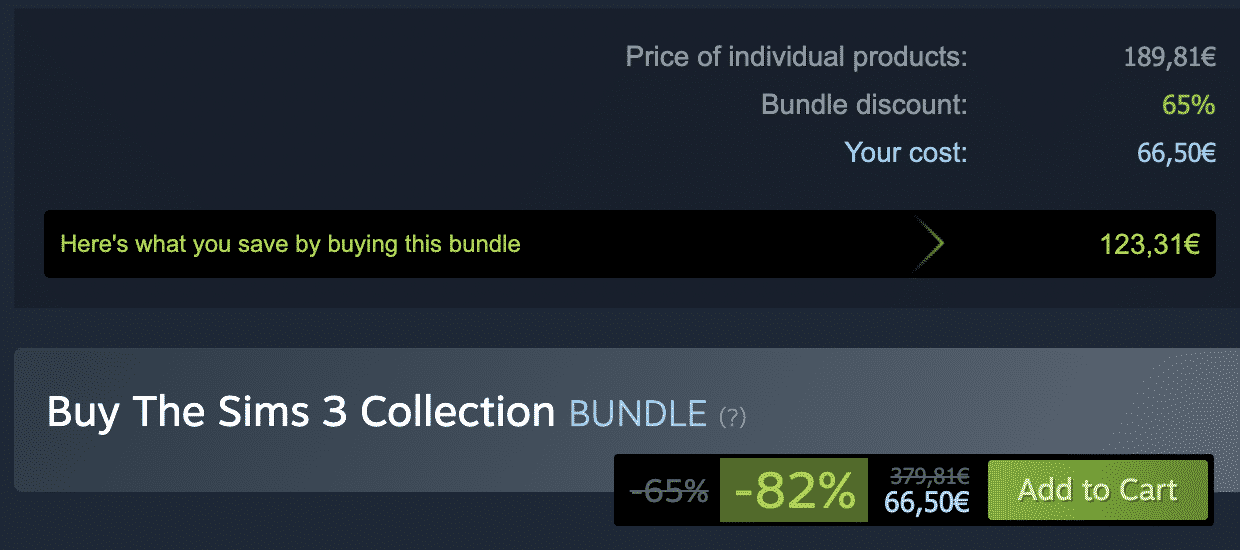
For some time Steam had a special bundle for all The Sims 3 Packs called The Sims 3 Collection. Bundled together in this special offer you’d pay around $190 to get the entire collection of Packs. Buying the packs individually altogether costs around $380.

HOWEVER, with the special Holiday Sale you can now get the entire collection of Sims 3 Expansion Packs and Stuff Packs for ONLY $66.50!

The ENTIRE collection of The Sims 3 Packs is only

You’ve read that correctly – all 11 Expansion Packs and 8 Stuff Packs for The Sims 3 can be purchased for this limited time offer over on Steam, including:

  • The Sims 3 World Adventures
  • The Sims 3 Ambitions
  • The Sims 3 Late Night
  • The Sims 3 Generations
  • The Sims 3 Pets
  • The Sims 3 Showtime
  • The Sims 3 Supernatural
  • The Sims 3 Seasons
  • The Sims 3 University Life
  • The Sims 3 Island Paradise
  • The Sims 3 Into The Future
  • The Sims 3 High-End Loft Stuff
  • The Sims 3 Fast Lane Stuff
  • The Sims 3 Outdoor Living Stuff
  • The Sims 3 Town Life Stuff
  • The Sims 3 Master Suite Stuff
  • The Sims 3 Diesel Stuff
  • The Sims 3 70s, 80s & 90s Stuff
  • The Sims 3 Movie Stuff

Unfortunately the only Pack missing is everone’s favorite The Sims 3 Katy Perry’s Sweet Treats. However, that pack was a limited-time Pack that was only available for purchase from July 2012 to July 2013 – after which it was discontinued.

This special Steam offer ends on January 5th, 2022 at 10AM Pacific Time.

NOTE: You will need The Sims 3 Base Game, which is not included in The Sims 3 Packs Collection. You won’t be able to transfer over The Sims 3 Base Game from Steam to Origin, only the Packs, so I recommend getting The Sims 3 Starter Pack on Origin (in case you don’t have it already) which is currently on sale for 20$. (Sale ends on January 11th, 2022)

But wait, I want to play The Sims 3 on Mac and/or via Origin?

Don’t worry! Steam allows you to request a serial code from every single pack you’ve purchased and redeem it on Origin. To do so follow these simple steps:

  • Right click on The Sims 3 Pack of your choice on Steam
  • Go to Manage > CD Key
  • Copy the CD Key and go to Origin > Games > Redeem Product Code
  • That’s it!

If you play on Mac

After redeeming all The Sims 3 Games on Origin you’ll automatically be granted with a new, 64-bit & Metal version of the game in your game library. Origin will only grant you this version if you’re using Origin via a MacOS device.

For this you will need a Mac which has support for Apple’s Metal graphics API and be on macOS High Sierra (10.13.x, released in 2017) or later.

For more information about The Sims 3 Mac Version check out this helpful FAQ Page!

TUTORIAL: How to Create the Perfect Holiday Card in The Sims 4

0

I’m one of those hardcore gameplay enthusiasts who plays huge families. Grandparents, aunts and uncles, lots and lots of cousins, my families can easily span over 100 Sims sometimes. One of my favourite things to do with my Sims families is get everyone together for the holidays. I always celebrate when the holidays come around in the game, but when the holidays are here in the real world, I go the extra mile and create a holiday card to post on my social media.

Why? Well, because it’s fun and the people who read my Sims stories enjoy the extra effort I put in.

Today, I’m going to teach you how to make the perfect holiday card featuring your Sims 4 family! I’ll be focusing on creating a Christmas card for this tutorial since my family celebrates Christmas which is just around the corner but you can absolutely create your own holiday cards to reflect any holiday that you and your Sims celebrate!

What You Will Need

  • The Sims 4
  • Any image editing software. I will be using Photoshop CS6 for this tutorial but Paint.NET is a good free alternative.
  • (Optional) The Sims 4 Seasons expansion pack
  • (Optional) Any reshade preset you like
  • (Optional) Pose Player, the Sim Teleporter, and any custom poses you like
  • (Optional) The TOOL mod

This tutorial will not teach you how to use custom poses, the TOOL mod, or reshade. They are only listed as optional tools in case you are already a mod user who is familiar with using these in your game. But you can follow along with this tutorial without any mods at all.

Set The Stage

Don’t underestimate the importance of the backdrop! Get this right before anything else. The backdrop is what’s going to really sell your photo as a holiday card.

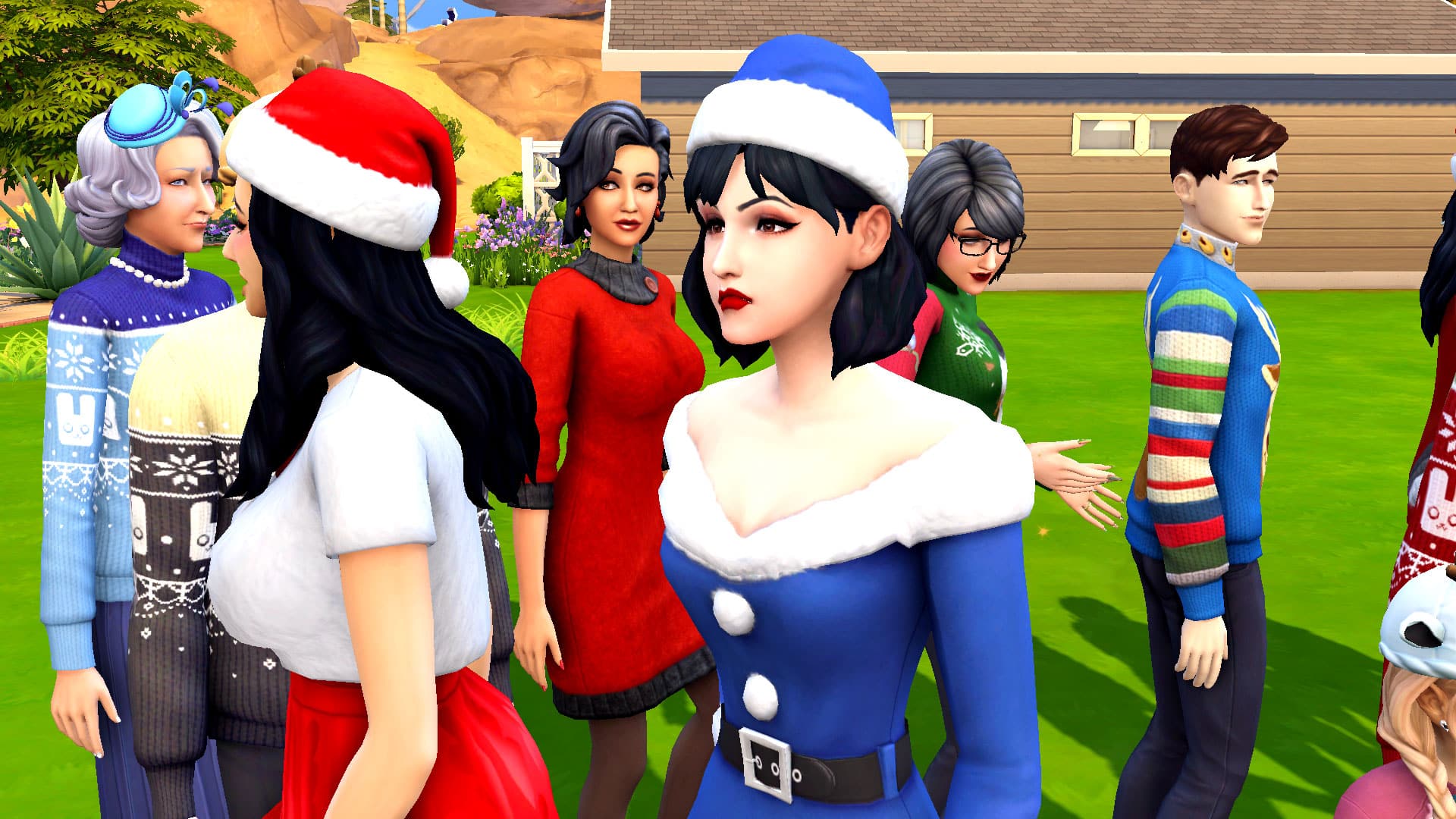
Open the game and go into any empty lot. Change the lot type to Generic so your Sims can visit it but other Sims will not be able to visit and photobomb your nice family photos. Alternatively, if you have a nice holiday backdrop in your Sims’ home already and want to use that, you can do that, too. Just make sure you clear out any furniture that might be in the way. You’ll want some open space in front of your backdrop for your Sims to stand.

TUTORIAL: How to Create the Perfect Holiday Card in The Sims 4

Start setting up your perfect holiday scene. For the best lighting, build your little set facing the direction of the sun and take your photos in the early afternoon in sunny weather. You don’t want to build an entire room. Just a wall and some flooring facing the sun. I’ve opted to use a custom photo backdrop by Ravasheen here but you don’t need to do this. Any little background scene you’ve built will be fine as long as you have good lighting.

Once your backdrop is ready to go, it’s time to make sure your Sims are dressed the part!

Costumes & Blocking

Make sure all your Sims have a holiday outfit if it suits the particular holiday you’re taking a picture for. I’ve decked out all 18 of my Sims in this family with their finest silly Christmas attire. From ugly Christmas sweaters to snowpal earrings to Christmas tree costumes, everyone is looking equal parts ridiculous and festive which is exactly what I want for my photo.

TUTORIAL: How to Create the Perfect Holiday Card in The Sims 4

Once everyone is in their holiday finest, it’s time to set them all up for your photo. Depending on how big your family is, this could become very tedious and time consuming. If you do not use mods in your game, I don’t recommend trying to take one holiday photo with multiple households of extended relatives. The Sims outside your household will continue to act with free will even with autonomy turned off, causing headaches for you. If you are not a mod user and cannot use custom poses to your advantage, it’s better to take a different photo for each household and create either a collage card or multiple cards. Just turn autonomy off in the game settings, then instruct your Sims to either sit or stand where you want them. As long as they are all in a positive emotional state, they should be smiling by default.

I am a mod user and a big fan of custom poses. I make a lot of my own poses for the game so I’ve used the Sim Teleporter, the Pose Player, and a mixture of single poses to get all my Sims situated where I want them for this photo. Due to the number of adults I had in this photo that I needed to squeeze into tight proximity, I knew I would need to elevate the back row so everyone would be in view. Platforms will work for this in a pinch. Just plop down a small platform and have your Sims stand on it to achieve a tiered look where everyone’s face is visible.

TUTORIAL: How to Create the Perfect Holiday Card in The Sims 4

Even with my mods, it still took me a good hour to get everyone set the way I wanted them. Half the Sims decided to leave their assigned positions and walk several feet away before they posed facing the wrong direction. This used to drive me crazy. I would have to break all the poses by placing down more teleporters and start all over. Since I added the TOOL mod to my collection, that frustration is a thing of the past. I was able to use the mod to nudge and rotate all of my Sims back into their proper places without breaking any of the poses.

When you finally have everyone set up the way you want them, take a screenshot by pressing TAB and then getting the camera angle you want before pressing the C key to generate a screenshot in your Sims 4 folder. If you use reshade, toggle your preferred reshade preset on and then take your picture with whatever key you have assigned to take pictures with using reshade.

If you would like an in-game photograph to display on the wall as well, add a random Sim to the household, give them a camera and max out their photography skill. Then have that Sim take the picture. If you own Moschino Stuff, I highly recommend using the tripod for better control over your shot.

Creating Your Holiday Card

TUTORIAL: How to Create the Perfect Holiday Card in The Sims 4

You could of course just share your raw screenshot you took. If you set up everything nicely, it will be a beautiful holiday card all on its own. But I like to dress mine up a little bit and make them look like a real holiday card someone might stick onto their fridge. For that, I use Photoshop CS6. You can use any photo editing program you have but make sure you spend some time familiarizing yourself with it before jumping into this tutorial. Every program is different so what I’m doing in Photoshop may not be the same for you if you are not also using Photoshop CS6.

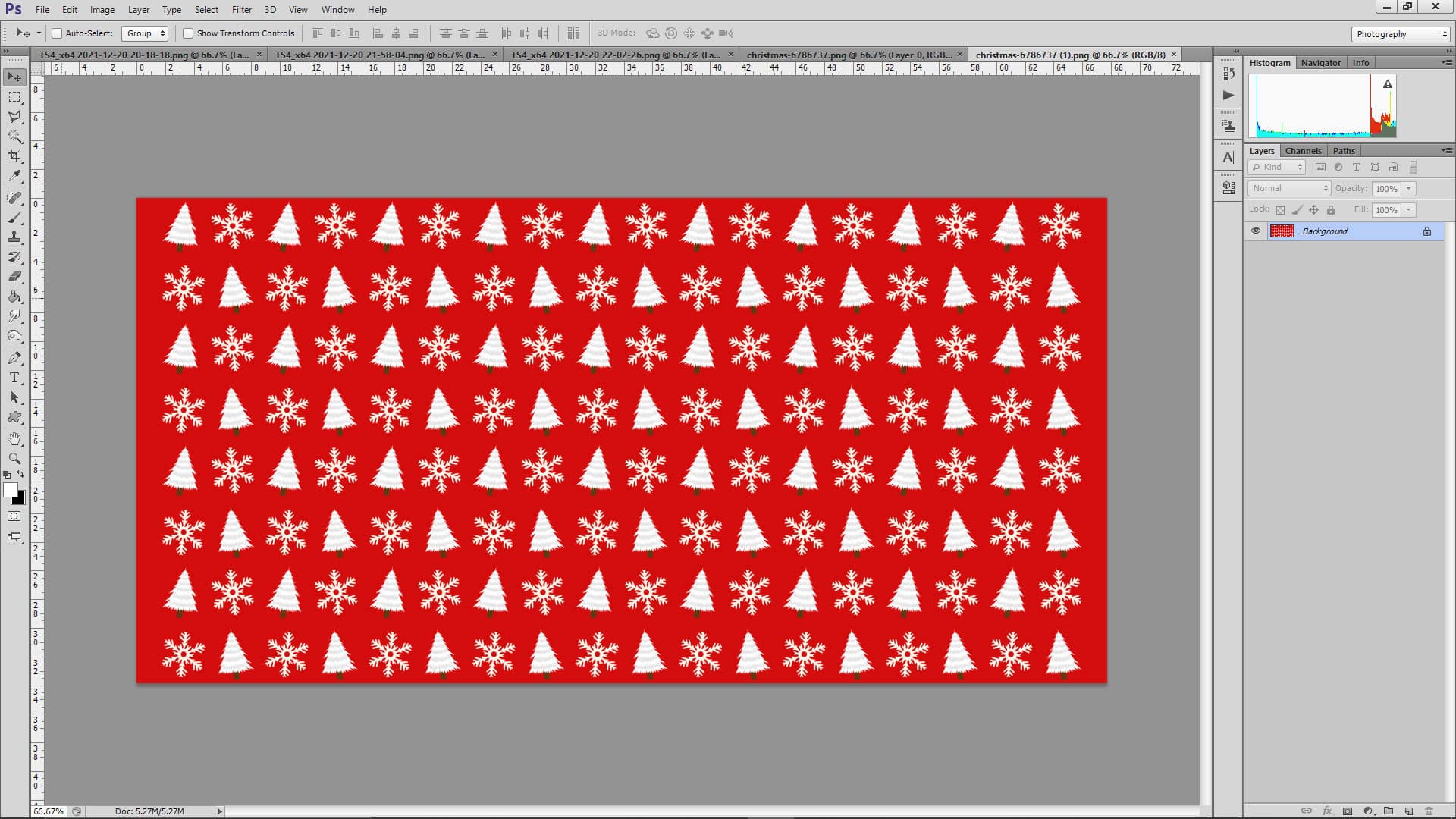
We’re going to give our holiday card a festive border and add some text to it. To do that, find a large, good-quality image of a patterned holiday border. My go-to is pixabay.com for images that are free for public non-commercial use. I found a red Christmas tree pattern I liked on Pixabay and opened it up in Photoshop, along with my raw shot.

TUTORIAL: How to Create the Perfect Holiday Card in The Sims 4

Because I used a reshade preset to take my picture, most of the editing is done for me already. I don’t need to adjust the screenshot but if you want to brighten up your screenshot, you can do that by going to Image > Adjustments > Brightness & Contrast and playing around with the brightness and contrast sliders until you get the results you want. Brightness lightens up the photo. Contrast deepens the richness of the colours.

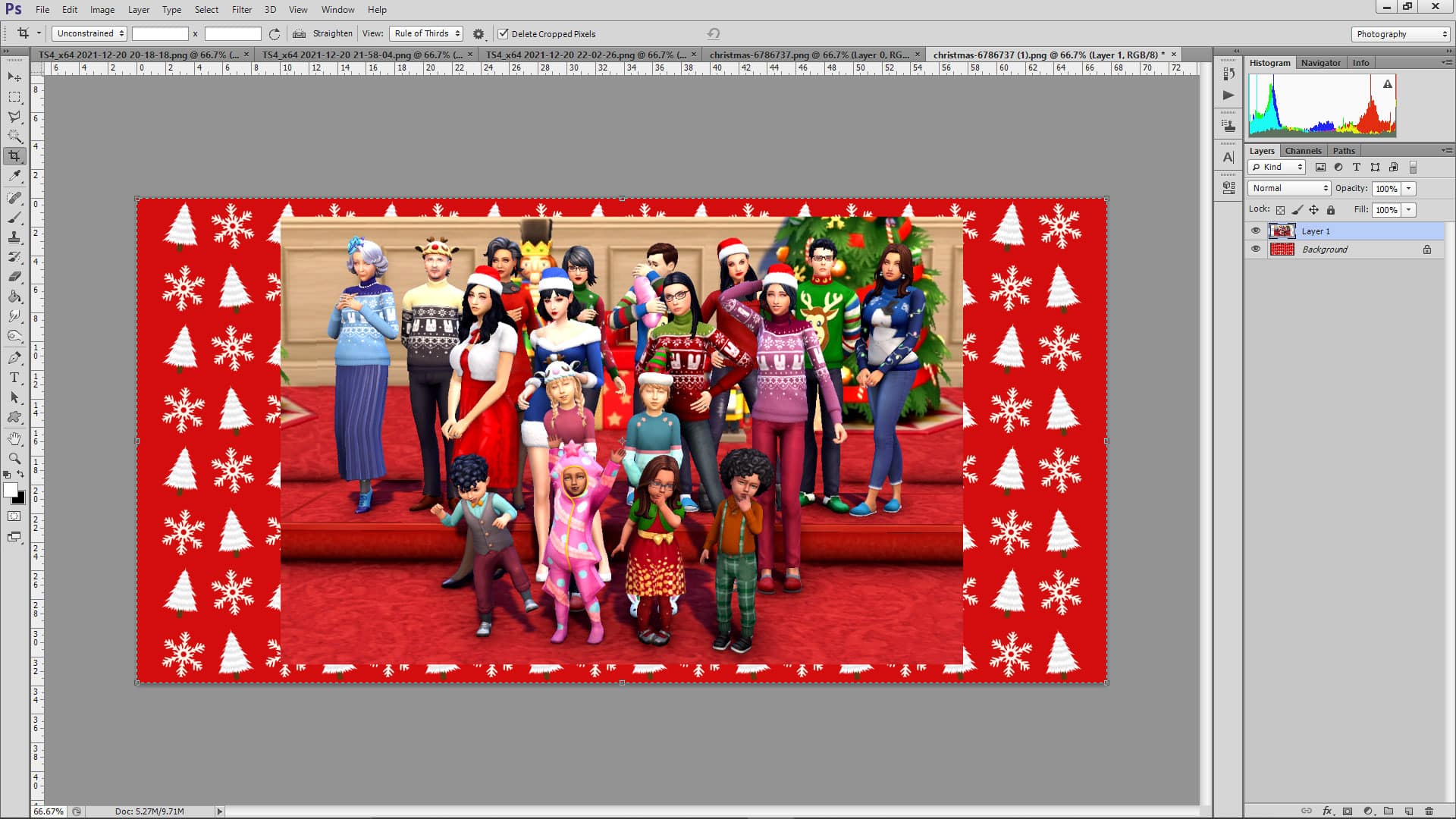
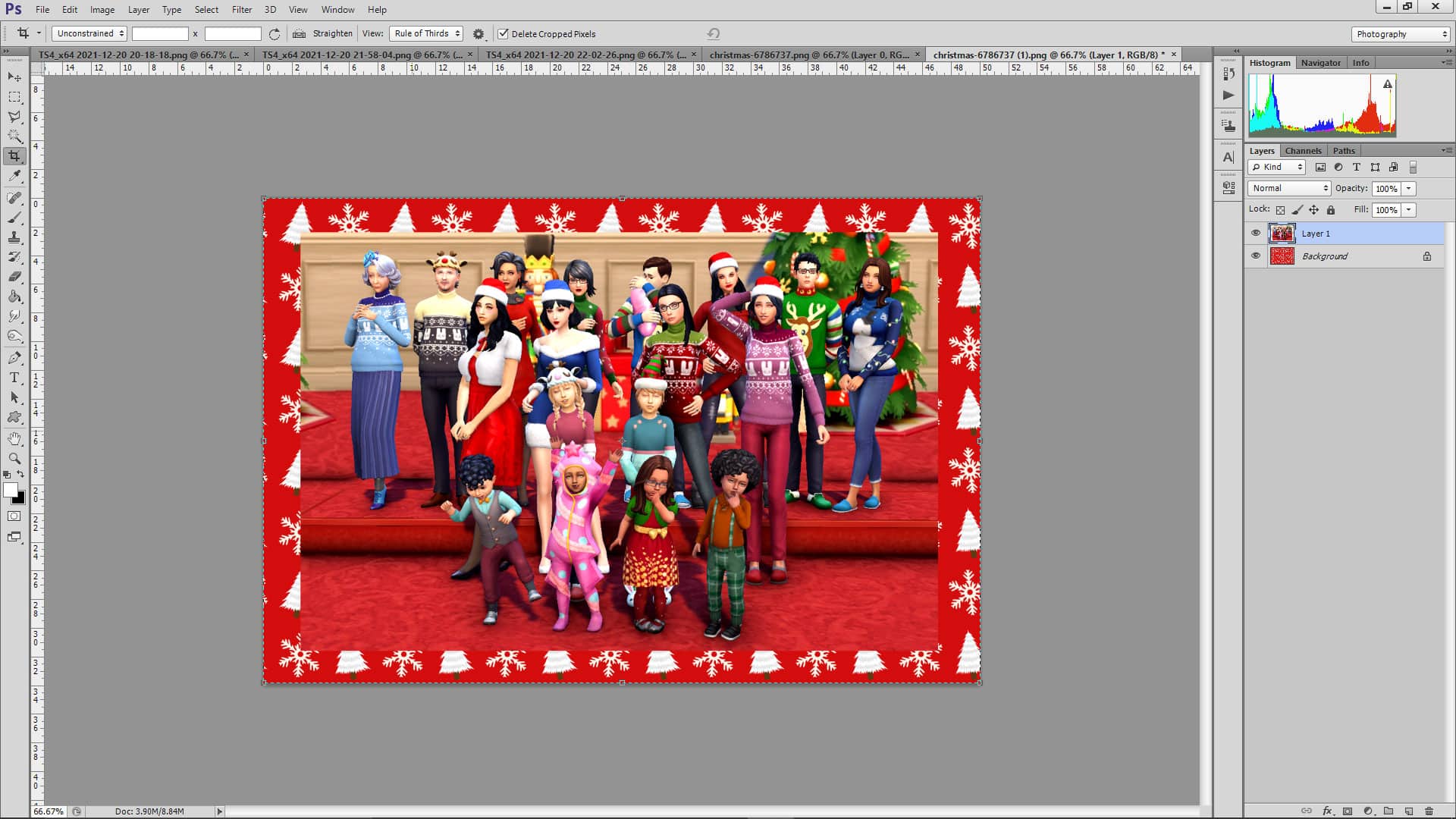
I copy my screenshot by hitting CTRL+A to select the entire image and then CTRL+C to copy it. Then I go to my red Christmas tree pattern and hit CTRL+V to paste my screenshot on top. My screenshot is just a little too big to have nice even borders on the top and bottom but this is easy to fix. With the screenshot layer selected in the right sidebar, I press CTRL+T and then drag the corners of the image inward while holding SHIFT to manually resize the image while keeping the same dimensions. I also crop the image to cut out a lot of the dead space in the background.

TUTORIAL: How to Create the Perfect Holiday Card in The Sims 4

I use the Move tool (the arrow icon at the top of the left sidebar) to drag the resized image to the middle of the Christmas tree background. The background is now too wide on either side but that’s what the Crop tool is for! Select the Crop icon from the left sidebar and drag the sides inwards on either side to where you want to crop it. Then hit Enter.

TUTORIAL: How to Create the Perfect Holiday Card in The Sims 4

My holiday card is almost ready! I just want to make the image in the centre stand out more. To do that, I select that layer in the right sidebar, right-click it and select Blending Options. I’m going to add a 5px white border and a drop shadow to the image to make it pop against the red border. From the Blending Options menu that pops up, I select Stroke, change the size to 5px and the colour to #FFFFFF which is the hex code for pure white. Then I select Drop Shadow from the same menu and hit OK since the default drop shadow settings are fine for what I want.

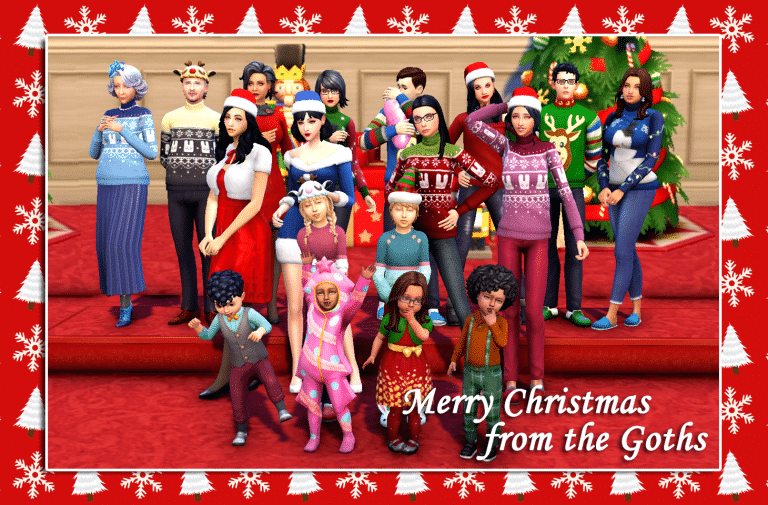
And voila! Our holiday photo now pops beautifully against the border! Just one more thing left to do; add a nice holiday message! To do this, select the Text tool from the left sidebar, choose your font, size, and colour from the top horizontal sidebar, and type whatever you want anywhere on the card you like. I chose the bottom right corner. You can adjust the placement of your text with the Move tool if it’s not exactly where you want it. To make the text pop, I once again use the Blending Options to add a drop shadow to the text.

TUTORIAL: How to Create the Perfect Holiday Card in The Sims 4

Share the Holiday Spirit


And now our holiday card is complete! Save it as a .png file and post it anywhere you like. Send it to your Simmer friends, post it on your social media accounts, or print it out and decorate your room with it. Whatever you want!

TUTORIAL: How to Create the Perfect Holiday Card in The Sims 4

I hope this tutorial inspired you to get creative with your Sims families this holiday season. Whatever holiday you’re celebrating, Sims Community wishes you a wonderful holiday and a happy new year!

Origin Holiday Sale: Save BIG on The Sims 4 and The Sims 3 Games

Origin is having a HUGE Holiday Sale where you can save big on EA titles – including both The Sims 4 and The Sims 3 Games!

That’s right – for the first time (in a long time) The Sims 3 Games are now also on sale. Many Sims Games are included within this sale, so let’s go ahead and see what’s discounted:

The Sims 4 Sale

  • The Sims 4 Base Game – 88% off
  • The Sims 4 Expansion Packs – 50% off (Cottage Living is also included!)
  • The Sims 4 Game Packs – 30% off
  • The Sims 4 Stuff Packs – 30% off
  • The Sims 4 Origin Pre-Made Bundles – 20% off

The Sims 3 Sale

  • The Sims 3 Starter Pack (Base Game, Late Night, High-End Loft Stuff) – 50% off
  • The Sims 3 Expansion Packs – 50% off
  • The Sims 3 Stuff Packs – 50% off
  • The Sims 3 Worlds – 50% off

The biggest sale of this season is live right now on Origin and will last until January 11th, 2022 at 10AM Pacific Time. Make sure you take advantage of these offers if you’ve been eyeing any of the games from The Sims 4 or The Sims 3!

Origin Holiday Sale: Save BIG on The Sims 4 and The Sims 3 Games