The Sims 4 Get Famous offers almost countless ways to become a celebrity. This makes it one of the most versatile expansions for The Sims 4. One of the ways Sims can become famous is by becoming a vlogger. They can record, edit, and upload videos using the video station for fame and simoleons. Sims can record vlogs by just standing in front of the video station and recording themselves talking, but that can get dull fast.
The good news is that Sims aren’t limited to what they can record at the video station. There’s an entire world out there and Sims can record all of it with the help of their trusty drone. Purchase one from Build/Buy and start recording your Sims’ entire lives. It can be intimidating and overwhelming trying to decide what to record, though. There’s so much to do so where do you even start?
Sims Community has compiled a list of activities that can be filmed using the drone for you to use as prompts in your gameplay. While the full list of everything would be very long and we’ll no doubt get more activities to film in future packs, we’ve done our best to cover as much as possible to give you the most inspiration for your game.
Practice charisma skill and interact with other Sims while building fame and making simoleons at the same time.
Games
chess, card games, video games, Don’t Wake the Llama (Get Together), foosball (Get Together), darts (Get Together), water balloon & snowball fights (Seasons), bowling (Bowling Night Stuff)
Education & Culture
Mentoring other Sims in skills your Sim has mastered, Archaeology (Jungle Adventure), Selvadoradean Culture (Jungle Adventure), exploring and trying new cultural foods (Snowy Escape, Jungle Adventure, or City Living)
Animal Care
Veterinary services (Cats & Dogs), pet training (Cats & Dogs), livestock care (Cottage Living)
Will your Sim become a famous educator from making videos about their archaeological discoveries or a celebrity chef travelling the whole world trying delicacies from different cultures? Get out there and start filming the world around you!
In a recent update, The Sims 4 received two new aspirations that tie into the new Neighbourhood Stories feature; Neighbourhood Confidante and Villainous Valentine. The Neighbourhood Confidante aspiration focuses on your Sim being a force for good in their neighbourhood while the Villainous Valentine aspiration has your Sim breaking hearts all over town.
Today, I thought I’d share my playthrough of the Villainous Valentine aspiration with you. My SuperSim, Elodie Goth, was the perfect candidate for this playthrough. Not only is she a SuperSim who needs to complete every aspiration in the game, but she has a mountain of perks and reward traits from being a SuperSim and she’s currently married. Let the drama commence!
When I first selected the aspiration for her from the Deviance category, one of the goals was already complete. She had previously done the Serial Romantic aspiration back in her wild college days so she had a long list of ex-lovers. This satisfied that goal. I had two more goals to complete with her; get caught cheating and break up 10 couples. I decided to start with having her get caught cheating on her husband.
Of course, I’m quite attached to this Sim and her husband so I’m not SO mean as to break them up over this. I won’t bore you with the irrelevant details but long story short, this is all one elaborate PR stunt for her career that both her husband and her ex are in on. Elodie still happens to be good friends with one of her exes, Caleb Vatore. This ex is also her husband’s best friend and Elodie is a Global Superstar, so the three of them hatched an elaborate plan to stage a tabloid scandal for the exposure and money.
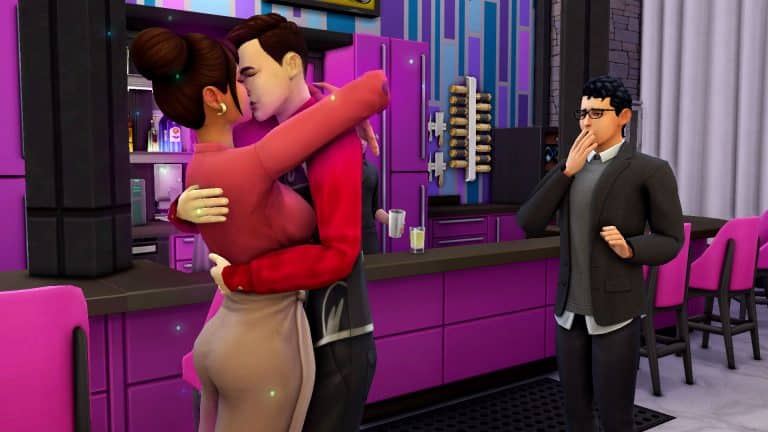
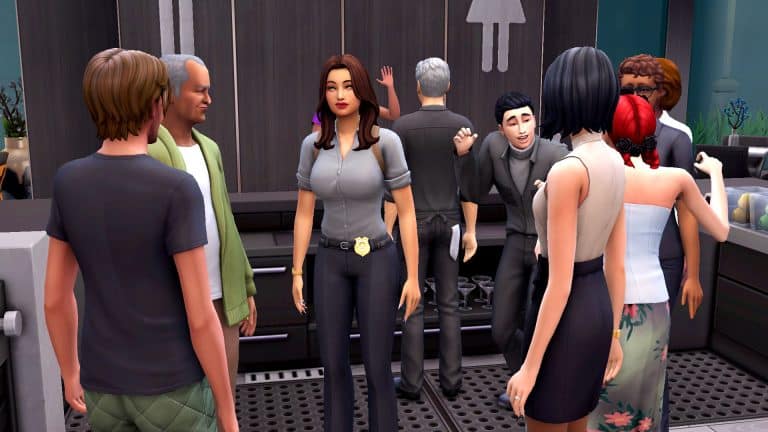
So the three of them head out to a very public place in the city and when Elodie’s husband pretend to get up to go to the bathroom, Caleb saunters over and starts flirting with Elodie, who then wraps her arms around him and plants a big kiss on his lips in front of paparazzi with cameras. Conveniently, at that exact moment, Elodie’s husband comes back and sees his wife and best friend locking lips and pretends to be shocked and horrified by the staged betrayal. The camera clicking intensifies, people start whispering, Elodie is on the front page of the news the next day and everybody has their money. No harm done.
Except there was one problem. I mentioned previously that Elodie completed the Serial Romantic aspiration. This gave her the Player trait, which eliminates jealousy. Her husband didn’t mind at all that his wife was kissing another man right in front of him and had no negative reaction to the scene. While this worked perfectly for the story I’d concocted in my head, it definitely did not work to satisfy the goal for this aspiration. Not even temporarily removing her Player trait solved the issue. She appeared to still have the effects of the trait active anyway. In the end, I had to cheat this goal completed. I don’t necessarily think this is a glitch; the Player trait did work as intended but it’s definitely an oversight that might need tweaking in a future game patch. Normally, I feel guilty about cheating and avoid doing it at all costs, but in this case, it was justified. I did do the task required to complete the goal.
TS4 x64 2021 12 17 16 46 31
TS4 x64 2021 12 17 16 46 08
TS4 x64 2021 12 17 16 47 26 1
TS4 x64 2021 12 17 16 49 08
Anyway, with the exes and the cheating out of the way, all there was left to do was break up 10 couples. Luckily, I had a lot of unhappily married couples in this save that I was dying to break up so Elodie got to work. All of her perks and reward traits came in handy for this goal. She’s immediately good friends with every Sim she meets with a Polite Introduction, making it easy for her to influence whoever she wants. When I did the Neighbourhood Confidante aspiration with Elodie, Sims weren’t always receptive to the idea of a career change. I expected something as serious as divorcing a spouse to be even harder but strangely, it was much easier to convince Sims to end a marriage than it was to convince them to switch career paths. Every single Sim Elodie talked to was all too happy to break up with their spouse at her request. One Sim even divorced her spouse on the spot right in front of Elodie!
I ended up completing this aspiration in one Sim night with my SuperSim. She got the Twisted Heart reward trait which gives her increased Social from Mean and Mischievous interactions and helps her shrug off bad moods faster. Again, not a huge perk because her other 160+ traits combined basically do the same thing but a SuperSim still needs to collect all the traits and aspirations. Even though I did have to cheat the one goal because of a trait conflict, it was still much easier than the Neighbourhood Confidante aspiration, which took several in-game days of grinding to complete. I found that funny because Elodie only had one goal to complete for that aspiration while she had two goals to complete for this one.
Did you complete the Villainous Valentine aspiration? How did it go for you? Let us know in the comments or come chat with us on social media!
The Festive Season now here, I’m sure many of us will be looking for ideas and inspiration on how to make our games more festive. With a variety of prompts covering gameplay, building or creating Sims, you’ll find plenty of ideas to help get you started!
While this is no means a definitive list of ideas to make your game feel more festive, it is definitely a good starting point. There are a number of ways you can have the ultimate Winterfest season with your Sims be that through gameplay and storytelling or building.
Let us know how you plan to spend the festive season with your Sims in the comments below and over on social media!
There is no shortage of ways to make money in The Sims 4. You can choose the traditional 9-5 career if you want, work on your own schedule as a freelancer, or make a living pursuing your favourite hobbies. All of these have the potential to make your Sims wealthy with enough time and effort but what about those Sims who aren’t interested in working hard for their money? What if going to the office every day or slaving away at a computer, easel, or garden just isn’t their vibe? Sometimes, you just want instant money, right?
Of course, you CAN just use the kaching or motherlode cheats. But where’s the fun in that?
Luckily, we’ve got three perfect get rich quick schemes that are so good, they’re almost cheating! But not quite. Console players and rulebook followers rejoice!
Become a Black Widow
For starters, you can just do what many people do in real life! Marry for money! Every world in the game has one or two families with an expensive home and a big stack of simoleons. Seek them out, woo them, get hitched and move in. Everything they have is now yours! Of course, most of these Sims are already married so you might have to convince them to divorce their spouse in order to marry you but this isn’t difficult at all once you’ve achieved a high friendship and romance level with them.
If you’re satisfied with your spoils and like your new spouse, feel free to live out a happy lifelong marriage in the lap of luxury but if you’re feeling a bit evil, you can always arrange an untimely “accident” for them, inherit all their assets, then remarry another wealthy Sim. Rinse and repeat until you have a full graveyard and a full bank account. Easy peasy!
Kidnap Mr. Sandy Claws?!
By “Mr. Sandy Claws,” we mean Father Winter, of course! If you own the Seasons expansion pack, jolly old Father Winter comes with a whopping 500,000! All you have to do is invite him over (or wait for him to show up on Winterfest), befriend him and invite him into your household. If he won’t cooperate, you can always speed things along and just add him to your household manually via Manage Households.
But hold on! Don’t act so fast! Before you rush to move in Father Winter and his vast fortune, have the forethought to assign every teen or older Sim in your household the Fabulously Wealthy aspiration. Why? Well moving in Father Winter will instantly complete this aspiration, awarding your Sims with the Shrewd reward trait. This trait pays your Sim 5% of their household funds every week from investments. 5% of 500,000 is a nice tidy sum of 25,000 every week and that number will only grow as your household funds accumulate.
Once you’ve moved in Father Winter with his money and gotten the Shrewd trait, you can move him out if you like. He’s served his purpose. Enjoy your instant fortune that will only grow larger every week with no effort on your part!
Money Tree Hack
This method requires slightly more effort than the other two suggestions just because you need to save up 5,000 satisfaction points first but there are plenty of easy aspirations you can bounce back and forth with to help you accumulate these points faster. If you own the Paranormal Stuff pack, living in a haunted house will award your Sims with satisfaction points for every night they stay in the house so that can be a good way to rack up points, too. Doing a scenario will give your Sim 5,000 satisfaction points when you complete the scenario goal, too.
Once you have the 5,000 satisfaction points, purchase a money tree seed and raise it to maturity. You can hire a gardener if you don’t want to get your own hands dirty in the garden. When it’s ready to harvest from, don’t harvest! Stick the tree in your household inventory, instead. This will generate more money tree seeds in your household inventory that you can plant without having to buy more trees. Plant those and rinse and repeat as many times as you like.
You’ll have a maxed out bank account in no time!
Do you have any other methods of getting rich almost instantly with no effort? Let us know in the comments or come chat with us on social media!
Back in June of this year, The Sims team introduced us to a limited time event called Sims Sessions. Featuring the likes of Bebe Rexha, Glass Animals and Joy Oladokun. The event its self was received well throughout the community however, since the event ended, we haven’t heard if or when we could potentially see Sims Sessions return.
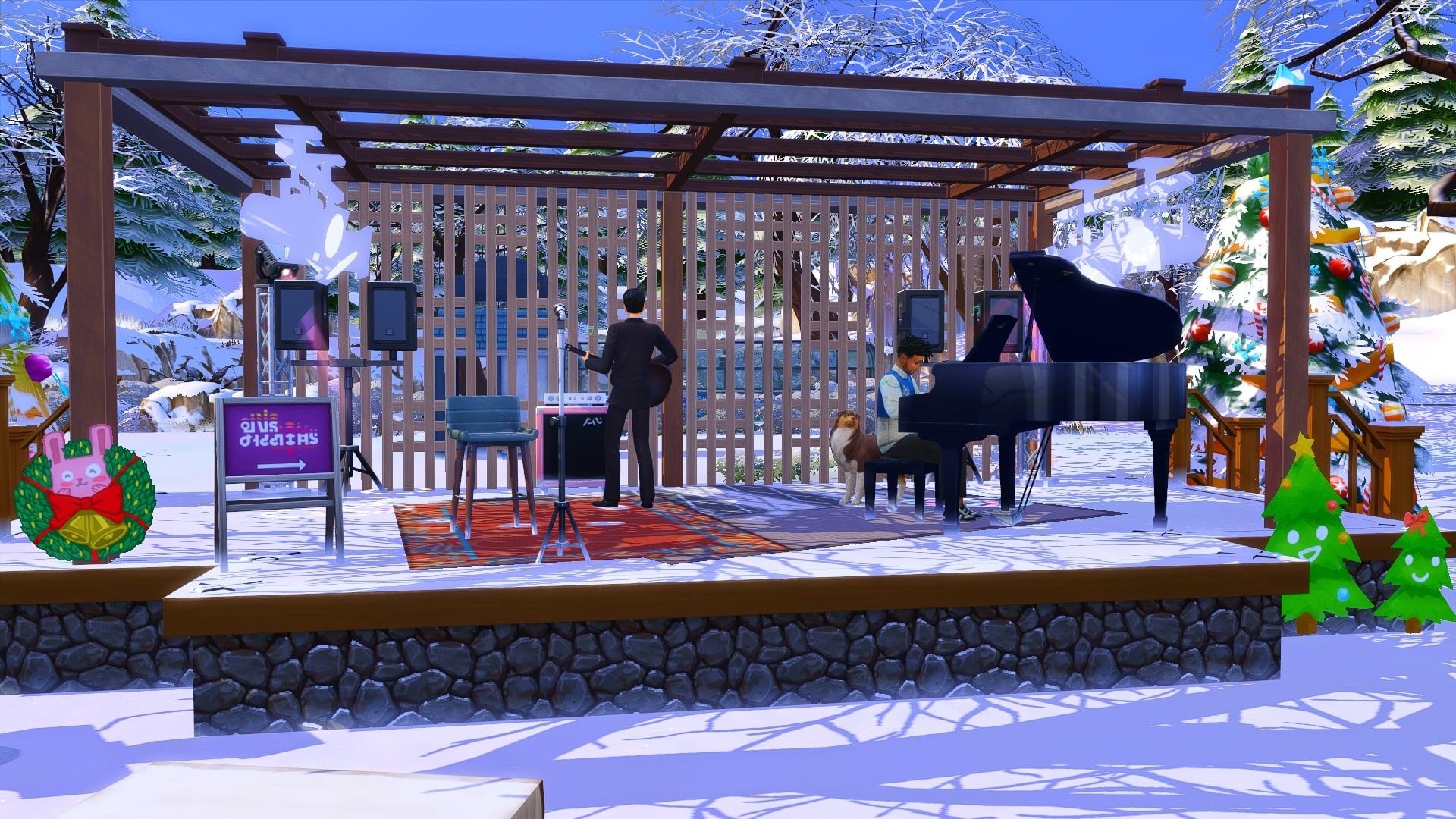
Despite the unknown surrounding the Sims Sessions, it got me thinking about what a Winterfest Sims Sessions event could look like and also what kind of music you’d probably hear as well as who could be performing.
Location
While the first Sims Sessions event was held in Magnolia Blossom Park in Willow Creek, there are a number of different places where a Sims Sessions event could be held. Magnolia Blossom Park could easily be turned into a Winter Wonderland. You could also look at the world of Mt. Komorebi from Snowy Escape that is already home to several different Festivals, Granite Falls from Outdoor Retreat, Glimmerbrook from Realm of Magic and you could maybe even look at Henford-on-Bagley or Brindleton Bay.
What’s On?
As well as the centre stage where your Sims would be able to catch the latest performances from your favourite artists, you would of course find a variety of vendors offering merchandise as well as food & drink, an area to kick back and relax with friends and family and a handful of activities your Sims could take part in while waiting for acts to come to the stage.
Performers
To be honest, you could choose so many different artists to perform at a Sims Sessions event. While this article is purely for fun with a dash of speculation, you could follow the same format as the original Sims Sessions and have three different artists perform a song or two.
For example, you could have the following artists perform as Sims at a Winterfest Sims Sessions event.
Olivia Rodrigo
BTS
Taylor Swift
Playlist
Here’s a playlist of some of the songs that could be a part of a Winter Edition of the Sims Sessions. It would be a mixture of some tracks from The Sims games past and present as well as music from various artists and of course a festive song or two!
Take a look at our playlist below where you will find songs from BTS, Taylor Swift, Ed Sheeran, TWICE, The Sims games past and present and some classic Christmas tunes too!
If you could create your own Winterfest Sims Sessions event, who would you like to see perform and where in the world of The Sims would you like to see the event held? Let us know in the comments below!
Every year, one of my favourite things to do over the holidays is build a gingerbread house with my family. Or a gingerbread train. Or a gingerbread castle. Anything gingerbread, really. This year, I don’t have a real-life gingerbread house to decorate but that’s okay because of course, I can always build one in The Sims!
Let’s take a little tour through this yummy edible home for a single Sim, shall we?
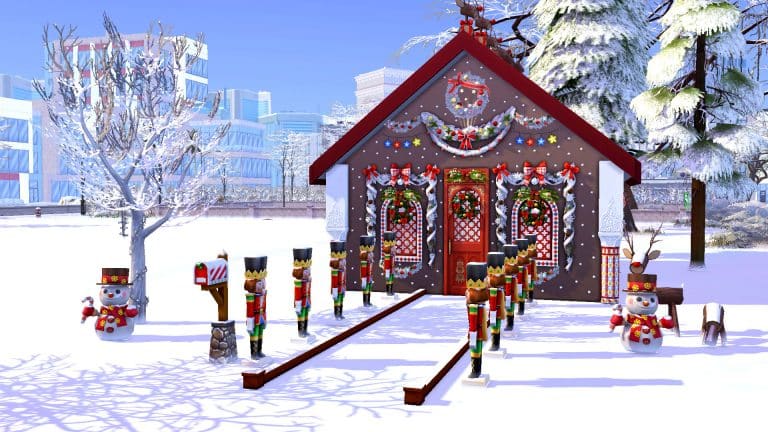
I wanted my gingerbread house to look like a traditional gingerbread home with a square shape and A-frame gabled roof. To dress it up, I used framed garlands to dress up the windows in red and white to keep it festive but also recreate the illusion of icing around the windows. I also added wreaths and pinecones for extra touches of detail. Stringing up more white garland near the roof adds to the illusion of a gingerbread home decorated in white icing. Colourful ornate pillars, doors, and windows also help to make an otherwise flat-looking structure pop more.
I added hanging flower lights to look like candy here and there as well as decorative reindeer on the roof but once all of that was done, something was still missing. The gingerbread home still looked a little bare. So I covered all the open spaces left with sized down pool lights to give the illusion of glitter, snow, or powdered sugar sprinkled over the whole house.
With the exterior finally living up to my expectations, I started adding a few details to the yard. An army of nutcrackers guard the front entrance, ushering you inside. A tree strung with lights sits out front with some beautiful evergreen trees in the back to frame the house while cheerful smiling snowmen and more reindeer greet you in the yard. Of course, I couldn’t forget the festive mailbox, either.
TS4 x64 2021 12 09 13 50 36
TS4 x64 2021 12 09 13 50 42
Inside, it’s a cozy little dwelling for a single Sim. The dominant colours are red, gold, and white. The kitchen is tiny but functional and the living room has a little table for two, a rocking chair with plenty to knit and cross stitch, and a bookshelf for warm winter nights reading wrapped up in a fluffy blanket.
Some curtains separate the living area from the bedroom. It’s a simple but inviting space with an ornate single bed next to a gold end table and old-fashioned lamp, and a red wooden dresser with a mirror over it. Next to the dresser sits a little holiday tree all decorated for the season. Red and gold carpet and red striped wallpaper give the whole house a nostalgic festive feeling.
TS4 x64 2021 12 09 13 52 00
TS4 x64 2021 12 09 13 51 41
TS4 x64 2021 12 09 13 52 11
The bathroom is tiny but just as colourful as the kitchen with red and white mosaic tiles. Matching red towels on gold hangers hang above the bath tub for easy access and an oval mirror sits above an old-fashioned claw-foot sink. The ornate art-nouveau toilet adds an extra touch of detail to this tiny room.
TS4 x64 2021 12 09 13 52 24
TS4 x64 2021 12 09 13 52 37
If your sweet tooth is itching to have this gingerbread delight in your game, click the button below to download it from the Gallery!
Before I begin with this post – please note that the information mentioned in this article is official and talks about new technology developed by Electronic Arts. However, none of the information assures that the technology is fully developed and fully functional. As far as we know these could be just concepts that haven’t been fully developed.
Yesterday we published an articleabout EA’s latest patent that will allow you to scan faces through images – importing the facial features from selected images onto a character model. The patent has been submitted in April 2020 and published this year, with some of the examples taken shown from The Sims 4’s user interface.
patent3
patent1
However – it turns out that this isn’t the only patent submitted by Electronic Arts that talks about new technology for character creation. We got a tip from @DancerChip regarding numerous patents that have been published over the last year or two with talks about groundbreaking technology that’s now in EA’s full ownership. Before we dig into each submitted patent please be cautious with the following information as nothing had been confirmed. Although there’s no official mention about The Sims being related to this technology, the patents come with plenty of examples of imagery that resemble The Sims Franchise.
This patent has been submitted just recently in March 2021 and got published this October.
The patent talks about groundbreaking technology that will allow the player to create a character from real life footage. The crazy part about this patent is that it suggests creation of full body character meshes, textures, clothing and animation all generated from the footage provided to the technology.
The Patent Summary
Systems and methods for generating a customized virtual character are disclosed . A system may obtain video data or other media depicting a real person , and then may provide the obtained media to one or more machine learning models configured to learn visual appearance and behavior information regarding the particular person depicted in the video or other media . The system may then generate a custom visual appearance model and a custom behavior model corresponding to the real person , which may subsequently be used to render , within a virtual environment of a video game , a virtual character that resembles the real person in appearance and in – game behavior
The patent later explains how the character creation from provided footage would be done in-game. To simplify the workflow of this suggested technology here’s how it would work:
You’d import video and/or certain image into the technology
The technology would then retrieve and process generic 3D model and behavior data from the footage
…later generating into virtual character information, including both behavior and appearance from imported media
The technology will then generate custom clothing and/or accessories from imported footage onto the virtual character
The player then decides whether they like the determined look, animation(s), behavior and clothing generated by this technology
If the player accepts the prompted character, they’ll be able to import the character and their assets for use in-game.
The surreal part of this proposed concept is that the technology would automatically generate textures from the footage provided. So for example – you could be seeing a texture from a T-Shirt you scanned onto a T-Shirt in the game.
A similar process would also be used for things like character behavior, look and even animations.
The patent also talks about creating custom animations from footage that you’d be able to import in the game for various purposes.
There is also a concept included below with some of the purposes for the custom character animation that you capture. The patent proposes possibilities to give your animation a name and a purpose, as well as set a custom rule on when the animation will play out for in-game use.
Okay, but what about bringing real life pets into the virtual world? EA has secured a patent for that concept as well.
This patent dates back to March 2019, and has been published in October 2020.
The patent talks about creating animals in the game from the media provided. That includes importing both animal appearance and behavior into the game. Check out the summary of this patent and one of the examples illustrated below:
The Patent Summary
Systems and methods for generating a customized virtual animal character are disclosed . A system may obtain video data or other media depicting a real animal , and then may provide the obtained media to one or more machine learning models configured to learn visual appearance and behavior information regarding the particular animal depicted in the video or other media . The system may then generate a custom visual appearance model and a custom behavior model corresponding to the real animal , which may subse quently be used to render , within a virtual environment of a video game , a virtual animal character that resembles the real animal in appearance and in – game behavior
The workflow of this technology is as follows:
Provide media depicting an animal of your choice that you want imported in the game
The technology determines species and possibly a breed of the depicted animal
…later on generating a custom appearance and behavior model from the Media provided
The player decides which imported attributes they want to see in the in-game model
…later storing all of your feedback including Animal’s 3D Model, Textures, Animations and Behavior for use in-game
The patent has also shown a concept of what one of the final prompts could look like:
There are more patents that @DancerChip sent over to us that could be related to The Sims, but are not necessarily related to the game. Check out his full analysis of each patent:
Generation of “engaging” NPCs for multiplayer (Also it is interesting that there is a party type scenario where there are multiple real-users and computer generated intereactive agents see Figure 4, 8, and 9) (Also interesting that it points out in a multi-platform, multi-hardware application see Fig 1)
The following are interesting features that the R&D Team is working on but could not find any indication that they relate to the Sims:
Method to mimic player gameplay (This one might be relevant for the Sims as we know that they did a similar thing for TS Mobile)
So, what does this mean for the future of The Sims? It is my responsibility as a reporter to remind you again that these could be just concepts that are not yet fully developed and tested out. However, EA is now in full ownership of this proposed technology and could be using it in any of their future titles. Still, the two patents that we’ve explained in the beginning of the article hit closest to the gameplay we have in The Sims.
If this technology ever becomes a reality, it wouldn’t surprise me that EA introduces it in their next generation Sims Game. Still, at this point that is just speculation.
In a recent update, The Sims 4 received two new aspirations that tie into the new Neighbourhood Stories feature; Neighbourhood Confidante and Villainous Valentine. The Neighbourhood Confidante aspiration focuses on your Sim being a force for good in their neighbourhood while the Villainous Valentine aspiration has your Sim breaking hearts all over town.
Today, I thought I’d share my playthrough of the Neighbourhood Confidante aspiration with you. My SuperSim, Elodie Goth, was the perfect candidate for this playthrough. Not only is she a SuperSim who needs to complete every aspiration in the game, but she has a mountain of perks and reward traits from being a SuperSim that made this a fairly easy aspiration to get through.
After selecting the aspiration from the Popularity category, I was delighted to see that the last two goals of this single-tier aspiration auto-completed themselves! Elodie already had the Charisma skill maxed out and she was Good Friends with way more than 5 Sims so those two goals were immediately taken care of. That just left the first goal; to successfully influence Sims’ lives 20 times. I could have just went about my business and waited for random phone calls from her many friends to come in but that would have taken forever. I decided a more hands-on approach was necessary.
Luckily, Elodie had just started a new job as a Detective so she had no shortage of criminals down on their luck who might need some encouragement to turn their lives around. I got the goals for her job performance out of the way quickly so I could dedicate most of her shifts to reforming criminals. With all of her perks and rewards, she instantly maxed out the friendship bar with a Polite Introduction. This made Sims very susceptible to listening to her advice right from the start. All Elodie had to do after introducing herself was ask them about their career and then encourage them to get their dream job. Not every Sim wanted to take her advice but the majority of them did.
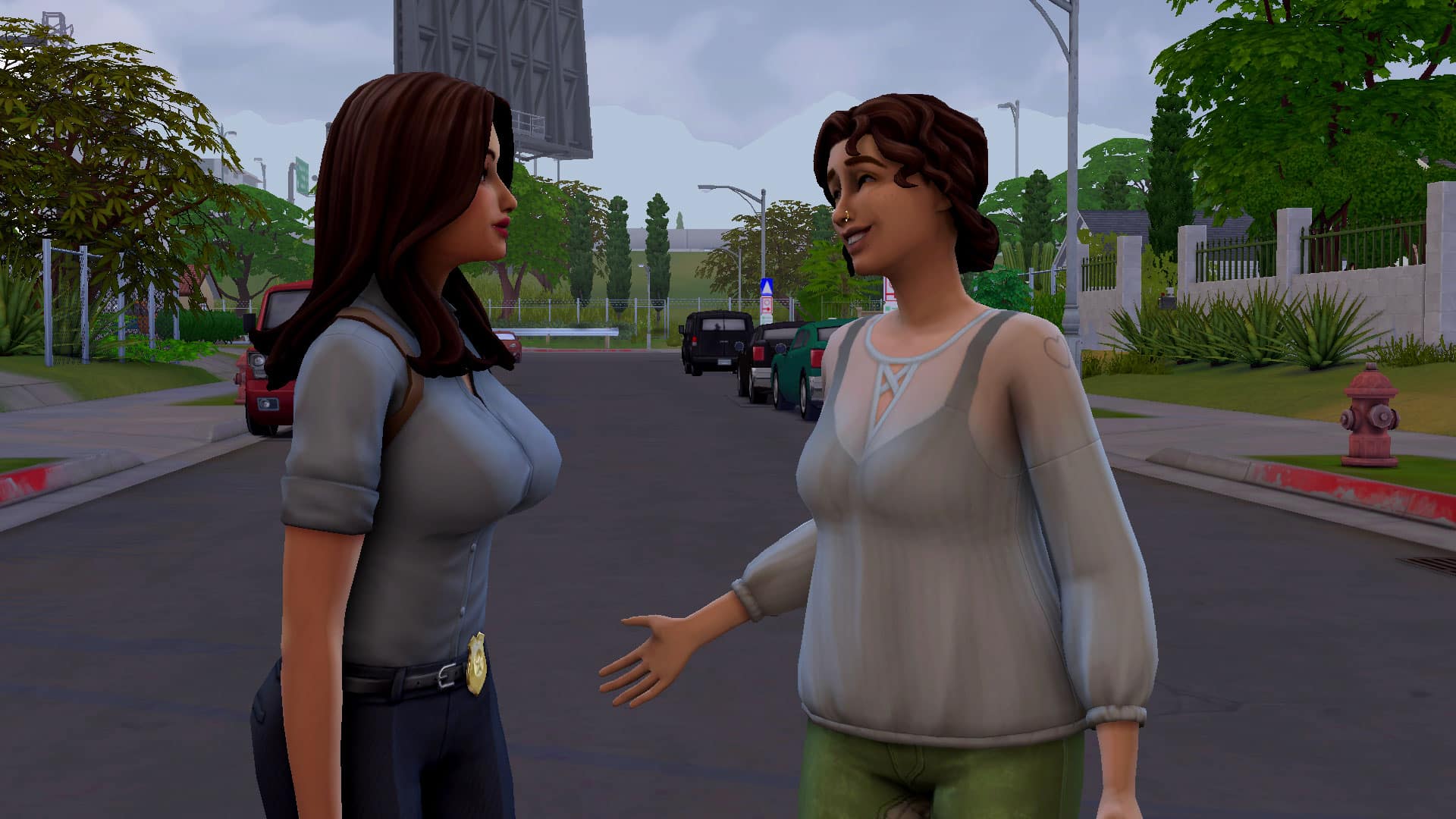
When criminals at work started getting scarce, Elodie started chatting up Sims while out on patrol. She used the same strategy that worked with the criminals; a Polite Introduction to become instant Good Friends, find out their career, then encourage them to change their career. Like the criminals at the station, not everyone took her advice but many of them did and were appreciative of the suggestion.
When I started this aspiration, I didn’t think 20 Sims was a lot but as I started getting out there and actively trying to influence the lives of Sims, I realised 20 Sims is quite a lot. Pretty soon, Elodie ran out of both criminals and patrol civilians to pester about career changes. I did also try influencing Sims to have babies but had absolutely no luck convincing a single Sim of that. Career changes seemed to work much more often.
Elodie has every reward trait so she doesn’t need to take care of her motives anymore. She’s got a lot of time on her hands after work when her kids are asleep so she heads out to the karaoke bar to spend her night inserting herself into the business of random strangers. Oh, and she’s a Global Superstar so she conveniently always has crowds of Sims swarming her wherever she goes. Very helpful for an aspiration like this. Elodie does have some success… and some failures but by the time she had to get ready for work again, she just had one more Sim left to influence to finish off this career!
TS4 x64 2021 12 16 23 34 18
TS4 x64 2021 12 16 23 44 16
There were no criminals at work that Elodie hadn’t already discussed a career change with and her coworkers all seemed very satisfied with their current career paths. But a police station always has civilians coming in to bail out friends and relatives or to report crimes. So Elodie hung around out front waiting to catch Sims on their way into the police station.
And that’s where she had her final success! She managed to convince someone on their way into the station to switch careers! That made 20 Sims successfully influenced and polished off the career for Elodie. She earned the Confidante reward trait for her efforts. This trait helps her avoid boring conversations and allows her to have more successful conversations with Sims. This… doesn’t really help her much, considering her 160+ other reward traits combined basically do the same thing but oh well. It’s still another box with a checkmark in it on her very long SuperSim list.
If you decide to play through this aspiration, you’ll probably be working on it for much longer than I did. Unless you also have a highly accomplished SuperSim, this aspiration is going to take time and patience. You have to master a major skill, heavily invest yourself in five friendships, and successfully influence the lives of many Sims. As you saw with Elodie, not even all of her SuperSim perks guaranteed a successful attempt every time so be prepared for a long haul.
Did you complete the Neighbourhood Confidante aspiration? Did you find it difficult, easy, or just long? Let us know in the comments or come chat with us on social media!
With 2021 wrapping up Electronic Arts has put up an infographic featuring statistics from some of their most popular franchises that were played this year!
In this infographic they’ve also included The Sims 4 – featuring some impressive numbers for both the players and the actions they’ve done in-game. Take a full look at what The Sims 4 players were doing (and for how long) throughout 2021:
1.2 Billion Hours Played
529 Million Hours Spent in Live Mode
226 Million Hours Spent in Build Mode
146 Million Hours Spent in Create A Sim
376 Million Sims Created
201 Million Gallery Downloads
11.3 Million Gallery Uploads
274 Million WooHoos
Most Common Death: Old Age
You can check out EA’s full infographic featuring other Electronic Arts franchises HERE!
Have you ever wondered what would it look like if you could turn yourself or others into Sims with just two clicks? The Sims Team wants to introduce a new method of creating Sims characters in the game that will allow you to do just that!
In the latest patent filed by EA in April 2020 and approved in October 2021, the team wants to introduce a new way of creating characters in the game through image processing.
As explained in the official patent, the team talks about AI technology that will allow for you to upload one (or multiple) images of characters and faces of your choice. The face from the image would then be converted through the patented technology into an in-game character with corresponding facial features from the submitted images.
A method , computer – readable storage medium , and device for generating a character model . The method comprises : receiving an input image of a reference subject ; processing the input image to generate a normalized image ; identifying a set of features present in the normalized image , wherein each feature in the set of features corresponds to a portion of a head or body of the reference subject ; for each feature in the set of features , processing at least a portion of the normalized image including the feature by a neural network model corresponding to the feature to generate a parameter vector corresponding to the feature ; and combining the parameter vectors output by respective neural network models corresponding to respective features in the set of features to generate a parameterized character model corresponding to reference subject in the input image.
The patent, submitted by a team of developers and AI scientists is in lead by Igor Borovikov, who worked on games likes The Sims 3, The Sims Medieval and The Sims 4. In this patent they’ve used some primary examples of the character creation from The Sims 4, although the patent only covers which facial features could be considered for this character creation processing.
patent3
patent2
There is also one of many examples on how the workflow for this character creation method could look like:
They’ve also shared some primary facial features that are considered for this character creation processing, including:
This isn’t the first time that EA tried to “simify” real life characters into The Sims. Back in 2000s there was an official tool for The Sims 1 that would allow you to upload an image and put it directly onto your Sim’s face! The results were varying though, as the game didn’t have actual facial presets – so your Sims were just walking around with .jpegs on their faces. It was still a groundbreaking tool for the game though!
Welcome to our third entry in our new Story Starter Kits series! If you missed all the info on Story Starter Kits, you can read more about what they are and how they work in our introductory article!
This month, we’re bringing you a taste of the holiday season, reimagined in a steampunk setting!
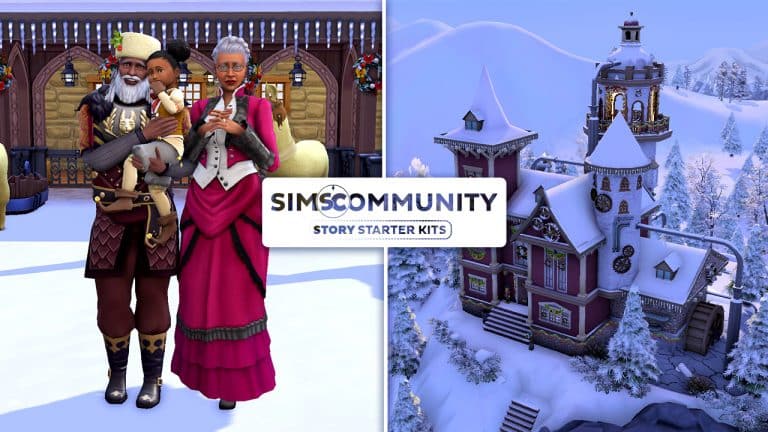
A Kringle Legacy
Up in the farthest, coldest reaches of the North Pole lives a very famous man you may have heard of. The people call him Father Winter and his wife is known as Mrs. Winter, but their real names are Kris and Gertrude Kringle. They have a very special job once a year but it’s a full-time occupation for them all year round. The Kringles are toy makers who spend the entire year carving, knitting, and cross-stitching toys for good children all over the world. On Winterfest Eve, Kris packs up all the toys they made that year on his sleigh pulled by his nine magical flying “reindeer” (nobody tell them they’re actually llamas! They think they’re reindeer!) and delivers toys to all the children of the world.
Of course, you know all this. Maybe not the llama part but you know the story. What most people don’t know is that Father Winter isn’t immortal. He grows old and eventually dies just like everybody else. That’s why being Father Winter is a family business that has been passed down from Kringle to Kringle since medieval times. When the previous Father (or Mother) Winter passes on or becomes too old to carry out their duties, the torch gets passed down to their oldest child. That was the plan for Kris. But plans have a habit of not going to plan.
Kris had been gearing up to retire and pass the reins to his only child, Nicholas, but Nicholas tragically lost his life during a training flight when he and the “reindeer” encountered bad weather and the sleigh crashed in the mountains. He left behind his young daughter, Giselle, whose mother left them when she found out who the Kringles really were and wanted no part of such childishness. With no one left to care for Giselle, Kris and Gertrude adopted their granddaughter.
Now Kris has another dilemma. Giselle is his only living descendant who can be Mother Winter, but he’s getting on in years and Giselle is still just a toddler. He can’t keep being Father Winter forever; the Grim Reaper comes for them all in the end but when that day comes, will Giselle be ready to continue the Kringle legacy?
TS4 x64 2021 12 14 16 13 35
TS4 x64 2021 12 14 16 14 21
TS4 x64 2021 12 14 16 15 07
TS4 x64 2021 12 14 16 15 46
TS4 x64 2021 12 14 16 16 42
TS4 x64 2021 12 14 16 17 18
TS4 x64 2021 12 14 16 17 52
TS4 x64 2021 12 14 16 18 34
Other Info:
Kris Kringle
Age: Elder
Traits: Perfectionist, Good, Cheerful, Gregarious, Father Winter’s Baby
Packs Used: Seasons, Get Famous, Cottage Living, Nifty Knitting Stuff
Misc. Notes:
Gertrude is a B-Lister with some fame perks already!
Gertrude has a Great Reputation!
Giselle Kringle
Age: Toddler
Traits: Wild, Father Winter’s Baby
Skills: Imagination (5), Thinking (3), Movement (2), Communication (1)
Packs Used: Seasons, Get Famous, Cottage Living
Tinker’s Trinkets
TS4 x64 2021 12 14 14 35 08
TS4 x64 2021 12 14 14 35 26
TS4 x64 2021 12 14 14 36 20
TS4 x64 2021 12 14 14 36 33
TS4 x64 2021 12 14 14 36 46
TS4 x64 2021 12 14 14 37 44
TS4 x64 2021 12 14 14 37 21
TS4 x64 2021 12 14 14 38 00
TS4 x64 2021 12 14 14 38 33
TS4 x64 2021 12 14 14 38 54
TS4 x64 2021 12 14 14 39 16
TS4 x64 2021 12 14 14 41 12
TS4 x64 2021 12 14 14 40 27
TS4 x64 2021 12 14 14 43 40
TS4 x64 2021 12 14 14 42 52
TS4 x64 2021 12 14 14 44 07
TS4 x64 2021 12 14 14 41 57
TS4 x64 2021 12 14 14 44 32
TS4 x64 2021 12 14 14 44 59
If Father Winter’s home and toy workshop looks a little… cobbled together, that’s because it is! Originally built as just a workshop in the medieval period, the home has gotten countless additions and upgrades over the centuries. Now, a waterwheel and a series of pipes power both the workshop and the Victorian-style home that was added much later. Some have suggested tearing down the entire thing and rebuilding it to modern standards; much of the technology is long outdated and possibly even dangerous but tradition is tradition! The Kringle family has no plans to start over. They’ll continue to add onto their historical home in haphazard bits and pieces just like they always have.
Lot Info:
Lot Type: Residential
Price: §151,104
Size: 50×50
Beds: 2
Baths: 2
Lot Traits: Home Studio, Child’s Play
Packs Used: Seasons, Get Famous, Cottage Living, Nifty Knitting Stuff
Tips to Use This Lot:
The Kringles come with enough simoleons to purchase their home and have some savings left over.
This lot does not require Snowy Escape but if you own the Snowy Escape expansion, we recommend placing this lot on the 50×50 lot in the Yukimatsu district to get the full winter experience!
The “reindeer” stable is fully functional! The animal sheds are hidden inside the buckets so click on the sheds in the buckets to have your Sims maintain them.
Sims may look a bit silly walking through the water troughs and whatnot around the stable but this is normal. All the décor is placed from the basement level so they don’t block the path inside the sheds. This makes sure Sims can move around the area easily and take care of the “reindeer.”
Giselle is too young to climb the ladder to her play nook above her room but she will be able to access this area and play with her dollhouse when she becomes a child.
Your Story Starter Kit is waiting for you! Get The Household and The Lot by downloading them from the official Gallery Website linked on the buttons below. Or, follow SnarkyWitch in the Gallery and look for A Kringle Legacy and Tinker’s Trinkets!
The Sims Team has just dropped a brand new Delivery into The Sims 4 Base Game!
Through Sims Delivery Express you are able to download new Create A Sim Content, Build Mode Content and small bug fixes and improvements into your game straight through The Sims 4. Simply open up The Sims 4 and your game should automatically check for new content.
If not, go into Game Options > Sims Delivery and Check for new Content. This method of bringing new content into your game works both on PC and Consoles! Note that you will have to restart your game in order to obtain new content. You can select “Yes, Restart Now” for the game to restart automatically for you.
Sims Delivery Express – December 15th, 2021 Content
The latest delivery express is introducing a set of new Build Objects themed around the holiday season! The set includes new recipes, a drink and clutter decorative objects that you can use to decorate your home.
Catalogue Overview
Below is a preview of all the new Build/Buy décor objects. They can be found in the Wall Décor, Misc. Décor, and Clutter sections.
Recipes
There is one new drink recipe and one new cooking recipe. Coquitos require Mixology skill level 2 to mix at the bar. Hallacas require Cooking skill level 3 to make on the stove.
A coquito and hallacas in single, family, and party sized servings
The Small Spaces Custom Content Collection by Sixam has quickly become one of my favourite collections over recent months, and the latest addition is no exception!
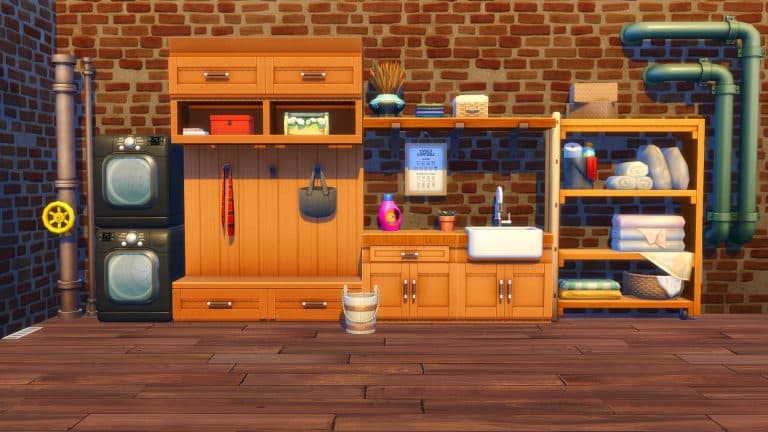
Small Spaces: Laundry Room allows you to take your Sim’s laundry game to the next level. Featuring twenty-six new items including a new functional washing machine, dryer as well as new pet items and more! The custom content pack requires The Sims 4 Cats & Dogs and Laundry Day Stuff Pack to be able to fully use all the new items, however, there are decorative versions of the washing machine and dryer if you do not own the Laundry Day Stuff Pack.
Item Overview
Each of the new items come in a variety of different swatches that work perfectly with each other as well as many of the items we have in game too!
Take a closer look at all twenty-six new items in the Gallery below!
TS4 x64 2021 12 12 15 28 47
TS4 x64 2021 12 12 15 32 41
TS4 x64 2021 12 12 15 34 41
TS4 x64 2021 12 12 15 31 44
TS4 x64 2021 12 12 15 30 32
TS4 x64 2021 12 12 15 17 22
Build Ideas
Whether you are using the Small Spaces: Laundry Room Custom Content pack on its own or alongside other packs, there are endless possibilities on how you create your Laundry Room. Create a stand-alone laundry room or incorporate into your Sim’s kitchen space, the choice is completely up to you.
Here are a few laundry room build ideas featuring the items from the Small Spaces: Laundry Room Custom Content Pack.
TS4 x64 2021 12 12 15 45 29
TS4 x64 2021 12 12 16 01 37
TS4 x64 2021 12 12 16 19 25
How to Download
The Small Spaces: Laundry Room Custom Content Pack is available now via Sixam’s Patreon for Patrons. Click the link below to download via Patreon.
A little while ago, Arnie, a modder for The Sims 4, released his Plumfruit mod. The mod was a revamp of the existing cell phone in the game and had some new features as well. The original mod was already quite impressive but he’s revamped it, adding more functional objects, more apps, and more ways to enjoy a high-tech lifestyle in The Sims 4.
So let’s go over everything in the latest version of the Plumfruit Mod Pack by Arnie!
The Mod Pack is currently in Early Access. Public Release is set for Christmas, around December 25th, 2021! You can find more on Arnie’s Patreon linked below. We’ll make sure to update this post as soon as the mod goes public!
The Plumfruit Mod Pack comes with 20 objects as part of the mod as well as 1 masculine shirt in CAS for a total of 21 items. Some items are revamped versions of existing items in the game; other items are completely new things we didn’t previously have at all in the game. You can check them all out in the catalogue previews below.
TS4 x64 2021 12 10 16 00 51
TS4 x64 2021 12 10 16 01 04
TS4 x64 2021 12 10 16 01 10
TS4 x64 2021 12 10 16 01 15
TS4 x64 2021 12 10 16 01 23
TS4 x64 2021 12 10 16 01 30
TS4 x64 2021 12 10 16 01 36
TS4 x64 2021 12 10 16 01 54
TS4 x64 2021 12 10 16 02 08
TS4 x64 2021 12 10 16 03 04
TS4 x64 2021 12 10 16 03 09
TS4 x64 2021 12 10 16 03 22
TS4 x64 2021 12 10 16 03 27
TS4 x64 2021 12 10 16 03 32
TS4 x64 2021 12 10 16 03 38
TS4 x64 2021 12 10 16 03 43
TS4 x64 2021 12 10 16 03 48
TS4 x64 2021 12 10 16 04 02
TS4 x64 2021 12 10 16 04 07
TS4 x64 2021 12 10 20 19 54
Masculine Shirt
Since some of the items don’t have catalogue preview images showing the item itself, we’ve also included in-game pictures of each item that comes with the mod pack. The captions correspond with their respective catalogue names so you can find everything easily in the BB catalogue in-game.
TS4 x64 2021 12 10 16 20 54
TS4 x64 2021 12 10 16 18 09
TS4 x64 2021 12 10 16 18 54
TS4 x64 2021 12 10 16 22 14
TS4 x64 2021 12 10 16 21 20
TS4 x64 2021 12 10 16 14 49
TS4 x64 2021 12 10 16 16 36
TS4 x64 2021 12 10 16 15 59
TS4 x64 2021 12 10 16 17 18
TS4 x64 2021 12 10 16 19 40
TS4 x64 2021 12 10 16 13 19
TS4 x64 2021 12 10 16 10 46
TS4 x64 2021 12 10 16 11 17
TS4 x64 2021 12 10 16 15 21
TS4 x64 2021 12 10 16 09 05
TS4 x64 2021 12 10 16 14 22
TS4 x64 2021 12 10 16 12 49
TS4 x64 2021 12 10 16 11 47
TS4 x64 2021 12 10 16 10 20
TS4 x64 2021 12 10 20 18 38
NOTE: Previous versions of some objects from version one of the Plumfruit mod are now hidden in the debug menu but they are still functional if you still prefer to use those ones over the new versions.
Getting Started
To start playing with the Plumfruit mod, first install the mod from Arnie’s Patreon. The current version is in early access for patrons right now but should be released to the public later this month. You can choose to install the light or dark versions (much like using the light or dark version of your favourite phone apps, for example). Make sure you only install one version! You can’t have both the light and dark versions installed at the same time. The mod itself is base-game compatible but some objects and features require packs. To have access to all features of the mod, you will need Get To Work, Get Famous, Movie Hangout Stuff, and Fitness Stuff.
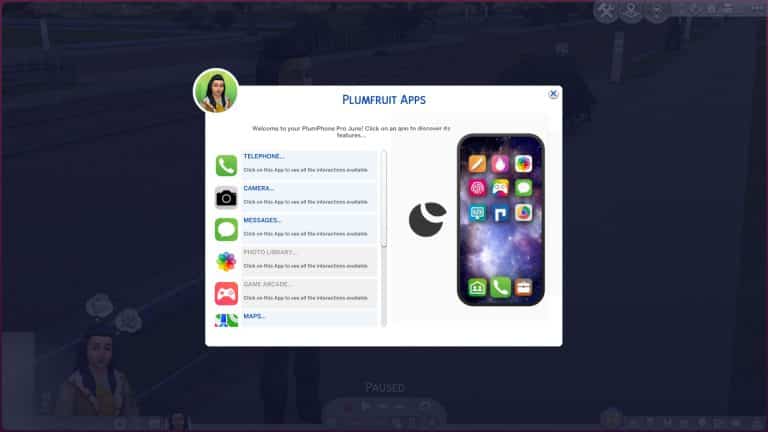
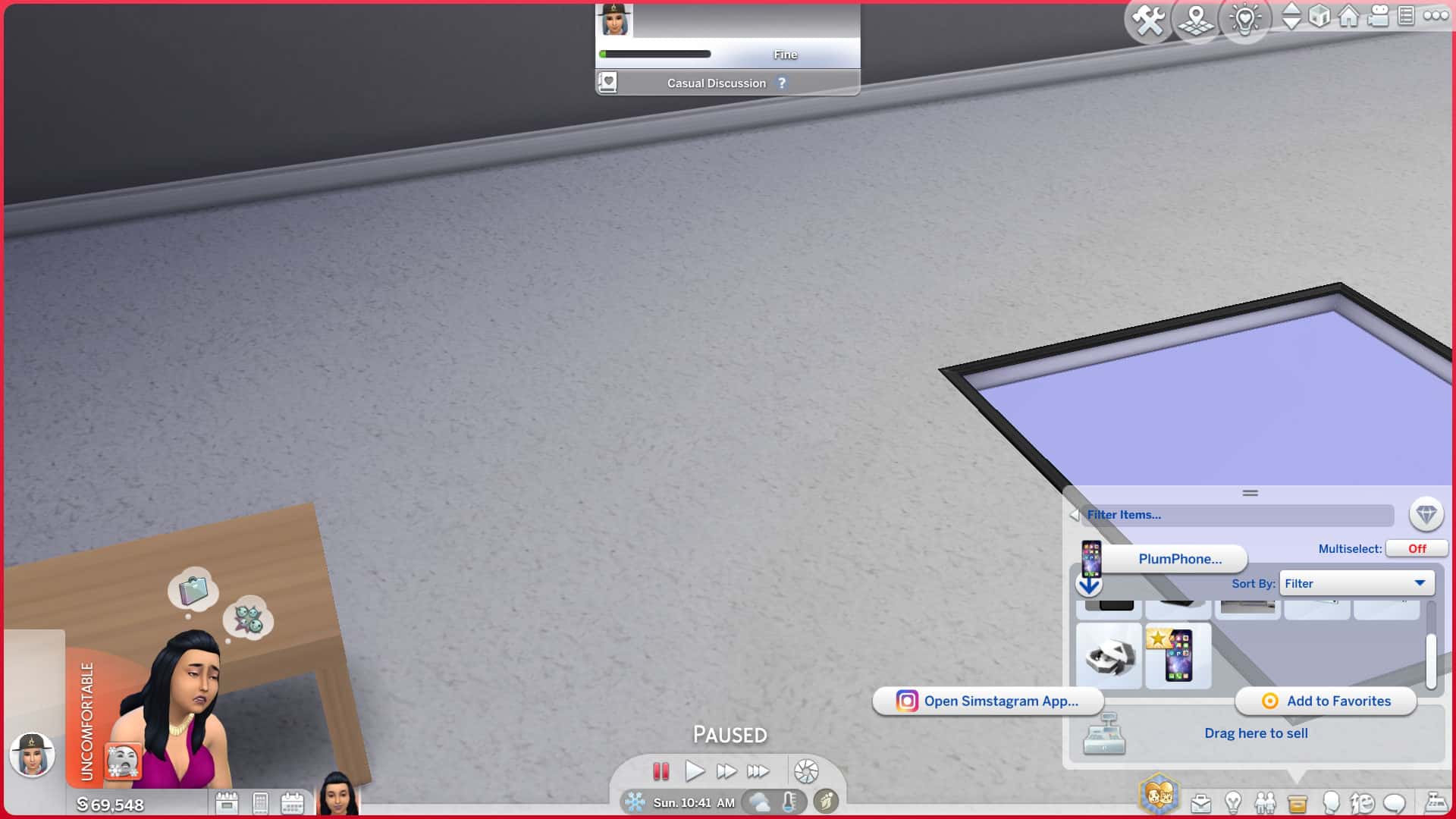
When you load up the game, the first thing you’ll probably notice is that your phone looks completely different! It has a new shinier interface resembling a real-life smart phone. All of the functions your phone would normally have are still there but there are some new options, too. The first icon is now a Plumfruit icon with the option to Open Apps Menu. This option gives you easy access to all of the Plumfruit apps in one place. Some apps are revamps of existing game functions; others are brand new apps that add new gameplay! We’ll go into each app in more detail in the next section.
If you only have the standard Plumphone (the default replacement for the in-game cell phone), you won’t have access to all the apps. Some apps require you to purchase another device like the Plumphone Pro or one of the PlumPads in order to access them. You’ll also need to have some photos in your Sim’s inventory to access the Photo Gallery app. You can take photos using the Plumaroid Camera that comes with the mod pack or any of the base game cameras.
Purchase any of the new Plumfruit mod pack devices to start using all the new apps and features!
Object Functionality
Some objects have special functions or new features added to them which we’ll go over here.
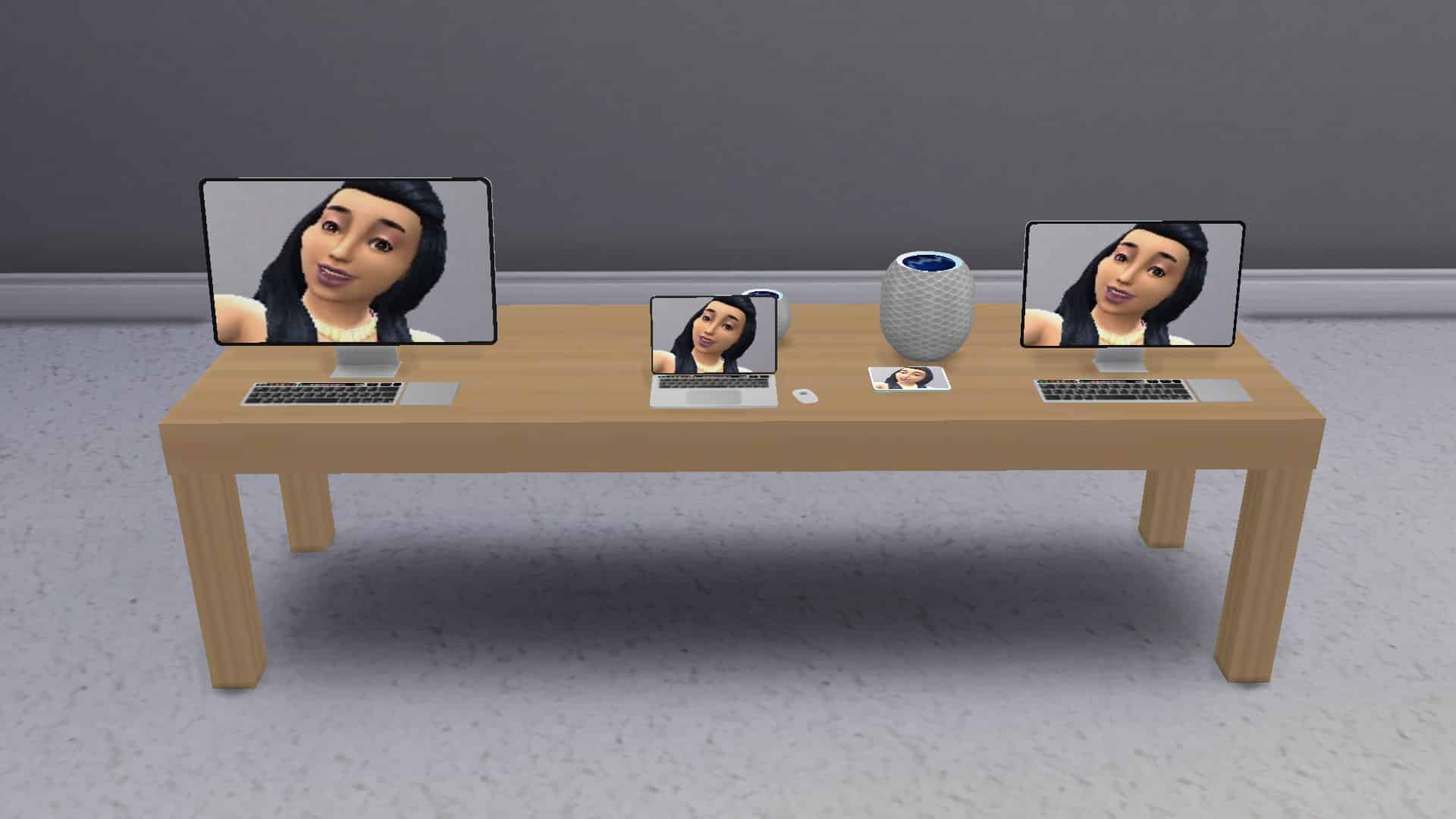
Display Tables
These long tables can display all your Plumfruit electronics which is useful for running an electronics retail store with Get To Work.
Plumfruit Hologram Store
Place these on any lot to allow Sims to purchase any Plumfruit product they like in a variety of fun colours. Great for electronics stores.
Plumphone Pro
The Plumphone Pro is an upgrade from the standard Plumphone that replaces the existing cell phone. It will allow you to access any apps that are not usable with the standard Plumphone your Sims already have.
PlumPad Mini & PlumPad Pro
These tablets come in many colours and two different sizes. Like the Plumphone Pro, they will allow you to access all the apps not available on the standard Plumphone. You can also import your own photos to use as the wallpaper so they will display your favourite photo instead of just a black screen when not in use.
PlumMac, PlumMac Pro, and PlumBook Pro
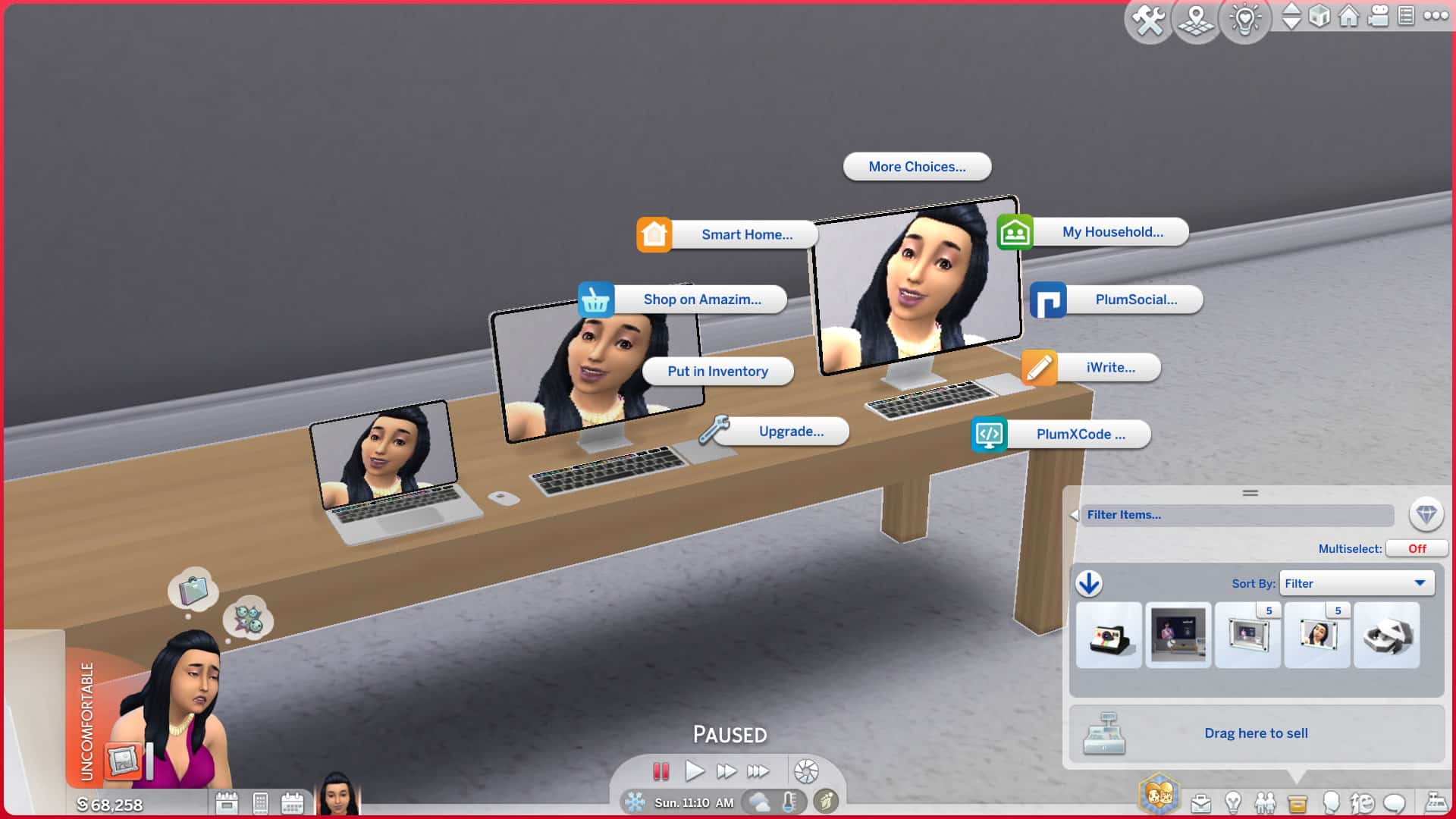
All of these computers have all the same functions as your regular base game desktop or laptop but they are organised into the mod pack’s new app system, making a lot of functions much easier to find. In addition to all the normal functions of a computer, they can also access the new Plumfruit apps and display custom photos as wallpaper backgrounds like the PlumPads.
PlumTV
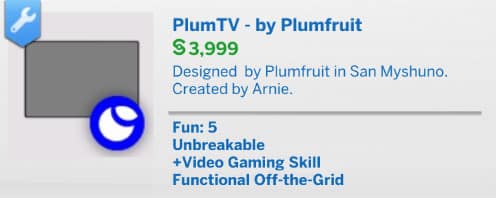
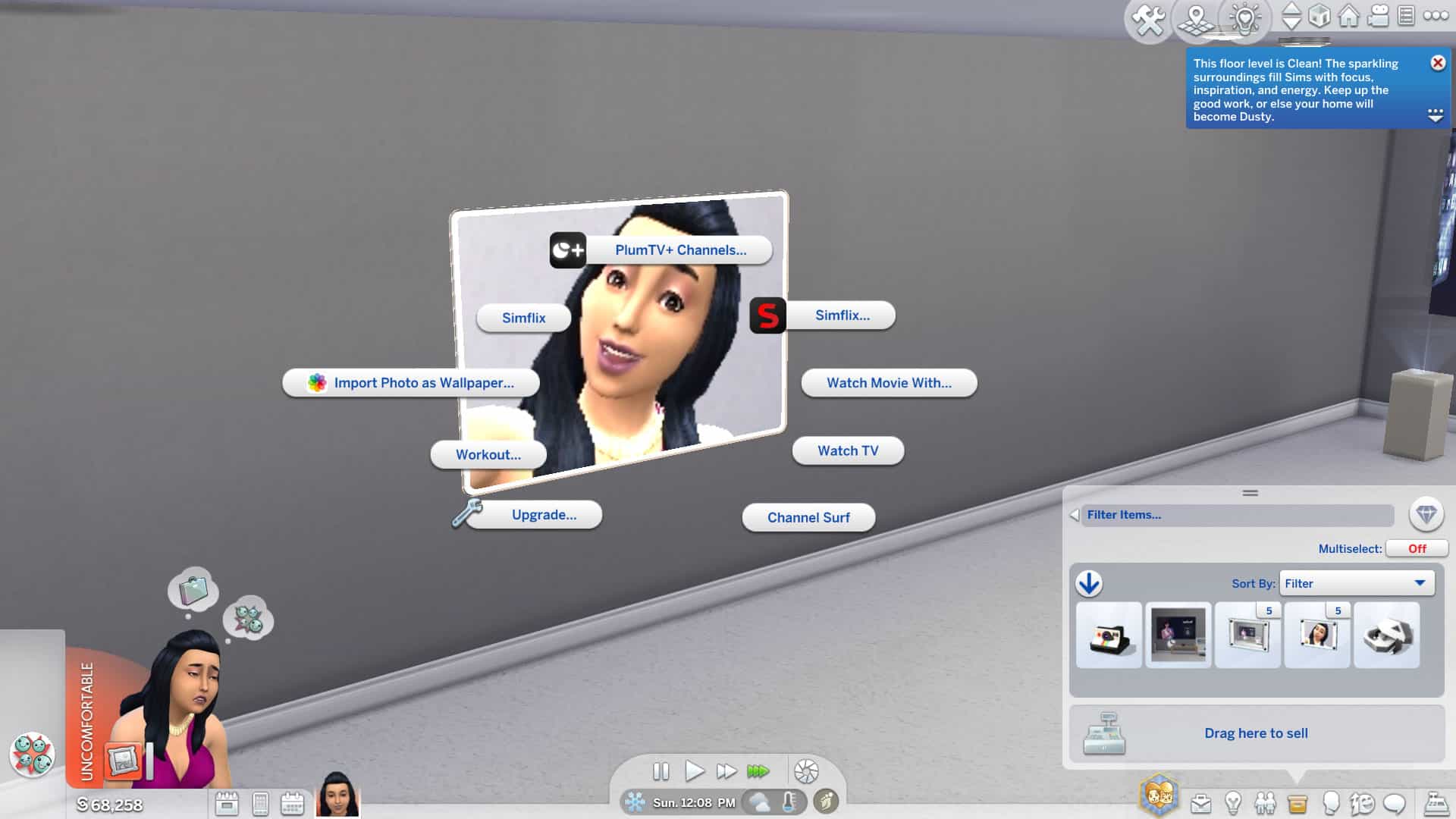
The flat screen, wall mounted PlumTV is everything a regular TV is and more! It’s a smart TV that can import your custom photos as a wallpaper and all your favourite TV channels and movies are now under Simflix and PlumTV+ channels. Simflix requires the Movie Hangout Stuff pack.
PlumPod Mini and PlumPod Pro
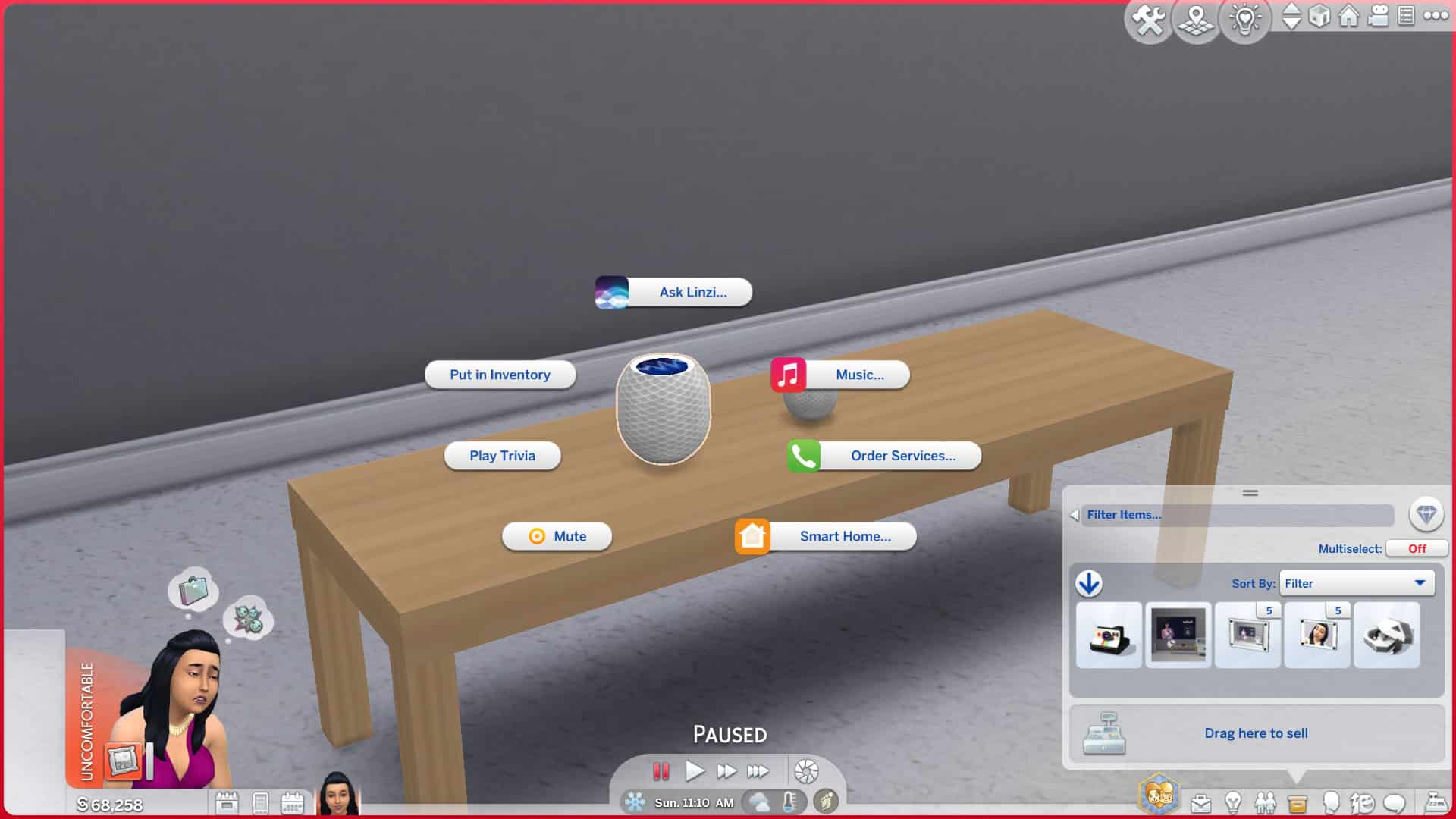
The PlumPods are new and improved versions of the existing Lin-Z personal assistant in the game. You can still use them as if they were a Lin-Z device but you can also set the thermostat, light settings, order services, and more.
PlumMirror
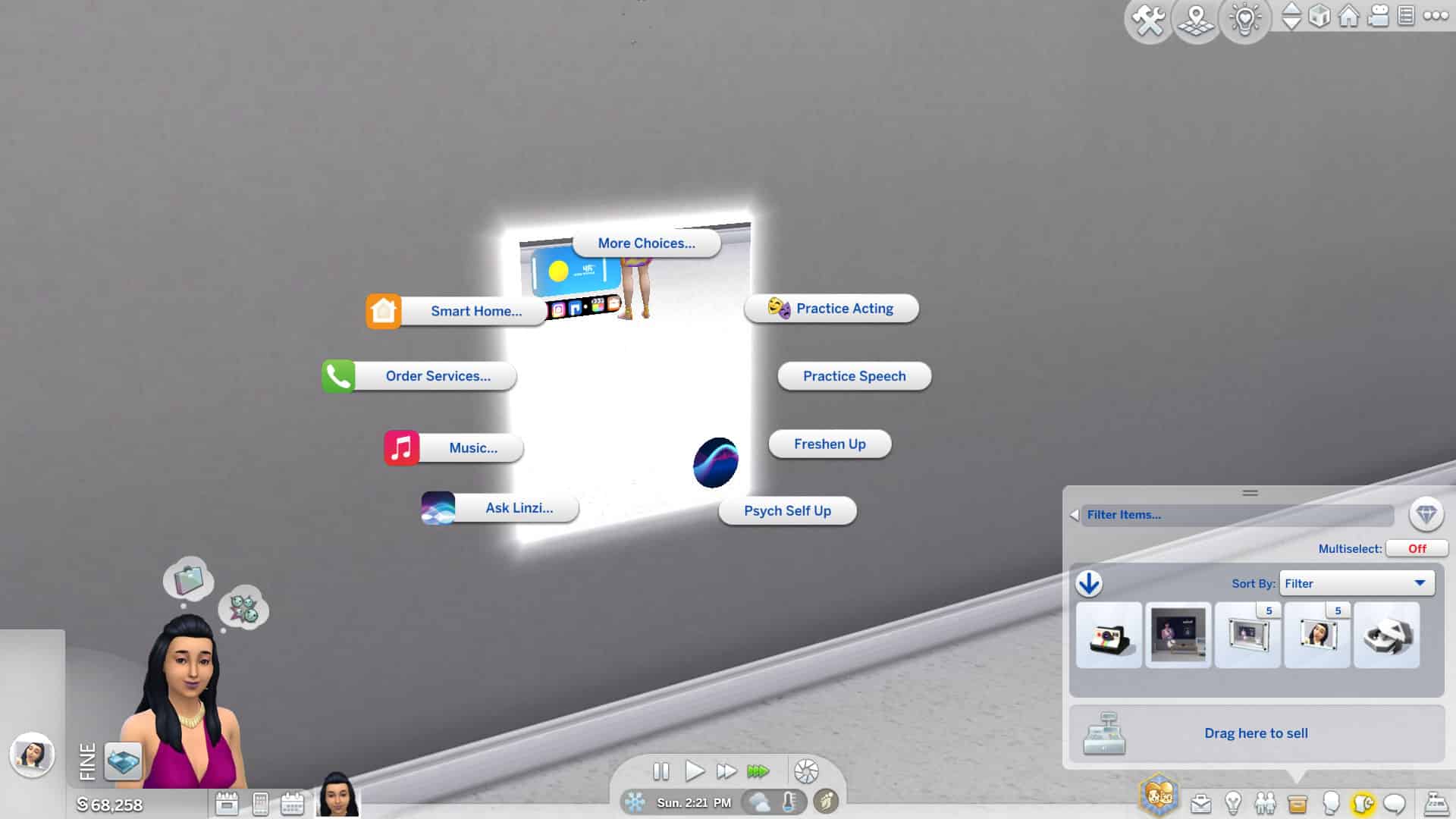
The PlumMirror is probably my favourite new object in this mod pack. It’s a smart mirror! You can use it as a regular mirror but it can also adjust the temperature in the home for you, turn your lights on and off, play music, call for services, and it’s also fully synced with Lin-Z.
Plumaverse VR Headset
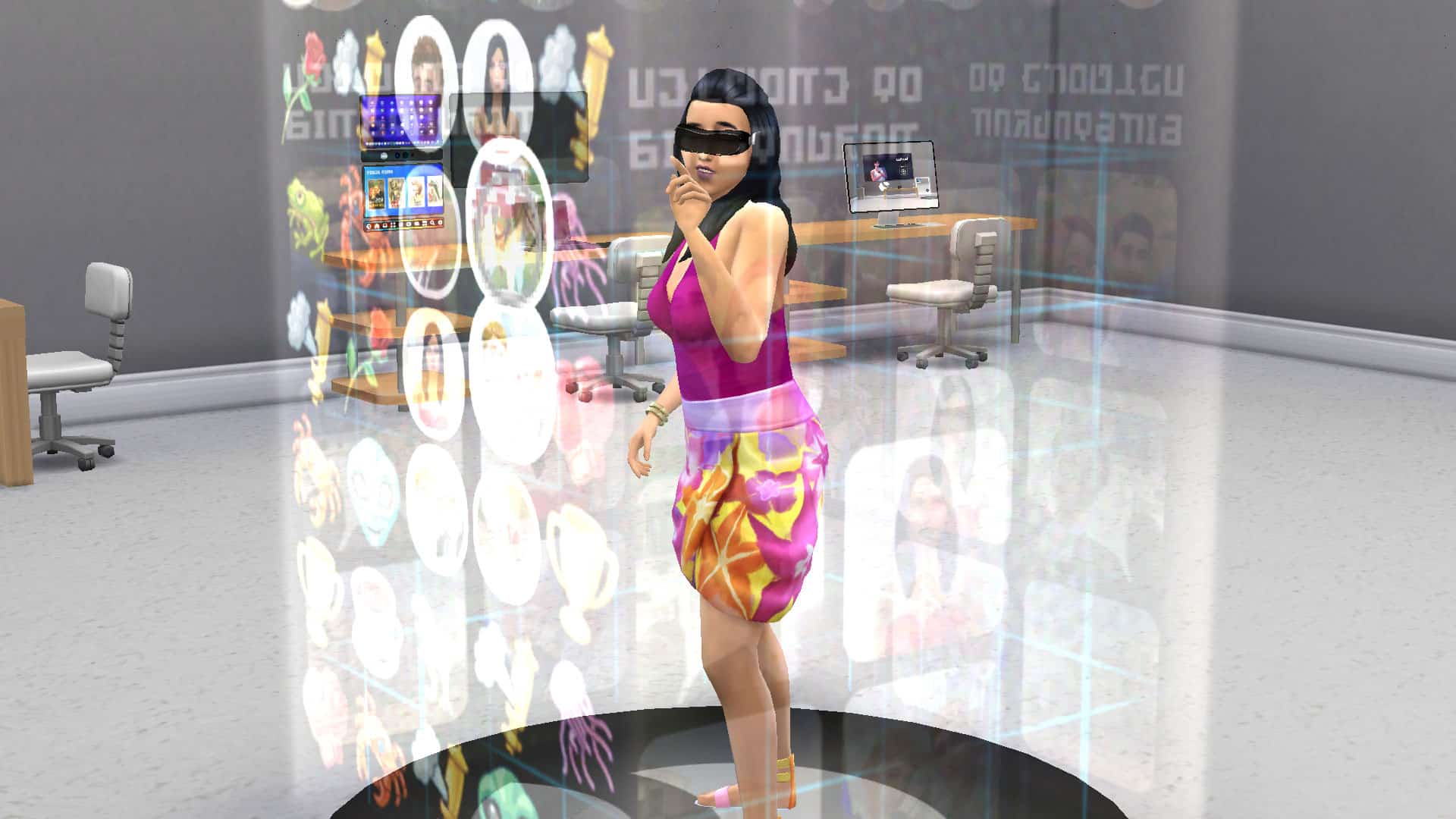
This spiffy gadget is a reimagined version of the virtual reality gaming set in the base game. Not only does it look way cooler, but your Sims can also explore Simstagram AR in addition to playing all their favourite games while wearing a slick-looking VR headset.
Pro Media Station
This sleek media station comes with multiple wall-mounted screens and lets your Sims record, edit, upload, and promote their SimTube videos just like the regular video station but this video station also comes with new video editing software called PlumCut Pro. This will allow your Sims to practice video editing to build the Media Production skill. No more ruining perfectly good videos while in the process of skill building! This object requires the Get Famous expansion pack.
Airbuds
These airbuds are a minor revamp of the earbuds from Fitness Stuff. They now come with their own little carry case and are integrated into the Plumfruit app system. This object requires the Fitness Stuff pack.
Plumaroid Camera
This is a cute retro looking camera with modern capabilities and has all the functions and features of the existing cameras in-game.
Apps
We’ve now covered all the new objects in the game and the general idea of the mod in-depth but to really understand the Plumfruit mod pack, you need to understand the new app system. The apps are the bread and butter of this mod and it’s where the biggest portion of gameplay is. Arnie has overhauled all of the existing functions of our electronics and reorganized them into apps with their own logos and catchy names. This makes finding all of the existing functions of our electronics much easier but that’s not all. Arnie has also enhanced some apps with new features and even created entirely new apps that add completely new gameplay.
While all the individual devices will have these apps (and some other features) available on them directly, we found it was easiest to use the phone’s Open Apps Menu option to quickly access everything, instead. We could select our devices from here so it was pretty handy for finding what we needed faster.
Here’s a full breakdown of each app below:
Telephone
The Telephone app is a much easier way to make phone calls. Anyone and everyone you’d want to call is now in one place. Call for services or call contacts of Sims your Sim has met all from the same menu. If your Sim doesn’t know any other Sims, the Call Contacts option will be greyed out so go out and make some friends!
Camera
A sleeker menu for your camera is here, too! All the functionality of your phone’s camera but a little easier to access from the apps menu now. Also comes with a spiffy new interface.
Messages
Tired of having to click through your relationship panel to find a Sim to send a text to? Yeah. Me too. That issue is no more with the Messages app. It’s right there and easy to access on your new Plumphone or any other Plumfruit device and will allow you to send different types of messages to anyone your Sim has met. It makes texting a lot easier.
Photo Library
You won’t see this option available unless you have some photos in your inventory but once you do, you’ll be able to browse them all here. Very handy for sorting through all the photos you have instead of tediously clicking through all those stacks in your inventory. You can also upload photos to Simstagram from here and delete any photos you don’t need.
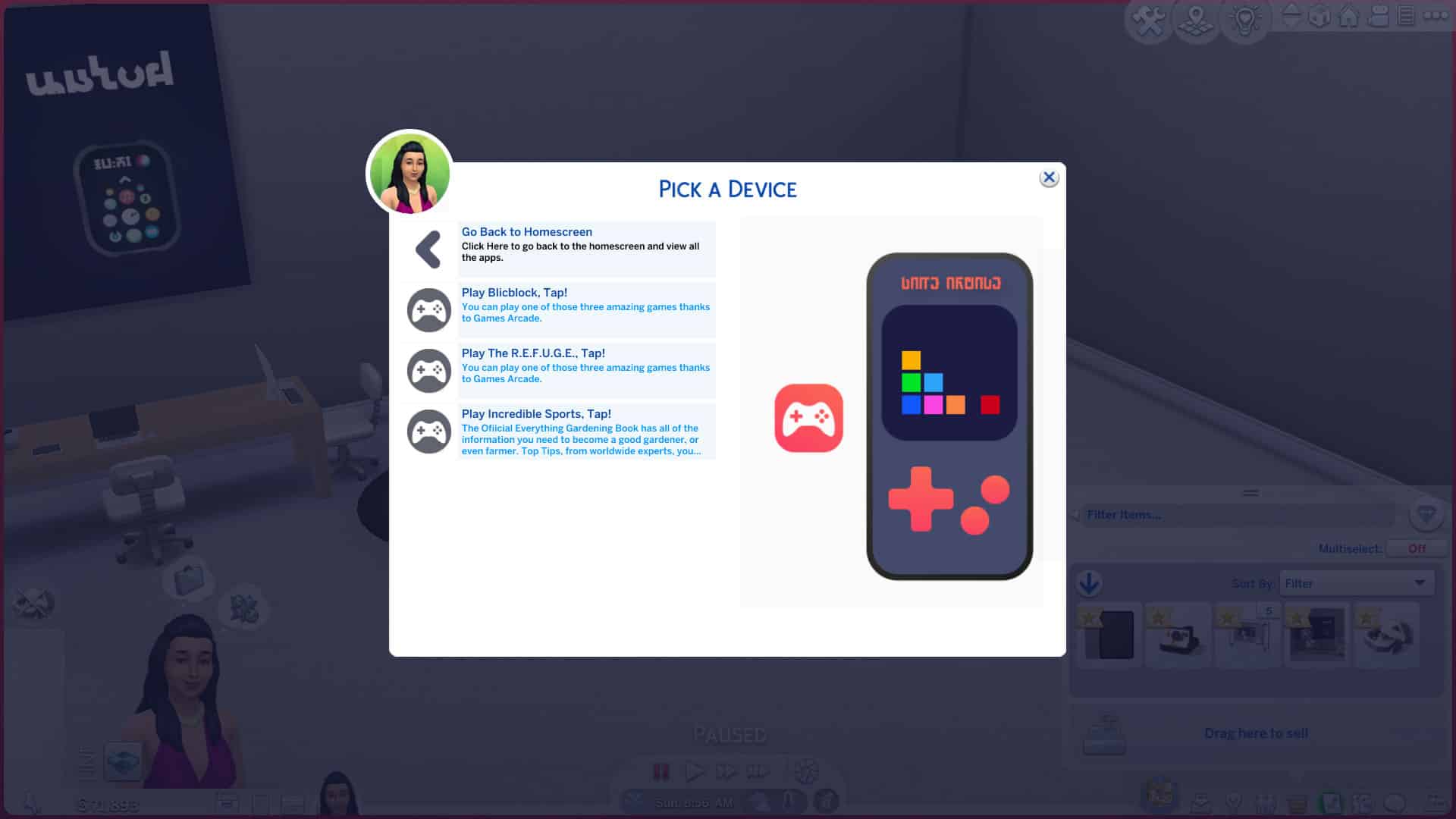
Game Arcade
You’ll need a Pro device to be able to access this app so purchase a Plumphone Pro or a PlumPad to start mobile gaming! Select the device you want to play on and then select your game of choice!
Maps
The Maps app handles all of your travel needs. Book a vacation, travel to another lot, or move to a new home. You can also visit the secret Get To Work lots using the Maps app… if you have the Get To Work expansion pack.
E-Books
Book lovers will get a lot of use out of this app. It also requires another device to enjoy so make sure to purchase one. Select the device you’d like to read your e-books on and then select from some books available in the e-books store. Sims can learn new skills by reading skill books or enjoy the riveting Henry Puffer series.
Luv’2’Meet
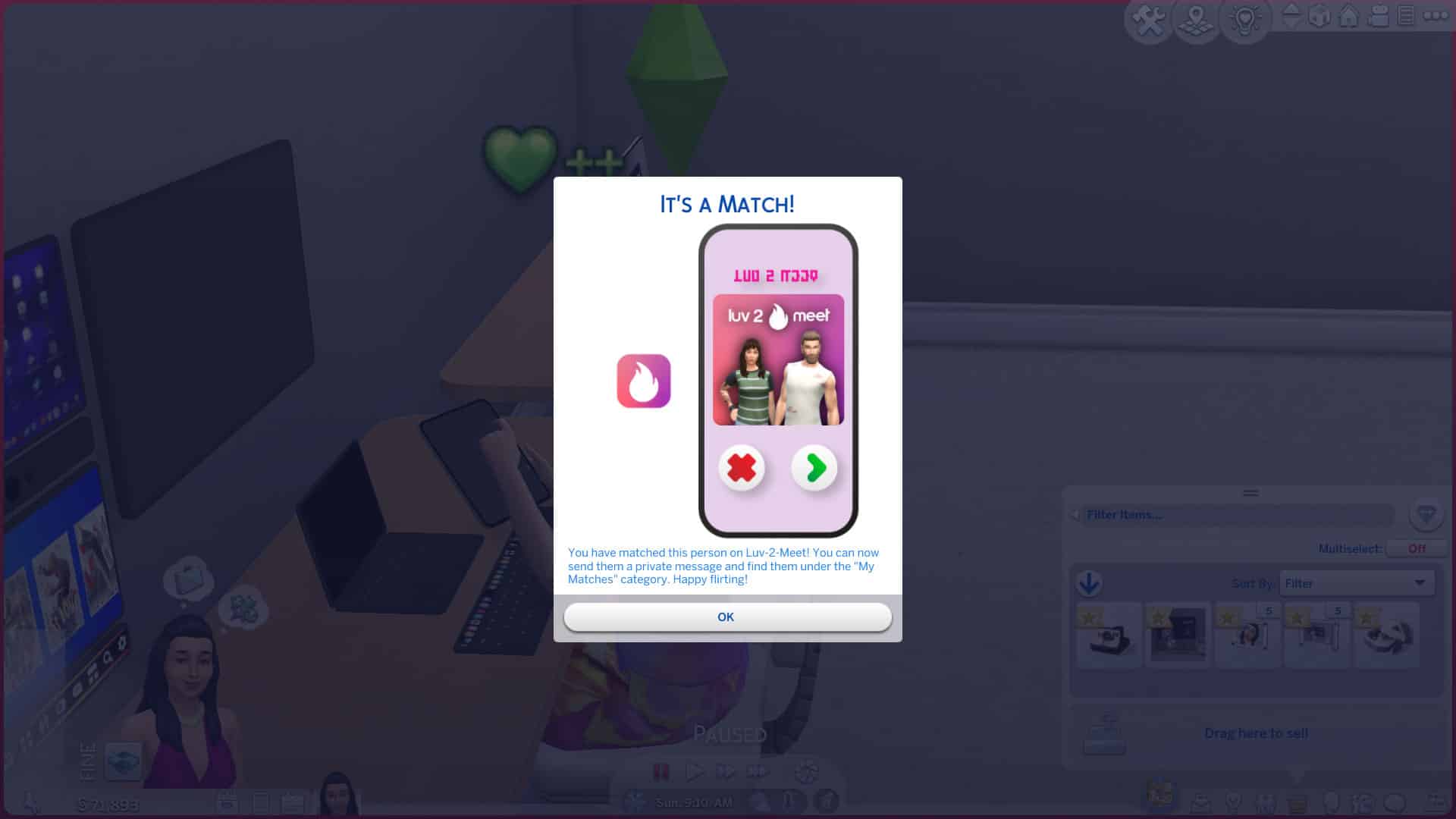
This is probably my favourite new app that comes with this mod. It’s an online dating service that will allow your Sims to meet up with just about anyone. It has a great interface and feels very immersive, like a real online dating experience.
To get started with online dating through Luv’2’Meet, select the app from the app menu and then select your device you’d like to access the app on. You can change your online dating profile picture here and choose whether you want to browse male or female profiles. Make your selection and you’ll be able to browse through every young adult Sim of your chosen gender in the game. When you find someone you like, click them to match with them!
When you’ve matched with someone, you’ll be able to communicate with them through the app. Send them messages and funny GIFs to start building up a relationship with them. When we sent Johnny Zest a funny GIF through the Luv’2’Meet app, he loved it so much, he actually messaged us asking to meet up at the park!
Luv’2’Meet is a really fun way for Sims to meet new love interests online.
Simstagram
Of course, Simstagram already existed in the game but Arnie has really beefed it up into a more immersive social platform for Sims. To start using Simstagram, select it from the app list on any Plumfruit device and upload your first picture. Once you’ve posted at least one photo to Simstagram, you’ll be able to check up on your Simstagram profile and see your images, followers, and any comments townies have left on your profile. Click any of your uploaded photos to add and edit captions, leave comments, add filters and more!
You can also connect with other Sims using the Simstagram app. You can connect with nearby Sims on the same lot as you by interacting with their Simstagram profiles. There is also a feature that allows you to interact with the profiles of far away Sims but Arnie says this feature is experimental for the moment and may undergo developments and changes as time goes on. You can DM Sims that your Sim has met through Simstagram, too!
And if you were wondering whether Sims can gain fame from using Arnie’s version of Simstagram… yes, they absolutely can! Posting Simstagram pictures and stories builds fame for players with Get Famous installed the same way it does with the in-game Simstagram feature.
Purchase Plumfruit Devices
If you don’t want to scroll through the BB catalogue or visit a retail store to purchase your Plumfruit products, you can conveniently do it from your phone, instead! Select this from the app list and pick out any products you like in your preferred colours! That’s all there is to it! Well, you need to have the simoleons on hand to pay for your items, of course.
Our Thoughts
So what are our final thoughts after exploring the new and improved version of the Plumfruit Mod Pack by Arnie? We’re pretty impressed! We love that all the items are very sleek and modern but still Maxis Match. Any mod pack that adds 100% Maxis Match items is always a huge thumbs up from us. A lot of the new Plumfruit items have the same functionality as existing gadgets but the way they’re organised into this new app system made it a lot easier and more intuitive to find the features we were looking for. I used to spend several minutes clicking through menus upon submenus of text that all blurred together on computers trying to find what I needed. The new app names and colourful icons Arnie added are very eye-catching and allowed me to find what I needed quickly. A simple design change can really make a huge difference in the user experience.
But of course, this mod is much more than a simple design change. We were thrilled with the new and improved Simstagram and the Luv’2’Meet dating app. It really felt a lot like using one of those apps in real life. It was fun and immersive and made it easier than ever to meet new Sims and build meaningful relationships. All of the new smart devices are great as well. They look amazing and they add heaps of functionality and choice for our Sims. It was really fun playing around with all the new gadgets.
The only thing I would suggest to improve the mod further would be to add more books to the E-Books app. As a bookworm myself, I probably wouldn’t want to read the same handful of skill books and one children’s fantasy series for the rest of my life. It would be awesome if we could add books that we’ve purchased to our E-Book library and have them on-hand wherever we are.
Otherwise, this mod is top-notch. If you’re a tech junkie or just looking for new ways for Sims to connect in the digital age, you should definitely add this mod to your collection. I know I’ll be keeping it in my game!
We hear you. You’ve decked your real-life halls with boughs of holly before December 1st even arrived and now you’re “fa la la-ing” to yourself because you’re still in the festive spirit with nothing left to decorate! It happens to us all, right? … Right? No? Just me? Ooookay then.
Just in case you are a holiday nut like me and actually were looking for an excuse to do more decorating, we’ve got you covered! Here are our top 10 holiday decorating tips for The Sims 4 to turn your Sims’ home into a magical Winterfest wonderland!
Put reindeer on the roof
The free holiday DLC comes with an adorable pair of wooden reindeer to decorate your front lawn… but it doesn’t have to be on your lawn! Why not put 4 of these up on the roof using the bb.moveobjects on cheat and the 9 key to raise them to the desired height? It will look like Dasher, Dancer, Prancer, Vixen, Comet, Cupid, Donner, and Blitzen are on the rooftop ready to help Father Winter deliver his presents!
Hang pinecones over windows, doors, and archways
There’s another handy piece of décor in the free holiday DLC! A cluster of pinecones with evergreen branches on either side make for a lovely rustic holiday wall piece. Place these on top of windows, door, and archways all over the house to give every room a touch of the wintery outdoors over the holiday season.
Yes, you CAN put a wreath on the front door!
Not only can you put a wreath on the front door, but Sims can still use the front door, too! I love BIG wreaths so my favourite to use is the one from the free holiday DLC but the game has no shortage of wreaths to choose from if you own the Seasons expansion pack. Use the bb.moveobjects on cheat to put a wreath on your front door to complete the holiday look. The only quirk with this décor tip is that the wreath will stay in place when Sims open and close the door so it will look like it’s floating in midair while the door is open. Sims will just walk right through the wreath. This doesn’t bother me since the door is usually closed. If this doesn’t bother, you, either, go ahead and give it a try!
Wreaths are great on windows, too!
You can also use the bb.moveobjects on cheat to put wreaths on windows! It depends on the size and shape of the window, of course, but many windows in the game look fantastic with a wreath displayed on it. It adds an extra level of detail to your exterior decorating and really makes your home look like the subject of a winter postcard.
Swap out the dining table and fireplace
TS4 x64 2021 12 07 19 45 34
TS4 x64 2021 12 07 19 45 51
You could decorate your mantelpiece and dining room table with holiday decorations… but why do that when there are already pre-decorated fireplaces and dining room tables in the game? Both the free holiday DLC and the Seasons expansion come with a holiday-themed fireplace and an 8-Sim dining table. These festive objects look much better than if you had plopped some garland on top of a regular fireplace or dining table and called it a day.
Centrepieces make a difference
Every surface in your home can benefit from a centrepiece for the holidays! Accent tables, coffee tables, dining tables, fireplace mantels, absolutely everything will look better with a festive centrepiece. My personal go-to are some of the holiday candles but there are lots of fantastic holiday trinkets you can use as centrepieces. Glass snowflakes, mason jar snow globes, nutcrackers, and more. Just make sure your centrepiece isn’t so large that it overpowers the whole table. Proportional centrepieces add the most charm.
Garlands, garlands everywhere!
Empty section of wall? Put a garland there. Need something to hang below a picture frame? Garland. Looking to dress up your windows a little more? More garland. Garlands are the most versatile holiday decoration. Hang them up outdoors, indoors, on walls, under windows and picture frames, on kitchen backsplashes and cabinets, just about anywhere and everywhere! Our biggest tip with garland is to keep things proportional. Don’t use the giant garlands in tiny spaces. Go with the smaller garland instead. Symmetry is also key, especially outdoors. If you’re adorning windows with garland, make sure every window has one. Keep your garland patterns consistent.
Remove or rearrange furniture to showcase the décor
It can be tough to fit a huge tree into a tiny living space but don’t be afraid to temporarily rearrange the living room furniture to make space for the tree and maintain functionality. My Sims family has a spot by the fireplace they put their tree every year. Normally, a rocking chair and knitting bag sit there but when winter comes around, the rocking chair and knitting bag go into household storage and gets replaced by the tree. If there’s just no fitting a full-size tree into your tiny home no matter how much rearranging you do, consider this neat little trick; use the bb.moveobjects on cheat, then select a full size tree and size it down to miniature size with the [ key. Then use the 9 key to raise it up onto any surface and voila! An instant tabletop holiday tree!
Focus on communal areas of the home
If you have a really big house to decorate for the holiday season, decorating can feel like a daunting task but it doesn’t have to be! While you can definitely go crazy decorating every single room of the home if you want to, you can save a lot of time by only decorating areas of the house your Sims’ guests are going to see. Focus on highly visible and communal gathering spaces in the home; the front exterior of the house, the dining room, and the living room. Everywhere else you can probably pass on if you want to save yourself hours of tedious decorating.
Don’t forget the front lawn!
What would Winterfest be without tacky plastic lawn ornaments? Don’t forget to spruce up your front lawn with glowing snowpals, those adorable wooden reindeer we mentioned earlier, and tall nutcrackers! It will give your house that retro mid-century holiday look. Or if you’re more into the hipster holiday look, maybe skip the fluorescent lawn ornaments and stick to pinecones, chalkboard pictures, and mason jar snow globes.
Do you have any Sims holiday decorating tips for us? Share them with us in the comments or come chat with us on social media!