A base game CC collection inspired by the Everyday Clutter Kit to fill up your Sims’ homes!
Clutter has always been at the forefront of decorating in The Sims. It’s easy to fall down the rabbithole of clutter CC and end up with thousands upon thousands of little trinkets to fill your Sim homes with stuff that tells a story about who they are. Luckily, we’re not going to test the limits of your computer’s processor today. We’re going to show off a single set of 45 clutter CC items for The Sims 4.
This clutter CC set for The Sims 4 is called Clutter Dump and it’s made by simkoos. As the title suggests, the collection is a smattering of completely different, unrelated objects intended to fill up your Sims’ home with personalized items tailored to their lifestyles and interests. There are a wide variety of items to clutter up a home; many of the objects are edits of items from the Everyday Clutter Kit among other DLC packs. There are also a few conversions from The Sims 3, such as the strollers.
Everything in the CC Clutter Dump collection is base game compatible. Most of the objects are purely decorative but the televisions and mini speaker are functional.
Here’s an in-game screenshot of how everything in the CC Clutter Dump set looks in our game:
All similar-looking items are actually separate pieces so you can mix and match with other objects. Our personal favourite items in the collection are the baby strollers and baby bottles. Even as deco, they can make a house with young children feel more lived-in. For those who use or make custom poses, the strollers will be great props for family poses.
The Sims 4 CC Clutter Dump collection is available for free on simkoos’ Patreon! Click the download button below to go straight to the Patreon download page.
Get rich instantly with these Sims 4 money cheats!
The great thing about The Sims is it allows us to live out our wildest fantasies… even if that wild fantasy is just being able to purchase a house and raise a family on a single income. Yeah. I went there. Sorry. But for those of us who want a little more fantasy and a little less realism, there are numerous ways to make a lot of money fast in The Sims 4. Not all of them involve cheats but we know cheats are what you’re here for, right? This article is all about The Sims 4 money cheats! How to use them, how to make the most of them, and how to buy that big mansion on the hill without working for it at all. We won’t judge!
How to Use Sims 4 Money Cheats
Before we get into all the cheats, you should first know how to use them! We’ll tell you everything you need to know about how to use The Sims 4 money cheats on any platform!
PC/Mac
For Windows and Mac users, bring up the cheat console by pressing CTRL+SHIFT+C at the same time while the game is running. Then click on the text bar that pops up and type in your cheat. Double check that you have it spelled correctly. When you are sure you typed in the cheat correctly, hit ENTER to activate the cheat. Press CTRL+SHIFT+C again to remove the cheat console when you’re finished putting in all your cheats one at a time.
Some cheats will notify you that the cheat is now active. Others won’t. If you get no notification after putting in your cheat, check to see if the desired effect has happened in your game. If no change to your game has happened, you probably typed in your cheat incorrectly or are using the wrong cheat for what you want to do.
Console
On PlayStation and Xbox consoles, bring up the cheat bar by hitting all four back triggers at the same time on your controller. Move the curser to the cheat bar with the right analog stick and hit X (PS) or A (Xbox). When the on-screen keyboard appears, type out your cheat. Double check that you have it spelled correctly. When you are sure you typed in the cheat correctly, hit X (PS) or A (Xbox) to activate the cheat.
Be aware that using money cheats on consoles will permanently disable trophies and achievements on that save! Make sure you really want to do this before using any money cheats! You can also use the Save As function to save a copy of your save file so you can use cheats on one save and keep the other for trophy and achievement collecting.
Some cheats will notify you that the cheat is now active. Others won’t. If you get no notification after putting in your cheat, check to see if the desired effect has happened in your game. If no change to your game has happened, you probably typed in your cheat incorrectly or are using the wrong cheat for what you want to do.
Basic Sims 4 Money Cheats
There are several different money cheats you can use to get rich quick in The Sims 4! Some are basic cheats that don’t require any other cheats to be active. Others require you to enable debug cheats to use them. We’ll start with the simple money cheats.
Please note that console players must confirm to activate debug cheats for all money cheats. PC/Mac players can use the following cheats without enabling debug cheats first.
kaching – adds $1,000 to your household funds
rosebud – adds $1,000 to your household funds (this cheat is more of a Sims 1 easter egg but it does actually work!)
motherlode – adds $50,000 to your household funds
Make sure you are in Live Mode when you use these cheats! They will only work while you have a household active.
Advanced Sims 4 Money Cheats
The following money cheat is an advanced cheat. This means that it will only work with debug cheats activated. Use the following cheat to activate debug cheats
testingcheats true – activates the debug cheats, opening up more advanced cheat options for you.
testingcheats on – an alternate version of this cheat. If the above cheat does not work for you, try this variation, instead.
You should get a notification under the cheat bar telling you that testing cheats are now enabled. If you did not, try entering the cheat again and double check the spelling.
Money X
If you want to add a specific amount to your household funds, you can use the following Sims 4 money cheat to do so.
money X – replace X with the desired amount of simoleons you want your Sims to have. This will set your household funds to the exact amount you typed in. For example, if you want your Sims to have $57,674, type in money 57674
You can also reduce your household funds using this Sims 4 money cheat. If you want to set your funds to $0 for extreme rags to riches challenges, just type in money 0! Or type in any amount you wish your Sims to have that is lower than their current household funds.
Make sure you are in Live Mode when you use this cheat! It will only work while you have a household active.
Free Real Estate
Go ahead… buy that house with the golden toilet. It’s free!
The following cheat is not necessarily a money cheat; it won’t add or subtract simoleons to/from your household funds, but it can save you a lot of money when moving into a new home!
freerealestate on – this makes all homes cost $0, essentially allowing your Sims to move to a nicer home without spending a single simoleon!
freerealestate off – disables the freerealestate cheat if it’s currently active.
Make sure to use these cheat in Manage Worlds! They only work and stay active while you are in Manage Worlds.
Jazz up your kiddos’ wardrobes with these amazing hairstyles and clothes for children!
Even though we’ve gotten some great kid-centric packs and kits, children in The Sims 4 still have some pretty slim pickings in the CAS department compared to adults. Luckily for PC and Mac players, there is no shortage of custom hairstyles and clothes to choose from thanks to talented custom content creators! With the power of custom content, the possibilities are almost endless! We’ve compiled a list of our top 12 favourite Sims 4 child CC to help you dress your young Sims for success!
These adorable long pigtails and swept back updo for girls are beautiful additions to your CAS collection! They are Maxis Match and base game compatible. They are also compatible with hats and come in all EA swatches. Custom thumbnails allow you to find them easily in the catalogue.
Kids are always in desperate need of more shoes to choose from and these ruffled wedge sandals are the perfect addition to any warm weather or formal outfit! They come in a variety of cute colours and will really take your Sims 4 child CC wardrobe to new heights.
This hair conversion for kids is super pretty! We love the shoulder length smooth waves and the side hair clip is just the perfect touch to make this hairstyle a little more fancy without going overboard. This hairstyle is suitable for both casual and formal occasions. We love versatility!
This set of three Maxis Match hairstyles for girls is superb. We could see our child Sims rocking these hairstyles as everyday casual looks and for special occasions! Make sure you remember to download the mesh for the scrunchie on the curly hair on the right! It’s always important to double check that when it comes to Sims 4 child CC.
Let’s hear it for the boys! We couldn’t forget about them so we found this fantastic set of hair conversions for boys; however, they can also be used on girls if you wish. They are base game compatible and hat compatible and come with toddler versions as well! What a two-for-one deal!
We’re not done showing some love to our boy Sims, yet! These Get Famous hair conversions for male children are base game compatible and look great on our kiddos! This Sims 4 child CC is compatible with hats, too!
Shearling boots are always in fashion and now your child Sims can rock this popular shoe style during the colder seasons! They’re the perfect shoe to complete any autumn or winter look and come in plenty of different colours to match any outfit.
This adorable dress for both children and toddlers is just too cute for words! We love the semi-sheer hem and plaid-patterned top with a bow at the waist! This Sims 4 child CC is so elegant and yet still casual enough to run around and play in.
This two piece sweat suit for kids comes in both solid and pattern variants so you can really mix and match your little Sims’ style. Look cute or punk depending on what swatches you pick out. It looks so warm and comfy, too. Can we get one for ourselves in real life, please?
This full set of Sims 4 child CC comes with three new hairstyles and three clothing items for girls so you get a lot of new content to work with all in one download! Everything comes in 20-25 swatches to give you lots of freedom to mix and match different colours and styles!
This one’s for you History Challenge players! These Edwardian dresses for children will give your historical playthroughs a more authentic feel. The dresses also come with a brooch and smock overlay to further customize your child Sims’ historical look.
And finally, we have a gorgeous unisex puffer jacket for both children and toddlers! The jacket is layered over a warm knitted turtleneck sweater and is the perfect winter look for your little Sims!
Add some cuteness and style to your toddlers with these adorable outfits!
If there’s one thing family players complain the most about, it’s lack of content for younger Sims. Especially toddlers. They have a good point! Almost all of The Sims 4’s content caters exclusively to young adults. More specifically, party animal young adults. The selection of “homely” attire for Sims is sparse. Toddlers are the most neglected life stage of them all but it’s time to fix that! We’ve compiled a list of 13 cute and stylish toddler CC for The Sims 4!
These base game legging recolours for toddlers are the perfect accessory for your tiny tots! Use them with almost any outfit combination and for any occasion. We always love to see Sims 4 toddler CC that is versatile like these leggings!
I don’t know about you but I am always frustrated by the lack of shoe options when dressing my toddlers. The right shoe can really pull together a whole outfit, after all. These super cute sneakers are the perfect Sims 4 toddler CC to complete your kiddo’s outfit. They’re perfect for running around the playground!
You can never have too many sweaters! They work for so many different casual occasions. We love all the different swatches on this Sims 4 toddler CC sweater, from popular brand logos to camo sleeves to a festive Winterfest option!
With Winterfest right around the corner, these winter themed sweaters are the perfect way to dress up your littlest Sims for the holidays. The patterns are too cute for words and will look amazing in your Sims’ holiday family photos!
This dapper overcoat and matching pair of boots will instantly elevate your toddlers from cute to sophisticated! This ensemble is great for any outdoor occasion where your little ones need to look a bit more formal. The perfect autumn or winter outfit to add to your Sims 4 toddler CC collection!
This hooded dress looks so warm and comfy, I want one for myself! It comes in plenty of solid and patterned swatches and can be paired with leggings for the ultimate cozy vibe! Your little ones will be both comfy and adorable in this dress!
This adorable dress for toddler girls comes in a variety of solid and plaid patterned swatches. It’s the perfect outfit for a chilly autumn day with its warm turtleneck sweater layered underneath. Pop a stylish hat and some warm leggings on your toddler and you have a super cute autumn-inspired look!
This super cute pleated skirt with a sweater layered over a collared blouse is a full body outfit and comes in 12 swatches. It’s the perfect balance between casual and formal for your toddlers! This Sims 4 toddler CC is sure to fit in at many different functions.
This full set f 13 different CAS pieces for toddlers is a must-have for your Sims 4 toddler CC collection! We’re totally in love with the thigh-high socks and all the plaid patterns on numerous pieces. This versatile set includes skirts, pants, tops, shoes, socks, and leggings so you won’t be short on options!
This outfit comes in two separate pieces; leggings and top so you can mix and match your favourite swatches. We love how colourful this toddler outfit is and the cute little embroidery on the collar is such a sweet touch.
This cardigan outfit was converted from Kids Room Stuff for toddlers and made base game compatible! Your little Sims will look fashionable in this casual cool Sims 4 toddler CC. The ripped jeans add just the right touch of roughness to an otherwise polished outfit.
I just love pea coats! They’re so classy and sophisticated. This Seasons pea coat has been converted for toddlers and made base game compatible so your littlest Sims can look just as classy and sophisticated as their older family members!
This one’s for you Decades and History Challenge lovers! As hard as it is to find Sims 4 toddler CC, it’s even harder to find historical toddler CC, so we found some delightful Edwardian-period nightclothes for toddlers for your historical saves.
These custom CAS backgrounds will give CAS itself a makeover!
While the minimalist default CAS background of The Sims 4 is a nice neutral background that allows you to focus on the Sim, some players find it boring. Many Simmers miss the dressing room background with a handy floor mirror behind their Sim from The Sims 2 and The Sims 3. Others just want a more interesting background in CAS to take modeling photos with.
Whatever your reasons for wanting to upgrade your CAS background, we have a varied list of 13 background downloads for you to choose from! Remember that CAS backgrounds are default replacements, so you can only have one background installed at a time!
These white room backgrounds are great for adding a little variety to your CAS photoshoots without taking attention away from your model. Select from seven different backgrounds to find the one that best fits your tastes.
These backgrounds inspired by Realm of Magic are the perfect Sims 4 CAS background to show off your spellcaster and occult Sim looks! Choose between the portal during the night and the day, the cobblestone paths, open sky, or the floating islands.
This dressing room goes back to The Sims’ roots and looks very similar to The Sims 3 but in The Sims 4’s signature art style. We love that this CAS background brings us back to the days of old school Sims but still fits in with The Sims 4’s aesthetic.
These Britechester Sims 4 CAS backgrounds are perfect for showing off those trendy college looks. Choose from 10 different scenic backgrounds around the beautiful city of Britechester to achieve the perfect backdrop to compliment your Sims’ wardrobe.
Is industrial grunge more your style? Then you’ll love these Evergreen Harbour backgrounds! There are ten different backgrounds from this rundown old industrial town to show off your Sims’ best grunge looks.
These stunning wintery Sims 4 CAS backgrounds taken from Mt. Komorebi are absolutely gorgeous and really capture the beauty of the more mountainous regions of Asia. These backgrounds are fantastic for showing off your Sims’ winter wardrobe.
Fans of anime will love these whimsical backgrounds inspired by anime. Place your Sims in various stunning settings in a beautiful art style without ever leaving CAS.
With the holidays this month many Simmers are sure to love this set of Christmas Eve CAS backgrounds. Ten different backgrounds showing off different festive rooms in a home are available for you to select from to take those festive holiday pictures without ever leaving CAS.
If you like something a little less busy but still a treat for the eyes, this lovely watercolour Sims 4 CAS background is sure to be a delight. It’s bright and colourful without being overstated and overshadowing your Sim.
For those Simmers who spend all winter dreaming of warm summer days, this set of backgrounds are the perfect way to get away during the colder months. Show off your Sims’ new swimsuit or breezy beachy summer look with these four sandy options.
Want to make your Sims 4 CAS backgrounds a little more festive but still want to keep it simple? This set is perfect for you! These solid colour backgrounds with snow gently falling is a beautiful subtle way to celebrate the holiday season with your Sims’ wardrobe.
If you can’t get enough of the colour pink, you’ll want to add one of these soft pink CAS backgrounds to your game. From bricks to trees to clouds and even patterns and solids, there’s no shortage of options to complement your Sim’s pink outfits.
This creator has taken the time to lovingly recreate the CAS background from The Sims 2 in The Sims 4. It looks so close to the CAS background from our childhoods and we absolutely love it!
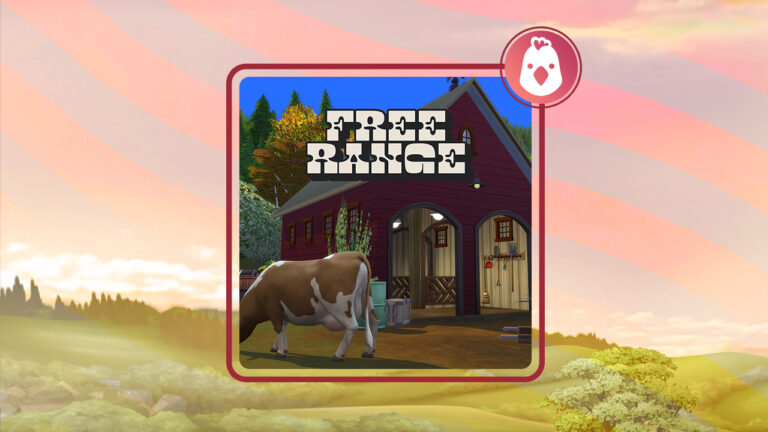
One of the best parts about The Sims 4 Cottage Living was the ability to have a farm with cows and llamas. Unfortunately, many Simmers were disappointed that each cow or llama was attached to it’s little barn in addition to only one cow or llama could be bought per barn. All things considered, it was a good pack but we knew it could be better. Thanks to Lot51, the cows and llamas can roam free with his Sims 4 Free-Range Mod!
The Free-Range Mod allows Simmers to create their own farm with cows and llamas not attached to a small barn. Finally, the freedom to create barns and choose where the animals graze. On the positive side, the system is highly customizable and easy for Simmers to use.
Firstly, in buy mode, there are two areas for your animals to frequent around: the Livestock Shelter Marker and the Grazing Marker. These markers disappear when the game returns to Live Mode so they won’t interfere with any farm designs. Lastly, the Markers are located in the Outdoor Activities Category. To put it another way, if you have trouble finding them, searching for Marker will show them.
To adopt either a llama or cow, click on the ground near the Livestock Shelter Marker. In this menu, the Appaloosa Plains Ranch & Stables Market can be opened and purchased from. This Market is open daily from 6 am to 8 pm so make sure you pay attention to the time. With a variety of llamas and cows, Appaloosa Plains Ranch & Stables Market sells each animal depending on its age and also has an assortment of animal treats. The treat selection changes daily.
Taking Care of the Animals
Llamas and Cows require the same care as they do using on Cottage Living. The difference between Free-Range and Cottage Living care are the messes that the animals create. Each animal creates cow pies, trash piles, and mud puddles (Seasons required) daily and dirty animals will create an increased amount. Sims can clean up after their animals by clicking on the ground and choosing Clean Livestock Shelter. No constant clicking needed! Sims will cleanup all messes that they are able to find.
Eco Lifestyle
With Eco Lifestyle installed, Cows will become gassy. Like in real life, this extra amount of methane will affect the local eco footprint and push it towards the industrial footprint.
With seasons installed, there is a special surprise when it rains! Keep an eye on the Grazing Marker when it is raining or during a full moon to see wild mushrooms grow. Sims can harvest and use these mushrooms for ingredients. Sometimes, Sims will encounter a fairy ring growing.
Get to Work
“There have been stories of strange phenomena occuring near dairy farms in the Appaloosa Plains for decades, even theories of genetic testing to gain control of the Sim’s mind! Is it just a myth, or is the Ministry of Central Intelligence hiding something?”
– From Lot51
Sims 4 Free-Range Mod Cheats
purchase_picker.refresh 10510752052178073266
Changes the current stock of Appaloosa Ranch and Stables Market. To summarize, these normally rotate every 24 hours.
Sims 4 Free-Range Mod’s Important Information
Required DLC: Sims 4 Cottage Living DLC Used But Not Required: Get to Work, Seasons, and Eco Lifestyle
Overall, this mod is the perfect touch for any farming save! It makes cows and llamas feel more like real animals and less like an animal bound to it’s enclosure. The additional parts such as the fairy ring and the “strange phenomenon” add depth to the mod. Without a doubt, if you haven’t already tried Free-Range, definitely consider downloading it!
Without delay, create more realistic farms with Lot51’s Free-Range Mod! Download for FREE on Lot51’s Website.
This simple interaction can help you make the most of a small living space in The Sims 4!
When designing a small bedroom for two Sims, it can be hard to figure out how to fit a double bed in the room without causing routing problems. Most Simmers might assume that the double bed needs at least half a tile of space on either side in order to be usable by two Sims. It’s not unreasonable to think that; after all, that’s how it’s worked in every Sims game before. But The Sims 4 has a little known trick up its sleeve. Did you know that Sims can “scoot over” in bed to make room for their partner in The Sims 4? If you didn’t, don’t feel bad! It’s a somewhat hidden interaction, but we’re going to show you how to make the most of this little secret to make the most of your Sims’ small living space!
A very tiny bedroom for two Sims. We’ll show you how two Sims can use the bed like this.
Using the Scoot Over in Bed Interaction in The Sims 4
If you’re wondering why you’ve never seen a “Scoot Over” interaction on your Sims in bed, it’s because there isn’t one. It’s more of an autonomous thing but you can influence Sims to do it all the same.
Tell the Sim to relax, nap, or sleep on the other side of the bed.
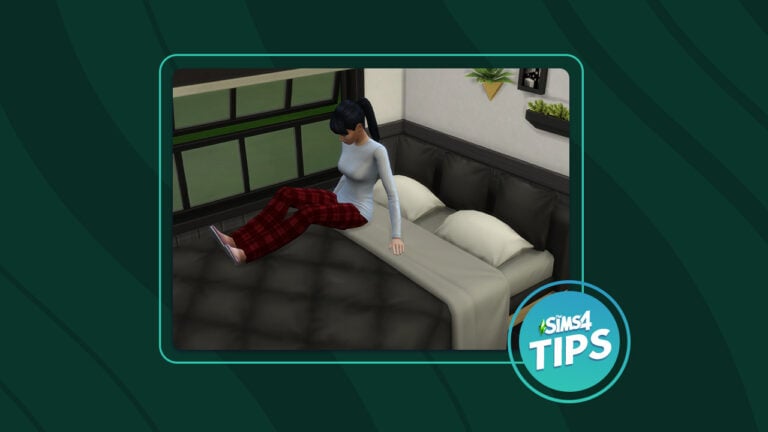
To have a Sim “scoot over” in bed, first have them relax in a double bed. The Sim must be relaxing above the covers; they cannot scoot over if they are asleep underneath the covers. When the Sim is relaxing, click on the empty side of the bed and tell them to relax, nap, or sleep. The Sim will choose to scoot over to the other side of the bed instead of getting out of bed and walking around to the other side!
Watch as they scoot over to the other side!
How is this useful? It means that you can place a double bed up against a wall and still have the bed be usable by two Sims! It might seem like a small space saver but in a tiny home, every half-tile matters. That space you saved could allow you to fit a dresser or a mirror or something else your Sims need in their bedroom.
With the double bed against a wall, just make sure the first Sim who goes to sleep scoots over to the wall to sleep. Then their partner will be able to get into bed on the open side and sleep next to them. Pretty convenient, right?
Limitations of the Scoot Over Interaction
Of course, living in a small space comes with its own challenges. This little space saving manoeuvre is no different. There are some things you need to be aware of that aren’t possible with a doubled bed against the wall.
Her partner can now sleep in the bed, too
The first is your Sims cannot WooHoo in a double bed if it’s up against a wall on one side. This requires both Sims to get in bed at the same time, so both sides of the bed need to remain open for WooHoo. If you have other spots in the home to WooHoo, this isn’t much of a problem. A shower, bush, or hot tub will satisfy that need depending on what DLC packs you own.
The second limitation is you need to make sure the Sim sleeping on the open side of the bed wakes up first. If they don’t, the Sim sleeping near the wall will be trapped in bed when they wake up. They can’t climb over their partner to get out of bed.
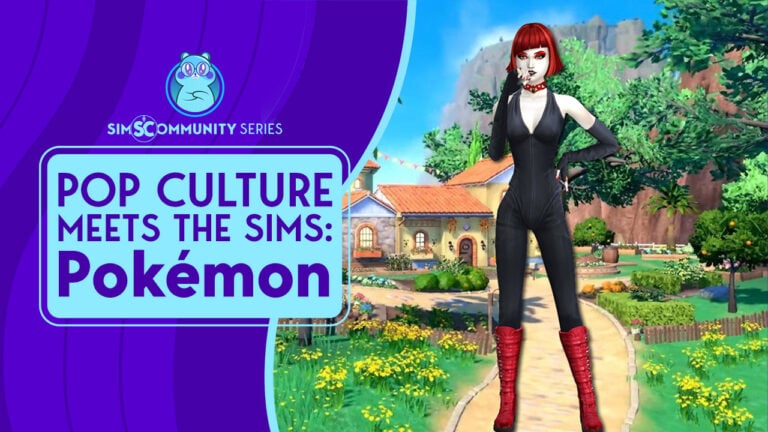
Welcome to a new miniseries where we will be taking hot and trending topics in popular culture and see what happens when they meet The Sims 4! Now, regardless of how old you are, it’s more than likely that you will have heard about Pokémon, be it anime, movies, trading cards, video games, or other Pokémon-themed merchandise. Pokémon is one of the hottest video games, with the recently released Pokemon Scarlet and Violet editions for Nintendo Switch. However, have you ever wondered what would happen if the world of Pokémon metThe Sims 4? Well, let’s find out!
For this first of three parts in our introductory miniseries, we will take a look at rebuilding our trainers’ starting home in Pokémon Scarlet and Violet, as well as introduce you to some experienced and upcoming Pokémon Trainers!
Pokemon Scarlet and Violet: The Location
Pokemon Scarlet and Violet is based in the beautiful world of Paldea. However, your home as a trainer is located in the gorgeous area of Cabo Poco. As for The Sims 4, I tried to find a world and lot that was similar to that in the game.
This took some time as I knew suitable lots would be limited. I wanted to try my best to keep that “over the water” lookout and that had space to accommodate as much of the outdoor space as possible.
After trying a variety of lots in Oasis Springs, Sulani, and Tartosa to name a few, I settled on the Piccola Luce lot in Sulani. The 40×30 lot seemed to be the perfect choice for this recreation.
While it was a little bit more island-like compared to what we see in Pokémon Scarlet and Violet, as the shell started to take shape, I knew it was the right lot for the build.
I will admit, it was difficult to get the shell just right, even now it does seem a little on the larger side but that was down to the layout of the house and the placement of the staircase.
With the bare shell laid out. It was time to move on to adding the windows, doors, and additional exterior details before tacking the interior.
The Exterior & Landscaping
This part of the build I really struggled with. Initially, nothing seemed to be working or coming together. I couldn’t find the right items to use that were similar to those in-game. Eventually, I started to make some progress. While some of the items used weren’t exactly the same as what we see in Pokemon Scarlet and Violet, I chose them based on how similar they were and how they worked for the overall build. This was specifically true when it came to the windows and window placement.
Another task that was a challenge for me was landscaping. I’ve never been someone who is good at landscaping however I always give it my best shot! Trying to replicate what was in the Pokémon Scarlet and Violet games was difficult. I tried to think outside the box as to what objects I could use. Those that fit with the game’s style, or at least similar. DEBUG mode provided me with a larger range of objects to choose from and eventually, I found what I was looking for.
With the exterior now complete, it was time to move on to the interior!
Pokemon Scarlet and Violet: The Interior
This is where I knew I was going to be able to have some fun! With the Kitchen, Lounge, and your player’s Bedroom available to explore these would be straightforward to replicate. However, having your Parent’s room, a storage room, and a limited selection of camera angles some aspects of the build I knew would be more challenging. Without letting that put me off I set about furnishing each of the different areas.
I wanted to stay true to the game and not add too many additional objects to each space. For each room, I wanted to do my best in replicating everything as closely as I could.
On the other hand, one thing that I thought of as I started to furnish the inside of the build was due to the minimal camera angles, some areas appeared to have nothing in them. My plan to tackle this was to follow the same theme as the room and fill that space with objects I felt would be in those spaces and were also following the same theme of Pokemon Scarlet and Violet.
Kitchen & Lounge
Likewise, with most builds I work on, I started in the Kitchen. For me, this feels like the most natural place for me to start. Choosing the counters was relatively straightforward. Initially, the space felt empty but after adding a touch of paint and flooring it was starting to come together well.
While the limited freedom of movement with the in-game camera in Pokémon Violet was slightly frustrating, I think I managed to capture and recreate both the kitchen and lounge spaces well. There are definitely a few things I was hoping I could recreate in game such as the ceiling beams but it just wasn’t possible.
Trainers Bedroom
The Trainers bedroom was not only the easiest but also the room I enjoyed furnishing the most. It was straightforward but the variety of objects we have in The Sims 4 really helped make a relatively accurate recreation.
I’ll be honest, my younger self wishes that this was my bedroom if I was embarking on my own Pokémon adventure to become a Pokémon Master!
Master Bedroom
This room was one of two rooms that were not accessible by players so needed a little bit of imagination when creating it. I decided to keep it simple instead of trying to overcomplicate it and in the end, it turned out perfectly. A lovely quiet space perfect for grabbing a book to read or just having a peaceful night sleep!
While this was not a part of the Master Bedroom, I did really like how the small area between the stairs and the master bedroom turned out as well!
The Storage Room & Empty Spaces
Next up is the storage room. In Pokemon Scarlet and Violet, you aren’t actually able to enter this room so I used my best judgment to create a space that would work. As this build was likely to be used in my own game, my first thought was to use this space as a bathroom and some additional storage It definitely worked as there would be nowhere else to really place a bathroom area.
A second area that was a bit of an empty space was the small rounded tower space located behind the kitchen. Now, in the game, it is part of the kitchen however when recreating the house in The Sims 4 it just didn’t work. I ended up turning this into a small laundry room instead to help fill the space but it also doubled as another entrance/exit into the garden area.
Earlier on in this article, I mentioned that due to the limited freedom of movement with the camera in Pokémon Scarlet and Violet, there were some spaces that appeared to be empty. This is what I decided to do to make these spaces more functional instead!
In the kitchen, there was a small bit of space which I filled with another washing station for laundry.
The empty space on either side of the entrance turned into two different spaces. One was a space for Sims to get ready with their shoes and coats and then on the other side I placed a bookshelf which would also work well for the lounge area.
The Final Result
Overall, both the interior and exterior of the Pokemon Scarlet and Violet came together better than I could have expected. What helped was the variety and versatility of many of the objects that I could use and choose from in The Sims 4 and the available packs. While there were many different versions of various areas of the build over time, the end result wasn’t too bad. Of course, there are things I would like to revisit and more than likely change when I start to use this build myself in the game but that is natural in any build but, as an overall reflection of it, I am pretty happy with how it all turned out!
You can download Pokémon Scarlet and Violet Trainers’ House by clicking the download button below! Or search for Leekseverywhere in The Gallery and look for the lot titled Pokémon Trainer Home!
Now, with the Pokémon Scarlet and Violet Trainers home complete let me hand you over to another Sims Community Staff member!
Pokemon Scarlet and Violet: A Trainer for Every Path
SnarkyWitch here! I’m so glad Krista allowed me to collab with her on Sims Community’s three-part Pokémon series because, like many others, I too have been totally sucked into the latest installment of the beloved Pokémon series. Pokémon is a certain special nostalgia our generation just can’t seem to kick and do we want to? Let’s be honest, not really.
Krista did such a beautiful job with the protagonist’s home from Pokémon Scarlet/Violet but you know what they say; a house isn’t a home without Pokémon trainers! I’m sure that’s the saying. Nailed it. Since Scarlet and Violet offer us three different story paths to pursue at our own pace, I thought it fitting to create three of the characters from Pokemon Scarlet and Violet to enjoy this home. I know the protagonist and their mom is supposed to live here but in The Sims, there are no rules! So may I present three of my personal favourite Pokémon trainers; Nemona, Arven, and Meli!
It was important to me that these Sims have no custom content. I love custom content but Pokémon is for everyone and it wouldn’t be right to exclude our beloved console players from enjoying this Pokémon and The Sims crossover. It was definitely a challenge to create such unique, distinct characters without CC but a lot of fun! Let’s meet these trainers, shall we?
Please note there may be minor early-game spoilers ahead!
Nemona Trainer
It was basically a no-brainer to make Nemona first! She’s one of the first pals you meet on your Pokémon journey and is the one who mentors you as you take on the Pokémon gyms around Paldea. She thinks you have what it takes to become a League Champion and with such an encouraging friend in your corner, how could she be wrong?
Likes: Red, Purple, World Music, Outdoorsy Fashion, Streetwear Fashion, Fitness, Modern Décor
Dislikes: None
Other Notes About Nemona
Nemona has two Everyday outfits: her Uva Academy outfit from Violet and her Naranja Academy outfit from Scarlet.
Nemona has base game-styled looks for her other outfits to cut down on the number of required packs.
Arven Sadaturo
Arven’s another school pal with big ambitions, but unlike Nemona, he’s a bit prickly at first. The son of Professor Sada and Professor Turo, Arven’s on a hunt for the Herbica Mystica, legendary herbs said to be protected by mythical Titan Pokémon. And you’re just the scrappy new freshman to help him!
Arven’s Trainer Stats
Age: Teen
Pronouns: He/Him
Romance Preferences: Game Default
WooHoo Preferences: Game Default
Traits: Foodie, Adventurous, Essence of Flavour (Bonus)
Arven has two Everyday outfits: his Uva Academy outfit from Violet and his Naranja Academy outfit from Scarlet.
Arven has base game-styled looks for his other outfits to cut down on the number of required packs.
Mela Schedar
As fiery as her team of Pokémon, Mela’s known for solving all of Team Star’s problems in the most… direct way possible. She’s a formidable foe in battle but she might show you a more vulnerable side if you manage to defeat her and dismantle her renegade crew.
Mela’s Trainer Stats
Age: Teen
Pronouns: She/Her
Romance Preferences: Game Default
WooHoo Preferences: Game Default
Traits: Hot Headed, Genius, Relatable (Bonus)
Aspiration: Live Fast
Likes: Red, Orange, METAL MUSIC, Rocker Fashion, Mischief, Cosmolux Décor
Dislikes: None
Other Notes About Mela
Mela has base game-styled looks for her other outfits to cut down on the number of required packs.
You can download Nemona, Arven, and Mela by clicking the download button below! Or search for SnarkyWitch in The Gallery and look for the household titled Pokemon Trainers!
Thanks for letting me crash the Sims Community Pokémon party, Krista! I had a blast creating some of my favourite trainers from Pokemon Scarlet and Violet!
Both SnarkyWitch and I had a great time creating both the Trainer Home and Trainers from Pokémon Scarlet and Violet! Don’t forget to stay tuned for the next part of this miniseries and why not let us know who you chose as your Starter Pokémon in the comments below?
Gameplay Images used in this article have been captured in-game from Pokémon Violet on Nintendo Switch.
These 7 CC sets will add style to your game without sacrificing aesthetics!
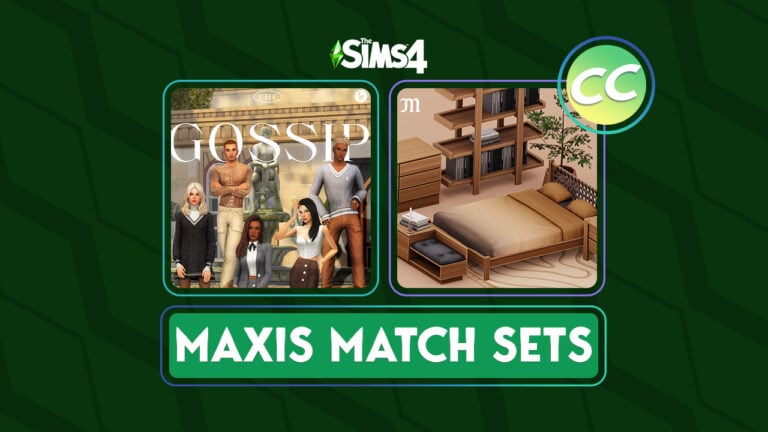
There’s a lot of custom content for The Sims 4 out there and more and more players are opting to do away with alpha CC in favour of Maxis Match. Not sure what that means? Maxis Match CC is custom content that is designed to match the art style of The Sims 4. The ideal Maxis Match CC doesn’t look like CC at all; it looks like something Maxis made. This appeals to many players because their custom content doesn’t stick out and instead blends into the rest of their Sim’s home or wardrobe seamlessly.
Today we’re bringing you seven Maxis Match Build/Buy and CAS sets that are sure to add style to your game without sacrificing visual appeal.
This sleek, sophisticated collection is great for both feminine and masculine Sims. Show everyone you mean business when you dress your Sims for success in this timeless wardrobe. This is a fantastic set for mixing and matching different pieces to achieve a variety of unique styles!
As a lover of all things Victorian and/or historical, I had to include this beautiful Build/Buy set. The rug and curtains are stunning and I love the matching recolours! I can definitely see any historical noble or royal family having tea in a room filled with these stunning pieces.
Peacemaker brings us yet another stunning Sims 4 Maxis Match CC set. This dining collection looks so warm and cozy. I’m completely in love with this colour palette and the soft floral design on the armchairs. I’d definitely want to have all my meals here, wouldn’t you?
This classy autumn and winter wardrobe set is exactly what Sims need to look both warm and stylish in colder weather! The long coats and heeled boots are a must-have in my opinion! The Maxis Match hairstyles are the perfect icing on the cake, too!
This bedroom set in warm, natural tones will bring a cozy vibe to any bedroom. My personal favourite object in this collection is the ottoman with shelf slots. The woven headboard on the bed is a lovely rustic touch and the bookshelf can blend with almost any décor style! Absolutely beautiful!
Simmers looking to add some creepy vibes to their games will love this eerie collection of run-down vintage Maxis Match CC for The Sims 4 to tell the perfect horror story. I’m a big fan of creepy stuff and this beautiful set hits all the right spooky notes!
This gorgeous set of Build/Buy items made of reclaimed materials pairs perfectly with the Eco Lifestyle expansion! I love the dark wood tones with white accents; it’s the perfect balance of rustic and bright to bring out the best in any room!
The perfect looks for your Sims to stay warm and stylish this winter!
Winter has arrived for those of us in the Northern Hemisphere, and we thought we’d kick off the season with a Sims 4 winter lookbook! Grab a cup of hot chocolate, get into your warmest PJs, and sit back and be inspired by these wintery and festive styles for your Sims! Even if you hate the snow and cold, you can enjoy it from the warmth of your own living room in The Sims 4!
Let’s ring in the holiday season with style! All of our looks for this Sims 4 winter lookbook are CC-free (we see you, console players!) so you can mix and match official packs to achieve these warm, cozy looks.
The Sims 4 Winter Lookbook
Where Are You, Winterfest?
The snow has finally started falling, the school buses are cancelled, and you are SO ready for Winterfest! Except… Winterfest is still so far away. What to do when you’re in the festive spirit too early? Dress in red and green until you can break out the ugly Winterfest sweater, of course! This Sims 4 winter lookbook style features a red open coat over a warm turtleneck and a green corduroy skirt over leggings and warm boots.
Hair: Half-Up Corkscrew Curls (Base Game)
Top: Open Button-Up Winter Coat Layered Over Turtleneck (Holiday Celebration)
What’s a toddler to do when the world is covered in a thick sparkling blanket of white? Play in it all day! This warm, cozy Sims 4 winter lookbook ensemble in shades of icy blue and white is perfect for launching sneaky snowball attacks from inside snow forts. Parents might have a headache trying to keep track of their little winter chameleons, though.
Hair: Middle Part (Base Game)
Top: White Winter Coat with Hooks (Holiday Celebration)
Bottom: Jeans With Pockets (Base Game)
Shoes: Fuzzy Winter Boots (Snowy Escape)
Accessories: Hat (Nifty Knitting Stuff) / Gloves (Seasons)
A Gothic Holiday
While the Goth Family dynamic may have changed over the years, it hasn’t stopped them from getting into the festive spirit during the Holiday Season. This Freezer Bunny inspired Sims 4 winter lookbook, is perfect for Mortimer and many other elder Sims. Instead of getting fully involved in the hustle and bustle of the big day, you’ll find Mortimer sat by the fire with the grandchildren, telling them tales of Holidays past.
With the end of term approaching ahead of the Winterfest break, it’s time for students to kick back and have some fun at the Winterfest Prom. The dress code for this event, classy and black tie. This look while simple fits the dress code perfectly! Along with the added finer details in this Sims 4 winter lookbook outfit, the accessories, makeup and shoes really bring this look together for the ultimate prom night look!
Hair: Two-tone in Pink (Backyard Stuff)
Full Body: Shoulder Cut-out Dress (My Wedding Stories)
Shoes: Diamanté Strapped Heels (Get Famous)
Accessories: Moon Necklace & Bracelet Set (Werewolves) / Nails (Base Game)
Make-up: Eyeshadow (High School Years) / Eyeliner (My Wedding Stories) / Blue & Lips ( MAC x Base Game)
Credits
This post was a collaboration between Krista and SnarkyWitch!
Where Are You, Winterfest? and Cool Blue Looks:SnarkyWitch
A Gothic Holiday and Winterfest Prom Night Looks:Krista
Need a quick way to create a vampire? Or maybe you want to cheat your Sims way to Vampire Grand Master! No matter your reason, here are some useful Sims 4 Vampire Cheats!
Remember! Make sure to type in testingcheats on into the cheats console before entering any of these cheats. The cheats console can be accessed by pressing ctrl + shift + c (PC) or ctrl + shift + c (Mac) – or all four shoulder buttons on Console.
Full list of The Sims 4 Vampire Cheats
Getting Sims ID Cheat
For some cheats a Sim ID will be needed. To get a Sim’s ID, type: Sims.Get_Sim_ID_By_Name [First Name] [Last Name] into the cheats console. The Sim ID will be sent in response.
Sims 4 Vampire Cheats: Instant Turn into Occult
There are multiple ways to create a Sims 4 Vampire! The first way is to add the Vampire Occult cheat: Traits.Equip_Trait Trait_OccultVampire
Vampire Creation Cheats
Vampire Creation Time
Vampire Creation Time Cheat
Become a Vampire in 36 Hours
Stats.Set_Stat Commodity_BecomingVampire 1
Become a Vampire in 24 Hours
Stats.Set_Stat Commodity_BecomingVampire 721
Become a Vampire in 12 Hours
Stats.Set_Stat Commodity_BecomingVampire 1441
Become a Vampire in 1 Hour
Stats.Set_Stat Commodity_BecomingVampire 2100
Become a Vampire Immediately
Stats.Set_Stat Commodity_BecomingVampire 2160
Humanize a Sims 4 Vampire
To turn your Vampire Sim into a Human Sim with Sims 4 Vampire Cheats, type this cheat into the cheats console: Traits.Remove_Trait Trait_OccultVampire
This cheat will remove the trait that marks the Sim as a Vampire occult.
There are special abilities and powers that you can unlock using Sims 4 Vampire Cheats. Down below is the full list of all Vampire Powers and Weaknesses that you can unlock instantly in your game!
Let’s take a deep look into all of them and how you can cheat them:
Did you know that you can instantly kill your Vampire Sims with these cheats? Simply apply them and turn them into a Ghost of their Vampire Deaths!
Death
Death Cheat
Turn Vampire into Ghost Immediately
traits.equip_trait Vampire_Sun
Kill Vampire by Sun Exposure Immediately
Stats.Set_Stat Commodity_Vampire_Sunexposure -100
Sims 4 Vampire Trait Cheats
Want to simply apply the new Traits from The Sims 4 Vampires? Here’s a list of 3 Traits that you can add to your Sim:
Vampire Traits
Vampire Trait Cheat
I Am The Master
traits.equip_trait TheMaster
A True Master
traits.equip_trait TrueMaster
Regained Humanity
traits.equip_trait RegainedHumanity
Vampire Perk Points
Did you know that you can add Perk Points with The Sims 4 Vampire Cheats? Simply type in the cheat below to get 2 Perk Points! Note that you can use this cheat an infinite amount of times.
The same cheat used to complete other aspirations also works with Sims 4 Vampire Cheats. The cheat: Aspirations.Complete_Current_Milestone can be entered to finish the current milestone. Most aspirations have four milestones so in order to complete the milestone, this cheat will need to be entered four times.
Pipe Organ Skill
Although this is not a cheat that solely affects Vampires, a skill closely associated with Vampires is the Pipe Organ Skill. This is a 10 level skill. Make sure to have testingcheats on and then type the skill cheat and the level desired from 1 to 10.
Skill
Skill Cheat
Pipe Organ Skill [1-10]
Stats.Set_Skill_Level Major_PipeOrgan [X]
X = Desired Number
Vampire Lore Skill
You can level up in the Vampire Lore Skill by applying the following cheats:
Skill
Skill Cheat
Vampire Lore Skill [1-10]
Stats.Set_Skill_Level VampireLore [x]
X = Desired Number
That’s about it! Did you find these Sims 4 Vampire Cheats useful? Let us know in the comments below.
If you’re looking for more Occult Cheats, why not try Sims 4 Werewolves Cheats! We also have a full directory of The Sims 4 Cheats for Packs on our website.
EA has published a new Holiday Sale, featuring discounts on The Sims 4 and Sims 3!
There’s a brand new sale from the publisher Electronic Arts happening across platforms!
The new Holiday Sale features discounts and promotions on the majority of EA video game titles, including The Sims 4!
Of course, the Base Game is currently available free of charge. There are still sales for the majority of DLC releases, including Expansion Packs, Game Packs, Stuff Packs and Kits.
Down below are all the discounts you can find for Sims 4 games and pack types that you can find. Platforms include EA App, Steam, Playstation Store and Microsoft Store.
The Sims 4 Expansion Sale
All The Sims 4 Expansion Packs are available at 55% off. Excluding Sims 4 High School Years, which is 25% off.
Sims 4 Game Pack Sale
Majority of Sims 4 Game Packs are currently 30% off. The Sims 4 My Wedding Stories and Werewolves Game Packs are 25% off.
Sims 4 Stuff Pack Deals
All The Sims 4 Stuff Packs are discounted at 30% off.
The Sims 4 Bundle Deals
Maxis’ newly released Sims 4 Bundles are at 20% off.
Autumn is out, winter is in! Celebrate the new season with these ten winter builds!
Autumn is coming to an end soon and and winter will be upon us before we know it! Whether you love or hate the snow and cold, there’s no denying that Simmers build some of the most amazing seasonal homes and venues for everyone to enjoy! Today, we’re kicking off the upcoming winter season with 10 winter builds in The Sims 4!
The Sims 4 Winter Builds
Winter Park Build
Creator: Quietgirlgames
This adorable lot truly looks like a Hallmark holiday movie set in the city. I myself have walked through city parks in the winter that look just as magical as this dreamy setup. This is the perfect locale to have that first kiss with the Sim of your dreams. This Sims 4 winter build is completely magical.
This picturesque tree farm is so charming and quaint. Even if your Sims aren’t shopping for a Winterfest tree, it’s worth a visit to try some of the tasty beverages and pastries the café inside offers! We love all those extra special touches, like the sign out front and the cars parked outside. We can’t wait to visit this winter build in The Sims 4!
This humble Sims 4 winter build proves that less is more when it comes to creating nostalgia and warm, fuzzy feelings. This little tree lot looks just like the small town tree lots my parents used to take me to when I was a kid to pick out our tree for the holidays. Thank you for this wonderful trip down memory lane, CatSaar!
Any Sim would be lucky to get married in this gleaming winter wedding venue! Every inch of the place is dripping in opulence. Sims wanting a winter wedding in a place that looks fit for royalty are sure to have the wedding of their dreams here. What a spectacular winter build for The Sims 4!
Maybe your tastes for a winter wedding are more down-to-earth and rugged. In that case, allow us to present this equally gorgeous barn wedding venue all decorated for the winter season! Any country Sim is sure to have the most magical winter wedding here. I’m already planning my Sims’ next wedding in this amazing winter build!
Our jaws dropped to the floor when we saw this absolutely incredible Sims 4 winter build! This talented creator has built an entire winter village on a 64×64 lot and the detail is marvelous. Street signs, town mail boxes, winter decorations, a gorgeous town square, and even a train station complete with luggage waiting to be collected on the platform brings this postcard perfect winter scene to life!
Wanting to get away this winter but don’t want to sacrifice luxury and comfort? This spectacular winter build for The Sims 4 is the perfect vacation rental for you. This gorgeous chalet sits on top of a snowy hillside with a small lake below and stunning wraparound decks to take in the views. We love the winding steps leading up to the front door.
For those wanting a more whimsical winter experience, check out this gorgeous winter castle! The architecture is just stunning and the creeping vines up the stone towers give the place a wonderful aged feel. Our favourite part of this Sims 4 winter build is the bridge entryway.
Got a big family but don’t want to spend your entire winter vacation crammed into one rental? Why not rent out a whole resort like this one? This beautiful snowy hillside dotted with small, cute cabins will allow you big Sims family to spend the holidays together and still enjoy their privacy. The skating rink in this Sims 4 winter build is a fun added touch to the lot.
And last but definitely NOT least is this beautiful winter cabin built by one of my personal favourite Sims 4 builders! All of Eva’s builds are captivating but this one really stands out as a gorgeous blend of modern and traditional in a winter setting. My favourite features of this winter build are the round deck and the support beams on the A-frame roof.
This set is creepy and it’s kooky, mysterious and spooky! It’s all together ooky! This Sims 4 Goth CC.
This Sims 4 Goth CC is about to take a dark turn.
In brief, Charles Addams’ Addams Family cartoon was first published to The New Yorker in 1938. In fact, the family was without proper names until the 1964 TV Show “The Addams Family.” Throughout the years, there have been many different iterations with slightly different tones, characteristics, and storylines. To illustrate the Addams’ family’s influence, just read and watch all the numerous versions, including books, a Broadway Show, an animated series, a live action tv show, a pinball machine, video games, and even advertisements. Most recently, a Netflix original show features Wednesday Addams as its titular character and was released November 23, 2022.
What each iteration has in common is a dark, Goth aesthetic. As the result of the Netflix show’s popularity, it is nor surprising that a Custom Content (CC) creator has created a CC set to accompany the feel of the Netlix show. In a similar fashion, Sixam has created a Sims 4 goth CC set that would either work perfectly in an Addams Family build or even with similar families such as the Goth Family. To summarize, this set works well together and also combined with items from the Vampire Game Pack.
This pack by SixamCC will release on December 22, 2022!
Sims 4 Goth CC Included
Bedroom
Sixam included two different beds and matching mattress along with bed stands and a dresser! Using these items and some of the decorations included with the set, a bedroom perfect for Wednesday Addams is easy to create.
Double Bed Frame: Gothic Double Frame (10 Swatches) Double Separated Mattress: “Soft and sometimes weird” Double Mattress (12 Swatches) Single Bed Frame: Goth Single Frame (10 Swatches) Single Separated Mattress: “Soft and sometimes weird” Single Mattress (12 Swatches) Dresser: Pretty Dark Dresser (10 Swatches) Night Table: “Secrets in the Dark” Nightstand (10 Swatches)
Dining Room
Although there is only one dining room item with the set, it can be used with a good number of in game items from tables to desk. Not to mention the stylish look of the chair that can be used with man different game chairs or Custom Content chairs.
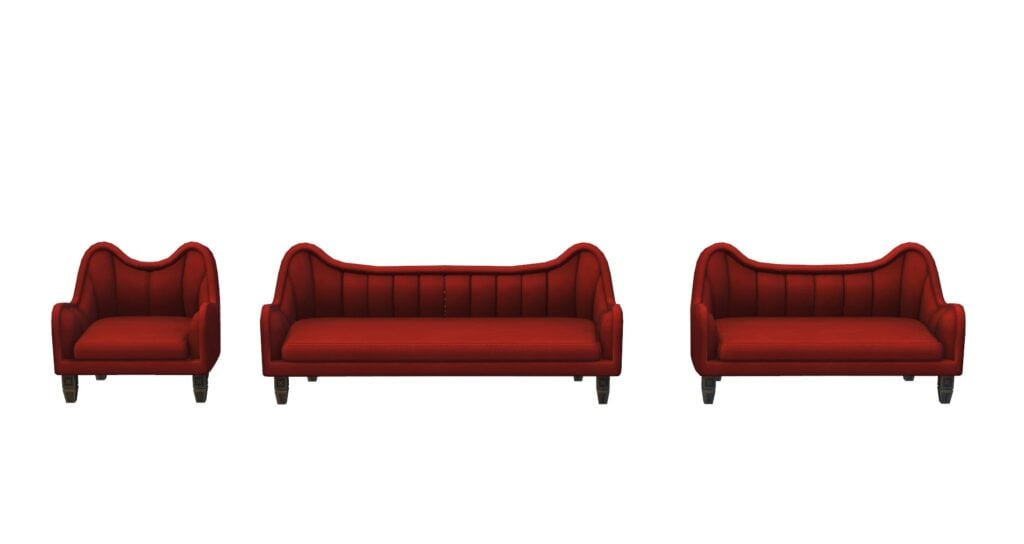
These three pieces are our favorite pieces in the set! Particularly, the red color is absolutely stunning against the dark wood colors and the shape is unique from anything else we have in the game. Above all, these Sims 4 Goth CC pieces perfectly match the vibe of the new Wednesday show.
Living Chair: “Nightmare” Living Chair (10 Swatches) Loveseat: Nightmare Loveseat (10 Swatches) Couch: “Nightmare” Couch (10 Swatches)
Decorative
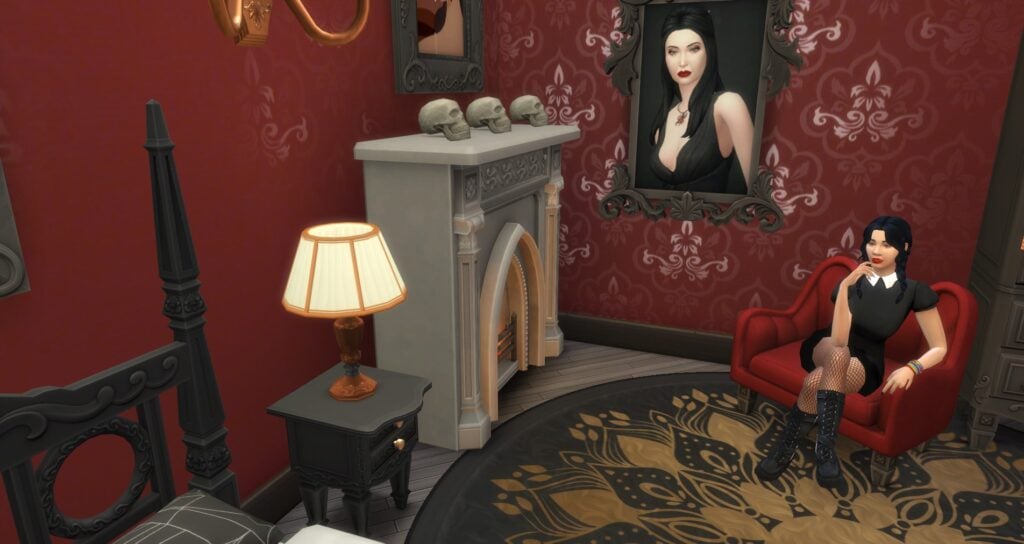
Another key point is that we love the Sims 4 goth CC decorative items included in this set! In fact, the large mirror is not only great for decoration, but also for all the normal mirror uses. Specifically, there are two different paintings with 14 swatches between the two of them, a decorative skull, a fireplace, and a round rug with swatches that will go with numerous different house decoration styles.
All things considered, the skull and fireplace will be my top two objects used from this pack.
Fireplace: Gothic Stone Fireplace (9 Swatches) Painting: Beautiful Art (8 Swatches) Painting: Old Portraits (6 Swatches) Rug: Funny Circular Rug (12 Swatches) Decorative Skull: Uncle Skull (4 Swatches) Wall Mirror: “Look at me!” Wall Mirror (10 Swatches)
Hallway
These living tables could have a myriad of different uses from using them in the hall way to behind a couch or on any open wall space. Subsequently, their two different heights gives them added flexibility.
Hallway Table: “Secret Love” Hall Table (10 Swatches) Hallway Table (Short): “Secret Love” Hall Table (Short) (10 Swatches)
Lighting
Lastly, the lighting is one of the most important parts of decoration. Sixam provides us with two different types of Sims 4 goth CC lights in this pack. Subsequently, they include a wall lamp and a table lamp. With 9 swatches between the two lamps, these lamps should be able to fit into quite a few different decoration styles including a Goth house. In truth, these are the perfect versatile type of lamp that most Simmers need.
To conclude, this pack is a great pack for any Wednesday Addams’ fan, Addams Family fan, and/or Sims 4 goth cc fan. Our favorite items were the skull, the fireplace, and the the three living room seating options. We recommend downloading it and adding the items to your game!
An ailing king, a secret romance and a Winterfest Ball to remember!
Welcome to our thirteenth official Sims 4 Story Starter Kit! If you missed all the info on Story Starter Kits, you can read more about what they are and how they work in our introductory article!
This month, we’re bringing you into the world of royalty! A king’s failing health means his daughter’s coronation must happen soon, at the annual Winterfest Ball, but the princess has a big secret she’s hiding from everyone.
Story Starter Kit: A Royal Winterfest
The Dupontes have ruled over the small country of Windenburg since medieval times. Although Windenburg’s politics have long since moved to a democratic system, the monarchy still stands as a symbol of Windenburg’s esteemed history and the royal family still has a great deal of influence in the country. They work alongside the elected ruler to pass policies and launch new initiatives for the betterment of Windenburg’s people. It’s a duty the Dupontes take very seriously.
So when news spread around Windenburg that King Maximus’ health was deteriorating, everyone was buzzing about Princess Elleri, the King and Queen’s only child who just celebrated her 18th birthday. She’s expected to be the youngest Queen to inherit the throne since 1654 when Princess Elleri’s ancestor ascended to the throne at the age of thirteen. Princess Elleri has been adored by the public since her birth and her parents have spent her entire life preparing her for this very moment. All of their hopes and dreams hinge on her and how she rules as Queen.
Recently, King Maximus’ health has taken a turn for the worse. Windenburg law states that the birth-born monarch must crown the next monarch themselves shortly before their passing; without the approval of the current reigning monarch, the throne may be contested by other noble families with any relation to the Dupontes. Naturally, this urgency demands Princess Elleri be crowned as soon as possible and what better opportunity to crown Windenburg’s new queen than at the castle’s annual Winterfest Celebration Ball, in front of the whole country? The event will also be an opportunity for Queen Gloria to scout out a suitable husband for her newly crowned daughter; Princess Elleri must secure the Duponte bloodline for another generation as soon as possible, after all.
But there’s one problem with that. Princess Elleri is already engaged in secret to one of the castle’s servants, Ezra. It’s still illegal in Windenburg for the royal family to marry someone outside of the nobility but the Princess has been in love with Ezra since they were children when he boldly stole a kiss on the cheek from her in the courtyard. She couldn’t stop giggling the rest of the day back then and he hasn’t stopped making her giggle ever since. If she can just keep their relationship a secret until after her coronation on Winterfest, she’ll be able to change the law when she becomes Queen and marry the person she loves.
But can she keep it a secret long enough? Her mother’s been getting increasingly suspicious of how much time she spends with Ezra and with the coronation fast approaching, she’s been watching her daughter like a hawk to make sure she doesn’t do anything to disgrace the royal family at such an important time. She knows her parents will assume Ezra just wants to become King and gain access to the royal vault. They’ll have him imprisoned. Her father would never physically harm Ezra but Princess Elleri doesn’t want to think about how far her mother would go to ensure the royal family’s bloodline and reputation isn’t sullied by a servant boy… and it would be all too easy for her to do something drastic while the King’s too ill to intervene.
Relationships: King Maximus Duponte (Employer), Queen Gloria Duponte (Employer), Princess Elleri Duponte (Fiancée)
Packs Used: Get Together, Seasons, Get Famous, My Wedding Stories, Romantic Garden Stuff, Holiday Celebration Stuff (Free DLC)
Household Notes:
This Story Starter Kit household should be able to purchase their lot with their default starting funds. Make sure you import the family into CAS, then move them in. If you move them into a home straight from the Gallery, they will not have the funds I set for them.
Winterfest Castle
The castle is far too big to take pictures of every room but here are some highlights!
This grand castle is located in the middle of a lake which makes it a difficult target for attackers to reach. Not that it has many attackers these days. This lavish estate has housed the royal Duponte family for hundreds of years and boasts a ballroom, inner courtyard, a vault, 8 bedrooms and 7 bathrooms, not including the servants’ quarters and the dungeon.
Story Starter Kit Lot Info:
Lot Type: Residential
Price: §1,059,867
Size: 64×64
Beds: 8
Baths: 7
Lot Traits: None
Lot Challenges: None
Packs Used: Get Together, Seasons, Get Famous, My Wedding Stories, Romantic Garden Stuff, Holiday Celebration Stuff (Free DLC)
Your Sims 4 Story Starter Kit is waiting for you! Get The Household and The Lot by downloading them from the official Gallery Website linked on the buttons below. Or, follow SnarkyWitch in the Gallery and look for A Royal Winterfest and Winterfest Castle!
There is also a non-Winterfest version of the castle to save you the hassle of taking down all the decorations when Winterfest is over. You can find it in my Gallery.