EA has released the official report of The Sims 4 playtime sessions during 2022!
A new report has surfaced on the official EA website celebrating A Year in Gaming in 2022!
In this report the website has listed Electronic Arts’ most popular franchises that have been played in the last 12 months, including The Sims 4.
There are some impressive statistical facts including Gallery Download, Playtime Hours, number of WooHoos and Deaths in-game and more. Check out the full breakdown below!
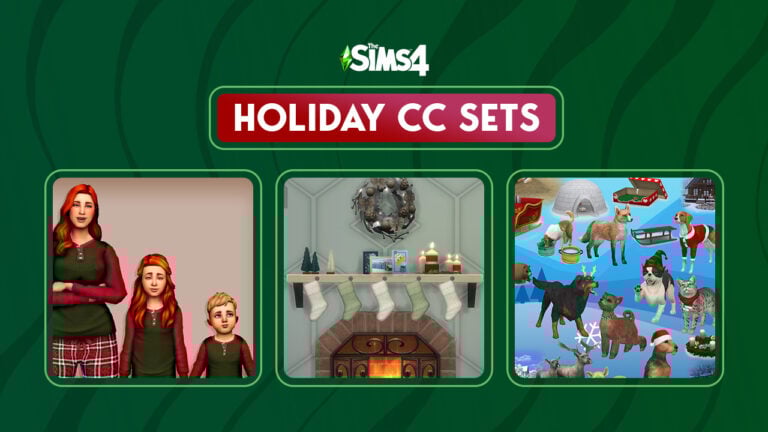
Twelve holly jolly holiday CC sets to celebrate twelve days of Winterfest!
It’s officially December which means the holiday season has begun! Simmers will no doubt be in need of some festive holiday CC to brighten up their Sims’ wardrobes and homes so we’ve compiled a list of twelve holly jolly pieces of Christmas CC for The Sims 4!
At the time of publication, we can confirm that all downloads and all their required meshes have working links. So grab a cup of hot cocoa, get in your festive PJs, and spend some time browsing through our compilation of holiday CC without any hassle!
I am totally that person who shows up to Christmas dinner every year with some festive earrings so I’m obviously in love with these Sims 4 Christmas CC earrings! Where can I get a pair of each in real life? Asking for me, of course.
These adorable PJs for adults, kids, and toddlers come in a variety of festive recolours. This download requires the meshes to show up, so make sure to read the download page carefully and download the linked meshes, too!
This set of 14 beautiful recolours is sure to make your Sim stand out this holiday season! Since these are recolours, don’t forget to download the mesh linked on the download page, too! You need it for these recolours to show up!
These Sims 4 Christmas CC stockings are not only beautiful, but functional, too! Hang them up and watch your Sims collect a present from them on Winterfest morning! But beware; naughty Sims might get a lump of coal instead!
These gorgeous patterned wallpapers in red, green, and gold will make any home feel like it’s Winterfest all year long! The right wallpaper to go along with your holiday décor can really take your Winterfest decorating to the next level!
Some more delightful recolours in a whopping 63 festive patterns to dress up your Sims! Everything in this set looks so bright and cozy, we love it! Remember to download any required meshes linked in the download page, too!
A second delightful holiday set from delightful creator, Ravasheen! This heartwarming collection of holiday décor includes bell and pinecone garlands, candy canes, festive stars, decorative throw pillows, and a wooden tree display that can display any corkboard-compatible items like postcards and kids drawings.
We love to see more gift variety in The Sims 4 and this creator delivered! This huge set of separated presents come in all shapes and sizes in a dizzying amount of colours. They are stackable and also come with optional separated ribbons! Wow!
One of my favourite holiday traditions is decorating a gingerbread house with my family, so this adorable little gingerbread house made me smile! I love the little gingerbread family that goes with it. This will make a perfect holiday centrepiece in your Sims’ homes!
Welcome friends and family into your Sim’s home for the holidays with these cheerful welcome mats! These mats have a variety of fun holiday greetings in Simlish and includes swatches to celebrate Hanukkah nd Kwanzaa, too!
For many people, writing and sending out holiday cards is an important part of the season. It’s also a lot of fun to use the cards you received as holiday decorations so why not add more cards to The Sims? This large collection comes in both standing and décor varieties!
We saved the largest Sims 4 Christmas CC collection for last and pet lovers are going to love this one! This huge collection of items focuses primarily on pets and includes festive pet toys, beds, and clothes for our furry four legged friends! There are also some fantastic builds and décor in the set.
The CurseForge Mod Manager now supports The Sims 4!
On November 14th, 2022, players could upload and download mods and custom content from the CurseForge Mods Hub. At the time, support for The Sims 4 was restricted to the Mods Hub website. Plans to bring The Sims 4 to the CurseForge Mod Manager app were scheduled for December 6th, 2022. Yep, that’s today! The Mod Manager app now supports The Sims 4 and you can download and maintain all your mods and CC directly within the app.
Welcome screen when opening the Mod Manager
For those who prefer the website, the Mods Hub website has also gotten a major facelift. It is now more visually appealing and easier to navigate.
The Sims 4 Mod Manager
Info screen about the latest update adding support for The Sims 4
If you previously had the CurseForge Mod Manager app installed for other games, then all you have to do is open your app and see that The Sims 4 is now supported in the app! For those new to the app, you can download it from the CurseForge website.
Click on The Sims 4 icon in the left sidebar to see all of your installed content from mods and CC to lots and households. The Sims 4 Mod Manager app will display mods you previously downloaded from elsewhere, too. Easily delete anything you no longer want and update all outdated mods at once by clicking on the upload button at the top of your mod list. You can also search for more mods to download within the app.
My CC collection displayed in the Mod Manager
Everything is now in one convenient location, making it easier than ever before to install and maintain your mods and CC.
Mods Hub Redesign
Mods Hub redesigned website
In addition to the Mod Manager support for The Sims 4, the Mods Hub website has gotten a complete redesign! The new design more closely resembles the app design and is much more visually striking. Download preview thumbnails are now larger and more visible, with better overall organization and navigation.
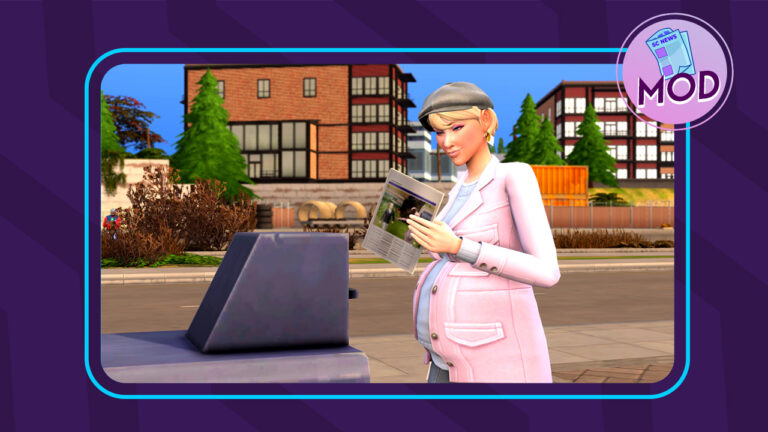
Subscribe to The Sims Daily newspaper with this handy mod!
The Sims 4 has embraced the modern world in many ways, doing away with outdated technologies like landline telephones and newspaper deliveries. Many players miss these old-fashioned things from days gone by. Some wish for more old-timey things for their elders who are stuck in the past. Others just don’t want their Sims to be so reliant on cell phones and Wi-Fi, especially when playing Rags to Riches challenges or historical challenges. Well, Ravasheen has given these players what they want! Her Sims Daily newspaper mod for The Sims 4 will allow your Sims to read the paper again!
The Sims 4 newspaper mod is base game compatible but more options will be available to players depending on what packs they have installed.
The Sims 4 Newspaper Mod: How to Subscribe
It’s easy to subscribe to The Sims Daily with this Sims 4 newspaper mod. In Build/Buy, search for an object called New News Stand and place it on any lot. You can search for the item by name or just type RVSN in the search bar; searching for RVSN will bring up all of Ravasheen’s content that you have installed.
Once placed, click on the news stand in Live Mode. Purchase that day’s copy of the newspaper for $2 or sign up for a subscription for $1 a day. If you’re short on simoleons and want to read the paper every day, it’s better to subscribe at the discounted rate. Not only is it cheaper to subscribe, but it’s more convenient, too. Sims Daily subscribers get a copy of the paper in the mail every day at around 9am. No need to remember to swing by the news stand to grab that day’s paper; this Sims 4 newspaper mod delivers right to you every day!
Sims Daily subscribers will get a trait to show that they are currently subscribed to the Sims 4 newspaper. You can unsubscribe anytime by clicking on your mailbox or on a news stand.
Each newspaper is only good for one day. It expires the following day. You know your Sims 4 newspaper is old when it turns brown in colour. You can have up to 5 newspapers on your lot. After that, the newspaper will not be delivered until you clean up some of the old papers.
Newspaper Features
The Sims Daily has lots of useful features Sims can take advantage of. Many options that were only available on the cell phone or computer are now available through the newspaper. This makes the paper a great tool for Rags to Riches, Off-The-Grid, and Decades playthroughs!
Here’s the full list of what’s possible with The Sims Daily newspaper!
Find odd jobs/gigs
Post missing pet alerts
Read festival info – Gives info on the next upcoming festival
Clip coupons and get discounts
Read daily news, affirmations, and jokes – Provides Sims with Confident, Playful, and Focused moodlets!
Check Recent Neighbourhood Stories
Check Neighbourhood Action Plans
Enact Neighbourhood Action Plans
Repeal Neighbourhood Action Plans
Using The Sims 4 newspaper grants your Sims influence points and both the news stand and newspaper are functional off the grid!
Our Thoughts on The Sims 4 Newspaper Mod
We’re always impressed with Ravasheen’s work and her newspaper mod for The Sims 4 is no exception! She’s always thinking of ways to make the game easier and more intuitive for players to enjoy and she never disappoints; many of her mods pay special attention to the needs of off-the-grid and history players which is something the community needs more content for.
We love this blast from the past and found having a daily newspaper delivery so handy! We were able to do so many things with just one object and we didn’t have to click through a maze of phone apps to find them. Having the newspaper expire the next day and not getting deliveries if there are too many newspapers on the lot is a very nostalgic thing from past Sims games.
Something we would love to see added to this mod in the future is notifications with funny news clips, affirmations, and jokes in addition to the nice moodlets our Sims get. I totally volunteer to write some corny jokes for you, Ravasheen!
The Sims Daily News Stand and Newspaper is currently in early access for Ravasheen’s patrons. It goes public on December 17th, 2022. Click the button below to be taken to the download page!
The latest SDX drop includes a major bug fix and Dragon Age merch!
If you’ve opened up The Sims 4 today, you might have noticed we got another SDX drop, but what did we get with it? In usual fashion, The Sims social media channels and news blog were vague about the details but they did confirm a long awaited bug fix was included. The Dragon Age Facebook account also posted that there is new Dragon Age themed CAS assets in The Sims 4 to celebrate the upcoming release of the series’ latest title, Dragon Age: Dread Wolf.
Yep, another video game advertisement. Still, let’s dive into CAS and check out exactly what we got!
Sims 4 SDX Content: CAS Assets
Feminine T-Shirt Recolours
If it’s hard to find these shirts in CAS, that’s because they aren’t a new catalogue entry. They are added swatches to the Mass Effect rolled sleeve tee that we received in a previous SDX drop. There are a total of four new swatches themed around the Dragon Age series.
Masculine Tee
Like the feminine shirt, you’re going to have a hard time finding these if you’re looking for a new catalogue entry. The Sims 4 SDX drop added these designs as extra swatches for the base game graphic tee; the one with the skull face as the catalogue preview swatch. It comes in the same four swatches as the feminine tee with the same Dragon Age designs.
Unisex Tattoos
There are three new tattoo designs, also themed around Dragon Age. All three designs are different swatches for the same catalogue entry. They are for the left upper arm and can be applied to both masculine and feminine framed Sims.
Unisex Baseball Cap
There is also a Dragon Age themed baseball cap with the familiar sword and flame design on it. Just like the shirts, this Sims 4 SDX content is hidden as an extra swatch rather than a new catalogue entry. It’s a new swatch for the base game baseball cap.
Sims 4 SDX Bug Fix: No More Excessively Mean Sims
The fix to tone down excessively mean Sims was intended to be in the last base game update. At the last minute, The Sims Team announced that the fix would be delayed until December. Many players were understandably disappointed by this delay but they don’t have to wait any longer! Today’s SDX drop included a bug fix for this! Sims won’t be mean without a viable reason, such as having mean traits or being angry.
If this is the first you’re hearing about this bug, you can read more about it right here on our website!
As usual, we’ll continue to update this post if/when more content from today’s SDX drop is discovered!
There is always a debate when the topic of multiplayer in the Sims 4 comes up in conversation. While there are many Simmers that enjoy the single player world of The Sims 4, there are just as many that want to be able to tell stories with their friends. Luckily, with the Sims 4 Multiplayer Mod (S4MP), those Simmers are able to do just that. (As long as they play on PC/Mac)
There are many YouTube simmers that have been playing with S4MP. Check out their videos if you’re wondering how it works!
How does Sims 4 Multiplayer Work?
Requirements
2-12 Simmers each with their own computer
All computers require the same version installed
Same packs and kits installed (Can disable packs in launcher)
Same Custom Content and Mods installed
Preparation to Play Sims 4 Multiplayer
Start a new save or use an old save (On Host Computer)
After that, create or download the sims and move them onto a lot or residential lot
Pause the time. Save and exit.
Hosting a Sims 4 Multiplayer Game
Host needs to login to their S4MP launcher
Choose a save file and click Host
Room will be created and give room code to other Simmers
Joining a Sims 4 Multiplayer Mod Game
Login to the S4MP launcher
Enter the room code and choose Join Room
Game will synchronize between players
Start Game!
Lastly, load the save and enter the lot
If it was successful, each Simmer will receive a notification that the S4MP is working.
When everyone has joined, there will be a notification stating it.
Exiting the Game
It is recommended that the Host Saves then Exits. Then, everyone else exits.
For a video of how to start a Sims 4 Multiplayer game (From 2020).
Important Information
While playing the mod, it is only possible to play with Sims in the same household. Also, the both Sims being currently played need to travel together. Additional Sims can be left alone.
It is recommended that only the host saves the game.
LAN (Local Area Network) connections do not cost anything to the player meanwhile, anything through an Internet connection requires a subscription to the S4MP Patreon.
It is necessary that everyone playing the game has the same packs installed. To prevent issues, packs can be disabled from the S4MP launcher settings.
Mods and CC can be used with Sims 4 Multiplayer! Both Simmers need to have the same mods and cc installed otherwise there will be problems. Also, not all Script mods are compatible. Make sure to check or test before playing.
In fact, it is possible to communicate with other Simmers, type ctrl + shift+ c then type Chat [Your Message]. Only the other Simmers will be able to see the message.
Frequently Asked Questions
How many Simmers can play in a save at once? Up to 12 players are able to connect at one time.
What version of The Sims 4 is required? All players must have the same version. But, this version must be The Sims 4 version 1.54 or newer.
What are the requirements of using Sims 4 Multiplayer Mod? Every Simmer needs to have their own computer. In addition, each Simmer needs to register for an account. Patrons get lifetime LAN support even after cancelling their Patreon membership.
What are the current limitations of S4MP? There are two major limitations that Sims 4 Multiplayer has currently. Build mode does not always work as expected and adding new Sims or pets to the lot “has not been tested”. This includes additions e.g. adoptions, giving birth, etc.)
Common Problems
Unable to interact with objects or Sims? Try allowing Sims 4 Multiplayer through firewalls. Also, check all VPNs to make sure they are connecting properly. Finally, mod conflicts can cause problems with S4MP. Check to make sure all mods are compatible with Sims 4 Multiplayer. Therefore, we recommend doing a 50/50 if the culprit is not evident at first. Remember, missing mods can also cause problems similar to these so make sure everyone playing has identical mod folders.
Temporary Fixes
Currently, there is a problem with Simmers’ travel screens being black. As a result, S4MP recommends that the host use Save As instead of Save to prevent it from happening.
When traveling, Simmers should go from Home to Point A and then back home without travelling to another destination immediately. Subsequently, doing this will help prevent the black screen error.
Installation
(From S4MP’s website)
The host must prepare a Sims 4 household with everyone’s sims to play with, meanwhile, everyone must enable Mods & Scripts➚, then save & exit their games.
Download and extract S4MP from the zip file, then launch it. If it’s not opening, make sure to run it as admin and exclude it from your antivirus.
Set the documents path in S4MP’s settings tab, by default:
Lumpinou’s mods strike again! This time, by adding memories to The Sims 4!
Once again, a modder has taken it upon themselves to add missing features to The Sims 4. Lumpinou is a well-known modder best known for their popular WooHoo Wellness mod but that is certainly not all they do! Their latest project is adding a memory system to The Sims 4! The Memory Panel mod is designed to make special moments in your Sims’ lives matter more, complete with moodlets!
Released✨Memory Panel: A Memory System mod!✨
Early Access – goes Public on Dec. 1st
Side note I overworked my hands again but what can we do *sad laugh*
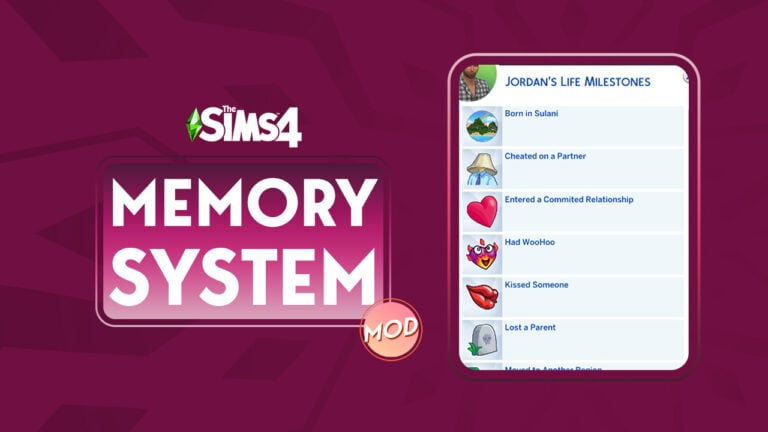
Lumpinou explains on their blog that with this mod installed, Sims will automatically retain memories for important moments in their lives as they happen. You’ll know when your Sim has acquired a new memory by a special effect that appears on your Sim, as well as a moodlet.
You can then open your Sim’s memory profile to see all their memories. Some memories related to relationships may be clickable to show the Sim with which your Sim experienced that memory with. The mod is smart enough to make distinctions between a first-time memory and a repeated memory. Your Sims may not feel the same way about a certain event the second time around. For example, Sims may have different reactions to giving birth the first time versus a second or third time. They may also feel differently about getting fired multiple times or being cheated on multiple times.
Lumpinou has also added some extra features to The Sims 4 memory system mod, such as being able to ask Sims about their memories and multiple cheat options to add/remove memories. Sims will also gain a special relationship bit with the Sim they have their first WooHoo with. What’s even better? Upon first installing the mod, it will retroactively add memories to all your current Sims!
Currently, there are over 60 different types of memories Sims can acquire. Some memories are designed to work with other mods of Lumpinou’s.
Acquired a Business Adopted a Pet Became a Widow(er) Became an Occult Became President Became a Vampire Became a Spellcaster Became a Werewolf Befriended a Dolphin Befriended a Talking Toilet Made a Best Friend Carried a Baby for Another Licensed a Song Gave Birth Got Kicked Out by Parents Joined a Religion Lost Custody of Children Won Custody of Children Published a Video Game Mastered a Musical Instrument Went Scuba Diving Summited a Mountain Turned a Sim into a Vampire Reached the Top of a Career Won a Gaming Competition Won a Starlight Accolade Lost a Best Friend (ie, they died) Born in [insert world] Came Out Cheated on a Partner Child Taken by Social Services Cured of Vampirism Death of Child Death of Parent Death of Pet Death of Sibling Degree in [degree] Dropped out of High School Dropped Out of University Found a Fated Mate Gave birth to an Alien Baby Got a Job Got Fired Had a Committed Relationship Had a Fight Had a Permanent Separation Had a Wedding Ceremony Had an Abortion Had Children Had Grandchildren Had great Reputation Had terrible reputation Hero of Strangerville Kissed someone Moved to another “world” Parents Separated Published a book Saw a strange creature in space Sold a masterpiece Took gender-affirming steps Took Vacation to Another World Visited Sylvan Glade / Forgotten Grotto / Deep Woods Was abducted by aliens Was cheated on Was Spared by the Reaper / Nearly Died Was World Famous Won the Lottery WooHoo’d in Space Woohoo’d with someone
Lumpinou says they plan to add new features to the mod over time, like more memories, larger impacts for memories, more social interactions, and even Social Bunny posts! They also say that the mod can be integrated with other mods.
As for making memories chronological, Lumpinou says it’s something they would like to do and are actively working on but this is a tricky endeavour and may not be possible, so they can’t guarantee this will happen as of right now.
Currently, The Memory System Mod is in early access for Lumpinou’s patrons but will be made freely available to everyone on December 1st, 2022. You can visit Lumpinou’s patreon if you are interested in becoming a patron and receiving early access to this mod.
Gnomes can’t communicate with Sims, so to appease them, we’ve written a Sims 4 Gnome Appeasement Guide.
Every Harvestfest, the friendly neighborhood garden Sims 4 Gnomes come to visit each Sim family. But what do they ask for? But only a simple gift in exchange for seeds. The problem is… they don’t tell you want they want. So how do you appease gnomes in the Sims 4?
Fear not! Now you can appease every Sims 4 Gnome during each yearly Gnome Appeasement Ceremony using this Sims 4 Gnome Guide! Save them for your garden or sell them for a profit.
There’s No Place Like Gnome – The Sims 4 Gnome Homebody
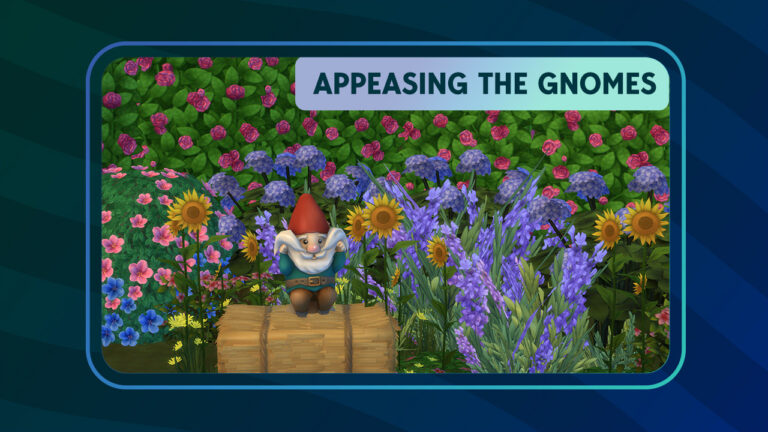
Just click your heels together and say, “There’s no gift like Coffee, Fruitcake, and Future Cubes!” Or at least that’s what the “There’s No Place Like Gnome” garden gnome is doing every Harvestfest.
Happy Gnome Garden Pal – Everyone’s BFF Gnome
Everyone’s friend, the Happy Gnome Garden Pal has chosen your Sim’s house this Harvestfest. During the Gnome Appeasement Ceremony, he enjoys coffee, fruitcake, or a future cube. Unless you don’t want to be friends, then give him something else.
No Matter What, I’m Still Your Baby – Babyface Sims 4 Gnome
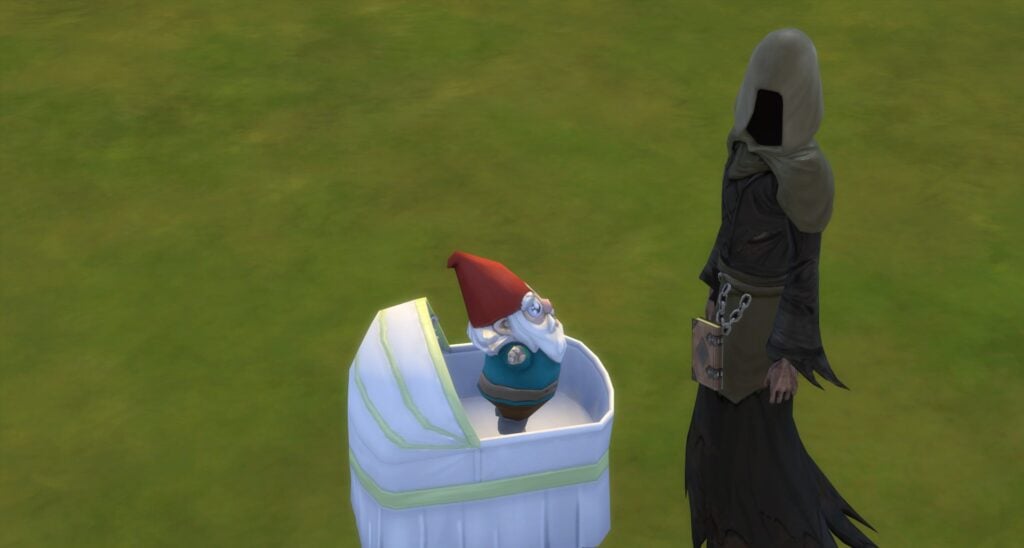
Don’t let the name fool you, No Matter What, I’m Still Your Baby Gnome has officially become an adult Gnome and is excited to visit one lucky Sim this Harvestfest. If your Sim is that lucky Sim, make sure to offer him coffee, fruitcake, or a future cube.
The Ghastly Ghostly Gnome – The Scariest Sims 4 Gnome
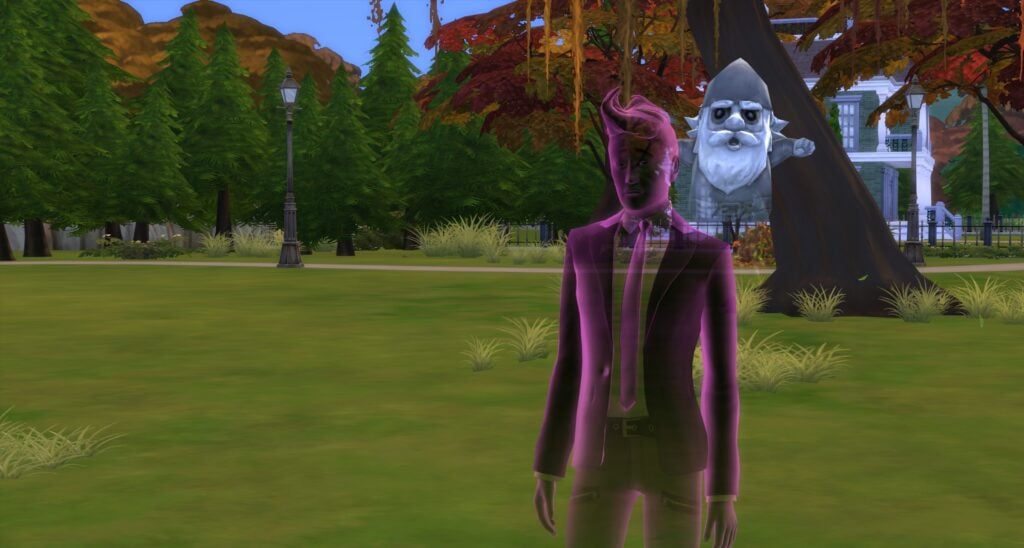
The Ghost gnome, aka The Ghastly Ghostly Gnome loves Harvestfest so much that he continue to participate after his death. He asks for offerings of coffee, fruitcake, or a future cube, but it’s still up to debate how he uses any of them.
Poolside Gnome and Bare Essentials Gnome
This unlikely pair were caught hanging out at their favorite pool. Don’t fret! They’re getting ready for the big day and are hoping you remember what each of them want!
Make sure to give the Poolside Gnome coffee, pie, or a toy and Bare Essentials Gnome pie, salad, or a toy!
Strictly Business Gnome – Sims 4 Gnome With Totally Legit Business
Like any good business gnome, Strictly Business Gnome starts his day off with coffee. So it’s not surprising that he likes the gift of coffee. But what might surprise you is that he has a soft spot for pies and toys.
Happy Gnomeiversary
Pink and Purple Floor Balloons are made by Ravasheen and can be found here.
From San Myshuno to Henford on Bagley, if there is a party, the Happy Gnomeiversary Gnome will be there. This party Gnome would never miss the celebration of Harvestfest and the Gnome Appeasement Ceremony. So he’s preparing early and sending his offering list which includes coffee, future cube, or a toy.
Guardian of the Gnomelaxy
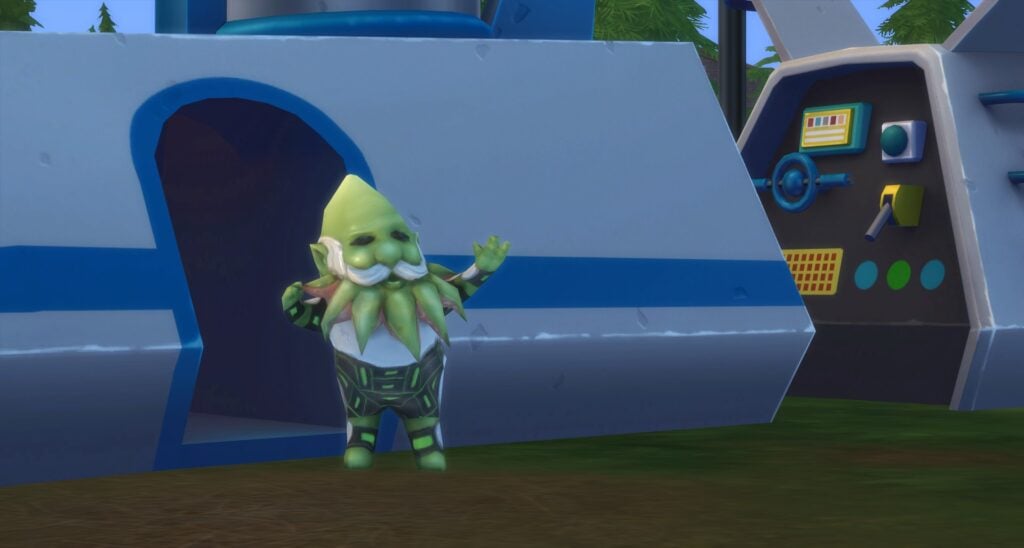
Coming straight from his trip to Sixam, the Guardian of the Gnomelaxy Gnome is tired and in need of coffee. But, this alien gnome would also settle for a Future Cube or just a toy to destress with.
Mr. Floppy the Gnome
Mr. Floppy the Gnome always feels a tad bit out of place on Harvestfest, but in true Sim fashion, this Gnome is included and accepted no matter their holiday origin. Want to know a secret? This Gnome really appreciates pie, salad, or a toy during the Gnome Appeasement Ceremony.
Don’t Fear the Reagnomper
Some Gnomes were concerned when Don’t Fear the Reagnomper started dressing like the Grim Reaper, but now that they’ve met the real Grim, they realize that they’re quite harmless. And a great dancer, too!
Don’t Fear the Reagnomper is hoping someone will give them a pie, a healthy salad, or a toy.
Herb the Posy Protector
Herb the Posy Protector spends all year protecting posies so we’re lucky he’s taken time out of his schedule to participate in the Harvestfest’s Gnome Appeasement Ceremony. Maybe if we give him a pie, salad, or toy, he’ll stay a while and tend to our posies.
The Gnome Wolf
Living alone for a while, the Gnome Wolf is accustom to solitude. But every Harvestfest, he crawls out of his cave and visits one lucky Sim. So to repay him, make sure to give him a pie, salad, or a toy!
The Sweetest Little Gnome
The Sweetest Little Gnome missed last Harvestfest due to the rescheduling of a Camping Trip. Although, Harvestfest is important, nothing is more important than roasting S’mores over a campfire to The Sweetest Little Gnome. But don’t be concerned, this Gnome won’t miss two Harvestfests in a row! So prepare your offering of pie, salad, or a toy early in anticipation.
Sims 4 Gnomes That Don’t Celebrate Harvestfest
There are a few gnomes that like to hang out at home, put up their feet, and watch a few episodes of the newest Gnomemance Show each Harvestfest. So don’t think we’ve forgotten these important Sims 4 Gnomes!
“Onward” The Adventurous Gnome
Bearly Gnome
Upside Down Gnome Decor
High-Rider Gnome
Gnome Simmi
Golden Gnome Simmi
Now that you know how to appease Gnomes thanks to our Sims 4 Gnome Guide, check out our other Gnome-related articles!
Can these free spirits really throw away the trappings of modern life and live off the grid?
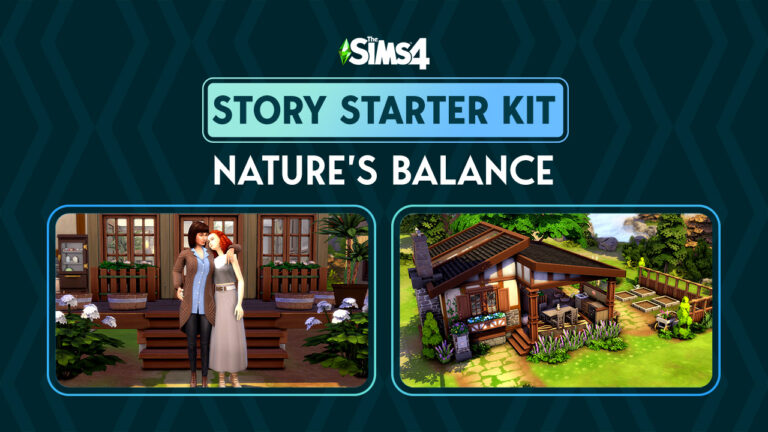
Welcome to our twelfth official Sims 4 Story Starter Kit! If you missed all the info on Story Starter Kits, you can read more about what they are and how they work in our introductory article!
This month, we’re bringing you a married couple who’ve recently made a huge lifestyle change. They’ve cast aside all their modern comforts and poured all their savings into living a completely self sustainable life but how long will last?
Story Starter Kit: Nature’s Balance
Sims 4 Story Starter Kit: Nature’s Balance
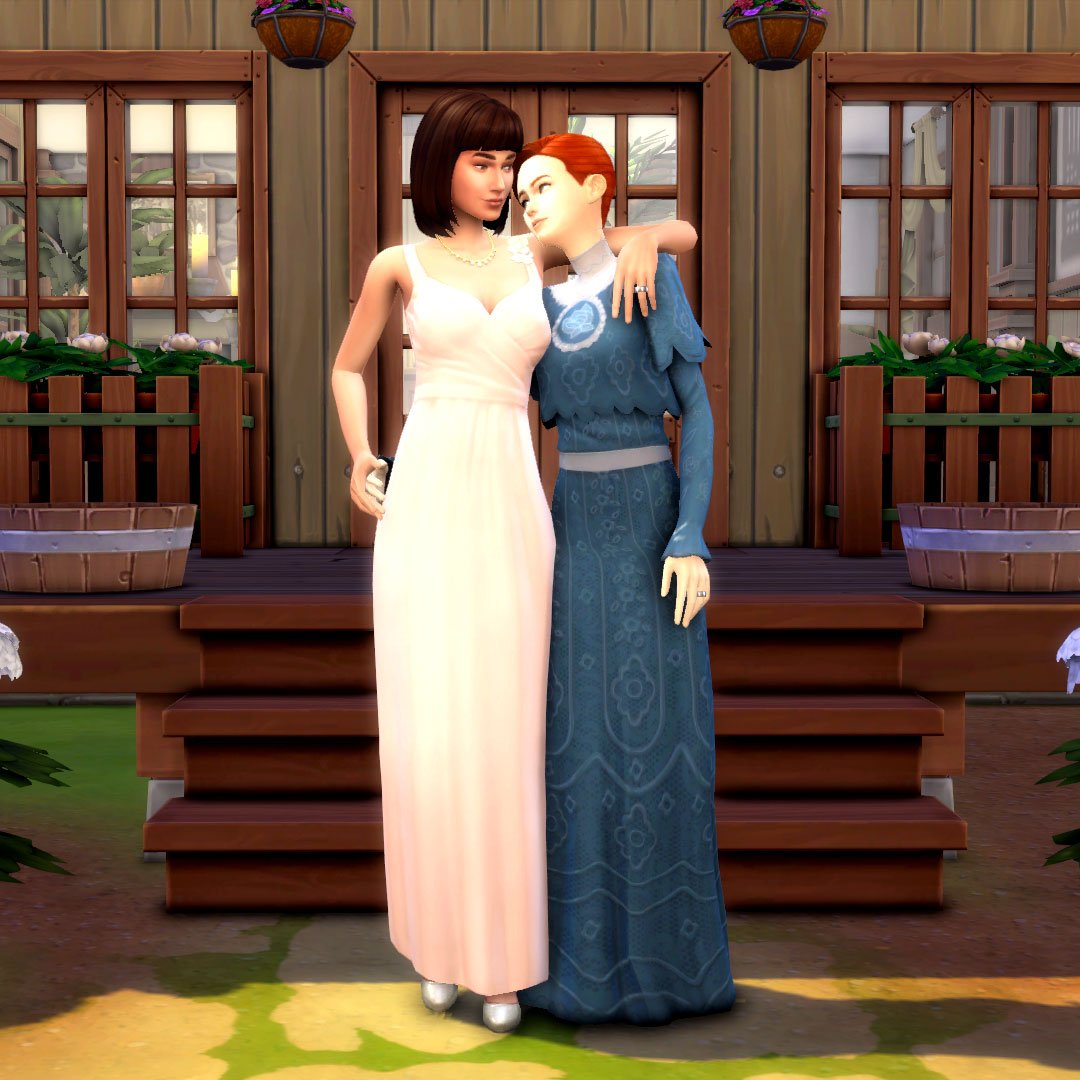
Addison and Hannah met each other in college and hit it off right away; they were both passionate about the environment and living sustainably and they shared the same dream of getting away from modern life and living a simple life in harmony with nature. They were completely in love but sometimes, love just isn’t enough. Life pulled them in different directions after graduation. Hannah wound up as a hostess at a chain restaurant with very little opportunity for advancement. Addison got a job as a receptionist at a dental office. As it turns out, college degrees don’t get you much of anywhere these days.
When Hannah came in for a tooth cleaning and saw Addison again, it reignited both their romance and their zest for life that the world had sucked out of them. They knew they couldn’t ever let anything come between them again. They got married and poured all their life savings into building their own home from the ground up on a remote island in Windenburg. Their new home was not connected to the power grid. No electricity. No running water. And the closest shops were a boat ride away on the mainland. They would be providing for themselves; growing and catching their own food, gathering their own water, and reading by candlelight. They wanted to go back in time. It was their dream come true… but will it stay their dream or become a nightmare?
Neither Addison or Hannah have any experience living off the grid. They’re both city slickers. Sure, they’re good at gardening and cooking and Addison knows how to use a hammer but that doesn’t necessarily make someone self-sufficient. Their home is also tiny and Hannah and Addison have very different housekeeping habits. Will Addison’s messiness drive neat-freak Hannah up the wall? And what about the future? Addison dreams of adopting a bunch of kids and raising a big happy family someday soon once they get used to life out here but where will they put all those kids? And the adoption agency might take issue with their off the grid lifestyle. Hannah’s not sure Addison’s thought about all those obstacles.
Love wasn’t enough to keep them together the first time… but it HAS to be enough the second time around. Right?
This Story Starter Kit household should be able to purchase their lot with their default starting funds. Make sure you import the family into CAS, then move them in. If you move them into a home straight from the Gallery, they will not have the funds I set for them.
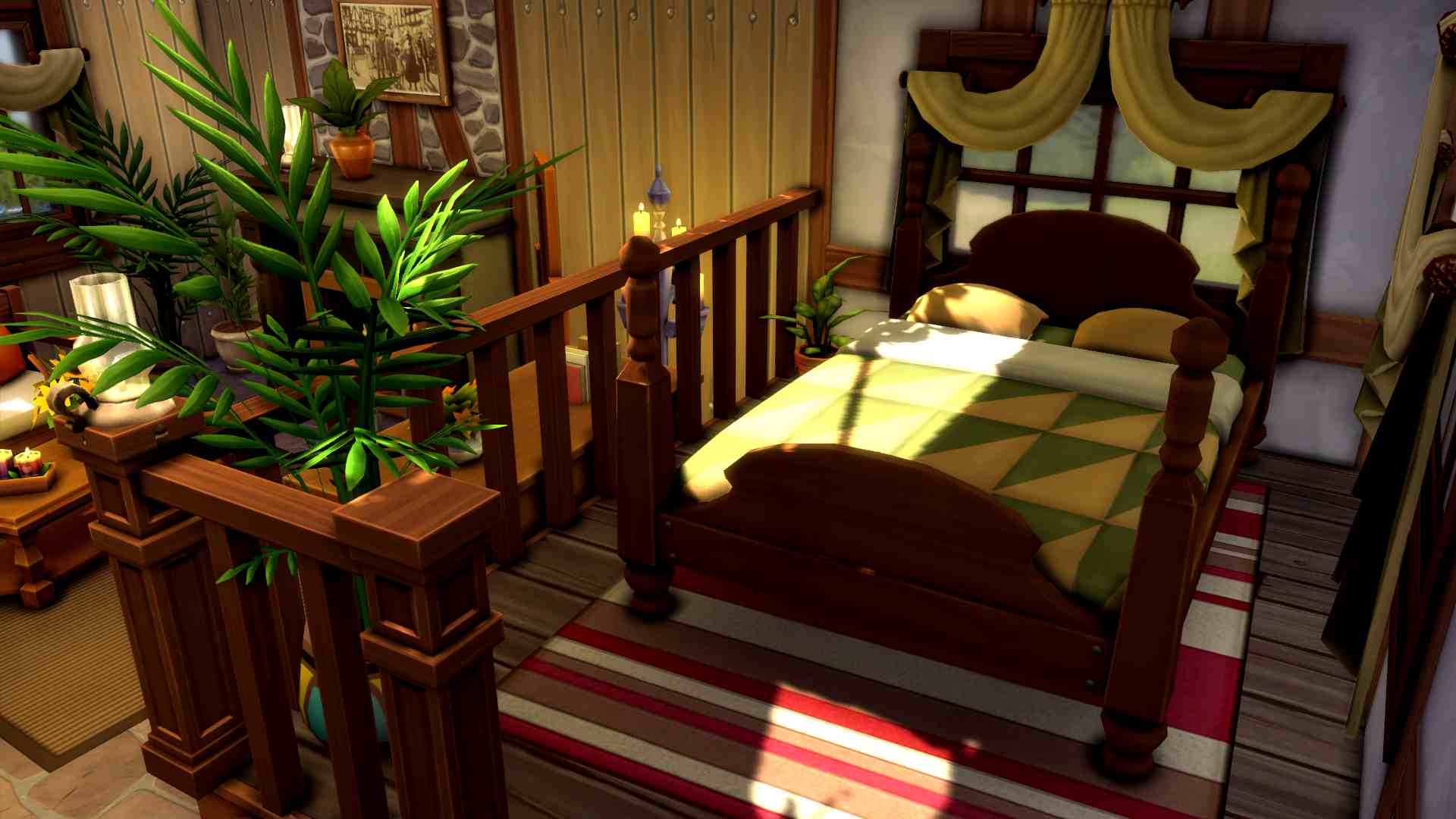
Are you tired of the rat race? Do you long for a simpler life without the day-to-day distractions of wi-fi and cable and traffic? Do you wish to be self-sufficient? This home is for you! This small, modest, but charming and cozy single level home is not connected to the power grid. It has everything Sims need to provide for themselves. A pond for fishing and gathering water, garden planters to grow your own food, an ice box for food storage, and plumbing and appliances that do not require power.
Story Starter Kit Lot Info:
Lot Type: Residential
Price: §33,493
Size: 20×20
Beds: 1
Baths: 1
Lot Traits: None
Lot Challenges: Off The Grid
Packs Used: Get Together
Your Sims 4 Story Starter Kit is waiting for you! Get The Household and The Lot by downloading them from the official Gallery Website linked on the buttons below. Or, follow SnarkyWitch in the Gallery and look for Nature’s Balance and Self Sustained!
Full tutorial on how to upload your own Mods & CC for The Sims 4 on the official Mods Hub!
It’s official! The Sims 4 Mod Hub with CurseForge is now live! Simmers can start downloading their favourite mods and custom content from the CurseForge website. Starting on December 6th, players will also be able to add mods and custom content directly into their games via the CurseForge app, too. For creators, you can start uploading your content right now! We’re going to walk you through the process of submitting your mods and custom content to the new Mod Hub!
Submitting to The Sims 4 Mod Hub
It’s very easy and straight forward to start hosting your content on The Sims 4 Mod Hub. On the main download page, choose Start Project to begin the process of submitting your creations. You’ll be taken to a submission page. We’ll break down this screen for you below:
The Basics
Select Game: Of course, you’ll want to select The Sims 4
Select a Category: Choose an option from the dropdown list that best suits your content. Are you uploading mods, builds, pets, Sims, etc?
Name: This is the title of your content. Be straight forward and avoid putting version numbers or other extra info here. Just what your content is called.
Summary: A quick description of what your content is. Again, be straight-forward and avoid info-dumping on The Sims 4 Mod Hub.
Description: This is where you can give any extra info about your content. Keep in mind that CurseForge does not allow direct links or redirects to any content outside of CurseForge so don’t put them in your descriptions. Descriptions are also required to be grammatically correct; no chat speak.
More Info
Allow Project Distribution: It is recommended you choose to allow this. Disabling this will exclude your content from CurseForge’s creator rewards program.
Project License: All Rights Reserved is probably going to be the license type most creators will want to select.
Primary Category: This is where you can sub-categorize your content on The Sims 4 Mod Hub. If you selected mods, select whether you’re uploading a pose/animation, a functional object, a scenario, etc. If you do not see your content listed here, try going back to Select a Category. You may not have selected the one that best fits your content.
Categories: If your content fits multiple subcategories, you can select any other categories your content falls under here.
Logo Image: Upload an image to represent your content. Your image must be 1:1 ratio (square) and at least 400×400 pixels. Images that do not show the content will be rejected, so no blank/placeholder images.
Allow Comments: Enable/Disable this as you see fit. We recommend having them enabled. It’s useful to see feedback from people using your content.
This Project is Experimental: If your content is still under development and exploring the limitations of the game, check this. If not, leave it unchecked.
Uploading Your Files to The Sims 4 Mod Hub
Fill in all the information listed above to start your project. Now it’s time to upload the files and other images to have it reviewed. Click the File button at the top of your project page and fill in all the necessary info.
Upload File: All content uploaded to CurseForge must be in .zip format. Make sure you zip up your package and ts4script files before uploading them.
Display Name: This is what you want to call the file.
Release Type: Most creators will want to choose Release but if your content is in an alpha or beta stage, select the one that applies to your content.
Changelog: This is where you’ll record all updates you’ve made to your content.
Supported Base Game Versions: Select which version of The Sims 4 base game your content is compatible with.
Supported Expansions/Game Packs/Stuff Packs: If your content requires a specific pack, indicate so here.
Related Projects: If your content is part of a collab with someone else, or if your content required another mod or piece of CC by someone else, you can indicate this here.
Submit all the above data to The Sims 4 Mod Hub to have it reviewed.
If you have extra images you’d like to include with your content, you can add more images to the project by clicking the Image button at the top of your project page. Extra images do not need to have a 1:1 aspect ratio like the main preview image.
Rejected! Why?
CurseForge sends a notification to you if they reject your content. The notification specifies the reason for the rejection. In addition to all the tips we’ve given in this article, there are additional content guidelines creators must follow when submitting projects to The Sims 4 Mod Hub. Most notably, all content uploaded to The Sims 4 Mod Hub must comply with the game’s T rating. This means no violence or explicit sexual content. Creators should also avoid uploading projects that reference real-world brands and public figures.
Did you know there’s a Sims 4 Off the Grid base game lot challenge? This lot challenge forces your Sims to live completely without electricity or plumbing! Living off the grid can be a fun challenge for players but it’s not exactly obvious how to make the most of this lifestyle. There’s no in-game tutorial to walk you through this particular lot challenge, so we’re going to explain how it all works!
Table of Contents
Living Off the Grid in The Sims 4
Enable the Lot Challenge
The Sims 4 Off the Grid Lot Challenge
In order to start living a Sims 4 off the grid lifestyle, you’ll first need to enable this lot challenge. In Build/Buy, open the lot info section in the top left corner and click on the silver trophy to see available lot challenges. Then select Off the Grid from the list.
When you re-enter Live Mode with this lot challenge active, you’ll receive a notification informing you that your household has been disconnected from the power grid. Objects that use electricity won’t work anymore. Your Sims will have to find ways to live without electricity. This might feel like a daunting task at first but once you figure out a daily routine, it becomes easier to live an off the grid lifestyle.
Allowed and Disallowed Objects
Look in the Off the Grid Section for allowed objects
Once you’ve disconnected your household from the power grid, you’ll need to make significant changes to your home. None of your lights, appliances, electronics, or plumbing will be functional. You need to swap them out for different versions of these items that are compatible with the off the grid lot challenge.
How do you know which objects are functional off the grid in The Sims 4? Build/Buy has an Off the Grid section! This section of the catalogue contains objects from the lights, plumbing, and appliances categories that are functional with this lot challenge active. They include items like candles, wood-burning stoves, pantries, and ice box fridges.
Any objects purchased from this section do not require electricity or plumbing and can be used on lots that are not connected to the power grid.
Daily Life
Just because you own Sims 4 Off the Grid friendly objects, that doesn’t always mean they will function exactly the same way as objects powered by electricity. Some objects have limited functionality. Others require your Sims to maintain them properly.
Fridges need to be restocked with ice daily
For example, off the grid fridges in The Sims 4 won’t keep anything cool unless your Sims make sure the ice box is restocked regularly. Click on your fridge and hover over the Add Ice option to see how much ice is still available. If it’s running low, add more ice to the fridge. Food kept in off the grid fridges that have run out of ice will spoil at the same rate as if they were sitting on a counter. A fridge fully stocked with ice lasts about 24 hours so make sure to check the fridge every day.
A Sim cooking with an off-the-grid stove
Cooking off the grid is a new challenge, too. While Sims can use certain off the grid grills and stoves to cook without electricity, some recipes won’t be available. Apparently, The Sims Team thinks people didn’t bake anything in ovens before we harnessed the power of electricity, so recipes that require the oven portion of your stove cannot be made. We guess bread and cakes didn’t exist before 1879…
An Inspired moodlet from conserving water after a quick and tepid bath
Conserving and Gathering Water
Food storage and cooking aren’t the only lifestyle changes while living off the grid in The Sims 4. They’ll need to consciously conserve water, too. Some sinks and baths have limited functionality. Sims are restricted to quickly washing their hands and taking quick and tepid baths. These quick, tepid baths don’t get your Sims fully clean and can leave them with uncomfortable moodlets. Some Sims may get positive moodlets from conserving water, too. If your Sims want a full, proper bath, they will have to gather water themselves.
A Sim gathering water
Sims can gather water from any natural body of water. Ponds, rivers, and lakes can all have water collected from them. Click on any of these water sources to collect water. Collecting water gives the household 5 units of water. Collected water can then be used for bathing.
Sims 4 Off the Grid: Eco Lifestyle Enhancements
These objects from Eco Lifestyle can allow your Sims to live off the grid more comfortably
Playing off-the-grid with the base game means your Sims will be living a very rugged lifestyle. This can be plenty of fun but for players who don’t want to sacrifice modern comforts, Eco Lifestyle can help. This expansion allows Sims to produce their own power through green technologies like solar panels, wind turbines, and dew collectors. For Sims who just want to save money and don’t care about their eco footprint, there are also gas-powered generators. These generators can also be powered by bio-fuel from insect farms to be eco-friendly. Multiple eco upgrades can be given to plumbing and appliances to make them eco-friendly, too.
Having green technologies or generators to power your home will allow Sims to use electricity and plumbing off the grid. As long as the power they use does not exceed what they generate, they can live like they’re on-the-grid. If they generate more power than they use, they can make money by selling it back to the power company.
Why Live Off The Grid in The Sims 4?
Living off the grid in The Sims 4 seems like a lot of work. And it is. So why do it? Well, there are big benefits to living off the grid. The biggest benefit is it’s cost-effective. You’ll greatly reduce your bills if you don’t consume any water or electricity. You can keep track of your bills breakdown by clicking on the mailbox. You’ll see exactly how much power you’re producing vs. consuming. Your Sims won’t pay anything for power off-the-grid. They will only pay for their property value.
Bills and Utilities Breakdown
It’s also just a good challenge, especially when you’re not playing with Eco Lifestyle. Not having green tech available forces your Sims to live a very rough, outdoorsy lifestyle. This can be a great change of pace from the predictability of everyday life in The Sims.
Lastly, it’s great for history saves! Simmers who enjoy playing the History Challenge or the Decades Challenge will love this lot challenge! It helps their Sims live lives that are more authentic to earlier time periods.
The latest update for The Sims 4 is rather small, doing important tuning to the Gallery filters.
Gallery Profanity Filter Update
The Sims Team has released a brand new update for The Sims 4 on PC, Mac, Xbox and Playstation.
To download the latest version of The Sims 4, simply open your Origin program and if the game doesn’t update automatically, right click on The Sims 4 and select ”Update”. If you play on Xbox and Playstation, you should Check the Game for Updates in case Automatic Updates are off.
In case you have Mods or Custom Content, the game will automatically disable them for you after first launching The Sims 4 after the update. To re-enable all your Mods and Custom Content, select the Settings option in the Menu and select Settings. Under the ”Other” section you’ll find the ”Enable Custom Content and Mods” option. Check it and restart your game in order for it to take effect!
Patch Notes
Update 11/22/2022
PC: 1.93.146.1020 / Mac: 1.93.146.1220
Console: Version 1.67
We are aware of and have seen some select instances of wholly unacceptable content that has been uploaded to The Sims™ 4 Gallery. Our team has reviewed, and made critical updates to, the profanity filter to help prevent this from happening again in the future. We are grateful for the community’s vigilance in helping us identify these inappropriate uploads so we can maintain a safe, creative environment for our players. We will continue to do our part by quickly taking down objectionable content that surfaces, identifying and removing repeat offenders and regularly reviewing the profanity filter in case any updates need to be made.
We encourage players to continue to use the “Flag This” button on The Gallery to report any offensive uploads or comments.
The Black Friday Sale for The Sims 4 Packs has begun! Check out all the offers on Packs. Including The Sims 3 Series!
EA has just started a new Black Friday Sale for The Sims Games!
The Sims 4 Packs are all on sale, with The Sims 3 series making its way into the deals round too. In this article we’ll be listing all the available deals & offers for The Sims Games. Including a list of all the available places you can get The Sims 4 Packs at a cheapest price during Black Friday!
Availability of more deals will be posted as they surface online. There are certain Black Friday Deals (Steam for example) that yet have to be announced!
Without further ado, let’s jump ahead into the deals:
The Sims 4 Packs and Bundles Sale
The following sales are listed across multiple official platforms. We’ll be updating the list with new official vendors for Sims Games as new Black Friday Deals surface!
SALE AVAILABILITY:
The EA App / Origin Sale is active now and will last until December 7th, 2022.
The Steam Autumn Sale is active now and lasts until November 29th, 2022.
The Sims 4 Expansion Packs
All of the Expansion Packs for The Sims 4 are on sale! The deals for Expansion Packs is 50% off, excluding the latest High School Years Expansion Pack, which is 25% off.
SALE AVAILABILITY: EA App / Origin, Steam, Playstation Store, Microsoft Store
The Sims 4 Game Packs
All Game Packs are included in the sale! The deals for Sims 4 Game Packs are 30% off, while the Werewolf Game Pack is 20% off.
SALE AVAILABILITY: EA App / Origin, Steam, Microsoft Store.
The Sims 4 Stuff Packs
Stuff Packs also have a discount with the latest Black Friday season. All The Sims 4 stuff Packs are 30% off.
SALE AVAILABILITY: EA App / Origin, Steam, Microsoft Store
The Sims 4 Kits are not included in the Black Friday Deals as of now.
2022 Bundles Deals
Ever since The Sims 4 became free Maxis and EA came up with new Bundles for The Sims 4, including:
These bundles are 20% off on EA App / Origin and Microsoft Store.
Amazon Deals
The Black Friday Deals for Sims 4 games on Amazon have just been released. However, the deals are the same as listed for Expansion, Game and Stuff Packs above. Codes for Sims 4 Kits also remain the same price.
You can check out The Sims 4 Games on Amazon here!
The Sims 3 Black Friday Deals
The Sims 3 Packs are also on Sale!
If you play The Sims 3 on PC / Mac you can now find Black Friday Deals on EA App / Origin. The deals are now also available on Steam!
EA App / Origin and Steam – Sims 3 Sale
The Sims 3 Expansion Packs – 50% off
The Sims 3 Stuff Packs – 50% off
The Sims 3 Worlds (excluding Roaring Heights) – 50% off
The Sims 3 Starter Pack is currently at its full price on EA App.
Sims 3 Ultimate Collection Discount on Steam
If you’re looking to start your Sims 3 adventure on PC you can save big with The Sims 3 Collection.
This set contains all The Sims 3 Expansion Packs and Stuff Packs ever released for this game. Discounted to $66.50USD – or a price equivalent to your local currency.
You can find the deal here! For more information on how to transfer The Sims 3 codes from Steam to EA App / Origin, click here!
The Sims 4 has multiple features and updates that are actively in development. Find out what to expect more of in the future!
We’re wrapping up 2022 with plenty of memories, updates, pack releases and bug frustrations. The Sims 4 had become free for all with more ambitious plans down the line for the entire Sims Franchise.
Throughout this year there’s been plenty of updates for The Sims 4 that either continued previous work or sparked the upcoming. Today, we’re focusing specifically on big updates for The Sims 4 that we should expect more of in the near (or distant) future. After all, there’s still years of content planned for this game!
Since 2020 The Sims Team switched things up with the way they start releasing content. We’ve had the release of Kits in March 2020, a bit of a different release schedule and quarter teasers, no Stuff Packs…
Seriously though, it’s been 2 years almost since Paranormal Stuff!
…and big updates for The Sims 4 that are just never really over! Including:
NPC Overhaul
Scenarios
Likes & Dislikes
Wants and Fears
Sexual Orientation
Neighborhood Stories
Some of the features listed above are currently being actively worked on by Maxis. Some have potential to be continued, while the future is unknown for Scenarios and Neighborhood Stories.
Either way, this is a list of features for The Sims 4 that are speculated to be continued with future development. Some being officially confirmed by The Sims Team!
We’ll be updating this list as the future evolves with confirmed and speculative information. Stay tuned!
Sexual Orientation Features in The Sims 4
In July 2022 The Sims 4 received a huge Base Game Update that covered many new features and improvements. Curved Walls, Wants and Fears, Body Hair and Sexual Orientation were just some of the highlights!
Speaking of, Sexual Orientation was one of the most important updates in The Sims Franchise history. Allowing players to, for the first time in forever, pick a sexual orientation for their Sims!
In the official F.A.Q. for the new feature, the developers shared that Sexual Orientation is considered a 1.0 version feature. Meaning that there are definitely plans to further improve and add new features for Sexual Orientation.
I want to again acknowledge that these topics are complex and full of nuance. We consider this a version 1.0, and are absolutely looking forward to seeing what further tools we might add to allow players to tell a broader range of stories.
One of the questions regarding the Sexual Orientation Update were the gender limitations. The Sexual Orientation feature in The Sims 4 currently only allows players to choose Men or Women for their romantic and WooHoo attraction. However, the team stated that they won’t stop there. Even if it means reworking someo of the 8-year old tech limitations of the game.
TS4 is 8 years old at this point, and reliant on systems that were originally architected with a gender binary in mind. In the intervening years, we’ve taken important steps such as Gender Customization, Pronouns and now Sexual Orientation. It’s a journey still in progress, with many more steps to go. Proper mechanical systems to fully support non binary Sims is another step in that journey.
With that being said, you can 100% expect more Sexual Orientation features in the future. Soon™, right?
Likes & Dislikes Sim Preferences
The first iteration of Likes & Dislikes CAS Preferences was introduced back in May 2021. With the release of Sims 4 Dream Home Decorator Game Pack!
The first version of Likes & Dislikes features 3 categories including Music, Color and Activity.
The Dream Home Decorator Game Pack brought in the Décor category, with the Fashion preference arriving a year later with High School Years.
There is still a vast majority of areas that Likes & Dislikes could improve upon. From a limited list of Activities to an entire category of Attractiveness with other Sims, which was already taken care of by modders.
The only statement we got from The Sims Team was in July 2021 when they said they want to add new music preferences and activities.
Will the likes & dislikes system be expanded in the future?
Well we saw a very positive reaction from the community when we added the new likes & dislikes in the base game last month but we definitely don’t want to stop there! We definitely want to add new music preferences & activities as time allows.
Unlike with future development of the Sexual Orientation feature, the future of Likes & Dislikes isn’t clear enough. Still, there’s a lot of potential for them to be expanded further with upcoming two Expansion Packs coming next year!
Neighborhood Stories
Neighborhood Stories is one of the features for The Sims 4 that so far had 2 major updates!
The first version of Neighborhood Stories came out in November 2021, with another major release in March 2022.
The first iteration unlocked Story Progression through interesting new text prompts from other Sims. Allowing you to make decisions for your Neighborhood and impact other Households that you know.
The second iteration of Neighborhood Stories from this year unlocked new ways to set the ground rules. Giving you options for Neighborhood Customization per each Household.
The types of stories you can pick that can happen outside of your input feel a bit…unfinished. There are 9 Neighborhood Story scenarios to choose from, with only one incorporating an aspect from a previously released Expansion Pack – Cats & Dogs. (Adopt Cats & Dogs)
It’s unknown for this feature if it’ll continue with future development. So far, there have been 2 big updates for The Sims 4 Neighborhood Stories.
Households Overhaul
One of the highly expected updates still to come for The Sims 4 is the Households Overhaul. Or NPC Overhaul which was called initially.
Either way, this Update was only released partially in May 2022 with the SDX Drop that revamped the Goths Household.
Considering there is more than just changes to visual appearances, it’s expected that this update will also incorporate better lore and pre-made settings and starting qualities for each Sim.
The Households Overhaul Update still doesn’t have an ETA. There are updates for Households from Base Game to Cottage Living (Henford-on-Bagley) that need to be done, which is 7 years worth of original stories, lore and visual appearances. We’re really excited for this one and can’t wait for patch day!
Customizable Pronouns for The Sims 4
This one is a bit more challenging than you would expect. Not because it’s hard to make the game adjust to a new way of addressing and customizing pronouns in-game. But because it’s difficult to localize and translate customizable pronouns for other languages that are not English.
There are many logistics that need to be solved outside of English language to ensure that Custom Pronouns are done right in the game. The first iteration of Customizable Pronouns for The Sims 4 is currently only available if you play the game in English Language.
As stated by The Sims Team, this is only the first iteration of this feature that should be updated over time. And released for other languages when the team progresses on the development!
This first update for customizable pronouns to be supported in English is a step in the direction of a more inclusive experience for Simmers, and I’m excited to see how we’ll be able to evolve the game and feature over time to support more languages. While this update isnt the be-all end-all of representation of nonbinary and other gender diverse folks, we strongly feel that it’s important for us to approach better inclusivity over time as we figure out ways to work within the limitations of our code.
There is an interesting interview with one of The Sims 4’s developers that sheds light on the challenges Maxis has to overcome in order to localize this feature for other languages. Check it out!
With that being said, features like Pronouns, Sexual Orientation and even stepping outside of the current binary gender options are all in development by Maxis at the time of writing this article.
Scenarios
This feature is possibly among the top updated ones for The Sims 4! In just more than a year, The Sims 4 Scenarios feature has gotten several updates and improvements. From upgrading rewards and gameplay mechanics to expanding the selection of Scenarios.
The initial version of Sims 4 Scenarios worked more or less like walkthrough tutorials of the game. Over time this feature unlocked more ways to start a scenario, better and more challenging goals. Best thing though?
It seems that limited-time scenarios are becoming less frequent. We’re not sure why they were even a thing to begin with.
There is no clear statement about the future of Sims 4 Scenarios after so many updates to it. Still, it won’t come as a surprise if they’re among the Sims 4 features that’ll get seasonal updates.
The community still has high hopes in this feature. In our Sims 4 Scenarios Community Poll, the top voted options clearly show that there is room for improvement. And that those improvements will be more than welcomed!
Wants and Fears
Compared to previous features listed here, the Wants and Fears feature for The Sims 4 first and foremost needs a fine tuning. Players are reporting that the “Fear of Dead End Job” and some other ones are popping up more randomly and ocassionally than it normally should.
Other than that, the announcement and release of this feature was met with high hopes – and high critics. When this feature came out in July 2022 with the release of the High School Years, it was expected that the feature would be more inclusive than what we actually got.
The current system of Wants and Fears only includes Base Game and High School Years wants and fears. This successor feature to The Sims 2 only covers specific Wants and Fears from mentioned games. Meanwhile, the entirety of previous gameplay content from Expansion, Game and Stuff Packs has been skipped out.
Maxis confirmed that this decision was made due to the time they had developing the feature and Expansion Pack. The team is only considering adding new Wants and Fears through future Packs and Updates. Disregarding the catalogue of 10 Expansion Packs, 12 Game Packs and Stuff Packs where pack-specific Wants and Fears would certainly make sense in the game.
While creating High School Years we focused on that pack and adding previous base game content with the time we had.
Future packs and updates could add more where it makes sense.
It’s uncertain if Wants and Fears will ever get retroactive content related to previous Sims Packs post-HSY. However, you should still expect more from them with future Pack releases and Updates.
What are your thoughts on this feature list? Let us know!
Old favorite Sims 4 mods downloadable in a new way! Find out what mods are trending in Curseforge’s Official Mods Hub.
CurseForge released their The Sims 4 Mod Hub website on November 14th. Since then, Simmers have been downloading Mods/CC and we can finally see what Mods were downloaded the most during the first week! These are some of the most essential Sims 4 mods.
For now, all the downloads are done from the website and on December 6th, the full Sims 4 Mod Manager will be available for people to use. All the mods downloaded will need to be manually installed similar to the current method of installation.
Keep in mind that this list is not an indicator of the most popular mods of all time due to the Mod Squad’s early involvementand the recent release of the Mod Hub.
Storytelling is greatly enhanced by the current most popular mod, WonderfulWhims. With its Attractiveness System, Impressions/Personality, Menstrual Cycle, and Birth Control, etc., gameplay is more realistic with a cast of more diverse Sims. In addition, the ability to Pose Sims is a great asset for those that use custom poses.
Add some realistic gameplay and pose Sims with WonderfulWhims by TURBODRIVER!
MC Command Center is the tool belt of the Sims 4 so much so that is often listed as one of the best sims 4 mods. It has so many uses from story progression and auto save to turning on certain cheats or enabling debug. By comparison, it is the one top Sims 4 mods that Simmers say they could not play without.
Customize your game with MC Command Center by Deaderpool! It is available on CurseForge!
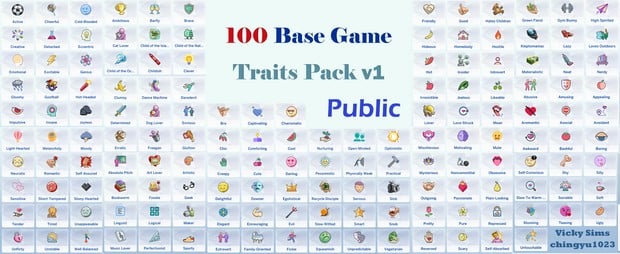
After making a fair amount of Sims, it is not surprising when our Sims start to act the same. With 100 new base game traits, chingyu1023 has allowed Simmers to create unique Sims in ways that the Base Game doesn’t allow. Even with packs, there is not enough diversity in traits. And because of that, chingyu1023’s 100 Base Game Traits Pack v.1 is an essential Sims 4 mod.
Create a diverse group of Sims in your next save with 100 new base game traits! This mod is on CurseForge today!
Online dating has become an important part of many people’s lives so it is no surprise that LittleMsSam created SimDa Dating App for The Sims 4! It has three main types of dates: specific dates, blind dates, or one night stands. To install, make sure you go through the optional folders to delete the files you don’t want including the pregnancy chance files in which you can only have one installed. This mod adds so many new storylines to your game and depending on the optional files you choose, Sims might end up with a bundle of joy from the experience.
Go on blind dates, select dates, or even a one night stand! SimDa dating will allow Sims to experience both the good and bad parts of online dating!
Turbodriver’s Unlimited Jobs+ allows Sims to work more than one job at once. This is either a challenge or torture for your Sims. In the end, you decide.
How many jobs can one Sim have at once? With this mod, you can find that out.
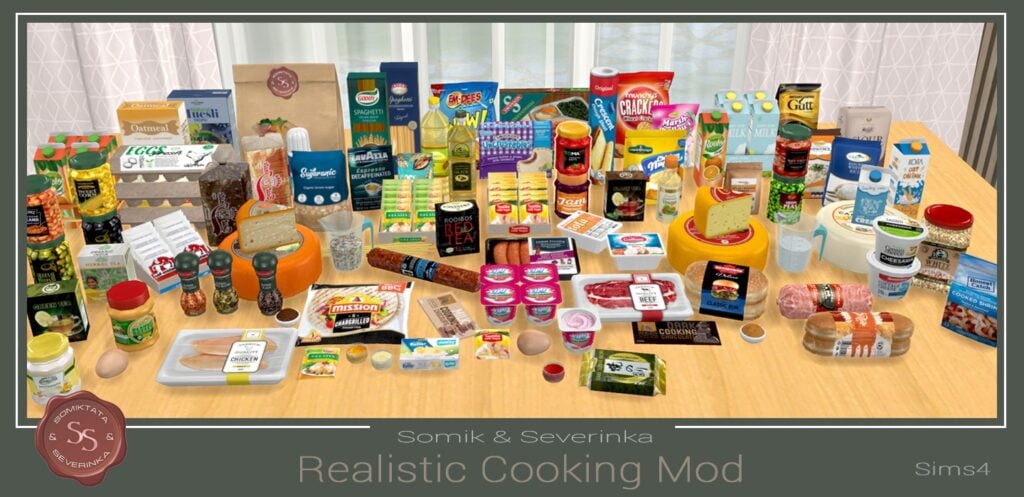
Somik and Severinka’s Realistic Cooking Mod allows Simmers to have a more realistic cooking experience. As shown above, there are new ingredients and changes to EA recipes. Consequently, this Sims 4 mod creates a whole new cooking experience for your Sims. Perfect for anyone that enjoys Alpha content in their game. If you use other food mods, RCM is compatible with several creators’ foods and Srsly’s Complete Cooking Overhaul (SCCO). The compatible creators are mentioned on the download page.
Now your food can even be realistic! Realistic Cooking Mod is available on CurseForge.
After commuting from Henford on Bagley to SanMyshuno every day, a Sim can get a little tired of the open road. Luckily, the Sims 4 mod “Live in Business” lets them start a business right on their residential lot. No more long commute and hello working in pajamas!
What’s better than a residence? A residence plus a business! Download Live in Business by LittleMsSam from CurseForge.
Sometimes pregnancy doesn’t end with a baby. With the Miscarriage Chance mod, pregnancy has the chance of miscarriage which makes it more realistic than the Sims 4 base game. All in all, it’s an essential mod if you want the Sim pregnancies to be more realistic and a little less perfect.
Add reality into your game with the addition of Miscarriages.
Looking through The Sims 4 Mods on CurseForge, one that sticks out is the Sims 4 Multiplayer Mod! Generally, Sims 4 is a single player game so the ability to play with a friend is exciting! Although, this free version does not allow people to play over the internet, you can still play when on the same local area network! At any rate, sounds like the perfect mod for hanging out with your friends!
Play Sims 4 with your friends (local network) with Sims 4 Multiplayer Mod
Baby’s first picture! Get your Sim’s fetus photographed at the doctor’s, then hang it on your Sim’s wall. As shown above, there is a different ultrasound based on the number of Sim babies.
Coupled with a birth certificate, it’s the perfect decoration/keepsake for any Sim!
Capture the first picture of your Sim’s baby with the Ultrasound Scan by LittleMsSam
Teens have a lot of different interests and skills which makes the few jobs that they can work seem unrealistic. The Sims 4 Mod “Teens Jobs Collection” is a great selection of jobs that can be done by Teens. As shown above, these range from camp counselor and dog walker to model and sports coach.
Compared to the limited selection in The Sims 4 Base Game or even with packs installed, this is a vast improvement.
Give your teen a new job! Includes 10 new and unique careers perfect for teens!
Balanced Life removes the exaggerated aspects of the Sims 4. In addition, this includes things such as emotions and needs, skills, relationships, and metabolism, etc.
With Balanced Life, it will overhaul your Sim’s whole life and create a more realistic life for your Sim!