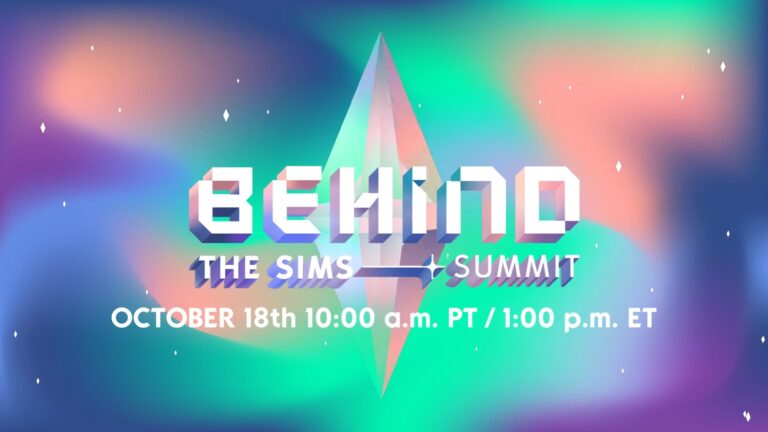
The Sims Summit starts next month with BIG announcements. First up – The Sims 4 Base Game going Free to Play!
TheSims.com has just released an official blog post talking about their upcoming The Sims Summit.
The Sims Summit is the first ever live event (streamed on YouTube and Twitch) that will cover multiple The Sims 4 announcements.
As teased in the blog post below, The Sims Team will be giving a special preview about upcoming releases for The Sims 4, including, but not limited to, Expansion Packs, Game Packs and Game Updates & SDX Drops.
More in the official blog post below:
We’ve welcomed millions of players to The Sims and watched in awe as they unleashed their imaginations, discovered and connected with ideas, experiences and versions of themselves, both in-game and real life. Our community has continued to inspire us with the billions of unique Sims they’ve created, the countless stories they’ve told, and the remarkable builds they’ve designed.
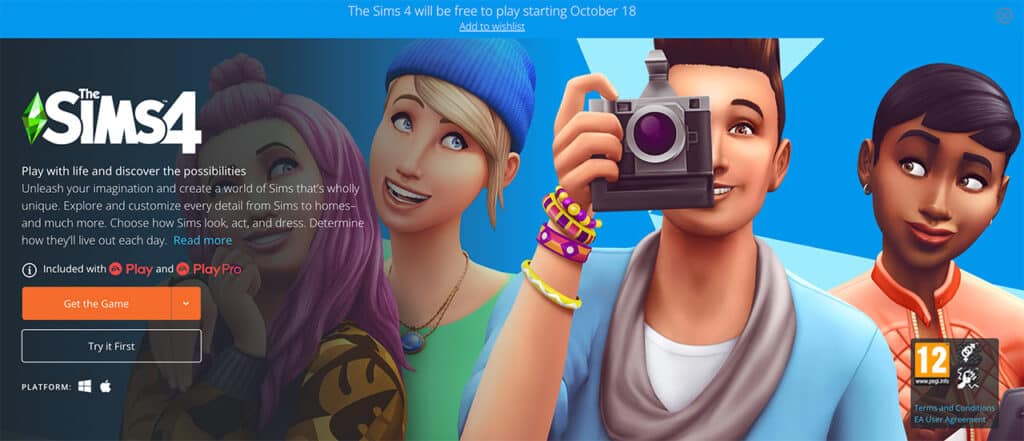
We’re excited to continue to welcome in more players than ever to create new stories, and explore without boundaries. The Sims has always been about celebrating new ways to play and offers so many possibilities to discover. Beginning on October 18, 2022, The Sims 4 base game will be available to all new players to download for free* on PC via EA app or Origin, Mac via Origin, Steam, PlayStation 5, PlayStation 4, Xbox Series X|S and Xbox One systems.
With The Sims 4 going free to play, our team is more dedicated than ever to developing new and meaningful The Sims 4 experiences for our players and we will continue to develop and release packs, kits and Sims Delivery Express drops into the foreseeable future. We’ll be sharing more about what’s in the works during a special-edition stream, Behind The Sims Summit on October 18, 2022 at 10 am PDT via The Sims YouTube and Twitch channels, also available on demand!
EA Play and EA Play Pro members will receive an upgraded experience when member-only bundles of The Sims 4 go into The Play List on October 18. The Sims 4 EA Play Edition includes The Sims 4 Get To Work Expansion Pack, while the EA Play Pro Edition includes both The Sims 4 Get To Work Expansion Pack and The Sims 4 Toddler Stuff Pack.
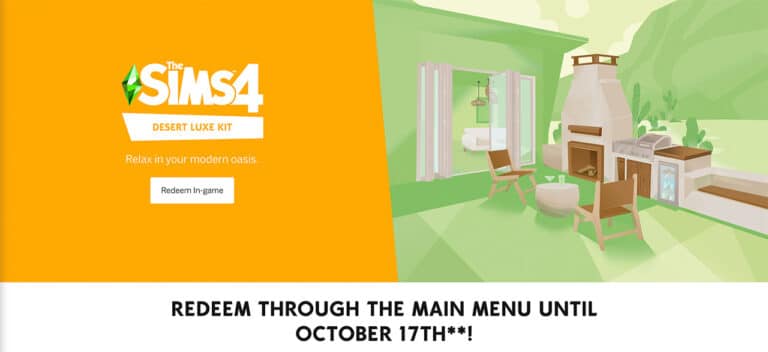
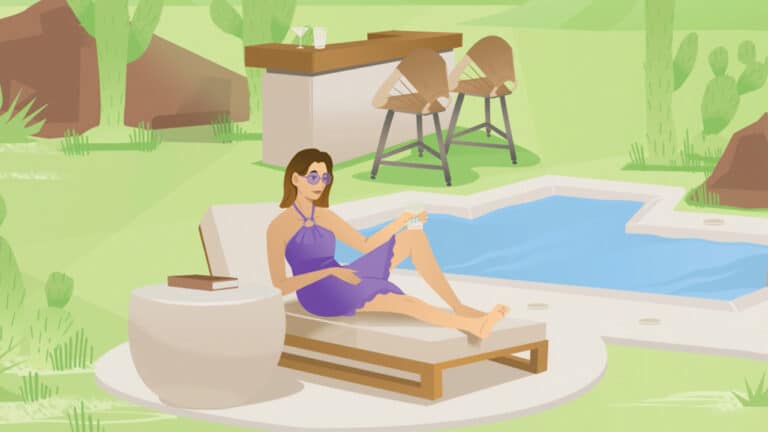
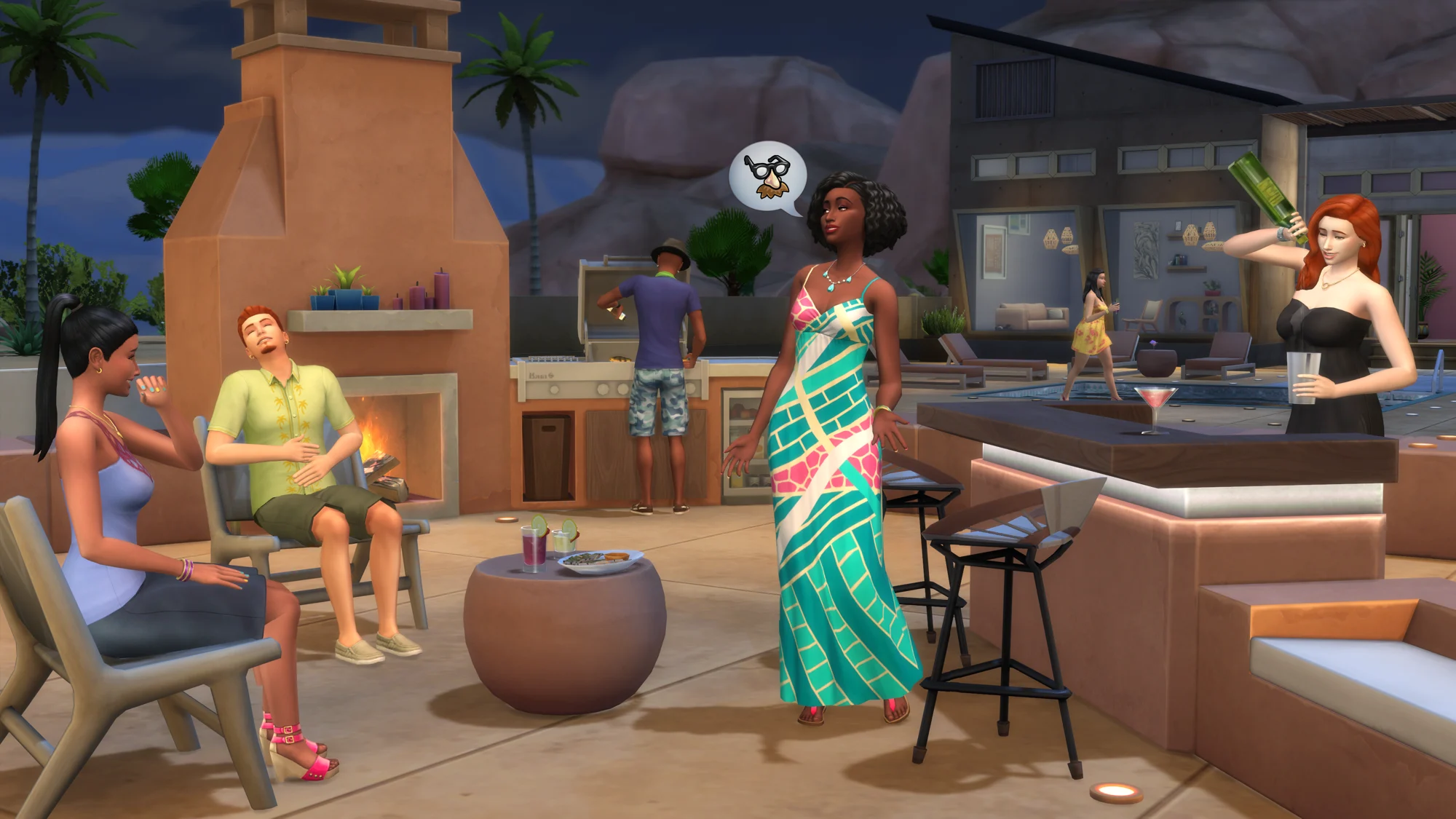
And last but not least, to our longtime Simmers, we want to say thank you – we wouldn’t be where we are without your continued love and support to help make The Sims community what it is. From September 14 through October 17, all players who have purchased The Sims 4 base game will receive the Desert Luxe Kit as a gift**. With the Desert Luxe Kit, Sims can relax in their modern oasis with luxurious indoor and outdoor furniture, inspired by the natural landscape of the Southwestern desert and materials like stone and wood. To redeem the Desert Luxe Kit, simply log into the game and it will be available in the main menu for you to claim.
We can’t wait to share what else is in store for The Sims 4 in the near future, so be sure to tune into the stream on October 18, sign up on TheSims.com and follow us on social media for more updates!
UPDATE: Players unable to redeem & download The Sims 4 Desert Luxe Kit should now be able to access the free kit through the EA App & Origin. Simply restart the EA App/Origin, and the kit will be available for you to claim.
The hotfix also resolved the Origin error where unowned content was showing up as “owned” in players’ game libraries. You may have to restart Origin, but you should no longer see this taking place. Thank you for your patience during this time.
To celebrate the big announcement that The Sims 4 Base Game is going FREE next month, EA has announced that their Desert Luxe Kit for The Sims 4 is now available for FREE. For EVERYONE!
If you play The Sims 4 either on PC/Mac or Consoles you can redeem the Kit from the official stores, or from The Sims 4’s Main Menu!
This offer is available RIGHT NOW and will last until October 17th. Get the Kit for FREE while you still can!
I just redeemed my copy of the upcoming Kit release for The Sims 4. For Free.
The Sims 4 Desert Luxe Kit is the upcoming Kit for the game that’s set to release in 2 hours. However, it seems that it’s been released on Origin right now for free!
The Kit has been listed with a $0 price tag. I was able to obtain the Kit for free and get it in my Origin library.
You can redeem The Sims 4 Desert Luxe for FREE on PC and Mac through Origin and/or the EA Desktop App. If you play The Sims 4 on Consoles the easiest method is to open up The Sims 4 and obtain the free Kit from the Main Menu!
BREAKING NEWS: The Sims 4 Base Game is becoming permanently free – starting October 18th!
ARTICLE UPDATE: Origin has just confirmed that The Sims 4 is going Free to Play as well!
Well this is a shocking piece of information that we got today.
Instant-Gaming reports that EA has a special announcement today regarding The Sims 4. More specifically, the announcement regarding The Sims 4 Base Game.
The Sims 4 Base Game is set to become completely FREE for PC and Console users starting October 18th.
There’s also a special preview from the reveal leaked out:
Source: Instant Gaming
There’s also a new poster that heavily hints at Bonuses. Presumably for those who already paid for The Sims 4 Base Game.
We’re just speculating at this point, but Laundry Day Stuff Pack and Country Kitchen Kit could be the free new additions for those who already purchased The Sims 4 Base Game.
Once again, just a speculation.
Source: Instant-Gaming
We’ll keep you posted first on all the latest information about this HUGE announcement. Stay tuned!
Find out when the latest Kit for The Sims 4 comes out in your area!
The Sims 4 Desert Luxe Kit is the upcoming Kit release for The Sims 4 Series!
This Build Kit focuses solely on the new Outdoor Lounge and Kitchen Furniture with color accents that match the Oasis Springs and StrangerVille surroundings just right.
The latest Kit is the 15th Kit release for The Sims 4, retailed at $4.99USD, or a price equivalent to your local currency. The Kit is available for claiming for FREE – starting today until October 17th! CLICK HERE to claim yours!
To make things easier for you we’ve included a handy countdown that lets you know the exact time of release for the Kit across PC and Consoles. As soon as the counter turns zero you’ll be able to purchase the Kit from the official stores!
We’ll be covering an extensive Overview of The Sims 4 Desert Luxe Kit on Sims Community, including all the objects and their color variants. Stick around!
While The Sims 4’s cartoony art style can be very endearing (after all, the most popular CC amongst players is Maxis Match CC), even Maxis Match lovers cannot deal with the chunky block lashes on our Sims.
A Sim with EA lashes. As you can see, they don’t look good with her custom lashes.
Without mods, our only option is to choose preset eyes that don’t come with eyelashes but this severely limits our eye options. A better solution is the Remove EA Lashes mod by Kijiko!
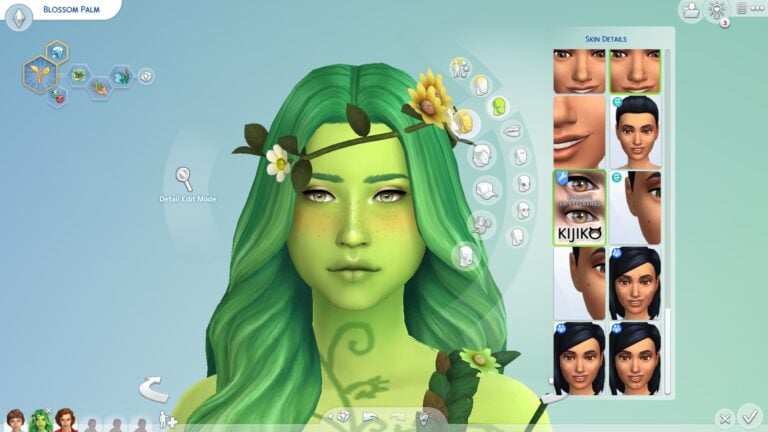
This mod is super simple to use and the best part about it is that it is not an override so it will never conflict with anything and does not need frequent updates for new game patches. All the player is required to do after installing the mod is hop into CAS and go to the skin detail category. Find the eyelash remover and select it! Voila! Your Sim no longer has ugly chunky blocky eyelashes!
After applying the eyelash remover, we can see her custom lashes without the blocky EA lashes!
This leaves you with much more freedom to apply whatever CC lashes you like! I like to use Kijiko’s 3D lashes but you can use any CC lashes you like. They will all function fine with this mod.
Download the mod below! If you need help installing mods, check out our guide!
Please note that mods are not supported on consoles
What’s been fixed and what’s still broken? We break down some of the major issues for you!
An accurate representation of the current state of The Sims 4
The Sims 4’s stability has been… shaky in recent months, let’s just come right out and admit that. While many game breaking bugs are due to improper mod use, there are still many other issues with the game that almost all players have experienced regardless of whether or not they use mods. For example, issues that affect console players are clearly not the fault of broken mods; consoles do not support modded content so console players can’t play the game with any mods or custom content.
In response to growing player concerns about the bugs piling up, The Sims Team has released three updates in August and September of 2022 to try and get some of the more pressing bugs under control.
Namely, the aging glitch and the groundhog day glitch, among many other problems that have been plaguing players.
We decided to look through the patch notes from the last three hotfix updates and compare some of the larger bug fixes to see what’s been fixed and what is still a problem for players.
What’s Been Fixed
The following is a list of things that seem to be resolved for most players; however, some of these might still be broken for some players. We’ll go over those in the next section.
Base Game
Sims no longer arbitrarily age up upon exiting CAS, Build/Buy, or traveling to another lot
Adults no longer inappropriately tag teens in flirtatious Social Bunny posts
Sims no longer inappropriately ask children to be their boyfriend or girlfriend
All Sims can be selected for travel again regardless of whether they are on the active lot or not
PlantSims can once again transfer items from their inventories to fridges and storage chests and vice versa without the game throwing an error
Children, teens, young adults, and adults can now be reliably aged up using the birthday cake
DLC
(GF) Sims who are not famous should no longer have a fame marker when hovering over them
(GTW) Doctors should not T-pose when using the surgery machine anymore
(HSY) High school graduates should now wear their graduation robes to the graduation ceremony, even if they arrive late. All other graduates in attendance will also keep their graduation robes on.
(HSY) Sims who graduate from high school early now receive a diploma and do not get a notification incorrectly informing them that they have dropped out
(HSY) Sims will ask the correct Sim to prom instead of whichever Sim the player happens to be controlling at the time
(HSY) Sims should not use their phones as often; however, teens will still be on their phones constantly
(DHD) Sims now can add rooms for Room Addition gigs.
(HSY) The “groundhog day” bug causing players to go back in time several days when exiting CAS or traveling has been fixed for some players. Players who were affected by this bug due to incorrectly tagged custom content should no longer have this bug. The Sims Team is still investigating how and why this bug happens for players who do not use custom content.
(EL) Freelance Crafters can now send fabricated items via “Send to client for approval…” from computers to complete the “Send your finished work to the client” career task
(GF) DJs and Mixologists no longer leave their booth unattended when a Celebrity attempts to build up Fame through “Perform <scene> for Tips” or Dance Battles.
What’s Still Broken
Base Game
While children-elders can now age up reliably using the birthday cake, the issue still persists for toddlers. The Sims Team is aware of this and still investigating the problem.
DLC
(HSY) As mentioned above, not every player will see the groundhog day bug resolved after the September 13th patch. Only players who were experiencing this glitch due to poorly tagged custom content will have the problem resolved now. Vanilla players who had this problem will not see any improvement in this area at the moment. The Sims Team is still investigating the matter.
(HSY) While The Sims Team claims that young adult-elder Sims should no longer be as glued to their phones as teenagers are, many players (myself included) have not noticed any significant decrease in the amount of phone usage in older Sims.
(GF) DJs and Bartenders no longer becoming distracted by celebrities is great and all, but it doesn’t address the persisting problem of celebrities disrupting literally everything else in the game. Many venues cease to function as soon as a celebrity appears on the lot because they distract everyone, most notably restaurant staff.
(DO) While we’re on the subject of restaurants, we would certainly like to know if and when The Sims Team is ever going to acknowledge that the Dine Out game pack is completely unplayable. It’s been out for seven years now and it has never been functional in any way whatsoever. It’s as broken as My Wedding Stories was when it launched. Come on guys, if you could fix My Wedding Stories in a month, you could have fixed Dine Out at any point in the last seven years. Why is Carl fixing this pack by himself when he doesn’t even work for Maxis?
Reporting Bugs
Please remember to let The Sims Team know if you are having issues, too! They can’t fix problems if they don’t know about them and the more players providing information, the better! You can report game bugs at Answers HQ, including:
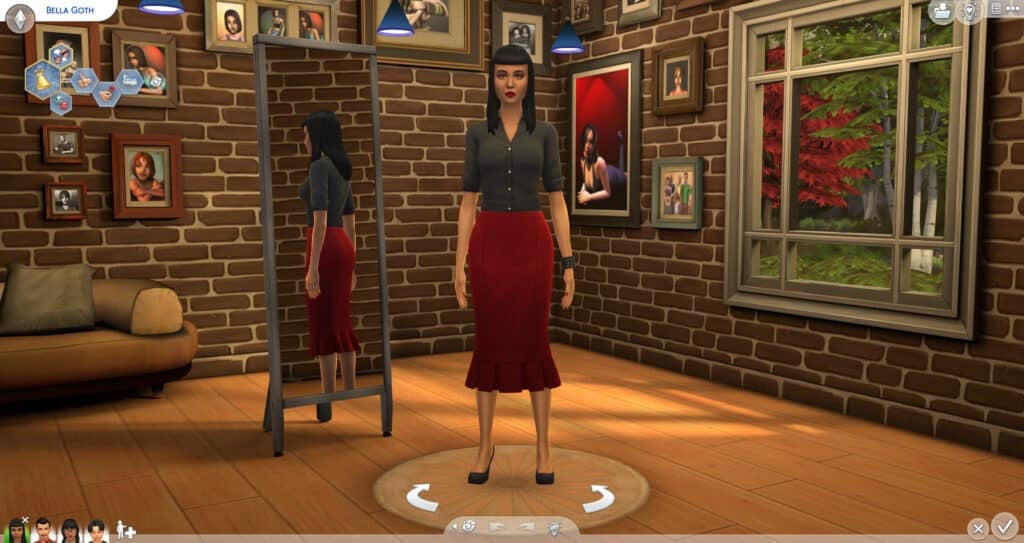
You’re entering Create a Sim. The blue background is unremarkable in comparison to its predecessors. But don’t worry, simsi45 has brought back The Sims 2 background to The Sims 4!
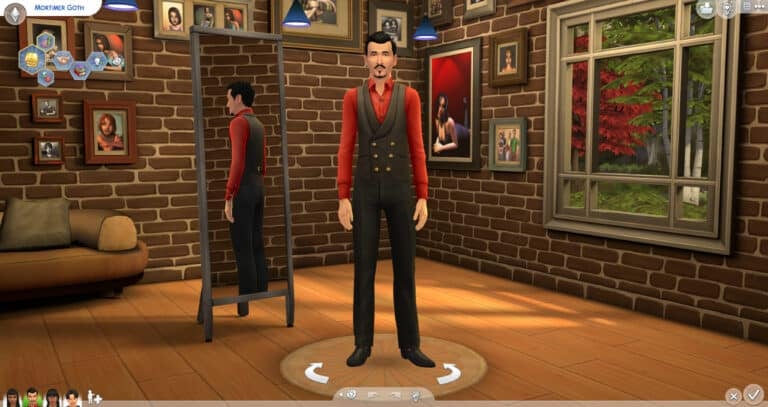
Introducing TS2 CAS Background Room Replacement! The background is a 3D model made to resemble The Sims 2 Create a Sim Background with a mirror and couch. There are pictures of iconic The Sims 2 Sims on the wall and a window with a tree scene outside it.
Optional Lighting Mod
While creating the new 3D background, simsi45 says the default lights didn’t match the environment of The Sims 2 Background. The game’s lights have a blue/green hue that made Sims look out of place. To fix the lights, simsi45 adjusted the hue to create a slight golden tone and moved the light position to better work with the room.
simsi45 made every effort to create a good balance between the whites and yellows so there wouldn’t be too dramatic of a shift between colors when switching into Live Mode.
Don’t like how the new lights look or maybe you use a different CAS lighting mod? Then, make sure not to download the simsi45_TS2_GoldenLighting.package file and ONLY download the simsi45_TS2_CAS_Room.package file.
Photo Credit: simsi45Photo Credit: simsi45
Notes From Creator
1) The original background consisted of just 1 simple plane, while this background is an actual 3D model. The polygon count is 12284 (relatively low for a whole room) however depending on your system you might see a small 2-3second increase when loading into CAS mode. Very minor difference but figured I’d let you know either way.
2) Thanks to the talented Littledica, as I studied his own CAS room to figure out how to properly structure my own!
TS2 vs TS4
Want to see how the two Create a Sim Backgrounds compare?
There’s a brand new Patch for The Sims 4 on PC and Consoles. Check out the Patch Notes!
The Fixing Update…Part 3
The Sims Team has released a brand new update for The Sims 4 on PC, Mac, Xbox and Playstation.
To download the latest version of The Sims 4, simply open your Origin program and if the game doesn’t update automatically, right click on The Sims 4 and select ”Update”. If you play on Xbox and Playstation, you should Check the Game for Updates in case Automatic Updates are off.
In case you have Mods or Custom Content, the game will automatically disable them for you after first launching The Sims 4 after the update. To re-enable all your Mods and Custom Content, select the Settings option in the Menu and select Settings. Under the ”Other” section you’ll find the ”Enable Custom Content and Mods” option. Check it and restart your game in order for it to take effect!
Patch Notes
PC: 1.91.205.1020 / Mac: 1.91.205.1220
Console: Version: 1.64
Hello, Simmers!
This update resolves a few issues including the one of the game not saving under certain circumstances. Happy Simming!
– The Sims Team
BUG FIXES
The Sims 4
Children, teens, young adults, and adult Sims who blow out the candles on their cake now should age up reliably. Happy birthday! We still are investigating the problem for toddlers.
High School Years
Feel like you are going backwards in time after visiting the Thrift Shop? It turns out that some mods were preventing the game from saving. We’ve made the store more accommodating to external content. We have seen some of you who do not play with mods reporting this problem. If you continue to encounter the issue, please let us know on AnswersHQ.
Eco Lifestyle
Freelance Crafters can now send fabricated items via “Send to client for approval…” from computers to complete the “Send your finished work to the client” career task.
Seasons
Sims trying to get indoors during a blizzard now walk appropriately. Stay warm!
Get Famous
DJs and Mixologists no longer leave their booth unattended when a Celebrity attempts to build up Fame through “Perform <scene> for Tips” or Dance Battles. As they say, “Starve your distractions; feed your focus.”
The Sims Community Website now finally has a Day and Night Toggle!
That’s right, you can now use the brand new Switch Tool on Sims Community to switch between a Light and Dark Background. We’ve also introduced the new Day & Night Mascots for Sims Community to keep you company while you stay up to date on the latest News and Original Content.
There’s also a new Trending Pagethat highlights the Trending Topics within the Sims Community.
We’ve been carefully developing the Sims Community Website and Design for months and can’t wait to show you more.
Let us know what you think about the Day & Night Toggle in the comments below and how we can improve it. We’d love to hear from you!
Create and track unique storylines with The Plumbobber App! Check out the full guide.
Rotational Gameplayer? Super controlling watcher? We’ve all been there and wanted to micromanage every little detail of our Sims’ lives. But now, we can do that easier and we can also randomize their lives!
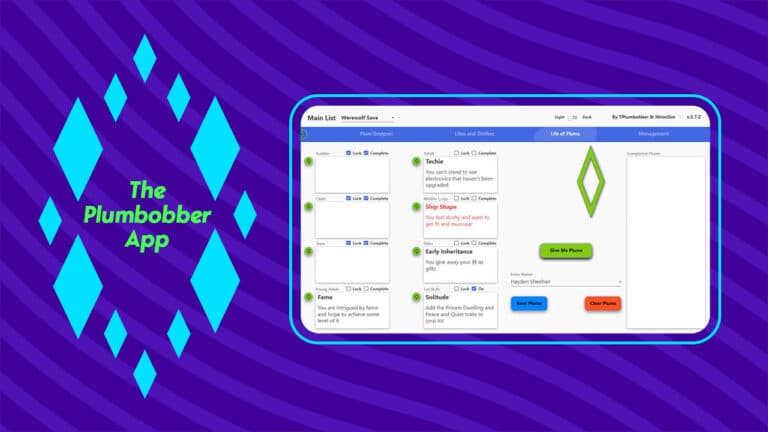
Introducing The Plumbobber App!
This App intrigued us because it resembled many family history preservation programs. And it’s FREE! Plus, the ability to randomize many aspects of a Sim’s life that can’t be randomized already or the randomizer isn’t efficient was intriguing. Here’s what the App does!
Plum Designer
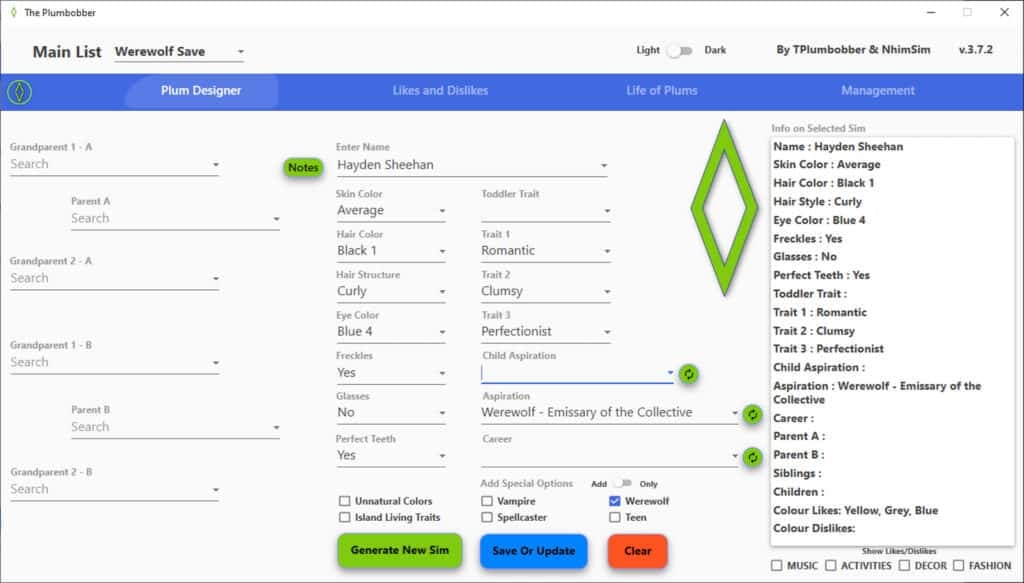
The Plum Designer is the first page that you will see. It allows you to create the family history and the main details for your Sim. At the top left, you can choose the list you want your Sim to be a part of, then you can create Sim.
If you need a boost to your creativity, you can always click the “Generate New Sim” button and it will randomize all the options from Skin Color through Career to create a new Sim. It does not randomize a name, unfortunately.
By clicking the Notes button by the Sim’s name, you can edit the Notes about the Sim. In the Notes, it will not only list the basic information about your Sim, but also you can also upload a picture and write any information you would like about your Sim. It has formatting options which is very convenient.
Plumbobber Genetics – very simplified play with genetics – yet better than what the game gives you. Add Parent A and Parent B – if one or both of these have parents of their own, they autofill in their respective spots. Then hit Generate New Sim – You will now have a child Sim with looks based on parents and grandparents. Name them and adjust the kid in CAS according to your rolls. If there are no grandparents, the app will draw random genetics in their place.
We have made it so that the look of grandparents play a role in the outcome. The game only take hair- and eye color of parents into consideration.
We wanted to add more diversity via hair- and eye color of grandparents. It works on a simple principle of 1/8s and has nothing to do with how real genetics work. It is just for fun and to make grandma’s ginger hair have a chance of popping up on her grandkids. Parameters that have ‘genetics’ are hair color and hair structure, eye color, freckles, glasses, teeth and traits.
However, traits only draw ‘weight’ from parents – no chance of inheriting grandpa’s slobby trait unless by chance. You will notice that Skin Color does not fill when using Plumbobber Genetics. This is because we let the game determine that outcome. The system might be flawed in game, but it’s probably still better than what we could make with this app.
Likes and Dislikes
The Likes and Dislikes tab allows you to “Opinionate Sim,” which is another way to say randomize. We love the term Opinionate Sim because makes it seem like you’re bringing every sim’s “Opinions” to life by pressing the “Opinionate Sim” button.
It also allows you to remove and add Likes and Dislikes manually, too, if you don’t like one or two of the options that were randomized. Or you can just add the likes and dislikes that you choose yourself. Right-click whatever like or dislike that “doesn’t fit your Sim’s personality” and choose delete.
Use the bottom left section to add likes and dislikes. First, pick the category, then choose the specific option. To cement their personality, choose from the like or dislike buttons below and it will add them to your Sim’s list.
Life of Plums
These Plums are amusing and unique. We can imagine ourselves playing a lot of unique games with many twists and turns based on Plums!
The main area allows you to choose which Sim you are assigning Plums to, a “Give Me Plums” button to randomize, and then the Save and Clear Plums buttons.
You can continuously use these Plums throughout your Sim’s life. There is a Lock option so you can use the “Give Me Plums” without that box randomizing. If your Sim completes a Plum, you can mark it as Complete and it will show up in the Complete Plums box.
The Lot Rolls Section needs to be turned on for it to randomize with the Give Me Plums button.
Management
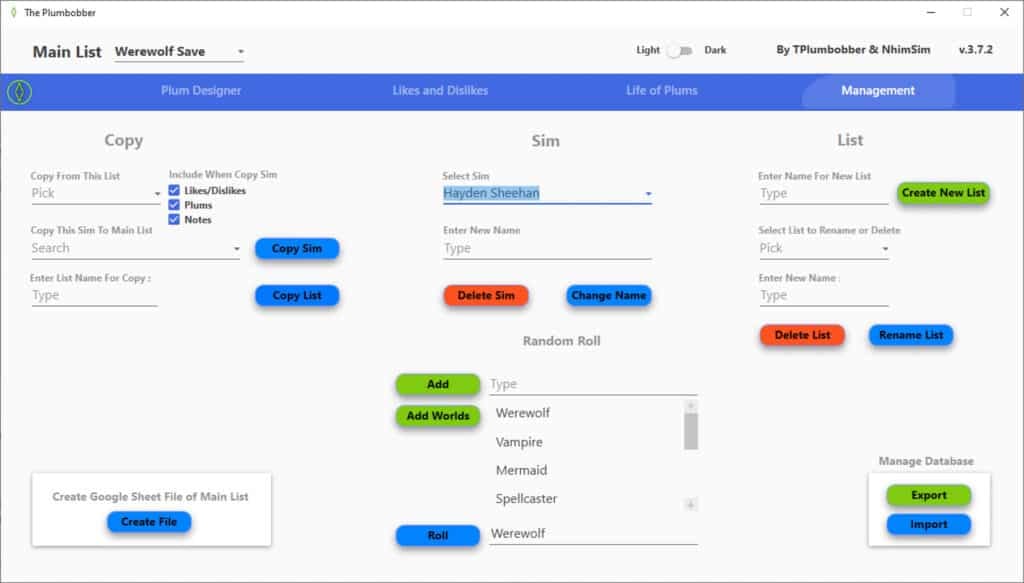
Finally, we have the management page. This page is where all the management happens.
Copy
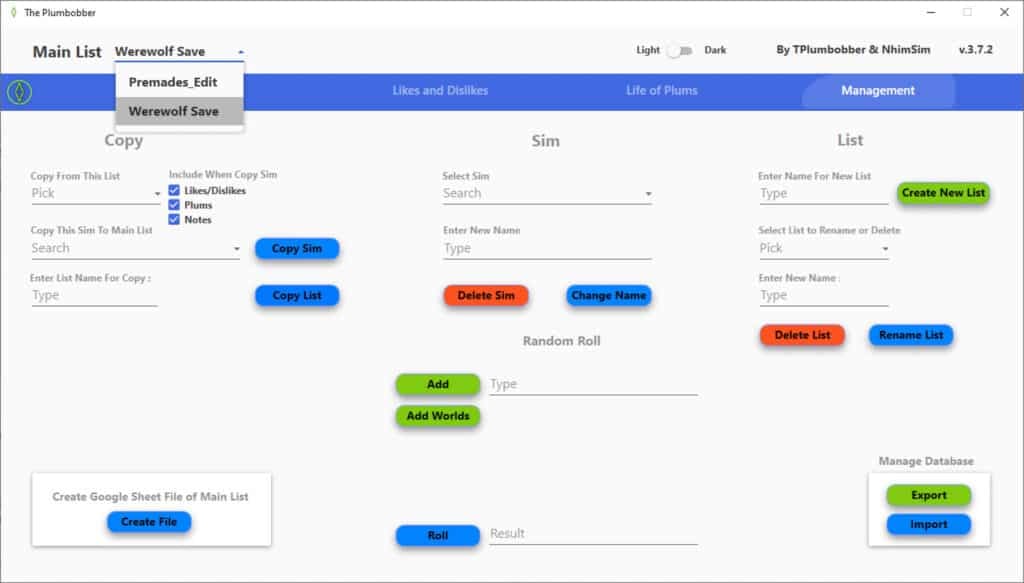
Corrupt Save? Want to give your Sim a Whole New Life? This section allows you to copy Sims between lists or to Copy entire Lists to other Lists.
Sim
Need to delete a Sim? Does your Sim want to change the horrible name their Mother gave them at 18? This is the section to do that at.
List
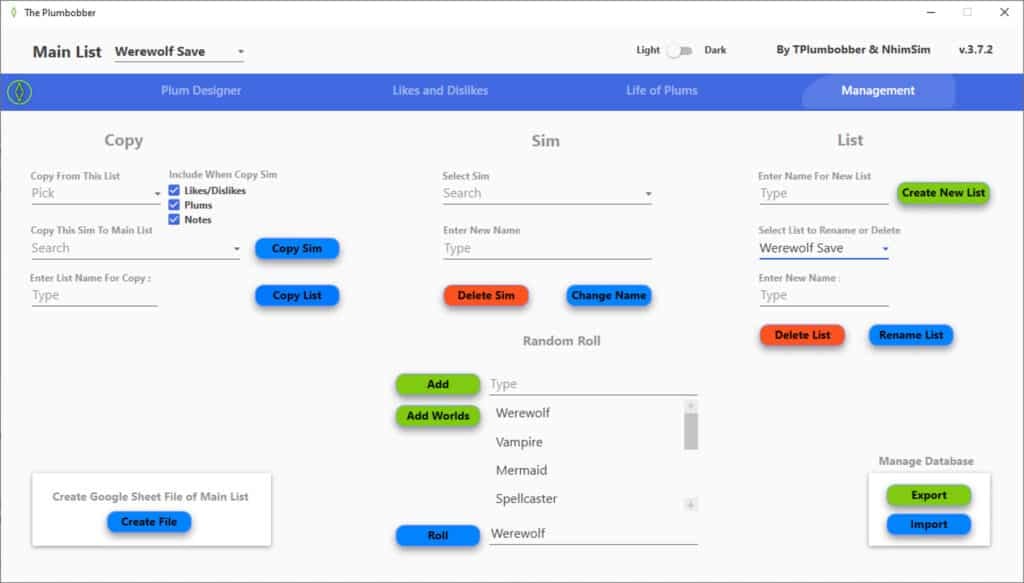
Need to rename your list? Or did your last Sim die and you want to delete your list? You can do that under the List section.
Random Roll
Random Roll is my favorite part of Management. You can type your own options and click Add or the option Add Worlds is there to add all the worlds to the list. Then, choose Roll and it will choose an option for you! This is great to randomize things that have not yet been added to The Plumbobber App.
Updating Plumbobber
Exporting the Database is VERY important when updating the app. It allows you to transfer your Lists to the next version.
When uninstalling, visit the Management Tab and go to the bottom right corner. Click Export. It will export a file named PlumbobberBackUp.db to your Desktop. Uninstall Plumbobber. Install the new version. In Management’s bottom right corner, click the Import button.
Dark Mode
There are many people who dislike light mode so you’re in luck! Plumbobber has Dark Mode available with an easy flip of a switch. It is located at the top, center-right of the App.
During installation, you’ll get a prompt asking whether you want to allow an app from an unknown publisher* to make changes to your computer. You have to answer ‘Yes’ if you want to install The Plumbobber. Going forward this prompt will also pop up whenever you start The Plumbobber.
*Regarding the unknown publisher. This is because we do not want to pay Microsoft for licensing for The Plumbobber
REMEMBER: THIS IS A PROGRAM AND NOT A MOD
This does not go into your Mods folder. This needs to be installed. The rest of the instructions are at the link below.
Is This It?
There is so much more to The Plumbobber App! Make sure to visit their website’s guide page for more information about The Plumbobber App!
The Plumbobber App was created by TPlumbobber & NhimSim. To keep up with the App’s creation, you can follow them on Twitter!
Plus, The Sims Team announces a new way of Communication!
Today The Sims has announced on their Twitter profile that they’ve opened a new Twitter profile. All about the direct approach and communication with the players about The Sims’ current state of the game.
Over the last few months The Sims 4 had a rocky period of Bugs, Issues and Errors that kept popping up. The Sims Direct Communications is a new way of communicating with the players in terms of the game’s stability, server performance and more. Welcoming a better way of transparency from the team to the players.
They’ve also revealed that tomorrow, September 13th there will be a new Game Update for The Sims 4, resolving issues such as Groundhog Day, Aging and more.
Sul Sul!
Tomorrow, Sept 13, we have a game patch @ 10 AM PT resolving a few issues, including groundhog day & an aging bug.
In preparation for the patch, please remember to remove any game mods & custom content as the update may conflict with externally created content.
We are still investigating cases of the aging bug with toddlers, but we appreciate your patience as we continue working towards a solution.
[totalpoll id=”119204″]
We’ll keep you posted on all the latest info about The Sims 4’s Upcoming Update. Stay tuned!
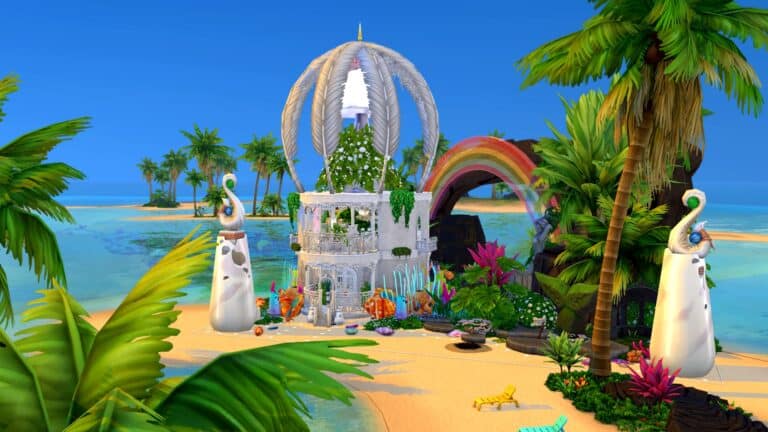
Occult players who enjoy playing with mermaids, rejoice! Your mermaids now have a shimmering water palace to call home! Witching_Mermaid has shared this truly stunning mermaid lagoon on Twitter and in her Gallery for the whole community to enjoy.
Witching_Mermaid says she was inspired by the mermaids from Peter Pan. The actual structure itself is small but highly luxurious which is perfect for a mermaid who wants to live in style but also spends a lot of time out in the ocean rather than indoors. The first floor has a beautiful fountain with steps leading down on either side. There is a washroom on one side and seating on the other. A lattice ladder leads up to the second floor where a gorgeous suite overlooks the whole lagoon. There is a bed and a buffet table here. Balconies give sweeping views of the exterior which is equally stunning.
A bright, cheerful rainbow shines over the whole lagoon and there is detail everywhere you look. The water is teeming with marine vegetation and the rocks provide your mermaids with a path to swim inside from the archway in the back.
This build is a must-have for any mermaid lover! It looks best when placed on the Sand Simoleon Beach lot in Sulani. Witching_Mermaid’s Mermaid Lagoon has no CC and you can download it from her Gallery right now!
Most Simmers have a favorite Occult and now so do our Sims with SpinningPlumbob’s Occult Preference Mod!
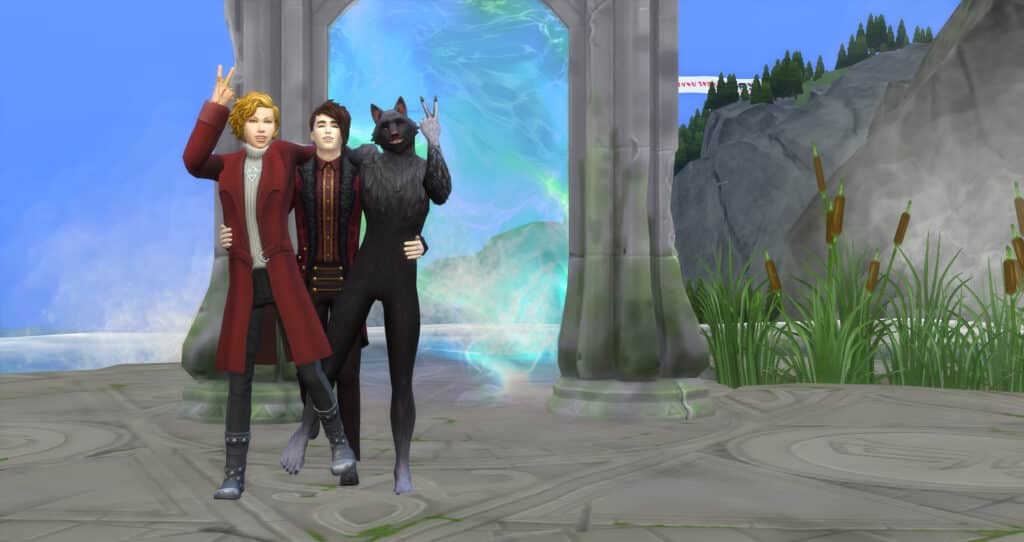
A Werewolf that doesn’t like Werewolves? A Vampire that likes Werewolves? A Spellcaster who doesn’t like any other Occult? There are so many stories you could make out of the 7 Occult Types (+Human) through preferences!
We have been so excited to try out this mod! It introduces likes and dislikes of the different Occults within EA’s numerous packs. This includes Humans, Aliens, Vampires, Spellcasters, Ghosts, Mermaids, PlantSims, and Werewolves. Plus, it adds interactions and moodlets to further add depth to your Sim’s Occult likes and dislikes.
In CAS, you will see a new preference section between Activity and Decor named Occult Type. Click on it and it will open the options for Occult Likes and Dislikes.
Each Like or Dislike chosen in the Occult Type category counts towards the twenty Likes or Dislikes that the Sim can have.
New Moodlets
According to SpinningPlumbobs the mod includes several social interactions. These include talking about topics related to Occult Creatures, specific interactions directed at Occult Sims themselves, and also some new interactions that reference the Sim’s likes or dislikes directly.
There will be numerous buffs (also known as moodlets) added through the mod. These buffs will pop up in special circumstances. For example, seeing vampires feeding on Sims, when flirting with Occults, or when an Occult actually dislikes their own Occult!
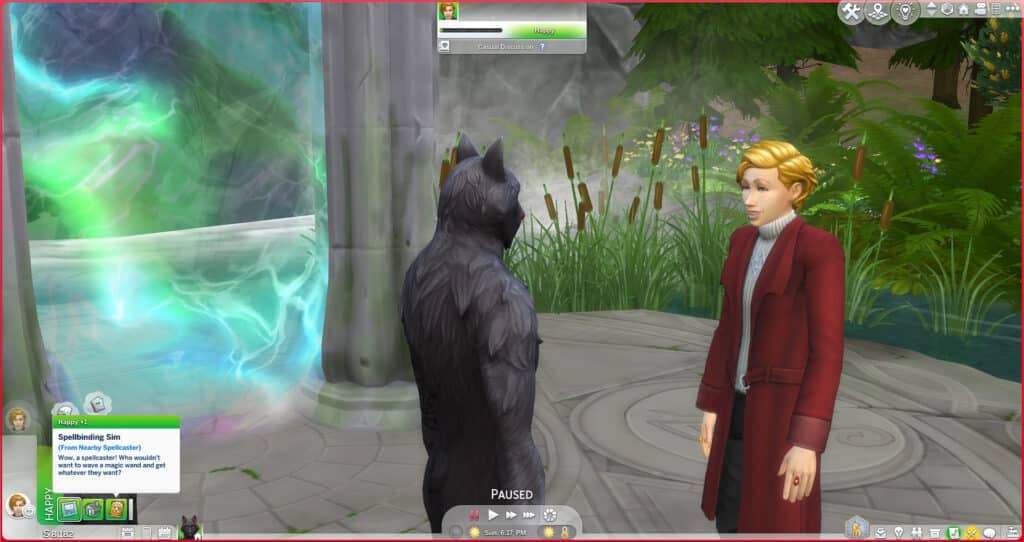
Here are a couple of examples of the new moodlets that are included within the Occult Preferences Mod.
Spellbinding Sim (From Nearby Spellcaster) Wow, a spellcaster! Who wouldn’t want to wave a magic wand and get whatever they want?
Immortal Intrigue (From Nearby Vampire) Such a fascinating creature, the vampire. Not alive, but not dead… Powerful, but graceful… Immortal and nearly indestructible…
New Interactions
When in a conversation, your Sim will have new interactions. Some of the options that we saw included “Vent About Eco-Friendly Ignorance,” “Praise Mother Nature,” “Exchange Tips for Planting Magic Beans”, “Talk About Mooncasters”, “Speak Highly of Sages,” and “Debate Theory of Atlantis.”
Some examples of other interactions that can happen due to the Occult Preferences Mod include:
Sims who dislike their partner’s Occult status are able to request that they give up their Occult abilities. The partner will then accept or decline which will affect their relationship. SpinningPlumbobs indicates that this does only apply to Mermaids, Plantsims, Spellcasters, Vampires, and Werewolves since it’s already part of the game that they are able to remove their abilities.
SpinningPlumbobs altered several interactions reflecting the outcome due to Sim’s likes/dislikes. Some examples given were “Sims who like vampires will always agree to feed vampires plasma AND can even offer their plasma willingly.” Another example he included is that Werewolves that don’t like their own Occult will not be able to turn others into Werewolves because they “don’t want to pass on their affliction.” And Sims who dislikes ghosts will always react negatively to items being possessed or when they are scared by a ghost.
A much-needed change is that Sims will now react to Occults based on their preferences. For example, if a Sim likes Werewolves, they won’t run in fear away from rampaging Werewolves, and disliking PlantSims will cause Sims to be irritated by their presence.
Future Plans
SpinningPlumbob indicates that this mod will continue to develop. It will start to include preferences for his own Occults as well as EA’s. He plans to add “interactions, buffs, gameplay, possible relationships, etc. to the mod and incorporate this mod into my other occult mods.” And finally, any future Occults will be added to the mod as well.
We are enjoying this mod so far and are excited to see where it goes next!
Want to download the Occult Preferences Mod by SpinningPlumbobs? It’s available on Patreon for FREE!
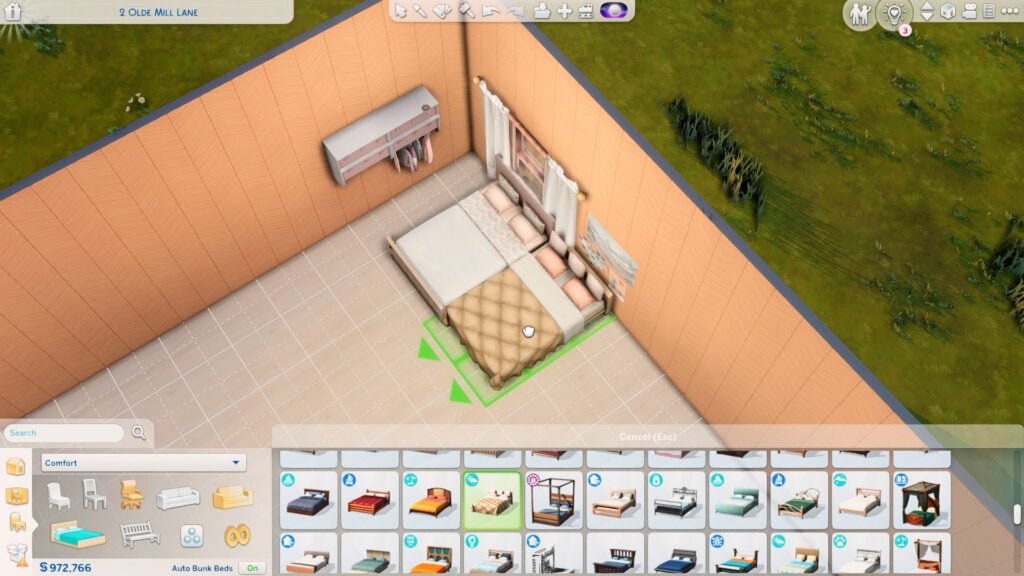
Here’s a nifty trick you should try on your next build: pull-out beds! It doesn’t require any mods or CC to make plus you could do it in less than a minute.
As usual, make sure the bb.moveobjects is on.
The first step is to choose the right beds for the looks. The main bed should have some space underneath it as if it can fit another mattress below. The pull-out must have a short headboard or no headboard at all.
Here’s some bed options you could use for the pull-out:
from **DEBUG**from **DEBUG**
If these options don’t look right in your build, you can just hide the headboard behind the wall or cover it with wall decor.
After choosing the beds, place the main one first and use Alt to place the pull-out bed right next to the main bed.
Next is to build at least a 2×1 room anywhere near the pull-out. It can be by the foot of the bed or by the headboard as long as the room doesn’t touch the main bed.
Click on the room and lower its platform 1 time. Doing so will bring down your pull-out bed to the ground. Then delete the walls of the 2×1 room afterward.
Note: If both beds sink to the ground, just grab and adjust the main bed back later.
To fill the hole on the floor, select the platform tool and draw out a platform tile one by one. It’s important to do this so that your pull-out bed doesn’t jump back up. Then just add back the flooring.
That’s basically it! To use it properly, select the inner sides of the beds first so your Sims can scooch over before you let a different Sim use the outer side of the beds.
Note: There should be at least a half-tile space beside both beds to make this functional, so you can’t place either bed against the wall.
This works even better on single beds since no scooching is required!
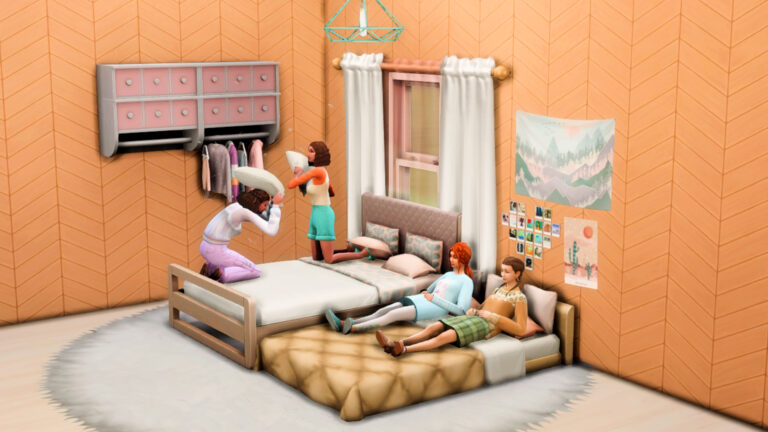
Most bed functions should work on either bed! They can sleep, nap, relax, sit, put children to bed, and even have a pillow-fight. Except for woohoo of course…
If you don’t want the pull-out bed to be there all the time, go back to Build mode and just place it in your household inventory by clicking Backspace. Do the previous steps again if you want to add it back.
This trick is perfect for slumber-party rooms or guest rooms that can accommodate up to 4 Sims. Or you could add it in dorm rooms and rentals when using single beds.
Watch this short video to see how it’s actually done!
Now that you read this, how will you use pull-out beds in your game?
Spend even more time in your Sims’ gardens with this beautiful set of garden décor!
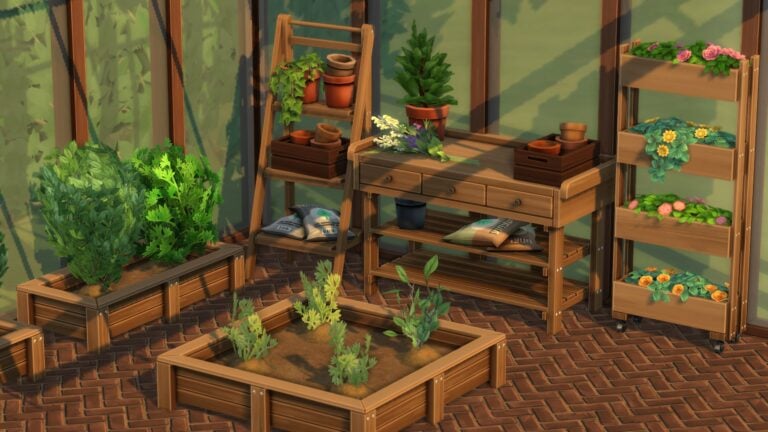
Avid gardeners are going to love this one! The Moonwood Garden CC Collection by myshunosun adds 13 new Maxis Match objects to the game to decorate your perfect green space! It includes a flower arranging table and two new planter boxes as well!
Image Credit: myshunosun
All the objects except for the flower arranging table are base game compatible. The flower arranging table requires the Seasons expansion pack.
You can check out the previews of each object down below!
Image Credit: myshunosun
Our personal favourite new object out of the whole set is the adorable rectangular planter box which can have up to two small plants planted in it. We would love to line all our garden pathways with these cute little planter boxes and fill them with all kinds of colourful flowers!
Image Credit: myshunosun
And speaking of flowers, we’re also obsessed with the decorative sprig of wildflowers and the decorative upright planter boxes literally overflowing with bright, vibrant blooms! The stacked pots and fertilizer bags are going to look fantastic in our gardens, too, and give them that touch of realism they desperately need.
You can download the full set right now for free from myshunosun‘s Patreon! Just click the button below to be taken directly to the download page!
Please note that custom content is not supported on consoles.