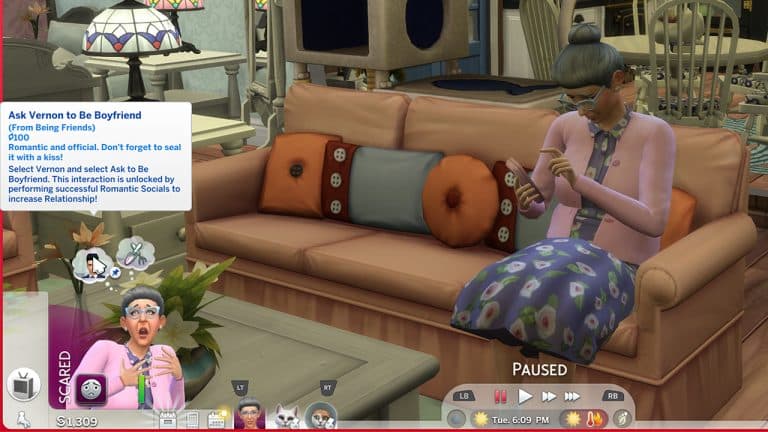
Carl released Sim Retirement Bug Fix which will allow your Sims to retire. Currently, Sims cannot retire in the game without the mod.
Mythical Ascelin re-updated the Aging Fix mod, originally made by Scarlet. The mod prevents days from being added when creating a new Sim. The last patch caused an aging bug that adds days to a Sim every time they exit CAS.
We also have a full Bug Report on the current issues with The Sims 4.
There are some new faces in town! Why not get to know them?
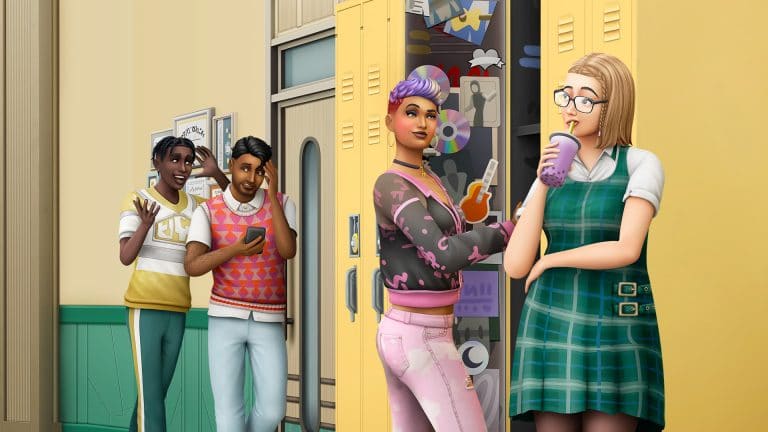
The Sims 4 High School Years comes with a brand new world called Copperdale, along with plenty of new Sims who live in the world. Unsurprisingly, the majority of Copperdale’s residents are teenagers so players will have no shortage of premade teens to play through the new high school gameplay with if they want to. There are also some homeless townies who appear to play the role of high school teachers.
High school sweethearts and Copperdale alumni Janae and Marcel Price have returned, moving back into their old neighborhood with their three children: Sidney, Savannah, and Jayden. They also welcomed Kevin, a foreign exchange student, into their lively home. It’s a busy household, stirring with activity and thriving pursuits. While Marcel works on his latest novel, Janae works full-time as a successful Regional Manager. The twins, Savannah and Sidney, each enjoy their own interests while trying to keep up good grades. Jayden looks up to his siblings a lot, and can’t wait to be just like them, his buddy Kevin included. Life can certainly get away from them, but they know they can always depend on one another.
Janae Price
Age: Adult Pronouns: She/Her Romance Preferences: Men WooHoo Preferences: Men Romantic Exploration: No Career: Business (5) Aspiration: Renaissance Sim Walk Style: Normal Voice: Lilted Traits: Clumsy, Self-Assured, Athletic, Fast Learner (Bonus) Skills: Charisma (4), Fitness (5), Programming (5) Relationships: Marcel Price – Husband | Savannah Price – Daughter | Sidney Price – Son | Jayden Price – Son | Kevin Puri – Acquaintance Sentiments: None Likes: Blues Music, Retro Music, Romance Music, Gardening, Cooking, Fitness, Writing, Piano, Red, Yellow, Black, Purple, Basics Fashion, Polished Fashion Dislikes: Electronica Music
Marcel Price
Age: Adult Pronouns: He/Him Romance Preferences: Women WooHoo Preferences: Women Romantic Exploration: No Career: Author (7) Aspiration: Nerd Brain Walk Style: Normal Voice: Brash Traits: Goofball, Cheerful, Bookworm, Fast Learner (Bonus) Skills: Logic (3), Cooking (4), Writing (7) Relationships: Janae Price – Wife | Savannah Price – Daughter | Sidney Price – Son | Jayden Price – Son | Kevin Puri – Acquaintance Sentiments: None Likes: Mixology, Cooking, Writing, Piano, Blues Music, Classical Music, Hip Hop Music, Yellow, Black, Brown, Green, Basics Fashion, Polished Fashion Dislikes: Winter Holiday Music, Grey
Sidney Price
Age: Teen Pronouns: He/Him Romance Preferences: Men & Women Mess Around Preferences: Men & Women Romantic Exploration: Yes Career: High School C Student | High School Cheerleader (2) Aspiration: Friend of the World Walk Style: Swagger Voice: Warm Traits: Overachiever, Athletic, Gregarious (Bonus) Skills: Fitness (3), Charisma (4) Relationships: Janae Price – Mother | Marcel Price – Father | Savannah Price – Sister | Jayden Price – Brother | Kevin Puri – Best Friend | Ash Harjo – Friend | Molly Prescott – Friend | Noah Kane – Rival Sentiments: None Likes: Blues Music, Hip Hop Music, Pop Music, Retro Music, Comedy, Fitness, Mischief, Video Gaming, Yellow, Brown, Green, Purple, Basics Fashion, Streetwear Fashion Dislikes: Alternative Music, Kids Radio Music, Programming, Orange, Outdoorsy Fashion
Savannah Price
Age: Teen Pronouns: She/Her Romance Preferences: No one Mess Around Preferences: No one Romantic Exploration: No Career: High School C Student | High School Computer Team (1) Aspiration: Computer Whiz Walk Style: Normal Voice: Sweet Traits: Geek, Materialistic, Fast Learner Skills: Video Gaming (2), Programming (3) Relationships: Janae Price – Mother | Marcel Price – Father | Sidney Price – Brother | Jayden Price – Brother | Kevin Puri – Friend | Molly Prescott – Rival Sentiments: None Likes: Programming, Painting Video Gaming, Alternative Music, Retro Music, Electronica Music, S-Pop Music, Black, Blue, Pink, White, Hipster Fashion, Rocker Fashion, Streetwear Fashion Dislikes: Gardening, Lullabies Radio Music, Pop Music, Green, Polished Fashion
Jayden Price
Age: Child Career: Grade School C Student Aspiration: Social Butterfly Walk Style: Normal Voice: Warm Traits: Outgoing Skills: Creativity (2), Social (2) Relationships: Janae Price – Mother | Marcel Price – Father | Savannah Price – Sister | Sidney Price – Brother | Kevin Puri – Acquaintance Sentiments: None Likes: Hip Hop Music, Kids Radio Music, Pop Music, Comedy, Video Gaming, Blue, Orange, Red Dislikes: Green
Kevin Puri
Age: Teen Romance Preferences: Women Mess Around Preferences: Women Romantic Exploration: No Career: High School C Student Aspiration: Goal Oriented Walk Style: Normal Voice: Lilted Traits: Socially Awkward, Romantic, Relatable (Bonus) Skills: Rocket Science (3), Handiness (4) Relationships: Sidney Price – Best Friend | Savannah Price – Friend | Janae Price – Acquaintance | Marcel Price – Acquaintance | Jayden Price – Acquaintance Sentiments: None Likes: Handiness, Cooking, Guitar, World Music, Romance Music, S-Pop Music, Orange, Red, Blue, Purple, Hipster Fashion, Polished Fashion, Streetwear Fashion Dislikes: Fishing, Lullabies Radio Music, Yellow, Rocker Fashion
Household Notes
The Price family lives on the BridgeCreek Drive lot in the Plumbite Cove neighbourhood of Copperdale
Janae and Marcel both have a lot of likes, many of which seem unrelated to their careers or personality. This might indicate they were overachievers in high school; however, their profiles both say they only graduated high school with average grades.
Kevin’s room in the house is the plainest of all the bedrooms since he is only staying with the Price family temporarily as an exchange student.
Savannah appears to have an entire guest house to herself in the yard, complete with her own private bathroom. One reason may be it allows her to stream at all hours of the day and night without disturbing the rest of the family, but we have a sneaking suspicion she may also be Janae and Marcel’s favourite child. She is their only daughter.
Sidney’s bedroom displays lots of award ribbons and is very colourful in various pink, purple, blue, and black tones. This shows off his overachiever personality. It also tells us Sidney is interested in styles that are both traditionally masculine and traditionally feminine.
Sidney’s rival is Noah Kane and he appears to dislike Noah, but Noah has the Crush sentiment towards Sidney. This makes for an interesting dynamic between the two.
The Prescott Household
Amy PrescottMei PrescottTai LumMolly Prescott
Household Description
Passed down through generations, this historic estate is home to the Prescott Family. Mei Prescott, Copperdale’s High School Principal, lives here with her two daughters and her father, Tai Lum. After her husband’s passing, Mei put all her efforts into protecting her girls and showering them with affection. Often times to an embarrassing degree. Molly is a star student with a secret passion for music. Taking a page from her troublemaker little sister Amy, she’s learning to embrace her more rebellious side. Tai enjoys time with his grandchildren, especially the extra moments he has with Molly when working at the school as a janitor. Together, the family proudly carries on the legacy of the Prescott name.
Mei Prescott
Age: Adult Pronouns: She/Her Romance Preferences: Men WooHoo Preferences: Men Romantic Exploration: No Career: Copperdale High Principal (NPC Role) Aspiration: Successful Lineage Walk Style: Swagger Voice: Lilted Traits: Gloomy, Neat, Perfectionist, Domestic (Bonus) Skills: Charisma (5), Logic (5), Piano (5) Relationships: Tai Lum – Father | Molly Prescott – Daughter | Amy Prescott – Daughter Sentiments: None Likes: World Music, Classical Music, Cooking, Piano, Writing, Red, Brown, Grey, Polished Fashion Dislikes: Mixology
Tai Lum
Age: Elder Pronouns: He/Him Romance Preferences: Women WooHoo Preferences: Women Romantic Exploration: No Career: Copperdale High Janitor (NPC Role) Aspiration: Angling Ace Walk Style: Normal Voice: Brash Traits: Loves Outdoors, Snob, Neat, Collector (Bonus), Fear of Death (Fear) Skills: Fishing (4), Handiness (7) Relationships: Mei Prescott – Daughter | Molly Prescott – Granddaughter | Amy Prescott – Granddaughter Sentiments: None Likes: World Music, Classical Music, Retro Music, Fishing, Gardening, Handiness, Cooking, Piano, Red, Blue, Brown, Basics Fashion Dislikes: Alternative Music, Electronica Music, Video Gaming, Pink
Molly Prescott
Age: Teen Pronouns: She/Her Romance Preferences: Women Mess Around Preferences: Women Romantic Exploration: No Career: High School C Student | High School Chess Team Aspiration: Musical Genius Walk Style: Normal Voice: Melodic Traits: Genius, Music Lover, Muser (Bonus) Skills: Mischief (3), Guitar (4), Logic (5) Relationships: Mei Prescott – Mother | Amy Prescott – Sister | Tai Lum – Grandfather | Ash Harjo – Good Friend | Sidney Price – Friend | Savannah Price – Rival Sentiments: None Likes: Rocket Science, Violin, Guitar, Alternative Music, Classical Music, Pop Music, Blue, Green, Pink, Preppy Fashion Dislikes: Video Gaming, Spooky Music, Black, Country Fashion
Amy Prescott
Age: Child Pronouns: She/Her Career: Grade School C Student Aspiration: Rambunctious Scamp Voice: Warm Traits: Kleptomaniac Skills: Social (2), Motor (4) Relationships: Mei Prescott – Mother | Molly Prescott – Sister | Tai Lum – Grandfather Sentiments: None Likes: Alternative Music, Electronica Music, Pop Music, Comedy, Mischief, Video Gaming, Red, Black, Blue, Purple Dislikes: Kids Radio Music, Lullabies Radio Music, Piano
Household Notes
The Prescott household lives on the Golden Peak lot in the Prescott Square neighbourhood of Copperdale, which is named after the Prescott family’s ancestor, Jasper Prescott.
According to the description for Prescott Square, the ghost of Jasper Prescott might still be found around the Boomsbluff Mystery House.
Mei is a widow and single mother of Molly and Amy. Since she and her father do not share the last name, it can be inferred that Mei married into the Prescott family and that her maiden name is Lum. Having married into such a prestigious family, she may feel extra pressure to live up to her late husband’s name and is projecting that pressure onto her children.
Mei has the Gloomy trait and she still uses her late husband’s name. She also still wears her wedding ring. All of this indicates that she is still grieving for him and hasn’t been able to move on, yet.
While Molly is friends with Sidney Price, she dislikes his sister, Savannah, and is rivals with her.
Amy dislikes kids music and lullabies even though she is a child. This implies that she wants to be seen as more grown up than she is.
Tai starts out with a Fear of Death, which makes sense, given that he is an elder. He also starts out wanting to try and conquer this fear.
There is a small attic space in the home with a guitar in it. Molly has a passion for music and this is likely her own little retreat in the home where she can get away and play her music.
The Harjo Household
Ash HarjoLucha HarjoAva HarjoNoah Kane
Household Description
Brought together by their mutual obsession over food, Ava and Lucha fell in love. Ava was recently hired at the High School to work in the cafeteria, and with her expert cooking skills, the food has never been better! Lucha, still learning some chops, was promoted to Head Dishwasher and couldn’t be happier. Ash has decided to fully commit to a life of fashion, diving into the Simfluencer lifestyle and spending loads of their time on Trendi. Noah, a bit of a prankster, spends his time training for football and daydreaming about his secret crush, Sidney Price. With teens to raise and recipes to create, the Harjos are in for some wild adventures.
Ava Harjo
Age: Adult Pronouns: She/Her Romance Preferences: Men WooHoo Preferences: Men & Women Romantic Exploration: No Career: Copperdale High Cafeteria Worker (NPC Role) Aspiration: Master Chef Walk Style: Feminine Voice: Melodic Traits: Good, Foodie, Outgoing, Essence of Flavour (Bonus) Skills: Charisma (2), Gourmet Cooking (4), Cooking (6) Relationships: Lucha Harjo – Husband | Noah Kane – Son | Ash Harjo – Stepchild Sentiments: None Likes: World Music, Retro Music, S-Pop Music, Comedy, Gardening, Cooking, Red, Green, Pink, Purple, Basics Fashion, Outdoorsy Fashion Dislikes: Lullabies Radio Music, Programming, Black
Lucha Harjo
Age: Adult Pronouns: He/Him Romance Preferences: Women WooHoo Preferences: Women Romantic Exploration: No Career: Culinary (2) Aspiration: Master Chef Walk Style: Normal Voice: Clear Traits: Clumsy, Foodie, Family Oriented, Essence of Flavour (Bonus) Skills: Cooking (2), Comedy (5) Relationships: Ava Harjo – Wife | Ash Harjo – Child | Noah Kane – Stepson Sentiments: None Likes: World Music, Retro Music, Romance Music, Fishing, Gardening, Handiness, Cooking, Red, Black, Blue, Green, Basics Fashion, Country Fashion, Outdoorsy Fashion Dislikes: Electronica Music, Rocket Science, Boho Fashion
Ash Harjo
Age: Teen Pronouns: They/Them Romance Preferences: Men Mess Around Preferences: Men Romantic Exploration: No Career: High School C Student | Simfluencer (2) Aspiration: Beloved Icon Walk Style: Normal Voice: Lilted Traits: Creative, Self-Assured, Relatable (Bonus) Skills: Charisma (2), Entrepreneur (3), Painting (4) Relationships: Lucha Harjo – Father | Ava Harjo – Stepmother | Noah Kane – Stepbrother | Molly Prescott – Good Friend | Sidney Price – Friend Sentiments: None Likes: Painting, Writing, Electronica Music, Hip Hop Music, Pop Music, S-Pop Music, Black, Pink, Purple, Hipster Fashion, Rocker Fashion, Streetwear Fashion Dislikes: Kids Radio Music, Yellow, Country Fashion
Noah Kane
Age: Teen Pronouns: He/Him Romance Preferences: Men Mess Around Preferences: Men Romantic Exploration: Yes Career: High School C Student | High School Football Team (1) Aspiration: Chief of Mischief Walk Style: Normal Voice: Brash Traits: Party Animal, Goofball, Dastardly (Bonus) Skills: Comedy (3), Mischief (4) Relationships: Ava Harjo – Mother | Lucha Harjo – Stepfather | Ash Harjo – Stepsibling | Sidney Price – Rival Sentiments: Sidney Price – Crush Likes: Handiness, Mischief, Mixology, Fitness, Alternative Music, Hip Hop Music, Pop Music, Yellow, Blue, Pink, Purple, Basics Fashion, Outdoorsy Fashion, Streetwear Fashion Dislikes: Programming, Writing, Spooky Music
Household Notes
The Harjo household lives on the Water Tower Way lot in the Prescott Square neighbourhood of Copperdale.
The Harjos appear to be your average blue collar hardworking family. Ava and Lucha both have entry-level jobs in the food industry and their house is small and relatively modest.
The Harjos are a blended family; Ash is Lucha’s child and Noah is Ava’s son, making Ash and Noah stepsiblings. Ash and Noah have a neutral relationship with each other and their stepparent, but both have a good relationship with their biological parent.
Noah’s interests and bedroom décor show that he’s into sports and likes physical activities but does not excel in stationary, indoor skills.
Ash’s bedroom is located in a walkout basement and reflects their loud and colourful personality, as well as their interest in fashion.
Noah has a crush on his classmate, Sidney Price, but the two are rivals and Sidney actually dislikes Noah.
Not In World Households
Anjelo MorlindEloise HiddlestixRita Coombes
Household Description
No description. Each Sim is in a different household. They’re intended to fill the teacher and bubble tea shop clerk roles.
Rita Coombes
Age: Elder Pronouns: She/Her Romance Preferences: Men WooHoo Preferences: Men Romantic Exploration: Yes Career: Copperdale High Teacher (NPC Role) Aspiration: The Collector Walk Style: Normal Voice: Sweet Traits: Socially Awkward, Perfectionist, Family Oriented, Collector (Bonus), Fear of Death (Fear) Skills: Gardening (2), Writing (5), Logic (6) Relationships: None Sentiments: None Likes: Classical Music, Winter Holiday Music, Gardening, Violin, Piano, Grey, Green, Purple, Basics Fashion, Polished Fashion, Preppy Fashion Dislikes: Mischief
Eloise Hiddlestix
Age: Young Adult Pronouns: She/Her Romance Preferences: Women WooHoo Preferences: Women Romantic Exploration: No Career: ThrifTEA Shop Owner (NPC Role) Aspiration: Fabulously Wealthy Walk Style: Swagger Voice: Lilted Traits: Clumsy, Goofball, Art Lover, Business Savvy (Bonus) Skills: Entrepreneur (2), Charisma (4) Relationships: None Sentiments: None Likes: Mixology, Cooking, Painting, World Music, Retro Music, Yellow, Blue, Purple, Hipster Fashion, Streetwear Fashion Dislikes: Grey, Boho Fashion
Anjelo Morlind
Age: Young Adult Pronouns: He/Him Romance Preferences: Men & Women WooHoo Preferences: Men & Women Romantic Exploration: No Career: Copperdale High Teacher (NPC Role) Aspiration: Renaissance Sim Walk Style: Normal Voice: Warm Traits: Slob, Creative, Cheerful, Quick Learner (Bonus) Skills: Guitar (2), Painting (3), Logic (4), Programming (4) Relationships: None Sentiments: None Likes: Pop Music, Spooky Music, S-Pop Music, Comedy, Writing, Video Gaming, Orange, Yellow, Pink, Hipster Fashion, Polished Fashion Dislikes: Classical Music, White, Country Fashion
Household Notes
These households are most likely just there to fill NPC roles. They do have fleshed out personalities in CAS but the only Sim with any background lore is Eloise.
Eloise Hiddlestix appears to be based on the character of Ms. Frizzle from the popular educational children’s cartoon, The Magic School Bus.
Eloise is mentioned in the neighbourhood description for Prescott Square where it is revealed that she is the owner of the ThrifTEA thrift and bubble tea shop in town.
Sims are texting themselves, High School Schedules are off, There are Holes in the Ceilings. And more.
Ever since the High School Never Ends Patch dropped on July 26th, major bug after major bug has been reported from the community. EA even put a warning in the game so people know to use normal lifespan to prevent the aging glitch. But what about the other bugs? Here’s a list of some of the more prevalent bugs reported by the community.
High School Never Ends Patch Bugs
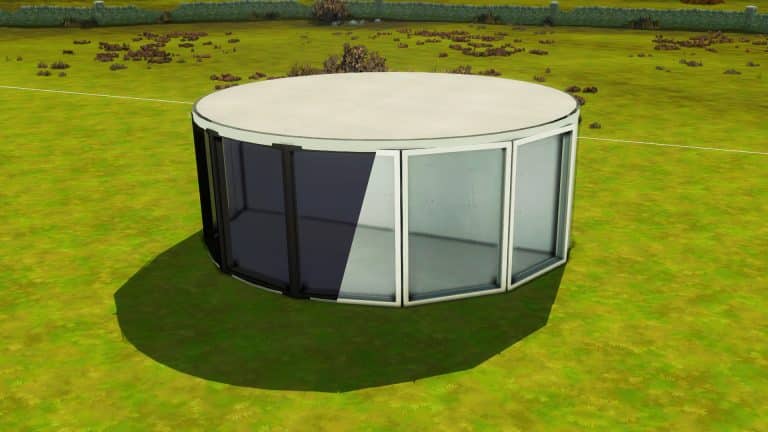
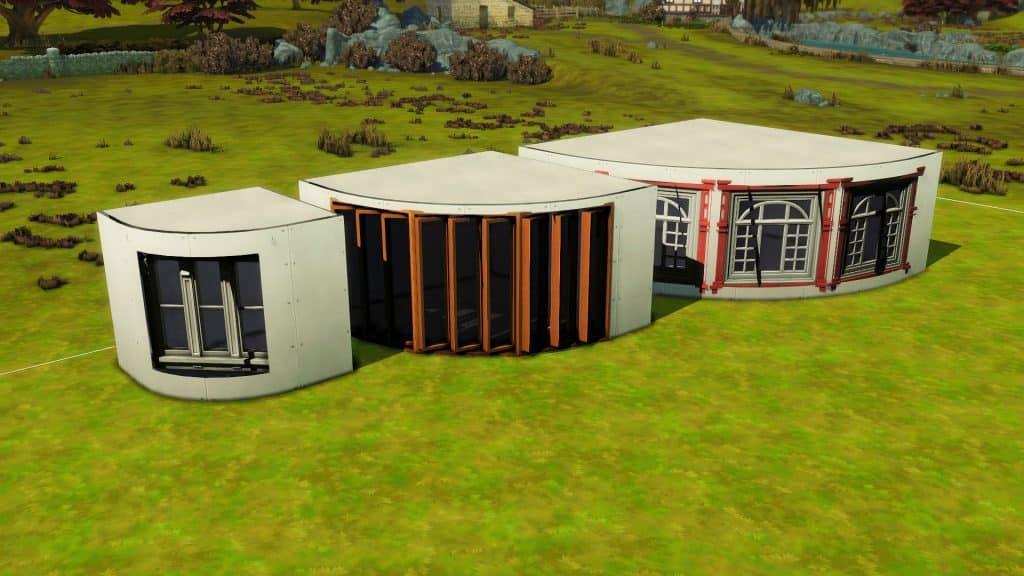
One of the biggest features of this new patch was curved walls. But, when people started experimenting with them and building unique structures, they started to find problems with them. There are holes in the ceilings and sometimes the floors, problems with putting curved walls inside, and even difficulties stacking round rooms asymetrically.
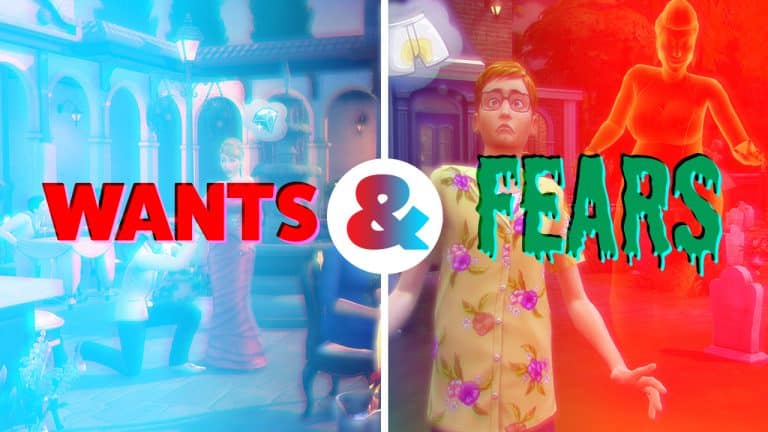
Another major problem in the patch was with the Wants and Fears system. Sims with families now have wants to date other family members. It’s definitely disturbing to have your Sims randomly do this and hopefully, they will be able to fix this soon!
Celebrities can be annoying, but what’s more annoying is when everyone randomly becomes a celebrity. These sims are not permanently celebrities, but having everyone become Global Superstars is a bit frustrating. Especially when it’s a cat.
The aging bug is the most problematic of all bugs listed so far. Playing on long lifespan especially can cause extra days to be added to your Sims’ ages every time you enter and exit CAS. This error is so bad that EA had been warning about it and we are thankful for that.
Some other bugs include: when traveling, the Sim selection is now greyed out except for Sims in your neighborhood, Sims reset while live streaming, and Sims can’t retire. Carl created a mod to fix the Sims’ Retirement bug and you can find it here.
High School Years EP Bugs
Even the launch of High School Years started badly. People weren’t able to download the Expansion pack because of an Origin outage. But, there are also bugs inside the pack as well!
This seems to be an installation bug, possibly through Steam, where people don’t have words in their game. There is no official fix for this bug, unfortunately. You can try repairing your game.
Screenshot Courtesy of Mira♡Mira
How to Repair Your Game
Steam: Right-click your game icon, and click properties. Select the local files tab. Then, choose verify the integrity of game files. EA Desktop: Right-click your game and choose Repair. Origin: Right-click your game and choose Repair.
Another bug is that two Copperdales are showing up on the map. This has happened with previous releases, including The Sims 4 Werewolves.
To fix this error, you need to:
Make sure you back up the save file. Always do this before making major changes to your game.
Load the save game and upload all the families and builds you want to keep in the affected world to your library. Do not have to worry about premade families, they will be automatically added back unless you altered the Sims. If you changed the premade families, then you’ll need to upload them as well.
Disable or uninstall the pack. We recommend disabling it using James Turner’s Pack Disable Tool. To use this, click on the packs you do not want in your game, then copy the code at the top. In Origin, right-click your game and choose Properties. Click Advanced Options, then paste it into the text box called Command Line Arguments.
Load the save. There will be an error message saying that data is missing. Don’t worry that the world is grey.
Click Save As with a new name.
Close the game
Install or Delete the line you pasted into Command Line Arguments
Open your save and there should only be one world.
You will need to put down all your previously edited sims and builds from that world that you saved to your library.
Other High School Bugs
A couple of other bugs with the High school Years pack include clicking on a child’s relationship in the relationship panel contributes to the Social Butterfly aspiration goal to Meet 5 Sims, scheduling problems between multiple high school-related activities, and Sims DM’ing themselves.
Screenshot Courtesy of SailorEffinMoonScreenshot Courtesy of TsukichildScreenshot Courtesy of TsukichildScreenshot Courtesy of Tsukichild
What other bugs have you noticed in your game? You can share your screenshots and issues below.
The program received an Update with Additional Options and Features
The Sims 4 Studio has just received an Update for the latest Patch Drop.
There’s not a lot to talk or share. Get your fix straight away!
Studio updates for High School Years
Hi all, both versions of Studio are updated for High School Years & the associated patch. Additionally, both versions have been optimized to better handle files with large LRLE images; this improvement should eliminate the Out Of Memory error that was occurring when working with certain CAS packages.
The Sims 4 High School Years Expansion Pack has just been released. And yeah, the launch at the moment isn’t going the best. Both for High School Years as a Pack and The Sims 4 Base Game.
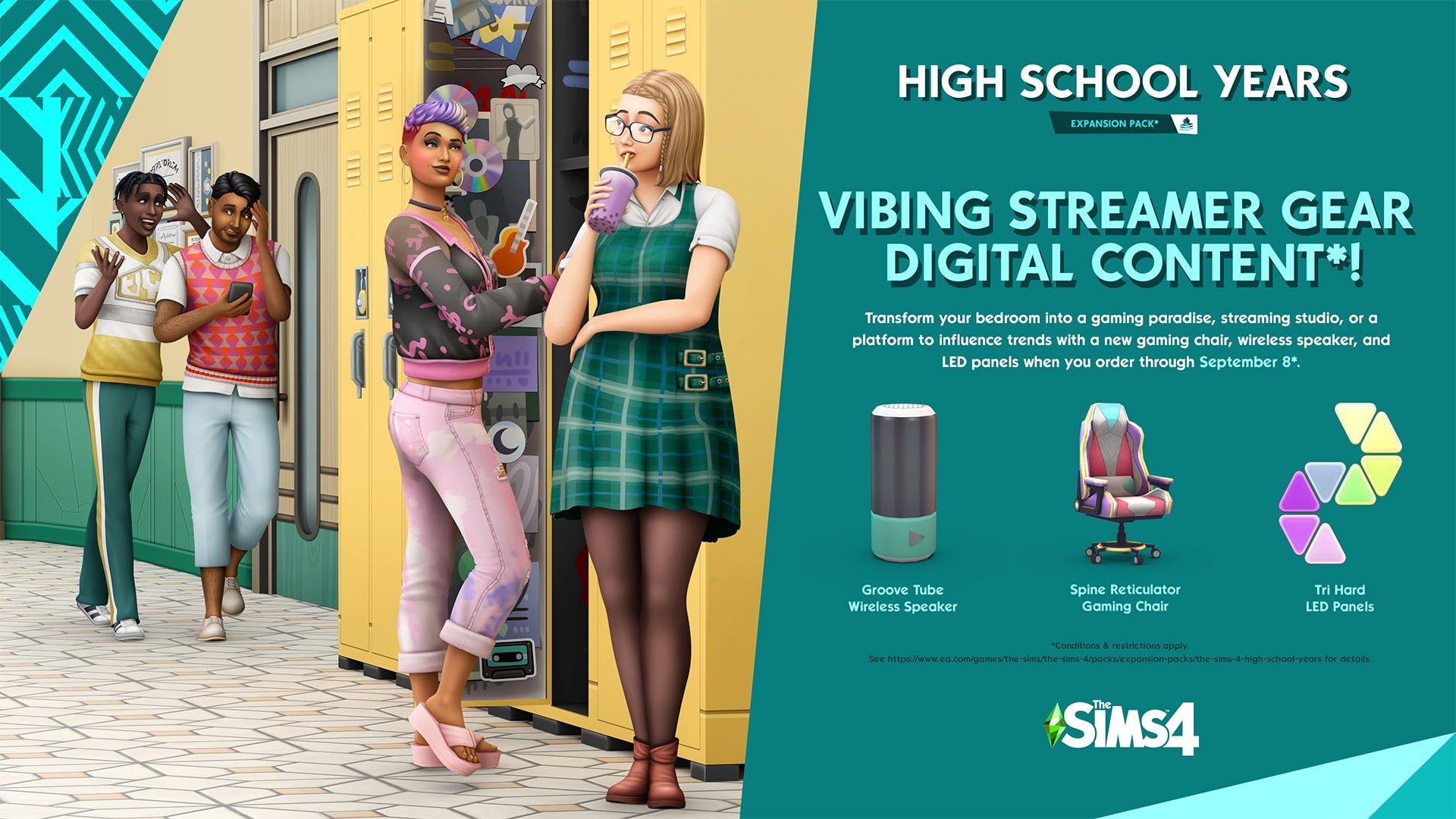
Another issue that players have started reporting shortly after the release that the Vibing Streamer Gear Digital Content is not showing up.
If you Pre-Order The Sims 4 High School Years (or now, Order it) by September 8th, you’ll get the following content:
However, there’s just one issue. It’s not showing up in the game.
The issue has been acknowledged by EA Help:
Hey Simmers! We're looking into issues with The Sims 4 High School Years pre-order bonus not showing up in-game. We'll share more info as we know more.
Just a few hours after the release of The Sims 4 High School Years, EA is already putting up banners for the next big thing.
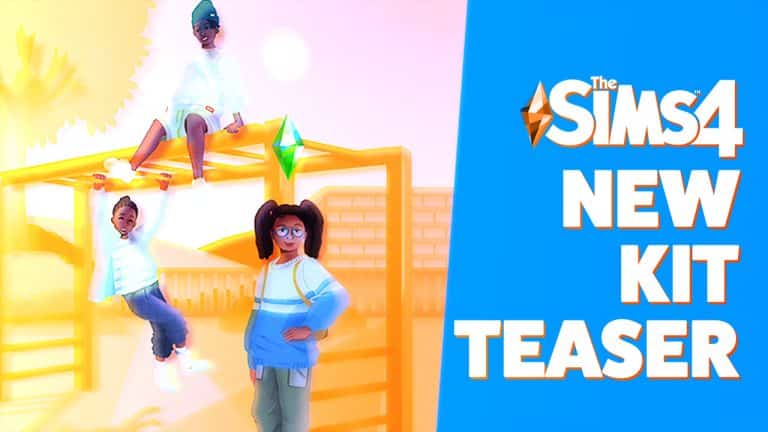
The Sims 4 Main Menu has received a brand new image promotional banner, as pointed out by a Sims 4 player. The confusing part is that along with the new image, the text itself promotes The Sims 4 High School Years. Not the actual content shown.
We managed to extract the image in its full resolution!
If we consider that these are Children wearing new Clothes in the graphic style of The Sims 4 Kits. Yeah, this is the next Kit for The Sims 4!
Fast forward to today, just 2 and a half hours after the release of the Sims 4 High School Years, we have an already updated mod.
The Sims 4 Mod Venue Changes is a Mod that accompanies many upgrades to previous The Sims 4 Venue limitations. Now updated with High School Years!
Check out what’s new and included:
This mod alters which venues are available when building in The Sims 4.
Makes modded venue types available.
Makes world-specific venue types available in all worlds.
Allows you to change the type of special lots like Chalet Gardens and Myshuno Meadows.
High School Years Update
With the release of High School Years, Venue Changes lets you change the locations of the High School and Auditorium to different lots. This is simple to do:
Edit the lot you want to turn into a High School (or Auditorium). Build the lot or place one from the gallery, then set the lot type to High School or Auditorium.
Edit the original High School (or Auditorium) and change the lot type to something different. This will ensure Sims are only ever sent to the new high school lot, never the original.
PLEASE NOTE: This only changes the location of the school event. It is not currently possible to change the location of the festivals – those will always take place in the open area behind the original lot.
Currently, the mod is only designed for one High School and Auditorium per save. If you have multiple, the game will just select a random one every time it sends you. This is why it’s so important to change the lot types of the original lots!
In addition to making it possible to move the High School and Auditorium, this update also enables those lots for club gatherings!
Known Issues
If you don’t have certain packs installed, there will be venues with blank text on the list. These can be safely ignored, they shouldn’t cause problems as long as you don’t set any lots to them.
Are you ready to try it out yourself? Get The Sims 4 Mod Venue Changes by pressing the download button below!
I don’t need to say more or? She got this whim after I loaded the family, Eric is her SON!
Yeah…
The issue has been confirmed by a SimGuru. With a promise that it will be resolved soon:
I just wanted to acknowledge that the Want to date a family member is something we know about, we’ve reproduced ourselves, we’re working on it. We’re looking to get it fixed ASAP, thanks for all the bug reports, we appreciate it. We’re of course working on the aging bug too.
Incest isn’t the only current issue with The Sims 4. There is also Auto-Aging, and more huge issues reported with the game recently that we are covering at the moment.
Hopefully the game gets back on track very soon.
Please remember to keep the conversations fair and constructive. Thank you!
We are already ready to do some coverage on the latest Expansion Pack. Stick around and find out what we have to say about the latest Expansion Pack, along with Guides, Tips, Reviews and more!
Pre-Order Bonus for The Sims 4 High School Years
If you Pre-Order The Sims 4 High School Years by September 8th you get exclusive access to 3 items in the game! MORE INFO HERE
Do you plan on getting the latest Expansion Pack? Join in the conversation!
It’s been confirmed that Wants and Fears completely ignore 8 years of previous content.
Before we begin with this article we’d like to remind you to respect and be constructive towards other players, developers, authors and people. Thank you! <3
Wants and Fears are finally here to The Sims 4! The latest update for the Base Game added so many things, on top of which are Wants and Fears which first have been introduced with The Sims 2.
Many players, including myself, have been wanting to get my hands on this Feature. Especially with the name of the feature “Wants and Fears” which has been taken from TS2, you’d think that the Feature will meet at least some of the players expectations.
SnarkyWitch wrote a whole Guide on Wants & Fears in The Sims 4 if you want to learn all about the Feature and what it brings!
When I was looking at the tuning files for the fears, I did notice some pack integration. For example, vampires are less likely to develop a fear of the dark, and Sims with the Paranoid trait from StrangerVille are more likely to develop a fear of being cheated on. It would be nice to have fears exclusive to packs, though, such as a fear of falling (Snowy Escape) or a fear of The Mother (StrangerVille).
However, that’s about it. This Base Game Feature has been further clarified by SimGuruGeorge. He confirmed that Wants and Fears will NOT work retroactively, only current Base Game Wants & Fears, as well as High School Years Wants and Fears. Previous Expansion Packs, Game Packs, Stuff Packs (and even Kits if we count in the Dirt System) DO NOT have specific Wants and Fears.
While creating High School Years we focused on that pack and adding previous base game content with the time we had.
Future packs and updates could add more where it makes sense.
There could be a promise for future Pack releases and new features coming through future Update. Emphasis on could.
The feature that many thought would be the return of a good gameplay system turns out to completely ignore 8 years of content for The Sims 4. Personally, I am very disappointed in this decision.
Powerful new tools to control who your Sim is and is not interested in being intimate with!
In yesterday’s free base game update, players got several big new features, including a new sexual orientation feature in CAS! This new tool will allow you to control who your Sims are and aren’t interested in both romantically and sexually. These settings will determine how that Sim interacts with others during gameplay.
CAS
Deciding your Sim’s sexual orientation begins in CAS. Open up the gender settings to see a new tab to the right called Sexual Orientation. Click that tab to be presented with options regarding your Sim’s preferences.
By default, all Sims you create will have the same settings that Sims always operated on previously; they will be interested in anyone and willing to explore sexual and romantic options with anyone. You can keep these settings if you like, but if you’d like to customize these preferences further, you now have the freedom to do so.
The menu is broken down into the following categories:
This Sim is romantically attracted to:
Men
Women
This Sim is exploring romantically
Yes
No
This Sim is interested in WooHoo with:
Men
Women
You can select one, both, or no genders for all options. Separating romantic attraction from sexual attraction allows players to create more diverse Sims. These settings will allow you to create Sims across a wide range of sexual orientations, including asexual and aromantic Sims.
The Yes/No option for whether your Sim is exploring romantically will determine whether or not they’ll reject romantic advancements from Sims who do not fit their preferences. If you select Yes, your Sim may be open to romance with Sims who do not match their preference settings. If you select No, your Sim will always reject romantic interactions from Sims they don’t have a preference for.
Gameplay
You’ll see these settings take effect in Live Mode as you play and begin interacting with other Sims. If you are on friendly enough terms with another Sim, you can ask them about their WooHoo preferences and their Romantic preferences under the Romance social tab. Make sure you are quite close with that Sim, first! Most Sims won’t feel comfortable discussing their sexual orientation with an acquaintance.
When you ask about a Sim’s Romantic preferences, they’ll also tell you whether their preferences are set in stone or whether they’re open to exploring different options.
Once you’ve discovered a Sim’s Romance and WooHoo preferences, you’ll be able to see that information in their Sim profile under the new Sexual Orientation tab. An icon next to their portrait tells you whether they are open to exploring different preferences or not.
You might be wondering how it’s possible to pursue WooHoo with Sims without first building up a romantic relationship. Well, there is a new interaction under the Friendly social category called Ask to be WooHoo Partners. If two Sims are good enough friends with each other, they can Ask to be WooHoo Partners without needing to have a pre-existing romantic relationship. WooHoo Partners will be able to WooHoo (or Mess Around for Teens) but will not gain Romance points from doing so and won’t be in any kind of committed relationship.
Other Notes
The Sims Team acknowledges the issues around making sexual orientation binary and have promised that this feature is still being worked on and added to in order to make it even more inclusive in the future.
The Sims Team did not go back and adjust the sexual orientation of all the pre-existing households. They are all still pansexual by default but the player can change this themselves if they want to.
Sexual Orientation is not a feature that can be opted out of. You can’t turn it off, just like you can’t turn off someone’s sexual orientation in real life. However, as previously mentioned, Sims will continue to act the way they always have if you choose not to customize the default settings.
While we did find this new feature quite powerful, we also ran into a couple issues with it. Most notably, WooHoo Partners still get jealous and gain the Furious About Cheating sentiment if they catch their WooHoo Partner being intimate with someone else. This seems to defeat the entire point of a no-strings, no-commitment sexual relationship in the first place.
New Features to the Game that you possibly missed out!
Yesterday’s free base game update added a lot of big changes, like Sexual Orientation and Wants and Fears, but The Sims Team has snuck in quite a few smaller additions they didn’t mention. These smaller game additions might not be immediately obvious, so we wanted to point them out to our readers!
Sim Profiles Now Show High School Education
Previously, the Education tab was exclusive to the Discover University expansion and only displayed which university degrees your Sims had completed. This tab is now in the base game and displays your Sim’s high school education. This is likely due to the fact that teens are no longer guaranteed to graduate high school.
Video Calls Have Been Added to the Phone
It might have been easy to miss, but we noticed a new video call interaction on the phone! Video chats are becoming a lot more commonplace than phone calls so this feels like a fresh, contemporary addition to the phone.
Sims Can Sit on the Ground
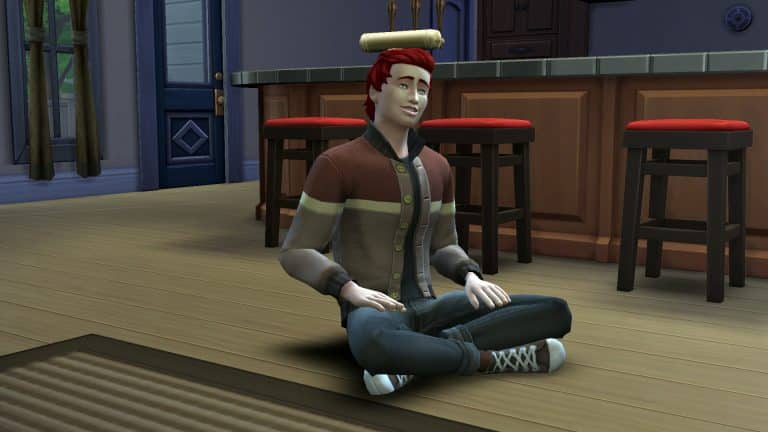
Apparently, this isn’t exclusive to High School Years! The base game now allows your Sims to sit cross-legged on the floor via a self-interaction.
Build/Buy Has a Lock Icon on Reward Items
Certain reward objects in the Build/Buy catalogue have always had a greyed out background to indicate they are locked but it appears there is also a tiny lock symbol in the centre of these object icons in the catalogue to make it more obvious that they need to be unlocked through gameplay.
The Phone Has New Selfie Poses
There are a few new selfie poses on the phone camera! We’re happy this wasn’t exclusive to the new expansion because the same three poses we had before were getting very stale.
The latest Expansion Pack is releasing to PC and Consoles VERY Soon. Find out EXACTLY when!
It’s been a year since The Sims 4 had an Expansion Pack release. But here we are – it’s finally time for another big EP release!
Now hold on, before we get to the Countdown, it’s worth noting that The Sims 4 Base Game is in a critical condition with its Auto-Aging Issue. Don’t worry, there’s an Official Workaround for it! However, will The Sims Team be able to deliver the newest Expansion Pack AND fix the critical issue? We’ll just have to wait and see. Stick around!
The Sims 4 Expansion Packs have a new form of rolling out Packs. Just a year and some months ago there would be staggered release on a Friday. However, the High School Years Expansion Pack is different (just like with Cottage Living) and will be released on a Thursday. July 28th at 7PM CET / 10AM PT / 6PM BT. Wait, was that too many time zones?
Let us simplify with a handy countdown!
PC & Console Worldwide Release
[janky target_time=”1659027600″ color=”#0aa6b6″]
The Sims 4 High School Years is retailed at $39.99USD, or a price similar to your local currency. The Expansion is hitting both digital and retail shelves. The official links will be posted here after the release of the Pack!
Pre-Order Bonus for The Sims 4 High School Years
If you Pre-Order The Sims 4 High School Years by September 8th you get exclusive access to 3 items in the game! MORE INFO HERE
Our Team is getting ready for the big coverage of Articles, Overviews, Guides and Reviews for High School Years. You’ll be the first to know the ins and outs of this Expansion Pack, so stay tuned!
Are you excited (or not) about the upcoming Expansion Pack release? Let us know and join the Conversation!
Round Walls are here. And so are the first version glitches!
Round walls are officially in the Sims 4!
The latest base game patch just gave us three sizes of curved walls that work similarly to the round floor pieces that we already have in-game. Most windows and doors that we already have will fit flawlessly to these curves, especially one-tiled build items.
There’s just one (not so) teeny tiny problem…this:
With the move objects cheat on, some two-tiled and three-tiled windows dim out when placed on a tight curve. It’s because most of the window is technically indoors. If you add lights inside, the same lighting will apply to the window outside. And we hate when objects have the wrong lighting.
Fret not, builders! With some patience and skill, we have three fixes to this annoying bug. Each fix depends on what building tools you’d want to use that are available in your game!
#1 Fix: Add lights outside
It’s simple and fast: just add a light right outside the dark window. You can grab the small saucer ceiling light from Base game and size it down with the ’[’ key. Or you can integrate outdoor lights into the exterior design of your build.
But out of all these fixes, this is the least recommended one because the lighting gets weird and uneven throughout the day. Also, it’s still kinda obvious your windows are not lit outdoors.
Fixed windows during the morning, afternoon, evening, and night
#2 Fix: Double up your windows
After putting a window on a curved wall, add another one of the same kind right on top of it. Now delete the curved wall and any nearby walls by clicking on it and selecting ‘Remove Wall’.
With the Alt key, grab one of the windows and drag it slightly away from the outline of the room. When you add back the curved wall, make sure this window will have outdoor lighting.
If you’re wondering why can’t you just have one window, it’s because this will happen. Once you drag away the window and put back the wall, there would be no cutout on the wall. You need one window on the wall to make a cutout and one outside to have outdoor lighting.
Using two windows vs using only one window
This fix may be the most tedious (and expensive) fix but it works better than the first!
#3 Fix: Use the TOOL mod
If you don’t want bad lighting and doubled windows, the TOOL mod is the best way to go if you have it. Toggle the dark window with TOOL until it turns into a translucent green. While holding Alt, click somewhere outside not too far from the room. This will slowly drag your window away from the room until it is properly lit. Click on the window again to release the toggle.
This is how it would turn out!
Three fixes, one goal: we just want our windows to be normal.
A breakdown of the new Wants and Fears system, plus every Fear, how to trigger them, and how to overcome them!
The Sims 4 got a huge content update yesterday, adding plenty of new features to the base game. One of the biggest features all Sims 4 players got for free today was a new Wants and Fears system. The Wants and Fears system is a replacement for the now-abandoned Whims system, which was for the most part, random and entirely pointless. Wants are now more in line with your Sim’s personality and Fears are developed over time through gameplay. Unlike past Sims games, Sims can overcome their Fears by facing them head-on.
So let’s get into Wants and Fears!
Wants
Sims now have a set of Wants that are much more intuitive and better based on each Sim’s unique personality. Sims can have up to three Wants at a time; one long-term Want, one short-term Want, and one reactionary Want.
Long-term Wants are things that take some time to achieve. These Wants don’t change as often as the other Wants. Short-term Wants are things that can be done quickly, like making a phone call or chatting with someone. Short-term Wants may change more often. Reactionary Wants are based on what your Sim is currently doing. For example, if your Sim visits the park, they are likely to get a reactionary Want to play chess at the park. If their motives are low, they may get reactionary Wants to solve those motives.
When you complete a Want, your Sim is rewarded with satisfaction points to spend in the rewards store. In this respect, Wants are very similar to Whims, except Wants are a lot smarter than Whims. You won’t be rolling a lot of Wants for things that are completely unrelated to your Sim’s personality or lifestyle but that doesn’t mean you’ll never be surprised by a new Want! We noticed that our Sims would sometimes roll Wants to flirt with Sims they are merely acquaintances with; no pre-existing romantic relationship was needed to roll this Want. This is something that wouldn’t happen before and opens up new stories and gameplay for you that you might not have planned. Of course, if flirting with the mailman isn’t something you want to do, you can always ignore that Want.
Wants cannot be clicked away like Whims could, so there’s a bit of a gameplay challenge there, but don’t worry about getting stuck with the same Want forever; they can and do change on their own. You can also complete a Want to get rid of it and make room for a new one. Wants can be pinned so if your Sim rolls a Want you really want to complete but don’t have time for right now, click the pin button on it to lock it in. Pinned Wants won’t disappear until you complete them. Don’t worry if you can’t complete a Want; the only penalty we saw for not fulfilling Wants is developing a Fear of Unfulfilled Dreams, which can be overcome!
That brings us to Fears…
Fears
While Wants are a big improvement over Whims, Fears are brand new to The Sims 4 and are better than Fears from previous The Sims titles. Those who remember Fears from The Sims 2 will know that Sims had a set of Fears alongside a set of Wants but there wasn’t a whole lot you could do about your Sim’s Fears except avoid them.
Now, Sims don’t start out with Fears. Instead, they develop them over time through lived experiences. If your Sim experiences a house fire, they may develop a fear of fire. Sims in relationships may develop a fear of being cheated on. Fears display as traits in your Sim’s info panel. Hovering over that trait will explain the Fear in more detail and offer a tip on how your Sim might be able to overcome it.
Some Sims are more or less likely to develop certain Fears than others. For example, Sims with the Jealous, Paranoid, and Commitment Issues traits will be more likely to develop the Fear of Being Cheated On. Sims who have the Gloomy and Brave traits, or Sims who are vampires will not develop a Fear of the Dark.
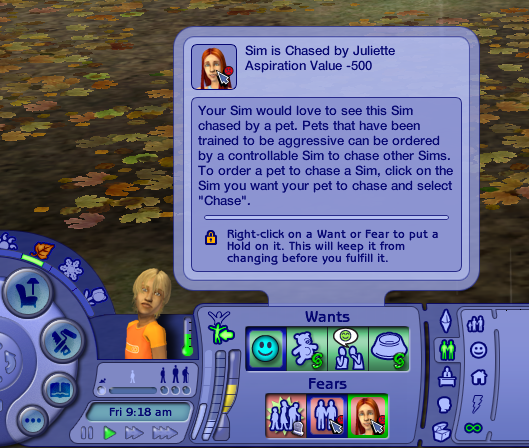
If your Sim currently has a Fear, you may see a fourth “Want” pop up next to their other three Wants. This one will have a jagged outline. This means that your Sim wants to do something to try and get over their fear. Hover over it for details on how your Sim can try to face their Fear and ultimately overcome it.
Our Sim was afraid of being cheated on and wanted to Discuss Relationship Fears with her boyfriend to try and ease her anxieties about him cheating. We decided to be a little mean, however, and chose to have her walk in on him WooHooing with someone else, instead. Because her worst fear actually came true, she was slapped with a very powerful Angry moodlet. Since she had already witnessed him cheating on her and was furious with him, when we tried to have her overcome the Fear by Discussing Relationship Fears, the conversation didn’t go well and they both got Angry moodlets.
However, if your Sims do successfully confront what they’re afraid of, they will no longer have that Fear. Confronting your Fears is a good way to get rid of a particularly annoying Fear that’s getting on your nerves in gameplay.
List of All Fears
Thanks to our junior writer, @thatsimslady digging through the tuning files for us, we have a list of every new Fear, how to obtain it, and how to overcome it!
Keep in mind that the listed triggers are only potential triggers. There’s a chance your Sim may develop a fear after experiencing a fear trigger but there’s a chance they might not. Other factors like your Sim’s traits will influence how likely your Sims are to gain certain Fears.
All Fears are for the base game but there will be new Fears related to High School Years that will come with the expansion.
[table id=106 /]
Hate this new feature for whatever reason? No problem. Just disable them in the Game Options under the Gameplay tab!