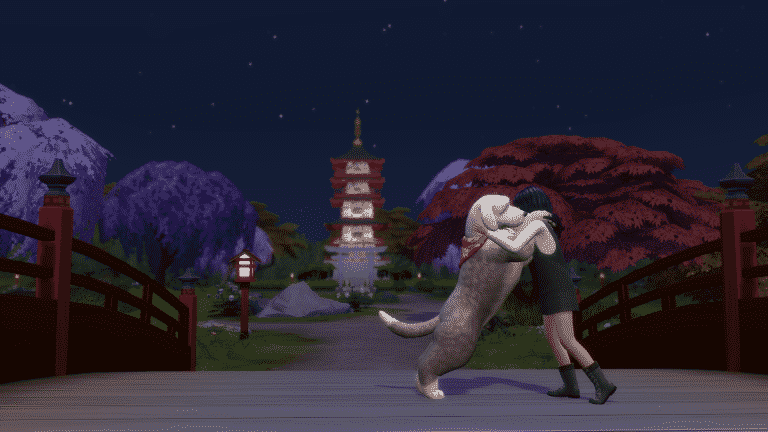
It’s finally here! The hot fix update that solves all your crashing issues on PC, Mac and PS4 / Xbox One has begun rolling out. It’s currently available for download on PC and Mac and will begin rolling out very soon on Consoles as well.
To download the latest version of The Sims 4, simply open your Origin program and if the game doesn’t update automatically, right click on The Sims 4 and select ”Update”.
In case you have Mods or Custom Content, the game will automatically disable them for you after first launching The Sims 4 after the update. To re-enable all your Mods and Custom Content, select the Settings option in the Menu and select Settings. Under the”Other” section you’ll find the ”Enable Custom Content and Mods” option. Check it and restart your game in order for it to take effect!
Patch Notes
PC: 1.68.156.1020 / Mac: 1.68.156.1220
Console: Version: 1.34
This update addresses the pesky crashes that cropped up with the previous update. If you used the audio workaround , please remember to undo that so you can enjoy the game in all its audible glory.
This update also resolves the PC problem where attempting to purchase packs from the main menu resulted in an Origin error.
Thank you as always for your reports and assistance in tracking down these issues.
The Sims 4 Snowy Escape Expansion Pack comes loaded with new gameplay elements and normally with them also come cheats that help you progress through such features!
Down below we’ve listed all the cheats uncovered from the pack including Skill Cheats, Career Cheats, Trait Cheats, Lifestyle Cheats, Death Cheats and more!
However, PLEASE NOTE: Most of these cheats only work if you’ve enabled the testingcheats true cheat first! You can access the cheats console by pressing CTRL + SHIFT + C or by pressing L1 + L2 + R1 + R1 (PS4) / LT + LB + RT + RB (Xbox One).
You can check out how to apply the Sims 4 Snowy Escape Cheats below in our video walkthrough:
Skill Cheats
Down below are cheats for the new Skills that come with the pack. Please note that you can change the last segment of each cheat listed below and change it to the value from 1 to 10, depending on which skill you want to level up to.
Rock Climbing Skill – stats.set_skill_level major_rockclimbing 10
Snowy Escape Career Cheats
Get promoted in the new Salaryperson Career! If you want to demote your Sim in the new career simply change the value from careers.promote to careers.demote.
Salaryperson Career – careers.promote corporateworker
Create A Sim Unlockable Clothing
Snowy Escape comes with new CAS Clothing that’s exclusive through certain activities, skills and the new career. If you want to unlock all of the CAS content from Snowy Escape simply use the following cheat:
cas.unlockbytag EP10
Sims 4 Snowy Escape Lifestyle Cheats
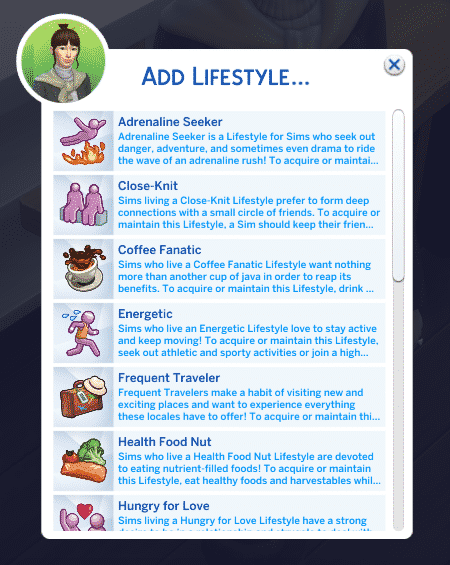
You can easily apply any Lifestyle of your choice immediately to your selected Sim without using the cheat console! If you’ve already enabled the testingcheats true cheat, you can then Shift Click your Sim > Cheat Sim Info > Add Lifestyle. If you already have a Lifestyle that you want to get rid of right away you’ll also have a “Remove Lifestyle” option available.
From the Lifestyles menu you’ll be able to select any Lifestyle of your choice and apply it to your Sim! Be wary of the 3 lifestyles only limit as adding up more might result in your game breaking.
Trait Cheats
There are various new Traits that you can unlock through gameplay. You’ll easily be able to obtain these traits by applying the following cheats:
Just like any video game and DLC, The Sims 4 Snowy Escape went through various different production stages and features that have been considered and added to the game. However, various different reasons during the game’s development may lead to reconsidering such features – whether it’s from community feedback or just coming to conclusion that a certain feature just doesn’t fit in.
After playing The Sims 4 Snowy Escape I’ve noticed there have been a few things modified compared to the Snowy Escape Early Alpha version that I played a few weeks ago thanks to the EA Game Changers program. Here are some of the features that some community members and I’ve noticed that have been changed and / or removed from the final version of The Sims 4 Snowy Escape!
New Roof Trim
During the very early production stages of The Sims 4 Snowy Escape, The Sims Team considered adding a new roof brick trim. You can check out what it looked like below:
This image was uncovered by the community from one of the EA Game Changers’ who had a chance to build the official lots for Mt. Komorebi. As explained by the Game Changers, they would get a new version of Snowy Escape every week or so containing some new objects that they can use on their builds. It seems that the Roof Trim seen above was one of them – but unfortunately it wasn’t included in the final version of the game. There could be several different reasons why the roof trim hasn’t made to the final cut – the texture, not fitting in into the rest of the catalogue or simply because of the fact that it wasn’t really matching completely with the new roof tiles.
Taking Selfies with the Mt. Komorebi Tombstones
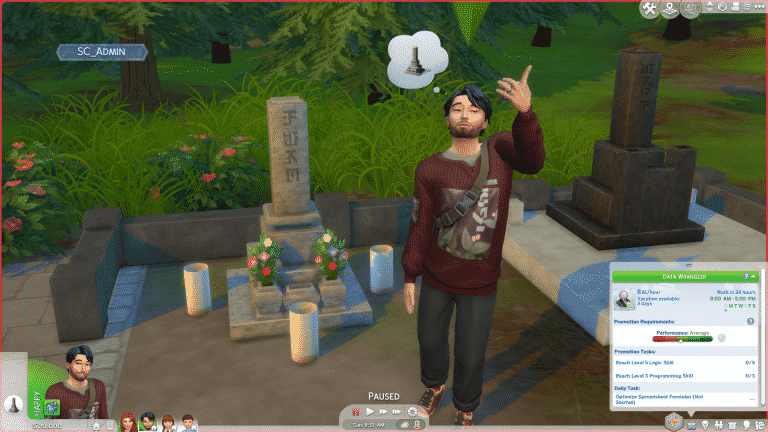
In the Senbamachi neighborhood there’s a graveyard area with two interactable tombstones. Your Sims are also able to take a stop at the graveyard during their hike and view the tombstones. However, during the Early Alpha days I’ve noticed that my Sim had approached one of the tombstones and started taking selfies. That’s when I’ve discovered that there was a whole “Take A Selfie” interaction available on one of the two tombstones.
I really couldn’t believe it at first on why would The Sims Team make a decision to implement an interaction like this, until I’ve noticed that the game itself warned me that this wasn’t the best idea, making my Sim embarassed for acting inappropriately.
Honestly, I liked the whole concept of the “Irresponsible Tourist” that Snowy Escape tried to bring with this feature. It lowkey reminded me of the whole Logan Paul fiasco that happened in early 2018.
However, in the final version of the game your Sims can’t perform this interaction as it’s been completely removed.
Festival of Lights Outfit Modification
In Early Alpha the Festival of Lights outfit had stripes on top of the fan patterns that were scattered throughout the outfit mesh. The stripes had been removed in the final version:
Not sure if this has been mentioned, but I noticed the files for Snowy Escape have both the original and the changed version made after the controversy in the FullBuild and the DeltaBuild. Here’s a comparison of what they both look like. pic.twitter.com/WYcvYICwRQ
The ability to bow in front of the new shrines in Mt. Komorebi has been removed in the final version of the game. The decision of this feature being removed and the Festival of Light outfit modification was announced by SimGuruGraham, just 3 weeks before the pack’s release:
Mountain Excursions are a brand new social event that comes with The Sims 4 Snowy Escape, but these social events are unlike any other social event in the game. Sims must brave the harsh conditions of Mt. Komorebi in an epic quest to reach the summit; failing could mean certain death! It’s important to prepare for these excursions with plenty of practice, food, and knowledge of the conditions on the mountain to ensure a successful expedition.
Preparation is Key
Before you even think about starting an excursion, you’ll want to make sure your Sim’s Rock Climbing Skill is up-to-snuff. We recommend having a Rock Climbing Skill of at least level 9 before embarking on an excursion. This will ensure that your Sim can complete all of the objectives on the excursion for even the most perilous sections of the journey.
Next, don’t forget your Rock Climbing Gear! It could save your life on the excursion! Purchase Rock Climbing Gear from a computer and equip it from your Sim’s inventory. Make sure it’s in tip-top shape and do any maintenance or repairs it needs before you set off.
Supplies like tents and food are also a must. Purchase a tent from Build/Buy and put it in your Sim’s inventory to take it with you on the mountain. If your Sim is at least level 7 of the Rock Climbing Skill, they can craft Energy Bars that will help them keep up their strength on the long and difficult journey. Make sure you bring some apples and cherries to make them! You can also use blackberries and strawberries to make Protein Bars if your Sim is at level 9 of the Rock Climbing Skill.
Finally, do your research about the conditions you’ll be facing. You can check the conditions on Mt. Komorebi by looking at any information board; there is one in Yukimatsu at the base of the big slopes you can consult. Don’t be lulled into a false sense of security; just because weather conditions look good when you first arrive in Yukimatsu, that doesn’t necessarily mean it will be that way further up the mountain. You could run into a sudden thundersnow storm midway to the summit!
Beginning Your Mountain Excursion
To start a Mountain Excursion, use the Social Event option under the Social tab on your Sim’s cell phone. Unlike other social events, goals are not optional for Mountain Excursions; you will always be forced to choose a goaled event. Select your Sim to be the team leader and at least one other Sim to be a team member to get your excursion started.
Once the excursion begins, you’ll be presented with a series of goals to complete in order to move on to the next area of the excursion. Your team must earn at least a silver medal in order to unlock the next area of the mountain to advance to. Can your Sims brave potentially deadly hazards and make it all the way to the summit?
Area 1: Yukimatsu
Main Goal
Gather excursion members near the Trail Map Marker at the top of the Climbing Route.
Other Goals
Check Excursion Leader’s Climbing Readiness
Have a Sim perform any exercise to warm up
Rewards
None
Walkthrough
Your journey begins at the Onsen Bath House in Yukimatsu but the first trail marker is all the way at the top of the hill behind the big slopes. You and your team will have to make your way up the medium height rock wall here to gather at the trail marker. The marker is a small wooden signpost sticking out of the snow at the top of the rock wall.
Your team members should autonomously climb the wall to gather at the marker, but if you’re having trouble corralling everyone in one spot, click on them and select Actions > Add to Group, then click on the ground near the marker and select Go Here Together. Since gathering at the marker is the main goal, this will push the excursion to a silver medal, which will allow you to move on to the next section.
However, if you want to excel and get a gold medal, you’ll have to do some of the other goals listed. I found this was very easy; my Sim autonomously Checked Excursion Leader’s Climbing Readiness when she reached the marker, which pushed the excursion performance to a gold medal without much effort on my part.
Area 2: Mt. Komorebi Base Camp
Main Goal
Gather excursion members near the Trail Map Marker at the top of the Climbing Route.
Other Goals
Inspect Climbing Route Conditions
Climb Up a Rock Wall
Have a Sim rest for at least an hour
Rewards
Mountain climbing t-shirt (Gold Medal in previous area)
Mountain climbing t-shirt. Unlock by reaching Mt. Komorebi Base Camp on a Mountain Climb Excursion at Gold level.
Walkthrough
Base Camp is a good place for your Sims to stop and rest before tackling the most dangerous part of the mountain ahead. There may be a tent already set up in the area for your Sims to take advantage of, but if there isn’t, hopefully you brought one with you, because resting is one of the goals for this area.
First, use a tent to take a nap or sleep if your Sims are very tired. This should complete one of the goals for this area. Then head over to the rock wall in this area. Click the wall to Inspect Climbing Conditions. This is another goal checked off the list. You have an important decision to make here. If conditions are bad and the success odds are low, you may want to stay at Base Camp for a night and wait for better weather. You can choose to push ahead and climb up to the next marker anyway, but it’s risky. Remember, Sims can be injured and even die on these dangerous mountain routes.
Once you’ve made it up the rock wall, all that’s left to do to get a gold medal in this area is to gather at the marker once again. Then move on to the next area.
Area 3: The Croft Icefall
Main Goal
Gather excursion members near the Trail Map Marker at the top of the Climbing Route.
Other Goals
Have a Sim eat something
Have a Sim Climb Courageously
Light a bonfire
Rewards
Group Leader receives Middling Mountaineer reward trait (Silver Medal in previous area)
Group Leader receives Capable Mountaineer reward trait (Gold Medal in previous area)
Walkthrough
This is the most dangerous section of the mountain, but your team is so close to the summit if they’ve made it this far! First, your Sims should take the opportunity to eat something. Hopefully they came prepared with provisions, because this is a goal for this section of the mountain. Then have your Sims warm up by lighting a bonfire. There should already be a wood pile waiting for them to light in this section.
Next comes the scary part; your Sim will have to Climb Courageously up to the top of the tallest rock wall they’ve encountered yet. Your Sim will need to be at level 9 of the Rock Climbing Skill to complete this goal. As expected, making it all the way to the summit of Mt. Komorebi is not for the inexperienced climber! This will be the most dangerous climb of the entire excursion so be on your toes. If weather conditions are bad, or if your Sim is injured or carrying damaged Climbing Gear, you might want to seriously consider camping out until conditions improve. Not doing so could end in tragedy for your team.
Assuming you and your team have made it to the top of the rock wall alive, head further up the path where the trail marker is to gather and complete the main objective, allowing you passage to the summit. There is also a cave along this path your Sims can use for shelter, exploration, and even some romance if they need it.
Area 4: Mt. Komorebi Peak
Main Goal
None! Celebrate!
Other Goals
None! Celebrate!
Rewards
Group Leader receives Capable Mountaineer reward trait (Silver Medal in previous area)
Group Leader receives Expert Mountaineer reward trait (Gold Medal in previous area)
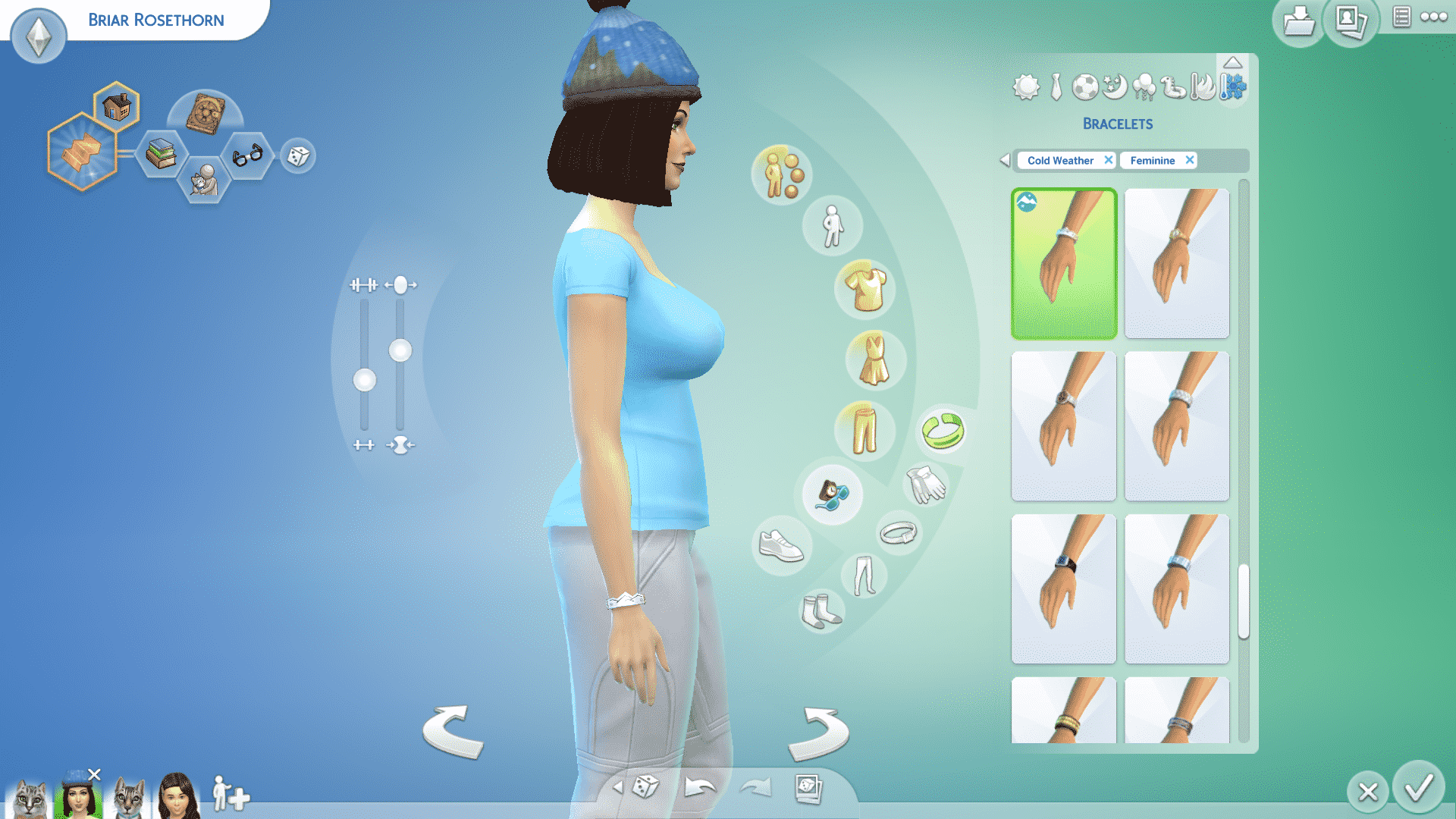
Mountain climbing bracelet (Gold Medal in previous area)
Mountain climbing beanie
Group Leader receives silver wall plaque (Silver Medal in previous area)
Group Leader receives gold wall plaque (Gold Medal in previous area)
Ability to build on the 20×20 lot at the summit
300 simoleons
TS4 x64 2020 11 16 15 01 23
TS4 x64 2020 11 16 15 00 23
TS4 x64 2020 11 16 15 03 48
Walkthrough
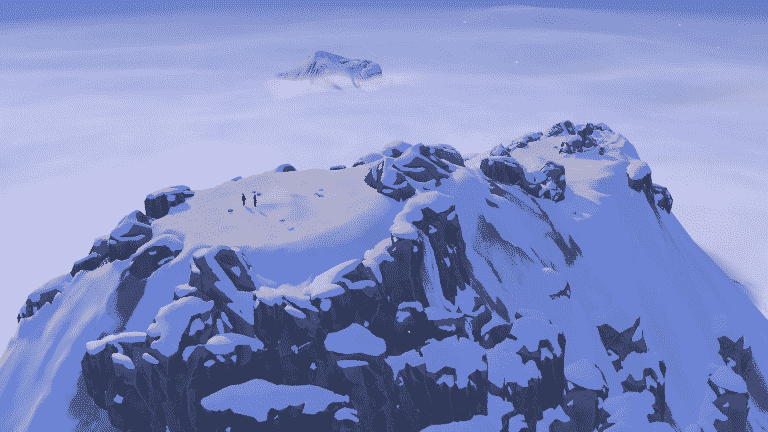
Congratulations! Very few Sims make it to the summit alive, but you and your team have braved the worst of hazards and ultimately prevailed! Your reward? An absolutely breathtaking view high above the clouds (along with a few other goodies).
The best part? There is a 20×20 lot at the summit just waiting for you to build anything your heart desires on it. Perhaps a cozy little mountain cabin for your tired Sims to rest and recharge? Or how about a natural hot spring? Both? It’s completely up to you, but remember; this lot is hidden on the map, so your Sims will need to brave the mountain again on a future excursion in order to pay a second visit.
Fun Fact
If the player owns the Realm of Magic game pack and goes on a Mountain Climb Excursion with a skilled Spellcaster, they can completely bypass a lot of the challenges they might face on the excursion, making it extremely easy to reach the summit. I was able to use the transportalate spell to teleport myself to the top of all the rock walls. My team members completed most of the climbing goals for me, except for the Climb Courageously goal. I was also able to complete the Have a Sim Eat Something goal by casting Delicioso, and fill up my motives as I pleased with plenty of Potions of Plentiful Needs (but if I had run low, I could have cast the Copypasto spell on my last bottle to make as many as I needed).
The Sims 4’s latest update brought lots of new things to the table…including crashes. Many players have reported their game causing weird sound glitches just moments before the game instantly crashes and shuts down. The issue is most persistent among PC and PS4 players, although some Xbox players have also reported that their game crashes.
The Sims Team acknowledged the issue and shared that they’ll be releasing a Hot Fix Update for The Sims 4 sometime this week, but until then there’s a solution that can prevent your game from crashing until the Hot Fix Update arrives.
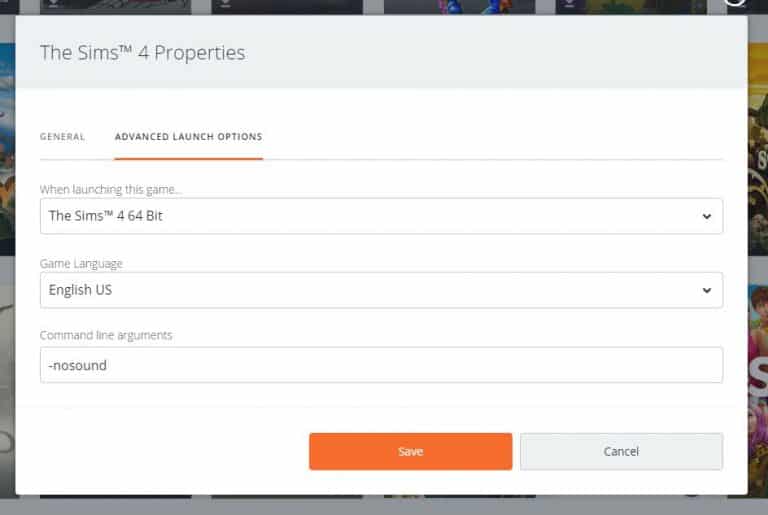
The workaround involves disabling the in-game sound straight from the Game Launcher (Origin and Steam) as well as turning off the sound on your PS4.
Origin (PC/Mac)
Go to “My Game Library”.
Right click on The Sims 4 and select “Game Properties”.
Select the “Advanced Launch Options” tab.
In the “Command line arguments” text field, add -nosound and select “Save”.
Steam
Go to “Library”.
Right click on The Sims 4 and select “Properties”.
Click the “Set Launch Options…” button.
Add -nosound in the text field and click “OK”.
PS4
You can try adjusting the master volume in the Game Options to be 0%. However, this workaround hasn’t been proved as 100% effective for everyone.
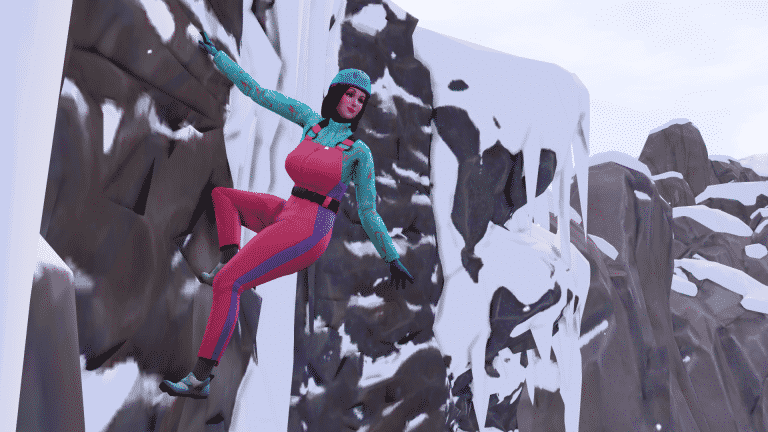
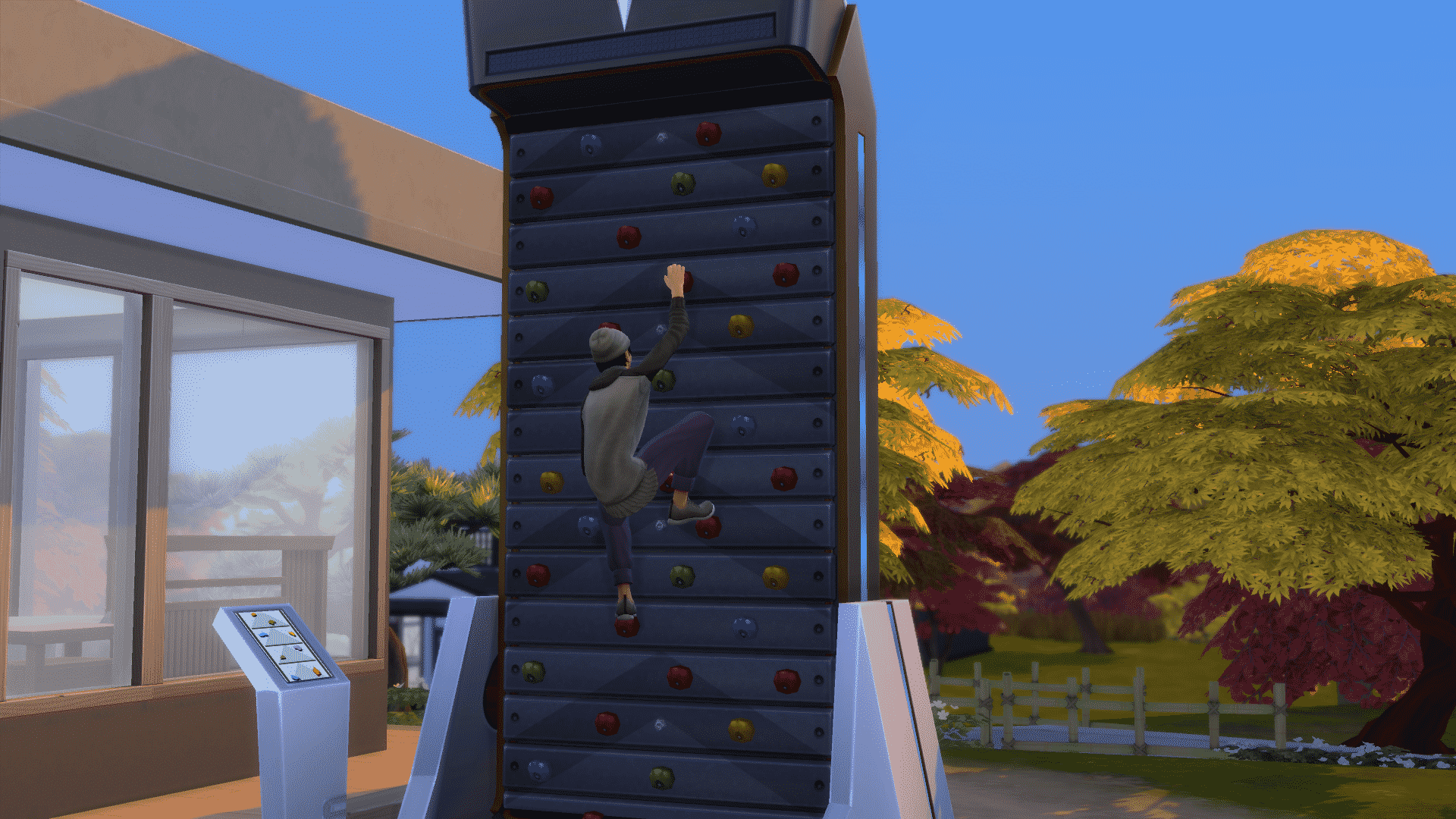
Rock Climbing is a brand new 10 level skill that comes with The Sims 4 Snowy Escape. Sims can rock climb in Mt. Komorebi in the neighbourhood of Yukimatsu, where there are plenty of rock faces just waiting to be conquered. At first, they will only have access to the small rock wall but as they gain more skill, they will be able to tackle taller rock walls and even make it all the way to the peak of Mt. Komorebi by braving its tallest, most dangerous rock walls!
Sims who excel in rock climbing can unlock a new pair of snow goggles and a new climbing suit!
Rock Wall Previews
When you first arrive in Yukimatsu, it can be hard to find a rock wall to climb. The area is so large and I had to spend some time looking around for where I should get started building this skill. Luckily, you won’t have to, because I’ve got all the rock walls and their locations right here for you! Some of the taller rock walls can only be accessed through mountain excursion social events.
TS4 x64 2020 11 16 09 09 58
TS4 x64 2020 11 16 09 10 22
TS4 x64 2020 11 16 09 11 39
TS4 x64 2020 11 16 09 13 23
Come Prepared
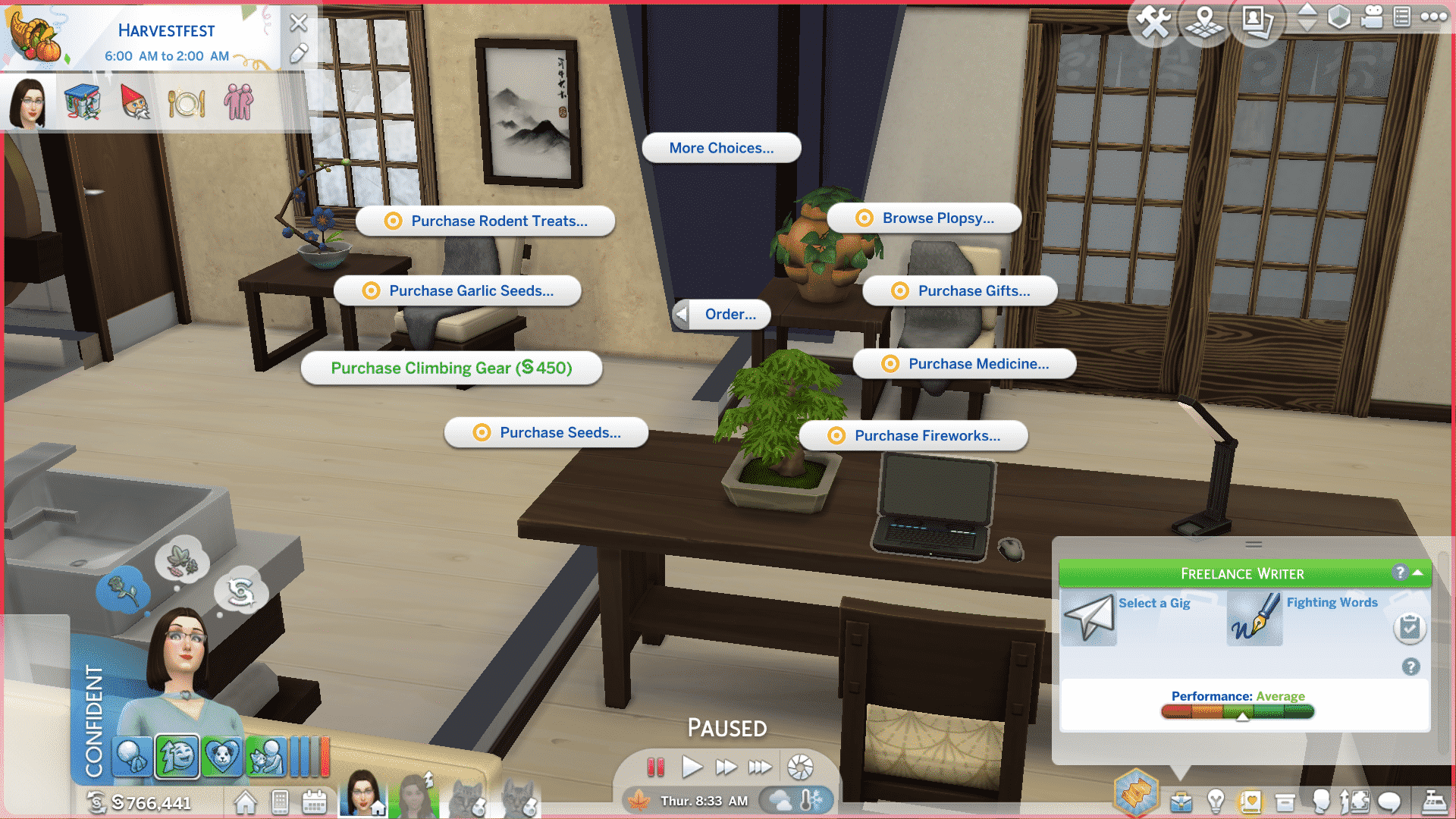
Before you start tackling rock walls, make sure you order some Rock Climbing Gear through the computer. Rock Climbing Gear costs 450 and will greatly increase your Sim’s chances of a successful climb. It doesn’t last forever, though! Rock Climbing Gear becomes worn out and damaged over time. It’s important to keep it maintained and repair it when it breaks. Eventually, not even maintenance and repairs will salvage your Rock Climbing Gear and you’ll have to purchase a new set.
To prolong the life of your Rock Climbing Gear, we recommend checking on its condition after every climb. You can equip/unequip, maintain, and repair your Rock Climbing Gear from your Sim’s inventory by clicking on it. Hovering over the Rock Climbing Gear in your Sim’s inventory will show you its current condition. Equipped Rock Climbing Gear cannot be maintained or repaired. Unequip the Rock Climbing Gear first, then do maintenance and repairs.
TS4 x64 2020 11 15 19 39 21
TS4 x64 2020 11 15 19 40 57
Another way to prepare for a climb is by clicking on any rock wall and choosing Inspect Climbing Conditions. You will be informed of your Sim’s chances of success based on their skill, Rock Climbing Gear condition, the difficulty of the wall, and current weather conditions. If conditions are icy, or if your Sim’s Rock Climbing Gear is in rough shape, it’s smarter to just postpone your climb until conditions improve and your Rock Climbing Gear is in top shape.
Finally, while it might sound counter-intuitive, taking breaks in between climbs can help your Sims perform better on climbs, too. It’s not a good idea to try and grind this skill constantly. Your Sims can become tired and sustain injuries on climbs. Injured Sims have much lower chances of successful climbs; they can even fall to their deaths on tall rock walls! For the best results, take a breather in between climbs and if your Sims are tired, injured, or if conditions are bad, postpone your climb.
Level 1
Can climb Small Rock Walls (Cautious & Normal)
Can Equip and Remove Rock Climbing Gear
Level 2
Can climb Small Rock Walls (Courageous)
Can do Breaking Point Climbing Sessions on Small Rock Walls
New Snow Goggles
Snow Goggles unlocked at Level 2 of the Rock Climbing Skill.
Level 3
Can do Pre-Climb Stretching
Can climb Medium Height Rock Walls (Cautious & Normal)
Level 4
Chalk Hands self-interaction, which improves chances of a successful climb
Can climb Medium Height Rock Walls (Courageous)
Level 5
Can do Breaking Point Climbing Sessions on Medium Height Rock Walls
New climbing suit
Climbing Suit unlocked at Level 5 of the Rock Climbing Skill
Level 6
Can climb Tall Rock Walls (Attempt Climb)
Chat About Beta of a Route interaction
Level 7
Can craft Energy Bars
Can climb Tall Rock Walls (Cautious)
Level 8
Can climb Tall Rock Walls (Normal & Practice Sessions)
PLEASE NOTE: This post contains speculative information and does not contain any official confirmation from EA / The Sims Team.
Since the release of The Sims 4 we’ve goten a lot of improvements and updates that were definitely needed for the game. The last life stage update we’ve gotten was in January 2017 when we finally got Toddlers – a fully fleshed out life stage that pretty much surprised everyone because for a long time it was thought that adding a whole new life stage to the game just wasn’t possible. After the update it was certain what needed to be improved next – the Baby life stage.
You’ve probably played with them already in the game and noticed there isn’t much to do with them considering they are basically “objects” since they’re locked to the baby bassinet. The community wasn’t shy to let The Sims Team know that they’re worthy of an improvement and making them more than just an object.
Although it’s not known officially that The Sims Team would update the Baby lifestage they’ve definitely acknowledged the community’s demand for their improvement in numerous occassions, tweets and even official blog posts. Now, it seems there’s actual evidence that The Sims Team is doing something for this lifestage!
Modder @RAVASHEENCC has uncovered a new portion of game code that’s been added to the game since the latest Sims 4 update. The game code is “used to test the age of a sim for an interaction” and previously the baby tag was never used in this particular coding segment.
After last week’s patch I am seeing something new in the sims tuning/coding – BABY!!! BABIES!!! This ‘test_global’ snippet is used to test the age of a sim for an interaction… and there was never a baby tag before… sooooo just saying!!!!! pic.twitter.com/tFub0vGBJH
Although this could be a sign that The Sims Team is working on improving the Baby lifestage, it could also mean nothing else but a pure accident / coincidence while the code was being developed.
Zerbu, who is also a modder, explained that this could be nothing more but residue code that was forgotten about before releasing the latest patch:
Regarding the apparent “improved babies” leak: sorry to break it to you all, but it’s nothing new. Plenty of interactions have “BABY” tags. All it means is that the employee who coded the interaction didn’t uncheck it in their internal tools because ages are checked elsewhere.
It wouldn’t be the first time The Sims Team left residue code in the game files that were early signs of upcoming content. Still, it’s best taking this speculation with a grain of salt considering that there’s, at least for now, not enough information that would prove otherwise.
Skiing is a brand new 10 level skill that comes with The Sims 4 Snowy Escape. Sims can ski in Mt. Komorebi in the neighbourhood of Yukimatsu, where there is plenty of snow all year round. At first, they will only have access to the beginner bunny slopes but as they gain more skill, they will be able to tackle more advanced slopes.
Sims who excel in skiing can unlock a new ski outfit and three new pairs of skis!
Slope Previews
Your Sims will progress from the Bunny Slopes, to the Easy, Intermediate, Expert, and Ludicrous Slopes as they advance in the Skiing Skill. They will also unlock higher intensity runs on each slope as they build the skill. Details about which slopes and intensities unlock at each level are listed below, but here’s a sneak peek at each slope to give you an idea of what your Sims will be dealing with out there on the mountain. Are they brave enough to tackle the extremely dangerous Ludicrous Slope?
bunny
easy
intermediate
expert
ludicrous
Adults Only? Nope!
Children can ski, too! They have their own child-sized skis that can be rented or purchased. Children do not build the Skiing Skill; they build Motor Skill while skiing, instead. After a child Sim maxes out the Motor Skill, spending some more time practicing on the bunny slopes will unlock the easy slope for them at low, medium, and high intensities. We were not able to unlock the intermediate, advanced, or ludicrous slopes for our child Sims no matter how much we practiced, however.
Level 1
Can ski on the Bunny Slopes
Level 2
Inquire About Powder Conditions interaction
New ski pants
Ski pants unlocked at level 2 of the Skiing Skill
Level 3
Can ski on the Intermediate Slope (Low & Medium Intensity)
Can Research the Art of Skiing
Max’s SlopeMaster 3000 Skis
Level 4
Can ski on the Expert Slope (Low, Medium & High Intensity)
Prepare for the Moment self-interaction, which improves the chances of success on a ski run
Level 5
Can ski on the Ludicrous Slope (Low, Medium & High Intensity)
Discuss Past Ski Experiences interaction
New ski jacket
Ski jacket unlocked at Level 5 of the Skiing Skill
Snowboarding is a brand new 10 level skill that comes with The Sims 4 Snowy Escape. Sims can snowboard in Mt. Komorebi in the neighbourhood of Yukimatsu, where there is plenty of snow all year round. At first, they will only have access to the beginner bunny slopes but as they gain more skill, they will be able to tackle more advanced slopes.
Sims who excel in snowboarding can unlock a new snowboarding outfit and three new snowboards!
Slope Previews
Your Sims will progress from the Bunny Slopes, to the Easy, Intermediate, Expert, and Ludicrous Slopes as they advance in the Snowboarding Skill. They will also unlock higher intensity runs on each slope as they build the skill. Details about which slopes and intensities unlock at each level are listed below, but here’s a sneak peek at each slope to give you an idea of what your Sims will be dealing with out there on the mountain. Are they brave enough to tackle the extremely dangerous Ludicrous Slope?
bunny
easy
intermediate
expert
ludicrous
Adults Only? Nope!
Children can snowboard, too! They have their own child-sized snowboard that can be rented or purchased. Children do not build the Snowboarding Skill; they build Motor Skill while snowboarding, instead. After a child Sim maxes out the Motor Skill, spending some more time practicing on the bunny slopes will unlock the easy slope for them at low, medium, and high intensities. We were not able to unlock the intermediate, advanced, or ludicrous slopes for our child Sims no matter how much we practiced, however.
Level 1
Can snowboard on the Bunny Slopes and Easy Slope (Low, Medium, & High Intensities)
Level 2
Ask other Sims to become Snow Bros… and revoke the invitation
New snowboarding pants
Snowboarding pants unlocked at Level 2 of the Snowboarding Skill
Level 3
Can snowboard on the Intermediate Slope (Low & Medium Intensity)
Snow Bro High Five interaction
X2 Classified Timber snowboard
Level 4
Unlock High Intensity runs on the Intermediate Slope
Can snowboard on the Expert Slope (Low & Medium Intensity)
Can Research Snowboarding Techniques on a computer
Get Hyped self-interaction
New trick moves
Level 5
Unlock High Intensity runs on the Expert Slope
Mock Skiing interaction
New snowboarding jacket
Snowboarding jacket unlocked at Level 5 of the Snowboarding Skill
Level 6
Endure the Burn interaction
New trick move
Freestyle UltraBoard snowboard
Level 7
Brag About Shredding interaction
Stretch it Out self-interaction, which helps your Sim recover from injuries faster
Level 8
Dare to Attempt Risky Slope interaction
New trick moves
Level 9
Chat About Rad Slopes interaction
Level 10
Coach Snowboarding interaction
Provide Snowboarding Tips interaction
Record Snowboarding Video self-interaction; Snowboarding Videos can be uploaded to a computer
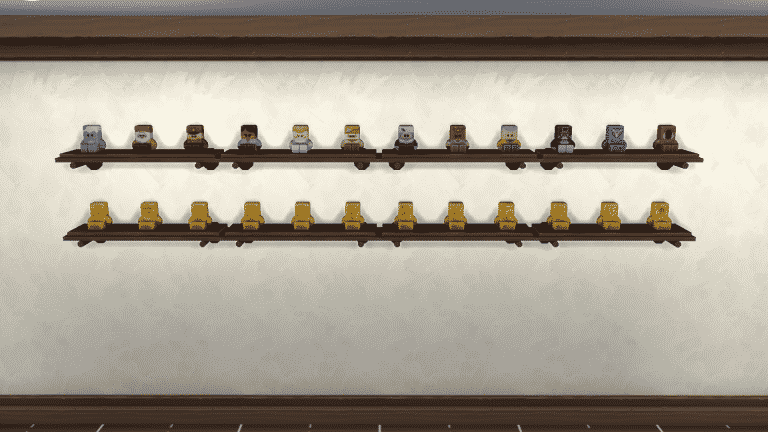
The Sims 4 Snowy Escape comes with one official collection and one “unofficial” collection; Simmi and Spirit Dolls. Simmi are a collection of cute decorative dolls that come inside colourful capsules and Spirit Dolls are cloth dolls that hang from wall hooks; they are representations of Mt. Komorebi’s forest spirits.
Simmi
Simmi capsules can be obtained several different ways. The most common way to get Simmi capsules is from Simmi Vending Machines found around Mt. Komorebi; however, some rarer Simmi can only be obtained by attending and participating in certain festivals. Sims can also ask Mt. Komorebi’s mascot, Yamachan, for a capsule.
There are a total of 24 Simmi to collect, comprised of 12 standard Simmi and 12 gold versions of those Simmi. The game considers the collection complete once a Sim has collected all 12 standard edition Simmi, but the gold versions do still show up in the Collections panel.
In addition to rarity, Simmi also have a unique star rating. The Simmi range from 1 to 5 stars in rarity. The gold versions have the same star rating as their standard versions but in gold. All the gold Simmi are rare and worth much more simoleons than their standard versions.
[table id=85 /]
Spirit Dolls
Spirit Dolls are not an “official” collection in Snowy Escape; they don’t show up in the Collections panel, but Sims can still collect these cute dolls nonetheless by interacting with any forest spirits they come across while hiking or going on mountain excursions. A successful interaction with a forest spirit will gift your Sim with a doll version of that spirit to take home with them and display on their wall.
There are a total of 5 Spirit Dolls to collect; each with their own unique colour, facial expression, and string style.
The Sims 4’s latest update caused the game for some players to crash. This issue was especially present among players who played the game on PS4 as well as PC players.
After The Sims Team acknowledged the issue just two days ago, they’ve released a new statement today explaining more what their plans to fix the problem is. They’ve stated that as of right now, an estimated time of the Hot Fix Update that should fix the crashing issue is next week!
Hi, Simmers. Following the latest game update, we have noticed an uptick in crashes on PC, Mac, and especially PS4. We are working on resolving the issue as quickly as possible and appreciate your patience. The current ETA is next week. Meanwhile, you can use the workaround below. It means you won’t have any sound, however the game should run without the audio-related crashes.
If you find concise reproducible steps for getting a crash or for audio going away on its own, your input would be very helpful in Answers HQ.
With every new pack comes more possibilities for previous packs to have ways of integrating a range of different features into the newest expansion. The Sims 4 Snowy Escape is no exception to this. This is by no means a complete list of every single cross pack feature, there are countless possibilities out there to discover. Whether it is a feature from Create A Sim, Build Buy Mode, or a Gameplay feature there will be plenty to discover in Mt. Komorebi to help your gameplay, builds and stories come alive!
Expansion Packs
Cats & Dogs
You can take your faithful four-legged friends on your Hiking adventures around Mt. Komorebi.
Get Famous
If your Mountain Excursion group do well in the event, Sims have a chance to earn fame for complete it.
Island Living
Adventurous Sims will gain buffs from Aqua Zipping in Sulani.
Seasons
Create planned Mountain Excursion events using the in-game calendar.
Get Together
The Club Requirements feature in the club creation section has been updated to reflect the new career, new skills, activities, and traits, that have been added with Snowy Escape.
Career – Salaryperson
Traits – Adventurous & Proper
Skills – Skiing, Rock Climbing, and Snowboarding
Activities – Skiing, Snowboarding, Sledding, Hiking & Rock Climbing
Eco Lifestyle
While Mt. Komorebi starts with a Neutral Eco Footprint, it’s important to keep an eye on it so that it doesn’t turn industrial.
11 12 20 3 56 04 PM
11 12 20 3 56 26 PM
If you have a Green Eco Footprint, make sure to check out the Aurora Borealis!
Discover University
While there isn’t a specific degree that states it benefits the Salaryperson career directly, the Economics Degree would be the best one to enroll in. It focuses on the key skills that the career focuses on and will help your Sims gain promotions more easily in the future.
Game Packs
Dine Out
There’s plenty of brand new recipes that have been added to already existing Oriental-inspired foods in the menus of Dine Out!
Outdoor Retreat
Squeamish Sims won’t sleep in caves or drink water from them
Spa Day
Teleporting Sims during a Mountain Excursion will allow you to bypass selected goals on the mountain
Stuff Packs
Fitness Stuff
Use the climbing treadmill to improve your Sims Rock Climbing Skill.
Kids Room Stuff
Looking for more Voidcritter cards to add to your collection? Head over to one of the Bits’ n Bobbles Vending Machine and pick up more! Booster packs contain one additional card and will cost your Sim $25.
While this is just a handful of what there is, there’s still plenty of cross pack possibilities to discover in The Sims 4 Snowy Escape!
Don’t forget to let us know what you think of The Sims 4 Snowy Escape in the comments below, on our social media, and take a look at more of our Snowy Escape articles here!
Simmers have been up to all kinds of crazy things using the new Platform Tool in The Sims 4! From Bunk Beds to Indoor Cinemas there’s a lot of possibilities that sparked the community to explore.
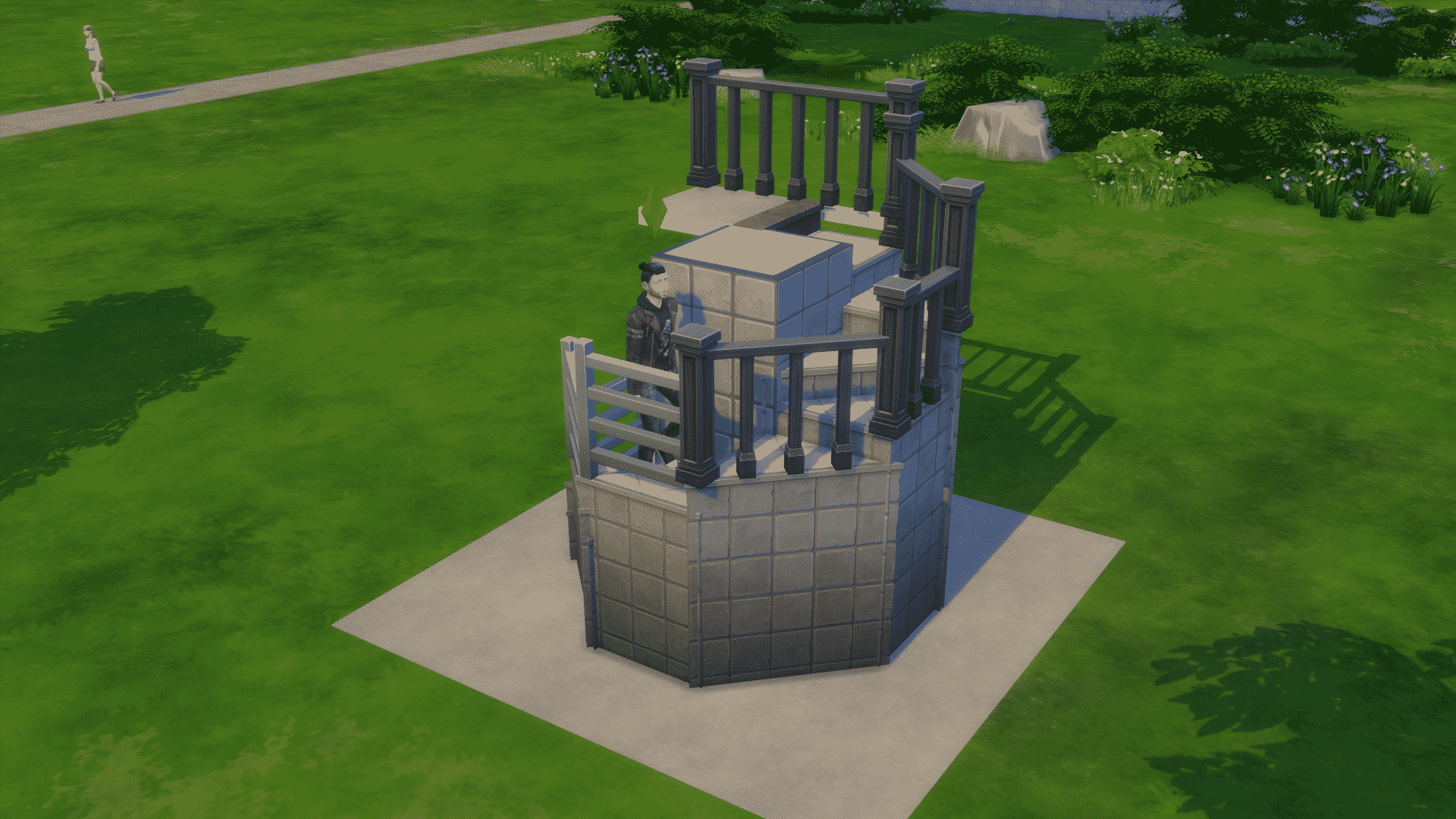
Player @ellabellab0 has tweeted out an astonishing discovery – Spiral Stairs that have been built using exclusively through the new Platforms!
I wanted to test these out for myself in the game so I downloaded the Spiral Staircase Lot that they’ve uploaded from The Gallery. You can find it yourself under thet Ellabellab0 Origin ID! P.S. – there’s also a Room with nothing but Spiral Stairs uploaded too!
I’ve placed down the stairs in the middle of the lot to playtest and see if they’re fully functional. These stairs have been built using a square tile wall that has triangular platforms stacked one on top of another until the final platform level. I’ve playtested to see if my Sims would actually be able to use these Spiral Stairs and they’re definitely able to reach the top!
Going down these “Spiral Stairs” also isn’t an issue. I’ve also tried to connect a whole different room / new floor level with the last step of stairs that have been placed down on top of the last platform and Sims are able to access that area without any issues.
However, I did notice a small issue. When going up the Stairs Sims would get a little confused? when reaching the final angle of these Spiral Stairs, causing them to stop for a few seconds until they continue and reach their final destination on the top.
I was able to easily solve this issue by just extending the corner for one tile so that Sims would have enough space to reach their final point without freezing.
You’ll be able to place these Spiral Stairs down anyhwere inside (or outside) your lot!
Huge thanks to Ellabellab0 once again for this amazing discovery.
The Sims 4 Snowy Escape Expansion Pack is just a few hours away until it gets released in multiple terittories. Considering that there are plenty of time zones included you can check out the full countdown post and see when the pack is coming out in your area.
To celebrate the release of this pack we’ll be doing a special 12-Hour Launch Party Livestream of The Sims 4 Snowy Escape over on Twitch! The livestream is set to begin at 11AM PT / 8PM CET / 7PM BT. I’ve also included a countdown down below which’ll let you know exactly when the stream is set to begin.
I’ll be playing The Sims 4 Snowy Escape (Early Access) and celebrate the launch of the pack in Europe and North / South America. Feel free to join the livestream over on Twitch as well and hang out with us in chat!
The Sims 4 Snowy Escape brings three brand new festivals to the world of Mt. Komorebi. We first saw Festivals added back when City Living was released back in November 2016. They were exciting and interesting but there was only a handful that Sims could experience and over time they would start to feel slightly repetitive. Even though we saw the addition of smaller festival-like events in more recent packs, Snowy Escape is the first expansion to follow suit with Festivals since City Living.
Getting Started
You can find out about Festivals by heading over to one of the many information boards that you can find throughout the three neighborhoods of Mt. Komorebi. Here you will be able to find out the Festival Schedule as well as finding out more about the next festival. You’ll also notice you’ll have options to Check Daily Wildlife Report and learn more about Hiking, Snow Sports, and the Onsen Bathhouse.
You may find an information board that displays a larger map. These information boards are specific for Sims wanting to go on Hikes and will not display any information about Festivals. These are found more towards the outskirts of the neighborhoods.
Attending A Festival
Attending a Festival is easy. You will get a pop-up on the notification wall letting you know that the Festival is due to start. Simply click on the Show Festival Info button to find out more and it will give you the option to travel straight to the Festival location.
The Festivals
Festival of Light
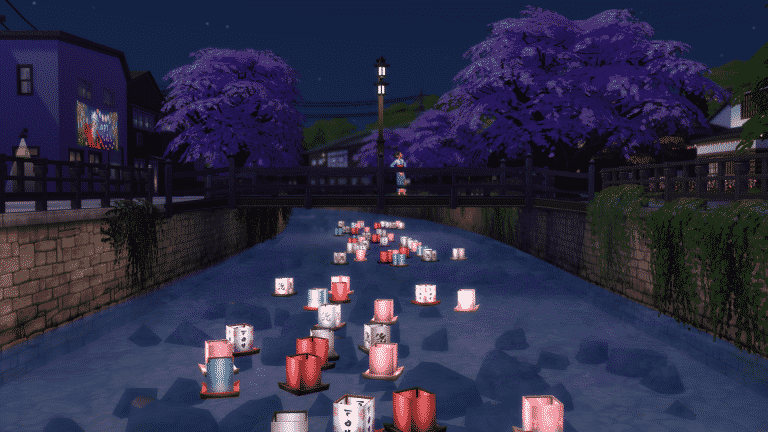
The Festival of Light is aimed around having your Sims take a moment to pause and admire the beauty of the world around you. The tradition helps Sims remember those who have sadly passed on but to also celebrate the light. An evening filled with fireworks, spotting the lanterns floating along the river and making a Tanabata wish.
Location: Senbamachi Neighbourhood
When: Every other Friday. 6 pm – 1 am
Festival Activities
Eat Exclusive Taikaki – Taiyaki may look like a fish, but don’t be fooled! These famous fish-shaped cakes have a delicious filling that comes in a variety of flavors.
Traditional Outfits – Don Festival of Light exclusive attire to immerse yourself in the celebration of those who have passed on and those looking towards the future.
Make a Tanabata Wish – Leave a wish on the Tanabata tree to send your hopes and dreams to the stars.
Pay Your Respects – Honor the ones who have passed by visiting and offering gifts to their grave.