Home Blog Page 201

The Sims 4 Snowy Escape: New Deaths and Woohoo Locations

3

With the reveal of  The Sims 4 Snowy Escape gameplay trailer, a whole mountain of new information has been released. In an exclusive livestream, some new information about new deaths and Woohoo locations has been shared.

The Sims 4 Snowy Escape comes with not one but two brand new deaths. One of which makes a return after being featured in earlier The Sims games!

Death by Vending Machine
When an item it stuck and you make an attempt to take it out, it can cost you your life

Death by Falling
When you fall off the cliff during rock climbing there’s a chance it’s not just an injury… Don’t go climbing in icy weather conditions.

The Sims 4 Snowy Escape: New Deaths and Woohoo Locations

But let’s not forget that there are also two brand new Woohoo spots for your Sims to explore! If they are up to the challenge of course.

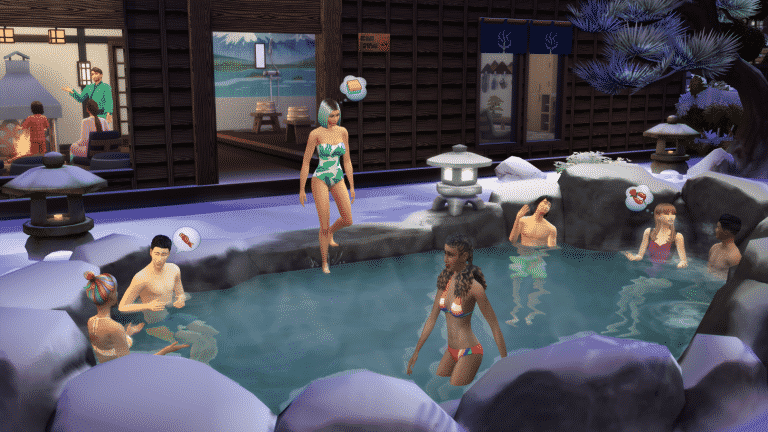
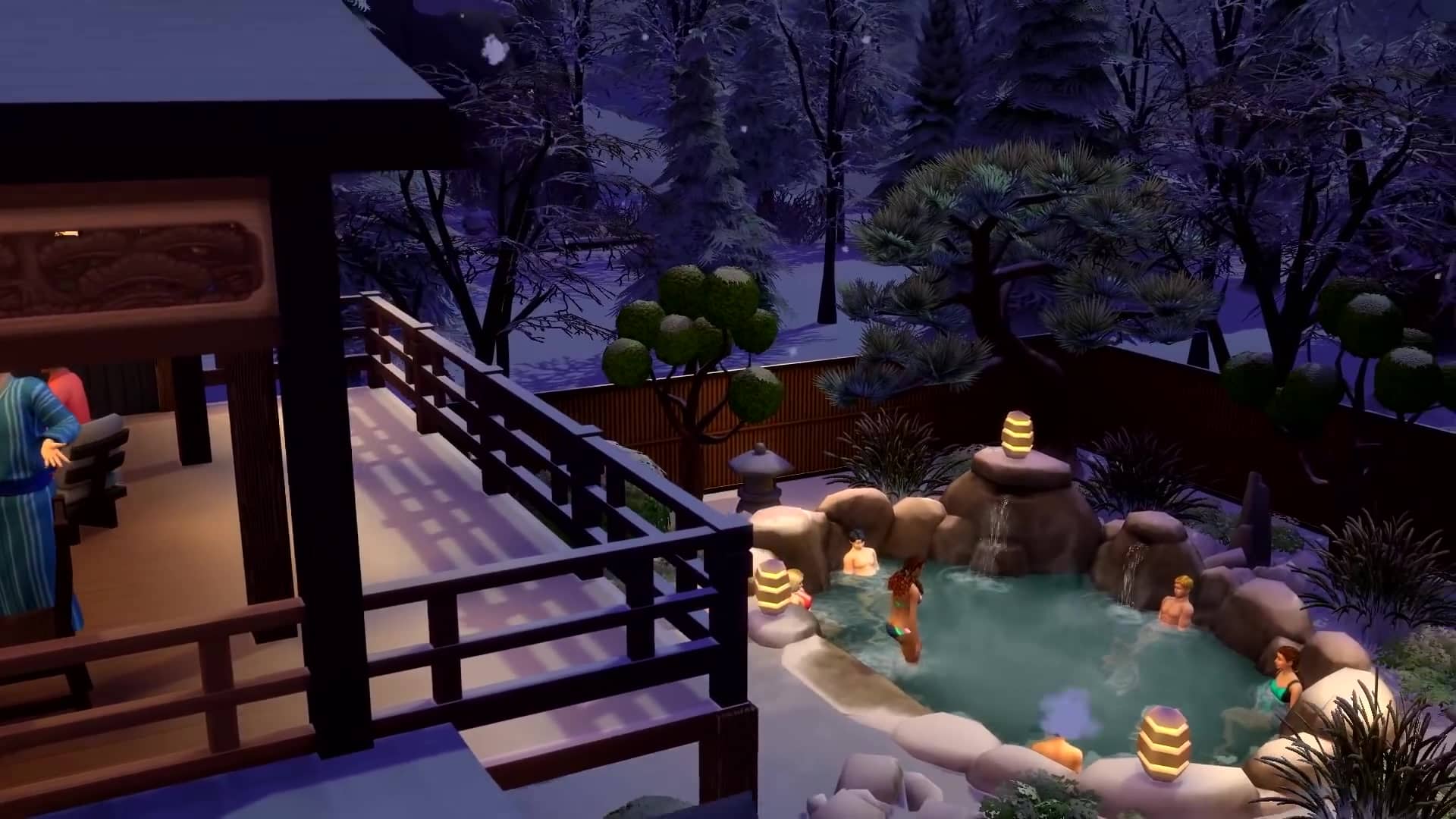
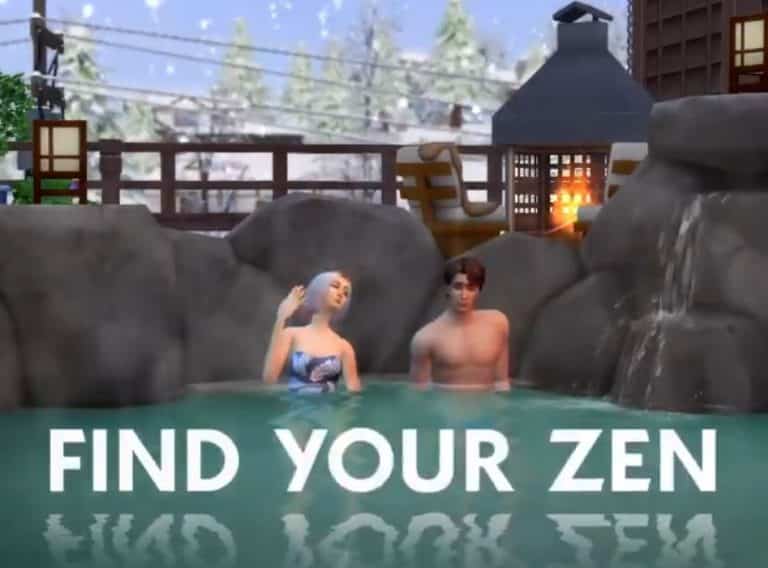
Woohoo in Hot Springs
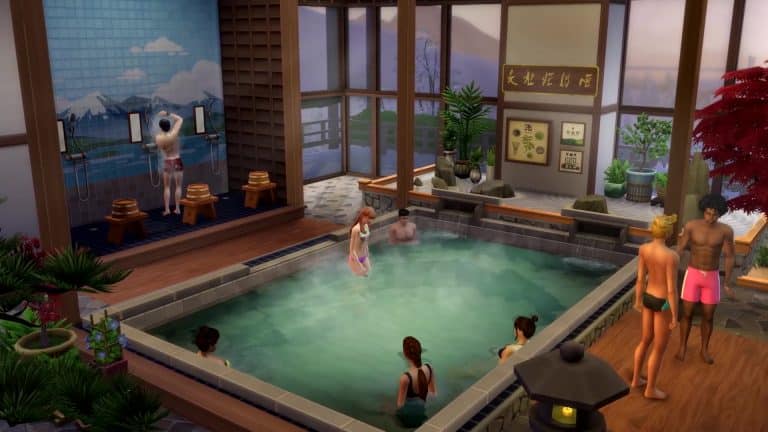
You can woohoo in the hot springs in the Onsen Bathhouse or place a hot spring on your lot.

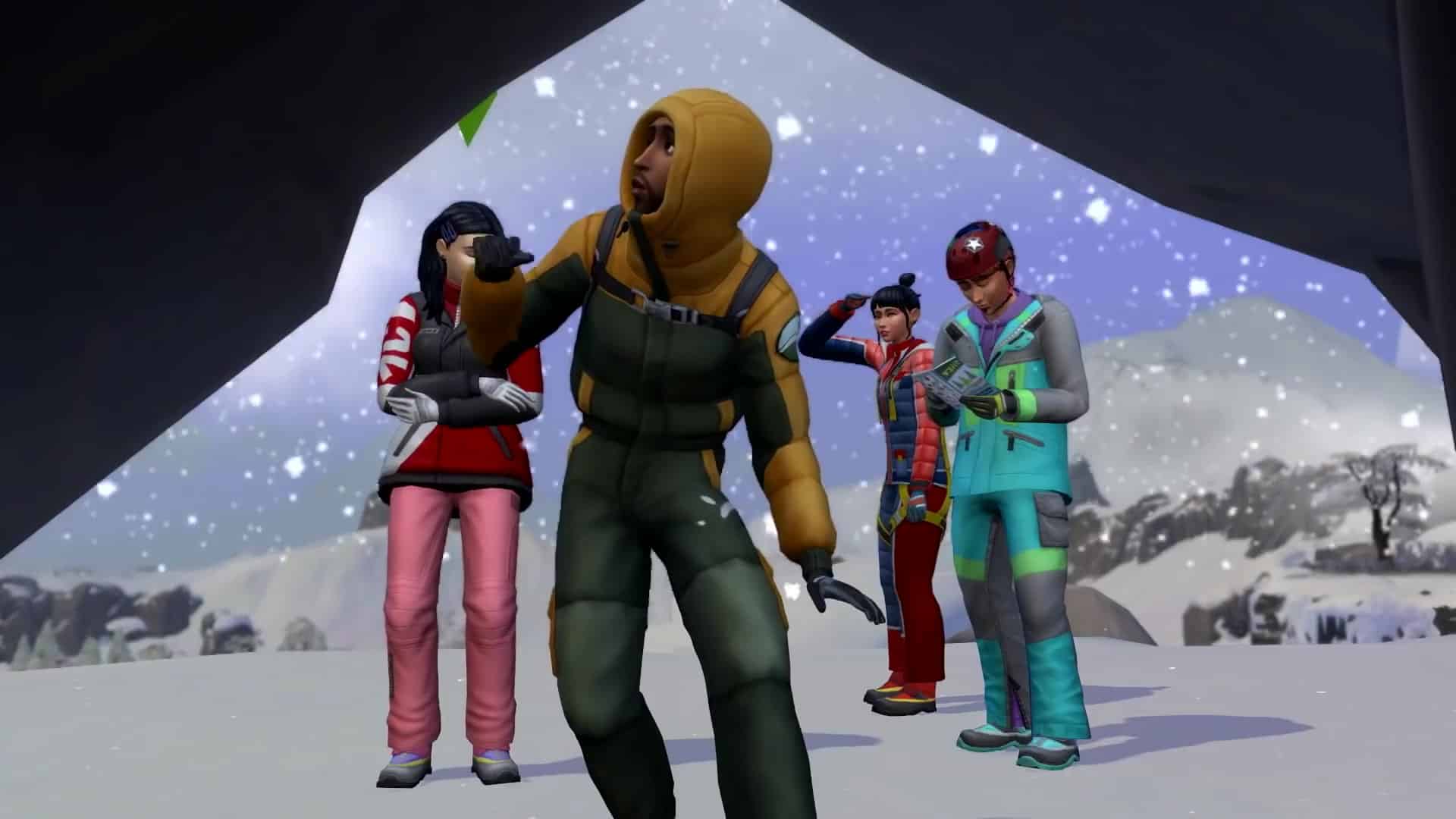
Woohoo in the Ice Cave
During the moutain excursion you can come across an ice cave. It might be sealed and frozen over or it might be available to your Sims.

The Sims 4 Snowy Escape: New Deaths and Woohoo Locations

What do you think of the new death and Woohoo options?

Credit: Sims-Online

Breakdown of all the new Neighborhoods and Lots in The Sims 4 Snowy Escape

2

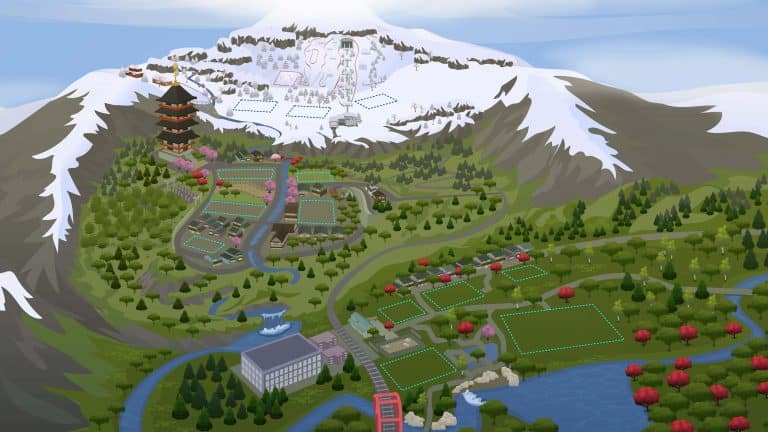
The Sims Team released an interactive map of Mount Komorebi – a new world coming with The Sims 4 Snowy Escape Expansion Pack!

Within the interactive Map they’ve revealed details regarding the 3 new Neighborhoods and Lots within them. We’ve gathered all the information from the Map that you can see down below into a breakdown of all the Lots and Information for each new Neighborhood. Check it out!

ts4 map asset ep10 map main

Wakaba Neighborhood

Like its namesake, Wakaba is young, new, and bright as the leaves of a tree in early springtime. This small town is up-and-coming in the region, home to beautiful, sleek new homes and an attractive town center featuring Mt. Komorebi’s official mascot: Yamachan. Tourists of all ages can enjoy the Festival of Youth, or simply take in the neighborhood’s natural beauty.

2-5-1 WAKABAMORI

Breakdown of all the new Neighborhoods and Lots in The Sims 4 Snowy Escape

2-4-3 WAKABAMORI

Breakdown of all the new Neighborhoods and Lots in The Sims 4 Snowy Escape

2-4-1 WAKABAMORI

Breakdown of all the new Neighborhoods and Lots in The Sims 4 Snowy Escape

2-4-2 WAKABAMORI (Rental)

Breakdown of all the new Neighborhoods and Lots in The Sims 4 Snowy Escape

HAZAKURA LOUNGE

A swanky hotspot for both locals and tourists, Hazakura Lounge is the perfect place to grab a drink, meet locals, and watch local musicians take the stage.

Festival of Youth

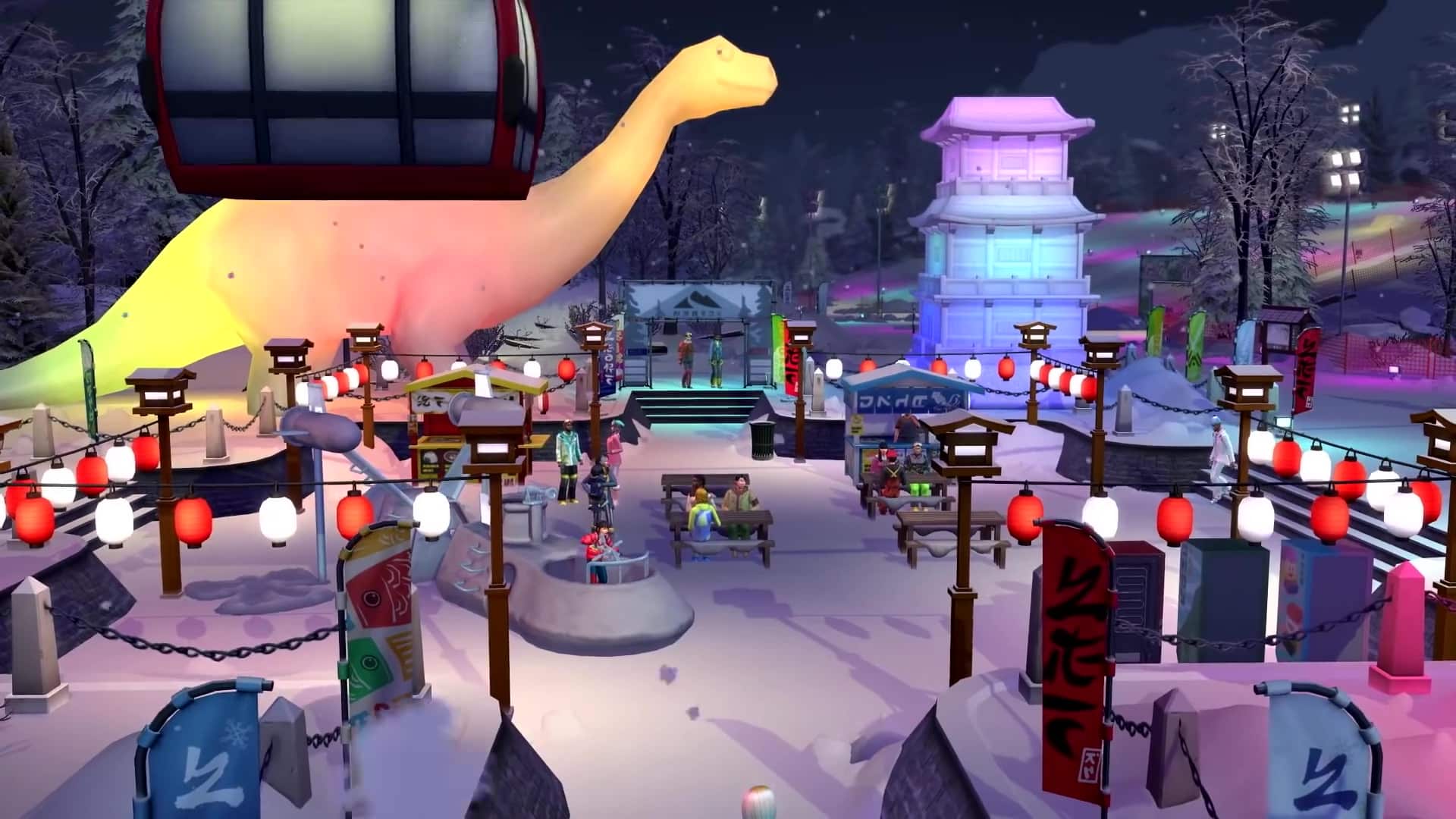
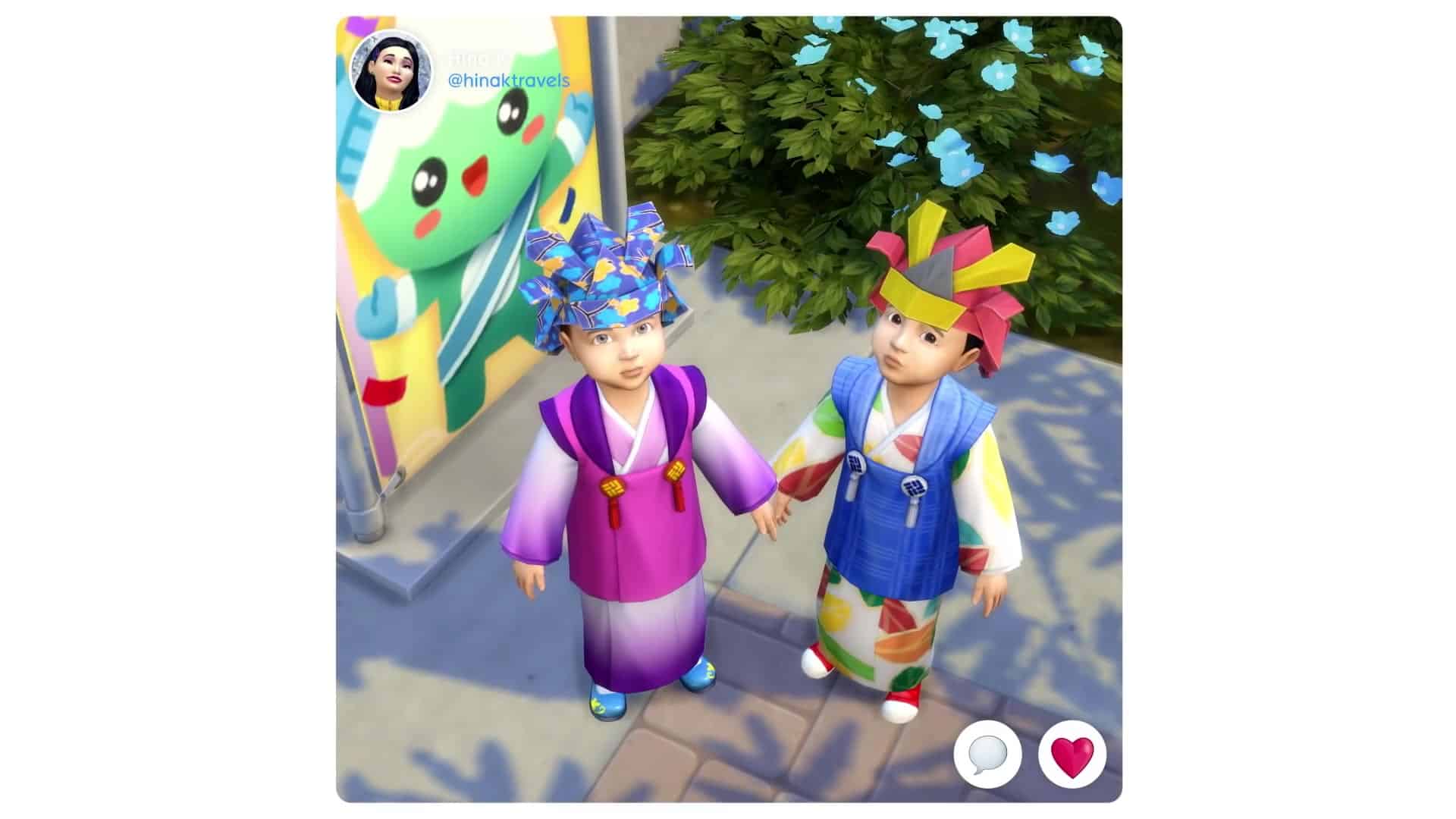
Each neighborhood hosts its own festival! In Wakaba, enjoy the Festival of Youth, where children can join Yamachan on a Voidcritter Hunt. The Festival of Lights in Senbamachi honors the dead with dazzling displays and wishes for the living, while the Festival of Snow in Yukimatsu stuns with snow sculptures and games. Check out festival-exclusive outfits and collectibles from the vending machines.

Senbamachi Neighborhood

Senbamachi, the town of a thousand leaves, is the oldest in the region. Many locals enjoy the town’s connection to nature, especially with the bamboo forests surrounding the town and unique spritely creatures that make a home in their leaves. It’s said that if you walk the local trails long enough, you’re bound to meet the guardians of the trees who reward those who love and respect their dwelling.

Breakdown of all the new Neighborhoods and Lots in The Sims 4 Snowy Escape

6-4-1 HANAMIGAWA

Breakdown of all the new Neighborhoods and Lots in The Sims 4 Snowy Escape

5-3-1 SHINRINYOKU

Breakdown of all the new Neighborhoods and Lots in The Sims 4 Snowy Escape

5-6-1 SHINRINYOKU

Breakdown of all the new Neighborhoods and Lots in The Sims 4 Snowy Escape

IZAKAYA IPPAI Bar

Izakaya Ippai is the perfect place to meet up with friends, play a game of cards, or chat with the locals of Senbamachi.

Breakdown of all the new Neighborhoods and Lots in The Sims 4 Snowy Escape

HANAMIGAWA KOEN Park

Hanamigawa Koen is a beautiful natural space that belongs to everyone! The land was donated to the town by families who wanted to preserve a little bit of the sweeping, surrounding natural beauty in the heart of Senbamachi.

Graveyard

Many Sims pause to mourn or offer a gift in the graveyard while on a hike. And sometimes, just sometimes, Sims might encounter spirits like kodama or other forest spirits! (Just try not to get cursed.)

MOUNTAIN TEMPLE

This beautiful temple inspires many Sims to stop and reflect in its shadow. Swing by on a hike to take a selfie with this landmark or make a wish at the ema board.

Breakdown of all the new Neighborhoods and Lots in The Sims 4 Snowy Escape

BAMBOO FOREST

The bamboo forest is an incredibly scenic destination for Sims on a hike. Listen to the sound of the trees rustling together, and keep an eye out for wildlife like bats, Japanese hornets, and denkimushi. (Make sure to carry spray repellents just in case!)

Breakdown of all the new Neighborhoods and Lots in The Sims 4 Snowy Escape

CLIMBING WALLS

Many Sims start building their mountain climbing skills at the easiest rock wall in Yukimatsu, then visit the course in Senbamachi to continue improving. Good climbers often venture out on a mountain climbing excursion to the peak once they’re comfortable clinging to these cliffsides.

Breakdown of all the new Neighborhoods and Lots in The Sims 4 Snowy Escape

YUKIMATSU Neighborhood

The true beauty of the countryside can be seen from Yukimatsu, named for its snow-covered pines. Located on the slopes of Mt. Komorebi, this area offers gorgeous vacation rentals, a variety of snow sports, untamed wilderness, and a peaceful Onsen Bathhouse getaway. Whether it’s relaxation in a hot spring, seeing the sights of the Snow Festival, or an exhilarating climb to Mt. Komorebi’s highest peak, this year-round snowy wonderland has something for everyone.

Breakdown of all the new Neighborhoods and Lots in The Sims 4 Snowy Escape

5-1-1 KIYOMATSU (Rental)

Breakdown of all the new Neighborhoods and Lots in The Sims 4 Snowy Escape

5-1-2 KIYOMATSU (Rental)

Breakdown of all the new Neighborhoods and Lots in The Sims 4 Snowy Escape

SUTEFANI ONSEN BATHHOUSE

The Sutefani Onsen Bathhouse is the perfect place to unwind after an exciting day on the mountain. The natural hot springs have rejuvenating properties that will get any weary (or bruised!) adventurer back into the action in no time.

Breakdown of all the new Neighborhoods and Lots in The Sims 4 Snowy Escape

GONDOLA

Take this up to the top to reach the trails and start a mountain-climbing excursion to the peak of Mt. Komorebi! It’s much easier than trudging uphill through the snow.

SNOW SLOPES

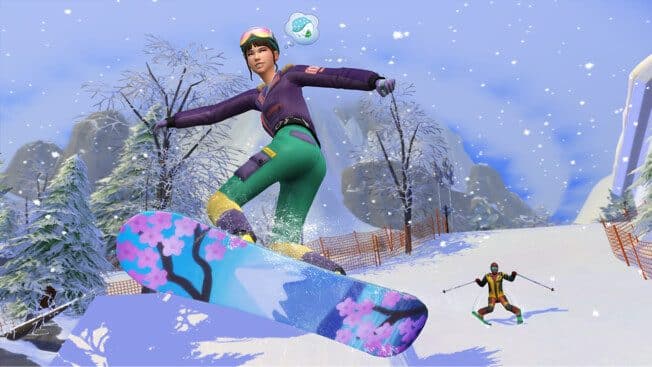
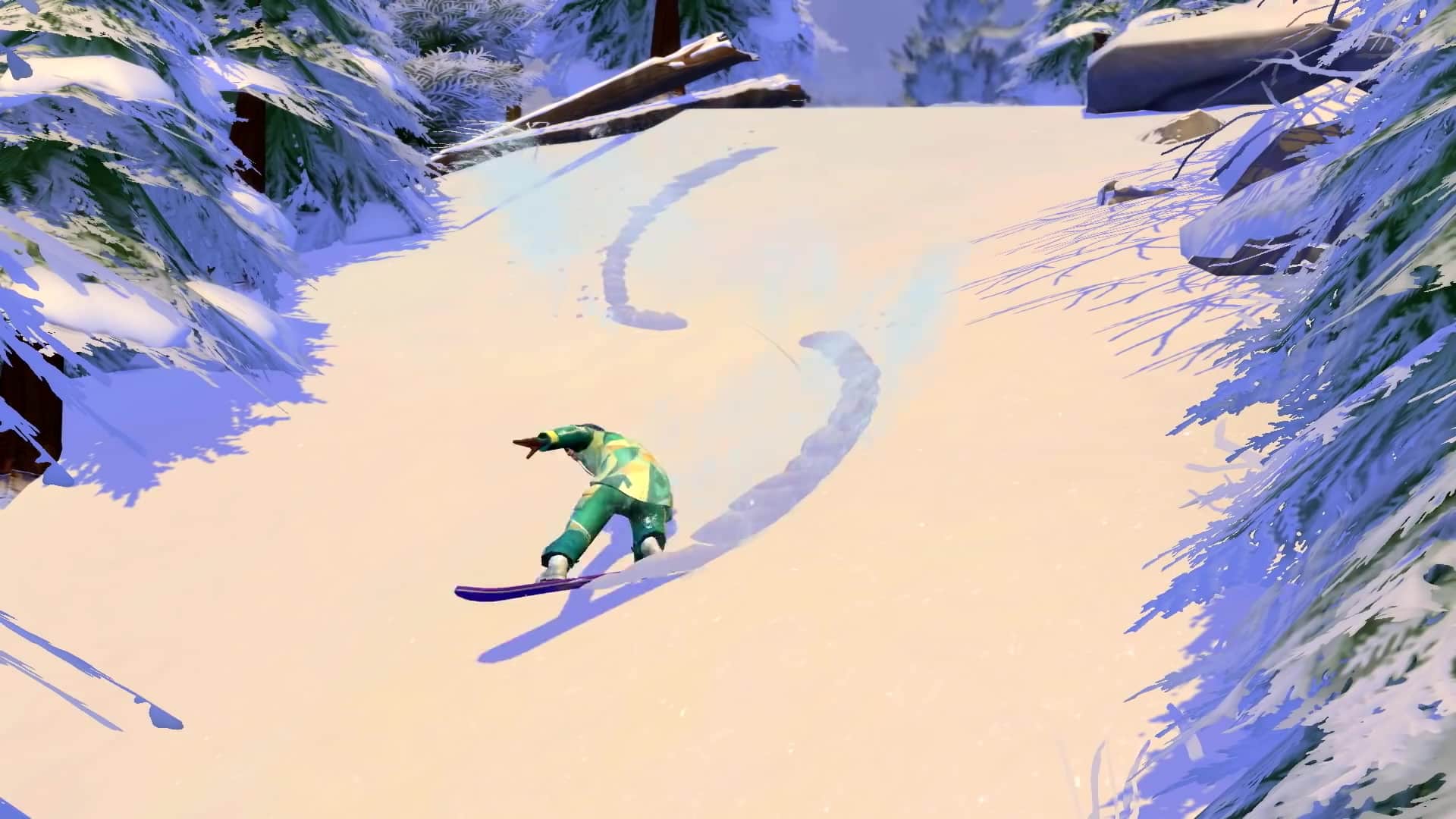
The snowy slopes at the base of the mountain offer plenty of fun. Stick to the bunny slope for sledding, or choose one of the four different trails at the top of the gondola for skiing and snowboarding. (Most beginners stick to the bunny slope as well while they learn to stay on their feet.)

Breakdown of all the new Neighborhoods and Lots in The Sims 4 Snowy Escape

HIKING TRAILS

Venture out onto the hiking trails in Senbamachi and Yukimatsu to see all the natural beauty that surrounds the town itself. Stop at any of the points of interest or merely take it all in on a mindful walk or energetic stroll.

The Sims 4 Snowy Escape: First Look at the Mt. Komorebi World Map

2

The Sims Team has released their first look at the world map of Mount Komorebi – a new World coming with The Sims 4 Snowy Escape Expansion Pack!

Check out the first look below (without the lots):

ts4 map asset ep10 map main

Next The Sims 4 Update will let you Vacation in ANY World!

6

ScreenRant has revealed some more information about the next update for The Sims 4!

In an exclusive preview The Sims Team confirmed to ScreenRant that the next update for The Sims 4 will allow you to send your Sims to vacation in ANY World. This feature will be functional thanks to the Rental Lots being unlocked for any World now, not just Vacation Worlds.

Mount Komorebi is both a vacation destination world and a residential world. When players take a vacation there, as in other vacation worlds, they will need to stay in a rental property. As part of the free base-game update that comes with this pack, players can now take a vacation to any world, not just the vacation worlds, though rental properties will not be available for families vacationing in the residential worlds right now.

This means that Mount Komorebi won’t be the only exotic place for your Sims to Vacation in. If, for example, you have The Sims 4 Island Living Expansion Pack installed you’ll be able to create your own Rental Lot and send your Sims to vacation in the world of Sulani!

The Sims 4™ Island Living Official Reveal Trailer 135

However, the next update won’t let you turn Vacation Worlds like Granite Falls (from Outdoor Retreat) and Selvadorada (from Jungle Adventure) into Residental Worlds.

Official Blog Post: Discover Mountains of Fun!

0

The Sims Team released a brand new blog post talking more about their next Expansion Pack – The Sims 4 Snowy Escape!

Via EA.com

Sul sul, Simmers! Welcome to Mt. Komorebi! I’m your local guide, and today, we’re going a bit deeper into the world I love so much. You might have seen it on a map or in a video like the one below, but that stuff just scratches the surface, and I can tell you a lot more!

If you’re moving in or on your way for vacation, I’ve got the perfect plan for you.

Wakaba

You’ll get your first view of Mt. Komorebi itself from Wakaba, the neighborhood at the base of the mountain. It’s a beautiful residential area with plenty to do. If it’s your first day in town, it’s good to take it slow and start here. Set the mood with a stroll through the gardens or go for a swim near the waterfall. Remember to return respectful greetings when you receive them, and pay attention to shoe removal signs in genkan entryways.

If you’re traveling with kids, make sure to hit up the Festival of Youth in the main plaza. Kids will love meeting Yamachan, the town mascot, and joining the Voidcritter Hunt. While they’re off doing that, you can check out the vending machine collectibles or try the festival-exclusive character crepes, too!

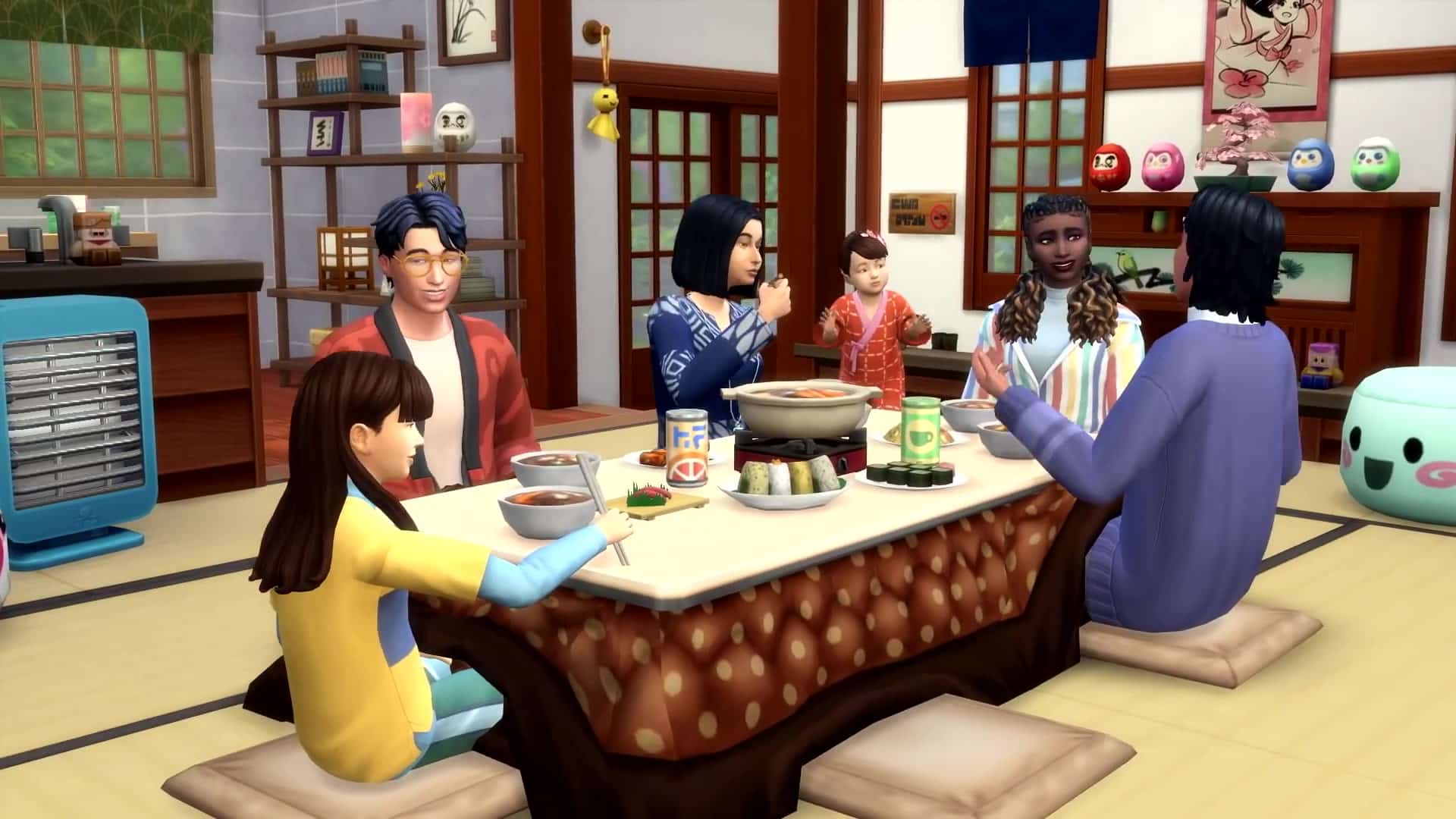
Oh, and speaking of food… you simply have to try hot pot. Sukiyaki is my favorite, but mostly I enjoy it because it’s perfect for a nice meal together. You can cook it right at the kotatsu table where you’re warm and comfy. Plus, seconds are encouraged! And thirds! Try to stop me from having more than one bowl, I dare you.

Komorebi Fact: Lots of folks like to use chopsticks when they’re eating, but your utensil choice is ultimately up to you. (I just think it just makes picking up maki rolls easier.) And some foods, like yummy taiyaki, you can hold in your hands!

Senbamachi

Once you’ve gotten acclimated, head up the mountain a bit to Senbamachi, meaning Thousand Leaves Town. This more traditional area is set right into nature. It’s idyllic, scenic, and serene. Most of the folks here have learned to live in the moment and take life as it comes. It really encourages people to settle into their emotions and find balance.

My favorite thing to do is gather some friends and take a hike. The sign at the trailhead lays out all the different places you can visit, and there’s so much to see along the way. Once you’ve chosen a destination, take it easy and relax into the moment with each other. The best part about hiking is being together with friends and family. Whether you’re stopping for a photo on the bridge or listening to your voices echo back at you from the cave, it just feels good to bond over the natural wonders around you.

Of course, everyone has different experiences and different Sentiments about things. On the last hike I led, my friend and I were enjoying ourselves before we ran into denkimushi aka electric bugs. She forgot her spray, so she kinda… got zapped. She’s still a bit mad at me for leading her through that area unprepared, but she’ll come around. Probably.

When you finish your hike, whether it’s meditative or energetic, pause for a moment at the Festival of Lights to admire the beauty around you. This tradition helps us remember the dead and celebrate the light. In the evening, there are fireworks, and you can watch the lanterns float along the river. Remember to make a wish for the future at the tanabata tree.

Komorebi Fact: Being aware of yourself and the present moment is super important here. Some people like mindful walks, while others prefer relaxing to traditional Japanese folk music. Find whatever works for you to center yourself.

Official Blog Post: Discover Mountains of Fun!

Yukimatsu

Lots of people come to vacation in Yukimatsu especially. (That’s where all the snow is!) There are a few swanky rentals for out-of-towners since it’s right next to all the action, but that doesn’t mean you won’t find locals here too. Who could stay away from the onsen bathhouse and the snow sports?

I grew up learning to snowboard on the bunny slope here. Of course, I spent a lot of time wiping out at first, but now you can find me up on the mountain for at least a few hours a day! It just became part of my Lifestyle as I made it a habit over time. Now, I can’t imagine a day where I’m not strapped onto my board.

But don’t be intimidated! Skiers and snowboarders of all skill levels are welcome, whether you’re on the bunny slope or one of the four bigger trails. And if that scares you, no problem! Try sledding, too. You can go alone or pair up with another Sim to catch a little air. My mom used to take me when I was a toddler, and it’s one of my fondest memories.

So take some time to have a little fun here. Learn how to start rock climbing at the beginner’s climbing route, or explore a cave on a snowy hike. And once you’re done, and probably chilled to the bone, head over to the onsen for the most relaxing experience in the world. I’m not exaggerating. Plan to spend a few hours here at least. Once you slip into that water, everything kind of… floats away. All your stresses, your fears, your injuries… none of it matters as much in the soothing heat.

Komorebi Fact: We all have our own Lifestyle, and Mt. Komorebi offers something for everyone. Even just looking around in Yukimatsu, you can see Outdoorsy Sims enjoying a hike, Workaholic salarymen glued to their computers, Junk Food Fiends grabbing snacks from vending machines, and Energetic Sims (like me!) flying down the mountain. That which makes you happiest may be just around the corner.

Official Blog Post: Discover Mountains of Fun!The Summit

I hope you took a moment to check out that beginner’s climbing course in Yukimatsu! If you want to head up to the peak of Mt. Komorebi, you’re going to need those skills. Group excursions usually start at the onsen, but once you get out of that water, you’re in for the trip of a lifetime. Dress warmly and bring a few snacks to tide you over.

Take the gondola up to the top of the ski slopes, where you’ll find the first climbing obstacle. After that, there’s a series of challenges awaiting you. If you’re new to the sport, take the opportunity to rest at the base camps along the way, but if you’ve got the experience, try to explore a little! There are caves and other surprises on the way up. (For instance, you might find a secluded little spot for a quick Woo-Hoo up there—something about life-and-death danger really gets some Sims going. 😉)

Don’t undertake this excursion lightly, though! The weather gets worse the higher you climb, and you may end up caught in a thundersnow storm. Yes, you read that right. They’re intense blizzards that take place in the middle of a thunderstorm. And with the lightning and the booming and the wind… it gets really dangerous while you’re clinging to the side of a cliff for dear life. And if you fall from these heights… it doesn’t bear thinking about. Just be careful.

Finally, once you reach the top, everything seems to stop. I can tell you from experience that standing on that peak, staring out at the other mountains and a sky full of clouds below me, everything makes sense. The people with you make sense. Your journey makes sense. And this town, this world, with its beauty and excitement and peace, makes the most sense of all.

When can I expect you?

The Sims™ 4 Snowy Escape Expansion Pack* arrives on November 13, 2020, at midnight in your region on Origin (for Mac and PC) and at 10 a.m. PT for Steam, Xbox One, and PlayStation®4! Preorders are open now.

Will you be following the itinerary above or making you own? Check out our interactive map of Mt. Komorebi and take the quiz to perfect your plans!

Connect with your fellow players on The Sims Forums; catch up with us on Twitter and Instagram; like us on Facebook; and subscribe to our YouTube channel. You can also sign up for The Sims 4 newsletter to get all the news as soon as it’s announced. We have a lot planned in the next few weeks as the launch date nears, and we want you to join us for all of it!

*REQUIRES THE SIMS 4 (SOLD SEPARATELY) AND ALL GAME UPDATES. FOR PC, SEE MINIMUM SYSTEM REQUIREMENTS FOR THE PACK.

The Sims 4 Snowy Escape: First Look at the Lifestyles Feature

9

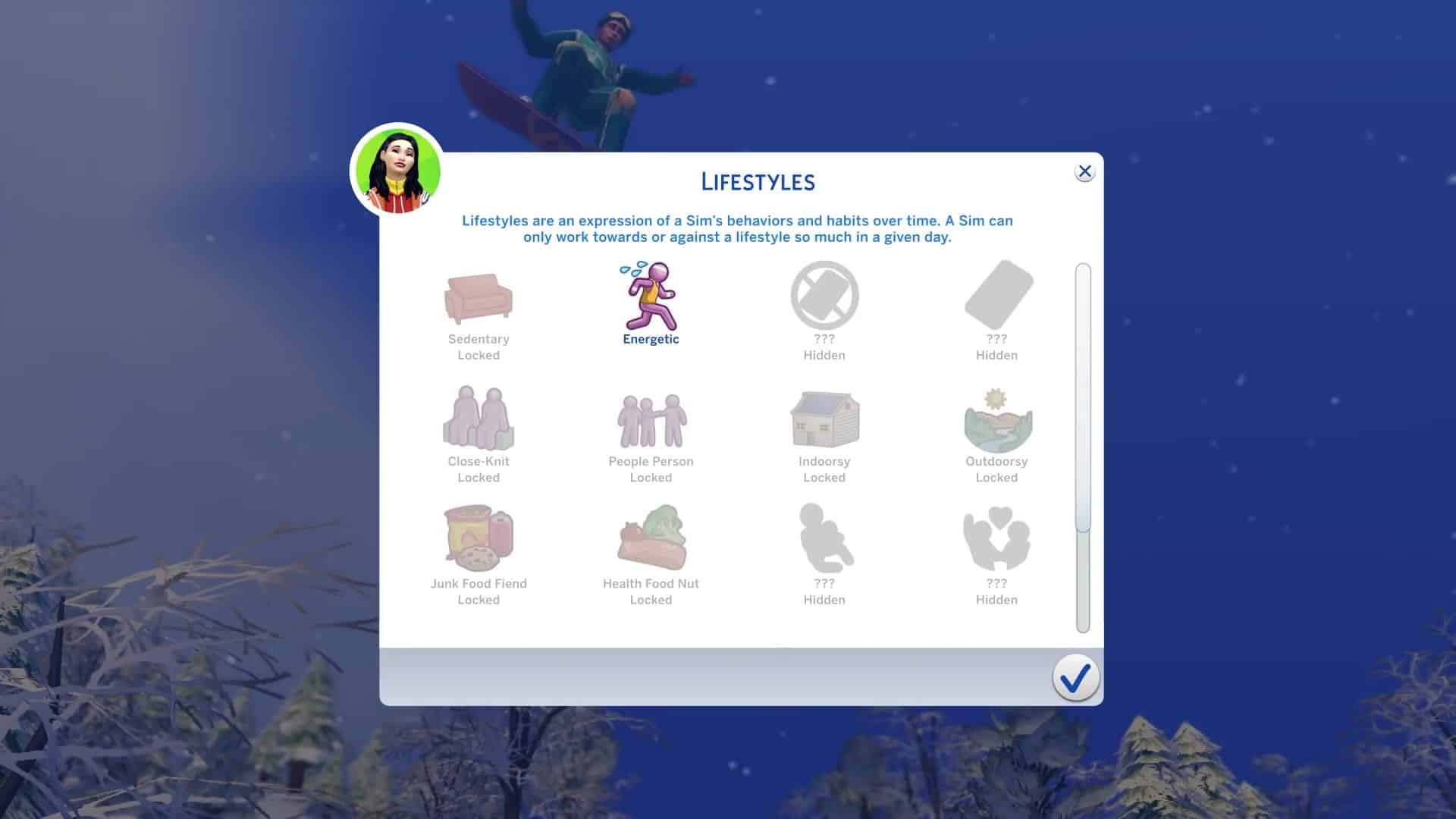
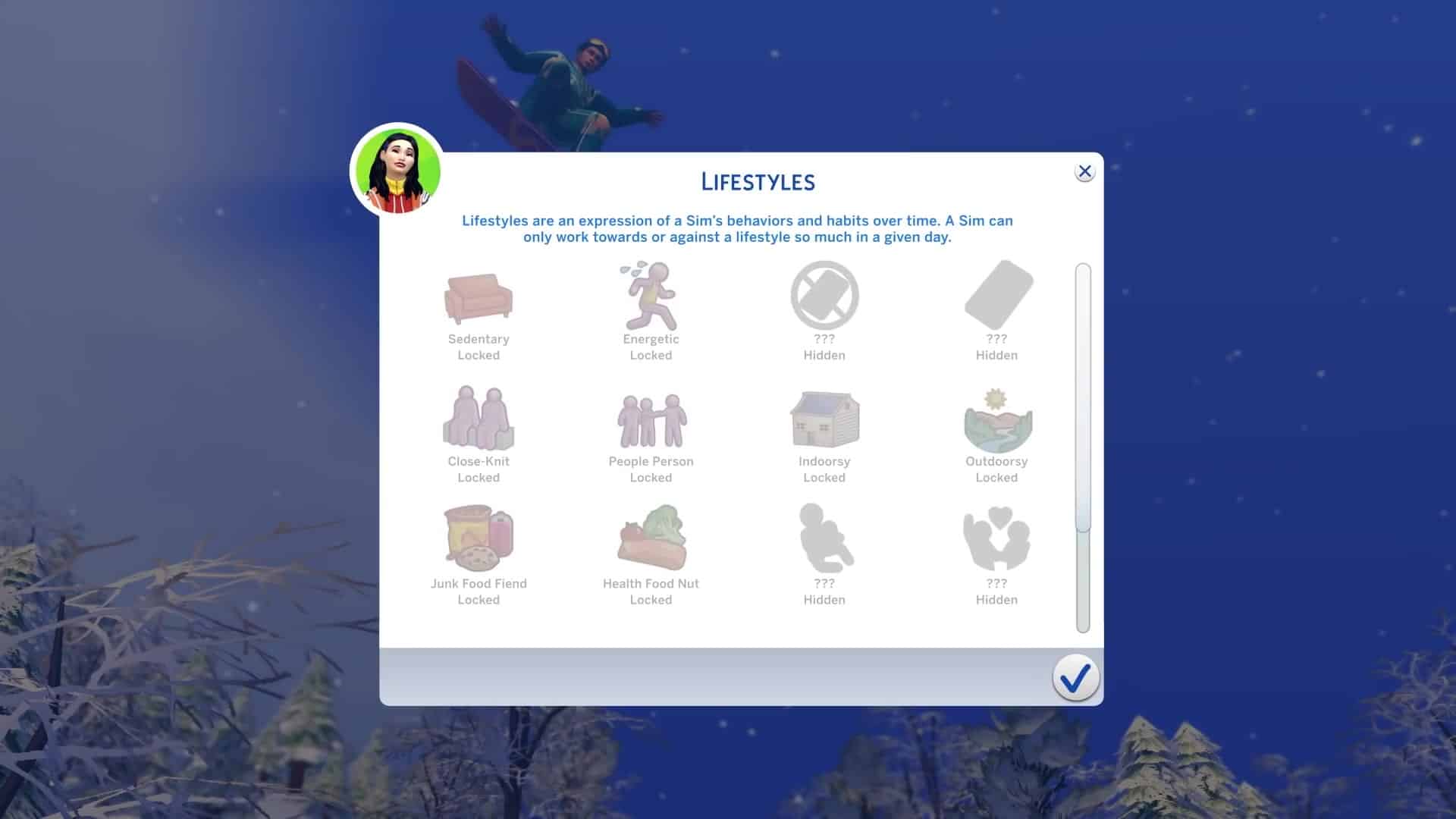
With the announcement of The Sims 4 Snowy Escape Expansion Pack The Sims Team also revealed that the pack will be bringing a new feature to the table called Lifestyles.

They’ve briefly explained what the feature will offer, saying:

The Sims 4 Snowy Escape also introduces Lifestyles and Sentiments features, adding more depth to Sims’ personalities and relationships. For the first time, up to 16 Lifestyles will manifest in response to a Sim’s actions and habits, changing their behaviors significantly more than Create a Sim traits as they reflect a Sim’s lived experiences. Lifestyles manifest in response to your Sim’s actions and habits, changing their behaviors appropriately.

The Lifestyles Feature has been described as being more significant than the CAS traits considering that they reflect something that your Sims have already lived through.

In the latest gameplay trailer they’ve given a first look at the Lifestyles Feature and what some of the Lifestyles will be. Keep in mind that there are 16 Lifestyles total and that not all of them will be visible to you right away (hidden).

Some of the revealed lifestyles include: Sedentary, Energetic, Close Knit, People Person, Indoorsy, Outdoorsy, Junk Food Fiend, Health Food Fiend.

The official blog post has revealed an additional Lifestyle that wasn’t shown in the trailer: Workaholic.

The Sims 4 Snowy Escape: First Look at the Lifestyles Feature

The Sims 4 Snowy Escape: 118 Screens from the Gameplay Trailer

0

The Sims Team released a brand new Gameplay Trailer for The Sims 4 Snowy Escape Expansion Pack. Within the trailer there were plenty of awesome frames shown of the new world, gameplay and items included that you might’ve missed.

We’ve taken all the important frames and put them in the gallery down below for you to check out. Simply click on the screens of your choice to zoom in and spot all the details!

The Sims 4 Snowy Escape: Official Gameplay Trailer

0

The Sims Team has released the official trailer for The Sims 4 Snow Escape Expansion Pack. Check it out!

The Sims 3 Mac Re-Release is coming October 28th on Origin

Good news Mac Simmers!

The Sims 3 will finally be playable on your Mac devices starting October 28th on Origin! That’s right, the Metal 64bit version of The Sims 3 will fully make its way on Origin for your pleasure if you already own the game in your library with a new “The Sims 3 64-bit & Metal” title.

The reason for this upgrade is because Mac OS recently did its own update a year ago, requiring all software to switch to the 64bit functioning causing all 32bit software to go obselete until they get updated. Not only will the new version of The Sims 3 be playable on newer Mac OS versions but there’s also some data management improvements as well that’s been done behind the scenes that would fully optimize the 64bit switch.

Check out the official statement from MaxisJoe regarding the next release:

Hi Simmers!

EDIT: “SURPRISE!”

Looks like there’s a date in your Origin clients! HOW EXCITING IS THIS, AMIRIGHT?

Yes THAT DATE IS CORRECT! We’re hoping to get this beastie onto your hard drives this Wednesday, October 28! Who needs All-Hallows-Eve parties anyway (which – hey, we’re not supposed to go to parties right now anyway)?

While I have your attention – thank you, everyone, for all of your appreciative posts over the last few days. I promise you they’re not necessary. We think this game is awesome too and we’re really thrilled to be able to get it back onto your Macs. What we’re looking forward to the most is you being able to download it and play again.

Happy simming (in a few days), yo! Stay safe out there.


If you’re looking for more information regarding what The Sims 3’s re-launch on Mac devices is all about, check out the official Frequently Asked Questions section below:

FAQ

I already own The Sims 3 on Mac, how do I get the new 64-bit version?

The Sims 3 for macOS, 64-bit will automatically be applied to your EA Account and available to install from My Library at no additional cost.

I plan to purchase The Sims 3, which versions will I get?

Purchasing The Sims 3 through Origin will provide you access to previously existing versions on Windows PC and Mac as well as the new version for macOS.

I own The Sims 3 on disc, how do I get the new version?

To get the new version of The Sims 3 for macOS, 64-bit, you will need to register your game with EA and download the 64-bit version of The Sims 3 from Origin. You can register your game and packs at www.thesims3.com by logging in with the same account you use with Origin (EA Help). For any registration or account related issues, please contact EA Support by visiting https://help.ea.com/contact-us

I already registered The Sims 3 on the website but I don’t see it in Origin, what do I do?

If you have already registered The Sims 3 and any packs on www.thesims3.com but do not see it in My Library in Origin, ensure you log in to Origin using the same email and password you use on www.thesims3.com. The same applies for using The Sims 3 website, login using the same details you use in Origin to see all of your owned content. Do not try to re-register your code in Origin or on the website as it will inform you that the code has already been redeemed since it is already applied to your EA Account. For any registration or account related issues, please contact EA Support by visiting https://help.ea.com/contact-us

Is this a Remaster or Remake of The Sims 3?

This new version is a compatibility release which adds support for 64-bit, Apple’s Metal graphics API, and makes the application a fully native macOS app. It is not a Remaster or Remake of The Sims 3.

Is changing from 32-bit to 64-bit the only thing that has changed?

No. This update of The Sims 3 also switches from OpenGL to Apple’s Metal graphics API, changes significantly how data is managed with the game service, where files are stored within the macOS file system, and has been updated to be a native macOS application.

Will the new version of The Sims 3 on Mac be delivered as an update?

No, due to the changes, The Sims 3 for macOS, 64-bit is seen as a different game by Origin. That means you will need to install rather than update.

I have Save Game files, can I continue my progress in the new version?

Your Save Game files are compatible with the new version of The Sims 3 and you will be able to continue where you left off. Before uninstalling any version of The Sims 3, we always recommend backing up your Save Game files.

Can I go back to the old version of The Sims 3?

Yes, if your macOS supports 32-bit applications (support for 32-bit was dropped by macOS in the Catalina release in 2019, but earlier versions of macOS that still support 32-bit applications might still run on your Macintosh), you can install either release of The Sims 3 from My Game Library in Origin. However, if you have macOS Catalina (10.15.x, released in 2019) or later, which only supports 64-bit applications, you will only be able to use the new release of the game.

Can I install the older macOS version and the new macOS version together?

No, you will only be able to have one version of The Sims 3 installed at a time.

I own both a new and an old Mac, can I still play on both?

Yes, in My Library you will see both the older and newer versions of The Sims 3. Simply install the version of the game which suits the Mac you are using.

I have The Sims 3 DLC and/or content from The Sims 3 Store. Do I need to re-purchase them if I use the new version?

No, all of your existing packs, Worlds and purchases from The Sims 3 Store stay with you. To install your Packs, you will need to download them once you have installed the new version of The Sims 3. You can do this by selecting The Sims 3 (64-bit & Metal) from My Game Library in Origin and selecting each Pack type and clicking the Download button. For content purchased from The Sims 3 Store, login at TheSims3.com and go to Store > My Store Account > Purchase History and you will see your purchases ready for download.

I want to use the new version of The Sims 3 on my Mac. What specs do I need?

You will need a Mac which has support for Apple’s Metal graphics API and be on macOS High Sierra (10.13.x, released in 2017) or later. For Minimum and Recommended specs, you can find them listed below and on The Sims 3 (64-bit & Metal) page on Origin.com.

MAC SYSTEM REQUIREMENTS

MINIMUM SPECS:

OS: Metal required. macOS® X 10.13 (High Sierra)

CPU: Intel Core 2 Duo 2.4GHz Processor or better

RAM: At least 4 GB RAM

HARD DRIVE: At least 15 GB of free space with at least 1 GB additional space for custom content and saved games

VIDEO: NVIDIA GeForce GTX 680, AMD Radeon RX 560, Intel Iris Plus Graphics 640 or better

INPUT: Keyboard and Mouse

ONLINE REQUIREMENTS: Internet connection required for product activation.


RECOMMENDED SPECS:

OS: macOS® X 10.13 or later

PROCESSOR: Intel Core i5 or better

VIDEO CARD: NVIDIA GeForce GTX 680, AMD Radeon RX 560, Intel Iris Plus Graphics 640 or better

MEMORY: 8GB RAM

HARD DRIVE: 18 GB of Hard Drive space

Apple has recently announced that the Mac platform is moving to ARM based CPUs. Is this release of The Sims 3 for macOS, 64-bit optimized for this new architecture?

This release of The Sims 3 for macOS, 64-bit  is optimized for macOS running on Intel x86 CPUs. It is not optimized for the Apple ARM CPU architecture.

I don’t want to see two versions of The Sims 3 in My Game Library, what can I do?

If you want to keep your My Game Library tidy, you can hide the version of The Sims 3 which you do not use by highlighting The Sims 3 and right click and select Hide. You can view your hidden games at any time and unhide them where necessary by using the Hidden Games filter in My Game Library.

When will The Sims 3 for Windows be updated to 64-bit?

The Sims 3 for Windows PC works on both 32-bit and 64-bit versions of Windows. We do recommend players on The Sims 3 version 1.67 or earlier update to version 1.69, which is available to download through Origin if you have registered your game and packs against your EA Account.

The Sims 3 for macOS is in my Origin library, but I can’t download it! Is something wrong?

Nope, nothing is wrong. Beginning on October 20 we began adding the entitlement for this version of the game to all Origin accounts that own any release of The Sims 3. This means that the game is showing up in your library, but that the game itself is not yet available for download. This is expected! The game will be available for download soon.


Tip: SimCookie

The Sims 4 Snowy Escape: New Clip

4

The Sims Team has shared a new clip of The Sims 4 Snowy Escape Expansion Pack!

Check out some of the new footage below:

Origin REALLY wants people to buy The Sims 4 Star Wars Game Pack

The Sims 4 Star Wars: Journey to Batuu Game Pack released about a month ago and the community reception around the pack was…mixed to say the least.

Fast forward to today and the Game Pack has been slashed to 50% off during Origin’s special Halloween Sale where you can also save big on other Sims 4 packs. This is not common, especially for Game Packs that get released just a month after to get their price cut in half. Still, it’s a decent deal for those who’d been wanting to get the pack. Emphasis on the word “wanting”.

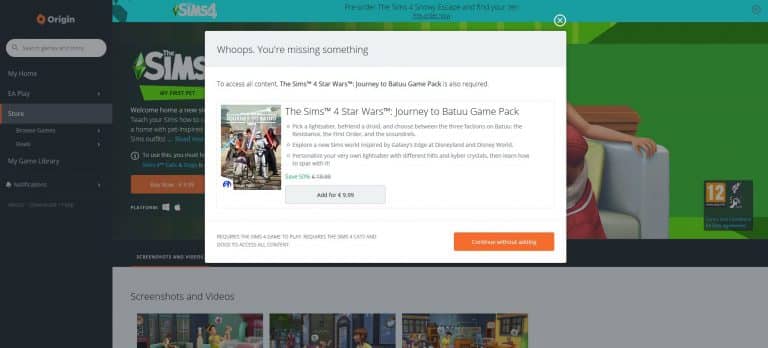
During the last few hours people have started reporting Origin constantly suggesting The Sims 4 Star Wars Game Pack whenever you choose to purchase a pack of your choice. Sure, okay, no big deal. It’s kinda okay for Origin to recommend their latest Sims Pack even though they’re unrelated at all. Seriously, I’ve tried this with multiple packs and it always suggests the Star Wars pack – even making it seem like Nifty Knitting and Star Wars is the perfect theme combination!

Origin REALLY wants people to buy The Sims 4 Star Wars Game Pack

However, that’s not all. Twitter user @ARIAVENTIS reports about a weird message that you get when trying to purchase The Sims 4 My First Pet Stuff. Clicking the Buy now button will immediately give you the “Whoops, you’re missing something” message, saying that you *need* The Sims 4 Star Wars Journey to Batuu Game Pack in order to access all content.

Origin REALLY wants people to buy The Sims 4 Star Wars Game Pack

The other message is probably just a very strange glitch from Origin’s side considering that deciding to purchase any pack will automatically suggest you to get the Star Wars Game Pack as well.

Weird.

If Origin’s maybe got you thinking about getting the Star Wars Game Pack check out our Star Wars Articles for all the coverage!

EA shares more details about their The Sims 3 re-release on Mac

If you’re a Mac player and own The Sims 3 in your Origin library then you’re probably familiar with the struggles of not being able to play the game after you’ve updated your Mac OS to Catalina.

EA had released a statement in early 2020 that they’re planning to update The Sims 3 for Mac users so it supports the Metal 64bit system that started operating since the latest Mac OS update. Although it’s been a while since then, Mac players have started reporting seeing a new version of The Sims 3 in their Origin game libraries.

Screen via @KCoehlo16

EA shares more details about their The Sims 3 re-release on Mac

MaxisJoe who handles all things communication about the next Sims 3 Update for Mac has shared a few new updates on the upcoming Mac update. They’ve shared what’s going on behind-the-scenes, what’s being updated in the game files and when can you expect the game to come out (spoiler alert: very soon). Check out the official statement down below as well as the official FAQ regarding the new Sims 3 64bit release on Mac:

Hi Simmers!

Let’s start with: Have you backed up your TS3 saves? ‘Cause that’s NEVER a bad idea.

You can see by scrolling back that there’s been some excitement and developments over the last few days.

tl;dr:

  • Many of you are seeing a new TS3 and associated DLC show up in your Origin client yet there’s nothing to download. This is expected! Sort of. More detail below.
  • Traditionally updating a publishing catalog is among the last steps you take in the process of publishing software (or any other content). More below.
  • FAQ has been posted (thanks @EA_Leeloo) that hopefully addresses many of the questions you’ve had about this release. It includes the minimum system requirements.
  • Really, this release is targeted at macOS. There is not a secret Windows update hidden in it. We have nothing to announce about a Windows roadmap.

A more in-depth version:

Wow! So much excitement about that Origin catalog update! YOUR excitement is making all of us really giddy too! I can’t wait to get this update out to you macOS players so that you can have that awesome The Sims 3 experience on your up-to-date modern hardware running Catalina! But also – Ooops! Sorry for the confusion that the update in Origin has created. That wasn’t our intent. It’s as though you’ve sneaked downstairs on late on Dec 22 and seen us setting up the Festivus pole – “Ha ha. Surprise?” Still, that doesn’t make the magic any less special; just less magical. What you’re all seeing is the process of granting an Origin entitlement for this The Sims 3 release (and the packs and DLC) to all The Sims 3 owners. It’s a process that is happening over many days (hence some of you seeing some packs but missing others, only to have the others appear a day or two later).

Why is this happening now? Why not six months ago, or next week, or some other time? Because updating catalog/publishing databases is one of the final stages in releasing things! It’s what happens when you finally know how many parts there are, how big they are, when they will be available, etc. It wouldn’t do anyone any good to update a catalog database months before the update is needed (what if everything changes?), and you don’t want to leave it to the last possible minute either (What if something goes wrong and you need time to fix it?). So generally this step happens shortly before a release and, through the magic of not accidentally doing it in a way that your players can see, it’s an invisible process. This time that under-the-hood stuff isn’t invisible. Sorry about that. Sure is exciting though!

We’ve published a FAQ for this The Sims 3 update a little early to help answer questions you might have about what’s coming up. I’m positive we overlooked something obvious (see above for some general discussion of changing time frames). Feel free to ask questions here and, if I can, I’ll answer them for you. There’s two questions I can’t, and won’t, answer.

The first question I can’t answer is “but WHEN can I download it?” Please know that we’re getting it out as fast as we can and that the Origin changes you’re seeing are indicative that we’re pretty close. Stay vigilant. I also know a lot of you are wondering if this release will also include a 64-bit update for Windows players. No, it won’t. And that’s the other question I can’t and won’t answer: “When, or will, there be a Windows 64-bit update?” We can’t comment on rumors and speculation nor can we comment on unannounced roadmaps that may or may not exist. If there was more I could tell you about this – I would.

Thanks for your patience everyone! We’re almost there. Stay safe!

FAQ

I already own The Sims 3 on Mac, how do I get the new 64-bit version?

The Sims 3 for macOS, 64-bit will automatically be applied to your EA Account and available to install from My Library at no additional cost.

I plan to purchase The Sims 3, which versions will I get?

Purchasing The Sims 3 through Origin will provide you access to previously existing versions on Windows PC and Mac as well as the new version for macOS.

I own The Sims 3 on disc, how do I get the new version?

To get the new version of The Sims 3 for macOS, 64-bit, you will need to register your game with EA and download the 64-bit version of The Sims 3 from Origin. You can register your game and packs at www.thesims3.com by logging in with the same account you use with Origin (EA Help). For any registration or account related issues, please contact EA Support by visiting https://help.ea.com/contact-us

I already registered The Sims 3 on the website but I don’t see it in Origin, what do I do?

If you have already registered The Sims 3 and any packs on www.thesims3.com but do not see it in My Library in Origin, ensure you log in to Origin using the same email and password you use on www.thesims3.com. The same applies for using The Sims 3 website, login using the same details you use in Origin to see all of your owned content. Do not try to re-register your code in Origin or on the website as it will inform you that the code has already been redeemed since it is already applied to your EA Account. For any registration or account related issues, please contact EA Support by visiting https://help.ea.com/contact-us

Is this a Remaster or Remake of The Sims 3?

This new version is a compatibility release which adds support for 64-bit, Apple’s Metal graphics API, and makes the application a fully native macOS app. It is not a Remaster or Remake of The Sims 3.

Is changing from 32-bit to 64-bit the only thing that has changed?

No. This update of The Sims 3 also switches from OpenGL to Apple’s Metal graphics API, changes significantly how data is managed with the game service, where files are stored within the macOS file system, and has been updated to be a native macOS application.

Will the new version of The Sims 3 on Mac be delivered as an update?

No, due to the changes, The Sims 3 for macOS, 64-bit is seen as a different game by Origin. That means you will need to install rather than update.

I have Save Game files, can I continue my progress in the new version?

Your Save Game files are compatible with the new version of The Sims 3 and you will be able to continue where you left off. Before uninstalling any version of The Sims 3, we always recommend backing up your Save Game files.

Can I go back to the old version of The Sims 3?

Yes, if your macOS supports 32-bit applications (support for 32-bit was dropped by macOS in the Catalina release in 2019, but earlier versions of macOS that still support 32-bit applications might still run on your Macintosh), you can install either release of The Sims 3 from My Game Library in Origin. However, if you have macOS Catalina (10.15.x, released in 2019) or later, which only supports 64-bit applications, you will only be able to use the new release of the game.

Can I install the older macOS version and the new macOS version together?

No, you will only be able to have one version of The Sims 3 installed at a time.

I own both a new and an old Mac, can I still play on both?

Yes, in My Library you will see both the older and newer versions of The Sims 3. Simply install the version of the game which suits the Mac you are using.

I have The Sims 3 DLC and/or content from The Sims 3 Store. Do I need to re-purchase them if I use the new version?

No, all of your existing packs, Worlds and purchases from The Sims 3 Store stay with you. To install your Packs, you will need to download them once you have installed the new version of The Sims 3. You can do this by selecting The Sims 3 (64-bit & Metal) from My Game Library in Origin and selecting each Pack type and clicking the Download button. For content purchased from The Sims 3 Store, login at TheSims3.com and go to Store > My Store Account > Purchase History and you will see your purchases ready for download.

I want to use the new version of The Sims 3 on my Mac. What specs do I need?

You will need a Mac which has support for Apple’s Metal graphics API and be on macOS High Sierra (10.13.x, released in 2017) or later. For Minimum and Recommended specs, you can find them listed below and on The Sims 3 (64-bit & Metal) page on Origin.com.

MAC SYSTEM REQUIREMENTS

MINIMUM SPECS:

OS: Metal required. macOS® X 10.13 (High Sierra)

CPU: Intel Core 2 Duo 2.4GHz Processor or better

RAM: At least 4 GB RAM

HARD DRIVE: At least 15 GB of free space with at least 1 GB additional space for custom content and saved games

VIDEO: NVIDIA GeForce GTX 680, AMD Radeon RX 560, Intel Iris Plus Graphics 640 or better

INPUT: Keyboard and Mouse

ONLINE REQUIREMENTS: Internet connection required for product activation.


RECOMMENDED SPECS:

OS: macOS® X 10.13 or later

PROCESSOR: Intel Core i5 or better

VIDEO CARD: NVIDIA GeForce GTX 680, AMD Radeon RX 560, Intel Iris Plus Graphics 640 or better

MEMORY: 8GB RAM

HARD DRIVE: 18 GB of Hard Drive space

Apple has recently announced that the Mac platform is moving to ARM based CPUs. Is this release of The Sims 3 for macOS, 64-bit optimized for this new architecture?

This release of The Sims 3 for macOS, 64-bit  is optimized for macOS running on Intel x86 CPUs. It is not optimized for the Apple ARM CPU architecture.

I don’t want to see two versions of The Sims 3 in My Game Library, what can I do?

If you want to keep your My Game Library tidy, you can hide the version of The Sims 3 which you do not use by highlighting The Sims 3 and right click and select Hide. You can view your hidden games at any time and unhide them where necessary by using the Hidden Games filter in My Game Library.

When will The Sims 3 for Windows be updated to 64-bit?

The Sims 3 for Windows PC works on both 32-bit and 64-bit versions of Windows. We do recommend players on The Sims 3 version 1.67 or earlier update to version 1.69, which is available to download through Origin if you have registered your game and packs against your EA Account.

The Sims 3 for macOS is in my Origin library, but I can’t download it! Is something wrong?

Nope, nothing is wrong. Beginning on October 20 we began adding the entitlement for this version of the game to all Origin accounts that own any release of The Sims 3. This means that the game is showing up in your library, but that the game itself is not yet available for download. This is expected! The game will be available for download soon.
Everything we can expect from The Sims 4’s Next Update (so far)

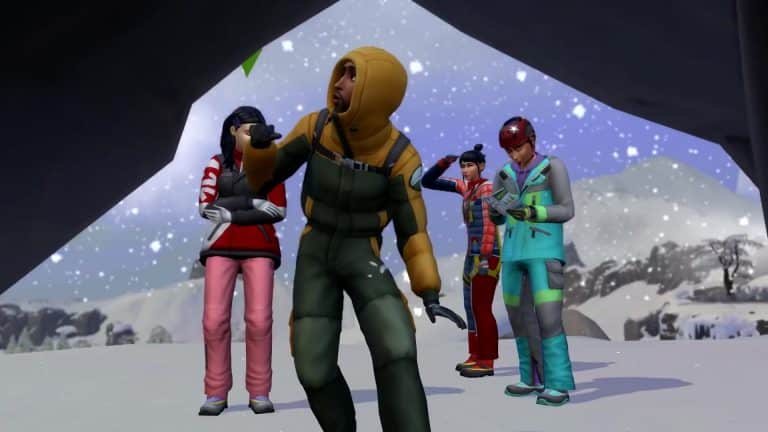
Content updates for The Sims 4 are always sizeable when a new Expansion Pack is just around the corner. With The Sims 4 Snowy Escape Expansion Pack coming out on November 13th we can expect some cool new features added to the game.

Here are all the confirmed (and rumored) features and changes coming to The Sims 4 Base Game early in November!

Skin Tone Fixes

the issue with Skin Tones should’ve been solved this month. However, The Sims Team came across some issues when applying the Skin Tone Fixes and how the tones appear in the game. One of the biggest issues currently are the blotchy appearances of the tones around certain parts of a Sim’s face.

SimGuruDuke addressed this saying that they’ve already made some great improvements and that we can expect the issues to be resolved in November’s update.

Not to be mistaken with a whole differen Skin Tones update coming in December, which is adding 100+ new Skin Tones + Skin Tone & Makeup Sliders!

Everything we can expect from The Sims 4’s Next Update (so far)Everything we can expect from The Sims 4’s Next Update (so far)

Everything we can expect from The Sims 4’s Next Update (so far)Everything we can expect from The Sims 4’s Next Update (so far)

Customizable Platforms

Something exciting for the builders!

The Sims Team confirmed in a Snowy Escape Blog Post that a customizable platforms tool will be coming to the game. Although they didn’t confirm it’s coming in a Base Game update, it’s safe to say that a building tool like this *has* to be added for free through a content update.

As you can see in the screenshot below, it appears that customizable platforms can also be stacked one on top of another.

Everything we can expect from The Sims 4’s Next Update (so far)

This feature is just perfect for creating rooms that need some elevating!

Everything we can expect from The Sims 4’s Next Update (so far)

Lifestyles & Sentiments?

This is more of a rumor considering that it’s been announced exclusively through Snowy Escape. However, the introduction of Lifestyles and Sentiments in the game seem to be a game changing, essential experience, so it wouldn’t be a surprise if such features make it into the base game.

The Sims 4 Snowy Escape also introduces Lifestyles and Sentiments features, adding more depth to Sims’ personalities and relationships. For the first time, up to 16 Lifestyles will manifest in response to a Sim’s actions and habits, changing their behaviors significantly more than Create a Sim traits as they reflect a Sim’s lived experiences. Sentiments represent how two Sims can feel differently about the outcome of a shared experience and have a lasting impact on Sims’ relationships to each other, affecting their social interactions.

Lifestyles manifest in response to your Sim’s actions and habits, changing their behaviors appropriately. Shared experiences inspire Sentiments and have a lasting impact on Sims’ relationships to each other, affecting their social interactions.


These are all the features that have been confirmed so far. Keep checking on this post and our website in general for more information about The Sims 4’s upcoming update!

A Modder is working on a World Edit feature for The Sims 4

1

TheSimsPlus, mosty known for his Open World project Mod for The Sims 4 has discovered a new set of tools to bring to The Sims 4!

The creator tweeted out today that he’s working on a new “World Edit” mod feature for the game which unlocks hundreds of world objects that you can not only use on your lot but place them down anywhere in the world!

The feature will allow you to create your own surroundings around you and modify the environment to your taste. If you choose to place the world objects down onto your lot they won’t be marked as Modded if you decide to upload them to the online Gallery.

Down below you can check out some of the examples of objects that he was able to unlock and place down in the world:

The modder said that this feature will also let you place down Roads and Waterfalls. In the screenshots below you can see an example of a bridge and an animated pond he was able to place down. Best of all? These items are not marked as modded considering that the mod feature is using in-game assets.

The creator said that, although he cannot recreate the full process and tools of Create A World from The Sims 3 days, he’s been making more and more discoveries that’ll let you customize worlds in The Sims 4 to your taste.

You can follow TheSimsPlus on Twitter and stay in loop about his upcoming mod!

The Sims 4 Gucci Collab: Interview with Harrie & Grimcookies

The Gucci collaboration with Grimcookies and Harrie is a huge moment in the sims community, so we wanted to find out from G&H what the collab is all about, how it came to life and what it means for the future.

If you haven’t heard about this iconic collab yet, check out our article here!

This collab is really an iconic moment for the community. How did it all start?

G: The idea was born out of the sustainability elements in the Eco Lifestyle EP! Gucci’s Off The Grid line is made from recycled, organic, bio-based and sustainably sourced materials so it was a natural fit to kind of bring it in via custom content and tie it to that part of the game. We wanted it to be something made by the community for the community, and I was lucky enough to be one of the creators they chose to bring it to life in the game.

H: Gucci “Off The Grid” Collection is the first from the Gucci Circular Lines range & its all about heading towards a more sustainable future, so when they saw that The Sims had released the Eco Lifestyle EP, it seemed like the perfect fit. Gucci Equilibrium is all about raising young voices up and making the world a better place. Working with The Sims community would further their mission statement.

https://www.youtube.com/watch?v=9nopCtmN5kU&feature=emb_title

Now on a personal note, when I first got that email to detail the project, I thought it was a hoax, but now that I’ve learnt now about the work that Gucci Equilibrium does, this collab makes perfect sense.

Tell us a little bit about what the collab includes and how you’re both involved

G: My part of the collection is a set of 11 decor items for build buy as well as 2 pairs of shoes and 2 hats in create-a-sim. I recreated my favourite items from the real life collection including matching the exact swatches they come in, in real life. I also digitally recreated 3 stills from the Gucci campaign including a digital Jane Fonda and 2 still life photos of the items. 

H: I handled the recreation of the treehouse from the Gucci Off The Grid advertising campaign. It’s a 64 x 64  fully playable residential lot located on San Myshuno Meadows. I also got to place all of Grim’s Gucci decor items around the build, so that your sims can live that Gucci life.

Harrie GucciOTG 1

How long have you had to keep this a secret for?

G: A LONG time, back in July I think it went from a potential idea to a project I was actively working on, so even though it’s only been a few months it has felt like forever having to sit on a secret like this. 

H: I just looked back in my emails and the first email arrived all the way back on 10th July, so it’s been over 3 months I’ve been keeping this secret and it feels great to finally be able to spill the beans.

What are your favourite items from the collab?

G: The shoes! I love them so much. I spent hours upon hours staring at the real life versions haha. After them, my next favourite is for sure Harrie’s build. It’s gorgeous. 

H: I love the backpack! I don’t have the Gucci one IRL, but my simself will forever own one. But all the pieces are perfect to add that lived in feel and realism to a build.

The Sims 4 Gucci Collab: Interview with Harrie & Grimcookies

Harrie, how did you come up with the tree house idea?

H: The treehouse wasn’t a real life structure, but I combined their concept artwork and the campaign imagery to come up with the final build. It was fun to be able think more in depth about how I constructed the lot; making sure that I was building in a sustainable way and also thinking about the eco systems that would be able to thrive here.

Any plans for another big collab like this?

G: None! I will be resting for a while after this. It was a dream come true and a lot of fun but also a lot of work and quite stressful. When you are taking someone else’s art and re-creating it that can be quite a lot to take on, definitely a lot of self-placed pressure to get it right so for the indefinite future I no plans for another one. Plus I think this really deserves to be a one-of-a-kind collaboration.

H: Nothing in the works right now with other brands, but I’d be more than happy to do another project like this in the future. But for now I’ll be sticking to the traditional Sims collabs 

Who is your DREAM collab?

G: Sweet Treats 2 of course, Katy my dms are open x

H: If The Sims team were to ask the CC community to collaborate on a Stuff Pack, I would die! I also think it would be recieved by the community really well too.

What new CC collections can we expect from you in the next few months?

G: In November I am releasing a new default skinblend and I am also working on a fun mini-set with a fellow youtuber.

H: I haven’t actually announced this anywhere yet, but I’m currently working on a country collection of items that will be released over the next 3 months. It starts in November with the release of the bedroom items, but will also include kitchen & living room items too

What’s your advice to any other creators who would like to team up with a big brand?

G: Authenticity is key. This project would not have worked if Harrie and myself couldn’t fully stand behind the key messages of sustainability that the Off The Grid collection & equilibrium promotes. Gucci’s commitment to sustainability via their new circular lines initiative is so in-line with my own values as a person to care for our environment. I think that making sure whatever you are doing is a really good fit is the most important thing. I am so proud to have been part of a project that spotlights the cc community and I think that if those elements, alongside the sustainability ones weren’t a part of this project then it would not come anywhere near close to the authenticity and awesomeness that I think this project has. 

H:  I would second everything that Grim said, but also knowing what your skills and having the confidence to bring your own ideas to the table will make for the best collaboration project. Always know your worth 🙂


Huge thanks to Harrie and Grimcookies for doing this interview with us! You can stay up to date on their latest content and creations on their socials:

Harrie:

Grimcookies: