Home Blog Page 202

The Sims 4 Kits to be revealed March 2nd

0

The Sims Team has officially confirmed the latest leaks!

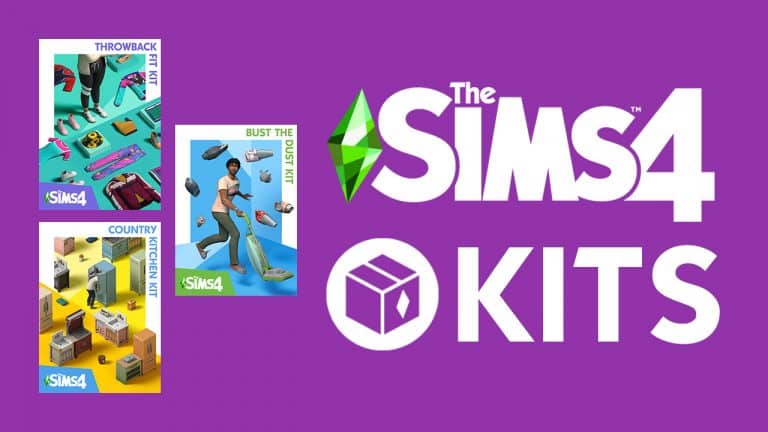
As we reported just a few moments ago, The Sims 4 will soon be introducing Kits – a new type of pack which seem to bring a very specific theme of items / gameplay for a specific aspect in the Game (CAS, Build, Gameplay).

The Sims confirmed that they’ll be doing a full reveal of The Sims 4 Kits on March 2nd in their latest tweet:

As you might have heard we already got all the info on the first Kits coming, and you can check it out HERE!

The Sims 4 Kits to be revealed March 2nd

The Sims 4: 21st Birthday Update Overview (February 26, 2021)

A few weeks ago, The Sims Team announced it had hired a handful of talented custom content creators to design some new game content in honour of The Sims’ 21st birthday! Today, that update went live with a total of 21 new items in the game, ranging from CAS to Build/Buy to new cooking recipes! Each item was created by a member of the community, which makes this update special.

Check out all the new content from all your favourite custom content creators below!

CAS

The Sims 4: 21st Birthday Update Overview (February 26, 2021)

1 new feminine top and 1 new pair of pants for adults, designed by AHarris00Britney!

The Sims 4: 21st Birthday Update Overview (February 26, 2021)

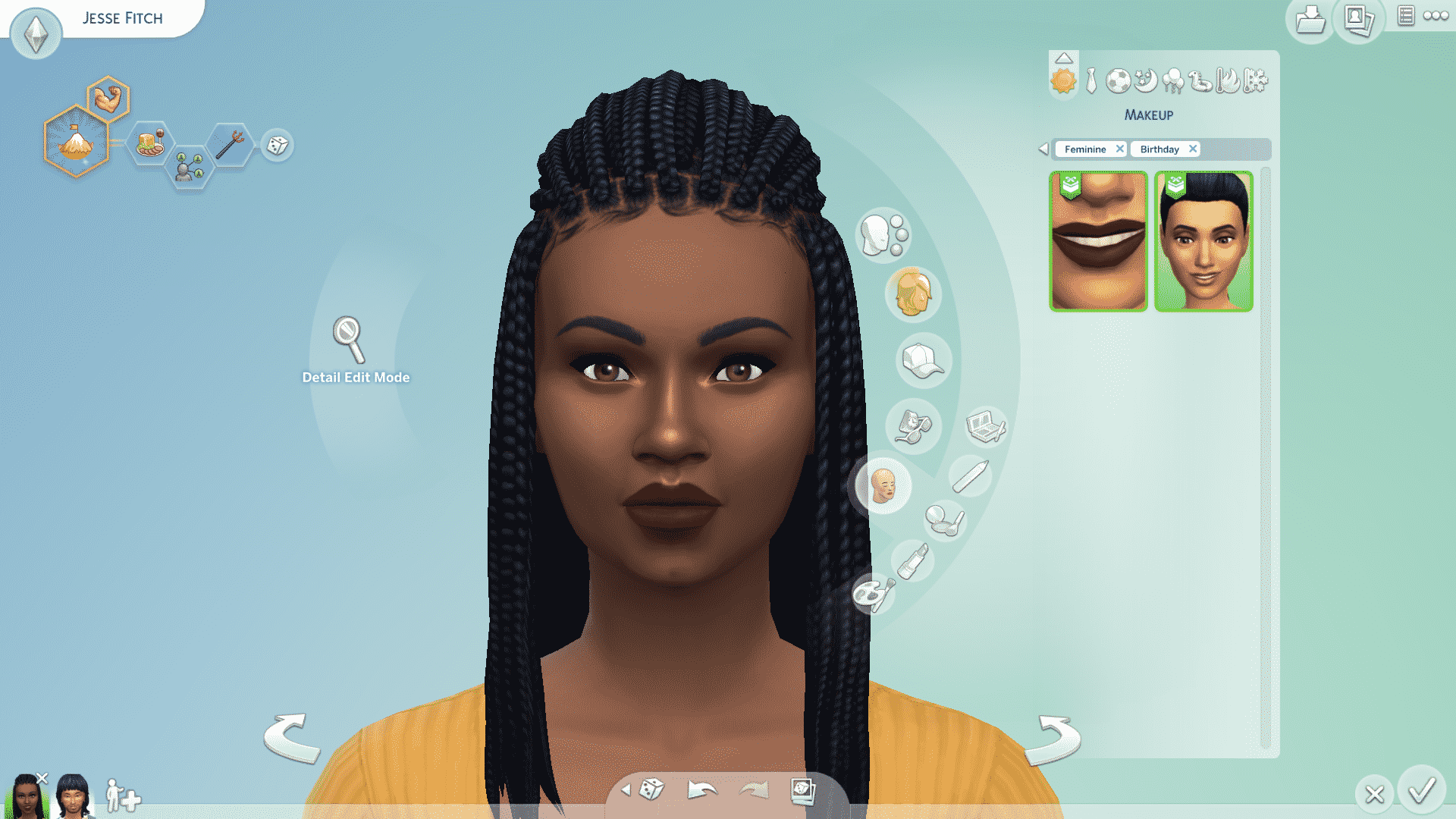
1 new lipstick, designed by grimcookies, and 1 new highlighter in the blush category, designed by peachyfaerie!

The Sims 4: 21st Birthday Update Overview (February 26, 2021)

1 new unisex crows feet skin detail, designed by Luumia!

2 new eyebrows, designed by peachiefaerie!

The Sims 4: 21st Birthday Update Overview (February 26, 2021)

1 new adult hat, designed by FeralPoodles!

The Sims 4: 21st Birthday Update Overview (February 26, 2021)

1 new feminine top and 1 new unisex pair of pants for toddlers, designed by StorylegacySims!

Build/Buy

The Sims 4: 21st Birthday Update Overview (February 26, 2021)

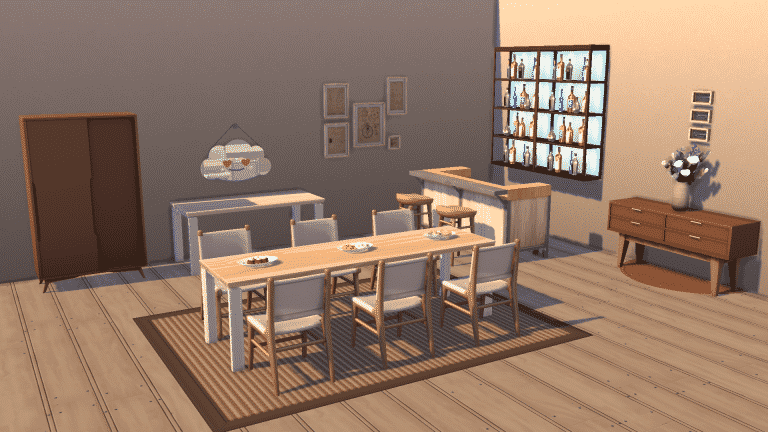
1 dining chair, 1 bar stool, 1 long dining table, 1 short dining table, and 1 table plant, designed by heyHarrie!

1 accent table, 1 wardrobe, and 1 wall mirror, designed by peacemaker_ic!

Recipes

The Sims 4: 21st Birthday Update Overview (February 26, 2021)

Palak Paneer, Butter Chicken, and Baked Chocolate Mousse, designed by Munmun!

All three recipes unlock at level 6 of the Cooking Skill.


Today’s update also comes with a handful of bug fixes. For a full run down of all the squashed bugs, check out the patch notes here!

The Sims 4 is launching a new Pack Type – KITS!

31

UPDATE: I’ve found game descriptions and features of the upcoming three Kits for The Sims 4 in the text strings! Here’s what each will offer:

The Sims™ 4 Throwback Fit Kit

Outfit your Sims in retro-inspired athleisure looks with The Sims™ 4 Throwback Fit Kit! Take it back to nostalgic colors, bold patterns, and trend-forward silhouettes with these all-new Create-a-Sim items. Updated everyday classics and workout wear elevate this unique collection—and your Sim’s fashion

The Sims™ 4 Country Kitchen Kit

Transform your Sim’s kitchen into the most charming part of their home with The Sims™ 4 Country Kitchen Kit! From vintage refrigerators to casserole dishes, these Build/Buy objects offer a delightfully trendy take on a timeless style.

The Sims™ 4 Bust the Dust Kit

Dust off the vacuum and tidy up in The Sims™ 4 Bust the Dust Kit! Dust is piling up and spawning friendly bunnies and dastardly filth fiends in Sims’ homes. Get rid of the muck by cleaning, or settle in for a messy life. Conquer chores with new buffs and rewards for each dust level, vacuums to help fight the good fight, and aspirations related to cleanliness.

The Sims 4’s latest Game Update brought tons of clues of what’s to come to The Sims 4 – more specifically the new Pack Type that is being introduced.

In the game files the codes mention of a new pack type called Kits. These kits seem to be smaller than Stuff Packs and will contain different themes for Gameplay, Build and CAS content.

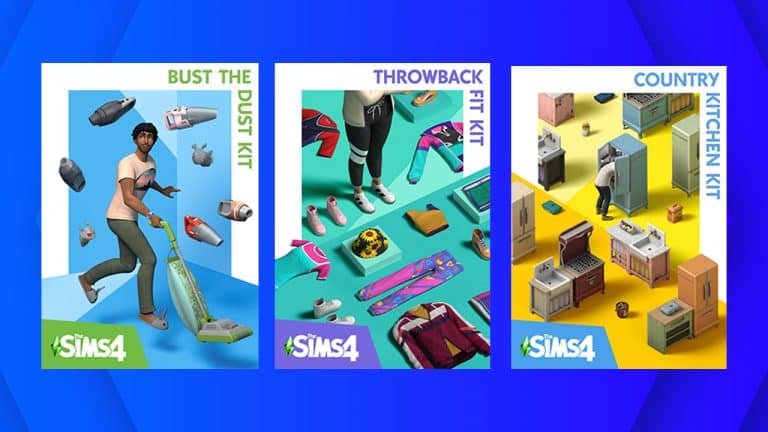
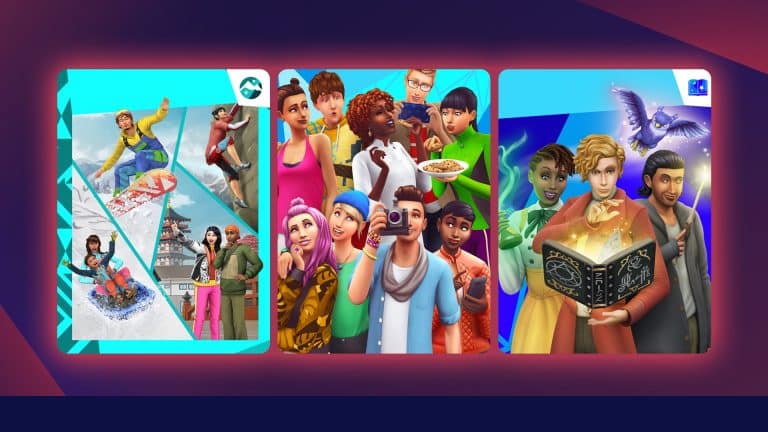
Down below you can check out the first kits that have been revealed, including:

  • The Sims 4 Country Kitchen Kit
  • The Sims 4 Bust The Dust Kit
  • The Sims 4 Throwback Fit Kit

The Sims 4 is launching a new Pack Type – KITS!The Sims 4 is launching a new Pack Type – KITS!The Sims 4 is launching a new Pack Type – KITS!

The game code strings then explained just a little bit more what kits are:

  • What is a Kit? Kits are mini bits of content designed to enhance the way YOU play!
  • Explore Our Kits Each Kit is a little bit different. Play around!

Later in the files there’s also screenshots from each Kit, including:

Country Kitchen Kit

Bust The Dust Kit

Throwback Fit Kit

It’s not known when these kits will be coming to The Sims 4 but it’s for sure ready to be released any time now! Stay tuned for more info on our website!

Bunk Beds are coming for FREE to The Sims 4 Next Month!

1

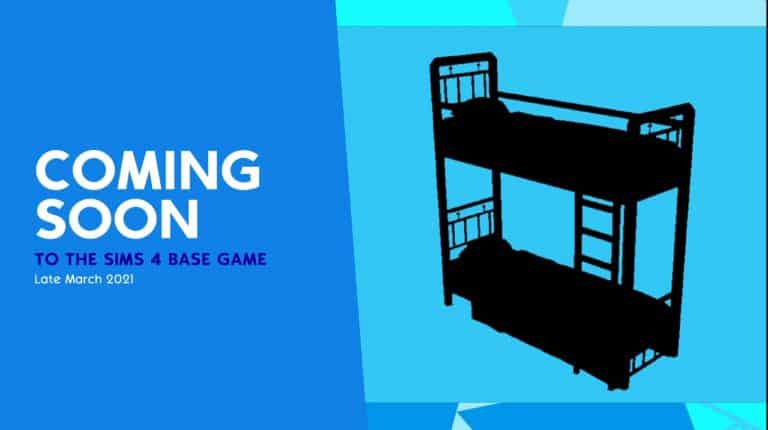
The Sims Team has revealed in their latest livestream a big surprise right at the end. They’ve shown an image “Coming Soon to The Sims 4 Base Game” with a very apparent sillhouete of Bunk Beds with the text “Late March 2021”.

We’ll find out soon more next month about this surprise but for now it’s definite that bunk beds are officially coming to The Sims 4 in March!

Bunk Beds are coming for FREE to The Sims 4 Next Month!

The Sims 4 21st Birthday Update: Patch Notes! (February 25th, 2021)

The Sims 4 PC & Console: 21st Birthday Update + Patch Notes! (February 25th, 2021)

The Sims 4 21st Birthday Update

The Sims Team has released an exciting Sims 4 21st Birthday update on PC, Mac, Xbox One and PS4 in honour of The Sims Franchise’ 21st birthday this month! This update brings 21 new items to the game created by talented custom content creators in the community, along with a few bug fixes!

To download the latest version of The Sims 4, simply open your Origin program and if the game doesn’t update automatically, right click on The Sims 4 and select ”Update”.

In case you have Mods or Custom Content, the game will automatically disable them for you after first launching The Sims 4 after the update. To re-enable all your Mods and Custom Content, select the Settings option in the Menu and select Settings. Under the ”Other” section you’ll find the ”Enable Custom Content and Mods” option. Check it and restart your game in order for it to take effect!

Update 2/25/2021

PC: 1.71.86.1020 / Mac: 1.71.86.1220

Console: Version 1.38

Coming of Age at 21 in ‘21

As of February 4th, The Sims™ is officially 21 years old. To be quite honest with you all, I have a lot of feelings regarding that as not only it confirms that I’m getting older, but also it makes me think about everything that The Sims has meant to so many people over these past 21 years.

My own personal – professional – journey in The Sims started in 2010 and since then I have seen every pack, every feature, and every comment from our wonderful community. Most importantly I have made great friendships with coworkers (former and current) and I have enjoyed a lot of the content our community shares and talks about on a daily basis.

This year we have nine amazing creators from The Sims community sharing their talent with all of us in honor of this joyous occasion. As of today, you can see in your game 21 new creations present in your game, some in Build Mode and some in Create a Sim, designed by these members of our community. They are in both game areas with a Green Icon representing a present and they are tagged with the Special -> Birthday filter.

We have partnered with the wonderful HeyHarrie, peachyfaerie, storylegacysims, peacemaker_ic, Luumia, icemunmun, grimcookies, FeralPoodles, and AHarris00Britney. They have created unique and fun items for everyone to enjoy, so we hope that you like them as much as we do.

Along with these items we have a number of fixes and tweaks that we managed to deliver in this update. So thanks as always for your patience and support in reporting and helping our Live Operations team review and set these fixes in motion.

On behalf of Maxis I want to wish everyone a Happy 21st, and remember that You Make The Sims!

Happy Simming,

-SimGuruRusskii


Bug Fixes

Console

  • Fixed an issue in the control scheme screen – if you are not familiar with this screen, press L3 (Playstation 4) or LS (Xbox One) it’s awesome… anyway! The issue is that the screen did not display the “Edit Color” option when in Create a Sim. We also fixed an issue in which the options for the L1 (PlayStation 4) and LB (Xbox One) were not showing up on the same screen.
  • When randomizing Skin Tone colors, pressing the X Button (PlayStation 4) or the A Button (Xbox One) will select and apply the correct tone.
  • We have cleansed the Create a Sim of the “Play button” control option that would appear randomly in the dynamic controller layouts.
  • Made some alignments on the Main Menu Home and Packs tab as they were not looking quite right when Simmers switched to Mouse and Keyboard.

Sims 4 21st Birthday Bug Fixes

  • Fixed an issue in Create a Sim that did not allow Body presets to be present as an option for Children and Toddler Sims.
  • For Simmers that experience a Last UI Exception error in Create a Sim while selecting Skin Tones, the issue has been resolved.
  • The UI team has fixed a few imperfections in Create a Sim/Pet:
    • Pet breed’s thumbnails will no longer look disproportionate in the Coat Color/Pattern section in the case of Simmers that own Cats and Dogs.
    • Sims’ makeup sliders will no longer overlap with color swatches and highlighting color swatches will no longer make them look offset.
    • Fixed an issue in which the Skin Tones sliders didn’t appropriately hide when changing to other parts of the Sims to customize.
    • Saving customized color swatches will no longer create duplicates of the base color swatch used to create the custom color.
    • The Save button will no longer function inconsistently when utilizing the opacity sliders. Did it save? But did you save it? Did it actually save? But did it save?
  • Gallery Notifications on the Main Menu needed to be more opaque as they were a bit unreadable and quite… ghostly. Good to know that was the resolve because this editor was second-guessing her contacts’ prescription for a while there.
  • As always this editor and the Localization team made some adjustments and perfected some of the text in-game across all packs and previous updates.

Get to Work

  • We were contacted by the Aliens, and they have helped us reinstate their missing Skin Tone color in Create a Sim. Now all 8 Alien skin options are visible again.

Cats and Dogs

  • We did some maintenance on all Robot Vacuums so now they will actually clean up messes instead of just roaming around your Lot. Especially those created by Children and Toddlers – Big Yikes! Glad that the warranty was still in place though.

Seasons

  • Was your game save feeling the pressure to not continue with the Winterfest spirit? So were we. We have applied a fix that should help with the culling of extra Father Winters… affecting some saves. The Culling (it’s like The Happening, so something will happen… we hope) should start when loading into a Lot. Simmers with low-end machines and many, many Father Winters… in saves, may take some time (possibly hours… that is real-life hours, not Sim hours… just in case) for The Culling to complete. Afterward, Simmers should see an improvement in performance when playing these saves.

Eco Lifestyle

  • The “Store No More Home Fabricator” will now properly display the number of Bits and Pieces that are owned by Sims.

Nifty Knitting

  • Children will no longer look like they have put a leg through a rocking chair when reacting happily to rocking. Nothing to see here… nothing to see here folks.

The Sims Team has hired 21 Custom Content Creators for the next Sims 4 Update

14

The Sims Franchise is making a big leap out of their comfort zone for the first time ever!

The Sims Team acknowledged their 21st Anniversary of The Sims Franchise yesterday with an interesting tweet:

Grab a Simsmapolitan! We’re 21! To celebrate, we’ve partnered with some talented creators to create a gift for our community, by our community #YouMakeTheSims. We can’t wait to share on Feb 25th!

Although the tweet didn’t reveal much regarding their next surprise – many simmers have started speculating that it could involve custom content creators and their contribution to The Sims 4’s next update considering that the surprise is “a gift for our community, by our community”.

The Sims Team has hired 21 Custom Content Creators for the next Sims 4 Update

The official twitter profile for The Sims France has revealed a bit more – saying that The Sims Team has hired 21 creators for their next surprise.

For the occasion, we collaborated with 21 talented designers / creators to prepare a gift for the community!

LuumiaSims, a talented Custom Content Creator and Modder for The Sims 4 seems to be one of the 21 CC Creators who have collaborated with The Sims Team to bring their unique content to The Sims 4:

He is best known for his Maxis Match custom creations such as Body Hair, Hairstyles, CAS Outfits and more! You can check out his CC catalog HERE!

The Sims Team has hired 21 Custom Content Creators for the next Sims 4 UpdateThe Sims Team has hired 21 Custom Content Creators for the next Sims 4 Update

This would be the first time that The Sims Team has broken the mold by hiring community members to create content for The Sims – and we’re definitely here for it!

Whatever content we get on February 25th in The Sims 4 please note that this would be the first project collaboration with CC Creators to have their content included in the game. Even if the content we get doesn’t include any new gameplay elements we can still be proud of this amazing milestone – and that’s that CC Creators are finally being acknowledged and recognized by The Sims Team.

The Sims Twitter Teases a Surprise for The Sims’ 21st Birthday!

4

Seeing as The Sims turns 21 years old today, many players were wondering if this milestone would mean a new game update with some goodies in store for the community. Last year’s birthday “gift” left players underwhelmed when The Sims released a base game hot tub in honour of the franchise’s 20th anniversary; a recycled item from a six-year-old stuff pack.

It looks like we may be in for a treat this year, however, because The Sims Twitter account has teased a gift that the community itself had a hand in creating.

https://twitter.com/TheSims/status/1357390964164239362

This isn’t the first time The Sims has partnered with prominent creators in the community. All of the lots in Mt. Komorebi from the Snowy Escape expansion were built by Game Changers, as well as a lot from the latest stuff pack, Paranormal Stuff. These partnerships with Game Changers have been well-received by the fanbase, so hopefully this means we can expect something exciting on February 25th!

The Sims 4 has reached over 33 Million Players!

2

Electronic Arts has released their official Fiscal Year report for Q3 2021 where they’ve talked plenty about their strong growth during the period of the last 3 months. For The Sims 4 they’ve stated some interesting remarks.

First of all they’ve reported that since the release of The Sims 4 the game grew more than 33 million players! Other than that they’ve also reported that the game will continue to grow and release new content in the coming period, including Fiscal Year 2022 which lasts from April 2021 to April 2022. Here’s what they’ve officially stated regarding The Sims 4:

  • The Sims 4 has grown every year since launch. As we expand the experience more new and relevant content, we engage a diverse and growing audience spanning players of all ages and demographics. Life-to-date more than 33 million people have now played The Sims 4, and daily, weekly, and monthly average players in the game all reached all-time highs for the third quarter in December. Our Maxis team just delivered the 10th expansion pack for The Sims 4, and we see continued growth for our Sims business in FY22.
  • The Sims 4 is on track for its sixth consecutive year of growth, and Apex Legends for its second, at the beginning of what we hope will be a similarly long run for this title.
  • Meanwhile, the live services teams for FIFA, Apex Legends, The Sims and Madden all continue to outdo themselves. And of course, we’ll have other surprises that we’ll reveal when the time is right.

The Sims 4 has reached over 33 Million Players!

Origin Pop-Up Sale: Save up to 75% off on select The Sims 4 Games!

0

Origin is currently having a pop-up sale on their platform where you can save up to 75% off on select The Sims 4 Games / Packs!

In this sale they’ve included The Sims 4 Base Game, The Sims 4 Expansion Packs and The Sims 4 Game Packs at a limited discounted price. Down below you can check out all the offers that are currently available:

  • The Sims 4 Base Game (75% off)
  • The Sims 4 Expansion Packs (50% off)
  • The Sims 4 Game Packs (25% off)

In the offer you can also find the latest Expansion Pack – Snowy Escape as well as the latest Game Pack – Star Wars: Journey to Batuu. The offer is available right now and will last until February 9th at 10AM PT.

Origin Pop-Up Sale: Save up to 75% off on select The Sims 4 Games!

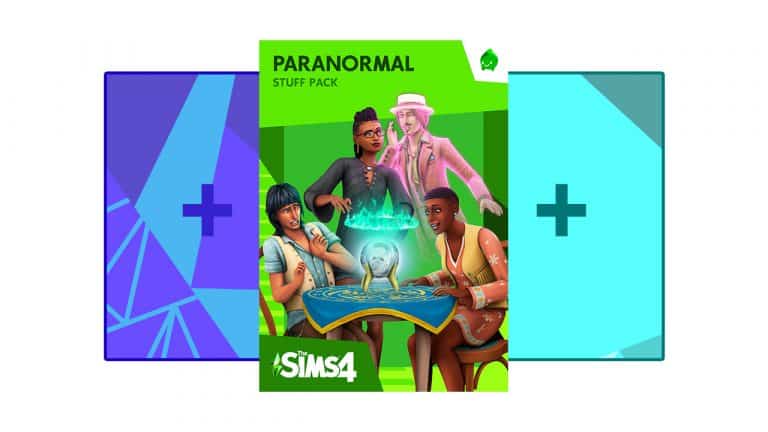
The Sims 4: Bundling Packs with Paranormal Stuff Now Available on Origin

3

Origin has just updated their Build Your Bundle Feature for The Sims 4 with the latest Paranormal Stuff Pack!

Now you can bundle up 1 Expansion Pack, 1 Game Pack and 1 Stuff Pack that you currently do not own in your Origin Game Library. That last Stuff Pack slot can now be filled up with The Sims 4 Paranormal Stuff Pack!

In case you don’t know, the Build Your Bundle Feature allows you to create a special Origin offer that lets you save up 35% on the total value of the packs you’ve selected. This means that you’ll be paying just over 5USD of a regular price for an Expansion Pack while also getting a Game Pack and Stuff Pack of your choice!

For more information about the Build Your Bundle Feature for The Sims 4 CLICK HERE! You can build your Bundle HERE on Origin!

The Sims 4: Bundling Packs with Paranormal Stuff Now Available on Origin

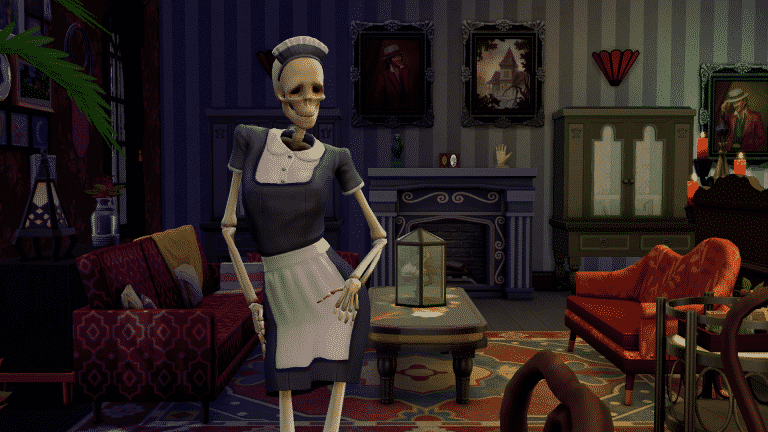
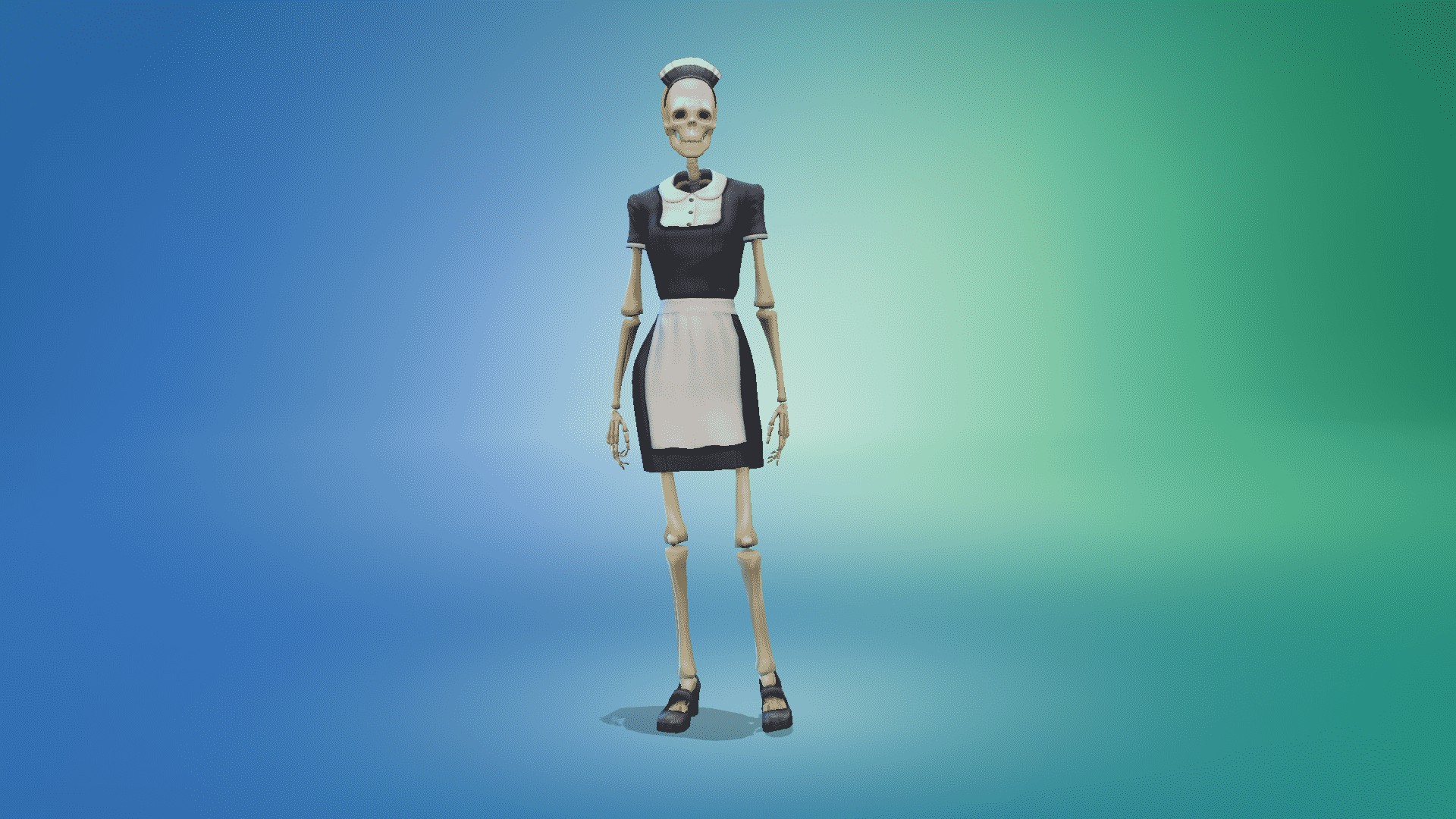
The Sims 4 Paranormal Stuff: Your Handy Guide to Bonehilda!

Long-time fans of The Sims series will have fond memories of Bonehilda, who first appeared in The Sims: Makin’ Magic expansion pack back in 2003. While Bonehilda was not present in The Sims 2, she made a comeback in The Sims 3 with the release of the Supernatural expansion in 2012. Now, nearly a decade later in 2021, Bonehilda makes a return to the series once again in The Sims 4 Paranormal Stuff!

Read on to find out all about this beloved NPC in The Sims 4!

How To Summon Bonehilda

The Sims 4 Paranormal Stuff: Your Handy Guide to Bonehilda!

In previous The Sims titles, Bonehilda had her own coffin you could purchase in Build/Buy and place on your Sims’ home lot. She could then be called upon anytime by knocking on her coffin to wake her up.

In The Sims 4 Paranormal Stuff, Bonehilda does not emerge from a coffin. Your Sims will have to spend a bit of time building their Medium skill in order to unlock the ability to summon her at the new Séance Table. Summoning Bonehilda requires Level 3 Medium Skill, so it doesn’t take a lot of skill grinding to unlock her. She can also be summoned anytime you like, just like in previous games. The only restriction on summoning Bonehilda is that she can’t be summoned if she is already on the lot.

When Summoned, Bonehilda will stick around for about 12 in-game hours before leaving the lot, but you can summon her again immediately. There is no cooldown period for summoning her.

What Does Bonehilda Do?

The Sims 4 Paranormal Stuff: Your Handy Guide to Bonehilda!

Bonehilda does everything she did in previous games, and more! Not only will she cook, clean, and tend to children for your Sims, but she’ll also fight off Temperance for you if you happen to be living in a haunted house.

Things Bonehilda will do:

  • Cook meals
  • Procure random quick meals out of thin air for your Sims
  • Mop up puddles
  • Tidy up and wash dirty dishes
  • Take out trash and pick up knocked-over trash bins
  • Repair broken objects
  • Tend to newborn babies
  • Help toddlers with their needs and help them build skills
  • Help children and teens with homework
  • Put away pet and child toys if there is an available toy box on the lot to put them in
  • Fight Temperance

Things Bonehilda won’t do:

  • Garden
  • Greet guests at the door
  • Clean up/remove cursed objects in haunted homes

Having a maid who’s also good at keeping nasty spirits away is super handy! Summon her whenever your Sims are too scared or stressed to keep up with household chores or when they need protection from not-so-friendly paranormal beings!

Other Information About Bonehilda

The Sims 4 Paranormal Stuff: Your Handy Guide to Bonehilda!

Bonehilda has a few unique quirks and behaviours she’ll do autonomously, mostly just for comedic purposes. She also has traits and an aspiration like other Sims, along with some hidden and reward traits. Sims can socialize with Bonehilda like any other Sim and even romance her!

  • Bonehilda can be befriended and romanced. The Romance social category is available on her after your Sims introduce themselves to her for the first time.
  • You can WooHoo with Bonehilda, but you cannot Try for Baby with her without the use of cheats. More on that in the next section.
  • You cannot invite Bonehilda to become a member of your household without the use of cheats. More on that in the next section.
  • Bonehilda’s presence can sometimes give Sims an “Uneasy Presence” Tense moodlet
  • Bonehilda is fond of drinking water; however, since she’s a skeleton, it just goes right through her and creates a puddle on the floor. She is polite enough to clean up the resulting puddles, though.
  • Bonehilda frequently does amusing flirty dances as an idle animation
  • Bonehilda likes to admire herself in mirrors
  • Bonehilda has the same idle animation of spraying random surfaces in the house that the butlers from Vintage Glamour Stuff do.
  • Bonehilda’s traits are Family-Oriented, Neat, Creative, Domestic (Bonus), Brave (Reward Store), and Chopstick Savvy (Hidden)
  • Bonehilda has the Big Happy Family aspiration
  • If Get Famous is installed, Bonehilda starts out with a Pristine Reputation.

Using Cheats to Open Up More Options with Bonehilda

The Sims 4 Paranormal Stuff: Your Handy Guide to Bonehilda!

Although Bonehilda can’t become a member of your household through regular gameplay, she can be made playable using cheats. Open the cheat console with CTRL+C (or all four back triggers on console), then type in testingcheats true and hit Enter (or X/A on console). Please be aware that using this cheat will permanently disable trophies/achievements on that save if you are playing on console!

Once testing cheats have been enabled, SHIFT-CLICK on Bonehilda (or O+X/B+A on console) to bring up a debug cheat menu. The option Add To Family should appear. Click that to add Bonehilda to your household and now you can have Bonehilda as a fully playable Sim! There are a couple things to keep in mind if you do this. Firstly, Bonehilda will lose her Maid role and may not do all of the things she did while she was an NPC maid. She will still clean frequently due to her Neat trait, however. Secondly, you won’t be able to use the Séance Table to summon Bonehilda anymore if you make her a playable member of the household. You cannot summon Bonehilda while Bonehilda is already on the lot. Since she is always on the lot as a household member, the option to summon her will be permanently greyed out.

The Sims 4 Paranormal Stuff: Your Handy Guide to Bonehilda!

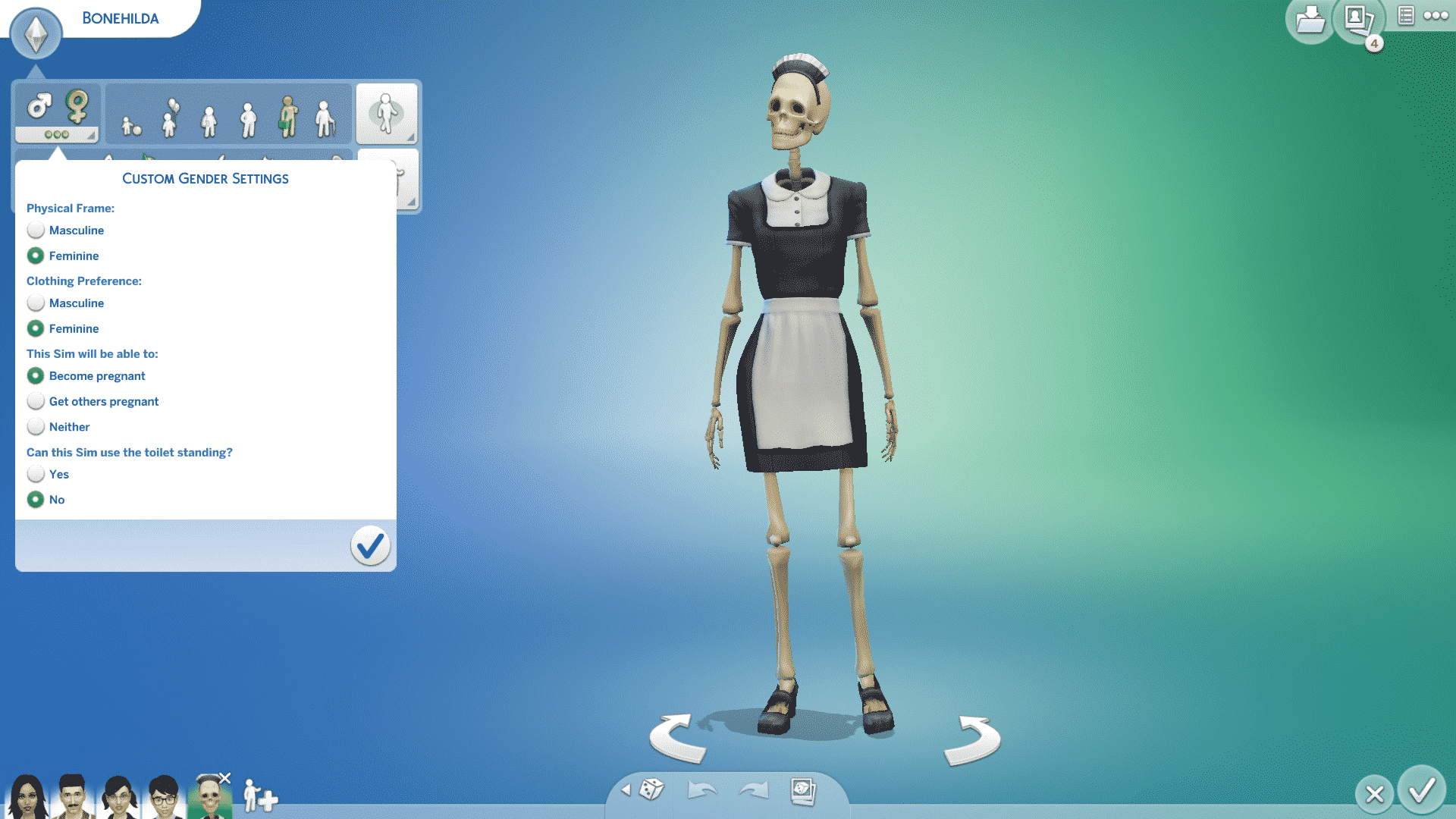
If you’re looking to start a family with Bonehilda, you can do that as well! With cheats, of course. You cannot Try for Baby with Bonehilda while she is an NPC maid, so use testing cheats to make her a playable member of your household as described above. You’ll notice that you still can’t Try for Baby with Bonehilda even with a maxed out romance bar, but there is a very easy way to get around this.

Just go into CAS and check out Bonehilda’s gender settings. Make sure she is tagged to become pregnant, then exit CAS. Bonehilda can now become pregnant! You can Try for Baby with Bonehilda now.


The Sims 4 Paranormal Stuff: Your Handy Guide to Bonehilda!

When Bonehilda is pregnant, she won’t have a baby bump, but will still walk like she’s pregnant in the second and third trimesters. Bonehilda’s children will just be regular humans with no special traits or abilities due to having a skeleton mother, but it’s still a great storytelling tool for players all the same. Personally, I find it a little sad that Bonehilda’s aspiration is Big Happy Family, yet she’s unable to have a family of her own through regular gameplay. Being able to give Bonehilda the loving family she’s always wanted through the use of cheats gave me warm fuzzy feelings.

The Sims 4 Paranormal Stuff is Now Available!

0

The Sims 4 Paranormal Stuff Pack has begun with rolling out on Origin, Steam, Xbox and Playstation Stores!

The price of the pack is the regular 10USD Stuff Pack price and you can get it from the official stores we’ve listed above. If you’re looking to get it on your PC it’s already available HERE on Origin!

For guides, articles, videos and coverage on The Sims 4 Paranormal you can check out our Paranormal Articles Category!

The Sims 4 Paranormal Stuff is Now Available!

More information on the development of The Sims 5

9

The information on the next Sims Game (as we call it The Sims 5) are all coming together now thanks to the Maxis Official Careers page.

Just yesterday we reported on the information that Maxis has started the search for a Senior CAS Artists who will help create the initial look of the characters and their tools. The finding also included a search for a Game Designer who will help design and support the future creative tools for the game. The listing also came with some other interesting information that you can catch up to HERE!

Today, there’s a new job opportunity listing that fits all the pieces into a giant puzzle of information that we have on The Sims 5 thus far.

The latest listing is searching for a UI Artist who will do a medley of things for the User Interface and Experience research and development for the game. Before you check out the full listing, here’s a summary of all the interesting and important facts they’ve mentioned in the listing:

  • Fitting with our discovery that we’ve made a few days ago that The Sims 5 will be prototyped in Unreal Engine – the User Interface development for the game will also be done in Unreal Engine.
  • The work that will be done as a UI Artist will last for at least the next 2 years – meaning that we probably won’t hear official news on The Sims 5 until at least 2023. Also note that they’ve stated that the UI work for the game will last “for a minimum of 2 years” – meaning that the development time frame is subject to change could be extended over the course.
  • The game is planned to have a modular, responsive User Interface system created in Unreal Engine that’s planned to work on all platforms – including Mobiles, Tables, Computers and Consoles. This further confirms the concept that Maxis currently has to make the game a cross-platform experience available for almost all platforms! EA’s CEO Andrew Wilson also stated in early 2020 that they’re planning to make the next generation Sims Game a “cross-platform” experience!
  • The work on the game’s User Interface will be dynamic – meaning that it’s expected for the game’s user interface to change and grow as the development team expands the game’s actual content.
    • To put things better in perspective – The Sims 4’s User Interface also went through numerous changes as the game was being developed. It eventually ended up from blue to transparent white user interface that we have today. Here’s just an example of how The Sims 4 User Interface looked in the early days of development:More information on the development of The Sims 5
  • The role of the UI Artist will also include creating the game’s initial prototype of its design, typography, iconography and more.
  • The team plans to have the players in mind – meaning that they’ll be listening to the feedback and evolve the User Interface if needed to meet all the design and accessibility standards.

There’s a lot of exciting technical information in the listing that you can check out below. But, before you do, keep in mind the following:

  • The game is still early in development so we shouldn’t be expecting an official announcement in at least the next 2 years. This is just an assumption however considering that it’s hard to put a timeframe on a project that’s still early-on.
  • This won’t have an impact on the continuous development and content release of The Sims 4. There are different teams working on different games in the Maxis studio.

You can catch up on all the previous findings regarding the next Sims Game in our The Sims 5 News Category!

UI Artist

We are looking for an XD Designer who will focus exclusively on UI for a minimum of 2 years of the project development. After this period this role could become a hybrid UI/UX role.

This role will be responsible for creating, documenting and maintaining the UI systems and needs to be someone who is a systems thinker and doer. You will work closely with the Art Director, Technical Art Director, Engineers and Experience Designers to help develop a modular, responsive UI system in Unreal that works on all platforms (mobile, tablet, PC, Console) and will expand over time. We need to design for the future, working as smartly as possible because the initial UI will change and grow when the game’s content expands.

This role will be the Unreal expert in UI who will guide the team in best practices. You will also coordinate and partner with the other EA studios who are using Unreal to build bridges and share knowledge.

Responsibilities

Drive the delivery of the following:

  • UI Framework
  • UI Style guide – this role would also help decide what platform software we use to maintain the style guide to allow for iterative design and collaboration.
  • Design and implementation of UI elements, icons etc. into the dev prototypes in Unreal

Qualifications

  • Responsible for the creation of the game’s UI systems, both technical and visual.
  • Design UI systems that are intuitive and engaging while balancing player, business and technical goals.
  • Produce the game’s visual design system that includes iconography, typography, visual hierarchy, brand expression and motion.
  • Partner with XD team to author and co-own the XD pattern library and component library.
  • Deliver high fidelity and high-quality UI screens that align with the product’s experience goals, usability and accessibility standards.
  • Experience designing with players motivations and needs in mind.
  • Able to digest and interpret player feedback to make meaningful improvements to the UI.
  • Collaborate closely with the other Experience Designers to gather requirements, explore creative directions, produce prototypes and iterate based on testing results.
  • Initiate, define and lead R&D and innovation initiatives pertaining to UI design, UI motion, and UI VFX.
  • Partner with stakeholders to set priorities and find balanced design solutions to player and business goals within technical constraints.
  • Strong visual design skills (i.e., composition, iconography, layout, typography, color theory) with the ability to lay out complex information in an easy to understand manner.
  • Motion graphics skills, the ability to bring interfaces to life with usability in mind.
  • Comfortable presenting cohesive design solutions to technical and non-technical audiences.
  • Experience designing a cross platform UI system is a giant plus.

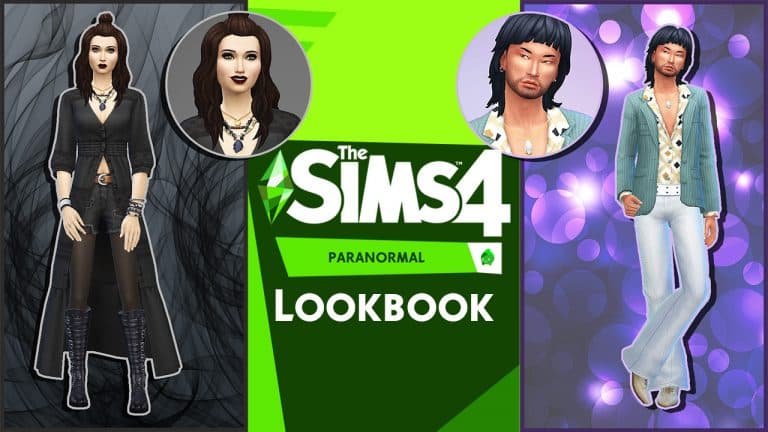
The Sims 4 Paranormal Stuff Inspired Lookbook

Presented by EA Game Changers

With the launch of The Sims 4 Paranormal upon us, we wanted to create some looks inspired by the new Stuff Pack. Each look contains items from the new Stuff Pack, Base Game and one other pack. There are a number of looks that can be created using the new Create A Sim options and here are just a few ideas!

Vampire Slayer

The Sims 4 Paranormal Stuff Inspired Lookbook

“Fighting evil by moonlight. Winning love by daylight. Never running from a real fight”

Whether you’re about to investigate Paranormal Activity, explore a haunted house or even befriend a vampire or two this look will let others know that your Sim means business!

Outfit

Hair: Half-Bun (Base Game)

Makeup Eyeliner, Eyeshadow & Lips (Base Game) / Cheeks (MAC Cosmetics)

Accessories: Necklace (Paranormal Stuff) / Earrings (Base Game) / Bracelets (Base Game)

Body: Long Shirt & Denim Shorts Full Body (Paranormal)

Shoes: Rock Boots (Base Game)


Boho Beauty

The Sims 4 Paranormal Stuff Inspired Lookbook

Instead of chasing ghosts, why not take a moment to unwind and catch a movie with friends with this laid back look!

Outfit

Hair: Braided Pony (Movie Hangout)

Makeup Eyeliner (Base Game) / Eyeshadow, Lips & Cheeks (MAC Cosmetics)

Accessories: Necklace (Base Game) / Earrings (Base Game)

Top: Floral Crop (Paranormal Stuff)

Bottom: Patterned Trousers (Movie Hangout)

Shoes: Beaded Sandals (Movie Hangout)


Western Warrior

The Sims 4 Paranormal Stuff Inspired Lookbook

Strange things have been happening in Strangerville but fear not, the Western Warrior is here to save the day!

Outfit

Hair: Long Full Bangs (Base Game)

Makeup Eyeliner & Eyeshadow (Base Game) / Lips (MAC Cosmetics)

Accessories: Hat (Paranormal Stuff)

Top: Layered Studded Jacket (Strangerville)

Bottom: Belted Trousers (Paranormal)

Shoes: Cowboy Boots (Strangerville)

Tropical Dream

The Sims 4 Paranormal Stuff Inspired Lookbook

It can get hot and humid on those summer nights in the bayou, but you’ll be cool as a cucumber in this breezy tropical-inspired ensemble.

Outfit

Hair: Mohawk Locs (Paranormal Stuff)

Makeup: Eyeliner (Base Game) / Lips, Blush, & Eyeshadow (MAC Cosmetics)

Accessories: Bracelet & Earrings (Base Game) / Necklace (Paranormal Stuff)

Top: Low Cut Knotted Tee (Backyard Stuff)

Bottom: Loose Drawstring Shorts (Paranormal Stuff)

Shoes: Open Toe Heeled Sandals (Paranormal Stuff)

Disco King

The Sims 4 Paranormal Stuff Inspired Lookbook

Disco never died, baby! Show the world your groove with this 70’s inspired outfit and bring the house down with your retro dance moves!

Outfit

Hair: Shaggy Shoulder-Length Cut (Paranormal Stuff)

Facial Hair: Rugged Stubble (Base Game)

Accessories: Earrings (Base Game) / Necklace (Cool Kitchen Stuff)

Top: Layered Unbuttoned Blouse & Jacket (Paranormal Stuff)

Bottom: Bellbottom Pants (Cool Kitchen Stuff)

Shoes: Pointy-Toed Dress Shoes (Base Game)


Credits

This post was a collaboration between Krista and SnarkyWitch!

  • Vampire Slayer, Western Warrior, & Boho Beauty Looks: Krista
  • Tropical Dream and Disco King Looks: SnarkyWitch
  • Photo Edits: SnarkyWitch
  • Poses: Helgatisha, GuyC_UK

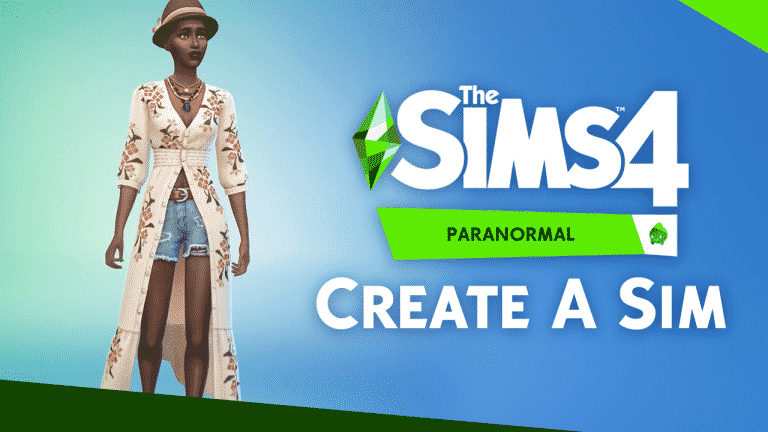
The Sims 4 Paranormal Stuff: Create A Sim Video Overview

0

Want to know what The Sims 4 Paranormal Stuff Pack has to offer in Create A Sim? Look no further!

In the video above I’ve done a detailed breakdown of all the new clothing, hairstyles and their different variants for each new piece, including new items for all ages. At the end of the video I’ve also revealed a cheat which lets you unlock an exclusive outfit for Masculine Adults. Enjoy!