Home Blog Page 218

The Sims 4 Snowy Escape: Official Assets

10

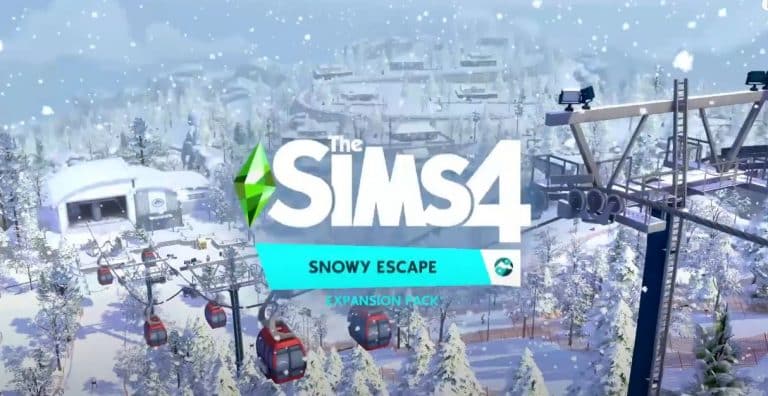
The Sims Team provided us with the official assets from The Sims 4 Snowy Escape Expansion Pack.

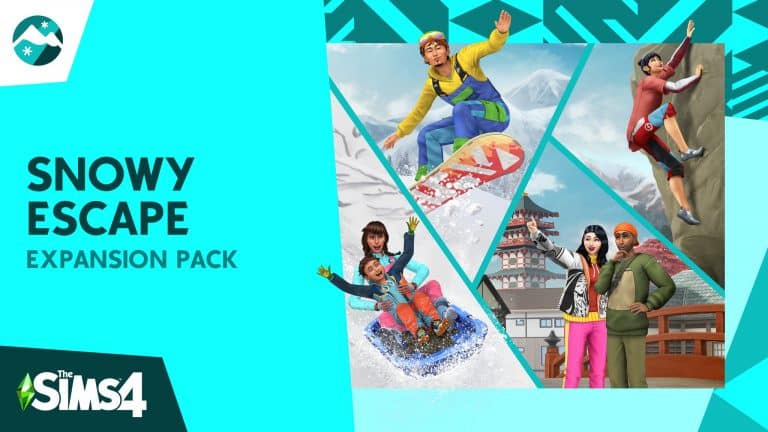
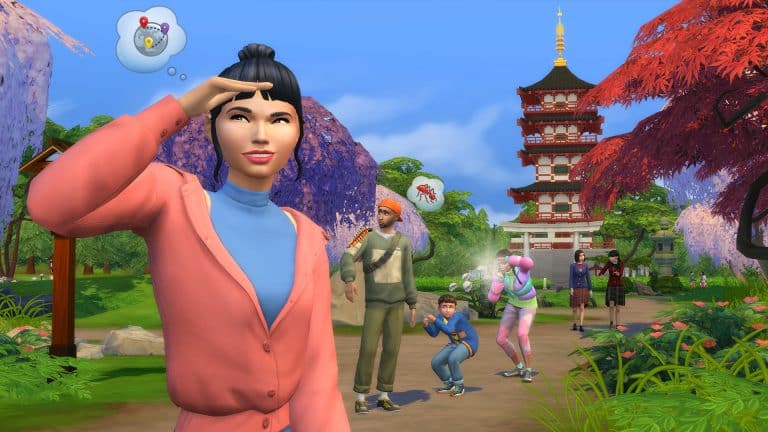
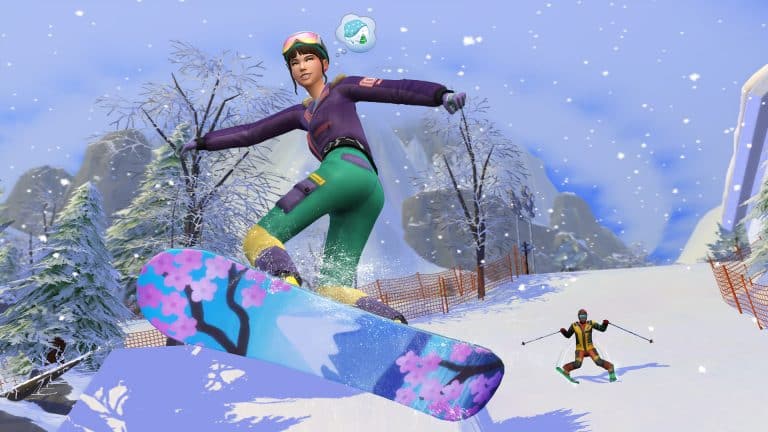
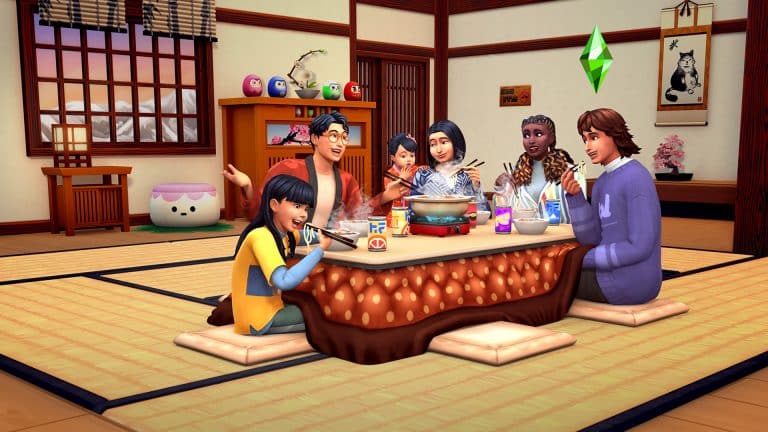
The assets down below include Logo, Icon, Boxart, Renders and Screens! To download them for your own use simply select an asset of your choice, right click (on Desktop) or hold (on your smartphone) to save it on your device!

Logo

The Sims 4 Snowy Escape: Official Assets

Icon

The Sims 4 Snowy Escape: Official Assets

Boxart

boxart2

Renders

The Sims 4 Snowy Escape: Official AssetsThe Sims 4 Snowy Escape: Official AssetsThe Sims 4 Snowy Escape: Official AssetsThe Sims 4 Snowy Escape: Official AssetsThe Sims 4 Snowy Escape: Official AssetsThe Sims 4 Snowy Escape: Official Assets

Screens

The Sims 4 Snowy Escape: Official AssetsThe Sims 4 Snowy Escape: Official AssetsThe Sims 4 Snowy Escape: Official AssetsThe Sims 4 Snowy Escape: Official Assets

The Sims 4 Snowy Escape: Official Blog Post

18

The Sims Team released a new blog post talking more about their next Expansion Pack – The Sims 4 Snowy Escape!

Hope you have ski boots and cold-weather gear—The Sims™ 4 Snowy Escape Expansion Pack* is sending a chill through the air on November 13, 2020! We’re heading to the Japanese-inspired world of Mt. Komorebi, where high-energy snow sports and relaxing slow experiences present an array of new Lifestyles to choose from. See you at the top of the mountain, Simmers!

Get Some Air

Breathe in that fresh mountain air and start working on your Sim’s rock climbing, skiing, and snowboarding skills. They’ll want to level up if they ever intend to explore anything bigger than the easy practice courses. Once they’ve gotten the hang of it, take the gondola up to the bigger ski runs and the climbing routes to the peak. Even wipeouts look cool up there… probably. But when Sims get really good, show off with a light-up board and the chicest snow gear.

It’s not just for adults, either. Children can ski and snowboard on the less challenging trails while parents take their toddlers sledding! It’s snow fun for everyone.

Cool Down

If your Sim crashed a few too many times and they need to recover, lean into the slower parts of life in Mt. Komorebi. Hit up the the onsen bathhouse to soak your Sim’s problems (and injuries!) away. Is there anything better than watching the steam rise into the cold night above after a long day? We didn’t think so.

Even the hiking trails just outside of town offer something new every time. Explore bamboo forests, pause to reflect at the graveyard, or visit the mountain temple with friends to get the full experience. Do remember to dress appropriately, though—depending on where you are, it sure can get cold here!

The Sims 4 Snowy Escape: Official Blog Post

Build It Up

Rent one of the vacation lots or build your own home when you arrive in Mt. Komorebi! Find inspiration all around town for your next project, whatever it is. New features like shoji doors, tile roofs, and tatami mats lean into the Japanese inspiration behind the pack, and going forward, you can also start playing with customizable platforms! But that’s not all. Fill your home with both modern and traditional furniture options, and make sure to add a cozy kotatsu table for group meals like hot pot.

Outside, enjoy the harmony of this peaceful mountain environment. Add koi to your decorative fountains and start a rock garden under the shade of Japanese maple trees—whatever makes you happy!

So, what’s your snowy escape?

The Sims 4 Snowy Escape Expansion Pack arrives on November 13, 2020, at midnight in your region on Origin (for Mac and PC) and at 10 a.m. PT for Steam, Xbox One, and PlayStation®4! Preorder it today to be first in line for the gondola!

The Sims 4 Snowy Escape: Official Description + Key Features

22

Check out the official description and key features for the upcoming The Sims 4 Snowy Escape Expansion Pack!

The Sims 4 Snowy Escape: Official Description + Key Features

Gear up for thrilling snow sports, relax in natural hot springs, and design your Japanese-inspired home in The Sims™ 4 Snowy Escape Expansion Pack*! Discover new ways to adventure—challenge your Sims to climb to the peak and bond with others in the world of Mt. Komorebi. From sledding and snowboarding to hot pot around the kotatsu table, there’s something to match every Lifestyle.

CHASE YOUR THRILLS

Test your Sim’s skill and endurance with activities on the mountainside! Grab skis for a downhill ride, strap on a snowboard to shred, or bundle up on a sled with another Sim. Prefer going up? Build their rock climbing skill and challenge your Sim to reach the mountain peak during daring, sometimes dangerous, excursions.

FIND YOUR ZEN

Let your Sim’s worries float away in the natural hot springs, then unwind over hot pot around the kotatsu table or socialize while hiking through bamboo forests and snowy terrain. Bask in the serenity of mindful walks and soothing music to take control of your emotions and discover your inner zen.

CREATE YOUR SANCTUARY

Whether you prefer the traditional details or modern touches of Japanese-inspired furniture and decor, you can incorporate shoji doors, windows and screens, tatami mats, and more to design a home that complements your life. Take your shoes off at the genkan entryway in the soft glow of paper lanterns overhead, or build your own rock garden outside!

DEFINE YOUR LIFESTYLE

Unlock new personality and relationship effects with the introduction of Lifestyles and Sentiments. Lifestyles manifest in response to your Sim’s actions and habits, changing their behaviors appropriately. Similarly, shared experiences inspire Sentiments and have a lasting impact on Sims’ relationships to each other, affecting their social interactions.

The Sims 4 Snowy Escape: 5 Official Screens

4

The Sims Team has provided us with the official screens and secondary render from The Sims 4 Snowy Escape Expansion Pack!

Check out the exclusive images down below:

The Sims 4 Snowy Escape: Official Reveal Trailer

20

Watch the official reveal trailer for The Sims 4 Snowy Escape Expansion Pack!

The pack is set to release for PC, Xbox One and PS4 on November 13th, 2020.

The Sims 4 Spark’d: Creature Creation Challenge is now live!

0

The Sims Spark’d has a brand new challenge in The Sims 4!

From October 16th up until November 2nd at 10AM PST you’ll be able to submit your CAS, Build and Storyline creations that revolve around creating a whole new creature in the game!

The Sims 4 Spark’d: Creature Creation Challenge is now live!

You’ll be able to submit your creations straight from The Sims 4’s Gallery for CAS and Build portions and upload your Storyline videos via YouTube. For a full set of information check out the rules breakdown for each category:

CREATURE CREATION: STYLIST

Unleash a whole new world full of mystery, mischief, and maybe a little mayhem. Let’s make some magic.

Create a one-of-a-kind creature that has never been seen before in The Sims™ 4 game.

  • Style your new life state using the Everyday outfit category.
  • The Sim’s last name will be where you identify the creature type.
  • The base of the Sim can be any of the current life states that can be found in the game, but make it your own!
  • DLC not required.

STYLIST GUIDELINES

Submission Window: 10am PST October 16 – 10am PST November 2, 2020
Voting Window: 10am PST October 23 – 10am PST November 6, 2020

  • Sims’ ages must be teen and up
  • Do not use the CAS Stories feature
  • No Simoleon (§) limit
  • Full edit cheat (cas.fulleditmode) and Unlockable CAS Content allowed
  • Custom Content (CC), custom thumbnails, poses, and mods are not allowed (Stylist, Builder)

CREATURE CREATION: BUILDER

Imagine a magical world where mystical creatures live and create a place they would call home.

  • Can be on a mountaintop or on a completely different planet—this is where your creature should feel most at home.
  • Be original and surprise us!

BUILDER GUIDELINES

Submission Window: 10am PST October 16 – 10am PST November 2, 2020
Voting Window: 10am PST October 23 – 10am PST November 6, 2020

  • Any lot size and type, in any world
  • DLC not required
  • No Simoleon (§) limit
  • All build cheats and hidden object allowed
  • Custom Content (CC), custom thumbnails, poses, and mods are not allowed (Stylist, Builder)
  • Use of mods for building (TOOL, Red Shelf) is not permitted

CREATURE CREATION: STORYTELLER

Tell a tale of mystery and magic with one-of-a-kind creatures living in your imagination. Share your Creature Creation story!

  • Feel free to base your story on an existing mythical creature, an occult life state explored by past Sims games, or something dreamed up by you! Keep in mind that the creature should feel new and unique.
  • Story ideas to get you started: origin story, where they live, what they do, or anything else that showcases what makes this creature unique!

STORYTELLER GUIDELINES

Submission Window: 10am PST October 16 – 10am PST November 2, 2020
Voting Window: 10am PST October 23 – 10am PST November 6, 2020

  • Must be in English or contain English subtitles
  • Must be original content created by the uploader
  • Video length cannot exceed three minutes
  • Story must feature your creature Creation
  • Any genre of storytelling (horror, sci-fi, romance, comedy, etc.)
  • DLC not required
  • No Simoleon (§) limit
  • Use of Custom Content (CC)/Mods for video creation is allowed only for the Storyteller Challenge (not permitted for Stylist/Builder)
  • Learn how to submit your story here

Countdown to the reveal of The Sims 4 Snowy Escape

2

Today The Sims Team will be doing a full reveal of their next Expansion Pack for The Sims 4 – Snowy Escape!

The pack’s full announcement will begin with the Trailer Premiere on their YouTube Channel, followed by their official Press Release, Pre-Order, Assets, Blog Posts and more that we’ll be covering!

Down below we’ve included a countdown to the announcement of The Sims 4 Snowy Escape with a direct YouTube Trailer Premiere right below.

[janky target_time=”1603206000″ color=”#0aa6b6″]

The Sims 4 Snowy Escape: First Details from SimGurus

28

The Sims 4 Snowy Escape Expansion Pack is still awaiting its full announcement tomorrow, October 20th at 8AM PT. Still, that didn’t stop SimGurus from sharing some new information about the next Expansion Pack!

The first piece of info comes from SimGuruGraham. He confirmed that the new pack will indeed come with a brand new world called Mt. Komorebi, but that’s not all. The new world will feature households and lots created by some of the Sims Creators including Deligracy, James Turner, Lilsimsie and Simlicy!

The next piece of info comes from SimGuruFrost who clarified that The Sims 4 Seasons EP won’t be required at all to play this pack.

And…well…that’s all? Tune in tomorrow for the full reveal of the pack on Sims Community!

The Sims 4: Snowy Escape Expansion to be revealed TOMORROW!

82

The Sims Team has just revealed the cover art for their next Expansion Pack for The Sims 4!

The Sims 4 Snowy Escape is the 10th Expansion Pack that we’ll get to know more about tomorrow. Until then, check out the cover art for the pack!

The Sims 4: Snowy Escape Expansion to be revealed TOMORROW!

SimGuruDuke Addresses Recent Patch Concerns

50

SimGuruDuke who is one of the senior producers for The Sims 4, has shared an update on Twitter in regards to the recent skin tone update that came as part of the October patch

Below you can find the full thread from SimGuruDuke.

As soon as more information about the upcoming solution is revealed, we will make sure to update you.

IT’S OFFICIAL: The Sims 4’s Next Expansion Pack to be revealed NEXT WEEK!

156

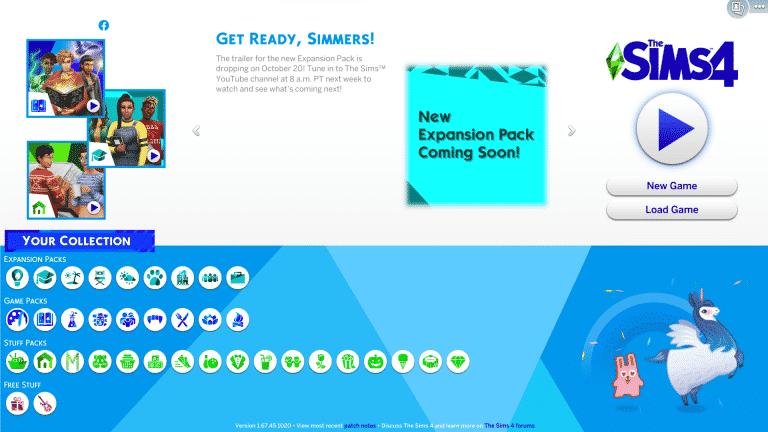
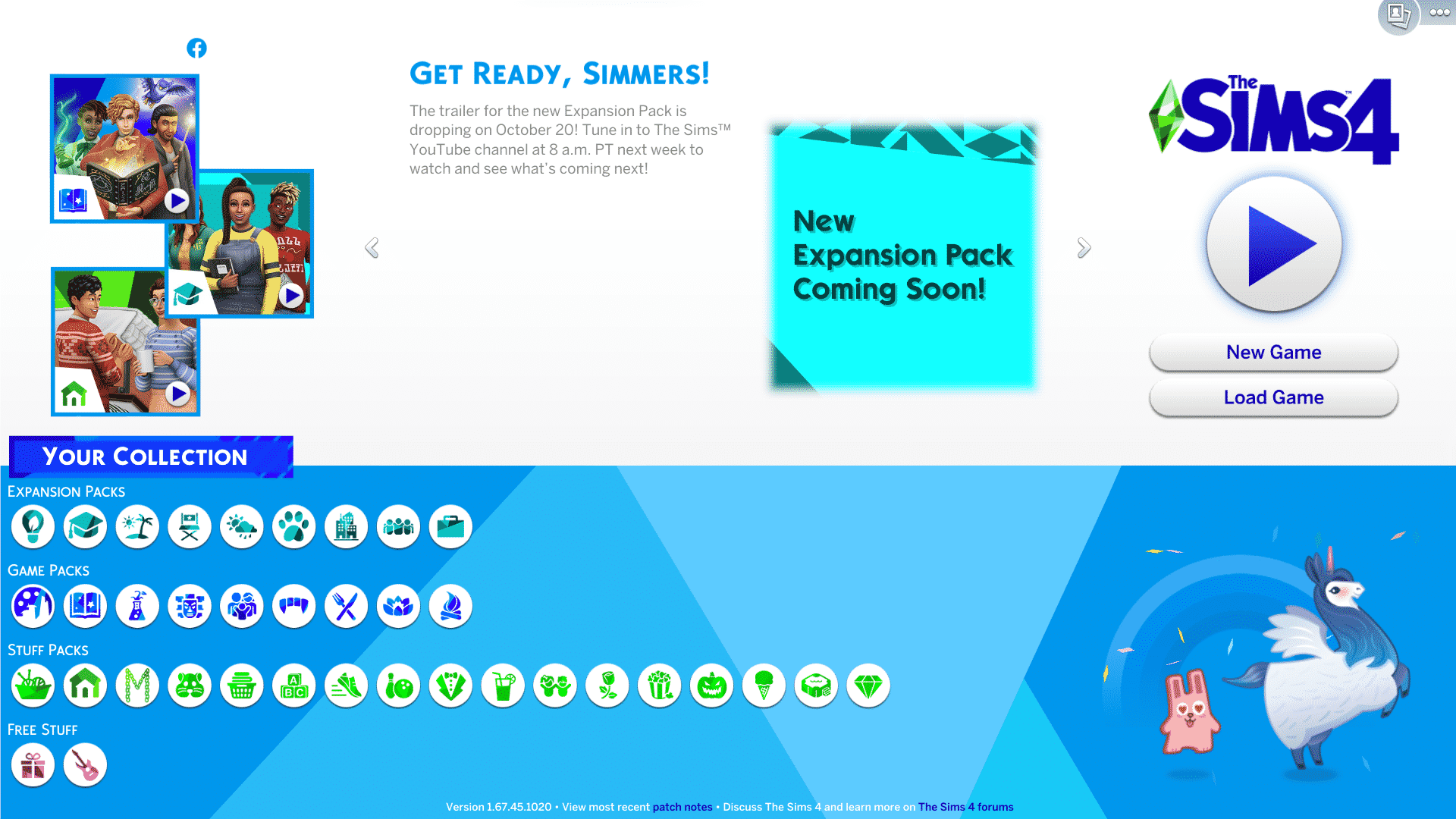
After announcing just a few weeks ago that they’ll be revealing The Sims 4’s 10th Expansion Pack in the coming weeks, The Sims Team has quietly put up a teaser on The Sims 4’s Main Menu.

The teaser revealed that The Sims Team will be doing a full reveal of the next Expansion Pack for The Sims 4 on October 20th! The reveal will begin with the announcement trailer on their official YouTube Channel at 8AM PT / 5PM CET / 4PM BT, with other information and a whole new news cycle coming shortly after.

IT’S OFFICIAL: The Sims 4’s Next Expansion Pack to be revealed NEXT WEEK!

The Sims Team has already set the expectations a few weeks ago saying what the next EP won’t be about:

In just a matter of weeks we’ll be sharing more about our next Expansion Pack, which we’ve been working on since last year. I want to set expectations now, though, that cars, babies, farms and bunk beds are not part of this EP. We understand how important these features are to you but we want to be honest that they are not part of this upcoming pack.


We’ll be keeping you up to date about the next Expansion Pack right here on Sims Community so stay tuned!

Origin Sale: Save up to 60% on Expansion, Game & Stuff Packs!

4

It’s been a little while since we’ve seen a sale for The Sims 4 on PC and MAC but you are in luck as you can currently save up to 60% on various packs! The sale is on right now and runs until 10am PDT 20th October 2020!

Here’s a breakdown of the sale and how much you can save for each game type:

  • The Sims 4 Base Game – 63% off
  • The Sims 4 Expansion Packs – 50% off / Eco Lifestyle is 25% off
  • The Sims 4 Game Packs – 25% to 50% off/ Excludes Journey to Batuu
  • The Sims 4 Stuff Packs – 25% off

Note: Pricing & availability will vary depending on your location.

CLICK HERE to check out all the offers on Origin!

Origin Sale: Save up to 60% on Expansion, Game & Stuff Packs!

The Sims 4: October 2020 Update Overview

63

In honour of Hispanic Heritage Month in the US, The Sims Team has released an update adding a variety of Hispanic-inspired Build/Buy objects, CAS additions, and new food recipes.

Build/Buy

The Sims 4: October 2020 Update Overview

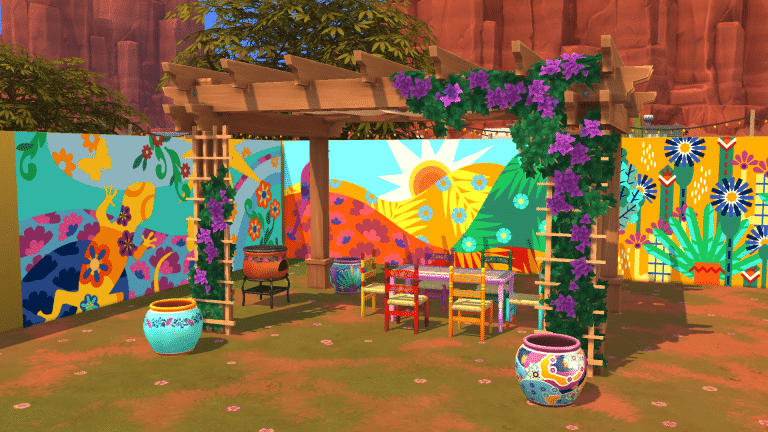
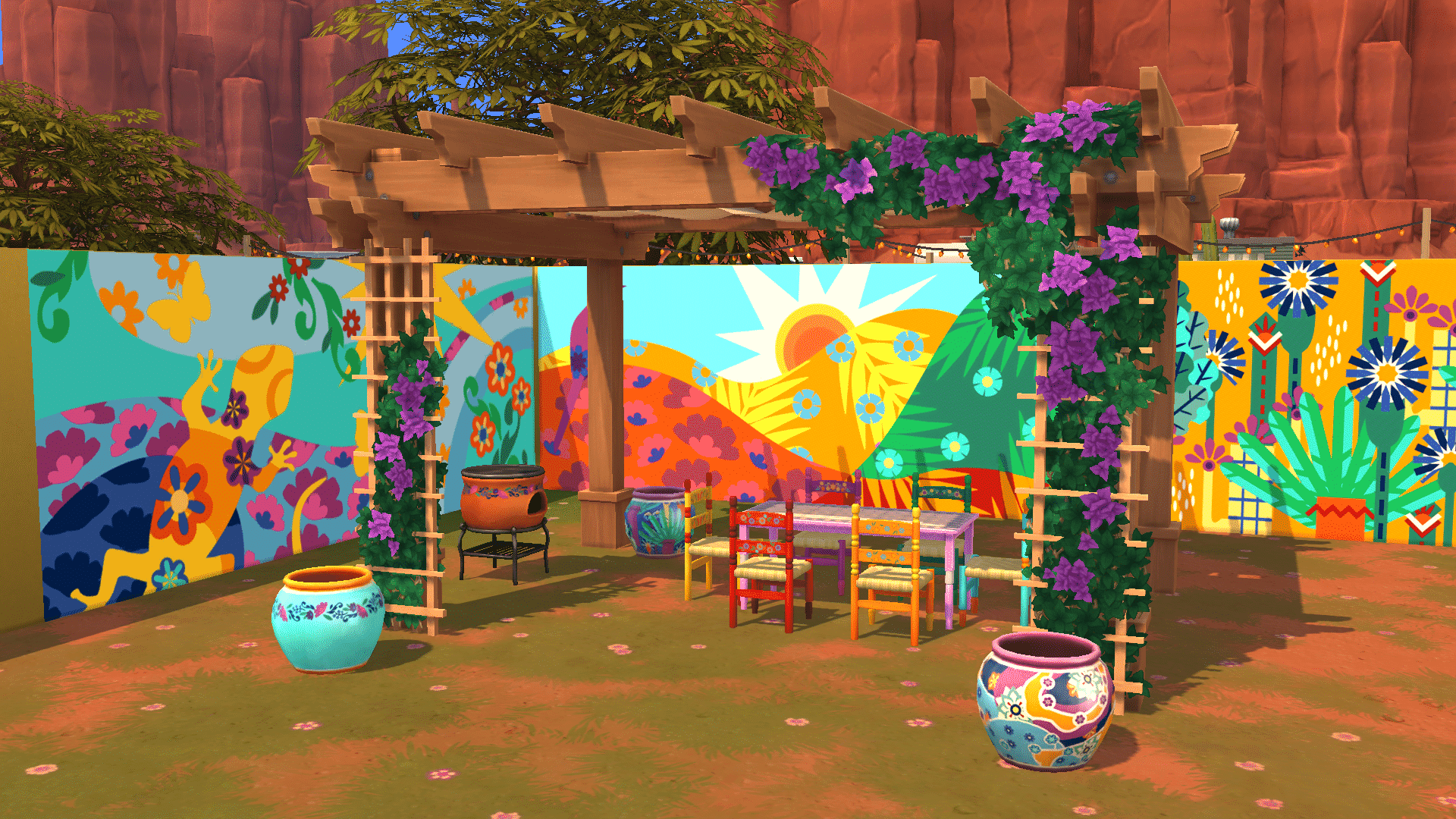
A total of six new Build/Buy items have been added to the base game, pictured above. Each item comes with a variety of colourful swatches.

  • 1 dining table
  • 1 dining chair
  • 1 decorative pot
  • 1 grill
  • 1 wall mural designed for the shortest wall height
  • 1 outdoor pergola

CAS Additions

There is one new feminine top and one unisex top for adults. Both tops come with a large variety of different designs and patterns. The designs were created by Chicano artist, Mister Cartoon, in his distinctive artistic style.

The Sims 4: October 2020 Update Overview

Mister Cartoon also designed one new unisex top for children in the same colourful patterns and styles as the adults.

The Sims 4: October 2020 Update Overview

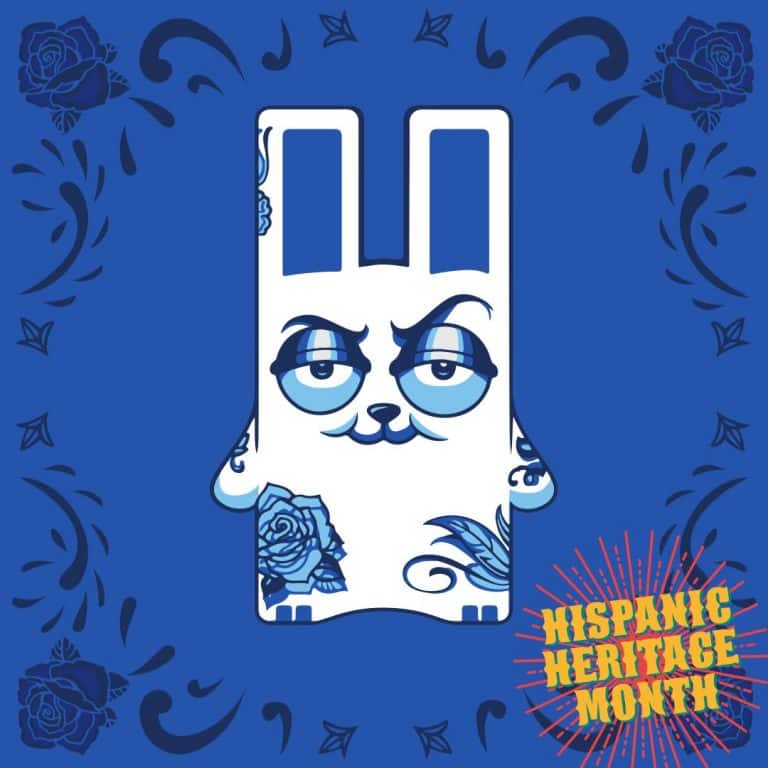
Since Mister Cartoon is a tattoo artist, it only made sense to add a new tattoo designed by him to the game as well. The tattoo features an edgy Freezer Bunny design and is enabled for both masculine and feminine Sims in CAS.

NOTE: While not new additions to the game, some existing assets have been updated to be more inclusive. All existing skin tones in the game are now uncompressed by default for a smoother appearance, and two base game African hairstyles have been retextured. The Sims Team says this is just the start of their efforts to further embrace diversity and improve on representation.

New Recipes

The Sims 4: October 2020 Update Overview

In addition to the new objects and CAS items, a total of seven new recipes have been added to the game, inspired by various Latin cuisine from around the world. All the new recipes can be cooked on the new grill that comes with this update (or any grill, for that matter).

  • Choripán
  • Elote
  • Chimi
  • Chicken Chimichurri Skewers
  • Asado
  • Pollo a la Brasa
  • Pinchos

What’s your favourite new addition in today’s update? Let us know in the comments or come chat with us on social media!

Numerous bug fixes were also included in this update. For a full rundown of all the bug fixes, check out the official patch notes here.

The Sims 4 PC & Console: New Update + Patch Notes! (October 6th, 2020)

ts4logonew

The Sims Team has released a brand new Update for The Sims 4 on PC, Mac, Xbox One and PS4!

To download the latest version of The Sims 4, simply open your Origin program and if the game doesn’t update automatically, right click on The Sims 4 and select ”Update”.

In case you have Mods or Custom Content, the game will automatically disable them for you after first launching The Sims 4 after the update. To re-enable all your Mods and Custom Content, select the Settings option in the Menu and select Settings. Under the”Other” section you’ll find the ”Enable Custom Content and Mods” option. Check it and restart your game in order for it to take effect!

Patch Notes

Update 10/06/2020
PC: 1.67.45.1020 / Mac: 1.67.45.1220
Console: Version 1.32

¡Bienvenidos!

We are celebrating Hispanic Heritage Month with some new base game content inspired by the vibrant Hispanic cultures around the globe. Sit back with your Sim family and enjoy a lovely barbecue featuring flavors from Mexico, Argentina, Dominican Republic, and more! You’ll be able to deck out your backyard with a colorfully painted dining set, decorative pots, murals, a new grill, and please don’t forget about the bougainvillea-clad pergola to provide some shade for your Sims.

We’ve also partnered with renowned Chicano artist Mister Cartoon to bring you some Create A Sim content in his distinctive style. He recreated your favorite Freezer Bunny with a sassier look but also gave us a beautiful butterfly design that represents peaceful migration. Look out for tops in feminine and masculine styles for children and adults. Also, we couldn’t partner with a tattoo artist and NOT give you a tattoo, so check that out too! You can also read more about our Hispanic Heritage Month update here.

In addition, you can read about the work we are doing to address skin tone improvements here. The first steps of which are part of this release – we did a thorough investigation of our skin tone pipeline (how it gets from artist to player), to identify where we can improve our process. For this release, we found that the skin detail layer compression was one of our primary culprits for the blotchy artifacts and ashy appearance of darker skin tones. We have uncompressed those textures by default. That work, along with the option to uncompress Sim textures will result in better visuals for your Sims in game. The linked blog will provide further details on those options.

We have also updated the look for two of our base game hairstyles. Those specifically being yfHair_LongBraidedPulledBack and ymHair_AfroMedium. As stated in the blog, this is not the end of these improvements, but only the first steps. Expect more from us, and of us.

-SimGuruGnome, SimGuruDana, and SimGuruRusskii

Now onto the fixes:

Sims 4

  • Fixed an issue in which external garbage cans were constantly being filled up when not having Eco Lifestyle installed. It is a good thing to be conscious of our overall everyday waste footprint but there is something to be said about too much trash that is… seemingly uninvited.
  • Sims will now use the dining table to eat again. Sometimes if I’m in a hurry, I grab a meal on the go and don’t sit down to eat, but sometimes you need to sit down and enjoy a nice meal, you know?
  • You pay your new bills, all the new bills, keep track of all the bills. We think you can do it. So, hope you like this update too as we have adjusted Lot Taxes to be more appropriate per Lot.
  • Fixed an issue in which the message “Not Expanded to Ops” would appear while in Build Mode and would hinder gameplay. If this is the behavior with “Not Expanded to Ops” I don’t want to see what “Expanded to Ops” looks like, unless it is a good thing, but let’s not get carried away.
  • Had a good talk with Sims that had neglected their duties with their Toddlers. They can go back to Potty Training and Read to Sleep to their little angels.
  • Fixed an issue in which Favorited Items in inventory were being reset when editing Lots through Manage Worlds.
  • Sims that were transferred to other Households will no longer reset any Household settings like Bed Assignments. Reading about this issue and trying to imagine it, brought me to this:

<insert dramatic music>
“What do you want?”
“It’s not that simple!”
“But… <sigh> What.Do.You.Want?!”
“Just because you moved out, and you are suddenly back in our lives doesn’t mean you can disrupt everything ok? I had my bed, with MY NAME ON IT!”
“OK“
<end dramatic music>

  • A new foe has appeared! A challenger approaches! Error 124:2951a73 enters the fray… and is properly squashed. Good luck next time Error 124:2951a73… Well, don’t come back so… farewell!
  • The Lin-Z Smart Speaker has been updated to now play the Focus and Metal stations.

Island Living

  • Fixed an issue in which all non-decorative rocks disappeared after traveling from different Lots. Was it the work of impostor rocks? Igneous looks especially shifty. Sus.

Discover University

  • Fixed an issue with the ICYA Chest in which it appeared locked after Sims moved from one Household to another. My precious! Mine!

Eco Lifestyle

  • Fixed an issue that reset Bits and Pieces when Sims moved to other Households. No uh, if you move, move but leave my Bits and Pieces within my Household thank you very much.
  • The Community Voting Board is no longer listed as a DEBUG item, no longer has a defective thumbnail, and can be placed within the Lot.
  • Civil Designer Sims can now complete Work from Home Assignments.
  • We have rebuilt the Store No More Home Fabricator so that it doesn’t break at least once a day. All returns are subject to warranty inspection, no Simoleons were harmed in this endeavor.
  • We spent some time tasting… I mean… monitoring yes, Sims’ behavior in regards to Cooking and Baking Cakes pretty much non stop. We managed to correct said behavior, but hopefully, we won’t lose access to the delicious goods.

Outdoor Retreat

  • Fixed a routing issue that prevented Sims from extinguishing engulfed Sims that are sitting by the Campfire. Gives a whole new meaning to “Warming up by the fire.”

Dine Out

  • Fixed an issue with Restaurant Menus that made them appear blank or corrupted. Blind tasting menus in real life are a thing, but I don’t think that is what this issue wanted to convey.

Fitness Stuff

  • We have added the Focus and Metal station as an option for Earbuds. Have you claimed your free Earbuds yet?

Tiny Living

  • The Media Marathoner All-on-the-Wall, and the Media Marathoner now have the option so Sims can perform Air Guitar. Yearrrrgggg.

Moschino

  • Fixed an issue with keys [Q] and [E] when used with the Tripod, now those keys should move the camera up and down freely. Strike a pose!

The Sims 4: Latin America Inspired Free Content Update Preview

34

The Sims Team has announced a new Free Content Update for The Sims 4 releasing tomorrow on all platforms!

This Base Game Update will include new Latin America inspired content including new Create A Sim Clothing & Tattoos, Build Objects, Recipes and Music! Check out the preview down below: