Home Blog Page 224

The Sims 4 and All Packs are Now Available on Steam!

Big news! The Sims 4 and all of its add-on packs are officially available to purchase on Steam!

Having The Sims 4 available on Steam has been highly requested by players since its launch back in 2014, so this is bound to be welcomed news for a large number of Simmers.

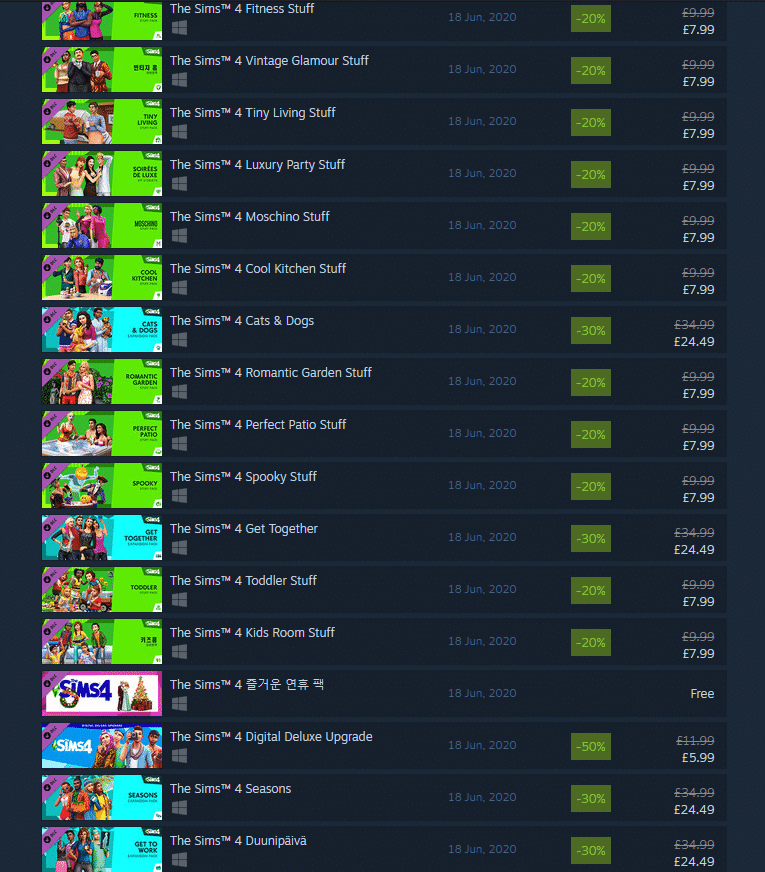
Not only that, but the base game and almost all packs are currently on sale on Steam! The base game is 50% off until July 9th, 2020. Expansions and game packs are 30% off; however, Eco Lifestyle is not included in the sale. Stuff packs are 20% off.

If you’ve been on the fence about completing your collection, now might be a good time to do so.

The Sims 4 Nifty Knitting Stuff to bring new Baby Onesies

24

In yesterday’s Deep Dive Blog Post for the upcoming Sims 4 Nifty Knitting Stuff Pack, The Sims Team has revealed that the pack will also come with some new onesies for babies!

We want Sims to be able to knit something for their whole family. Not only will Sims be able to knit Toddler Onesies, but Baby Onesies as well. So put your little grubworm in a handmade knitted outfit. I’m sure they’d thank us if they could! (And if they didn’t like it I’m sure they’d be polite about it.)

The Sims 4 Nifty Knitting Stuff to bring new Baby Onesies


Considering that clothing for the Babies Life State was never something you were able to choose before in The Sims 4, many were wondering if this was leading up to some other improvements for this life stage. However, SimGuruSarah was quick to confirm that we shouldn’t expect the pre-Stuff Pack Base Game Update to include any Baby Overhauls or improvements to the table, saying:

Hey guys, I just want to set expectations here – there are no updates for babies in BG coming with the SP Patch. The only new addition is being able to knit onesies and change the babies into them if you have the Nifty Knitting Stuff Pack. We have more than a dozen baby onesies and they are super cute! Hopefully we can share some screenshots of them in game soon.


Nonetheless, The Sims 4 Nifty Knitting Stuff Pack seems to bring already so much to the table with new gameplay and objects, especially considering that this pack will be valued at only 10USD.

For more information about The Sims 4 Nifty Knitting, check out our Nifty Knitting Post Category!

The Sims 4 Eco Lifestyle: Builds Gallery Spotlight

The Sims 4 Eco Lifestyle Expansion Pack has only been out for a couple of days and Simmers have already been busy with new lots and creations on The Gallery!

During my Twitch Livestream I asked folks to submit their Origin IDs so I could check out their Eco Lifestyle builds and feature them on the website! Down below you can check out a full collection of some of the builds that have been suggested during the stream.

If you’d like to have your creations featured on future gallery spotlights make sure you tune in to my Twitch – I’ll be doing a new Gallery Spotlight every week!

Here are some of the best Eco Lifestyle creations that have been suggested and showcased:

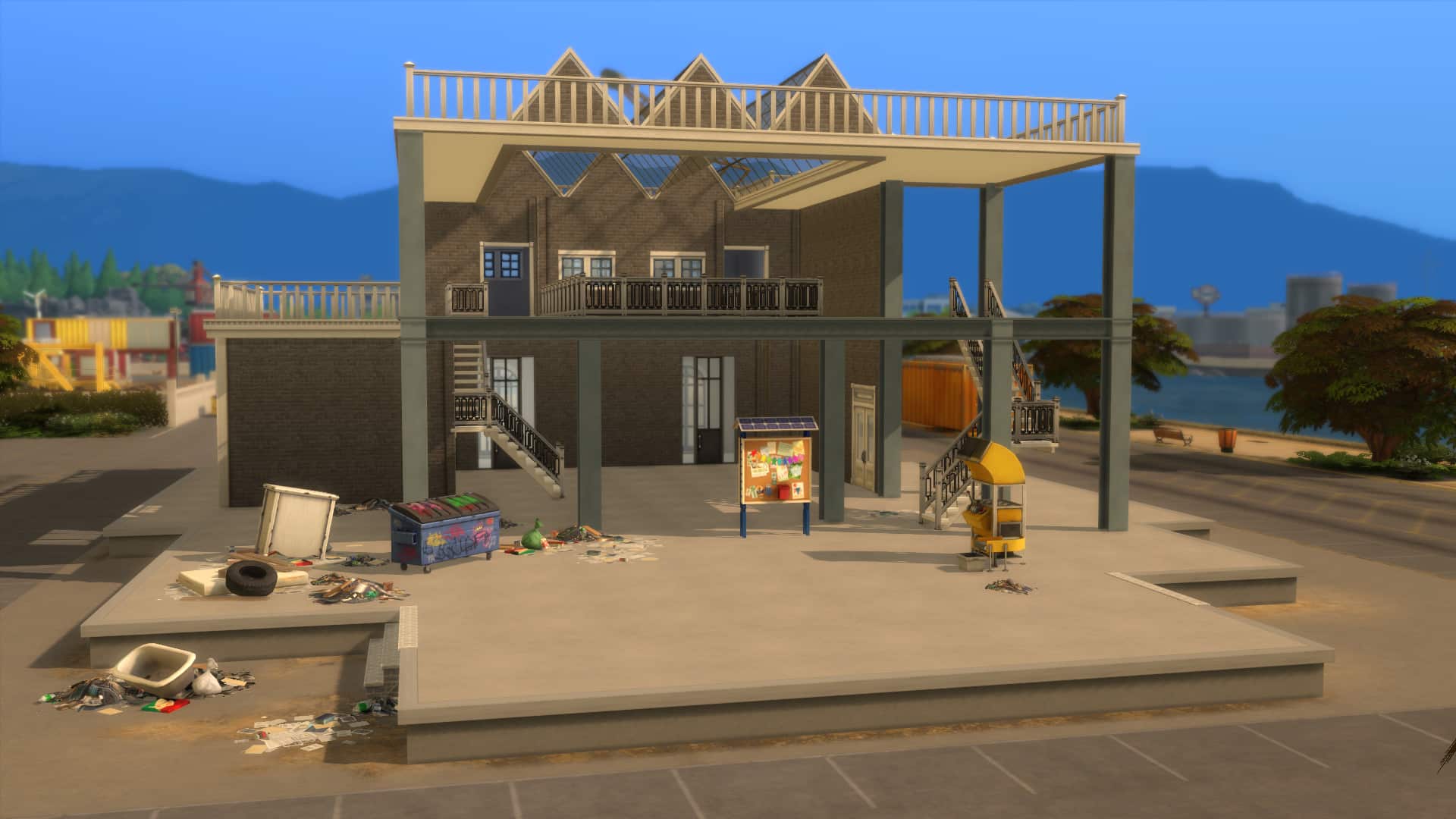
The Caboose Renovated (Download Here)

by crmastr

Value: §68,472
Size: 30×20
Lot Type: Bar

Futuristic Eco Villa (Download Here)

by KateEemerald

Value: §275,930
Size: 50×50
Lot Type: Residental

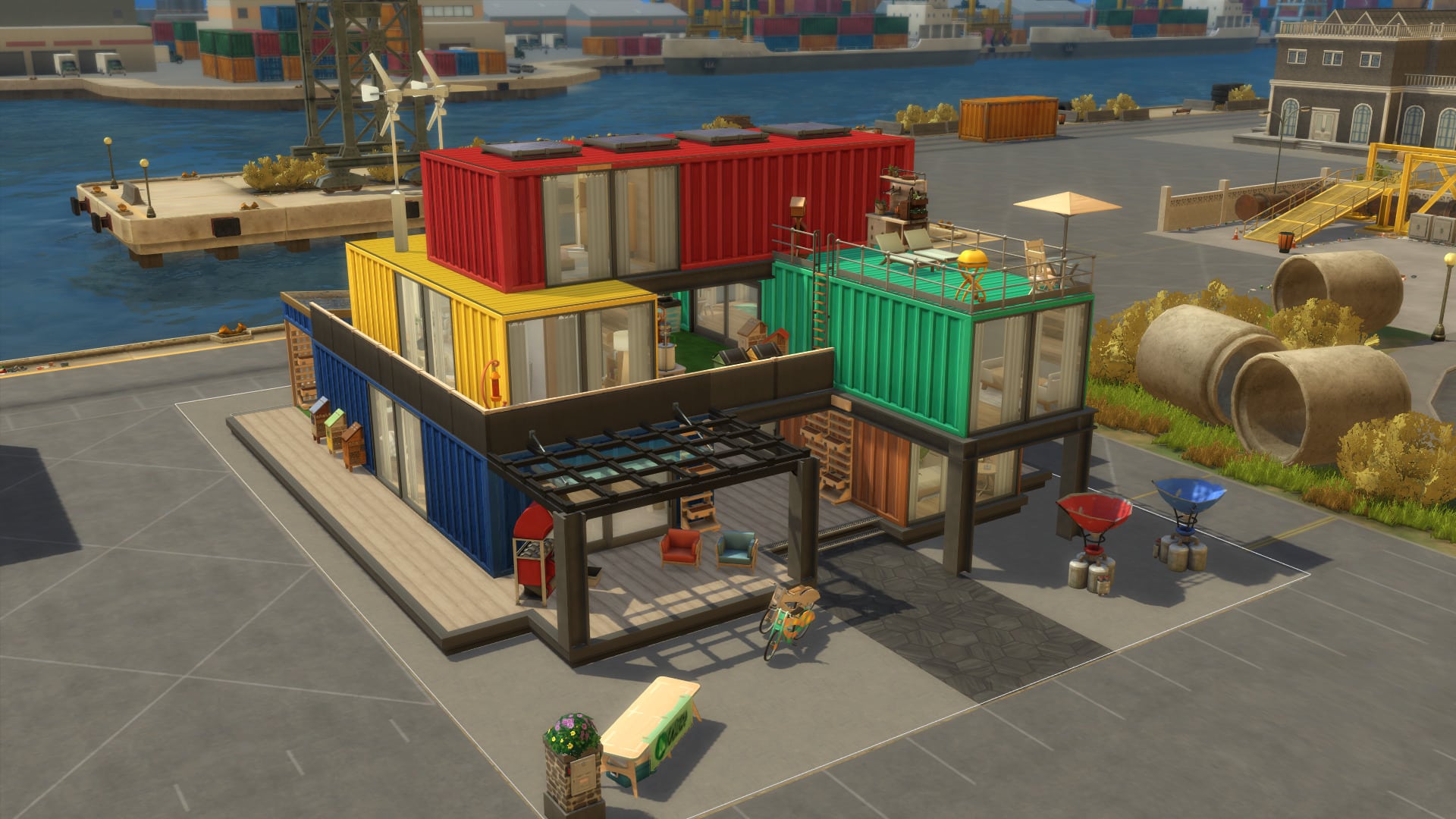
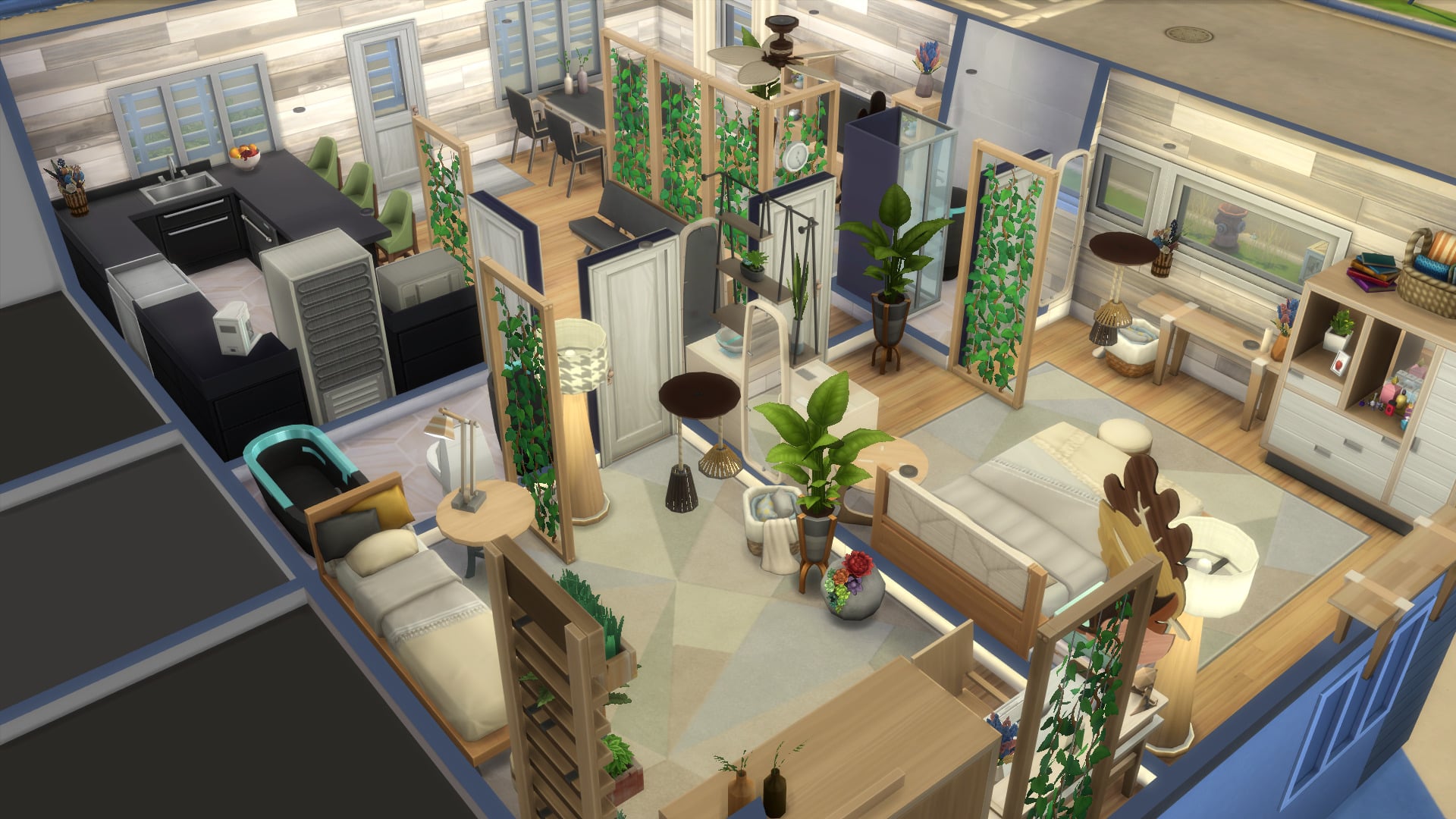
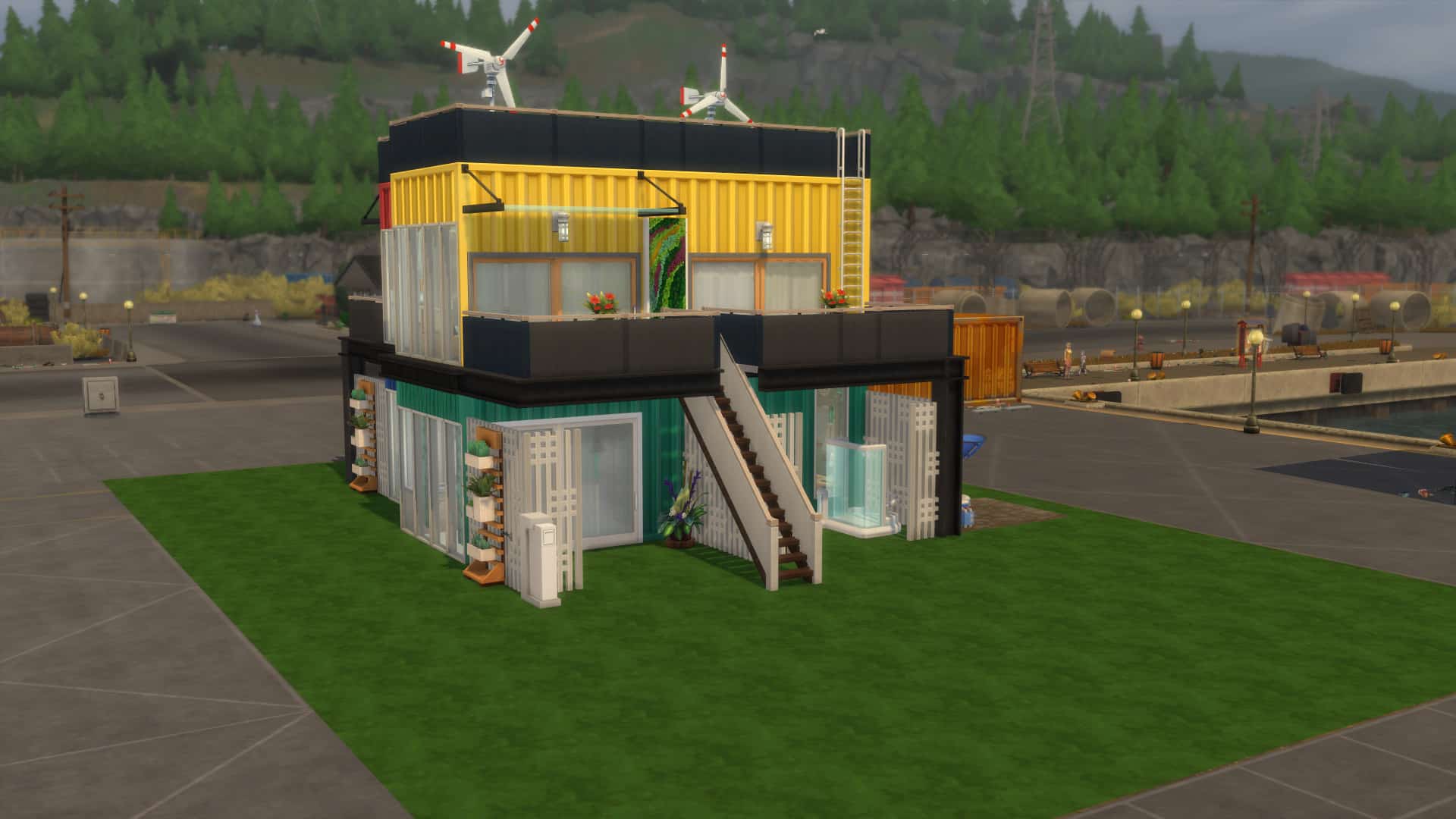
Container Family Home (Download Here)

by hugokretzschmar

Value: §98,185
Size: 30×20
Lot Type: Residental

The Sims 4 Eco Lifestyle: Builds Gallery Spotlight

Eco Crick Cabana (Download Here)

by gyda_sif_98

Value: §62,955
Size: 20×15
Lot Type: Tiny Home Residental

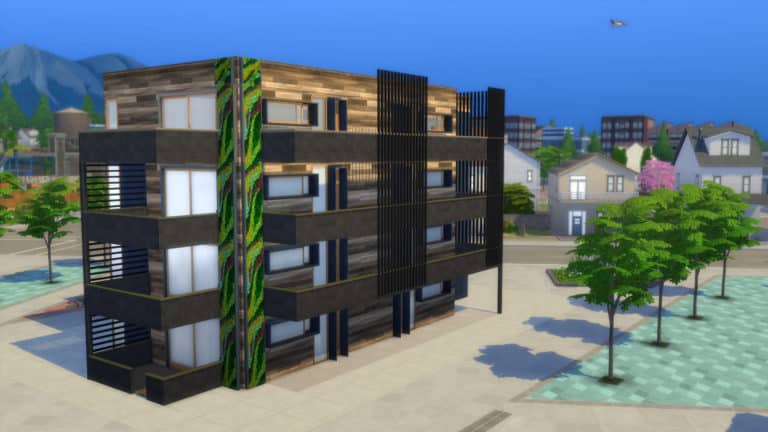
Apartment (For Stonestreet Apartments) (Download Here)

by ludvigroland

Value: §41,181
Size: 9×13
Room Type: Living Room

This apartment build is treated as a single room. After placing down the entire room onto the apartment make sure you close off the walls for each room inside!

SimsieSmithMiniChallenge (Download Here)

by gyda_sif_98 / shell by simsiesmith

Value: §67,727
Size: 30×20
Lot Type: Residental

Rockridge Springs (Download Here)

by aliiitosali

Value: §120,462
Size: 30×20
Lot Type: Residental

The Sims 4 Eco Lifestyle: Builds Gallery Spotlight

Eco Family Home (Download Here)

by Doctor_Ashley

Value: §75,146
Size: 20×15
Lot Type: Residental

The Sims 4 Eco Lifestyle: Builds Gallery Spotlight

The Shipping Views (Renovation) (Download Here)

by MahaloSims

Value: §71,377
Size: 30×20
Lot Type: Residental

The Shipping Views (Renovation) (Download Here)

by ScytheBoom

Value: §42,517
Size: 30×20
Lot Type: Residental

A quick video edit is currently in preparations for all of the lots above. Until then you can check out the Twitch VOD down below of all of the lots shown!

new Twitch.Player(“twitch-embed”, {
video: “652709296”
});

Behind The Scenes + Assets of The Sims 4 X MAC Collab

8

EA has officially released some of the new assets from their collaboration between The Sims 4 and MAC Cosmetics!

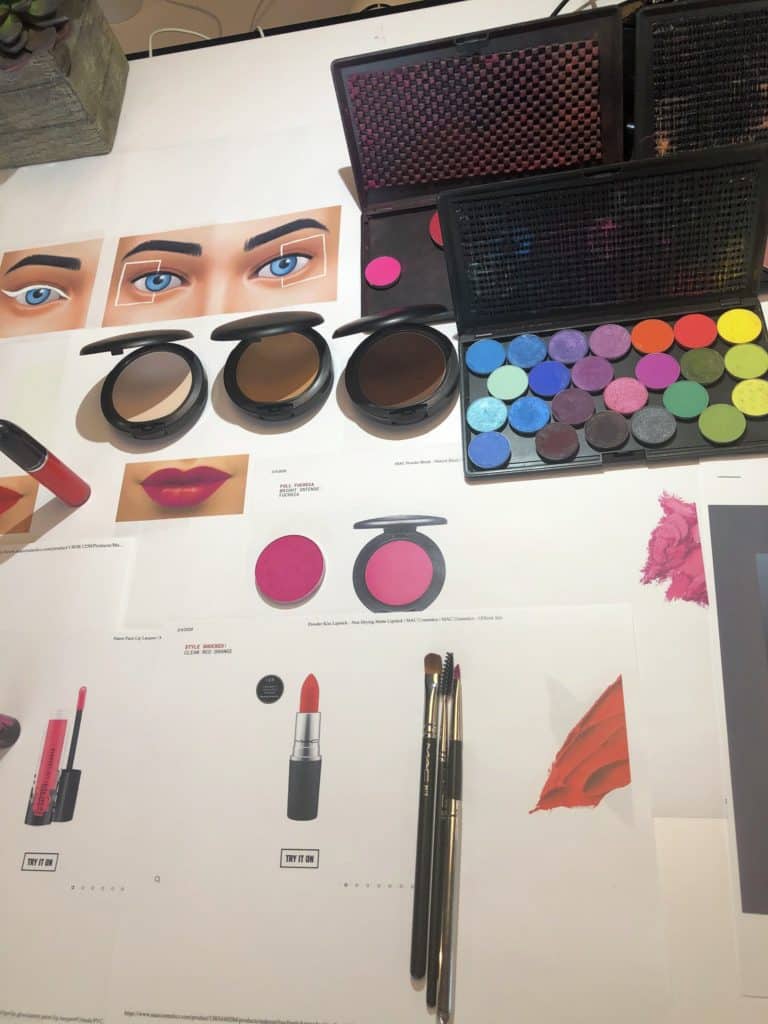
Down below you can check out some of the behind the scenes photos of the Director of MAC, Romero Jennings, working on the new makeup for The Sims 4.

Behind The Scenes + Assets of The Sims 4 X MAC Collab Behind The Scenes + Assets of The Sims 4 X MAC Collab Behind The Scenes + Assets of The Sims 4 X MAC Collab

There’s also a promotional image with Romero Jennings for the collab featuring his simself render!

Romero 16x9

The Sims Team also released some exclusive renders and promo images from the collaboration that you can check out down below:

Behind The Scenes + Assets of The Sims 4 X MAC CollabBehind The Scenes + Assets of The Sims 4 X MAC CollabBehind The Scenes + Assets of The Sims 4 X MAC Collab

Behind The Scenes + Assets of The Sims 4 X MAC Collab

You can find more information and an exclusive interview with Romero Jennings in the official blog post for this collab!

Official Blog Post: M.A.C x The Sims Collbaboration

3

via EA.com

Our latest free base game update* in The Sims™ 4 highlights new Sims makeup looks from an iconic brand that shares our values of self-expression and representation for all. Now more than ever, it’s important for us to partner with brands like M·A·C whose inclusive ethos mirrors our own. We worked to develop twelve stunning new looks with the help of M·A·C Director of Makeup Artistry Romero Jennings. If you haven’t already, start experimenting with M·A·C Cosmetics makeup in The Sims 4 today! Find out how to go glam ahead so you can play with style—and play with life.

Official Blog Post: M.A.C x The Sims Collbaboration

Find M·A·C in CAS

Brighten your Sim’s life with colorful makeup. From electrifying eye shadow splatters to two-toned lipstick, explore twelve Sim-sational new looks. The new styles include four eye shadows, two eyeliners, two blushes, and four lipsticks in a multitude of M·A·C-inspired hues. To give your Sim a M·A·C-over, simply go into the makeup category in Create-A-Sim mode. Each look will have the M·A·C logo on it, but to see all of them at once, you can also simply filter by Style —> M·A·C Cosmetics. Ta-da!

Why M·A·C?

Makeup gives people (and Sims) the opportunity to express themselves and be creative. It can transform you into whoever you want to be, or give you the freedom to try something new. Whoever you are—whether you use makeup as a tool for your art or a way to connect with your truth—it inspires playfulness and experimentation. So why not give your Sims the same options?

“We found that our brand identities meshed really well together, and that was reflected in our partnership. It was an absolute joy to collaborate with Romero and the M·A·C team, and for us to figure out how we can best represent M·A·C’s aesthetic within The Sims,” says producer Dana Peterson (aka SimGuruDana), who was the lead on the Maxis side of the project. “I’m so excited to share these fantastic looks with our players and see the Sims they create!”

Romero and the Maxis team developed twelve unique makeup styles for The Sims 4, including a futuristic disc liner look and vivid eye shadow splatter. “I love the art of makeup and allowing myself to self-inspire as I choose colors to mix and customize looks,” Romero said. “There is an emotional connection that occurs once makeup is involved.”

That connection is one of the reasons The Sims and M·A·C first expressed interest in collaborating with each other. “M·A·C and The Sims both empower our communities to be themselves and express themselves however they wish,” Romero pointed out. “M·A·C’s product portfolio and brand ethos is based off of All Ages, All Races, All Genders, and encourages powerful use of your imagination. Self-expression in makeup is huge, and customization through The Sims is just as major.”

See what else Romero has to say ahead!

What inspired you to partner up with The Sims?

“M·A·C is a welcoming home for everyone, and the world of The Sims is just the same. Up until now, The Sims 4 has never partnered with a makeup brand in-game, so it’s an honor for M·A·C to be the very first. When the idea was born, it was kind of perfect for both of our brands!

“We know The Sims players love creating makeup looks, and M·A·C consumers love entering fantastical worlds where they can express themselves. It was a no-brainer! Just as Sims players can create their Sim to fit their mood or suit their personality, we look at makeup the same way. It’s a creative forum that everyone can be a part of, and we are ecstatic to join forces in this way.”

How did you come up with the makeup looks for The Sims?

“As an artist, my inspiration can come from pop culture, street style, fashion week, social media, international travels, nature… just about everything! The looks for The Sims 4 were no different. With the help of our amazing friends on The Sims team, we were able to develop these new looks that you have never seen in-game before.

“It was so exciting to create twelve designs from scratch with focuses that span across natural wearable makeup, desirable trends, bold and vibrant looks, playful exotic designs, looks for the risk-takers, and of course the iconic, timeless beauty that M·A·C is known for. Looks are divided between eyeliner, eye shadow, lips, and cheeks. With each look, players can choose from a variety of colors and, ultimately, mix and match the designs to create their favorite look. There are millions of look possibilities and I can’t wait to see yours!”

How often do you play The Sims?

“Admittedly, I hadn’t played The Sims before I began working on this project, but I of course had known about the game. Confident to say, I am now hooked! I enjoy living and gardening in The Sims world. It’s like I am now trying to catch up on all the years that I missed out on playing The Sims.”

What’s your favorite thing about The Sims?

“I love the incredible variety of options that The Sims provides, from creating your look to interacting in The Sims world. After my experience with the Maxis team, I have such admiration for the way the game and features are created, developed, and brought to life. Everything is so thought out and it’s very visible in the execution of The Sims.”

What advice (about makeup or life, or both!) would you give to players of The Sims?

“My advice would be to play, create, and discover. I see how young children dream and constantly create, which keeps them inspired and gives them the ability to grow. I think many people lose that as they grow up. It’s easy to get stuck in your ways, but I find it so important to keep challenging yourself and continue to make use of your creative outlet. Sims can do that. Makeup can do that. It has the power to transform your look, mood, and confidence.”

Official Blog Post: Play With Life; Play With Love

0

Via EA.com

Happy Pride Month, Simmers!

Now more than ever, it’s important to remember that while Pride is a time for celebration, it’s also a moment for reflection and solidarity. All of us are facing difficult, emotional challenges in real life right now. Celebrating Pride might feel complicated as people face the systemic oppression of the Black community head-on and brave the isolation of COVID-19. But none of us are alone.

Official Blog Post: Play With Life; Play With Love

This month, and every month, it is critical to support equality on all levels. The Sims™ is committed to creating the world as it should be, one that is kinder, more connected, and built on representation and freedom of expression. We believe diverse and inclusive worlds are better worlds, both virtual and real. Our community is full of wonderful, beautiful people from all over the planet, and The Sims 4 should reflect that—we wouldn’t have it any other way. We constantly and consciously strive to improve on that front. The Sims is a safe space for experimenting with your identity, relationships, and interests. We want this game to empower you to express yourself, explore the possibilities, and continue to play with life. The Sims team is proud to celebrate our LGBTQ+ community.

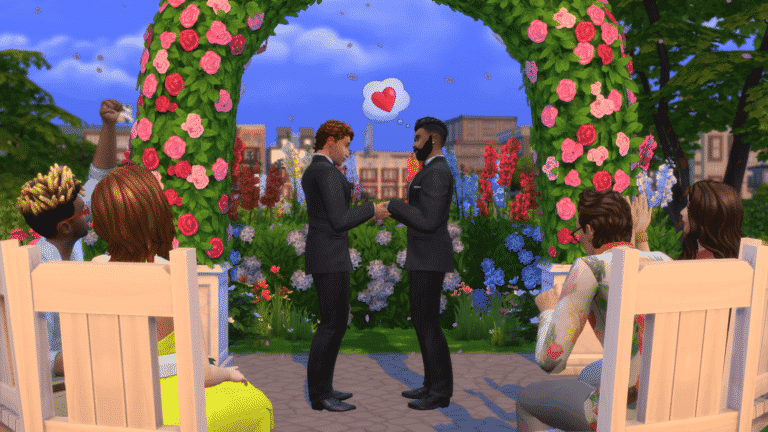
It looks a little different this year, but it’s still important to keep the spirit of Pride alive. We’ll come together, both in The Sims 4 and out. This year, we’re inviting you to join us for the first virtual Sims Pride. From a Pride-themed plumbob to use as your icon to live streams with some of your fellow LGBTQ+ Simmers, we’ll be highlighting the LGBTQ+ Sims community on our channels. Tune in to support your fellow players.

Starting on June 15, we’ll be kicking off our Virtual Pride Parade. Submit your best Sims Pride looks via social media and on The Gallery using #SimsPride2020 for a chance to be featured in The Sims Pride Celebration Event and group photo at the end of the month.* Dress your Sims up in their best Pride regalia, experiment with the new M·A·C makeup looks**, and get ready to sashay down the runway. You have until June 29 to upload your Sims. On June 30, YouTuber EnglishSimmer will be hosting the Virtual Pride Parade live stream on The Sims Twitch channel to showcase our amazing Sims.

Official Blog Post: Play With Life; Play With Love

We want you to show your full expression of self. Be you. Embrace your fabulousness. Honor our history; honor each other. Whoever and however you love, whoever you are—whether you’re a woman, a man, neither, or both—be proud. Play with life. Play with love.

Share your Sims Pride looks and feelings with your fellow players on The Sims Forums (and don’t forget to use #SimsPride2020!). Follow along with our virtual pride on Twitter, Instagram, and TikTok; like us on Facebook; and subscribe to our YouTube channel. You can also sign up for The Sims 4 newsletter to get all the news as soon as it’s announced.

*No Custom Content will be included in Sims chosen from The Gallery.

**Requires The Sims 4 game (sold separately) and all game updates to play.


The Sims 4 Nifty Knitting: Knitting Deep Dive Blog Post

24

SimGuruConor has released another behind the scenes deep dive blog post that looks at the knitting feature as a whole. Take a look at the blog post in full below.

via The Sims Forums

Welcome back to our latest – and last! – Deep Dive into the gameplay of The Sims 4 Nifty Knitting Stuff Pack. I’ve really enjoyed sharing the designs and development of this pack with you, and I hope to continue doing these sorts of posts in the future. It’s been a super cool experience, and I hope you’ve enjoyed reading these!

In today’s post I’ll talk about the feature that is core to everything in this pack, Knitting! Once again, I have to remind you that we’re still in active development on the pack and so some things may change between now and the final game.

Now, let’s talk about some nifty knits!

In order to start knitting, you’ll need to purchase a Yarn Basket from the Build/Buy catalog. You probably remember voting on these baskets a while back. This was the winning design, presented to you now in all its colorful glory! Don’t like color? That’s okay, because we included a solid black and white variant.

The Sims 4 Nifty Knitting: Knitting Deep Dive Blog Post

We have one more knitting basket coming too! Remember this one?

The Sims 4 Nifty Knitting: Knitting Deep Dive Blog PostThe basket acts as the crafting catalyst(neat term, huh?) similar to the Easel or Woodworking Bench in The Sims 4 base game. But unlike those examples, the Yarn Basket is meant to live in a Sim’s inventory so that they can take their knitting anywhere they want to go. Knitting itself is relatively straightforward: click on the Yarn Basket in your inventory, OR, with the basket in your inventory, click on the chair you want to sit in while knitting (perhaps a rocking chair?) and select the Knit interaction.

Your projects are saved to your Sim, so you can pause your progress at any time and resume later, and even juggle multiple projects at once. Starting a project costs a small amount of Simoleons for the cost of yarn, but nothing too outrageous.

vnh4uc8ceiup

(Children can knit too!)

As a Sim levels up their knitting skill they’ll have access to new patterns. They’ll start with knitting socks and beanies, but as they grow more skilled they can tackle more challenging projects like sweaters and toys for kids. But if you only want to specialize in one thing – perhaps knitted mailbox cozies? – that’s fine too! Just keep knitting anything and everything, and you’ll be level 10 before you know it.

Speaking of knitting skill, sometimes your skill is reflected in your knitted work, or rather your lack of skill. Knitting projects can fail, and when they fail they can get weird. But it’s all subjective, and maybe you’ll end up accidentally knitting the cutest derpy companion, or the perfectly itchy sweater. No mistakes, only happy accidents!

The Sims 4 Nifty Knitting: Knitting Deep Dive Blog Post

(Just own it.)

One of the niftiest parts of the knitting skill is unlocking the ability to Teach to Knit, where Sims sit down together and have a knitting pow-wow. We wanted this to feel special, so we got a really sweet animation for it (Thanks Haeju!). Now that you can infect other Sims with the knitting bug, no yarn ball will be safe!

The Sims 4 Nifty Knitting: Knitting Deep Dive Blog Post

(The knitting needles aren’t finished on the Teach To Knit interaction yet, but trust me it’s SUPER CUTE.)

So, what can you do with all these knitting projects? Lots of stuff!

Not only can knitted objects be listed on Plopsy, but you can also Donate them to charity. If you want to surprise a loved one, try Gifting a knitted object too. If you want to destroy all traces of your knitted failures, you can Frog the object and start again! If it’s a particularly nice Sweater that you made, consider Adding it to Wardrobe to make it available in Create-A-Sim to all family members.

The Sims 4 Nifty Knitting: Knitting Deep Dive Blog Post

(Everyone appreciates a nice gift!)

We want Sims to be able to knit something for their whole family. Not only will Sims be able to knit Toddler Onesies, but Baby Onesies as well. So put your little grubworm in a handmade knitted outfit. I’m sure they’d thank us if they could! (And if they didn’t like it I’m sure they’d be polite about it.)

The Sims 4 Nifty Knitting: Knitting Deep Dive Blog Post

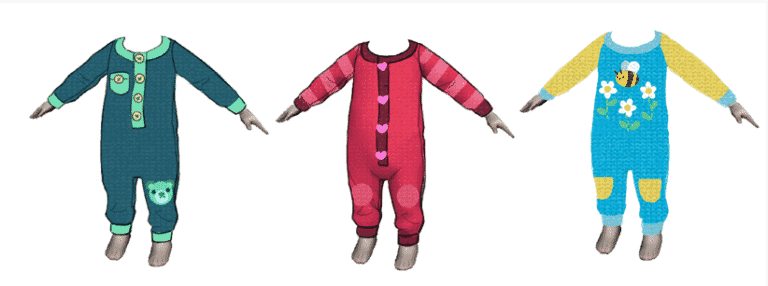
(Here’s a sneak peek at some of the concept art for new clothing for the littlest of Sims!)

It also felt like a good idea to add an Aspiration to tie this passion for knitting all together. So if you want to master the fuzzy art of knitting, consider signing your Sim up for the Lord(or Lady) of the Knits Aspiration. With yarn running through your veins, there will be no knitting mountain too hard to conquer! Master the Aspiration and you’ll be rewarded with the Sacred Knitting Knowledge trait. What does it do? Lots of stuff! What does it unlock? Something special! Am I being vague? I am! Come on guys, I can’t share all the secrets quite yet.

The Sims 4 Nifty Knitting: Knitting Deep Dive Blog Post
As I’ve mentioned previously, we’re trying to get as much cross-pack functionality for knitting as we can. Cats can play with Yarn Baskets and Yarn Balls, there will be new Club rules for Knitting, new class electives at University, and knitting counts for Emotional Control, just to name a few. I’m hoping Knitting feels nice and snug alongside our other gameplay systems.

Now let’s have a chat with our lead Object Modeler, Beth Mohler!

Conor: Can you tell us a little bit about what an Object Modeler does on The Sims 4?

Beth: As an object modeler I spend a lot of time trying to figure out how to make objects work in The Sims 4. This is actually a very involved process, and somewhat different from the wonderful work our environment team does. We work with designers, concept artists, engineers, animators, vfx artists (basically everyone!) to make sure that Sims can use an object properly in an animation, or that all of our objects will work with each other. Once we understand the design for a new object, we will create a rig, a block model (a very generic version of the object used to help us make more of the same object in the future), and a footprint (tells us where the object can go and how Sims move around it). Once those are tested by animators and other disciplines we can model the final version, create UVs, and add textures. We also hook up and test everything in the game to make sure it all looks good. There is a lot to think about when it comes to making objects because we know players can find so many interesting ways to place and use them in game. That makes it a very fun challenge to make them work with everything else we’ve built before.

Conor: What feature are you most excited to work on in Nifty Knitting Stuff?

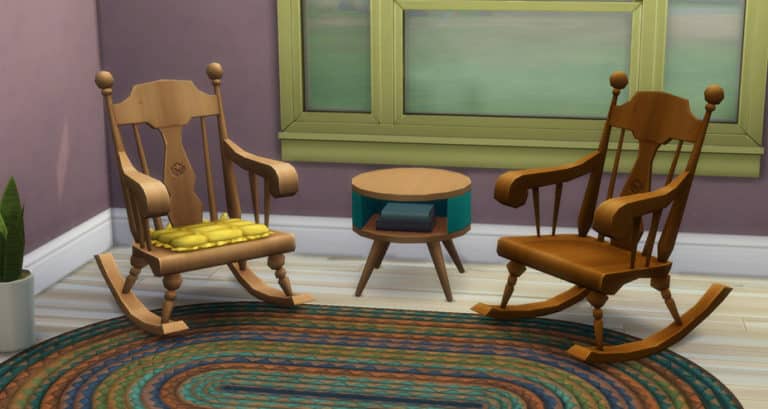
Beth: I’d say I am most excited to work on the rocking chairs! I love that we are bringing them to the game and can’t wait to see them in some cozy living rooms or on porches.

Conor: What are some of the challenges you are facing working on this pack?

Beth: One of the biggest challenges is ensuring that the knitting itself looks good and is fun to watch! This is a challenge given that it needs to work for everything you can create. Figuring this out takes a lot of iteration between modeling, animation, engineering, design, and art direction so that we come to a conclusion that will work the best given our time and technical constraints.

Another interesting “challenge” is the fact that I crochet as a hobby myself! When you are knowledgeable about something (yarn!) in real life, working on it in the game it can sometimes be hard to separate the things you know and may expect in reality from what is possible or best within a video game. I have to make sure to keep a balance and to conceptualize how we can best convert the knitting experience into The Sims 4. As someone who also generally enjoys interior design and architecture, this is actually one of my favorite challenges and one of the things I love about working on objects in The Sims 4.

Conor: What is your favorite feature you have ever worked on in The Sims 4?

Beth: I think it has to be a tie between the mini fridge or the robotics table in Discover University. That pack was the first time I got to really take an entire feature from start to finish. I’ve been with Maxis for a while, but I’m relatively new to The Sims 4. Both of these objects had some complex features we wanted that required a lot of iteration. I learned a ton about the technical aspects of our game during the process as well. I’ve also worked on a few very cool things between then and now, but those can’t be shared yet ; )

As a fan of The Sims since the very beginning I am so happy to be able to share a little about what I do on a daily basis on The Sims 4 with you! I haven’t been on The Sims 4 for quite as long overall, but some of you may also recognize me from my time on Sims Mobile where I shared some of our workflows on Twitter for making a juice bar. Thanks!

Conor: You shared a screenshot of the In-Progress Rocking Chair in our Rocking Chair Deep Dive. Can you share an updated screenshot now that the Rocking Chair is further along?

Beth: I would love to! I hope everyone has been enjoying seeing the progress on this object so far! Here it is a little further along. This program allows us to set the rules for the object materials, footprint size and rig it should use, as well as all the color variants and swatch colors you see in the catalog.

The Sims 4 Nifty Knitting: Knitting Deep Dive Blog Post

Thanks Beth! By the way, Beth is on Twitter @SimGuruBeth, so be sure to Follow her!

And thanks to all of you Simmers for following this pack’s development, this has been a really fun project in a very crazy time. A big thank you to my Stuff Pack teammates, and especially SimGuruSarah who edited my inane ramblings and wrangled the miscellaneous bits for these posts.

While this concludes my design Deep Dives, we still have more forum posts with development insights on the way! Keep checking the Community Stuff Pack forum and we’ll have more fun stuff to show off in the weeks to come.

Until next time,
SimGuruConor

The Sims 4 Eco Lifestyle: Meet The Residents of Evergreen Harbor

Presented by EA Game Changers

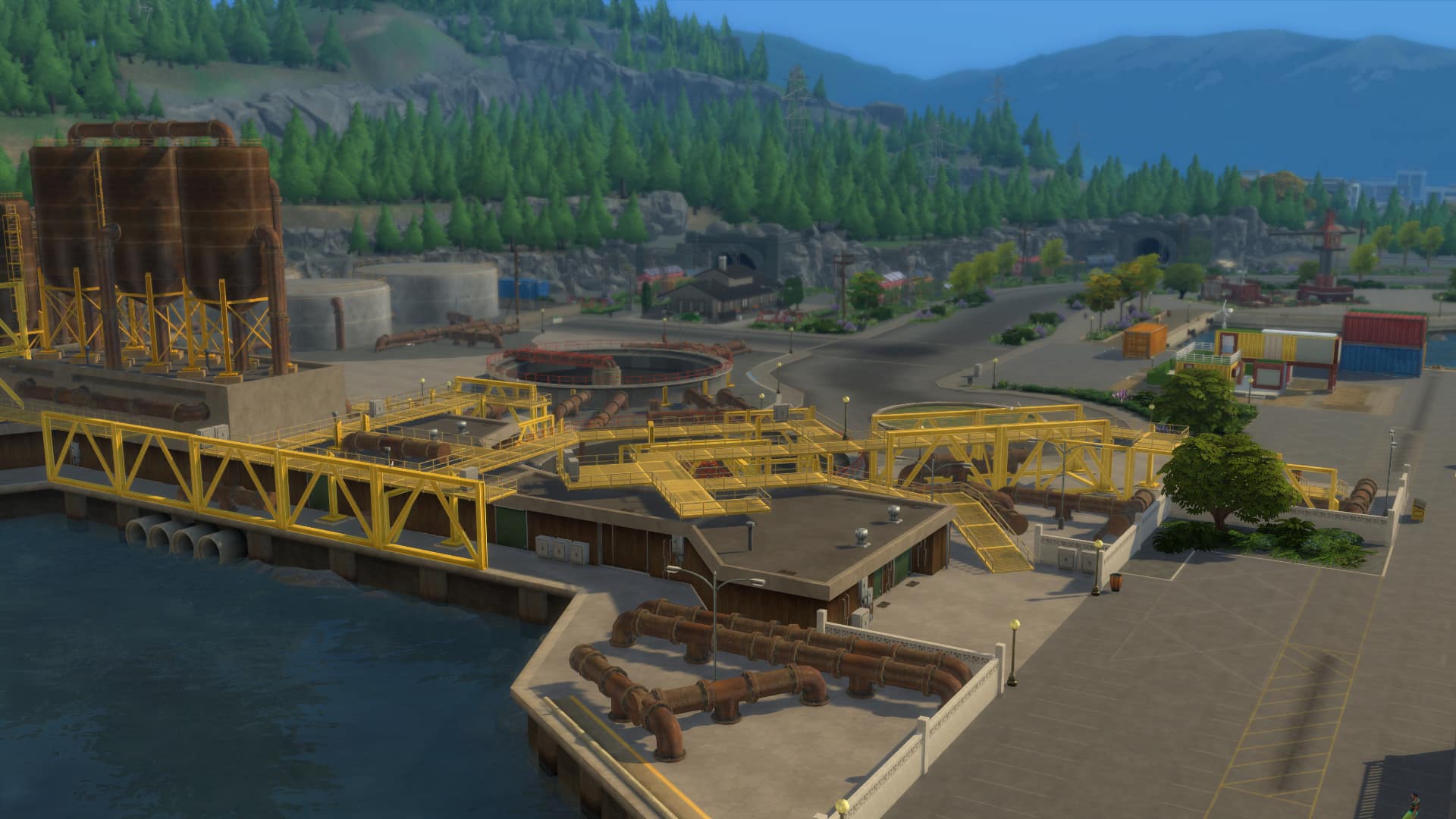
Nestled away between the hills of the Evergreen Forest, you’ll find Evergreen Harbor! A world where Sims strive to live an eco-friendly life and encourage those to craft and make their own furnishings and help bring their neighbourhood to life through Neighbourhood Action Plans. The residents of Evergreen Harbor are generally friendly and will always be happy to give your Sims a hand when needed!

The Harris Household

Household Description

“Cletus and Faye found this heritage home in Grims Quarry for dirt cheap. Nothing seems wrong with it, and the Harris’ weren’t about to question a good deal. Cletus’ free-spirited mother soon joined them, completing the big, happy family. Mysteriously, their eldest son always wears a shameful bag on his head. Also, it doesn’t seem like any of them other than Faye has a job, but the house is well furnished. What is going on here?”

Francine Spencer

Age: Elder
Career: None
Aspiration: Serial Romantic
Walk Style: Default
Voice: Lilted
Traits: Noncommittal | Outgoing | Romantic | Muser (Bonus)
Skills: Charisma 7 | Mischief 3
Relationships: Gideon Harris – Grandson | Jeb Harris – Grandson | Cletus Harris – Son | Faye Harris – Good Friend

Faye Harris

Age: Young Adult
Career: Chef (6)
Aspiration: Master Chef
Walk Style: Feminine
Voice: Melodic
Traits: Freegan | Glutton | Goofball | Essence of Flavor (Bonus)
Skills: Cooking 7 | Gourmet Cooking 4 | Mixology 4
Relationships: Gideon Harris – Son | Jeb Harris – Son | Cletus Harris – Spouse | Francine Spencer – Good Friend

Cletus Harris

Age: Young Adult
Career: None
Aspiration: Big Happy Family
Walk Style: Goofy
Voice: Warm
Traits: Family Orientated | Slob | Freegan | Dometic (Bonus)
Skills: Fishing 5 | Guitar 2
Relationships: Gideon Harris – Son | Jeb Harris – Son | Faye Harris – Spouse | Francine Spencer – Mother

Jeb Harris

Age: Teen
Career: High School C Student
Aspiration: Soul Mate
Walk Style: Sluggish
Voice: Brash
Traits: Gloomy | Good | Muser (Bonus)
Skills: Handiness 3 | Piano 4
Relationships: Gideon Harris – Brother | Cletus Harris – Father | Faye Harris – Mother | Francine Spencer – Grandmother

Gideon Harris

Age: Child
Career: Grade School C Student
Aspiration: Social Butterly
Walk Style: Default
Voice: Warm
Traits: Cheerful
Skills: Social 5
Relationships: Jeb Harris – Brother | Cletus Harris – Father | Faye Harris – Mother | Francine Spencer – Grandmother

You’ll find The Harris Household at Miner Mansion in the Grims Quarry neighbourhood of Evergreen Harbor.

The Sims 4 Eco Lifestyle: All About Community Spaces

Presented by EA Game Changers

The Sims 4 Eco Lifestyle comes with a brand new lot type in the form of Community Spaces. In Evergreen Harbor, you will find one in each of the three neighbourhoods but you can also create your own in the other worlds in The Sims 4.

Types of Community Spaces

You will find four different types of Community Spaces in the game. While the default Community Space is a very basic lot type which has one or two objects for your Sims to use it doesn’t offer a great deal at the moment. However, the Community Garden, Maker Space and Marketplace are tailored more towards the needs of your Sims and their respective neighbourhoods.

Community Space – A space full of possibility for use by the local community. Work together as community desires change to make the space fit what the residents want!

The Sims 4 Eco Lifestyle: All About Community Spaces

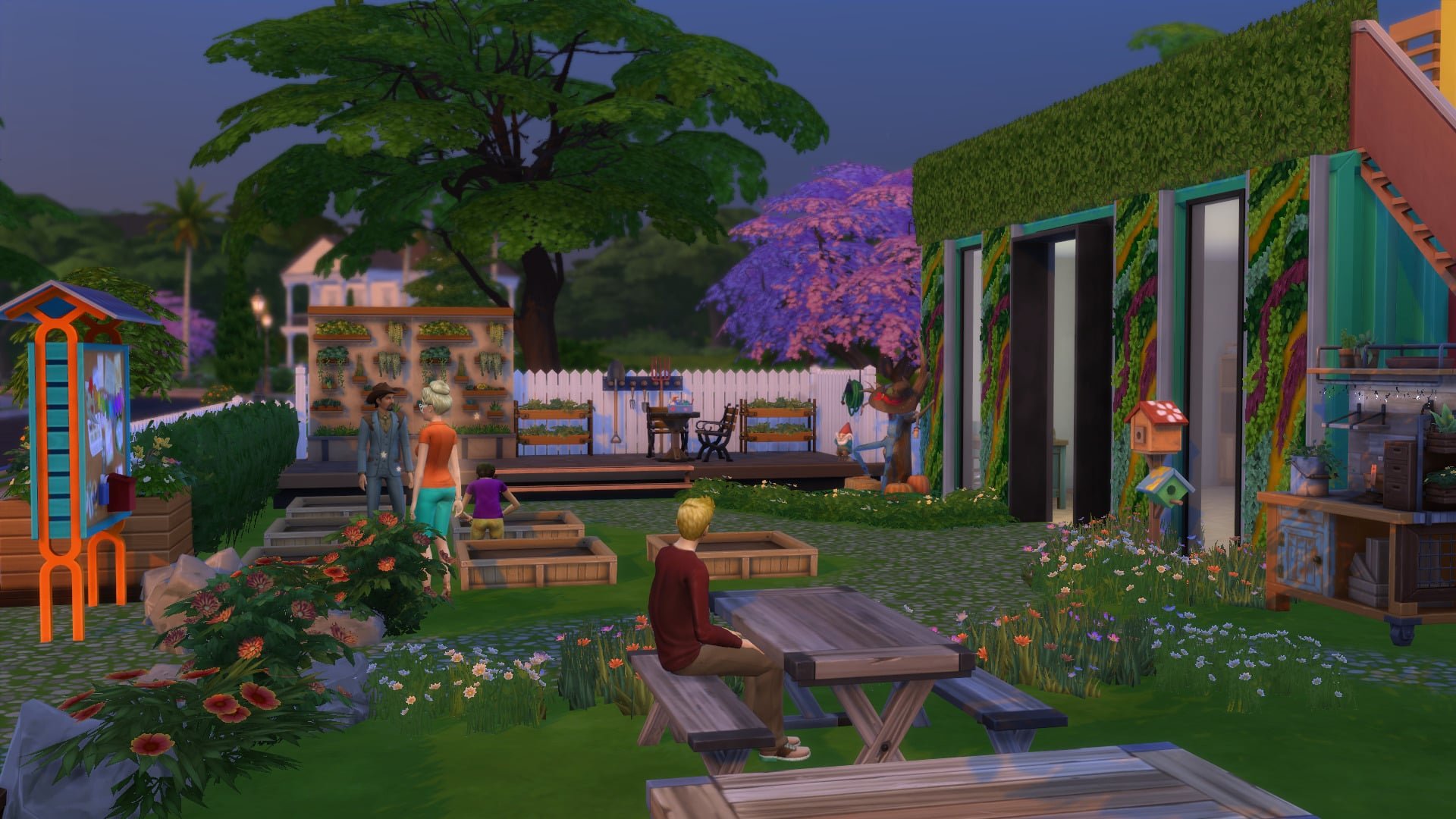
Community Garden – Looking for a place to practice growing and cultivating? The Community Garden is the perfect place for neighbours to plant together!

The Sims 4 Eco Lifestyle: All About Community Spaces

Maker Space – A community space for making all kinds, where neighbours can gather to craft and recycle goods, or dabble in activities like candle-making, juice fizzing, fabricate, or painting!

The Sims 4 Eco Lifestyle: All About Community Spaces

Marketplace – A community market where crafters and makers can sell their wares and shoppers can browse them.

The Sims 4 Eco Lifestyle: All About Community Spaces

Voting for Community Space Projects

The way you decide on which Community Space Project your neighbourhood has is done the same way as you would when you vote for a Neighbourhood Action Plan.

The Sims 4 Eco Lifestyle: All About Community Spaces

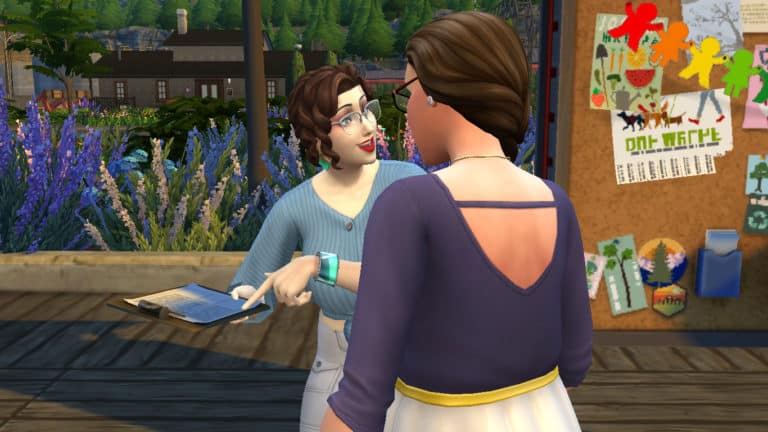
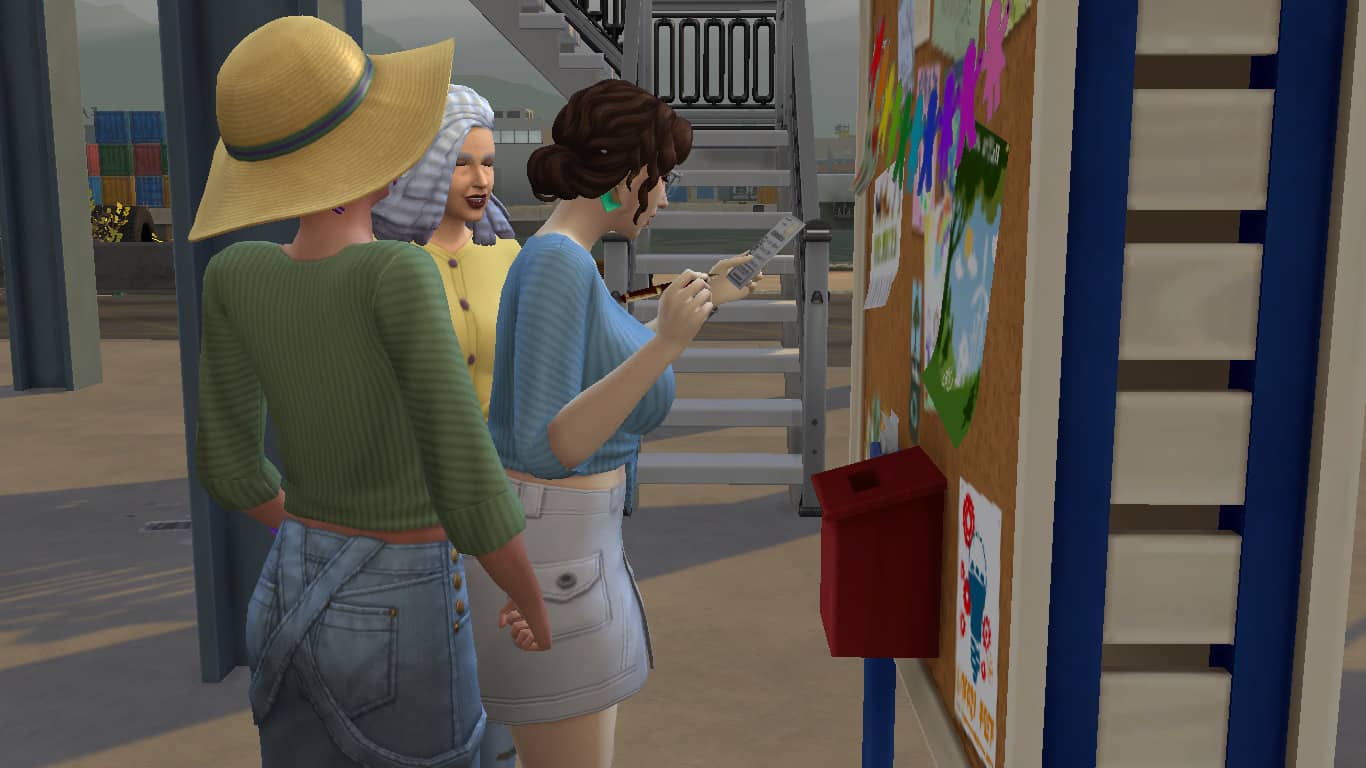
Simply make your way over to the Community Board and select Check Community Space Projects. You will then be presented with a pop-up that will allow you and others to vote on which community space you would like to see.

The Sims 4 Eco Lifestyle: All About Community Spaces

Voting starts at 8 am on Friday and ends at 6 pm on Monday. Once voting ends, your Community Space will then update to the winning one. If you want to vote to change the Community Space, you will have to wait until the next voting period to do so.

Creating Your Own Community Space

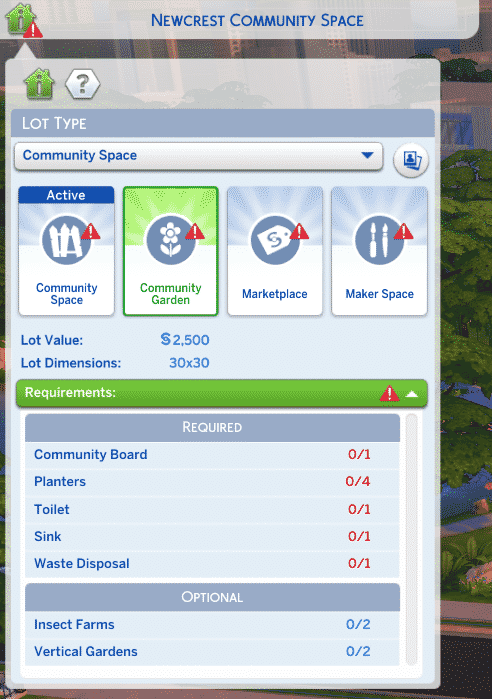
Creating your own Community Space is easy and follows the same process as if you were to build any other community lot. When you first chose to build your own Community Space it will automatically select the basic type of Community Space. You will then be able to choose the particular type you want to build as well as adding any Lot Traits you may want.

To complete the Community Space Lot overall, you will need to build something for each aspect of the four different Community Space types.

The Sims 4 Eco Lifestyle: All About Community Spaces

You will still have a list of required objects you need to play as well as optional ones that are recommended. Of course, you can add any objects you like to make your Community Space unique and work within the neighbourhood you build it in.

The Sims 4 Eco Lifestyle: All About Community Spaces

When creating your own Community Spaces, make sure you place a Voting Board down on the Lot for each of the different Community Space types. This will allow Sims in that neighbourhood to cast their vote. It is advised that you create each different Community Space so that the lot type shows as complete rather than having aspects missing. Of course, you can start with just placing the required items for now and return to a specific Community Space at a later time.

The Sims 4 Eco Lifestyle: All About Community Spaces

Community Spaces are a great place for your Sims to hang out, socialise and also build their skills at the same time. Whether you are fabricating items in Evergreen Harbor or selling your creations in Brindleton Bay, a Community Space really helps your neighbourhood come alive!

EA Play Live: Postponed + Rescheduled Date

0

Electronic Arts (EA) has announced that EA Play Live has been postponed due to current events. The event was due to take place on Thursday 11th June 2020 and has now been moved back a week and will now be on Thursday 18th June 2020.

We will update you with more details surrounding the event closer to the time.

EA Play Live: Postponed + Rescheduled Date


The Sims 4 Eco Lifestyle: Seven Features We Love

Presented by EA Game Changers

It’s that time again! The Sims 4 Eco Lifestyle is here and it is time to take a look at just a few of the new features that are included in the new expansion pack. The Sims 4 Eco Lifestyle brings so much to the game that there will always be something to do and explore while helping to maintain your neighbourhoods Eco Footprint.

Evergreen Harbor

Regardless of your neighbourhood’s Eco Footprint, Evergreen Harbor is a world full of character and charm. Of course, your Sims aim is to live an eco-friendly lifestyle and you’ll soon discover how beautiful Evergreen Harbor can truly be with a little help from your neighbours!

New Careers

Whether your Sim wants to take a dive into the world of a Civil Designer or be their own boss as a Freelance Crafter your Sim will never be out of things to do.

The Sims 4 Eco Lifestyle: Seven Features We Love

New Skills

Of course, no expansion pack would be complete without new skills. Try your hand at fabricating your own objects and candles or become the next Afizzinado!

Apartments

The Sims 4 Eco Lifestyle brings us two new apartment buildings! While they essentially work like the ones that come in The Sims 4 City Living, there are a few differences but at least you won’t have to deal with noisy neighbours all the time.

Community Spaces

Whether it is a Maker Space, Community Garden or a Market Place, Community Spaces are an amazing addition to The Sims 4 Eco Lifestyle. Plus you can have them in any world you want!

The Sims 4 Eco Lifestyle: Seven Features We Love

Dumpster Diving

While it may seem like an odd activity, you never know what you may find when you go searching through a dumpster.

The Sims 4 Eco Lifestyle: Seven Features We Love

Neighbourhood Action Plans

Whether your Sims want to vote for Green Initiatives, Modern Development, We Wear Bags, Power Conservation or to focus on a more skill-based action plan like the Juiced Community action plan, there is a Neighbourhood Action Plan to suit every Sim in Evergreen Harbor. You might just have to persuade one or two Sims along the way to help gain their votes!

The Sims 4 Eco Lifestyle: Seven Features We Love

There is plenty to explore in Evergreen Harbor and the three new neighbourhoods. These are just some of the many features that come with the new expansion pack. There is definitely plenty more to discover too!

Don’t forget to let us know what you are most excited to check out in The Sims 4 Eco Lifestyle Expansion Pack and you can find more articles about Eco Lifestyle in our dedicated section of the site here.

The Sims 4 Eco Lifestyle: An Update Regarding The Pinecrest Apartment

30

Many players may have noticed that since the release of The Sims 4 Eco Lifestyle, the balcony in the Pinecrest Apartment #404 is no longer an area in the apartment that can be used.

When we first saw the apartment in the Early Access videos from Game Changers, they were playing on an Alpha build of the expansion pack. This meant that some aspects of the pack could change. Usually, this would be in the form of fixing any bugs or issues that have cropped up. As a result, the balcony from Pinecrest Apartment #404 was one of the aspects of the game that had some issues.

The image below from SimGuruPaul/SimGuruFrost goes into a bit more detail about the issues with the apartment.

via Answers HQ

Hi all, this is a design decision and I have more info from SimGuruPaul to share on why:

Thanks for playing Eco Lifestyle, Simmers. We want to address your feedback on the balcony of Pinecrest Apartment #404.  Some of you might have seen some early videos in which Game Changers were building on balconies. They were playing on an Alpha build that had the issues described below. When we initially designed and built that apartment, we planned for the balcony to be buildable space to make up for the real-life limitation of not having a yard.  We ran into some challenges along the way and we’d like to share with you what happened.

We learned during production that the tech for swapping the apartment exteriors with gameplay could not accommodate this due to complications with the apartment exterior dynamically changing with the neighborhood. The balcony also had a bug in which neighbors looking for the front door would walk through the apartment uninvited to get to the balcony and then knock on the sliding glass door. How rude! We tried a fix that enabled items to be placed on the balcony, but this resulted in more bugs:

  • When the town enacted the Modern Development Neighborhood Action Plan (NAP), the balcony wall did not update to match the wood paneling from the rest of the building. If you tried to fix the pattern manually, the wall did not respond predictably.
  • That NAP caused the window and the door to disappear erratically.

We explored and attempted multiple fixes, but when they didn’t pan out, we decided the best option was to return to a static balcony and adjust the logic for determining the front door.  We apologize for any confusion this may have caused and we hope this at least gives some insight into what went into the decision.

SimGuruPaul

The Sims 4 Eco Lifestyle: An Update Regarding The Pinecrest Apartment

The Sims 4 PC & Console: New Update + Patch Notes (June 10th 2020)

The Sims Team has released a brand new update for The Sims 4 on PC, Mac and Console!

To download the latest version of The Sims 4, simply open your Origin program and if the game doesn’t update automatically, right-click on The Sims 4 and select ”Update.” For console players, your game should update automatically however if it doesn’t simply go into the game options and you will be able to update from there.

For PC and Mac users – In case you have Mods or Custom Content, the game will automatically disable them for you after first launching The Sims 4 after the update. To re-enable all your Mods and Custom Content, select the Settings option in the menu and select Settings. Under the” Other” section you’ll find the ”Enable Custom Content and Mods” option. Check it and restart your game in order for it to take effect!

via EA.com

Update 6/10/2020

PC: 1.63.136.1010 / Mac: 1.63.136.1210

Console: Version 1.27

Thank you for your reports and assistance in tracking down these issues.

  • Fixed a crash that occurred when loading some households.
  • Fixed Error Code 134:368f1773:b4bcf72 preventing some saves from loading.
  • Fixed Error Code 109:e56fc6bb:dc1a1b58 preventing some households from loading for Simmers who do not have Get Famous installed.
  • Changed one of the patterns of a women’s sweater in Eco Lifestyle (yfTop_EP09SweaterCropPrint_Brand).
  • Edited the description of the Footloose Beverage Bodega in all languages.
  • Restored the missing texture of wall hanging decoration Roman Temple Architectural Study.

The Sims 4 Eco Lifestyle: Opening Up Gameplay With Other Packs

Presented by EA Game Changers

With every new pack comes more possibilities for previous packs to have ways of integrating a range of different features into the newest expansion. The Sims 4 Eco Lifestyle is no exception to this. Here is a look at just some of the ways you can open up gameplay possibilities using previous The Sims 4 additional content.

Discover University

Whether you want your Sims to get a degree in Communications or Physics, either one of these degrees will help your Sims start at a higher level in the Civil Designer Career. You may find that your Sim is also eligible for the Evergreen Harbor Resident Scholarship too.

The Sims 4 Eco Lifestyle: Opening Up Gameplay With Other Packs

Seasons

While usually, we’d love to see beautiful clear skies and sunshine in Evergreen Harbor, if you have The Sims 4 Seasons you have the chance to experience acid rain.

The Sims 4 Eco Lifestyle: Opening Up Gameplay With Other Packs

Tiny Living

The Build Buy items that come with The Sims 4 Eco Lifestyle work perfectly with those from the Tiny Living Stuff Pack. Not only that, but you can also try your hand at creating a variety of Eco-Friendly Tiny Homes too!

The Sims 4 Eco Lifestyle: Opening Up Gameplay With Other Packs

Get Together

There are a few new additions to the Get Together Clubs feature with Eco Lifestyle. You can set specific club requirements that are related to the new Fabrication and Juice Fizzing Skills as well as the Civil Designer and Freelance Crafter Careers. For club activities, you can set Fabricating Objects and Making Juice Fizzing Objects as approved or banned activities.

The Sims 4 Eco Lifestyle: Opening Up Gameplay With Other Packs

The Sims 4 Eco Lifestyle adds even more options to expand on existing gameplay as well as introducing a number of new ways to play the game. While this article covers several ways on how you can expand gameplay with existing packs, there are still plenty more ways to discover! This could be through gameplay, Build Buy Mode or even in Create A Sim.

Let us know which expansions you plan to use alongside The Sims 4 Eco Lifestyle.

The Sims 4 Eco Lifestyle: Influence & Neighbourhood Action Plans

Presented by EA Game Changers

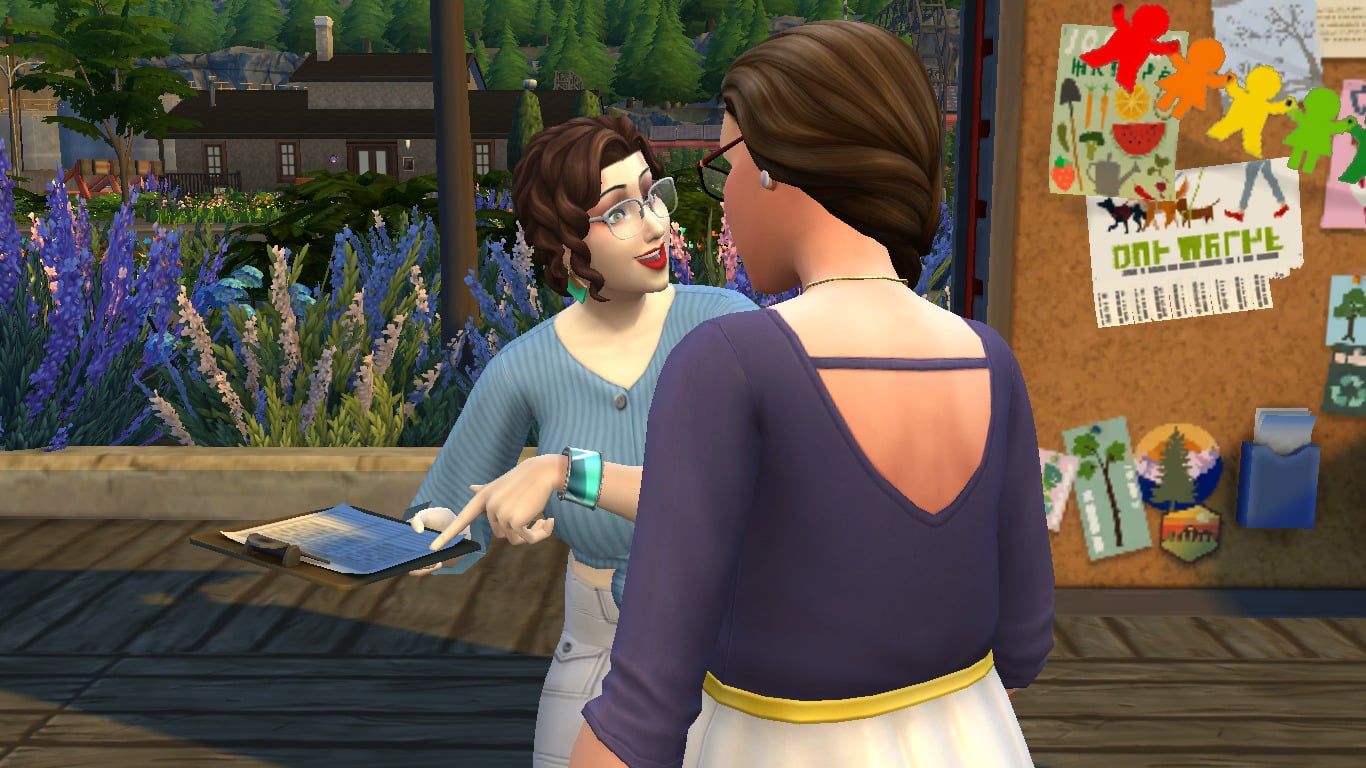
In The Sims 4 Eco Lifestyle, Sims are more involved with the communities they live in. Each neighbourhood in Evergreen Harbour has a community voting board where residents of that neighbourhood can come together to vote on Neighbourhood Action Plans (or N.A.P.s for short). If the player chooses to place a voting board in other worlds, N.A.P.s can be enacted in any residential world as well. There are a wide variety of N.A.P.s to vote on each week, but making sure your neighbourhood enacts the N.A.P. you want will require you to gain influence by being involved with the community.

The Sims 4 Eco Lifestyle: Influence & Neighbourhood Action Plans

What Are Neighbourhood Action Plans?

Neighbourhood Action Plans affect the way the Sims in that neighbourhood behave and live. There are a wide variety of them, all with a focus on something different for the community. Many are, of course, focused on going green and making more environmentally responsible decisions about how to conduct Sims’ everyday lives, but there are others that are a little more silly and goofy; they’re more for fun, but they also provide certain benefits to Sims who live there.

N.A.P.s are enacted every week and are specific to the neighbourhood; they don’t apply to the whole world. Sims can only vote on N.A.P.s for the neighbourhood they live in.

Voting

The Sims 4 Eco Lifestyle: Influence & Neighbourhood Action Plans

Voting on N.A.P.s opens every Friday at 8am and closes on Sunday at 6pm. Sims can vote at any time during this time period, either at the voting board in their community, or through the mailbox. You can also see the voting status of your neighbourhood’s N.A.P. at any time in your Sim’s info panel.

Beware! Just because your Sim is passionate about the environment and wants to enact a clean energy policy in the neighbourhood, that doesn’t necessarily mean their neighbours share the same values. They might be voting for a free love neighbourhood or a juiced up neighbourhood instead because, hey, it’s way more fun than saving the planet, amirite? Enacting new N.A.P.s is a community effort; it’s not all up to your Sim.

So what’s a Sim to do to change the attitudes of their neighbours? That’s where influence comes into play. Your Sim will need a lot of it to either vote more times than their neighbours or convince their neighbours to vote the way you want them to.

Of course, there does have to be some level of fairness in all this. You can’t repeatedly vote in the same N.A.P. week after week. You will have to switch it up and vote for a different N.A.P. than the one that is currently active. Luckily, there are so many N.A.P.s to choose from that it’s not hard to find several to suit your Sim’s interests and motivations.

TIPS!

Feeling a little bit dictator-like? You can turn off NPC voting in the game settings to give your Sims the only say in what N.A.P.s get enacted.

Don’t like any of the available options for N.A.P.s that week? You can propose one of your own!

Influence

The Sims 4 Eco Lifestyle: Influence & Neighbourhood Action Plans

Sims need Influence Points in order to vote on N.A.P.s or to convince other Sims to vote on a specific N.A.P. Just like in real life, the more popular you are, the more sway you have over other people and their decisions (for better or worse). If your Sim is a loner who never leaves the house, they might find themselves having a hard time making their voice heard on the voting board.

Luckily, there are many ways to earn Influence Points in the game and we found it fairly easy to rack up a lot of points to sway the voting in our favour while we were exploring this pack.

Sims can earn Influence Points by:

  • Getting promoted in any career
  • Being active in the Civil Designer career
  • Successful introductions to other Sims
  • Becoming friends, good friends, and best friends with other Sims
  • Giving gifts to Sims
  • Following the requirements of an active Neighbourhood Action Plan

The easiest way to earn a lot of Influence Points is to go around the neighbourhood introducing yourself to every Sim you see and giving out gifts of simoleons (a little bribery never hurt anyone, right?). Almost everyone loves getting money (minus Freegan Sims), so being generous with your simoleons is sure to leave you with plenty of Influence Points to just outvote everyone else.

Sims can vote as many times during the voting period as their Influence Points can afford. It costs 10 Influence Points to cast a vote, but only 5 Influence Points to convince another Sim to vote on your N.A.P. If you can successfully convince enough Sims to vote the way you want them to, that can be a good way to get the N.A.P.s you want enacted without blowing a whole lot of Influence Points; however, this is a hit or miss interaction. Some Sims are more stubborn than others and might not be receptive to your persuasion, wasting a whole 5 points. It’s a lot easier and faster to just rack up as many Influence Points as you can and simply outvote everyone else.

Repeals

The Sims 4 Eco Lifestyle: Influence & Neighbourhood Action Plans

What if, in spite of all your efforts, the other Sims in your neighbourhood end up voting in an N.A.P. you think is bogus? Are you stuck with that N.A.P. until the next voting period the following week? Not necessarily.

You can petition to repeal an active N.A.P. through the voting board. Once an N.A.P. is in the repeal process, it’s up to your Sim to go around the neighbourhood collecting enough signatures to get the current N.A.P. repealed.

It costs 10 Influence Points to petition for a repeal and 5 Influence Points to ask a Sim for their signature. Depending on the Sim’s interests and your relationship with them, they could agree to sign the petition or refuse to do so.

Once you’ve successfully collected 5 signatures, you can repeal the currently active N.A.P. The N.A.P. will be repealed at the end of the current voting period and the effects of that N.A.P. will be lost. Any Green Initiatives or Modern Development projects that get repealed will have an immediate effect on the environment and slowly continue to deteriorate over time.

You can also stop the repeal process on an N.A.P. by using the voting board if you have a change of heart during the repeal process and decide you want to keep the current N.A.P. after all.

List of Neighbourhood Action Plans

The Sims 4 Eco Lifestyle: Influence & Neighbourhood Action Plans

There are a total of 21 different N.A.P.s to vote on every week. A couple are specific to neighbourhoods in Evergreen Harbour, such as Green Initiatives and Modern Development, as these change the landscape of the world over time. Most can be applied to any world, however.

Green Initiatives in Port Promise

This N.A.P. is specific to Port Promise in Evergreen Harbour and is not available for other worlds.

Sometimes Green doesn’t mean completely green, but at least a step towards it. It’s time to blanket Port Promise in luscious plant life.

With this Action Plan in place, we can expect to see not only trees and bushes sprouting, but we’ll also see Port Promise’s Eco Footprint become more Green as well.

All it takes is a small donation from residents in the form of a weekly bill increase. Simple!
Green Initiatives in Conifer Station

This N.A.P. is specific to Conifer Station in Evergreen Harbour and is not available for other worlds.

The lovely Conifer Station is pretty green already, but what if it were more Green in all respects of the word? With a teensy donation from residents in the form of a weekly increase in utility bills, we will be able to fund the planting of many luscious trees, hedges, and more, which will in turn give Conifer Station a greener Eco Footprint. Everyone wins!

Green Initiatives in Grims Quarry

This N.A.P. is specific to Grims Quarry in Evergreen Harbour and is not available for other worlds.

Sure, there might be a smattering of grass around Grims Quarry, but is that enough? With this Action Plan in place, we can finally fund the experimental use of a new evergreen fertilizer that we’re confident will bring a flurry of lovely pines to Grims Quarry!

This won’t only make the neighbourhood more green in the visual sense, but the influx of CO2 will also move our Eco Footprint to a Greener state.

Vote now, don’t worry about that slight increase in your weekly bills, and let’s paint the town Green!

Modern Development in Port Promise

This N.A.P. is specific to Port Promise in Evergreen Harbour and is not available for other worlds.

Feeling down about the state of our fair Port Promise? Vote on additional funding for development projects to help this area live up to its name. By putting in hard work and funding, mainly funding, together we can work on some much needed upgrades to the area.

Don’t be put off by the increase in your weekly Bills to help pay for these improvements. We’re pushing to ensure residents’ career pay goes up to help offset the added costs.

Make this promise to Port Promise, won’t you?

Modern Development in Conifer Station

This N.A.P. is specific to Conifer Station in Evergreen Harbour and is not available for other worlds.

Having seen other cities in the greater Evergreen Harbour area, it’s easy to compare and acknowledge there’s work that could be done at Conifer Station to keep up with the times. By putting funding towards changes in this district, you will start to see new projects roll out with the apartments, railways, and the towers.

Of course, funding for this development will have to come from somewhere. With this initiative, weekly Utility Bills will be increased, but we’ll also put in place an increase in residents’ career pay to offset that added cost.

Modern Development in Grims Quarry

This N.A.P. is specific to Grims Quarry in Evergreen Harbour and is not available for other worlds.

Do you ever look around and think “This place stinks”? That’s because it does actually smell a bit like old carpet. It’s ok. We can admit it.

We live in an area surrounded by some impressive advancements, but Grims Quarry is still outdated for today’s standards.

With enough funding we can make Grims Quarry a better place to live. Vote for the Modern Development Project, and expect modern advancements at the quarry itself, in the Park, and even on the homes in Grims Quarry.

Free Love

Who needs negativity when you could be drenched in love?

Who needs jealousy when you could be embraced with understanding?

Vote with your heart and we can transform our community into a butterfly of love for all. Whether Single, Married, or just open, we embrace loving each other in all its beautiful forms.

When Free Love reigns, you can gain Influence from Romance interactions.

Green Gardening

Have you always had the yearning to start gardening but never quite had the gumption to do it?

Well, this fresh new N.A.P. might be just the thing to push you over that figurative mound of procrastination soil.

Grab your snips, cast your vote, and you’ll get Influence for flexing your mighty green thumb. Growing a garden is beneficial for you, the community, and the planet. Let’s all dig in!

Juiced Community

Get ready to get JUICED! In support of all things fizzy and funky, this N.A.P. wants to get everyone juiced up.

Gain Influence by using the practical Juice Fizzing and Mixology skills to make concoctions for the entire neighbourhood.

Rock Your Body (and Mind)

What better way to care for oneself than with the accountability of a whole community?

This initiative puts the “Action” back in Neighbourhood Action Plans.

Together we can make sure all Sims in the neighbourhood are practicing their Fitness, keeping up on Hygiene, looking after their overall wellbeing, and boosting their Influence while they’re at it.

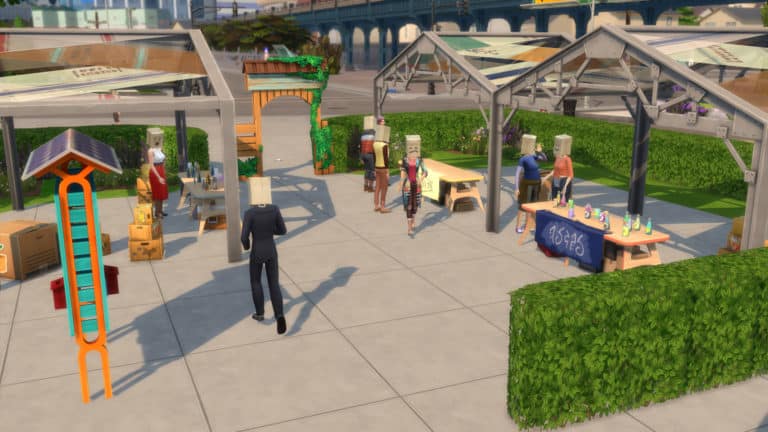
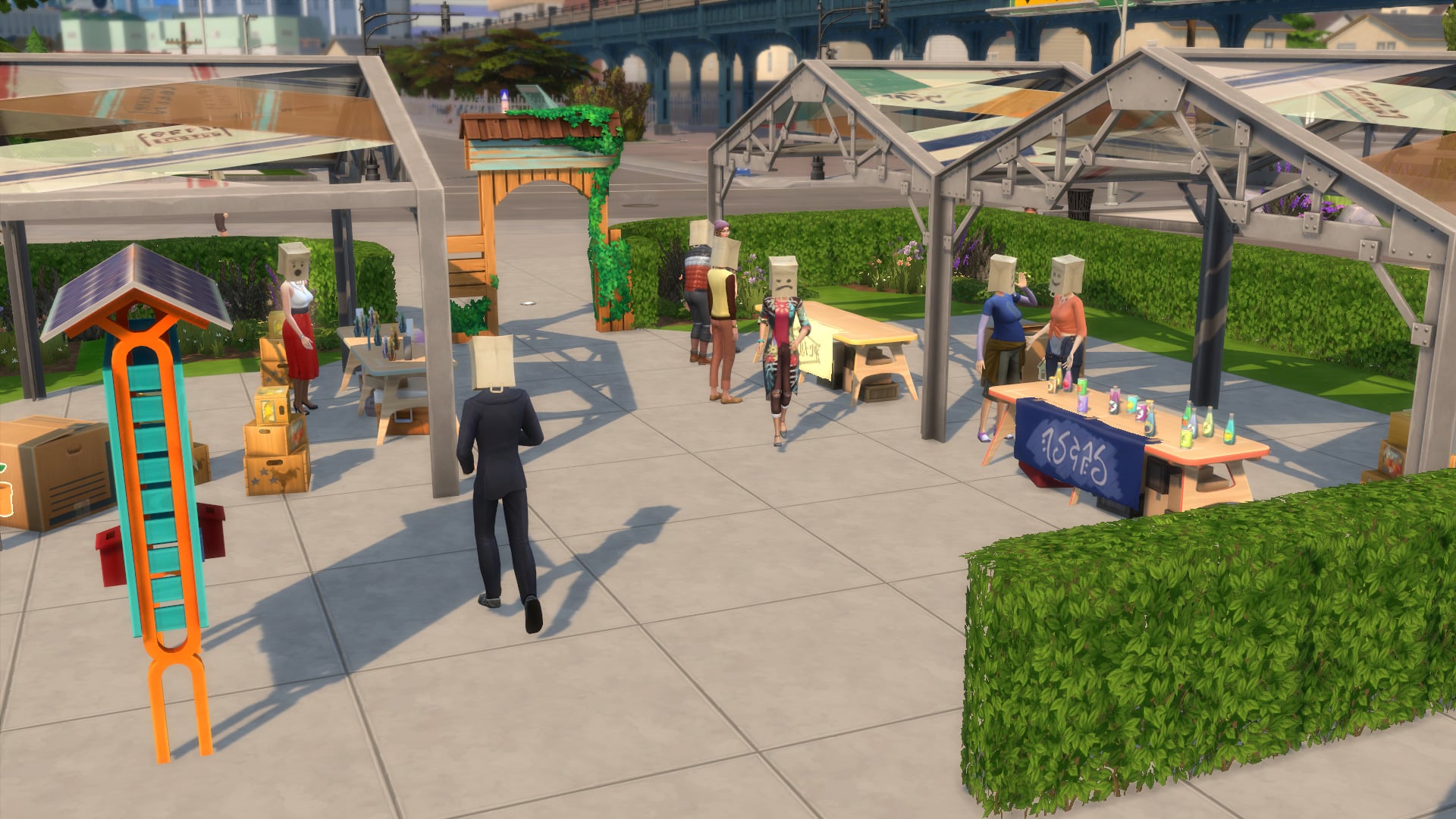
We Wear Bags

Our community values reducing and recycling. But – has anyone else noticed the paper bags are starting to pile up?We wouldn’t dare throw those away! They could come to good use some day!

Don’t you think every last one of those 8,346 neatly folded pieces of untapped potential have finally earned their time to shine?

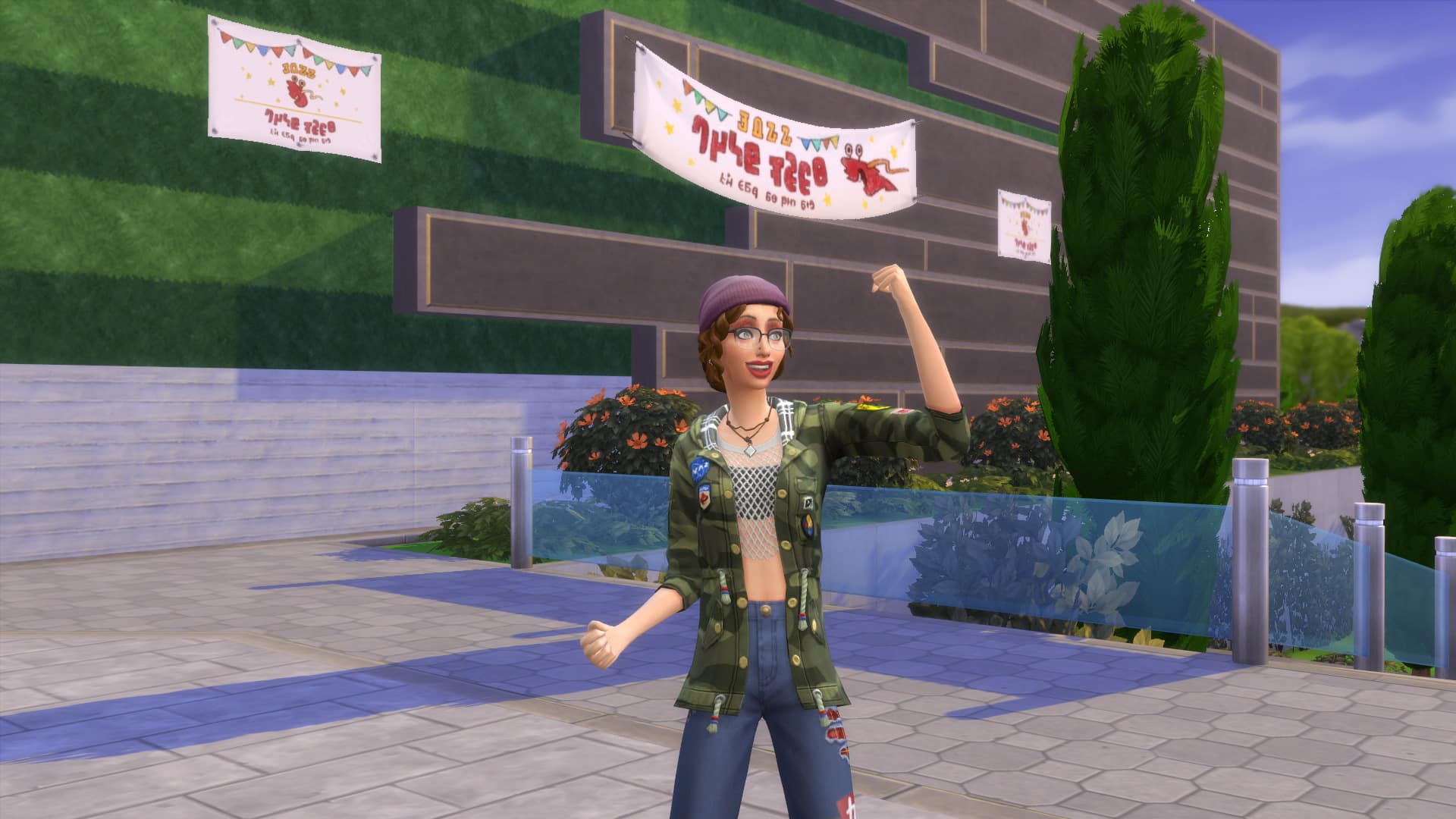
With the We Wear Bags Action Plans, we can proudly wear our bags as a mark of our Eco Lifestyles.

Foodies Unite!

Neighbours, let’s get cooking! There are so many fabulous organic, non-organic, home-grown, and freebie ingredient options out there. Crack out that cutting board and start experimenting!

Under the Foodies Unite N.A.P., members of the community will be rewarded Influence by exercising their tasty skills in home style, Gourmet, or any other style of cooking.

Water Conservation

Let’s admit it. The water isn’t quite flowing with the flow with which it used to flow. How can we all pitch in and help to conserve? We believe that with the pairing of a Weekly Water Shut-off Day and an organised effort to Consume Less Water*, this community can really make a difference!

*Failure to conserve a satisfactory amount of Water for your household size, as defined by the Board of N.A.P. will result in a daily fine. Have a nice day.

Sharing is Caring

Some Sims own a lot of thing. Some Sims own just a little bit of things.

But what if everyone could just own everything?

See that bike sitting there? That could be your bike! Or anyone’s bike! With this initiative, everything you see can be yours. You see something, you take it. No questions asked, no repercussions. Just don’t get too attached to anything you already own…

Support the Performing Arts!

There are some who say Music is healing for the soul and Performing is healing for the heart.

Uplift our community and gain Influence by not only sharing the melodies of the Instruments that you play, but also by expressing other forms of Performing Arts.

Professionals working in Entertainment-related Careers can also enjoy increased pay while this N.A.P. is active.

Power Conservation

Energy isn’t free, so what can we do on our part to help conserve? The Power Conservation Action Plan helps to answer that difficult question.

Step 1: Limit your household’s overall consumption of Power by avoiding overuse of Electronics*
Step 2: Sacrifice one teensy weensy day per week without Power. The Landgraab Power Company even agreed to give a discount on utility bills for this.

*Failure to conserve a satisfactory amount of Power for your household size, as defined by the Board of N.A.P. will result in a daily fine. Please thoroughly enjoy your day.

Tech Support

Have you grown too comfortable with things just the way they are? Don’t be caught N.A.P.ing on your community’s technological progress.

Working with Programming, Rocket Science, or other methods, we can continue to make our world a better place through technology and boosting our Influence while doing it.

As an added bonus, Sims working in tech-related career fields such as Astronauts, Tech Gurus, Scientists, Freelance Programmers, and Civil Designers will also have increased pay if this initiative gets voted in.

Fun-Loving Community

Recreation should be celebrated, not stifled! It’s time to eradicate boredom and embrace having fun.
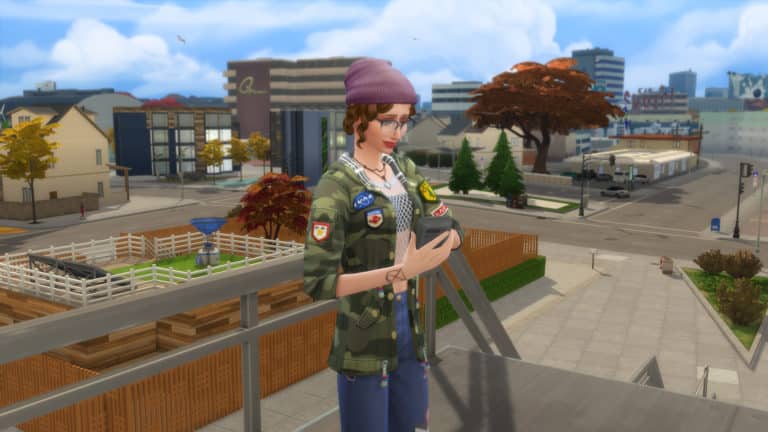
Vote for this N.A.P. and not only will we be able to let loose as a whole, but residents will also be rewarded with Influence for doing activities that involve Comedy, Mischief, and even Video Gaming!

Upcycling Initiative

Why spend your Simoleons on something you could create for yourself?

Why do we throw away so many materials that could go into making something special and new?

With the Upcycling Initiative, we are giving Influence to everyone using Recyclers to get materials and Fabricators to turn those materials into something responsibly wonderful!

Self-Sufficiency

Why keep feeding the corporate beast and keep spinning on this degrading hamster wheel of consumerist shame?

We can rise up and maintain a perfectly good community ourselves!

We can live in a community where things like Fishing, Gardening, and Handiness are rewarded with increased Influence, as well as a sense of accomplishment.

Eco-Friendly Appliances

Neighbours, I think we could all benefit from a good N.A.P. One that promotes even the smallest changes to help make a difference.

Together we can push to fix our neighbourhood one appliance at a time. Let’s take action into our own hands by making Handiness skill and Influence easier to get by using green-upgraded appliances or by repairing any appliance.

Back to the Old Days

I remember the good old days. We used to play board games and read books. Nowadays, all anyone can think about is their phone and TV.

They’re juicing it up, chugging all their wretched… juice.

And what’s with this obsession with woohoo? Woohoo in the bed, Woohoo in the Rocket Ship, Woohoo in the hot tub, Woohoo in the observatory, and if that wasn’t enough – now you delinquents are woohooing in Dumpsters? Gross.

With this initiative, those who live a wholesome lifestyle of reading books and playing board games will be rewarded with Influence. And those who indulge in technology, drinking juice, and woohoo will be properly fined for their woeful deeds.

Roughhousing Encouraged

Have you ever heard another Sim’s opinion and thought, “I should be polite but I really think this conversation would be better if I asserted my stance, refused to back down, and ultimately engaged in a full-out neighbourly brawl”?

We’re with you.

Sometimes we believe there is such a thing as being too polite. We should band together to make this world better, one fight cloud at a time. A world where we can speak our minds without any hurt feelings or bruised egos. Vote for the Roughhousing Encouraged N.A.P. and you can gain Influence by using Mean interactions on other Sims. If that’s the kind of Sim you want to be.

Promote Creative Arts

The mark of a true artistic community is a shared passion for the Creative Arts.

Support this maker mindset with your vote, and you’ll be rewarded not only with the pride you get from creating, but also with Influence from doing Painting, Photography, Writing, Fabrication, and other artistic activities.

Professionals working as Painters, Style Influencers, Freelance Crafters, or Writers will also earn increased pay while this N.A.P. is active.

Clean Energy Production

We have the luxury of living in a world that provides us with everything we need. We just need to learn how to harness that energy!

With the Clean Energy N.A.P. in place, members of the community will be rewarded with Influence for owning functional, clean energy-producing objects like Solar Panels, Wind Turbines, and Dew Collectors.


Which Neighbourhood Action Plan will your Sim work towards? Let us know in the comments or come chat with us on social media!