Home Blog Page 256

The Sims 4 Island Living: Beach Life Aspiration

Presented by EA Game Changers

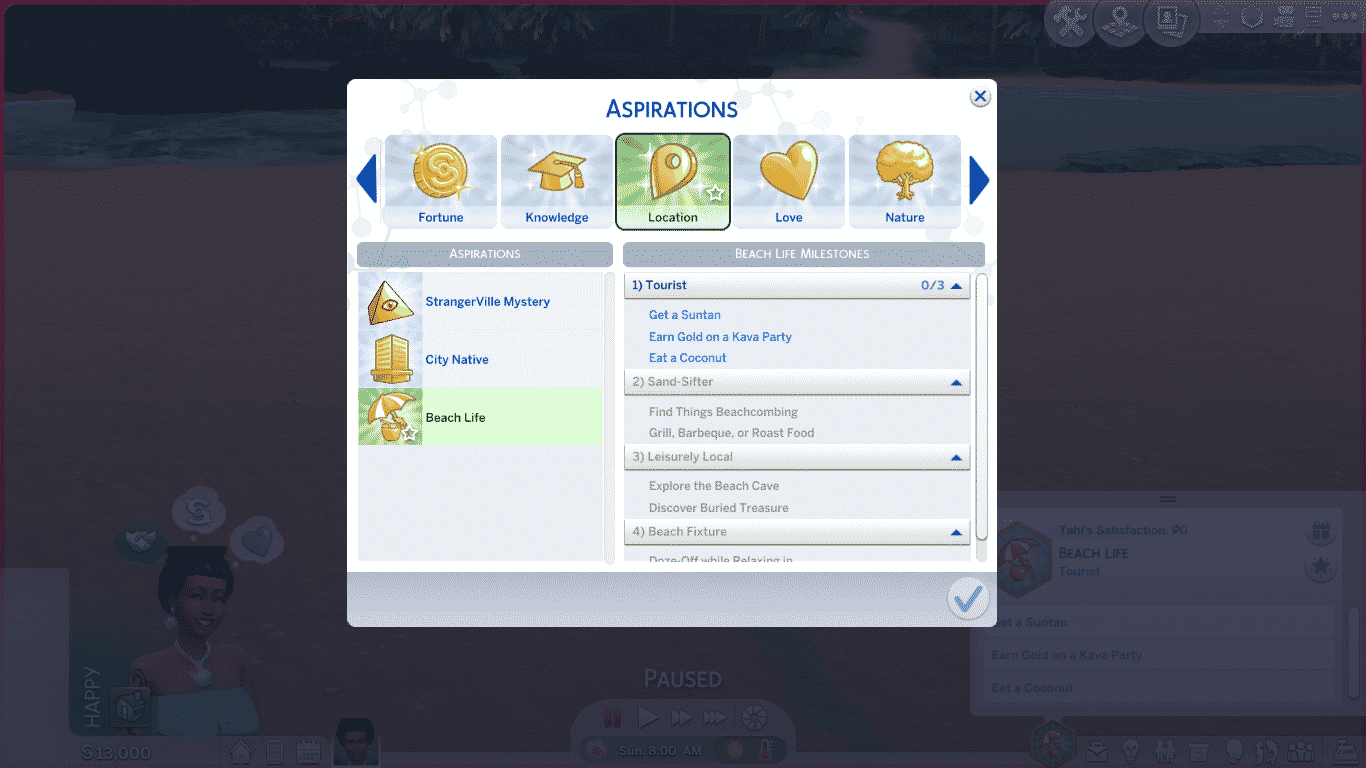
The Sims 4 Island Living introduces a brand new aspiration called Beach Life. The Beach Life aspiration can be found in the Location category. Like all other Location aspirations, choosing the Beach Life aspiration for your Sim will give them the Home Turf bonus trait.

Sims with the Beach Life aspiration don’t want to bother with all the stress and aggravation of the daily rat race. The hustle and bustle of everyday life isn’t for them. Instead, Sims with this aspiration want to kick back, relax, and let life unfold at its own easy pace. Why worry when you can be happy, instead?

The Sims 4 Island Living: Beach Life Aspiration

Beach Life Aspiration Goals

1. Tourist

  • Get a Suntan
  • Earn Gold on a Kava Party
  • Eat a Coconut

2. Sand-Sifter

  • Find Things Beachcombing
  • Grill, Barbecue, or Roast Food

3. Leisurely Local

  • Explore the Beach Cave
  • Discover Buried Treasure

4. Beach Fixture

  • Doze-Off while Relaxing in Lounge Chair or Float Lounger

After completing the Beach Life aspiration, your Sim will be rewarded with the Laid-Back aspiration reward trait. For more information on the Laid-Back trait, check out our article, The Sims 4 Island Living: New Sim Traits!


Are your Sims ready to hit the beach with this new aspiration? Tell us all about your Beach Life experiences in the comments or come chat with us on social media!

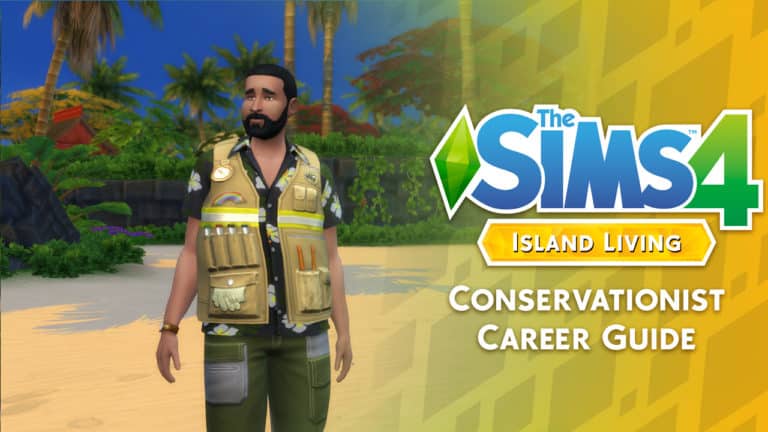
The Sims 4 Island Living: Conservationist Career Guide

Presented by EA Game Changers

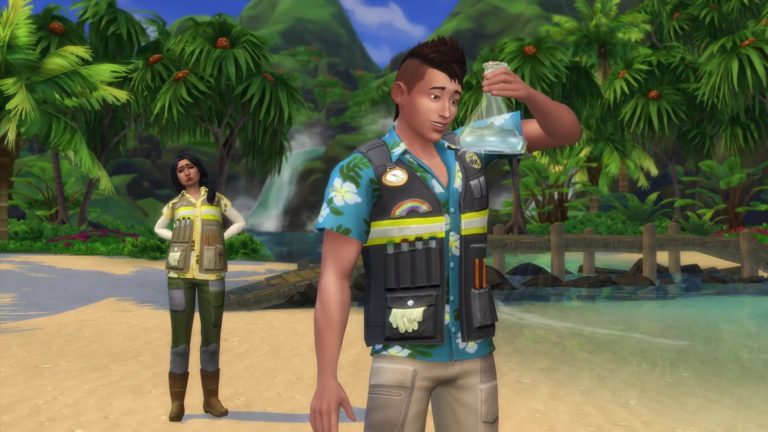
The Sims 4 Island Living sees one full and three part-time careers added to the game with the Conversationist career taking the place as a full-time career.

As with any career, your Sim can become a Conservationist simply by sitting down at a laptop/computer, using their cell phone or by the job tab on the user interface.

The Sims 4 Island Living: Conservationist Career Guide

Once you have joined the career you will be greeted with a pop up asking you if you wish to start the first Work From Home Assignment. You can either start it right away or hold off and do it at a time that suits your Sim better. Just make sure it is completed before your next shift.

When it is time for your first shift you will be presented with another small pop up which asks you if you want your Sim to Go To Work, Work from Home or Take Paid Time Off (PTO). The choice is up to you. If you choose to Go To Work or Work From Home you will still be working towards your Sims next promotion. If you choose to Take PTO your Sim can go about their day however they please.

Note: If you are not sure what your Sims work from home assignment is or what you need to do you, can head to the Career panel and there will be a section for Work From Home Assignments. Hover over the required task and it will let you know how to complete it.

Conservationist Career: Level 1-6

[table id=66 /]

Important: When you first start the conservationist career you will be asked to complete a Work From Home Assignment as a task towards your Sims promotion. You will find it under the Career tab. You will not have another Work From Home Assignment unless you choose for your Sim to work from home.

Environmental Manager Pathway: level 7-10

The Sims 4 Island Living: Conservationist Career Guide

[table id=67 /]

Marine Biologist Pathway: Level 7-10

The Sims 4 Island Living: Conservationist Career Guide

[table id=68 /]

Career Traits:

The Conservationist career has the possibility for your Sim to gain one of two reward traits once you hit the maximum level in a career pathway. There is one for each of the two career pathways and it is possible to gain both.

  • Natural Speaker (from the Environmental Manager pathway) – Sims that are Natural Speakers have been empowered by nature with instinctive charisma. Being friendly is second nature. These Sims find it easy to Enthuse and Spread Awareness of their cause to other Sims and find that their grant applications tend to get accepted.
  • Master of the Sea (from the Marine Biologist pathway) – A Master of the Seas becomes friends with dolphins and mermaids faster, and can maneuver around the ocean much more easily.

The Conservationist career is the perfect career for your  Sims if they love being outside and enjoy Island life.  It is full of detail and will get you exploring all over the different Islands and the ocean surrounding Sulani.

Let us know what you think of the new Conservationist career that comes with The Sims 4 Island Living expansion pack below in the comments.

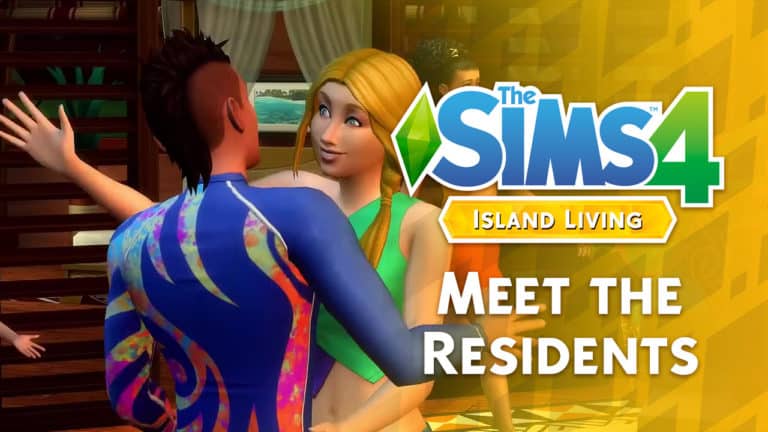
The Sims 4 Island Living: Meet the Residents of Sulani

Presented by EA Game Changers

Welcome to Sulani

Ahhhh, Sulani! Where the waters are warm and clear, the kava is flowing, and the locals are ready to give you a warm welcome to their island. Speaking of the locals, you’ll want to get to know them, because the inhabitants of Sulani aren’t your typical run-of-the-mill premade Sims. On Sulani, the people value community and building close-knit relationships. That means the people of Sulani will often make your business their business. From giving you a warm island welcome when you arrive, to helping you out with tasks around the island, to running into your home to help put out a fire, it pays to get to know your neighbours here.

The Ngata Household

Household Description

Coming to Sulani for inspiration Leila didn’t expect to fall in love so deeply with the islands. And it wasn’t just the scenery that she fell for, but also for Oliana and her son Tane that welcomed her so easily into their family. The three are now an inseparable trio that call Sulani their home enjoying the sand and ocean at their own pace.

Oliana Ngata

Age: Young Adult
Career: Bodybuilder (5)
Aspiration: Bodybuilder
Walk Style: Tough
Voice: Sweet
Traits: Jealous | Active | Slob | High Metabolism (Bonus)
Skills: Fitness 6 | Handiness 2
Relationships: Leila Illes – Wife | Tane Ngata – Son

Leila Illes

Age: Young Adult
Career: Painter (4)
Aspiration: Painter Extraordinaire
Walk Style: Feminine
Voice: Lilted
Traits: Clumsy | Creative | Loves the Outdoors | Muser (Bonus)
Skills: Painting 4 | Photography 2
Relationships: Oliana Ngata – Wife | Tane Ngata – Stepson

Tanes Ngata

Age: Child
Career: Grade School A Student
Aspiration: Whiz Kid
Walk Style: Default
Voice: Warm
Traits: Geek
Skills: Creativity 2 | Mental 4 | Motor 3
Relationships: Oliana Ngata – Mother | Leila Illes – Stepmother

Household Notes

  • The Ngata household lives at Reef Finery in the Lani St. Taz district of Sulani.
  • The Ngata household is the first premade household in The Sims 4 to feature an openly lesbian couple.
  • Even though Oliana and Leila are married, they have different surnames. It appears Leila did not change her surname when she married Oliana.
  • Leila is featured in the official reveal trailer. Oliana and Tane can both be spotted briefly in the background of the trailer as well.
  • Curiously, there is nothing in the Ngatas’ home that match the interests of the Sims living there. There is no workout equipment for Oliana, no easel or artwork for Leila, and no mentally stimulating activities for Tane.

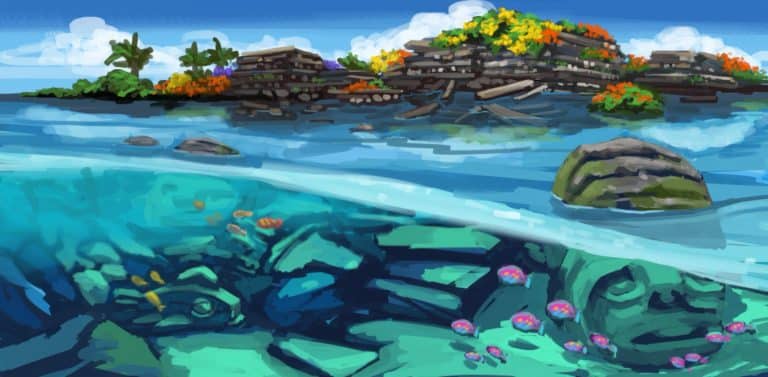
The Sims 4 Island Living: Concept Art From SimGuruJill

SimGuruJill has been giving players an insight into a variety of concept art from The Sims 4 Island Living over on Twitter. Take a look below and let us know what you think.

The Sims 4 Island Living: Official Gameplay Trailer

0

The Sims team have just released the official gameplay video for The Sims 4 Island Living. Go take a look!

The Sims 4’s Latest Update Unlocks a few Ocean and Lake areas!

With The Sims 4 Island Living Expansion Pack coming in just a few days The Sims Team has released a brand new update for the base game to help prepare for the new pack.

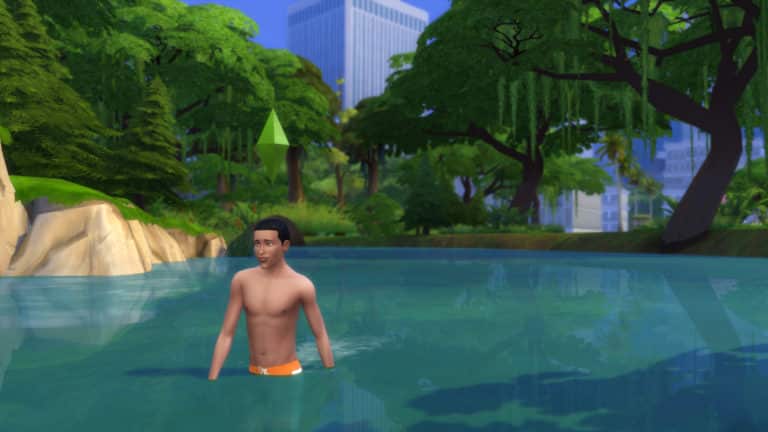
One thing that hasn’t been mentioned in the patch notes is the fact that you can now go into some of the world waters in The Sims 4! That’s right – specific worlds now let you go right into the water!

The Sims 4’s Latest Update Unlocks a few Ocean and Lake areas!

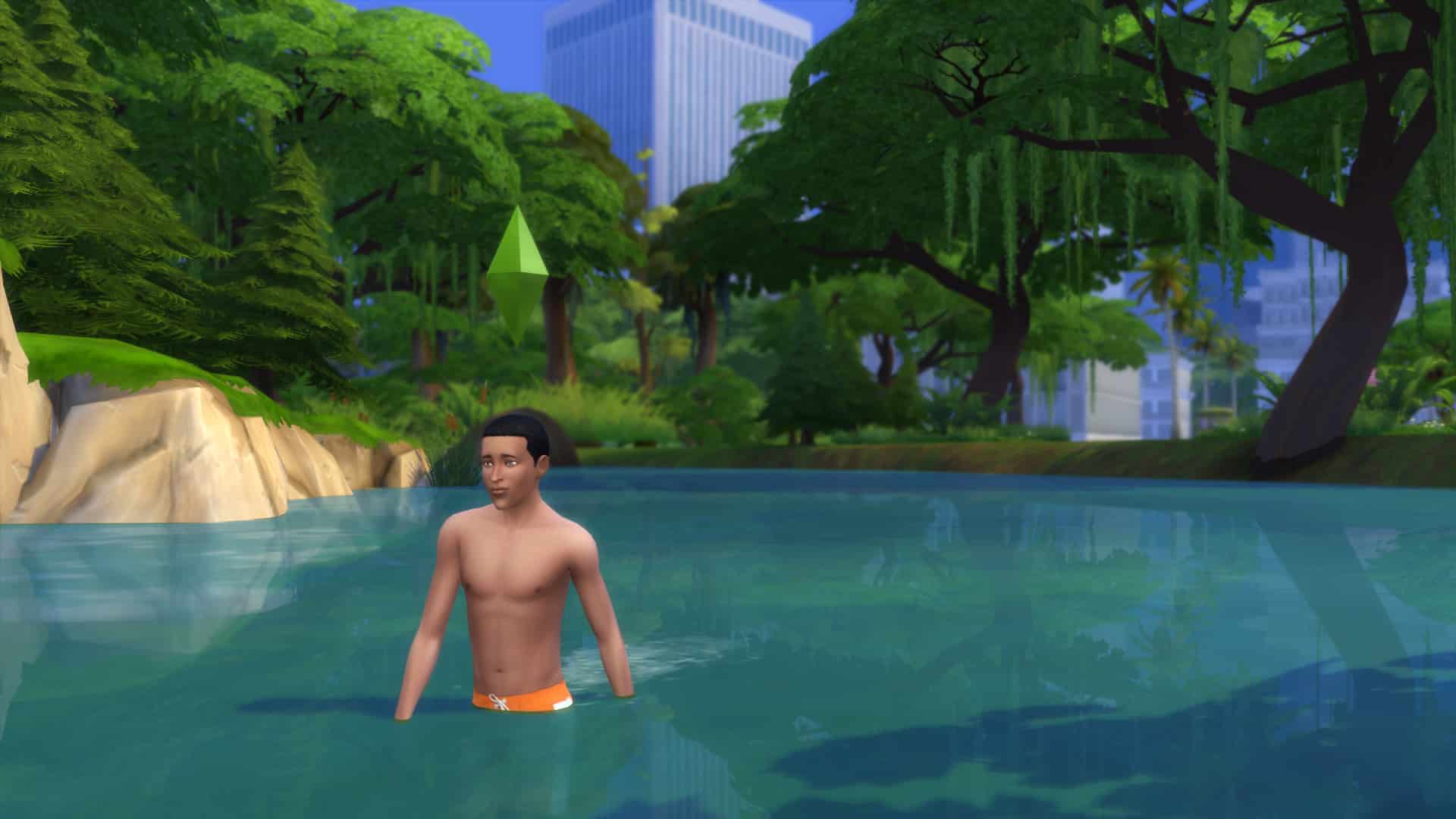
There are certain worlds that allow you to get knee-deep into the water, such as the Magnolia Blossom Neighborhood shown above.

The neighborhood Magnolia Promenade from The Sims 4 Get to Work allows you to go all the way in into this specific area:

The Sims 4’s Latest Update Unlocks a few Ocean and Lake areas!

…while some areas only let you soak your feet in:

Considering that the latest update had to update all of the World files to help prepare for The Sims 4 Island Living could we expect ocean / lake swimming in other worlds as well sometime in the future? Time will tell!

The Sims 4: June 18th, 2019 Update Video Overview

15

The Sims 4 has just released a brand new update for PC / Mac players adding a ton of new content including Pride Items, Lounge Chairs, New Pool & Fishing Gameplay and more! We went deeper into the latest update in the video above covering all of the new additions. Check it out!

The Sims 4: New Update + Patch Notes! (June 18th, 2019)

The Sims 4: New Update + Patch Notes! (June 18th, 2019)

The Sims Team has released a brand new Update for The Sims 4 on PC and Mac!

To download the latest version of The Sims 4, simply open your Origin program and if the game doesn’t update automatically, right click on The Sims 4 and select ”Update”.

In case you have Mods or Custom Content, the game will automatically disable them for you after first launching The Sims 4 after the update. To re-enable all your Mods and Custom Content, select the Settings option in the Menu and select Settings. Under the”Other” section you’ll find the ”Enable Custom Content and Mods” option. Check it and restart your game in order for it to take effect!

Patch Notes

UPDATE: 6/18/2019 – PC 1.52.100.1020 / Mac 1.52.100.1220

Hiya Simmers!

Is it hot outside, or is that just my gland problem? Anyway, let’s not worry about that – we’ve got some awesome new stuff to talk about! With all this Summer heat and with Sims 4 Island Living’s release just around the corner, we’ve got a few new free updates we are so excited to share with you! So let’s slap on some sunglasses, squeeze into that swimsuit, and dive on in…

What’s New?

Randomize Traits Button:

A Randomize Traits button has been added to CAS and in the Live Mode Age-Up Molecule. Oh yes, it’s now just right there, waiting to be clicked. Over and over and over and over. I can’t really believe it either, but here it is. The dark days without this small hero are now just a distant unpleasant memory. From here on out, if you just want to grab-and-go your Sim’s personality and get the heck outta CAS, or if you want to add a little challenge to who your Sims might be, it’s just one click away. Jeepers, this feels good. Seriously, I’ve been wanting this forever.

Lounge Chair:

Everyone (even you) gets a FREE LOUNGE CHAIR! That’s right, we’ve added a delightfully Portable Lounge Chair, so you can now lounge by the pool the way you’ve always wanted: Laid back. With your mind on your Simoleons and your Simoleons on your mind.

It’s Pride Month!

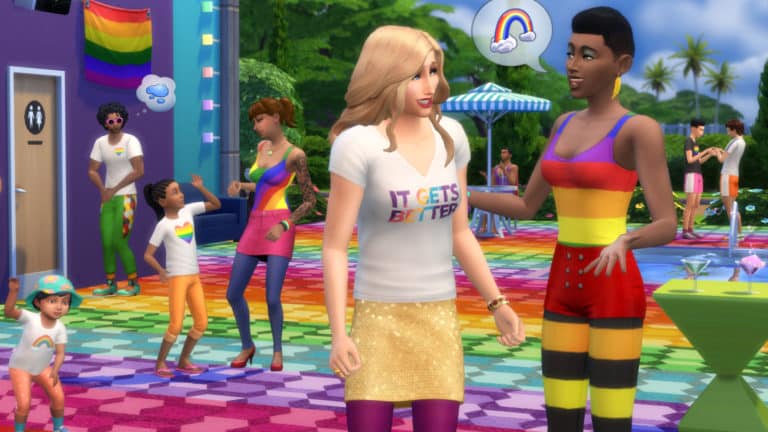
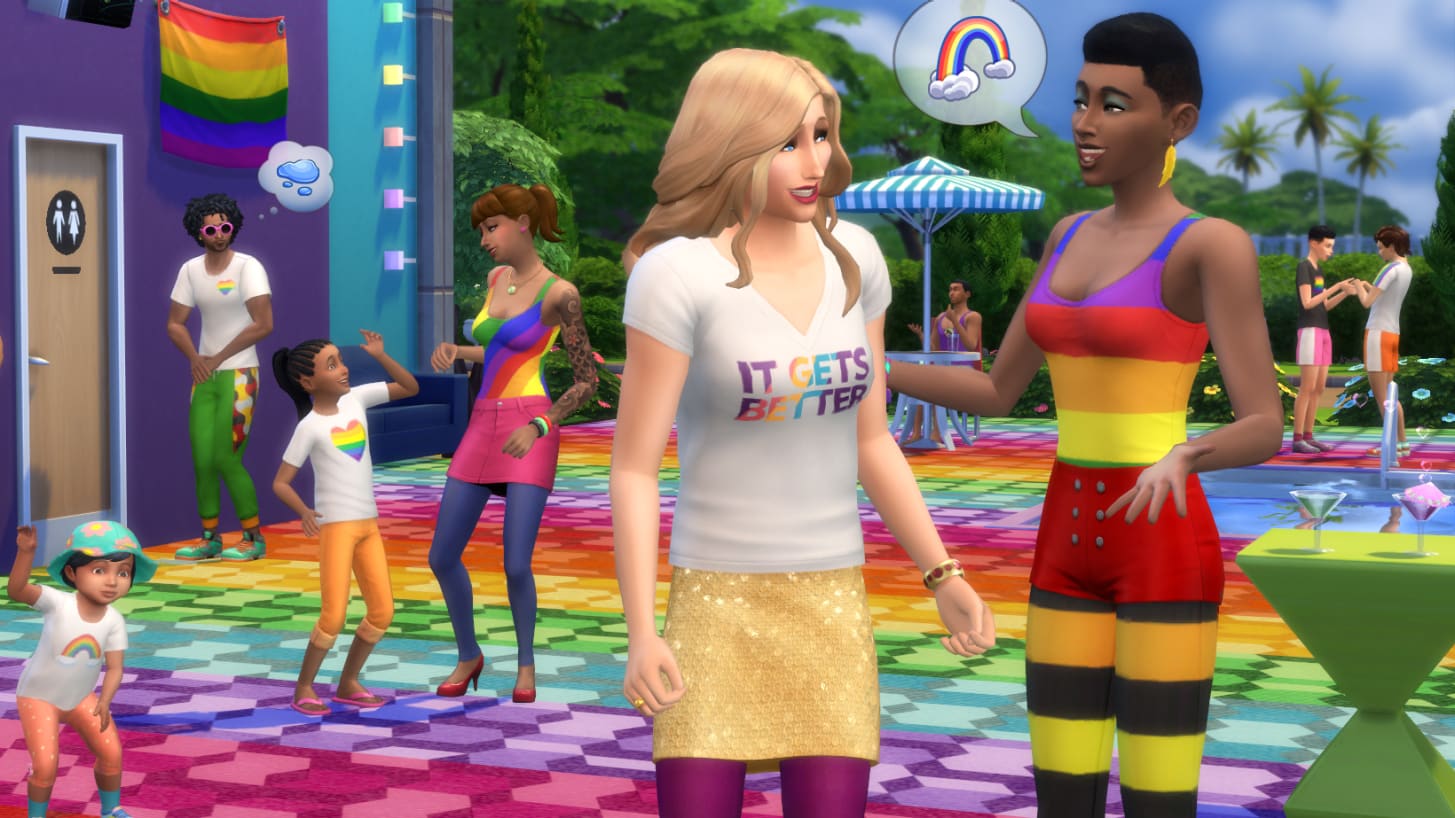
Show your pride with some fantastically colorful new clothing. The rainbow leggings are my personal favorite. Nah, maybe the body suit is my favorite. But now that you mention it, I can’t stop dressing my Sims in the new t-shirts — created in partnership with the It Gets Better Project — so I guess I just love it all! In addition, we’ve also included a selection of decorative Pride flags for hanging on your Sims’ walls. Finally, we’ve updated our bathroom door sets in-game so that every bathroom door also includes a gender-neutral version for builders, and includes a full suite of color swatches for mixing and matching to your heart’s content. Happy Pride Month, everyone!

Stilt Foundations:

Or as I like to call them, High Heels for your House. Or House Heels. These things don’t need to be limited to just the tropics. Stilts are a great partner in crime to manipulated and flat terrain alike in any biosphere. You can find them in Build Mode alongside all the other regular Foundation types. Now go get your stilt on.

Further Eaves Extension:

Now you can pull your Eaves… further.

More Door Colors:

Ok, we may have gone a bit overboard here… There are 350 new color swatches spread across all of the doors and arches in the base game catalog. If you’ve ever wanted matching doors in Light Brown, Reddish Brown, Brown, Dark Brown, Gray, White, or Black, then this is certainly the update for you!

A Couple New Lot Traits:

  • Clothing Optional: This new venue-only lot trait will inspire your Sims to — you guessed it — get nude.
  • Off-The-Grid: Now you can live out your nomadic fantasy on any lot. Applying this lot trait will remove your Sim’s use of power and running water, but on the upside it keeps your bills down. Keep a lookout for existing objects with the “Works Off-The-Grid” note in the Buy Catalog.

More Toddler Diaper Colors:

We added some L’il Swimmies Splashy Diapers! You don’t necessarily have to use them for splashing in the water, but that’s where our brains were at when we made them. We made these not only in anticipation for Island Living, but we also thought you’d appreciate more swimming options for your toddlers to use in the Seasons Kiddie Pool.

Back Float:

A new Back Float interaction is available for Sims swimming in the pool. Click on that water. Try it out. Take a load off.

Fishing Additions:

Brace yourself, we’re about to cast you into a deep dive…

  • We added several new interactions to allow players to fish in different ways and interact with other Sims around fishing activities.
  • Sims can perform a few new Fishing-based socials to gain useful info (via UI TNS/Notebook) and push NPCs to Fish.
  • Fishing is now joinable.
  • Improved fishing interaction tuning and autonomy to make the interaction more efficient and fun.
  • Upper skill levels now provide more meaningful rewards, with new Interactions added to Fishing skill levels
  • New high skill cast interaction “Angle for Big Catch” increases chance of getting rarer fish.
  • New high-skill VFX visuals on Rare fishing spots.
  • Ability to now “Mentor Sims in Fishing.”
  • Fishing UI has improved information, including Notebook info with Bait information.
  • Tuning for fish that can be caught is unique per world & more fishing spots added to some of our previously shipped worlds.
  • New bait preference system applied to most existing fish that modify catch chances.

Ceiling Fan Updates:

Ceiling Fans will now cool a room if you have Seasons and the fan is on. Oh yeah, speaking of which, we also added the ability to turn them On and Off. And while we were at it, we figured we’d make them dry off damp Sims too.

Ceiling Objects Build Sort:

We also added a new Ceiling Objects Build sort category to make things like Fans easier to find.

Swimming Things:

There is now a chance for interesting things to happen to your Sims while swimming, like getting a cramp or losing their suit (eek!). Swimming also now gives your Sims a boost in Fitness skill gain.

Part-Time Jobs Update:

And last but not least (you still with me?) all existing Part-Time Jobs are no longer just for Teens. That’s right, now elders could work as Fast Food Employees. Young Adults could be Babysitters if they want. Why not? The Part-Time world is your oyster. Oh oh oh — and one last thing on that note: You can now have two Part-Time Jobs at once and pick between shifts. Wowee.

And now on to the unintended features…

General Issues.

  • Toddler’s Needs will now always be refilled while they’re at daycare.
  • Exterior trim now correctly applies to rounded flat blocks.
  • Adult Sims will now be able to successfully put Toddlers to bed. I wonder what their secret is. I may need to tap them for tips.
  • Sims on fire are now able to safely extinguish themselves in a pool. That’s refreshing.
  • The Dizzy Palms Ceiling Fan’s blades now tilt in the right direction.
  • Toddlers will no longer be put down from the high chair before they’ve finished eating. Patience mama, they’re still learning.
  • Gender Preference now affects flirt options.
  • Teen Sims will no longer spin into their Everyday outfit when going to school. If Randy wants to wear his swim trunks to school, well that’s Randy’s business.
  • Flirting with another Sim in a group conversation no longer increases the entire group’s Romance with you. That was awkward.
  • NPC Invites for Talent Showcase and Lounge will now take you to the appropriate venue.
  • We have fixed that bizarre issue where you’d have your Sims travel home, and then you load into your home lot, and your Sim’s skewer thumbnails are all greyed out like they’re not there, but when you hover over the skewer it tells you your Sims are at home. But like, they’re not at home. You’re staring at this empty lot, unable to play your Sims and you’re like.. “Is this even my home?”. And you start to question whether you selected the right lot on the map, but then you’re like “Wait, yeah – this is totally my home. But where are my Sims? It’s telling me they’re at home, but they’re not here.” Anyway, this should be fixed now.
  • Ghosts will no longer be obsessively calling you 5-ish times a day to see if you want to come over and hang out. They’ve been working on their self-control and are limited to at most one call per day now.
  • Terrain Paint now functions properly on Laptop Mode for AMD graphics cards.
  • NPC Sims will no longer get a sudden need to get nude after waking up if they have traveled off-lot and returned while you are visiting them. This one was weird. I wish I could show you the bug video.

Get Famous

  • We’ve toned down the amount of excitement that occurs when a celebrity makes an appearance outside of Del Sol Valley. They should be showing up outside of Del Sol Valley less often as well, so that should cut down on the ruckus.
  • It was a setup! I’ve been framed! It wasn’t me, I swear! You’ll pay for this! You got the wrong guy, it was Wilma! Wilma, I tell you! Celebrity Sims will no longer be falsely accused of stealing things. And for Wilma’s sake, I hope they get over what happened in the past.
  • Captain Sigma’s Gig costume no longer includes a chicken mask. That was a fowl fashion choice.
  • Performing “Tell a Group Story” Interaction Goals will now complete for the Fan Meet & Greet Event.
  • We fixed the issue with Del Sol Valley’s terrain disappearing when View Distance was set to High. Graphics cards (that we know of) that were affected by the issue:
    • Intel HD Graphics 3000
    • Intel HD Graphics 4000
    • AMD Radeon R6 Graphics
    • ATI Mobility Radeon HD 5145
    • NVIDIA GT 120
  • We fixed the Del Sol Valley skyline texture glitch after exiting CAS.
  • Elder Sims will no longer have the option to retire from the Acting Career, just to be met with a sad, sad reality. Before they were taunted with a TNS telling them they got this big great pension and now they can sit back and relax, but the pension amount was §0. That’s just so dark…

Seasons

  • Now, if you travel during a holiday, the holiday decorations on your neighbor’s homes will be removed after the holiday ends. They were admittedly being either a bit overly festive or just a tad lazy. Either way, it’s been dealt with.
  • Sims will no longer gluttonously guzzle/gulp/slurp/chug water/milk/orange juice during events. No need to be so shellfish.
  • Jogging Vampires will no longer hold an umbrella while jogging because that’s just silly.

Cats & Dogs

  • Strays can now eat and use litter boxes without having to make the lot a Cat Hangout. You poor poor babies. You’re safe now.
  • Existing Sims/Saves will once again be able to lecture their pets. Now you can let Biscuit know how you truly feel when she jumps up on the counter.
  • It’s been ongoing, but we are actively calming those overly excited pets. Your queue should no longer fill up with a stack of a zillion bubbles from your pets when you run certain interactions. We’ve been working on this issue for a while with a few other fixes, but it’s been rearing its head with new repro steps here and there. So hopefully this fish sticks.
  • Having a puppy or kitten nearby will no longer interrupt your Sim’s bath or shower. We swear they weren’t doing that on porpoise.
  • Sims are now able to walk through doors with Country Curtains.

City Living

  • Building pieces in apartments will no longer be invisible when viewing from the upper floor. That must have been very disconcerting to not know what happened to your stuff.
  • Cleared out some pesky extra plants floating around the Romance Festival.
  • Your Sims should now be able to buy art from the Street Gallery object during a Yard Sale.
  • Oh this one’s a doozy. Get this: Talking John and Potty Mouth 2.0 toilets no longer play their sound on an endless loop when a child Sim runs the Use & Massage interaction, even after the toilet is destroyed. Bonus points to SimGuruJill for keeping a straight face writing that one.
  • Foundations will no longer cut out the floor of a Penthouse.
  • Coffee and Tea is safe to drink again. Sims will no longer receive the “Lethal Heat” buff and die upon returning home after drinking three hot beverages.

Get Together

  • Empty Clubs will no longer linger in your Clubs Panel. They are now self-aware enough to know when the party’s over and it is time to go home.

Get To Work

  • Coworkers are now spawning for the Science career. Yes, they missed you too.
  • Breast Feed is no longer available for male Sim parents of non-alien babies. Only alien spawn possess the cosmic knowledge of the most nourishing MANaries.

Strangerville

  • We fixed some buggy dog-walking behavior in Strangerville.
  • We shortened up the time it takes to complete the Give Orders Daily Task in the Courageous Captain Rank of the Officer Branch of the Military Career. That was a mouthful.

Jungle Adventure

  • You will no longer receive countless notifications when you leave your kitten or puppy at home while vacationing in Selvadorada.

Vampires

  • Vampire Sims will now once again gain points after they reach the Grandmaster level on pre-April (2019) patch saves.
  • Your Vampires will no longer be unrightfully chastised by NPCs for drinking their blood after they specifically asked if it was ok. Like, I’m trying to be polite here and you said it was fine, and now you’re like all bent about it… what gives?
  • Perfect Sun Resistance Vampires will no longer use umbrellas when routing in the sun. Flaunt it, baby.
  • We fixed the weirdness with trying to add points while drinking the Draught of Reconfiguration. Now you should be able to add points just fine and your options won’t be greyed out.
  • Cured Vampires will now change body temperature. Why you gotta be so cold?

Laundry Day

  • Sims will now hold laundry bags the right way. What is the right way, you ask? Trust me, it’s better than how they were holding it before.

And now to wrap it all up, let’s get playing! I hope you enjoy your summer updates and have yourself one wonderful day today.

Stay Cheesy,

-SimGuruJill

The Sims Blog: The Sims X It Gets Better Project Is Here

16

TheSims.com has just published a brand new blog post, talking about their new collaboration with the It Gets Better Project and what we can expect from The Sims 4’s upcoming update. Check it out!

Hey, Simmers! We’re delighted to announce a very special The Sims™ 4 Pride Month collaboration with It Gets Better Project.* Starting June 18, 2019 on PC, your Sims can celebrate with:

  • Pride clothing, including a branded It Gets Better t-shirt
  • Rainbow Pride flag, plus additional Pride flags
  • Additional options for building with gender-neutral bathroom doors

You can also grab in-game Pride clothing in The Sims Mobile and a rainbow flag t-shirt for teens and adults in The Sims Freeplay!

The Sims Blog: The Sims X It Gets Better Project Is Here

Plus, if you’re in New York City, we’re sponsoring Pride on the Horizon by It Gets Better Project on June 28, 2019! Click here for details.

We hope you and your Sims enjoy celebrating Pride Month!

The Sims 4: SimGuruDuke shares an update on Pride Content

80

The Sims Team has announced a few days ago that they’ll be adding Pride Content for Free in the game. However, after a few previews from EA Play went out many were quick to notice that the Pride Flag item that we’re getting doesn’t include a Lesbian Flag preset.

Although SimGuruGrant has stated that they probably won’t be ready to include the Lesbian Flag in the next update, SimGuruDuke has shared a new statement last night saying that they’re adding 3 Lesbian Flag variants in the game – just in time for The Sims 4’s content update on June 18th.

We have heard from many of you abot not including a lesbian pride flag in our pride content. We aim to be inclusive and ensure all our players can express themselves. We will continue to listen and learn from you and are committed to doing more. We are adding 3 variants of the lesbian pride flag as part of our PC game update on June 18. We have also removed the Progress Pride Flag. We have not obtained the creator’s permission to use it, but we hope to add it back if we do. Thank you for your feedback and your patience. Happy pride month!

The Sims 4: June 2019 Update Video Preview

48

Want to see everything that we’re getting in a brand new update coming June 18th, 2019 for The Sims 4 Base Game on PC / Mac? Check out our video preview!

The Sims 4 Island Living: Full Buy / Build Items Video Overview

0

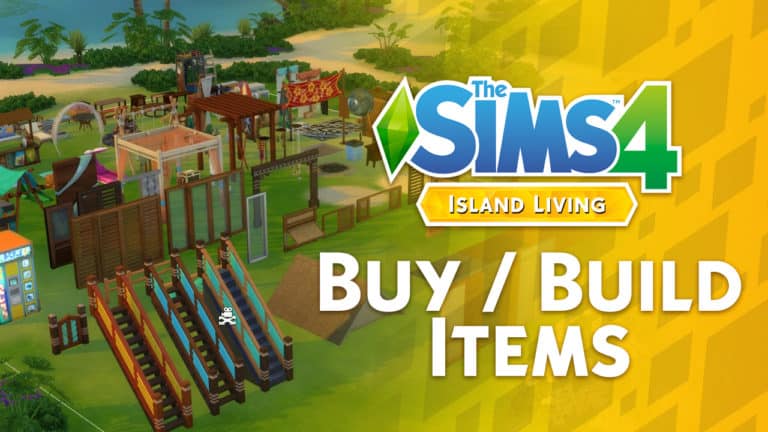
Want to know about all the new items that we’re getting with The Sims 4 Island Living Expansion Pack in Build / Buy? Check out our latest video, covering all of the buy and build items and their presets!

Countdown to the release of The Sims 4 Island Living

150

Countdown to the release of The Sims 4 Island Living

We’re just days away until the release of The Sims 4 Island Living Expansion Pack on PC and Mac!

The pack releases worldwide on June 21st, 2019 on Origin and other gaming retail and online stores. There is a difference of several hours on a couple of time zones which is why we’ve made this countdown post for you so you can know exactly when you’ll be able to purchase and play the game as soon as it comes out!

The pack has 5 different release schedules in total, with each release belonging to a different time zone / group of countries that we’ve added down below.

In case you don’t know, this pack will release worldwide on the same day but with a staggered release across different time zones. Down below you can find countdowns for multiple time zones. Make sure you bookmark this article and also stay tuned on our YouTube Channel as we’ll be throwing a Launch Party for The Sims 4 Island Living – counting down to the exact release of Island Living in Europe and America.

Our Launch Party Livestream begins at 8PM CET. We hope to see you there!

North & South America (Midnight EDT New York Time, June 21st)

[ult_countdown count_style=”ult-cd-s2″ datetime=”2019/06/21 06:00:00″ countdown_opts=”sday,shr,smin,ssec” br_style=”solid” br_size=”5″ br_color=”#ce9613″ br_radius=”5″ timer_bg_color=”#ce9613″ tick_col=”#ffffff” tick_sep_col=”#ce9613″ tick_style=”font-weight:bold;” tick_size=”desktop:46px;” tick_line_height=”desktop:46px;” tick_unit_style=”font-weight:bold;” tick_sep_size=”desktop:18px;” tick_sep_line_height=”desktop:18px;”]

Europe (Midnight CET Paris Time, June 21st)

[ult_countdown count_style=”ult-cd-s2″ datetime=”2019/06/21 00:00:00″ countdown_opts=”sday,shr,smin,ssec” br_style=”solid” br_size=”5″ br_color=”#ce9613″ br_radius=”5″ timer_bg_color=”#ce9613″ tick_col=”#ffffff” tick_sep_col=”#ce9613″ tick_style=”font-weight:bold;” tick_size=”desktop:46px;” tick_line_height=”desktop:46px;” tick_unit_style=”font-weight:bold;” tick_sep_size=”desktop:18px;” tick_sep_line_height=”desktop:18px;”]

Russia, Saudi Arabia, Israel & Turkey (Midnight MSK Moscow Time, June 21st)

[ult_countdown count_style=”ult-cd-s2″ datetime=”2019/06/20 23:00:00″ countdown_opts=”sday,shr,smin,ssec” br_style=”solid” br_size=”5″ br_color=”#ce9613″ br_radius=”5″ timer_bg_color=”#ce9613″ tick_col=”#ffffff” tick_sep_col=”#ce9613″ tick_style=”font-weight:bold;” tick_size=”desktop:46px;” tick_line_height=”desktop:46px;” tick_unit_style=”font-weight:bold;” tick_sep_size=”desktop:18px;” tick_sep_line_height=”desktop:18px;”]

Japan, Korea & the rest of Far East (Midnight KST Seoul Time, June 21st)

[ult_countdown count_style=”ult-cd-s2″ datetime=”2019/06/20 17:00:00″ countdown_opts=”sday,shr,smin,ssec” br_style=”solid” br_size=”5″ br_color=”#ce9613″ br_radius=”5″ timer_bg_color=”#ce9613″ tick_col=”#ffffff” tick_sep_col=”#ce9613″ tick_style=”font-weight:bold;” tick_size=”desktop:46px;” tick_line_height=”desktop:46px;” tick_unit_style=”font-weight:bold;” tick_sep_size=”desktop:18px;” tick_sep_line_height=”desktop:18px;”]

Australia & New Zealand (Midnight AEST Sydney Time, June 21st)

[ult_countdown count_style=”ult-cd-s2″ datetime=”2019/06/20 16:00:00″ countdown_opts=”sday,shr,smin,ssec” br_style=”solid” br_size=”5″ br_color=”#ce9613″ br_radius=”5″ timer_bg_color=”#ce9613″ tick_col=”#ffffff” tick_sep_col=”#ce9613″ tick_style=”font-weight:bold;” tick_size=”desktop:46px;” tick_line_height=”desktop:46px;” tick_unit_style=”font-weight:bold;” tick_sep_size=”desktop:18px;” tick_sep_line_height=”desktop:18px;”]

The Sims 4 Island Living: Full CAS Overview Video

4

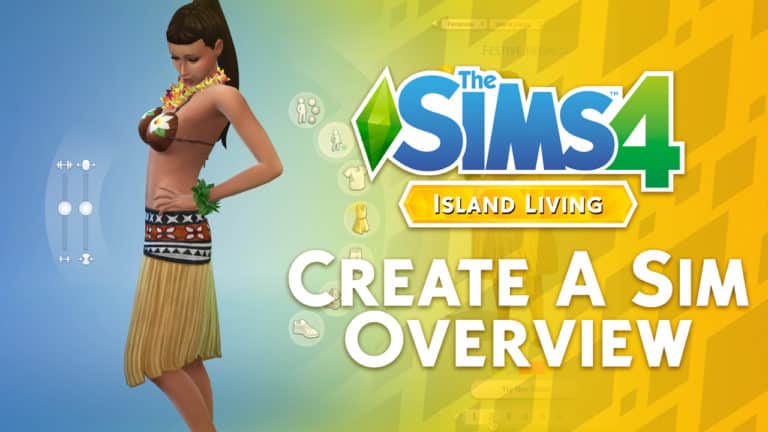
Want to know what are the new CAS items coming with The Sims 4 Island Living Expansion Pack? We’ve covered EVERYTHING including Hairstyles, Accessories, Tops, Bottoms, Outfits and so much more (including their presets) in our latest CAS Overview video!

Check it out above!

The Sims 4 Island Living: Desktop and Smartphone Wallpaper

6

Want to decorate your desktop / laptop / smartphone and turn them into your own Island Living…erhm…paradise?

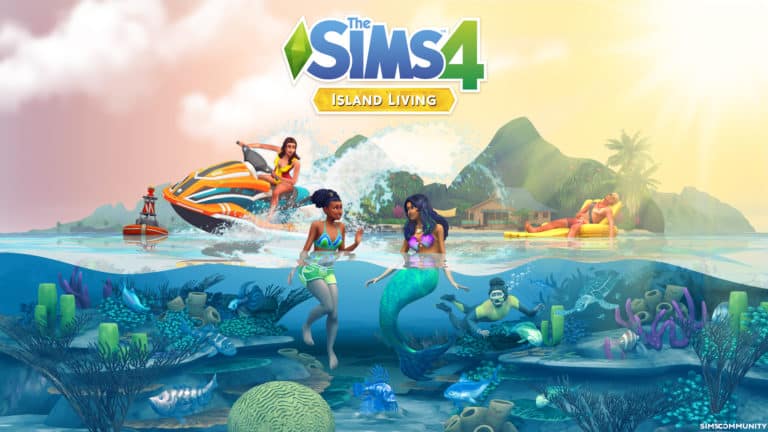
Anyways, we’ve got just the thing! We’ve made a special wallpaper just for you to celebrate the upcoming launch of The Sims 4 Island Living Expansion Pack. Currently there’s only one variation that revolves all around that fun render showcasing some of the fun things you can do in the waters. However don’t worry, we’re definitely thinking of releasing more soon!

Right now you can get these for two different scales of monitors and one universal scale for smartphones that we’ve listed down below. Simply save the image and set the wallpaper as your desktop wallpaper / phone wallpaper and that’s it!

Desktop Wallpaper

2560 x 1600 (16:10)

The Sims 4 Island Living: Desktop and Smartphone Wallpaper

2560 x 1440 (16:9)

The Sims 4 Island Living: Desktop and Smartphone Wallpaper

Smartphone Wallpaper

1440×2560 (9:16)

The Sims 4 Island Living: Desktop and Smartphone Wallpaper