

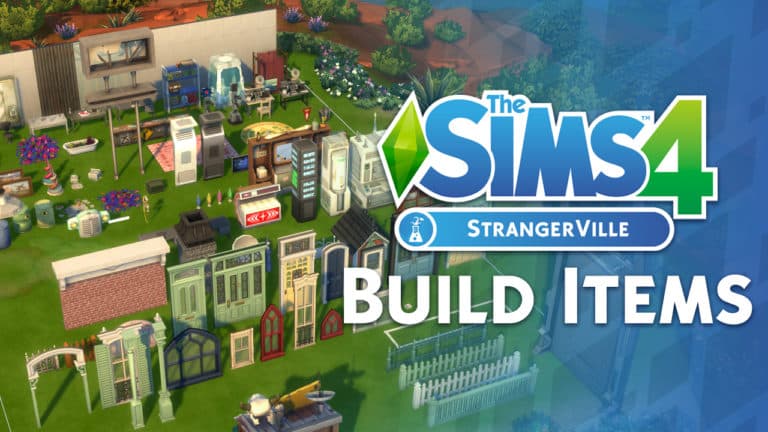
Want to check out all of the new items from The Sims 4 StrangerVille Game Pack and what do they look like in-game? Check out our latest video where we cover each item and each preset!
The Sims 4 StrangerVille: Traits Overview

Presented by EA Game Changers
The Sims 4 StrangerVille Game Pack comes with new a brand new Aspirations (which you can read about here) and three brand new Sim Traits. This game pack does not include any new lot traits on the occasion. Down below we have listed each of the new traits along with its description.
Note: There is only one trait that you can add to your Sim via Create A Sim which, is the Paranoid trait. The other two traits are a hidden trait and reward trait.
Paranoid

(Personality Trait)
Paranoid Sims feel that danger is around every corner, and that people are always talking about them. Paranoid Sims can feel a sense of security while hanging out in basements.
Infected

(From Consuming Bizzare Fruit or Spores)
Infected Sims have been exposed to the StrangerVille Infection. Sims might exhibit strange behaviour, or even become Possessed.
Hero of StrangerVille

(From Completing The StrangerVille Mystery/Reward Trait)
As the Hero of StrangerVille, you will receive fan mail as well as being able to retell the tale of how you defeated the source of the infection.
Let us know what type of Sims you are going to create to help solve the StrangerVille Mystery.
The Sims 4 StrangerVille: StrangerVille Mystery Aspiration Overview [SPOILERS]
![The Sims 4 StrangerVille: StrangerVille Mystery Aspiration Overview [SPOILERS]](https://simscommunity.info/wp-content/uploads/2019/02/02-22-19_8-36-49-PM-768x432.jpg "The Sims 4 StrangerVille: StrangerVille Mystery Aspiration Overview [SPOILERS]")
Presented by EA Game Changers
The StrangerVille Mystery has plagued the residents of the town for so long that it has become a normal part of everyday life. While many have just accepted the fate of the mysterious happenings, there must be one Sim that can save them all!
Is your Sim that Hero that the residents have longed for and need?
Take a look at everything you need to know about the StrangerVille Mystery Aspiration.
Strangerville Mystery Aspiration
New Resident:
- Talk about StrangerVille with 5 Sims
- Buy Curio from the Curio Shop
- Examine the Sealed Door at Secret Lab
![The Sims 4 StrangerVille: StrangerVille Mystery Aspiration Overview [SPOILERS]](https://simscommunity.info/wp-content/uploads/2019/02/02-22-19_9-04-56-PM.jpg "The Sims 4 StrangerVille: StrangerVille Mystery Aspiration Overview [SPOILERS] 4")
Personal Spy
- Gather 15 Pieces of Evidence
- Compile a StrangerVille Secret Dossier
- Open the Sealed Door in the Secret Lab
![The Sims 4 StrangerVille: StrangerVille Mystery Aspiration Overview [SPOILERS]](https://simscommunity.info/wp-content/uploads/2019/02/02-22-19_7-50-45-PM.jpg "The Sims 4 StrangerVille: StrangerVille Mystery Aspiration Overview [SPOILERS] 5")
Pathogenic Investigator
- Collect 15 Spore Clusters
- Assemble the Hazmat Suit
- Traverse to the Deepest part of the Secret Lab
![The Sims 4 StrangerVille: StrangerVille Mystery Aspiration Overview [SPOILERS]](https://simscommunity.info/wp-content/uploads/2019/02/02-22-19_8-09-58-PM.jpg "The Sims 4 StrangerVille: StrangerVille Mystery Aspiration Overview [SPOILERS] 6")
StrangerVille Hero
- Vaccinate 3 Sims
- Recruit 3 Sims to Help Stop the Source of the Infection
- Defeat the source of the Infection
![The Sims 4 StrangerVille: StrangerVille Mystery Aspiration Overview [SPOILERS]](https://simscommunity.info/wp-content/uploads/2019/02/02-22-19_8-22-59-PM.jpg "The Sims 4 StrangerVille: StrangerVille Mystery Aspiration Overview [SPOILERS] 7")
Once you have completed all aspects of the StrangerVille Mystery you will be awarded the Hero of StrangerVille trait for defeating the Mother. As part of the newly awarded trait, your Hero Sim will also be able to receive fan mail and retell the tale of how you defeated the source of such an awful infection.
And that is what it takes to become the Hero of StrangerVille! Be sure to check out our walkthrough on how to complete the StrangerVille storyline by clicking here.
Six Features We Love In The Sims 4 StrangerVille

Presented by EA Game Changers
We’re back again with another look at some of the strange and peculiar features that we love in the mysterious The Sims 4 StrangerVille Game Pack!
StrangerVille World
A world full of strange weather, secrets and surprises. StrangerVille is a town full of mystery. Spreading over three neighbourhoods there is plenty for your Sims to explore and do if they choose to live here. Don’t worry, there is plenty of space to create your Sims’ own top-secret hideaway!

The Welcome Wagon
Ahh, The Welcome Wagon. Everyone’s favourite past time when they move into a new home. The tradition (including the fruitcake) still exists even in StrangerVille. Just don’t expect much from those who have come to welcome you to the town except for being repeatedly told to “Join Us In The Crater!” Whatever do they mean?

Possessed Sims
What more can we say about Possessed Sims? Sometimes they are creepy and sometimes they can seem a little goofy but behind whatever it is that is possessing them they are still the same old Sim that we know and love.

Secret Agents
Secrets. Lots of secrets. Maybe even the odd confiscation of your refrigerator too!

Military Career
Many Simmers will remember the days where if your Child Sim missed enough days of school they would be taken off to Military School and never seen again. Fast forward a good few years and your Sim can now play an active part in the Military. Who knows, you may bump into a relative or two.

You can find a full guide to the new Military Career here.
Curio Shop
Your one-stop shop for everything you need in solving the Mystery of StrangerVille. Full of so many quirky and peculiar items, including the ever so trusty tin foil hat, your Sim will never be in short supply.

There is plenty to explore in the world of StrangerVille and this is just some of the many features that come with the new game pack. There is plenty more to discover too!
Don’t forget to let us know what you are most excited to check out in The Sims 4 StrangerVille Game Pack when it is released!
The Sims 4 StrangerVille Official Livestream (REPLAY)

UPDATE #2: We’ve added a YouTube Replay for those who prefer watching content on YouTube or just are unable to watch Twitch content. Check it out!
UPDATE: The livestream has ended! You can catch the official Twitch replay down below.
The Sims Team is doing an official livestream for The Sims 4 StrangerVille Game Pack!
Unlike with previous Game Pack livestreams, this one is only going to scratch the surface considering that the team doesn’t want to spoil the game too much.
It begins at 11AM PST / 8PM CET / 7PM BT. We’ll make sure to update this post with a replay as soon as it ends!
The Sims Mobile: New Client Update + Patch Notes! (February 25th, 2019)

The Sims Mobile has just issued a brand new client update for the game on iOS and Android devices with HUGE improvements to Create A Sim! Check out what the update has to offer in the Patch Notes below:
Patch Notes
Hi, Simmers! This is a HUGE update, so take a seat and kick up your heels because we have a lot to share with you!
Create a Sim 2.0
We have done a complete makeover of the shopping and styling experience for Sims! Peruse fashions by brand, browse the full-screen store catalog, and dress up your Sims from a dedicated closet. Also, you now can access Create a Sim directly from the main game.
Makeovers
Speaking of makeovers, you now have the freedom to customize toddlers, children, and ALL the adults in your household plus the game’s Sims around town. Similar to Create a Sim for your playable Sims, toddlers and children start with some free options so you can begin customizing immediately. The small makeover fee of Life Tickets (formerly known as Heirloom Tickets) is waived if you purchase an item during the makeover.
Birthdays and Household Management
Continuing the theme of customization, you now have better control over family dynamics. Offspring no longer grow older automatically – YOU choose when they grow up once they are old enough. Elders no longer move out without your approval. The new flow for these actions should reduce the chance of accidental birthdays and retirements! You also can have multiple babies in your household at a time as long as you have multiple bassinets. If your household becomes too full, you now can remove any Sims who have overstayed their welcome.
Stylist Story
We have added a new Stylist Story called “A Cut Above” that takes your Sim through the experience of being a hairstylist. This is the first story that requires the completion of another story, the “Trending Now” fashion story. It’s available in the Fashion Studio in Market Square. Purchase the Stylist Chair at the venue to begin! There also is a companion quest to earn special items.
General Story Updates
We have made some tweaks to the pacing and interface for stories and relationships so your progress is clearer.
Key Bug Fixes
- Improved notch support on various Android devices
- Fixed an issue with offspring who refused to grow up
Thanks for reading, and all your continued support of The Sims Mobile!
-SimGuruPaul
The Sims 4 StrangerVille: How To Defeat The Mother [SPOILERS]
![The Sims 4 StrangerVille: How To Defeat The Mother [SPOILERS]](https://simscommunity.info/wp-content/uploads/2019/02/TS4_x64-2019-02-21-17-43-46-768x432.png "The Sims 4 StrangerVille: How To Defeat The Mother [SPOILERS]")
STOP!
Before you read any further, you should be aware that this article contains major spoilers about the StrangerVille Mystery story. If you do not want to have the story spoiled for you, do not continue reading this article.
Presented by EA Game Changers
The Mother
When you come to the end of the StrangerVille Mystery story, you’ll come face to face with The Mother; a giant, menacing plant contained several levels underground in the Secret Lab. The Mother is a boss enemy that you and your allies will have to defeat in order to save StrangerVille from the mysterious virus that The Mother’s spores are spreading around the town.
If you thought defeating The Mother was as simple as clicking and watching your Sim vanquish this enemy, think again. Triumphing over The Mother will take lots of preparation, brains, guts, and strategy. The stakes are high, because your Sim can die while fighting The Mother, so be on your toes and make sure you’re not going in blind.
Only Fools Rush In
When you first stumble across The Mother, your Sim will be able to fight her immediately. Do not do this unless you have a death wish. The Mother is very powerful and your Sim won’t stand a chance without backup. After you discover The Mother, you’ll need to gather up allies to help you fight her. The trouble is, almost everyone in StrangerVille is now possessed by The Mother and won’t be receptive to your requests for help.
![The Sims 4 StrangerVille: How To Defeat The Mother [SPOILERS]](https://simscommunity.info/wp-content/uploads/2019/02/TS4_x64-2019-02-21-19-02-08.png "The Sims 4 StrangerVille: How To Defeat The Mother [SPOILERS] 15")
Make test vaccines by collecting spore clusters and bizarre fruit, then combining them in the Secret Lab’s chemical analyzers. You’ll need three test vaccines. Each vaccine requires 5 spore clusters and 1 bizarre fruit. Find spore clusters by using your Infection Scanner at the Secret Lab. Bizarre fruit can be purchased from the Curio Shop or harvested from the strange plants found growing all over StrangerVille. Just find a plant, select Nurture on it, and then harvest the fruit when the bud blooms.
Test your vaccines on three possessed Sims around StrangerVille. The third test vaccine will allow you to craft the real thing. Collect more spore clusters and bizarre fruit, then use the Secret Lab’s chemical analyzers to craft three finished vaccines.
![The Sims 4 StrangerVille: How To Defeat The Mother [SPOILERS]](https://simscommunity.info/wp-content/uploads/2019/02/TS4_x64-2019-02-21-19-07-26.png "The Sims 4 StrangerVille: How To Defeat The Mother [SPOILERS] 16")
With your perfected vaccines in hand, find a Sim who’s been possessed and use the vaccine on them. When they come to, they’ll need some convincing to take on such a terrifying foe alongside you. Use friendly socials on the Sim until they are your friend, then ask them to help you fight The Mother. Do this for two more Sims to assemble your whole team.
Want more details about this part of the story? Check out our full walkthrough here!
Preparation is Key
To maximize your chances of surviving your confrontation with The Mother, you’ll want a few extra vaccines on hand. The vaccines aren’t only good for curing possessed Sims; they can be used as weapons against The Mother, too, and they deal a considerable amount of damage.
![The Sims 4 StrangerVille: How To Defeat The Mother [SPOILERS]](https://simscommunity.info/wp-content/uploads/2019/02/TS4_x64-2019-02-21-17-43-46.png "The Sims 4 StrangerVille: How To Defeat The Mother [SPOILERS] 17")
Craft a few more vaccines using spore clusters and bizarre fruit on the chemical analyzer. The more, the better. I made five vaccines to fight The Mother with just to be on the safe side.
Fighting The Mother
Once you have three allies and a nice stash of vaccines in your Sim’s inventory, you’re ready for battle! Head to the Secret Lab with your allies and make your way down to where The Mother is. Make sure all of your allies are on the platform with you before you engage with The Mother; I had trouble getting my allies to assemble properly when I ran ahead of them, which caused me to lose the fight the first time I attempted to take on The Mother.
Once you have your allies together, click on The Mother, choose Fight Mother With… and select your allies. They will run off the platform to surround The Mother on all sides. The battle has begun!
![The Sims 4 StrangerVille: How To Defeat The Mother [SPOILERS]](https://simscommunity.info/wp-content/uploads/2019/02/TS4_x64-2019-02-21-19-19-40.png "The Sims 4 StrangerVille: How To Defeat The Mother [SPOILERS] 18")
There are two main things you need to worry about when fighting The Mother; her health and your team’s infection level. You can see these in the top left corner of the screen during the battle. The Mother’s health starts out full. Your team’s infection bar starts out empty. You want to keep the infection bar from filling up while bringing The Mother’s health bar down to zero. Wearing your hazmat suit will protect you from The Mother’s infection, but your allies will all be vulnerable to her spores. In addition to infection, The Mother will have possessed Sims under her control roaming around the battlefield. These minions of hers will attack your allies, preventing them from dealing damage to The Mother.
When fighting The Mother, you will have several options available to you:
- Group Commands…
- Be Careful!
Your allies are more resistant to infection, but deal less damage. - Charge!
Your allies deal more damage, but are also more vulnerable to infection. - Take A Breather
Your allies heal some of their infection, but deal no damage. - Warbling War Cry!
Your allies scare off The Mother’s minions, but deal less damage.
- Be Careful!
- Throw Infection Vaccine
Your Sim uses a vaccine in their inventory and deals damage to The Mother. - Mega Spray
Your Sim deals more damage to The Mother. - Retreat
You and your allies forfeit the fight.
Each of these options has a cooldown period, so think carefully about what you want your allies to be doing. You won’t be able to tell them to do something else for a while after.
![The Sims 4 StrangerVille: How To Defeat The Mother [SPOILERS]](https://simscommunity.info/wp-content/uploads/2019/02/TS4_x64-2019-02-21-19-25-29.png "The Sims 4 StrangerVille: How To Defeat The Mother [SPOILERS] 19")
There’s no one proven way to fight The Mother. It all depends on your judgement and the current condition of your allies. If your allies have not taken on any infection at all, you might want to take the risk and have them charge The Mother to bring down her health faster. If your allies have taken on quite a bit of infection, it’s better to tell them to be careful or take a breather, instead. Keep an eye on the top left corner of the screen to make those tough judgment calls. It could mean the difference between life and death.
As for your own Sim, the vaccines do the most damage so hopefully you stocked up on them. Throw vaccines at The Mother as often as you can to deal some major damage. If you have a lot of vaccines, you can probably keep your allies on the defensive for most of the fight because your vaccines will deal much more damage than they can.
Defeating The Mother
When The Mother’s health reaches zero (assuming your allies haven’t been infected), your Sim will throw one last vaccine right into the fearsome creature’s mouth. This will be the final death blow.


The Mother will let out a screech and be consumed by a dark green cloud before she dies. When she’s been defeated, you and your allies will cheer, throw confetti, and blow air horns in celebration of their incredible victory. If your Sim has the StrangerVille Mystery aspiration, this will complete their aspiration, earning them the Hero of StrangerVille trait. Sims with this trait receive fan mail and can tell the story of how they saved the town from a terrible virus.
Reviving The Mother
Crazy enough to want to do the whole thing over again? After she has been defeated, The Mother can be revived using bizarre fruit. Once you’ve defeated The Mother, all the strange plants growing around StrangerVille will disappear, but the Curio Shop will still have plenty of bizarre fruit in stock. You only need one bizarre fruit to revive The Mother.
With your bizarre fruit in your inventory, select The Mother and choose Revive The Mother. Your Sim will kneel down to give the fruit to her. Some ominous music will play and The Mother will rise from her grave to terrorize StrangerVille once again.
![The Sims 4 StrangerVille: How To Defeat The Mother [SPOILERS]](https://simscommunity.info/wp-content/uploads/2019/02/TS4_x64-2019-02-22-10-59-21.png "The Sims 4 StrangerVille: How To Defeat The Mother [SPOILERS] 22")
What are the benefits to reviving The Mother? The revived Mother will have some new options available. You can request bizarre fruit from her and communicate with her, but the most interesting interaction is Request Weirdness. Clicking on this will allow you to set the infection level of the town. There is a low, medium, and high option as well as an option for no infection. You can use these options to keep StrangerVille as normal or as weird as you like.
Reviving The Mother also allows you to play through the story again with a different family if you want to. This is useful if you want to try and complete the story a different way; the story can be completed as a civilian or through the military career. You can also give the Hero of StrangerVille trait to another Sim by completing the story again.
How did you defeat The Mother? Tell us all about your epic battle in the comments or contact us on social media!
The Sims 4 StrangerVille Full Story Walkthrough [SPOILERS]
![The Sims 4 StrangerVille Full Story Walkthrough [SPOILERS]](https://simscommunity.info/wp-content/uploads/2019/02/TS4_x64-2019-02-21-14-36-20-768x432.png "The Sims 4 StrangerVille Full Story Walkthrough [SPOILERS]")

STOP!
Before you read any further, you should be aware that this article contains major spoilers about the StrangerVille Mystery story. If you do not want to have the story spoiled for you, do not continue reading this article.
Presented by EA Game Changers
The Sims 4 StrangerVille is the first add-on pack in the The Sims PC franchise to introduce a story mode. In the StrangerVille Mystery story, your Sim discovers that the residents of StrangerVille are being affected by a disturbing illness and must follow the clues to uncover the source of the disease and destroy it. The story is optional; if you choose not to pursue the story when you arrive in StrangerVille, the plot will have very little influence on your Sim there. The town will simply remain a little strange, but if you want to rid StrangerVille of all its weirdness and restore everything to normal, you’ll have to play through the story.
I’m going to walk you through how to do just that!
Part 1: StrangerVille
![The Sims 4 StrangerVille Full Story Walkthrough [SPOILERS]](https://simscommunity.info/wp-content/uploads/2019/02/TS4_x64-2019-02-21-14-11-10.png "The Sims 4 StrangerVille Full Story Walkthrough [SPOILERS] 24")
Welcome to StrangerVille: “The only thing stranger than the people is the flora!”
Soon after moving in, the town’s slogan is starting to make sense to you. Some of the locals are acting a bit suspicious, and there’s a large number of Military and Scientists in town.
Try asking people about StrangerVille. They might be able to shed some light on this strange situation.
Objectives
- Talk to Sims about StrangerVille
- Examine the door at the Secret Lab
- Collect evidence at the Secret Lab
- Collect 15 pieces of evidence around StrangerVille
- Compile a Secret Dossier
- Give Dossier to a Scientist, Military Personnel, or a Curio Shop Owner
- Open the door at the Secret Lab
Walkthrough
When you first arrive in StrangerVille, things don’t seem quite right. Something weird is going on in this town. Start by asking Sims around town about StrangerVille. Be sure to ask all kinds of Sims; the Curio Shop Owner, Conspiracy Theorists, Scientists, Military Personnel, Possessed Sims, and Civilians. Each of them will have unique information to share with you. After asking some folks around town, one thing becomes apparent; everything seems to point to the Secret Lab located in a crater outside of town. Head to the Secret Lab to investigate further.
![The Sims 4 StrangerVille Full Story Walkthrough [SPOILERS]](https://simscommunity.info/wp-content/uploads/2019/02/TS4_x64-2019-02-21-14-36-20.png "The Sims 4 StrangerVille Full Story Walkthrough [SPOILERS] 25")
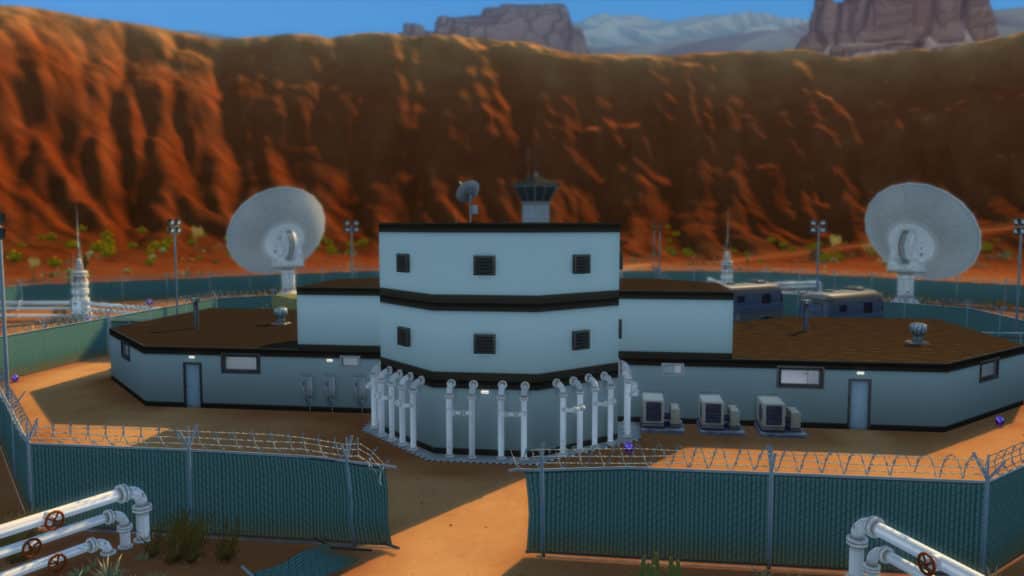
The Secret Lab looks abandoned. The whole lab is sectioned off with barbed wire and there are papers scattered all over the main floor, as if whoever was there fled in a hurry. There’s a big metal door leading down to the basement. Examining the door will reveal that it’s locked and can only be accessed with a keycard. Before leaving the lab, stick around to collect evidence. Go through the entire main floor, rummaging through piles of papers on desks and abandoned file boxes lying on the floor. Don’t forget to take a picture of the door for evidence, too. In total, you should have 9 pieces of evidence in your inventory by the time you’re finished ransacking the lab.
Once you have your evidence, continue your search for clues around StrangerVille. There are multiple ways to collect evidence around StrangerVille:
- Research the StrangerVille Archives at the library: This won’t always yield a piece of evidence, but you’ll uncover useful and interesting information about the town, nonetheless.
- Plant a bug on Scientists and Military Personnel: Bugs can be purchased from the Curio Shop. Once you have a bug in your inventory, introduce yourself to a Scientist or Military Personnel and then select Plant Bug. Once the bug has been planted, use the surveillance station to listen in on their conversations. The starter trailer home in StrangerVille has one ready to go, but the surveillance station can also be purchased in Build/Buy.
- Befriend Scientists and Military Personnel: Once you befriend a Scientist or Military Personnel, you can request evidence from them. Requesting evidence from Scientists and Military Personnel you are not friends with won’t yield any results.
Keep gathering evidence until you have 15 pieces of evidence in your inventory. Once you’ve obtained 15 pieces of evidence, you’ll be able to compile a Secret Dossier. Click on the evidence in your inventory to compile the dossier.
![The Sims 4 StrangerVille Full Story Walkthrough [SPOILERS]](https://simscommunity.info/wp-content/uploads/2019/02/TS4_x64-2019-02-21-16-21-41.png "The Sims 4 StrangerVille Full Story Walkthrough [SPOILERS] 26")
Show the Secret Dossier to a Scientist, Military Personnel, or the Curio Shop Owner to obtain a keycard to open the door at the Secret Lab. If a Scientist or Military Personnel refuses to give you a keycard even after you have the Secret Dossier, try befriending them so they’ll trust you enough to give you the keycard. If you choose to get the keycard from the Curio Shop Owner, it must be purchased from the Curio Shop’s Secret Inventory.
After obtaining the keycard, head back to the Secret Lab and open the door. The keycard will grant you access to the first level of the basement. There’s another door leading down to the next level of the basement, but it’s at the end of a hallway full of purple spores. Trying to pass through the spores will cause your Sim to collapse and wake up possessed for a period of time. You’ll need a hazmat suit to protect you from the spores if you want to make it to the end of the hallway unharmed and open the next door.
![The Sims 4 StrangerVille Full Story Walkthrough [SPOILERS]](https://simscommunity.info/wp-content/uploads/2019/02/TS4_x64-2019-02-21-16-56-09.png "The Sims 4 StrangerVille Full Story Walkthrough [SPOILERS] 27")
There is another room on this level of the basement with some chemical analyzers that are glowing red, which means you should probably hover over them. They’re important. Hovering over the analyzers informs you that you need to collect spore clusters to use the analyzers. You’ll need an Infection Scanner if you want to find spore clusters, which can be obtained from Military Personnel.
There’s nothing more for you to do here right now, so leave the Secret Lab and head back to StrangerVille.
Part 2: The Bloom Begins
![The Sims 4 StrangerVille Full Story Walkthrough [SPOILERS]](https://simscommunity.info/wp-content/uploads/2019/02/TS4_x64-2019-02-21-16-37-49.png "The Sims 4 StrangerVille Full Story Walkthrough [SPOILERS] 28")
Leaving the Secret Lab, you can’t help but notice the sky has shifted to an eerie colour. Something has changed in StrangerVille, and not for the better. Opening that lab door must have released some kind of toxin into the air.
You will need to find a way to protect yourself from the toxic spores in the Secret Lab. Try talking to people around town to see if they know of anything that might help.
Objectives
- Convince Military Personnel to give you an Infection Scanner
- Gather Spore Clusters at the Secret Lab
- Construct Infection Profile Data at the Secret Lab
- Obtain Spore Filter from a Scientist
- Question Curio Shop Owner about spores
- Purchase Hazmat Suit from the Curio Shop
- Assemble the Hazmat Suit
- Open the second and third doors at the Secret Lab
- Develop 3 experimental vaccines
Walkthrough
Uh oh. Whatever you released from the lab seems to making things worse. The sky has changed colour, there are more Sims acting strangely, strange plants have started popping up all over town, and there are purple spores floating through the air everywhere. You need to get this under control fast!
Head to the bar in StrangerVille where the Military likes to hang out. Find a Military Personnel and convince them to give you an Infection Scanner. When you first request the Infection Scanner, they will refuse. Keep socializing with them until you’re friends with the Military Personnel. When you ask for the scanner again, you can choose to do so a variety of different ways:
- Bribe for Scanner ($750)
- Fight for Infection Scanner
- Impress for Infection Scanner
- Pull Rank for Infection Scanner (Requires Military Career rank 5 or higher)
- Seduce for Infection Scanner
![The Sims 4 StrangerVille Full Story Walkthrough [SPOILERS]](https://simscommunity.info/wp-content/uploads/2019/02/TS4_x64-2019-02-21-16-46-53.png "The Sims 4 StrangerVille Full Story Walkthrough [SPOILERS] 29")
If your Sim is in the Military career at a high level, it’s easiest to pull rank. If your Sim is not in the Military career or is not at a high enough rank in the Military career, the easiest way to get the Infection Scanner is to bribe the Military Personnel, but it will cost you a hefty $750. Other methods may work as well. I have also tried seducing for the scanner with success after romancing a Military Personnel for a while.
When you have the Infection Scanner, go back to the Secret Lab to collect spore clusters. Click on the ground anywhere at the Secret Lab and select Scan Here. Each scan will produce 5 spore clusters on the ground near your Sim. Put the spore clusters in your Sim’s inventory. The Infection Scanner can only be used 3 times before it needs to recharge. Just wait a short time for the Infection Scanner to have a full charge again. Luckily, 3 uses of the scanner should produce 15 spore clusters, which is exactly how many you need for the next step.
Once you have 15 spore clusters, take them downstairs to the chemical analyzers and select Construct Infection Profile Data. This should be of interest to a Scientist! Leave the Secret Lab and head to the library in StrangerVille where the Scientists like to spend their time.
![The Sims 4 StrangerVille Full Story Walkthrough [SPOILERS]](https://simscommunity.info/wp-content/uploads/2019/02/TS4_x64-2019-02-21-17-06-13.png "The Sims 4 StrangerVille Full Story Walkthrough [SPOILERS] 30")
Like the Military Personnel, the Scientists won’t want to help you until they know you can be trusted with sensitive information. They will refuse to help you the first time you confront them about the spores. Continue socializing with a Scientist. When you become friends, the Scientist will happily take the infection data you collected and use it to develop a Spore Filter for you. When the Spore Filter is ready, it will arrive in your mailbox sometime the next day.
The Spore Filter is useless without the rest of the Hazmat Suit, though. Question the Curio Shop Owner about the spores found at the lab. They’ll tell you that they just got a Hazmat Suit in stock but that it probably won’t be useful without a Spore Filter. Purchase the Hazmat Suit from the Curio Shop’s Secret Inventory for a whopping $1,000. Once again, the Curio Shop Owner will warn you that the Hazmat Suit doesn’t work without a Spore Filter, but if you’ve been following this guide, you already have one.
With both the Spore Filter and the Hazmat Suit in your inventory, click on either one of them and select Assemble Hazmat Suit. You now have a fully operational Hazmat Suit that will get you past those spore clouds in the Secret Lab’s basement!
Head back to the Secret Lab and put on the Hazmat Suit. Just click on it in your inventory and select Wear Hazmat Suit. Go through the hallway with the purple spore clouds that you couldn’t pass through before and open the door using your keycard. Head down both flights of stairs to get to a large room filled with the strange plants in containment pods. There will be another hallway covered in purple fungus that leads to another keycard door. Go down the hallway and open that door.
![The Sims 4 StrangerVille Full Story Walkthrough [SPOILERS]](https://simscommunity.info/wp-content/uploads/2019/02/TS4_x64-2019-02-21-17-30-05.png "The Sims 4 StrangerVille Full Story Walkthrough [SPOILERS] 31")
AHHH! You come face to face with the cause of StrangerVille’s problems; a massive Mother Plant in the very deepest depths of the Secret Lab’s basement! You are definitely not prepared to take on an enemy of this size right now. The wisest course of action is to retreat and start exploring the lab for a way to take this thing down.
Now that you understand the biological profile of the infection and you’ve discovered the cause, you need to create some vaccines. You need allies to help you fight this thing, but almost everyone is under The Mother’s control and won’t want to help you. You need to develop a vaccine so you can cure them, first. Before you flee the Secret Lab in terror, scan for 15 more spore clusters, then head upstairs and select Nurture on three strange plants outside the lab so you can harvest 3 bizarre fruit. You’ll need these for the vaccines.
Go back downstairs and use the chemical analyzer to develop 3 experimental vaccines using the ingredients you just collected, then head back to StrangerVille.
Part 3: Stop the Infection
![The Sims 4 StrangerVille Full Story Walkthrough [SPOILERS]](https://simscommunity.info/wp-content/uploads/2019/02/TS4_x64-2019-02-22-16-28-52.png "The Sims 4 StrangerVille Full Story Walkthrough [SPOILERS] 32")
You’ve discovered the source of the infection plaguing StrangerVille; an enormous “Mother” plant buried in the base of the lab. The only way to get the town back to normal is to defeat the vile creature!
Find a cure for the infection and assemble a team to destroy the Mother Plant.
Objectives
- Test Experimental Vaccines on 3 possessed Sims
- Create 3 Infection Vaccines
- Cure 3 possessed Sims and recruit them to fight The Mother
- Create Extra Infection Vaccines
- Fight The Mother
Walkthrough
It’s time to test out your vaccines on the possessed Sims. Find 3 possessed Sims wandering around StrangerVille and test your experimental vaccines on them. The first two attempts will be unsuccessful in curing the infection, but you’ll find success with the third batch you test. You’ve got what you need to create an effective vaccine now, so head back to the Secret Lab and collect more spore clusters and bizarre fruit. You’ll need 15 spore clusters and 3 bizarre fruit to craft 3 more vaccines. Create 3 Infection Vaccines on the chemical analyzers at the Secret Lab. These ones should effectively cure the infection. Once you’ve got your 3 vaccines, head back to StrangerVille.
Find a possessed Sim in StrangerVille and use your new vaccine on them, but don’t move on to the next Sim, yet. You need to stay and chat up the Sim you just cured until you’re friends with them, then recruit them to help you fight The Mother. You cannot recruit Sims that have not been recently vaccinated. If you try to recruit someone who isn’t your friend, they will refuse. Once you’ve successfully recruited the Sim, do the same for two more Sims. You should have three allies after using all your vaccines, befriending, and recruiting.
You’re one step closer to confronting The Mother, but it’s a good idea to do some extra preparation. Go back to the Secret Lab and collect more spore clusters and bizarre fruit to craft some extra vaccines. The vaccines aren’t only good for curing possessed Sims; they can be used as weapons against The Mother, too, and they deal a lot of damage. How many vaccines you make is up to you, but the more, the better. I like to make 5 just to be on the safe side. 5 vaccines will require 25 spore clusters and 5 bizarre fruit.
When you have your allies and extra vaccines on hand, you’re finally ready to fight The Mother! Take your allies with you to the Secret Lab and head down to where The Mother is. The Mother is a very intense battle with a lot of strategy involved, so check out our full guide, The Sims 4 StrangerVille: How to Defeat The Mother [SPOILERS], for everything you need to know about how to win this big boss battle.
Conclusion: A Little Less StrangerVille
![The Sims 4 StrangerVille Full Story Walkthrough [SPOILERS]](https://simscommunity.info/wp-content/uploads/2019/02/TS4_x64-2019-02-22-20-28-12.png "The Sims 4 StrangerVille Full Story Walkthrough [SPOILERS] 35")
With one last screech, the Mother Plant collapses. Returning home, you notice that things are beginning to return to normal. The Bizarre Plants are subsiding and the infected are waking up from their nightmare. StrangerVille owes you a huge debt. You are a Hometown Hero!
You have defeated the Mother Plant and returned StrangerVille to “normal!” You can return to the Mother Plant at any point to reawaken her. Once resurrected, you can have her set the Infection Level to your desired Strangeness. This will allow you to replay the story with other families.
Objectives
- None! Celebrate and enjoy StrangerVille any way you like!
Walkthrough
Congratulations! You have defeated The Mother and saved StrangerVille!
If your Sim has the StrangerVille Mystery aspiration, they will complete their aspiration and receive the Hero of StrangerVille reward trait. For more details about this aspiration and trait, see our aspiration overview, The Sims 4 StrangerVille: StrangerVille Mystery Aspiration Overview [SPOILERS].
Defeating The Mother will add a piece of The Mother as a trophy to your household inventory, which you can display in your home. The trophy is just a decor object and has no special interactions or moodlets associated with it, but it is quite large and unique-looking.
![The Sims 4 StrangerVille Full Story Walkthrough [SPOILERS]](https://simscommunity.info/wp-content/uploads/2019/02/TS4_x64-2019-02-22-20-29-57.png "The Sims 4 StrangerVille Full Story Walkthrough [SPOILERS] 36")
Just because the main story is over, that doesn’t mean your adventures in StrangerVille have to be! There are still eccentric Sims to meet and interesting places to explore around town. Why not poke around the airplane crash site or enjoy a drink at the bar (you know, now that you don’t have to use it as an excuse to spy on the military anymore).
If you ever get tired of StrangerVille being so peaceful, you can always bring a bizarre fruit to The Mother to revive her and save the town all over again! Or just infect the town again and gleefully watch mayhem ensue. It’s up to you.
Was this walkthrough helpful to you? Did you finish the story a different way? Let us know in the comments or send us your feedback on social media!
Five Things To Build In The Sims 4 StrangerVille

Presented by EA Game Changers
Since the reveal of The Sims 4 StrangerVille last week I’m sure many of you are filled with excitement and ideas for the new Game Pack. Ideas for Sims, stories, challenges and maybe even builds.
The world of StrangerVille is full of mystery but it can be a home for many interesting builds ranging from a simple home for your Sims to a secret science lab and more. There are also plenty of themes that you can incorporate and base your StrangerVille builds on.
Secret Bunker
If StrangeVille ever got to the point where Possessed Sims took over the town then your Sims would need somewhere they could go and remain safe for a period of time. By creating a secret bunker under your Sims house and filled with all the basics and plenty of supplies, your Sims will have nothing to worry about and would have everything they would ever need.

Science Lab
Every Sim needs their very own top-secret science lab right? No one will ever know that it’s hidden directly under my Sims house!

Trailer Park
Alternatively, if your Sim is looking for somewhere to reside in Strangerville, why not create a fully liveable trailer park for multiple Sims to live. While it may well be small it will be cosy and full of everything your Sims needs.

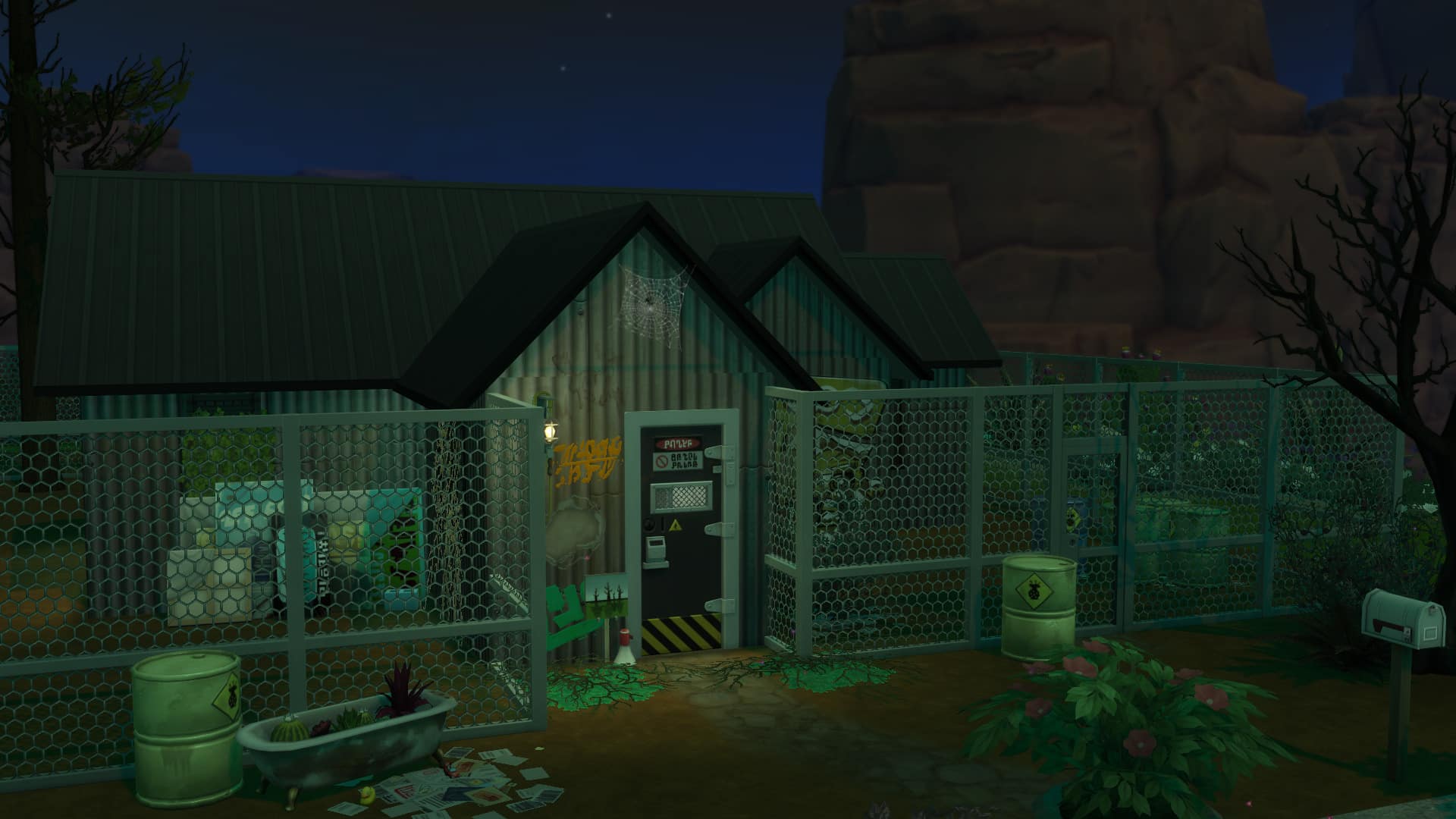
Abandoned House
Didn’t your parents ever tell you to stay away from the creepy and strange looking abandoned house at the edge of town? I would tell the same to your Sims unless curiosity gets the better of them. Who knows, an abandoned house may hold some shocking secrets!
Outdoor Movie Hangout
On a lighter note, once you’ve waited for everything to blow over why not get a group of friends and go to the StrangerVille Outdoor Movie Theater? Grab some popcorn and watch the latest movies from the hottest stars in Del Sol Valley.

These are just five ideas for builds you can do using The Sims 4 StrangerVille Game Pack and not only that each existing expansion pack, game pack and stuff pack opens up even more possibilities.
Let us know what you are planning on building using The Sims 4 StrangerVille in the comments below, on Twitter and don’t forget you can share your creations over on Sims Community Social.
The Sims 4 StrangerVille: Military Career Guide

Presented by EA Game Changers
Your Sim has arrived in the mysterious town of StrangerVille and is in need of a new job. Well, look no further! The local Military is looking for new recruits and it turns out that it is the perfect job for your Sim.
As with any career, your Sim can join the Military career simply by sitting down at a laptop/computer, using their cell phone or by the job tab on the user interface.
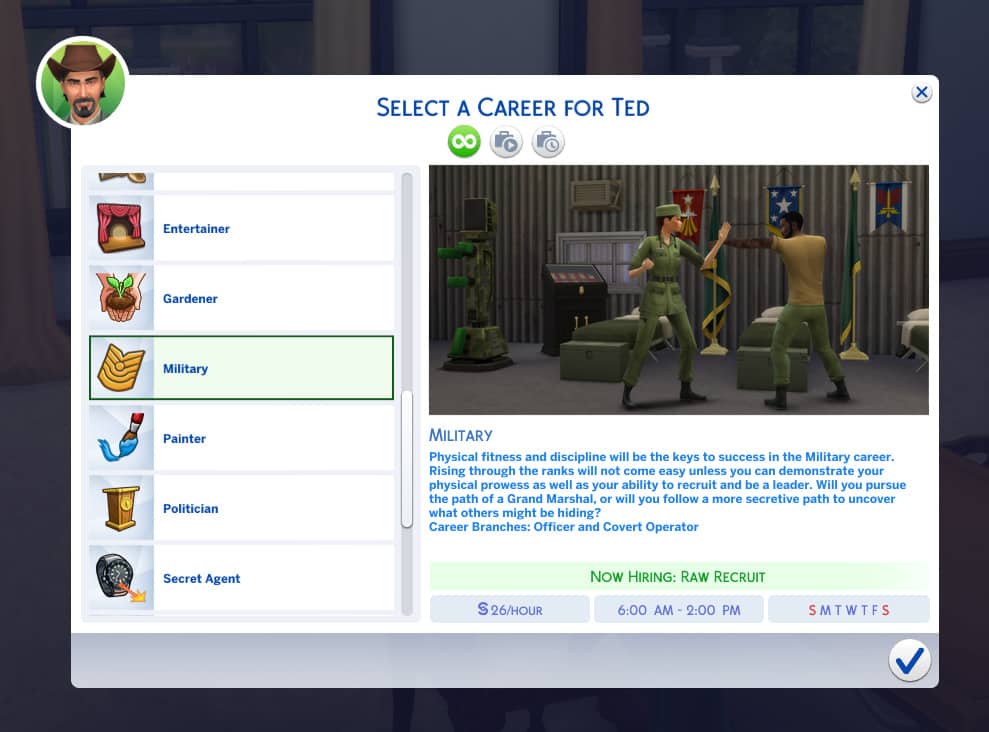
Once you have joined the career you will be greeted with a pop up asking you if you wish to start the first Work From Home Assignment. You can either start it right away or hold off and do it at a time that suits your Sim better. Just make sure it is before your next shift.
When it is time for your first shift you will be presented with another small pop up which asks you if you want your Sim to Go To Work, Work from Home or Take Paid Time Off (PTO). The choice is up to you. If you choose to Go To Work or Work From Home you will still be working towards your Sims next promotion. If you choose to Take PTO your Sim can go about their day however they please.
Military Career: Levels 1-5
[table id=56 /]
Once your Sim is promoted to level six within the Military career you will be given the option to choose one of two pathways. One being the Covert Operator pathway and the other being the Officer Pathway.
Officer Pathway: Levels 6-10

[table id=57 /]
Once your Sim has become a Grand Marshal, they have the chance to earn a raise on their wages for superior work performance. The amount per hour goes up between $13 and $15 per hour each time.
Covert Operator Pathway: Levels 6-10
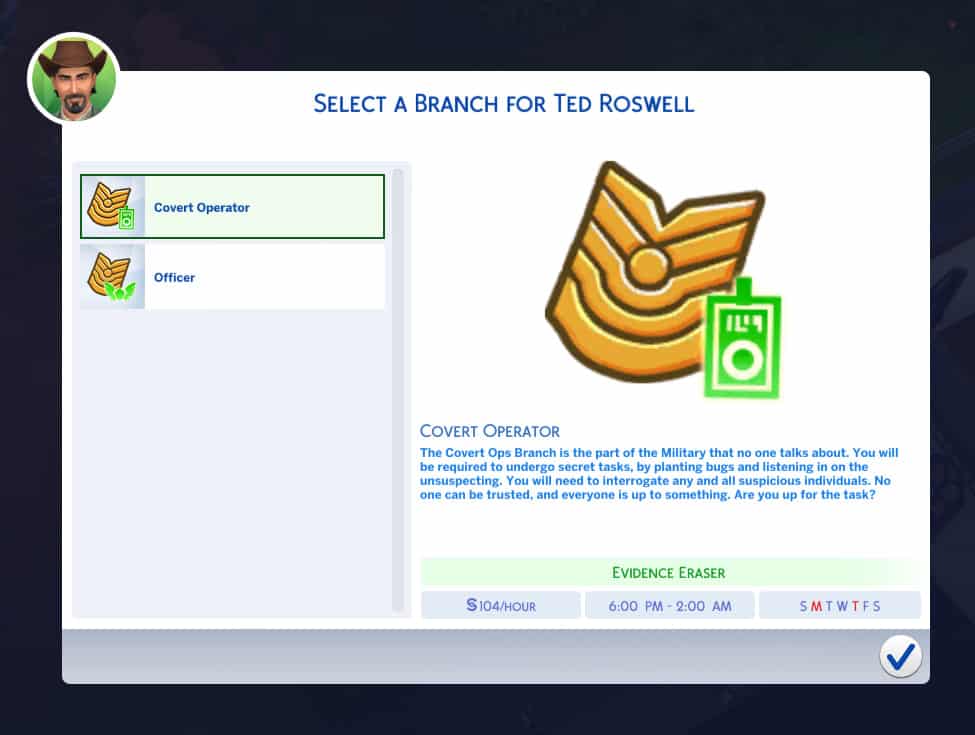
[table id=58 /]
Similarly with the Officer pathway, once your Sim has become a Sim-In-Black, they have the chance to earn a raise on their wages for superior work performance. The amount per hour goes up between $13 and $15 per hour each time.
Regardless of what level you are in the Military career, when you choose to work from home you will be assigned a task for your Sim to complete in order for them to be paid. Once they have completed that task they are done for the day and can go about their day as normal. All the information about the task your Sim is required to do can be found in the Career tab on the user interface.
You may be asking though, is the military career only playable in Strangerville? The answer is no. You can play it with any Sim in any world just like any other career. Your Sim will travel to StrangerVille National Base for each shift unless they work from home.
Let us know what you think of the new Military career that comes with The Sims 4 StrangerVille game pack below in the comments.
The Sims 4 StrangerVille: Interactive World Overview

Presented by EA Game Changers
The Sims 4 StrangerVille Game Pack comes with a brand new world. Yup, you guessed it – it’s named StrangerVille.
This world comes packed with both empty and filled lots, lots that are occupied and unoccupied as well as 2 venues and one special lot that you’ll get to see down below.
First of all we have a map overview containing all the general information for each lot including lot size, lot type and worth! Hover over each pin for more information about your desired lot.
Even more down below you’ll see a general overview of each neighborhood where you’ll be able to see images for each lot! Once again hover over a location of your choice to see the image. If you’re viewing this post from a mobile device it’s best advised to switch to landscape mode for best experience.
[ult_hotspot main_img=”id^82683|url^https://simscommunity.info/wp-content/uploads/2019/02/World-Map.jpg|caption^null|alt^null|title^World Map|description^null”][ult_hotspot_items icon=”Defaults-map-marker” icon_size=”18″ icon_color=”#ffffff” icon_style=”circle” icon_color_bg=”rgba(30,115,190,0.17)” tooltip_custom_color=”#1e73be” tooltip_custom_bg_color=”#ffffff” tooltip_width=”350″ tooltip_position=”right” tooltip_continuous_animation=”glow” glow_color=”#ffffff” tooltip_custom_border_size=”border-style:solid;|border-width:2px;border-radius:3px;|border-color:#1e73be;” hotspot_position=”66.943359375,41.96319018404908″]StrangerVille Plaza
StrangerVille Plaza is where the locals like to hanf out. You can find Scientist at the Library, Military Personnel at the Bar, and The Curio Shop near the trailer park.
You can buy some strange odd and ends here and you will find all the information you need.[/ult_hotspot_items][ult_hotspot_items icon=”Defaults-map-marker” icon_size=”18″ icon_color=”#ffffff” icon_style=”circle” icon_color_bg=”rgba(30,115,190,0.17)” tooltip_custom_color=”#1e73be” tooltip_custom_bg_color=”#ffffff” tooltip_width=”350″ tooltip_position=”right” tooltip_continuous_animation=”glow” glow_color=”#ffffff” tooltip_custom_border_size=”border-style:solid;|border-width:2px;border-radius:3px;|border-color:#1e73be;” hotspot_position=”8.119419642857142,77.66871165644172″]Shady Acres
Pristine, secluded and nestled high atop a plateau, Shady Acres is home to more wealthy locals of StrangerVille. Curious how some of them came into their wealth?[/ult_hotspot_items][ult_hotspot_items icon=”Defaults-map-marker” icon_size=”16″ icon_color=”#ffffff” icon_style=”circle” icon_color_bg=”rgba(30,115,190,0.17)” tooltip_custom_color=”#1e73be” tooltip_custom_bg_color=”#ffffff” tooltip_width=”” tooltip_position=”right” tooltip_continuous_animation=”glow” glow_color=”#ffffff” tooltip_custom_border_size=”border-style:solid;|border-width:2px;border-radius:3px;|border-color:#1e73be;” hotspot_position=”63.54282924107143,40.120782208588956″]Carpophagous Corner
Lot Type: Residential
Size: 30×20
Worth: $18,338[/ult_hotspot_items][ult_hotspot_items icon=”Defaults-map-marker” icon_size=”16″ icon_color=”#ffffff” icon_style=”circle” icon_color_bg=”rgba(30,115,190,0.17)” tooltip_custom_color=”#1e73be” tooltip_custom_bg_color=”#ffffff” tooltip_width=”” tooltip_position=”right” tooltip_continuous_animation=”glow” glow_color=”#ffffff” tooltip_custom_border_size=”border-style:solid;|border-width:2px;border-radius:3px;|border-color:#1e73be;” hotspot_position=”64.51241629464286,30.302914110429448″]Riverside Grove
Lot Type: Residential
Size: 30×20
Worth: $33,495[/ult_hotspot_items][ult_hotspot_items icon=”Defaults-map-marker” icon_size=”16″ icon_color=”#ffffff” icon_style=”circle” icon_color_bg=”rgba(30,115,190,0.17)” tooltip_custom_color=”#1e73be” tooltip_custom_bg_color=”#ffffff” tooltip_width=”” tooltip_position=”right” tooltip_continuous_animation=”glow” glow_color=”#ffffff” tooltip_custom_border_size=”border-style:solid;|border-width:2px;border-radius:3px;|border-color:#1e73be;” hotspot_position=”79.10505022321429,35.82438650306749″]StrangerVille Information Center
Lot Type: Library
Size: 20×20
Worth: $32,246[/ult_hotspot_items][ult_hotspot_items icon=”Defaults-map-marker” icon_size=”16″ icon_color=”#ffffff” icon_style=”circle” icon_color_bg=”rgba(30,115,190,0.17)” tooltip_custom_color=”#1e73be” tooltip_custom_bg_color=”#ffffff” tooltip_width=”” tooltip_position=”right” tooltip_continuous_animation=”glow” glow_color=”#ffffff” tooltip_custom_border_size=”border-style:solid;|border-width:2px;border-radius:3px;|border-color:#1e73be;” hotspot_position=”69.06040736607143,49.44401840490797″]8 Bells
Lot Type: Bar
Size: 20×20
Worth: $29,075[/ult_hotspot_items][ult_hotspot_items icon=”Defaults-map-marker” icon_size=”16″ icon_color=”#ffffff” icon_style=”circle” icon_color_bg=”rgba(30,115,190,0.17)” tooltip_custom_color=”#1e73be” tooltip_custom_bg_color=”#ffffff” tooltip_width=”” tooltip_position=”right” tooltip_continuous_animation=”glow” glow_color=”#ffffff” tooltip_custom_border_size=”border-style:solid;|border-width:2px;border-radius:3px;|border-color:#1e73be;” hotspot_position=”58.79255022321429,44.78144171779141″]Slip 42
Lot Type: Residental Lot
Size: 20×15
Worth: $16,604[/ult_hotspot_items][ult_hotspot_items icon=”Defaults-map-marker” icon_size=”16″ icon_color=”#ffffff” icon_style=”circle” icon_color_bg=”rgba(30,115,190,0.17)” tooltip_custom_color=”#1e73be” tooltip_custom_bg_color=”#ffffff” tooltip_width=”” tooltip_position=”right” tooltip_continuous_animation=”glow” glow_color=”#ffffff” tooltip_custom_border_size=”border-style:solid;|border-width:2px;border-radius:3px;|border-color:#1e73be;” hotspot_position=”54.81305803571429,58.4010736196319″]Old Penelope
Lot Type: Residental Lot
Size: 50×40
Worth: $29,895[/ult_hotspot_items][ult_hotspot_items icon=”Defaults-map-marker” icon_size=”16″ icon_color=”#ffffff” icon_style=”circle” icon_color_bg=”rgba(30,115,190,0.17)” tooltip_custom_color=”#1e73be” tooltip_custom_bg_color=”#ffffff” tooltip_width=”” tooltip_position=”right” tooltip_continuous_animation=”glow” glow_color=”#ffffff” tooltip_custom_border_size=”border-style:solid;|border-width:2px;border-radius:3px;|border-color:#1e73be;” hotspot_position=”27.584402901785715,57.78757668711656″]Cliff Side Crest
Lot Type: Residental Lot
Size: 30×20
Worth: $4,500[/ult_hotspot_items][ult_hotspot_items icon=”Defaults-map-marker” icon_size=”16″ icon_color=”#ffffff” icon_style=”circle” icon_color_bg=”rgba(30,115,190,0.17)” tooltip_custom_color=”#1e73be” tooltip_custom_bg_color=”#ffffff” tooltip_width=”” tooltip_position=”right” tooltip_continuous_animation=”glow” glow_color=”#ffffff” tooltip_custom_border_size=”border-style:solid;|border-width:2px;border-radius:3px;|border-color:#1e73be;” hotspot_position=”34.507533482142854,66.86733128834355″]StrangerVille Overlook
Lot Type: Residental Lot
Size: 40×30
Worth: $181,067[/ult_hotspot_items][ult_hotspot_items icon=”Defaults-map-marker” icon_size=”16″ icon_color=”#ffffff” icon_style=”circle” icon_color_bg=”rgba(30,115,190,0.17)” tooltip_custom_color=”#1e73be” tooltip_custom_bg_color=”#ffffff” tooltip_width=”” tooltip_position=”right” tooltip_continuous_animation=”glow” glow_color=”#ffffff” tooltip_custom_border_size=”border-style:solid;|border-width:2px;border-radius:3px;|border-color:#1e73be;” hotspot_position=”18.941824776785715,63.677147239263796″]Plateau Place
Lot Type: Residental Lot
Size: 40×30
Worth: $104,855[/ult_hotspot_items][ult_hotspot_items icon=”Defaults-map-marker” icon_size=”16″ icon_color=”#ffffff” icon_style=”circle” icon_color_bg=”rgba(30,115,190,0.17)” tooltip_custom_color=”#1e73be” tooltip_custom_bg_color=”#ffffff” tooltip_width=”” tooltip_position=”right” tooltip_continuous_animation=”glow” glow_color=”#ffffff” tooltip_custom_border_size=”border-style:solid;|border-width:2px;border-radius:3px;|border-color:#1e73be;” hotspot_position=”28.2470703125,75.94708588957056″]Dream Weavers Way
Lot Type: Residental Lot
Size: 30×20
Worth: $78,977[/ult_hotspot_items][ult_hotspot_items icon=”Defaults-map-marker” icon_size=”16″ icon_color=”#ffffff” icon_style=”circle” icon_color_bg=”rgba(30,115,190,0.17)” tooltip_custom_color=”#1e73be” tooltip_custom_bg_color=”#ffffff” tooltip_width=”” tooltip_position=”right” tooltip_continuous_animation=”glow” glow_color=”#ffffff” tooltip_custom_border_size=”border-style:solid;|border-width:2px;border-radius:3px;|border-color:#1e73be;” hotspot_position=”23.1201171875,83.55253067484662″]Creek Corner Cove
Lot Type: Residental Lot
Size: 30×20
Worth: $4,500[/ult_hotspot_items][ult_hotspot_items icon=”Defaults-map-marker” icon_size=”16″ icon_color=”#ffffff” icon_style=”circle” icon_color_bg=”rgba(30,115,190,0.17)” tooltip_custom_color=”#1e73be” tooltip_custom_bg_color=”#ffffff” tooltip_width=”” tooltip_position=”right” tooltip_continuous_animation=”glow” glow_color=”#ffffff” tooltip_custom_border_size=”border-style:solid;|border-width:2px;border-radius:3px;|border-color:#1e73be;” hotspot_position=”26.8798828125,33.73657975460122″]The ****** Lab
Lot Type: Secret Lab (Uneditable)
Size: 64×64
Worth: $20,115[/ult_hotspot_items][/ult_hotspot]
Shady Acres

[/ult_hotspot_items][ult_hotspot_items icon_type=”custom” icon_img=”id^39525|url^https://simscommunity.info/wp-content/uploads/2015/09/plumbob2.png|caption^null|alt^null|title^plumbob2|description^null” img_width=”38″ tooltip_custom_bg_color=”rgba(255,255,255,0.01)” tooltip_width=”450″ tooltip_position=”right” enable_bubble_arrow=”off” tooltip_continuous_animation=”on” hotspot_position=”27.821370087336245,82.82208588957054″]

[/ult_hotspot_items][ult_hotspot_items icon_type=”custom” icon_img=”id^39525|url^https://simscommunity.info/wp-content/uploads/2015/09/plumbob2.png|caption^null|alt^null|title^plumbob2|description^null” img_width=”38″ tooltip_custom_bg_color=”rgba(255,255,255,0.01)” tooltip_width=”450″ tooltip_position=”right” enable_bubble_arrow=”off” tooltip_continuous_animation=”on” hotspot_position=”62.05990720524017,59.6319018404908″]

[/ult_hotspot_items][ult_hotspot_items icon_type=”custom” icon_img=”id^39525|url^https://simscommunity.info/wp-content/uploads/2015/09/plumbob2.png|caption^null|alt^null|title^plumbob2|description^null” img_width=”38″ tooltip_custom_bg_color=”rgba(255,255,255,0.01)” tooltip_width=”450″ tooltip_position=”right” enable_bubble_arrow=”off” tooltip_continuous_animation=”on” hotspot_position=”35.398471615720524,80.12269938650307″]

[/ult_hotspot_items][ult_hotspot_items icon_type=”custom” icon_img=”id^39525|url^https://simscommunity.info/wp-content/uploads/2015/09/plumbob2.png|caption^null|alt^null|title^plumbob2|description^null” img_width=”38″ tooltip_custom_bg_color=”rgba(255,255,255,0.01)” tooltip_width=”450″ tooltip_position=”right” enable_bubble_arrow=”off” tooltip_continuous_animation=”on” hotspot_position=”40.686408296943235,43.31288343558282″]

[/ult_hotspot_items][/ult_hotspot]
StrangerVille Plaza
[ult_hotspot main_img=”id^82753|url^https://simscommunity.info/wp-content/uploads/2019/02/strangeneigh.jpg|caption^null|alt^null|title^strangeneigh|description^null”][ult_hotspot_items icon_type=”custom” icon_img=”id^39525|url^https://simscommunity.info/wp-content/uploads/2015/09/plumbob2.png|caption^null|alt^null|title^plumbob2|description^null” img_width=”38″ tooltip_custom_bg_color=”rgba(255,255,255,0.01)” tooltip_width=”450″ tooltip_position=”right” enable_bubble_arrow=”off” tooltip_continuous_animation=”on” hotspot_position=”79.6943231441048,69.079754601227″]

[/ult_hotspot_items][ult_hotspot_items icon_type=”custom” icon_img=”id^39525|url^https://simscommunity.info/wp-content/uploads/2015/09/plumbob2.png|caption^null|alt^null|title^plumbob2|description^null” img_width=”38″ tooltip_custom_bg_color=”rgba(255,255,255,0.01)” tooltip_width=”450″ tooltip_position=”right” enable_bubble_arrow=”off” tooltip_continuous_animation=”on” hotspot_position=”42.91075327510917,44.5398773006135″]

[/ult_hotspot_items][ult_hotspot_items icon_type=”custom” icon_img=”id^39525|url^https://simscommunity.info/wp-content/uploads/2015/09/plumbob2.png|caption^null|alt^null|title^plumbob2|description^null” img_width=”38″ tooltip_custom_bg_color=”rgba(255,255,255,0.01)” tooltip_width=”450″ tooltip_position=”right” enable_bubble_arrow=”off” tooltip_continuous_animation=”on” hotspot_position=”28.81413755458515,75.21472392638037″]

[/ult_hotspot_items][ult_hotspot_items icon_type=”custom” icon_img=”id^39525|url^https://simscommunity.info/wp-content/uploads/2015/09/plumbob2.png|caption^null|alt^null|title^plumbob2|description^null” img_width=”38″ tooltip_custom_bg_color=”rgba(255,255,255,0.01)” tooltip_width=”450″ tooltip_position=”right” enable_bubble_arrow=”off” tooltip_continuous_animation=”on” hotspot_position=”38.52006004366812,76.93251533742331″]

[/ult_hotspot_items][ult_hotspot_items icon_type=”custom” icon_img=”id^39525|url^https://simscommunity.info/wp-content/uploads/2015/09/plumbob2.png|caption^null|alt^null|title^plumbob2|description^null” img_width=”38″ tooltip_custom_bg_color=”rgba(255,255,255,0.01)” tooltip_width=”450″ tooltip_position=”right” enable_bubble_arrow=”off” tooltip_continuous_animation=”on” hotspot_position=”50.24563318777293,24.41717791411043″]

[/ult_hotspot_items][ult_hotspot_items icon_type=”custom” icon_img=”id^39525|url^https://simscommunity.info/wp-content/uploads/2015/09/plumbob2.png|caption^null|alt^null|title^plumbob2|description^null” img_width=”38″ tooltip_custom_bg_color=”rgba(255,255,255,0.01)” tooltip_width=”450″ tooltip_position=”right” enable_bubble_arrow=”off” tooltip_continuous_animation=”on” hotspot_position=”36.756277292576414,63.43558282208589″]

[/ult_hotspot_items][/ult_hotspot]
Secret Lab
[ult_hotspot main_img=”id^82700|url^https://simscommunity.info/wp-content/uploads/2019/02/science-lab.jpg|caption^null|alt^null|title^science lab|description^null”][ult_hotspot_items icon_type=”custom” icon_img=”id^39525|url^https://simscommunity.info/wp-content/uploads/2015/09/plumbob2.png|caption^null|alt^null|title^plumbob2|description^null” img_width=”38″ tooltip_custom_bg_color=”rgba(255,255,255,0.01)” tooltip_width=”450″ tooltip_position=”right” enable_bubble_arrow=”off” tooltip_continuous_animation=”on” hotspot_position=”51.64437772925764,54.84662576687117″]
[/ult_hotspot_items][/ult_hotspot]
The Sims 4 StrangerVille: Meet the Residents of StrangerVille

Welcome to StrangerVille
“The only thing stranger than the people is the flora!”
The town’s slogan couldn’t be more true. Apart from all the weird environmental things going on in StrangerVille, the people living in the town are just as eccentric and mysterious as the town itself. I decided to dig deep into the lives of all the premade Sims in StrangerVille to give you an up close and personal look at these intriguing characters. Find out what secrets they may be hiding and how their lives are intertwined with the StrangerVille Mystery story.
Don’t worry – this article will be spoiler free. Any mention of the story mode will be brief and only related to the basic premise of the story.
The Sigworth Household


Household Description
The Sigworth family is rather new in town. Jess, the mom, had to transfer to the StrangerVille National Base. After spending a few days on the base, Dylan has started to notice something is a bit off about his wife. Although Dylan is doing all he can to reassure their daughter that everything is okay, Christie is starting to catch on and it is only a matter of time before she realizes what is going on.
Jess Sigworth
Age: Young Adult
Career: Military (3)
Aspiration: Successful Lineage
Walk Style: Tough
Voice: Melodic
Traits: Active | Family Oriented | Outgoing | Domestic (Bonus) | Infected (Hidden)
Skills: Charisma 3 | Fitness 5 | Handiness 3
Relationships: Dylan Sigworth – Husband | Christie Sigworth – Daughter
Dylan Sigworth
Age: Young Adult
Career: Stay-at-Home Dad
Aspiration: Nerd Brain
Walk Style: Default
Voice: Brash
Traits: Bookworm | Genius | Perfectionist | Quick Learner (Bonus)
Skills: Cooking 6 | Gardening 2 | Gourmet Cooking 4
Relationships: Jess Sigworth – Wife | Christie Sigworth – Daughter
Christie Sigworth
Age: Child
Career: Grade School C Student
Aspiration: Artistic Prodigy
Walk Style: Default
Voice: Warm
Traits: Active
Skills: Creativity 9 | Motor 2 | Social 3
Relationships: Jess Sigworth – Mother | Dylan Sigworth – Father
Household Notes
- The Sigworth household lives at Riverside Grove in the StrangerVille Plaza neighbourhood.
- The household description hints that there’s something wrong with Jess. Looking at her trait panel, she has the hidden Infected trait, which afflicts Sims who have eaten bizarre fruit. This is related to the StrangerVille Mystery story, but the player does not have to play through the story if they decide to play as Jess.
- Jess is featured in the official reveal trailer.
- Dylan is unemployed and has skills in gardening and cooking, which suggests he is a stay-at-home dad who cares for their daughter Christie while Jess works on the military base.
- There is a stack of papers in Jess and Dylan’s bedroom which can be searched for evidence if the player chooses to pursue the StrangerVille Mystery story.
The Sims 4 StrangerVille: Build Items Overview

Presented by EA Game Changers
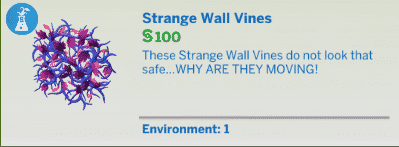
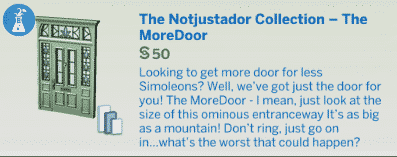
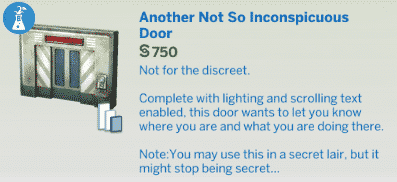
The Sims 4 StrangerVille Game Pack comes packed with more than 100 new items in Build Mode to satisfy all of your building needs! Those items include new objects such as Lava Lamps, Laptops, Rusty Low-End Items, High-Tech Items, Fences, Doors, Arches and so much more!
The items we’ve listed below are the items that you can find regularly in the Build Mode. There’s a plethora of other items that can be purchased, obtained or unlocked throughout the game that cannot be found in Build Mode. Such items can also be obtained using the bb.showhiddenobjects cheat but BEWARE – you might stumble upon a few storyline spoilers in the Build Mode catalog after enabling that cheat!
Anywho, here are all of the new items. Even more down below you’ll also be able to find new Styled Rooms!
New Objects














Styled Rooms


The Sims 4 StrangerVille: Create A Sim Overview

Presented by EA Game Changers
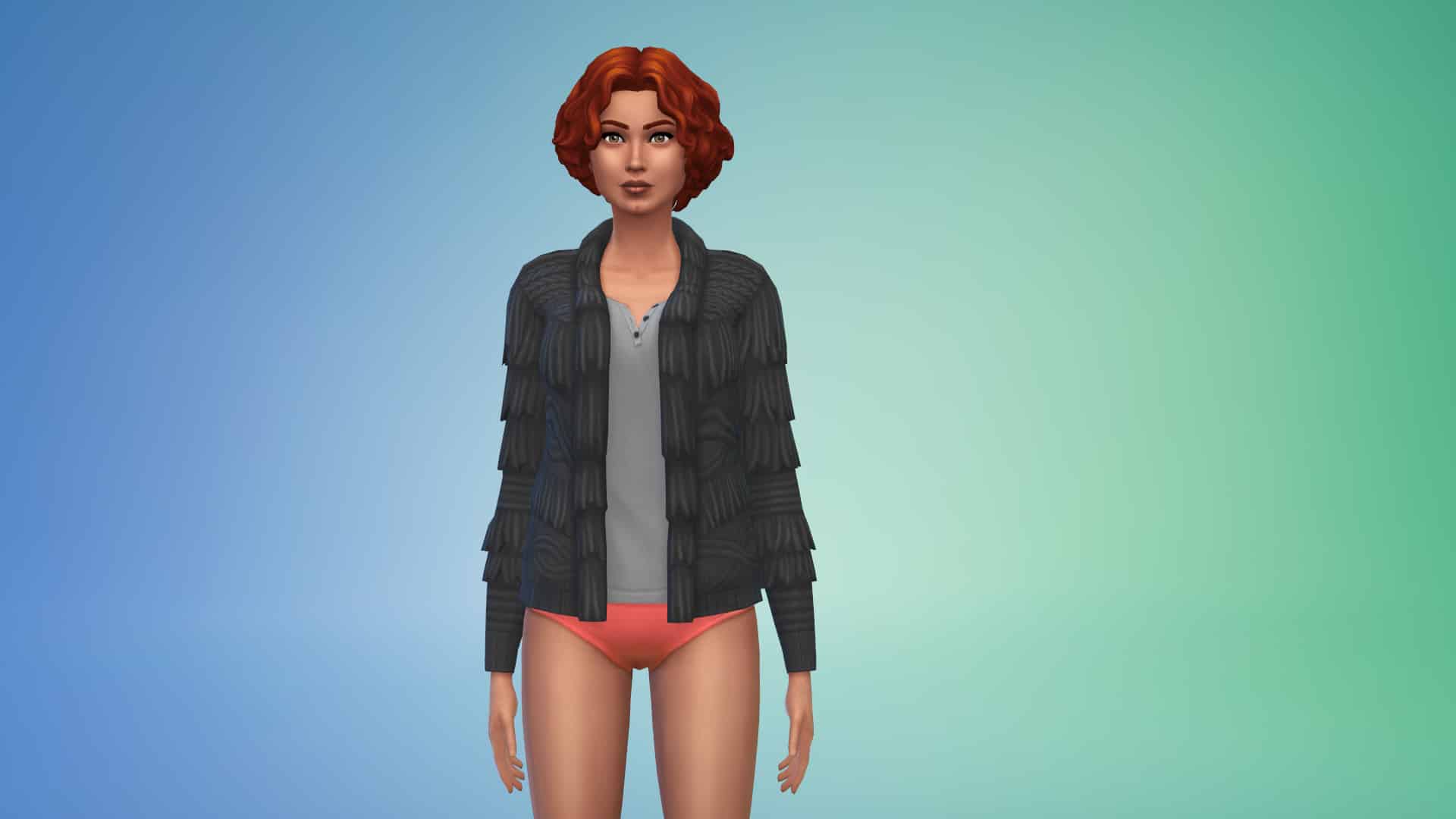
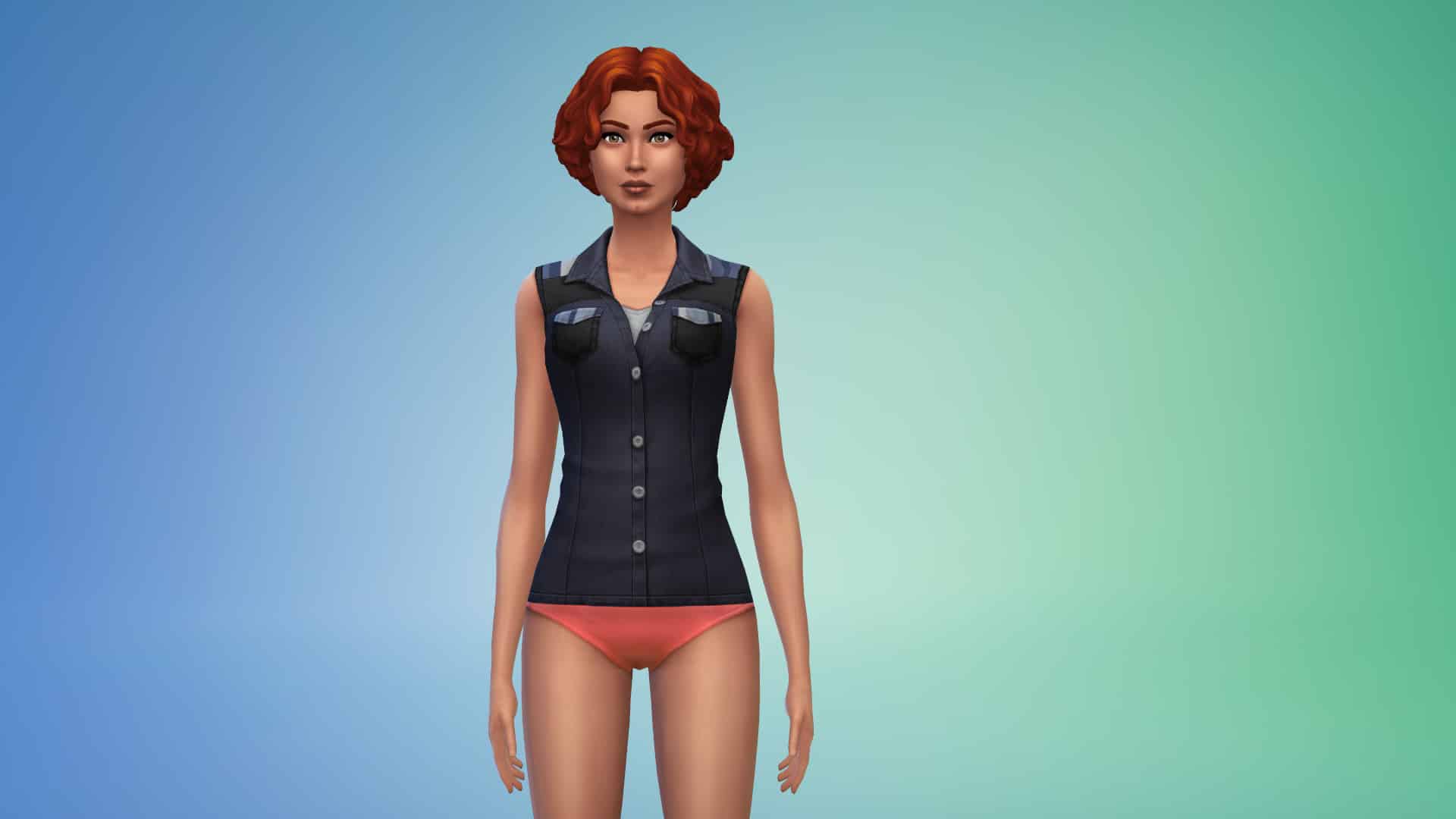
The Sims 4 StrangerVille Game Pack comes with more than 50 items in Create A Sim including clothing and options for Children and Adults. Unfortunately Toddlers have been left out when it comes to new CAS additions for them but that’s probably because StrangerVille might just be too dangerous for them to attire appropriately.
Anywho, down below you can find out a full overview of all the new CAS items available in the game. We’ve categorized the items according to Age and Fashion Choice preferences. You can zoom in an image by simply clicking on it!
Adult Feminine
Hairstyles



Headwear


Head Accessories


Tops




Bottoms


Outfits


Accessories

Shoes


Styled Looks


Adult Masculine
Hairstyles


Headwear


Head Accessories

Tops


Bottoms


Outfits


Shoes

Styled Looks


Children Feminine
Tops

Outfits

Styled Looks

Children Masculine
Tops

Video Overview
The Sims 4 StrangerVille: Early Access Livestream

Join us as we take an exclusive look of The Sims 4 StrangerVille Game Pack and answer some of your burning questions about the upcoming pack!
The livestream begins at 10AM PT / 7PM CET / 6PM BT on February 24th, 2019. We’ll also make sure to have a replay available to those who miss out on the stream!