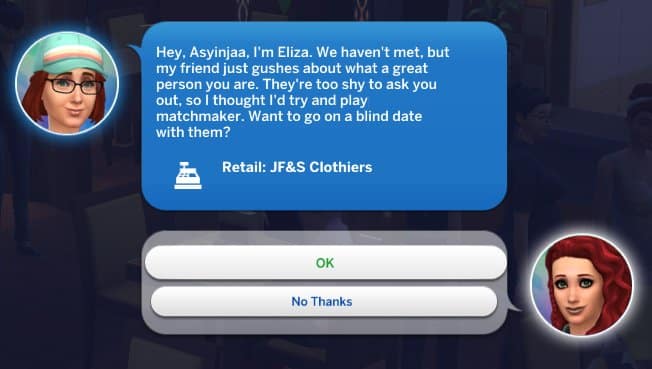
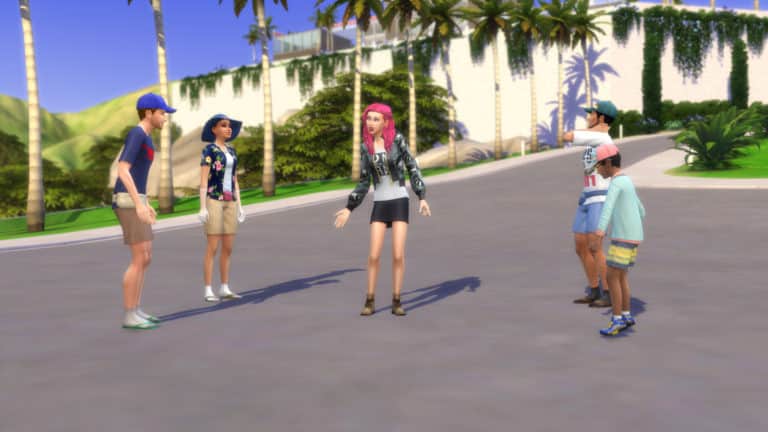
A few simmers have reported on social media that their Sims have gotten an opportunity via phone to join a “Blind Date” with another unknown Sim. These have started happening not with The Sims 4’s latest update but after installing The Sims 4 Get Famous Expansion Pack.
Player @OnyekaOO1 has also shared a screenshot of the notification she received in the game:
We asked around on Twitter to see if this is truly new with The Sims 4 Get Famous and how does it actually occur in the game. SimGuruGraham explained the entire process and the functionality of Blind Dates:
This is indeed new with Get Famous. You can receive a phone call to go on a blind date if you have Great reputation (or better), or Awful reputation (or worse). Your blind date with will match your Sim’s romantic gender preference, and will have compatible reputations.
Blind Dates are an interesting opportunity to meet a new Sim you’ve never met before considering that you’ll be getting a recommendation from a friend to meet someone new. As Graham explained, the Blind Date that’ll be suggested to you will match your Sim’s gender preference.
The Blind Date opportunity will only show up if your Sim already has a knowledgable reputation – not depending on whether it’s good or bad.
In The Sims 4 Get Famous, celebrity status isn’t restricted to adults. Children can be celebrities, too! While there are some limitations on child fame, children aren’t excluded from the celebrity lifestyle. They get most of the same benefits from fame that adults do.
The main way for a child to become famous is by having famous parents. A child born to a celebrity will inherit some of their parent’s fame. Children born to extremely famous parents will be born as a one star celebrity already; however, you will not be able to see their celebrity status until they become children. This applies to adopted children as well. Toddlers and younger Sims will not have any fame stars or fame-related activities to do.
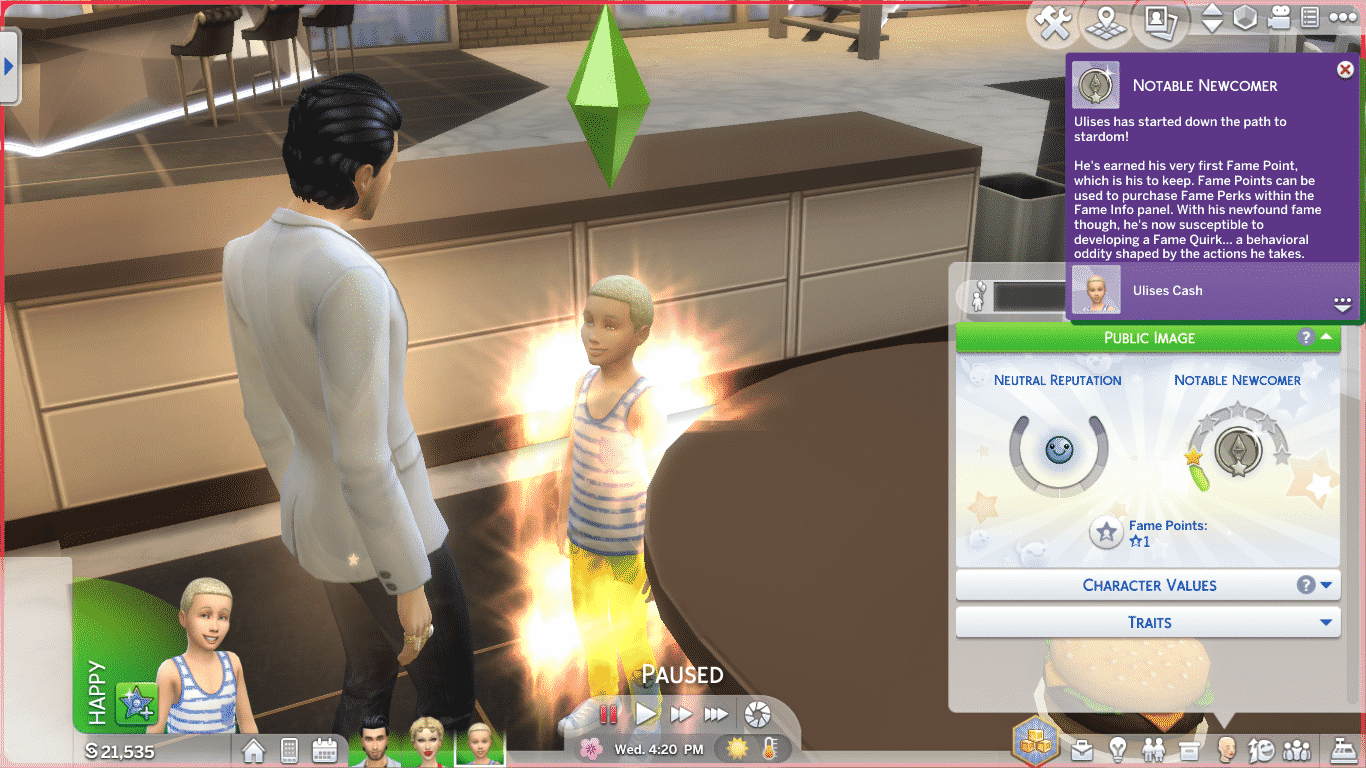
A child of two famous Sims receiving his first celebrity star on his birthday
When a toddler of famous parents grows into a child, they will receive their first celebrity star. They will also receive their first fame point to spend on a perk of their choosing. Celebrity children have access to the same fame perks as adults, but they will not be able to purchase any of the higher-tier perks until they age up. Children are capped out at two stars of fame, but can have a Pristine/Terrible reputation.
Screenshot 339
Screenshot 338
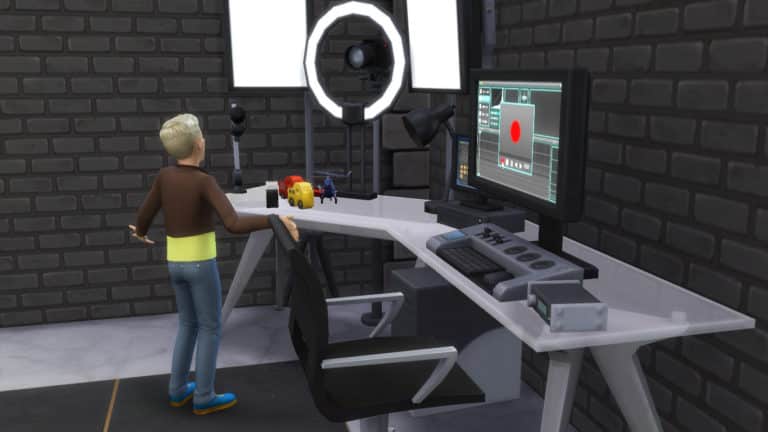
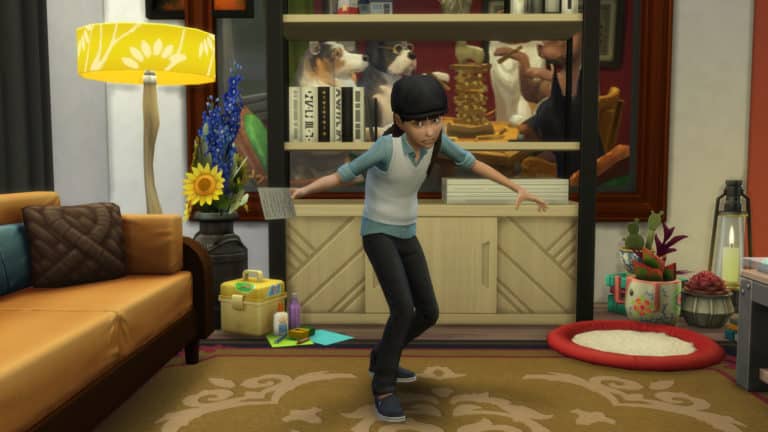
If you’re looking to turn your non-famous Sim child into a star, the best way for a child to build fame is by becoming an Internet vlogger. That’s right, children can record and edit videos with the Video Station, just like adults! The toy review option is a great child-friendly activity for your famous children, but children can record other types of videos as well. Children will gain fame whenever they upload a video. Making videos will also build the Creativity skill.
A child celebrity filming a toy review with the Video Station
Another way for children to get noticed as a celebrity is through drama club. Use the phone to sign them up for this after school activity. The drama club functions like an after school job. Children will need to practice acting, build the Creativity skill, and show up to drama club in a positive emotional state to be promoted to the next level of drama club. For more information on drama club, see our article, The Sims 4 Get Famous: Exploring Drama Club.
Know of any other ways for children to become famous? Let us know in the comments or get in touch with us on social media!
On this day, a year ago, The Sims 4 has launched for Xbox One and PS4 Consoles. The game didn’t initially release with a lot of packs with only 1 Bundle / 3 seperate packs including City Living Expansion Pack, Vampires Game Pack and Vintage Glamour Stuff Pack.
However, in just 1 year The Sims Team managed to release the following packs for the game (in order of release for each pack type):
Expansion Packs
The Sims 4 City Living
The Sims 4 Get To Work
The Sims 4 Cats & Dogs
The Sims 4 Get Together
The Sims 4 Seasons
Game Packs
The Sims 4 Vampires
The Sims 4 Dine Out
The Sims 4 Parenthood
Stuff Packs
The Sims 4 Vintage Glamour Stuff
The Sims 4 Perfect Patio Stuff
The Sims 4 Cool Kitchen Stuff
The Sims 4 Luxury Party Stuff
The Sims 4 Romantic Garden Stuff
The Sims 4 Backyard Stuff
The Sims 4 Toddler Stuff
The Sims 4 Kids Room Stuff
The Sims 4 Laundry Day Stuff
The Sims 4 Spooky Stuff
In just a year The Sims Team managed to release 18 packs for the game, with the following packs still waiting to be released:
Expansion Packs
The Sims 4 Get Famous
Game Packs
The Sims 4 Outdoor Retreat
The Sims 4 Spa Day
The Sims 4 Jungle Adventure
Stuff Packs
The Sims 4 Movie Hangout Stuff
The Sims 4 Bowling Night Stuff
The Sims 4 Fitness Stuff
The Sims 4 My First Pet Stuff
With 18 packs out and 8 packs still waiting to be released it’s safe to say that in the following months The Sims 4 will entirely catch up with the PC / Mac console. It’s still not known if finishing all the packs previously released would mean faster releases for newer packs in production along with PC / Mac version but it could definitely be the case.
Are you satisfied with all of the packs, updates and adjustments that were made to the console version over the last year? Let us know in the comments!
The Media Production skill is a 5 level skill that comes with The Sims 4 Get Famous. It’s tied to three new objects that come with this expansion; the Music Station, the Video Station, and the Drone. The Music Station allows your Sims to produce and remix their own music tracks. The Video Station allows your Sims to film, edit, and upload their own videos. Sims can also use a Drone to capture footage which they can then transfer to the video station for editing.
The Music Station
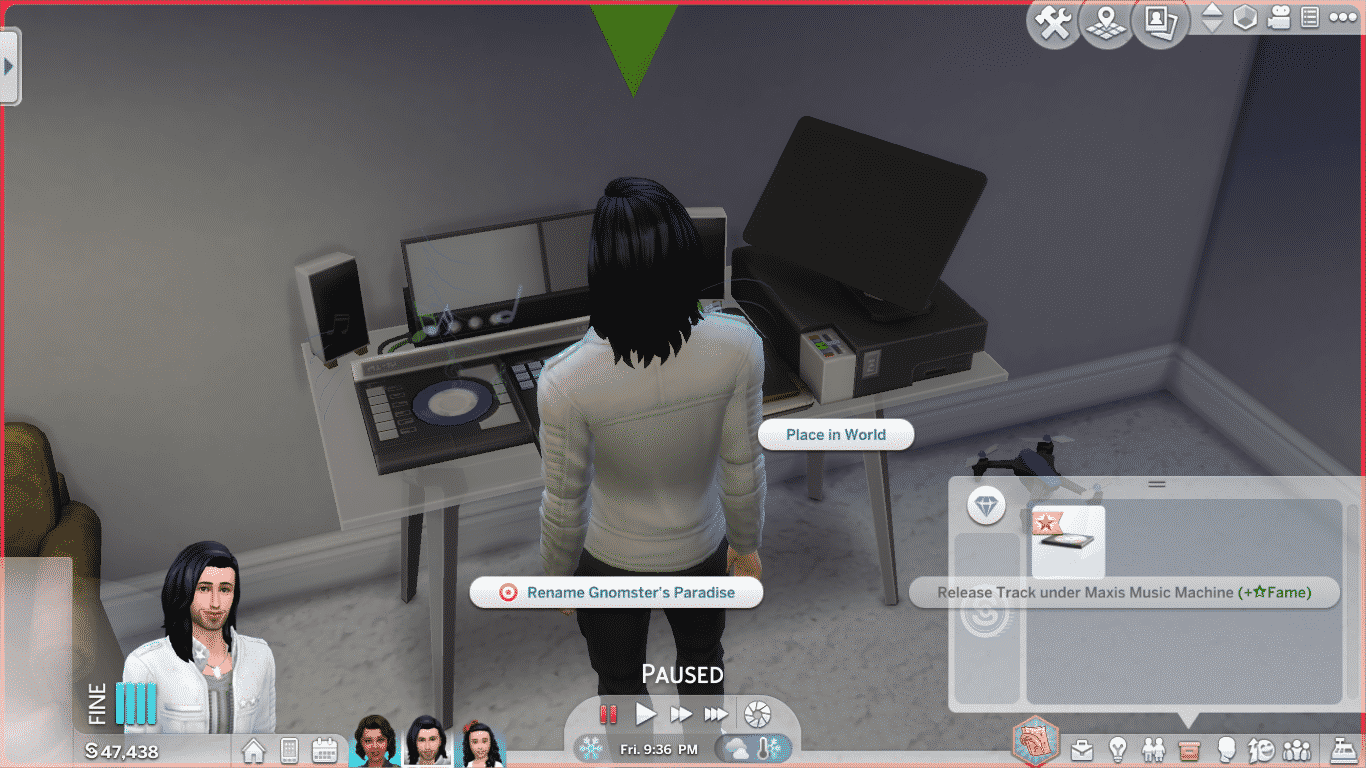
The Music Station is where your Sims can produce, customise, and release their own sick beats to the world. To start creating your own customised music track, select Produce New Track on the music station and pick one of the options.
You’ll notice that Remix and Burn Track are both greyed out in the menu until your Sim starts using the Music Station. Your Sim needs to be playing a track to be able to remix and burn it. Once your Sim has a good beat going, you can remix the track to your liking. Toggle whatever musical effects you like on or off to get your sound just right. Build the Media Production skill to open up new tracks and remix options. When you’re satisfied with the way your new track sounds, select Burn Track to put a copy in your Sim’s inventory. You’ll be able to name your track and give it a snappy description.
Screenshot 276
Screenshot 287
Screenshot 288
Screenshot 289
When your Sim has a finished track in their inventory, you can release it to a streaming service. You can do this from the Music Station or through your Sim’s inventory. In your inventory, you can also rename the track and hover over it to see its quality and other information. Your Sim will gain fame whenever they release a new track and earn daily royalties from it. Releasing a track doesn’t delete it from the inventory. Your Sim gets to keep their copy.
If your Sim wants to truly make it big, they can submit their tracks to a record label. There are three record labels to choose from that range from low to high in terms of their standards and reputation. Getting signed with a label will earn your Sim more fame and royalties when they release a track, but they need to be releasing new music every day or their label may drop them.
The Video Station
The video station is where your Sim’s dreams of being a famous YouTuber can come to life! Record, edit, and add effects to your videos, then upload them to get views and fame. To get started with the Video Station, record a video using its camera, or record some footage using the drone and transfer it to the Video Station to begin editing it.
On the Video Station, your Sim can film fashion and beauty tips. They can also film product reviews for toys, gadgets, or beauty products. Your Sim can also film emotional vlogs depending on their current emotional state. When you finish filming a video, you’ll be able to name it and give it a description.
Screenshot 277
Screenshot 281
Before filming a video, it’s a good idea to study the current trends. Do this by selecting Study Trends on the Video Station. Knowing what kinds of videos are popular right now will help you decide what kind of content will get the most views.
Screenshot 301
Screenshot 319
Once you have some footage in the Video Station’s inventory, you can edit it and add effects to improve its quality before you upload it. Click on View Video Inventory and choose the footage you want to edit. New editing options will open up to you as you build the Media Production skill. You’ll eventually be able to add transitions and effects to your videos as well as edit them, but beware! Adding transitions and effects can sometimes make your video worse! Sims with high Media Production skill accidentally ruin their videos less often.
When you’ve finished editing your video, you can upload it. Uploading videos increases your Sim’s fame. They will receive daily royalties depending on the number of views their video gets.
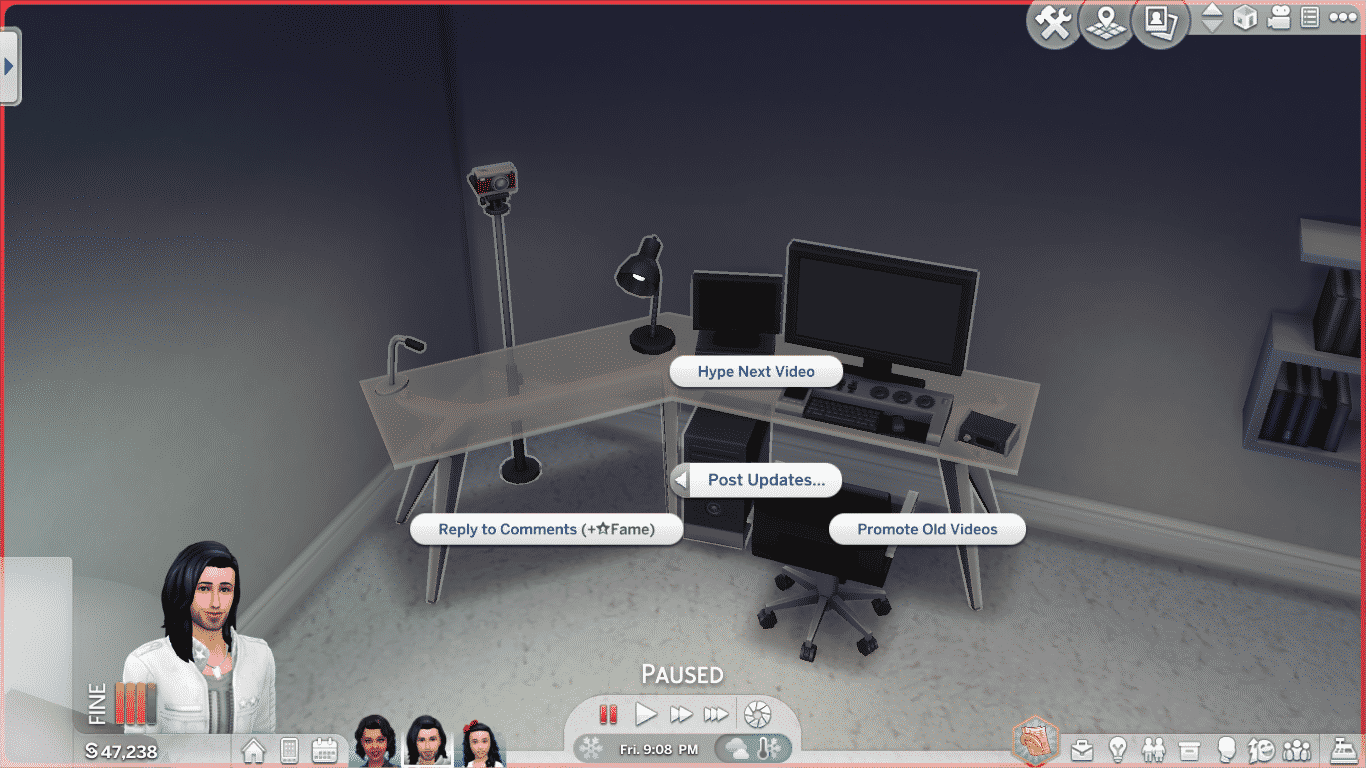
Filming, editing, and uploading videos eats up a lot of time. If your Sim doesn’t have the time to do all that but still wants to keep up their online presence, they can post updates using the Video Station. Select Post Updates on the Video Station to Hype Next Video, Promote Old Videos or Reply to Comments. Replying to comments increases your Sim’s fame and is an easy way to stay in the spotlight even when your Sim is too busy to make new videos.
PSST! Did you know that children can use the Video Station, too? Why not try making your little ones famous by filming and uploading some toy reviews?
Video Station Improvements
There are several improvements you can make to the Video Station to improve the quality of your videos. Some of them are upgrades that require Handiness skill and upgrade parts. Other improvements just cost some simoleons.
Improvements
Adjust Lights: You can change the lighting settings on the Video Station to set the mood for your videos. Choose between Bright White, Cool and Cloudy, Hazy Nightlife, and Warm Sunrise. Adding the Create Light Controller upgrade will open up even more lighting options.
Buy Add-On Components: You can buy a new camera and new lights for the Video Station. The camera costs §525 and the lights cost §235. After buying both of these components, you’ll be able to purchase a third improvement. Buy EVEN MORE LIGHTS for §550.
Upgrades
Create Light Controller
Description: Gives the complete light options Requirements: Handiness 3, 1 Electronic Upgrade Part
Add Increased Memory
Description: Allows more videos to be stored on the station Requirements: Handiness 5, 2 Electronic Upgrade Parts, 1 Common Upgrade Part
Install Auto Updater
Description: Makes the More Views Video Station Unbreakable! Requirements: Handiness 7, 4 Electronic Upgrade Parts, 2 Common Upgrade Parts
The Drone
There are two drones you can buy to help your Sim capture footage for the Video Station; a mid-range and a high-end version. The drone is useful because it gives your Sim the freedom to record videos anywhere. They aren’t stuck standing in front of the Video Station’s camera all the time. Use the drone to capture a variety of footage to transfer to the Video Station.
Select Begin Recording to turn on the drone and have it start recording your Sim. It will follow your Sim wherever they go and film everything your Sim does. Different activities result in different kinds of videos. Consult the Video Station to see what kinds of videos are trending. You can also select Begin Recording of… to have the drone record another Sim in the area.
You can stream with the drone, too! Streaming increases your Sim’s fame. Just like recording, the drone will follow your Sim around and capture footage of everything they do. The only difference is that there won’t be any footage to transfer to the Video Station after. The footage gets broadcast live to your Sim’s followers. You can stream for as long as your drone can hold a charge. Upgrade it to increase its battery life.
To see any footage the drone has captured, select Open. The drone is also porta
ble! Put the drone in your Sim’s inventory to take it with you wherever you go! Record festivals, shopping trips, and even your travels on vacation! The world is yours to capture and upload to the world!
You can also record footage of the neighbourhood with the drone. Select Record Neighbourhood Footage to send the drone out on its own to canvas the neighbourhood. When it’s finished capturing footage, it will return to your Sim and shut down. No need to keep track of it while it’s roaming around.
You can even give your drone a name! Aw!
Remember to transfer any footage the drone has captured to the Video Station! You can’t do anything with it while it’s still on the drone. Click on the drone to transfer your footage.
Drone Upgrades
Insert Lithium Battery
Description: Improves the battery life of the Streaming Drone Requirements: Handiness 3, 1 Electronic Upgrade Part, 2 Common Upgrade Parts
Swap in Reliable Components
Description: Makes the Streaming Drone break less often Requirements: Handiness 5, 2 Electronic Upgrade Parts, 3 Common Upgrade Parts
Install HD Camera
Description: Improves the quality of videos the Streaming Drone produces Requirements: Handiness 7, 2 Electronic Upgrade Parts, 4 Common Upgrade Parts
The Media Production skill is easily the most exciting 5-level skill we’ve seen in The Sims 4 so far. With so many options and customisations available on these objects, it feels like a full-blown 10-level skill. I had a lot of fun mixing my own tracks and editing videos with these objects. The drone is quite possibly my new favourite object in The Sims 4. The possibilities are nearly endless if your Sim has a drone with them. I can’t wait to make a famous world traveler who captures footage of their adventures in Selvadorada and Granite Falls!
How have your Sims used the Media Production skill to become famous? Let us know in the comments or tell us on social media!
In The Sims 4 Seasons, we saw the addition of the first after-school activity for child and teen Sims and with The Sims 4 Get Famous we have seen another new activity called Drama Club added to the game.
Enrolling Your Sims into Drama Club.
To join an After School Activity just go to your child or teen Sims’ Smart Phone. Select the Career/Household button at the bottom of the phone screen and then click Join After School Activity. Once your Sim starts to use the phone you will get a pop up asking which activity they would like to join.
Once joining you will get a notification stating that your Sim has joined the Drama Club and you can keep track of your Sims progress under where you can track their school progress.
Make sure your Sims attend their Drama Club session, complete any daily and advancement tasks to help your Sim reach the next level.
Once you have signed up your Sim to drama club they will automatically attend after their school day has finished. On the odd occassion you may need to prompt them to go if they are running a little late the same way you would as if they were running late for school. You will notice that they will change into a different acting inspired outfit for the duration of the club until they need to change outfits again.
While your Sims are at Drama Club occassionaly the game will ask for your input towards how your Sim acts in a particular moment/scene. This could be between being a farmyard animal and taking a risk as being a tiger or simply during an action scene whether to stick with a basic fight scene or add some Karate into the scene instead. While these opportunities are completley random some of these will award your child and teen Sims an amount of fame.
There are four different levels to drama club each of which has different requirements. While each level has a daily task it appears that only some have an advancemet task but completeing all of these tasks is easy and straight forward.
Drama Club Levels
Stage Beginner
Daily Task: Practice Acting or Practice Dramatics by using a mirror or selecting the Sim.
Advancement Task: Increase Creativity Skill to two to become a Line Learner.
Meetings: Monday – Friday 3:30pm – 5:30pm
Line Learner
Daily Task: Learn New Lines by either using a mirror or by selecting the Sim.
Advancement Task: Increase Creativity Skill to four to become a Practical Performer.
Meetings: Monday – Friday 3:30pm – 5:30pm
Practical Performer
Daily Task: Learn New Lines by either using a mirror or by selecting the Sim.
Meetings: Monday – Friday 3:30pm – 5:30pm
Junior Artiste
Daily Task: Learn New Lines by either using a mirror or by selecting the Sim.
Meetings: Monday – Friday 3:30pm – 5:30pm
Once you have completed all levels of the Drama Club your Sim will be awarded the Drama Club Accolade from Del Sol Valley in recognition of your Sims hard work. The Accolade can then be found in the Household Inventory in Build Mode ready to put on display.
Although your teen and child Sims can earn small amounts of fame from taking part in this activity they can certainly develop other skills. Child Sims will focus more on skills like creativity and social whereas teen Sims have a lot more options open to them skill wise as well as having fame and reputation starting to play a part in their lives too. Once your child Sim ages up to a teen they will also be able to develop their acting skill as well and who knows, they might well be on the path to becoming the next big thing in Del Sol Valley.
The new acting career isn’t the only way for your Sims to get famous. Sims can find fame in any career or skill in the game. Want to be a famous detective? You got it! A famous writer? Yup. A famous musician or comedian? Definitely. Chef? Painter? Gardener? Carpenter? Business tycoon? Athlete? A big YES to all of them and more! If you can imagine a way for your Sim to become famous, the chances are high that they can find fame that way.
But becoming famous in an everyday career is no walk in the park. You won’t have your face all over TV screens from the start like the acting career. If you want to become famous from a regular career, it’s not going to happen overnight. It will take a lifetime of hard work and dedication to your profession to begin to see any major results.
A Slow Grind
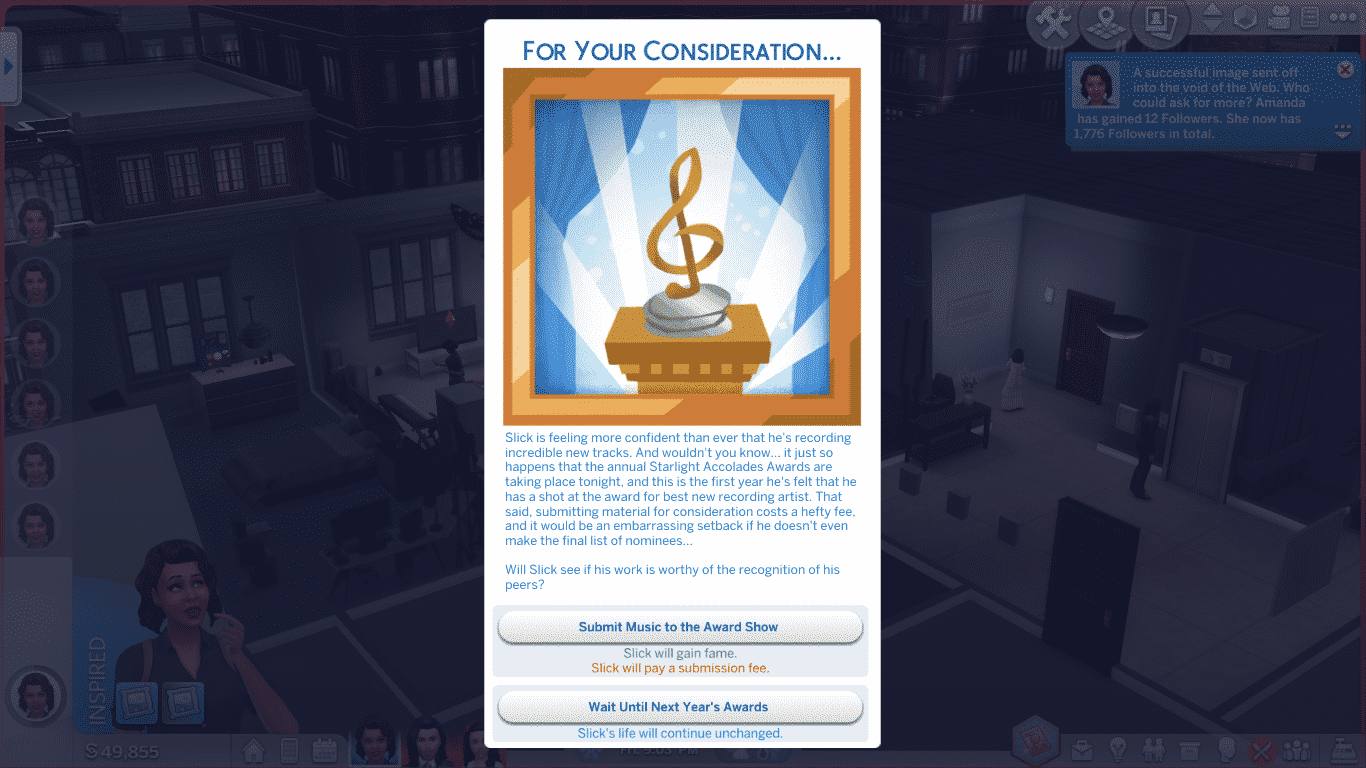
No matter what career your Sim chooses, they’ll need to get promoted to a high level before fame opportunities will start to present themselves. Once your Sim is well established in their career, they may start to receive event popups that will affect their fame level. There is no way to trigger these events except by gaining promotions and going to work. They pop up at random when your Sim is at a high level in their career. These popups differ from the standard chance cards. The outcomes are not random. You will be able to see exactly how your choice will affect your Sim. One option gives your Sim a hefty fame boost, while the other allows your Sim to continue on the way they always have been.
11 16 18 3 37 06 PM
11 16 18 3 40 25 PM
For active careers, your Sims will gain a small amount of fame whenever they do something significant during their work day. For example, Sims in the Detective career will earn fame for arresting suspects and closing cases.
Our Thoughts
One thing we noticed while playing through some of the existing careers was that fame came much more slowly. We did not receive any fame events until our Sims were at quite a high level in their careers. In the active careers, we weren’t able to gain fame faster than the decay rate. Our detective Sim would gain a small amount of fame when she made arrests and solved cases, but as soon as she got a day off, her fame would plummet back to zero. We could not get her to one star of fame solely by doing detective work.
11 14 18 4 32 59 PM
11 15 18 12 59 04 AM
We got around this limitation by supplementing our Sims’ careers with related activities that built up fame. Our Entertainer started out by playing for tips at lounges. Later on, he got signed with a record label and released tracks with the music station. Our Detective started a social media following and would regularly update her Simstagram Story on her days off to prevent her fame from decaying.
Our advice? If you plan to get famous in an existing career, supplement their career with another fame boosting activity. Get creative with it. Maybe your detective writes crime novels based on real cases they’ve solved at work. Maybe they manage the police department’s social media page and regularly post things that go viral due to their police humour. Perhaps your chef has their own online cooking show. Get them a video station and a drone and start cooking up a following. There’s lots of room for creativity.
Seeking fame in a regular career is not for those aspiring to get rich and famous overnight, but for the truly hard-working Sims among us, it might be more rewarding to find fame and fortune the slow and steady way.
Have any tips of your own for becoming famous in an existing career? Let us know in the comments or chat us up on social media!
In April last year, The Sims 4 development team invited Sims fans to help them create a stuff pack through a series of votes. This project culminated in the release of The Sims 4: Laundry Day Stuff.
Throughout the project we also got to have a look at the development process, including seeing concept art for other themes that were options in the first vote.
Some fans expressed disappointment that the themes that didn’t win the vote wouldn’t be used, especially after seeing the amazing concept art for them. However, SimGuru Graham reassured simmers that this likely wouldn’t be the last we’d see of that concept art;
“. . . none of the work that was already done will go to waste. We’ll file these ideas and pieces of art away for the future. Some of them may get made into a Stuff Pack eventually, some could be incorporated into a Game or Expansion pack, and some may simply catch our eye as an object or piece of clothing we want to create someday.”
This promise has come to fruition with the release of Get Famous. It’s only one CAS item, but it goes to show that the development team do indeed keep old unused concept art and bring it into packs where it makes sense.
This leaves the door open for other cool concepts such as the rustic wedding themed items, and the modern Japanese arcade concept, and it will be exciting to see if they revisit these themes in future packs.
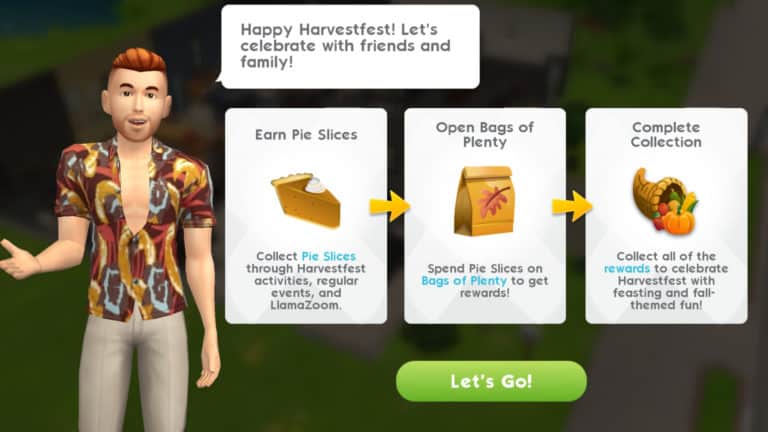
A new event has arrived in The Sims Mobile, celebrating the autumn season. The Harvestfest Event has hit Simsville, bringing with it a wide assortment of autumn-themed goodies, including a new relationship story!
The Harvestfest Event is a goodie bag event. It follows the same structure as previous events where players would need to open mystery bags to collect a random prize. Earn pie slices by completing the limited-time quest steps and completing events, then spend your pie slices on Bags of Plenty to collect a random reward. Open as many Bags of Plenty as you can to complete the collection.
The limited-time event quest has 29 parts. Players will have 6 days to complete it and finish their Harvestfest collections.
Getting Started
Wondering where to begin? We’ll guide you through the first few quest steps to help you get started. Make sure to check out our tips and tricks section below this guide for even more helpful advice on how to make the most of this event.
When you open the game after updating, you’ll see a new limited-time quest. This is the quest you should be focusing on. This new quest is for the Harvestfest Event. Completing it will help you earn pie slices to spend on Bags of Plenty.
Part 1: Happy Harvestfest!
Goal: Earn 25 Simoleons
This first task is super easy. Just send any of your Sims to work. One short shift should easily satisfy this goal. You might even get 25 simoleons just from watching a video, too, so keep an eye on your mailbox.
Part 2: You’ve got Pie Slices
Screenshot 20181115 132906
Screenshot 20181115 133151
Goal: Collect Pie Slices from the Horn of Plenty
Another easy task. All players received a Horn of Plenty for this event. It can be found in your household inventory. Open up your inventory, find the Horn of Plenty, and place it anywhere on your lot to collect from it. If you have a lot of stuff in your inventory, it might be hard to spot. Look through everything carefully. It’s in there somewhere!
The Horn of Plenty slowly replenishes its Pie Slices over time. Make sure you collect from it frequently to avoid the Horn of Plenty getting full. Once its full, it won’t continue producing Pie Slices.
Part 3: Food for Thought
Screenshot 20181115 133207 1
Screenshot 20181115 133448
Goal: Tap on a couch to look at photos of Harvestfest food
Your third easy task is also a quick one. Just tap on a couch to have your Sim look at Harvestfest photos. There’s nothing like a little inspiration to fuel a feast!
Free Pie Slices!
Screenshot 20181115 133217 1
Screenshot 20181115 133225
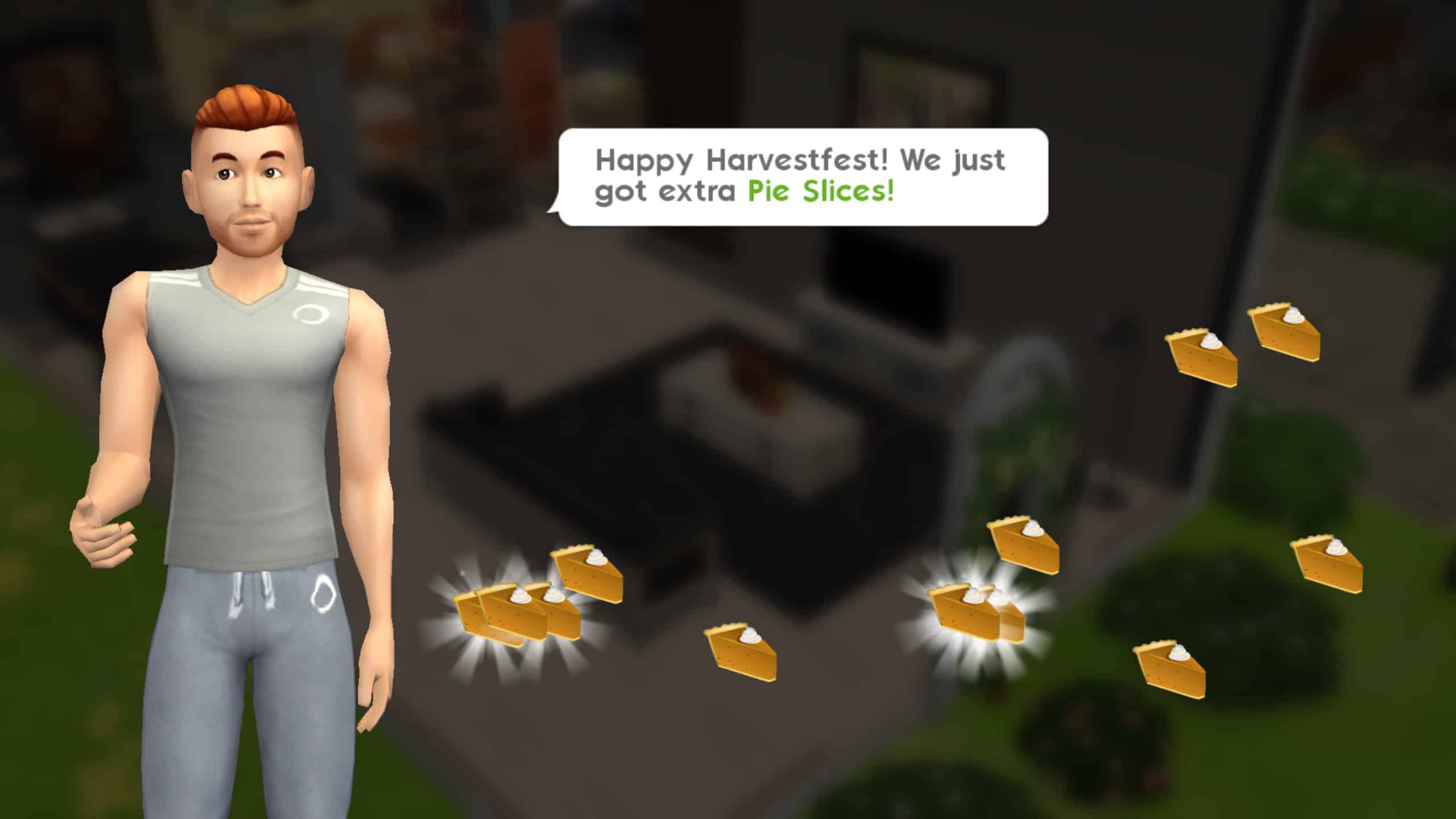
After getting to Part 3 of the quest, you’ll receive some free Pie Slices to help you get started. A mini tutorial will walk you through how to purchase Bags of Plenty with your Pie Slices.
Just tap the event icon in the top right corner of your screen and select the Bag of Plenty. On the Bag of Plenty screen, you’ll be able to see all the prizes you can win and their rarity. Tap the green button to spend your Pie Slices and open the Bag of Plenty.
Screenshot 20181115 133232
Screenshot 20181115 133239
Screenshot 20181115 133246 1
Screenshot 20181115 133312
I received Autumnal Evening Lanterns from opening my first Bag of Plenty. Neat!
Part 4: Leftover Liftoff
Screenshot 20181115 133504 1
Screenshot 20181115 133609 1
Goal: Tap on the fridge to reorganise its contents
Yet another easy task. It’s been smooth-sailing so far, hasn’t it? We’re not complaining! Tap on a fridge to have your Sim complete this goal quick and easy.
Part 5: Old Family Recipe
Screenshot 20181115 133635 1
Screenshot 20181115 133648
Goal: Tap on bookshelves and couches to look for the recipe (#/3)
This task is fairly easy as well, but you’ll need to do it three times. Tap on any bookshelf or couch to look for the family recipe. There is a cooldown period for this action on each item, but you can get around this by tapping on three different bookshelves or couches. If you’ve been playing The Sims Mobile for a while, you probably have an old couch or two in storage that you don’t use anymore. Bring it out to complete this goal if you need to. You can put it back in storage right after.
Part 6: Got Things To Do
Goal: Complete an event
This could be an easy or difficult goal depending on how you do it. We’re going to tell you the easy way. Tap on any Sim that your Sim doesn’t already know to introduce themselves. Then tap the Sim again to begin a relationship. If your Sim has the 3-star Good Upbringing trait, they’ll be able to finish this event in 3-4 actions easily. You’ll be finished the event in under a minute with very little energy spent.
If you don’t want to start a story with the Sim you just met, select Choose Later when the event ends and you’re prompted to select a story.
Part 7: Seasonal Style
Goal: Change your appearance
If you’ve been thinking of giving your Sim a makeover, now’s a good time to do it! Open your Sim’s info panel and select Change Appearance. Make any changes you want in CAS, then select Play. Boom! You’ve completed Part 7! That was easy!
Part 8: PSL With Pals
Screenshot 20181115 134027
Screenshot 20181115 134045 1
Screenshot 20181115 134117
Screenshot 20181115 134152 1
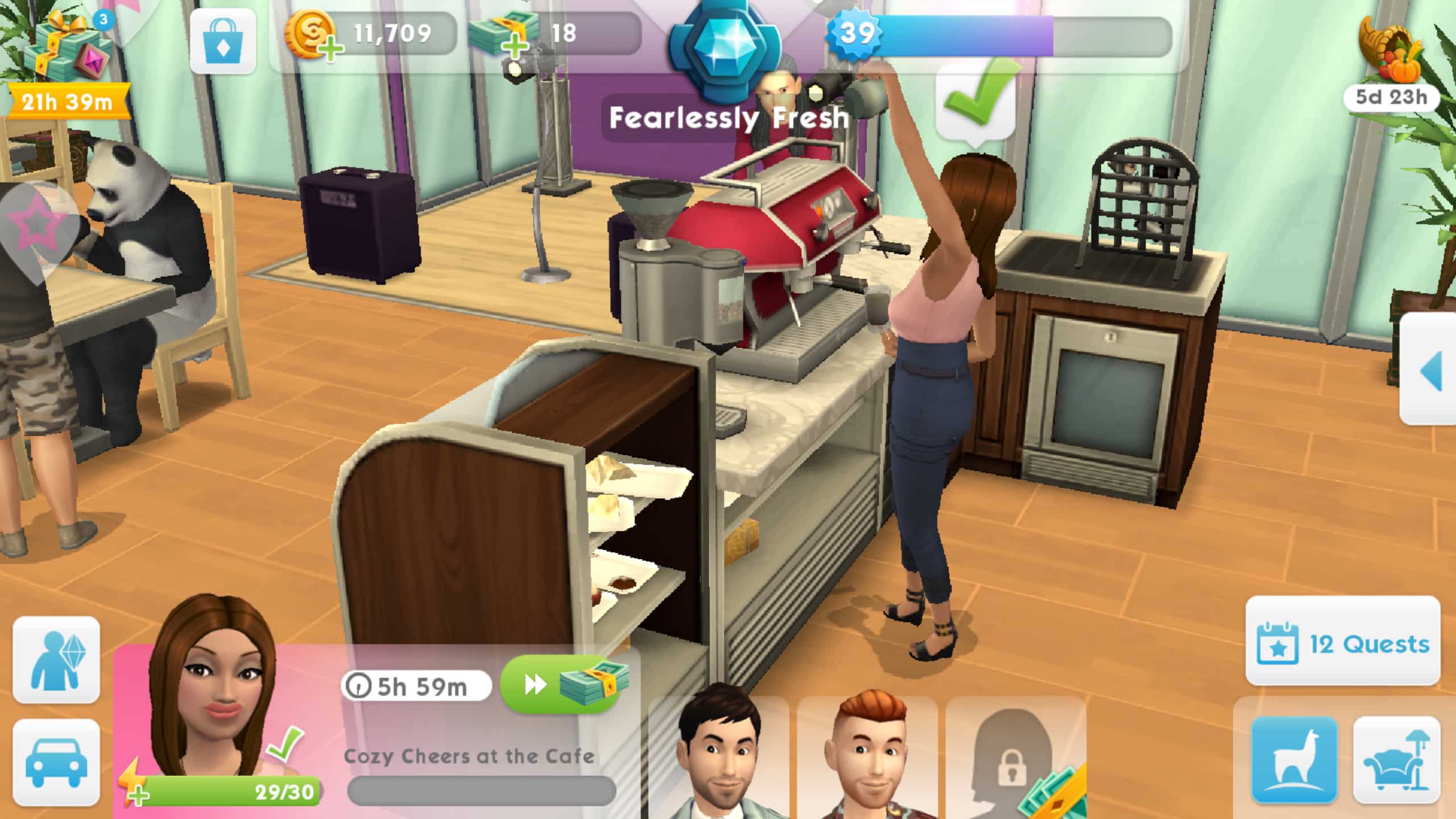
Goal: Complete the “Cozy Cheers at the Cafe” event
From here on out, the tasks are going to become more time-consuming, but hey, you’ve gotten a great head start! You can begin any of the new Harvestfest events one of two ways; by opening the event page and tapping on the event, or by tapping the leaf icon above the fridge and selecting an event.
Begin the Cozy Cheers at the Cafe event. It’s a 6 hour event so make sure you’re checking back in with the game frequently to finish it faster.
It’s all up to you from now on, but we think you’ve got the hang of things by now. Don’t worry, we’re not about to leave you completely in the dark. See our tips and tricks below for more advice on how to get through the rest of this event.
Tips & Tricks
Prioritize the Heirloom
All the goodies you can get from the Bags of Plenty are nice to have, but the real prize of this event is the heirloom. It adds a new romance story to the game called Pumpkin Spice Lovers. You won’t find this heirloom in the Bags of Plenty. You’ll have to finish the Harvestfest quest in time to earn this grand prize. Prioritize the quest over everything else. You’ll get lots of Pie Slices to spend on Bags of Plenty by doing the quest, anyway, so you won’t miss out on those rewards.
Anticipate Emily’s LlamaZoom Requests
Emily is adorable, but she is also extremely demanding. You can bet you’ll be asked to complete her LlamaZoom tasks several times throughout the duration of this quest. Emily will often ask you to complete at least one long event, which eats up a lot of time you can’t afford to waste. Make sure you have one Sim doing long events in anticipation of Emily. When she does ask you to finish a long event, you’ll already have a Sim who’s almost finished with it so you can save 7-8 precious hours and complete that task instantly.
Set Timers
Most short events take one hour to complete. It takes an hour and a half for a Sim to fully replenish their energy. Keep these time frames in mind and set a timer on your phone whenever you’re able to. This will remind you to check back with the game frequently so you can speed through the quest without worrying that you may have left your Sims doing a one hour event for the past eight hours.
Use Your Cupcakes and SimCash… but Only When Needed
Your cupcakes and SimCash are there to be used, but be sparing and smart about how you use them. If time is running out and you’re still several steps away from finishing the quest, it might be time to break out that emergency cupcake stash you’ve been saving up, but don’t throw away these precious resources too early. Save them for when you really need them.
Schedule Schedule Schedule
Work the quest around your real-life schedule as much as possible. Anticipate when you’ll be busy with work, school, or social engagements and plan your gaming sessions around them. If you know there’s a quest step that’s going to take 7-8 hours, try to get your Sims started on it before bed, work, or school. If you have some free time, try to speed through the shorter quest steps and one-hour events.
Relationships are King
Selecting the relationship tasks when you need to complete a LlamaZoom request is to your benefit because you can get those three short relationship events out of the way in minutes. Just find a Sim your Sim doesn’t already know, start a friendship event and breeze through it. When you’re prompted to select a relationship story for them, don’t choose one! Select Choose Later instead. Then continue doing those quick and easy intro events instead to complete Emily’s request. Relationships go much faster than hobbies and careers.
How far are you in the Harvestfest event? Let us know in the comments or on social media! Sul-Sul, Pumpkin Spice Lovers!
Don’t see any changes? Update your game! Go to the game’s app page in the Google Play Store (Android) or the App Store (iOS) to download the latest update and read about what’s new in the game.
The Sims 4 base game for Xbox One and PlayStation 4 is currently on an early Black Friday sale at GAME UK for just £19.99! That’s a saving of £25 off of the usual selling price. This deal only applies to the physical copies of the game bought from GAME via their website. Be quick as this offer won’t be on for long!
So if you are yet to pick up a copy of The Sims 4 base game for console then now is the perfect opportunity to do so. Don’t forget you can also pick up the brand new The Sims 4 Seasons expansion pack that was released earlier this week and a whole host of other brilliant downloadable content for The Sims 4 on Console.
One of the big factors in being a celebrity in The Sims 4 Get Famous is earning your reputation. Now your reputation can be one of two things. Either positive or negative. Regardless of which way your Sims reputation sways there are several different levels to each.
Reputation doesn’t directly depend on the actions that your Sims carry out but how the world around your Sim sees those actions and even who those actions are towards and mainly will affect your Sims public image.
One thing that SimGuruGraham touched upon in the Fame & Reputation Livestream is that although the way the reputation system works like the golden rules in The Sims 4 Get Famous, your sim would treat other Sims how they would want to be treated.
For example, if your Sim donated money to a good cause that would be noticed and then your Sim would receive a positive reputation from doing that action.
On the other hand, if your Sim was to perform mean interactions and then get into a fight with another Sim in public and there is a lot of people around to see it then your Sim would gain negative reputation.
To find out what your Sims reputation level and also fame level is just head over to the Simology menu at the bottom right-hand corner of your screen.
As you can see although this Sim is a Global Superstar she has a neutral reputation. This is where all Sims reputation starts and this is where you will see what level of reputation your Sim has.
But what are the different levels of Reputation?
Neutral
With a neutral reputation, other sims won’t be predisposed to feeling any particular way about you.
Good
With a good reputation, word is starting to spread that you’re a kind person. When you introduce yourself to other Sims, there’s a chance that you’ll immediately form a stronger starting friendship.
Great
Other Sims will love to have someone with your positive reputation around. They’ll reach out to you with various special opportunities via your phone. When you host a party, everyone will be thrilled to attend, which will help you achieve gold level rewards during events. A great reputation can improve your love life as well – romantic introductions have a chance of strating off with a heightened romance.
Pristine
A pristine reputation is as good as it gets! Passing by other Sims will elicit frinedly waves, friends will be more forgiving of any of your social miscues, and everyone’s life is brightened by your prescence. You can also host Charity Benefit parties – a posh event for gathering do-gooders to raise funds for excellent causes.
Bad
Word is starting to spread that you aren’t a kind person. New Sims that you introduce yourself to may have already determined that they aren’t interested in becoming your friend.
That said, there are other Sims out there that you can befriend.. Sims who have similarly bad reputations, or those that are Evil or Mean, may find your company perfectly pleasant.
Awful
An awful reputation isn’t all bad… Keep an eye on your phone; you’ll occasionally recieve intruiging opportunities from other Sims of ill repute. And while Sims are less inclined to respond well to romantic introductions from you, don’t fret. Friends may be willing to set you up on a blind date with other similary cruel Sims
Atrocious
An atrocious reputation can elicit strong negative reactions from other Sims that you pass in public. There’s one simple trick to countering people’s pereception of you though, and that’s bribery. Bribe other Sims for their friendship, or bribe your boss to boost your career. Some Sims will adore you just as you are though, and those nefarious ne’er-do-wells are just the types you’ll want to invite to the Lampoon Parties that someone of your poor stature can host. They’re a great gathering for all of society’s outcasts, so you’ll feel right at home.
The way you will know if your Sims have gained positive or negative reputation is easy. Similarly to when you gain or loose friendship you’ll see either a small green smiley face with wings when you earn a positive reputation or a small red evil smiley face with horns when you earn negative reputation. Depending on how you want your Sim to be seen in the celebrity world earning the reputation you want may seem like hard work to start with but it will soon become second nature.
That’s it for reputation in The Sims 4 Get Famous. Let us know what kind of reputation your Sims will have when they step into celebrity life in Del Sol Valley. Also, you can check out all the latest article for The Sims 4 Get Famous by clicking here. Are you ready for it?
SimGurus have shared some very useful Tips when it comes to preventing some of the issues that were brought with The Sims 4’s latest update. They’ve also acknowledged most of the issues that some simmers are experiencing and have noted that they’re working on permantentaly fixing them.
However, it may take a few days / weeks for us to get the hot fix update for The Sims 4. Until then here are some Tips & Tricks for the issues that were caused by the latest update:
Post-patch issues we’ve seen too:
-CC hair won’t change colors
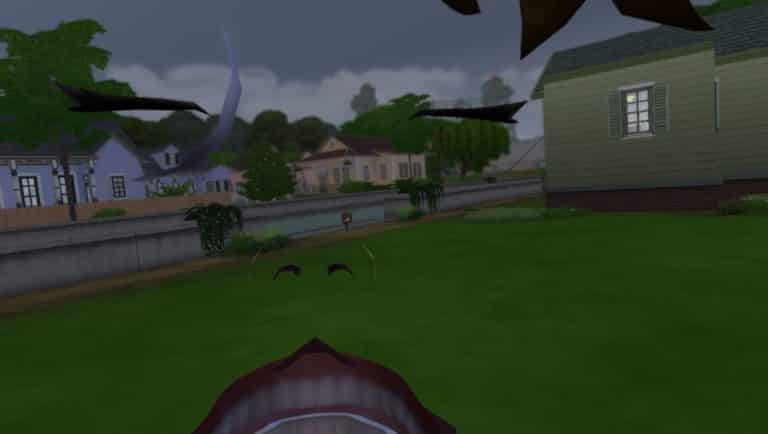
-1st person camera shows inside the head when using Intel Integrated Graphics
-Terrain paint invisible when using Laptop Mode
-Sims related to Father Winter are missing
-Sims aging after CAS if EP6 isn’t installed
Workaround for the 1st person camera bug where you’re inside the head and see teeth:
-Open the file:
C:Program Files (x86)Origin GamesThe Sims 4GameBinGraphicsRules.sgr
-remove the line that says:
setProp $ConfigGroup EnableSoftwareSkinning true
-save the file, restart game
Note that using this workaround will likely cause reduced game performance and a choppier frame rate. But that’s why it’s only a workaround, we’ll fix this in a patch soon 🙂
🚨 Heads up – if you’d fathered a child with Father Winter, that Sim will have disappeared when loading your save game following yesterday’s update. You can avoid permanent loss of this Sim by not saving over your existing save file. 🚨
If you have a save file with a Sim that was fathered by Father Winter, the next game update will restore this lost Sim, as long as you did not overwrite your save file. Here are some suggested options to ensure preserving your Sim for the time being…
1) Back up your existing saves folder. 2) Use “Save As” instead of “Save” to create a new save file to continue playing for now. Following the next update, you could return to your older save. 3) Play a different save file that doesn’t contain children from Father Winter.
Heads up if you encountered the “Sims related to Father Winter are missing” glitch! Keep in mind that you can always attempt to recover saves via the button in the Load Game menu https://t.co/81oOorEw6N
We are throwing a very special Launch Party for The Sims 4 Get Famous Expansion Pack!
Join us today, November 15th at 9PM CET / 8PM BT / 12PM PT as we play the game together and count down to the release of the pack in Europe and North America. There’s also going to be a countdown on the livestream that you can follow along.
Considering that we’ll be celebrating the game’s launch in both Europe and North America the livestream is going to last for 10 whole hours. Don’t worry if you miss out on anything as the entire stream will be DVR’d and saved for replay when the stream ends.