

We’ve extracted over 200 icons from The Sims 4 Cats & Dogs Expansion Pack! Click below to download.

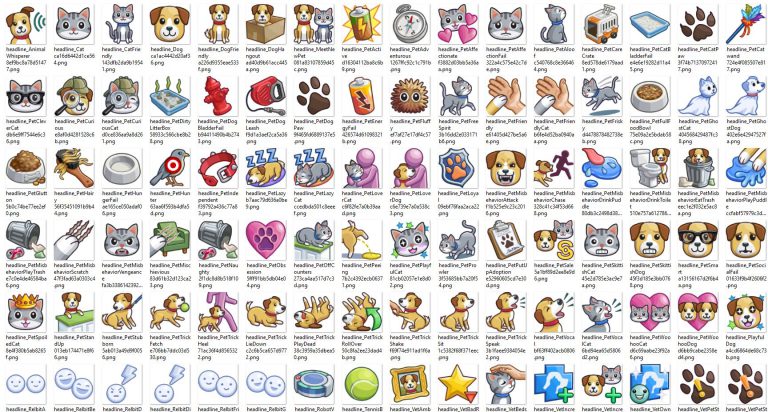
We’ve extracted over 200 icons from The Sims 4 Cats & Dogs Expansion Pack! Click below to download.
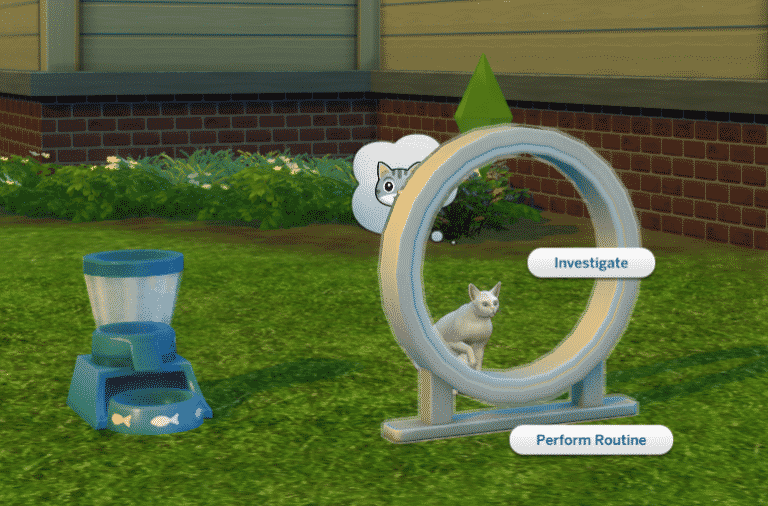
The simming community keeps on with amazing surprises – proving that impossible is possible!
People over at Sims 4 Studio have created a mod which lets your Cats & Dogs be fully playable – just like in The Sims 3!
FYI: This isn’t a full on mod that gives new features – it’s a .ts4script file which enables options that are already built in The Sims 4’s game code. It functions like an off / on switch which enables things that are already there!
To download this mod click on the image below. To install it, place the .ts4script file to Electronic Arts > The Sims 4 > Mods folder. Make sure you have Mods / CC enabled in your game options AS WELL AS script mods!


In this challenge, it’s your task to control ONLY ONE Sim from Toddler to Elder. You will have to play as if you cannot control anyone else in your household. You may do anything in your Sims life but the tasks must be complete before aging up. You can complete the tasks in any order. (I would set age span to long unless you really want a challenge)
Before starting the challenge, you need to create a family. My recommendation is 2 parents and a child sibling however you can choose to have 1 parent, no siblings or multiple siblings etc it’s up to you. Then you need to move them into a home worth under $40,000, this can be in any world or neighborhood. I would then recommend getting your parents jobs and cheating them up to level 2 or 3 of that profession. Once you begin the challenge no changes, apart from clothes/hair in CAS, can be made to the family. (Only exception is if you need to debug a sim)
Adult Exceptions (A time where you may control another sim while your Single Sim is a Toddler or Child)
As a helpless toddler you must ask your parents for meals, baths, potty, learn how to walk, talk and more! This is the stage of life where you’re totally dependant on your parents.
Task 1: Master the potty
Task 2: Become Good friends with your parents
Task 3: Master 2 Toddler Skills.

So you’ve learned the basics of life, nows the time to start getting those all important skills ready for the big world! You’re struggling through with friends and finding it hard to figure out where you belong in the world.
Task 1: Complete a child aspiration
Task 2: Complete one child skill and then get to level 2 of an Adult Skill
Task 3: Make a best friend from School
Task 4: Become Masters in Crime with your best friend and set at least 3 pranks
Task 5: Become an A Student
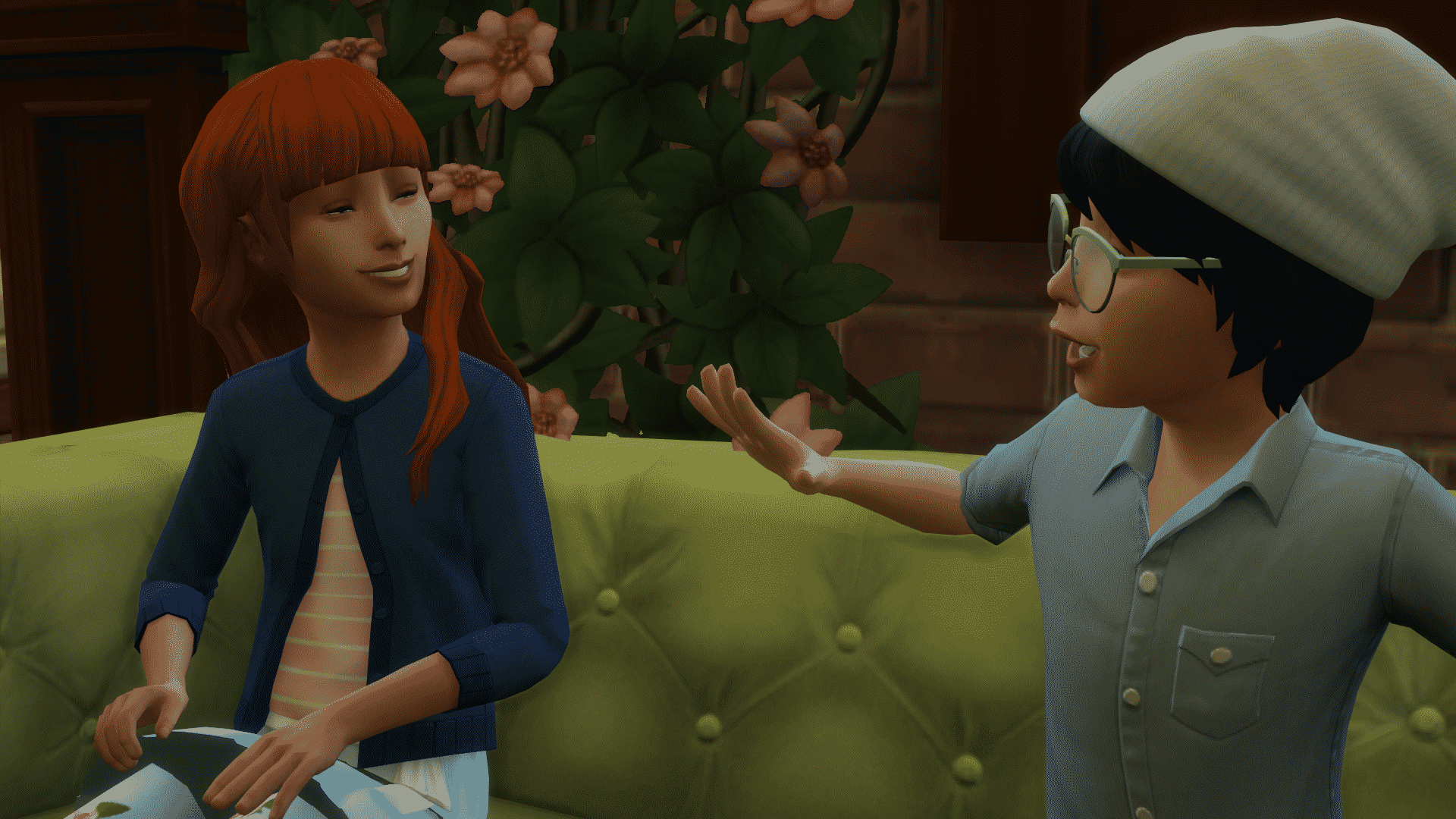
Anger, Angst and hormones. The trials of a teenager are just so much, your parents will never understand you. It’s not just a phase mum!
Task 1: Become Disliked by one of your parents or siblings
Task 2: Drastically change your Sims style
Task 3: Have you and your Best Friend skip school 4 times
Task 4: Fool around with someone then dump them
Task 5: Get a tattoo
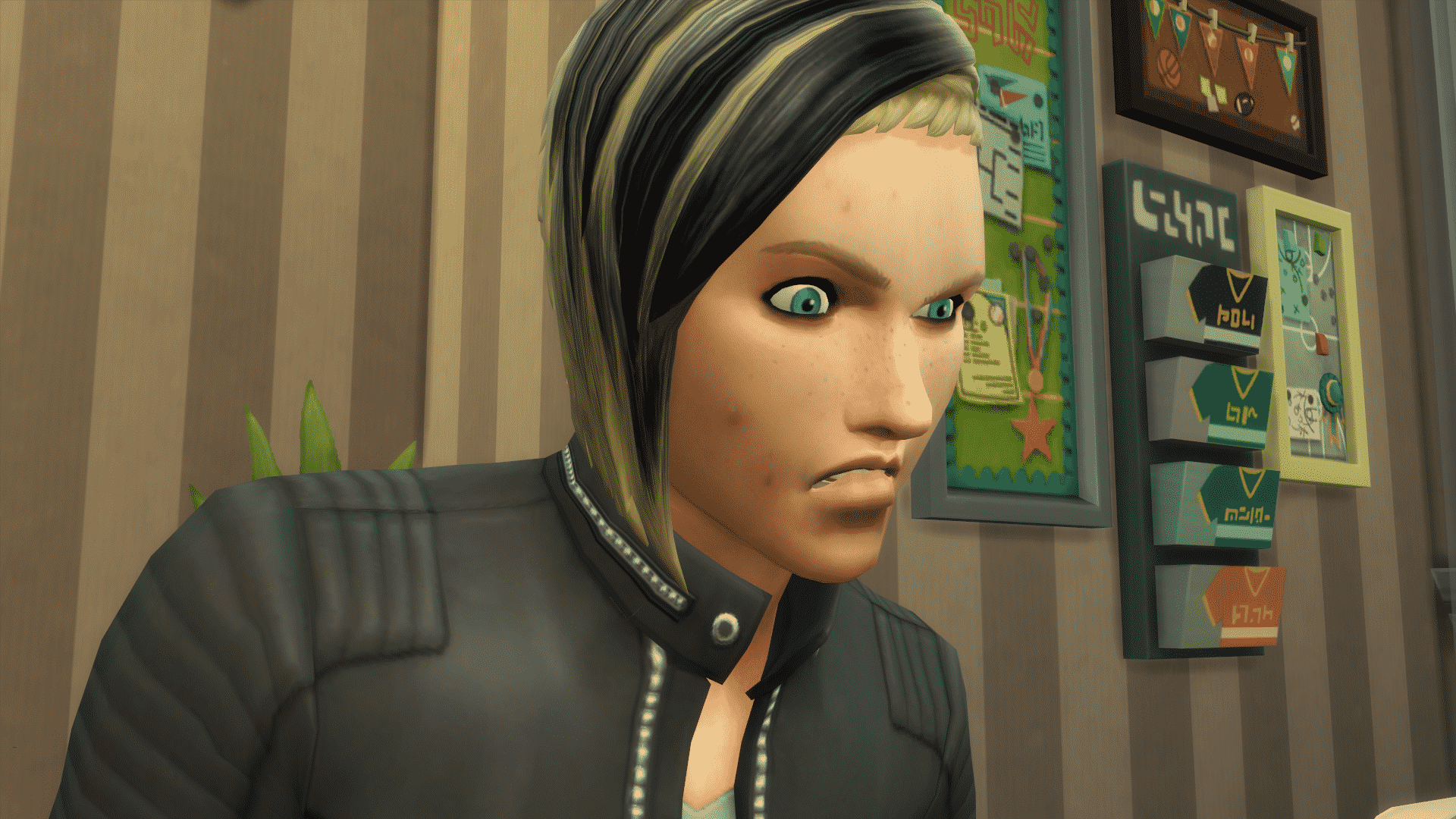
Those awkward teen years are behind you but now the real word is ahead. Can you figure out where you’re meant to end up? Or will your adult life be more of a train wreck than a fairy tale?
Task 1: Mend your broken relationship with a sibling/parent from your Teen years.
Task 2: Find a job and get to the 5th career level
Task 3: Get into 2 relationships, at the same time is up to you, and get engaged.
Task 4: Complete an aspiration
Task 5: Own a house worth over $70,000

Life’s end is coming at you fast, you’re ready to start your family and settle down. Let’s master that career and start new life as yours comes towards its end.
Task 1: Get Married
Task 2: Have 2 children
Task 3: Get to level 10 in your career
Task 4: Become Good Friends with your children
Task 5: Become Best Friends with one of your siblings or parents (If they are still alive) and make sure to visit them once a week.

You’ve lived a full life, one with its ups and downs. You’ve made your bed, but can you help shape your family’s legacy before your time is up.
Task 1: Retire from your career
Task 2: Have 3 skills mastered
Task 3: Go on 3 different romantic dates with your partner
Task 4: Have your house worth $120,000
Task 5: Dye your hair a wacky colour
If you guys participate in the challenge please tweet us @TheSimCommunity and Lady Hope, the creator of the challenge @EmmaGuyan so we can see how you’re doing in the challenge!
Good luck!

One of the things that The Sims Team didn’t cover that much in The Sims 4 for Xbox One / PS4 is how to resize objects in build mode.
To resize an object first you need to enter Build Mode. Then, select an object you want to resize and press L2 + R2 (PS4) / LT + RT (Xbox One) and use your D-pad (up and down buttons) to make objects bigger or smaller.


You can really go crazy with this and make objects cover up the entire lot!

Want to bring back the object to its original size or make it smaller than it actually is? Select the object that you resized and use the same tricks while pressing the D-pad down to make it smaller.

The Deluxe Party Edition of The Sims 4 has now released on Xbox One and PlayStation 4 worldwide and the Standard Edition of the game is just a few days away from release.
Below you can find the official pricing of City Living, Vampires and Vintage Glamour packs. These packs are out now for those who bought the Deluxe Party Edition. If you have purchased the standard version of the game you will be able to purchases the additional packs from the relevant store on release day as well.


Do remember that depending on where you live in the world, prices may vary from what is shown in this post.

Cheats on The Sims 4 for Xbox One and PS4 are almost exactly the same as the ones on PC. However, the way you use them is a little bit different.
You open up the cheat console by pressing L1 + L2 + R1 + R1 (PS4) / LT + LB + RT + RB (Xbox One).
NOTE: What’s different with cheats for The Sims 4 Console is that almost all of them require the testingcheats true enabled cheat before entering other ones. You will have to enter this cheat or otherwise other cheats won’t function.
After entering that cheat the game will let you know that it’ll disable trophies on your current save game because cheats and achievements don’t go along together.
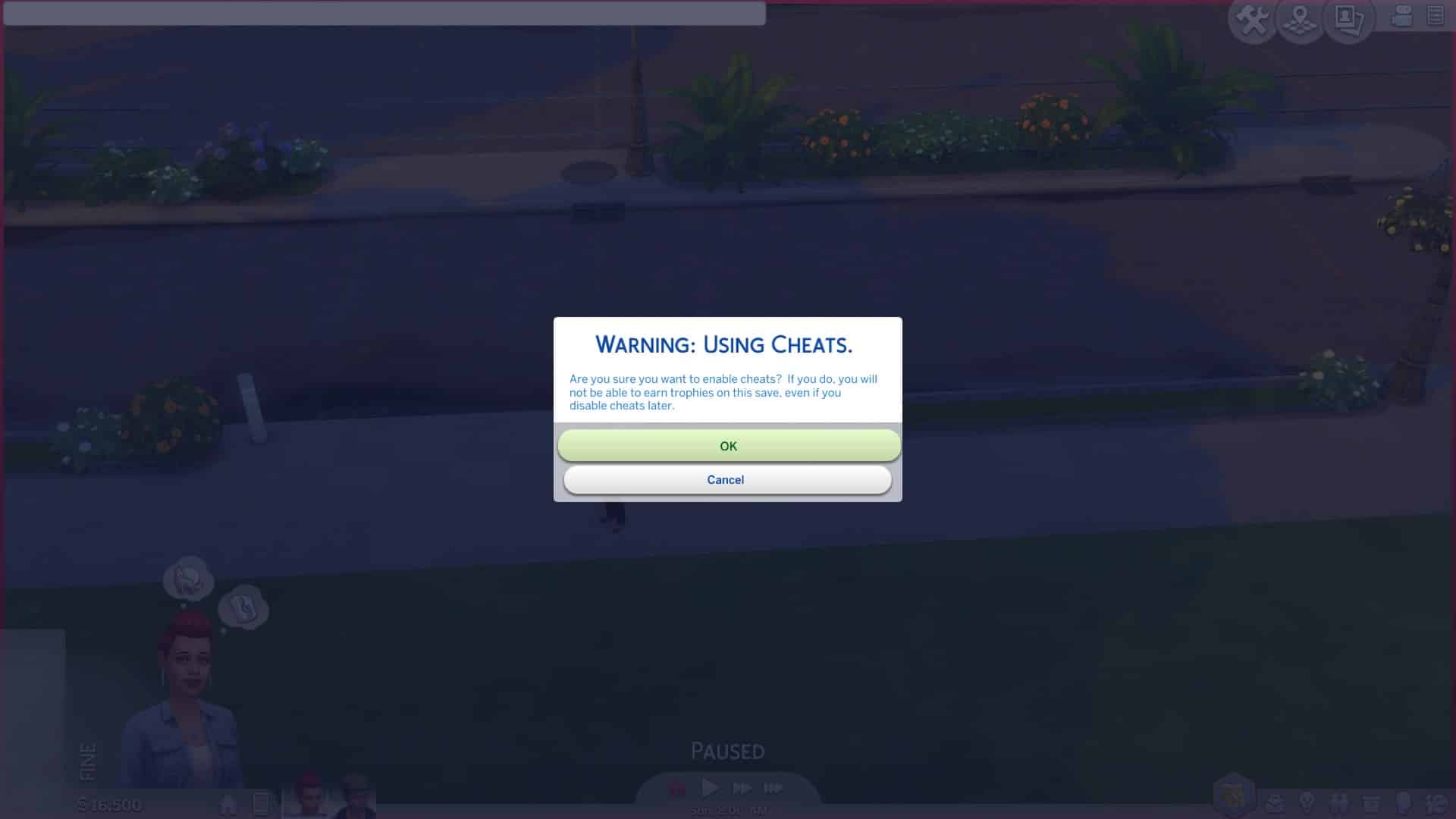
After you hit OK you are free to enter any type of cheat that’s currently available in The Sims 4 for PC. Yes, motherlode is available.
However, one of the great things about this is that the game lets you use Debug cheats as well – meaning that you can promote your Sims’ careers using the following cheat:
Careers.promote [Career Name]


Also – spawn cheats are working as well! I managed to spawn a fish right next to my Sim.


However – not all cheats revolve around entering text in the cheat console. Enabling the testingcheats true cheat will also unlock some object-specified and Sim-specified cheats. For example you can fill the motives of your entire household or add a Sim to the family (just some of the examples) by holding O + pressing X (PS4) / holding A + pressing B (Xbox One).


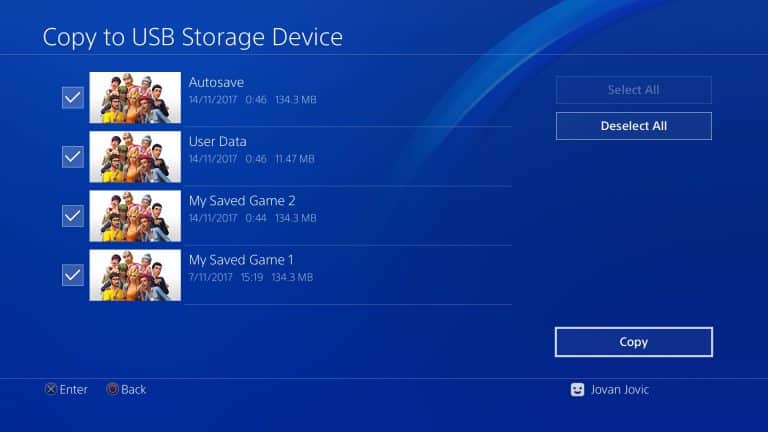
We know how it all goes – you install way too much games on your console to the point where you have to sacrifice some of your storage. Even if that’s not the case you still might wish to save your save games to some place safe.
Playstation 4 lets you storage and backup The Sims 4 Save Game files in two ways:
The best way to backup your save game files is to copy them to your external drive (because I’m sure you don’t want to depend on your internet connection too much).
Here are the steps that you need to take in order to copy your save game files onto your external drive:

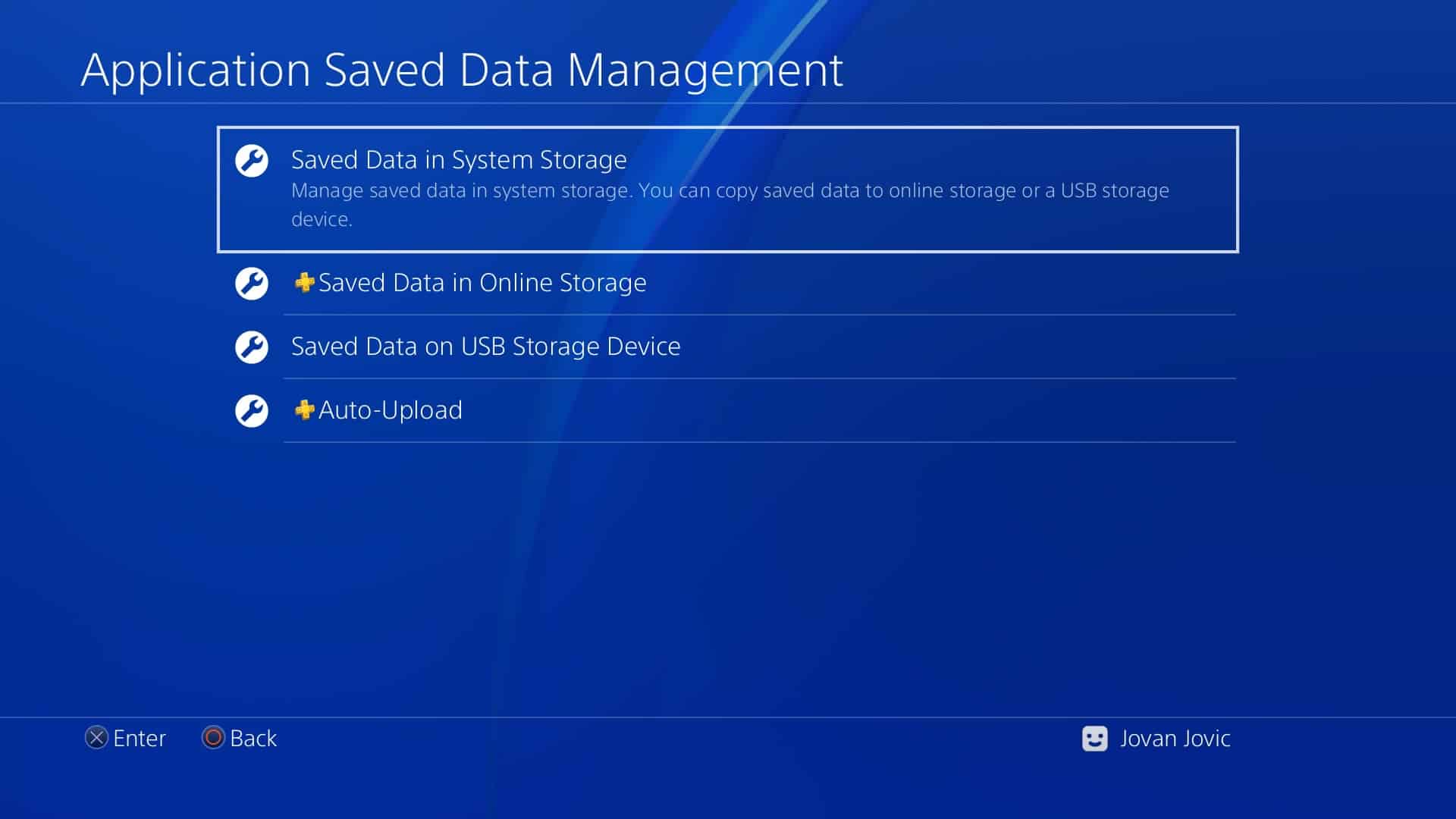

TIP: I recommend that you give your save game files in the game actual names instead of the automated “My Saved Game” to clear confusion 🙂


If you want to copy your save game files from the external drive onto your PS4 device you can do so by doing the following steps:


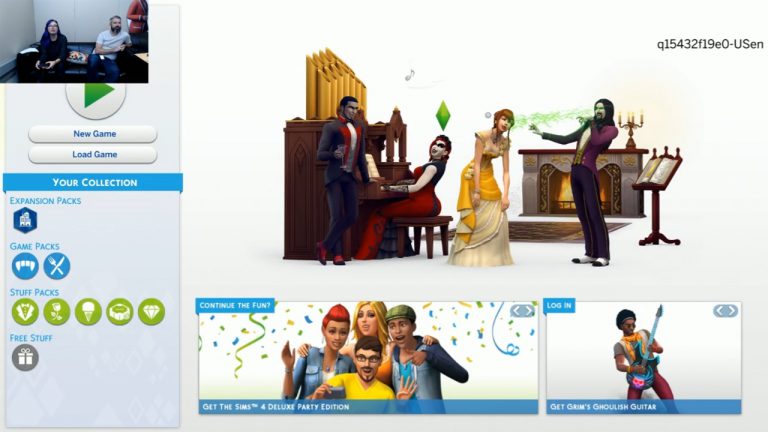
The Sims Team has accidentally (?) revealed upcoming packs for The Sims 4 Console during their “First Day DLC” livestream.
Here are the next 4 packs coming to The Sims 4 Xbox One / PS4:
Although we don’t have official confirmation, the screen shown down below tells you that they are the ones currently being in plan for release.
Stay tuned on our The Sims 4 Console news category for new info about these packs!

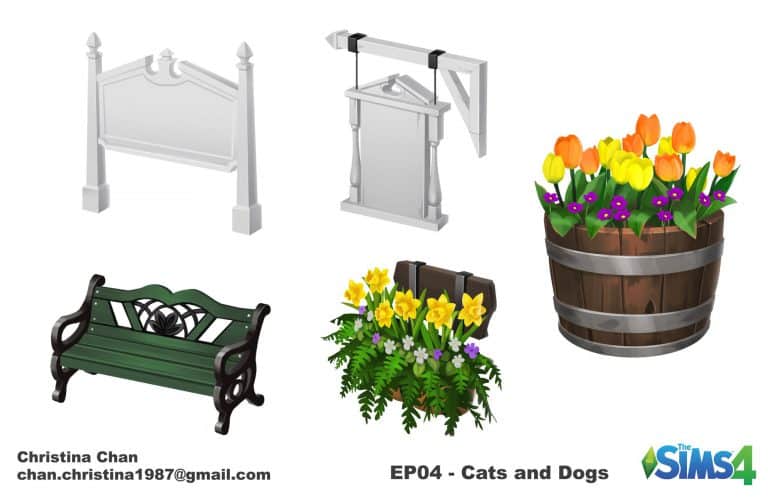
Christina Chan has published some of the concept art she created for the recently released Cats & Dogs Expansion Pack on Twitter. Take a look below and let us know what you think!


The Sims Team have announced today their brand new partnership with SPCAI. You can find out more about the partnership below!
From EA.Com
Sul Sul Simmers!
With the release of The Sims™ 4 Cats & Dogs Expansion Pack* (and the holidays just around the corner), we are embracing the season of giving by helping Pets in need.
Starting today, we are kicking-off a wonderful collaboration with the SPCAI where we give them $5,000 a week for four weeks (totaling $20,000). These donations will go towards the Shelter Support Fund grants, which provides assistance to shelters throughout the United States and all over the world, and the Disaster Relief Fund program, which provides animal shelters with financial assistance when they need it most.
We would love for you to help us spread the word about this amazing program by joining in on one of four fun community challenges, with the first one launching today!
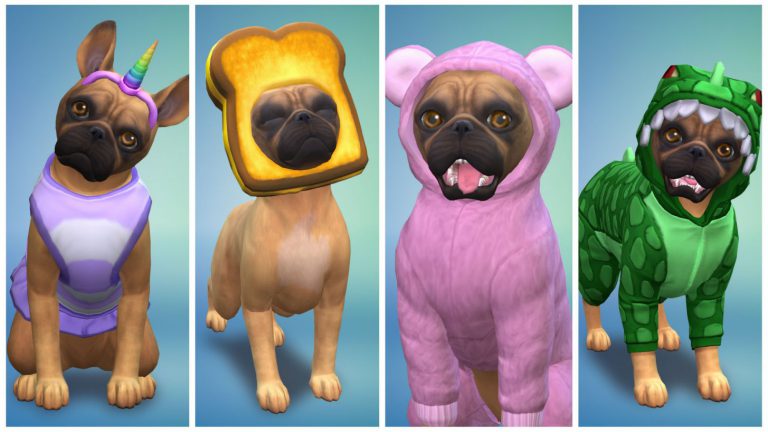
Our cute little pup Ruby (whom you may recognize from the announce trailer for The Sims 4 Cats & Dogs Expansion Pack), is looking for help on deciding which of her two outfits is the best. To vote on your favorite outfit for Ruby be sure to visit our web gallery, login to your EA account, and like your favorite Ruby outfit.
Want to make your own outfit for Ruby? You can download her from the gallery, but be sure to tag your creations with #RubyRocksSims4Paws.
Keep an eye out next week for a new challenge, which we will feature on our brand new hub page, and we look forward to seeing the amazing pets you create using The Sims 4 Cats & Dogs Expansion Pack.
Be sure to follow us on Twitter, Instagram, and Twitch, Like us on Facebook, and Subscribe to our YouTube channel.
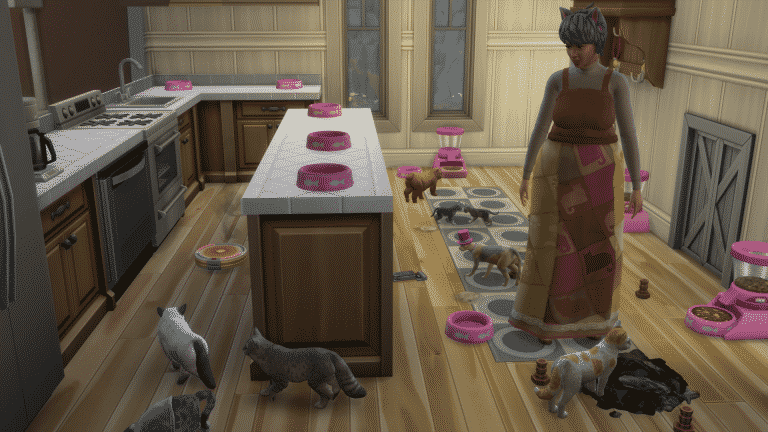
In The Sims 4 Cats & Dogs you can have up to 7 Cats / Dogs in 1 household as the household limit is 8 Sims / Pets with 1 Sim needing to be in a household in order to take care of pets. However, this limit can be adjusted with a reliable mod – MC Command Center.
Right now the MC Command Center is the only mod out there which allows you to extend the number of Sims in a households. All other mods have been affected by the latest game update and it could take some time for them to be updated.
You can get MC Command Center’s latest mod version HERE (link has been removed)! Select the right download link that says McCmdCenter_AllModules. Extract the .zip file to Electronic Arts > The Sims 4 > Mods. When it comes to extending the household number you’ll only need these 2 files:
Make sure you have Mods / CC enabled in your game options, as well as script mods!
After installing these mods you are now ready to extend the Household number. Select any computer in The Sims 4 and select “Mc Command Center”. Go to MCCC Settings > Gameplay Settings > Maximum Household size and select the maximum amount of Sims / Pets allowed in households (max number is 25).

After you select “OK” you will have to restart the game in order for it to take effect.
With this mod you are able to adopt cats and dogs without having to worry too much about the limit. You can also use testingcheats true > shift + click on a Sim / Pet to “Add to Family”. However, please note that you cannot add more than 8 Sims to the household using Create A Sim – you’ll have to use the tools that are given to you for adding Sims in live mode.
lease note that this feature is not recommended for those with low-spec computers.


With some help from Zerbu we managed to extract cheat codes for The Sims 4 Cats & Dogs Expansion Pack which were hidden deep into the game code.
These cheats give you Vet Clinic perks and the ability to kill your Pet from old age. We’re still collecting a few more cheats – including the new Feather Collection object IDs.
Please note that the testingcheats true cheat is required for these cheats to function.
The cheat is bucks.unlock_perk [code] true. Down below you can see the Perks and their codes that you should input in the place where the brackets are (brackets are not required).
Down below you can find the 2 new Skills and their cheats. Instead of “[level]” add a skill number.
You can kill a pet by using the following cheats.
First you need to get the ID of your pet. You can do so by entering the following cheat:
sims.get_sim_id_by_name [PlayedPetFirstName] [PlayedPetLastName]
In the brackets above you add your Pet names instead of the brackets.
Then, you enter this cheat with a Pet ID that was given to you:
traits.equip_trait Ghost_OldAge [Pet ID]
We updated all of our spawn collectibles table on The Sims 4 Cheats Page with new collectibles that came with this pack. CHECK IT OUT!
The Pet Training skill is a 5-level skill that comes with the Cats & Dogs expansion for The Sims 4. Sims can build this skill in order to teach their pets how to do a variety of things. Pets will be able to perform new actions on command if they have a skilled owner. While the Pet Training skill is largely dog-focused, cats are not excluded from this skill.
Let’s dive into this skill by taking a look at how it works in-game. The best way to learn about the Pet Training skill is to see it in action for yourself.

Meet Skye Woodruff and her faithful dalmatian, Pongo. They’ll be showing you how to get the most out of the new Pet Training skill. Skye loves both dogs and cats equally. She actually has a cat named Cleopatra, but she’s going to start building this skill by teaching Pongo some tricks. You’ll see Cleopatra later, I promise.
You can see here that Pongo is a smart dog. He’ll learn tricks faster than most dogs. This will help Skye build the pet Training skill, too.


If we click on Pongo, we can see a Training option in the pie menu. Clicking it will show us all the tricks Pongo can learn right now. His owner hasn’t even learned the Pet Training skill, yet, so there are only a few tricks here. As Skye builds her Pet Training skill, she’ll be able to teach Pongo more complicated tricks. Let’s start by teaching Pongo the most basic of commands: Sit.
Only dogs can learn how to do tricks. Cats can’t partake in this aspect of the Pet Training skill, so it’s good to have a dog in the house if you want your Sim to start learning the Pet Training skill quickly. Dogs can learn how to perform tricks anywhere.


As soon as Skye starts teaching Pongo, she learns the Pet Training skill. The notification lists the tricks Skye is able to teach Pongo right now. When a dog learns a new trick, you’ll get a notification that the dog has learned a new trick. A new option in the dog’s pie menu will show up, called Trained Commands. When a dog learns a trick, that trick disappears from the Training category and moves to the Trained Commands category. Your Sim will be able to command their dog to perform that trick at any time now.


Successfully teaching a dog a trick gives your Sim a +1 Happy moodlet, called “Quality Time.” Sometimes, even the smartest dog will occasionally fail to perform a trick properly. When this happens, your Sim will get a +1 Tense moodlet, called “Stressed from Training.” These moodlets have a minor effect on emotion and only last for a short time.
After Pongo learns to Sit, Skye begins teaching him how to Lie Down. This raises her Pet Training skill to level two.


At level two of the Pet Training skill, your Sim will be able to teach dogs how to Heel, Shake, and Play Dead. A new option opens up under the Training tab in the pie menu: Practice Tricks. This allows your Sim to teach their dog a series of random tricks. It’s useful for continuing to build the Pet Training skill after a dog has already learned every trick.


You can see the skill level required for a trick by hovering over that trick under the Training tab in the dog’s pie menu. As you can see here, hovering over the Heel trick on Pongo tells us that Pongo is able to learn this trick because his owner is at level two of the Pet Training skill. If we check the Trained Commands tab now, we see that there is a new trick there. Pongo has learned to Lie Down.

I had a chance to play Early Access provided by EA for The Sims 4 on Consoles (PS4 version). Check out the gameplay livestream replay above!
We asked people on Twitter to show off their kittens and puppers being the perfect companions during the first few hours of The Sims 4 Cats & Dogs Expansion Pack release. Here are some adorable photos that we received:
Here’s coco, I wish I could give the dogs one eye, but we’re reimagining her with two! Lol I gave her the trait playful and as you can tell she always has a toy in her mouth. We’re obsessed with this expansion! Best one yet!! pic.twitter.com/93mdtlQZkr
— lexi (@hellopignoli) November 10, 2017
Oh my god I was messing with the barks and she thought it was a real dog I’m crying omg pic.twitter.com/wrpmnaA8Ul
— lexi (@hellopignoli) November 10, 2017
Lulu ❤ pic.twitter.com/L3UjJemfmi
— I_am_Poppy (@I_am_Poppy1) November 10, 2017
Isn’t she the cutest ❤️ pic.twitter.com/8U4pobhBYN
— Marigold91 (@MarigoldSims) November 10, 2017
My dog Dakota getting very confused at the cats and squeaky cat ball on the game today lol pic.twitter.com/iYVfL6Kxzb
— Nightwishes *Nikki* (@Nightwishes1) November 11, 2017
Don’t mind the mess but my cat, Skellington is really into the sims version of herself. pic.twitter.com/6IbQ32NQCE
— Mister Rogers’ Neighborhood is the best show ever! (@twenty1neighbrs) November 10, 2017
Heres my baby charlie. She is wondering why my computer is barking hahaha pic.twitter.com/y1n1r1oIz7
— Americas9 (@i_am_Americas9) November 11, 2017
Here are my cats Penny and killian they are sleeping next to me while I’m playing the Sims cats and dogs pic.twitter.com/BbJTD4iki9
— Rachel Haines (@rsh2183) November 10, 2017
Its impossible to get anything done with this face staring at me pic.twitter.com/JwVVliCWRK
— Samantha (@Sammie_Leigh429) November 10, 2017
— nekrohelia (@nvkphotosknox) November 10, 2017
Sadie pic.twitter.com/D3NKVL7uRO
— lacydeee (@lacydeee) November 10, 2017
this is lo mein pic.twitter.com/abbl8u9yNf
— mashed potato cady (@cadyxo12) November 10, 2017
Some, of course, just wanted to show off their cute pets. NOT THAT WE’RE COMPLAINING
Too realistic pic.twitter.com/MiuRbDF2PJ
— Nick Mollenhauer (@NickM97) November 10, 2017
— melanie (@mellypx) November 10, 2017
My border collie, Nero pic.twitter.com/MsP1JcAQMN
— Purple Machinima (@Machinima1998) November 10, 2017
Cloudy baby cloudy cat cat pic.twitter.com/MbP6a3c4h5
— JessicaStudios (@JessicaStudios) November 10, 2017
— bad bitch with horns (@luvleahpry) November 10, 2017
Want to show off your cute pet enjoying The Sims 4 Cats & Dogs with you? Send a photo to us @TheSimCommunity!