Home Blog Page 334

4 Challenges for The Sims 4 Cats & Dogs you should try out

Looking for more challenges with The Sims 4 Cats & Dogs that will give you new ways to play? Check out these 4 cool challenges submitted by our members on Sims Community Social!

For more information about each challenge click on the challenge names below!

Family Vets Challenge

You are a single sim with an adopted child, you are a professional writer but with your extra money you are secretly building a veterinary clinic on a small piece of land in Brindleton Bay. Your adopted child grows up with a dog in the house and wants to be a vet when he/she grows up. When the child grows into a teen that’s when you bring him or her to the clinic you have been building but not using. That is when you and your child run the clinic and this clinic goes on through the generations.

The Pet Pedigree Challenge

Your goal is it to establish a pedigree, starting with the progenitor pet, that encompasses 10 generations of cats/dogs. Your caretaker may marry and have children, but they are not allowed to take a job. Their job is to take care of the pets. They may paint or write to earn money, however. Your first goal is it to establish a bond between caretaker and progenitor, and to raise the progenitor pet to adult. After the progenitor has reached the adult lifestage, it is time to find them a mate.

Wags To Riches Challenge

The rules to this challenge are quite simple – you have to open up a Vet Clinic and earn your way to 5 stars. There is a plot twist though – the only source of your Household income is breeding and selling your Cats & Dogs.

Crazy Catlady Challenge

There are two versions of this challenge. The first version is simple and it requires you to have one Sim with 7 kittens with various traits who you should guide and raise successfully to their adulthood. The second version revolves around befriending and adopting 7 strays.


Have a challenge idea for The Sims 4 Cats & Dogs? Why not submit it to our Challenges Forum!
The Sims 4 Cats & Dogs Review

After years of waiting and months of speculation The Sims 4 Cats & Dogs Expansion Pack has finally hit the shelves. However, does it justify the long wait and the $40 price tag? Read our review to find out!

Game Review Standards

This review is based on 25+ hours of gameplay.  Even though I was given an early review copy by EA to test the game, I am not by any means paid or bribed to state positive (or negative) opinions about this Expansion Pack.  I will give my honest opinion of this pack; its content and what it brings to the game.


Create A Pet

Create A Pet is so detailed in The Sims 4 Cats & Dogs. From the ability to pick and search for breeds to sculpting any part of their body – you’ll find yourself enjoying creating a creature that doesn’t even have to be a Cat or a Dog. Just look at this Tiger created using Create A Pet!

Created by TheKalinotr0n

The Sims 4 Cats & Dogs Review

One of the greatest thing about this pack is that it brings a tool so powerful that it throws shade at all other creative tools in The Sims 4. It’s so good that it makes you wonder “why can’t I do this for my Sims as well”.

Honestly though – even Pets now have better makeup options than Sims in The Sims 4. Can you draw a highlighter on your Sim’s cheekbone and set it to a certain opacity? Nope, but you can do that to your cats.

Please don’t do this to your pets in real life.

The Sims 4 Cats & Dogs Review

Create A Sim

After years of my complaining The Sims Team has delivered a somewhat equal amount for both Masculine and Feminine fashion choices. The difference was drastic in previous packs but in this pack you can really tell that the team has devoted their time into creating equal assets – and they’ve done a great job.

There are new assets for Sims of all ages and they are just pawesome!

Also, this feminine curly hairstyle has definitely raised some standards. More of these hairstyles in future content please!

The Sims 4 Cats & Dogs Review

Build Mode

Most of the new objects that revolve around indoor residental furnishing are country-themed objects – and it’s a breath of fresh air from all the modern items we have received with previous content!

There are only 2 things I dislike about Build Mode which will impact the rating of the build mode section greatly: lack of pet objects and an excessive amount of decals.

You’d think that you’d get more objects for a pack that revolves only around Cats & Dogs but nope – you only get basic objects to satisfy your pet needs including a refurbished toy box designed for pets and an obstacle course.

Was there really a need to add 67 decals?! I understand that it’s all cute and awesome to add cats and dogs imagery on your Vet Clinic sign or decorate your house with paw prints, but The Sims Team could’ve stopped at that and not create an excessive amount of decals. All of that work strenght could’ve been spent on new wallapapers / floors because compared to previous Expansion Packs this one lacks of them!

Brindleton Bay

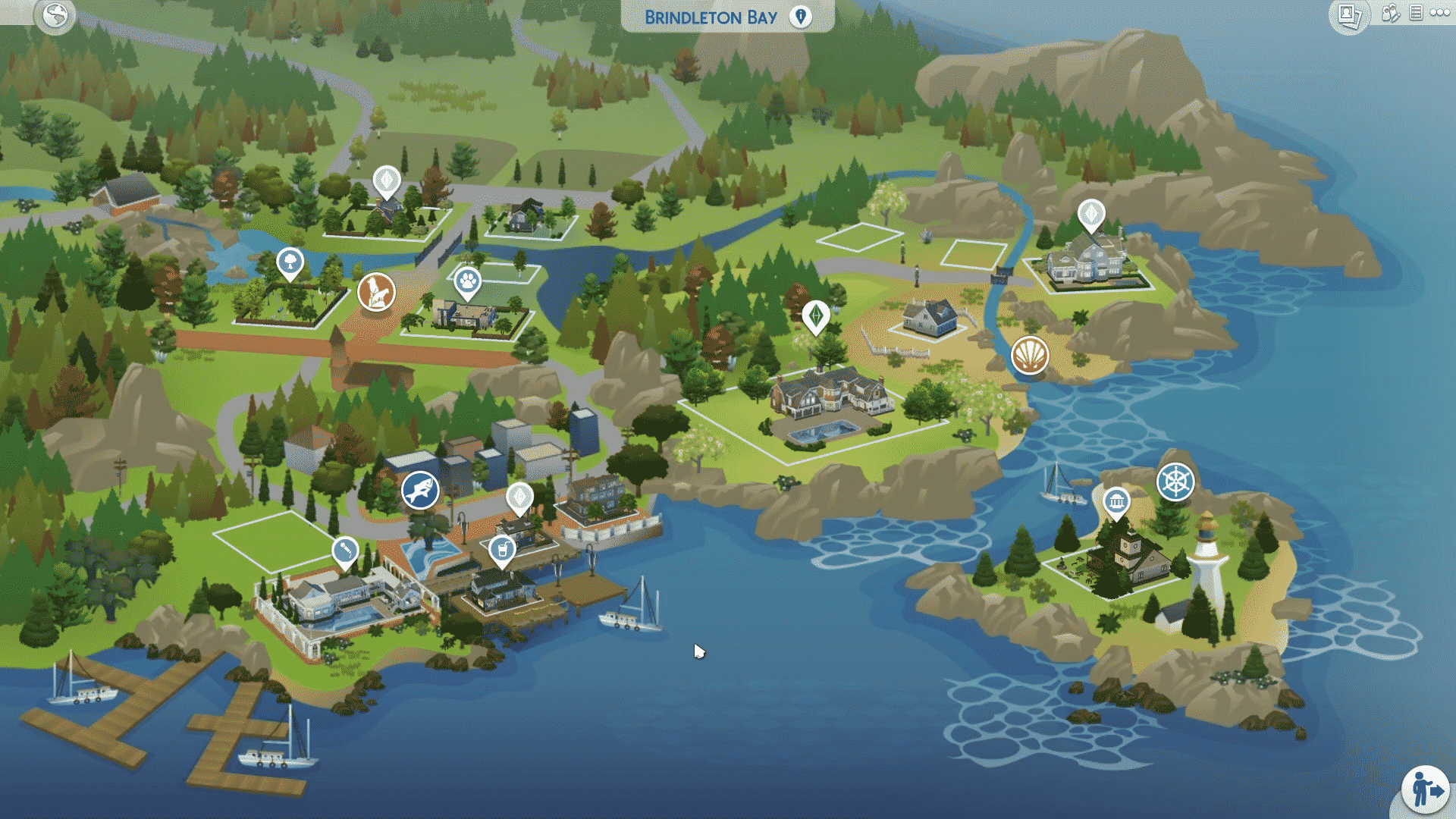
Cats & Dogs comes with a new world called Brindleton Bay and it’s gorgeous in so many ways. Sure, there are only 4 neighborhoods / 16 lots in total but you get so much space to spend amazing moments with your Pets and take them to go out and explore.

There are some amazing details and features that are tied into each neighborhood and that level of attention is not that noticable with worlds in previous packs – which means that it can only get better from this point on.

Another great thing is that the team is focusing on giving each neighborhood its own story. They are continuing the tradition that started off with The Sims 4 City Living’s San Myshuno where each neighborhood got its own description and theme.

The Sims 4 Cats & Dogs Review

Updating, Patch Notes and Version Information for The Sims 4 on PS4

The Sims 4 has just been released with its first ever “Day 1” Update and you’re probably wondering how to update the game on your PS4 device and how to check what version of the game do you have right now.

You can check that out by following the next steps:

Updating The Sims 4

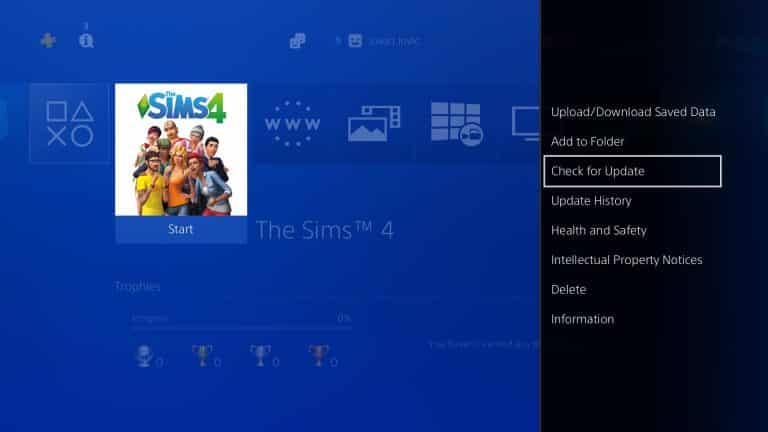
Find The Sims 4 in your library and select the “Options” button on your Dualshock controller. Select “Check for Update”. If PS4 tells you that the game is already updated to the latest version that means that you don’t have to update it. If there’s a new version available you’ll be asked if you want to download the new version of the game.

Updating, Patch Notes and Version Information for The Sims 4 on PS4

Patch Notes

You can find the latest patch notes for The Sims 4 in the “Options” panel by selecting “Update History”. There you’ll find all the latest versions of the game as well as what’s been fixed and added with the new updates.

Updating, Patch Notes and Version Information for The Sims 4 on PS4

Version Information

Don’t know what’s the current version of your game? You can check that out by selecting the “Information” option in the “Options” section. There are also some other details including when was the game last updated, what size is it and where is it installed.

Updating, Patch Notes and Version Information for The Sims 4 on PS4

The Sims 4 Console: New Update + Patch Notes! (November 17th, 2017)

The Sims 4 Console: New Update + Patch Notes! (November 17th, 2017)

The Sims Team has released a brand new Update for The Sims 4 for Console devices – Xbox One and PS4!


Update: 11/14/2017  – v1.01

Hiya Simmers,

So here we are on a momentous day!  The Sims 4, on your TV, with a controller!  Did you ever think this day would come?!  Don’t answer that, it was rhetorical.

Like every special day there is a huge amount of research, planning, work, and running around like mad lemmings that goes into it.  This is our recital, and it was important for us to rock it, right on time.  Things are bound to get missed, or sometimes, turn out… unexpectedly.  Otherwise, I wouldn’t get the opportunity to write you all these little notes.  And, I cherish these notes.

So, what happened was: we fixed some stuff.  Lots of stuff. I mean, a normal amount of stuff, for a game of this size, right?  All with the goal of making this play and look really darned awesome on your TV. There’s so much here and you want to get on with playing, so here are the highlights:

  • Controls.  We think they’re very vital. They’re tricky, tricky, tricky, tricky…
  • Crashes.  Zoom in with the camera and turn it all about. Install, uninstall, reinstall, and shake it all about. Dance the Hokey Pokey with the network cable.  It won’t crash — now, that’s what it’s all about!  (Disclaimer: Do anything not listed here and it might crash. Let us know if it does.)
  • Some things looked wonky.  We unwonkified it, mostly anyway.
  • Everyone can now use the Holiday Celebrations Pack.  No more age restrictions on ugly holiday sweaters.
  • Teens now have the right number of trait buttons.  But really, how many buttons do we need for surly, know-it-all, professional eye-roller?

Until we chat again folks, stay Sims.

Yours truly,

SimGuruCleaningLady

The Sims 4 Console Launch Trailer

1

https://www.youtube.com/watch?v=1kWjJnl5cmU

The Sims Team has released a new trailer, celebrating the launch of The Sims 4 + some packs for PS4 and Xbox One!

The Sims 4 Cats & Dogs is coming to Consoles TODAY, according to EA France

EA France tweeted out an interesting tweet, saying that The Sims 4 Cats & Dogs is coming to consoles TODAY!

The link that they’ve provided hasn’t gone live yet, meaning that they’ve probably tweeted this out prematurely. Please keep in mind that there’s still no solid proof or fully official confirmation that this Expansion Pack is coming to Consoles today. However, from all the leaks that we’ve received so far (including the listing on Empik), we can say with confidence that Cats & Dogs will be available eventually.

We’ll update this post with more information as they appear.

The Sims 4 Cats & Dogs is coming to Consoles TODAY, according to EA France

The Sims 4 Console is now available Worldwide!

0

The Sims 4 for Xbox One and PS4 has just released to consoles worldwide!

This means that both Deluxe Party and Standard Edition are now available for purchase / download on the Microsoft / Playstation store.

If you missed out on the opportunity to get Perfect Patio by Pre-Ordering the game and / or just want to see which packs are currently available for The Sims 4 Console, check out this page!

The Sims 4 Console is now available Worldwide!

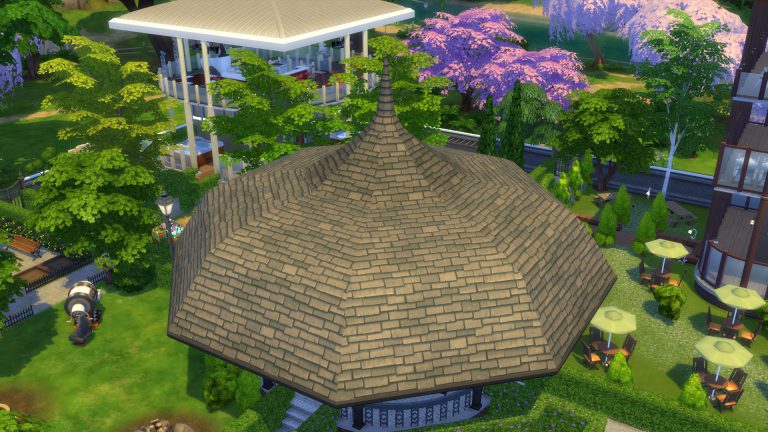
Build Creative Roofs in The Sims 4: The Witch Hat

0

How about getting creative with roofs?

Let’s try something new with this medieval roof that is perfect for picturesque cottages, gazebos or fantasy/medieval architecture in general. Or perhaps you just want to build a giant umbrella!
It’s time to raise the roof, party people!

Build Creative Roofs in The Sims 4: The Witch Hat

Witch Hat Roof

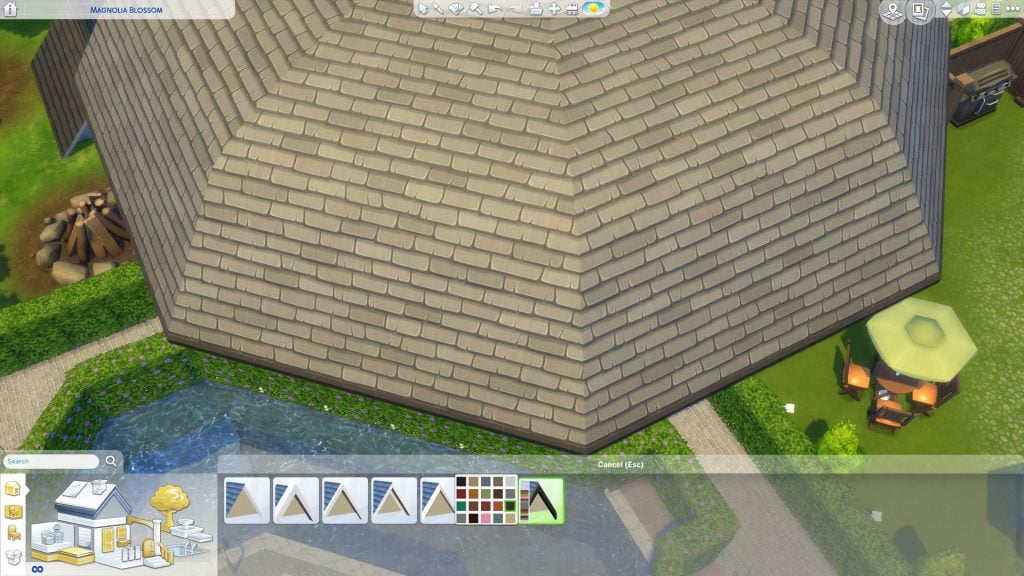
We will use a new tool: the Octagonal Roof. It debuted in the November 2017 patch for all players, free of charge. It has eight sides, exactly like the gazebo we are finishing building.

Build Creative Roofs in The Sims 4: The Witch HatHere’s where you find it.

Build Creative Roofs in The Sims 4: The Witch HatThis will be the first of three roofs that we will employ, even though the idea is that the final result looks like a single roof. Let’s place number one atop of the gazebo.

Build Creative Roofs in The Sims 4: The Witch Hat

Now we use these four identical arrows to stretch it until it fits over the entire ceiling.

Build Creative Roofs in The Sims 4: The Witch HatOne more stretch.

Build Creative Roofs in The Sims 4: The Witch Hat

There you go!

Build Creative Roofs in The Sims 4: The Witch Hat

Now we are going to use the spheres to tune our roof. Its base form is a straight slope, but we can add or subtract volume so it bends inwards or outwards. Let’s add volume to make it rounder.

Build Creative Roofs in The Sims 4: The Witch Hat

NOTICE: These controls are somewhat tricky to master because they react to the slightest movement, so you need to move your mouse slowly and steadily to fine-tune it. 

This roof is too tall for a base roof. Let’s bring it down.

Build Creative Roofs in The Sims 4: The Witch Hat

Let’s add a bit of overhang for shade and style. This is how you do it.

Build Creative Roofs in The Sims 4: The Witch HatTime to add the second octagonal roof.

Build Creative Roofs in The Sims 4: The Witch Hat

Let’s adjust it, being careful so it doesn’t clip through the base roof.

Build Creative Roofs in The Sims 4: The Witch Hat

Once it’s perfectly positioned, let’s use the sphere control to refine volume. We made the first roof rounder. Let’s do the opposite here.

Build Creative Roofs in The Sims 4: The Witch Hat

Let’s find the ideal height.

Build Creative Roofs in The Sims 4: The Witch Hat

I believe we got it. Time to plop down the third and last roof.

Build Creative Roofs in The Sims 4: The Witch Hat

Since it is already small enough, instead of stretching it to fit, we’ll just move it, so it’s central.

Build Creative Roofs in The Sims 4: The Witch Hat

We need to make it really tall, so it can be a pointy end.

Build Creative Roofs in The Sims 4: The Witch Hat

Time to add some trimming to the base roof. I’m matching the wooden columns I used on the gazebo, but you might also match doors and windows or wall trims.
Build Creative Roofs in The Sims 4: The Witch Hat

Let’s paint the roof.

Build Creative Roofs in The Sims 4: The Witch Hat

Don’t forget to paint all three!

Build Creative Roofs in The Sims 4: The Witch Hat

And we are done!

Build Creative Roofs in The Sims 4: The Witch Hat

SPECULATION: Seasons Hints are strong in The Sims 4 Cats & Dogs

We know how much The Sims Team likes to hint at future content – whether they care to admit that or not.

Back in May this year they released The Sims 4 Parenthood Game Pack where they included several hints for The Sims 4 Cats & Dogs.

One of the most obvious hints is their hint at the Veterinarian Career in The Sims 4 Cats & Dogs. Just check out that object description!

SPECULATION: Seasons Hints are strong in The Sims 4 Cats & Dogs

There were also some subtle Cat / Dog hints in various assets, including the paw print on this jacket:

SPECULATION: Seasons Hints are strong in The Sims 4 Cats & Dogs

Now that we finally have The Sims 4 Cats & Dogs, it’s starting to feel like The Sims Team has a few tricks in their sleeves. Let’s check out some of the possible hints they’ve included in this Expansion Pack!

The Pet Calendar

There’s an object in this Expansion Pack called “6 Days of Pets”. What’s interesting about it is that it comes with only 4 presets, and each preset carries a certain Season color:

SPECULATION: Seasons Hints are strong in The Sims 4 Cats & Dogs

Cavalier Cove Beach

Have you noticed anything strange about the Cavalier Cove Neighorbhood? If you look around closely you’ll see Sim silhouettes in bikinis near the beach playing with kites. These visual effects seem to appear only in this beach-themed neighborhood.

SPECULATION: Seasons Hints are strong in The Sims 4 Cats & Dogs SPECULATION: Seasons Hints are strong in The Sims 4 Cats & Dogs

The World Itself

The Sims 4 Cats & Dogs is the only pack so far which brought new trees with autumn leaves to the game! Brindleton Bay is full of trees which seem to be impacted by the weather.

There’s another possible hint and that’s a statue of a man wearing a raincoat which you can find in Whiskerman’s Wharf.

SPECULATION: Seasons Hints are strong in The Sims 4 Cats & Dogs SPECULATION: Seasons Hints are strong in The Sims 4 Cats & Dogs

All those Trees…

There are several new trees in this pack which come with presets that tell a gradual tale of a tree slowly decaying / blossoming (depending on which tree you picked out).

SPECULATION: Seasons Hints are strong in The Sims 4 Cats & Dogs

Also, check out these object descriptions!

SPECULATION: Seasons Hints are strong in The Sims 4 Cats & Dogs SPECULATION: Seasons Hints are strong in The Sims 4 Cats & Dogs

This Reddit Post Comment

SimGuruDaniel, one of the producers on The Sims 4 has commented this on a post which talks about adopting strays who could be left out in the rain or snow:

SPECULATION: Seasons Hints are strong in The Sims 4 Cats & Dogs


What do you think – are we reaching too far with this post or is there actually something in here that could hint at Seasons coming soon to The Sims 4? Let us know in the comments!

The Sims 4 Cats & Dogs: Official Lot and Households

1

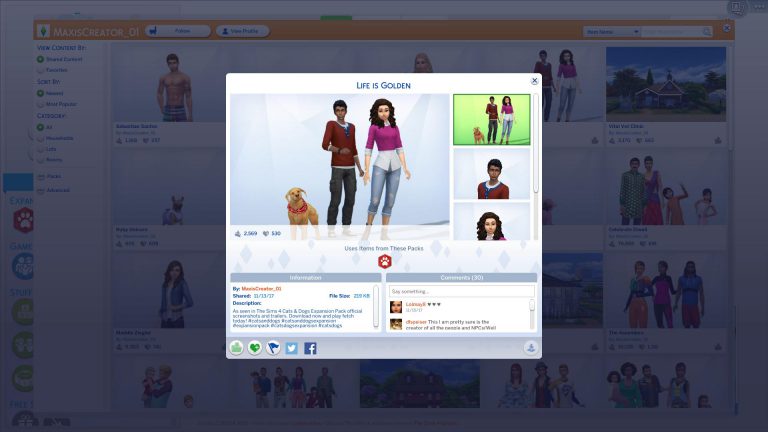
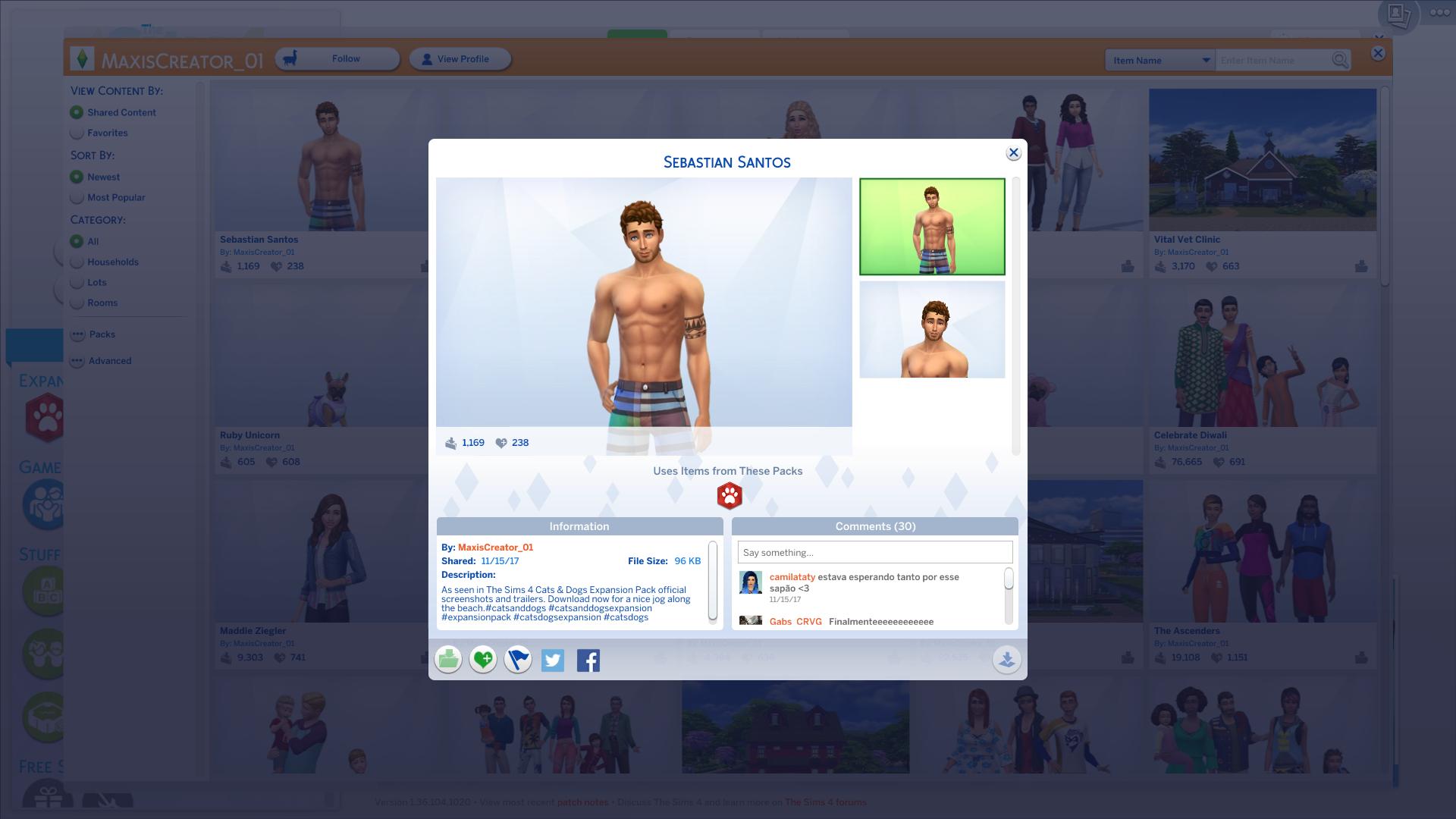
The Sims Team has uploaded official creations on their MaxisCreator_01 Gallery ID – including a Vet Clinic and some Households which you’ve probably seen in promotional materials for The Sims 4 Cats & Dogs.

You can check these out below. Each creation can be downloaded by selecting the heading of a certain creation!

Vital Vet Clinic

The Sims 4 Cats & Dogs: Official Lot and Households

Life is Golden

The Sims 4 Cats & Dogs: Official Lot and Households

Miriam & Laika

The Sims 4 Cats & Dogs: Official Lot and Households

Joaquin

The Sims 4 Cats & Dogs: Official Lot and Households

Sebastian Santos

The Sims 4 Cats & Dogs: Official Lot and Households

The Sims 4: New Update + Patch Notes! (November 15th, 2017)

The Sims 4: New Update + Patch Notes! (November 15th, 2017)

The Sims Team has released a brand new Update for The Sims 4, fixing the save game issue!

To download the latest version of The Sims 4, simply open your Origin program and if the game doesn’t update automatically, right click on The Sims 4 and select ”Update”.

In case you have Mods or Custom Content, the game will automatically disable them for you after first launching The Sims 4 after the update. To re-enable all your Mods and Custom Content, select the Settings option in the Menu and select Settings. Under the”Other” section you’ll find the ”Enable Custom Content and Mods” option. Check it and restart your game in order for it to take effect!

Patch Notes

Update: 11/15/2017 PC 1.36.104.1020 / Mac 1.36.104.1220

I like to count things, sometimes things you don’t even know I’m counting. 99, 100, 101, 102… Did you see 102? Well, if you did rest assured, we saw it too.  We cleaned up that little mess with 102, and your saves are now peachy keen.

Dead Sims hiding in the Netherworld have also been a little troublesome lately.  A dead Sim that hasn’t re-surfaced will no longer be counted toward the Sim Count in Manage Households. Phew! Thank goodness because that was a lot to count!

– SimGuruCleaningLady

The Sims 4 Cats & Dogs: Fully Playable Pets Mod Video Overview

0

We made a video overview for the latest mod for The Sims 4 Cats & Dogs Expansion Pack which gives you full control over your pets. Check it out!

12 Animals recreated in The Sims 4 Cats & Dogs

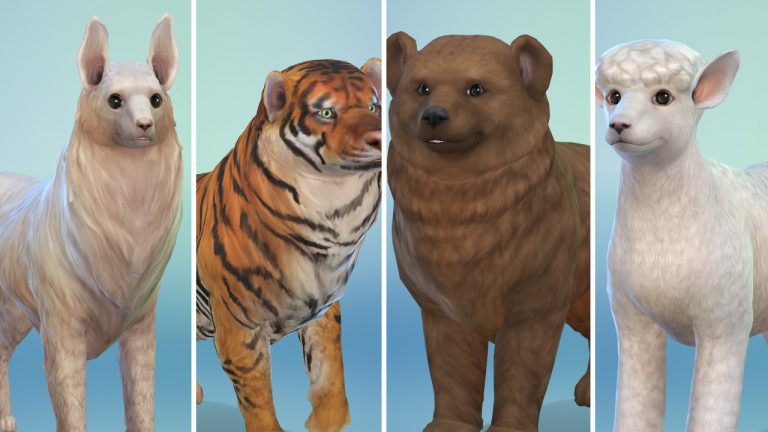
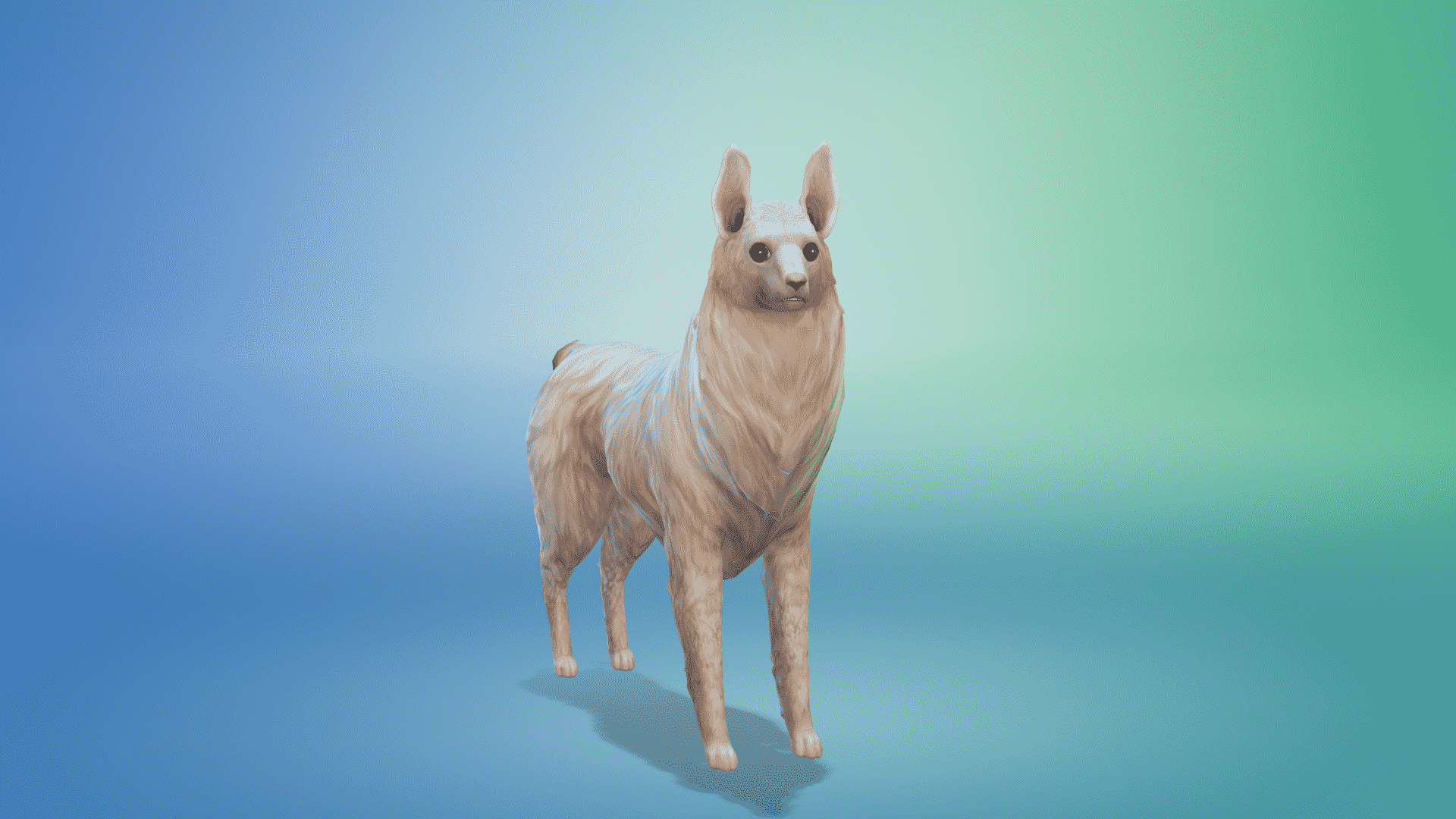
The Sims 4 Cats & Dogs’ Create A Pet feature brings amazing customization features which let you modify any part of your Cat or Dog’s body. To top it all of you are able to use Paint Mode and paint your Pet’s body. This tool is so in-depth that you’re gonna feel like you’re using Photoshop.

Simmer TheKalinotr0n (find him on The Gallery for more animals!) has recreated plenty of animals in The Sims 4 Cats & Dogs. Although they are either Cats or Dogs and not the actual animals that they represent – the appearance of these are really accurate. Check them out below!

Bear

12 Animals recreated in The Sims 4 Cats & Dogs

Badger

12 Animals recreated in The Sims 4 Cats & Dogs

Black Panther

12 Animals recreated in The Sims 4 Cats & Dogs

Puma

12 Animals recreated in The Sims 4 Cats & Dogs

Llama

12 Animals recreated in The Sims 4 Cats & Dogs

Big Panda

12 Animals recreated in The Sims 4 Cats & Dogs

Fallow Deer

12 Animals recreated in The Sims 4 Cats & Dogs

Skunk

12 Animals recreated in The Sims 4 Cats & Dogs

Sheep

12 Animals recreated in The Sims 4 Cats & Dogs

White Tiger

12 Animals recreated in The Sims 4 Cats & Dogs

Cheetah

12 Animals recreated in The Sims 4 Cats & Dogs

Tiger

12 Animals recreated in The Sims 4 Cats & Dogs

A Lookback at The Sims Console Games: Part Four

With The Sims 4 on Console being release this week and Cats & Dogs out now, we take one final look back at The Sims games on consoles with today focusing on The Sims 3 era!

The Sims 3

Xbox 360 & PlayStation 3

The Sims 3 was released on Xbox 360 and PlayStation 3 in October 2010. This was also the first time that players could download content from the Exchange using their Xbox Live and PlayStation Network memberships. Also this was the first time you could upload and download player created content as well.

The Xbox 360 and PlayStation 3 versions of the game were very similar to the PC version of the game but with the addition of the new Karma Powers which, you could use to help your Sims or ruin your Sims.

Of course that’s not all that the the Xbox 360 and PlayStation 3 versions had to offer. There were some features that hadn’t been seen in previous

  • There are live cycles and it is possible to have Child Sims.
  • Your Sims wishes are up to you to fulfill. You can make your Sim’s dreams come true or not!
  • Completeing challenges unlocks more objects, buildings and landmarks.
  • Create-A-Sim allows you to make very unique Sims especially with their traits!

There was some paid and free downloadable content for The Sims 3 which was available from the Xbox Marketplace/PlayStation Store. These packs included Asian Fusion, Ultra Lounge Pack, Hairstyles Pack, Ultra Lounge Kids Bedroom and Ultra Lounge Teens Set.

Nintendo Wii

The Nintendo Wii version of The Sims 3 was released in November 2010, a few weeks after the initial console release. The Wii version of the game was similar to that of the Xbox 360 and PlayStation 3 version except for a handful of differences.

  • The Wii version is based in the Vista Beach neighbourhood where as the Xbox 360 & PlayStation 3 version is based in Moonlight Bay.
  • Exclusive Toruism Career and Skate Park community lot.
  • Sims can learn to swim and surf.
  • Weather can be controlled by using Karma Powers.
  • A handful of traits, careers and lifetime wishes as well as weather are exclusive to the Nintendo Wii version of the game.

Nintendo DS

The Sims 3 wouldn’t be complete with out having a trusty handheld version of the game. The Nintendo DS version was released at the same time as the Nintendo Wii version in November 2010.

The game itself was again set in a different neighbourhood but this time your Sims would find themselfs in Beacon Bay surrounded by some familar faces as well like Malcolm Landgraab and Alexander Goth.

The Nintendo DS version was similar to that of the Xbox 360, PlayStation 3 and Wii versions and again featured the exclusive Karma Powers.  You can complete challenges to unlock more content and control your Sim’s destinies.

Nintendo 3DS

The Nintendo 3DS version of The Sims 3 was released in March 2011 and although may have the same box art as the Nintendo DS version except the game was very different and you have the added option to play in 3D. With an improved user interface, new graphics and some other smaller changes. The game itself though has the same concept of that as the other console versions. It still includes the Karma Powers, Create-A-Sim features (now with face mapping) and everything else that players loved about The Sims 3.

Don’t worry we haven’t forgetten about The Sims 3 Pets! Just carry on to the next page to continue reading.

VIDEO: How to use Cheats on The Sims 4 Console (Xbox One / PS4)

0

Want to know how to access cheats in The Sims 4 for PS4 and Xbox One and how to use them? Check out our overview video for all the details!

For a full list of The Sims 4 Cheats check out this page!