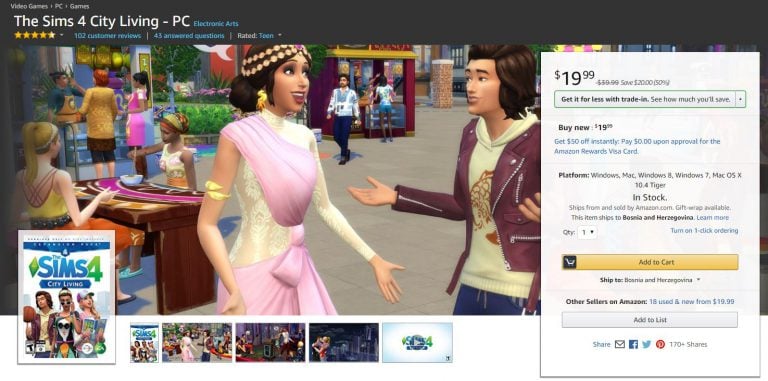
The Sims 4 City Living Expansion Pack is currently 50% off on Amazon! By ordering this game you’ll be receiving the phyiscal version of the game (code in a box).
Make sure you take advantage of this offer while it still lasts!
During Sims Camp 2017 plenty of Simmers were able to get their hands on The Sims 4 for Consoles and get footage of the game. Down below you’ll see a list of all the previews written / recorded by simscampers.
We’ll make sure to update this list as new content gets released!
Great news! There’s going to be new base game content coming to The Sims 4.
We already got our taste of what’s coming in The Sims 4 Console version during Sims Camp. Iron Seagull was able to capture the new ponytail and the new jacket that’s coming with the console release. One of the gurus confirmed that these will also arrive to the PC, although we don’t know when exactly.
There’s also new furniture coming that we still have to find out about soon.
I was finally able to get my hands on The Sims 4 Console (Playstation 4) version during Sims Camp 2017 at EA Redwood Shores. It was a bumpy ride for the first few minutes or so considering I haven’t played games on console for years but I managed to get a hang of it.
Before we continue here’s what you need to know what’s out, what’s in and what’s changed in The Sims 4 Console:
NOT SUPPORTED:
Gallery
Live Events
Mods
In-game screen / video capture
Screenshot viewer
Tagging Memories
Reminisce to gain a buff
ADDED & CHANGED:
Achievements / Trophies (50 of them!)
All Major PC Game Updates
Command Line Cheats
Integration with PS4 Share and XB1 DVR / Screenshots
Trail & Pulse Navigation
Controls
If you played The Sims 4 on PC before and are just getting your hands on the console version you’ll need some time to adjust and learn all the controls. As a person who played The Sims 4 a lot on the PC I was so frustrated the first 30 minutes not knowing what I’m doing, but after eventually finding out what each button on my controller does I was able to almost smoothly play the game (I still needed some time to get used to it).
Here are all the controls that you can use for Create A Sim, Build Mode and Live Mode. You can access these control screens by pressing both analog sticks at the same time.
control1
control3
control2
You now get a sense of what you can expect with The Sims 4 Console and how to control it. Now, let’s dive into the features:
Main Menu
Main Menu is pretty much the same. Before opening it you have to press X first and then wait for the loading screen.
You have an overview of the installed packs on the left, option to start a new game, load the old one and read online news on the bottom part of the menu just like on the PC. What was so interesting about the console version is that the Load Game option also had an Autosave feature.
mainmenu
mainmenu2
mainmenu3
Create A Sim
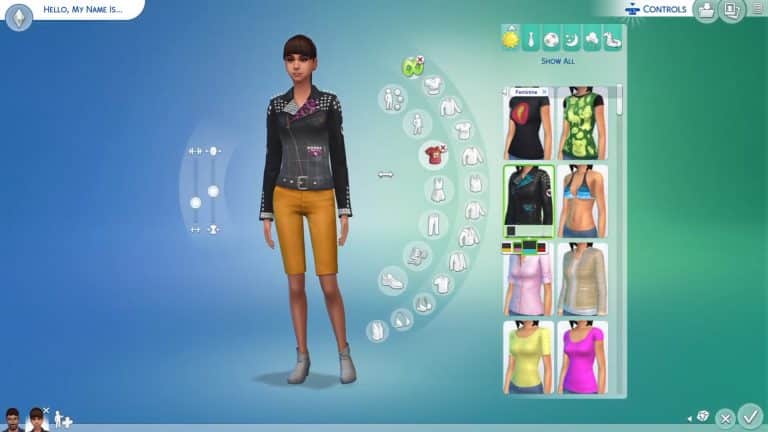
Create A Sim, just like other segments in the game take some time to get used to. However, after I got the hang of it I managed to Create A Sim just as fast as I would in The Sims 4 for PC. You can take a look down below:
The user interface is “seperated” into two fields that you can control (and this applies to Live Mode and Build Mode as well). By clicking your touchpad you can switch between these two fields. You can move your cursor inside the first field while you’ll be able to go through the UI interface in the second field.
A minor difference with Create A Sim is the fact that moving face parts in detailed edit mode is really sensitive with the analog stick. Adding finishing touches may take a little longer than what you’re used to.
The Library
You won’t be able to share your creations with the world using The Gallery feature that we have on the PC. However, the library feature is still available to save all your favorite Sims, Lots and Rooms.
Ever since the launch of FreeSO, a reincarnation of The Sims Online I noticed that the team behind it plans some great things for it and today I am still left speechless.
The game developers of this software have vastly expanded the game with not only new features but a new look and new in-game graphics, letting you play The Sims 1 software…in 3D! How cool is that?!
Here are some of the new features available in FreeSO that will probably get you launching the game:
The New Launcher
FreeSO’s new launcher just makes things more official and serious about this fanmade revival of a 15-year old game. It lets you change the launcher theme, download some necessary (and unecessary) features for FreeSO, keep updated on their latest news and tweak the settings.
Text To Speech is now a thing
Remember the cute april fools joke update which gave voices to players who used the chat feature in the game? Well, this feature is now fully implemented in the game with an option to turn it off or on whenever you want.
3D Mode
You can now enable the new 3D Mode in the launcher and tweak a few things in the game as well. Sure, the textures in-game with this option may not look the best but it’s still a feature in development. This mode lets you turn around, rotate the game camera, zoom out and just control the camera just like you can in newer Sims installments.
The game is still treated as beta so you can expect a lot more from these talented developers.
Don’t have the game yet? You can download + register HERE!
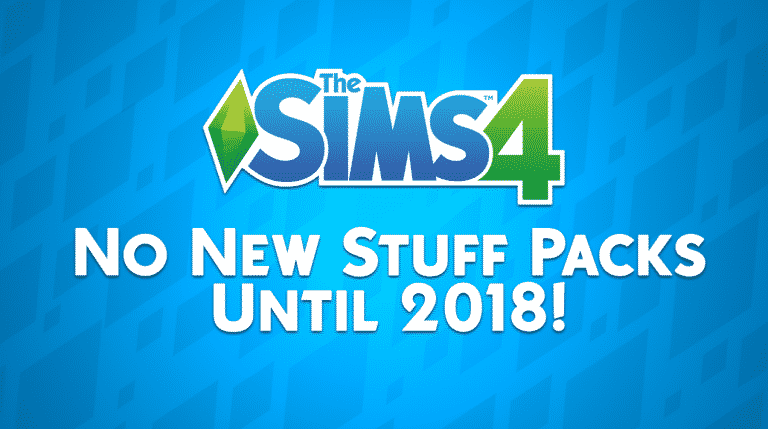
We still have 4 months left of this year and you’re probably wondering if The Sims Team will try to fit in any more stuff packs for The Sims 4. Well, the answer is no.
TheSims.com’s latest blog revealed a significant information about the upcoming Eco Living Stuff Pack. The image listed in this blog is coded under “SP13”, meaning that the pack is 13th in the row. Considering the 12th Stuff Pack for The Sims 4 is Toddler Stuff, this means that there will be no more stuff packs until the release of The Sims 4 Eco Living Stuff Pack which is confirmed to release some time in 2018.
I was given an awesome opportunity by EA to attend Sims Camp 2017 at Electronic Arts in Redwood Shores, California. As an international traveller I was able to arrive to San Francisco 1 day earlier from other attendees in the United States, meaning that I started travelling on September 4th at 6:15AM CET and arrived September 4th at around 1PM PT time. The trip lasted for about 14-15 hours including a small layover in Frankfurt, Germany. That airport was so big that I had to constantly speed-walk for about 30 minutes!
The 11-hour trip that started in Frankfurt and ended in San Francisco is probably one of the worst experiences in my life. Not because of the turbulence or being frightened by heights because I’ve all experienced it before. It was the fact that I was in the middle seat and that I had to get out of it every 1-2 hours because the person sitting next to me was drinking a lot of coffee. It’s like she was doing that on purpose!
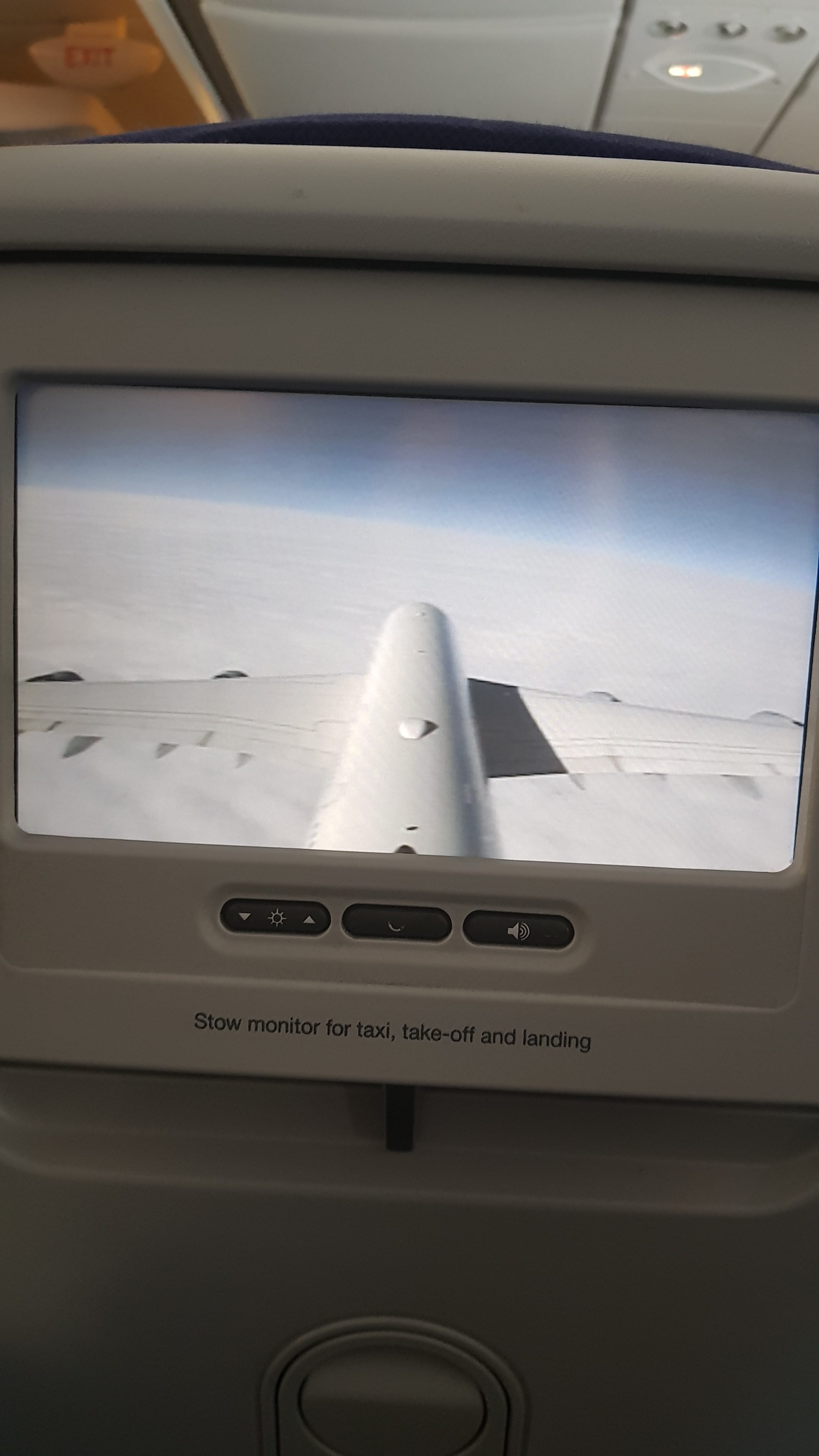
I had a full overview of my flight on the screen in front of me. I tried watching some of the movies that they were offering but they all just sucked. The only good thing there was is Shrek…
I arrived safe and sound to San Francisco and it was time to explain my reason for visiting San Francisco to the US customs..
While waiting for the short customs interview I noticed that a guy in front of me had a “Dragon Age: Inquisition” bag on his back. I’ve only heard with few people that were coming to the event but considering the event covered more than just 1 game I thought they would invite plenty of people this time around, and I was not mistaken!
Anywho, I was not shy to talk to the person in front of me. I tapped his shoulder and asked “Excuse me but do you possibly have any relations with EA games?”. He smiled and said: “Nope, I’m just here on “vacation” “.It was really impossible to believe that considering I immediately recognized him – it was Michael from SimTimes.de!
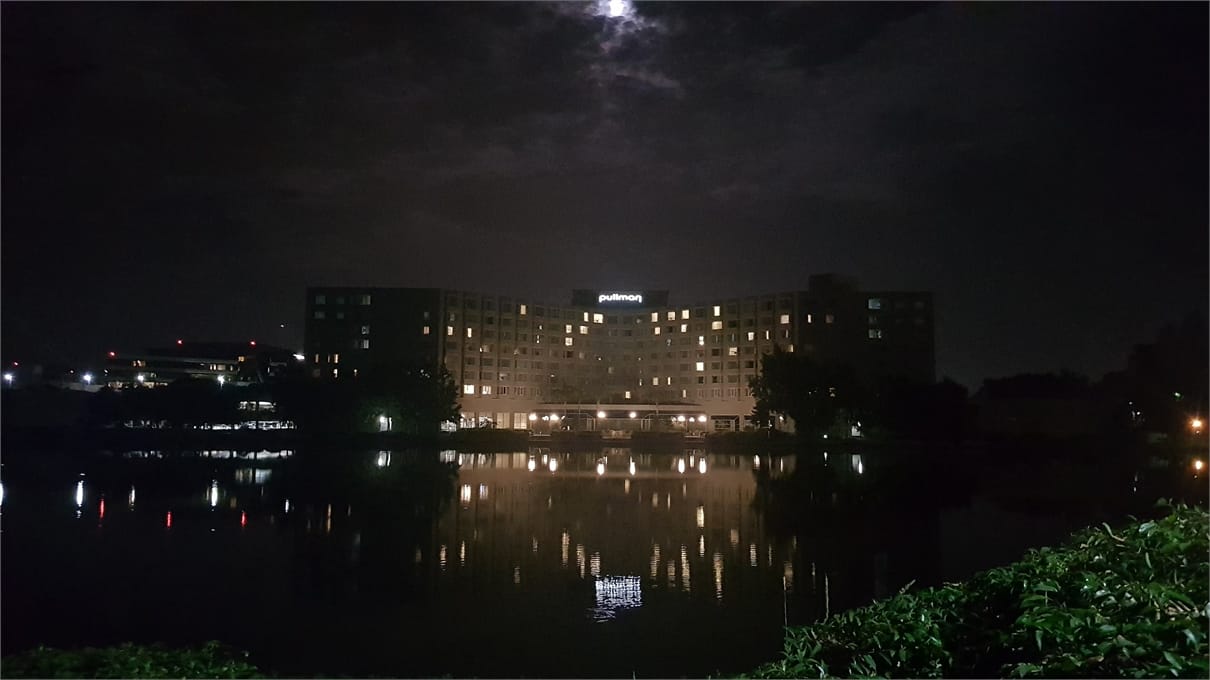
Considering that my Uber app was not working properly and that we just couldn’t wait any longer for the hotel shuttle to arrive we took a cab to the Hotel Pullman where we would be staying for the next 5 days.
I was really excited to meet everyone so I didn’t even manage to fully pack my things out and relax. In just about 20 minutes I managed to take a shower and change my clothes.
Downstairs at the lobby I met up with the administrator of Fezet.fr, Sims-Online, ZockerMimi and Michael from SimTimes. We just couldn’t wait any longer and decided to take a quick trip around Redwood Shores and take a few photos with the Electronic Arts sign.
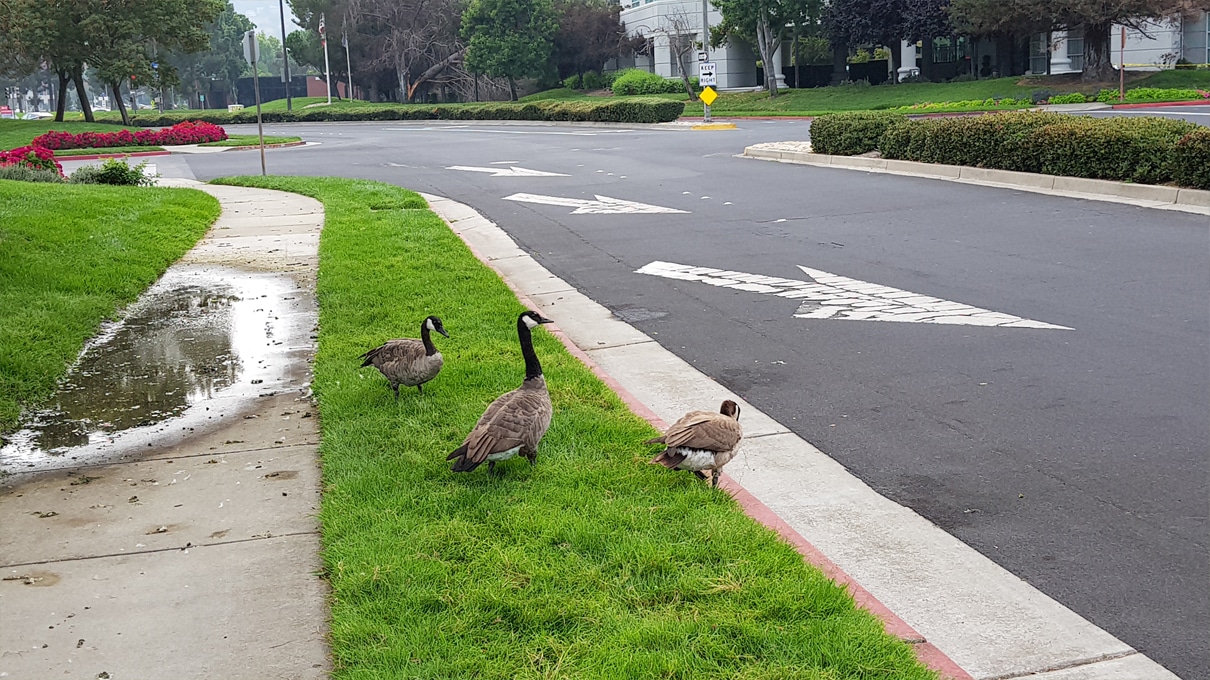
Interesting fact: if you ever find yourself in an opportunity to visit EA you’ll need to carefully watch your steps – there’s a LOT of duck poop on sidewalks.
Considering Michael has already been to San Francisco for like 4 times already we decided to put him “in charge” for the day and take us through San Francisco (that was the worst decision we ever made).
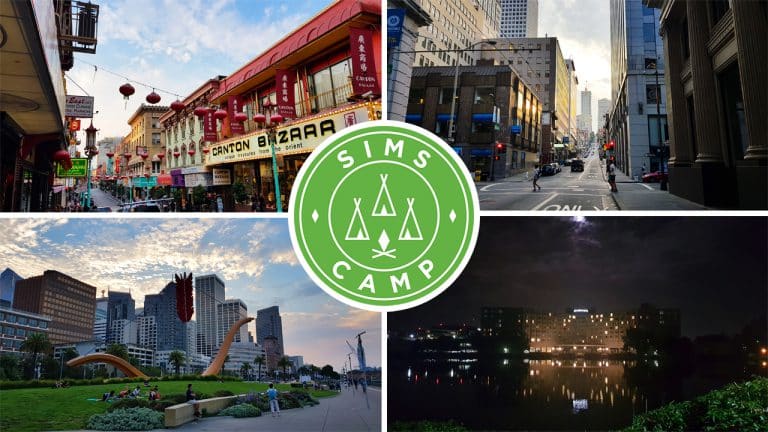
We took a hotel shuttle to the airport and from there took a train at San Francisco’s BART station. We had to wait for 10-15 stops (not sure how many because I couldn’t pay close attention from the loud train) in order to finally arrive to the Union Square.
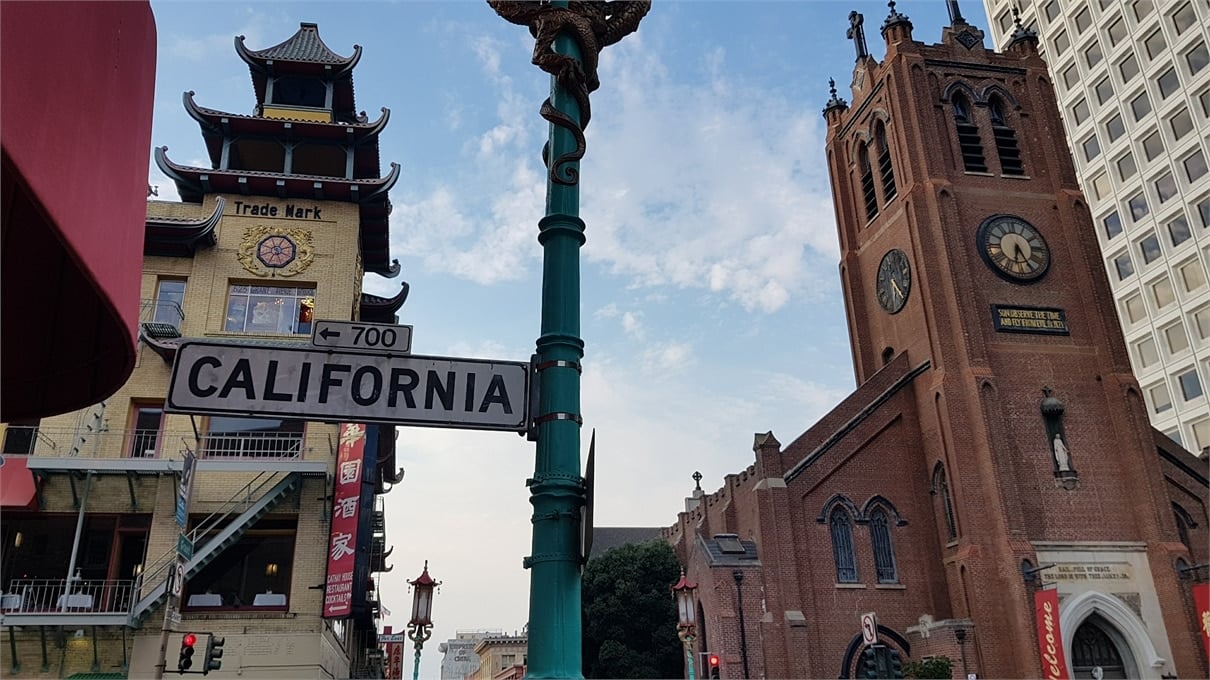
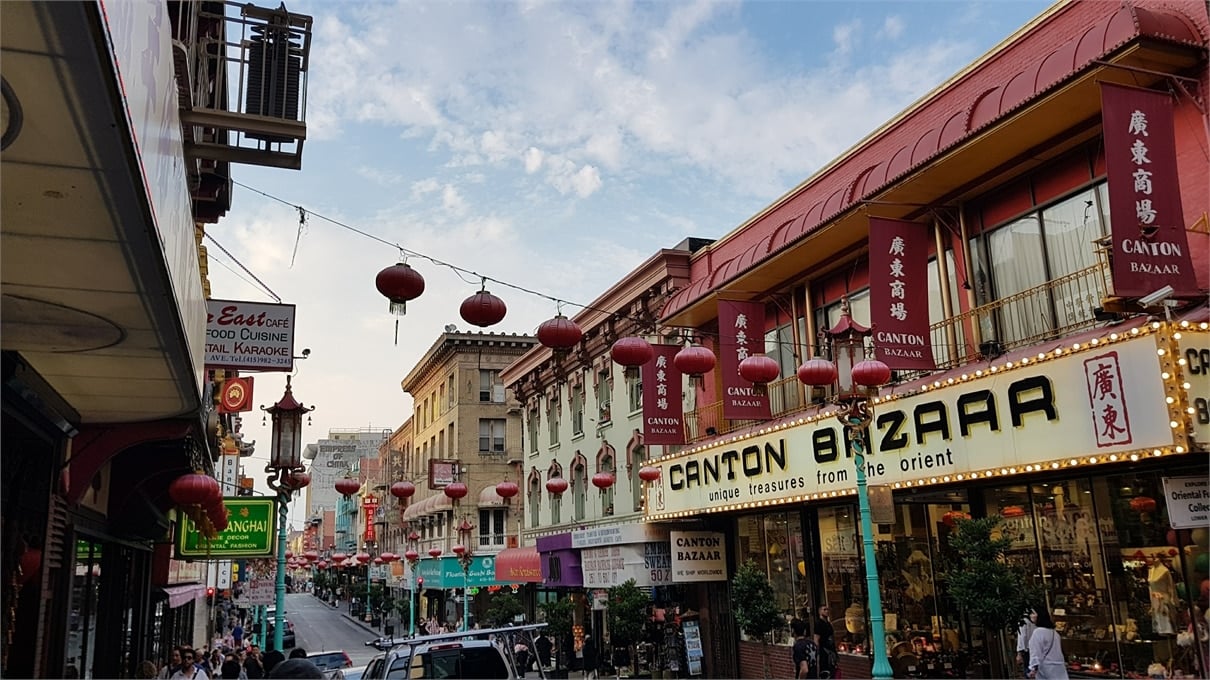
We had a lot to see in the downtown area of San Francisco. The trams, Union Square, Grace Cathedral, San Francisco’s Chinatown, Transamerica Pyramid, the Ferry Building Marketplace, Oakland Bay Bridge and the AT&T Park. There were a plenty of other areas we visited as well on our way to these destinations.
20170904 182305
20170904 182753
20170904 182934
20170904 183331
20170904 1836250 e1505137748222
20170904 183756
20170904 184843
20170904 185935
20170904 190728
20170904 190946
20170904 190948
20170904 193248
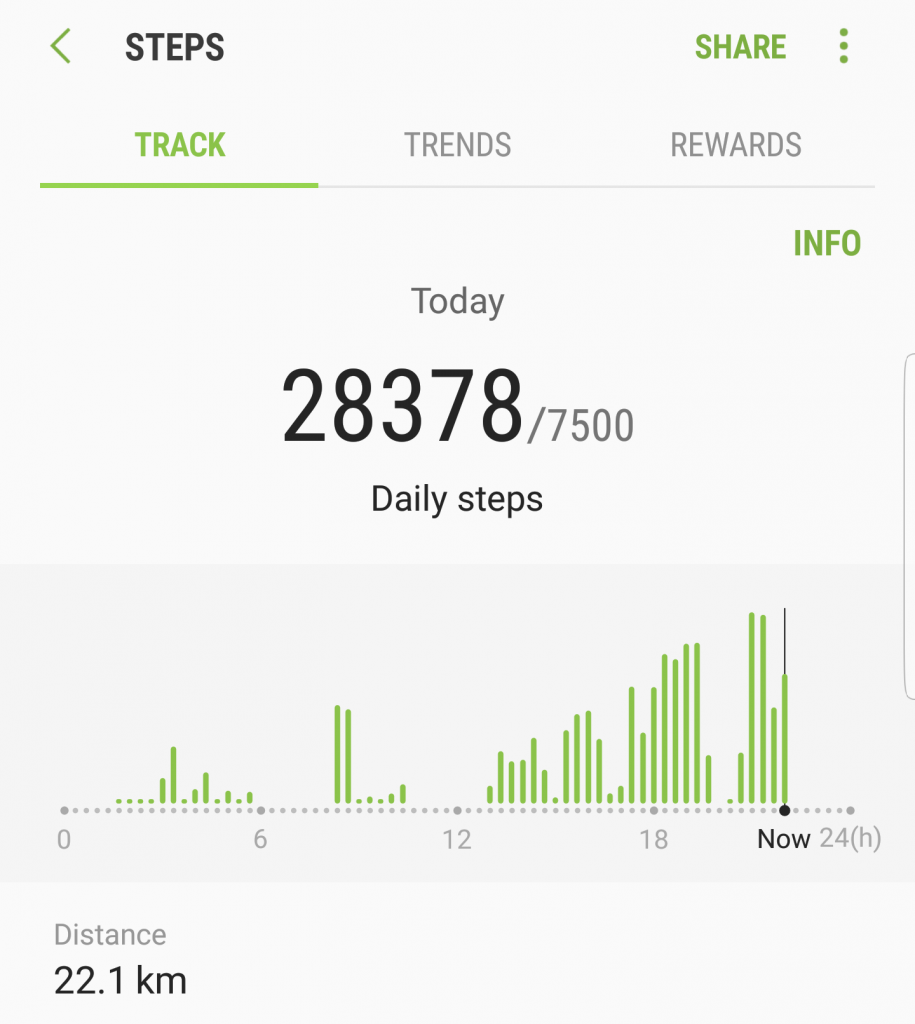
At the point we were close to the Bay Bridge we realized that our legs were giving away all their strength. We tried to find a nearby station and it was “luckily” just a few hundred meters away from us.
We walked all the way from the train stop station in Redwood Shores to the Pullman Hotel which was more than a kilometer away. Sure, that doesn’t sound so bad but when you spend an entire day walking it feels like it’s a hundred kilometers away.
Just as we arrived Michael thought of a really great idea to stop by the Nob Hill Foods which was just across EA – at least that’s how he explained it. It was a kilometer to the market and another kilometer back to the hotel…
It was a great day but with a small price of swollen feet. The lesson of that day was never let Michael guide you anywhere ever again!
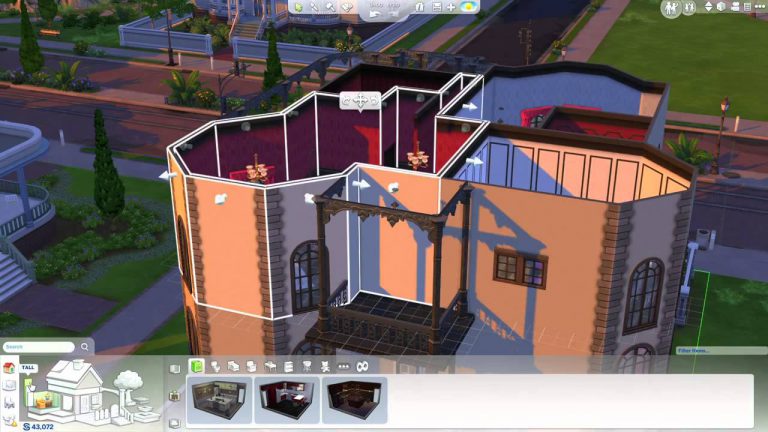
I feel confident in saying that The Sims 4 has the easiest and most intuitive build mode out of any The Sims game we’ve had so far, but that’s not to say it’s perfect. With the news that the roof tools in game will be getting a hefty overhaul in what they can do I wanted to look at other ways the build mode could be improved.
Foundations
The foundations in game like many functions are very easy to use, you simply plop it down and chose the height, but that’s the problem, you’re limited to one height. In TS2 and TS3 we were treated to the constrain floor elevation cheat which allowed us to freely create multiple foundation heights, it truly spoiled us. The main problem would be that foundations in The Sims 4 act as a floor, anything under them doesn’t exist, the space just isn’t there so this could be a problem, but it’s a definite want for many.
Another feature that comes under foundations would be a stage tool, for indoors. It’s very common in homes to have different rooms with slightly different heights, we’ve seen this tool in TS2 and TS3 and it would be a great feature if added into TS4.
Terrain tools
This is a huge feature that’s been in every single game since the start, it was a shock to many when we were told it wouldn’t be in the game at launch but there’s been hope it would be added, we’ve seen recent images of the terrain glitching and appearing like it’s not flat but not a single peep about if we can expect it. I believe that the culprit for it’s removal would be the way foundations work, as the fact you can’t have any height foundation means that building it on uneven terrain could be a problem, but again we’re hopeful.
Doors and windows
I feel like this isn’t something that they would go back and improve but something going forward, making the windows and doors match better. Even just having a few more varieties of doors and windows, take the Parenthood pack we recently got, we only received two windows, one full length and another which was half length and three tiles wide, it’s difficult to use just these two windows on a whole build as smaller rooms wouldn’t have a giant full length or a three tile window in them, we need smaller windows with matching doors!
Pond tool
This goes hand in hand with the terrain tools and it’s again something we’ve had for many years, it’s a truly magnification tool that can make any build look brilliant, don’t get me wrong creating small ponds is possible but a lot of hard work adding rocks and plants around them, it would be highly appreciated if this was added. It would take making more realistic homes to another level, having houses built on rivers or having fishing available on lots.
Stairs
Stairs are something we’ve seen unchanged since launch, they’re simple and boring, many people are crying out for spiral stairs and with each pack not including them they’re getting more and more tired of waiting. I’m going one step further here, why just stop at spiral? In my opinion we need L and U shaped stairs, even if it’s a giant object that’s placed, it’s a needed item for more realistic builds.
Curved walls
This feature is probably the most requested build mode feature, it was unbelievably huge when we were treated to curved fences, they are quite limited and tricky to place but they look wonderful when used right, it only makes sense to have curved walls as well. It’s understandable that this wouldn’t be added as it would most likely be tricky to program into the game, especially a game not made for curved walls but many dream of this wonderful feature.
Customisable ceilings
Another feature we’ve seen before is the ability to change the texture of the ceiling, at the moment it’s an uncomfortably bright white colour and it usually just feels off, hopefully this can be added as it will add a lot more realism to the game.
So that’s it, these features in my opinion should be in the game, I think if not then when The Sims 4 retires these features need to be in the next iteration. What do you think? Do you have any more? Let us know in the comments section.
On this day 7 years ago The Sims 3: Fast Lane Stuff released, this pack revolved around our sims getting behind the wheel of brand new and exciting cars and motorcycles.
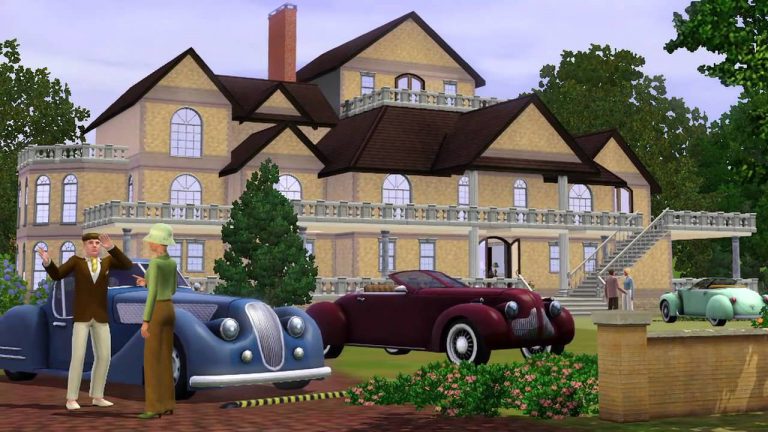
The pack gave us a whopping 12 new cars and motorcycles to drive around the worlds in game, each belonged to a theme, there was Racing, Classic Luxury, Intrigue and Rockabilly. Each theme had different CAS items to go with it as well as brand new build and buy mode items to kit out our homes.
This was the first ever pack which focused solely on just behicles, it was received relatively well as the cars in-game weren’t very exciting so it was great for players to be able to drive around in the various vehicle designs.
It’s crazy to think this pack was released a massive 7 years ago, did you pick it up on launch? Let us know your thoughts on this pack in the comment section below.
The next stage of the community stuff pack is now here meaning Simmers can now vote for what they would like the pack to be called! Click here to go to the voting site! Don’t forget to check out what else SimGuruGraham has to say about the development of the pack below.
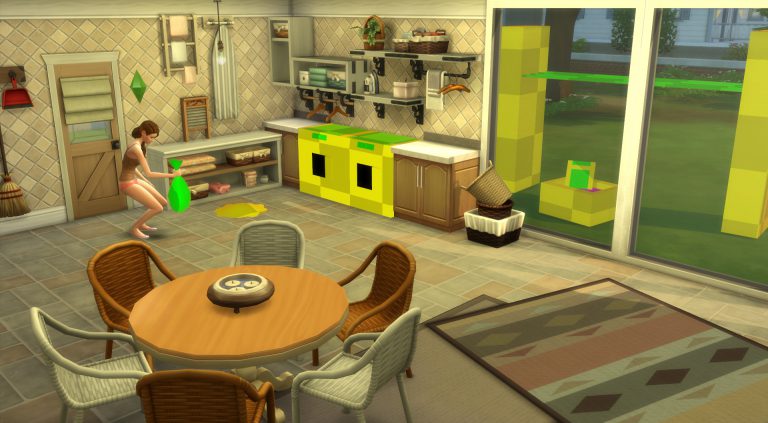
Welcome Simmers! Development on our community Stuff Pack is well under way, and it’s high time we gave it an official name. If you’re just now discovering this project, this is the fifth vote that’s taken place to guide the development of this pack, and I invite you to learn more about the previous vote outcomes. We just recently entered full production, which means we’re hard at work creating a number of features to add laundry to the game… more on that in a bit.
Today you’ll be voting on four thoroughly vetted names. These names have gone through the same careful selection process that we follow on each pack. It starts with producers and members of our marketing team tossing out ideas to build an initial list. From there, we narrow down to a few of our favorites. After clearing this short list with internal business groups, we reach out to EA teams in the various worldwide territories where The Sims is sold. They help provide a final check, to ensure that translations still retain the intent of the title, and don’t cause any unexpected cultural or language issues.
We’ve taken the steps I just described and have selected four potential names for this Stuff Pack. All of our territories are on board. Now we just need to hear from you:
When we select a name, our primary criteria is that the name says something descriptive about the contents of the pack, so that it can catch someone’s attention. Stuff Packs in particular have a narrower scope than other packs for The Sims, so our names tend to be direct and to the point. The recent release of “Toddler Stuff” is a great example that immediately tells you if you’re interested in learning more about what the pack has to offer. Looking further back in the catalog, “Cool Kitchen Stuff” is an example where we tried to be clever, and reference both the gameplay and the style within the title. “Cool” being a reference to the ice cream machine, and “Kitchen” of course referring to the setting. I wonder if the double entendre translated well into other languages?
For this particular survey, I’ll share two fun examples that we considered, but didn’t make it to the voting round. First, there was a decent push to include “Stuffy McStuff Pack” as a choice. If you don’t get the reference, do a quick online search for Boaty McBoatface and have a laugh. While this incorporated the satirical pop humor that The Sims is known for, we decided it would do a poor job at providing information regarding the contents of the pack at a glance. We also thought about including a name that encapsulated what this community focused project represents, and came up with “Player Choice Stuff”. Ultimately, we felt that name was a bit exclusionary to those who didn’t participate in this project, as well as not having a dedicated web portal where players could discover the history of this pack in the years to come.
In other news, development on the pack is now in full swing. Just last week we officially entered “production”, which is where all of the disciplines are actively working on the new features that will be included. Prior to that we were in a phase called “pre-production”, which started way back when this project was first announced in April. Pre-production is where we do all the work to thoroughly plan what we’re going to create so that production runs smoothly. During pre-pro we write designs, draw concept art, and meet to discuss how we plan to implement new features. With production under way, we’ll have real in-game progress to share soon!
Following today’s survey, there’s one more opportunity to directly influence this pack through the power of your vote. Come back next week and help select which icon will represent this pack.
Pack Icon Vote (September 13th– September 15th): Peruse different icons and select the one that will appear in the pack’s box art and within the in-game catalog.
SimsCamp has officially begun and we can’t wait until we’re able to give you more information about The Sims Mobile, The Sims 4 Console and The Sims 4 Cats & Dogs. We’ll be covering so many things during (and after) the event so make sure you follow us on Twitter and Facebook as we’ll be posting a lot of things during the event there.
You’re probably interested about other attendees as well so here’s a rundown of all people who confirmed to us that are attending the event:
If you’re interested about all the details of the event and want to stay up-to-date on all things SimsCamp from other attendees, check out the embedded Twitter group of all people who are attending the event and their tweets:
We’re super excited to let you know that we’re attending Sims Camp 2017 at EA Redwood Shores in San Francisco!
This event takes place on September 6th and September 7th. During this period we’ll be able to get our hands on The Sims Mobile, The Sims 4 Console and The Sims 4 Cats & Dogs Expansion Pack! We’ll be taking notes during special presentations by The Sims Teams for all 3 games, get our hands on them and interview the producers.
This one of a kind event brings fansites, youtubers and streamers all over the world to capture content, gather information and learn more about the products that’ll be releasing in the next few months.
Huge thanks to Electronic Arts for flying us over to EA Redwood and big thank you to everyone who supports us and reads our content – without you this wouldn’t be possible!
Hi, I’m Jason Sterling. I see Steampunk as a mixture of high technology and steam power with a Victorian decor. This style is one of my favorite and the Sims 4 catalog is easy to use to create it. This is the third of a series of three articles to help you on the road to the future, firmly rooted in the past.
I am going to use the two examples below in all three articles. The RM Cascadian Airship and the Worldport Airship Waiting Room were conceived as Steampunk designs from the start. I’ll highlight some key ideas from both. As well I’ll showcase some tips not incorporated into these builds for inspiration. I hope this will provide you with some ideas for your Sims.
The way I see it Steampunk is a retrofitted world. I use three essential cheats to create that look. I have listed these cheats below. Press the “CTRL SHIFT C” buttons at the same time while in game. The cheat box will open at the top left of the screen. You can then enter any of the cheats you wish to use in the box. You can press the “ESC” button to close the cheat entry box when finished.
BB.MoveObjectsOn (MOO) You can use this cheat to free place items within the build grid map.
BB.IgnoreGameplayUnlocksEntitlement (IGUE) This will give you access to all reward related objects.
BB.ShowHiddenObjects (SHO) This reveals nearly all of the build catalog objects that are used during game play.
I also heavily use the “]” and “[“ keys to enlarge and shrink objects and the “9” and “0” keys to raise and lower objects. Hold onto the object and press the key to use the function.
This final article is a building tutorial that will bring together the elements of building explored in the first two articles.
One Machine to Run Them All:
Imagination
I started the engine that runs my Steampunk world with a list. I wanted it to look cobbled together. As though it were made in an individual scientist’s workshop. It should appear to run on water/steam. I wanted the look of something like a turbine. I needed pipes but also modern high tech looking devices. There should be an element of Victorian style ornamentation. It should be adaptable in size and style. In that way, I can use it in different settings but have it still remain recognizable for what it is.
Then, I imagined how it might work. The enlarged urn contains water within the imaginary world of my game. The water is super heated by the enlarged “Fire” Opal. The Opal creates steam that turns the turbine in the center. That in turn powers propellers in the airship and feeds the “Momentum Conservator”. The Conservator then creates the electricity required by the rest of the craft. I imagined it that way in any event. Imagination is the most powerful tool within any of the Sims games. Now, let’s build it by taking it apart.
Part Count
I have used 23 separate items constructing this object. From left to right: Hydro-Aqua Filtration Chamber/ Return Desklight (enlarged 18 Xs)/ Astrolabe Mirror (enlarged 1 Xs- 2 count)/ Wall Vent of No Particular Distinction/ As the World Turns Mirror (raised above standard height- 2 count)/ Momentum Conservator (enlarged 1 Xs, raised to floating height)/ Blooming Light (enlarged 1 Xs, raised to floating height)/ UV Catcher Wooden Awning (enlarged 1 Xs- 4 count)/ Big Bubbles and Steam Grate (enlarged 1 Xs- 4 count)/ Supervent 9000 (enlarged 1 Xs- 2 count)/ Compound Clearing Industrial Pipe/ Large Jet Water Emitter (enlarged 4 Xs- 2 count, enlarged 6 Xs- 1 count, 2 are raised from the ground)/ Antique Urn (enlarged 12 Xs)/ Fire Opal (enlarged 3 Xs)
Building It
Part One:
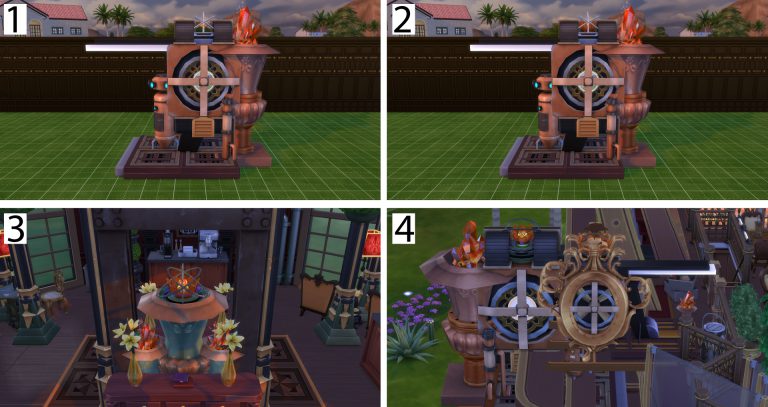
We start with the awnings double sized, placed side by side and stacked two high. (Picture 1) We layer the four grates inside the awnings as shown. They provide steam and a bubble effect from the boiling water leaking out of our novice device as it flows through the system. (Picture 2) After that we place the super enlarged desklight slightly off-center as shown. It acts as a brace for the rest of the items. (Picture 3) Lastly, we attach the supervent as shown. One on each side of the desklight. These act as our turbines. (Picture 4)
Part Two:
Next, insert the urn that acts as our water cistern. It also lends some suitably Victorian flare to the unit. (Picture 1) The water fountains come next. The water splashing upward suggests a raging boil. The light within them is colored orange to match the Fire Opal. (Picture 2) We then add a couple of knobby, industrial looking pipes. These carry steam to and water back from the turbine unit. (Picture 3) Lastly, we add the mirrors to each side of the turbine simply for additional decoration. The enlarged one creates a nice filigree look on the front. (Picture 4)
Part Three:
Set the conservator, Fire Opal and wall vent as shown. The conservator provides a subtle movement indicative of functioning. (Picture 1) Then, to crown the project place the Blooming Light which looks a bit like a crown. I thought a Victorian craftsman might have designed this for the project to help “dress up” his contribution. (Picture 2) Next we have smaller, alternative designs for this idea. One is housed within the Worldport. It has been retrofitted with iron bracing due to vibrations. Of course, this is just imaginative backstory. (Picture 3) A unit with extravagant framing on the upper deck of the Cascadian is used for directional thrust. It’s water cistern is smaller. The floor casing is a sealed unit- no bubbles. In the world I’ve created for my sims I see this as a more typical commercial application. (Picture 4)
I hope you’ve enjoyed this third and final article on Steampunk and the Sims’ World. If you have not yet read the first two articles, please do so here on the Sims Community.
You can see the RM Cascadian Airship in action during my live Twitch feeds on channel: JasonAnthonySterling. I’m on Twitter @JasonSterling70. The two builds shown here are on the Sims 4 Gallery.
Welcome to another Through the Years, today is the 4th September and it’s a special one. On this day two packs were released, meaning there’s a lot to cover so let’s get to it!
Firstly way back in 2007 we got the massively popular The Sims 2: Bon Voyage, a pack that finally let our Sims travel to exotic and fun destinations to unwind, explore and if booked soon after a wedding, honeymoon. The pack added a whopping three new sub-neighbourhoods which acted as destinations to travel to.
The new neighbourhoods weren’t all the same though, there was an Asian inspired destination, a beach resort and a mountain destination. They added loads of new features for our sims to do while on their holidays, beaches were now fully functionable with swimming in the sea available at selected lots. Hotels were also added to enable sims to live away from home, obviously limited to what you could do they allowed sims to rest, get cleaned up and of course eat.
That wasn’t all though, the pack also added many brand new NPC’s, but none as mysterious and exciting as Bigfoot. This creature would lurk about a secret lot in Three Lakes, one of the new neighbourhoods. As well as this the pack introduced new radio stations, new dances, new places to woohoo and way more.
Next was five years ago in 2012 when The Sims 3: Supernatural, another very popular pack in the series was released. It let our sims discover and become a whole load of new occults in the mysterious and scary world Moonlight Falls.
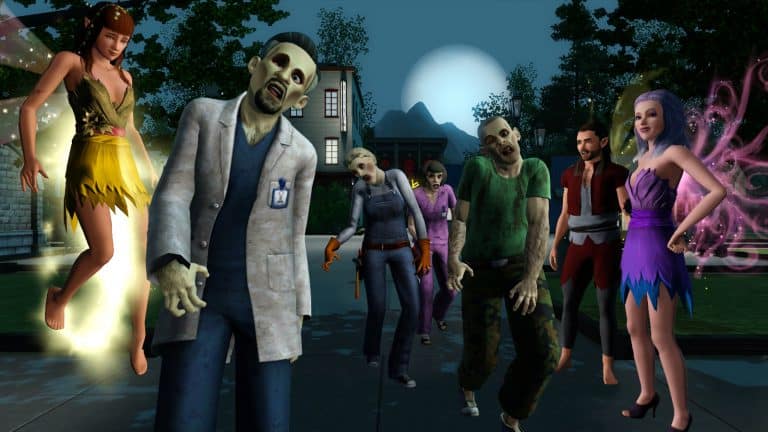
The main feature of the pack was to widen the amount of occults in the game, it added werewolves, fairies, witches, zombies and improved upon vampires to bring them up to scratch with the other occults. All of the occults had different powers and abilities, making each one an attractive prospect.
Zombies were slightly different to the others, this was because it wasn’t possible to become one permanently, during full moons zombies would pop-up around the world and try and bite your sims, if they were unlucky enough to be bitten they would become one, although there are ways to transform back so worry not.
The pack added a huge overhaul to the CAS within the game, it allowed users to change the occults while creating the sims, meaning you didn’t have to transform them in-game. With werewolves needing that special look while in their wolf form this meant new sliders and plenty of new body hair was added to create the perfect werewolf. A whole load of new clothing and hairs were also added to suit all of the occults.
So what did you think of these two packs, which one was your favourite, let us know in the comments.
















 Terrain tools

 Today you’ll be voting on four thoroughly vetted names. These names have gone through the same careful selection process that we follow on each pack. It starts with producers and members of our marketing team tossing out ideas to build an initial list. From there, we narrow down to a few of our favorites. After clearing this short list with internal business groups, we reach out to EA teams in the various worldwide territories where The Sims is sold. They help provide a final check, to ensure that translations still retain the intent of the title, and don’t cause any unexpected cultural or language issues.
 In other news, development on the pack is now in full swing. Just last week we officially entered “production”, which is where all of the disciplines are actively working on the new features that will be included. Prior to that we were in a phase called “pre-production”, which started way back when this project was first announced in April. Pre-production is where we do all the work to thoroughly plan what we’re going to create so that production runs smoothly. During pre-pro we write designs, draw concept art, and meet to discuss how we plan to implement new features. With production under way, we’ll have real in-game progress to share soon!




 That wasn’t all though, the pack also added many brand new NPC’s, but none as mysterious and exciting as Bigfoot. This creature would lurk about a secret lot in Three Lakes, one of the new neighbourhoods. As well as this the pack introduced new radio stations, new dances, new places to woohoo and way more.
 The pack added a huge overhaul to the CAS within the game, it allowed users to change the occults while creating the sims, meaning you didn’t have to transform them in-game. With werewolves needing that special look while in their wolf form this meant new sliders and plenty of new body hair was added to create the perfect werewolf. A whole load of new clothing and hairs were also added to suit all of the occults.