Home Blog Page 364

The Sims FreePlay: Wedding Belles Update Walkthrough

4

Early access to beta provided by EA / Firemonkeys!

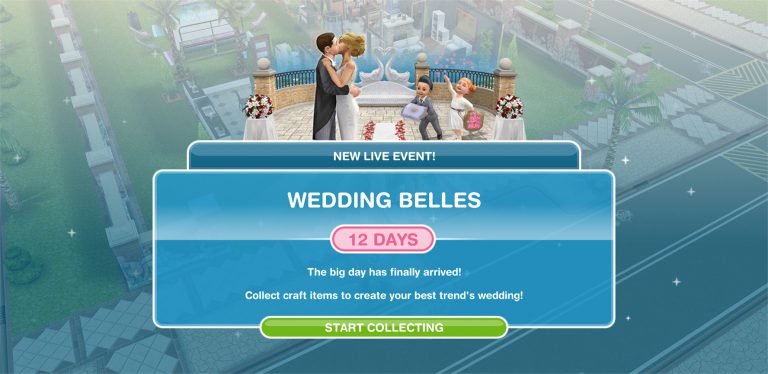
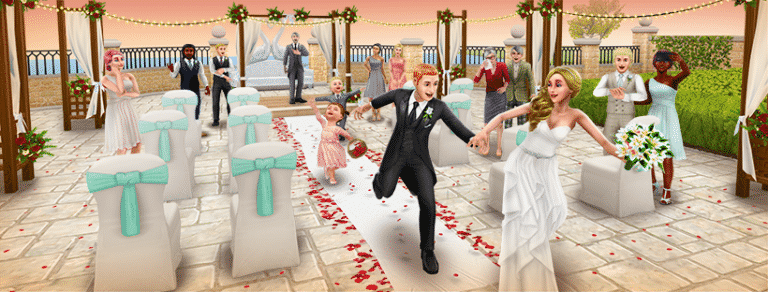
The Sims FreePlay is back with another update – this time giving your love bird Sims a better outlet to express their love for each other.

The Wedding Belles Update is a Live Event, meaning that you can progress through it not by completing a quest but by collecting arts and craft items.

The Sims FreePlay: Wedding Belles Update Walkthrough

There are 4 craft stations that you get this with event:

  • Candle Station
  • Pottery Station
  • Jewelry Station
  • Glassware Station

The Sims FreePlay: Wedding Belles Update Walkthrough

You can place several of these (depending on the station) on several lots, making it easier to produce more items for your event.

Daily Goals

Daily goals help you earn more items for the live event by performing simple tasks. Those tasks include:

  • Craft any item (1 Constructor Coin)
  • Craft 1,000 items (5 Constructor Coins)
  • Use a Spin Plant (1 Constructor Coin)
  • Win 10 Coins from a Coin Flower Patch (350 Candles)
  • Complete All Daily Goals (20 Constructor Coin)
  • Free Candles (100 Candles)
  • Free Constructor Coins (1 Constructor Coin)
  • Unlock or Buy a Prize (5 Constructor Coins)

Wedding Belles Progress

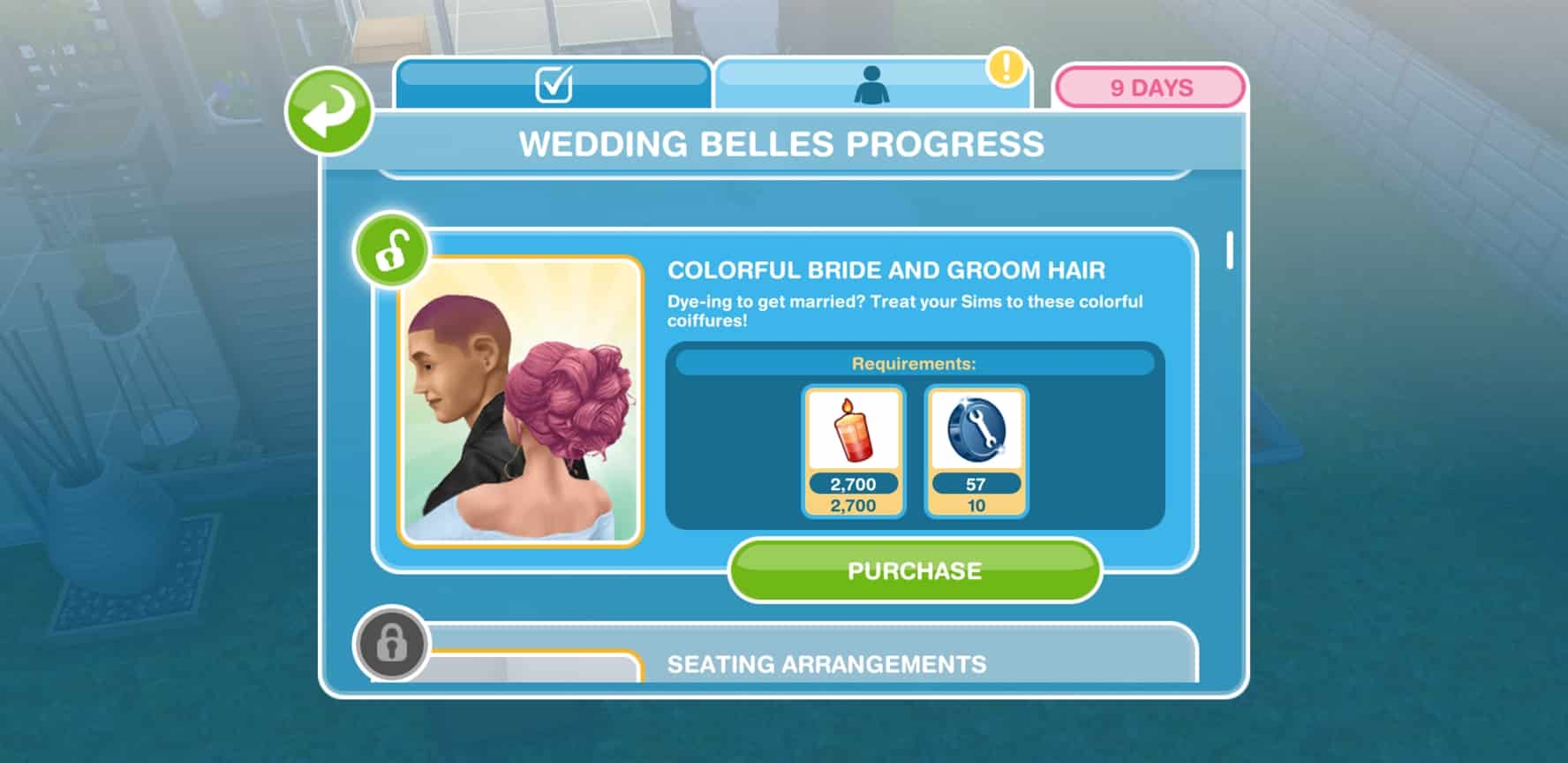
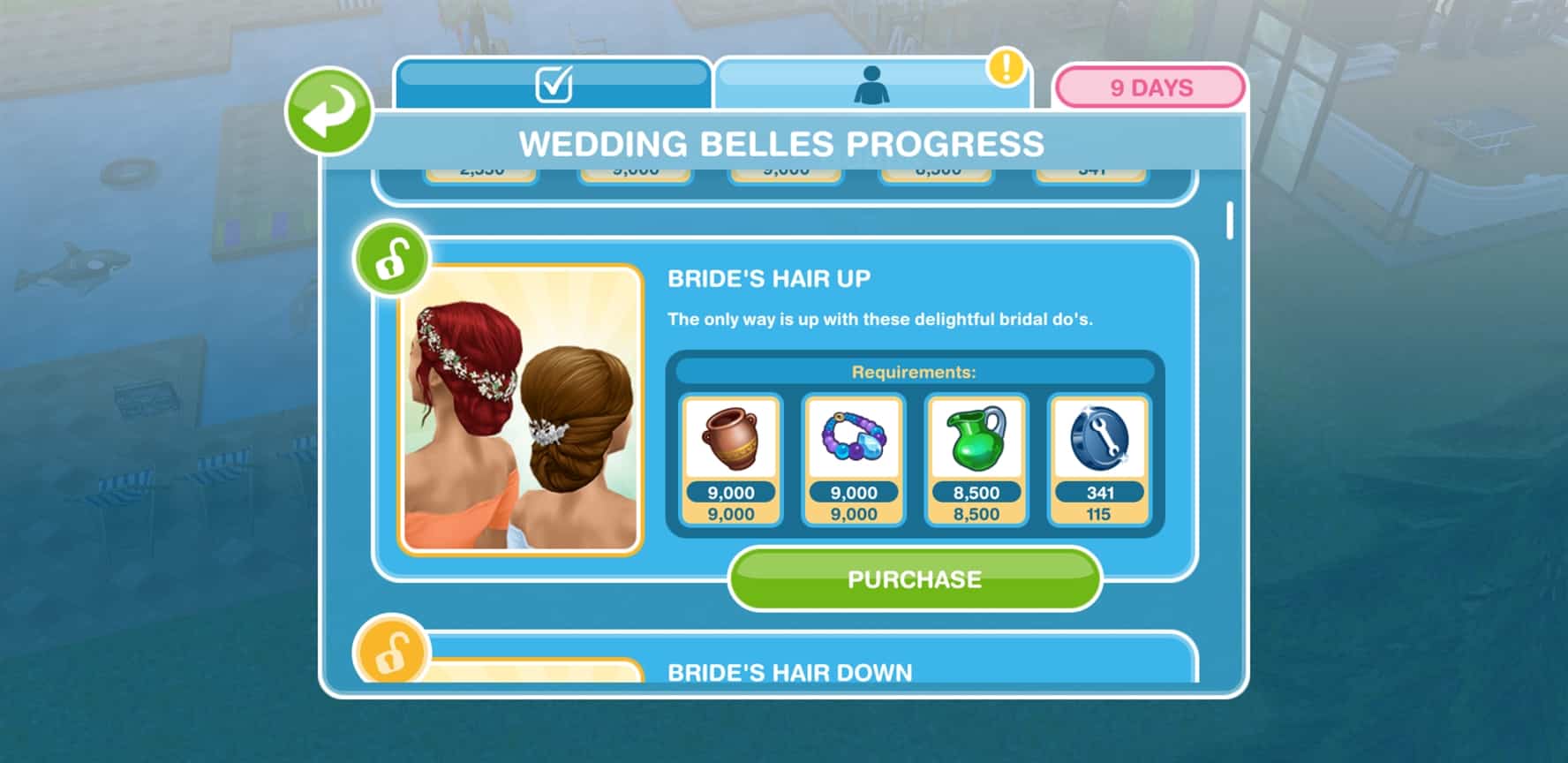
You progress through certain milestones by collecting items. The more items you collect that are shown in the “Next Milestone” section beneath the progress bar the more you advance. You also have an overview of your current inventory as well as all items that you’ve unlocked / need to unlock.

Down below you can find a list of all items that you can unlock (shown in order), as well as their requirements:

The Sims 4 Gallery Spotlight: Restaurants

The Sims 4 Gallery Spotlight: Restaurants

It’s time to kick off our Gallery Themed Week with a new Gallery Spotlight!

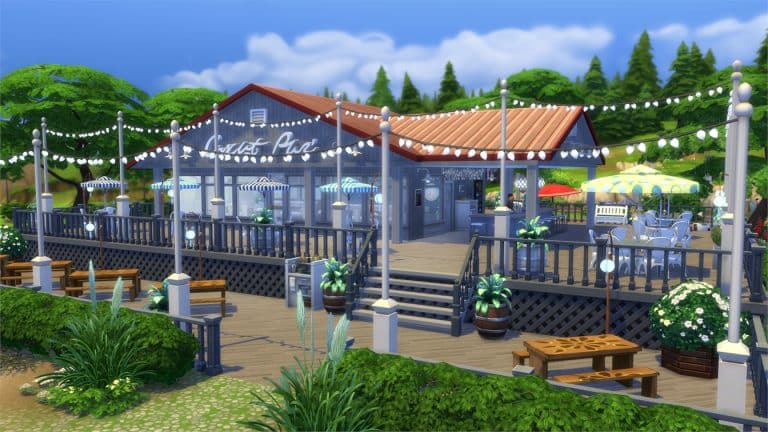
In this spotlight we’re featuring all kinds of restaurants (a venue type that comes with The Sims 4 Dine Out) built by Simmers.

Hover over the pulsing plumbobs to see screenshots of marked areas. Pulsing plumbob that’s on the left bottom corner contains all the info (and download link) of the lot.

To see more of our previous Gallery Spotlights, CLICK HERE!

[ult_hotspot main_img=”id^63268|url^https://simscommunity.info/wp-content/uploads/2017/07/07-17-17_11-25-19-AM.jpg|caption^null|alt^null|title^07-17-17_11-25-19 AM|description^null”][ult_hotspot_items icon_type=”custom” icon_img=”id^39525|url^https://simscommunity.info/wp-content/uploads/2015/09/plumbob2.png|caption^null|alt^null|title^plumbob2|description^null” img_width=”38″ tooltip_custom_color=”” tooltip_custom_bg_color=”rgba(255,255,255,0.01)” tooltip_width=”400″ tooltip_position=”right” enable_bubble_arrow=”off” tooltip_continuous_animation=”on” hotspot_position=”53.52957589285714,50.59411641541038″]

The Sims 4 Gallery Spotlight: Restaurants

[/ult_hotspot_items][ult_hotspot_items icon_type=”custom” icon_img=”id^39525|url^https://simscommunity.info/wp-content/uploads/2015/09/plumbob2.png|caption^null|alt^null|title^plumbob2|description^null” img_width=”52″ tooltip_custom_color=”#1e73be” tooltip_custom_bg_color=”#ffffff” tooltip_width=”450″ tooltip_position=”right” tooltip_continuous_animation=”on” hotspot_position=”89.61858624454149,3.190184049079755″ tooltip_custom_border_size=”border-style:solid;|border-width:2px;border-radius:5px;|border-color:#81d742;”]

Samosa – Restaurant (Download Here)

by HXFT

Value: §76,519
Size: 30×20
Lot Type: Restaurant[/ult_hotspot_items][/ult_hotspot][ult_hotspot main_img=”id^63270|url^https://simscommunity.info/wp-content/uploads/2017/07/07-17-17_11-28-11-AM.jpg|caption^null|alt^null|title^07-17-17_11-28-11 AM|description^null”][ult_hotspot_items icon_type=”custom” icon_img=”id^39525|url^https://simscommunity.info/wp-content/uploads/2015/09/plumbob2.png|caption^null|alt^null|title^plumbob2|description^null” img_width=”38″ tooltip_custom_color=”” tooltip_custom_bg_color=”rgba(255,255,255,0.01)” tooltip_width=”400″ tooltip_position=”right” enable_bubble_arrow=”off” tooltip_continuous_animation=”on” hotspot_position=”54.79910714285714,79.18237018425461″]
The Sims 4 Gallery Spotlight: Restaurants

[/ult_hotspot_items][ult_hotspot_items icon_type=”custom” icon_img=”id^39525|url^https://simscommunity.info/wp-content/uploads/2015/09/plumbob2.png|caption^null|alt^null|title^plumbob2|description^null” img_width=”52″ tooltip_custom_color=”#1e73be” tooltip_custom_bg_color=”#ffffff” tooltip_width=”450″ tooltip_position=”right” tooltip_continuous_animation=”on” hotspot_position=”89.61858624454149,3.190184049079755″ tooltip_custom_border_size=”border-style:solid;|border-width:2px;border-radius:5px;|border-color:#81d742;”]

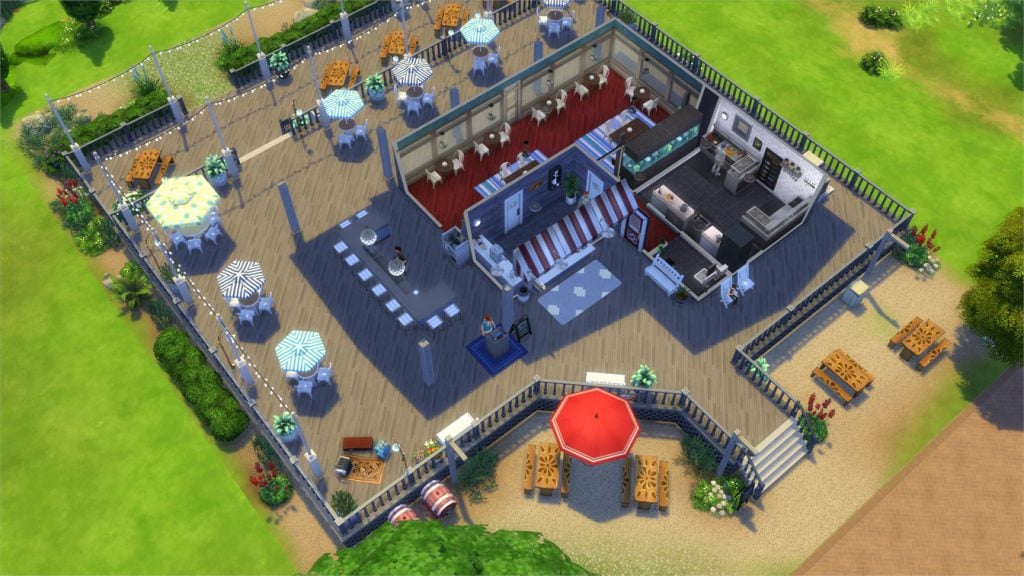
The Lobster Dock (Download Here)

by silrosse

Value: §95,922
Size: 40×30
Lot Type: Restaurant[/ult_hotspot_items][/ult_hotspot][ult_hotspot main_img=”id^63273|url^https://simscommunity.info/wp-content/uploads/2017/07/07-17-17_11-30-14-AM.jpg|caption^null|alt^null|title^07-17-17_11-30-14 AM|description^null”][ult_hotspot_items icon_type=”custom” icon_img=”id^39525|url^https://simscommunity.info/wp-content/uploads/2015/09/plumbob2.png|caption^null|alt^null|title^plumbob2|description^null” img_width=”38″ tooltip_custom_color=”” tooltip_custom_bg_color=”rgba(255,255,255,0.01)” tooltip_width=”400″ tooltip_position=”right” enable_bubble_arrow=”off” tooltip_continuous_animation=”on” hotspot_position=”48.646763392857146,63.84265075376885″]

The Sims 4 Gallery Spotlight: Restaurants

[/ult_hotspot_items][ult_hotspot_items icon_type=”custom” icon_img=”id^39525|url^https://simscommunity.info/wp-content/uploads/2015/09/plumbob2.png|caption^null|alt^null|title^plumbob2|description^null” img_width=”52″ tooltip_custom_color=”#1e73be” tooltip_custom_bg_color=”#ffffff” tooltip_width=”450″ tooltip_position=”right” tooltip_continuous_animation=”on” hotspot_position=”89.61858624454149,3.190184049079755″ tooltip_custom_border_size=”border-style:solid;|border-width:2px;border-radius:5px;|border-color:#81d742;”]

Hawaiian Restaurant (Download Here)

by DutchSimsMaster

Value: §73,474
Size: 30×20
Lot Type: Restaurant[/ult_hotspot_items][/ult_hotspot][ult_hotspot main_img=”id^63275|url^https://simscommunity.info/wp-content/uploads/2017/07/07-17-17_11-35-00-AM.jpg|caption^null|alt^null|title^07-17-17_11-35-00 AM|description^null”][ult_hotspot_items icon_type=”custom” icon_img=”id^39525|url^https://simscommunity.info/wp-content/uploads/2015/09/plumbob2.png|caption^null|alt^null|title^plumbob2|description^null” img_width=”38″ tooltip_custom_color=”” tooltip_custom_bg_color=”rgba(255,255,255,0.01)” tooltip_width=”400″ tooltip_position=”right” enable_bubble_arrow=”off” tooltip_continuous_animation=”on” hotspot_position=”48.293340773809526,63.67776381909548″]

The Sims 4 Gallery Spotlight: Restaurants

[/ult_hotspot_items][ult_hotspot_items icon_type=”custom” icon_img=”id^39525|url^https://simscommunity.info/wp-content/uploads/2015/09/plumbob2.png|caption^null|alt^null|title^plumbob2|description^null” img_width=”38″ tooltip_custom_color=”” tooltip_custom_bg_color=”rgba(255,255,255,0.01)” tooltip_width=”400″ tooltip_position=”right” enable_bubble_arrow=”off” tooltip_continuous_animation=”on” hotspot_position=”32.807849702380956,63.93425460636516″]

The Sims 4 Gallery Spotlight: Restaurants

[/ult_hotspot_items][ult_hotspot_items icon_type=”custom” icon_img=”id^39525|url^https://simscommunity.info/wp-content/uploads/2015/09/plumbob2.png|caption^null|alt^null|title^plumbob2|description^null” img_width=”52″ tooltip_custom_color=”#1e73be” tooltip_custom_bg_color=”#ffffff” tooltip_width=”450″ tooltip_position=”right” tooltip_continuous_animation=”on” hotspot_position=”89.61858624454149,3.190184049079755″ tooltip_custom_border_size=”border-style:solid;|border-width:2px;border-radius:5px;|border-color:#81d742;”]

COAST Seafood (Download Here)

by DevonBumpkin

Value: §220,329
Size: 40×30
Lot Type: Restaurant[/ult_hotspot_items][/ult_hotspot]

Sharing your creations for our Gallery Themed Week

2

It’s time to spotlight your gallery creations!

Over the next 7 days we’ll be showcasing not only lots but also rooms, households and even your personal speedbuild videos and blogs that are related to building (must feature creations that can be found on the gallery).

However, it won’t be easy to keep track of all of your submissions and that’s why we encourage you to post all of your gallery creations in our “My Gallery” section on Sims Community Social. That way we can keep track of everyone’s creations + creations / creators that don’t get featured will still get their spotlight on our forums.

Please note that we won’t be accepting submissions that use Custom Content. Also, if you have multiple creations that you’d like to showcase feel free to include them all inside one thread.

Are you ready to show off your talent? Submit your creations by clicking the button below!

[mks_button size=”large” title=”SUBMIT YOUR CREATIONS!” style=”squared” url=”https://simscommunity.info/social/forums/my-gallery.13/” target=”_blank” bg_color=”#1e73be” txt_color=”#FFFFFF” icon=”” icon_type=”” nofollow=”0″]

Sharing your creations for our Gallery Themed Week

The Sims 4 Gallery Themed Week starts now

It’s time for our second themed week on Sims Community!

After posting around 10 articles for The Sims 4 Base Game Week we’re kicking off again with new articles and community spotlights that will revolve around The Sims 4 Gallery and the people who use it.

Unlike with the Base Game Week we’ll be covering creations that include all sorts of Sims 4 Packs. However, we won’t be covering Gallery creations that include Custom Content (we might just dedicate one week for CC 😉 ).

You’ll be able to share your creations as well. We get more into details about that in THIS article!

The Sims 4 Gallery Themed Week starts now

Xmiramira talks about black culture representation in The Sims 4

Amira, one of the content creators on YouTube who makes videos, livestreams and custom content for The Sims 4 took her time with Al Jazeera Plus to talk about the importance of black culture representation in video games (The Sims 4 in this case) as well as how she took the matter in her own hands and started creating custom content for The Sims 4 that will accurately represent her skintone, her hairstyle and so on.

Back in March SimGuruMegs asked on Twitter which new skintones would we like to see in The Sims 4 and that she’ll “try her best to get them into the game”.

Amira’s website The Black Simmer already has over 16 thousand members who help make the content that anyone can download (after registering to the site) that help fill the void that Amira pointed out. Her Melanin Skin Tone Pack, which brings 16 new brown skin tones has already received a lot of attention.

You can find Amira’s Custom Content on her website, as well as watch her videos on YouTube.

The Sims FreePlay: Wedding Update Screen

0

The Sims FreePlay Team just released a new screen of which seems to be a new Wedding Update.

It’s not known when they’ll be releasing this update but following the patterns of previous update releases we can expect it this monday / tuesday.

The Sims FreePlay: Wedding Update Screen

The Sims 4: A Day in the Life of a Programmer

Hey Simmers and welcome to another Day in the Life article! I hope you’ve been enjoying this new article series, but have you heard that Sims Community is doing themed weeks now? This week is base game week and in honour of base game week, I’ll be walking you through one of the brand new, never-before-seen skills that launched with The Sims 4; the Programming skill! This skill opens up many new computer interactions, providing your Sim with stronger moodlets and even simoleons. Join me as we code and hack our way to the top of this unique skill.

[vc_message 0=””]Click or tap on any image in this article to view the full-size version![/vc_message]

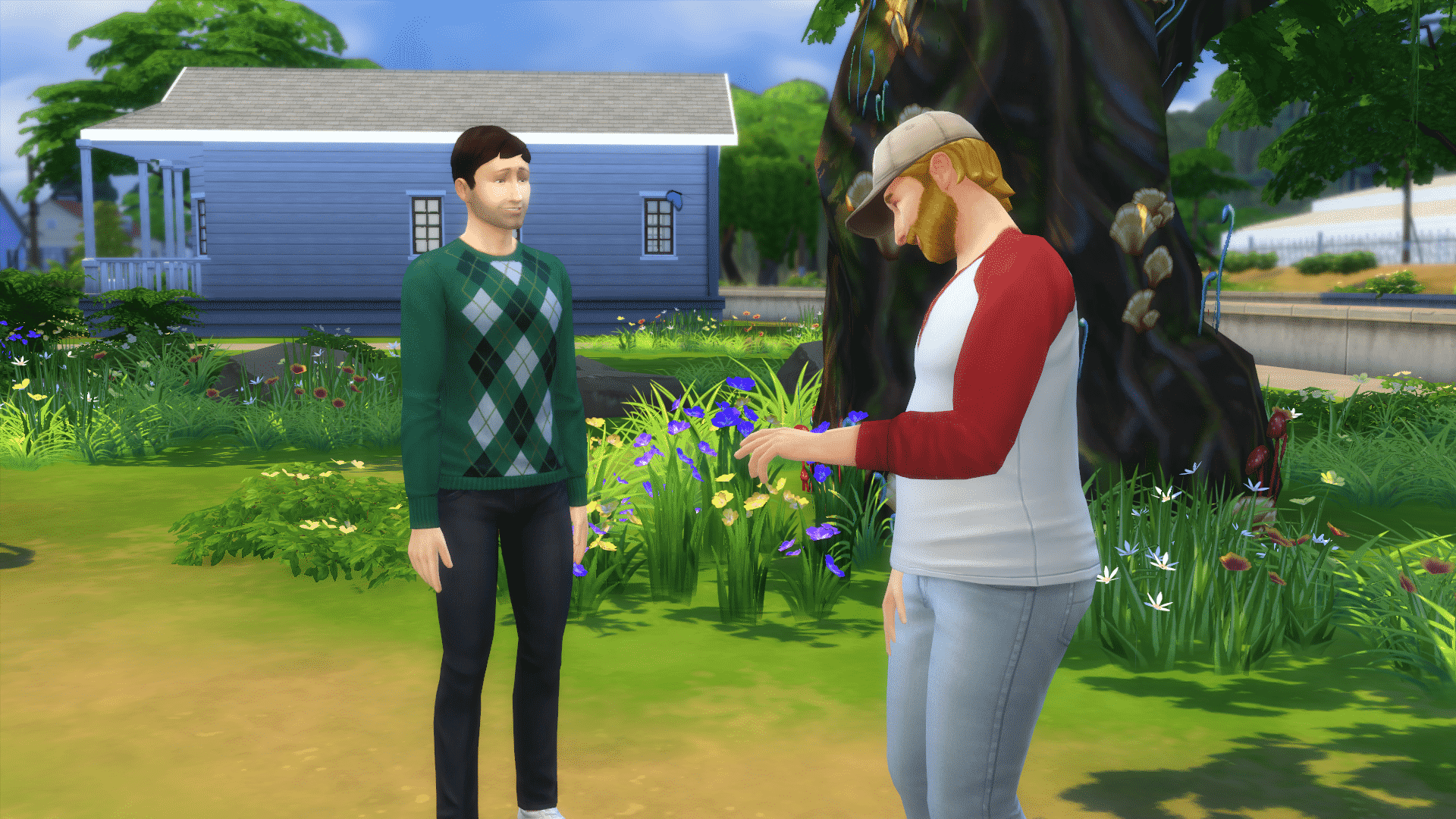
Meet Kayden Lane. He’s a Genius, a Loner, and a Geek with the Computer Whiz aspiration. He’s also 100% base game friendly! He’s going to be our Programming guinea pig– er, I mean “volunteer” for this article. Kayden has a great combination of traits for building the Programming skill. Being a Genius will make him Focused more often, which will boost the rate at which he gains the Programming skill. As a Geek, he enjoys playing video games, so as he mods his favourite games with the Programming skill, he’ll get better moodlets from playing those games, which will put him in a better mood to build the Programming skill further. Being a Loner means Kayden will be able to spend more time at his computer without needing to go out and socialize as much.

I move Kayden into one of the Oasis Springs starter homes and get his work station all set up. I sacrifice a few other luxuries like a TV and stereo in order to spring for a higher end computer. Before I’m able to start Kayden on the Programming skill, he’s already at the computer… browsing parenting forums? He gets an embarrassed moodlet from that, which doesn’t help us at all in building the Programming skill. Thanks a lot, Internet parents.

In order to combat his Embarrassed emotional state, I dig into Build/Buy and rummage up one of the plumbob mood lamps that gives off a Focused aura to place on his desk. As long as I have its emotional aura enabled, it will provide a constant +1 Focused Decor moodlet to all Sims in the room.

Unfortunately, the lamp isn’t enough to get Kayden out of the Embarrassed emotion, but we can’t wait around forever to get started. Let’s go ahead and have him Practice Programming which is located in the first level of the computer’s pie menu when you click on it.

[vc_message 0=””]The “Browse Parenting Forums” feature comes with the Parenthood game pack. It’s not the focus of this article.[/vc_message][vc_message 0=””]The plumbob mood lamps are an exclusive reward for purchasing The Sims 3 expansion packs. The one I used was the reward item for purchasing Into the Future. These lamps are handy for quickly changing emotions, but if you don’t have them, not to worry! Some great ways to change emotions in the base game are drinking tea from the Tea Magic Personal Brewer or taking different types of showers. Pondering Moves at a chess board will also get your Sim Focused.[/vc_message]

All skills in the game have their own descriptions in the skill panel. Hover over any skill to read its description. We can see here that Kayden has discovered the Programming skill. Right now, all he can do is practice programming at the computer. Practice makes perfect! As he builds his skill level, new Programming options will open up to him, some more legally questionable than others. What kind of Programmer will your Sim be?

[vc_message 0=””]Watching your Sim sit at a computer all day may sound boring, but The Sims Team put a lot of thought and care into the Programming skill. One detail about this skill that many people miss is the images on the computer screen. They match whatever your Sim is doing on the computer. Many of the screen images contain little easter eggs and throwbacks to previous The Sims titles. Browsing forums, surfing the net and even trolling the forums brings your Sim to the old The Sims 3 forums. Hacking brings up a DOS-style command prompt and several text windows and playing video games shows the game being played. Even the desktop background is a picturesque view of a world from The Sims 3 and the “Windows” icon in the bottom left corner is a The Sims 2-style plumbob. Keep an eye out for little tidbits and subtle references on your Sim’s computer screen.[/vc_message]

After a while, that unpleasant Embarrassed moodlet wears off and Kayden becomes Focused thanks to his nifty new lamp. As you can see from the purple glow around his skill bar, this means this emotion helps him build the Programming skill faster. Being Focused is boosting his skill gain rate. Always try to get your Sims into the ideal emotion for the skill you want them to build. It makes a big difference!

It pays off for Kayden because he levels up. We get a notification that he can now make plugins. That seems like a good way to make some money from programming so let’s have Kayden try his hand at that.

[vc_message 0=””]If you’re having trouble getting your Sim into the ideal emotion to build the skill you want, try getting them into any other positive emotion. Being Happy or Confident is still better for skill building than being Uncomfortable or Fine.[/vc_message]

What we’d like to see new & improved in The Sims 4 Base Game

70

What we’d like to see new & improved in The Sims 4 Base Game

It’s fair to say that The Sims 4 base game has come a long way since its initial release and there has been so much added in for free, but there’s always room for improvement and I’ve put together a small list of things that I believe could be added into the game, check the list out and let us know what you want adding in the comments section down below.

New Pool Features

The addition of pools to the game was one of the first major updaes to The Sims 4, it was a fantastic update and it was a relief to have them added back in to the game. The only problem is that it was missing some key features we were used to from previous games, we no longer had the curved pools which was a real shame and no longer did we have pool slides or diving boards, luckily diving boards eventually did get added but we’re still waiting on the slides. It’s not surprising these elements haven’t been added, curved pools didn’t arrive in The Sims 3 for severl years after the release and it was the same story with pool slides, so don’t give up hopes just yet!

Cars

This is something most of the community would love to see, recently one of the Guru’s tweeted asking if the community had any ideas on how cards could function in The sims 4. Many players assumed this meant they were working on them but as the tweet was asking for ideas it’s clear we won’t be seeing them for a while, but again, don’t give up hope because they are obviously interested in bringing them back.

NPC’s

We’re still missing a few core NPC’s in The Sims 4 base game, most of which have been there since the very start. The burglar was present in The Sims and many think it should be added in to the base game as it’s a vital part of the game, that initial shock and panic when the eary music started playing and you knew something was wrong. Police go hand-in-hand with burglars and should be added along side them, it’s another safe bet to think these two will eventually enter the game as it most likely wouldn’t be the hardest feature to program in. A fire service is another bunch of NPC’s we’d love to see, my guess is we will eventually get them again but as you can add sprinkler systems into your houses and put fires out yourself, it won’t be at the top of the agenda.

Terrain Tools

This is another huge feature that users want to see, a usual staple it was nowhere to be seen when the game was released almost 3 years ago, and it’s still not here. Several modders have claimed that due to the way The Sims 4 was built it isn’t something that could be added but we’re still hopeful, it would be a great feature and would go well with the intuitive building features within the game.

Better Babies

If you’ve ever had a pregnant sim you’ll know that the babies they produce are a little strange compared to in previous games, they act more like objects than sims and people have noticed. It’s clear many users just skip this life stage as it tends to be quite boring. This isn’t out of the question at all, there are already the animations for a baby in the game, all that we want is to have it separated from the crib, be able to move them around and walk with them, with the toddler update in January it’s clear the sims team are open to changing and adding life states so we should keep our fingers crossed.

Weather?

Now you may be thinking that weather doesn’t belong in this list, it’s usually an expansion pack feature, well I believe it could easily be added to the base game. Seasons has been a staple expansion pack since The Sims 2 but originally weather was going to be added into The Sims 2 base game, so why not in The Sims 4? Seasons could easily be released as a game pack and adding weather in as a patch could be a possibility, it’s probably unlikely but it would be a great move by EA.


Do you agree with this list and what would you like to see in The Sims 4 Base Game? Let us know in the comments!

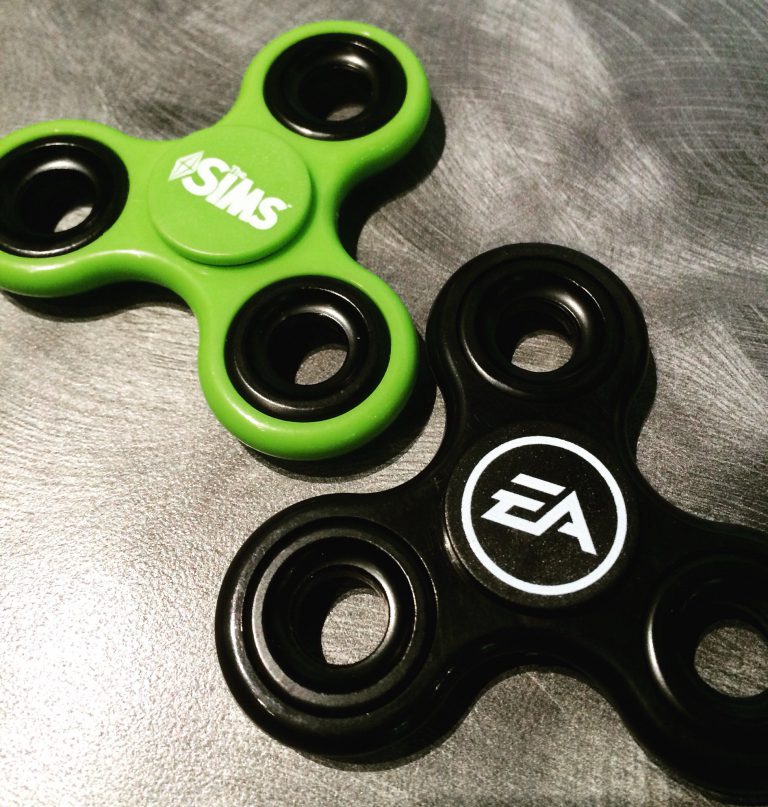
Yes, there are now Sims Fidget Spinners…

21

This is the future we’ve all been waiting for – the future where our favorite video games will get their own fidget spinners!

SimGurus are showing off the recently-released EA and Sims themed fidget spinners that they got at the EA Experience store.

The price of these are 8$ and even SimGurus are not feeling it:

However, you won’t be able to get your own unless you work at EA or have been invited by EA to do a tour.

Welcome to the future everyone!

Official Announcement: EA is retiring older The Sims games on mobile

4

Several weeks after we posted a finding of EA listing several Sims mobile games for retirement, EA has officially announced this week that they’ll be retiring a couple of Sims 3 mobile games as well as their Sims 4 Gallery companion app.

Sul Sul!

The Sims team has had a lot of fun bringing you exciting experiences on mobile, and we hope you have enjoyed them too — but alas, the time has come to say goodbye to a few of our trusted friends.

On August 11, 2017, we’ll be removing a few games from the App Store and Google Play:

  • The Sims 3 on Mobile*
  • The Sims 3 World Adventures on Mobile*
  • The Sims 3 Ambitions on Mobile*
  • The Sims 4 Gallery Companion App

*EA will no longer be supporting updates to the game after Aug 11. If you already have the game installed, you can keep playing. If you delete the game or switch to a new device, you won’t be able to reinstall it again.

We hope you enjoyed playing and that you’ll try some of our other great mobile games like The Sims FreePlay and SimCity BuildIt. We also have a new game coming out soon: The Sims Mobile.

Thanks for playing!

The Sims Team

What will happen to my game progress and all I’ve collected?

You can still keep playing the game while you have it on your device. If you remove it, you will not be able to reinstall it.

I just bought something from the store and want a refund.

Contact iTunes and Google Play support for refund help.

20 things you should try in The Sims 4

10

With The Sims 4 there’s no “boss battle” or a certain goal that you have to achieve in order to finish the game. It’s a neverending quest of making Sims happy (or miserable) with twists and turns along the way. However, as a player you might feel overwhelmed with approaching this sandbox game and how to make it more entertaining, but don’t worry – we’re here to help!

Here are 20 things you should try in The Sims 4 Base Game (if you haven’t already).

1) Complete whims more regularly

Sometimes you really need to listen to what your Sim wants and not what you want.

20 things you should try in The Sims 4

2) Play with Pre-Mades

Sometimes it’s best to continue where The Sims Team left off and continue the stories of Sims in Willow Creek and Oasis Springs. Will Johnny Zest finally be able to find the right crowd and prove his rich parents that he doesn’t need them?

20 things you should try in The Sims 4

3) Become a homewrecker

Things aren’t meant to be always perfect in The Sims 4. Why not make a Sim who will ruin all the perfect marriages in Willow Creek and Oasis Springs. You know, just for fun!

20 things you should try in The Sims 4

4) 1 Sim – 7 Toddlers

It’s hard enough to keep control of one toddler so controlling 7 toddlers is close to a nightmare.

20 things you should try in The Sims 4

5) Rotational play

Sometimes it’s important to switch things up. If you’re bored of your current household, see how others are doing, make those households interact with each other and see what happens!

6) Create a new life in Newcrest

Newcrest is completely blank and needs your help to be filled with Sims and lots. You don’t have to be the best storyteller or the best builder in the world but the outcome will definitely make you proud.

7) Start from the ground up

Cheat your way to the top and then watch your Sims crumble and re-start everything from scratch. If you have a Sim in your household who is doing really good in a certain career, make them neglect all their work duties which should get them fired. Eventually all your high bills (due to rich lot your Sims are living in) will catch you up and eventually you’ll have to sell bit by bit and start a new career in order to survive.

20 things you should try in The Sims 4

The Sims Through the Years: 14th July

0

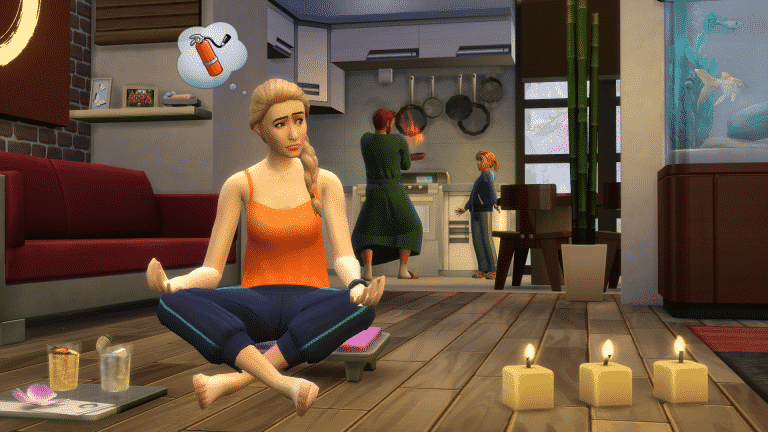
On this day just two years ago The Sims 4 Spa Day was released, it was a great addition to the game. This pack was all about letting your sims relax and added so many new functional items as well as brilliant decor and clothing for our sims to enjoy.

As well as adding loads of new items and clothing it also added a brand new lot type, spas were now an official place that our sims could travel to. The wellness skill was added in to the game as a way for our sims to become at peace (and eventually be able to teleport!), it allowed sims to meditate, perform yoga and give massages. But don’t forget about those emotions, with the new incense you could light it and let your sims bask in whatever mood you chose, from inspiring Evocative Lemon to energising Invigorating Cinnamon.

The pack was very positively received as it focused more on adding new content than adding worlds or big heavy features, but it worked well as a game pack, the amount of items and CAS item it added were staggering and it’s definitely one to add to the collection.

The Best Aspiration Reward Traits in The Sims 4

4

The Sims 4 only has a few traits that you can pick up in Create A Sim, but the real treasure of traits can be unlocked by finishing Aspirations. Here are some of the best aspiration reward traits that not only you’ll find useful but also entertaining:

The Best Aspiration Reward Traits in The Sims 4 Hilarious (From Joke Star Aspiration)

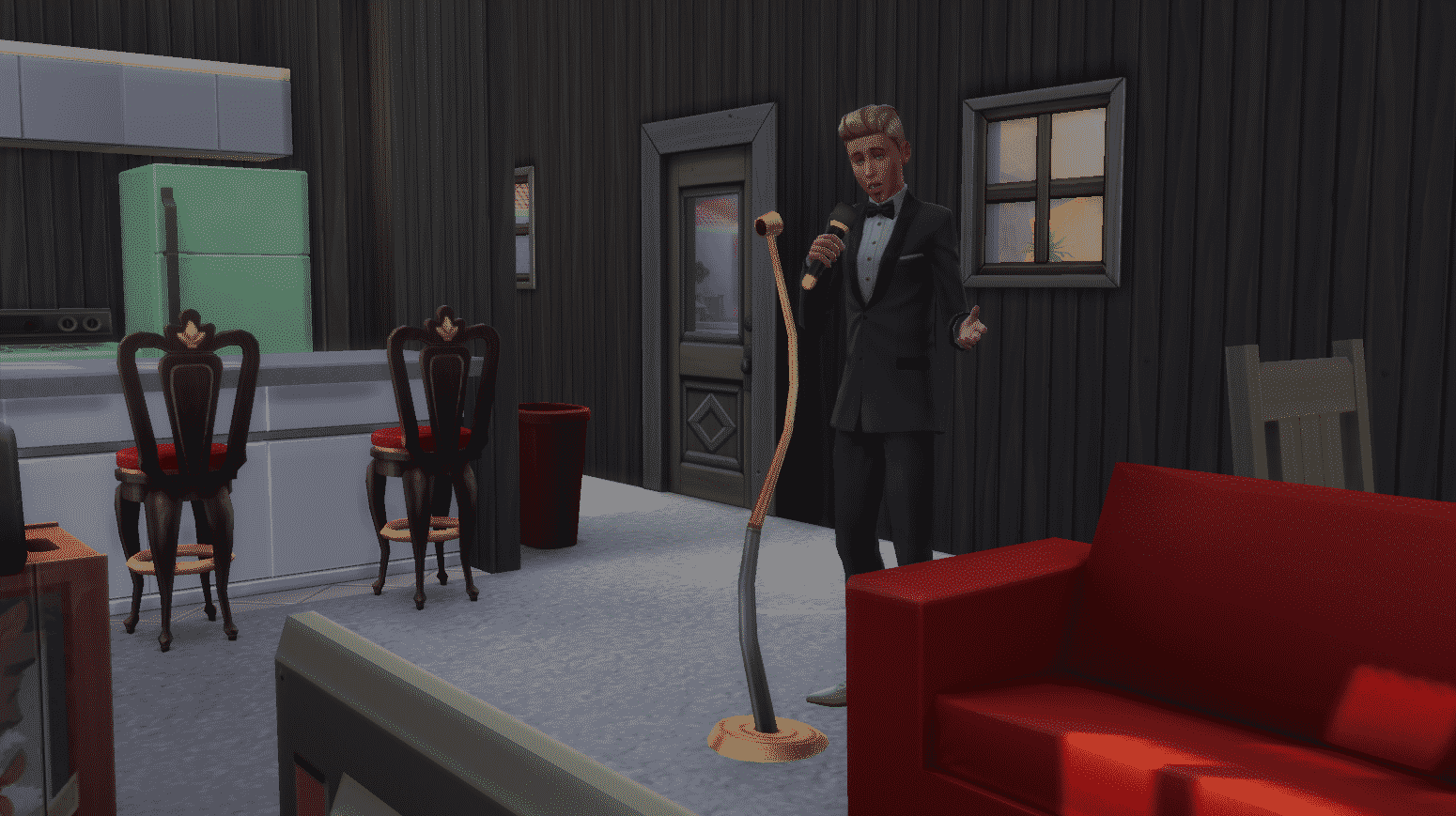
This trait does not only ensure that your jokes will always be accepted by the crowd but you also get 3 unique jokes: Horryfing Joke, Funniest Joke in the World and Weaponized Joke. All of these 3 jokes will put another Sim in a certain mood: the Horryfing Joke will make your Sim embarrassed, the Funniest Joke in the World will give a Sim a +3 playful moodlet and the Weaponized Joke will make your Sim dazed for a few hours. You can manipulate the environments with some emotional auras and make another Sim die from laughter with these (well, if that other Sim already has a Playful moodlet or two).

The Best Aspiration Reward Traits in The Sims 4

The Best Aspiration Reward Traits in The Sims 4 Piper (From Musical Genius Aspiration)

This Trait can influence other Sims nearby to perform certain actions. Sims with the Piper trait can use a guitar, violin or the piano to perform the following compositions:

  • Carol of Cleaning (which makes nearby Sims clean the house)
  • Ditty of Drowsiness (which lowers nearby Sims’ energy need)
  • Etude of Egress (makes Sims nearby leave)
  • Song of Sophistication (Sims nearby will change to formalwear)

The Best Aspiration Reward Traits in The Sims 4

The Best Aspiration Reward Traits in The Sims 4 Poetic (From Bestselling Author Aspiration)

This Trait is very, very powerful. With this Trait you can bring a Sim back from the dead, and here’s how. Once you write The Book of Life on the computer you can then capture a life saga of a Sim that your Sim has a relationship with. The book can then be read by any Sim and will have their needs refilled.

If a Sim whose life saga you’ve captured has passed away, he/she can bring themselves back to life by reading the book (you’ll have to add your ghost Sim to the household first).

The Best Aspiration Reward Traits in The Sims 4 Tormentor (From Chief of Mischief Aspiration)

With this trait you can sabotage almost any object and every Sim! Sabotaging an object will cause it to break with the next use and sabotaging a Sim will give them a +1 dazed moodlet for 3 hours.

The Best Aspiration Reward Traits in The Sims 4 Webmaster (From Computer Whiz Aspiration)
This trait brings 3 useful interactions on your computer:

  • Make Money Turking which lets you earn 75 Simoleons around each hour while performing this interaction.
  • Research Binge will make your Sim level up all the skills they’ve obtained – simultaneously.
  • Internet Stalk interaction will help you learn traits from acquintances.

The Best Aspiration Reward Traits in The Sims 4


Have you managed to obtain all aspiration traits in The Sims 4 and which ones are your favorites? Let us know in the comments!

The Sims 4 Base Game: Custom Content Showcase

As part of our first ever themed week here on Sims Community, I decided to take a look at some of my favourite pieces of Base Game custom content that I have in my game.

When I look for new custom content for my game I always check out NoodlesCC and PictureAmoebea as they both always have a great selection of content to choose from. Of course there are many amazing content creators out there. I also check out , PickyPikachu and abundanceofpixels to name several others. Lana CC Finds is another good resource that I use when looking for custom content and there is even a dedicated Maxis Match section.

Build Mode

Colourful Shutters by Noodlescc

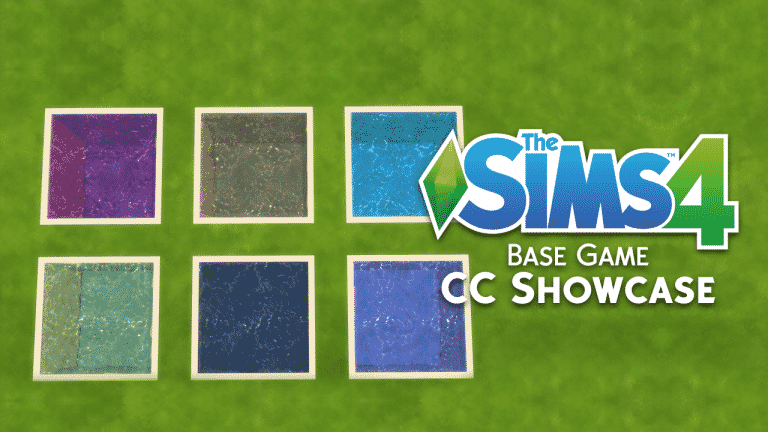
All The Water Pool Colours and Wall Patterns by PictureAmoebae

Buy Mode

Toddler Patch Curtains by MayuOnline

The Sims 4 Base Game: Custom Content Showcase

Embrace The Storybook Chair by PictureAmoebea

The Sims 4 Base Game: Custom Content Showcase

12 Base Game Plants Recolour by PictureAmoebae

Create A Sim

Welcome to Oasis Springs by Saartje

I could honestly spend ages sharing my favourite pieces of base game CAS items with you all but this one by Saartje is one of my more recent ones that I have added to my game. I also have recently added NoodlesCC base game hair recolours to my game which you can find here. Make sure you check out parts one and two from the collection as well!

That’s it for this Base Game custom content showcase. Let us know what your favourite pieces of base game custom content are in the comments below or over on Twitter!

The Sims Brazil is hyping up for new TS4 News and we don’t know what it means

10

The official Facebook page for The Sims Brazil has posted the following GIF, saying:

Who’s excited for the next news from The Sims 4?

The Sims Brazil is hyping up for new TS4 News and we don’t know what it means


Now, we don’t know what they mean with this, but there certainly won’t be anything for this week as SimGuruDrake confirmed that we shouldn’t expect any news this week.

We have a quarterly teaser which was released a couple of days ago – however the teaser has only shown one Stuff Pack which should be released in late Summer (which is probably around August/ beginning of September).

Considering we don’t have anything much going on, could there be a new announcement that The Sims Brazil is hyping us up for? Stay tuned!