Several weeks after we posted a finding of EA listing several Sims mobile games for retirement, EA has officially announced this week that they’ll be retiring a couple of Sims 3 mobile games as well as their Sims 4 Gallery companion app.
Sul Sul!
The Sims team has had a lot of fun bringing you exciting experiences on mobile, and we hope you have enjoyed them too — but alas, the time has come to say goodbye to a few of our trusted friends.
On August 11, 2017, we’ll be removing a few games from the App Store and Google Play:
The Sims 3 on Mobile*
The Sims 3 World Adventures on Mobile*
The Sims 3 Ambitions on Mobile*
The Sims 4 Gallery Companion App
*EA will no longer be supporting updates to the game after Aug 11. If you already have the game installed, you can keep playing. If you delete the game or switch to a new device, you won’t be able to reinstall it again.
We hope you enjoyed playing and that you’ll try some of our other great mobile games like The Sims FreePlay and SimCity BuildIt. We also have a new game coming out soon: The Sims Mobile.
Thanks for playing!
The Sims Team
What will happen to my game progress and all I’ve collected?
You can still keep playing the game while you have it on your device. If you remove it, you will not be able to reinstall it.
I just bought something from the store and want a refund.
With The Sims 4 there’s no “boss battle” or a certain goal that you have to achieve in order to finish the game. It’s a neverending quest of making Sims happy (or miserable) with twists and turns along the way. However, as a player you might feel overwhelmed with approaching this sandbox game and how to make it more entertaining, but don’t worry – we’re here to help!
Here are 20 things you should try in The Sims 4 Base Game (if you haven’t already).
1) Complete whims more regularly
Sometimes you really need to listen to what your Sim wants and not what you want.
2) Play with Pre-Mades
Sometimes it’s best to continue where The Sims Team left off and continue the stories of Sims in Willow Creek and Oasis Springs. Will Johnny Zest finally be able to find the right crowd and prove his rich parents that he doesn’t need them?
3) Become a homewrecker
Things aren’t meant to be always perfect in The Sims 4. Why not make a Sim who will ruin all the perfect marriages in Willow Creek and Oasis Springs. You know, just for fun!
4) 1 Sim – 7 Toddlers
It’s hard enough to keep control of one toddler so controlling 7 toddlers is close to a nightmare.
5) Rotational play
Sometimes it’s important to switch things up. If you’re bored of your current household, see how others are doing, make those households interact with each other and see what happens!
6) Create a new life in Newcrest
Newcrest is completely blank and needs your help to be filled with Sims and lots. You don’t have to be the best storyteller or the best builder in the world but the outcome will definitely make you proud.
7) Start from the ground up
Cheat your way to the top and then watch your Sims crumble and re-start everything from scratch. If you have a Sim in your household who is doing really good in a certain career, make them neglect all their work duties which should get them fired. Eventually all your high bills (due to rich lot your Sims are living in) will catch you up and eventually you’ll have to sell bit by bit and start a new career in order to survive.
On this day just two years ago The Sims 4 Spa Day was released, it was a great addition to the game. This pack was all about letting your sims relax and added so many new functional items as well as brilliant decor and clothing for our sims to enjoy.
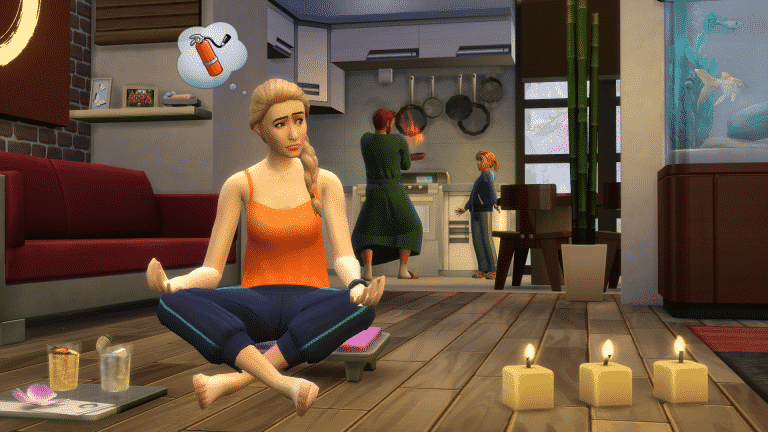
As well as adding loads of new items and clothing it also added a brand new lot type, spas were now an official place that our sims could travel to. The wellness skill was added in to the game as a way for our sims to become at peace (and eventually be able to teleport!), it allowed sims to meditate, perform yoga and give massages. But don’t forget about those emotions, with the new incense you could light it and let your sims bask in whatever mood you chose, from inspiring Evocative Lemon to energising Invigorating Cinnamon.
The pack was very positively received as it focused more on adding new content than adding worlds or big heavy features, but it worked well as a game pack, the amount of items and CAS item it added were staggering and it’s definitely one to add to the collection.
The Sims 4 only has a few traits that you can pick up in Create A Sim, but the real treasure of traits can be unlocked by finishing Aspirations. Here are some of the best aspiration reward traits that not only you’ll find useful but also entertaining:
Hilarious (From Joke Star Aspiration)
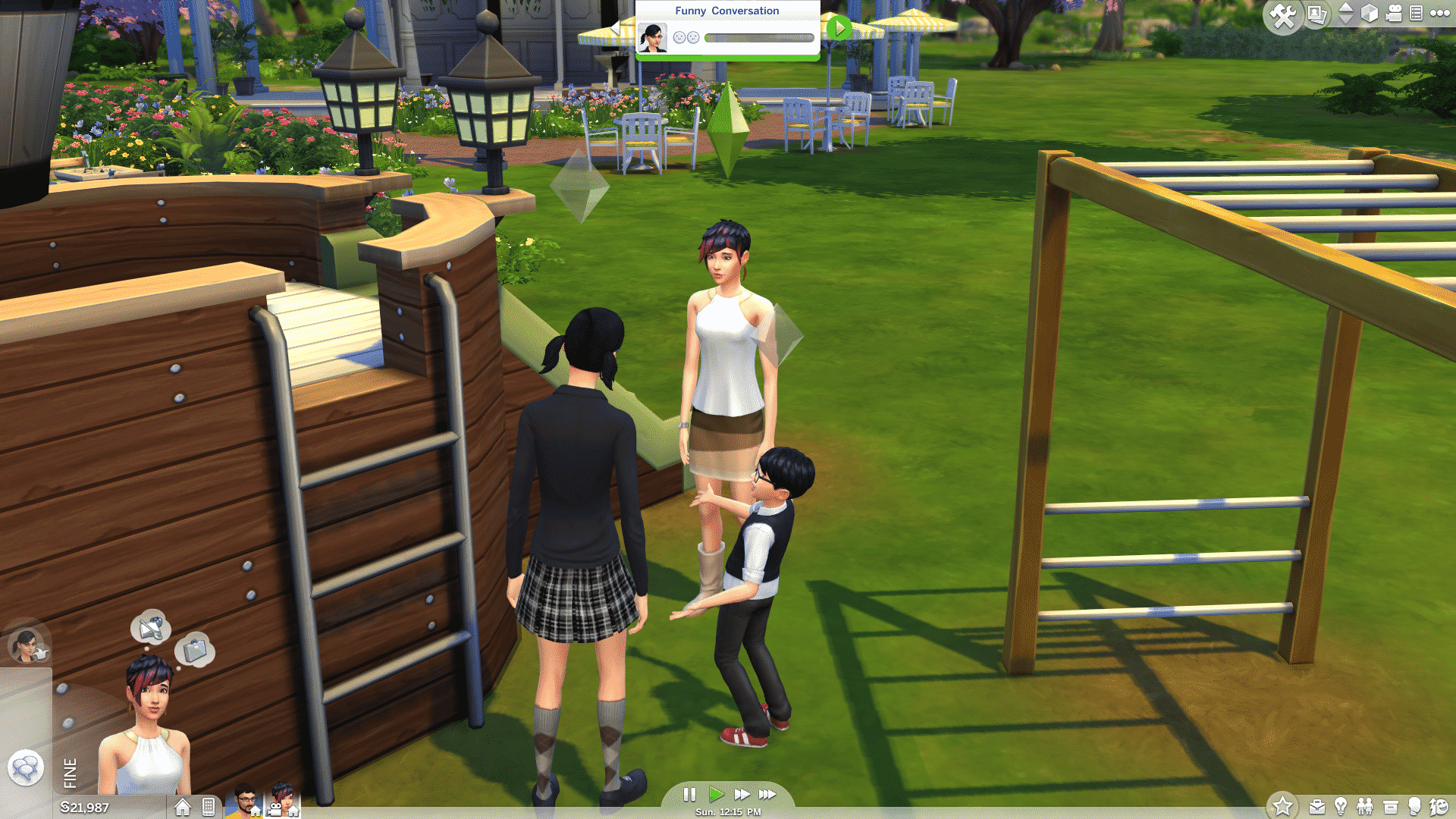
This trait does not only ensure that your jokes will always be accepted by the crowd but you also get 3 unique jokes: Horryfing Joke, Funniest Joke in the World and Weaponized Joke. All of these 3 jokes will put another Sim in a certain mood: the Horryfing Joke will make your Sim embarrassed, the Funniest Joke in the World will give a Sim a +3 playful moodlet and the Weaponized Joke will make your Sim dazed for a few hours. You can manipulate the environments with some emotional auras and make another Sim die from laughter with these (well, if that other Sim already has a Playful moodlet or two).
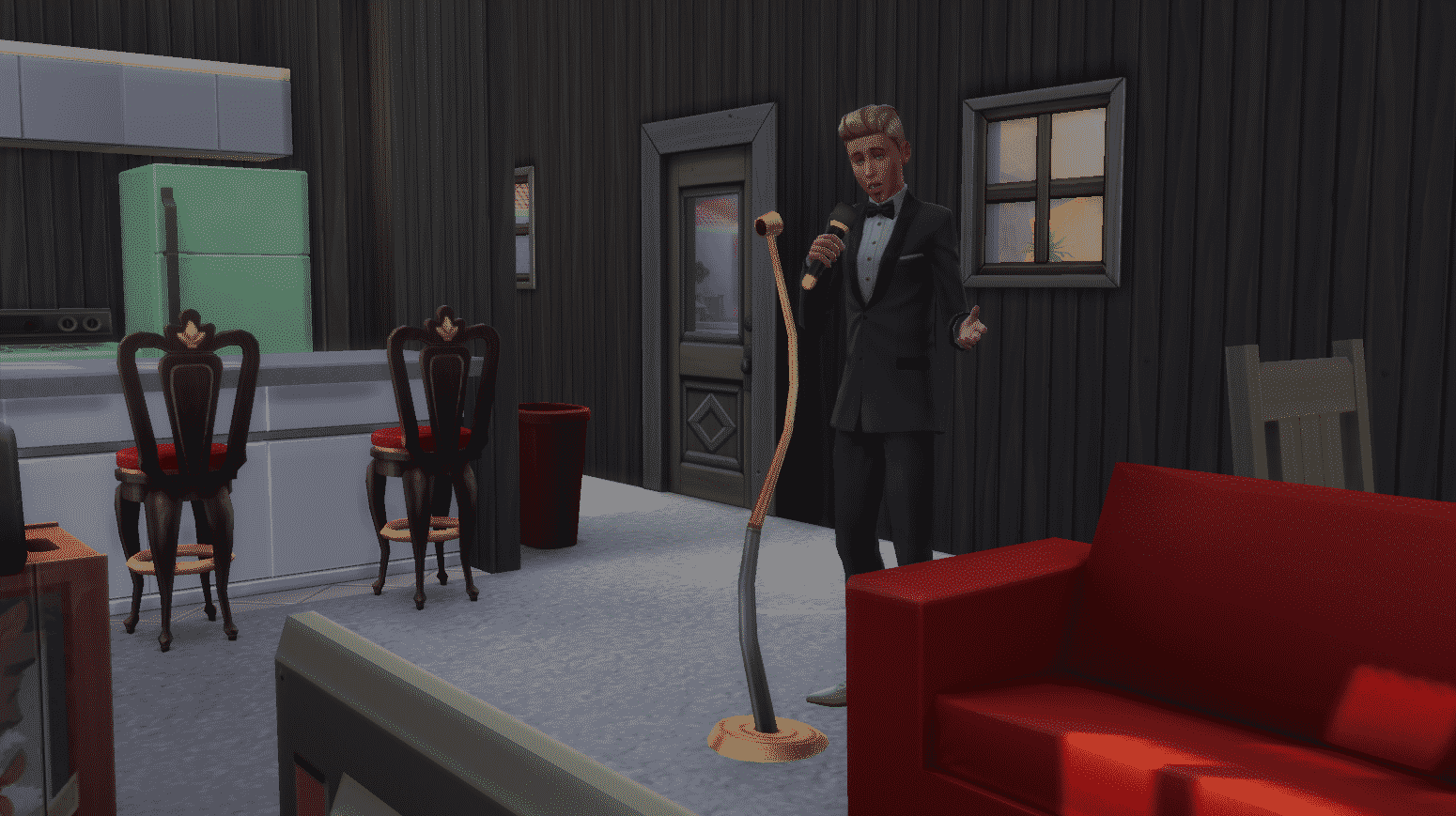
Piper (From Musical Genius Aspiration)
This Trait can influence other Sims nearby to perform certain actions. Sims with the Piper trait can use a guitar, violin or the piano to perform the following compositions:
Carol of Cleaning (which makes nearby Sims clean the house)
Ditty of Drowsiness (which lowers nearby Sims’ energy need)
Etude of Egress (makes Sims nearby leave)
Song of Sophistication (Sims nearby will change to formalwear)
Poetic (From Bestselling Author Aspiration)
This Trait is very, very powerful. With this Trait you can bring a Sim back from the dead, and here’s how. Once you write The Book of Life on the computer you can then capture a life saga of a Sim that your Sim has a relationship with. The book can then be read by any Sim and will have their needs refilled.
If a Sim whose life saga you’ve captured has passed away, he/she can bring themselves back to life by reading the book (you’ll have to add your ghost Sim to the household first).
TS4 x64 2017 07 13 22 53 10 47
07 13 17 10 54 03 PM
Tormentor (From Chief of Mischief Aspiration)
With this trait you can sabotage almost any object and every Sim! Sabotaging an object will cause it to break with the next use and sabotaging a Sim will give them a +1 dazed moodlet for 3 hours.
07 13 17 11 04 39 PM
07 13 17 11 05 34 PM
Webmaster (From Computer Whiz Aspiration)
This trait brings 3 useful interactions on your computer:
Make Money Turking which lets you earn 75 Simoleons around each hour while performing this interaction.
Research Binge will make your Sim level up all the skills they’ve obtained – simultaneously.
Internet Stalk interaction will help you learn traits from acquintances.
Have you managed to obtain all aspiration traits in The Sims 4 and which ones are your favorites? Let us know in the comments!
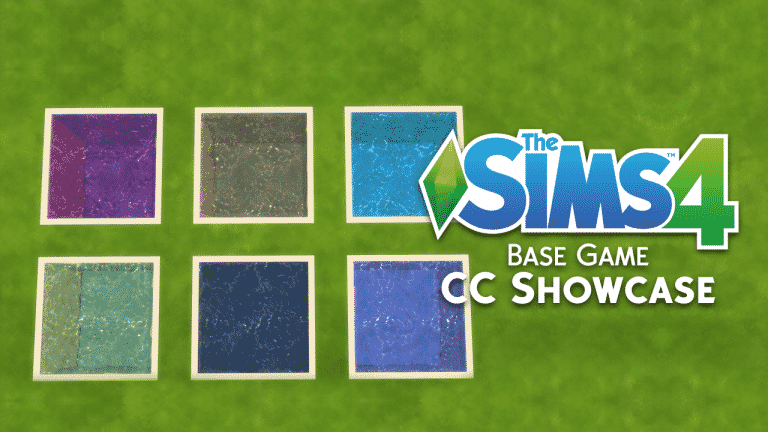
As part of our first ever themed week here on Sims Community, I decided to take a look at some of my favourite pieces of Base Game custom content that I have in my game.
When I look for new custom content for my game I always check out NoodlesCC and PictureAmoebea as they both always have a great selection of content to choose from. Of course there are many amazing content creators out there. I also check out wildlyminiaturesandwich , PickyPikachu and abundanceofpixels to name several others. Lana CC Finds is another good resource that I use when looking for custom content and there is even a dedicated Maxis Match section.
I could honestly spend ages sharing my favourite pieces of base game CAS items with you all but this one by Saartje is one of my more recent ones that I have added to my game. I also have recently added NoodlesCC base game hair recolours to my game which you can find here. Make sure you check out parts one and two from the collection as well!
That’s it for this Base Game custom content showcase. Let us know what your favourite pieces of base game custom content are in the comments below or over on Twitter!
The official Facebook page for The Sims Brazil has posted the following GIF, saying:
Who’s excited for the next news from The Sims 4?
Now, we don’t know what they mean with this, but there certainly won’t be anything for this week as SimGuruDrake confirmed that we shouldn’t expect any news this week.
We have a quarterly teaser which was released a couple of days ago – however the teaser has only shown one Stuff Pack which should be released in late Summer (which is probably around August/ beginning of September).
Considering we don’t have anything much going on, could there be a new announcement that The Sims Brazil is hyping us up for? Stay tuned!
Don’t know which pack you should choose? Here’s my top picks for each pack type!
As you may have heard, Origin is having a HUGE sale right now where you can save up 50% on Expansion Packs, 25% on Game Packs and 20% on Stuff Packs (Fitness Stuff is an exception which is only 10% off). I’ve received many questions asking “Which pack do you recommend?” so I decided to write a quick article letting you know some of my top picks. Please note that everyone has their own taste in games so it’s perfectly fine if you don’t agree with my pick 🙂
Expansion Pack
My favorite Expansion Pack so far is definitely The Sims 4 Get Together. Not only does it bring the biggest world The Sims 4 has ever gotten but it also introduces a game-changing feature: Clubs. You can manipulate multiple Sims and go out on adventures that you define. Clubs are a perfect tool for storytelling and the best thing about them is that they’re enhanced each time a new pack is released (meaning that you can encourage Sims from your club to do an interaction that a certain pack has brought).
Game Packs
There are already 5 game packs for The Sims 4 so it came down to 2 of my favorite Game Packs: Dine Out and Parenthood.
On one hand we basically have a time-management “spin-off” for The Sims 4 where you get to create, visit and manage restaurants. It’s perfect for control freaks like me because you get to manage details like which recipes your restaurant will offer, who will work in your restaurant, what should your staff wear and many more options.
Parenthood delivers gameplay that we’ve been wanting since The Sims 4’s release – giving a lot more meaning to your Sim’s growing up. As a parent you get to discipline your young’uns and watch them develop into adults with positive (or negative) traits that they’ve earned during their growing up. There are plenty of interactions that you can explore that will influence your Sim’s character values which makes the pack so valuable.
TS4 GP3 Screenshot 4
TS4 GP05 OFFICIAL SCREENSHOTS 03 002 1080
Stuff Packs
It’s really hard to pick my favorite Stuff Pack because there are already 11 of them! Still, it came down to these 3 SPs: Kids Room, Backyard Stuff and Vintage Glamour.
Kids Room adds new objects and clothing that are focused just for kids! There’s also a ton of new gameplay (for a Stuff Pack at least) including the puppet theatre, Voidcritter battle station, voidcritter collectibles and a new TV channel.
Backyard Stuff is good because it adds plenty of small gameplay objects including wind chimes, flower power outdoor light, large umbrella table, bird feeder, summer drink tray and of course, the water slide.
Vintage Glamour stepped it up introducing a new NPC – the butler! The items and clothing bring a twist to all the modern objects we’ve already gotten used to. Along with the new NPC you get a vanity table and a globe bar.
Origin just published brand new deals for The Sims 4 Games! Some games have crazy new prices including The Sims 4 Base Game which is only 15$, City Living (50% off) and Parenthood Game Pack (25% off).
Here are all the games included in this sale:
ALL The Sims 4 Stuff Packs except Fitness Stuff (20% off)
The Sims 4 Fitness Stuff (10% off)
The Sims 4 Game Packs (25% off)
The Sims 4 Expansion Packs (50% off)
The Sims 4 Base Game (15$)
Make sure you take advantage of this sale as it ends on July 18th at 10AM PT.
Ready to complete your Sims collection? Click the image below!
Today’s the day! The Sims 4 Base Game (Digital Deluxe) is now finally available on Origin Access among 70 other video games!
If you don’t know what Origin Access is, it’s a subscription-based service which lets you play video games from Origin’s vault like Need For Speed, SimCity, Battlefield, Star Wars and many, many more for just $5 a month / $30 a year! You can play these games for an unlimited time and video games that support cloud save will store your progress in case your subscription is over and you want to join again.
For full information about Origin Access, CLICK HERE!
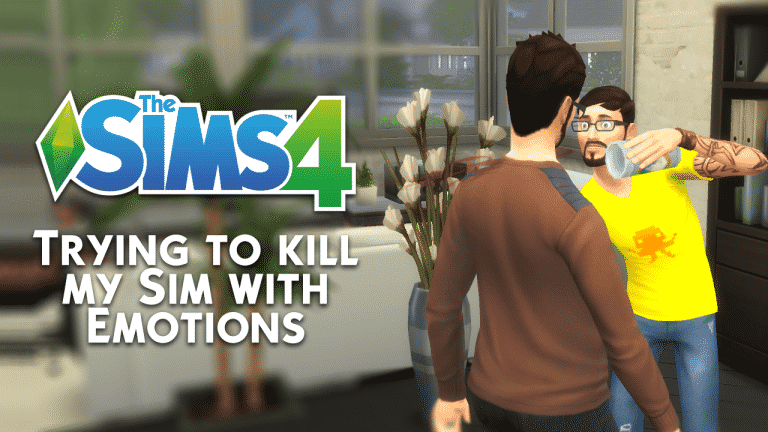
I’ve never gotten to a point where my Sims would die from strong emotions (death by anger, embarassment or laughter) because usually when I’m writing articles that involve such death causes I use cheats which boost emotions. However, this time around I’ll try to make my Sim die from an emotion without using any cheats.
For this article I’ll be trying to make my Sim die from anger. To make things easier for me I’ve made a Sim (Frank) with the Hot-Headed trait which should hopefully speed up the process.
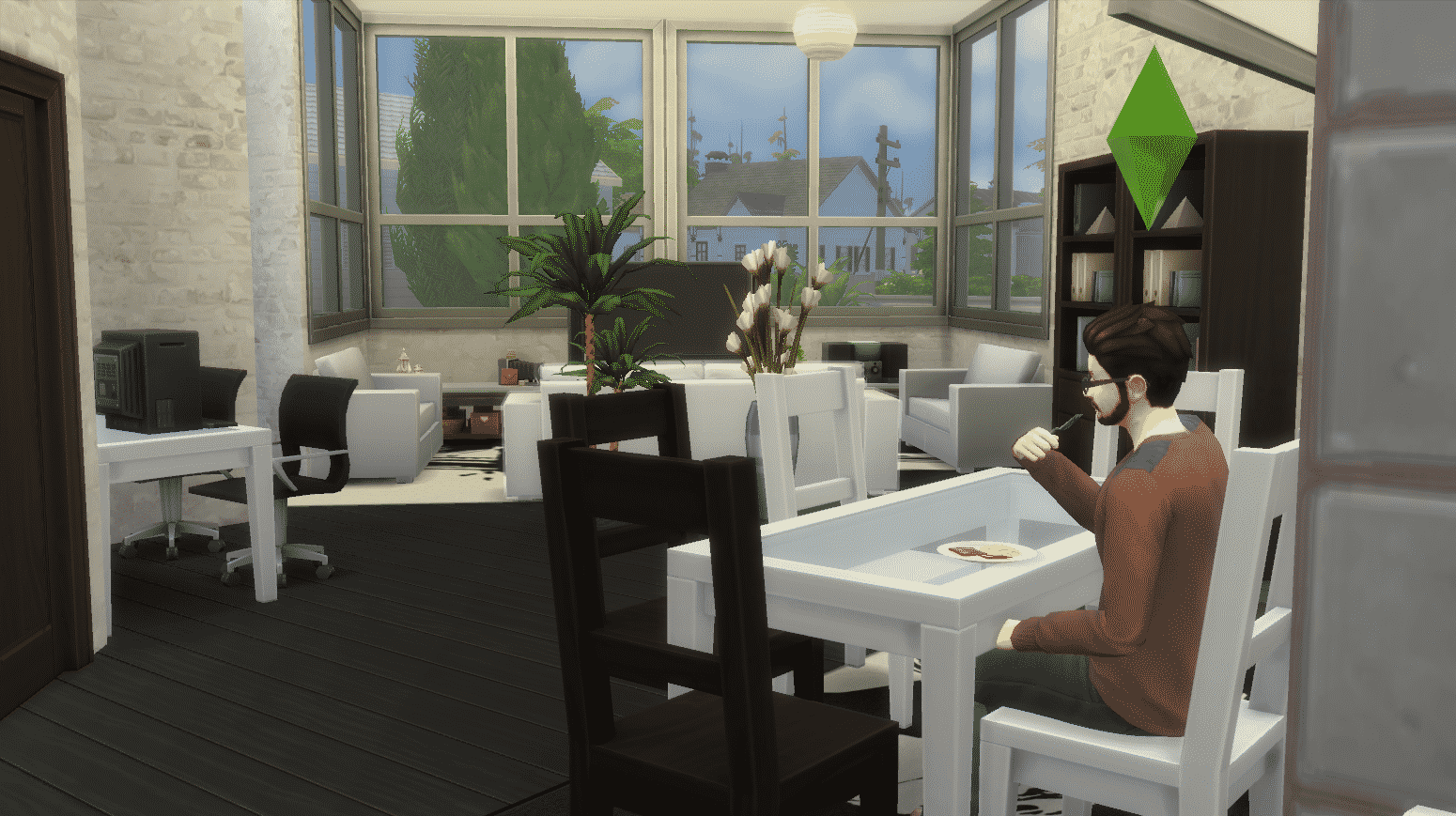
I think the easiest way to make Frank angry is through socialization with other Sims so I’ll be waiting for the welcome wagon to heat things up.
However, the welcome wagon didn’t show up for some odd reason so I had to go to the park and meet new people that my Sim will get angry at in the future.
I tried to be rude to the first Sim I saw in the park. However, that only made the Sim I was socializing with angry, not Frank who was just fine.
I was really surprised how hard it was to get my Sim angry other than the random angry moodlet which my Sim got from the Hot-Headed trait. Even that moodlet only lasted for 3 hours and didn’t have a strong effect on my Sim.
Maybe I’ll have better luck on the next day….
I couldn’t make Frank angry no matter what but I decided to give socialization another go. I went to the Rattlesnake Juice Bar in hope to meet new Sims that Frank could get angry at.
I tried to be rude towards Juliette but no matter what I do, Sims just don’t want to fight back and they quickly leave the conversation with anger.
Quite Frank-ly (haha, get it??? okay, I should leave..) I realized while playing that the best way to make my Sim die from anger is not to live alone but live with another Sim who will keep provoking Frank day and night. I went to the gallery and added Andre DaSilva to my household – another Hot-Headed Sim.
I tried to make Andre mean to Frank and it eventually worked – my Sim was finally angry! But, there are 2 more emotional levels to go through before my Sim can die from anger. To make his anger stronger I’ve made Frank do an angry painting which should emit an angry aura.
Thanks to the Hot-Headed Trait, Andre was able to rile up Frank which gave him another +2 angry moodlet, making him Very Angry. Let’s hope the angry painting will make him enraged.
Frank’s painting skills were so bad that he didn’t manage to make an angry painting with good quality, making the emotional aura really weak. It took 2 angry paintings to get one +1 angry moodlet:
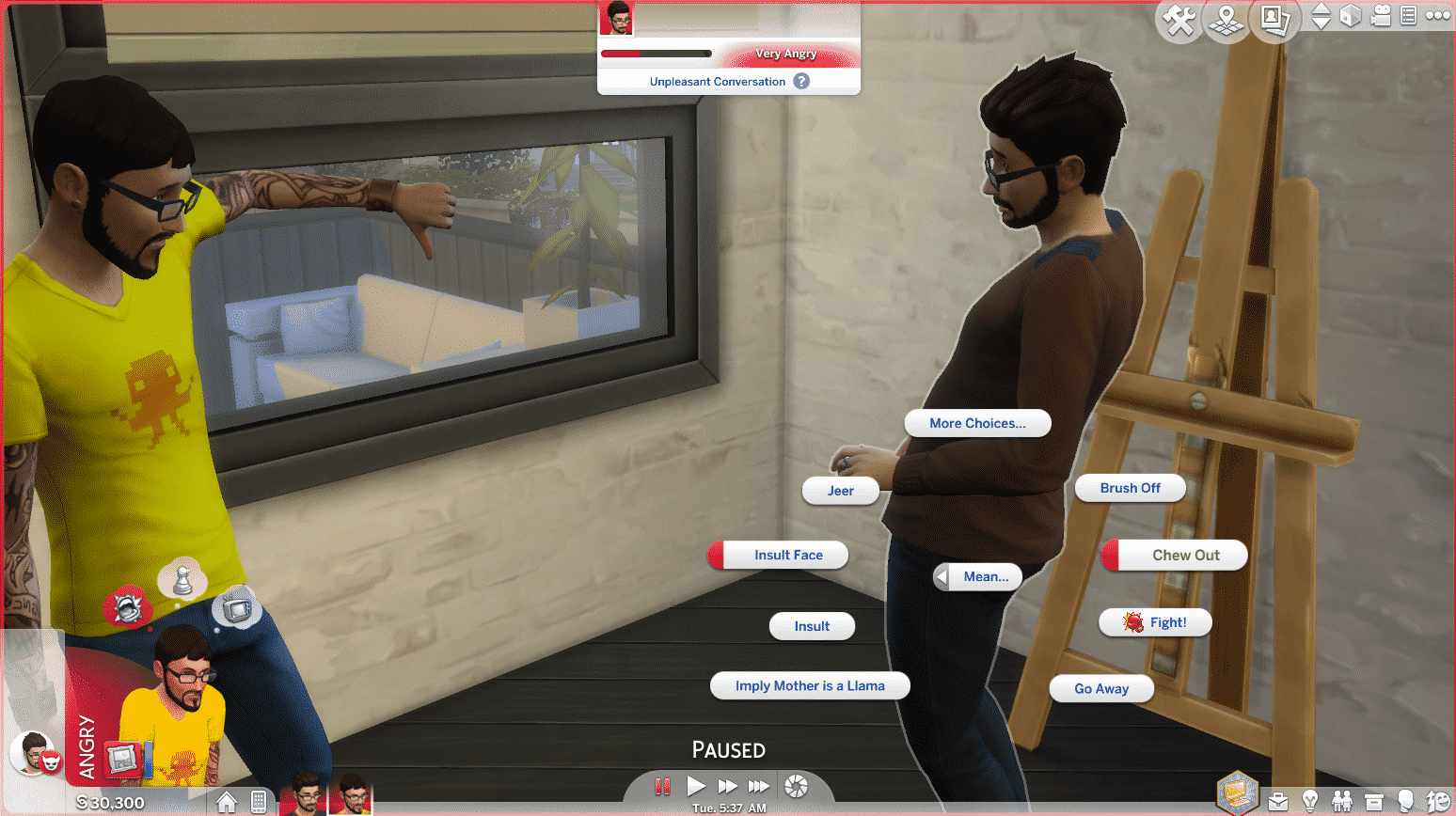
Because Andre was angry as well thanks to the paintings, he had access to new mean interactions which should hopefully make Frank even more angry:
The interactions didn’t really help so I thought that the Fight option would be the best. I wish I didn’t do that as Frank lost the battle and the Dazed emotion was in full effect instead of Angry:
My Sims have been exchanging insults for almost a day without any significant results but I didn’t want to give up just yet. After the dazed emotion wore off I made Frank do another angry painting which didn’t result in anything. However, Andre declaring Frank as an enemy really helped a lot, giving Frank another +2 angry moodlet:
Whatever I did just wasn’t enough to reach the 3rd level of the angry emotion, so I tried the unthinkable.
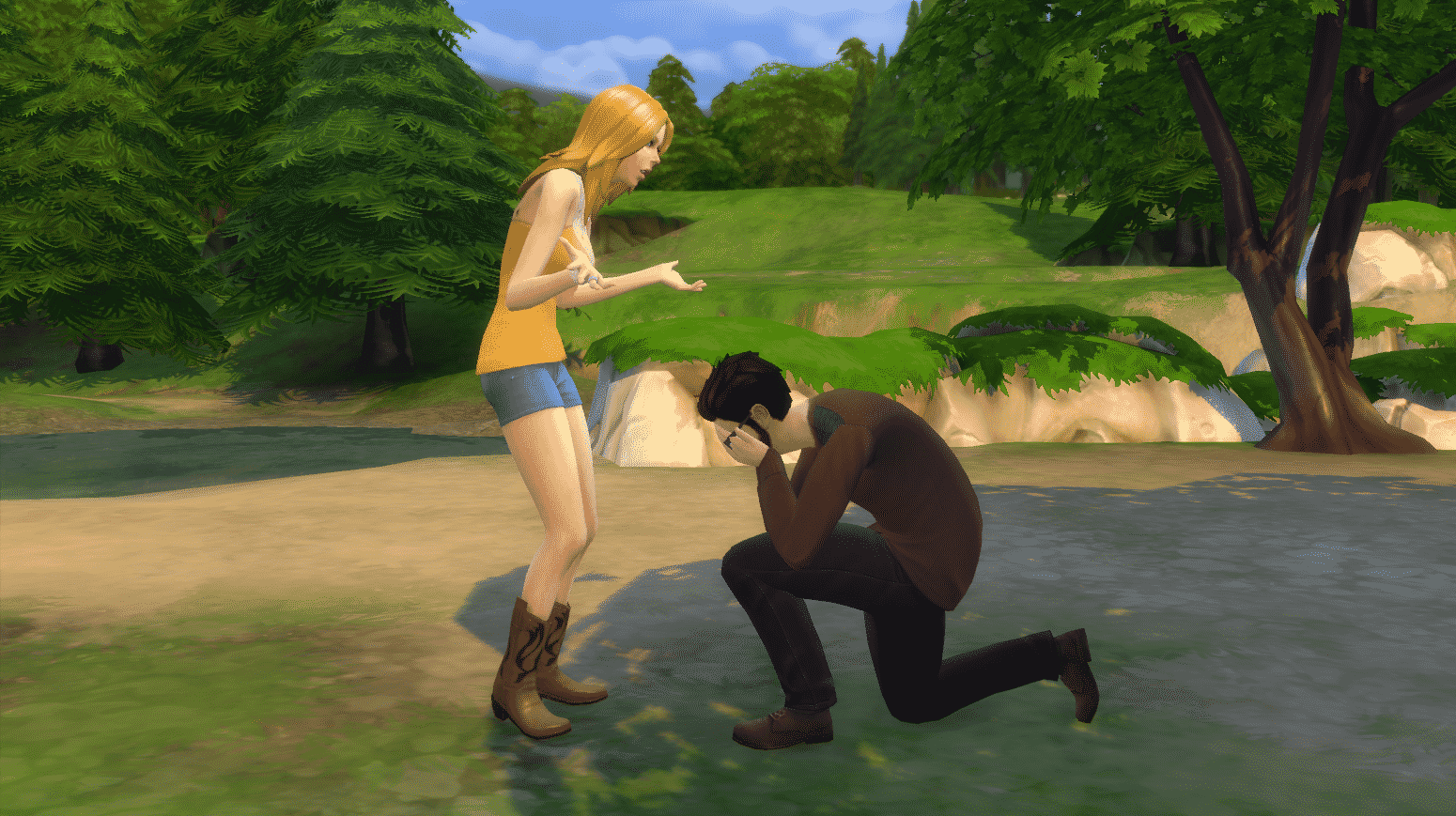
I made Frank fall in love with Babs L’Amour, another Sim I’ve added to this household in order to succeed at killing Frank. I wanted to make things more extreme and have Babs and Frank marry each other, have Andre flirt on Babs and have Frank walk into the room during that scenario (really ambitious, right?) Thankfully this is The Sims so it should only take me about few hours to do that – or so I thought. I completely forgot the fact that Babs is Noncommittal which is why she rejected the proposal. That really hit Frank hard, making him very embarrassed.
Seeing how strong the “Rejected!” moodlet is I’ve decided to kill Frank by mortification. It shouldn’t be too hard this time around….
I had to carefully prepare for this. I took care of all of Frank’s emotions except bladder. Then, I made him and Babs go to the park and try the proposal again, which failed of course.
Then, just at the right time, my Sim’s bladder failed.
This is it – Frank finally reached the 3rd emotional level. He’s not dying from anger but at least my mission here to kill a Sim with an emotion is complete.
07 11 17 5 04 26 PM
07 11 17 5 04 57 PM
When it comes to trying to kill your Sim with anger, be patient. There are several reasons why I failed to kill my Sim with anger:
My angry paintings didn’t have a strong emotional aura because of the low painting skill.
I focused too much on socialization without including other everyday aspects of a normal Sim’s life (failure at work, getting fired, losing in a video game etc.)
Still, this story is over and Babs and Andre ended up getting together.
And they lived happily ever after… (except poor Frank)
Seeing as we’re celebrating the brilliant The Sims 4 base game I decided to dig out a fantastic feature in the game which often goes unnoticed. The Sims 4 has a dedicated memory system which of course links in with the emotions within the game, have you ever wanted events in your sims lives to affect them in the present? Well wish no more because I’m going to tell you about the emotional memory system!
You may know of the system and how great it is, but so many players don’t as it’s not immediately obvious it even exists, I’m going to show you exactly how you can use it. The system is great for story tellers and adds a whole new depth to gameplay.
Guide
Firstly you must get your sim into an emotional state, every single one (including fine) has an allocated memory, but this is a bit tricky as it’s not as simple as an emotion causing the same emotional memory, check out this list for the memory/emotion combinations.
Happy – Happy memory
Sad – Sad memory
Angry – Angry memory
Confident – Confident memory
Embarrassed – Embarrassed memory
Flirty – Flirty memory
Inspired – Inspired memory
Fine – Happy memory
Playful – Happy memory
Dazed – Happy memory
Uncomfortable – Sad memory
Tense – Sad memory
Bored – Sad memory
Focused – Confident memory
Energised – Confident memory
2. Next you should take a screenshot including the sim who has the ideal emotion, make sure the emotion belongs to the active sim as this is the emotion the memory will take. All sims involved in the memory will be able to recall this memory and take the active sims emotion, not the one they had at the time.
3. Once you’ve taken a screenshot you should enter the screenshot manager, this can be found by clicking the camera options button to the right of the speed settings. Once there you should select the screenshot you have just taken.
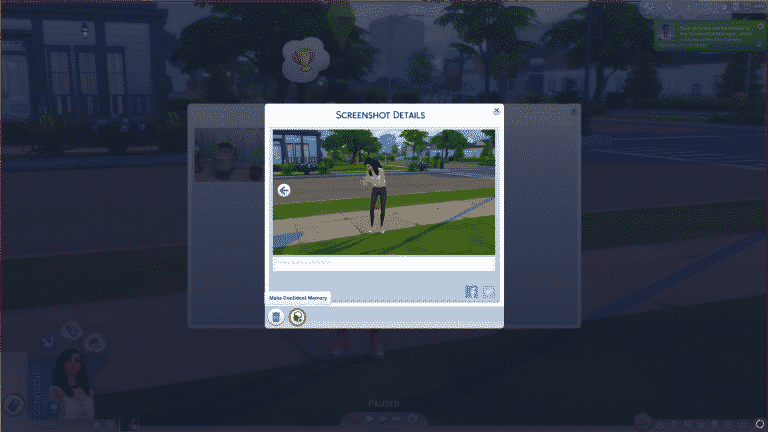
4. When you click this you can then press the button circled below which modifies the screenshot into an emotional memory, this means that it can be remembered and has an affect on any sims involved. This will also tell you what kind of emotion is linked to the memory.
5. Once this is done the memory will gain an icon and an emotion, from this screen you can also view which sims are involved in the memory, you can delete and add sims back to the list. If a sim isn’t in the image they can not be added.
So that’s it! Now you can let your sims remember days past, it’s honestly a really good system. I would say this easily rivals The Sims 2’s memory system which was limited in that you couldn’t add custom memories. Spread the word and let your Simming friends know their sims can remember the good old days!
It’s that time of year again where Amazon holds it’s Prime Day deals! Included in this years event is The Sims 4 and a couple of expansions.
Currently on Amazon UK you can find The Sims 4 Standard Edition (PC Origin Code) for just £24.99 instead of £49.99. Also two of the games expansions, City Living and Get Together are just £17.49 instead of £29.99. Although it is not on a Prime Day deal you can also get the Get To Work expansion for just £14.99!
Prime Day is yet to start in the US but we will update this post with any new deals as they become live!
Installing the first version of The Sims 4 Base Game version wasn’t easy, but I somehow managed to do it.
After launching the game I was immediately greeted with the familiar main menu which is very minimalistic and features video clips of Sims doing things instead of a render with visual effects.
Immediately I noticed something off-putting about the first version. There’s something about font styling that’s very odd and disturbing, at least to me. There’s an unusal amount of spacing between each word which is present in the entire game (I added extra spacing in the last few words to prove a point).
TS4 2017 07 10 13 09 41 73
TS4 2017 07 10 11 42 14 73
Moving on to Create A Sim, there are a couple of things I noticed that are missing right away and that’s Toddlers and Gender Customization. What was so apparent about the gender customization features is that I was only able to pick 3 voice types and not 6 like we can today. Same goes for clothing, hairstyles and other items which are exclusive to male and female genders.
What’s also missing is the Swimwear outfit category (because there were no pools back in the day) and the option to randomize Sims from the gallery. There are also 2 traits that you won’t find in the first version of this game and those are Jealousy and Kleptomaniac.
TS4 2017 07 10 11 45 50 35
TS4 2017 07 10 11 43 10 15
The whiteness of the loading screen really burns your eyes, especially if you were playing the game during night time.
World maps were a bit of a mess because you couldn’t tell what a lot looks like until you hover over a certain neighborhood.
TS4 2017 07 10 11 47 57 63
TS4 2017 07 10 11 47 23 67
Once I started playing with my household I immediately noticed that there’s weird stuttering in the game. After The Sims 4 has launched the game had to go through several updates for it to be optimized for all computers. Until then, many simmers had to play the game that was mostly stuck in 30-40 fps with sudden drops here and there.
One thing that annoyed me the most are the in-game tutorials. Just when you think you got rid of the tutorial it pops up again for a different feature when you click on something. It literally took me about 15 to 20 minutes to get rid of it completely. I tried entering the-no_tutorial command in Origin game options however it seems that game options only work when you’re in online mode, and I had to go offline because otherwise I wouldn’t be able to enter the game without updating it first.
Update: it turns out the command to bypass tutorials is actually –no_tutorial (with two dashes). However, you won’t be needing this because it’s easy to turn off tutorials in the current version.
TS4 2017 07 10 13 18 43 99
TS4 2017 07 10 12 25 39 20
TS4 2017 07 10 11 56 16 96
TS4 2017 07 10 11 49 18 56
The more I played the game the more I noticed how essential features were missing. The absence of pools, ghosts and genealogy really makes the game bareboned, not to mention that the game didn’t even come with dishwashers…
Build Mode was also missing some crucial things like basements, half-walls and useful tools like copy room or place the ability to move the entire lot around, not just the house structure.
During conversation you’d have to scroll through all Sims involved instead of having a full thumbnail list of sims involved:
The phone on the current Sims 4 version luckily no longer looks like this:
There’s an issue that was common in the month of September 2014 (before it was patched out) where Sims would just magically go missing. For example, the moment my baby Sim aged up to child (glad that’s no longer a thing) she was missing and I couldn’t find her or focus on her by right-clicking her thumbnail.
There was something about the user interface design that just didn’t look pleasing, and I’m not just talkinga bout the weird spacing between words…
What really, really bugs me about this version is how Sims can’t stay in one place when socializing. If they have many surfaces to sit on around them while socializing they’ll move around like crazy.
There are a lot more bugs that I encountered, such as my Sims getting stuck under the stairs or my Sim collecting dishes and stopping for no reason, scattering all the dishes they’ve collected around them.
07 10 17 2 06 PM
07 10 17 1 42 PM
There are a few things that I noticed that are missing in the current version of The Sims 4 and that were present back in the day:
You were able to take screenshots in game, turn those screenshots into memories and assign a certain emotion to each memory, so that when a Sim chooses the “Reminisce” interaction they’d get a moddlet appropriate with the emotion you’ve assigned to the memory.
UPDATE: I found out you can still do that in the current version, just not choose an emotion at your will. Check out our Emotional Memories articlefor more info!
What really struck out in this version of The Sims 4 is the way that outdoor shadows are moving. They’re natural and are rendered about 1-2 times each second, unlike in the current version of The Sims 4 where they’re updated every 5 seconds. Seriously though, they became really choppy since around the end of 2015 and we still have no explanation why is that so.[mks_col]
[mks_one_half]
[/mks_one_half]
[mks_one_half]
[/mks_one_half]
[/mks_col]
Playing with this version of The Sims 4 really made me realize how far we’ve come in terms of base game content. The game went through a lot of needed cosmetic changes and the features we’ve gotten such as new life stage, pools, ghosts, new build tools and a lot more were really welcome. I’m not sure why they initally charged this game for 60$ when it didn’t have many features we have today.
Today, not only does the base game feel more complete but it’s also a lot more cheaper than before. If you’re planning to get The Sims 4 you can either get it HERE on Origin or subscribe to Origin Access and have it as a part of the Access Vault.
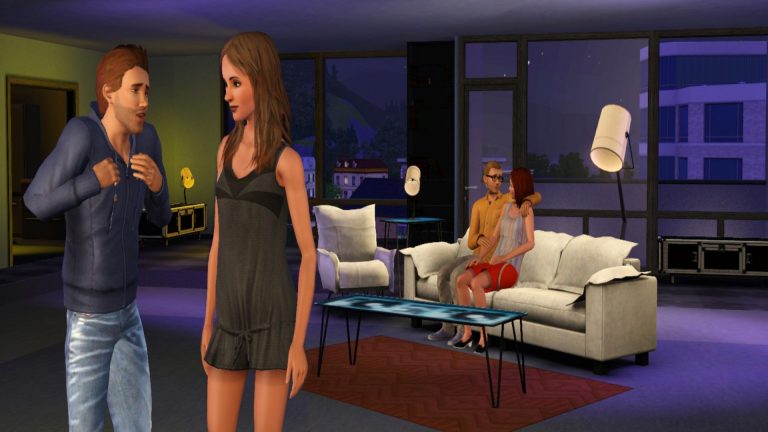
On this day just 5 years ago The Sims 3: Diesel Stuff was released, this pack added real life Diesel branded clothes and items in to The Sims 3 which was definitely a welcomed addition. The Pack received a warm welcome and adds that extra touch of style to the game.
Thankfully the pack didn’t just add clothing, plenty of brand new furniture which was equally stylish as the clothes made their way to the buy section. Mostly modern and contemporary the items made any home the perfect environment for their sims.





 Hilarious (From Joke Star Aspiration)
 Piper (From Musical Genius Aspiration)
 Poetic (From Bestselling Author Aspiration)

 Tormentor (From Chief of Mischief Aspiration)

 Webmaster (From Computer Whiz Aspiration)

















 It’s that time of year again where Amazon holds it’s Prime Day deals! Included in this years event is The Sims 4 and a couple of expansions.