Home Blog Page 384

Sims 4 Building Tutorial: Terraforming without the Tools

8

sims 4, sims 4 building, sims 4 landscape, sims 4 build tools, sims 4 building tutorial
Today’s Sims 4 building tutorial might give you some ideas to help your landscapes appear a little more realistic, and a little less flat. I’m still holding out hope that terraforming tools will be added in a future patch or DLC, but in the meantime we can get creative!

In this tutorial, we’re going to use a combination of building techniques, which can add some needed character to an otherwise level surface.

Let’s begin!

In build mode, press CTRL + SHIFT + C to bring up the type field in the top left of your screen. We’re going to type in a couple of cheats:

bb.moveobjects 
bb.showhiddenobjects

Adding Caverns

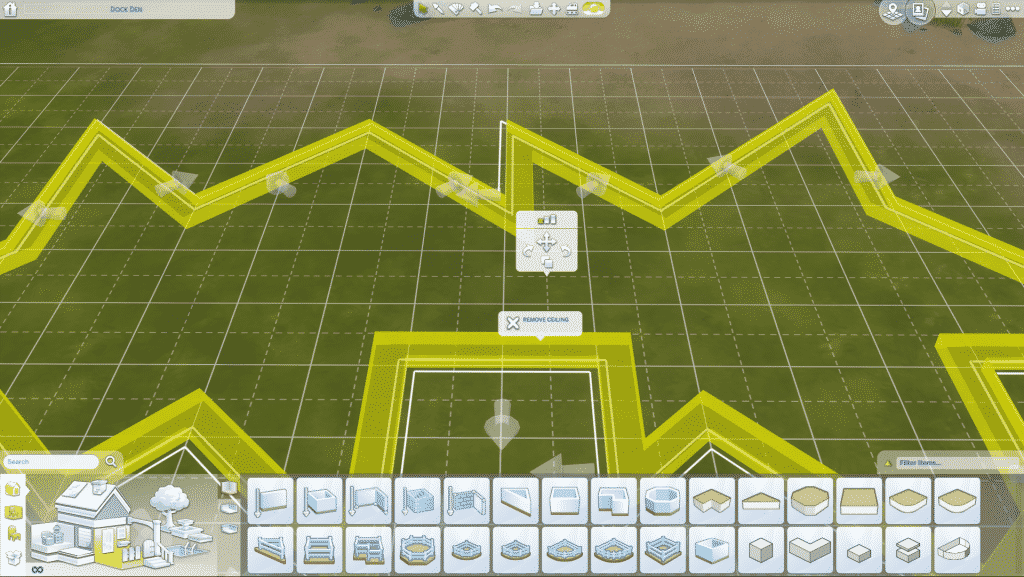
First, let’s start with depressed areas. I’m going to use the basement tool to cut out a hole. Use the custom basement tool to trace a shape that is sharp and irregular.

sims 4, sims 4 building, sims 4 landscape, sims 4 build tools, sims 4 building tutorial

sims 4, sims 4 building, sims 4 landscape, sims 4 build tools, sims 4 building tutorial

Once you have your jagged basement, select it by clicking on the side, then use the up-level arrow in the top right of your screen to move up to the ground level. Hover over the outline and you’ll see a yellow band appear on the basement outline. Click the yellow band, and click ‘remove ceiling.’ Now you have a nice looking hole!

sims 4, sims 4 building, sims 4 landscape, sims 4 build tools, sims 4 building tutorial

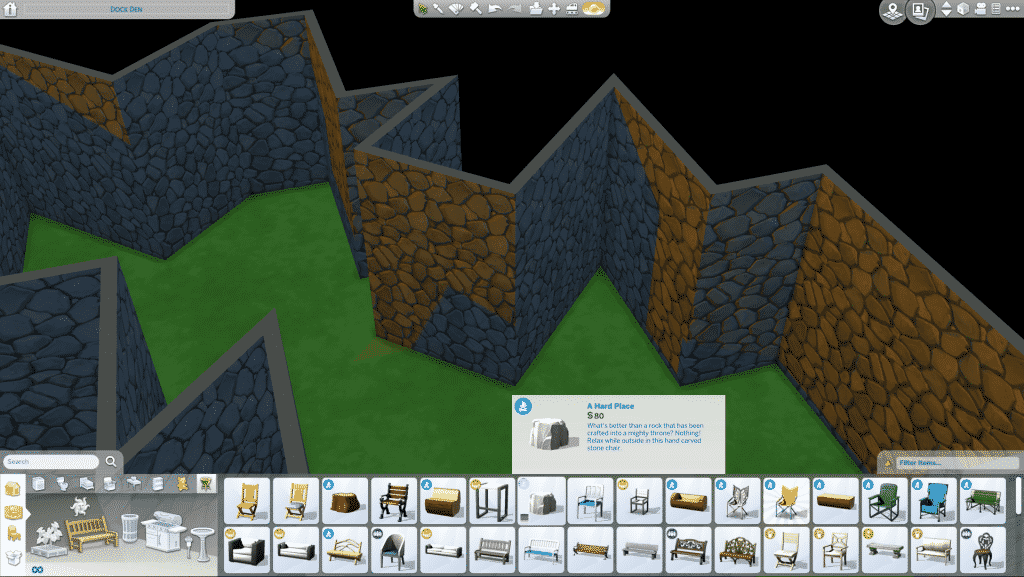
Change the wall covering to resemble rock or stone, add some grass, rock, or dirt flooring. Now we can get ready to add some pizzaz!

sims 4, sims 4 building, sims 4 landscape, sims 4 build tools, sims 4 building tutorial

Using rocks, or rock-like objects, you can start to layer them on top of and inside of each other. Scale them to larger sizes using the right square bracket key ( ] ) or bring the size back to normal with the left square bracket key ( [ ) while you have the object selected.

sims 4, sims 4 building, sims 4 landscape, sims 4 build tools, sims 4 building tutorial

To move an object up, select the object and press the number (0). To move it down, or back to the baseline, hit the (9) number key. Don’t forget to hold down ALT while placing your objects to avoid the grid snap, too!

Keep placing and overlapping rock shapes of different sizes, shapes, and elevations all around the hole opening. You want to soften the jagged corners and the final result will be more pleasing to the eye.

Adding Hills

To add a hill, a similar technique of layering can be used.

Type ‘garden‘ in the item search field. When you do this, avoid hitting enter. Hitting enter can sometimes result in a search of the most relevant items. We want to see something hidden. When you type in garden, click the search magnifying glass icon next to it for best results.

Since we entered the showhiddenobjects cheat at the beginning, we’ll be able to see some hidden and debug items to place.

sims 4, sims 4 building, sims 4 landscape, sims 4 build tools, sims 4 building tutorial

You’re going to want to place this garden dirt pile debug item. You can overlap and resize these to your liking!

sims 4, sims 4 building, sims 4 landscape, sims 4 build tools, sims 4 building tutorial

sims 4, sims 4 building, sims 4 landscape, sims 4 build tools, sims 4 building tutorial

Add some rocks, grass, flowers – whatever you like! Layer all of the things! You’ll want to add some ground paint (or so I call it) underneath and around the edges to blend the dirt pile into the flat ground a little better.

sims 4, sims 4 building, sims 4 landscape, sims 4 build tools, sims 4 building tutorial

Using these techniques can add some life to your builds. Sure, these specific design elements won’t work for every type of landscaping project, but they’re nice to pull out every once and a while.
Though your Sims won’t be able to hike up one of these hills or jump down a cavern, they’ll look good in the environment all the same!

sims 4, sims 4 building, sims 4 landscape, sims 4 build tools, sims 4 building tutorial

sims 4, sims 4 building, sims 4 landscape, sims 4 build tools, sims 4 building tutorial

sims 4, sims 4 building, sims 4 landscape, sims 4 build tools, sims 4 building tutorial

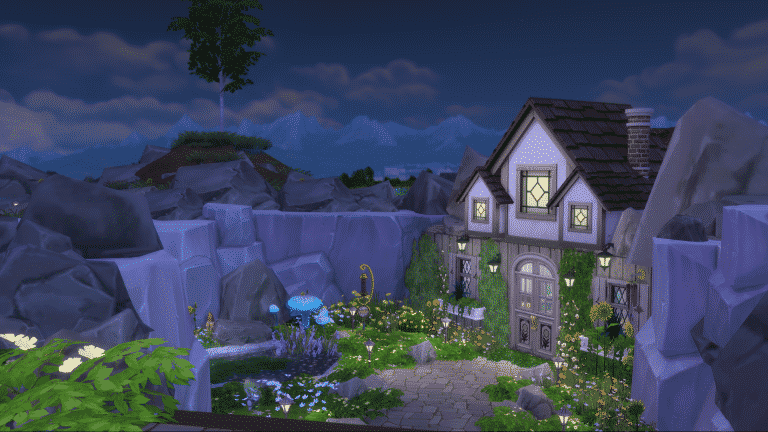
The featured pictures are from a recent build where I used these faux terrain tool tricks. You can find the build on the gallery under my Origin ID (HollieBBTV).

Shoutout to TheNUBalicious for the dirt pile idea!

Be on the look out for another Sims 4 building tutorial next Friday!

You can catch my Let’s Plays and Build Casts daily on twitch.tv/holliebb

The Sims 4 Vampires: XP, Power Points, Abilities and More!

8

The Sims 4 Vampires: XP, Power Points, Abilities and More!Unlike previous generations, Vampires in the Sims 4 can level up their supernatural status all the way up to being a Grand Master Vampire. This seems to have impressed those of you who enjoy your story-driven gameplay, but for those of you who love the Sims 4 Challenges it’s a chance for you to really get stuck in to some immersive gaming that forces you to invest some time in developing your Sims that little bit more.

But you might be thinking; “How the hell do I level up a Vampire Sim? And what is Vampire XP?”. Well, read on for some top tips and some time-saving tricks that will take your Sims from a Nocturnal Newbie to a Day-walking Demi-God!

What is Vampire XP and how do I earn it?The Sims 4 Vampires: XP, Power Points, Abilities and More!

Simply put, they are experience points that you earn by feeding on other Sims and by performing certain Vampire specific actions such as Dark Meditation or Researching Vampire Lore on the computer. If your aim is to level up your Vampire quickly, then you should focus on building relationships with other Vampires, performing Vampire actions and keeping on top of your Vampire’s needs. Feed them regularly, ask higher rank Vampire Sims for training and read about Vampire lore and secrets as if it was their hobby.

XP stacks up over time, and eventually will mean that your Sim will ‘level up’. Levelling up as a Vampire Sim will give you Power Points that can use to purchase Vampire abilities, which in turn can make gameplay more varied and interesting, will help you gain even more XP, and will give your Vampire a higher “rank” within the Vampire World. Your XP Bar is situated at the bottom of your Vampire Sim’s needs console, and will fill up with a pink/purple bar as you earn XP. You will also see a small, purple bat with a + sign appear above your Sim’s head every time they earn XP.

What are Power Points?

The Sims 4 Vampires: XP, Power Points, Abilities and More!Power Points are awarded to you when your Vampire Sim levels up and gets a new rank. When you create a Vampire Sim in CAS, they start as Fledgling Vampire Level 1 in rank and they will automatically have 2 Power Points to spend on some new Vampire Abilities (don’t worry, we’ll talk more about that below!). At certain ranks, you will also have to take a Vampire Weakness when you take on a new ability – so make sure you choose carefully! Power Points available to your Sim is displayed at the bottom of their needs, next to a small book symbol which will take you to a catalog of abilities they are able to purchase. Below is a list of Vampire ranks, and what you gain when you achieve them.

Fledgling Vampire Level 1 – You start at this rank, with 2 Power Points to spend
Fledgling Vampire Level 2 – Gain 1 Power Point
Fledgling Vampire Level 3 – Gain 1 Power Point
Fledgling Vampire Level 4 – Gain 1 Power Point
Minor Vampire Level 1 – Gain 2 Power Points and 1 Weakness
Minor Vampire Level 2 – Gain 2 Power Point
Minor Vampire Level 3 – Gain 2 Power Point
Minor Vampire Level 4 – Gain 2 Power Point
Prime Vampire Level 1 – Gain 3 Power Points and 1 Weakness
Prime Vampire Level 2 – Gain 3 Power Points
Prime Vampire Level 3 – Gain 3 Power Points
Prime Vampire Level 4 – Gain 3 Power Points
Master Vampire Level 1 – Gain 4 Power Points and 1 Weakness
Master Vampire Level 2 – Gain 4 Power Points
Master Vampire Level 3 – Gain 4 Power Points
Master Vampire Level 4 – Gain 4 Power Points
Grand Master Vampire – Gain 5 Power Points and 2 Weaknesses
Max Level Grand Master – Gain 2 Power Points per full bar

What Abilities can you buy?

When you level up to a new rank, choosing a new ability to purchase with your Power Points can be a difficult decision. It’s made easier by having some of the abilities locked down to certain ranks, but for anyone having a really tough time picking one – here is a guide by rank levels for what you can get!

Fledgling Levels 1-4

Bat Form – Whilst you won’t earn any Vampire XP by using this ability, who doesn’t love the idea of flying around as a Bat? It beats walking!

Cast Hallucination – Make Sims talk to themselves as if you’re a Las Vegas Hypnotist. This is more for comedy reasons that for gaining XP.

Detect Personality – Cast a spell and find out a fellow Sim’s personality traits. Very useful in certain career paths, and also for building relationships.

Eternally Welcome – That age old tradition of a Vampire having to be invited in is dead and gone! This skill allows your Vampire Sims to simply unlock the doors of sleeping Sims, wake them up, compel them and drink their tasty, tasty Plasma.

Occult Student – When you’re starting out as a brand new Vampire, this can be a great ability to buy into as it helps lower the energy cost of using other abilities and therefore improves overall happiness for your Sim. It also means that you can practice your other abilities, and train other Sims in them, at greater efficiency and effectiveness. If you find the Sunlight energy draining too annoying – then definitely pick this up! It doesn’t protect you from the ongoing damage being dealt by the yellow nemesis in the sky, but reduces the speed at which Vampire energy is drained.

Minor Levels 1 – 4

Command – You can essentially control a Sim to do certain actions and social interactions with other Sims. So if your Sims has their eye on that special someone, but they’re married, it can be a very handy ability to have at their disposal!

Garlic Immunity – Garlic prevents your Vampire Sim from feeding, which is both inconvenient and can prevent them from gaining XP. This ability cancels that out.

Vampiric Charm – Useful for those romantically inclined Vampires who need a little extra help, any Sims in the close vicinity of your Vampire Sim when they use this will have a romantic moodlet and stars circling their heads for a few hours. They won’t be able to resist your Sim!

Vampire Creation – If you Vampire Sim wants to turn another “normal” Sim, this ability is the only way to do so.

Vampiric Strength – Vampires can duel with other vampires, but they have to be strong in both rank and physique in order to stand a chance at winning! In order to improve their physical strength, you can buy this ability and spend less time on the treadmill whilst still seeing impressive results!

Prime Levels 1 – 4

Child Of The Moon – Much like the Occult Student ability, this gives your Sim a sort of ‘buff’ from 6pm – 7am and means that he or she can gain skills faster and consume less Vampire Energy. It also stacks against other ability bonuses so you could be looking at pretty impressive skill gains overnight!

Irresistible Slumber – This allows you to put another Sim to sleep.

Manipulate Life Spirit – This ability can seriously drain Vampire Energy so be careful when you use it! You can remove spirit from another Sim, which means they are more affected by your Vampire Sim’s other abilities. You can also restore a Sim’s life spirit which will give them a confidence boost for 2 days!

Mesmerize – Like the Irresistable Slumber ability, this affects another Sim’s mood and consciousness. It won’t put them to sleep though, they will just be dazed and unable to move for a few hours.

Vampiric Slumber – The effectiveness of this ability differs by rank, but the premise is the same. It restores your Sim’s Vampire Energy faster and more efficiently than sleeping.

Master Levels 1 – 4

Dampened Emotions – A double edged sword! This ability stops your Vampire Sim from being affected by emotional moodlets. Handy when your Sim is prone to embarassment, but not great if your Sim needs a confidence boost or wants to feel flirty!

Deprive Needs – If your Vampire Sim really dislikes another “normal” Sim, they can use this ability to completely drain one of that Sim’s needs and make them be super hungry, pee themselves or stink like an old sewer!

Odorless – For Sims who don’t like soap and water, this ability means your Vampire Sim will never have to shower ever, ever again!

Sun Resistence – The amount of resistence differs by rank, but this is a self-explanatory ability that gives your Sim some ability to walk around unaffected by daylight.

Supernatural Speed – Run like the wind!

Grand Master Level

Beyond the Herd – If your Vampire Sim doesn’t need other people in their life then this ability could be for them! This means that their social bar will never go down.

Immortal Pleasures – Probably not for those gameplay Simmers out there, but if your aim is to level up your Vampire Sim as quickly as possible then it’s ideal! Your Vampire Sim will never feel bored again! So you can spend a whole day levelling up their logic skill and they won’t yawn, not even once!

Influence Emotion – Make another Sim feel a certain emotion. This can be used for both good and evil, entirely up to you. You can make a Sim depressed, confident, flirty, or even kill them with an extreme emotion! How dastardly can you be?

Mist Form – Like an upgraded version of the Bat Form ability, this allows your Sim to teleport anywhere in a cloud of enigmatic mist. Very spooky!

Tamed Thirst – If you don’t want to spend time feeding your Vampire Sim, or you want to challenge yourself to create an Blade-like ‘Friendly’ Vampire then this is a great ability to buy. Your Sim’s thirst will always be quenched and they won’t need to feast on unsuspecting “normal” Sims.

Don’t forget, for every Vampire Ability there is a Vampire Weakness. Come back and read by “Best Abilities” article soon, which will also include a list of weaknesses and how these affect your Vampire Sims.

Features We Would Like To See Added To The Sims 4

130

A couple of days ago, I asked the following question over on the Sims Community Forums followed by a tweet on our Twitter.

What feature(s) would you still like to see added to The Sims 4?

Although this question is very open and I have my own answers I wanted to see what the community felt The Sims 4 was still missing. I had a great variety of responses. Some very similar ideas and others that completely stood out on their own.

Many Simmers hope to see the return of Seasons, University, Generations and Supernatural expansion packs in some description at some point in the games time. Another popular feature that Simmers found is missing is Pets although currently there is a lot of speculation around Pets being the next possible expansion pack for The Sims 4.

Features We Would Like To See Added To The Sims 4

The Sims Superstar got a mention which I think would be a wonderful addition if a pack was created for The Sims 4. It had many great features and set the foundations for the later The Sims 3 Showtime expansion.

Makin’ Magic as well was another that appeared a couple of times. There was a handful of responses that had variations of the more mythical and magical packs including seeing a combination of Supernatural and Makin’ Magic in one pack. A new pack but with mythical and magical Sim types we have and haven’t seen before.

10650041 1352291151 833521The Sims Makin Magic Cover

Some Simmers just wanted to see some smaller features added to the game like terrain tools, bigger lot sizes, transport, curfews, burglars, strollers for babies and toddlers, new careers, better clothing options, spiral stairs, multi-level tools and to see the return of the design tool. There are many features that although they could be considered small they could add so much to the game.

Another popular feature and one that many Simmers have wanted since The Sims 4 launch is having a better open world. This has been a highly debated topic but currently, the only open world we have is in our immediate neighbourhood.

Of course, there was mention of some new ideas that The Sims 4 could feature like amusement parks, new vacation locations, shopping centers, high school prom and graduation. New skills like gymnastics, ice skating and the addition of more sports to the game.

There are so many things that could happen to The Sims 4 in 2017. In the first month and a half we have seen Vampires grace our games, as well as the highly-requested Toddlers, make a triumphant return to the game. Everyone who responded to my forum post or on the tweet, thank you. Each and every one of your responses made me think about how it would possibly look and work in The Sims 4. I’m sure many of you feel the same after reading this.

If there are any features not mentioned in this article that you would like to see in The Sims 4 then let us know in the comments section below. Alternatively check out the original forum post here.

The Sims 4 Bundle Pack 4 Now Available in Retail Stores Worldwide

2

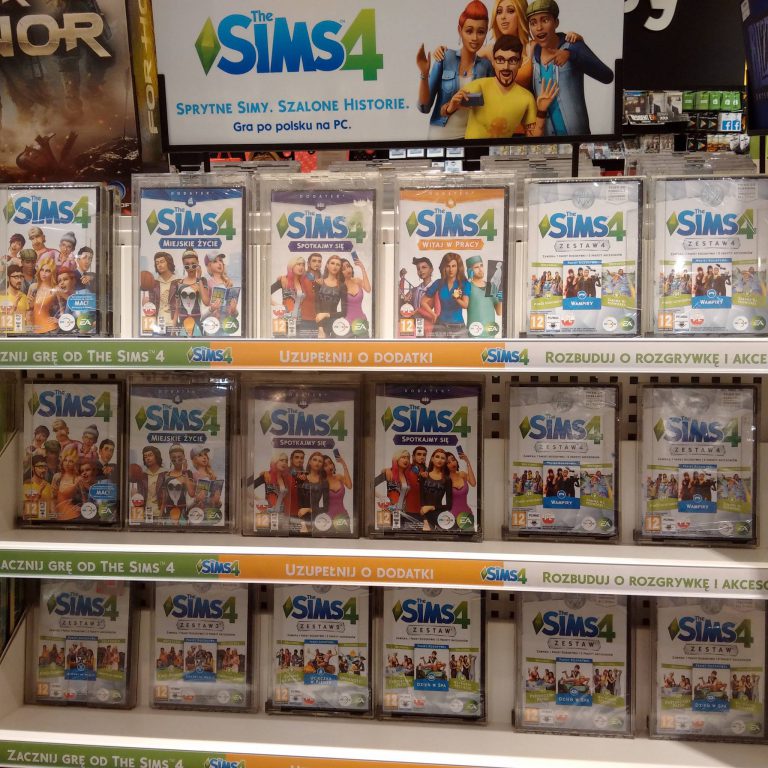
EA has released the 4th Bundle Pack for The Sims 4 today in retail stores worldwide!

This Bundle Pack contains 2 Stuff Packs and one Game Pack which require The Sims 4 Base Game to be played, and those are:

  • The Sims 4 Kids Room Stuff
  • The Sims 4 Backyard Stuff
  • The Sims 4 Vampires Game Pack

You can also search and order this Bundle Pack on various online stores such as Amazon, GAME UK, Gamestop and others.

Photo taken by The Sims Poland

The Sims 4 Bundle Pack 4 Now Available in Retail Stores Worldwide

Meet The Goths Parody by Insert Coin

2

Check out this hilarious parody by Insert Coin featuring your favorite household from The Sims Series – The Goths!

FreeSO is back and running!

4

FreeSO, a fanmade project which is focused on reviving The Sims Online and all of its features is back after an attempt to launch the game in open beta, which resulted in overwhelming response which eventually overloaded the FreeSO servers.

If you’re looking for some great fun with other Simmers, come and join the FreeSO fun. If you don’t know how to install this game, CLICK HERE to check out our tutorial.

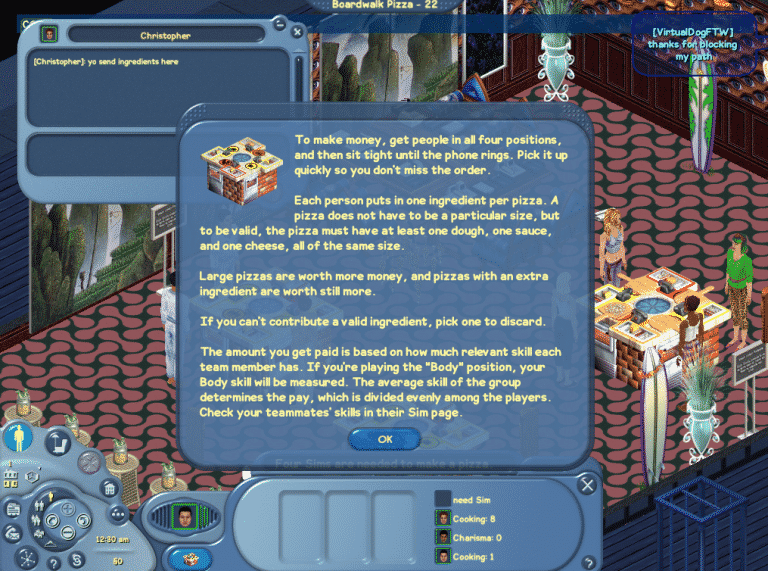
Off I go – need to finish making my pizza 🙂

FreeSO is back and running!

The Sims 4: My “Rule of Three” for Mini-Builds

Hi, I’m Jason Sterling and this is the first in a series of articles outlining build tips and tricks within the new world of Forgotten Hollow in the Sims 4. I’ll start this article with the “Sims Builder’s Three Best Friends” in-game cheats.

  • bb.IgnoreGamePlayUnlocksEntitlement (IGUE) Unlocks all items tied to in game advancement from the start.
  • bb.ShowHiddenObjects (SHO) Displays all hidden objects for use in building such as ponds, dishes, bottles ect.
  • bb.MoveObjects  (MOO) Allows build/buy items to be freely moved around within the build and activates the height slider that raises objects up and down in the air and on the walls using the number 9 for up and the number 0 for going back down.

If you are new to the Sims 4 or just new to building in the Sims 4, press CTRL/SHIFT/C to open the command box within your game and enter each of the cheats above should you wish to access their features. Now on with the article.

I’m going to highlight in this article what I consider “My Rule of Three” to a successful mini-build on a small lot. Also, I will be using my MiniVlad Manor, designed for my re-build of the Forgotten Hollow world, as example and hopefully inspiration for your own Vampiric Mini build.

The Sims 4: My “Rule of Three” for Mini-Builds

This build was done following the requirements of the Sims Forum Mini/Micro Builds Topic. Due to these requirements I could use no more than a 5×5 square space on each level, no more than 100 squares total living space in the build, and a 20×15 lot. The Sims 4 is an excellent vehicle for executing mini houses of this sort due to it’s avoidance programming enabling tighter, more real to life spaces than before. Sims can squeeze through spaces, around objects and other sims with ease.  In the pictures the walking sim is able to pass from the back porch, coming through a door placed directly behind the dining chair. He then passes between sims sitting at both the dining table and the organ. He ends sitting at the occasional chair without hesitation or blockage.

02 14 17 10 26 01 AM02 14 17 10 55 02 AM

This programming enables the-

Number One Rule of Mini-BuildsDon’t be afraid to crowd and multi-task a small room. This 5×5 space works as living room/ library/ dining room and music room. Just as the room above it functions as both bath and art studio, along with a sizable and dramatic cut out to the floor below.  Ahh, the mournful sound of organ music drifting upward as you bathe.

02 14 17 11 07 34 AM

And that brings us to the-

Number Two Rule of Mini-BuildsBuild up, not out. Only being allowed 25 squares per level for living made this a necessity. However, even when building on your own, without a challenge dictate, building up makes sense on a small lot. It frees up space for outdoor activities like gardening, visiting the cemetery and a pool. The pool pictured here does double duty as a place for swimming and storing Plasma! Not really of course. Swimming in Plasma would be a little sticky but I’ve built the pool in dark vampire style. I swapped out the water color, side tiles and pool bottom tiles with blacks and reds creating the unsettling image of plasma. Nice huh? LOL.

1

The pool, garden and cemetery are great examples of the-

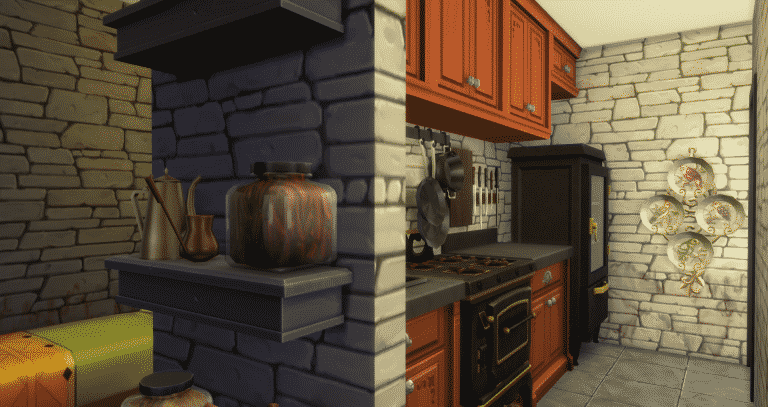
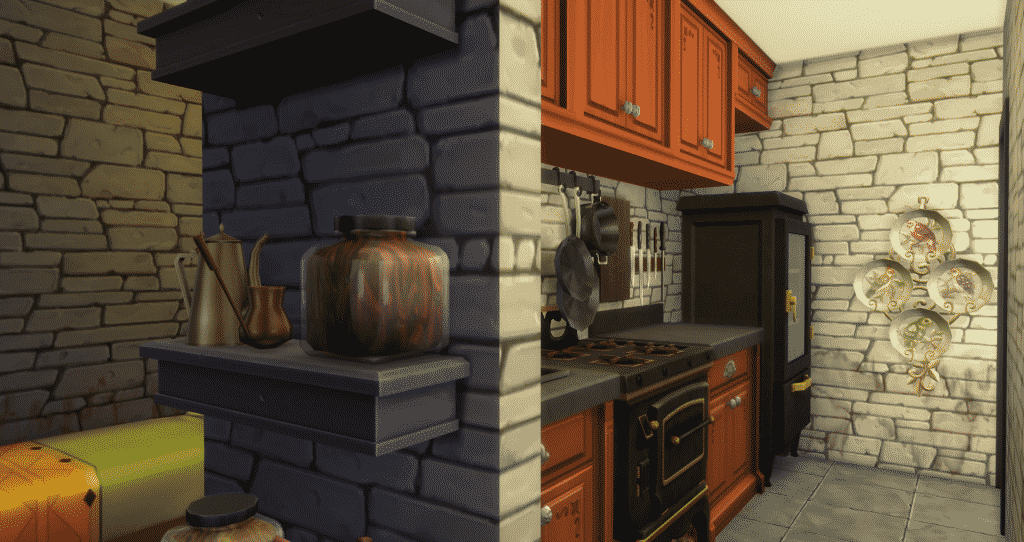
Number Three Rule of Mini-Builds: Keep it small- keep everything small. When doing a style specific, niche build like this one you hate to leave out the essential Gothic elements. You can’t dismiss the ominous sealed off tower or an overgrown cemetery and there’s no reason to. Part of the charm of mini-builds is their diminutive size, so do it- do everything but do it small. Take the tiny but functional kitchen shown here. There’s a servants quarters tucked in behind it. There’s lots of decor, lots of clutter and lots of charm.  You can even cook Walleyed Surprise or run a bakery in just these four tiles. Think of everything like a child’s playhouse, very detailed but very compact.

02 14 17 9 19 19 AM

And that is My Rule of Three”. I hope it helps you turn your small lots into a big stage for your sims and your stories. In my next article I will be doing a tutorial outlining the building of a large, open, double-side fireplace. Furthermore, I’ll be using my Colonial American era building in Forgotten Hollow, The Tavern, as the stage. I will illustrate to full effect the use of the Height Slider- Number 9 and 0 unlocked by the bb.MoveObjects cheat.

If you like this article and would like to see more you can view a speed build of the MiniVlad Manor here on my Youtube Channel: https://youtu.be/gBhqEbigNEg

Or see additional pics on the Sims Forums: http://forums.thesims.com/en_US/discussion/912382/sterling-construction-speed-build-video-tour-18-culpepper-house-apartment#latest

This build is also available for download on the Gallery under my I.D. #TonySterling and #BuildingHollow: https://www.thesims.com/en_GB/gallery/2FBB1125EF1111E6807F390F294AFFB1?category=all&searchtype=ea_origin_id&sortby=newest&time=all&searchquery=tonysterling&max=50&maxis=false

The Sims 4: Build-A-Shower CC

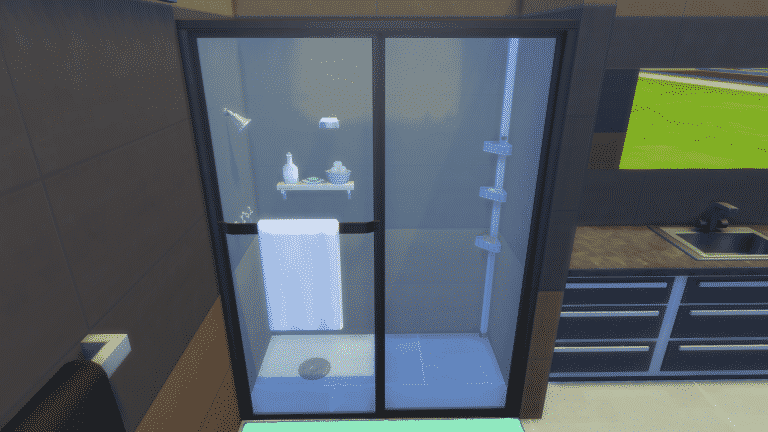
Have you ever wanted The Sims 4 to have more shower options which are different to the more traditional shower styles? Well, now you can thanks to Madhox’s build-a-shower kit.

Included as part of the kit are nine shower heads, five showers with doors, five panels, a pole caddy, decorative wall shelf, wall soap dish and a drain. The kit allows you to also use any floor and wall covering from your game.

To download the Build-A-Shower kit click here. Be sure to check out Madhox’s other custom contents to by clicking here.

The Sims 4: All About Relationship Triple Boost Week

The Sims Team has launched a new Triple Boost Week in The Sims 4 which starts today (February 14th) until February 21st.

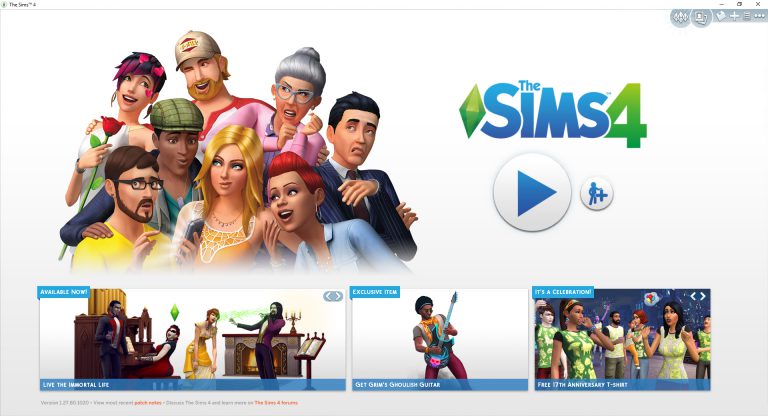
The new Triple Boost Week requires the latest game update for The Sims 4. You’ll be notified about the new Triple Boost Week by entering The Sims 4’s Main Menu:

The Sims 4: All About Relationship Triple Boost Week

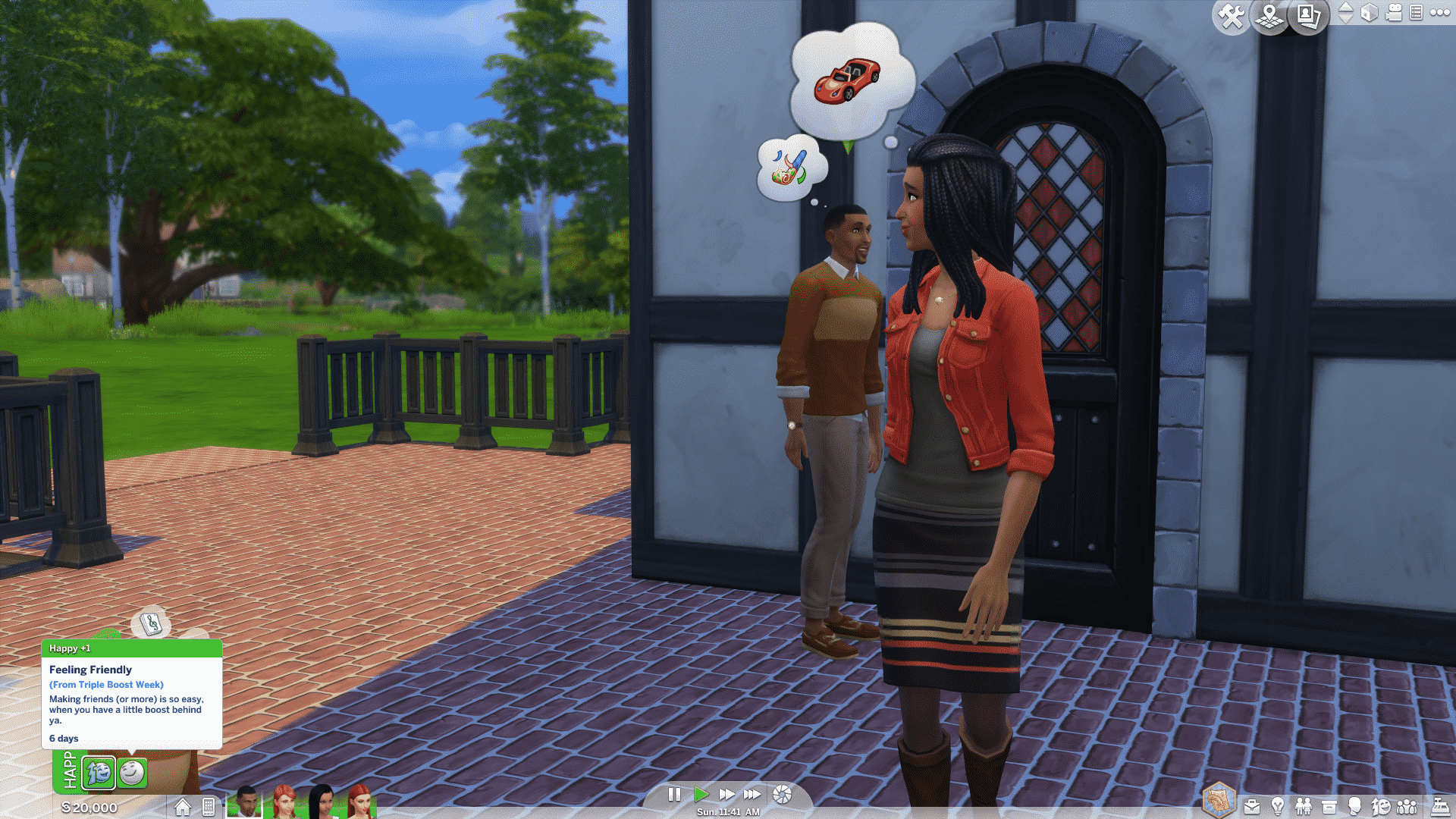
This Triple Boost Week is all about boosting your Sims’ relationship bar. Performing positive interactions will boost your Sims’ friendship / romance relationship bar 3 times faster!

To activate this boost, you’ll need help from Jasmine Holiday. Simply click on your phone and select Social > Call Jasmine Holiday. She’ll quickly show up at your front door.

To activate the boost, click on Jasmine Holiday and select ”Boost Relationship Gain”.

The Sims 4: All About Relationship Triple Boost Week

After that you’ll receive the ”Feeling Friendly” moodlet which lasts for 6 Sim days. After the moodlet expires all triple boost effects will stop until you call Jasmine Holiday again to extend your boost.

The Sims 4: All About Relationship Triple Boost Week

Have fun building new friendships and romances!

The Sims 4: All About Relationship Triple Boost Week

The Sims Blog: Find Love 3x Faster! (The Sims 4 Triple Boost Week)

0

mi8vpi1y18uz.gif

Is that love in the air? Nope, it’s the sound of Jasmine Holiday! She’s back in* The Sims™ 4 *and this time she’s playing Cupid, by bringing Relationship Triple Boost Week* with her. If you aren’t familiar with how these work, let’s have a recap.

If you want a little help raising your Sims relationships with others, simply call Jasmine and she’ll give your Sim a boost that helps them gain relationship three times faster! She’ll be around starting today until Tuesday 21st February, at which time she’ll hang up Cupid’s Bow and leave your Sim’s love lives to fate. If your mean Sims were hoping to capitalize on this, they’re out of luck. Jasmine is only boosts positive relationships!

James’ Sims 2 Thoughts: The Sims 2 Apartment Life

Well, we’ve reached the last installment in my Sims 2 expansion pack series, Culminating with the 8th expansion pack, Apartment Life, which was released on August 25th 2008, less than a year before the Sims 3 was released.

This pack added a lot of NPCs,and items the simming community wanted. Ironically, the pack is named “apartment life” But that wasn’t the main focus of the pack. The pack really focused on new NPC’s, such as the Butler, Landlord, High Witch,Human statue, Break dancer, and  many more.

apartment 2

It also gave you the abilty to  live in apartments, which was my favorites aspect of this pack! I loved that I can have my young adult sim to go to college and graduate, then have him or her go into the new neighborhood, Belladonna Cove, and live out the first few weeks of their life in an apartment.

apartment 6

In the game, you have plenty of options to choose from for apartment complexes. From slummy, run down apartments, to lavish real estate with multi-story apartments. In the game, you can now have roommates, which can be really great if you are short on cash and need the extra income coming in to pay the rent on time. Or this can be really bad for your sim and may make them lose their mind.

The new neighborhood, belladonna cove, is a really pretty one, with a large statue of what I am assuming is none other than Bella Goth herself.

apartment 3

More realism has also been added to the game, with the introduction of social classes and reputation. If you have a good rep, sims will be willing to make sacrifices to be your friends. If your rep is bad, well….. you’ll have to find other ways to keep that social meter up.

This pack in my opinion added a true depth to an already jammed pack game. It added new animations as well, when sims interact with each other. Also, more TS3 Easter eggs have shown up in this expansion, as well as Freetime, with the addition of new decorations, and even a new NPC.

This is the last expansion pack of the Sims 2 series, which means that this blog series will be coming to an end! But fear not! Next week, I’ll be touring some of the amazing neighborhoods and sub-neighborhoods that make The Sims 2 so unique, special, and why I hold it do near and dear to my heart… So STAY TUNED.

The Sims 4 Vampires: 5 Tips for Creating Creepy Ambience

5

Creating a dark and spooky lot for your  Sim Vampires  doesn’t have to fill you with dread. You may be building a set for your supernatural love story, or you may just want a lovely weed-infested crypt for your undead legacy.  If  you’re not very familiar yet with using Sims 4 Vampire decor, here are five tips to help create the perfect atmosphere, with the help of the Sims 4 Vampires game pack (of course).

1. Architecture:

Old buildings may have that foreboding sense of history that would be perfect for your nostalgic vampire. Doing a little bit of research on how old houses and castles were built can help improve your building skills overall.  Creating lots with historical architecture in mind and using Sims 4 Vampire decor for accents  might help make your ancient vampire feel a little more at home.

Sims 4 Vampire Decor Old Victorian Home

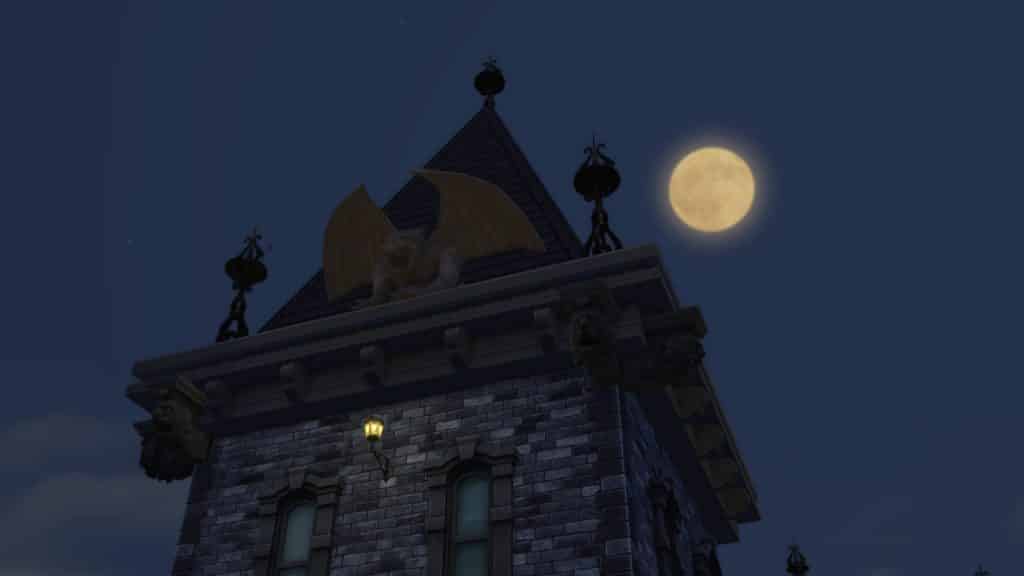
Sims 4 Vampire Decor Gargoyles

Tip: Gargoyles, also known in architectural terms as “grotesques”, are actually decorative spouts designed to keep water away from the sides of buildings. Legend has it that they’re carved as ugly creatures to frighten enemies away.  Look for Gargoyles under “Decorative >Sculpture”, or in “Build > Wall sculpture” and use the cheatcode “bb.moveobjects on” to place them. Your sleeping vampire will feel safer!

2. Death is all around you:

You don’t have a lot of time to do any gardening when you spend the sunlight hours in your crypt. Add dead foliage to your graveyard for that creepy curb appeal. Don’t forget to use terrain paint to kill the lawn!

Sims 4 Vampire Decor Dead Foliage

Sims 4 Vampire Decor Dead Foliage

3. Wear and tear:

Your old house is going to be subject to some wear and tear, especially if your vampires have been spending most of their undeath throwing fabulous parties. Use the stains, cracks, and cobwebs in “Decorations > Paintings” to give your lot that “lived in” feel.

Sims 4 Vampire Decor Decaying kitchen

Tip: Use the cheat code bb.moveobjects on to add the wall decor anywhere, such as cracks on the glass panes and vines on fencing.

4. Desaturate your color palette:

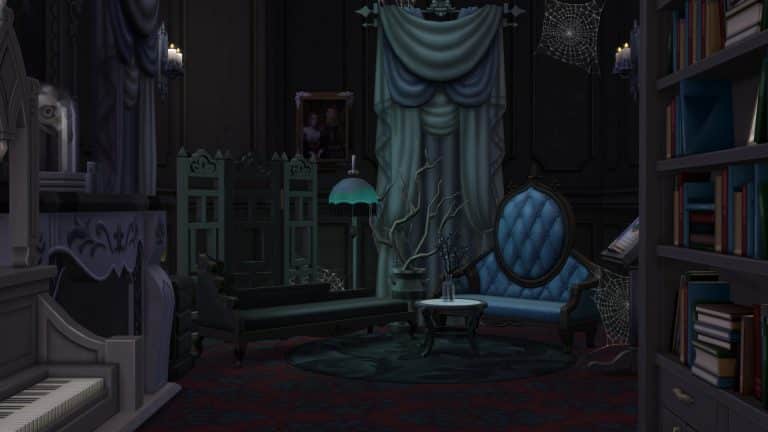
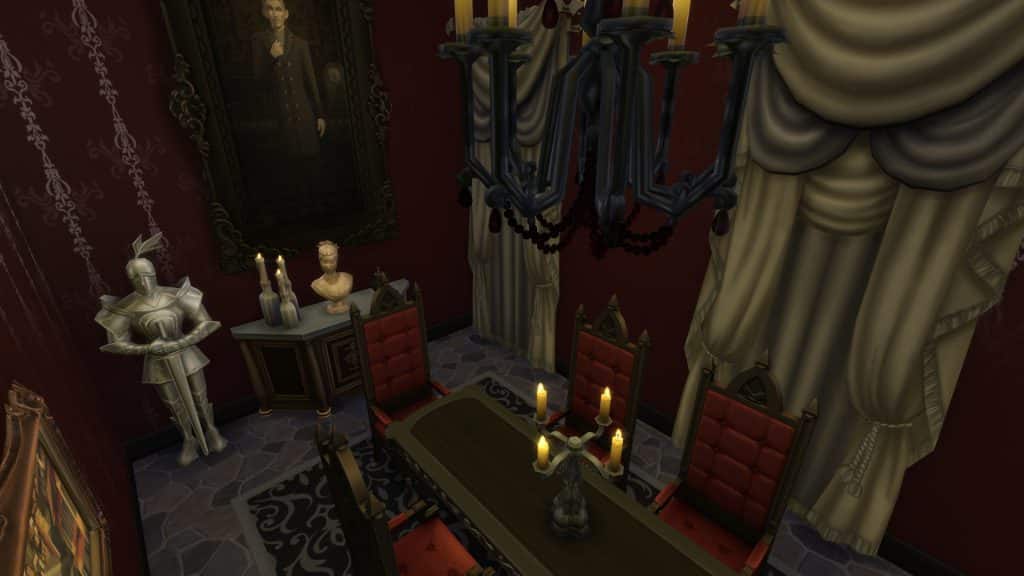
It’s a well known secret in home design that color can set the mood to a room. If the mood you’re looking for is the sense of impending gloom and creeping fear, try subduing your palette and stick to greys, dull beiges and cool blues when adding decor.

Sims 4 Vampire Decor Parlour

You can also use lighting to further dank up the atmosphere, which brings us to the last tip…

5. Kill the lights:

Much of the time adding the right amount of lighting can set a mood. You may want to set aside the bright fluorescent sconces here and keep to the old style lanterns and candles (Sims 4 “City Living” and “Get Together” has some lamps and candles that work well here too).  Click on a light and select “Color and Intensity” to dim your lights.   Depending on your light source, add a light color: warm whites and gold hues for candle flames and old filament electric lamps, or cool whites and blues for more of a ghostly ambiance.

Sims 4 Vampire Decor Lighting

Sims 4 Vampire Decor Lighting

Tip: Use some of the richer reddish hues for some demonic flair. 

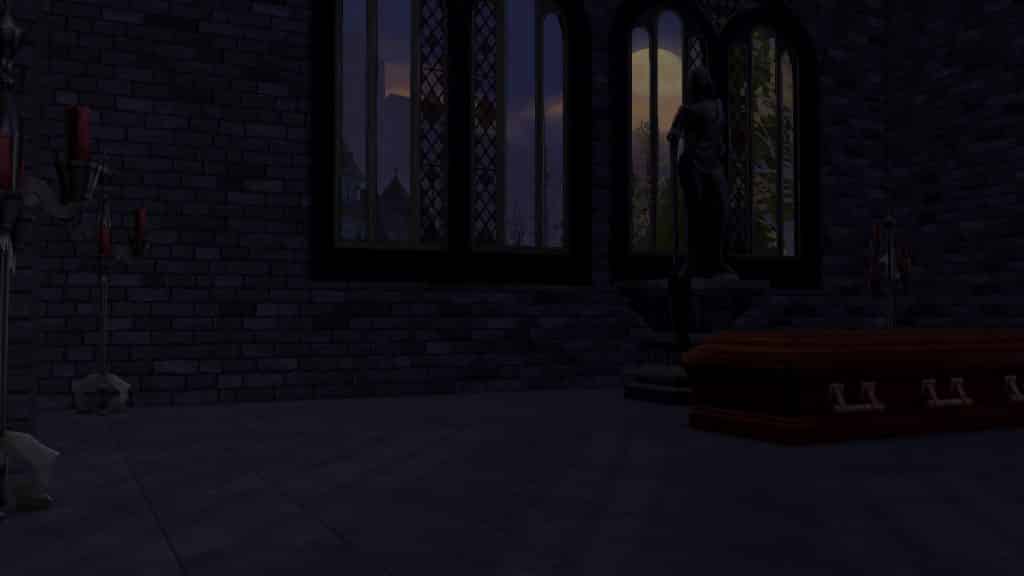
You can also just turn off the lights and use the atmospheric lighting to cast dramatic shadows.  I do not recommend using natural daylight for your Vampire lighting needs.

Sims 4 Vampire Decor Lighting

I hope this post was helpful!  Share your helpful Sims 4 Vampire decor tips in the comments!

The Sims 4: A Month of Toddlers

If you’d asked pretty much any Simmer a month ago what the main thing missing from The Sims 4 was, it would most likely have been a unanimous voice screaming a word which had become something of a taboo within the community.

Playing toddler

Thankfully two years down the line the developers finally graced us with something most guessed would never come, and others guessed would be a paid DLC, of course I’m talking about toddlers. They were part of a free update to The Sims 4 base game, and they were definitely worth the wait.

Throughout the time between the release of the game and the eventual update the Guru’s kept very tight lipped about the development of toddlers, although there were quite a few hints in the game code and a few mentions in interviews and on the forums it was widely believed that after two years they wouldn’t be adding them, oh how that was wrong! Since the update the Guru’s have clarified why it took so long, due to obviously needing to allocate time and effort into creating packs for The Sims 4, as you can guess adding in a whole new life state into an already released game isn’t something to take lightly.

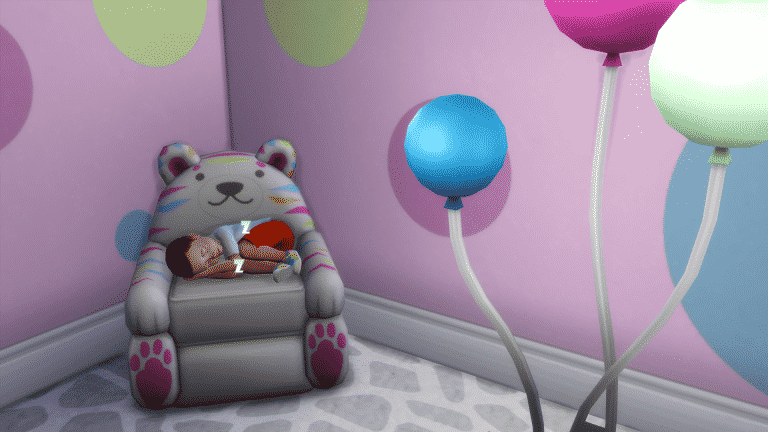
Toddler onesie

Today marks the one month anniversary of toddlers being added to the game and I can honestly say that I still love them, in my opinion this is the best iteration of the life state we’ve had, each game had its perks but the developers truly hit the ball out of the park on this one and everyone should give them a well deserved pat on the back for it.

If you’ve not updated your game yet to play with toddlers then please, go and do it! You’ll fall in love with these little guys, they have such character and are of course absolutely adorable. I think what makes them better is that they are actually supposed to be older than in previous games, this is something I definitely appreciate, no more having to teach your toddler how to do everything and having to spend so much time assisting them, they can do almost everything on their own!

02 12 17 9 08 09 PM

It’s not all good though, due to the fact they have only just been released there’s practically no content from any of the previous packs for toddlers, thankfully they added the ability to have alien toddlers which is a great addition. CAS items for toddlers are also slightly scarce, there is enough to create some great Sims but in comparison to the other ages it’s definitely lacking. Luckily the build/buy items make up for this with loads of choices and swatches for each object.

So that’s it, it’s been a whole month since the toddlers were added to the game, what do you think? Has this changed your view on The Sims 4 as a whole? Let us know in the comments section below.

The Sims 4: Military Career Mod

0

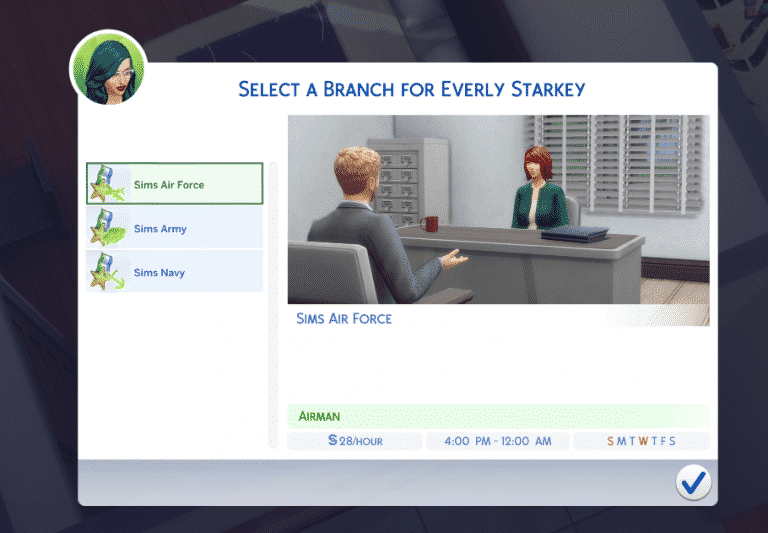
Have you ever wanted your Sims to be part of the Military career?

Well, now they can with Neia’s new Military career mod. Your Sims will have a choice of three paths. Sims Army, Sims Air Force and Sims Navy.

The Sims 4: Military Career ModYou can find the mod here on Mod The Sims. To install the mod, extract the file and place all three files into Electronic Arts > The Sims 4 > Mods folder. You will need to make sure that you have CC/Mods and script mods enabled in the game options.
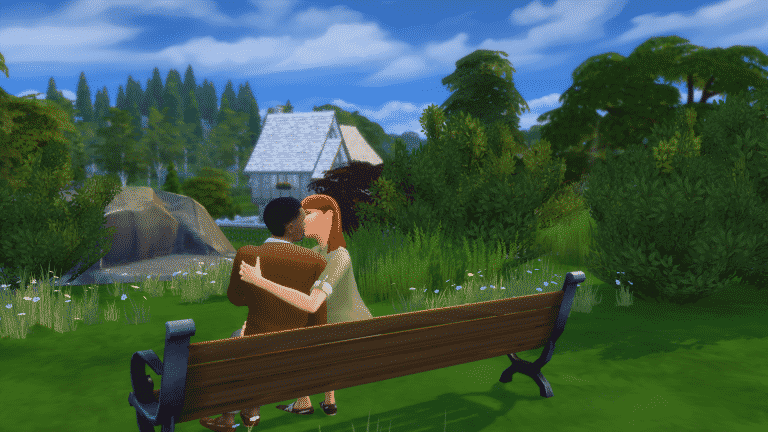
The Sims 4: Bring Back the Old Main Menu with this Mod

8

Dislike the new The Sims 4 Main Menu which was added through an update a few days ago? You can bring the old one back thanks to a mod!

TwistedMexi released a mod which can bring back the old main menu back.

All you have to do is download the mod and extract the zipped content to Electronic Arts > The Sims 4 > Mods folder. Make sure you have mods and CC enabled in your game options!

[mks_button size=”large” title=”DOWNLOAD!” style=”rounded” url=”http://modthesims.info/download.php?t=589909″ target=”_blank” bg_color=”#1e73be” txt_color=”#FFFFFF” icon=”fa-arrow-down” icon_type=”fa” nofollow=”0″]

The Sims 4: Bring Back the Old Main Menu with this Mod