Find out what what to expect and where to watch the live event!
Exciting news! The next Behind The Sims event will stream on September 12th, 2023! We can’t wait to find out what’s in store for the Simming community during the next live event hosted by The Sims! Past episodes of Behind The Sims have treated us to a lot of pretty ground-breaking news, from infants to Horse Ranch and so much more!
Read on to get all the details about when, where, and how to tune in, along with what Simmers can expect from the latest episode of Behind The Sims!
Table of Contents
Behind The Sims Live Event Info
When and Where to Watch
The next episode of Behind The Sims is scheduled to start streaming on The Sims’ YouTubechannel at 9am PT / 12pm ET on September 12th, 2023. Don’t worry; if you’re in a different time zone, you can find out when the stream begins when you press the play button. The counter in the corner will tell you exactly how much is left until the livestream is set to begin!
As always, Sims Community will be here to cover everything revealed during the event so if you do miss it, make sure to catch the recap and news articles right here on our website!
What To Expect
Of course, The Sims Team probably has some surprises up their sleeve for the next episode; they usually do, but we do have a pretty good idea of the main talking points scheduled to be covered during the live event. The preview for the event on their YouTube channel gives a brief summary of what Simmers can expect from the event.
New The Sims 4 Roadmap
With the last roadmap for The Sims 4 coming to a close, it was inevitable that we would get the next roadmap soon. What better place to find out what the next few months have in store for The Sims 4 than during a live broadcast event?
The preview teases a “first look at the upcoming Sims 4 season,” so players can expect to find out what kind of content is scheduled for release in the coming months. It was already revealed that we would be receiving two new community voted kits in early 2024; a goth fashion kit and a medieval castle kit. Since we are in the home stretch of 2023 now, we wouldn’t be surprised to get an update on these planned kits.
Hopefully kit updates are not all that’s in store for us, but we’ll have to tune in to the event to find out for certain!
Project Rene / The Sims 5
Of course, Simmers can also expect a progress report on Project Rene (which we are calling The Sims 5 until an official title is released). The next generation Sims game is still in early development but EA has made it their mission to be as transparent about the development of Project Rene as possible with fans.
We can’t wait to see how Project Rene is coming along!
The Sims Mobile and FreePlay
For mobile Simmers, the next live event has something in store for you, too! We’ve gotten news about big updates for The Sims Mobile and The Sims FreePlay in past Behind The Sims broadcasts so we’re sure this latest event will be no different. Tune in to the broadcast to find out about new content and any important changes coming to your favourite mobile Sims titles.
Keep an eye on our website for all the latest Behind The Sims updates as they happen! Never miss out on the latest news by bookmarking our News category. Check back frequently for all the most exciting breaking news!
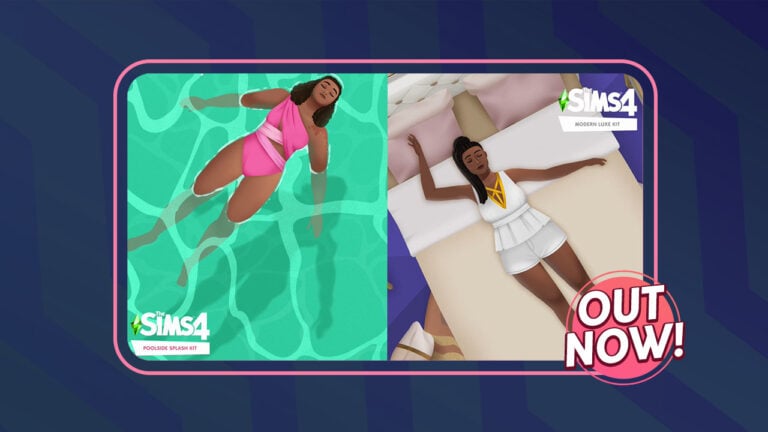
Check out everything in the Poolside Splash Kit and read our review!
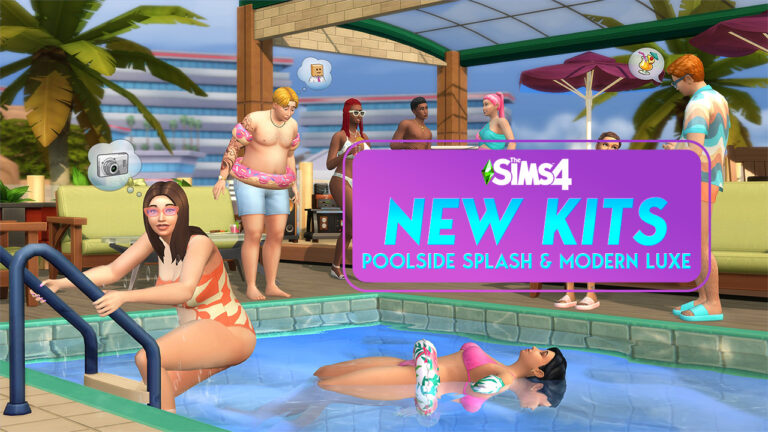
The Sims 4 Poolside Splash is one of two brand-new additions to The Sims 4! Players can now create a cool and colourful look perfect for a day relaxing by the pool! You can also now create a lush and luxurious home with the addition of the new Build Kit, Modern Luxe. This article will focus purely on the Poolside Splash Kit. We’ll be having a closer look at all the new CAS assets that come in the new Kit, some of the new swatches as well as our official review of this Kit!
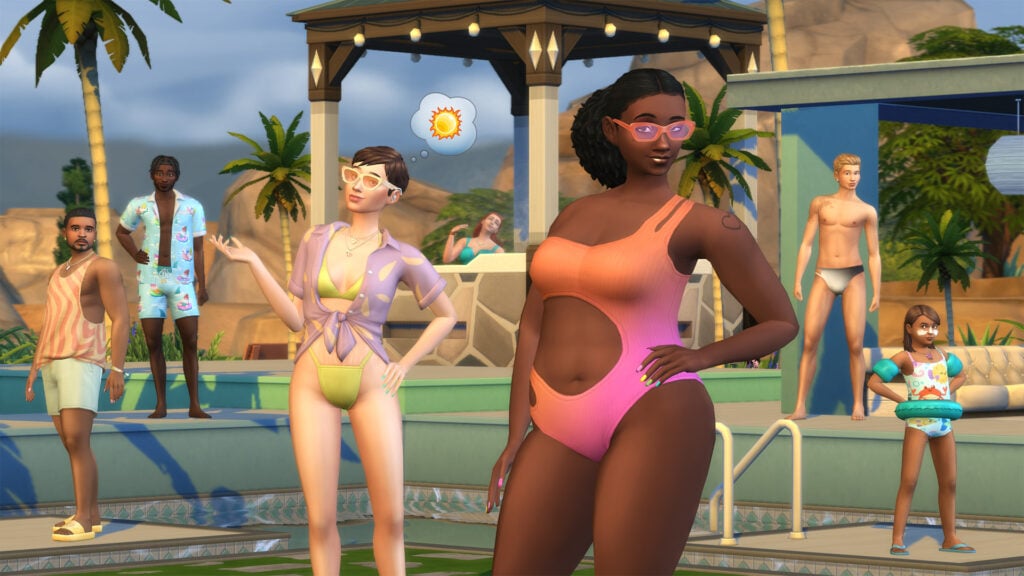
The new Kit is described as vivacious and vibrant, while providing us with a number of aquatic accessories. With so many new options to choose from, two pieces swimming costumes, colourful full body outfits, quirky patterns and a burst of fun and colourful accessories, there truly is no limitation on the looks you can create.
With new additions available for Child Sims through to Elder, get ready to dress to impress next time your Sims hit the pool in The Sims 4 Poolside Splash!
Table of Contents
Sims 4 Poolside Splash Kit Overview
We’re going to take a more in-depth look at each of the new items, as well as three swatches of each item. This will give you a better idea of the different looks you can create with these items, however, most come with between eight and twelve swatches!
Female Tops (5)
Female Bottoms (3)
Female Full Body (4)
Female Styled Looks (1)
Female Footwear (1)
Male Tops (2)
Male Bottoms (1)
Male Full Body (1)
Unisex Bottoms (3)
Unisex Footwear (1)
Unisex Accessories (6)
Female Child Full Body (1)
Poolside Splash Kit Review
Dive into a Kit full of bright, fun and, funky colours and patterns with The Sims 4 Poolside Splash!
Well, the latest Kit certainly does just that! By adding a range of brand new Create A Sim items for players to choose from to create the ultimate poolside look.
Over the past few months, The Sims Team has really delivered players some great content when it comes to Kits. For just $4.99 we’ve definitely seen an increase in the quality and variety of items we see compared to earlier Kit releases.
For the most part, we love The Sims 4 Poolside Splash Kit. The fun colours, funky patterns and variety of clothing options are spot on.
While cycling through the new additions and swatches, it got us thinking about how we could create some Barbie inspired looks in our own games! There are some perfect options there that would definitely make your Sims heads turn if you showed up to the pool or beach in those outfits!
However, we wish that the arm bands and inflatable ring were separate accessories that we’re not tied to the Full Body outfits. This way, players could mix and match them with other Poolside looks and creating even more possible outfits. We would also have liked to have seen some swim goggles added alongside the Sunglasses that came with the pack.
While this isn’t a major negative for the Kit overall, it was something that many players and ourselves hoped to have seen as part of this new release. It did get us thinking about what if The Sims 4 Poolside Splash Kit was a Build Kit instead, however, that is a discussion for another day.
Overall, the Kit delivers an exciting range of new CAS items for both Male and Female Sims as well as a new addition for Child Sims! The number of looks you can make with just this Kit, as well as combining it with content already in the game, gives players even more ideas for potential looks!
Stay tuned for our Modern Luxe Kit overview coming soon! In the meantime, why not check out all the item previews for both kits?
As always, stay tuned to Sims Community for all the latest from The Sims franchise and more!
The Sims 4 Modern Luxe Kit is the latest Build/Buy kit to drop for The Sims 4. It boasts modern furnishings with an art deco flair in neutrals and pastels with clean lines. The kit comes with a total of 28 Build/Buy pieces and 1 styled room in 3 colour themes and contains several pieces that are rather unique either in style, function, or both. The majority of the items in this kit have between 7 and 10 swatches.
We’ve got the full breakdown of everything The Sims 4 Modern Luxe kit has to offer including both catalogue previews and in-game previews of all swatches!
Table of Contents
The Sims 4 Modern Luxe Overview & Review
You can check out all the catalogue entries and in-game previews of every item in The Sims 4 Modern Luxe kit below, including previews of all swatches!
Catalogue Overview
There are a total of 28 items in the catalogue, plus one styled room. You can check out the prices, descriptions, and stats of everything included in the kit below.
Styled Rooms
In-Game Previews
Below you can view each object up-close in the game. Most of the items come in between 7 and 10 different swatches, ranging from neutrals to pastels. You can also see what the styled room looks like in each colour scheme.
Modern Luxe Kit Review
In the past, we haven’t been too impressed with The Sims Team’s attempts at modern Build/Buy kits. There’s modern… and then there’s beige and boring. Past kits that boasted contemporary design fell into the beige and boring category. We’ve also criticized the lack of unique objects in some Build/Buy kits of the past. After all, if you’re spending $5 USD (or more in some countries) on a handful of objects, at least some of those objects should bring something new to the game’s catalogue that we didn’t have before.
The Sims 4 Modern Luxe Kit really hit it home for us when it comes to visually interesting pieces and items that can be used in a new way. We love the colour palette of this kit. Although there’s a fair amount of neutrals, it balances out nicely with different pastel colours and a really beautiful rich navy that’s not common in most contemporary colour palettes. Both the style and colour palette of every object matches seamlessly so players can really get an exact match when furnishing a whole room with this kit. You can also mix and match easily because all the colours pair nicely with each other.
We love the short and medium height curtains that fan out at the bottom. They’re also customizable to fit different window widths thanks to a separate curtain rod piece you can slot between the curtains. We were surprised that the vanity table from Vintage Glamour Stuff made a return in this kit but we appreciate it nonetheless. This style of vanity table is much more sleek than the two styles that came with Vintage Glamour Stuff.
The accent pillow has to be one of our favourite objects in this kit due to its versatility. With a few build cheats, you could place them just about anywhere in a home where you want an accent table, from beds to couches and more.
A lot of the artwork and decorative pieces would work really well in a retail venue, such as a salon or clothing store. The bust statues, leaning wall mirror, and perfume and shoes artwork in particular would make any fashion-centric retail store come to life. Other notable objects we really took a liking to include the record player, makeup bag clutter, and circular rug with some lovely and unique designs. We’re also very happy to see some floor/ceiling tiles and wall coverings for this kit.
If we have any criticisms of The Sims 4 Modern Luxe, it would be that we would have loved to see a few extra swatches with some subtle patterns instead of all solid colours. It’s also bit disappointing that this kit doesn’t include curtains and ceiling lights for tall wall heights. However, overall, we think this is a really versatile and visually pleasing kit to add to your Build/Buy collection!
Loved our Sims 4 Modern Luxe Kit overview and review? Check out our ultimate kit guide!
The EA Desktop App is coming to Mac. Here’s what this means for The Sims!
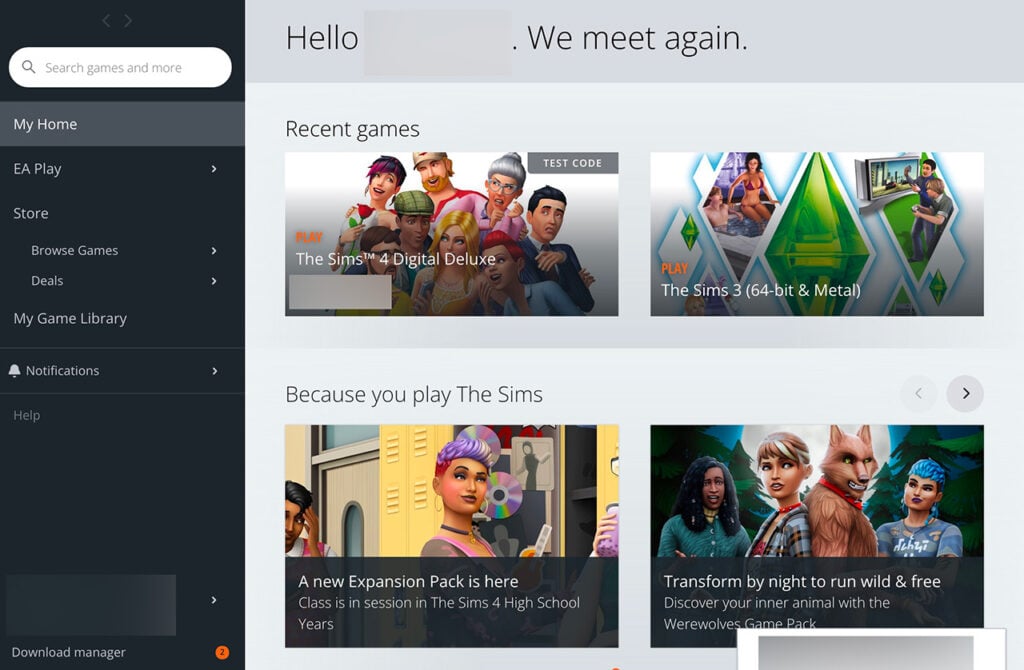
Electronic Arts has announced today a status report about their EA App program client for Mac. EA Desktop App for Mac has been long awaited by many players in The Sims community. Mostly due to the fact that the Origin to EA App transition for Windows has been reported to be a disaster. And players really want to get this over with!
Either way, EA has said that the you should be expecting the switch to a new platform client soon. In this article we’ll explain what this means for The Sims 4 players and what you should expect during this transition (hopefully).
Table of Contents
Official announcement
EA has released a blog post today announcing that they’re ready to launch EA App on Mac Operating Systems. They’re assured that their new Mac client is the “fastest and lightest Mac client to date”. That statement is very true considering that the current version of Origin Mac client that players are stuck with is glitched most of the time.
Here’s what Electronic Arts shared today in full:
EA Desktop App is coming soon to Mac
Late last year, we officially launched EA’s next-generation game platform, the EA Desktop app, for Windows OS. A faster, more reliable, and more streamlined experience – it’s the best place for you to experience EA’s incredible games, services and content.
We’ve been working to bring the same updated experience to our Mac players. Today, we’re excited to say that the EA Desktop app for Mac will soon replace Origin as our primary Mac platform. The EA Desktop app is our fastest and lightest Mac client to date. With the new streamlined design you will easily find the games and content you’re looking for and discover your new favorite games. With simple content downloads and background updates you can ensure that your games are ready to play when you are.
EAApp Launcher for Mac Preview
We will be inviting Origin players on supported MacOS devices to make the move soon. To make the transition to the EA Desktop app as simple as possible, all your games and content, including games previously installed, will be ready and waiting for you on the EA Desktop app by the time you receive your invitation. Your local and cloud saves will transfer forward ensuring you can pick up where you left off. New players can start by downloading a new favorite game and jump into the action with our optimized experience.
The EA app will be available soon for supported MacOS devices.
The switch to EA’s new launcher will definitely improve your current experience.
I’ve made a switch to Mac recently and that includes my entire Sims 4 Library as well. The game runs well, especially after the Apple Silicon update for TS4. However, the biggest issue remains getting to my game, as the client’s instability varies from various visual and functional glitches.
Origin on Mac
After Windows players got to jump the EA Desktop App ship (which has faults in its own), the Mac players were left with Origin. EA’s own technical support forum is filled with reports about broken User Interface, the client randomly crashing and more issues.
The switch to EA Desktop App sounds promising from the PR looks of it. However, I remain sceptical after seeing the glitch reports about EA App. Hopefully unifying both programs after the Mac release will results in better stability of both versions of EA App softwares.
When is the Origin to EA Desktop App switch happening for Mac Operating Systems?
The official statement from EA is “coming soon”. Taking in consideration their previous timings of announcements we can expect the EA Desktop App to release on Mac in the coming weeks.
How can I prepare?
Great question! We’ve made a Origin to EA App switch guide for Windows last year. Most of the processes explained in that article are expected to remain the same for the Mac OS upgrade.
Mac OS Players – are you ready for the switch? Let us know your thoughts in the comments below and stay tuned for updates on the first EA App Mac release!
Modern Luxe and Poolside Splash Kits have hit the digital shelves.
It’s the release day for two mini DLC accessories, also known as Kits. In case you don’t know, both new The Sims 4 Kits have been set to release on September 7th at 10AM PT / 7PM CET / 6PM BT across Desktop and Consoles.
If you’re wondering about the contents of both Poolside Splash and Modern Luxe Kits that just came out then don’t worry. We’re already preparing in-depth overviews of these Kits that are set to come out later today on the website.
There are numerous ways to get The Sims 4 Poolside Splash and Modern Luxe Kits. The instant way of getting these Kits is through the official online stores that we’ve linked in this post. In short, you can get them instantly if you have EA App or any of the launchers on PC or Mac. Playstation and Xbox players can get the Kits from their official store.
Stay tuned – we’re updating the post with new link sources as they go live.
Get The Sims 4 Poolside Splash Kit
The Sims 4 Poolside Splash Kit can be purchased for $4.99USD, or a price equivalent to your local currency. You can get this Create a Sim Kit for the Base Game from these stores:
The Modern Luxe Kit is a Build Kit done in close collaboration with Sims creator Xureila. You can read more about the contents and features of this $4.99USD Kit in the Kits reveal post! Including information about The Vanity Table, functional Record Player and more items coming with the Kit.
If you’re willing to wait a couple of days (or months depending on situation) you can also get the new The Sims 4 Kits from Amazon. They get delivered to you in the form of an Online Game Code to your email!
The release wait is pretty long though, so the preferred platforms are usually the ones I’ve linked above.
Are you interested in getting one or two of these new The Sims 4 Kits? We’ve set up a quick Community Poll to see in which one you’re interested in getting!
[totalpoll id=”145221″]
Stay tuned for two new Sims 4 Kits Reviews coming from our amazing team members 💜
Looking for new Hair CC for your Masculine Sims? We recommend these creators (and creations)!
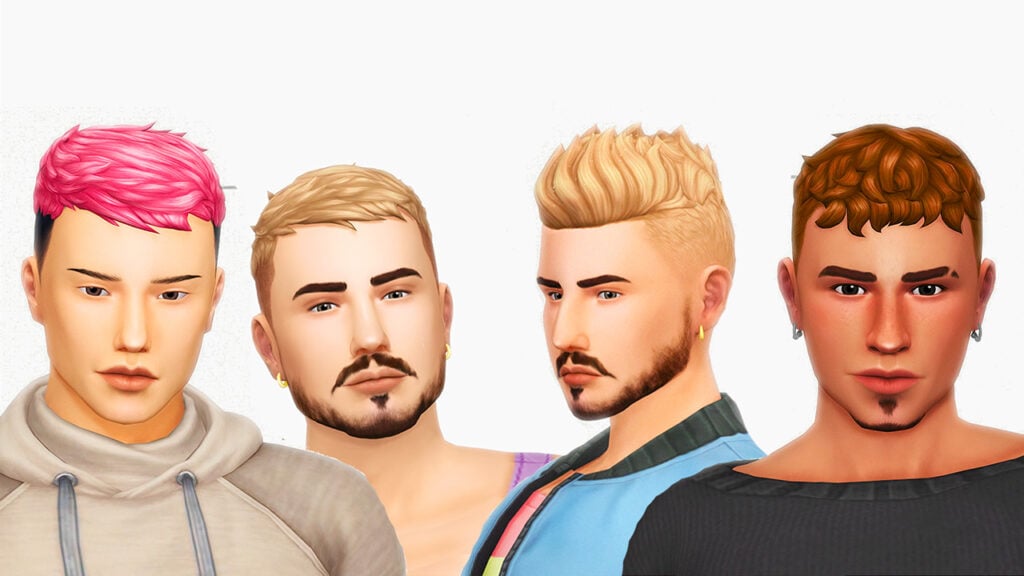
Let’s face it: No matter how many expansion packs you buy, the options for male hair in the Sims 4 can sometimes be limiting. And to be honest, a life-simulation game without cool hair options is like your camera roll without memes—OK, but not share-worthy. That’s why Sims 4 Male Hair CC is an absolute lifesaver when it comes to giving your male Sim that extra splash of style.
If you’re a Sims player hunting for amazing Sims 4 Male Hair CC, you’ve come to the right place. Why should you settle for a basic buzz cut when you can give your Sim that Hollywood glam? Pave the road to style with our top 5 community picks, featuring the best hairstyles your male Sim could ask for! Without further to do, let’s dive in!
Table of Contents
1. Okruee: Travel Back in Time, in Style
Image taken from Okruee’s Tumblr.
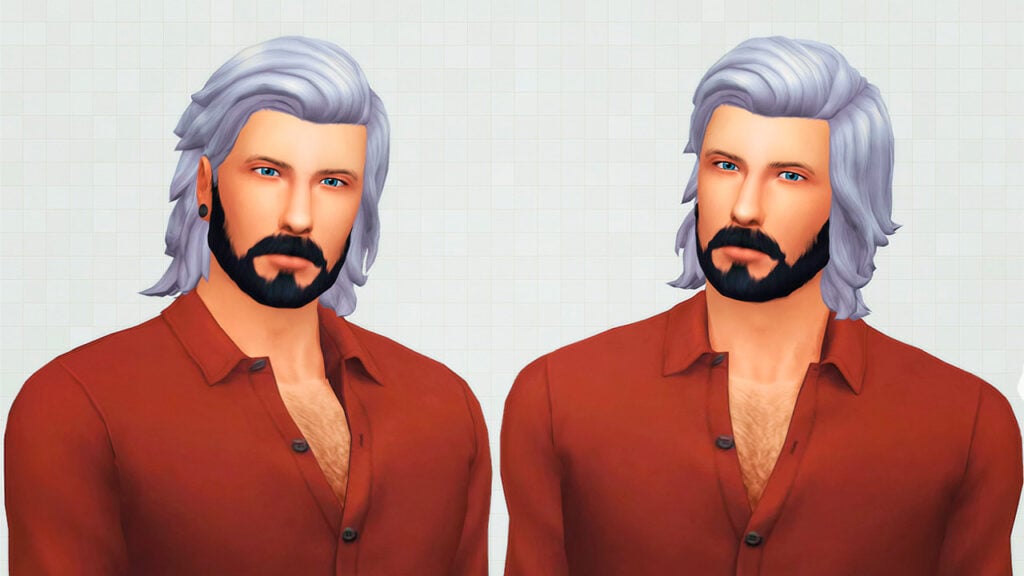
When it comes to refined hairstyles that genuinely make a statement, Okruee is your go-to creator. Whether your Sim is headed to the town or a formal soiree, Okruee offers a range of Sims 4 male hairstyles that make each custom content piece seem like a work of art.
With a vintage renaissance vibe, this hairstyle custom content comes in various forms — from curly to wavy, short to long — we’re sure you’ll find something to give your Sim that classy note. What sets Okruee apart is the elegance in every piece, where each strand feels natural and looks classy!
If you’re aiming for that Prince Charming look, Darcy Hair CC is definitely a must-have! The fine details and elegant design are what set this hairstyle apart! This Sims 4 Male Hair CC comes in 24 swatches and is Base Game compatible. A nice addition is that hats also work with it, so you can go as extra as you want!
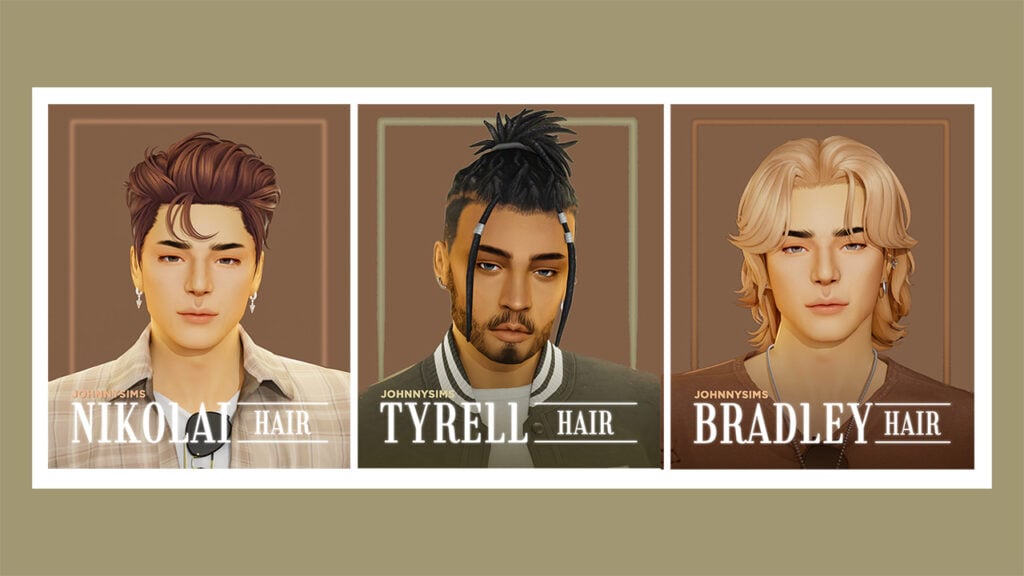
If you’re in the Sims 4 Male Hair CC community, chances are you stumbled upon JohnnySims, the legendary hair CC creator. JohnnySims creates hairstyles that are not just beautiful and unique, but also realistic. With a range of options according to style, this creator is the perfect choice for everyone looking to release their male Sims’ inner fashionista!
JohnnySims’ creations complement various Sim face styles, adding to your Sims’ uniqueness. The realism in the textures and the finesse in color gradation will surely give your Sim that dash of style. Not to mention, that every hairstyle looks like your Sim came straight from the red carpet.
Check out JohnnySims’ Sims 4 Hairstyle Collection!
With options that suit every face shape, this JohnnySims hair piece is the one-size-fits-all in the Sims 4 Male Hair CC world. Whether you’re aiming for a casual everyday look or a red-carpet-ready style, Johnny Hair CC ensures your Sim will always look their best. It’s the ideal choice for those who want to stand out while looking casual.
Johnny Hair is available to download on JohnnySims’ Patreon for FREE.
If your Sim is all about keeping up with the latest Sims 4 male hair CC trends, KotCat is the creator for you. Bringing fashion to Sims hairstyles with a modern twist, KotCat delivers a palette of young, vibrant, and trendy options. Be it short haircuts or the longer locks, this creator has something for every Sims personality.
KotCat gives classic looks that refined touch, offering something unique and exciting in every piece. You can find a variety of hairstyles, in length and color, but KotCat doesn’t stop there. When it comes to textures, you can expect smooth transitions, flawless color blends, and a realistic look as the cherry on top. These hairstyles will ensure your Sim’s hair is the main topic at any Sims social gathering.
With a style that effortlessly stands out in any Sims crowd, Ethan Hair is the centre of cool in the Sims 4 Male Hair CC universe. Perfect for those Sims looking to make a bold statement without sacrificing sophistication. Whether your Sim is hitting the skate park or attending a glamorous event, Ethan Hair ensures they will be the center of attention.
Ethan Hair is available to download on Sim File Share for FREE.
If you’ve ever wanted your Sim to give off that chic European look, SimsOnTheRope is your one-stop-shop. What can best be described as the ‘European flair,’ this creator will surely bring a unique international addition to the Sims 4 Male Hair CC portfolio.
The hairstyles on offer come with sensationally crafted textures that are perfect for every Sim aiming for that international look. Each style is more than just a haircut, it’s a passport to a different world. So, if you want your Sim to look more sophisticated, these Sims 4 Male Hair CC’s are just a few clicks away!
Check out SimsOnTheRope’s Sims 4 Hairstyle Collection!
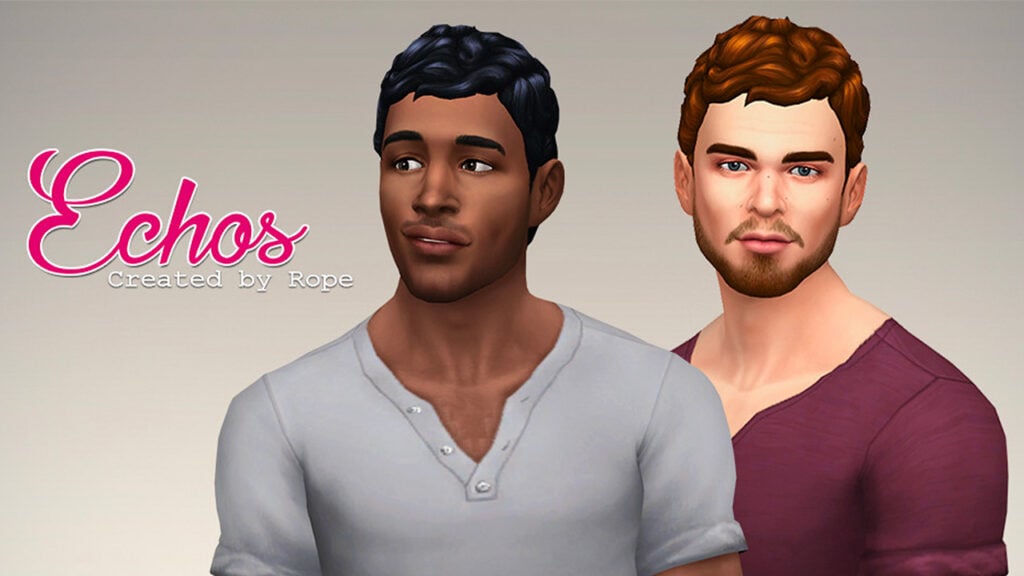
Echo’s Hair is the perfect balance between style and fun, setting a new bar for Sims 4 Male Hair CC. Ideal for Sims who love to express their vibrant personalities, this piece offers a burst of energy with every strand. Whether your Sim is attending a rooftop party or just hanging out with friends, Echo’s Hair ensures they’ll be the life of the event.
Echos Hairstyle is available to download on Sim File Share for FREE.
When it comes to a collection of male Sims hairstyles, no one comes close to Simstrouble. With an extensive collection of hair CC, this creator has something for everyone and then some! The beauty of Simstrouble’s creations lies in the endless choices your Sim will have, the perfect mix between quality and versatility.
Simstrouble has earned their spot on this list for a reason: versatility and realism. With a wide range of looks, these hairstyles are perfect for Simmers looking for that fresh stylish touch. But it’s not just that, it’s also about how accessible and Sim-friendly these options are.
Check out Simstrouble’s Sims 4 Hairstyle Collection!
Montrese Hair is the standard of a casual youthful look. This Sims 4 Male Hair CC piece is designed for the Sim who values casual and modern looks, without skimping on style. The Montrose style effortlessly levels up everyday looks, making your Sim the coolest of the bunch. It’s the ultimate choice for those who appreciate understated style with a casual twist.
Montrose Hair set is available to download on Simstrouble’s Patreon for FREE.
BONUS: QwertySims with amazing trendy Sims 4 Male Hair CC
Image taken from QwertySims’ Tumblr.
If you’re on the hunt for the freshest, most on-point looks for your Sim, you can’t miss out on QwertySims. Capturing youthfulness in his custom content, this creator has an eye for what’s popping among the Gen Z crowd. From messy bobs with colorful streaks to undercut designs, QwertySims offers a range of hairstyles that scream aesthetic.
What sets QwertySims apart is the creator’s ability to embody that young and rebellious spirit in his designs. Each hair design comes with multiple color options, from the classics to the vivid and electric, QwertySims has got you covered.
Check out QwertySims’ Sims 4 Hairstyle Collection!
Xavi Hair takes the spotlight in capturing the ultimate modern and trendy aesthetics. This hairpiece is the definition of what’s current, blending perfectly in today’s fashion scene. Xavi Hair will ensure that your Sim isn’t just in the moment, but ahead of it. It’s the go-to choice for Sims who live for the now and set the trends for tomorrow.
Xavi Hair Set is available to download on Sim File Share for FREE.
So there you have it, the ultimate roundup of Sims 4 Male Hair CC creators you absolutely need to follow now! This list featured some of the trending custom content creators when it comes to hair in the Sims 4. Each one bringing a different perspective to the table.
The hairstyles from these creators are not only unique, but also so precise when it comes to texture and coloring. They really make creating male Sims a breeze! So what are you waiting for? Turn up the volume in your CAS and add these Sims 4 Male Hair CC’s to your collection!
What do you think was the best hairstyle in the list? Be sure to let us know down in the comments below!
As the saying goes: “When a door closes, a window opens”… right?
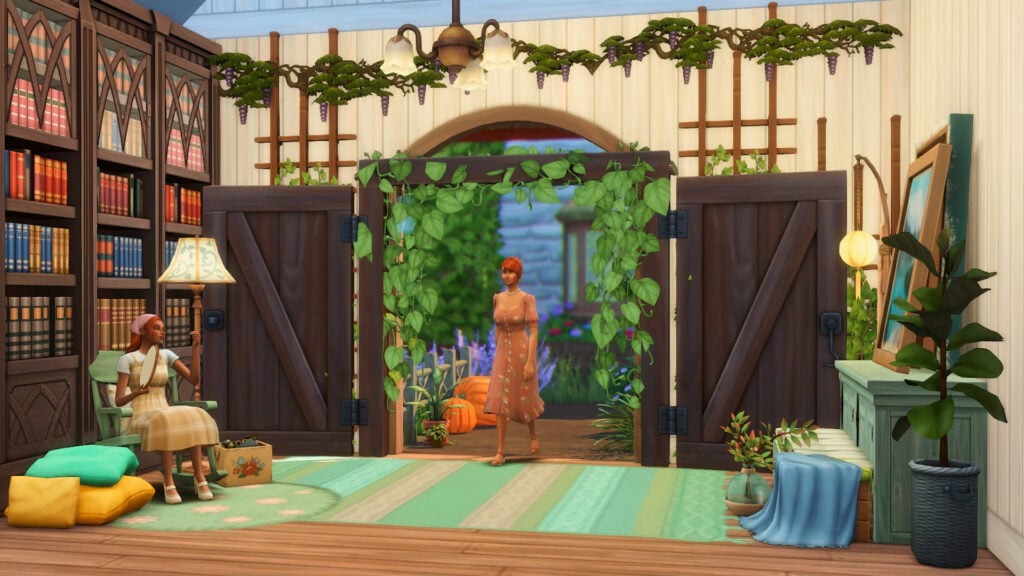
Despite the wide selection of doors in the Sims 4, there’s still some need for doorways with *that* cottagecore vibe. It should be the kind of doorway that whenever your Sim enters the house, they’re transported to a fairy-like room filled with plants and cozy nooks.
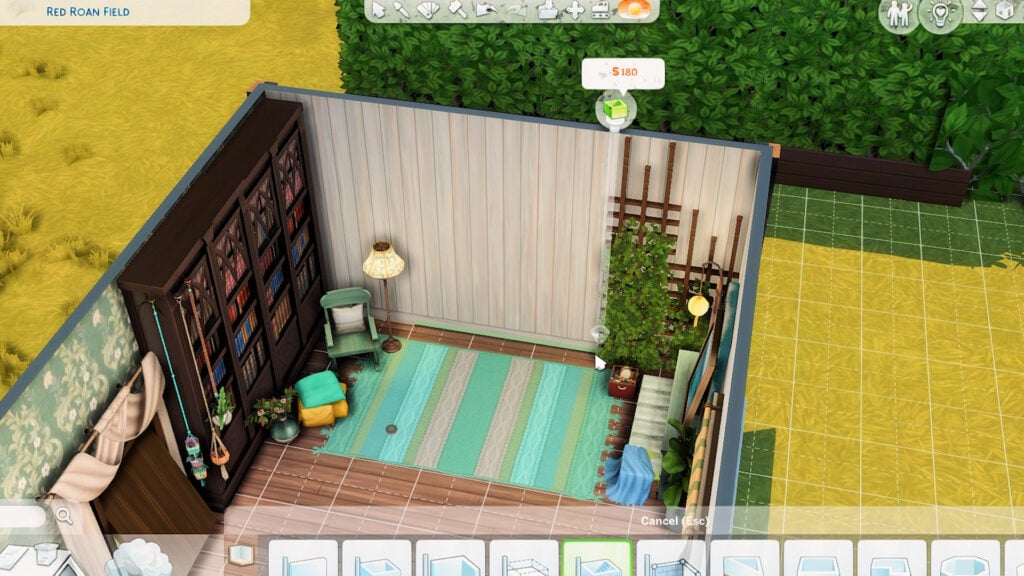
Nope, it’s not an item from Cottage Living. It’s just the Hay There! Shuttered Window from The Sims 4 Horse Ranch. Read on to learn how to transform it into a doorway for your next build!
Before doing any building, make sure that the bb.moveobjects cheat is turned on.
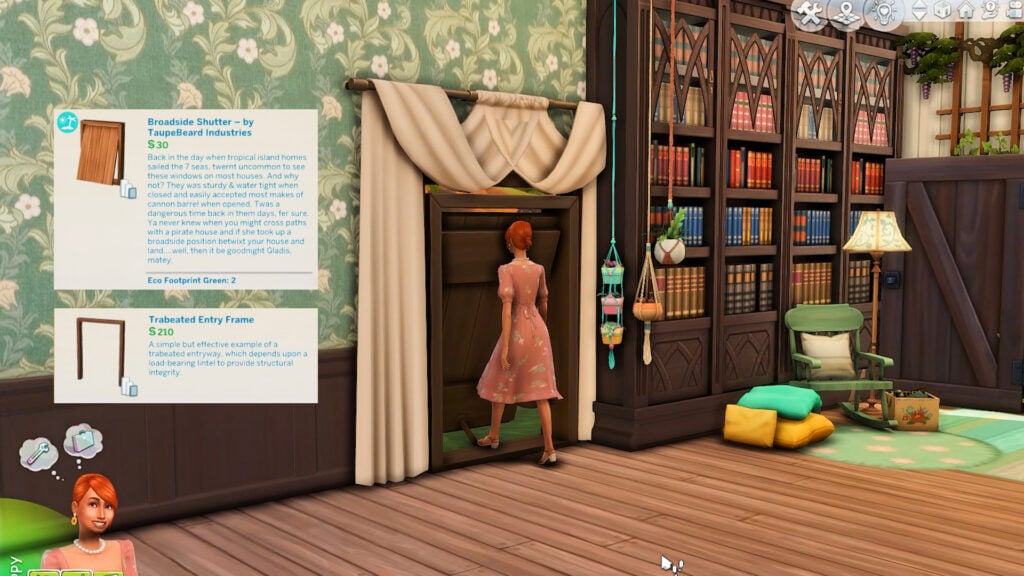
The final result of The Sims 4 Cottagecore Doorway!
Choose your Building Skill level
Easy Method: Layering
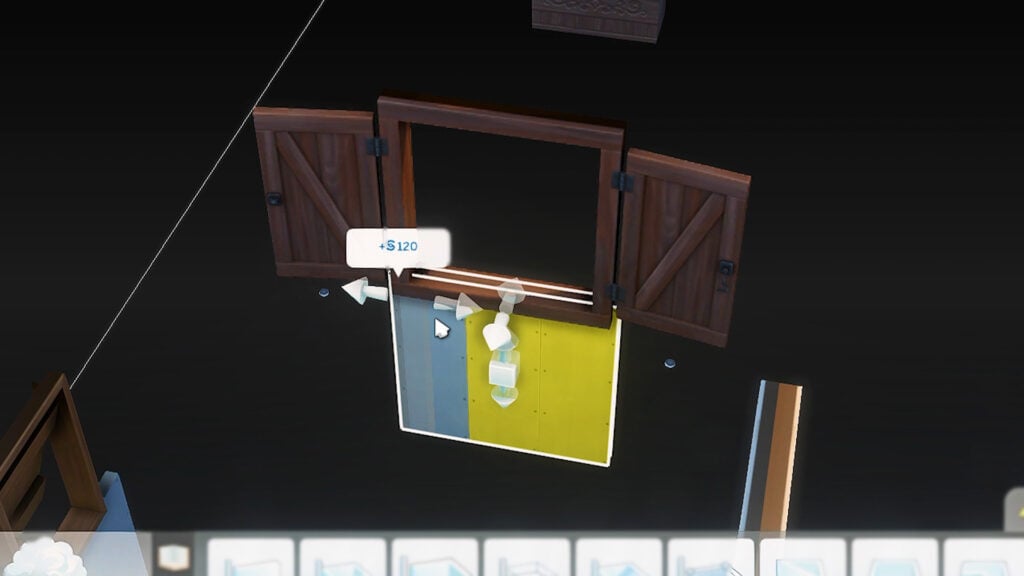
The fastest way to build this is to size up the window and put an archway on top of it. To do this, increase the window size by clicking the ‘]’ key.
Grab this medium-height archway from Cats and Dogs in a matching color since its cutout has the right proportions for this window. Cover the top part with this hanging plant curtain from Blooming Rooms Kit.
Tip: If the menu for medium-height doorways and windows is disabled since you’re building on small height, add an extra floor wherever on your lot and select medium height for that floor. Once you got your desired items from the build menu, delete the extra floor if you don’t need it anymore. (Same thing works for tall-height doors and windows!)
And that’s basically it! BUT…
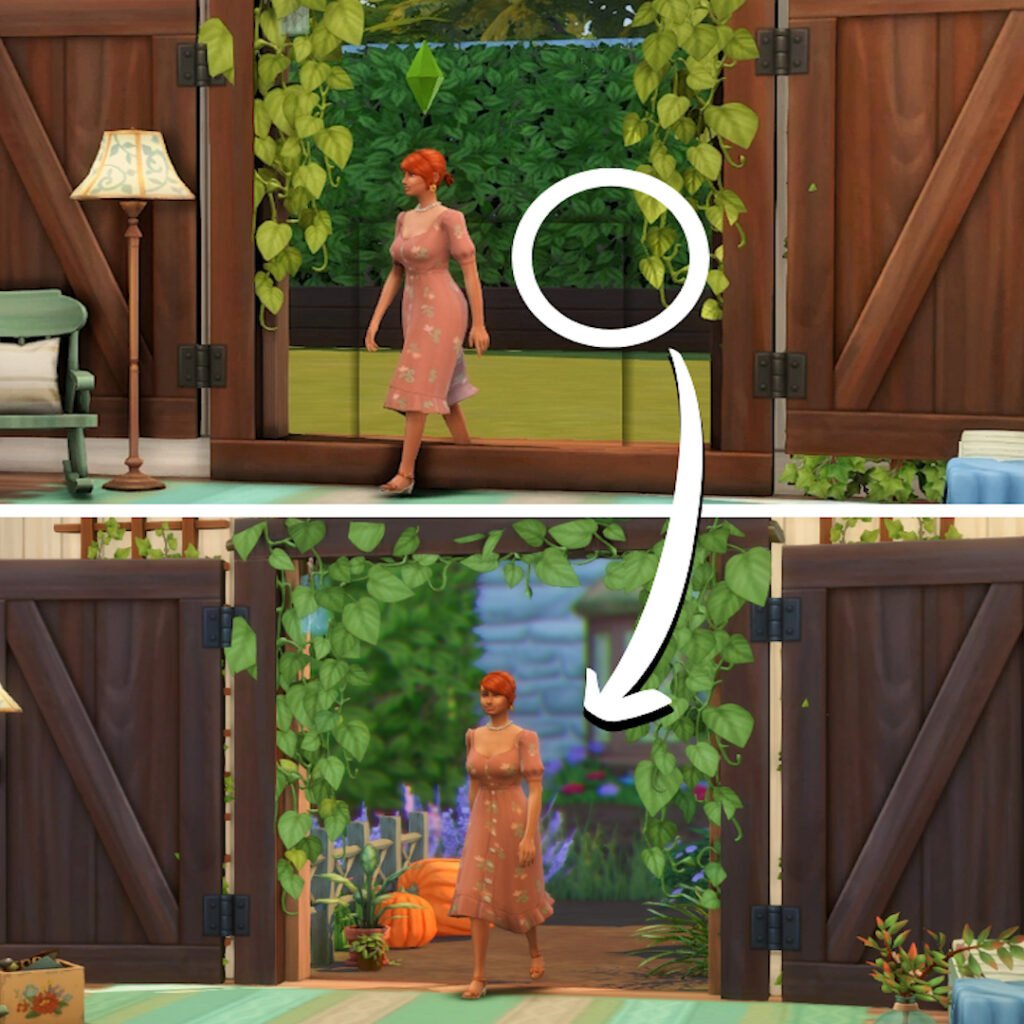
There’s this black shadow that appears on the inside of the room that came from the outline of the original-sized window. Don’t worry because it doesn’t show up on the exterior.
But if that bothers you or if you built this doorway indoors, read through the next part and hone your building skills with this hack.
Expert Method: Basement Hack
The following steps may be tedious but this will get rid of that weird black outline on your doorway. This alternative involves building a wall in the basement or on the lower floor directly underneath the wall you’re working on. Fret not since you can delete it afterward.
Now grab your window, size it up with the ‘]’ key, and place it on that wall below. Put it in the topmost part of that wall. If it still doesn’t reach your desired height on the floor above, raise the item with Ctrl+9.
Once satisfied with its placement, delete the wall below by holding Ctrl while tracing the wall. Be careful not to just click and delete the wall as that will also remove your window!
Now on the main floor that you’re working on, place this medium height archway from Cats and Dogs in a similar swatch with the window. Again, cover the top part with this plant curtain if you like.
And now you have a nice entryway without any weird shadows.
Note: Since the window is in a different room, its lighting will be different (outdoor lighting). If you need it to have indoor lighting, create a room on the lower level around the window and add lights inside that room.
Try it with other items!
This doorway trick works with any window in the Sims 4, even with windows with complicated shapes. Check out this open shutter window from Jungle Adventure paired with a Base Game archway.
Even a closed window can work as a doorway since it won’t block your Sims’ path. It looks weird (because of some clipping issues), but this Island Living window framed with a Base Game archway can work on certain builds.
Video Tutorial
Here’s a real quick tutorial to see how it’s made in real-time:
What are your thoughts on our latest The Sims 4 Build Hack tutorial? Let us know in the comments down below!
Showcase your Sims and their living spaces with the Back to School Challenge!
It’s that time of year again, so why not get creative with this too cool for school The Sims 4 Challenge?
This Sims Community Challenge is slightly different to those we’ve done in the past. In fact, there are two ways to take part in this Sims 4 Challenge! So whether you are a Builder or more of a Create A Sim player, there is something for everyone!
Keep reading to find out more about both parts of our back to school challenge!
Table of Contents
The Sims 4 Challenge Details
The aim of this Sims 4 Challenge is to have fun. With two different ways to take part, we want players to unleash their creative side regardless of which challenge option you wish to take part in. You can, if you wish, take part in both the build and Create a Sim parts of the challenge.
While the overall task for each of these The Sims 4 Challenge options is straightforward, there are still a handful of rules that need to be followed.
Firstly, let’s have a closer look at the Create A Sim Challenge!
Back to School CAS Challenge
Imagine, it’s your Sim’s first day back at school, college or university. What would their outfit of the day be?
Would your Sim be wearing something that shows their personality and interests? Maybe they wanted to dress to impress? Alternatively, just a nice chill and comfortable outfit for their first day. Whatever the inspiration behind the look is, we want to see it!
Challenge Guidelines
Create your ultimate first day back at school look!
Sim must be Teen, Young Adult or Older
No Custom Content, you can only use the packs that you own.
Aspirations, Traits, Likes and dislikes etc are optional.
Next up is more about the Dream Dorm Room!
Dream Dorm Room Challenge
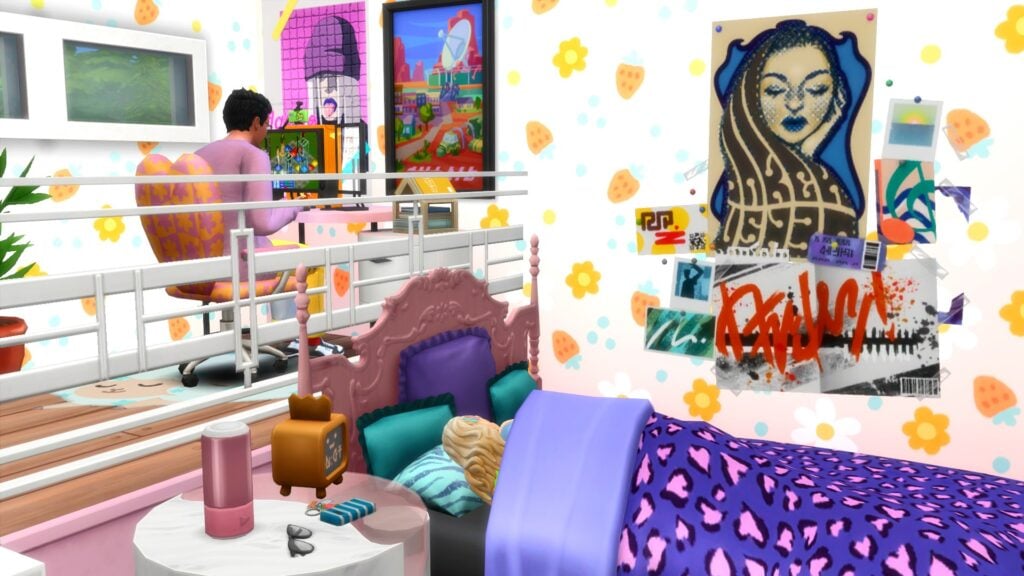
For the build aspect of this Back to School Sims 4 Challenge, we want players to create their dream bedroom/dorm room!
Sounds easy right? Well, yes and no!
Part One: Obtaining the Shell
Firstly, you will need to download our pre-made Back to School shell from The Gallery. From there, you will have $11,000 to spend on creating your dream room! This amount also includes the cost of the lot.
You can download our Base Game-friendly challenge shell from The Gallery using the information below:
Gallery ID: LeeksEverywhere
Lot Name: SC Dream Dorm Room Shell
Part Two: Get Creative!
So, the secondary part of this challenge is where the real fun begins! It simply means, let your imagination run wild when creating your room. Be it your dream high school bedroom or dorm room at university, whatever the inspiration behind it, we want to see it transformed into The Sims 4!
Just keep in mind you have an overall budget of $11,000 (this includes the initial cost of the lot) to create your dream room!
Frequently Asked Questions
You can use any packs that you currently own
T.O.O.L & DEBUG are allowed, however, custom content is not.
You can not change the placement of the original internal or external wall. You may add extra walls/fences if needed.
You can change the stairs and placement of them
You can not change the height of the platform
Created your Back to School look or Dream Dorm Room? Find out how to submit your entries!
How to Submit Your Entries
You can take part in just one part of the challenge or both aspects of the challenge. Once you’ve completed the parts you wish to take part in, simply follow the instructions below to share your The Sims 4 Challenge creations!
Twitter – Upload your image to Twitter using the hashtag #SCBack2School! Feel free to tag Sims Community in your posts too!
Discord – Head over to our Discord server and head to the SC Challenge Channel. You can find this under the Announcements & News category. Make sure to upload your image with the caption #SCBack2School! Any images without the hashtag will not be included in the showcase post.
Click the button below to join The Sims Community Discord
Please note, that there is no giveaway for this Sims Community Challenge.
Closing Date
The closing date for entries will be Tuesday, September, 19th 2023 at 10 am PST/6 pm BST/7 PM CET. A spotlight post will be released shortly after entries have closed.
Are you looking for more The Sims 4 challenge? We’ve got you covered in our dedicated Challenge area!
Poses used in this post for the Create a Sim looks were created by Katverse
Everything new (and returning) to The Sims 4 in today’s update!
A new Sims 4 patch is here and with it comes some new and returning features to the game! Players booting up their games for the first time after updating today might not notice anything different at first, but there are actually some incredibly useful organization tools available in Build/Buy now, along with lots of new and improved Gallery features that have been re-introduced, which should make creators very happy indeed!
Table of Contents
Sims 4 Update September 2023
The Sims 4 patch added new ways to sort through the rapidly growing kit collection in Build/Buy. This game patch also brought back some beloved and much-missed Gallery features with many improvements to their functionality. Check out what’s new!
Filter by Kit in Build/Buy and CAS
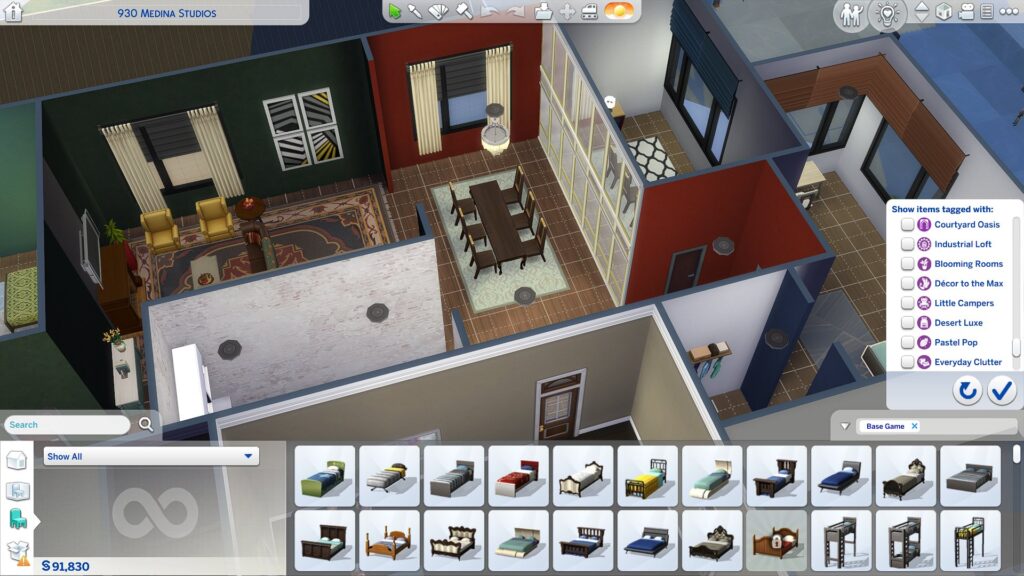
When kits were first introduced to the game, they were all lumped under one broad filter in Build/Buy, called Kits. This was fine at first, since we didn’t have very many kits for The Sims 4, yet. However, when the Poolside Splash and Modern Luxe kits launch later this week, The Sims 4 will have a total of 25 kits, with more planned for release in the coming year. This has caused that broad Kits filter to become bloated and cluttered, defeating the purpose of having a filter at all.
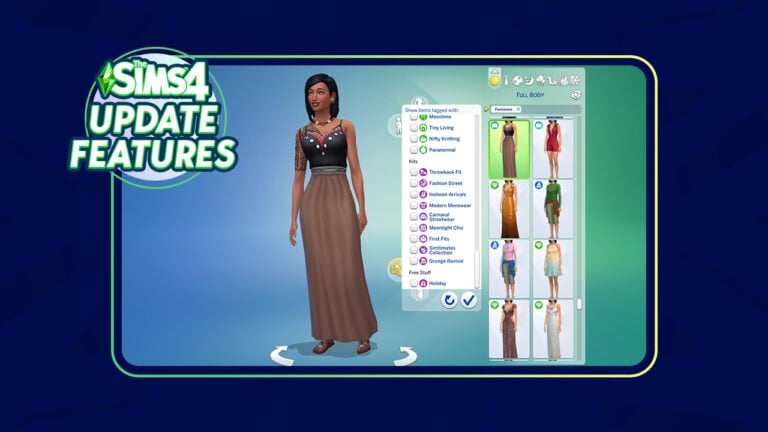
Builders and CAS enthusiasts who were frustrated with this broad, cluttered Kits filter will be happy to know that they can now filter for individual kits in Build/Buy and CAS, the same way they can filter for stuff packs, game packs, and expansions.
Gallery Additions
The Gallery was gutted several updates ago due to stability issues. At the time, The Sims Team promised that the Gallery would eventually receive all of its original features plus more again once they had cleaned up said features. It looks like they are beginning to deliver on that promise starting with today’s Sims 4 update!
Trending hashtags are available in the Gallery once again and downloads and favourites should display properly instead of always displaying 1.
The search function in the Gallery has also been improved and players should have no problems finding what they searched for anymore. In addition to that, the search function has returned to an and system instead of an or system. Basically what this means is that when you search for multiple words, the Gallery will show you things that contain both words rather than either one word or another that you searched for. So if you search “cats dogs” in the Gallery, you will find things with both “cats” and “dogs” in the name instead of just “cats” or “dogs.”
The Gallery will also search for words that are similar to what you searched for now. For example, searching the word “cat” will bring up results with both “cat” and “cats.”
For player who enjoyed browsing the Gallery while not in the game, commenting on Gallery uploads via web browser has also been re-enabled.
Gone are the days of frequent, frustrating Gallery maintenance periods! The Sims Team made some backend improvements that will allow them to deliver timely updates to the Gallery without disrupting Gallery services for players!
Some other general bug fixes regarding the Gallery include no longer seeing duplicate Gallery uploads, no longer not being able to view an upload after reporting a comment on it, fixing the Hide Reported Content setting in the game options, and favourited Gallery items being reflected properly.
Bug Fixes
Kit filters and Gallery improvements aren’t the only changes made in today’s Sims 4 update. This patch also brings handful of bug fixes for both the base game and packs/kits. For a full breakdown of all the bug fixes, check out the patch notes!
Full list of items coming with the new Sims 4 Kits!
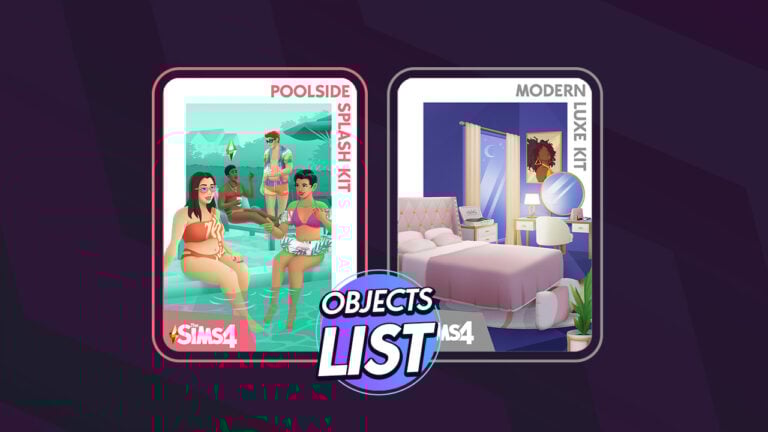
We know you were wondering about the list of Sims 4 Kits items. We have the full overview of objects from Modern Luxe and Poolside Splash Kits!
Maxis is releasing two new Kits for The Sims 4 in just two days on September 7th, 2023. The two Kits that are priced $4.99USD each are titled The Sims 4 Modern Luxe and Poolside Splash Kits. These Kits bring new items in Create A Sim (Poolside Splash) to accessorize your Sims’ pool adventures. If you’re looking for new Build Items, the collaboration with Xureila in Sims 4 Modern Luxe will leave you in awe!
Thanks to insightful findings by our reader we have a full list of Sims 4 Kits items and features. Without further ado let’s dig in!
Table of Contents
The Sims 4 Modern Luxe Kit Objects and Features
The Modern Luxe Kit introduces 28 new items in Build Mode. You’ll find different Curtains, vanity decor and functional items like the bed, vanity table and the record player.
Find the full list of Sims 4 Kits Items from Modern Luxe below:
Treat yourself to luxurious modern furniture that says “I made it” with The Sims 4 Modern Luxe Kit. You’ve worked hard; it’s time to celebrate how far you’ve come! With this kit we’re leaving frugal in the past and choosing elegant art, sophisticated decor, and cushy comfort.
Kit Features
Bedroom Bliss – Design a stylish and inviting space with high-end pieces like a lavish bed with a tufted headooard, a vanity, a plush rug, and other decadent details.
Signs of Success – Upgrade your lifestyle with a little extravagance. Make a statement with luxury items like a TV disguised as wall art, designer handbags, sculptures, and a functional record plaver.
Player @Simmatically has also found within The Sims 4 Update files more information about the Vanity Table.
In case you don’t know, The Sims 4 Vintage Glamour Stuff Pack had introduced a Vanity Table as one of the new gameplay items. The latest Sims 4 Modern Luxe Kit Vanity Table now uses gameplay from The Sims 4 Base Game, as the latest update has transferred the vanity table from Vintage Glamour (SP) to Base Game content.
Functional Record Player
The record player that can be seen in the previews is confirmed to be functional. You’ll be able to enjoy some of your favorite Sims 4 Radio Stations in a new spot!
Creator EnglishSimmer has posted an excellent video on Twitter of the animation that you should be expecting in Sims 4 Modern Luxe Kit.
The Sims 4 Poolside Splash Kit: CAS Items and Features
There are 29 Create A Sim items that you’ll find in The Sims 4 Poolside Splash Kit!
From sunglasses to floaties, check out the list of Sims 4 Kits Items in this set:
Turn heads at the pool with bright and playful swimwear from The Sims 4 Poolside Splash Kit. The colortul patterns and trendy cuts of this collection were designed to complement a variety of skin tones and body types.
Kit Features
Vivacious and Vibrant – Whether your Sim is looking to get flirty in the hot tub or party by the pool, these lively looks will help them stand out. Mix and match for uniquely dazzling results.
Aquatic Accessories – Complete your poolside ensemble with stylish shades, rainbow nails sandals, fabulous floaties, and more! Indulge your sense of fun.
The floaties in The Sims 4 Poolside Splash Kit seem to be full body accessory. However, we’ll know for sure as we get closer to the release date of these Kits on September 7th.
What are your thoughts on the new Sims 4 Kits items? Let us know your opinions in the comments below and stay tuned on Thursday for full Sims 4 Kits Overviews!
The update is out on Desktop and Consoles! Find the Patch Notes here.
The ? Update
EA and Maxis have released a brand new The Sims 4 Update today for PC, Mac, Xbox and Playstation platforms! The new update contents and features are soon to be revealed…
You can download the latest Sims 4 Update by checking for a Patch through the EA App. Or Origin if you play on Mac. If you have Automatic Updates enabled the update will automatically download through your client program. In case your EA App is not working properly ensure you’ve cleared your app cache!
If you play The Sims 4 on Xbox Series and Playstation 4 and 5 you can request a new update by checking for updates under The Sims 4 game in the Main Menu. If you’ve enabled automatic updates the Patch should download right away.
In case you have Mods or Custom Content, the game will automatically disable them for you after first launching The Sims 4 after the update. To re-enable all your Mods and Custom Content, select the Settings option in the Menu and select Settings. Under the ”Other” section you’ll find the ”Enable Custom Content and Mods” option. Check it and restart your game in order for it to take effect!
This Sims 4 update brings with it a number of fixes to the Gallery which require a game update to bring to you all as well as information on what features and fixes we have been able to release through Gallery Server updates. It also comes with a new feature you’ll find in Create-a-Sim and Build Mode. And of course, more bug fixes.
Let’s take a look what’s coming with this update.
What’s New?
The Filters in Build Mode and Create-a-Sim have been expanded to allow filtering of individual Kits rather than only being able to filter by all Kits.
Some Gallery features and fixes are able to be released directly to you, more frequently, without a game update. Another benefit of the new Gallery is that we no-longer require maintenance down time to release those updates. This means that some features could appear and bug fixes could be fixed at any time. We have added a new section to the release notes called Gallery Server where we explain updates and fixes we have been able to release this way and you might have already seen in your visit to the Gallery.
Sims 4 Bug Fixes
Base Game
Duplicate items should not appear in the Gallery when scrolling through the creations anymore. This won’t affect duplicates if someone has uploaded the same item multiple times, so no need to check your settings.
Reporting a comment on the Gallery will no longer hide the entire upload from your view but will hide the comment from your view as intended; the comment continues through the reporting system to be reviewed and actioned where needed.
Reported Comments in the Gallery will not display if you enable the Hide Reported Content setting in Game Options > Other
Favoriting items in the Gallery should correctly reflect with the green heart icon even if you restart The Sims 4 or delete your local files.
Parenting can be tough, but having Baby Envy when the other parent brags about your baby shouldn’t be one of the reasons it’s tough.
Console
Simmers using a controller will be able to use Free Cam and zoom the camera in and out without increasing and decreasing the game speed.
While you are in Free Cam, click in the left stick on your controller to confirm the controls layout.
Gallery Server
Trending Hashtags have been reenabled and should help you find new and interesting content.
Downloads and Favorite counts should count higher than 1 now, in fact it should be accurate as well.
Searching for Gallery creations by EA Account ID should return the results you were expecting.
Searching by Item Name should feel more like it used to when using multiple words. We have returned to AND operators instead of OR operators.
This means if you search for the words Cat Dog, you will get results where Cat and Dog appear in the Item name, not results where only Cat or Dog was used.
You will also see results that are not an exact to the word you searched, for example Cat will show items that used the word Cat or Cats included in the name.
City Living
Those Sims pursuing the creative book writing route can now get published, if it’s good enough, by being able to use the mailbox to Submit book copy to literary digest. And don’t worry, mailboxes included in Snowy Escape are accepting publication requests too.
Growing Together
Fundamental skills should no longer reset to skill level 1 after being maxed out.
Sims no longer wait patiently for their turn enjoying the splash pad and water emitters as everyone plays in the water one Sim at a time, now groups of Sims can all Play in Water Together.
High School Years
While in Game Options > Music > Alternative you might have noticed the track called corook by the artist sims. This has been updated to correctly list the track as sims by the artist corook. If you didn’t notice it, it’s too late to check now.
Horse Ranch
When your adult Sims are on a horse and go reins down, the reins will no longer move in unexpected and honestly confusing ways.
Realm of Magic
Morgyn Ember will start to use their preferred They/Them pronouns in new game saves if The Sims 4 is set to English.
My Wedding Stories
yfShoes_GP11WedgeHeels_SolidMauve are now correctly tagged as sandals instead of heels. But don’t worry, they do still have a heel on them.
Simtimates Collection
Your footwear choice no longer matches the colors of the full body outfit yfBody_SP38ShirtOpenBra even if your Sim is lounging in some bunny slippers.
Female Sims with a masculine body frame should find comfort with a better fitting ymTop_SP38BraSheer.
The Sims 4 Update: Kit Filter Preview
The new update has finally brought proper filters for seperate Kits releases for The Sims 4. You can now search for seperate Kits in the Kit section of the filter. In both CAS and Build!
The first screens and features for The Sims 4 Poolside Splash and Modern Luxe Kits are here!
Today is the day for the full reveal of the new Sims 4 Kits – Modern Luxe and Poolside Splash! Just yesterday we had a full leak of the new Kits covers, featuring a new Build and new Create A Sim items Kit.
The full reveal of the new Kits is also followed by a new Sims 4 Update that we’ll be covering today on Sims Community. Anyways, let’s take a look at what’s new with Modern Luxe and Poolside Splash!
Table of Contents
Looking for a full list of Sims 4 Kits Items included in Modern Luxe and Poolside Splash? We got you covered!
Release Date and First Info
The two new Kits for The Sims 4 are set to release on September 7th, 2023 at 10AM PT / 7PM CET. You’ll be able to purchase Poolside Splash and Modern Luxe Kits for $4.99USD each, or a price equivalent to your local currency.
Both Kits will be available on September 7th across PC, Mac, Xbox and Playstation supported platforms.
Poolside Splash is a new Sims 4 Create A Sim Kit, bringing new floaties, swimwear and comfortable accessories for swimming. Take a first look at the features:
Become the Life of the Pool Party
The Sims 4 Poolside Splash Kit empowers Sims to turn heads at the pool with bright and playful swimwear that compliments a variety of skin tones and body types.
Dive into the plethora of patterns, colors and trendy cuts of this collection that celebrate your Sim’s unique style. Whether your Sim is looking to get flirty in the hot tub or be the life of the party by the pool, these lively looks will surely make your Sim stand out.
Sims can even dip their toes into the world of aquatic accessories, perfecting their poolside ensemble with stylish shades, rainbow nails, sandals, fabulous floaties and more. Mix and match all of these pieces for dazzling results that indulge in your sense of fun as you bask in the sun.
The Sims 4 Modern Luxe Kit
The Sims 4 Kits only get better when they’re done together! The Sims 4 Modern Luxe Kit is done in collaboration with Sims creator Xureila. This Build Kit offers new art pieces, comfortable bed and pillows, as well as fashionable clutter that will decor up your space!
Learn more about Modern Luxe below:
Live in the Luxury Your Sims Deserve
It’s time to sit back and treat your Sim to a life of luxury. They’ve worked hard and it’s time to celebrate how far they’ve come. With The Sims 4 Modern Luxe Kit, your Sim can say “I made it,” through elegant art, sophisticated décor and cushy comfort. Leave frugality in the past and showcase your Sims’ signs of success.
Embrace your creative side and design a stylish and inviting space filled to the brim with high-end pieces like TV’s disguised as wall art, designer handbags, sculptures and a functional record player.
Xureila collaborated with our developers and art director to create this Kit. “This entire experience has been amazing! I really enjoyed working with The Sims team,” said Xureila. “From my vision board of the design to choosing the style and colors of the furniture, it was surreal seeing my ideas come to life. This is truly a dream come true! I drew inspiration from Black artists who showcased the luxurious lifestyle of Black individuals. This ultimately served as the primary influence for the project. I mixed in my own personal tastes and interests to create the final product.”
As your Sims relax in their space, wind down the evening in a state of bedroom bliss. With a lavish bed and tufted headboard, vanity, plush rug and other decadent details, discover that an evening in has never felt so good.
The creator that got to work on Sims 4 Modern Luxe also confirmed that the “wall art” that you see above (the colorful painting) is actually a functional new TV!
I’m guessing the new TV will have an off screensaver mode that will make the TV look like a painting. We’ll get to see more soon for sure!
Thoughts on the new Sims 4 Kits?
What do you think about the new delivery of Sims 4 Kits? Will you be purchasing one, two or none of the new releases? Let us know in the conversation below!
As always, we’ll have more information to share (including object previews) very soon on Sims Community. Stay tuned for Sims 4 Kits News!
Take control of your game with a mod that allows you to cheat with a single mouse click!
If you’re an avid Sims player, you’ve probably used some cheats before. Maybe you’ve used a lot of cheats. Did you know the UI Cheats Extension for The Sims 4 makes cheating faster and easier? It’s true! The UI Cheats Extension Mod is a very powerful mod that will allow players to cheat all kinds of things in their games by just clicking different areas of the UI instead of having to type out long, complicated cheats in the cheat console! We’re going to show you just how much you can accomplish using the UI Cheats Sims 4 mod by weerbesu!
Guide to The Sims 4 UI Cheats Extension Mod
UI Cheats Extension Mod: How to Install UI Cheats for The Sims 4
Unfortunately, the UI Cheats Extension Mod for The Sims 4 is not hosted on CurseForge so you will have to manually install it into your Mods folder. To do this, download the mod from weerbesu’s Patreon, then unzip the files and place them no further than one subfolder deep in your Mods folder. The UI Cheats Sims 4 mod is a script mod. Script mods cannot be more than one subfolder deep in the Mods folder or the game will not be able to read them.
If you’re a beginner mod user and need more help with installing the UI Cheats Sims 4 mod, check out our beginner’s guide to mods and CC!
How To Use the UI Cheats Mod
Once you have the UI Cheats Sims 4 mod installed correctly, you’ll be ready to cheat just about anything you want with a simple click of your mouse! Most of the mod’s cheat options can be accessed by right-clicking on different parts of the UI. UI stands for User Interface. The User Interface (UI) is all of the game’s info panels and tools. Basically, everything that isn’t part of the world’s environment. Things like portraits, motives, Sim info panels, and menus are all part of the UI.
It can be a challenge knowing where to click and what to cheat using the UI Cheats Sims 4 mod, so we’re going to break down most of the cheats we think you’ll find helpful in your game and how you can access them with the UI Cheats Sims 4 mod.
If you’re ever unsure of how to cheat something with the UI Cheats Sims 4 mods, a good general rule of thumb is to try clicking and/or right clicking on the part of the UI you want to cheat and seeing what you can do! For example, if you want to add simoleons to the household funds, right-click where the household funds are displayed.
How to Cheat Achievements
If you’re a trophy collector, trying to collect all the achievements for The Sims 4 can be a hassle. Some achievements are glitched and won’t complete even after satisfying the requirements. Other achievements are always resetting themselves. You can solve this pesky problem with the UI Cheats Extension Mod!
To unlock an achievement, just open the achievements menu and right-click on any achievement to unlock it!
How to Cheat Aspirations
Getting ahead in an aspiration is no problem for the UI Cheats mod. Just right-click on whatever aspiration goal you want to complete and ta-da! All done and your Sim will get the satisfaction points for it. This is also a great way to easily complete aspirations to resolve game glitches that might prevent you from finishing an aspiration.
Make Buying and Selling Easier
Have you ever wanted to buy groceries in bulk or sell all your inventory items in bulk? It’s a pain, right? All that clicking is annoying. The UI Cheats Sims 4 mod solves that problem for you. You can buy and sell large quantities of items faster by right-clicking the right and left arrow button next to the number of items to increase or decrease the amount by 10 instead of 1. So it only takes 10 clicks of the mouse to sell 100 items instead of 100 clicks.
Cheat Your Career and Education
There are lots of career and education cheats at your fingertips with the UI Cheats Sims 4 mod, so we’ll list them all for you. Become a straight A university student or max out your career in just a few clicks!
Career Title Bar or Job Icon: Right-click on the green Career Title Bar or Job Icon to promote, demote, change the career branch, or select another level within the current branch.
Task Completion: Right-click on any promotion task, daily task, prep task, or work-from-home assignment to instantly complete it.
Work and School Performance: To alter work and school performance, right-click on the work/school performance bar to set a value between -100 and 100.
Work Reputation: To change work reputation, right-click the work reputation bar and set the value between -100 and 100.
Change University GPA: Right-click on the degree icon or the Course Schedule title bar to change your Sim’s GPA.
Suspension/Probation Text: Right-click on the suspension/probation text as a get-out of suspension/probation-free card!
Change University Course Grade: Right-click on an individual University Course icon to change the Sim’s grade from between 0 and 100.
Complete Collections with Cheats
Collectors rejoice! The UI Cheats Sims 4 mod can solve all your collection woes! Simply open the collection panel and right-click on any missing collectible to spawn it in your Sim’s inventory. This is an awesome cheat for recovering lost collection progress, especially if you no longer have the collectible to put in your inventory again.
Easier Social Events
Have you ever struggled to finish a social event or holiday at gold level, missing out on those sweet rewards you wanted? Maybe you completed an event goal but for some reason, the game doesn’t register it, making the social event impossible to complete. That’s not a problem with the UI Cheats Sims 4 mod!
Right-click on any social event goal to complete them instantly! For holidays, just right-click on any tradition you want to complete.
Control Time and Weather
With packs like Seasons and Eco Lifestyle, the UI Cheats Extension Mod for The Sims 4 comes with plenty of ways to cheat the season, weather, and eco footprint with just a mouse click. Even if you only have the base game, you can use powerful time controls to skip ahead to a specific time!
Time Machine: Right-click the in-game clock at the bottom of your screen and enter a time between 0 and 23.
Weather Stone: Change the weather by right-clicking the weather icon and changing the weather.
Changing Seasons: Hate winter? Change the season by right-clicking the season icon and choosing a different season.
Eco Footprint: If you want to change how the eco-footprint affects your game without fighting the system, right-click the eco-footprint icon to change it from -500 to 500.
Money Cheats and Moodlet Cheats
The UI Cheats Sims 4 mod also allows you to cheat your household funds without having to type in any cheat codes. Give your Sims a quick top-up of $1,000 or set the household funds to whatever you want! You can also add galactic credits and bits and pieces! And if your Sim has an annoying moodlet you wish would go away, right-click it and POOF! It’s gone!
Gain $1,000: Left-click the money counter.
Set Household Funds: Right-click on the money counter (This includes Simoleons, Galactic Credits, bits, and pieces).
Moodlet Removal Service: Right-click pesky moodlets to remove them immediately!
Get Rid of Annoying NAPs
Eco Lifestyle is a really unique expansion pack with many great gameplay features, including Neighbourhood Action Plans. The only problem with them? Sometimes an NAP gets enacted that is a headache to deal with, like the dreaded Sharing is Caring NAP. How are you supposed to run a business in a neighbourhood where everyone is allowed to walk in and steal whatever they want?! You can’t even do anything about it if your Sim doesn’t live in that neighbourhood!
The Sims 4 UI Cheats Extension Mod is a lifesaver when it comes to helping with annoying NAPs. Click on any voting board or mailbox to view the currently active NAPs and right-click on the NAP giving you grief to instantly repeal it.
Cheat Your Sim’s Needs
Sometimes, our Sims could use a little help putting a pep in their step. We all could use a little help with that once in a while, right? Luckily, our Sims can keep going longer with the UI Cheats Sims 4 mod! The rest of us will sadly have to rely on coffee.
Here’s all the ways you can use the mod to easily refresh your Sims’ motives! If your Sim is an occult type, you can control their power/talent points, rank, and temperaments, too!
Needs Bars: Left click on any of the needs bars to change it to that position.
Needs Pars: Right click on any of the needs bars to set a specific value from -100 to 100.
Occults: Right click on the progress bar to change the occult’s rank.
Power Point/Talent Point Counter for Occults: Right click to set it.
Spellcaster Curses or Werewolf Temperaments: They can be removed by right-clicking the icon.
Instantly Fill All Needs: Right click on needs panel icon to fill all needs of a selected sim.
Cheat Business Perks and Ratings
All new businesses could use a helping hand getting off the ground and the UI Cheats Sims 4 mod is the perfect way to help get your Sim’s business up and running! Unlock business perks, improve your star rating, and add more perk points! Some perk cheats also work for occults and clubs!
Retail Store/Restaurant/Vet Clinic Perk Point Counter: Right Click to set.
Star Rating: Right-click to change.
Unlock Perks: Right-click on a perk to unlock or lock it. This works for Retail Stores, Restaurants, Vet Clinics, Clubs, Vampires, Spellcasters, Werewolves (dormant ability as well), and Celebrities (quirks included).
Cheat Sims Relationships
Have your eye on a certain special Sim but they don’t seem interested in your Sim at all? Cheat the relationship just by right-clicking on them in Live Mode or in the relationship panel! You can add and remove sentiments easily, too.
Relationship Between Two Sims: It can be changed from -100 to 100 in both friendship and romance by right-clicking on the other Sim.
Relationship Bits: Right-click on the green Relationships title bar. This will add one or more relationship bits. Right-click the Relationship Bits Icon to remove it.
Sentiments: Right-click the title bar to add one or more sentiments and right-click a sentiment to remove it. You can also set its value from 0 to 100.
Instantly Unlock Reward Traits and Potions
Want a quick and easy way to gain reward traits and potions without the hassle of saving up satisfaction points? The UI Cheats Sims 4 mod can help you out with that! Just right-click on any reward trait or potion to give it to your Sim!
Cheat Your Sim’s Info
There are so many things you can cheat when it comes to your Sim’s general information. The UI Cheats Sims 4 mod can help you cheat your Sim’s age, traits, lifestyles, university degree, fame and reputation, and so much more!
Progress Bar: Add or subtract the number of days that have passed with the current age stage by right-clicking it.
Traits: Right-click the title bar to add one or more traits or on the trait itself to remove it.
Lifestyles: Right-click the title bar to add one or more lifestyles or on a lifestyle to remove it.
Discover University: Remove Servo Behavior Module or University Degrees by right-clicking on them.
Character Values: These can be set between -100 and 100 by right-clicking the icon.
Fame and Reputation: Alter these by right-clicking and selecting a rank.
Fame Point Counter: Set the amount by right-clicking.
Batuu Faction Reputation Bar: This allows you to select a rank by right-clicking the bar.
Green NAP Title Bar: Opens the NAP Voting Panel for the current Neighborhood (Even if your Sim lives elsewhere!) by right-clicking it.
Influence Point Counter: Another counter that you can right-click to alter.
How to Cheat Skills
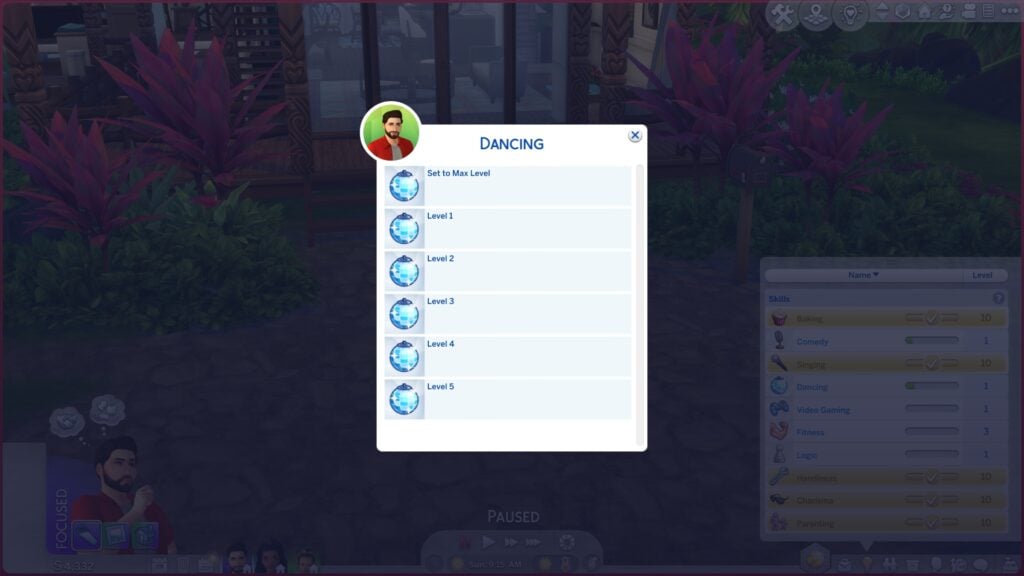
Looking for a fast and easy way to cheat skills? It doesn’t get any easier than the UI Cheats Sims 4 mod! Just right-click on any skill in your Sim’s skill panel and set what level you want your Sim to be in that skill.
Have More Control Over Clubs
The UI Cheats Sims 4 mod can also make managing clubs and university organisations easier. A simple right-click is all it takes to add more club points and organisation experience, or finish organisation tasks!
Club Perk Point Counter: Right-click to set.
University Organisation Experience Bar: Right-click to select rank
University Organisation Task: Right-click to complete.
Spellcaster Spellbook Cheats
For spellcasters, the UI Cheats Sims 4 mod has a pretty handy function. Want your spellcaster to learn all the spells and potions? Just open up their spellbook and right-click on any spell or potion to instantly unlock it! It’s just like… well, magic!
Milestone Cheats
Milestones are one of the newest cheats to be added to the UI Cheats Sims 4 mod! Milestones came with Growing Together and adding or removing them from Sims can be a pain without this mod. The mod makes adding and removing milestones really easy so you can give your Sims custom memories that you want them to have, or remove silly memories you don’t want them reminiscing on.
All you have to do is right-click on your Sim’s milestones panel and you can select any milestone to add to your Sim. You can also remove specific milestones and change the location or Sim associated with a milestone by right-clicking a specific milestone.
The Power of Cheats at Your Fingertips!
There are even more cheats you can use with the UI Cheats Sims 4 mod and weerbesu is adding new ways to cheat with his mod all the time, so it’s worth checking back with his Patreon page regularly! You never know what new cheats you’ll find out about!
Looking for more ways you can cheat both with and without mods? Check out our ultimate cheats library!
The cover art for Poolside Splash and Modern Luxe Kits has leaked!
Hold up Simmers, we’re coming in with some hot tea! A few days ago we reported about the new Sims 4 Kits being leaked online, which included The Sims 4 Poolside Splash and Modern Luxe Kits.
And now both have been confirmed with a new leak, found originally by @RavenAngel888. The leak includes a first look at the Cover Art for the Poolside Splash and Modern Luxe Kits. Note that these aren’t just any leaks, they’re a full-blown explosion of vibes and aesthetics, giving us the first preview into the new upcoming Kits. Let’s take a deeper dive and see what each cover art is promising.
Sims 4 Poolside Splash Kit
Cover of the new Sims 4 Kits – Poolside Splash
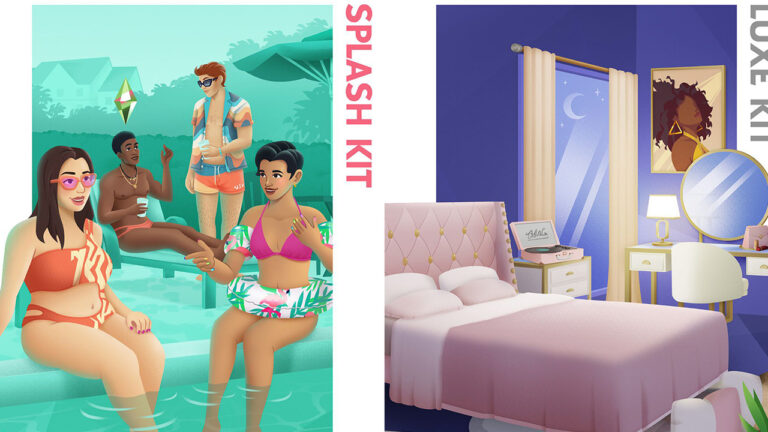
Let’s talk more about Poolside Splash because we can’t get enough of this pastel dream! First off, Poolside Splash is giving us major “Summer Goals” vibes. The cover features Sims lounging by a chic pool, sunglasses on, drinks in hand, living their best Sim life.
This cover art is every summer Instagram aesthetic wrapped into one fabulous package, the pastel dream we didn’t know we needed! We can already imagine the pool parties and BBQs that are going to level up with this Kit!
What Can We Expect From Sims 4 Poolside Splash?
Now, while the official details have not yet surfaced, we can’t help but to speculate on the goodies that might come with this kit. Given the chic poolside theme, we’re hoping to see a variety of pool floats included in this Kit. Fingers crossed for some cute pool outfits as well!
Sims 4 Modern Luxe Kit
Cover of the new Sims 4 Kits – Modern Luxe
On the other hand, the Modern Luxe cover art screams luxury. We’re talking chic counter-tops, gold accents, and furniture that looks like it was designed by someone who understands the meaning of ‘treat yourself’. The cover art gives off elevated sophistication with its rich purple palette. From the artwork on the wall to the chic bedding, it’s like stepping into a whole new luxury lifestyle!
What Can We Expect From Sims 4 Modern Luxe?
While we’re waiting for the official details, let’s get into some educated guesses about what this kit might offer. Given the plush setting on the cover, we’re thinking vanity tables with high-end cosmetics, and hey, why not throw in lounge furniture for the perfect selfie pose?
So, When’s the Drop?
There we have it! Two new Sims 4 Kit Covers leaked, confirming the previously rumored Kit names. As of now, the official release date is still a mystery, but some rumors are already rising up.
With the Twitter Community fired up, it is rumored that the Kits might possibly drop this week, but we’ll just have to wait and see. What is sure is that as new information arises, we’ll keep you updated here on Sims Community. Stay tuned for The Sims 4 Kits News!
So, we guess there’s only one thing to ask: which side are you? Team Poolside Splash or Modern Luxe? Let us know in the comments below!
How to Easily Create an Infant and Toddler Pool in the Sims 4
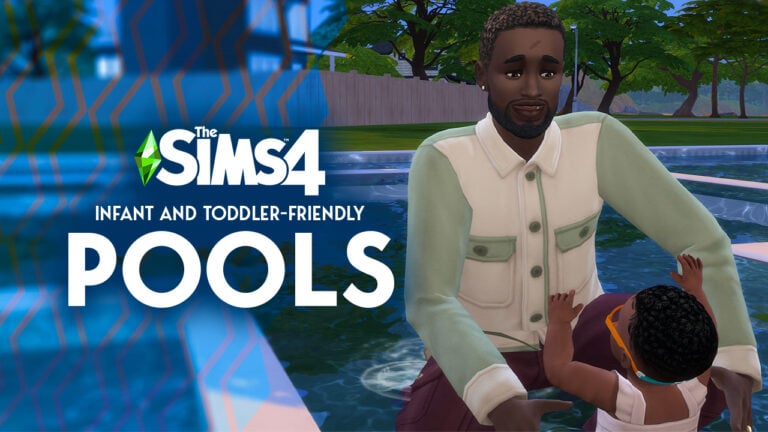
Hey Simmers! As you know, this year we got blessed with the cutest new feature—Sim Infants! From that point, all of our gameplay started revolving around baby giggles and dirty diapers. And summer is no exception, so we’re all out here scratching our heads on how to keep the little ones cool in the Sim sun. Well, one of our talented community members Storm Design might have a solution with her Sims 4 Infants pool!
We’re gonna say it: Sims players make the game 10x better! And Storm Design’s great guide is the perfect example. It’s the ultimate how-to for a perfect family pool day that even includes the tiniest members of your Sim family. This guide will show you how to make a pool that’s not just Insta-worthy but also baby-proofed! So without further to do, let’s jump in!
The Sims 4 Infants Pool Tutorial
What You’ll Need for the Infants Pool
One thing we value in guides is simplicity, and this case is no different. Before we make waves, here’s a mini checklist you’ll need to bring to the table:
Sims 4 Base Game Up and Running: First things first, this is base game compatible, so just ensure that your Sims 4 game is up-to-date and running smoothly.
Basic Understanding of Build Mode Tools: You don’t have to be an expert in building to nail this guide, so a basic understanding of build tools will be just enough.
A Residential Lot Thirsty for Pools: Got an empty space in your Sim’s backyard that’s just begging for a makeover? Perfect, you’re set to go!
Optional, But Cool to Have: Check out our Top 10 Pool Building Tips, a good guide to have for those players just starting up!
Step 1: Choosing the Perfect Location
Location, location, location! Navigate to your residential lot and scope out the prime spot for your Sims’ dream pool. You’re going to want to have enough room to put the main adult pool that will contain a “separate” zone for the kiddos.
So, make sure you pick a spot where you can do both without cramping your Sim’s style. Keep an eye out for a perfect corner or open space that blends in with your overall aesthetic. You want your Sims 4 Infants pool to feel like a natural extension of your home, not like a pool from another Sim neighborhood.
Step 2: Designing the Pool Layout
Grab your construction hats Simmers, because it’s building time! First things first, fire up the pool tool in build mode and start creating your perfect pool. Lay out your pool’s shape, making it as grand or cozy as you want it.
We did mention a “separate” space for the kiddos, so here’s the deal: when creating your pool, it’s important to leave an empty space of terrain in the middle reserved for the little ones. This space will later on act as the actual “pool” for your Sim Infants and Toddlers.
Pro TIP: Create a walk-in section by drawing a couple of squares on the side of the center square. Think of these as your VIP entrances to your Sims 4 Infants pool.
Step 3: Kid-Proofing Your Pool
Let’s dive deeper into build mode for this one. Locate the Flatten to Height Terrain tool in your build mode and focus it on the center of your space in the middle reserved for the little ones. This tool is what’s actually going to allow us to create the Sims 4 Infants pool.
Next, hold down your Ctrl (⌘) key and tap the square bracket key ([) twice. One, two and boom! You’ve just lowered the terrain a bit and created the setting for your pool. Just make sure your entrance to the pool isn’t lowered too much and you’re good to go!
Pro TIP: A good piece of advice is to test if your infants and toddlers can enter the area of the pool. This way you’ll make sure you don’t run into a scenario where you have the perfect pool an infant can’t enter.
Step 4: Adding the Water
Only one more step until your fabulous Sims 4 infants pool! Head back to build mode and grab the water tool to create your pool dupee. The trick is that your Infants pool is actually a pond.
Go ahead and fill up the empty space you saved, but don’t forget to fill the entrance you made for the pool as well. And just like that—BAM—you’ve created a family pool that’s got something for everyone. A perfect pool that is a universal Sim delight! Now let’s talk final touches, shall we?
Pro TIP: Too make your Sims 4 Infants pool has that extra pop, get back to build mode and recolor the pool and pond until you find the perfect blend.
Final Touches: Happy Splashing!
Wanna make this even more awesome? Elevate your infants pool with this custom Sims 4 Poolside Lounge Pack! This stylish pack will serve as a perfect add-on for your newly created infants pool, I mean look at it, talk about fabulous!
There you have it! A pool that’s made and fun for all ages. This Sims 4 Infants pool is the perfect way to make sure your entire Sim family can kick back and relax in those scorching summer days. Ready to dive in? We want to see your epic Sims 4 infants pool setups. Share your pics in the comments and let’s get this pool party stared!