


From all The Sims games so far, The Sims 4 probably has delivered the biggest amount of visual effects, and it did an amazing job. But, some visual effects are really hard to get and only occur ever so often. That’s why Andrew’s Studio come up with a great Mod!
The Studio Effect Player Mod lets you pick any effect from a list of over 6000 visual effects and play them via a simple object.
To get started, Download the Mod here, extract the .zip content and start up your game. Don’t forget to also download the list of Visual Effects that can be found on the bottom of the site.
You start off by searching for the Studio Effect Player in Build Mode. You can place as many Effect Players as you want!

Then in Live Mode, click on the Effect Player and select ”Select Effect”.
You paste the effect code in this section!
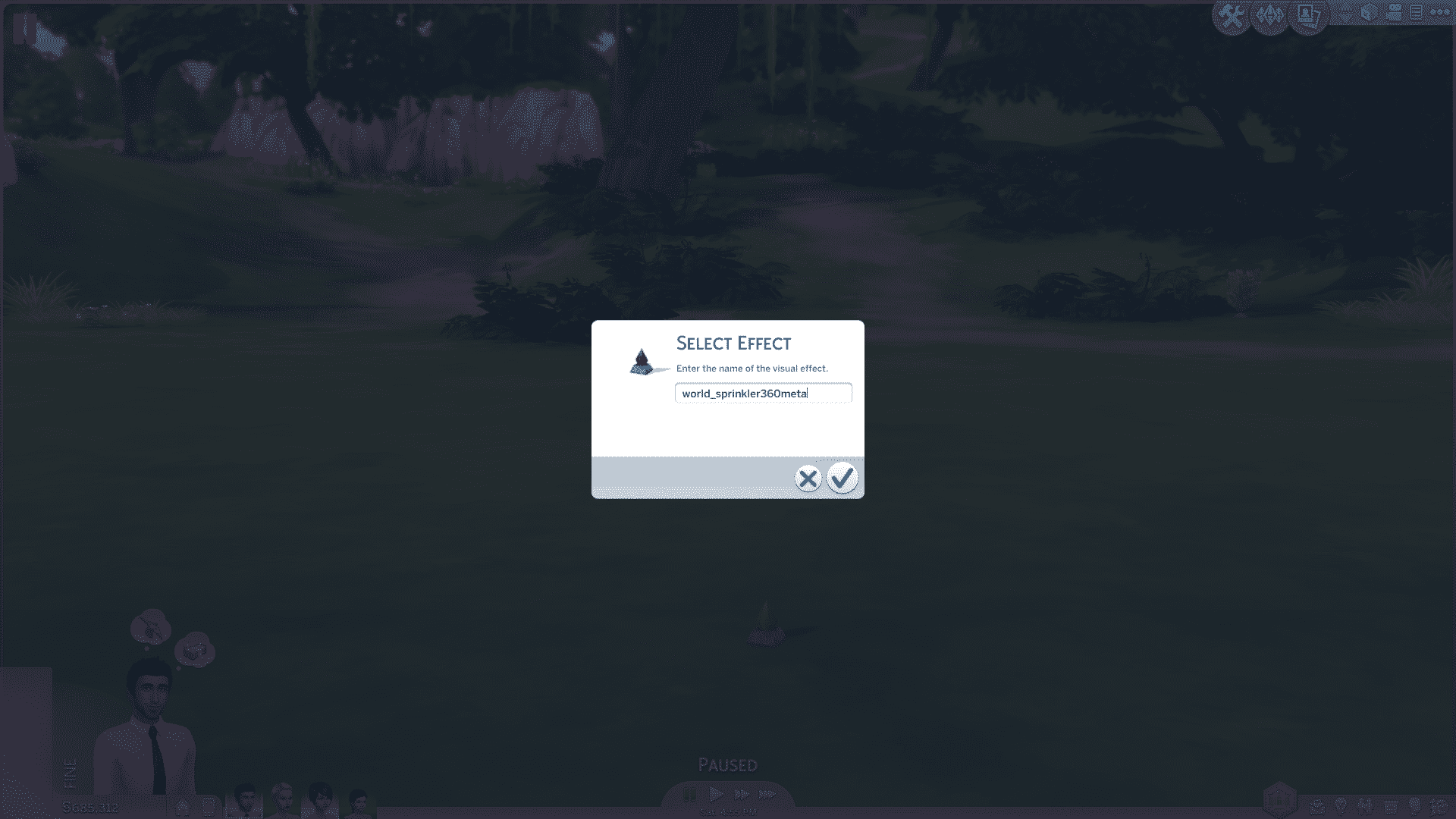
After you’ve pasted your code, press the check button and the effect you pasted will start emitting!
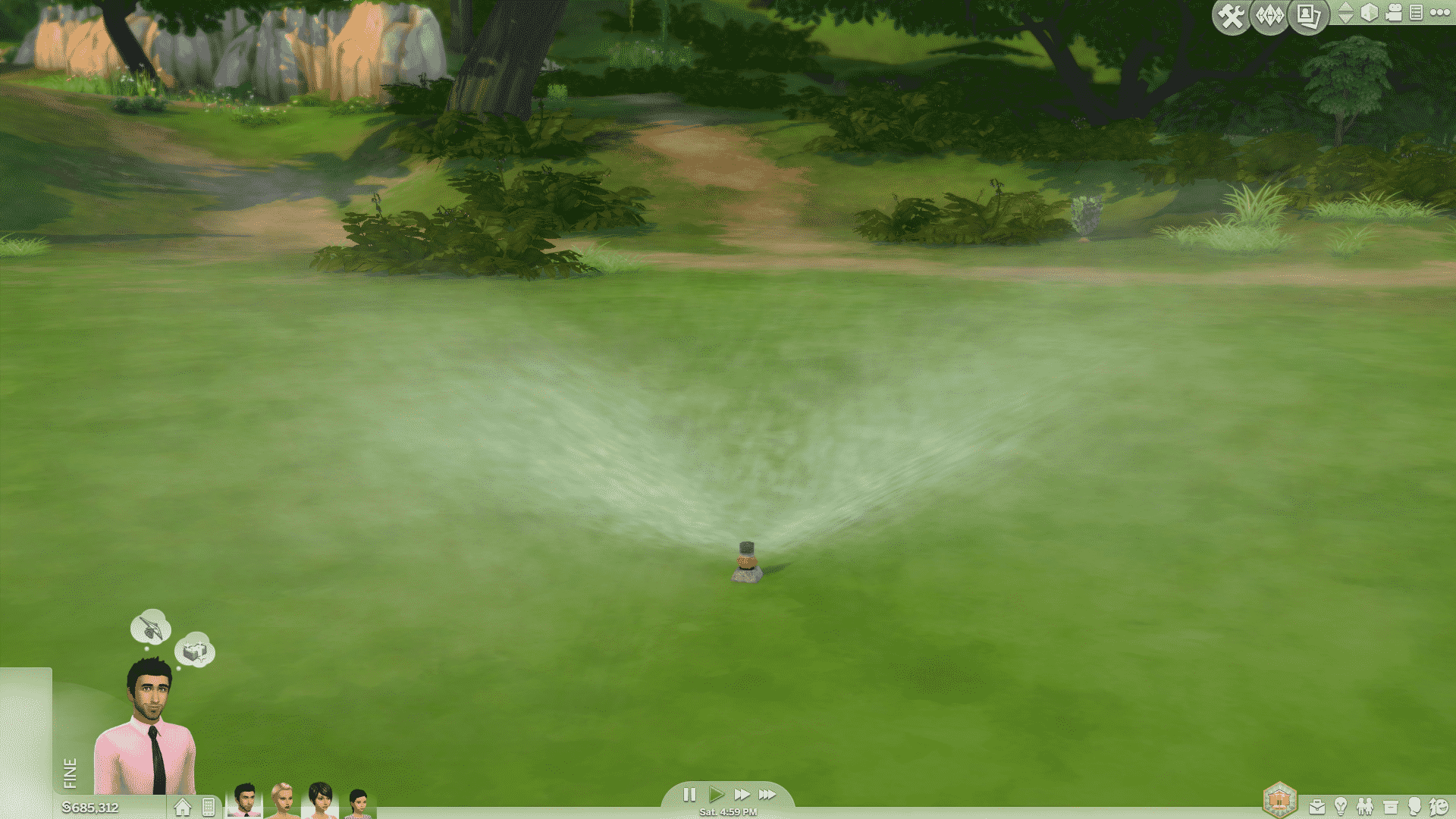
But, there are a few cases where the Effect Player object just doesn’t go along with the actual effect. That’s when you should consider placing another Effect Player object on the lot. While the first Effect Player emits the effect, click on the second Effect Player and select ”Hide Others” which will hide all other Effect Player objects except the one you used to hide them.


This Mod really lets Storytellers and Machinima makers create richer and better content!
Some of my examples.


For a better explanation on how to implement the code and hide the Effect Players, check out our video below!
[vc_video link=’https://www.youtube.com/watch?v=TvP5TKr8oFM&feature=youtu.be’]
1 Comment
Where can I find a list of effects to use? I’m looking everywhere but can’t find anything. Please help
Welcome to Sims Community!
Our community is about connecting people through open and thoughtful conversations. We want our readers to share their views and exchange ideas in a safe space.
In order to do so, we've created a simple set of rules that will improve your experience. Simply put, keep it civil.
Your post will/might be rejected if it contains:
User accounts will/might be blocked if we notice:
So, how can you be a power user?
Thanks for reading our community guidelines. Please note that we're aware of certain issues with Sign In / Log In and Create Account / Email Confirmation issues. We're working behind-the-scenes on a new Account Creation process. Thank you for your patience and remember - freedom of speech is not freedom of reach