


Purchasing a Restaurant
Your Restaurant experience begins by purchasing a Restaurant from the Retail Menu on the bottom right corner. Click on the ‘Select an Option’ > ‘Buy a Restaurant’.
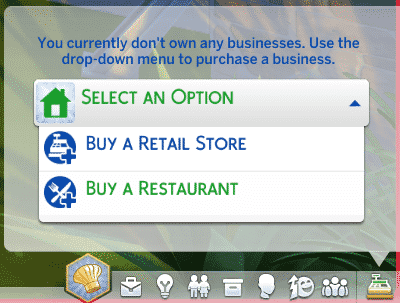
You’ll be taken to the World Menu where you get to pick which Restaurant you’d like to purchase. You can own more than one Restaurant, but for the sake of this article, I’m only going to focus on one Restaurant called L’Attente Bistro which is a pre-made Restaurant found in The Library under the Maxis content tag.

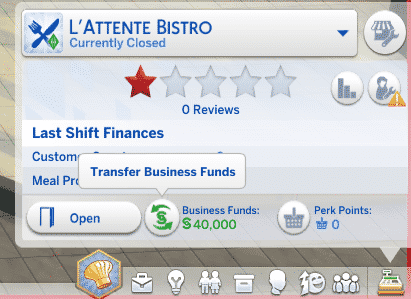
After you purchase your desired Restaurant, you’ll immediately be taken to the Restaurant lot where you’ll have to transfer some of your Household Funds to Restaurant Funds. This means that whenever you earn money or lose money from your Restaurant Business, your Household Funds will remain untouched.

You can transfer Funds back and forth whenever you want by pressing the button indicated below.
[mks_separator style=”solid” height=”2″]
If you want to build a Restaurant from scratch, here are the following items you’ll need in order for your Restaurant to function properly:
- Sink
- Toilet
- Chef Station
- At least 4 Dining Spots (Tables with at least 1 Chair)
- Waiter Station
- Host Station

Restaurant Customization Options
There are 4 sections of your Restaurant that you can customize: Management, Menu, Staff Outfits and Customer Attire. You can access these customization options in the Retail Menu section OR in Build Mode if it’s a Restaurant that your active Sim doesn’t own yet.

Pro Tip: Uploading / Downloading Restaurant Lots from The Gallery will save all your Menu, Staff Outfits and Customer Attire settings!
Management Settings
Price Markup is basically the percentage of how much money goes into your pocket. If Price Markup is set to 125%, you’ll be earning 25% from a customer, while the other 100% will go into the cost of ingredients.
Advertising will bring more customers to your Restaurant. Before you purchase an Advertising Package, please make sure you have the right amount of Simoleons and Staff to handle all the customers!
Advertising Packs:
- Silver Package (120 Simoleons a day)
- Gold Package (240 Simoleons a day)
- Platinum Package (480 Simoleons a day)
- Diamond Package (1200 Simoleons a day)
Ingredient Quality Options can be modified if you have purchased the Ingredient Quality Options Restaurant Perk. They will determine the quality of your Food, and in the end, the satisfaction of your customers!
Ingredient Quality types:
- Grade F (-25% cost)
- Standard
- Fresh Organic (+10% cost)
- Local, GMO Free, and Freshly Harvested (+25% cost)
The Menu
One of the really fun aspects of running a Restaurant is customizing your Menu. You get to choose which drinks and food you’ll serve to your customers, and the best part is that you can add ANY Food / Drink you want!
There are 4 meal categories that you can Customize:
- Drink
- Appetizer
- Main Course
- Dessert
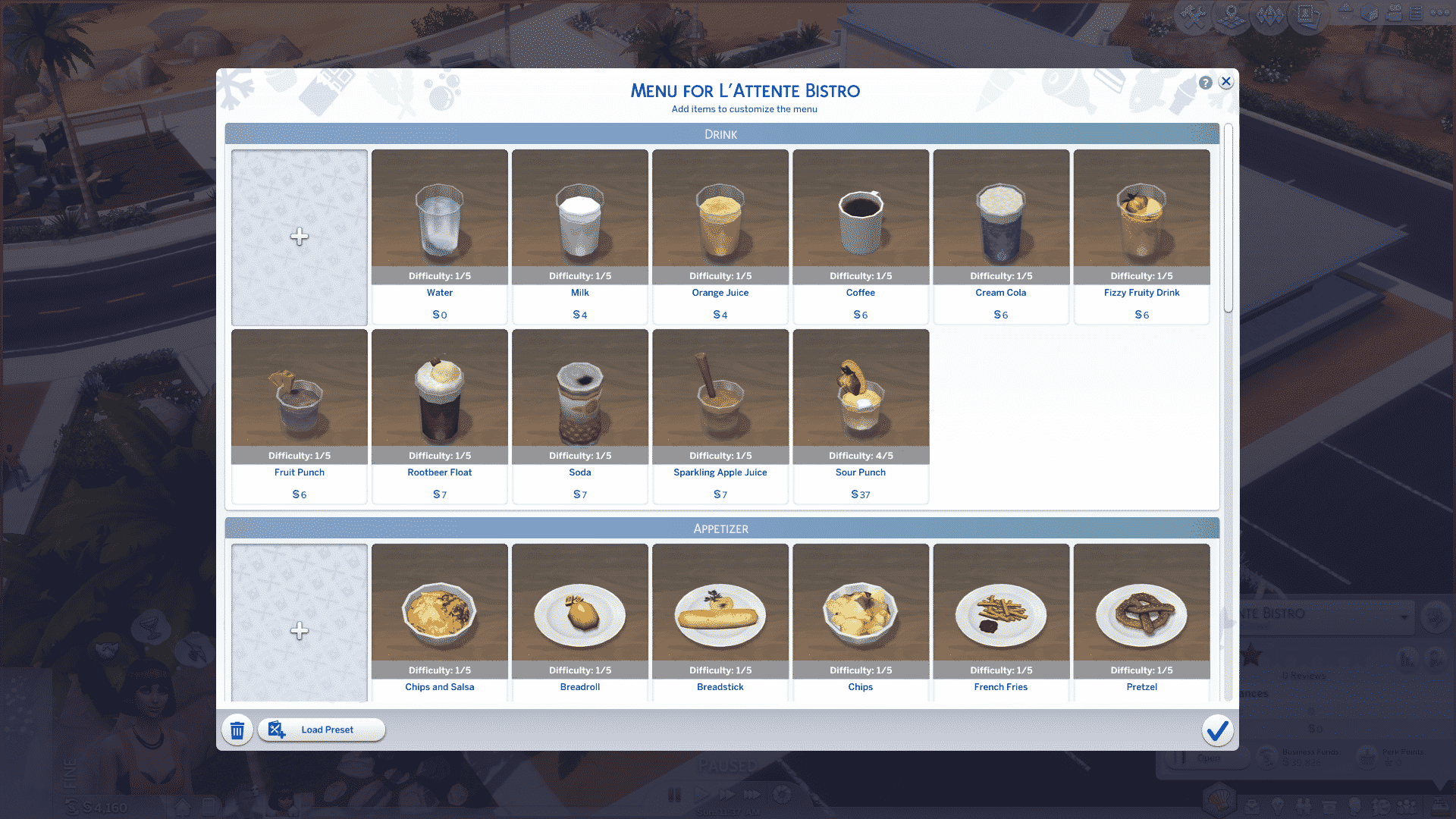
Tip: Recipes and Drinks from previous (and future) Sims 4 Packs can also be added to the menu!
Clicking the ‘+’ slot icons on the left will take you to a new Menu with a list of all the drinks and meals! For example, if you click a plus slot next to the Appetizers, you’ll be taken to a list of all Appetizers that you can expand your Menu with.
There are also food and drink categories on top of each meal customization menu that will help you sort through food and drinks easily.

Tip: The difficulty level indicates the requirement to prepare a certain dish. If, for example, your Chef is preparing a meal that has a 5/5 Difficulty, they’ll need a Level 9 / Level 10 Cooking Skill to prepare it. Same goes for drinks and the Mixology Skill.
If you’re too lazy to set up your own Menu, there are 5 Food Presets to choose from:
- Diner
- Brunch
- Experimental
- Italian
- Seafood
Staff Outfits
Another great way to make your Restaurant stand out are Staff Outfits! Chefs, the Wait Staff and Hosts all get to dress differently, and you can create up to 5 outfits for each Staff type and assign them whenever!


Customizing your own Staff Outfit will take you to Create A Sim, where you get to create your own outfit!

Customer Dress Code
You determine how you want your Customers to show up and you get to choose from all 6 Dress Codes: Everyday, Formal, Athletic, Sleep, Party and Swimwear.

You may have a Restaurant, but for now, it’s just a soulless shell. On the next page, you’ll learn more about the Staff!
The Staff
A Restaurant cannot function without a Waiter, a Host and a Chef. To hire staff, click on the Manage Employees button that we indicated below.

You’ll be able to hire 2 Chefs (the other Chef Slot can be unlocked through a Restaurant Perk), 1 Host and 3 Waiters (the other 2 waiters also have to be unocked through Restaurant Perks).
You’ll only have 6 Sims to choose from to hire. Most of them are unskilled and require 7 Simoleons per hour. Make sure you choose Sims who have the biggest skills. (Even though it’s only a Level 2 or 3 of a certain, required skill).

Beside Promoting your Staff or firing them over the phone, you won’t have any control over the Staff until you open up your Restaurant.
To open your Restaurant, select Open in the Retail Menu, BUT, make sure you haven’t allowed new customers yet until you manage your Staff in person. You can disallow new customers by selecting ‘Disallow New Customers’ at the Host Station.

Clicking on your Staff will bring up some special interactions under the Management Interaction section. Here are all the interactions you can perform on your Staff that can influence their work performance:
- Check Up On – see what’s your Employee’s satisfaction level.
- Criticize – this will let your Employee know that he/she is doing a bad job. Their performance will improve, but their satisfaction will suffer.
- Demote – if you promoted your Sim at least once, you can demote him/her back.
- Fire
- Praise – this will let your Employee know that he/she is doing a good job. Only their satisfaction will improve.
- Promote to.. – this will increase your Employee’s salary that will be taken away from your Restaurant Funds. Employees who eventually skill up without getting a promotion from time to time will feel unappreciated and you’ll be notified that they could quit their job.
- Pay for Training… – if your Employee has low skills, Training will level their needed skills the next time they go to work. There are 3 Training levels:
- Brief Training (150 Simoleons)
- Standard Training (600 Simoleons)
- Extensive Training (1,500 Simoleons)

It’ll be a bit hard to deal with your Staff in the beginning: Waiters will spill their dishes often, Hosts will take long times to seat the customers and Chefs will fail to make high quality foods. As they come back to work day after day, they’ll gain more experience and level up their needed skills that will eventually impress the customers and help you get better reviews!
Pro Tip: Make sure you keep track of your Employee satisfaction in the Manage Employees Menu. Employees who feel unsatisfied may want a promotion or a praise. If they don’t get what they want, they may quit their job eventually. Also, keep a close eye on the work hours. Employees who work longer than 8 hours a day will have their satisfaction decreased.
Chefs have a special Management interaction. You can change the Cooking Speeds of your Chef: if there are more customers, it’s better to finish meals quickly with lower food quality. However, cooking food Carefully will give food better quality and impress the customers, but will take more time to prepare.

Interacting with Customers
It’s finally time to open the doors of your Restaurant!
It’s important that you keep track of your Customers’ Opinions. You can check that by hovering over them.
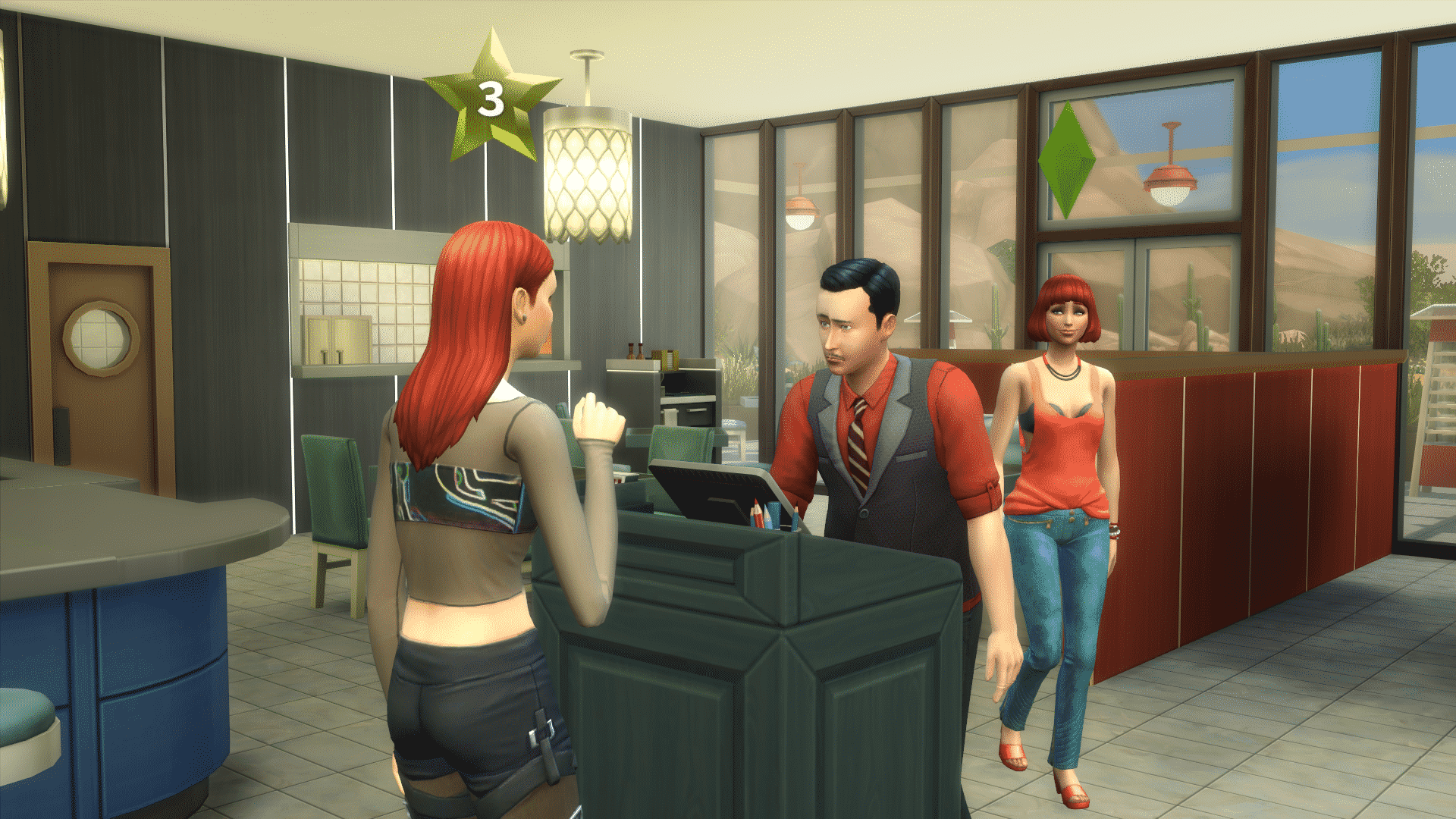

You can improve their Opinions by interacting with them and showing them that as a Restaurant owner, you care for the customers.
There are 5 main interactions that you can perform with customers that will definitely improve their opinions:
- Welcome
- Check On Table
- Comp Food
- Give Table Free Dessert
- Give Table Free Drinks
It’s best to perform these interactions on Sims who have bad Opinions. For example, if a Sim doesn’t like the quality of their meal, you can provide Complimentary Food for the table, which will save you from a Bad Review.
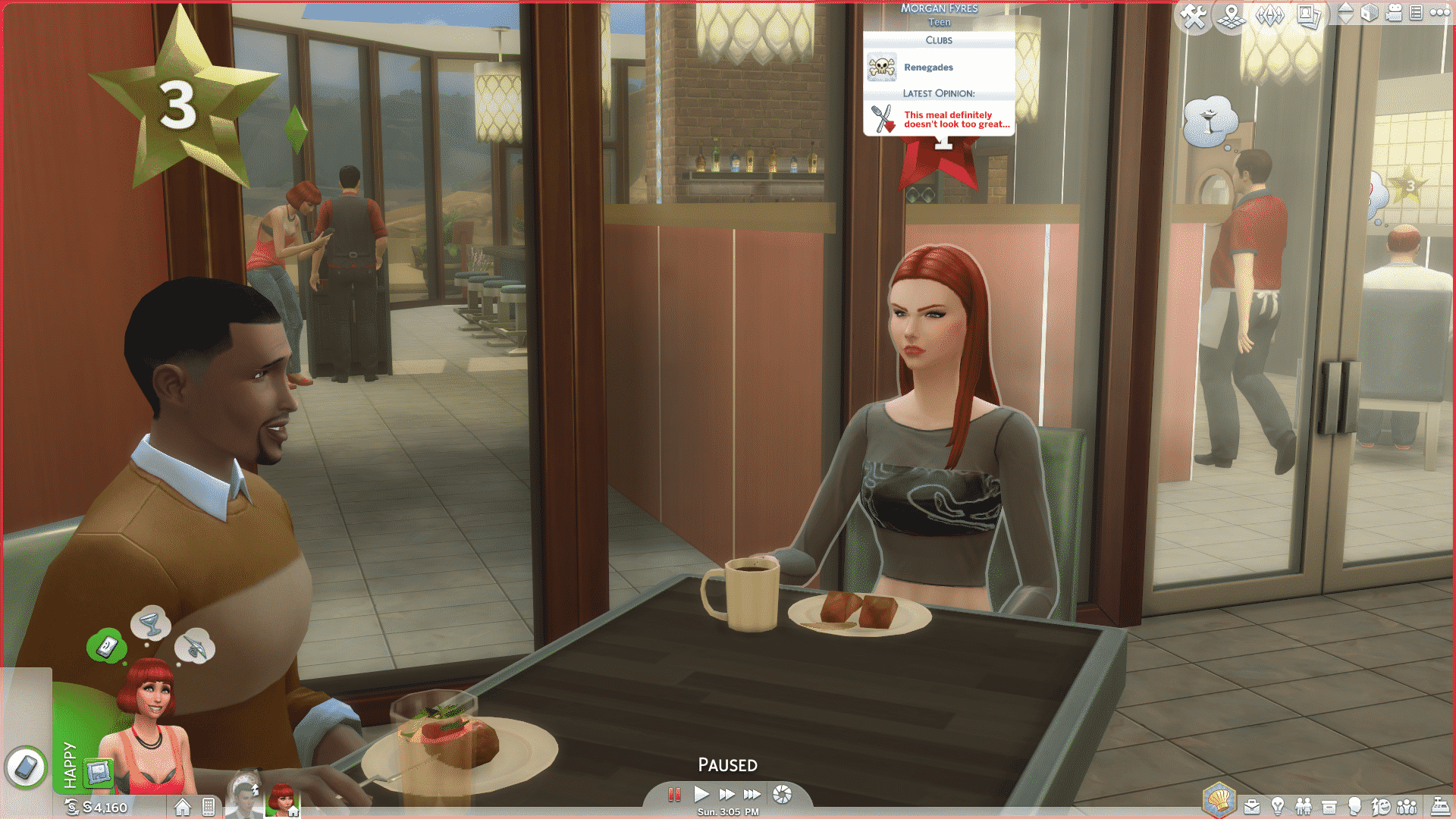

For 250 Restaurant Perk Points, you can unlock the Recommend Dish Interaction (Curious Customers Perk). Sims who get seated will have a question mark above them, meaning that they’re looking for your opinion on what they should order.
This is a great opportunity to select expensive meals from the Menu, but be vary of your Chef’s cooking skills!


Customer Reviews & Opinions
The star icons above Customers indicate their current Review level. Their Review won’t be accounted for until they finish with the meal and leave the restaurant, and by then, they can change their Reviews many times!
It’s important to keep a close eye on your Customers’ Opinions. They’ll form an opinion the moment they greet the Host.
There are several factors that will affect their Opinion, and that is:
- Food Quality
- Food Price
- Waiting Times
- Staff Attitude
- Ambiance
- Personal Attention
Food Quality and Food Price affect each other. If, for example, your Customer gets bad quality food but for a very cheap price, they’ll form a good opinion. Sims also won’t mind about spending a lot of money on good quality food.


Waiting Times can be very long if you have a lot of Customers and only one Waiter and Chef. You can buy an additional slot for a Chef and 2 additional slots for Waiters through Restaurant Perks.

Staff Attitude all depends on your Host and Wait Staff. Make sure they’re skilled enough and that their Satisfaction is high or neutral!

Ambiance is all about your interior design skills! Add some paintings and decorations that have high Environment score to get good Opinions.

And last, but not least, you’ll need to take care of your customers!

Take good care of these Customer Needs and you have a recipe to a 5-star Restaurant!
Restaurant Critic
Once your Restaurant reaches Star 3 or above, a Restaurant Critic will show up. You’ll recognize him/her immediately by a white ribbon around their star.

Pay special attention to the Restaurant Critic, as their final Review will influence the flow of new Customers. It’s kind of like Advertisement that you don’t have to pay (that is, if you manage to impress the Critic).


Restaurant Perks
Restaurant Perks make your Business easier to handle!
For more information about them, CLICK HERE!
Work from Home
You can open your Restaurant even if you’re sitting Home watching TV!

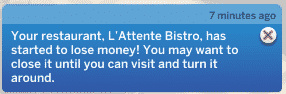
This, however, is not recommended for Restaurants that are not well-established. You won’t be earning a lot of money and a lot of things can go wrong while you’re not there. Until you level up your Staff, don’t consider using this option as you’ll lose Simoleons instead of earning it.

13 Comments
Any ideas if playable sims in a household that owns a restaurant can work at there as something other than a manager?
Reply to Lulu
They said they can work as barmen if you have a bar.
Great article! Thanks for the tips
Quick question. When you hire your staff, is it pulling from all Sims living in that town? I have a few already made characters that I want to work there.
Can you have multiple sims run and own a restaurant because I have these two sims who are best friends and I really want them to own a restaurant together.
How do you train them? I can’t find it
Reply to Jamie Hood
My employees are all crap, and I have no idea how to make them better
I can’t seem to find the option to ‘buy a restaurant’ only ‘buy a retail store’. Anyone know why this is so?
Hi
I have jusg bought dine out on sims4 ps4 and i built my restraunt. When i got to buy it, it says its already occupied! No other families own it. Someone please help! Its so fustrating
How do you train them? I can’t find it
Reply to Jamie Hood
My employees are all crap, and I have no idea how to make them better
Hi
I have jusg bought dine out on sims4 ps4 and i built my restraunt. When i got to buy it, it says its already occupied! No other families own it. Someone please help! Its so fustrating
I can’t seem to find the option to ‘buy a restaurant’ only ‘buy a retail store’. Anyone know why this is so?
Welcome to Sims Community!
Our community is about connecting people through open and thoughtful conversations. We want our readers to share their views and exchange ideas in a safe space.
In order to do so, we've created a simple set of rules that will improve your experience. Simply put, keep it civil.
Your post will/might be rejected if it contains:
User accounts will/might be blocked if we notice:
So, how can you be a power user?
Thanks for reading our community guidelines. Please note that we're aware of certain issues with Sign In / Log In and Create Account / Email Confirmation issues. We're working behind-the-scenes on a new Account Creation process. Thank you for your patience and remember - freedom of speech is not freedom of reach