


You’ve probably seen all over social media that simmers have been hard at work with creating some fun builds and images made in The Sims 4. This latest trend includes showcasing a room, multiple rooms or even an entire lot from one angle from which you can see all the important items and details inside – just like with a real life dollhouse. This amazing community trend all started with smart–milk‘s captivating way of capturing (and editing) everyday rooms and situations in The Sims 4, as seen in some of her screenshots down below:


You can check out one of many examples by @lostinsophie which beautifully showcases a simple, two-story loft…
— soph 💚 (@lostinsophie) April 7, 2019
Another one is the beautiful, vibrant room created by @springsims…
Here’s mine 💛 pic.twitter.com/Ifo3EqNwqr
— 🌻 SPRINGSIMS 🌻 #SPRINGSQAUD 🌻 (@spring_sims) April 7, 2019
And another vibrant room created by @simsontherope!
I made this one ! pic.twitter.com/vdCHMeyIfE
— Rope (@simsontherope) April 7, 2019
So, what do you need to do in order to create a Dollhouse Build?
Build A Room
When building a room (or multiple rooms) it’s important to know one thing and that’s the fact that your main focus is showcasing objects and details on only two sides of the wall.
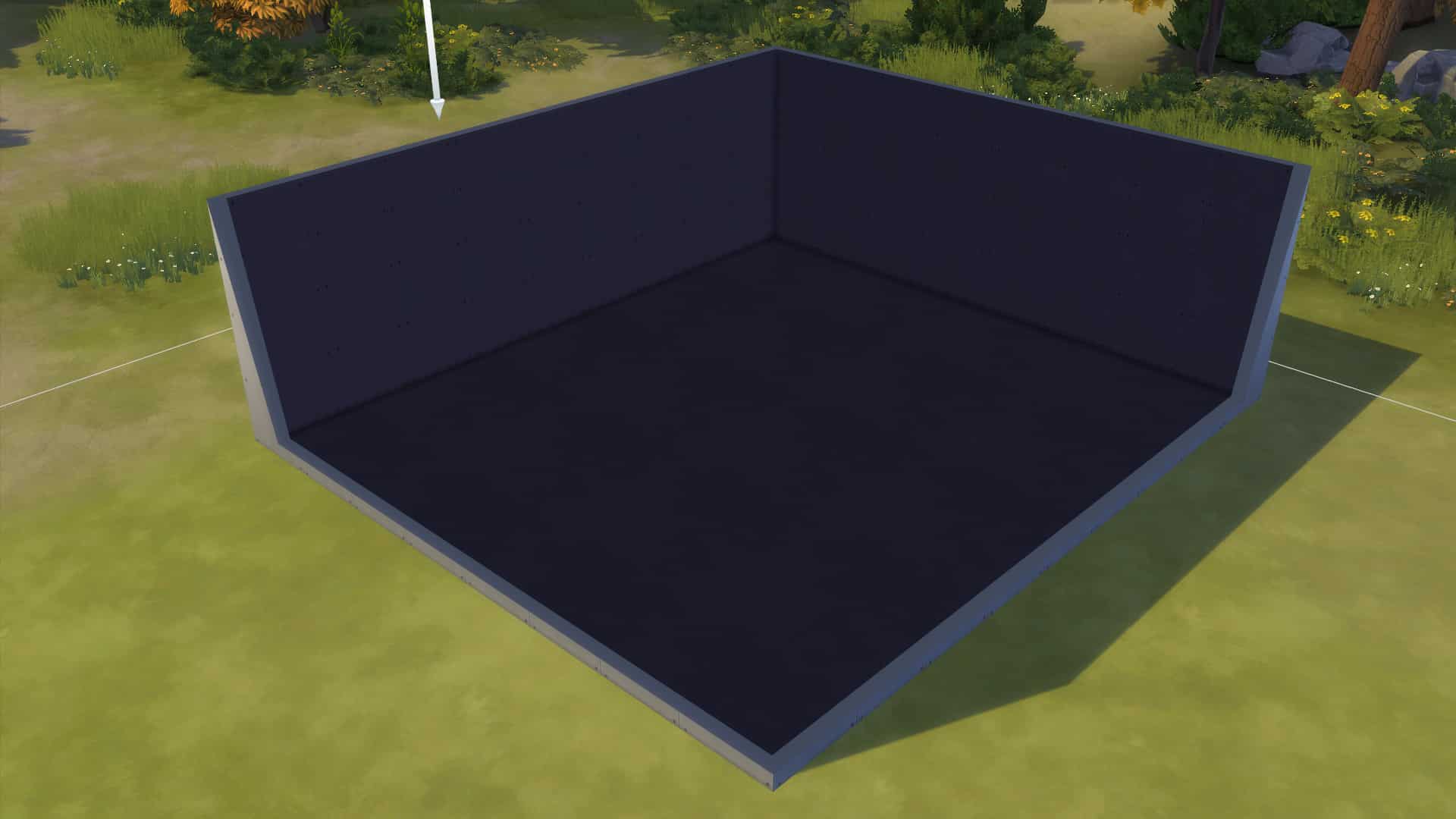

For this article I won’t be building a specific room (because I suck at it) but rather use a Styled Room example. More specifically – the Delighting Den Room from The Sims 4 Bowling Night Stuff Pack!
As you can see in the screenshots below I have cut down the two walls that usually get minimized in the Wall Cutaway View and have also changed the scenery to night-time to better showcase the lighting that’s been placed down in the room.


You can also liven up your dollhouse build screenshot by sending in your Sims into your build and keep them busy with various activities!

Presentation
The next step is all about presentation. Most Dollhouse Builders like to kick things up a notch by editing their build screenshot in Photoshop or other image editing tools.
Here are some steps I took to spruce up my Dollhouse Build Screenshot:
- Used the Quick Selection Tool to cut out the Room from my screenshot
- Added more vibrance by turning up Brightness and Contrast

You can always go that extra mile and make your Dollhouse Screenshot even more presentable by adding a background that will bring even more attention to the colors of your Dollhouse as well as add a color palette on the side that will point out some of the primary colors you’ve used for your build.
What I’ve done for the screenshot below:
- Added two layered backgrounds below the dollhouse build
- Added a drop shadow for the build
- Pointed out 4 primary colors used for the build

Of course, this is just a small example of what you can do with your Dollhouse Build. What’s important to know is that you can go beyond boundaries and templates of what I’ve shown here and create something entirely else as long as you have in mind the dollhouse aesthetic.
The Gallery
There are PLENTY of dollhouse builds and rooms already that you can find on The Gallery. Simply search for #Dollhouse, #TS4Dollhouse hashtags and you can even put together a dollhouse of your own using multiple rooms found in The Gallery.





4 Comments
Don’t you think you should give some credit, where credit is due? To the person that created the trend?
Reply to Ruth
Ah sorry about that – I was just let known on Twitter about the creator of this trend and have added a mention of the creator on the top of the post 🙂
Don’t you think you should give some credit, where credit is due? To the person that created the trend?
Reply to Ruth
Ah sorry about that – I was just let known on Twitter about the creator of this trend and have added a mention of the creator on the top of the post 🙂
Welcome to Sims Community!
Our community is about connecting people through open and thoughtful conversations. We want our readers to share their views and exchange ideas in a safe space.
In order to do so, we've created a simple set of rules that will improve your experience. Simply put, keep it civil.
Your post will/might be rejected if it contains:
User accounts will/might be blocked if we notice:
So, how can you be a power user?
Thanks for reading our community guidelines. Please note that we're aware of certain issues with Sign In / Log In and Create Account / Email Confirmation issues. We're working behind-the-scenes on a new Account Creation process. Thank you for your patience and remember - freedom of speech is not freedom of reach