There are going to be Updates and Fixes for The Sims 1 and The Sims 2 Rereleases.
The Sims 1 and Sims 2 Rereleases are expected to be Updated sometime soon.
EA and Maxis have finally rereleased The Sims 1 and The Sims 2 on PC. And, contracty to their own official release notes, some players can't even experience the new game stability due to crashes. The Sims 1 is reported to be crashing or booting up to a black screen. While The Sims 2 is still random at crashing as we remember.
Another player on The Sims Forums describe their unlucky experience booting up The Sims 1 on Windows PC:
Player Report on The Sims 1 Crashing
Just bought the birthday bundle to get both the original Sims and Sims 2. I started playing the original Sims and only got maybe an hour in before the game crashed. Booted it up again and had the same issue. My computer is on Windows 11. The first time it crashed while I was creating a family. The second time was while I was in buy mode.
So EA and Maxis released a rerelease who's main pricing point was fixing several improvements and stability efforts. That unfortunately only ends up in free Quality Assurance testing for EA's 40USD rerelease bundle until it gets resolved in the next update. But hey, at least we now know that there's going to be a "next update" for The Sims 1 and The Sims 2.
Read the official announcement:
Official Statement on Sims 1 and Sims 2 Rerelease Issues
Sul Sul Simmers!
We recognize some fans are currently experiencing various issues with The Sims: Legacy Collection and The Sims 2: Legacy Collection. We are currently investigating these issues and hope to have more information on fixes soon.
To help with our investigations, please ensure you're including screenshots, videos, dxdiags, and (for TS1) vulkaninfo.exe files in your bug reports.
As for myself, I haven't experienced much issues in The Sims 2 (although I've just scratched the surface). However, I am having issues with booting up The Sims 1 to a black screen.
What's your experience been like with Day 0 of The Sims 1 and The Sims 2 Rereleases? Let us know in the comments below!
129 Comments
caroline
sims 1 wont load at all, it just goes back to the ea app everytime, im glad there going to fix it for us though
manuelbutera_
Reply to caroline
I had this problem and got it fixed by reinstalling C++ Redistributable 2015-2022 (don’t uninstall the other versions). See if it works for you!
JoseP
Reply to manuelbutera_
Not work in my case 🙁
Lisa
Sims 1 won’t even launch for me. Sims 2 I haven’t had an issue with (yet). I hope they fix this soon!
Netti
Reply to Lisa
Which Windows you have ? I can‘t play both
Meg
The screen settings are horrid too. You have a tiny screen in neighborhood and CAS view.
Meg
Reply to Meg
Besides the bugs and crashes, some options are missing. You should be able to use a phone or computer to move your sim to a new house.
Meg
Reply to Meg
Sorry I was incorrect and can’t delete this, try the newspaper!
Tmarie
Reply to Meg
You can move them from the neighborhood screen! Took me a bit to find it but it’s there
isoscelesdreams
Reply to Meg
Put your monitor on 800×600 and this will fix that
Dave Van Cauwenberghe
Luckily, no issues at all. Just some weird resolution bugs in TS1 when travelling between lots but other than that, both versions run fine on Windows 11
Simmearly
Reply to Dave Van Cauwenberghe
I’m having this issue while traveling to old town!
Simmearly
I’m having a glitch when I travel from my home lot to old town in Sims 1, I can’t access some of the map. But other than that it’s running pretty smoothly, I have had a crash while traveling to studio town – but that only happened once.
I have not played the sims 2 legacy collection yet.
Iryna
My sims just disappeared after 4 hours
Hall
Reply to Iryna
same to me
Viciaa
Reply to Iryna
Yup, similar issue
Snow
I am not having any issues however I already had TS1 & 2 installed from the disc versions so it is possible that could be why I wasn’t having issues..
Krystal91
I hope they also include the Bodyshop! I can’t believe they didn’t added it in the collection!!
Rels
Custom Skin Window Won’t Close On the sims 2 that’s the only bug I found
Viciaa
In the Sims 2 my sim have completely disappeared from the world of the game.The game crashed when I was traveling from one lot back to the house, and after restarting the rest of family was unbothered, but the sim that was travelling from one lot to another disappeared, even from family tree and contacts. I will try to do something more about it later, and give an update.
Mia
Sims 1 wouldn’t even load up for me. EA help said it was nothing they could do
Shell
In The Sims 2 I have to play in windowed mode to get around the failed to find any DirectX 9.0c compatible graphics adapter which is annoying because I want to use edge scrolling!
Tinyboo
Reply to Shell
Mine is doing the same thing
simmerinsx
i have a big glitch too, sims 2 won’t release on my console
Solo
Reply to simmerinsx
It is just for Windows 10 and 11. No console or Mac’s.
Jayce they/faun
Reply to simmerinsx
why would it? its a rerelease of the pc version of the game, not a remake that includes the story mode of the various console ports(including gba)
simmerinsx
Reply to Jayce they/faun
it was *sarcasm*
Jayce they/faun
Reply to simmerinsx
then use tone tags, sarcasm doesn’t come as clear in text
130N1D
The Sims 1 Legacy have troubles with UI above 1920×1080, also thumbnails of sims are missing job and school icons. UI icons in build/buy modes is also looks bad, original The Sims Complete Collection needed only one program – WidescreenPatcher. In The Sims 2 Legacy UI is a blurry mess, countless new and old bugs. Pink stripes line the edges of UI thumbnails (hello, The Sims 3 64-bit on Mac), crashes are frequent, sound quality of sims voice is bad, content has been cut, pets disappear, and beaches are broken, sims head twitch when pie menus appears, broken cutscenes – the list goes on. The game is simply unplayable. They managed to ruin something that wasn’t even broken, something that could have been fixed with just one tool – Graphic Rules Maker – and a simple mod that FIX shadows. That’s it! Yet, somehow, they still made sure to put their names above Will Wright in the credits.. Jeez
Carly
No crashes with sims 2 although the graphics are so off. The graphics for sims 1 is much better but no cheat codes are working and the game is randomly crashing, mostly in build mode
Marty
Reply to Carly
The graphics settings in TS2 all default to low; maybe that’s why they seem off to you. You can go into the settings and change them all to high, see if that makes a difference for you.
isoscelesdreams
Sims 1 loaded up fine but I had to put my monitor on 800×600 as I couldn’t get it to adjust to my monitors size. Only issue I had was random crashing. Once I had been in the Goth household and Bella was returning from Studio Town and the 2nd time I had just made a new person and was decorating their home when it crashed. Other than that it is running better than it ever did. I expected some minor issue to be there at launch and at least they’ll be patching so I’m sticking with it.
Megan
Sims 1 lots don’t even load. Every single lot is empty and missing roads/sidewalks too. I have no idea how to fix this, but my game is completely unplayable 🙁
Tiffani Martin
My sims 2 game keeps crashing like did they even playtest this game before releasing it?
Cristi Macfarlane
Sims 2 crashed twice and I played for around 3 hours. Also had a glitch where I’d be at a community lot til 2am, travel back home and it would be 4pm
Marty
Reply to Cristi Macfarlane
The clock at your home lot is frozen while you’re out at a community lot, so no matter how long you stay out, when you get back home it will be the same time it was when you left earlier. It’s by design.
Lochness
Reply to Cristi Macfarlane
Lazy duchess story progression mod changes this and makes it so time when you leave and return stay the same.
Kara
Guys, I advise you to buy it on Steam because everything works fine for me
Alisa
Reply to Kara
I also bought on steam. I have the same issues as other users: sims disappeared, lot corrupted, game doesn’t save.
meowidae
Reply to Kara
Yeah, it doesn’t matter whether you get it on Steam or EA. It’s the same.
annamariapetrov@yahoo.com
I was not able to load Sims 1, same with me it just goes to EA app. Can it not handle 64-bit? That is what confuses me. And I have Windows 11. I just don’t get it I was excited to play Sims 1. I have never played it before, I first started my Sims journey with Sims 2.
Laura
Les sims 2 plante .. que ce soit au moment de créer les sims ou au moment de la construction ou encore au moment de jouer c’est très aléatoire mais à chaque fois le même message l’application a craché et doit fermer franchement j’ai mis mes derniers sous du mois pour revivre la nostalgie je suis vraiment en colère contre EA .. j’ai l’impression que pour eux c’est que l’argent qui compte et on nous laisse la vacant à nous dire qu’il va y avoir prochainement une mise à jour sans même de date j’espère ne pas devoir attendre 15 ans.. je n’avais qu’une envie c’était de passer un weekend nostalgique et à part ça je suis très triste
filipebsalves
Both games have been running smoothly and with no issues here. I’m really sorry to know so many people are facing issues. Hope EA fixes that soon.
Soph
I can’t even load up the sims 2. Every time it says some needed files were corrupted during install, please reinstall and try again. I’ve reinstalled multiple times and no luck. Bought on EA app and as a bundle with the sims 1. Strange thing is it’s installed and loads on the laptop but not the main pc. The sims 1 is fine, no issues and works on the pc no problem. Reported to ea but not fixed.
Olgiebear
I’ve been having random crashes throughout my gameplay — sometimes the crash will happen after like 20, 30 minutes (of course when I haven’t saved….) and sometimes it will crash immediately after launch. Most recent crash was after an hour of gameplay and I didn’t save. 🙁 womp womp
Olgiebear
Reply to Olgiebear
It turns out my issue was caused by… surprise, surprise — my family dog having a job(?)
Every time my dog came back from work I would get the pop up saying that the game crashed and it had to terminate.
Something that fixed my game, seemingly:
1) move household back into the bin, and then place them into the home again (a bit burdensome because I had to redecorate everything; but worth it in the end)
2) no job for da dog.
Literally I haven’t had an issue since, except for the whole “error code” that comes up with “cancel, reset, delete” options (I always spam click reset or cancel, *do not* hit delete).
much “better” issue than the termination.
Kelly Kolowich
Does anyone know if these updates are also coming to the game systems as well? My family and I play on the PlayStation
meowidae
Reply to Kelly Kolowich
No, they’re not. This is for Windows only.
katie
sims 1 loads fine for me. sims 2 initially worked fine, but then i got stuck on the loading screen while traveling to and from downtown. the second time, i saved my sim before traveling, but after the screen got stuck, my family was completely wiped and i had to restart. im hoping for a fix soon!
Taylor
My baby’s and toddlers disappear keep disappearing when moving or starting a family
Ash
Reply to Taylor
Mine too! My poor Sim keeps having babies to replace the ones that keep disappearing when I move or restart the game.
Lochness
Reply to Taylor
You aren’t using a mod that increases the number of sims you can have in a family are you?
Sof
I can only have Sims 2 in 800×600…
Hannah
I bought the Sims 2 Legacy and right after I installed it and tried to launch all I get it “some files were corrupted please reinstall.” That’s it…. Like I didn’t do anything and I can’t even launch it.
Ali
Can’t even make it past the CAS and loading a household screen its stuck in a forever loading screen
buddhistgeek
I bought it but I can not play it. WHY CAUSE IT DOESNT SHOW UP IN MY EA APP! It shows up on the webpage but not my EA APP! I cleaned cache, check if its the right email (it is), updated it ,restarted my PC, gave them my first born. NOTHING!?!? SO I am gonna wait and hopefully get to play but currently I have no success in doing so.
Joelle
Cinematics in TS2 don’t work properly and it creates problem for events (such as alien abduction)
Eve Rios Games
O meu The Sims 2 está travado na tela de carregamento indo pra algum outro mapa, por exemplo indonpro Hotel de praia. Não sai dali por nadaaaa e está rolando na telinha minha sim toda lascada kkkkkkk….. Tô chorando aqui… Já sai e entrei pra ver se dava certo e continua a mesma coisa….
Ali
I can’t even open the sims 2 it keeps saying the files were corrupted during download. No matter how many times I download it. SSOOOOO annoying. I can’t believe I paid for a game I can’t even play.
WinterSim
I’ve had an issue where I took my sims on vacation in Sims 2 and went to travel to another lot and the game froze. I’ve tried repairing it and restarting it but every time I try and open their accomodation lot it just loads and loads but nothing happens, so they’re stuck and I can’t bring them home or do anything with them…
Jacqueline
Sims 1 had no issues at all but sims 2 after half an hour in decided to come up with an issue that the application has crashed and will now terminate 🙁
Susan W.
Sims 1 don’t open at the EA Launcher; Sims 2 Crash during the gameplay at the loading screen
Cheyne Becker
I can’t even buy the games
Cam
Any hope for Mac users at all?
Tracey
Our Sims 1 I bought for my son on Steam works fine. The Sims2 on my pc via EA app having issues. Tried to add in a user start up cheat file it just won’t load game, even if I remove cheat, won’t load. Just comes up a little square box with a red X on it.
So I had to uninstall, delete folder and download once again. Same thing happened when trying to add in a old save.
It’s very very weird.
But mods are all OK.
Sydney
I’ve been able to download and launch Sims 2 just fine, but I’ve not done much more than browse around on the maps and look at houses. Once I finish transferring all my games to my new secondary drive though, I’ll definitely put it to work and see if I have any of the same problems other folks are reporting.
harry
I bought the bundle to save hassle with installing all the mods/fixes to make them work and surprise! it still doesn’t work properly, sims 2 keeps crashing at random, weird bugs with build mode with items not deleting, can’t interact with other sims properly as I get caught in a “greet sim” loop.. Sims 1 is not much better, I can’t visit any other lot without the FPS dropping to 5fps or lower! the minute there is more than one sim on screen it slows down so much and no, it’s not my PC.. (6900XT GPU, 7800X3D CPU, 64Gb RAM, 4Tb NVME) The problem is EA have not bothered to put modern hardware into the games files so the game cannot recognize and utilize your PC’s hardware and make use of it to run the games smoothly! the video card sgr file for sims 2 for example still needs to be messed around with, manually inputting your graphics card details/data to get it to run properly! It’s an absolute joke that EA didn’t bother with this.. but no surprises there really, they just want a quick bit of money.
iHerczar
No problem with sims 2, played for hours no crashing. Sims 1 on the other hand won’t even launch and none of the current ‘solutions’ are working for me.
Latoya
Sims 1-2 still crashes evertime i try to run both does not even pop up i tried reinstalling C++ Redistributable still did not work im playing on an aspire A315-24PT.
Hannah Hays
Sims 1 won’t launch at all and Sims 2 Crashed after I made a family in cas
Cece
The Sims 2 won’t even load and keeps saying files are corrupted during install. Have tried reinstalling but ended up asking for a refund and will wait to see if it gets fixed.
Cathy Croteau
Sims one was good went to load sims 2 it crashed twice then I was able to play .
Sanna
Sims 2 is crashing in cas mode everytime for me. Ended up asking for refund. Sims 4 runs smoothly, I have 16 GB RAM and 2TB hardware, so I was stunned when Sims 2 crashed.
Lochness
I also reported about a small issue in sims 2 where the custom skins section is bugged. If you click on the custom skin section in CAS it doesn’t let you click the tick or X button to leave so you get stuck there. If other people have this issue too definitely let them know.
iamVakekz
I bought the Sims Birthday Bundle. Sims 1 won’t even launch and just go back to EA app. Sims 2 was running okay but it took long for it to load. I thought it already froze but it’s just taking too long to load.
lisa-marie Langheim
Reply to iamVakekz
Got the same problem with Sims 1. Still dont even start. I’m a little bit upset
Netti
Reply to lisa-marie Langheim
Me too … wanted to play sims 1 sooooooo bad
Fieke Visser
It still took me quite some time to get the right resolution and I had to put the game in windowed mode in CAS or otherwise their heads wouldn’t fit into the screen. Upon moving my first family into the world the game crashed and even though my family was saved, one of my children disappeared when I moved into a house… I’m going back to Sims 4 until 2 is patched…
Nindya Octaviany Siegfried
Can’t wait for the patch, because I want confirm my favourite custom skintones T_T
RanMori
Bugs I’ve found (and repeated) in TS2:
1. The game crashes when my dog comes back from work (I don’t know yet if it affects this one pet or all pets)
2. The game doesn’t keep the saved setting “turn off camera for special occasions”.
Kramdjur
Reply to RanMori
Omg I had the same bug with my dog coming home from work… it’s really annoying cuz I can’t play that save now. I had saved 20 sec before my dog came home so now everytime i boot up my save it crashes 20 seconds later when my dog comes home from work and would get a promotion…
Emrys
Reply to Kramdjur
My game crashes when my sim and her cat come home from work! But I’d just saved literally as they came home so it just loads and crashes going to have to try and remake them and not give the cat a job
Netti
I bought the bundle as well (Win 11) , sims 1 won‘t even start & sims 2 crashes every time when I picked a city (when it starts loading the city) . Just getting a message that the game crashed & then it’s gone …
Rebochan
I haven’t had any issues with Sims 1. It works out of the box. I only just got my first crash a few days in.
Haven’t tried Sims 2 yet.
Anne-Charlotte
I just bought the sims 2 and after playing a few hours some bugs appears in my save like my sims can’t make food anymore, he’s cooking but when he finished to cook the food disappear
Kristina
I bought the birthday bundle and it starts in a black screen and i have to restart the pc to be able to do anything because it freezes the whole pc
Jordan ayers
I can’t even get the sims 1 to finishing downloading
rachael wills
I can’t even play it as I have a MacBook
Mike
The Sims 2 – I kept getting an “object error” issue for my sims, I made the same family 3 times as they kept getting an object error – the options for reset and cancel were not clickable so I was forced to click delete. This then having my sim completely disappear from the game, trash and family bin! I don’t understand the full mechanics to fixing these issues, I would’ve thought EA would sort that before release but my naivety loses to capitalism once again.
Julia Subilleau
Hello, I bought sims 1 and I can’t launch it. When I click on “play” nothing happen. The ea games window appears
Please can you fix it ?
Heather
Only played sims 1 so far and not super long but an issue I had was saving. Sometimes when I would save the game would crash and it didn’t save it at that save point went to a previous save point since I guess it crashed mid save. And a meal/ 1 plate doesn’t fill all their hunger they have to eat multiple plates to get full…. But love sims 1 soooo happy they rereleased sims 1 and 2 for us to play.
sho
I got the bundle, but I only downloaded Sims 1. It showed no sign of booting up. I did everything to make it work; including information posted on the EA forums. Still, all I got was nothing. I didn’t even try to download the Sims 2 bc I was so annoyed. I opted for a return on the bundle. But I will repurchase once the patch is released and I see comments and reviews on it stating that it was fixed.
Khristyn
Purchased the bundle. Wanted to start with Sims 1 first. That won’t even launch. However, I am able to launch and play Sims 2 SO FAR with no issues. Windows 10. It’s CRAZY how it’s SO random for everyone! No rhyme or reason as to who or why. How will the “possibly” reimburse people for this? I’m sure a lot of us feel duped and regret spending $40.00 on a game that can’t be play at all or the way intended…
Camille
J’ai acheté les deux jeux en ce début de week-end. Je me faisais une joie de pouvoir jouer à mes jeux d’enfance hier et aujourd’hui. Malheureusement, j’ai été terriblement déçu de me retrouver face à nombreux bugs autant dans le jeu des Sims 1 que dans les Sims 2. Je vais me concentrer sur le jeu des sims 2, car pour le premier tout à été dit. Donc, les Sims 2 on l’air de fonctionner dans l’ensemble, sauf après avoir fait ma famille et construit la maison, j’ai eu la mauvaise surprise de constater que mes sims peuvent pas cuisiner, ni lire un livre, s’assoir sur le canapé ou même aller au toilette. Les chaises proche des tables ne se rabattent pas et lorsqu’un sims monte ou descend un escalier, il est comme téléporté. La jauge de compétence n’apparaît pas au dessus de leurs têtes. De nombreux bugs qui m’empêche de jouer normalement à ce jeu de simulation. J’espère pouvoir jouer prochainement aux deux jeux que j’ai acheté pour me rappeler mon enfance et non me frustrer. Bon courage pour la mise à jour.
Loe
I also bought the bundle! While others can launch Sims 2 but aren’t able to play sims 1 it’s the opposite with me. Although Sims 1 crashes after awhile. Sims 2 gives an error message whenever I try to launch the game “failed to find any directx 9.0c graphics adapters”? I have windows 10/11
Nicole
I am having issues with both. Sims 1 acts like it’s going to load and then takes me back to the ea app screen and sims 2 says some files are corrupted.
Pixie
In Sims 1 the crawling bugs are hard to get the star over to spray them and there is constantly I feel like bugs crawling in my house ….. My two sims are 100 with heart and kiss multiple different ways and never once has it asked it we want to have a baby….
Only baby we got so far was form adoption via phone.
Dimond
I’m a bit disappointed that they didn’t adapt the in-game screenshot resolutions, and the same goes for the video (including the outdated codec, which doesn’t work with modern editing software).
It would’ve also been great if they brought back the original intro when launching The Sims 1.
But these aren’t bug issues—just small adjustments that would make this release much better and more worthwhile.
Charlot
When I receive the award from Marlyn Monroe in Sims 1 the game freezes.
When I have kids in the Sims 2 and I go to a community lot, my kids dissapear. They are deleted from my family.
Kristen
I unfortunately haven’t even been able to play The Sims 1 at all. I can’t get it to launch. It acts like it’s going to but then it just returns back to the EA app.
Welcome to Sims Community!
Our community is about connecting people through open and thoughtful conversations. We
want our readers to share their views and exchange ideas in a safe space.
In order to do so, we've created a simple set of rules that will improve your experience.
Simply put, keep it civil.
Your post will/might be rejected if it contains:
Spam
Insults, profanity, incoherent, obscene or inflammatory language and threats of any kind
Attacks on the identity of other commenters or the article's author
User accounts will/might be blocked if we notice:
Continuous attempts to re-post comments that have been previously moderated/rejected
Racist, sexist, or homophobic comments
Attempts or tactics that put the site security at risk
So, how can you be a power user?
Stay on topic and share your passion. Feel free to elaborate to get your point across.
'Like' or 'Dislike' when you are filled with emotions!
Protect your community. Use the report tool to alert us when someone breaks the rules.
Thanks for reading our community guidelines. Please note that we're aware of certain
issues with Sign In / Log In and Create Account / Email Confirmation issues. We're working
behind-the-scenes on a new Account Creation process. Thank you for your patience and
remember - freedom of speech is not freedom of reach
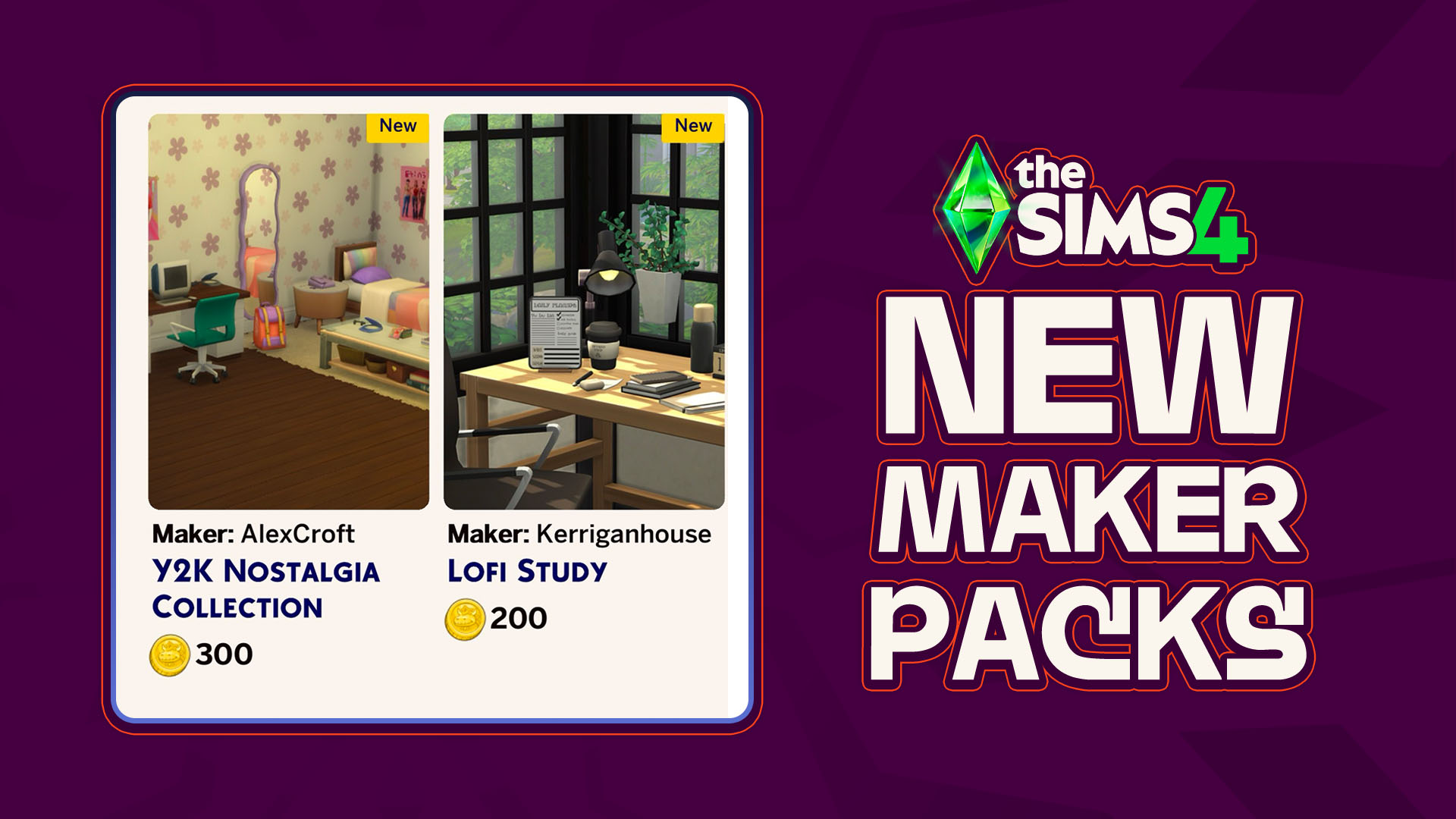
As though there has been any shortage of activity coming out of the marketplace and the Sims 4 Maker Packs that it produces, another two maker packs have hit the front page of the Sims 4 Marketplace; A new Y2K-themed bedroom collection by maker AlexCroft and a simple desk clutter collection by maker Kerriganhouse are…
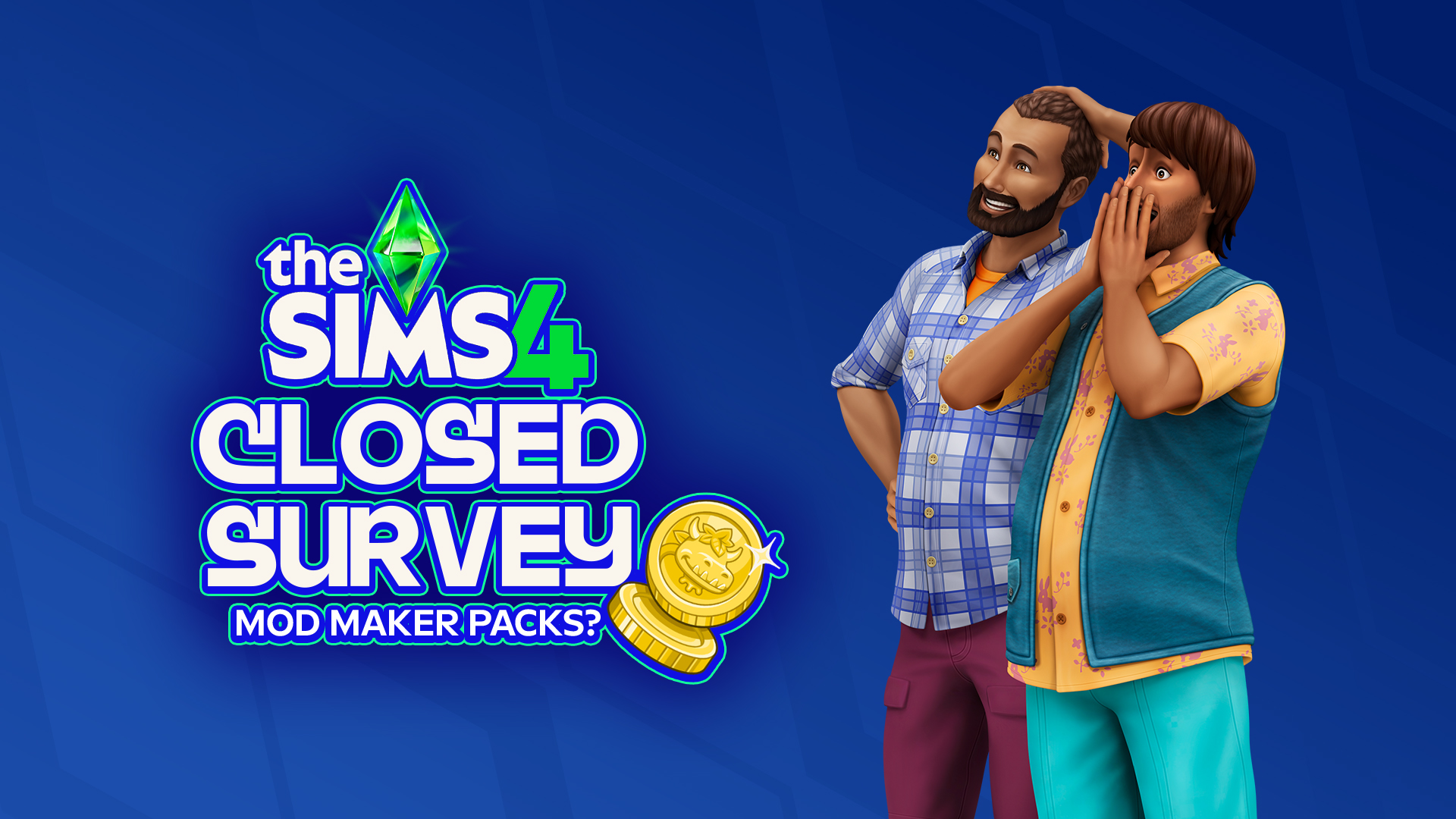
A New CLOSED Sims 4 Survey Has Appeared! With little prompting and only sent to certain playtesters, a new official survey from EA has surfaced! A closed Sims 4 Survey, meaning that only certain people were given access to it, was sent out that covers overall satisfaction with The Sims 4 and the Sims Franchise…
More Insider Information on The Sims 4 Pack Performance & Project X Has Dropped. With EA, Project X, and The Sims 4, it never takes long for new insider information to come out about production, development, and the inner workings of Electronic Arts and their game development. The well-known ATRL Insider has graced us with…
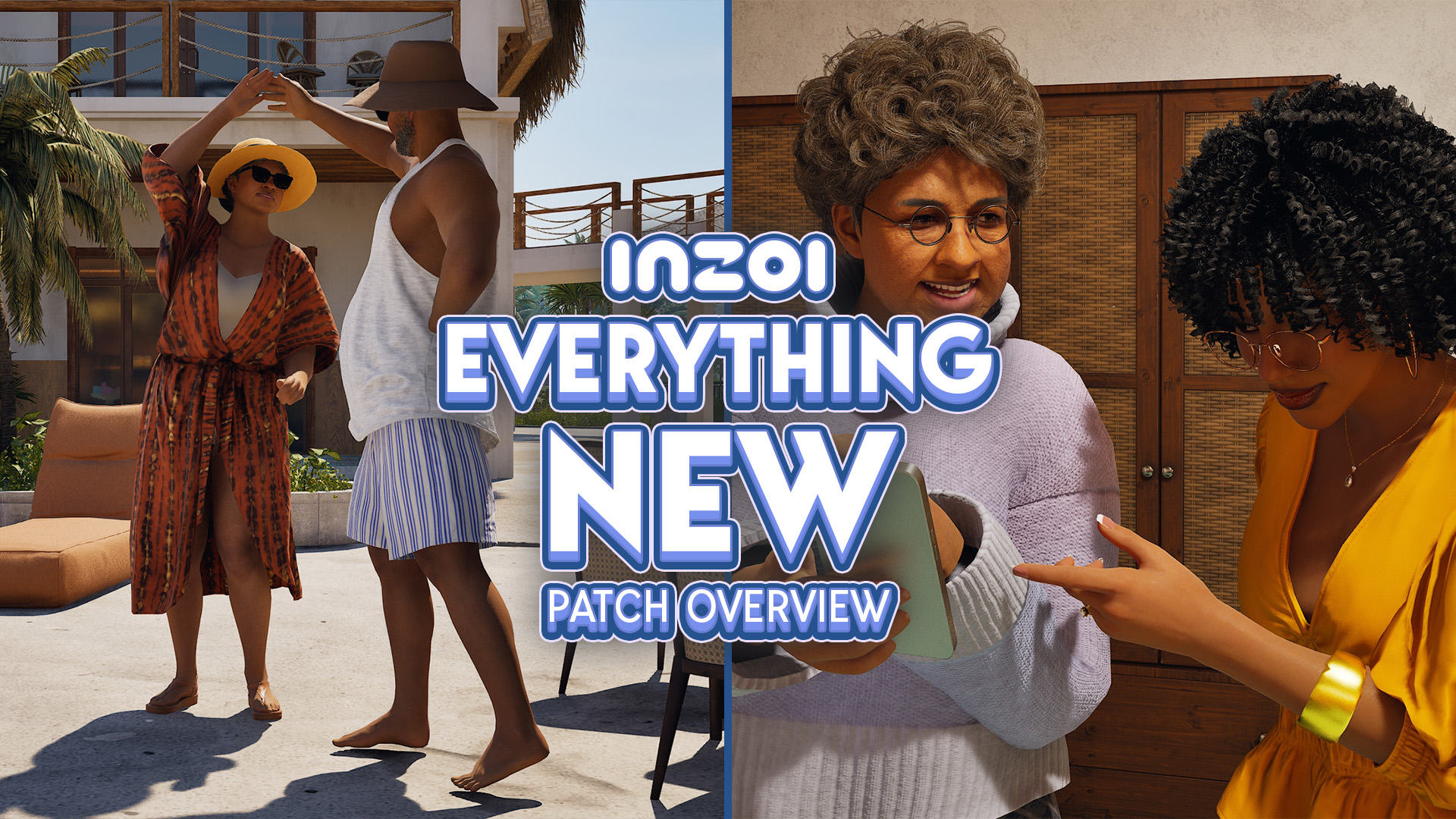
While the dust settles from the much larger InZOI Update that hit yesterday, September 3rd 2026, the InZOI Development Team as well as Producer & Director Hyungjun ‘Kjun’ Kim are hard at work developing a wide variety of new features, systems, and assets to be added to the game in the future. Since planning and…
Sea Stars, Sea Turtles, Sea Urchins, Oh My! The major InZOI Vacations Update has dropped! While vacations aren’t the only part of this decently large update, they are a real centerpiece of the gameplay expansions surrounding this update. Released on September 3rd, 2026, the InZOI September Update added loads of new features outside of vacations…
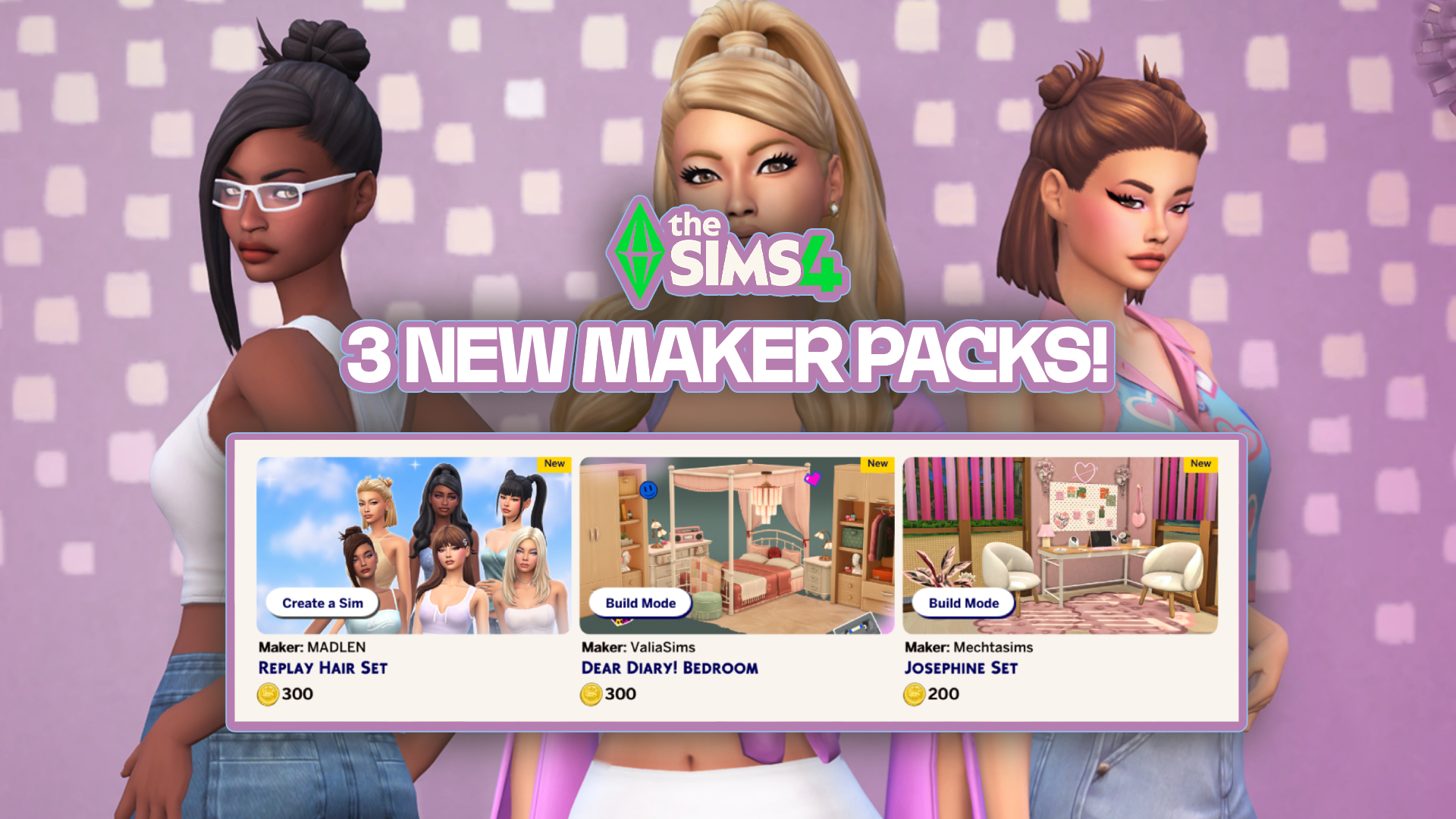
In just over one week, six new Sims 4 Maker Packs have been released on the Marketplace, and today three more have been added! The new sets are by creators Mechtasims, MADLEN, and ValiaSims, bringing with them new hair and furniture for our Sims. Check them out below! The Latest Sims 4 Maker Packs! Replay…
New features have arrived with in the latest InZOI Update! The KRAFTON team has just released a new InZOI Update on Steam and Mac App Stores worldwide. This September Update adds both quality of life improvements as well as new features, including ability to vacation in any world, expanded interactions, an entire Dine Out experience…
As we celebrate The Sims 4’s 12th anniversary, we look into the repeating pattern of what’s coming next. Happy birthday to The Sims 4 Base Game, which released first in United States back on September 2nd, 2014. With the retail version being $60, Deluxe and Limited Editions with 70$ and above prices, this launch felt…
Another Build Maker Pack enters The Sims 4 Marketplace! The Sims Team has dropped a new The Sims 4 Maker Pack on the Marketplace just after releasing two yesterday. Titled “Soft Balance” by Comiko, this Maker Pack gives you 10 Build Mode objects in exchange for 200 Moola – or 2 dollars. Find out alll…
Today, September 1st 2026, The Sims 4 Quality Assurance and Quality Verification team answered the community’s questions in the latest Q&A over on the Sims 4 official Discord server. The next update for The Sims 4 is due to launch September 22nd, and with it comes fixes for the most upvoted bug on the forum.…







129 Comments
sims 1 wont load at all, it just goes back to the ea app everytime, im glad there going to fix it for us though
Reply to caroline
I had this problem and got it fixed by reinstalling C++ Redistributable 2015-2022 (don’t uninstall the other versions). See if it works for you!
Reply to manuelbutera_
Not work in my case 🙁
Sims 1 won’t even launch for me. Sims 2 I haven’t had an issue with (yet). I hope they fix this soon!
Reply to Lisa
Which Windows you have ? I can‘t play both
The screen settings are horrid too. You have a tiny screen in neighborhood and CAS view.
Reply to Meg
Besides the bugs and crashes, some options are missing. You should be able to use a phone or computer to move your sim to a new house.
Reply to Meg
Sorry I was incorrect and can’t delete this, try the newspaper!
Reply to Meg
You can move them from the neighborhood screen! Took me a bit to find it but it’s there
Reply to Meg
Put your monitor on 800×600 and this will fix that
Luckily, no issues at all. Just some weird resolution bugs in TS1 when travelling between lots but other than that, both versions run fine on Windows 11
Reply to Dave Van Cauwenberghe
I’m having this issue while traveling to old town!
I’m having a glitch when I travel from my home lot to old town in Sims 1, I can’t access some of the map. But other than that it’s running pretty smoothly, I have had a crash while traveling to studio town – but that only happened once.
I have not played the sims 2 legacy collection yet.
My sims just disappeared after 4 hours
Reply to Iryna
same to me
Reply to Iryna
Yup, similar issue
I am not having any issues however I already had TS1 & 2 installed from the disc versions so it is possible that could be why I wasn’t having issues..
I hope they also include the Bodyshop! I can’t believe they didn’t added it in the collection!!
Custom Skin Window Won’t Close On the sims 2 that’s the only bug I found
In the Sims 2 my sim have completely disappeared from the world of the game.The game crashed when I was traveling from one lot back to the house, and after restarting the rest of family was unbothered, but the sim that was travelling from one lot to another disappeared, even from family tree and contacts. I will try to do something more about it later, and give an update.
Sims 1 wouldn’t even load up for me. EA help said it was nothing they could do
In The Sims 2 I have to play in windowed mode to get around the failed to find any DirectX 9.0c compatible graphics adapter which is annoying because I want to use edge scrolling!
Reply to Shell
Mine is doing the same thing
i have a big glitch too, sims 2 won’t release on my console
Reply to simmerinsx
It is just for Windows 10 and 11. No console or Mac’s.
Reply to simmerinsx
why would it? its a rerelease of the pc version of the game, not a remake that includes the story mode of the various console ports(including gba)
Reply to Jayce they/faun
it was *sarcasm*
Reply to simmerinsx
then use tone tags, sarcasm doesn’t come as clear in text
The Sims 1 Legacy have troubles with UI above 1920×1080, also thumbnails of sims are missing job and school icons. UI icons in build/buy modes is also looks bad, original The Sims Complete Collection needed only one program – WidescreenPatcher. In The Sims 2 Legacy UI is a blurry mess, countless new and old bugs. Pink stripes line the edges of UI thumbnails (hello, The Sims 3 64-bit on Mac), crashes are frequent, sound quality of sims voice is bad, content has been cut, pets disappear, and beaches are broken, sims head twitch when pie menus appears, broken cutscenes – the list goes on. The game is simply unplayable. They managed to ruin something that wasn’t even broken, something that could have been fixed with just one tool – Graphic Rules Maker – and a simple mod that FIX shadows. That’s it! Yet, somehow, they still made sure to put their names above Will Wright in the credits.. Jeez
No crashes with sims 2 although the graphics are so off. The graphics for sims 1 is much better but no cheat codes are working and the game is randomly crashing, mostly in build mode
Reply to Carly
The graphics settings in TS2 all default to low; maybe that’s why they seem off to you. You can go into the settings and change them all to high, see if that makes a difference for you.
Sims 1 loaded up fine but I had to put my monitor on 800×600 as I couldn’t get it to adjust to my monitors size. Only issue I had was random crashing. Once I had been in the Goth household and Bella was returning from Studio Town and the 2nd time I had just made a new person and was decorating their home when it crashed. Other than that it is running better than it ever did. I expected some minor issue to be there at launch and at least they’ll be patching so I’m sticking with it.
Sims 1 lots don’t even load. Every single lot is empty and missing roads/sidewalks too. I have no idea how to fix this, but my game is completely unplayable 🙁
My sims 2 game keeps crashing like did they even playtest this game before releasing it?
Sims 2 crashed twice and I played for around 3 hours. Also had a glitch where I’d be at a community lot til 2am, travel back home and it would be 4pm
Reply to Cristi Macfarlane
The clock at your home lot is frozen while you’re out at a community lot, so no matter how long you stay out, when you get back home it will be the same time it was when you left earlier. It’s by design.
Reply to Cristi Macfarlane
Lazy duchess story progression mod changes this and makes it so time when you leave and return stay the same.
Guys, I advise you to buy it on Steam because everything works fine for me
Reply to Kara
I also bought on steam. I have the same issues as other users: sims disappeared, lot corrupted, game doesn’t save.
Reply to Kara
Yeah, it doesn’t matter whether you get it on Steam or EA. It’s the same.
I was not able to load Sims 1, same with me it just goes to EA app. Can it not handle 64-bit? That is what confuses me. And I have Windows 11. I just don’t get it I was excited to play Sims 1. I have never played it before, I first started my Sims journey with Sims 2.
Les sims 2 plante .. que ce soit au moment de créer les sims ou au moment de la construction ou encore au moment de jouer c’est très aléatoire mais à chaque fois le même message l’application a craché et doit fermer franchement j’ai mis mes derniers sous du mois pour revivre la nostalgie je suis vraiment en colère contre EA .. j’ai l’impression que pour eux c’est que l’argent qui compte et on nous laisse la vacant à nous dire qu’il va y avoir prochainement une mise à jour sans même de date j’espère ne pas devoir attendre 15 ans.. je n’avais qu’une envie c’était de passer un weekend nostalgique et à part ça je suis très triste
Both games have been running smoothly and with no issues here. I’m really sorry to know so many people are facing issues. Hope EA fixes that soon.
I can’t even load up the sims 2. Every time it says some needed files were corrupted during install, please reinstall and try again. I’ve reinstalled multiple times and no luck. Bought on EA app and as a bundle with the sims 1. Strange thing is it’s installed and loads on the laptop but not the main pc. The sims 1 is fine, no issues and works on the pc no problem. Reported to ea but not fixed.
I’ve been having random crashes throughout my gameplay — sometimes the crash will happen after like 20, 30 minutes (of course when I haven’t saved….) and sometimes it will crash immediately after launch. Most recent crash was after an hour of gameplay and I didn’t save. 🙁 womp womp
Reply to Olgiebear
It turns out my issue was caused by… surprise, surprise — my family dog having a job(?)
Every time my dog came back from work I would get the pop up saying that the game crashed and it had to terminate.
Something that fixed my game, seemingly:
1) move household back into the bin, and then place them into the home again (a bit burdensome because I had to redecorate everything; but worth it in the end)
2) no job for da dog.
Literally I haven’t had an issue since, except for the whole “error code” that comes up with “cancel, reset, delete” options (I always spam click reset or cancel, *do not* hit delete).
much “better” issue than the termination.
Does anyone know if these updates are also coming to the game systems as well? My family and I play on the PlayStation
Reply to Kelly Kolowich
No, they’re not. This is for Windows only.
sims 1 loads fine for me. sims 2 initially worked fine, but then i got stuck on the loading screen while traveling to and from downtown. the second time, i saved my sim before traveling, but after the screen got stuck, my family was completely wiped and i had to restart. im hoping for a fix soon!
My baby’s and toddlers disappear keep disappearing when moving or starting a family
Reply to Taylor
Mine too! My poor Sim keeps having babies to replace the ones that keep disappearing when I move or restart the game.
Reply to Taylor
You aren’t using a mod that increases the number of sims you can have in a family are you?
I can only have Sims 2 in 800×600…
I bought the Sims 2 Legacy and right after I installed it and tried to launch all I get it “some files were corrupted please reinstall.” That’s it…. Like I didn’t do anything and I can’t even launch it.
Can’t even make it past the CAS and loading a household screen its stuck in a forever loading screen
I bought it but I can not play it. WHY CAUSE IT DOESNT SHOW UP IN MY EA APP! It shows up on the webpage but not my EA APP! I cleaned cache, check if its the right email (it is), updated it ,restarted my PC, gave them my first born. NOTHING!?!? SO I am gonna wait and hopefully get to play but currently I have no success in doing so.
Cinematics in TS2 don’t work properly and it creates problem for events (such as alien abduction)
O meu The Sims 2 está travado na tela de carregamento indo pra algum outro mapa, por exemplo indonpro Hotel de praia. Não sai dali por nadaaaa e está rolando na telinha minha sim toda lascada kkkkkkk….. Tô chorando aqui… Já sai e entrei pra ver se dava certo e continua a mesma coisa….
I can’t even open the sims 2 it keeps saying the files were corrupted during download. No matter how many times I download it. SSOOOOO annoying. I can’t believe I paid for a game I can’t even play.
I’ve had an issue where I took my sims on vacation in Sims 2 and went to travel to another lot and the game froze. I’ve tried repairing it and restarting it but every time I try and open their accomodation lot it just loads and loads but nothing happens, so they’re stuck and I can’t bring them home or do anything with them…
Sims 1 had no issues at all but sims 2 after half an hour in decided to come up with an issue that the application has crashed and will now terminate 🙁
Sims 1 don’t open at the EA Launcher; Sims 2 Crash during the gameplay at the loading screen
I can’t even buy the games
Any hope for Mac users at all?
Our Sims 1 I bought for my son on Steam works fine. The Sims2 on my pc via EA app having issues. Tried to add in a user start up cheat file it just won’t load game, even if I remove cheat, won’t load. Just comes up a little square box with a red X on it.
So I had to uninstall, delete folder and download once again. Same thing happened when trying to add in a old save.
It’s very very weird.
But mods are all OK.
I’ve been able to download and launch Sims 2 just fine, but I’ve not done much more than browse around on the maps and look at houses. Once I finish transferring all my games to my new secondary drive though, I’ll definitely put it to work and see if I have any of the same problems other folks are reporting.
I bought the bundle to save hassle with installing all the mods/fixes to make them work and surprise! it still doesn’t work properly, sims 2 keeps crashing at random, weird bugs with build mode with items not deleting, can’t interact with other sims properly as I get caught in a “greet sim” loop.. Sims 1 is not much better, I can’t visit any other lot without the FPS dropping to 5fps or lower! the minute there is more than one sim on screen it slows down so much and no, it’s not my PC.. (6900XT GPU, 7800X3D CPU, 64Gb RAM, 4Tb NVME) The problem is EA have not bothered to put modern hardware into the games files so the game cannot recognize and utilize your PC’s hardware and make use of it to run the games smoothly! the video card sgr file for sims 2 for example still needs to be messed around with, manually inputting your graphics card details/data to get it to run properly! It’s an absolute joke that EA didn’t bother with this.. but no surprises there really, they just want a quick bit of money.
No problem with sims 2, played for hours no crashing. Sims 1 on the other hand won’t even launch and none of the current ‘solutions’ are working for me.
Sims 1-2 still crashes evertime i try to run both does not even pop up i tried reinstalling C++ Redistributable still did not work im playing on an aspire A315-24PT.
Sims 1 won’t launch at all and Sims 2 Crashed after I made a family in cas
The Sims 2 won’t even load and keeps saying files are corrupted during install. Have tried reinstalling but ended up asking for a refund and will wait to see if it gets fixed.
Sims one was good went to load sims 2 it crashed twice then I was able to play .
Sims 2 is crashing in cas mode everytime for me. Ended up asking for refund. Sims 4 runs smoothly, I have 16 GB RAM and 2TB hardware, so I was stunned when Sims 2 crashed.
I also reported about a small issue in sims 2 where the custom skins section is bugged. If you click on the custom skin section in CAS it doesn’t let you click the tick or X button to leave so you get stuck there. If other people have this issue too definitely let them know.
I bought the Sims Birthday Bundle. Sims 1 won’t even launch and just go back to EA app. Sims 2 was running okay but it took long for it to load. I thought it already froze but it’s just taking too long to load.
Reply to iamVakekz
Got the same problem with Sims 1. Still dont even start. I’m a little bit upset
Reply to lisa-marie Langheim
Me too … wanted to play sims 1 sooooooo bad
It still took me quite some time to get the right resolution and I had to put the game in windowed mode in CAS or otherwise their heads wouldn’t fit into the screen. Upon moving my first family into the world the game crashed and even though my family was saved, one of my children disappeared when I moved into a house… I’m going back to Sims 4 until 2 is patched…
Can’t wait for the patch, because I want confirm my favourite custom skintones T_T
Bugs I’ve found (and repeated) in TS2:
1. The game crashes when my dog comes back from work (I don’t know yet if it affects this one pet or all pets)
2. The game doesn’t keep the saved setting “turn off camera for special occasions”.
Reply to RanMori
Omg I had the same bug with my dog coming home from work… it’s really annoying cuz I can’t play that save now. I had saved 20 sec before my dog came home so now everytime i boot up my save it crashes 20 seconds later when my dog comes home from work and would get a promotion…
Reply to Kramdjur
My game crashes when my sim and her cat come home from work! But I’d just saved literally as they came home so it just loads and crashes going to have to try and remake them and not give the cat a job
I bought the bundle as well (Win 11) , sims 1 won‘t even start & sims 2 crashes every time when I picked a city (when it starts loading the city) . Just getting a message that the game crashed & then it’s gone …
I haven’t had any issues with Sims 1. It works out of the box. I only just got my first crash a few days in.
Haven’t tried Sims 2 yet.
I just bought the sims 2 and after playing a few hours some bugs appears in my save like my sims can’t make food anymore, he’s cooking but when he finished to cook the food disappear
I bought the birthday bundle and it starts in a black screen and i have to restart the pc to be able to do anything because it freezes the whole pc
I can’t even get the sims 1 to finishing downloading
I can’t even play it as I have a MacBook
The Sims 2 – I kept getting an “object error” issue for my sims, I made the same family 3 times as they kept getting an object error – the options for reset and cancel were not clickable so I was forced to click delete. This then having my sim completely disappear from the game, trash and family bin! I don’t understand the full mechanics to fixing these issues, I would’ve thought EA would sort that before release but my naivety loses to capitalism once again.
Hello, I bought sims 1 and I can’t launch it. When I click on “play” nothing happen. The ea games window appears
Please can you fix it ?
Only played sims 1 so far and not super long but an issue I had was saving. Sometimes when I would save the game would crash and it didn’t save it at that save point went to a previous save point since I guess it crashed mid save. And a meal/ 1 plate doesn’t fill all their hunger they have to eat multiple plates to get full…. But love sims 1 soooo happy they rereleased sims 1 and 2 for us to play.
I got the bundle, but I only downloaded Sims 1. It showed no sign of booting up. I did everything to make it work; including information posted on the EA forums. Still, all I got was nothing. I didn’t even try to download the Sims 2 bc I was so annoyed. I opted for a return on the bundle. But I will repurchase once the patch is released and I see comments and reviews on it stating that it was fixed.
Purchased the bundle. Wanted to start with Sims 1 first. That won’t even launch. However, I am able to launch and play Sims 2 SO FAR with no issues. Windows 10. It’s CRAZY how it’s SO random for everyone! No rhyme or reason as to who or why. How will the “possibly” reimburse people for this? I’m sure a lot of us feel duped and regret spending $40.00 on a game that can’t be play at all or the way intended…
J’ai acheté les deux jeux en ce début de week-end. Je me faisais une joie de pouvoir jouer à mes jeux d’enfance hier et aujourd’hui. Malheureusement, j’ai été terriblement déçu de me retrouver face à nombreux bugs autant dans le jeu des Sims 1 que dans les Sims 2. Je vais me concentrer sur le jeu des sims 2, car pour le premier tout à été dit. Donc, les Sims 2 on l’air de fonctionner dans l’ensemble, sauf après avoir fait ma famille et construit la maison, j’ai eu la mauvaise surprise de constater que mes sims peuvent pas cuisiner, ni lire un livre, s’assoir sur le canapé ou même aller au toilette. Les chaises proche des tables ne se rabattent pas et lorsqu’un sims monte ou descend un escalier, il est comme téléporté. La jauge de compétence n’apparaît pas au dessus de leurs têtes. De nombreux bugs qui m’empêche de jouer normalement à ce jeu de simulation. J’espère pouvoir jouer prochainement aux deux jeux que j’ai acheté pour me rappeler mon enfance et non me frustrer. Bon courage pour la mise à jour.
I also bought the bundle! While others can launch Sims 2 but aren’t able to play sims 1 it’s the opposite with me. Although Sims 1 crashes after awhile. Sims 2 gives an error message whenever I try to launch the game “failed to find any directx 9.0c graphics adapters”? I have windows 10/11
I am having issues with both. Sims 1 acts like it’s going to load and then takes me back to the ea app screen and sims 2 says some files are corrupted.
In Sims 1 the crawling bugs are hard to get the star over to spray them and there is constantly I feel like bugs crawling in my house ….. My two sims are 100 with heart and kiss multiple different ways and never once has it asked it we want to have a baby….
Only baby we got so far was form adoption via phone.
I’m a bit disappointed that they didn’t adapt the in-game screenshot resolutions, and the same goes for the video (including the outdated codec, which doesn’t work with modern editing software).
It would’ve also been great if they brought back the original intro when launching The Sims 1.
But these aren’t bug issues—just small adjustments that would make this release much better and more worthwhile.
When I receive the award from Marlyn Monroe in Sims 1 the game freezes.
When I have kids in the Sims 2 and I go to a community lot, my kids dissapear. They are deleted from my family.
I unfortunately haven’t even been able to play The Sims 1 at all. I can’t get it to launch. It acts like it’s going to but then it just returns back to the EA app.
Welcome to Sims Community!
Our community is about connecting people through open and thoughtful conversations. We want our readers to share their views and exchange ideas in a safe space.
In order to do so, we've created a simple set of rules that will improve your experience. Simply put, keep it civil.
Your post will/might be rejected if it contains:
User accounts will/might be blocked if we notice:
So, how can you be a power user?
Thanks for reading our community guidelines. Please note that we're aware of certain issues with Sign In / Log In and Create Account / Email Confirmation issues. We're working behind-the-scenes on a new Account Creation process. Thank you for your patience and remember - freedom of speech is not freedom of reach