

Instead of relying on pre-made lots in the Lot Bin, let’s see what would be needed to build special lots for your neighborhood!
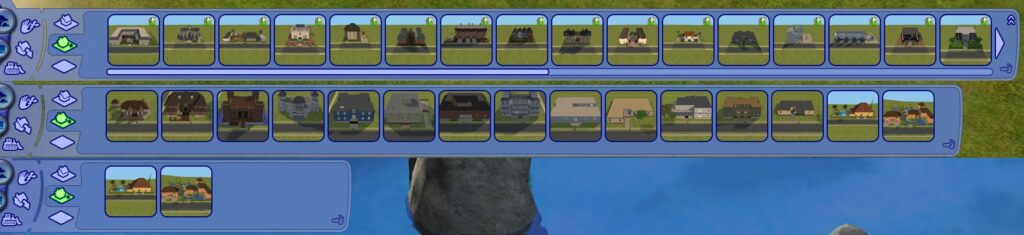
Whenever you place a lot in the Neighborhood View, you are given only two options: Residential and Community. However, in the Lot Bin under the Special Lot section, you can find lots that function differently from these two and may even have restricted Build and Buy mode.
However, the game does have things you need to build some of them available for every lot. This guide will help you in building these lots.
Table of Contents
Lot Zoning and Changing It
Lot Zonings can be thought of as Lot Assignments from The Sims 3 and 4 for The Sims 2. However, only two are available when you place an empty lot down in a neighborhood: Residential (where Sims live) and Community (general assignment for places to visit).
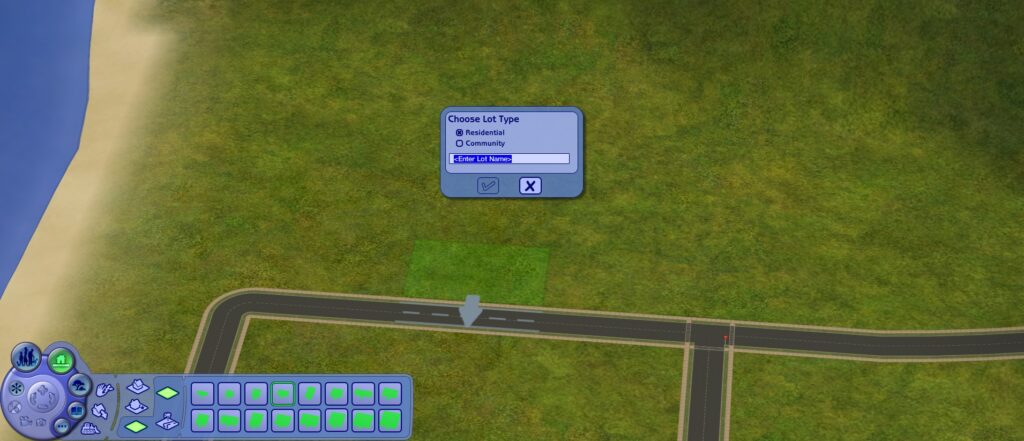
However, besides these two, Expansion Packs add more Zonings to the game. These are:
- Dormitory
- Greek house
- Secret society
- Hotel
- Secret vacation lot
- Secret hobby lot
- Apartment base
- Apartment sub
- Secret witch lot
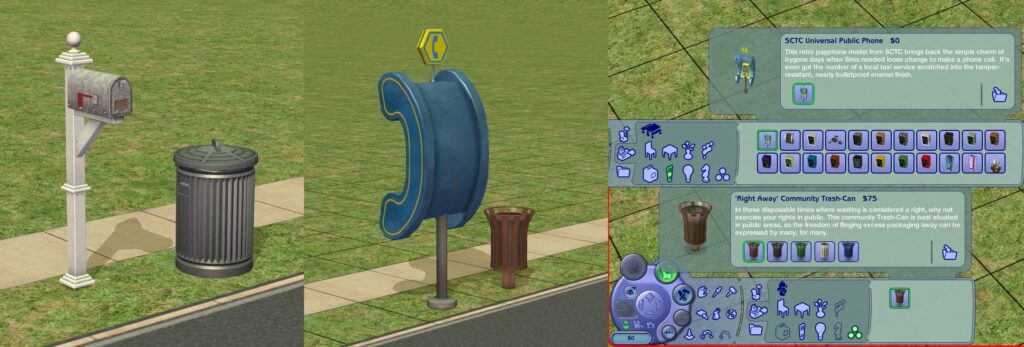
With changeLotZoning [lotType] cheat, it is possible to change the Lot Zoning. For example, to change the lot to Residential, you’ll need to write changeLotZoning residential, and to change it to Community, you’ll need to write changeLotZoning community instead. This will not change the front necessities (mailbox or phone booth and trash can), but it will change how the lot functions. For community lots, you can add your own Community Phone Booth and Trash Can. Residential mailbox and trash bin aren't available though.
While there are 9 special zonings, we won’t go over them all. Here are the lot zonings that will be excluded here:
- Greek house - Any Residential lot in a College sub-neighborhood can become one by Applying for Charter through a phone.
- Secret hobby lot - These lots will become inaccessible, so it’s best to keep with the pre-made ones.
- Apartment sub - Will be explained in the Apartment building section.
- Secret witch lot - These lots will also become inaccessible, even by witches.
Let’s take a look at what can be built and what to keep in mind.
Dormitory
This Lot Zoning is found in College sub-neighborhoods. These act as free housing for students where your Sims have to share a lot with some college townies. Unlike the other lot types, these lots have a special color when hovered over in the Neighborhood view: yellow. Dorms also tend to have a cafeteria area.
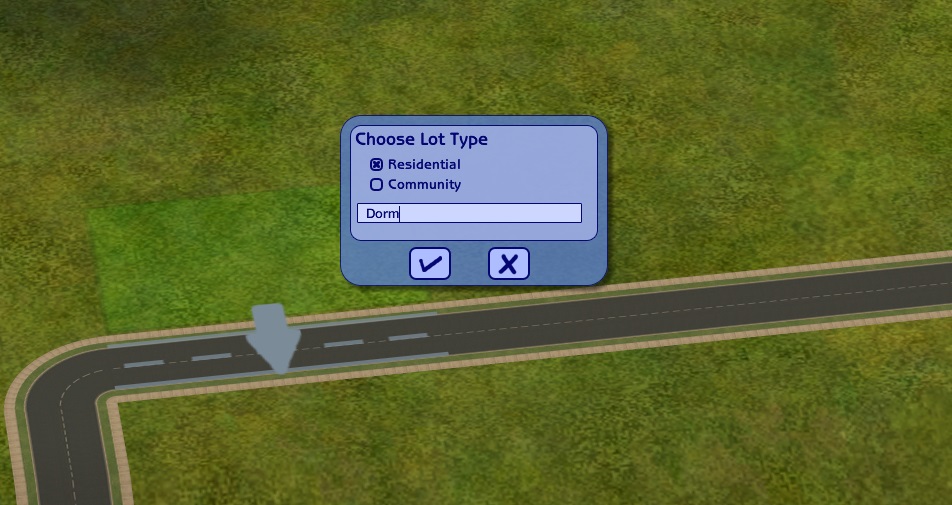
To begin building one, place down a Residential lot.
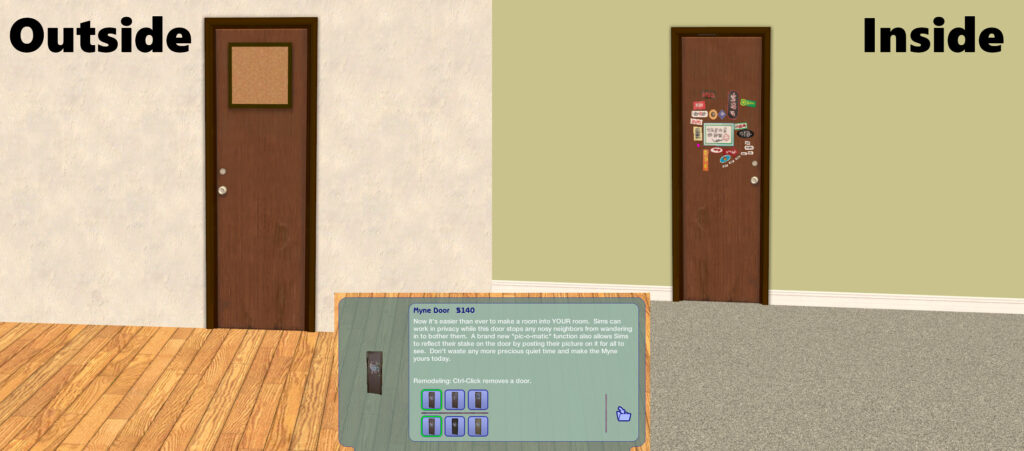
When building one, you will need a door called Myne Door. This is the door Sims use to claim the room as their own. Make sure the side where the Sim’s portrait goes faces outside the room. Remember that doors claimed by NPC Sims will only hide one room, so if there are more rooms accessible through the door, these will be unhidden.
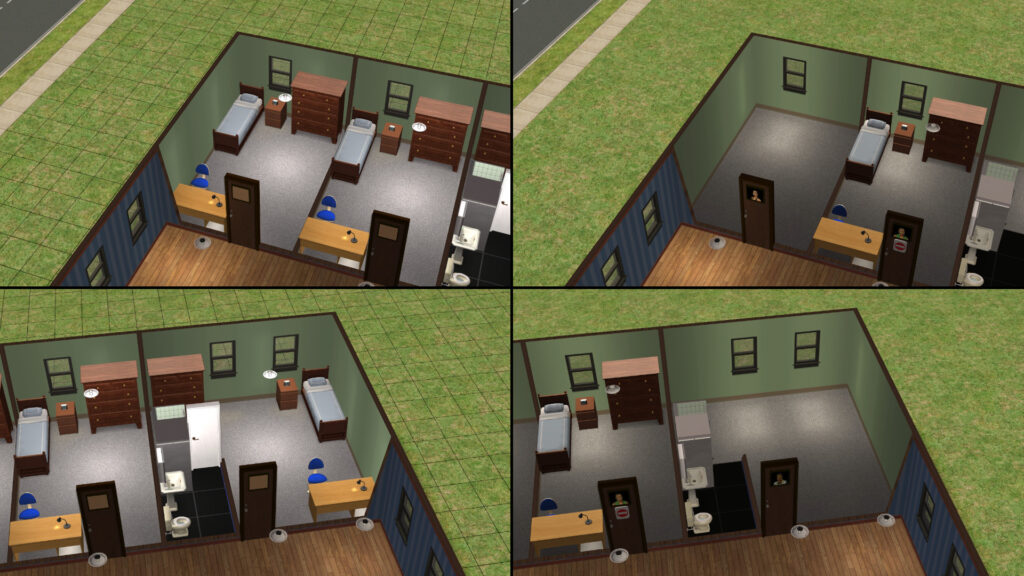
Each room to be occupied should have one Myne Door leading into them. If there are multiple doors leading into one room, the room will still be hidden if there is at least one NPC Sim staying there. However, it is possible to build a step-over fence to not only have only half the room hidden, but also give your Sim access to their roommate's side. This way you could build a dorm that allows Sims to have roommates.
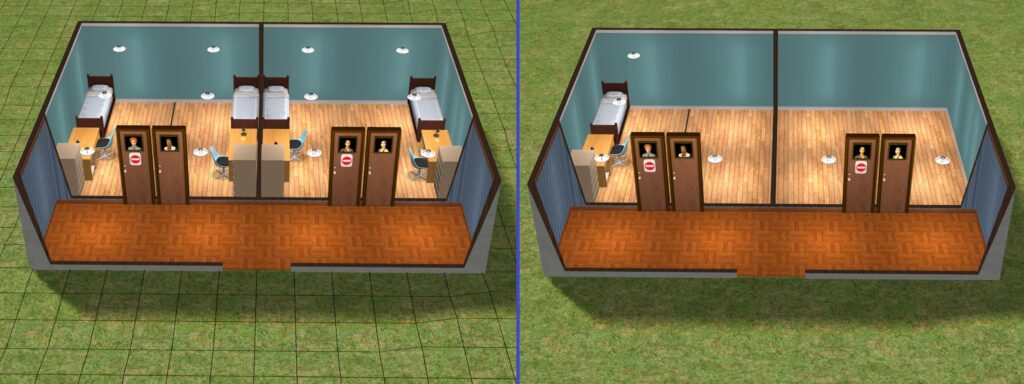
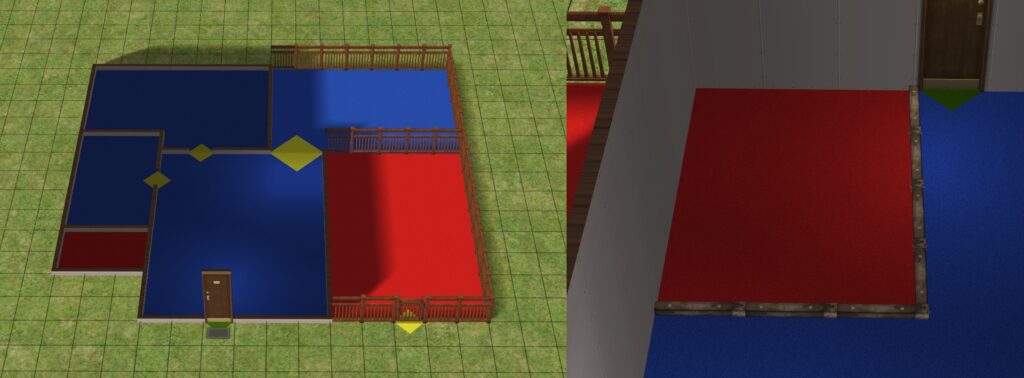
The left room is separated with a step-over fence, the right one is not.
All pre-made dorms have a cafeteria. For this, you need a ShinyTyme Cooktop, counter islands, and a place to wash the dishes in. This will allow a cafeteria worker to come in from 4 AM to midnight (and gives your sim an opportunity to make extra money). For fire safety purposes, be sure to add a fire alarm or a fire sprinkler (beware of those Evil Mascots though).
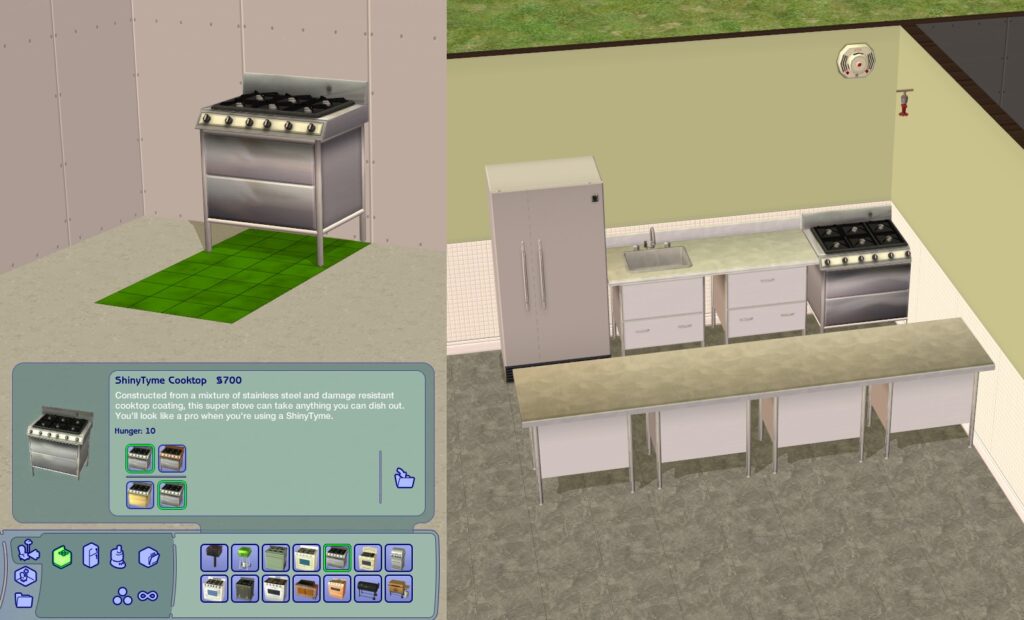
The ceiling sprinkler can be moved above the cooktop to make it harder for the Evil Mascot to prank it.
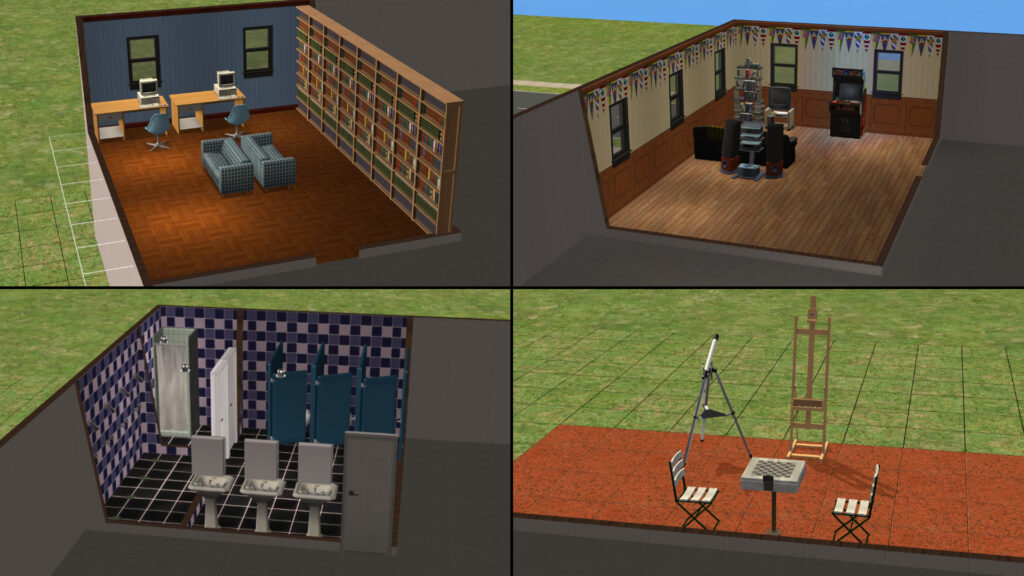
Some other rooms that are in pre-made dorms are:
- Study rooms: A space with computers and bookcases.
- Recreation rooms: A room with a TV and a stereo. May include other entertainment objects.
- Bathroom: A room with toilets and showers. Sometimes include communal showers.
There are also places for building Creativity and Logic skills (Body can be learned from TVs and stereos, Charisma from a mirror, and the rest from any bookshelf). Skills are important as building required skills allows your Sim to get higher grades. However, there is no need to worry too much about skill-building objects as Young Adult Sims can learn them on any Community Lot in any College-type neighborhood.
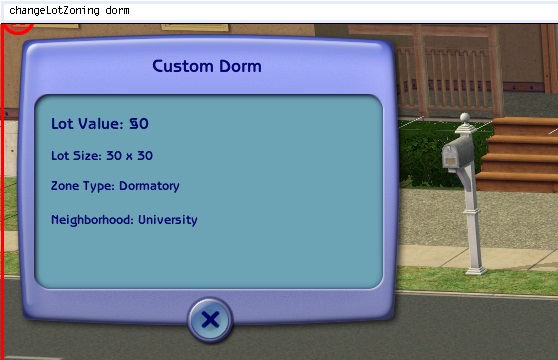
Once you are done, enter changeLotZoning dorm cheat to change the lot Zoning and then save and exit.
Dorms are meant to be built in College sub-neighborhoods. If you build one in other neighborhoods, any Sim can move in there for free, but the other rooms will not be filled with townies. In addition, your Sims will never receive newspaper deliveries.
Secret Society
This is another College neighborhood lot zoning. This one is a hidden lot. When creating a custom College neighborhood, three pre-made Secret Society lots are offered. Once one is placed down, you won’t be able to place more. In addition, the lot will be hidden on the Neighborhood View. If you want to visit the lot, try befriending 3 Secret Society members on campus. You can read Jovan's experience on these here.
To begin building one, place down a Residential lot.
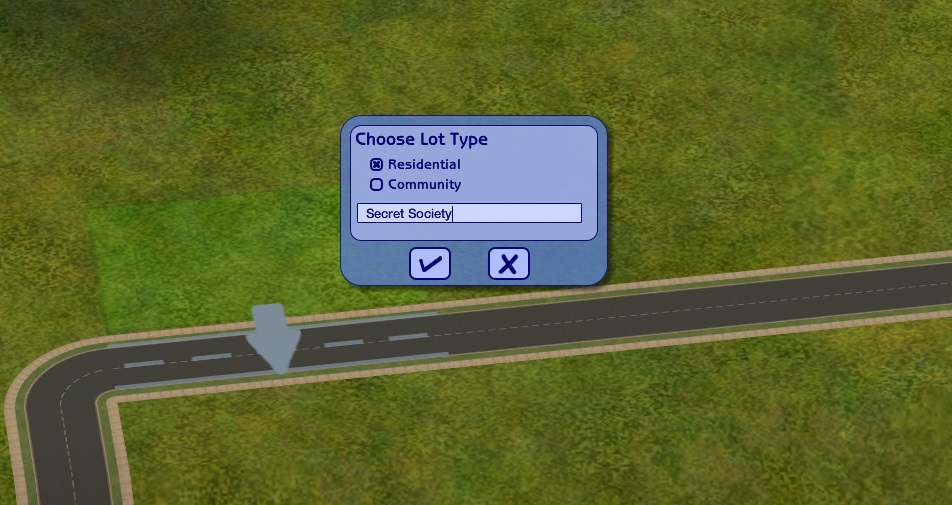
Though you begin with a Residential lot, pre-made ones only have the residential trash can at the front. So, unless you plan to move in a sim temporarily to prepare the place, feel free to remove the mailbox.
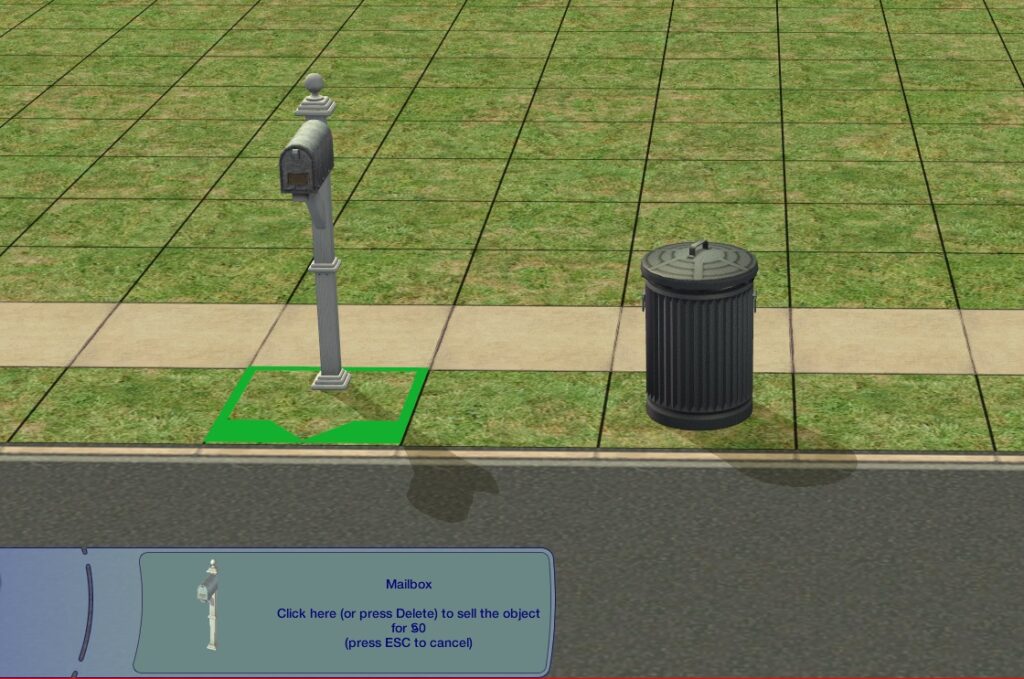
Remember that deleting it will make the lot unlivable if it's a Residential lot.
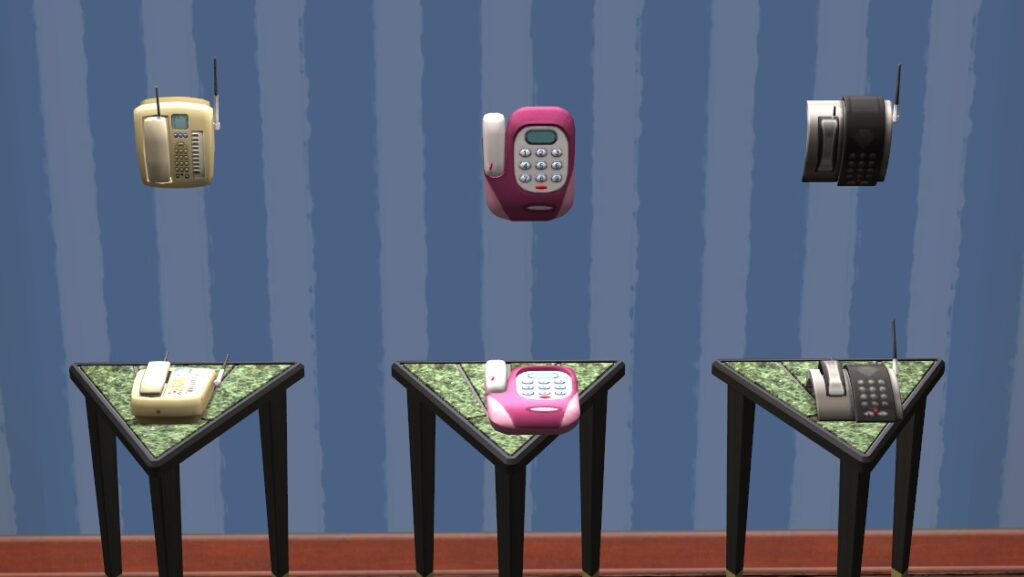
Don't forget to include a landline phone as this will be used to call the limo that'll take your Sim back home. However, if you forget to include one, don't worry as you can freely edit the lot when your Sim is visiting it.
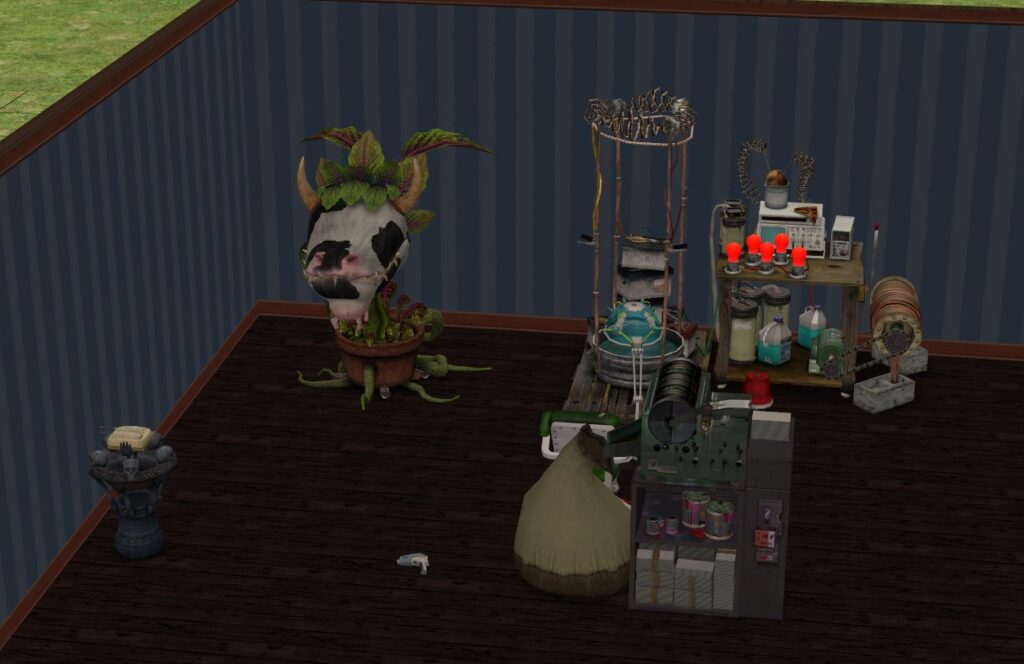
Pre-made Secret Society lots will have some Aspiration Rewards and Career Rewards for Sims to use (usually including an enclosed Cowplant, a Resurrect-O-Nomitron, a Counterfeiting Machine etc). For these, you can use mods to unlock them in Buy Mode (such as this from Mod the Sims) or have a Sim temporarily move in to cheat them on the lot. You cannot move that Sim out however as it'll clear the lot out of objects. The most reliable way to keep the objects there is to have the Sim die to leave the house empty (and objects intact) and then have another household resurrect them.
However, remember that Secret Society lot is freely editable when your Sim is visiting it. So these objects can be added after converting it into a Secret Society lot.
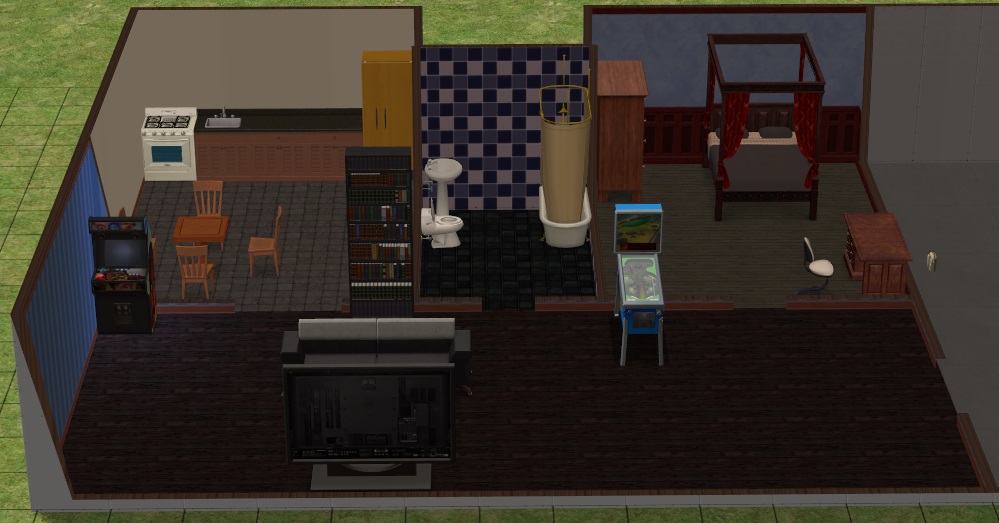
As Sims can stay in a Secret Society lot as long as they want, it would be great to include some objects to fill the needs like a fridge, a bed, a bathroom, and some fun objects. Remember that only one playable Sim can visit the lot at the time.
Once you are done, enter changeLotZoning secretsociety cheat to change the lot Zoning and then save and exit. The lot will not be hidden, but if you move it to lot bin and place it back, the game will hide it. The lot does not have to be hidden to function (you do need at least one Community lot your Sims can visit by taxi). You can also check out the Hiding and Unhiding Lots section on how to achieve it.
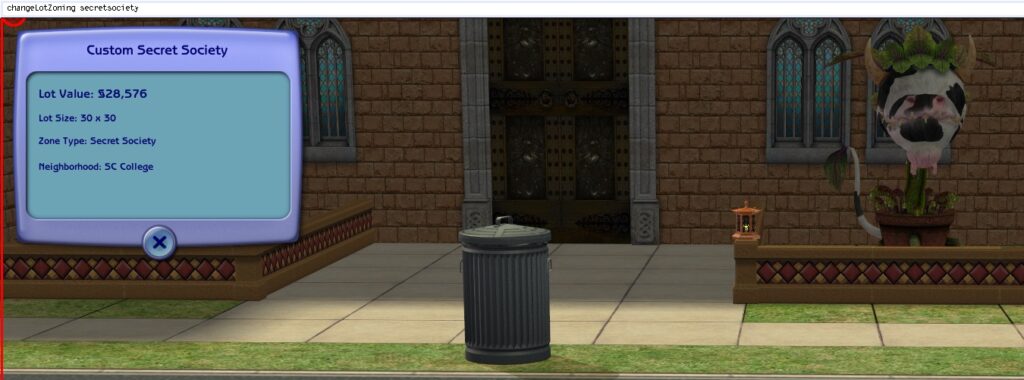
Secret Societies are meant to be built in College sub-neighborhoods. If built in any other neighborhood type, Sims cannot visit it, even if they were a member in the college or was made a member through testingcheats.
Hotel
Hotels are primarily found in Vacation Destination neighborhoods. This is where your Sim can stay during their vacation, unless they have bought a Vacation home in the same neighborhood. Hotels come in two variants: classical hotels (where Sims have to pay to stay in) and campgrounds (where Sims can stay in for free). You will also see Tourist townies also staying there.
To begin building one, place down a Community lot.
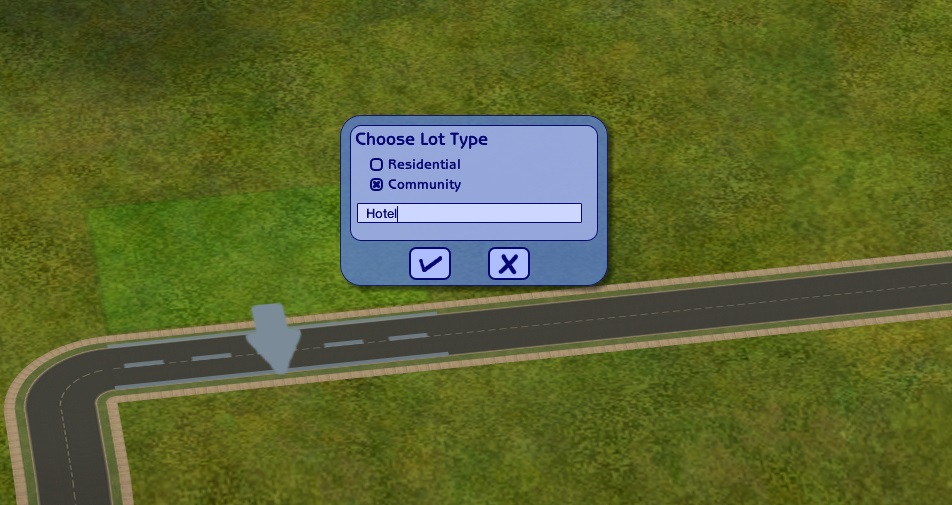
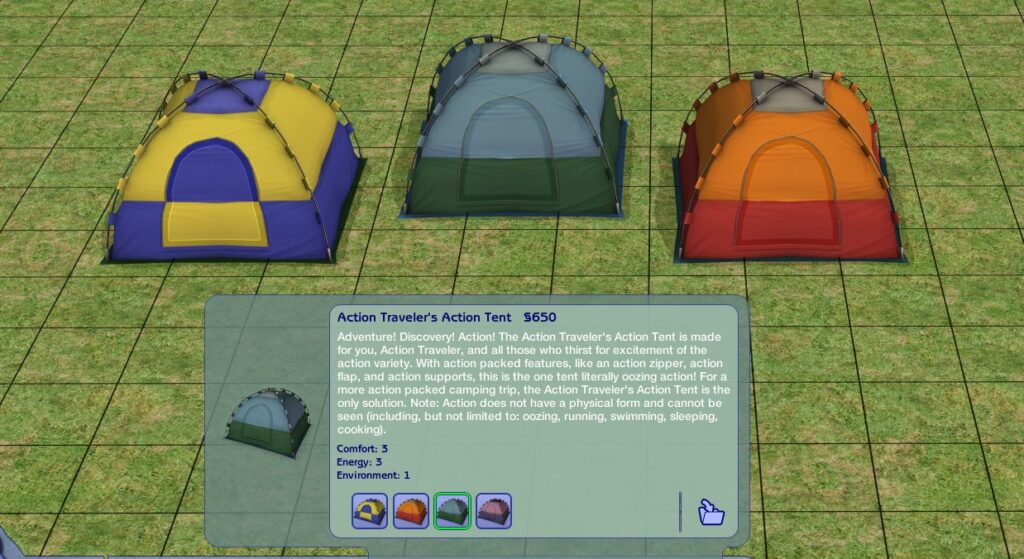
If you want to build a campground, you simply need to place a tent there. Sims can just check in through the tent, so no reception desk will be required. Don’t forget to include places to fill up needs, such as toilets, showers, eating places (with a food stand or a grill area) etc.
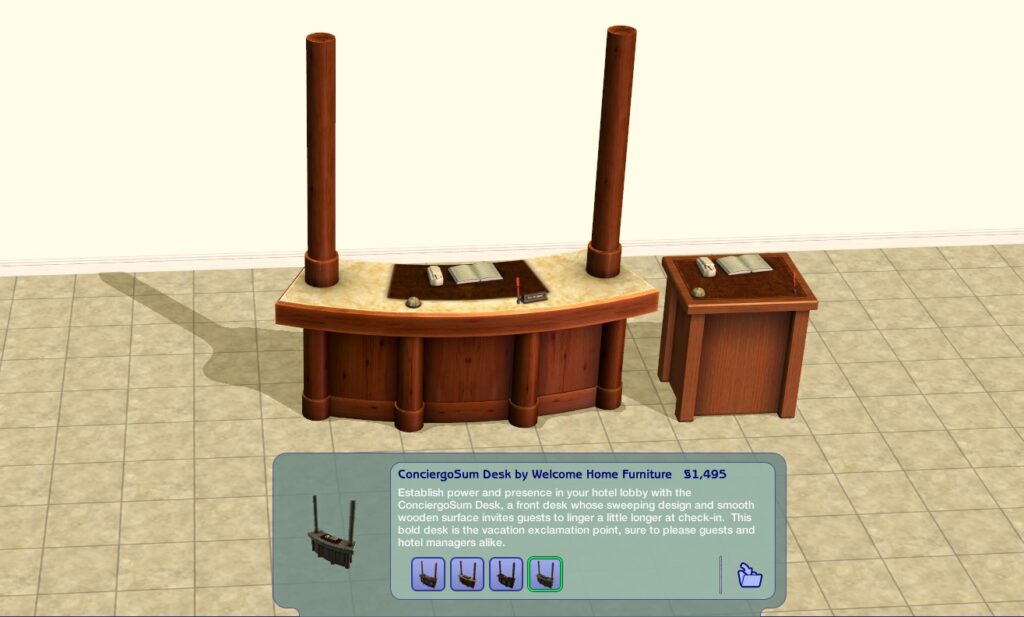
For the hotel, you’ll need to place a Reception Desk. These can be found in Buy Mode under Miscellaneous/Miscellaneous or under Hotel collection. Both have the same name, description, and price. However, one only takes 1 square, while the other takes 3.
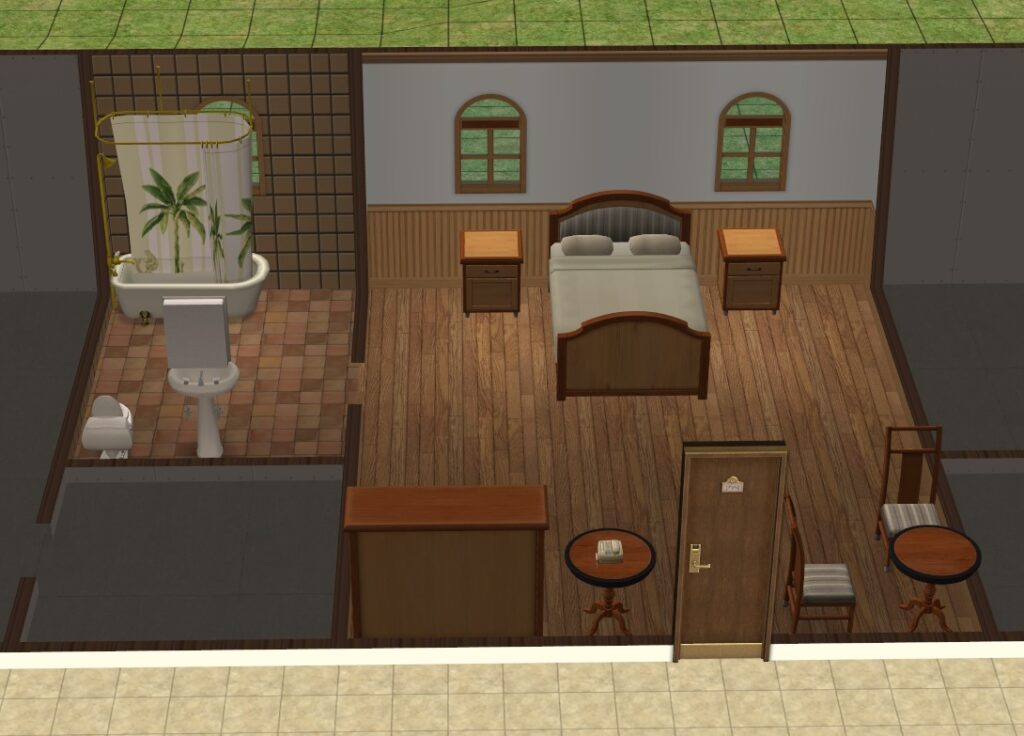
Next you need hotel suites. For these, you need to place a door called Solidity Door. You need to make sure that the map faces in the suite while the number plate must be outside the suite. Hotel suites can contain multiple rooms. Any area enclosed by wall or fence that can be accessed through a door, gate, or stairs will be considered to belong to that suite. There mustn't be other doors besides a Solidity Door leading out the suite. You can seek some more architecture tips from the Apartments section.
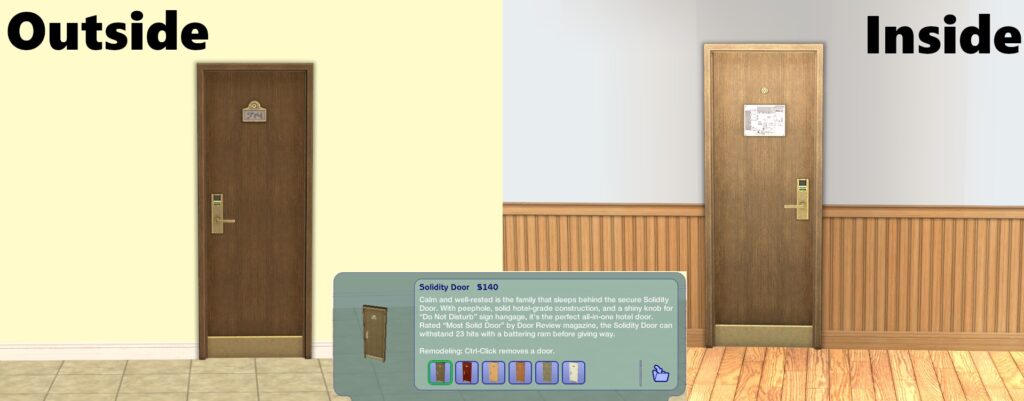
Do note that when deleting one of those doors when testingcheats is enabled, an error is thrown. Just choose 'Reset' or 'Delete' and you can move on.
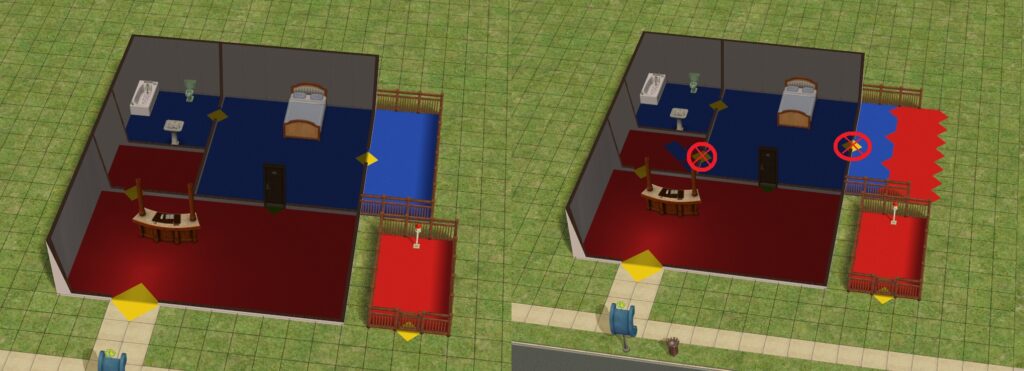
The right example is incorrect as there are multiple doors leading out the suite.
Suites usually contain beds and a bathroom. However, be sure to include a phone in a suite as this can be used to order some food to the room. Remember, the cost of all the items in a room will affect how much it will cost to stay there.
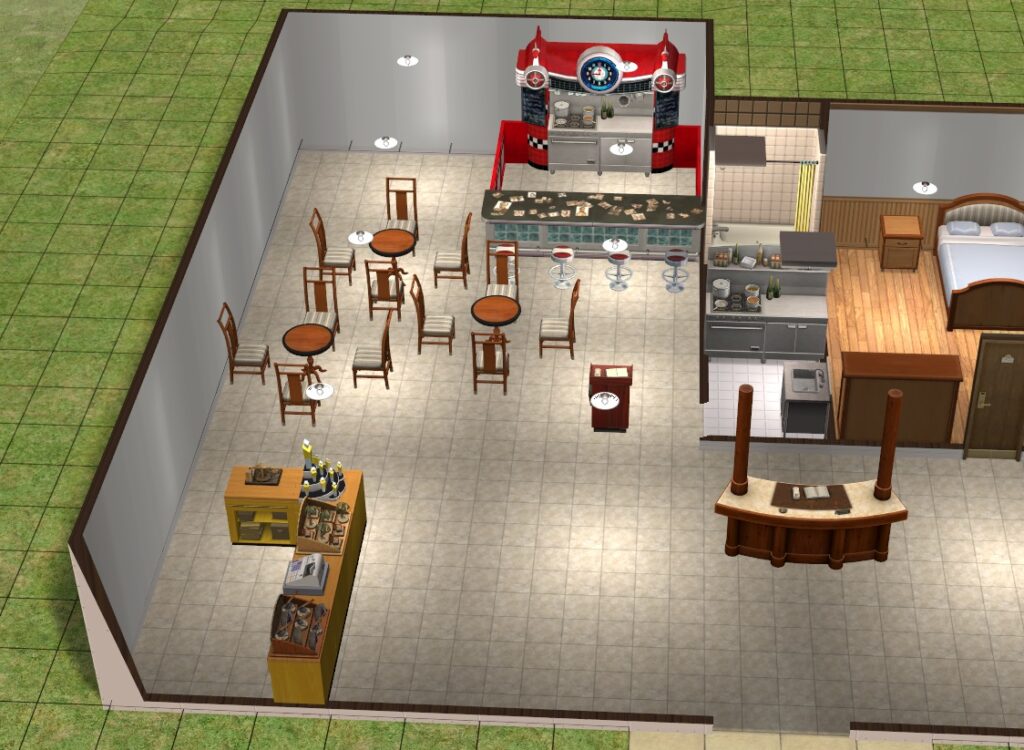
The Community lot stuff function in hotel lots, allowing you to build small shops, restaurants, food stands etc. Don't worry about the NPC Sims tending them as their needs will never decay on their job. Consider adding more amenities outside the suites to make it a more interesting place. Any Sim, even those not staying in the hotel, can use them whenever they want.
Once you are done, enter changeLotZoning hotel cheat to change the lot Zoning and then save and exit.
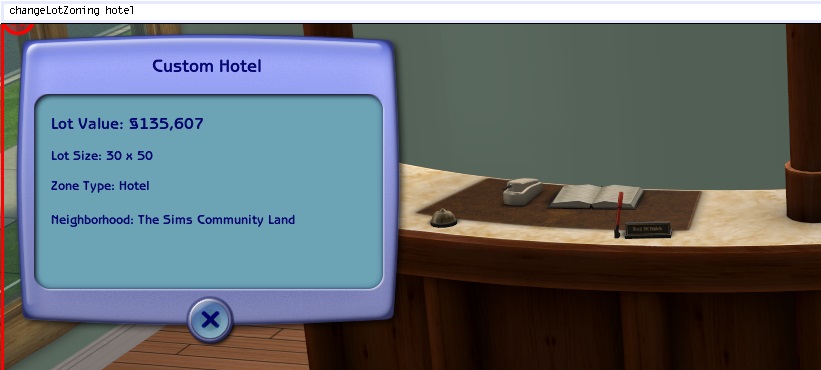
Hotels function the best when built in Vacation Destination sub-neighborhoods. However, the two pre-made hotels are available in the Lot Bin in every neighborhood type. If placed in a non-Vacation Destination neighborhood, your Sims can visit it. They can check in there, stay there, and have a different season and weather from the home. However, you will be unable to save the game there. So when you exit the game, you’ll have to check out and send your Sims home first.
Secret Vacation Lot
When digging up treasure or going on guided tours, there is a chance for your Sim to find a map. This map leads to a Secret Lot in a Vacation Destination neighborhood. There you’ll be presented a challenge which will give your Sim a unique reward. But what exactly will these be will depend on the Vacation Destination Type.
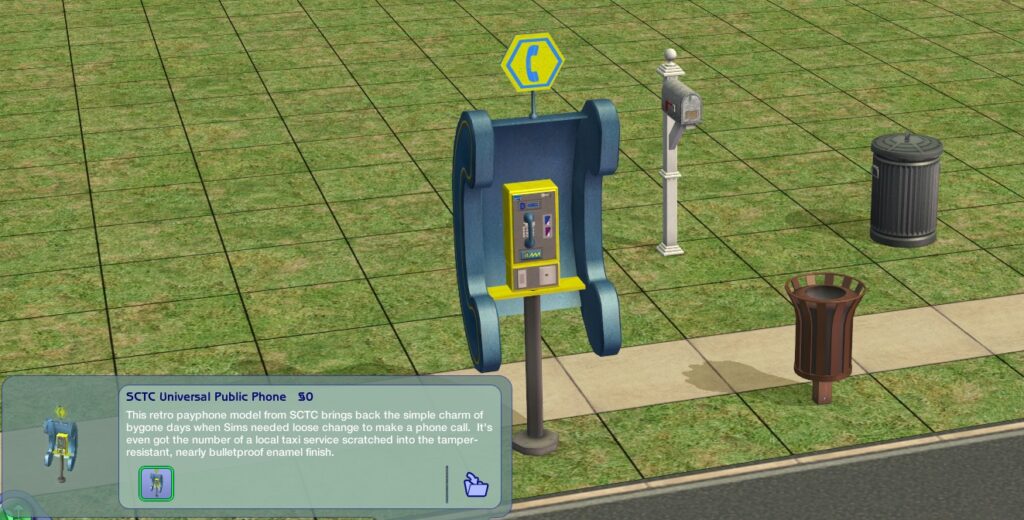
For Mountain Destinations, you need to start from a Residential lot. For the others, either of them is fine. If you start from a Residential lot to get the mailbox object, be sure to convert it into a Community Lot with changeLotZoning community cheat and then save, exit, and reenter the lot. To get the required Community Lot objects, check the Community Sort/Outdoor or Street category in Build Mode. You’ll find the Phone Booth in the Electronics section and the Trash Bin in the Miscellaneous section.
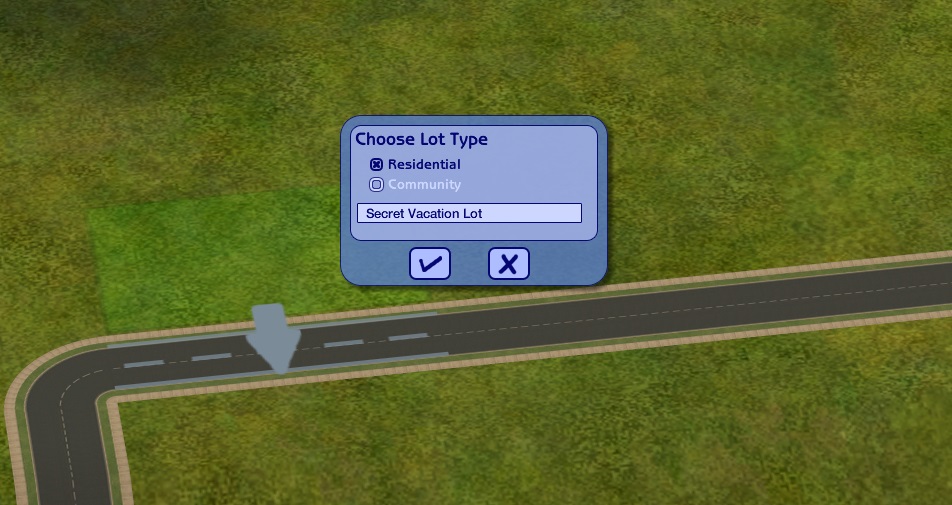
What needs to be done further will depend on the Vacation Destination type. Let’s go over these three.
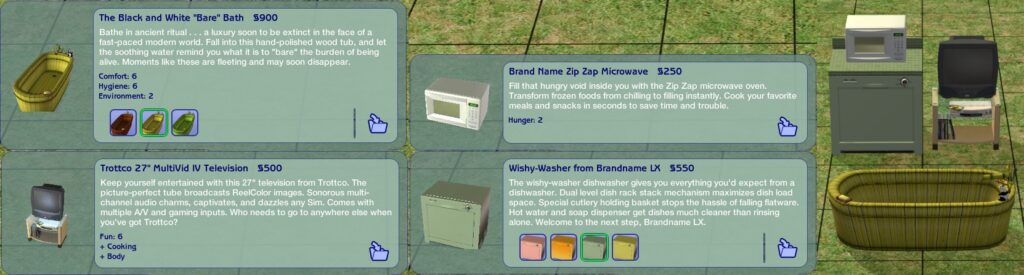
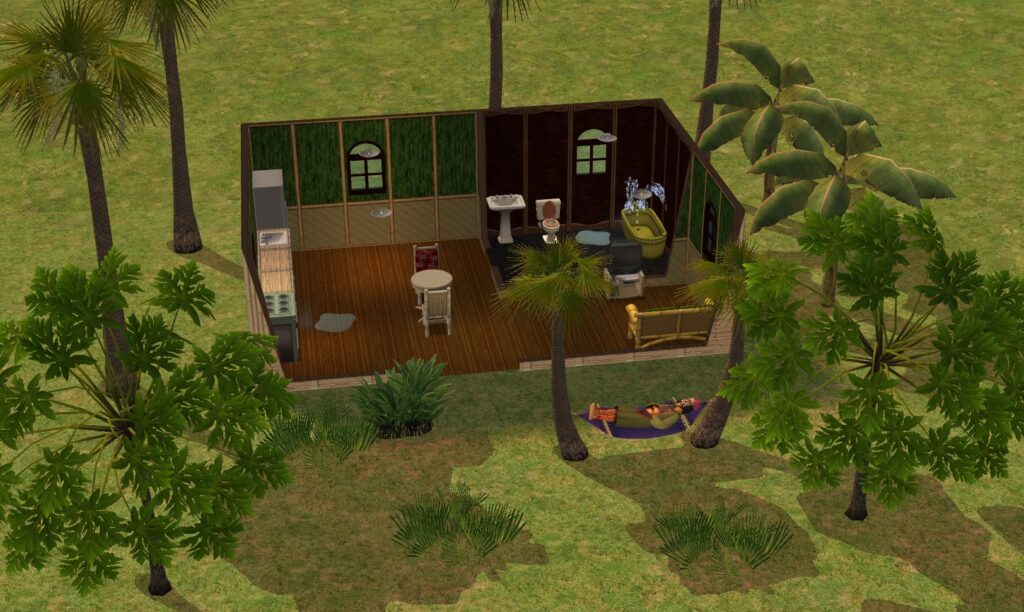
The Island’s Secret Lot, named Mysterious Hut by default, is home for the Witch Doctor from whom you can obtain a Voodoo Doll. You need at least one of these objects: 'Brand Name Zip Zap Microwave' microwave, 'Wishy-Washer from Brandname LX' dishwasher, 'Trottoco 27" MultiVid IV Television' TV, and 'The Black and White "Bare" Bath' bathtub. Note that these must be these specific objects as any other variant will not work. These will be broken upon arrival, which the Witch Doctor is trying to repair (and failing). Remember: the less the lot has these objects, the less your Sim will have to repair.
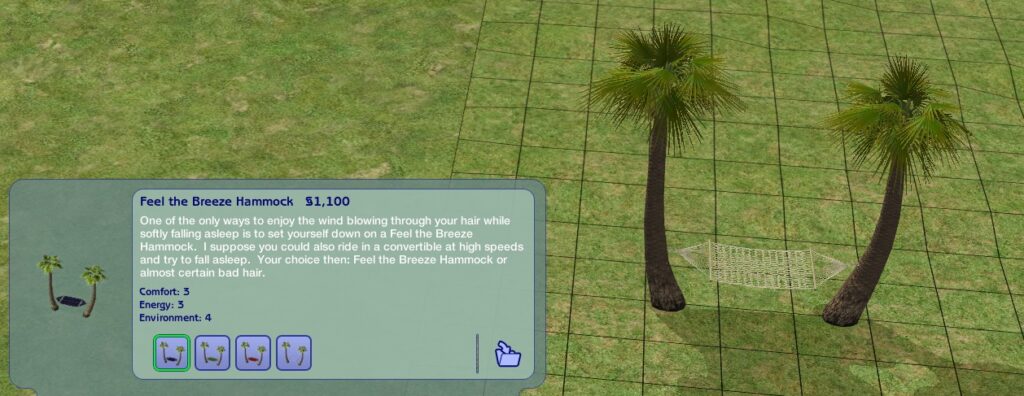
In addition, you should also provide a hammock there as the Witch Doctor will go relax there after your Sim offers to help.
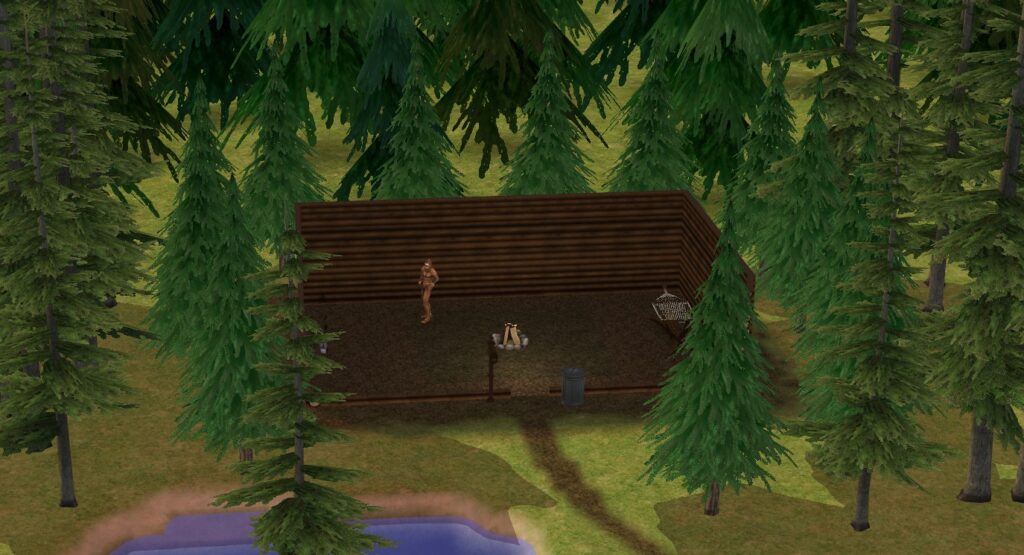
The Mountain’s Secret Lot, named Hidden Burrow by default, is home for a Bigfoot which you can invite to live with you. A mailbox is required for the Bigfoot to appear on the lot, so starting from a Residential is a must. As mentioned before, the lot must be converted into a Community lot for the Community lot required items.
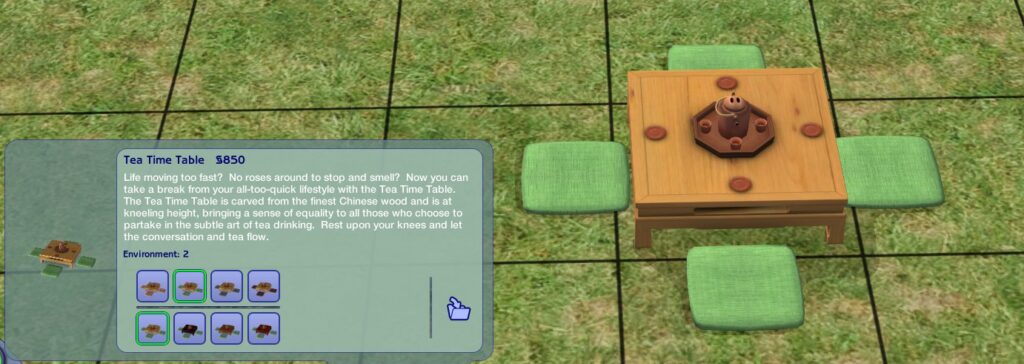
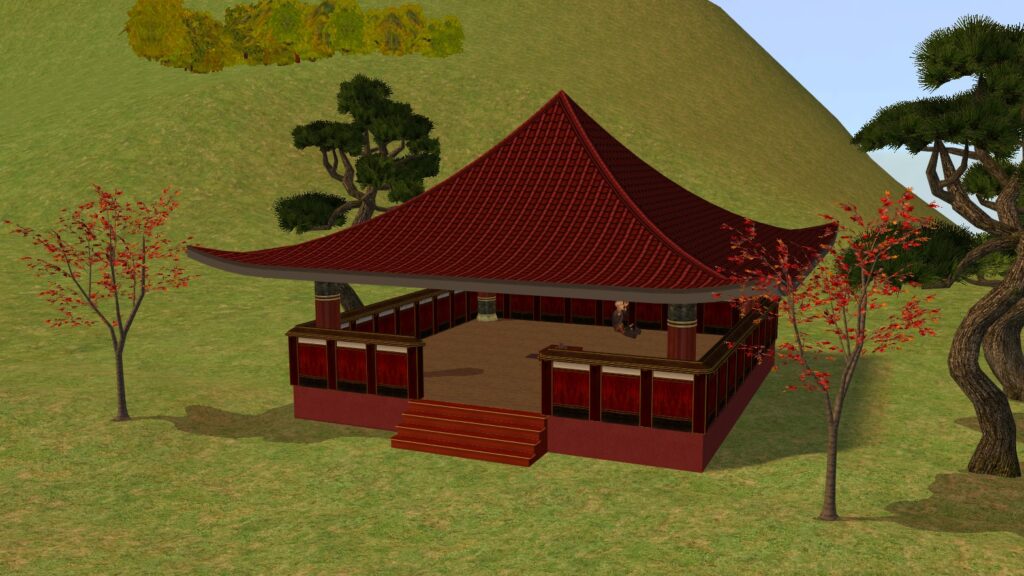
The Far East’s Secret Lot, named Pagoda in the Shadows by default, is home for the Wise Old Man who can teach you the Dragon Legend. Here the required object is the tea set, as the Wise Old Man meditates near it and will only stop when your Sim pours some tea. The default lot also has the Zen Garden.
Once you are done, save the lot. After that, enter changeLotZoning secretvacationlot cheat to change the lot zoning. Saving is no longer possible after that (unless you convert it back to Residential/Community), but the lot stays converted so once you exit it. While the lot will not be hidden, it'll still function as intended. If you wish to hide the lot, check out the Hiding and Unhiding Lots section.
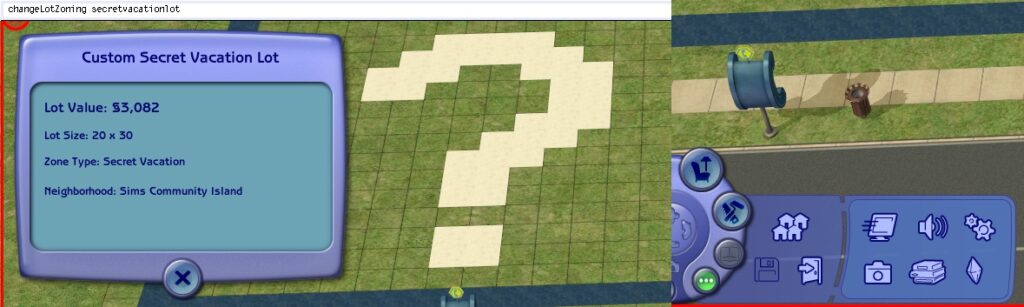
Saving will be disabled after conversion, so be sure you have saved everything before you change the lot zoning.
Secret Vacation Lots are meant to be built in Vacation Destination neighborhoods. When built in other neighborhoods, the lot will become inaccessible.
Apartments
Apartments are another type of residence for Sims. Though they exist in Belladonna Cove by default, these can be placed in any Main, Downtown-type, and Shopping District-type neighborhoods. Up to 4 playable households can reside in one Apartment lot, while the other units will be occupied by special Social Class townies. Which ones will depend on the lot furniture and surrounding neighborhood decorations. You can check the class by using printLotClass cheat.
Note: You can always manually change the lot classification with changeLotClassification [low/middle/high] cheat. You can reset the value with clearLotClassValue cheat and check the value with printLotClass cheat. Low class lots are visited by Gearheads and Bohemians, middle class by Bohemians, Jocks, and Techs, and high class by Techs and Socialites.
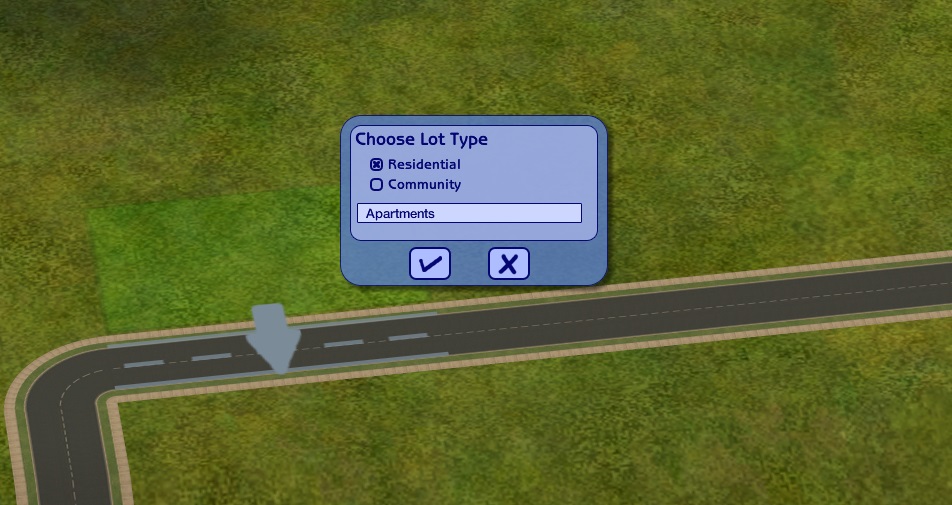
To begin building one, place down a Residential lot. The area should be flat, but we'll go over what to do when it isn't.
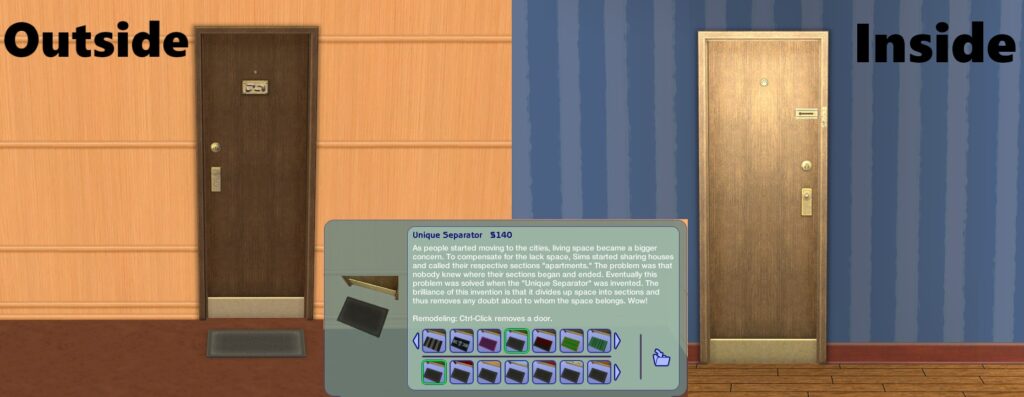
Apartments consist of one to multiple units. Each unit needs a special door called Unique Separator to act as an entrance to the unit. While this may look very similar to Solidity Doors used in hotels, the main difference is the doormat attached to the door. This doormat side must face outside the unit. There is no limit how many units an Apartment lot has, but only up to 4 playable households can live in one lot regardless. Do beware that having too many units (around 50) can start lagging the game.
Just like with hotels, every room that can be accessed through a door, gate, or stairs after entering through the Unique Separator is considered to belong to one unit. A room is any area enclosed by walls and fences. These areas can be indoors and outdoors, so you can make balconies and backyards. Do remember that step-over fences count as full fences. If you enclose an area with it and there are no gates or doors leading into there, it will not belong to the unit.
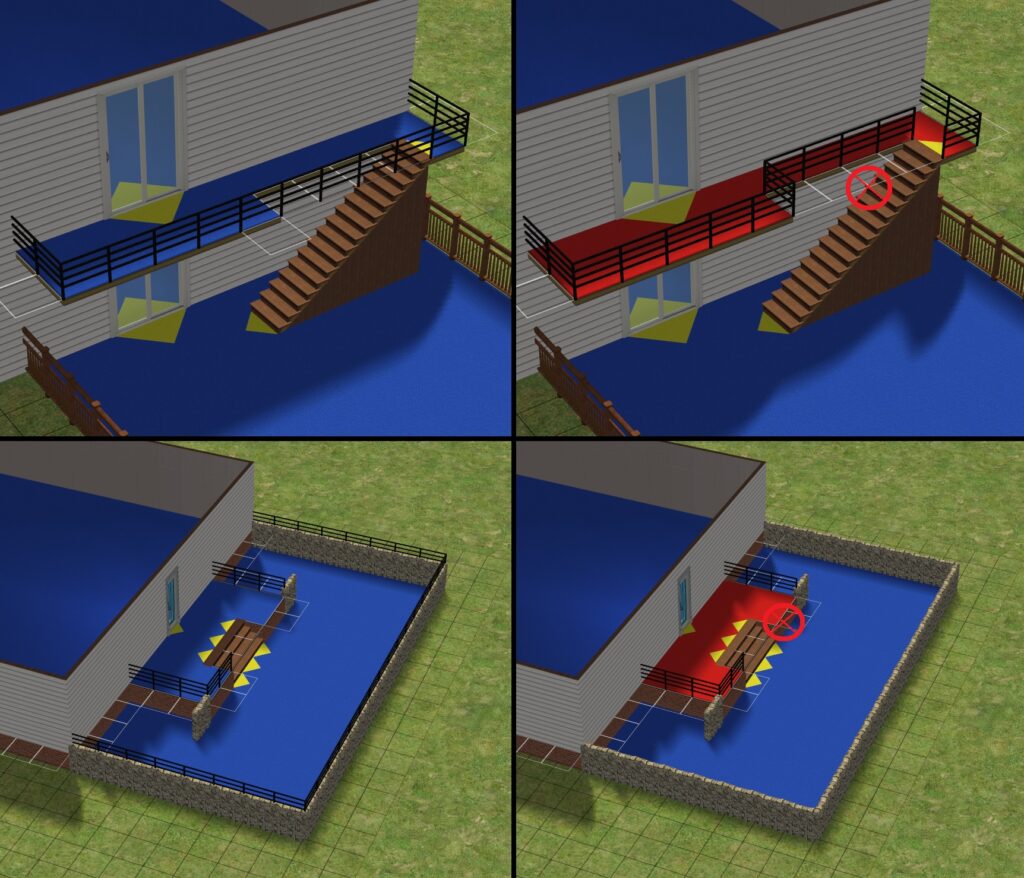
The right picture demonstrates how enclosing an area in the unit with some step-over fence will remove the area from the unit.
It's worth keeping in mind that while the stairs (including spiral stairs and elevators) do "expand" the unit, it will not enclose the area. This will not be a problem with indoor stairs, but will be a problem with balcony stairs. The area above must be fully enclosed with walls and fences. If you're building an apartment with a garden on a foundation, you could use temporary foundation to build a second fence on top of the ground fence.
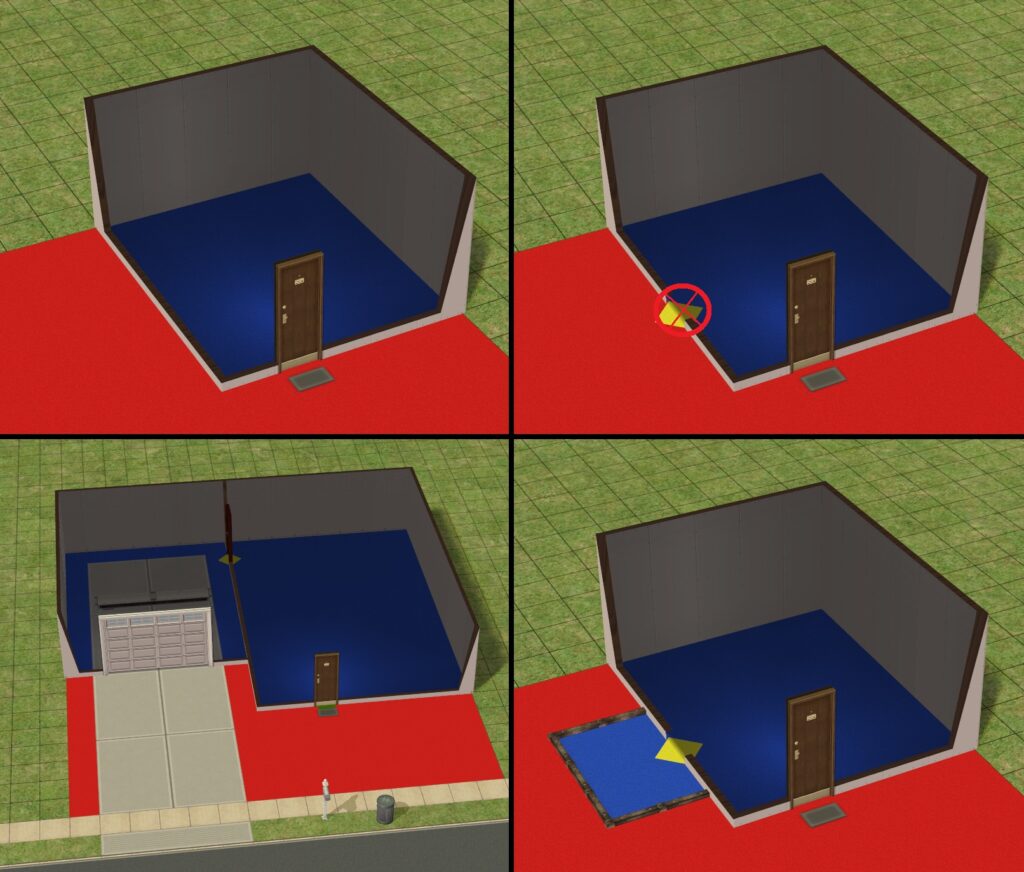
There must not be any other entrances leading outside the unit. The only exception here is using garage doors. If you want alternative entrances or exits, consider enclosing the area the door/gate leads to with step-over fences. This will however give other Sims another way to easily enter the apartment. While you can use locks for your apartment unit, you can't with townies' units.
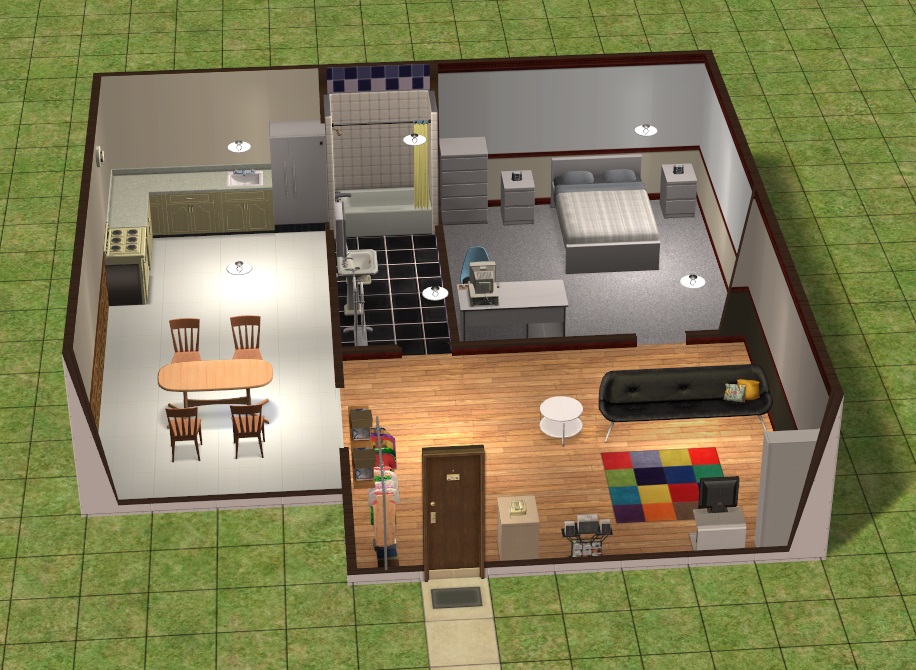
Be sure to fully furnish each unit. While for your Sim, furnishing is mostly cleared out, the main lot's furnishing will be used for townies' units. If you want to rent a furnished apartment, you can do it without mods (but it'll be a little difficult). You have to enter boolProp testingCheatsEnabled true, have your Sim stand next to the door to the unit you want to rent, and then Shift-click on the door to access the Rent Furnished interaction.
Communal area is any area outside the unit. All the objects there are available for use for any Sim. To add some liveliness to the area, consider adding some fun objects there. Do remember that Community lot objects won't work in a unmodded game (you can't run a home business on an apartment lot either).
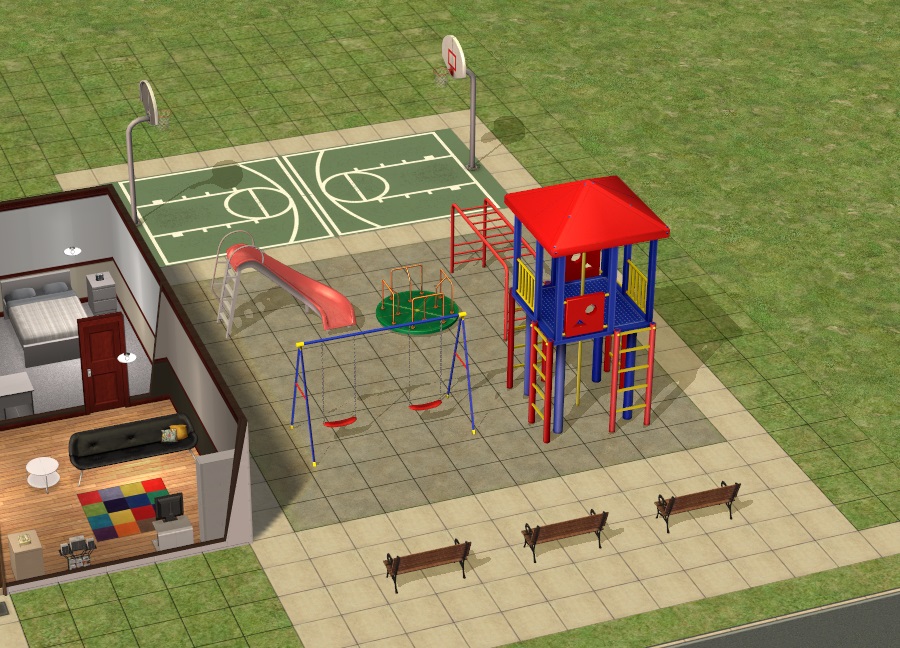
Note. If you have a grill in the communal area, the landlord won't order pizza on Sundays.
Once you are done, enter changeLotZoning apartmentbase cheat to change the lot Zoning. Once done, you'll see the mailbox transform into a communal mailbox. You can recolor it if you wish (it has 3 swatches). If there's something wrong, the game will throw an error message, suggesting you to convert it back to residential and make architectural changes. If there are no errors, feel free to save and exit the lot. The lot will have an apartment icon on it afterwards in the Neighborhood View.
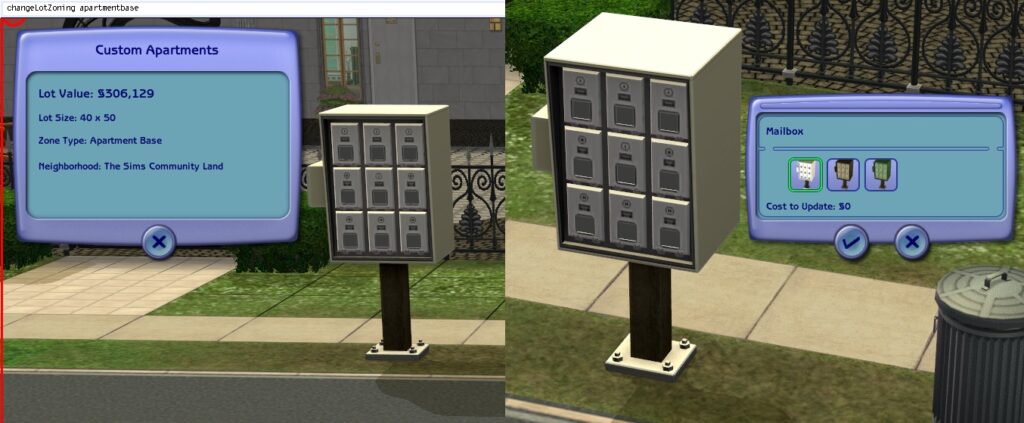
Let's get to some caveats.
At the beginning of the guide, Apartment sub-lots were also mentioned. These are up to 4 hidden lots on the same location as the base lot generated when a household is moved into the apartment lot. Do not change the zoning to the apartment sub-lot, as it will make the lot disappear.
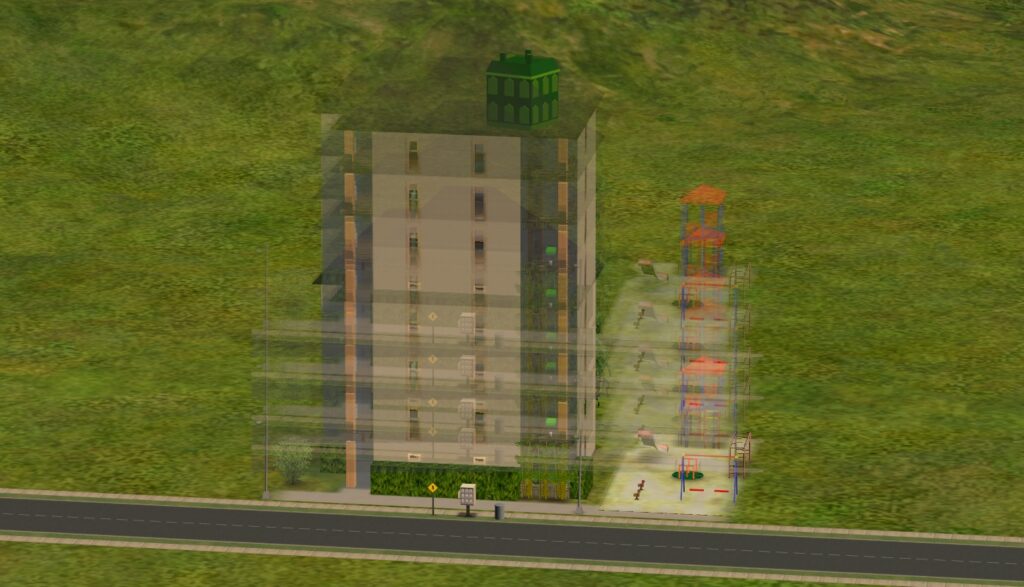
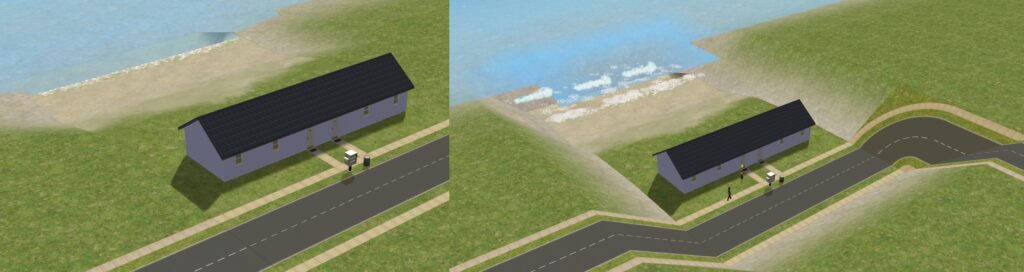
On the topic of sub-lots, each time one is generated, it can cause issues with the terrain on the sub-lot if the terrain is not flat. This is especially the case with beach lots and lots with a basement/hole/hill, as it'll lower the sub-lot's terrain data to the main-lot's lowest elevation. To fix this, exit to the Neighborhood view, open Lots and Houses Bin, and use the grab tool to pick the apartment up and place it down on the same location. This will fix the terrain issue, but it must be repeated every time a new playable household moves in an unoccupied.
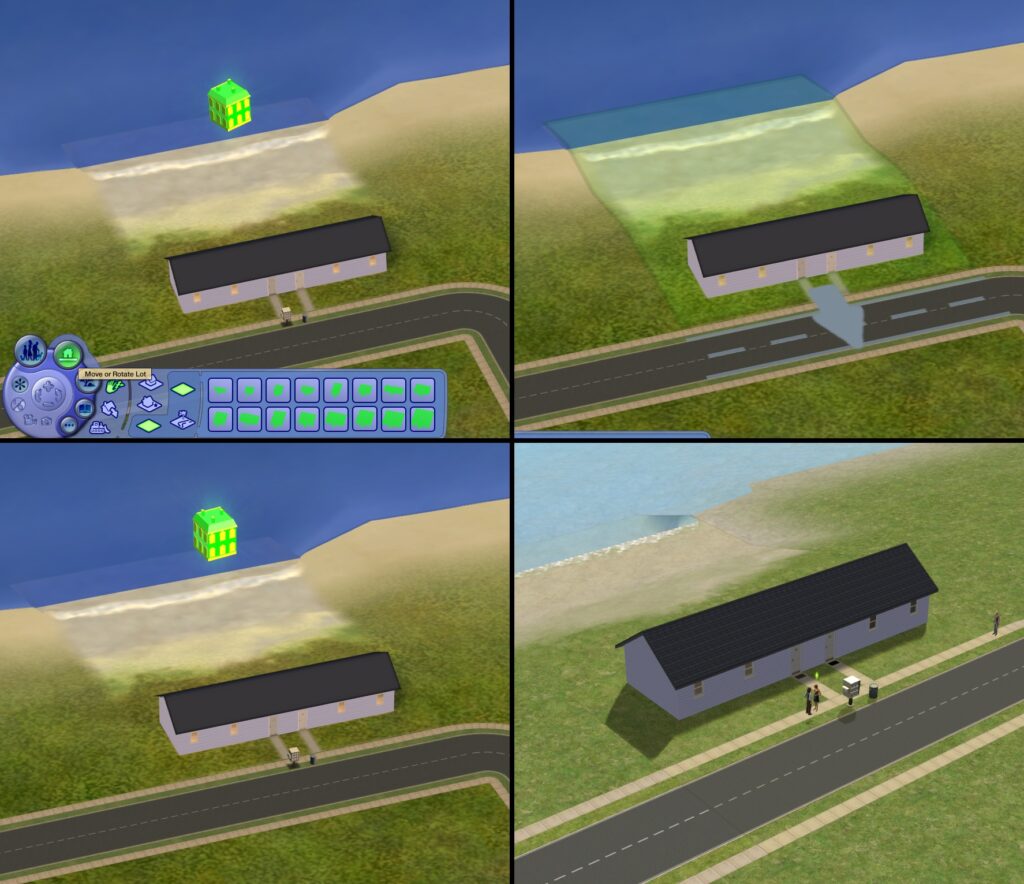
Apartment lots are meant to be built in Main, Downtown-type, and Shopping District-type neighborhoods. Basically, any neighborhood a non-college household can live in. If you build one is a college, the rent won't be lower as it is with residential lots. The neighbors will be the usual adult and elder Social Class Townies though.
If you build one in a vacation destination, no Sim can live in there and it cannot be bought as a vacation home.
Hiding and Unhiding Lots
Pre-made secret lots are hidden in the neighborhood view, even when placed somewhere out of Neighborhood camera's reach. However, when building a custom one, converting the lot may not hide the lot in the neighborhood view.
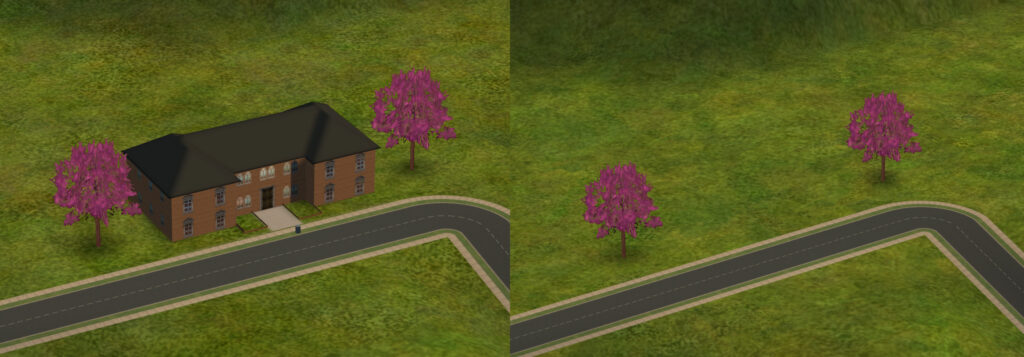
There is a way to hide and unhide lots, but it'll require SimPE. You can find download links to different versions in this Mod The Sims post. In this guide, we'll be using version 0.75.1.31194.
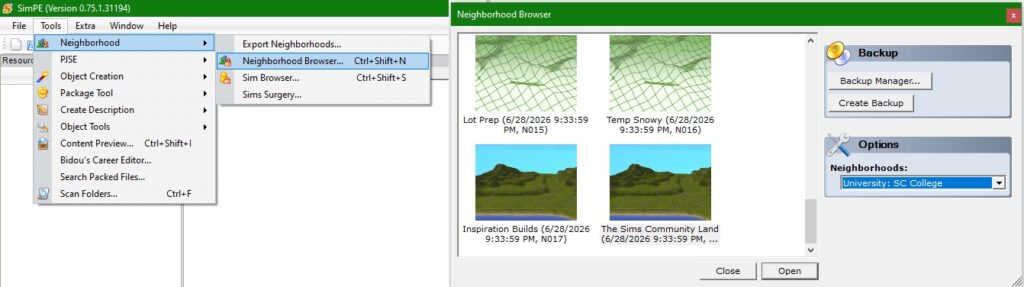
After opening the program, open Neighborhood Browser to open the neighborhood package file the lot is in. Make sure to choose the correct sub-neighborhood from the options panel. If it fails, try again.
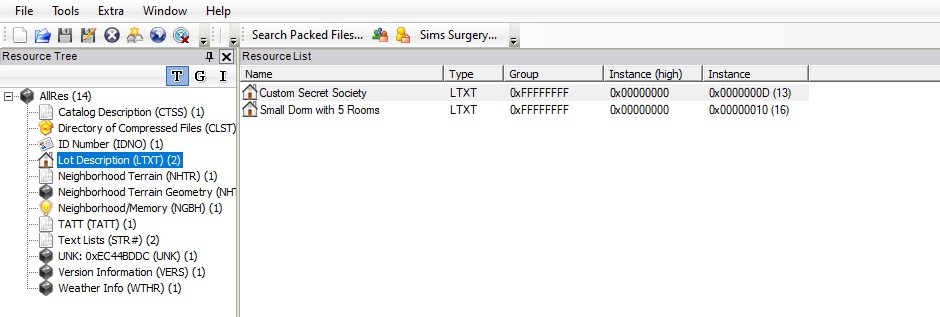
Once the neighborhood is opened up, navigate to Lot Description section. From there you'll have to find the lot you want to hide/unhide by its name.
You need to modify the second-to-last digit in U0 field. To hide a lot, increase the number by 1. To unhide it, decrease by 1. The number is hexadecimal though, so it'll go 0→1→2→3→4→5→6→7→8→9→A→B→C→D→E→F→10 and so on. So for example, if second-to-last digit is 9 for example, replace it with 8 to unhide it or A to hide it. Click on Commit button afterwards.
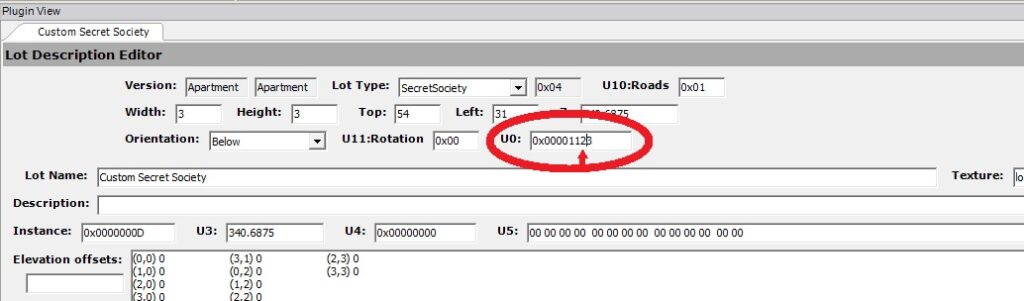
After the commit, save the file and close SimPE. Do not open the neighborhood while it's opened in SimPE as it will corrupt it. Load the neighborhood to check if you can still see the lot.
If you don't want to use SimPE, another method is using LotAdjuster by Mootilda (available here on Mod the Sims). You simply select the neighborhood, then the lot you want to change, open advanced settings through 'Advanced...' button, and simply ticking the Hidden Lot option.
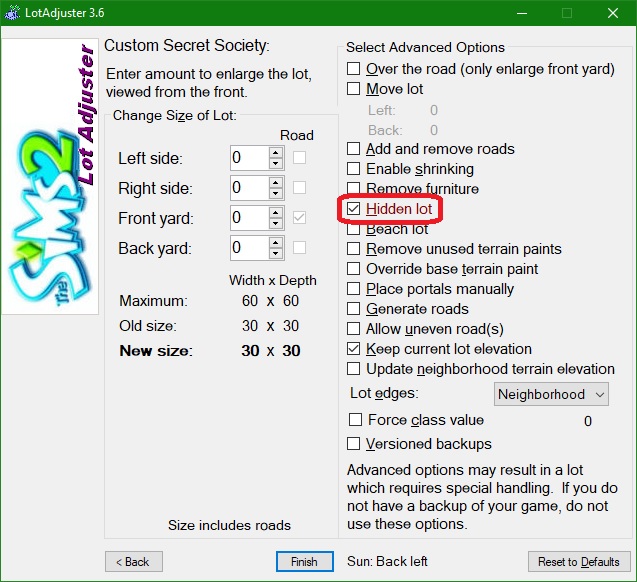
And that's it. You can check it out in-game by loading the neighborhood and checking if you can see the lot or not.
Conclusion
Placing down and editing pre-made special lots is one thing, but building one really makes the neighborhood you're making your own. These all have cheats you'll need to use, things you need to include (mostly doors), and what you need to keep in mind. Now that you've read the guide, why not try building one of these on your own! Or if you want to read more, check out more guides on The Sims 2 here.
So, what do you thing? What ideas would you like to share with others? Or any questions that need answering? Leave them in the comments below!


0 Comments
Be the first to comment.
Welcome to Sims Community!
Our community is about connecting people through open and thoughtful conversations. We want our readers to share their views and exchange ideas in a safe space.
In order to do so, we've created a simple set of rules that will improve your experience. Simply put, keep it civil.
Your post will/might be rejected if it contains:
User accounts will/might be blocked if we notice:
So, how can you be a power user?
Thanks for reading our community guidelines. Please note that we're aware of certain issues with Sign In / Log In and Create Account / Email Confirmation issues. We're working behind-the-scenes on a new Account Creation process. Thank you for your patience and remember - freedom of speech is not freedom of reach