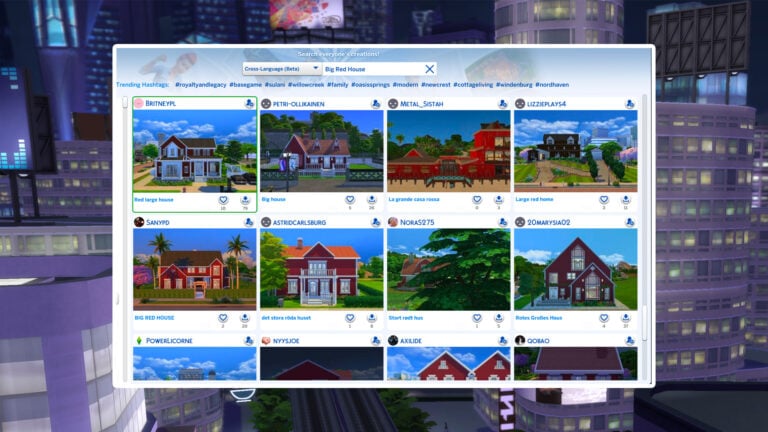
The Sims 4: New Tray Importer allows you to change Gallery Images

gallery 2447 596 38617 2

Worried that The Sims 4 Gallery will generate a bad screenshot of your Household / Lot / Room? Worry no more, because people from LuniverSims have updated their awesome program The Sims 4 Tray Importer that now lets you edit screenshots of your Gallery Creations that you can later upload!

To start off, download The Sims 4 Tray Importer HERE!

  • Extract the downloaded .ZIP file
  • Follow the steps of the install process
  • Open the program

For a full tutorial on how to replace the images and upload them to The Gallery, check out LuniverSims’ website!

gallery_2447_596_38617

Jovan
Jovan
Reticulating splines as a webmaster for Sims Community over the last 12 years. You can find me here writing articles and doing reports on your favorite life sim games, among other things!
You are logged in as

4 COMMENTS

Subscribe
Notify of
guest
4 Comments
Inline Feedbacks
View all comments
hafuhga

Thank you! I’m very happy about it!

Jaleena

Make it work AFTER the fact of the March 2016 update that marks rooms and lots uploaded with the use of the Tray Importer is marked as Custom Content and therefore is not visible in the community Gallery. Nor is it useable if you manage to download the room or lot.

Ash

Does this work on Mac cause I can’t make it work

iambulletproof

page not found 🙁

Marketplace Sets: Grandma’s Kitchen Heirlooms & European Home Power Set Review (+ Free Alternati...

Amonst the maker sets available at the moment on The Sims 4 marketplace, there are lots of items on offer which add little touches to your Sim's homes. Let'...

Free InZOI Update Coming Next Week: New Business Types, Stealing Cars and MORE!

The next InZOI update is just around the corner, and with less than a week away, the developers have not stopped the effort for transparency with the community...