Plus, The Sims Team announces a new way of Communication!
Today The Sims has announced on their Twitter profile that they’ve opened a new Twitter profile. All about the direct approach and communication with the players about The Sims’ current state of the game.
Over the last few months The Sims 4 had a rocky period of Bugs, Issues and Errors that kept popping up. The Sims Direct Communications is a new way of communicating with the players in terms of the game’s stability, server performance and more. Welcoming a better way of transparency from the team to the players.
They’ve also revealed that tomorrow, September 13th there will be a new Game Update for The Sims 4, resolving issues such as Groundhog Day, Aging and more.
Sul Sul!
Tomorrow, Sept 13, we have a game patch @ 10 AM PT resolving a few issues, including groundhog day & an aging bug.
In preparation for the patch, please remember to remove any game mods & custom content as the update may conflict with externally created content.
We are still investigating cases of the aging bug with toddlers, but we appreciate your patience as we continue working towards a solution.
[totalpoll id=”119204″]
We’ll keep you posted on all the latest info about The Sims 4’s Upcoming Update. Stay tuned!
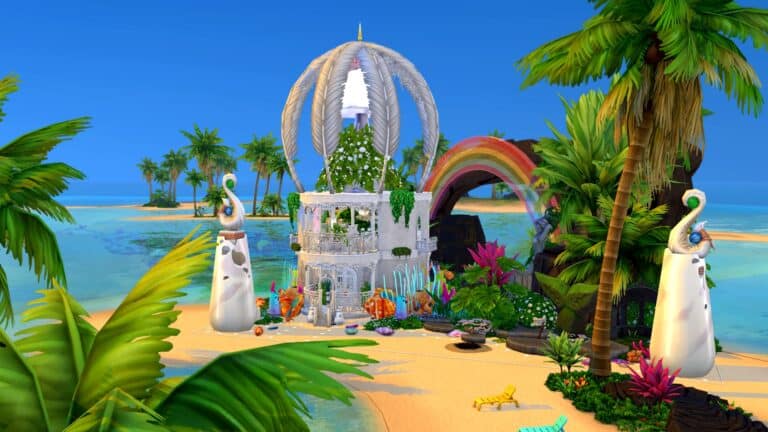
Occult players who enjoy playing with mermaids, rejoice! Your mermaids now have a shimmering water palace to call home! Witching_Mermaid has shared this truly stunning mermaid lagoon on Twitter and in her Gallery for the whole community to enjoy.
Witching_Mermaid says she was inspired by the mermaids from Peter Pan. The actual structure itself is small but highly luxurious which is perfect for a mermaid who wants to live in style but also spends a lot of time out in the ocean rather than indoors. The first floor has a beautiful fountain with steps leading down on either side. There is a washroom on one side and seating on the other. A lattice ladder leads up to the second floor where a gorgeous suite overlooks the whole lagoon. There is a bed and a buffet table here. Balconies give sweeping views of the exterior which is equally stunning.
A bright, cheerful rainbow shines over the whole lagoon and there is detail everywhere you look. The water is teeming with marine vegetation and the rocks provide your mermaids with a path to swim inside from the archway in the back.
This build is a must-have for any mermaid lover! It looks best when placed on the Sand Simoleon Beach lot in Sulani. Witching_Mermaid’s Mermaid Lagoon has no CC and you can download it from her Gallery right now!
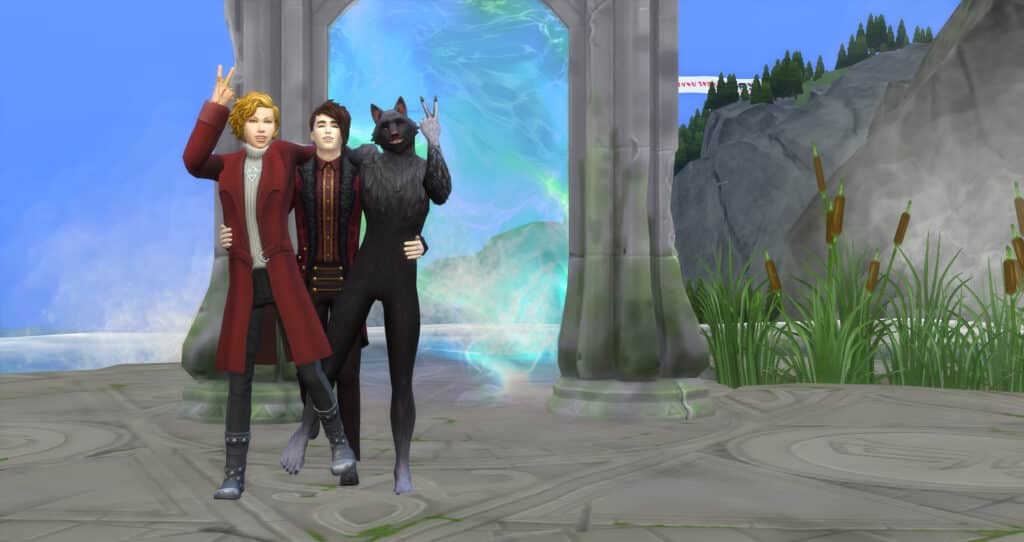
Most Simmers have a favorite Occult and now so do our Sims with SpinningPlumbob’s Occult Preference Mod!
A Werewolf that doesn’t like Werewolves? A Vampire that likes Werewolves? A Spellcaster who doesn’t like any other Occult? There are so many stories you could make out of the 7 Occult Types (+Human) through preferences!
We have been so excited to try out this mod! It introduces likes and dislikes of the different Occults within EA’s numerous packs. This includes Humans, Aliens, Vampires, Spellcasters, Ghosts, Mermaids, PlantSims, and Werewolves. Plus, it adds interactions and moodlets to further add depth to your Sim’s Occult likes and dislikes.
In CAS, you will see a new preference section between Activity and Decor named Occult Type. Click on it and it will open the options for Occult Likes and Dislikes.
Each Like or Dislike chosen in the Occult Type category counts towards the twenty Likes or Dislikes that the Sim can have.
New Moodlets
According to SpinningPlumbobs the mod includes several social interactions. These include talking about topics related to Occult Creatures, specific interactions directed at Occult Sims themselves, and also some new interactions that reference the Sim’s likes or dislikes directly.
There will be numerous buffs (also known as moodlets) added through the mod. These buffs will pop up in special circumstances. For example, seeing vampires feeding on Sims, when flirting with Occults, or when an Occult actually dislikes their own Occult!
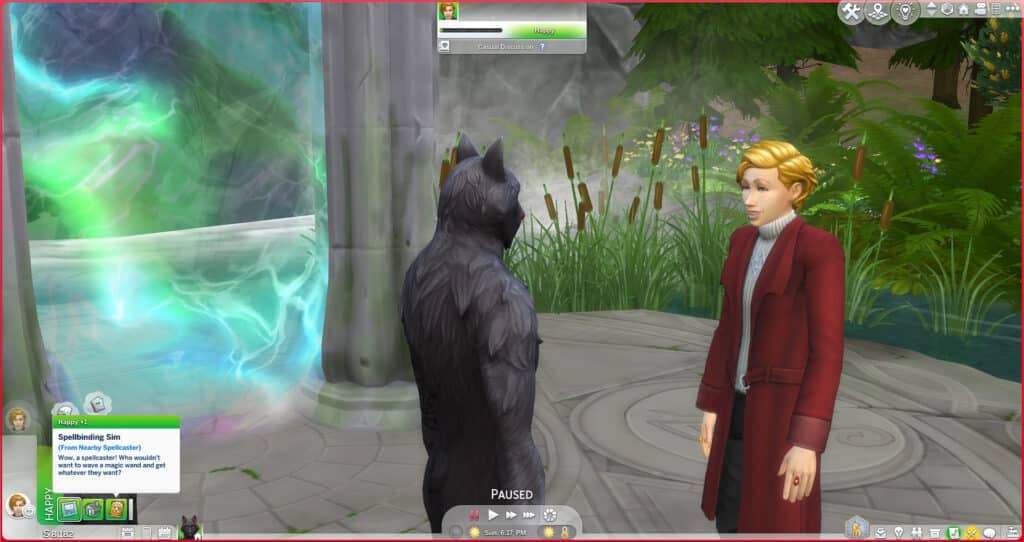
Here are a couple of examples of the new moodlets that are included within the Occult Preferences Mod.
Spellbinding Sim (From Nearby Spellcaster) Wow, a spellcaster! Who wouldn’t want to wave a magic wand and get whatever they want?
Immortal Intrigue (From Nearby Vampire) Such a fascinating creature, the vampire. Not alive, but not dead… Powerful, but graceful… Immortal and nearly indestructible…
New Interactions
When in a conversation, your Sim will have new interactions. Some of the options that we saw included “Vent About Eco-Friendly Ignorance,” “Praise Mother Nature,” “Exchange Tips for Planting Magic Beans”, “Talk About Mooncasters”, “Speak Highly of Sages,” and “Debate Theory of Atlantis.”
Some examples of other interactions that can happen due to the Occult Preferences Mod include:
Sims who dislike their partner’s Occult status are able to request that they give up their Occult abilities. The partner will then accept or decline which will affect their relationship. SpinningPlumbobs indicates that this does only apply to Mermaids, Plantsims, Spellcasters, Vampires, and Werewolves since it’s already part of the game that they are able to remove their abilities.
SpinningPlumbobs altered several interactions reflecting the outcome due to Sim’s likes/dislikes. Some examples given were “Sims who like vampires will always agree to feed vampires plasma AND can even offer their plasma willingly.” Another example he included is that Werewolves that don’t like their own Occult will not be able to turn others into Werewolves because they “don’t want to pass on their affliction.” And Sims who dislikes ghosts will always react negatively to items being possessed or when they are scared by a ghost.
A much-needed change is that Sims will now react to Occults based on their preferences. For example, if a Sim likes Werewolves, they won’t run in fear away from rampaging Werewolves, and disliking PlantSims will cause Sims to be irritated by their presence.
Future Plans
SpinningPlumbob indicates that this mod will continue to develop. It will start to include preferences for his own Occults as well as EA’s. He plans to add “interactions, buffs, gameplay, possible relationships, etc. to the mod and incorporate this mod into my other occult mods.” And finally, any future Occults will be added to the mod as well.
We are enjoying this mod so far and are excited to see where it goes next!
Want to download the Occult Preferences Mod by SpinningPlumbobs? It’s available on Patreon for FREE!
Here’s a nifty trick you should try on your next build: pull-out beds! It doesn’t require any mods or CC to make plus you could do it in less than a minute.
As usual, make sure the bb.moveobjects is on.
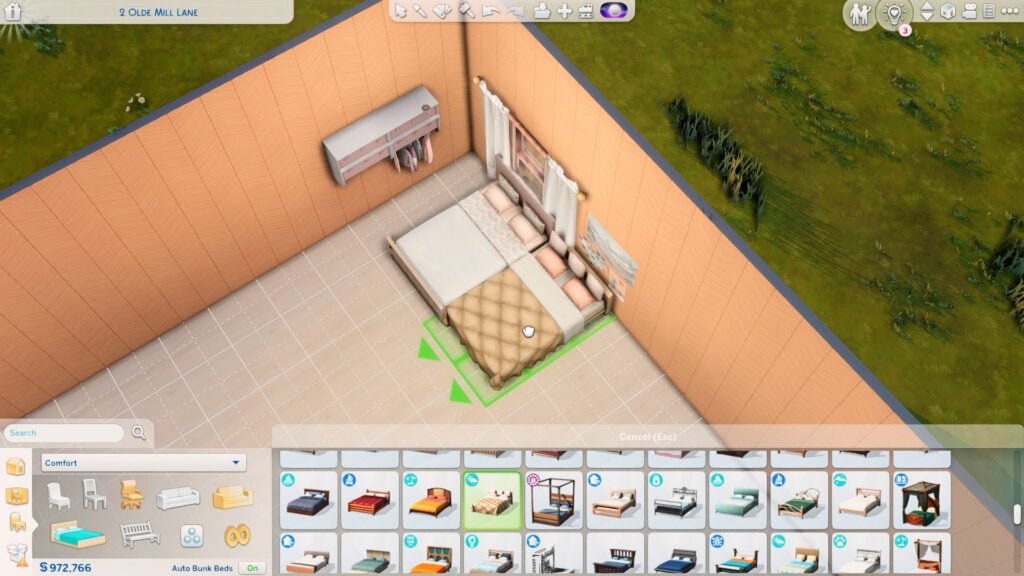
The first step is to choose the right beds for the looks. The main bed should have some space underneath it as if it can fit another mattress below. The pull-out must have a short headboard or no headboard at all.
Here’s some bed options you could use for the pull-out:
from **DEBUG**from **DEBUG**
If these options don’t look right in your build, you can just hide the headboard behind the wall or cover it with wall decor.
After choosing the beds, place the main one first and use Alt to place the pull-out bed right next to the main bed.
Next is to build at least a 2×1 room anywhere near the pull-out. It can be by the foot of the bed or by the headboard as long as the room doesn’t touch the main bed.
Click on the room and lower its platform 1 time. Doing so will bring down your pull-out bed to the ground. Then delete the walls of the 2×1 room afterward.
Note: If both beds sink to the ground, just grab and adjust the main bed back later.
To fill the hole on the floor, select the platform tool and draw out a platform tile one by one. It’s important to do this so that your pull-out bed doesn’t jump back up. Then just add back the flooring.
That’s basically it! To use it properly, select the inner sides of the beds first so your Sims can scooch over before you let a different Sim use the outer side of the beds.
Note: There should be at least a half-tile space beside both beds to make this functional, so you can’t place either bed against the wall.
This works even better on single beds since no scooching is required!
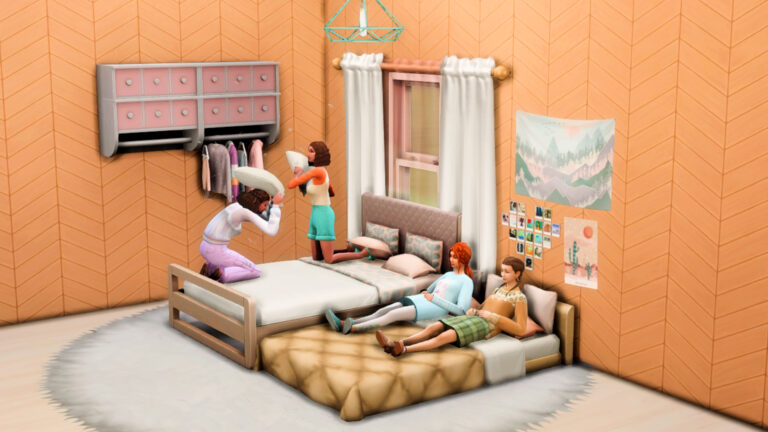
Most bed functions should work on either bed! They can sleep, nap, relax, sit, put children to bed, and even have a pillow-fight. Except for woohoo of course…
If you don’t want the pull-out bed to be there all the time, go back to Build mode and just place it in your household inventory by clicking Backspace. Do the previous steps again if you want to add it back.
This trick is perfect for slumber-party rooms or guest rooms that can accommodate up to 4 Sims. Or you could add it in dorm rooms and rentals when using single beds.
Watch this short video to see how it’s actually done!
Now that you read this, how will you use pull-out beds in your game?
Spend even more time in your Sims’ gardens with this beautiful set of garden décor!
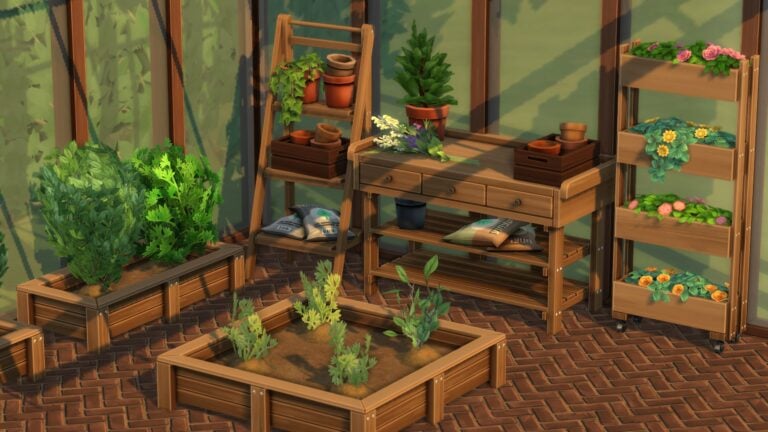
Avid gardeners are going to love this one! The Moonwood Garden CC Collection by myshunosun adds 13 new Maxis Match objects to the game to decorate your perfect green space! It includes a flower arranging table and two new planter boxes as well!
Image Credit: myshunosun
All the objects except for the flower arranging table are base game compatible. The flower arranging table requires the Seasons expansion pack.
You can check out the previews of each object down below!
Image Credit: myshunosun
Our personal favourite new object out of the whole set is the adorable rectangular planter box which can have up to two small plants planted in it. We would love to line all our garden pathways with these cute little planter boxes and fill them with all kinds of colourful flowers!
Image Credit: myshunosun
And speaking of flowers, we’re also obsessed with the decorative sprig of wildflowers and the decorative upright planter boxes literally overflowing with bright, vibrant blooms! The stacked pots and fertilizer bags are going to look fantastic in our gardens, too, and give them that touch of realism they desperately need.
You can download the full set right now for free from myshunosun‘s Patreon! Just click the button below to be taken directly to the download page!
Please note that custom content is not supported on consoles.
Make the 50/50 method simpler, faster, and not Painful.
It is one of the most dreaded terms in the Sims community: 50/50. But, do you know how to 50/50 your folder? Or if you do, do you know how to do it effectively? 50/50 is not as difficult as most people think it will be. There are tips to make it simpler and faster!
If you leave MC Command Center in your folder while checking, you will be notified if you get a last exception. You will get a last exception without MC Command Center, but you will not be notified. Before doing a 50/50, if you have a last exception, it might be faster to get help reading it.
Mods Folder Organization
Divide your folder into sections so that you can remove them if you believe they have nothing to do with the problem. For example, CAS and BuildBuy folders are nice to have and separate.
For script mods and any mods that have more than one file, keep all files together in one folder so they don’t get separated when you 50/50. Make sure they are not too deep. Script mods can only be one folder deep and package files can only be 5 folders deep. If the instructions tell you to install something a specific way, ALWAYS install them that way.
Keep your tuning mods separate from your script mods.
Know which of your mods are UI mods in case you have UI problems in your game. Then, you can start by doing a 50/50 on just those mods.
The 50/50 Method Instructions
Remove any folders that possibly aren’t causing it (you can 50/50 those folders later if the problem ends up not being part of the remainder of your folder.) These typically are CAS and BuildBuy. ONLY do this if you are certain that these items are not part of it.
Divide your mods folder in half and put one half into a To Test folder. Start your Game.
If the bug doesn’t happen, put the mods in your Mods folder into a Fine folder. Then, test half of the To Test folder.
If the bug does happen, divide your Mods folder in half and put half of it in the To Test folder. Start the process again.
Keep dividing/testing the contents of your Mods folder until it’s empty. Then put half of the To Test folder inside your mods folder and start again.
Eventually, you will be left with an empty To Test folder and only a mod in your Mods folder that is causing the problem.
When both your Mods folder and your To Test folder are empty and you’ve removed the broken mod, you can put your Fine folder into your Mods folder for a final test to ensure those mods work.
Note: Make sure to delete your cache every time you delete and add mods. Depending on the error, you might need to start a new game every time you load your game. Otherwise, the bug might still be active in the save and you won’t be able to tell if it was removed.
The 50/50 Method Flow Chart
Below is a flow chart from The Sims Wiki that explains the process. (Hint, it is not necessary to put the folder containing the suspect files in your Downloads folder. You can also put it, for example, on your desktop.)
What to Do If It’s Not Working?
If the method not working, one of the main reasons could be a mod conflict. Read the information provided by each Modder. Often, Modders will provide a list of mod conflicts for their mods in the information on their website, Tumblr, or Patreon. If not, try to get as few as possible mods while the bug is still happening and then remove mods one by one.
This only needs to be done if the method is not working otherwise.
Another possibility is that the error that you are receiving could not be triggered every time you open the game. This makes the 50/50 method very difficult. If this is the case, I would highly recommend going over all the literature provided with your mods, making sure you have only one of each mod installed and that it is the most recent version, and that you have any Last Exceptions looked at by someone that can read them.
Need to Know What Mods Broke?
Check our Discord Server! We have a channel with the Deaderpool Mod News feed that will let you know about most of the mods that have broken recently. Join Here!
Do You Use the 50/50 Method and Has It Been Helpful to Solve Your Mod Bugs?
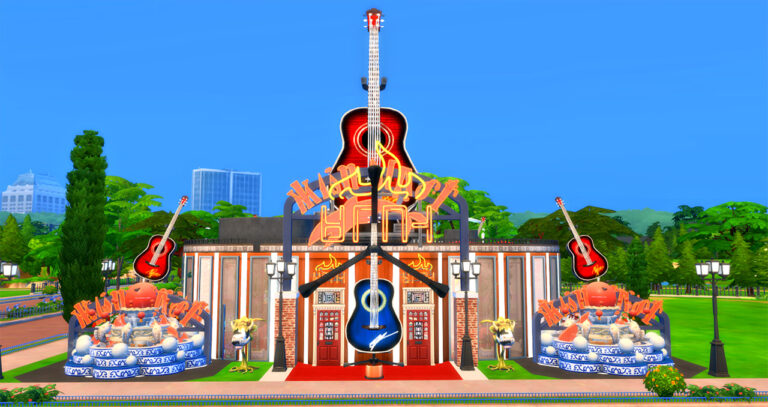
And by serving drinks, apparently. This build is truly unique. It uses guitars as its main inspiration. Not only are there guitars as actual decoration pieces, both normal size and sized up, but the building is shaped like a guitar with a fingerboard on both the inside and outside of the building. Bathrooms represent the tuning pegs at the top of the guitar.
On the inside of the nightclub, there are seating areas, a bar, and a place to dance. Custom (No CC) paintings of various rock-related topics are placed around the building. On the outside, there are decorative features that included sized up guitars and other decorative items like fountains.
Gallery Information
Gallery Lot Name: Guitar Rock Café Creator: BabethPastyrik Lot Price: 331,373 Lot Type: Nightclub Facilities: 6 bathrooms Lot Size: 40 x 30 Lot Traits: Convivial, Great Acoustics, Up-and-Coming Hotspot
Important Information
This build has No CC but it does have Custom Paintings. These can be downloaded without having them in your game. This is still a No CC builds.
Make sure to have bb.moveobjects on when you place the building.
Description:
A splendid guitar-shaped nightclub, bar, café, dancing, you can dance on the roof or inside, you can play the guitar, the piano, sing karaoke, play cards, and bask in the jacuzzis on the roof, play ping pong and more activities,!, it’s party time! (the pianos were kindly donated by the Piano Bar) #cafe #hardrockcafe #pub #club #disco #dj #gettogether #getfamous #karaoke #bar #guitar #dancing #fountains #piano #smallpiano #cowplant #babethpastyrik paintings are from #juwels64 #jlewi38 #koaleigh
You can download the Guitar Rock Café by BabethPastyrik on the Gallery! Download today!
Disney Dreamlight Valley is the latest officially licensed Disney game by Gameloft to come onto the life simulation scene. It launched in early access on September 6th for people who purchased a founder’s pack but will eventually launch as a free-to-play game sometime in 2023.
I purchased the ultimate edition founder’s pack because I have zero self control and had the pleasure of being one of the first to play it yesterday. I became obsessed almost immediately and I attribute a lot of that obsession to the fact that it scratches my Sims itch and provides other gameplay that The Sims doesn’t have. So to me, it’s the best of both worlds!
So let’s talk about what makes Disney Dreamlight Valley similar and different from The Sims! This article is not meant to compare the two in any competitive way. It’s simply an exploration of two similar games that I happen to enjoy!
And yes, I know Animal Crossing can also be compared to Dreamlight Valley; however, this is a Sims fansite, not an Animal Crossing fansite so I’ll be focusing on The Sims here.
Character and Home Customization
Living, Dining, & Kitchen
Dreamlight Valley and The Sims both feature pretty powerful customization tools! We can design our avatar/Sim the way we envision them and dress them in a wide array of beautiful clothes, accessories, and makeup. Likewise, we can also furnish and decorate our home to make it truly ours.
Dreamlight Valley takes customization a step further by allowing us to add our own custom designs to our clothes and allowing us to customize the entire town we live in; both things that we cannot do in The Sims 4 but The Sims 4 does have an edge over Dreamlight Valley with more powerful body and face customization options and the freedom to build our dream home from the ground up instead of just decorating an existing space.
Recognizable Characters
Image Credit: Remi Marocelli
Just like Mickey Mouse is an icon in the world of Disney, so is Bella Goth in the world of The Sims. Diehard fans of both Disney and The Sims will instantly recognize many familiar faces from past titles when exploring The Sims 4 and Dreamlight Valley. For new players, it’s an opportunity for the player to discover new faces; for veteran players, it’s a delightful reunion of all your favourite fictional people.
Both Dreamlight Valley and The Sims 4 are alternate universes, too! So you’ll find Disney characters from many different films and series all in one place, just like you’ll find well-known Sims from previous Sims titles all in The Sims 4 despite chronological timeline discrepancies.
Lucrative Hobbies and Sandbox Play
Fishing and gardening are guaranteed ways to get rich in The Sims 4 without ever actually having to hold down a job. The same is true in Dreamlight Valley which is an especially good thing because… there are no jobs in Dreamlight Valley. Everyone spends their days tending their gardens, fishing, and foraging for what they need and when they have too much of something, Goofy’s always willing to buy your goods from you at his stall for some star coins to spend on valley upgrades and neat stuff in Scrooge McDuck’s store.
Even though there is a storyline to follow in Dreamlight Valley, there is nothing stopping you from just taking a break to do whatever you want for as long as you want. It can be as much of a Sims sandbox experience as you want it to be once you’ve played through the first few quests to get the essentials up and running.
As for your job? Well, your only job is to save the Valley from the Forgetting, which brings us to our next point.
Questing!
This is where The Sims and Dreamlight Valley diverge from each other in a very significant way. While The Sims 4 does have optional scenarios and certain DLC packs that are more story-based with specific tasks you need to complete in order to advance the story, it has always been and remains to this day, primarily a sandbox experience.
Not so in Dreamlight Valley. As mentioned, you can certainly play in a sandbox style. Nothing forces you to continue the story. I spent hours doing nothing but fishing and tending crops to sell to Goofy yesterday, but you’ll get the most out of the game if you participate in the monthly events and complete quests. In fact, it’s necessary to unlock certain essentials, like Remy’s restaurant and Scrooge McDuck’s store. You’ll also need to play through the quests to unlock new areas in the game and meet new characters.
So while Disney Dreamlight Valley can be a sandbox if you want it to be, you’ll probably find yourself doing some questing to open up new things in the game.
Family Life
Since Disney is a family-friendly franchise that caters to small children as well as adults, it’s safe to say that Disney Dreamlight Valley does not allow you to build romantic relationships, get married, or have children. This is an aspect of The Sims that is completely nonexistent in Dreamlight Valley.
Because of The Sims 4’s T rating, it has more freedom to explore more adult themes. Therefore players can fall in love, WooHoo, get married, and raise a happy or dysfunctional family as they please.
As a huge family player, I think I will always want to play The Sims for this reason alone; however, I’m not disappointed by its exclusion in Dreamlight Valley. It makes sense for the type of game it is and its target demographic, plus its emphasis on building friendships is equally as fulfilling and rewarding for me as a player.
So which game is better?
Neither, silly! It’s not a competitive comparison, remember? They’re both awesome in their own right. Their similarities make them both an enjoyable playing experience for the same type of gamers, and their differences are just a really good reason to continue playing them both!
Have you played Disney Dreamlight Valley yet? What would you add to this list? Let us know in the comments but remember; it’s not a competition! Just an exploratory discussion.
We’ve told you how to make your own Principal’s Desks, but this time we’re explaining how to design your own faculty lineup! Janitor, Cafeteria Worker, Principal, and both Teachers included!
One thing that has been frustrating from the beginning about High School Years is the lack of customization. Although modders have done a lot to customize the school day, it’s sometimes nice to be able to customize a save without the use of mods. Here is how to replace the current faculty with Sims that you choose. Note: These sims do need to be the correct age for this trick to work.
Adding New Faculty
Place the faculty you want in either one household, the easiest way, or in multiple households.
Through manage worlds, enter each household and enter a cheat for each faculty member.
Teacher 2: traits.equip_trait trait_Hidden_HighSchool_NPC_Teacher2Note: Principal is spelled wrong in the cheat. This is how it needs to be spelled.
Do not travel with these sims. Go back to Manage Worlds and remove them from your favorites by selecting them in My Households within Manage Households. Then, click the Plumbob on the bottom of the pop-up screen. Finally, press the heart in the family’s box inside My Households so they’re no longer a favorite. This marks the household no longer as an NPC.
Removing Previous Faculty
To stop the previous faculty from showing up in rotation, you’ll need to use those same cheats, but with remove instead of equip.
Experience the classic GBA game all over again… in The Sims 4!
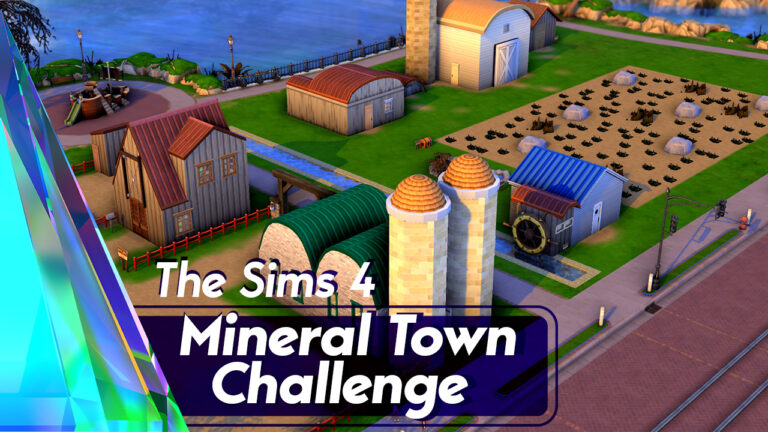
Does anyone remember Harvest Moon? The adorable farming game series where you could find a spouse and raise a family all while building up a successful farm? No, I’m not talking about Stardew Valley. I’m talking about the series that inspired Stardew Valley. Specifically, I’m talking about Harvest Moon: Friends of Mineral Town, originally released on the Gameboy Advance back in 2003. It’s since been remade on the Nintendo Switch and PC as Story of Seasons: Friends of Mineral Town.
I’ve loved Harvest Moon since its inception back in the 1990s. I’ve grown up with the series and then made the switch to Story of Seasons after Harvest Moon’s developer split from its North American producer to continue the series under a new name. Friends of Mineral Town was always one of my favourite titles but like with a lot of my other favourite games, I find myself wishing for more freedom. More customisation, more choices when it comes to marriage candidates, just more ways to live my farm life the way I want.
That’s when I usually decide to recreate my favourite games in The Sims. Sometimes, I even make new saves and write challenges to go along with them. Like now!
If you’ve ever wanted to turn The Sims 4 into a Harvest Moon/Story of Seasons game, then oh boy! This challenge is for you!
Welcome to Mineral Town!
Objective
Move into the empty, run-down farm in Mineral Town and turn it into a thriving, profitable farm with a fully cleared out field, a minimum of 5 animals (or 1 cow, 1 llama, 8 chickens if you are playing with Cottage Living), and an upgraded house with a full kitchen and two bedrooms. Marry someone from Mineral Town and have at least one child.
Cats and Dogs OR Cottage Living (you don’t need both, just one or the other) are required to play the challenge. All other packs are optional; however, the builds do use content from quite a few packs. You may replace any missing content in the save with stuff you do own.
Load up the Mineral Town save and create one starting Sim and either one dog or one cat to start with. Your Sim and pet can have any appearance, traits, voice, walk style, and gender settings you like. Your Sim’s gender identity will not limit your spouse selection or prevent you from completing the challenge. You may not use the CAS stories to pre-assign skills, money, or careers.
Use the cheat “freerealestate on” to purchase the Mineral Town Farm. Then use the cheat “money 1500” to lower your starting funds to 1,500 simoleons.
You will need to either put market tables with seeds at the Supermarket or turn the Supermarket into a retail lot owned by Jeff and Sasha. You can move/change anything you like in the Supermarket to make it functional for customers but don’t delete the seed packets (you may move them around; I think I used debug cheats to place them in straight lines which may not be good for retail functionality). Your Sim will need them for the challenge.
General Rules
No cheats except when the challenge tells you to use cheats.
Your farmer cannot have a job, but can register as a self-employed farmer. All their income must be from their farm. They cannot play the Lottery.
You cannot hire any NPCs. No maids, nannies, food delivery, caterers, gardeners, butlers, or repair technicians. This challenge is all about doing the hard work yourself.
You cannot replace broken stuff. You must repair it yourself.
You cannot purchase seeds from planter boxes or the build/buy menu. You must go to the Supermarket to purchase what’s in stock.
You cannot build a greenhouse or shelter your crops. You must plan out your fields according to the season and work with the weather.
You may not use the auto-feeding dishes or auto-cleaning litter boxes for your animals. You must feed and clean up after your animals yourself every day.
If you own Eco Lifestyle, you may use dew collectors, wind turbines, solar panels, and other eco-friendly objects to create a green farm.
If you own Cottage Living, you’ll be playing with slightly different rules; instead of owning 5 cats/dogs painted to look like farm animals, you must own a minimum of 1 cow, 1 llama, and 8 chickens to satisfy the animal requirement.
Mods like KawaiiStacie’s My First Farm Animal, icemunmun’s chicken coop, and the increase household limit function in MCCC are allowed, but optional. They’re not required for the challenge.
Reviving Your Farm
When you first arrive at the farm, you’ll see an overgrown field full of weeds, stumps, and rocks. You may delete all the weeds right away on your first day to make room for crops, but stumps cannot be deleted until your farmer reaches 3 Handiness skill and rocks cannot be deleted until your farmer reaches 4 Handiness skill.
The chicken coop and barn you start out with is just barely suitable to house animals and there is no fenced-in outdoor area for them to roam around in. You will need to upgrade the chicken coop to have enough pet dishes, litter boxes and beds for every small bird you own and they must have a fenced in area outdoors near the coop with toys, a scratching post, and a cat tower. The barn must be upgraded to have enough pet dishes and beds for every large farm animal you own and they must have a fenced-in outdoor grassy area near the barn with toys and obstacle course equipment. If playing with Cottage Living, you may replace the default coop and barn with the Cottage Living coops and barns but all animals must still have a fenced in area to roam around and be kept happy and healthy.
It’s up to you whether you want to remove crops that are out of season and replant them the following year or whether you want to let them stay dormant. Both offer pros and cons. You can keep fertilizing the same crops to increase their quality over time (and their profitability), but having so many dormant plants in your field takes up valuable space you could use for crops that are in season and producing goods. You may plant and sell overgrown crops if you own Cottage Living.
You will need a minimum of 5 animals on your farm before you can get married. They can be any combination of cats/dogs that have been painted to look like farm animals. Cows, horses, chickens, ducks, sheep, pigs, any livestock you can find in the Gallery, you can have on your farm. If you own Cottage Living, you need 1 cow, 1 llama, and 8 chickens instead.
You cannot add new animals to your farm directly from the Gallery for free. To “purchase” new animals for your farm, you must add them either to the Poultry Farm or Yodel Ranch, then transfer the animal to your farm using the split and merge tool in Manage Worlds. When you do this, transfer the appropriate household funds to the Poultry Farm or Yodel Ranch as your payment for the animal. *** Chickens and other small birds – 1,000 each *** Sheep, pigs, goats, and other medium sized livestock – 2,000 each *** Cows, horses, and other large livestock – 3,000 each *** Exotic animals (llamas, alpacas, emus, ostriches, etc) – 4,000 each If you own Cottage Living, you can just purchase the chickens and barn animals from their shelters as normal.
If you’ve purchased a male and a female of an animal, you may also breed them yourself on your farm to save money. You may only breed animals of the same type (a hen and a rooster, a cow and a bull, a mare and a stallion, etc) so even if both animals are “dogs” or “cats,” they must still be the same type of livestock in order to breed. No breeding a cow with a horse or a chicken with a duck, for example.
There are two ways you can make money off of animals. 1) Using the My First Farm Animal mod to have them produce milk, eggs, and wool. 2) Breeding and selling animals for profit. With Cottage Living, you may sell the milk, eggs, wool, and any other products made from your animals’ byproducts.
If your animals get sick, you must take them to the vet and pay for the most expensive treatment. If you cannot pay for the most expensive treatment, you fail the challenge. If you own Cottage Living, you fail the challenge if any of your animals leave due to neglect. Animals that die of old age do not count against you.
If any of your cats/dogs get taken away for neglect, you fail the challenge. Runaway cats/dogs do not count for this. Animals that die from old age don’t count, either.
Marriage
You are not limited to the marriage candidates from the original game. You may marry anyone in town who catches your fancy, but they must be a Mineral Town character. You cannot marry a townie or a Sim you created yourself.
You can marry anyone of either gender, regardless of your farmer’s gender.
You cannot get married until the following requirements have been met: 1) Your home has been upgraded to have a full kitchen and a bedroom with a double bed. 2) Your field has been fully cleared of weeds, stumps, and rocks. 3) You own a minimum of 5 animals and your coop/barn have been upgraded to accommodate all of them as well as fenced-in outdoor areas for them as outlined in the Reviving Your Farm section. 4) You are dating the person you want to marry and have maxed out romance and friendship with them. 5) You have maxed out friendship with all of your future spouse’s family members (or closest friends if they have no family). 6) You have gone on a minimum of 4 gold level dates with the person you want to marry. 7) You have received a blessing from the Harvest Goddess. To do this, simply become friends with her and give her a hug. If she casts a positive spell on you, this will also satisfy this requirement. If you choose to marry the Harvest Goddess, you must get a blessing from Kappa, instead.
Your spouse can have a job and can help you on your farm and around the house.
You cannot divorce your spouse during the challenge but once you’ve finished the challenge, feel free to cause all the marital drama you want.
If your spouse dies, you must remarry and satisfy all the marriage requirements over again for the new spouse. You must have a child with the new spouse and raise him/her to the child age, even if you already have a child with your previous spouse.
Children
You must have at least one child with your spouse to complete the challenge. If you have twins or triplets, all the rules in this section apply to all children. You cannot cheat to reduce the number of children you’re having! You get what you get!
You cannot have a child until you are married and have upgraded your house again to add a second bedroom.
You can have a child either through Try for Baby or adoption. Adopted children must be adopted as babies.
Your child must age up naturally. No shortening the lifespan or manually aging them up when they get annoying.
To finish the challenge, you must successfully raise your child from a baby to a child.
Your child can help you feed and care for the animals when they become school-aged.
If your child is taken away by social services for any reason (either poor grades or neglect), you fail the challenge.
If your child dies, you must have another child.
Completing the Challenge
You are officially finished the challenge when:
Your field is cleared of all weeds, stumps, and rocks.
You own a minimum of 5 healthy animals. (Or 1 cow, 1 llama, and 8 chickens if you own Cottage Living)
Your chicken coop has enough litter boxes, beds, and pet dishes for each small animal you own and you have a fenced-in outdoor area for your small animals with toys, a scratching post, and a cat tower. This is not needed for Cottage Living animals.
Your barn has enough beds and pet dishes for each large animal you own and you have a fenced-in outdoor area for your large animals with toys, grass, and obstacle course pieces. This is not needed for Cottage Living animals but they do need a fenced in area and to be kept fed and happy.
Your house has been upgraded to have a full kitchen and two bedrooms, one with a double bed.
You are married.
You have at least one school-aged child with your current spouse.
Failing the Challenge
You fail the challenge if:
Your farmer dies.
Any of your animals are taken away due to neglect.
Any Cottage Living animals leave due to neglect.
You cannot pay for the expensive treatment for a sick animal.
Any of your children are taken away due to neglect or poor grades.
You break a challenge rule and cheat or do things before you’re allowed to.
I will not answer questions about whether you’re allowed to do this or that in the challenge or questions asking me to update for new packs. It’s your game and I’m not the challenge police. Just use your best judgement and have fun! I won’t be updating the challenge unless I feel there’s been enough significant additions to the game that would drastically affect this challenge.
This challenge was created before the remake came out so all builds and characters are based on their original designs from Harvest Moon: Friends of Mineral Town on the GBA.
A full look into the upcoming Build Kit for The Sims 4!
The Sims Team has announced a few days ago the upcoming release of two new Kits for The Sims 4. The First Fits Kit, a CAS Kit dedicated to Children Fashion and Desert Luxe Kit!
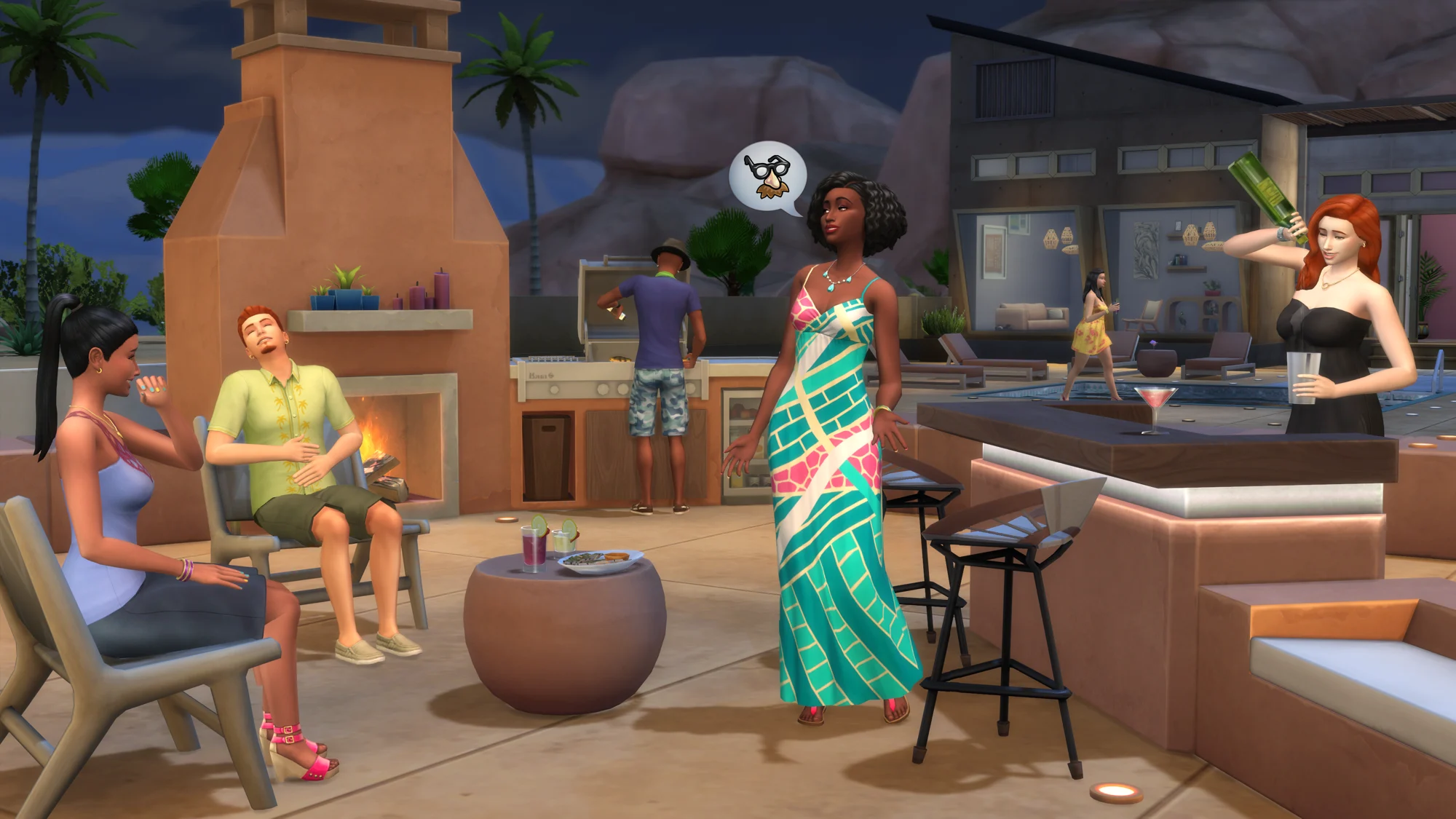
The Desert Luxe Kit is the upcoming Build Kit for The Sims 4 that focuses primarily on luxurious objects that you’d want to use. Well. Specifically in the deserts – or Oasis Springs and/or StrangerVille.
Wondering what’s coming with the latest Build Kit? Player @Simmatically was able to uncover the full contents of the upcoming Kit Release.
Here’s the full Build Catalogue coming with the Kit:
What are your thoughts on the new objects coming with The Sims 4 Desert Luxe? Let us know in the conversation below!
Be transported to a whimsical world of wicker furnishings and houseplants with this free CC pack!
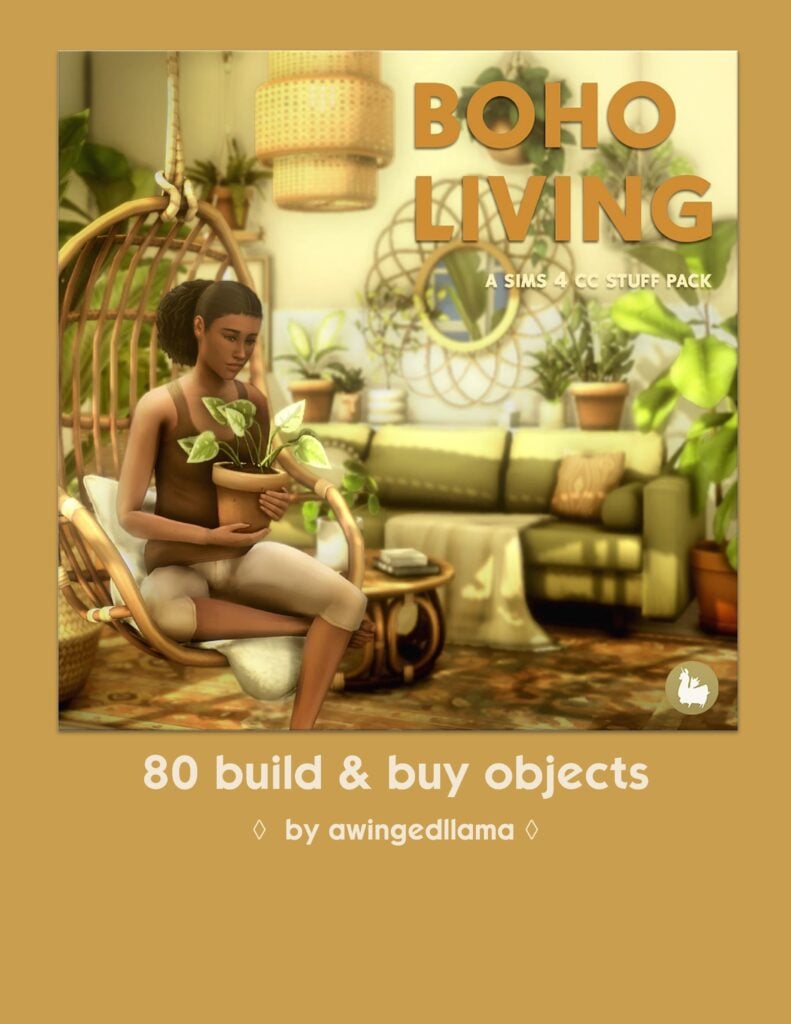
Hippies, plant parents, and boho fanatics rejoice! You can now furnish your homes with oodles of plants, wicker furnishings and fixtures thanks to this huge CC collection by awingedllama!
Image Credit: awingedllama
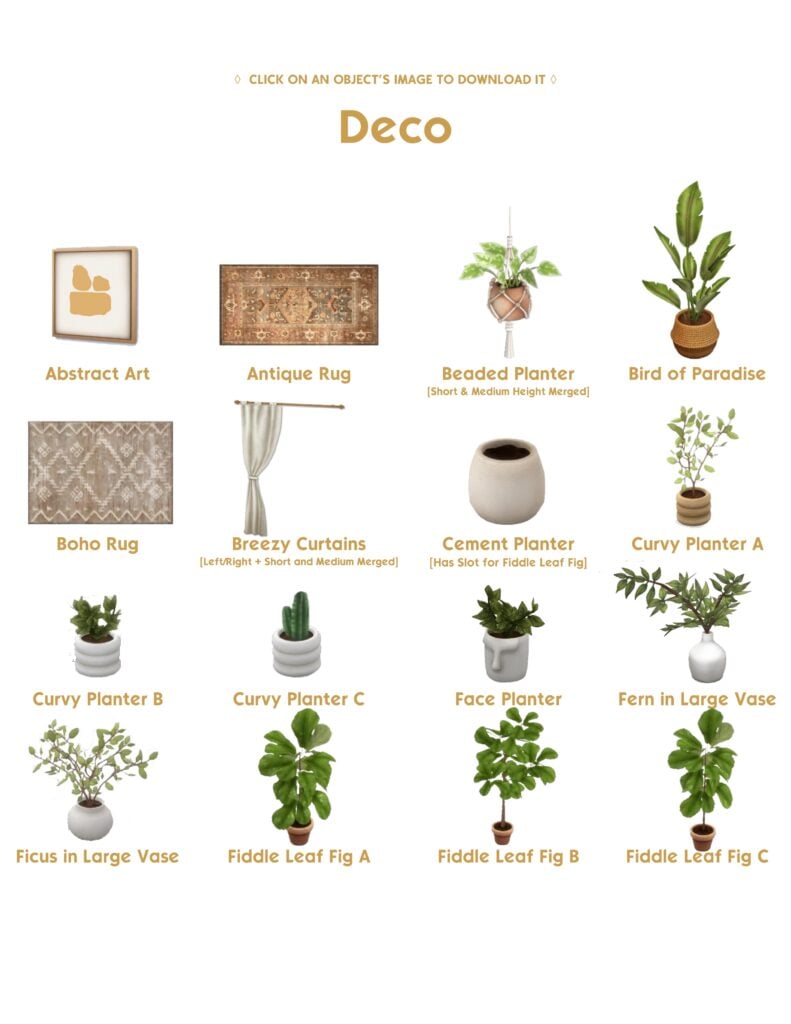
The set comes with 80 new items to furnish your Sims’ homes and they are all base game compatible and 100% Maxis Match! There’s a huge variety of new items from houseplants to beds and couches to rugs to light fixtures, shelving, and more!
Let’s take a look at the official previews from awingedllama‘s Patreon!
Every item looks stunning and they all match so perfectly with each other that you could definitely furnish your entire home using these items. There’s a large variety of objects in many different categories so there’s no shortage of unique pieces to create the perfect bohemian getaway for your Sims!
Our personal favourite items in the collection are the rattan and wicker baskets, the hanging chair, all the accent pillows, and the hanging plant shelves! I’m also fond of the cane shelving, as it looks similar to a shelf my mom had in my childhood home growing up. It brings back great memories!
You can download the entire set for FREE right now on awingedllama‘s Patreon! Just click the download button below to be taken right to the download page!
Please note that custom content is not supported on consoles.
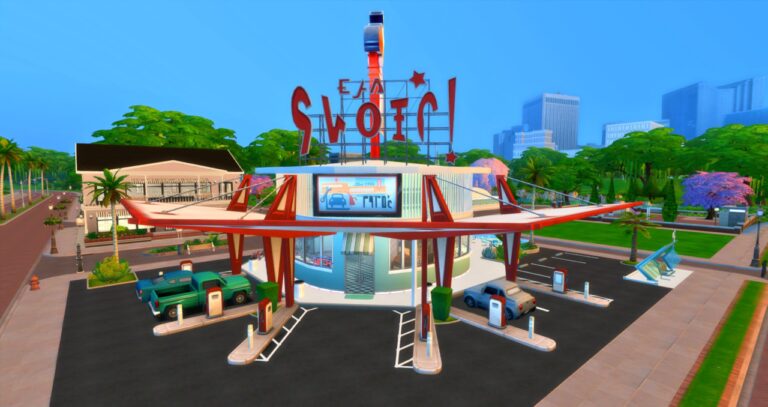
Welcome to Pinky’s Diner! This 1950’s themed diner is the perfect place for your teen Sims to hang out. The only thing missing is roller skates!
Everything about this build screams 1950’s diner and that’s what we love about it! The restaurant has two areas to sit and eat—inside the main restaurant and the outside terrace. Need a souvenir? You can use the photo booth!
Inside, the color scheme uses both muted green and muted pink. Even the floor matches! And when you need gas or want to hop on the bus, well, you can pose and imagine they exist in The Sims 4.
Photos
Gallery Information
Pinky’s Diner EA ID: beetlemp3 Lot Cost: §125,946 Lot Size: 40 x 30 Lot Type: Restaurant Rooms: 0 Bedrooms 1 Bathroom Lot Traits: Sunny Aspect and Romantic Aura
Description
“Dont be a square! grab your dreamboat and paper shaker and pick up some apple pie and a little backseat bingo at pinkys #diner. you’ll be havin a ball! #retro #1950s bb.moveobjects on Also you have to zoom in a bit to be able to click things thats all enjoy!”
You can download Pinky’s Diner by beetlemp3 on The Sims 4 Gallery! (Make sure to turn bb.moveobjects on before placing the lot.)
Our most recent Sims Community Challenge focused on our younger Sims! In honour of the release of The Sims 4 Little Campers Kit, we tasked the community with sharing a short story and a screenshot showing their younger Sims on an adventure. It could be any adventure they wanted, and we were not disappointed to see and read what players got up to!
Firstly, let’s congratulate our three winners for this challenge by taking a look at their entries!
Heather Local Oracle
Mary and Izeka are on their first “date”!(an overnight camping trip in the woods of Henford) But wait, who’s lurking in the shadows? Is that Bigfoot? :00. Oh, wait, it’s just Mary’s overprotective mother trying to give them an early Halloween scare (while also watching over them ofc). What a magical evening! – Heather Local Oracle
LilCat
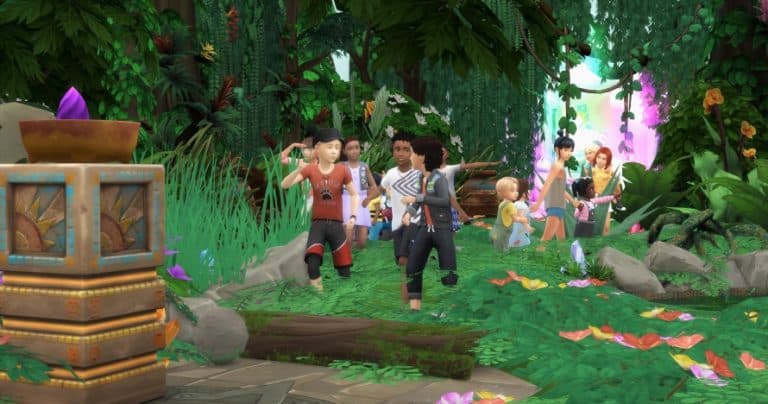
When the kids were forced to babysit the toddlers while the mums had coffee, they didn’t know what to do but all of a sudden a magical portal appeared on the bedroom wall!! of course, they all walked right into the portal and got transported to some kind of jungle full of ruins!! An adventure of a lifetime! – LilCat
SushiCat
The kids went on a camping trip together. While walking through the woods around the campsite, they slipped and fell into a hole. When they opened their eyes, they found themselves in the dining room of the spooky Queen Bear. The cakes on the table looked delicious. They sat down at the table and began to eat the cake. But what is this creepy sound? Queen Bear called out to the kids; “Who wants to play?” – SushiCat
Thank you again to everyone who took part in this challenge! Here is a closer look at all the entries from this Sims Community Challenge!
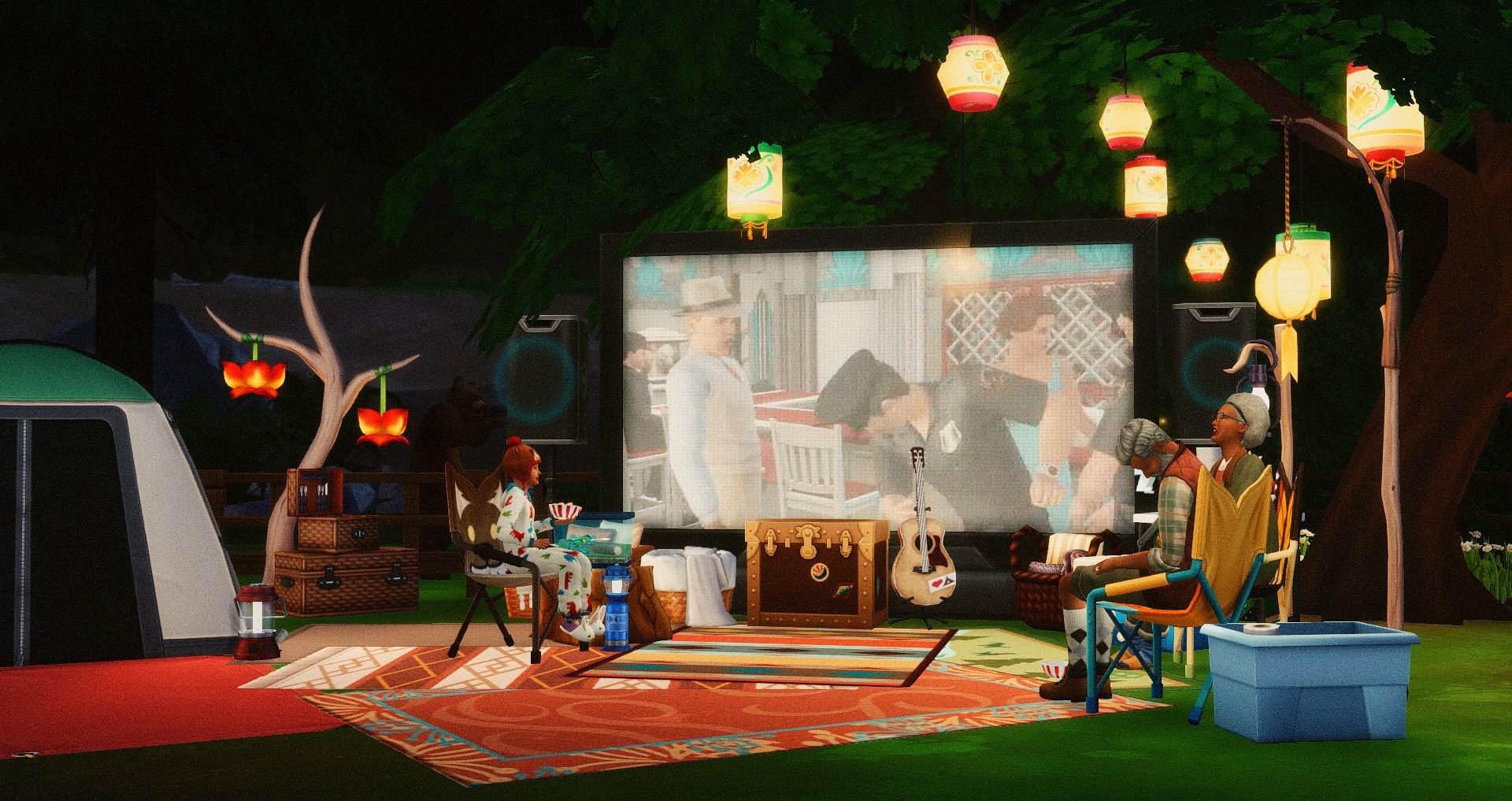
A new summer camp has opened up in Henford-on-Bagley and all the kids have had so much fun playing in the water and eating snacks, but now that it’s the night everyone gathers around for a campfire and movie! – NeonshadowWhen camping there’s nothing better than the feeling of ditching your little brother and fishing with a bear on a warm morning in granite falls. – Roxy26On an adventure to make a new friend! – VibbiaFinally, is the end of the school and the start of the summer holidays! The kids decided to meet and make marshmallows in the local park. They have a tent, a swing and everything is just perfect. – ElithesimsSpeaking with the dead is a fun adventure. Especially when your Sim glitches out. – BaradorableReunited with his kids, Chris is determined to give them a fun adventure, even if it’s only in the back garden. With cosy blankets, a warm fire, snacks and the promise of ghost stories later… even Dads singing cannot ruin the night for the Howard children – BridgeJessie and his grandparents camping in the backyard of their cabin at Granite Falls – iminyourwallsAfter a morning of sightseeing and browsing around shopping malls, Anna and her toddler Grace found a local park, so they could sit down and have a picnic – wandasoloslmao After a week trying their hardest, they take a break at the public pool While big sister sunbathes, the little ones have a great time on the pirate ship What treasures will they find in the depths? – Libersims
Thank you again to all those who took the time to enter the challenge! We look forward to sharing a new Sims Community Challenge soon!
I wish that I could be like the cool kids, ’cause all the cool kids, they seem to fit in…
A new CAS kit is here and you know what that means! It’s time for another lookbook! Let’s give kids the attention they deserve with these First Fits Kit-inspired looks!
All our looks for this lookbook are CC-free and only use First Fits, the base game, and a maximum of three other packs.
Mini Rebel
So you wanna be a rockstar but mom won’t let you wear what all the rockstars are rockin’ these days, huh? Not to worry, you can still show off your edgy side with this red and black ensemble that’s still mild enough to be mom-approved… but don’t tell the kids at school that. It’ll ruin your rebellious image.
Accessories: Socks and Digital Watch (First Fits Kit) / Nails (Base Game)
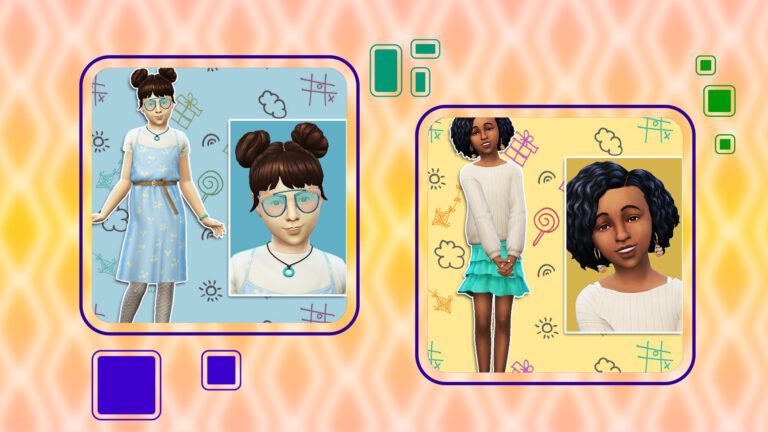
Flower Child
Some kids just want to frolic in a field of daisies all day and draw flowers and rainbows all over everything. This look is for them. Show everyone at school your soft, delicate side with this floral-patterned baby blue dress complete with sparkly leggings and emerald-studded shoes.
Hair: Double Buns (Eco Lifestyle)
Outfit: Belted Sleeveless Dress Layered Over Tee (First Fits Kit)
Bottom: Neon Shorts (Backyard Stuff)
Shoes: Jewel-Studded Flats (Spooky Stuff)
Accessories: Glasses, Leggings, and Digital Watch (First Fits Kit) / Necklace (Get To Work)
Chill Vibes
When you just want to chill out max and relax all cool. Y’know, just shooting some b-ball outside the school. This look has you covered. It’s the perfect chill vibes for just hanging out around the neighbourhood. Other kids will look at you and say “Wow, they look so chill! I want to be friend with them!”
Hair: Long Shaggy Mop (Base Game)
Top: Button-Down Hoodie Layered Over Tee (First Fits Kit)
Bottom: Scuffed Up Jeans (Get To Work)
Shoes: Lace Up Ankle Boots (First Fits Kit)
Accessories: Hat (First Fits Kit)
Best of Both Worlds
Want to look put together but still be able to play tag? This look is for you! Combining a skirt and long sleeve twist shirt with a pair of bright turquoise shoes gives you style on top and the running ability on your feet. Just like if a graceful swan got the running power of a pair of sneakers.
Hair: Black Twists (Seasons)
Top: Solid White Twist Shirt (First Fits Kit)
Bottom: Frilly Skirt in Solid Mint (Base Game)
Shoes: Solid Turquoise Sneakers (Base Game)
Accessories: Copper Drop Hoop Earrings (Holiday Celebration Pack- Free), Short Round Mani in Contrast Blue (Base Game), and Short Turquoise Solid Socks (Base Game)
Alternative Kid
Wearing black is a lifestyle and you have to start young! With this look, we chose a casual black dress with a brown belt around the waist. Then, a pair of purple sneakers to go with matching black, sparkly leggings. Add some accessories and Wednesday Addams might even want to be your friend. It’s perfect for your aspiring goth, gamer, or even an aspiring chef.
Hair: Long Braided Pony in Red (Snowy Escape)
Outfit: Long Dress in Black (First Fits Kit)
Shoes: Solid Purple Sneakers (Base Game)
Accessories: Solid Black Braided Wrist Band (Base Game), Short Round Mani in Contrast Pan (Base Game), Smart Watch in Solid Black (First Fits Kit), and Sparkly Leggings in Solid Black (First Fits Kit)
Vest Day Ever
Is it Wednesday? This pink ensemble brings both the style and the comfort to any situation that a kid might encounter. Shopping? Spending time out in nature? Perfect! We’ve got the outfit. Solid pink sweatpants will help keep any kid nice and warm in the fall and winter months. And the fashionable vest over a normal t-shirt adds a bit of fashion to an otherwise “dress-down” look.
Hair: Wavy Hair in Platinum Blonde (My Wedding Stories)
Top: Shirt and Vest in Solid Pink (First Fits Kit)
Bottom: Sweat Pants in Solid Pink (First Fits Kit)
Shoes: Work Boots in Solid White (First Fits Kit)
Accessories: Solid Pink Braided Wrist Band (Base Game), and Short Round Mani in Contrast Pink-White (Base Game)
Credits
This post was a collaboration between ThatSimsLady and SnarkyWitch!
Mini Rebel, Flower Child, and Chill Vibes Looks:SnarkyWitch
Best of Both Worlds, Alternative Kid, and Comfy and Stylish Looks:ThatSimsLady