Please note that this article only focuses on the looks of the TV Show Euphoria. The TV Show itself is rated for Mature Audience, meaning that anyone below the age of 17 shouldn’t be watching it. This article is here to spotlight the show’s fashion!
There is a brand new huge Euphoria Custom Content Collection by the creator Serenity-CC! On top of their huge collection there are also creations from other CC creators that we’ve linked below. Without further ado, let’s get started!
Second season of the original TV Show served some pretty iconic looks, such as Maddie and Cassie’s coordinated BFF set and Maddie’s breathtaking black dress with matching gloves. Most important of all, the second season was an inspiration for the “why aren’t you in your uniform” trend on TikTok:
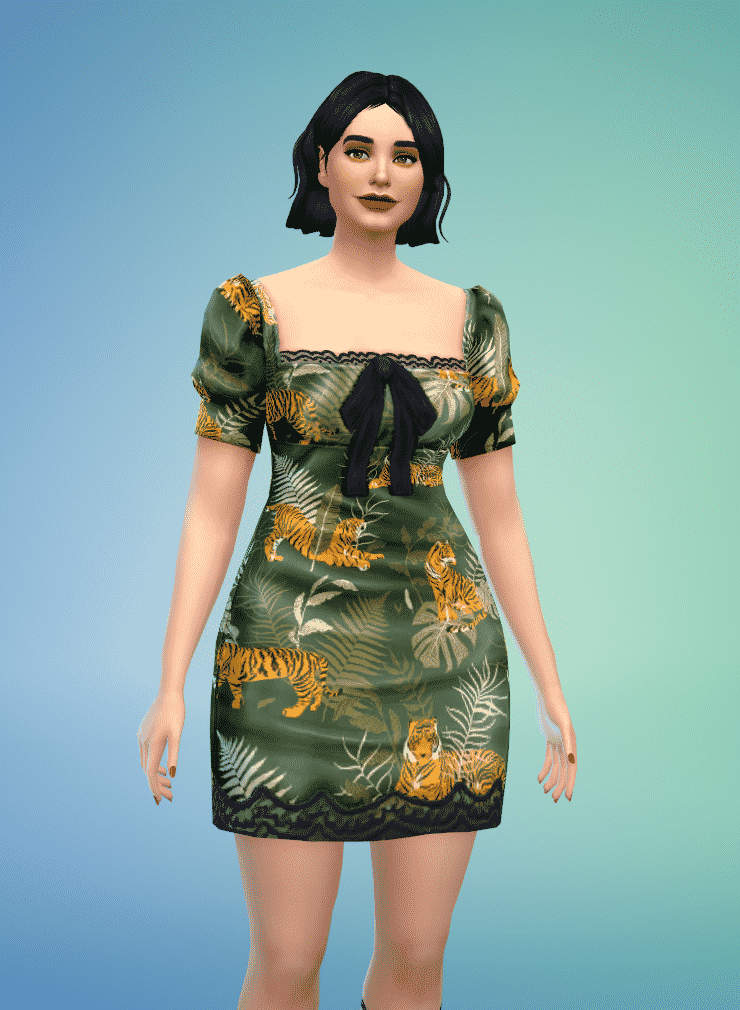
That being said, if you don’t want you Sims to look basic and dress according to the Euphoria High rules, take a look at this pack, made by a very talented CC creator Serenity. 24 items with tops, bottom, full-body outfits and accessories, as well all the hair worn by our Sim models.
Outfits
So, let’s get to the outfits! There are several recreated outfits and a couple of recognizable items that can be mixed an matched with other pack items, or if you are so inclined, with Maxis items.
If you’re trying to faithfully recreate Lexie’s Miu Miu moment, look no further! This pack has the dress and the shoes! Same goes for her party look with the yellow embroidered top.
Maddie stans can also rejoice, since she has the most inspired content! At least three outfits are dedicated to her – the baddie party look and the baby-sitter realness sweater, arguably the most recognizable pieces from the season.
Of course, there is the “totally realistic BFF matching school ensemble with Cassie” cardigan and wide leg leggings set. Bear in mind that these items have many more swatches, so they don’t have to be in lilac and green canon colors.
Cassie also got some attention, with the blue coordinating set and that scandalous pink bathing suit.
Jules has two dedicated outfits, with the iconic shape wear worn as a skirt and a jersey worn over the shape-wear? She goes to Euphoria High, so she can do whatever.
Versatility
The best thing about this pack are the swatches! Yes, it’s possible to faithfully recreate looks, but more importantly, the items usually have unique swatches usable in non Euphoria inspired Sims. One of my personal favorites is the dress Kat originally wore, but has a lot more interesting patterns and colors, easy choices for a Young Adult party outfit.
Conclusion
If you ever wanted to highlight the better parts of the show, such as Euphoria’s fashion aesthetics, this Custom Content is linked down below!
Ponds are probably one of the best additions to the base game’s Build Mode to date. Although it took quite a long time to get the pond tool in the game, The Sims 4’s pond tool is so much more powerful and versatile than the pond tools from any of the previous Sims titles.
There is a small learning curve to using the pond features but it’s much easier to create and customize the water feature of your dreams, even if you’re a player who is nervous using the terrain tools. We’re going to show you just how creative you can get with this powerful feature.
Shaping Your Vision
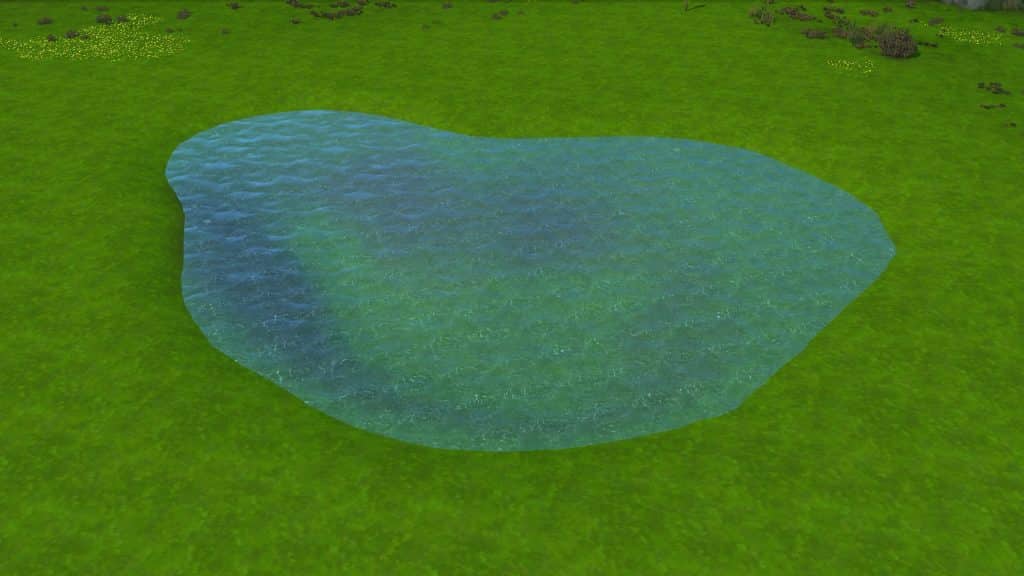
Unlike past Sims games, there is no “ready-made” pond tool where the terrain automatically fills up with water as you drag the curser over the terrain. You will have to use the terrain tools first to lower the terrain, which you can then fill with the water tool. This allows you to customize how much (or how little) water you want in your pond. You can have a full pond practically overflowing, or you can create a dried up river with just the smallest trace of water sitting at the bottom. It allows for a lot of creativity.
To start, navigate to the terrain tools and select the Lower Terrain tool. Take a second to drag the brush speed down to about 25%. The default speed is quite fast and you can end up with a huge chasm instead of a nice smooth dip in the ground. Then just sculpt the terrain in the general shape you want your pond to be. You can do all kinds of things here, like raise up a portion of the terrain in the middle of your pond to rise above the water level. This will create a little island in the middle of your pond when you fill it with water.
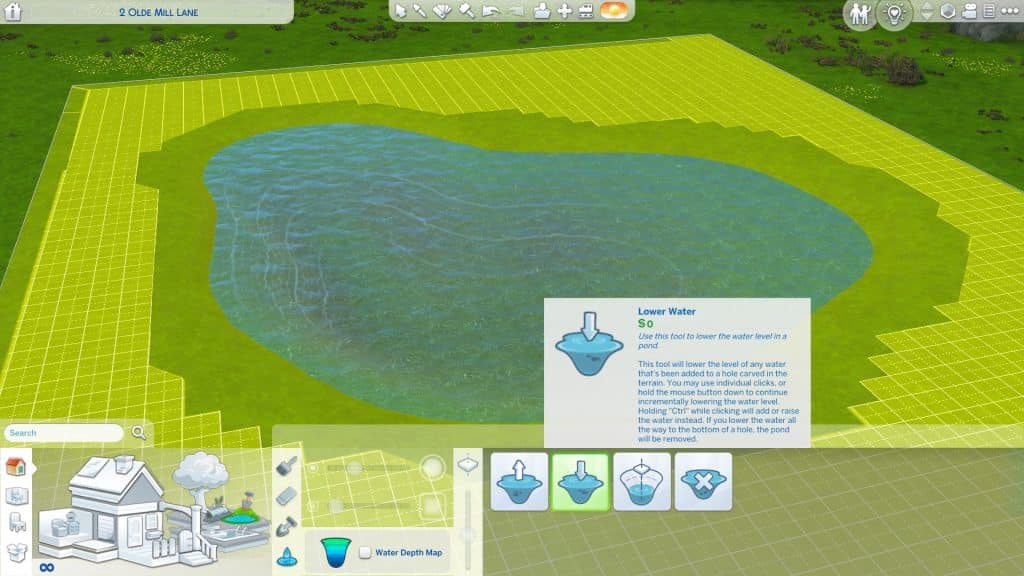
When you’re happy with the general shape, switch over to the Water Tool. You can either select Raise Water Level and click the terrain until you’re happy with the water level, or you can quickly fill up the whole area with Fill to Height. By default, it will fill to the brim but you can use the [ and ] keys to get a more precise water level. Personally, I find it easiest to just use the default Fill to Height setting, then use the Lower Water Level tool once or twice so it looks a little more natural.
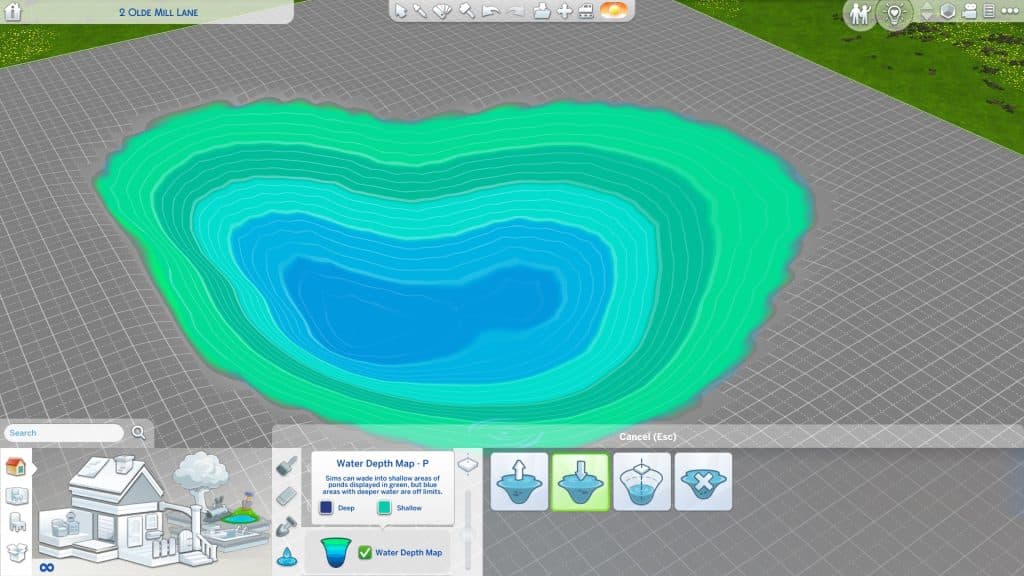
Once there is water in your pond, you can click the Water Level Map to see how deep the water is. We don’t recommend making ponds that are super deep; it can cause some of the pond effect spawners to float above the water or sink down too far under the water. A nice gradual dip is ideal.
Now you have a very basic pond! If you’re not quite happy with the shape, you can go back and play with the terrain more. The water will automatically adjust itself as you sculpt.
Making it Pretty
We have a pond now but it looks pretty bare bones. It seems to just sit awkwardly in the middle of nowhere and doesn’t look natural. A real pond would have dirt, sand, or mud along its shores and a lot of foliage and wildlife growing in and around it. The water shouldn’t look like chlorinated pool water, either.
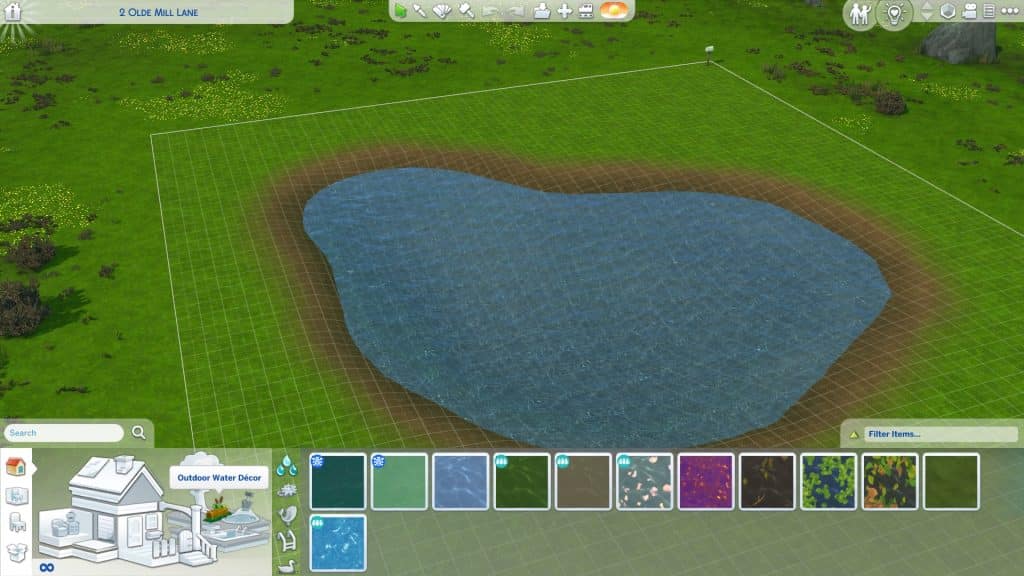
I used a combination of two different base game dirt terrain textures to outline my pond on the softest brush setting and give it a natural looking gradient of dirt going to mud at the water line. Now it looks like a more natural part of the landscape but it still needs vegetation and wildlife.
The Outdoor Water Décor section is going to be your best friend here. You can change the texture of the water to something more natural looking, like a mossy pond or a pond strewn with leaves. If you have DLC packs, you may have even more options available.
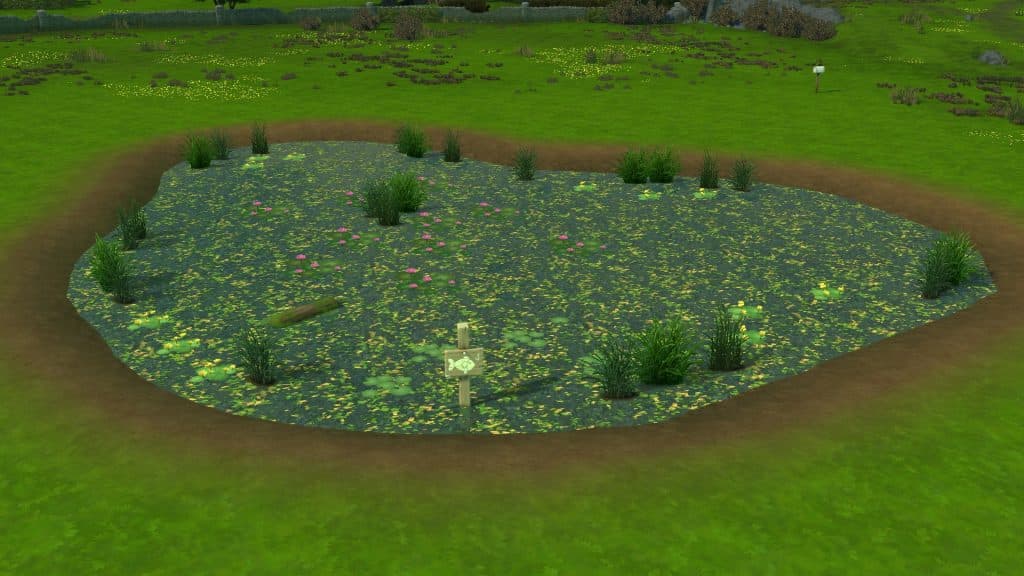
This tab has all kinds of pond decorations. Logs, lily pads, grasses that can be placed in the water, and even fishing signs. Placing a fishing sign in a pond will allow your Sims to use the pond as a fishing spot! Want to add an extra touch to your ponds? Click on logs and lily pads to enable turtles and frogs to appear on them!
Logs and lily pads aren’t the only wildlife that can be added to ponds, though! In the bottom tab under Outdoor Water Décor, you have a wide variety of creature spawners to choose from for your pond. You can add everything from ducks to trumpeter swans, fish, mosquitos, tadpoles, fireflies, and even alligators! All of these will really make your pond come alive! When you place down these spawners, they will show up as a flat tile in Build Mode but the tiles will disappear in Live Mode and be replaced with all the animated wildlife!
Building over Ponds
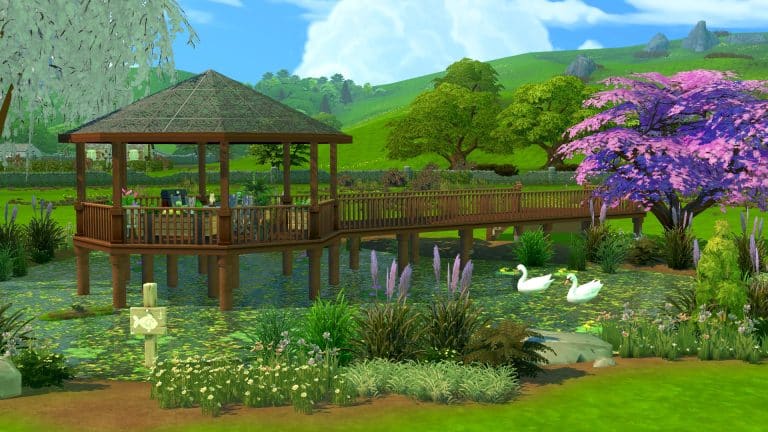
Want your Sims to get up close and personal with nature? You can build over ponds using decks and the stilted foundation style! It’s easy, too!
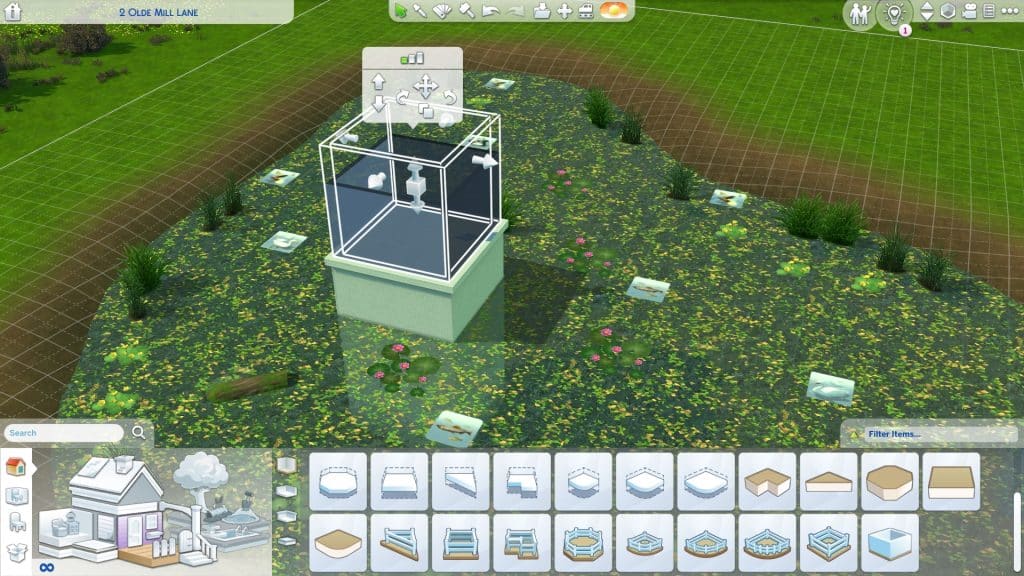
Just build a deck and raise the foundation height to be above the water level, then add to it as desired to create the deck shape you want. Apply the stilted foundation style to it to make it look more natural and your Sims will be able to enjoy a BBQ, picnic, relaxing nap, or anything you want on a deck overlooking your beautiful pond.
You can really go crazy with building over ponds and build all kinds of stuff over the water so feel free to play around with this feature and see just how far you can push the limits with it!
Ideas from the Community and a Poll on what you want to see in The Sims 5!
With many players speculating what the next The Sims game could look like, we decided to take a look at what the community would love to see added as features.
At the time of writing this article, we know that a next generation The Sims game is in development. While details are limited, we will report on them as they are announced. To stay up to date with everything we do know, we have a dedicated category for The Sims 5 News!
I took to Twitter to find out what features players would have if they could create a wish list of things they’d love to see in “The Sims 5.”
If you had to create a wish list of features you would love to see in The Sims 5, what would be on there? Reply to this tweet for a chance to be featured in an upcoming @TheSimCommunity post!
Firstly, thank you to everyone who took the time to share their wish lists, thoughts and opinions and what features you would love to see in The Sims 5. So many of you had some brilliant features both new and old that would be great additions to the next The Sims game!
The Community Ideas
A unique feature I’m sure nobody as mentioned yet is the ability to connect to our phone so we can design Sims on the go! Maybe even pose them and use them like Bitmojis as well.
-A memory system like the one in Sims 3 -Nicknames -More options for family trees -Better babies -Pronoun options -Orientation/attraction options -Customizable worlds -If possible, height sliders -Option to copy accessories/makeup to multiple outfits -Tattoo shop -More occults
My #1 would definitely be open world. I don’t want to even imagine a new sims game without this amazing feature. Next in the list would be Create-A-World/Style and basic weather in the base game (rain, fog, etc.). Multiplayer? Not a big fan but I would be interested to see it.
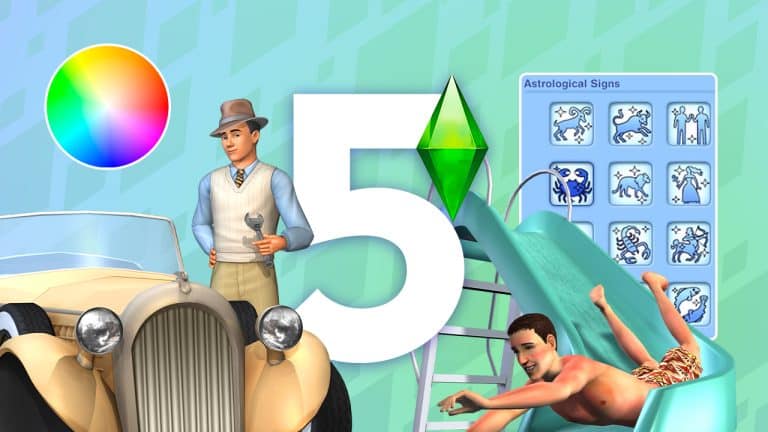
– zodiac signs! I miss how they could affect your Sims personality – auto roofs please my Sims 4 roofs are hideous 💔 – attraction system so we can have unequal romantic relationships. I also want unequal friendships. Some people just dont vibe. – teens that look like teens!
It was clear to see that many players shared a number of similar thoughts and opinions on features they would love to see in the next The Sims game and with so many brilliant ideas inspired by previous The Sims games as well as new ideas, it will be interesting to see, what kind of features we will see initially when the next game is released.
If you want to check up more replies from the community, there’s a thread of creative replies right below my tweet!
For now, we will have to be patient and hope that we find out more information about the upcoming next generation The Sims game soon!
What would you like to see in The Sims 5?
With that being said, I was curious to see more about what players would like to see in The Sims 5. Below you will find a poll which has the features that were most commonly mentioned in response to the original tweet.
Simply choose the one feature you would say is your most wanted that you would like to see added/make a return to the new The Sims game!
Is there a World Lot that you can’t edit? Don’t worry, there’s a Free Build Cheat for Sims 4!
Have you ever wanted to be able to edit some of the special/hidden lots in The Sims 4? Normally, this isn’t possible. The game won’t let you enter Build Mode on these special lots, but with a nifty cheat, players can bypass this restriction and build their own custom hospitals, police stations, science labs and much more!
Special lot types cannot be edited unless you use the free build cheat, shown above
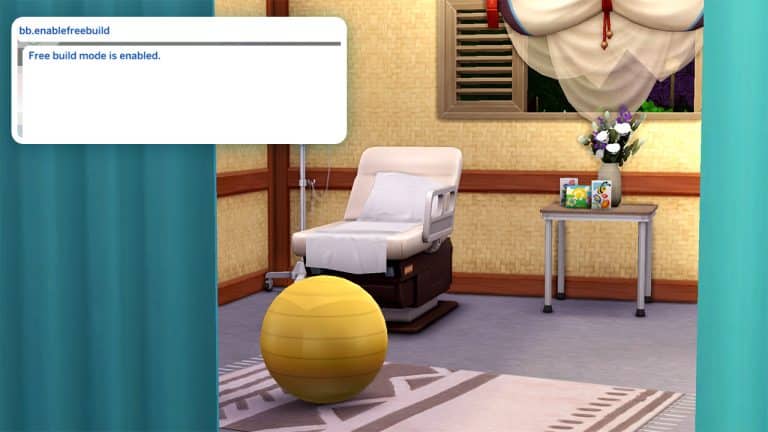
When your Sim travels to one of these special lots, open the cheat console with CTRL+SHIFT+C (for consoles, press all 4 back triggers) and enter the cheat bb.enablefreebuild into the cheat bar. Then confirm with either Enter or X/A on consoles.
After entering the cheat, you will see the message “Free build mode is enabled.” The Build/Buy icon is now clickable.
Enter the cheat correctly , you’ll have free build enabled on your lot! Now you can go into Build Mode and customize these special lots any way you like. Keep in mind that some lots with special functions, like the Get To Work career lots, require specific items to remain functional so be careful not to break the lot’s functionality by forgetting something important.
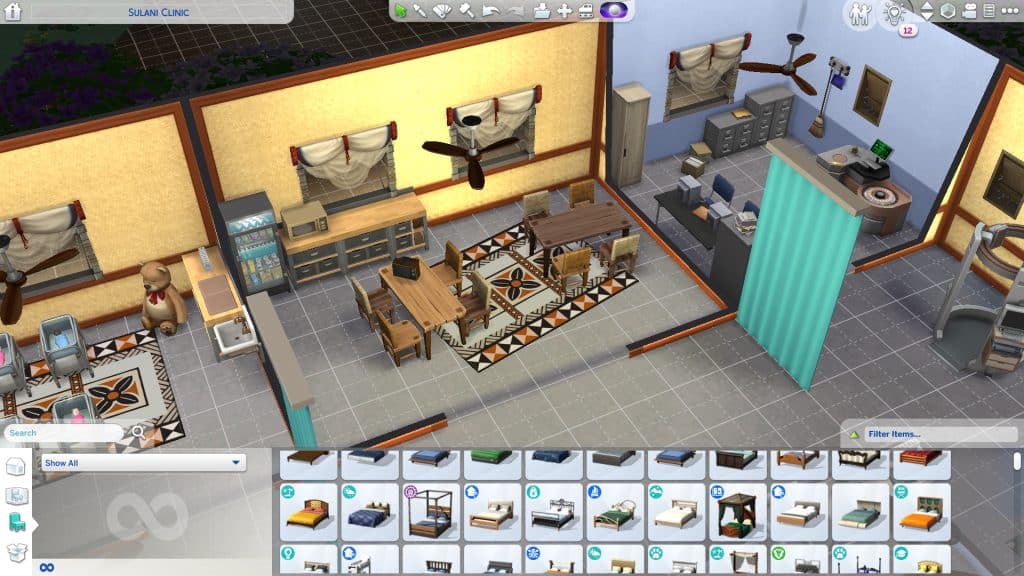
Editing the hidden hospital lot using the free build cheat.
We traveled to the hospital lot and used the free build cheat to build a tiny island hospital for our Sims who live in Sulani.
The free build cheat can be used on all special and hidden lots, which normally can’t be edited. Except for the Secret Lab lot in StrangerVille. The free build cheat will not allow you to edit the Secret Lab; it’s too important to the StrangerVille story to mess with.
I recently came across a short video on Instagram from the user, pramita_lia98 has taken the market stalls and turned them into a cute and adorable corner store! I absolutely loved this idea and as I hadn’t done any building as such in my own game for a while, I decided to give it a go myself!
First things first, I needed to find the perfect location to create my market stall! After finding the perfect location in The Sims 4 My Wedding Stories’ Tartosa, I set about experimenting with a few different ideas until I found something that started to look like what I had in mind.
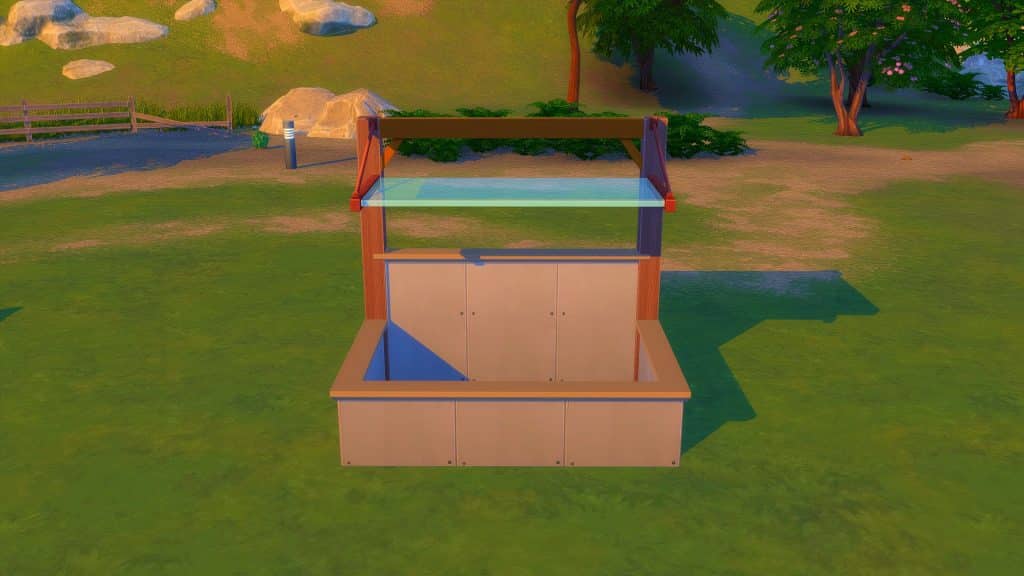
As shown in the video, I needed to start off with a small 2×3 room.
Next was to add the Awning by using the Move Objects Cheat, as well as adding the supporting beams and changing the wall height of the back wall to allow me to place the required beams.
With things starting to take shape, it was time to add a way for Sims to get in and out of the market stall. By adding a fence and gate, there was now a way to move around more freely.
I also used this time to give my market stall some more life by giving it a coat of paint and some wall trimmings as well!
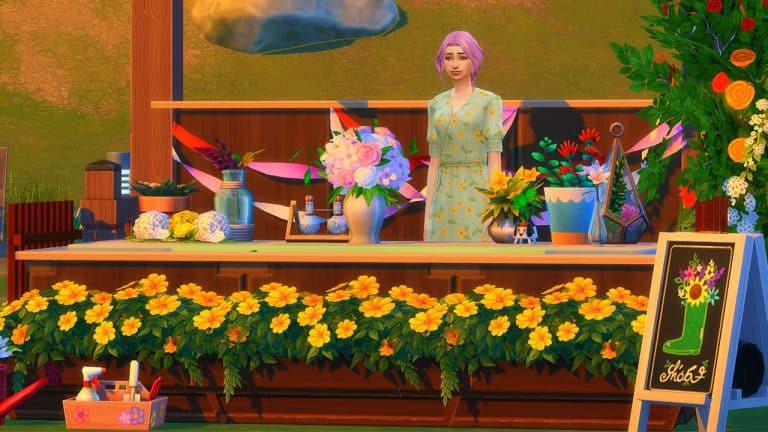
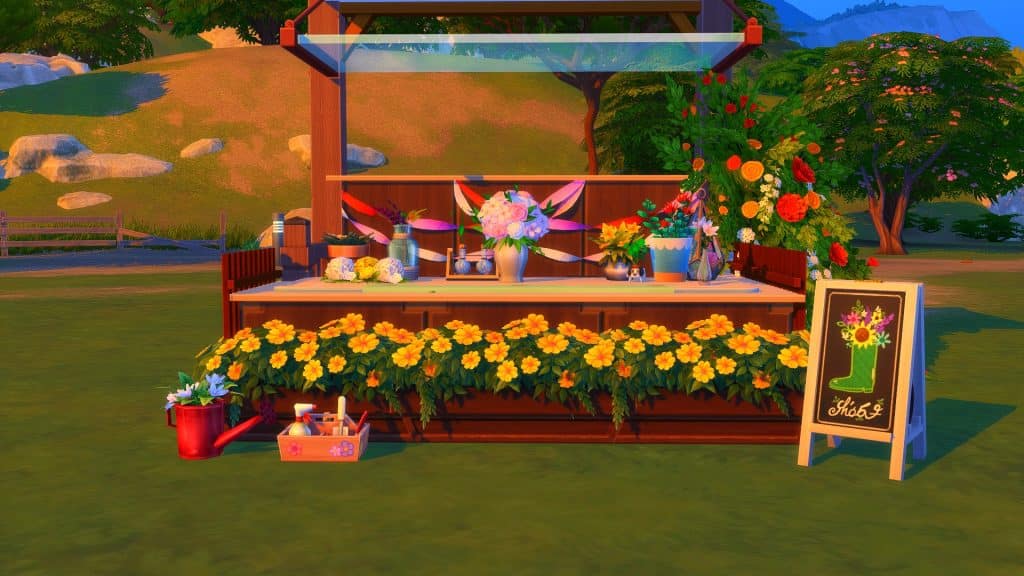
As the shell was now complete, it was time to bring the market stall to life even more! I’d settled to do a kind of flower stall and after decorating it, this is how it turned out!
I had a lot of fun trying something different when it came to building and can only hope that with more practice and experimenting I’ll be able to improve on what I learnt from pramita_lia98‘s tutorial and many more that they have showcased on their Instagram page!
Pun intended. The glitch on the other hand? Probably not.
3 weeks ago The Sims Team had introduced a new Hairstyle to The Sims 4 through their Sims Delivery Express drop. The new Feminine Hairstyle is a two-tone type of Hairstyle with dyed roots and tips that change the color of each different variant.
The Hairstyle has also been converted and made available for Sims of all ages – from Toddlers to Elders.
I still stand by the statement that Toddlers and Children should not have their roots bleached out and dyed. At least not in real life. Luckily this is one of those “just in The Sims” scenarios.
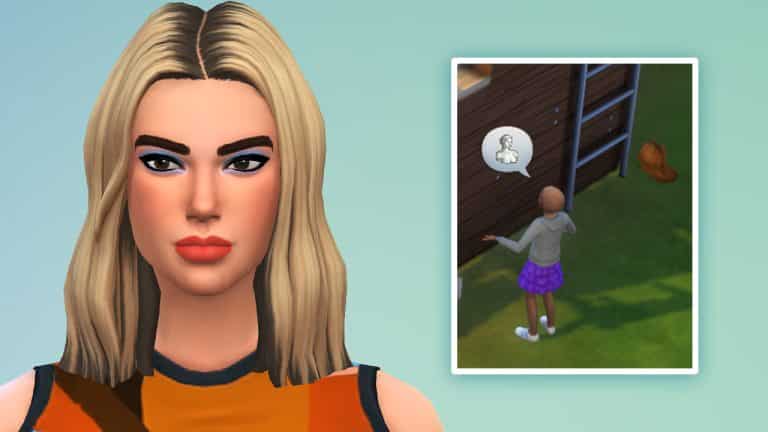
Now to get back to the original purpose of this article – the Hairstyle was already named the “Dua Lipa Hair” by many players the moment the SDX drop happened.
Pop singer Dua Lipa rocked the same two tone hairstyle in real life, with precisely the same roots and tips as this new Hairstyle in The Sims 4.
It just so happens that some players are experiencing the Levitating Glitch. First reported on EA Answers HQ, the Dua Lipa Hairstyle for Children starts floating and flying away from the Child’s scalp on random occasions.
Member Mythikalstar described it best with their post on the Forum:
– How often does the bug occur? Often (50% – 99%)
– What happens when the bug occurs? The hair flys away across the room and the child goes bald
– What do you expect to see? My Childs hair to not fly away
User ogbroadddd has also went into details about the Glitch, with a funny screenshot as proof:
There is a visual glitch with the new hair from 4/13 Sims Delivery Express update. It’s floating off the head of child aged Sims. When I zoom in closer, to jumps back on the Sim’s head. Please see attached screenshot for the visual glitch I am experiencing. So far it has not happened with teen/adult aged Sims.
Player @Shadow_Zillah wrote on Twitter about their Glitch encounter with the Levitating Hair:
My team member Krista and I tried to replicate the issue in our games and couldn’t make the glitch happen. No matter which Graphics Setting and situation I tried in-game the Hair remained on my Child’s scalp.
I’m guessing that this type of situation is all depending on the platform where you’re playing The Sims 4 on.
If the Dua Lipa Hair does start Levitating in your game there’s a quick Mod solution from ice-creamfrombreakfast that fixes it:
There was an issue with the LODs on the most recent TS4 delivery hair file for children. This will fix the issue on both the original version and my edited version in the meantime until it’s fixed with a patch.
Was the Dua Lipa Hair fixed with the latest update? The Sims Team didn’t mention anything in the Patch Notes. If it hasn’t we’re hoping for a quick fix soon!
After 6 years since the last Price Reduction, The Sims 4 Base Game has a new Standard Price!
It’s been a while since The Sims 4 Base Game has been released. The latest entry to The Sims Series will mark its 8th year this September, making it the longest running installment for The Sims!
Truth be told, things weren’t always as good as they are now. Yesterday’s article about SimGuruHouts leaving the Maxis team for new adventures got me thinking about how much the Base Game has evolved not just through Build Mode, but with other features and improvements in general.
To think that the game cost $60USD with plenty of essential (and brand new) features missing out in the beginning is a lot to think about. Especially now that the Base Game has more than doubled in its File Size since the release, as a perfect testament to the game’s evolution through the Live Service treatment.
Last time The Sims 4 went through a Price Reduction was starting in August 2016, where the game dropped from $60 to $40. The 40USD – or a price equivalent to your local currency – has been around for quite some time now. Until this month!
Twitter user @TheKixg has spotted that The Sims 4 Base Game price was permanently reduced over at Steam. We checked other official services including Origin, Playstation and Microsoft Store where the game is officially sold to and available to play.
We can confirm that The Sims 4 is now sold under the price of 20USD – or a price equivalent to your local currency! The price drop is permanent according to all the official platforms. Some platforms like Origin still have a sale going on for The Sims where you can get it for 5USD. However, after the sale ends, it’ll jump back to it’s normal, new standard price of 20USD.
Of course, the standard prices of all the other DLC types remain the same. However at least the Base Game entry, which continues to be updated with new Content Updates and SDX drops, is getting a new, more attractive price.
If you’re a fan of weird pets, you need to give raising a Sims 4 Cowplant a try. They’re very high maintenance plant/cow hybrids and require a lot of attention to stay alive and healthy but they’re very rewarding companions for your Sims and you’ll find yourself getting emotionally attached to your Cowplant quite quickly. If they don’t eat you…
Not sure how to get your hands on a Sims 4 Cowplant? Do your Cowplants keep dying on you in spite of your best efforts to care for them? We’ll give you all the info you need to raise a happy, healthy Sims 4 Cowplant that becomes a lifelong part of the family so fear not!
Table of Contents
Caring for Your Sims 4 Cowplant
Finding a Cowplant Berry
A baby Cowplant
Sims 4 Cowplants are in the base game so all Sims 4 players can find a Cowplant Berry and raise it into a Cowplant. There are numerous ways to obtain a Cowplant Berry both in the base game and through additional DLC packs.
The main way to get a Cowplant Berry involves grafting plants. Grafting a Dragonfruit plant with a Snapdragon plant will produce a Cowplant Berry. This sounds simple enough, except Dragonfruit cannot be found out in the world. At least not in the base game. You will need to graft that, too. The grafting combo for Dragonfruit is Strawberry+Snapdragon.
So to get a Cowplant Berry, you’ll have to go through the following process:
Find Snapdragons out in the world (All Willow Creek neighbourhoods; Spring or Autumn)
Find Strawberries out in the world (All Willow Creek neighbourhoods; Spring)
Graft a Strawberry with a Snapdragon to get Dragonfruit
Graft Dragonfruit with Snapdragon to get a Cowplant Berry.
Of course, this is a pretty time-consuming method of obtaining a Cowplant Berry. If your Sim likes to fish, Cowplant Berries can also be caught while fishing in the Desert Bloom park in Oasis Springs at the tiny fishing hole located at the very back of the area, nestled between rocks. There are other fishing spots that yield Cowplant Berries, especially in DLC packs but this spot has a particularly high Cowplant Berry catch rate.
The Cow Berry fishing location is circled in red
There is also a small chance of finding a Cowplant Berry while exploring space in a rocket ship.
If City Living is installed, Dragonfruit can sometimes be found in the planter boxes at the Spice Festival. Vendors may be selling Cowplant Berries at the Flea Market so it’s worth checking there if you’re having bad luck finding one.
If Seasons is installed, Cowplant Berries and Dragonfruit also have a chance of appearing in Rare Seed Packets. Snapdragons and Strawberries can sometimes be found inside their respective Seasonal Seed Packets.
Raising The Beast
Once you have a Cowplant Berry in your possession, you need to plant it. Sims 4 Cowplants require a LOT of space so if there isn’t enough room around it when you plant it, the seed won’t germinate. Cowplants should have a minimum of a 2×5 clear area around it.
The highlighted tiles need to be completely clear of obstacles for a Cowplant Berry to germinate.
Water your Cowplant Berry and care for it like any other plant. It should take about 2 days for your Cowplant Berry to mature into a full-grown Sims 4 Cowplant.
Cowplants require more specialized care than other types of plants. In fact, they’re more like pets than plants when fully grown. Sims can even give their Cowplant a name to make them an even more unique addition to the family. Sims can feed, play with, and pet their Cowplant. All of these things will keep your Sims 4 Cowplant happy and healthy.
A Sim playing with a Cowplant
The trouble most Simmers have with keeping their Sims 4 Cowplant alive is remembering to feed it. Cowplants need to be fed every 12 hours like clockwork. You may think you’re keeping your Cowplant well-fed but it’s easy to lose track of your Cowplant’s feeding schedule while juggling work, relationships, children, and other goals your Sim has.
The best way to ensure that you will remember to feed your Sims 4 Cowplant on schedule is to place your Cowplant somewhere easily visible on your home lot. Somewhere you are focusing your attention most of the time and would be impossible to miss. The front yard, close to the front door is a good place for most people, especially if they have Sims who leave the lot daily for work.
A hungry Cowplant sticking out its cake tongue
You will know your Sims 4 Cowplant is hungry when you see it sticking out its tongue with a slice of cake on the end of it. When your Cowplant does this, you should drop everything you are doing and feed it immediately. Your Cowplant will only have its tongue out for a maximum of 24 hours before it dies and becomes a very sad-looking skeleton in your garden. Make sure you also pet it and play with it whenever you feed it just for good measure.
A dead Cowplant
Rushing to feed your Sims 4 Cowplant as soon as it becomes hungry is not only good for your Cowplant, but also necessary for your own safety…
The Dangers
You might have noticed that when your Sims feed their Cowplant, they feed it a package of raw meat. This is because Cowplants are carnivorous and have a particular taste for… Sims. Including you and your family.
When kept well-fed, Sims 4 Cowplants are perfectly harmless. But a hungry Cowplant is a dangerous Cowplant. When a Cowplant becomes hungry, it will stick out its cake tongue. This cake tongue serves a very specific purpose; to lure Sims into trying to take the slice of cake. When a Sim does fall for the trap and go for the cake, the Cowplant will pull the Sim into its mouth and swallow them whole!
A Cowplant swallowing a Sim
The first time this happens, it will regurgitate your Sim back up, sparing their life, but if this happens again while the Sim still has a negative moodlet from the Cowplant, it will eat them for good and your Sim will Die by Cowplant.
Luckily (or unluckily, depending on what kind of Simmer you are), Cowplants only seem to lure household members into its mouth. NPCs and townies walking by won’t be autonomously drawn to the cake like your active household members so random passersby are safe.
A Cowplant regurgitating a Sim
It’s not all bad, though! Eating Sims will satisfy your Cowplant’s hunger until the next feeding time even if it regurgitates the Sim. And if you want to benefit further from your Cowplant’s menacing appetite, you can milk the remains of digested Sims from its udders.
Yep. It’s as weird as it sounds.
Milking Your Cowplant
A Sim milking a Cowplant
Your Cowplant will partially digest any Sim they eat, even if they regurgitate the Sim. This will result in its udders filling with milk. You’ll know your Cowplant can be milked when its udders look heavy and hang down lower than usual.
If a Cowplant successfully digested the Sim, it will produce the Essence of Life, which your Sim can drink to extend their lifespan and boost their mood. If the Cowplant regurgitated the Sim, it will produce a special drink that puts the drinker in whatever emotional state the Cowplant’s victim was in when they were eaten.
So for the more diabolical Simmers out there… Yes, you can keep yourself immortal by sacrificing other Sims to your Cowplant. That is an actual thing.
So what are you waiting for? Add a Sims 4 Cowplant to your Sim’s garden today!
Previously in BETA, the EA Creator Network now allows every creator to send in their application for this program!
Electronic Arts has been running their own “influencer” platform for quite some time now.
The first ever program that EA ran was EA Ronku, a top-tier influencer program for partnerships with big YouTubers and creators who were known for their big numbers. Such as PewDiePie. As EA had multiple creator circles within each franchise that they run this later evolved into EA Game Changers – a program for passionate creators both small and big.
I’ve been a part of EA Game Changers since the program came to life for The Sims players with the first ever Sims Camp that was organized under this program – the Cats & Dogs SimsCamp. Since then the program has evolved many times and opened its doors to hundreds of creators for multiple franchises – including The Sims!
Just last year as a part of EA’s rebranding the EA Game Changers evolved into a closed BETA circle – the EA Creator Network. Same goal, same requirements, but more types of creators that can get involved. And of course a different name that clarifies more for who the Program is intended.
Just a few moments ago EA Creator Network’s Lead Lee Williams has announced that the program is opening its doors for everyone who wants to sign up and become a part!
Read Lee’s full unofficial statement from his Twitter thread below:
The Creator Network is finally out of BETA! The big change is that we’re making it easy for Creators to register their interest in joining and show us what they do.
We’re thinking about things differently when it comes to working with Creators, we want to be more representative of our community and celebrate all the different types of content creators out there.
The last 6 months or so since we launched the Network have been awesome. From the game launches and the capture events to the channel partnerships.
The stuff thats been really exciting though, has been the other ways we’ve been working with Creators, random stuff like trying to confuse the family at Christmas with Simlish…
Then there are the causes and charities Creators have helped us support and the work they’ve done to raise awareness and money for causes which are close to them.
Super proud of the Community Team who work with the Creators every day, the dev teams who build all this stuff and obviously the Creators who help keep us all top of our game day in day out.
Even though we’ve been doing this for a while now it feels like we’re just getting started and we’re all really excited about doing more cool sh*t like this with you guys. If you wanna come along for the ride, everything you need to know is here https://creatornetwork.ea.com
Everything you need to know about Submissions, what are some of the perks, requirements and many more is linked on the button down below.
As a Sims Creator you’re also invited and encouraged by EA to send in your application for the EA Creator Network.
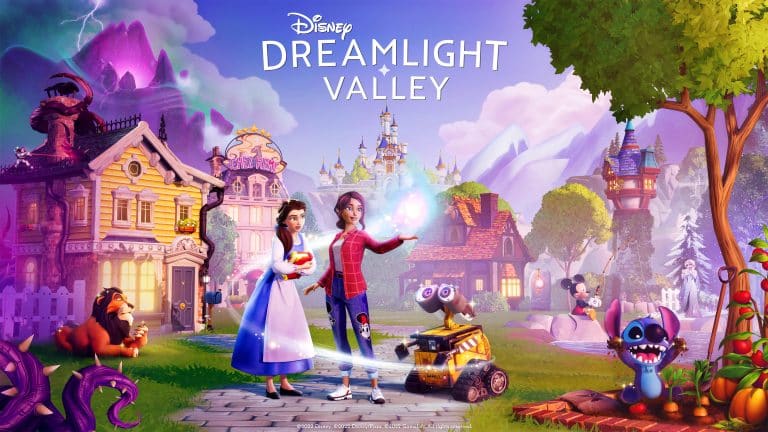
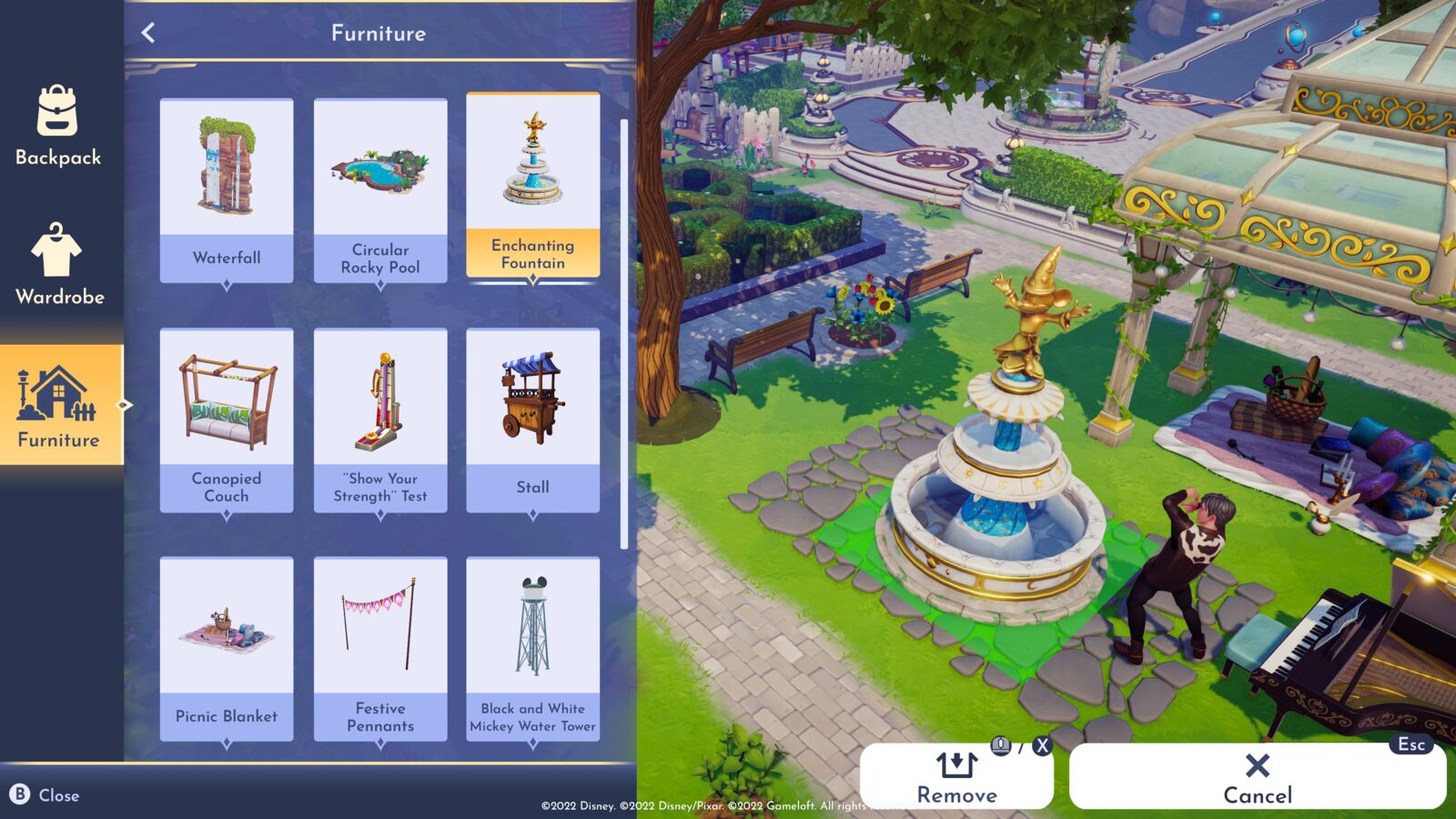
Dreamlight Valley is Disney’s first take on Life Simulation!
This week is the week of new Life Simulation game announcements! Earlier this week, we reported on the upcoming multiplayer life simulation game Vivaland. Now, a new Disney themed life simulation game has been announced. And this time, it’s by a much bigger, longstanding studio.
Disney Dreamlight Valley is a combination of a life simulation game with elements of an adventure game rolled into one. The game includes a variety of quests, exploration and in game activities while being surrounded by many familiar Disney and Pixar faces.
Once an idyllic land, Dreamlight Valley was a place where Disney and Pixar characters lived in harmony—until the Forgetting. Night Thorns grew across the land and severed the wonderful memories tied to this magical place. With nowhere else to go, the hopeless inhabitants of Dreamlight Valley retreated behind locked doors in the Dream Castle.
Constantly evolving with new content to experience.
Live life on the magic side
Bring the valley back to its former glory
Discover the hidden secrets of the valley
Take off on an epic adventure
Friend or Foe? It’s your choice!
Make friends with familiar Disney and Pixar characters
Create your own style with a touch of Disney Magic!
Create your own valley with fully customizable layouts, landscaping and decorative items
Create the perfect home inspired by Disney and Pixar!
The game will be launching as a free to play game in 2023 on multiple platforms including PC, Mac, PlayStation and Xbox consoles with the Apple App Store and Nintendo Switch coming at a later date. It’s being developed by the game development studio Gameloft.
Also, coming this Summer, an Early Access period will be available for Disney Dreamlight Valley for those who purchase the Founder’s Pack ahead of time or those who have an Xbox Game Pass membership.
You can wishlist the game now, as well as keep up to date with the games’ development by clicking here.
After 12 years working at Maxis, the game’s designer mostly known for his Build Mode features is venturing off to new opportunities!
I think that we can all collectively agree that if there’s anything we all certainly like about The Sims 4, it’s the possibilities and features in the game’s Build Mode.
One of the most intuitive Modes introduced to the series yet, the Build Mode in this game allows players to actually make mistakes and correct themselves in the process. Previous Sims games were very good at customization, but unfortunately there was no room for mistakes. If you built a house that was just one square off the center alignment of the lot you’d have to do A LOT to fix the alignment to your liking.
The Sims 4 was always one step ahead with tools that allowed you to drag rooms, place them wherever you want, and just edit your lot to your liking. Through the evolution of the Base Game we’ve gotten so many things in Build Mode – Pools, Terrain Manipulation, Basements, Configurable Stairs and even the bb.moveobjects on cheat which by everyone’s surprise wasn’t there on day 1 of The Sims 4.
The evolution and initial development of The Sims 4’s Build Mode was previously lead by SimGuruJohn (John Berges) who worked on intuitive main features that we have today, along with other developers and engineers. John left Maxis shortly after the Base Game’s release for other opportunities.
Shortly after John the work for The Sims 4’s Build Mode (and other features) were taken over by SimGuruHouts (Aaron Houts) who made it his mission to continue where John left off.
Games like The Sims 4 are made by many, many talented people and the work I did was just one part of a team of other designers, engineers, artists, animators, sound designers, and producers.
This particular designer had started working on The Sims 4 after the release of The Sims Medieval, and made it his mission to add the best tools possible in the game:
I worked on Build Mode, powerful creative tools that let players build and customize houses and outdoor areas for their Sims to live in.
Our goal with Build Mode in The Sims 4 was to retain the power of building in previous Sims games and redesign it from the ground up to be much more accessible and user friendly.
By balancing creative depth with easy to understand tools and a workflow that makes users feel like there is no “wrong way” to build, we were able to increase player engagement and create the best Build Mode in the series.
I worked collaboratively with engineers, UX, artists, and production partners to design and implement creative tools for players, gameplay objects, and various systems from concept to ship.
Houts has also worked on many other different features for The Sims 4 – from the Pets Sickness System to building the world of Windenburg.
Today SimGuruHouts has announced his upcoming departure from Maxis and The Sims 4 to “set off to a new adventure”, with a very heartwarming Twitter thread of his time working at Maxis.
Before we share the full thread I want to thank SimGuruHouts for his amazing work that he and his team has done for Build Mode and wish him all the best for the future ahead. Thank you!
Hi Simmers, after nearly 12 years working on The Sims I’ve decided to set off on a new adventure. Being at Maxis has been a highlight of my life and it wouldn’t have been possible without such passionate and creative players.
First, I want to thank all of YOU for being a huge part of the amazing time I’ve had making The Sims. I have many, many great memories throughout the years, but here’s some of my highlights:
Creating quests on Sims Medieval (my first shipped video game!)
Revamping Build Mode for TS4 and introducing it to fans at Gamescom in 2013 (and then being blown away by the amazing things you all created in it when TS4 released!).
Helping to create Windenburg as TS4’s first new world!
Getting “Space Tacos” and other weird food into Dine Out
Working on “supernatural” packs like Vampires and Realm of Magic
Creating silly sicknesses for pets and how quickly the Vet Office would get covered in drool and dirt.
Revealing ŦĦ€ ΜØŦĦ€Ř to everyone and all the wonderful madness of StrangerVille.
There’s too many to mention them all and I look forward to seeing what comes next! Thank you to everyone at Maxis and to all our amazingly passionate and dedicated players. Sul sul! #BuildersGonnaBuild
Ideas to mix and match different clutter on your very own Mini Kitchen Pantry
Is your Kitchen looking a bit too bland? Do you want to add more flavor to the same old cabinets and counters combo? Worry no more! Here’s a realistic and stylish addition to your Sims’ cooking corner: a mini kitchen pantry! It’s small enough to fit in your tiny homes but it can be a conversation starter in every kitchen.
Before you begin, make sure your ‘bb.moveobjects’ cheat is on.
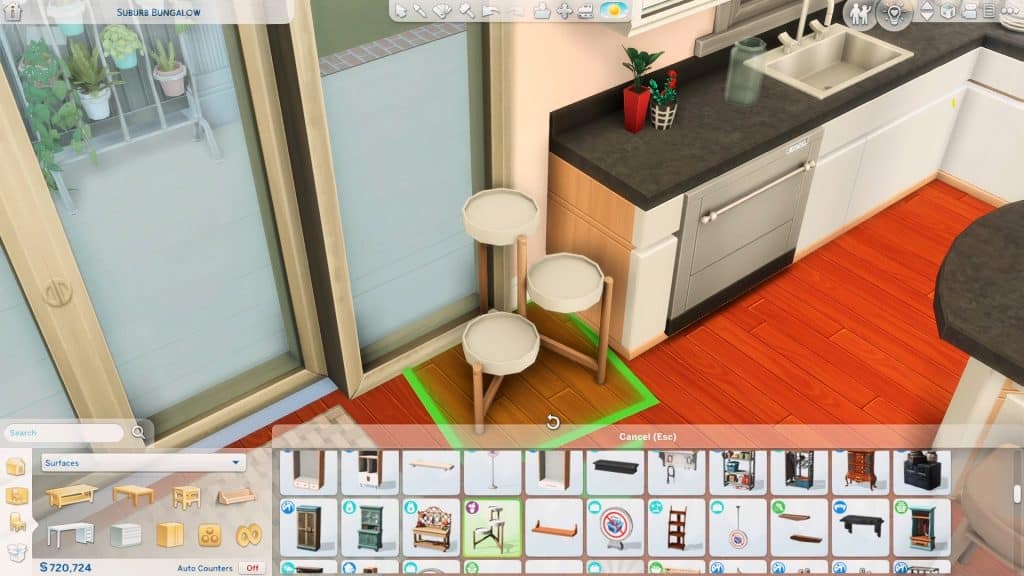
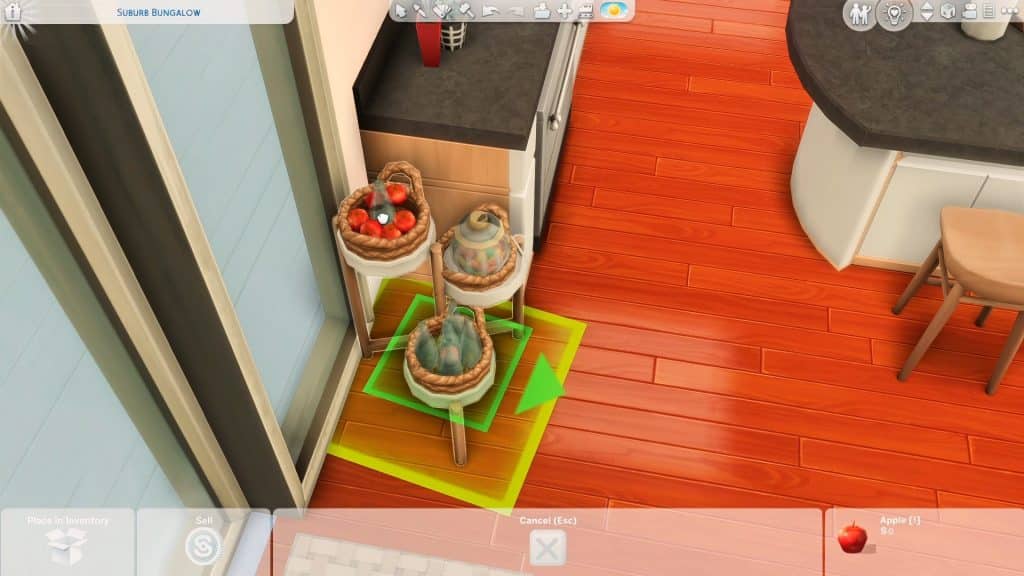
You will need the Blooming Rooms kit for this because the gorgeous Cryptic Triptych Shelf is the main kitchen essential you’ll crave for in this pantry! You can find it in the shelves category under Surfaces.
Hold Alt to rotate and move it freely. Place it beside your counter, near your fridge, or in the corner of the room. If you want to make it the center of attention, why not raise it with Ctrl + 9 and put it on top of a counter? It will look so fresh and different!
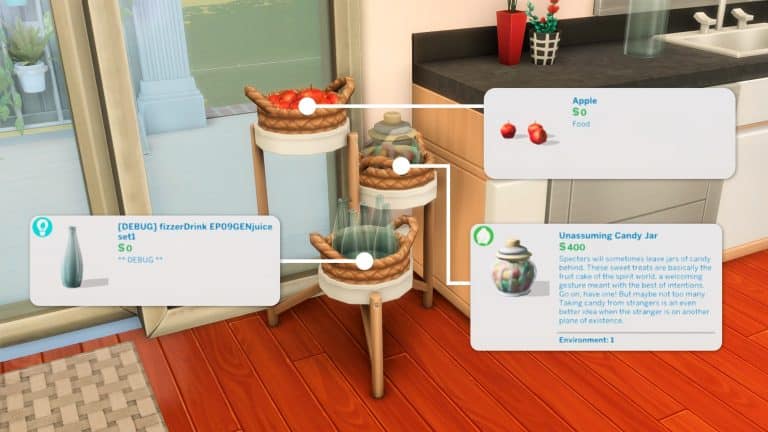
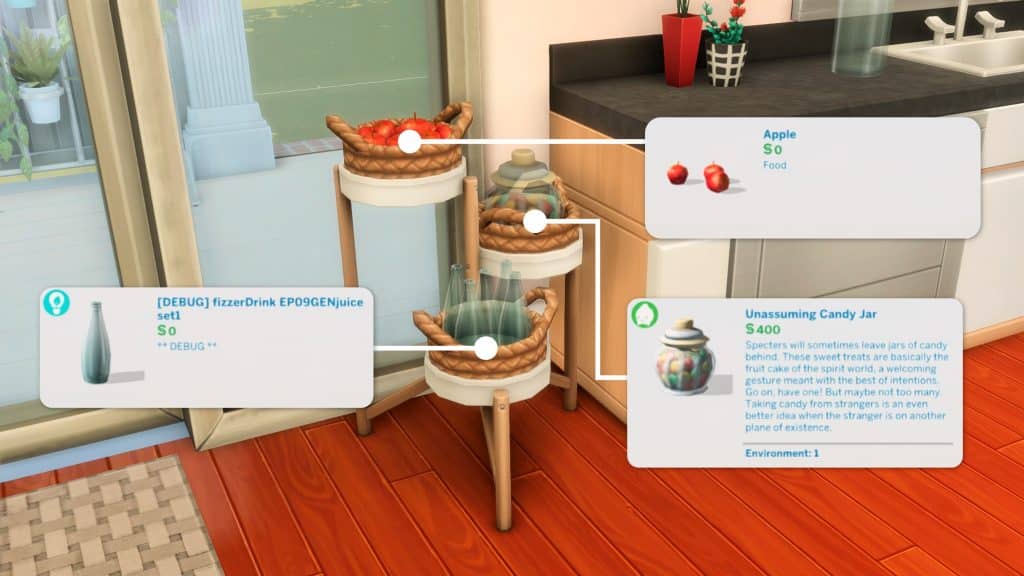
For a cozy and homey look, these debug wicker baskets from Jungle Adventure are the perfect ingredient! Unlock them by typing in the cheat ‘bb.showhiddenobjects’ and search **DEBUG** in the build items menu. These would clip flawlessly on the lowest and highest slots of the shelf. For the mid-height slot, raise the basket 6 times and use Alt to place it in the middle.
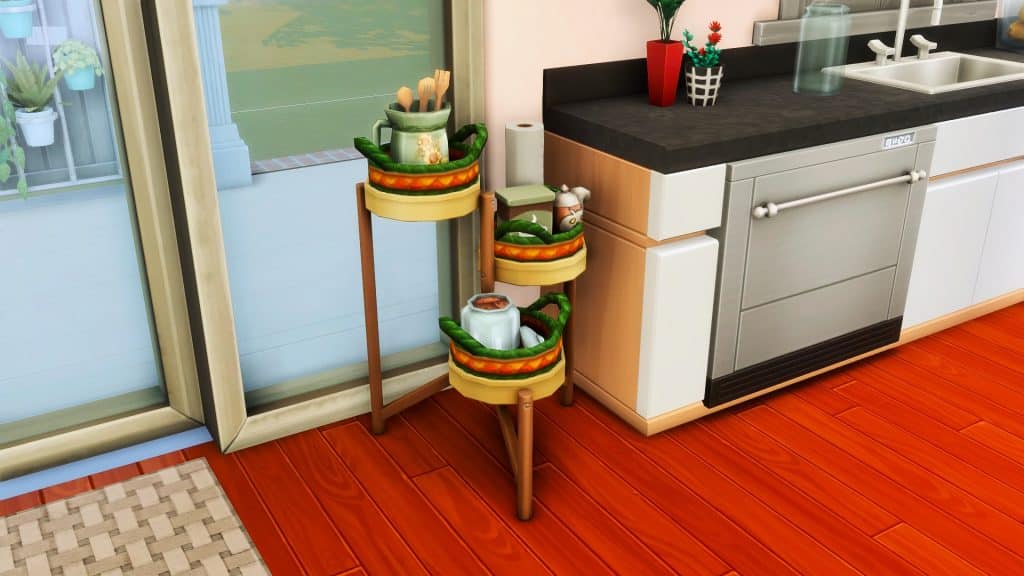
Now it’s time to clutter! Place objects on the different shelf heights. If you want to add more objects to one shelf, drag away the objects you initially placed and add new objects to the slots. Keep doing this and you will notice that the objects you removed are still at the same table height they once were. Now you can use Alt place to move them around freely on the shelf instead of snapping on to the slots.
The objects you place will depend on the style of your home and your household. For this classic white and light-wood swatch that’s perfect for a suburban family, check out these items that are all from the debug menu!
If you want a pastel pantry to go with your cute kitchens, the baby pink and blue swatch would fit in so well!
Something a bit more festive and bright with this yellow kitchen corner…
…Or this sleek black and white combo for your modern and futuristic homes!
Which style do you want to implement and decorate your Kitchen with?
Let us know how you’ve decorated your Kitchen Pantry in the comments down below!
We’re just Never Really Over with the Katy Perry Sweet Treats CC Pack for The Sims 4!
To celebrate The Sims 4 Sweet Treats CC pack by LittleDica going public over the weekend, we thought we’d take the opportunity to decorate another one of the shell builds this pack comes with!
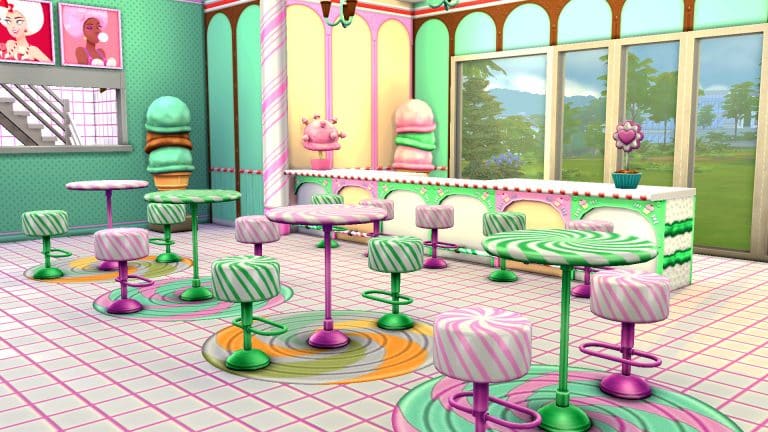
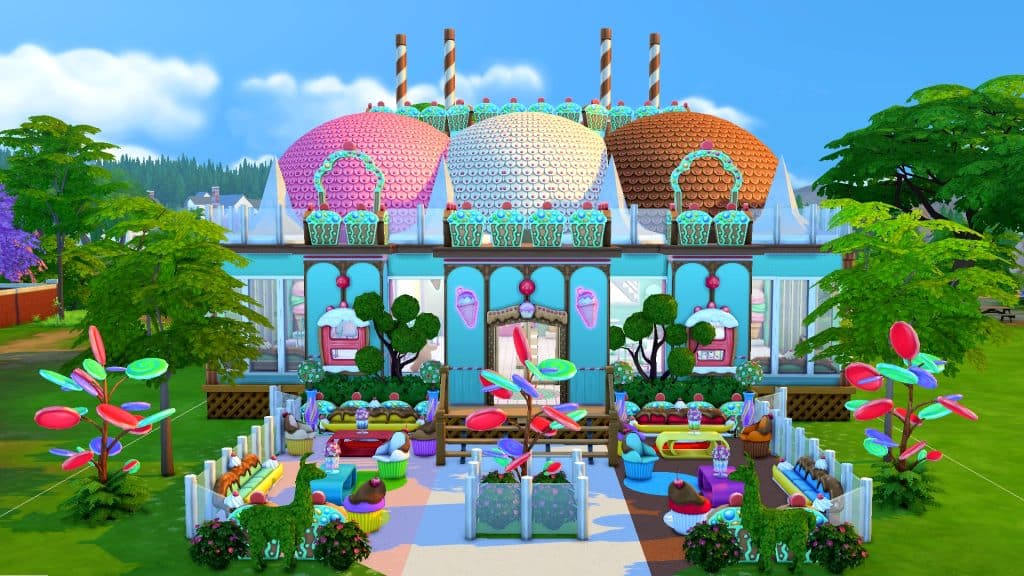
When I saw the Banana Split Sunday House, I just knew this place had to be turned into an ice cream parlour. How could it be anything else with a roof that literally looks like a delicious banana split sundae? I envisioned a place where families could come and sit down for a yummy ice cream cone or classic kid-approved snacks and food, like pretzels, popcorn, hot dogs, and burgers. This place just had to be turned into a restaurant with ice cream as the main menu item.
As always, I didn’t need to touch the outside at all. The original shell builder, LuddySimmer, did such an incredible job of decking out the outside with so much detail. I would have just ruined it if I had tried to add or change anything. I focused all my attention on the inside.
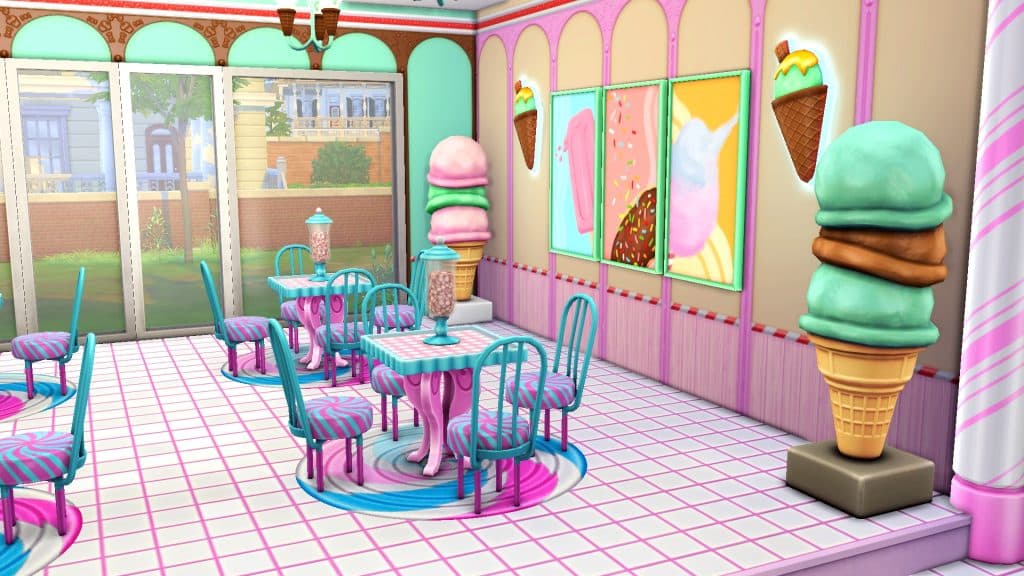
Walking in, the host station is the first thing that greets you. On one side of the ice cream parlour is the adult section with a bar and raised bar table seating. Grown ups looking for a grown up drink will need to get them from the bar, as there’s no alcoholic beverages on the official menu.
On the other side of the ice cream parlour are tables for families to sit and order off the menu. If you’re looking for something more filling than just ice cream, Sundae Fun Day has a small selection of appetizers and main courses available but the largest section of the menu is the dessert section, which carries every type of ice cream you could possibly think of, including some “special” flavours that have some surprising visual effects on your Sims! Try them all and see what happens! Oh, and if the service is slow, feel free to help yourselves to the complementary candy jars on each table.
The kitchen has a built-in chef station so diners can see the chefs hard at work preparing all that ice cream and other goodies. Looking for the bathroom? A sign above the kitchen doors points you in the right direction to the unisex bathroom in mint green. Four private toilet stalls ensure there’s no long bathroom lineups.
TS4 x64 2022 04 25 13 55 36
TS4 x64 2022 04 25 13 55 49
TS4 x64 2022 04 25 13 56 02
TS4 x64 2022 04 25 13 56 16
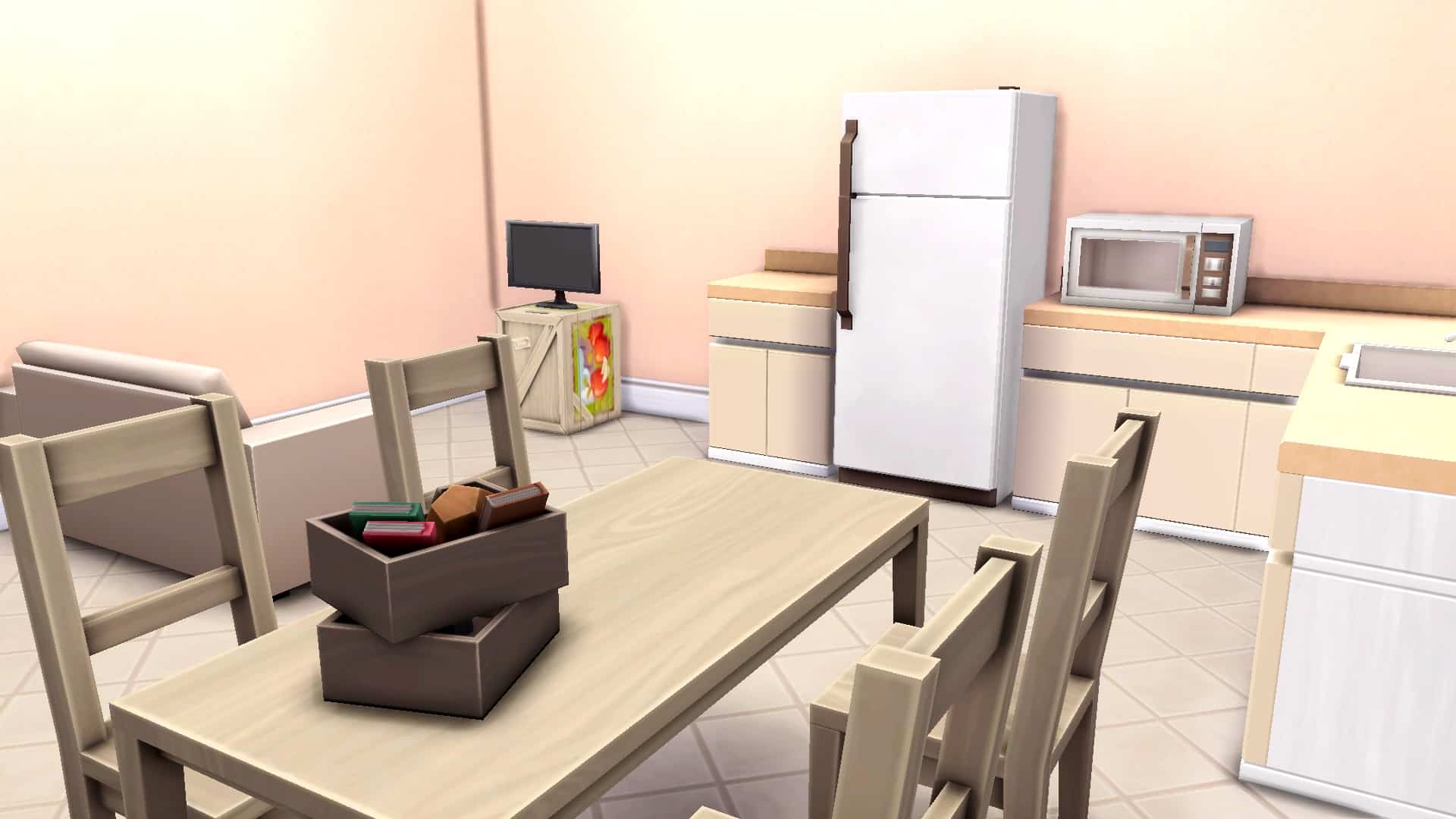
Upstairs, the staff have a place to themselves. They have their own private staff bathroom so they don’t collide with diners outside the customer bathroom and a break room. Tired employees can watch some TV on their lunch break and make use of the company-provided fridge and microwave. A staff room also allows players who own Get To Work to turn this restaurant into a retail lot if they prefer that. All you’d need to do is remove the restaurant equipment, add some display freezers for all the ice cream, and pop in a cash register.
TS4 x64 2022 04 25 13 56 51
TS4 x64 2022 04 25 13 57 06
I had so much fun building this fun and bubbly ice cream parlour and I hope you had fun touring it! It’s available on the Gallery! Click the download buttons below to grab the ice cream parlour and the Sweet Treats CC pack, which is free to the public now!
This ice cream parlour build requires Dine Out and the Sweet Treats CC pack, but other packs like Cool Kitchen, Backyard Stuff, and Get Together are strongly recommended to have the full range of menu options available.
Scared of frogs? Don’t be – at least not in The Sims 4!
The latest SDX drop for The Sims 4 has added a new scenario to the game called Frog Fanatic! This limited-time scenario is all about collecting and breeding lots of different types of frogs!
We’re going to walk you through how to complete this scenario!
Getting Started
You’ll notice the scenarios have gotten a bit of a revamp. Along with lots more new scenarios, there are now difficulty ratings on each scenario to give you an idea of the time and effort it will take players to complete them. The Frog Fanatic scenario is listed as an Intermediate scenario.
This is a limited time scenario that runs until May 24th, 2022, so players have just under a month to start this scenario before it’s gone. In-progress scenarios can still be played after their cut off date so if you’re pressed for time this month, just make sure you start this scenario before May 24th. You’ll be able to go back to it anytime after.
The scenario description states that your Sim is obsessed with frogs and is on a personal mission to collect and breed as many different types of frogs as they can. The household requirements are simple; you just need one Young Adult or older Sim. When you start the scenario, your Sim will start out with a small amount of Cooking and Fishing skill.
Like the Plant-A-Sim Scenario, the goals on the info screen are weirdly vague but once you get in-game, you’ll see that there is a pretty extensive list of specific goals your Sim will need to complete. Your Sim must complete all the goals to finish the scenario:
Catch a frog from a log
Catch a frog from a pond
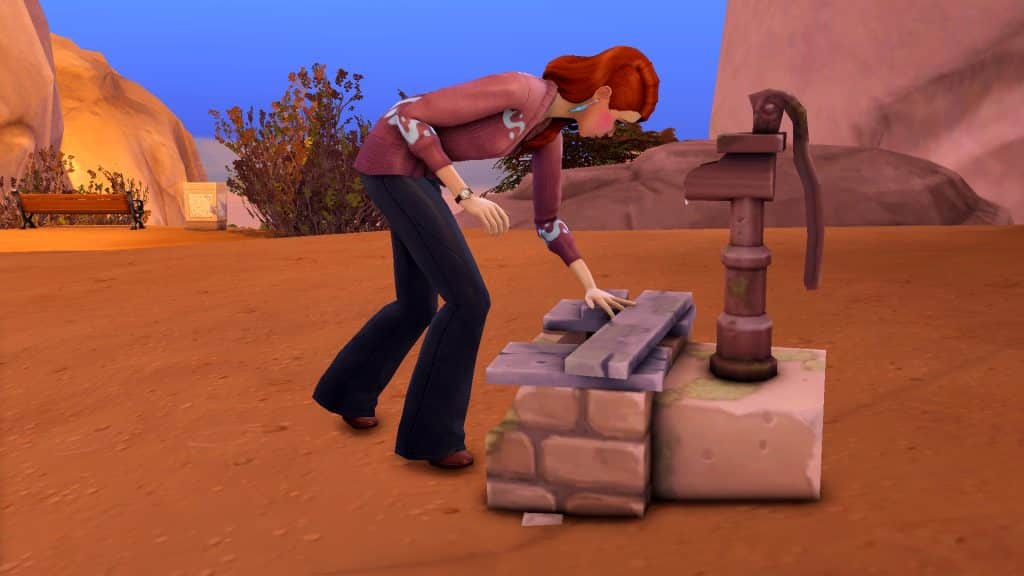
Catch a frog from a water pump
Breed 9 frogs
Cook Boiling Frog Hot Pot
Fish while using a frog as bait
Catch or breed 8 unique Common frogs
Catch or breed 6 unique Uncommon frogs
Catch or breed 4 unique Rare frogs
We recommend using a Sim with the Geek, Creative, Loves Outdoors traits, and The Curator aspiration. The Geek trait and the Collector trait that comes with the aspiration will help your Sim find rare frogs more often. The Creative trait will make your Sim Inspired often which will boost their Cooking skill. The Loves Outdoors trait will provide your Sim with a Happy buff to help keep their mood high while they’re fishing.
Catching Frogs
We couldn’t help ourselves. We decided to troll you guys just a little longer and use the infamous Callia Maebey (aka: Ring Ring Girl) for this scenario. We’d say we’re sorry. If we were. But we’re not.
Starting this scenario is easy enough. Just get out there and start catching frogs! You won’t be able to breed the rest of the frogs you’re missing until you’ve caught a decent variety out in the wild to breed with, first.
You’ll need to catch a frog from a pond, a log, and a water pump so you might as well start there. Logs can be found all over Willow Creek and water pumps can be found around Oasis Springs, particularly around the Desert Bloom park. Searching a log or a water pump guarantees a frog but logs disappear after being searched and water pumps have a cooldown where you can’t search them again for a while, so you won’t be able to get unlimited amounts of frogs from them.
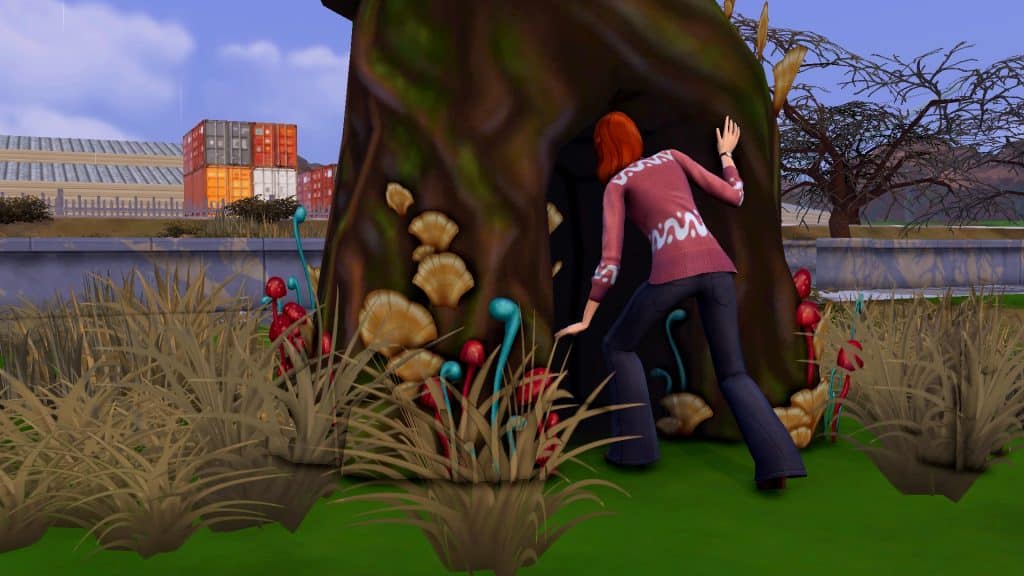
There is a pond located both at Magnolia Blossom park in Willow Creek and Desert Bloom park in Oasis Springs. There is also a pond in the Sylvan Glade, a secret location you can reach by interacting with the mysterious tree in Willow Creek’s Foundry Cove neighbourhood. It’s the large gnarled tree with mushroom growth next to the Crick Cabana house.
Your Sim can catch frogs at any of these ponds but they are slippery creatures and your Sim is not guaranteed to find one every time. There is no cooldown for catching frogs from ponds so you can stack up the interaction and do it repeatedly. You can theoretically complete the entire frog collection this way but it’s actually easier to breed the ones you’re missing after you’ve caught a decent variety to use as breeding stock. Plus, you will have to breed to complete all the scenario goals.
Cooking and Fishing with Frogs
Before you get into breeding, there are some more straight-forward goals to focus on, first. One is to cook Boiling Frog Hot Pot. The other is to fish using a frog as bait. They’re both easy to accomplish but do require you to invest some time into skill building.
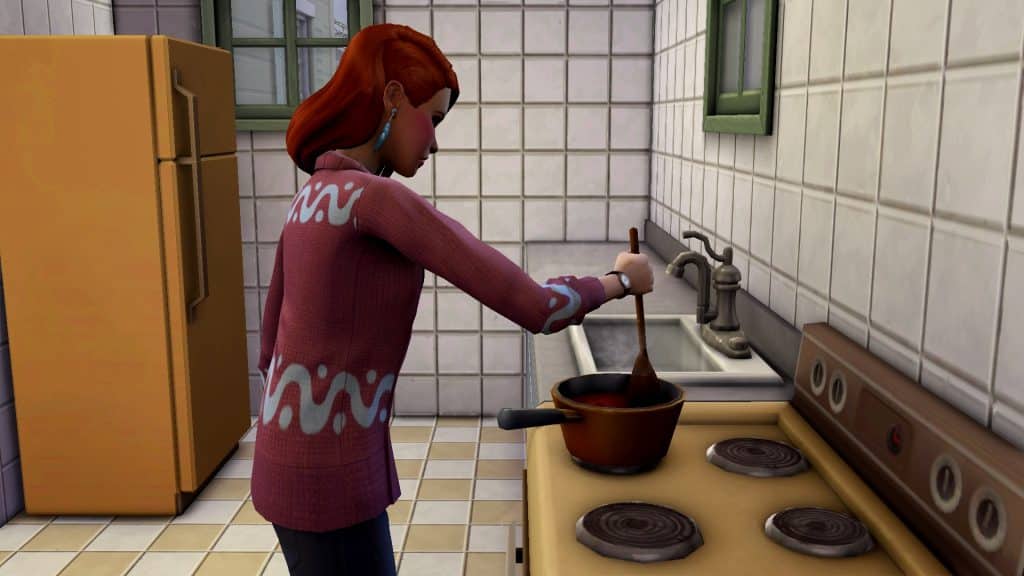
Boiling Frog Hot Pot is a level 7 Cooking recipe. Your Sim starts with Cooking skill level 2, so you’ll need to spend some time in the kitchen. You can boost your skill gain by adding the Homey lot trait to your home and adding objects to the kitchen with an Inspiring aura. Cloudgazing, Stargazing, and watching the Cooking Network are also easy, quick activities to put Sims in an Inspired mood. Once your Sim is skilled enough, just have them cook Boiling Frog Hot Pot using one of their frogs to complete that scenario goal.
Fishing with frog bait is easier, since you can fish with bait at Fishing level 3. Your Sim starts with Fishing level 1 so they only need to go up two skill points to do this. Just click any fishing spot, select Fish With Bait.. and choose a frog from your inventory. You don’t even need to actually catch a frog. Just casting your line with frog bait is enough to complete this goal.
Frog Breeding
This is likely what’s going to eat up most of your time in this scenario. You need to breed a lot of frogs. Not only do you need to breed 9 frogs in total but you also need to breed (or catch) a total of 18 different frogs of specific rarities. To breed your frogs, you must have at least two frogs in your inventory. Click on one frog and select Breed Frog, then pick the frog you want to breed with. You will instantly get another full grown frog in your inventory. You can only breed frogs once every 4 in-game hours.
This is where strategy comes into play. Frogs have a fairly detailed genetic system that determines what kind of frog you will get from any pairing. Carl’s Guide does an excellent job of breaking the whole thing down in-depth, complete with a breeding chart, but we’ll summarize in simple terms here, too.
There are a total of 5 types of frogs (Dirt, Leaf, Eggplant, Sunflower, and Heart) and 4 attributes (Spotted, Striped, Surfer, and Whirl). Most of the frogs have an attribute attached to them except for the base frog of each type which has no attribute. You will need to pair up frogs that either have the type you want or the attribute you want.
To give an example, if I wanted to breed a Sunsurfer frog (Sunflower x Surfer), I would need to pair up a frog of the Sunflower type with a frog of the Surfer attribute. Any Sunflower and Surfer frog has a chance of giving me a Sunsurfer frog when bred together.
For the purposes of completing the scenario, these are the rarities of each frog attribute:
Base (no attribute), Spotted – Common
Striped, Surfer – Uncommon
Whirl – Rare
All five types of frogs with those attributes will be of the corresponding rarity so focus on breeding different types of frogs with attributes of the rarity you’re looking for.
Frog Master
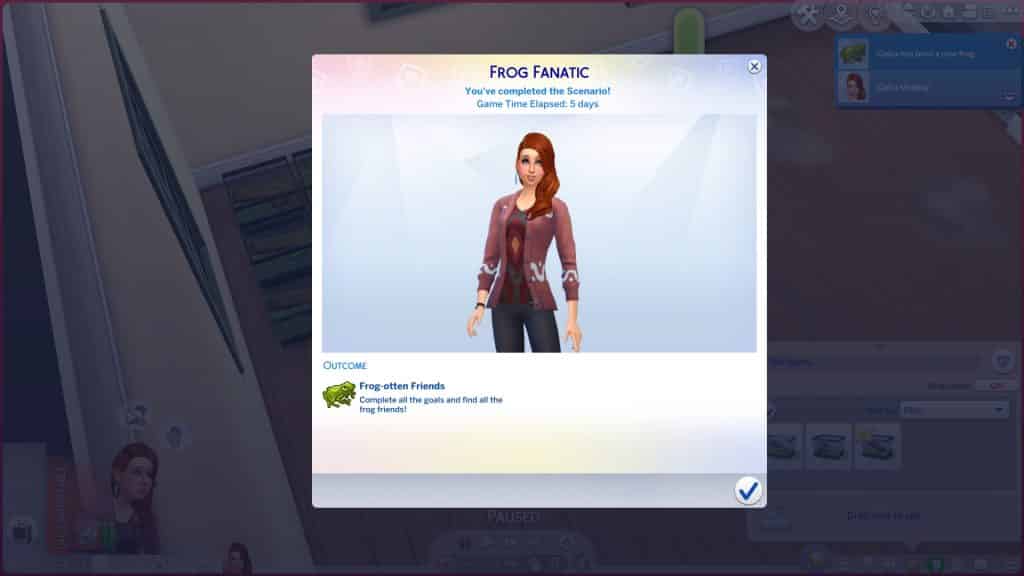
Our terrifying resident Ring Ring Girl finished this scenario in 5 days, but we expect it will take players much longer than this. We cheated her skills and motives to speed the process along.
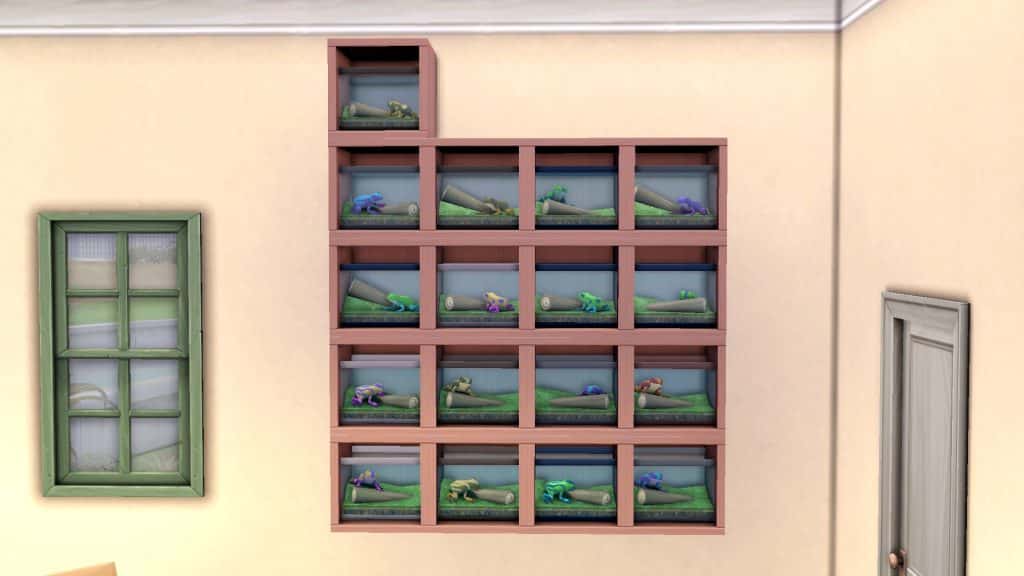
By the time she finished the scenario, she almost had a completed frog collection. She was only missing 3 out of the 25 frogs in the collection.
Our Thoughts
We think this is a pretty cool scenario! We’re partial to scenarios that introduce players to lesser-known aspects of the game they might not have explored before. Many players are completely unaware about the frog breeding system and this scenario pushes them to really dive in and explore the mechanics of that.
As for the difficulty rating, we’d agree with an Intermediate label. It’s fairly time consuming between the skill building and breeding and there’s some strategy involved in breeding the frogs but it’s not necessarily a hard scenario once you’ve figured out the breeding mechanics.
Our main criticism is that it’s a limited-time scenario. In our opinion, limited-time scenarios should be reserved for themed scenarios that revolve around holidays and other seasonal cultural/social events. We don’t see any reason why a scenario like this should be time-locked. It can easily be enjoyed year-round.
The Sims Team has just dropped a brand new delivery into The Sims 4 Base Game!
The latest SDX drop adds a variety of new items to The Sims 4, following the themes of Arab Culture and Earth Day. There’s new recipes, a top in CAS, a brand new Scenario and more that we’ve shown below!
Through Sims Delivery Express you are able to download new Create A Sim Content, Build Mode Content and small bug fixes and improvements into your game straight through The Sims 4. Simply open up The Sims 4 and your game should automatically check for new content.
If not, go into Game Options > Sims Delivery and Check for new Content. This method of bringing new content into your game works both on PC and Consoles! Note that you will have to restart your game in order to obtain new content. You can select “Yes, Restart Now” for the game to restart automatically for you.
Sims Delivery Express – April 27th, 2022 Content
Quick Breakdown
The latest SDX delivery features new items, including:
Earth Love Tank Top
Night-Blooming Cereus Plant
Zaatar Manaeesh and Knafeh Recipes
New Scenario
There’s a brand new Limited Time Scenario in The Sims 4 called Frog Fanatic!
The latest scenario starts right now, and will be available until May 24th, 2022.
A Sim is frantically trying to gather all the frog facts of the world. After all, frogs are ribbiting creatures that can be used for a whole slew of things…even breeding! This frog fanatic toad-ally cannot wait to hop right into the nearest pond and collect all the frog friends.
New Plant
There’s a cute new medium sized plant in Build Mode! The Night-blooming Cereus plant can be yours for just 120 Simoleons in 5 different pot variants.
New Recipes
This SDX drop is bringing some new Arab cuisine to the game! There are two new Arab recipes with this drop, including:
Zaatar Manakeesh
Knafeh
New Tank Top
To celebrate Earth Day the game now has a cute Earth Day tank top for Adult Feminine and Masculine Sims!