Home Blog Page 141

Maxis confirms the future development of The Sims Franchise

Just as we predicted – Maxis’ GM confirms the future of The Sims 4, as well as development on the next generation Sims Game

All the rumors are officially true.

I’ve been reporting on the development of the next generation Sims Game (or as I call it, The Sims 5 until we have an official name) for quite a while now.

It all began in September 2018 when we got a first confirmation that the next generation Sims Game is in development. At the beginning of 2020 we got a confirmation from EA’s CEO, Andrew Wilson, that Maxis is planning a next generation Sims Game. Having both single player and multiplayer in mind. A year later first clues about the development software of the next generation Sims Game surfaced – confirming that The Sims 5 is being prototyped in Unreal Engine. Later on new information started surfacing through the EA Careers website regarding features such as Story and Narrative Modes, Competitive Features, Cross-Platform Functionality and so much more. The last report that we’ve done was at the beginning of 2022, with talks about Cinematic Storytelling.

Maxis started expanding later in 2021 with new studios. The first one that we reported being Maxis Europe, supporting both the development of The Sims 4 and The Sims 5. Just last month Maxis has done a huge rebranding after almost 20 years.

The updated Maxis website also confirmed that Maxis now has several studios, including:

  • Redwood City, California
  • Austin, Texas
  • Kitchener, Ontario
  • Across United States and Europe

Maxis confirms the future development of The Sims Franchise

The rebranding has been done specifically in mind to attract a new generation of future Maxis employees, considering that the studio is growing drastically.

All of this packed together with an official blog post from EA and Maxis just recently released, talking about the future development of The Sims Franchise.

In the official blog post Catharina Mallet, Vice President and General Manager for Maxis and The Sims Franchise has shared exciting insight about the future of Maxis and The Sims.

Catharina has revealed the following in the official post:

  • Maxis will be continuing to create entertaining and unexpected content for The Sims 4 for years to come.
  • …All while developing the future of The Sims Franchise

The confirmation reveals what we’ve been reporting on all along – Maxis is getting big enough to support the development of both The Sims 4 and The Sims 5. Their updated Maxis Careers website proves just that, with tens of different open positions that are both for The Sims 4 and The Sims 5.

Come Build The Future of The Sims Franchise

Maxis confirms the future development of The Sims Franchise

A message from Catharina Mallet, Vice President and General Manager, Maxis & The Sims Franchise

Last week, I gave a talk at the Game Developers Conference (GDC) called “The Sims: Designing for Inclusivity,” about how the culture and practices we embrace at Maxis (the EA studio behind The SimsTM) contribute to the success and cultural impact of The Sims. It was my first time speaking to the games industry in several years and WOW, it reminded me how invigorating it is to be in such a creative and passionate space.

There’s nothing quite like working in  games: the creative and talented people, the groundbreaking technology, the indies and the big shops, the art and the science. Most of all however, it’s about that moment when a player tells you “I love what you made, and playing it made my day better.” Our players are incredibly passionate about the stories they craft, and we love seeing the impact our games have on their lives, their senses of self, and their communities. This sense of purpose – inspiring everyone to make a better world through creative play – and our commitment to our players leads to a truly unique culture at Maxis.

Maxis confirms the future development of The Sims Franchise

The Sims franchise has been around 22 years, has more than 563 million cross-title installs since 2014, and The Sims 4 was played for 1+ billion hours last year alone. The game has become a platform for self-expression and discovery, and nearly every day we hear stories from our community about how the game has impacted their lives in positive ways. We’re just getting started with all we want to accomplish with this amazing franchise, and we’re looking to grow our team.

Diversity, equity and inclusion have always been important to us at Maxis. We know that our games have the power to impact reality, and shape kinder, more empathetic and inclusive people. We know that diverse perspectives challenge us to think differently and innovate, which inspires our players. And we know that representation matters, and that when players see themselves in our games, they feel empowered. So we work hard to create the diverse and inclusive studio environment that is best suited to give players the choices that reflect and even change their view of the world.

Maxis confirms the future development of The Sims Franchise

As we look towards our future, continuing to create entertaining and unexpected content for The Sims 4 for years to come while also building the future of The Sims franchise, we want to hear from all kinds of voices.  We are committed to being more inclusive of different backgrounds, races, genders, geographies and ways of thinking than ever before. We, of course, want to attract gaming experts, but we also recognize there’s enormous talent potential outside the industry. We need fashion designers, artists, architects, e-commerce specialists, machine learning experts and so much more. We view nontraditional experience as an asset, not a drawback.

Exciting things are coming! Check out our careers page for current listings –  we can’t wait to hear from you!

Maxis is encouraging people from all backgrounds and walks of life to consider applying to become a part of their team.

The latest Career Opportunity was published just a few hours ago titled Multiplayer Gameplay Software Engineer.

This Career Opportunity, among many others for the next generation Sims Game, hints to be prototyped in Unreal Engine. A powerful program and tool used by many video game development companies.

Although the next generation Sims Game will have a Multiplayer aspect attached to it, there’s plenty of more information that we listed in the beginning of the article. The next generation Sims Game seem to include plenty of different possibilities and modes for players, with Multiplayer being just one of them.

Here’s the description for the Multiplayer Gameplay Software Engineer, as well as responsibilities and qualifications that reveal new information about the next generation Sims development:

Maxis is looking for an engineer that can help us bring the next wave of simulation features to life. This engineer will work with an experienced team that has collectively built almost all Maxis games in the past two decades. You will work with multiple designers and simulation engineers prototyping and shipping different features that expand the gameplay possibilities of Sims games. Most of the work will be done in Unreal Engine, both in C++ and blueprints.

As a Gameplay ‘Simulation’ Engineer for a game at Maxis, you will report to a Development Director and will:

  • Work with designers, producers, artists, and other core and backend engineers to build a framework that brings designs to life.
  • Implement a data-driven simulation system to author player facing behaviors in C++.
  • Build creative aspects of real life within a simulation game (e.g. socialization, careers, weather, and unique characters).
  • Author technical design documents detailing software requirements.
  • Build unique content for a game that supports a large demographic of simulation player patterns.

Qualifications

Please note that you do not need to qualify for all requirements to be considered. We encourage you to apply if you can meet most of the requirements and are comfortable opening a dialog to be considered.

  • Bachelor/Master’s degree in Computer Science, Computer Engineering or related field.
  • 5+ year experience in a hands-on development role.
  • Demonstrate technical abilities with large projects implemented in C++.
  • Experience building and shipping AAA games in Unreal engine.
  • Previous engineering experience overseeing major systems in code bases.
  • Experience and willingness to create multiple short-lived prototypes.
  • Experience developing for large-scale live products. Products that always update to provide higher quality, and feature set to expand the possibilities in the game.
  • Experience building features and tools for games (or applications) that support a collaborative User Generated Content community.
  • Experience working in collaborative environments with many-sided roles beyond engineering like design, production, art and product management.
  • Experience optimizing performance and memory of real-time applications (like games).
  • Experience with Windows platform and development tools.

With all of that being said, I’m happy to see that Maxis is finally getting its strenght back to work on multiple projects all at once.

As we keep reporting on the news about The Sims 5, it’s worth noting once again that Maxis has different teams working on different projects. There’s a team for The Sims 4, The Sims 5 and an unnanounced upcoming IP from Maxis rumored to be titled Lost Astral.

Exciting times seem to be ahead of us, and we’ll make sure to keep you updated on every step of the way!
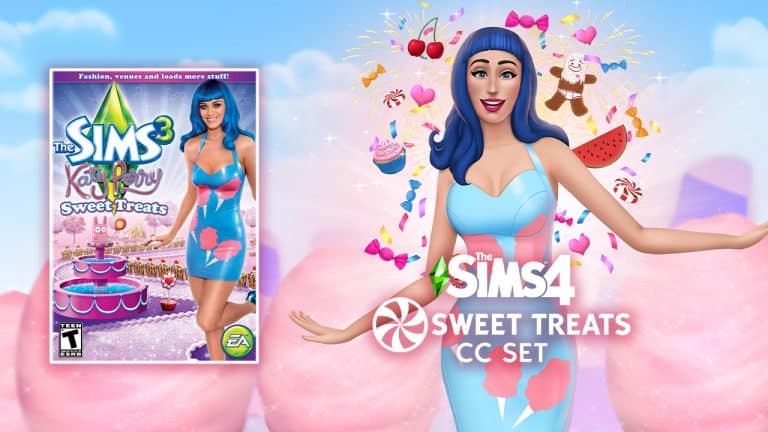
Players Revive the iconic Katy Perry Sweet Treats for The Sims 4

10 years after its limited release, this pop star Stuff Pack has been brought back by CC creators and Katy Perry fans!

On June 2nd, 2012 history happened. At least when it comes to The Sims Series.

The first ever star-focused Stuff Pack was released for the franchise. Just shortly after the release of a special, Collector’s Edition for The Sims 3 Showtime Expansion Pack.

Players Revive the iconic Katy Perry Sweet Treats for The Sims 4

Just a few months after, The Sims Team did an unexpected thing by releasing an entire Stuff Pack inspired by Katy Perry’s Teenage Dream era. The release of The Sims 3 Katy Perry Sweet Treats in June 2012 was a love-hate situation.

Players Revive the iconic Katy Perry Sweet Treats for The Sims 4

Many fans of The Sims didn’t know why was an entire Stuff Pack needed for a huge celebrity.

Personally I didn’t question it a lot. I was a fan of both Katy’s music and The Sims. I was also 14 back in the day so everything shiny, sparkly and new immediately caught my positive reaction. Especially if it’s a collaboration of two of my favorite interests.

10 years after, the Sims community learned how to love this Stuff Pack. Or at least appreciate the collaborative, ambitious efforts to make it happen.

Oh, and the video of Katy Perry singing Last Friday Night in Simlish also became a wildly popular meme.

The Katy Perry Sweet Treats Stuff Pack was sold for $30USD, unlike other Stuff Packs for The Sims 3 which were $20. The pack contained more items for both Create A Sim and Build Mode unlike any other, so that could be the reason why.

And the fact that it was a celebrity endorsment that unfortunately lasted only for a year. The Katy Perry contract was probably signed for a year, after which the Stuff Pack got pulled back from the retail store shelves and digital retail sites like Origin.

On July 15, 2013, a Community Manager for EA confirmed that this stuff pack has been retired and is no longer available on Origin. Therefore, EA will not produce any more physical or digital copies of Katy Perry’s Sweet Treats. Unused game codes for the pack can still be used to add the game to one’s Origin library.

– Sims Wiki & EA Help

To this date people are still finding physical copies of The Sims 3 Katy Perry Sweet Treats across the world for a small price. Some are sealed – meaning that you can still register the Pack and download through Origin. While some are unsealed and let you only install it through the provided Disc.

Either way, an iconic era for both the fans of The Sims and Katy Perry.


10 years after, Littledica, talented CC creator for The Sims 4, among with other CC Creators and players have managed to revive and expand the Build Mode catalog of Katy Perry Sweet Treats!

Players Revive the iconic Katy Perry Sweet Treats for The Sims 4

The main creator of this Custom Content set has worked about 3 months on this project. Making sure that the objects are converted properly for The Sims 4 and fit the Maxis Match aesthetics of the game.

We asked the creator of this set about who else was involved in the project. Turns out it was created by none other but fans of The Sims, fans of Katy Perry and both!

  • LuddySimmer created the art for some of the objects (bed candy drawing, bookcase drawing ecc) the pack promotional material and designed some new items concept art.
  • Luumia did the trailer.
  • Simmatically did the album covers in simlish for the stack of CDs object
  • Ravasheen created the tuning (the code) of some of the objects including the Functional candy jars with new candy, the Kitty Purry and gingerbread man statue working as toys that you can talk to and made the microphone functional

Want to see this Custom Stuff Pack in action? Check out the amazing trailer preview created for Katy Perry’s Sweet Treats below:

LittleDica has listed an entire set of objects included with The Sims 4 Katy Perry’s Sweet Treats CC Set, including:

Sweeten Your Sims Lives With Colorful Objects;

From ice cream ceiling lights to peppermint bikes, your house has never been so sweet! This collection of mouth watering build and buy items, inspired by Katy Perry’s Teenage Dream album, will bring a delectable look to your rooms and a delicious vibe.

70+ Sugary Sweet Build and Buy Items;

This set is a reproduction of The Sims 3 Katy Perry Sweet Treats build and buy items, but not CAS items. The set contains 79 objects and build tools, some of which also offer new gameplay features thanks to the amazing Ravasheen!

Reproductions and Original Designs;

This set contains items created from scratch following the original designs in the The Sims 3 Pack, plus some new original objects designed by Luddy Simmer!

Players Revive the iconic Katy Perry Sweet Treats for The Sims 4

As you can see in the objects preview above, there’s an amazing variety of both original and new content inspired by Katy Perry’s Teenage Dream era. Candy themed furniture, Banana Split Sundae sofa, Gingerbread swingset. Also – CANDY ROOF TILES!

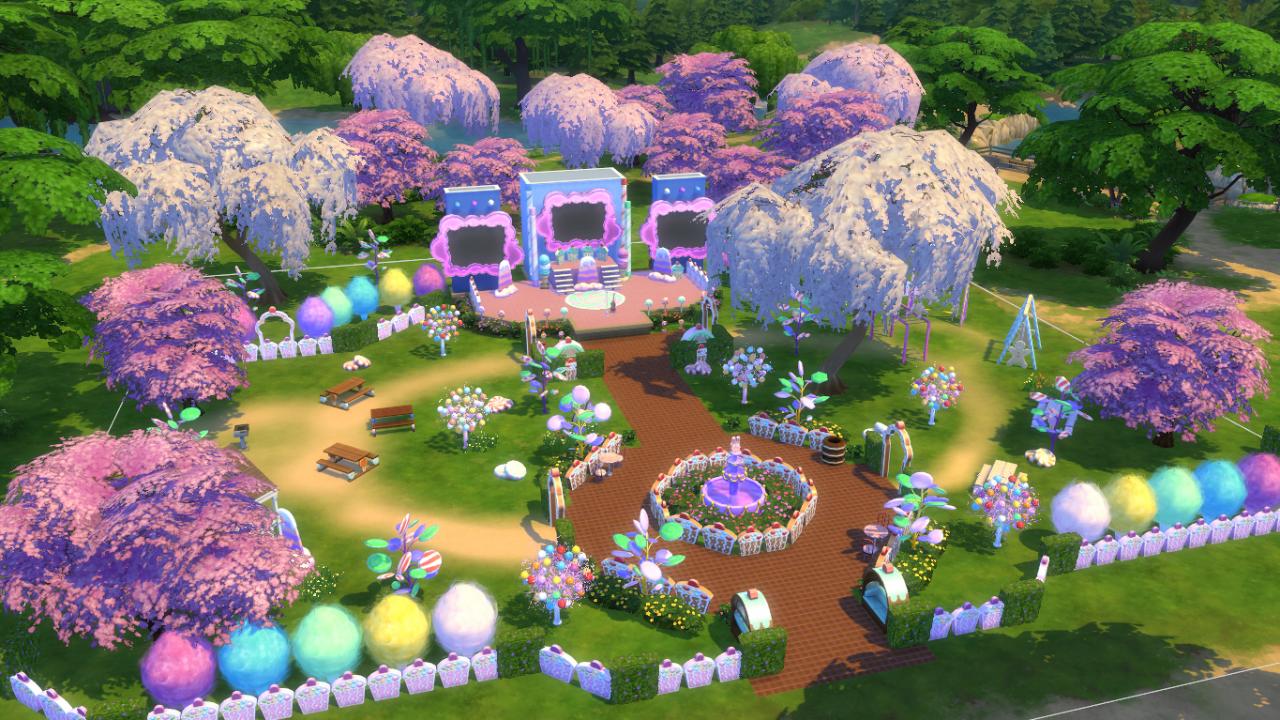
Littledica has also included a screenshot preview of some of the new objects in-game. Check out the Magnolia Blossom Park in Willow Creek – now with 100% more sugar.

Players Revive the iconic Katy Perry Sweet Treats for The Sims 4

This brilliant Custom Content revival is available now for Early Access through Littledica’s Patreon Page. The Public Release is set for April 24th.

We’ll make sure to keep you posted on all the sugary news regarding this CC Pack, as well as provide you with a detailed in-game overview of the objects. Stay tuned!

The Sims April Fools’ Jokes that are too good to be true

We can’t believe that the Microsoft Store did another oopsie!

In the true spirit of April Fools’ Day, players have been out in force sharing a variety of different April Fools’ jokes on the Sims Community! The best part is that this year’s jokes were not just limited to The Sims 4 but in fact all the main series games and even The Sims 5!

Here’s a round up of all the April Fools’ jokes that have been shared on Twitter today!

The Sims 5

Did the SimGuru’s really think the community wouldn’t find this little hint about The Sims 5 that was added in yesterday’s patch? Well, Zerbu definitely spotted the hint when exploring the games new code yesterday. I guess an official announcement is on the way soon?

The Sims April Fools’ Jokes that are too good to be true

The Sims 4

It wouldn’t be a normal day in the community without a new pack leak from the Microsoft Store! Luddle was quick to capture screenshots of the leak before it was taken down!

Of course, with it being April Fools’ Day, we are all a little sceptical of this so-called leak! Here’s a closer look at the “rumoured” upcoming expansion pack.


Next up, Tazreen Tasnim had some fun with the community by showcasing the recently added Cars that came with today’s patch!

SimGuruNinja joined in the fun with a cute tweet about a Cowplant offering cake. While light-hearted and fun, seeing a Cowplant tempting a fellow Sim with cake could be slightly terrifying!

The Sims 3

We can’t forget about The Sims 3 now, can we? Especially with a remastered version of the game on the way!

The Sims 2

Do you love The Sims 2 like I-Love-The-Sims? 

As much as we would love to see The Sims 2 re-released in a promotion similar to this one on Origin again, we will have to just sit here and reminisce with our memories of the game for the time being!

The Sims

Why did you have to play with our emotions like this! We know many players would love to see this actually happen one day!
The Sims Revamped

With much speculation circulating this particular Tweet, who knows what this could really be about! A remaster? A remake? Maybe even a new game? One thing for sure, we’ll have to wait until April 1st 2023 to find out more!

That’s all for this year’s April Fools’ Day round up! Did you see any of these on Twitter today, or maybe one we missed? Let us know in the comments below.

The Ultimate Cake Guide for The Sims 4 My Wedding Stories (UPDATED)

April 2022 Update!

We put together a detailed wedding cake guide back when The Sims 4 My Wedding Stories first released. Since then, some features regarding wedding cakes have gotten a few changes, most notably the patisserie stand! There is new functionality related to the patisserie stand in Tartosa, making your cake tasting experience a bit more involved than it was back when we were playing with the early software.

With these changes in mind, we felt it was a good opportunity to give our cake guide an update! Read all about wedding cakes below with brand new, updated info!

Taste Testing Wedding Cakes

The Ultimate Cake Guide for The Sims 4 My Wedding Stories (UPDATED)

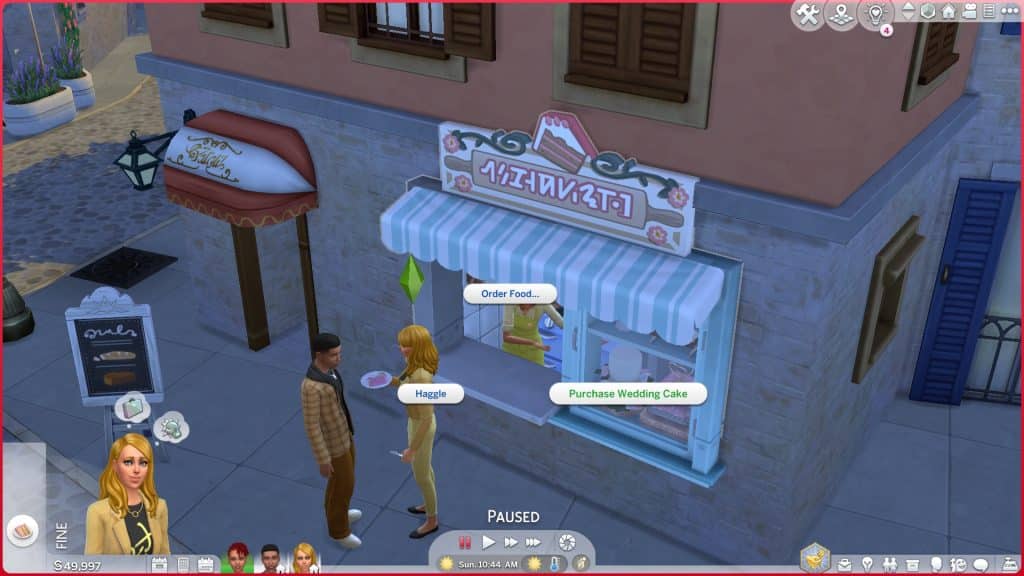
The patisserie stand is located in the Porto Luminoso neighbourhood of Tartosa. It’s built into one of the shell buildings facing the big fountain with seating in the centre of town. The patisserie stand wasn’t really anything special when we first covered it; it was basically just a regular food vendor that happened to sell cake slices; however, it seems the patisserie stand has gotten a small upgrade to make it a little more immersive for our engaged Sims.

The Ultimate Cake Guide for The Sims 4 My Wedding Stories (UPDATED)
Sims can now purchase their wedding cake directly from the patisserie stand, not just sample slices. The patisserie stand doesn’t carry the full selection of cakes so if you want to see everything, the computer is still a better option for purchasing your wedding cake. Still, the patisserie stand does carry a decent selection of wedding cakes in different shapes and flavours. If you want a more gameplay-oriented approach to selecting your wedding cake, you might enjoy paying a visit to the patisserie stand instead of using the computer.

Another complaint we had about the patisserie stand was that there wasn’t really a way for both engaged Sims to participate in the cake testing together as a couple. You’d have to buy two cake slices and watch them eat it separately which didn’t really give off heartwarming wedding planning vibes. This has also gotten a small but nice change!

The Ultimate Cake Guide for The Sims 4 My Wedding Stories (UPDATED)
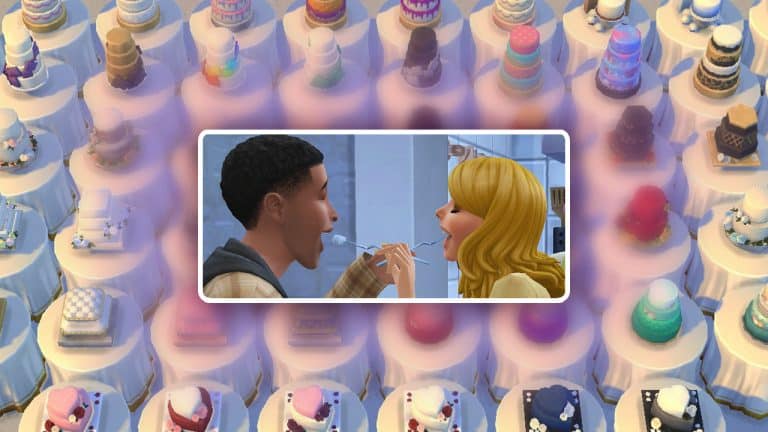
Sims can now feed their engaged partner when they purchase a cake slice from the patisserie stand! The option is a bit hidden, however. Your Sim won’t feed their partner on their own. You have to click the slice of cake and choose Feed Cake to [Sim Name]. Since Sims eat food very quickly now (in just 3 bites), you’ll have to cancel the Eat Cake interaction and choose Feed Cake to [Sim Name] quickly as soon as they are served a slice. Otherwise there won’t be any cake left to feed them!

There are no specific moodlets related to feeding each other cake that we saw which is a bit disappointing but this is still a much cuter way to explore cake flavours before a wedding that we appreciate having in the game.

Buying a Wedding Cake

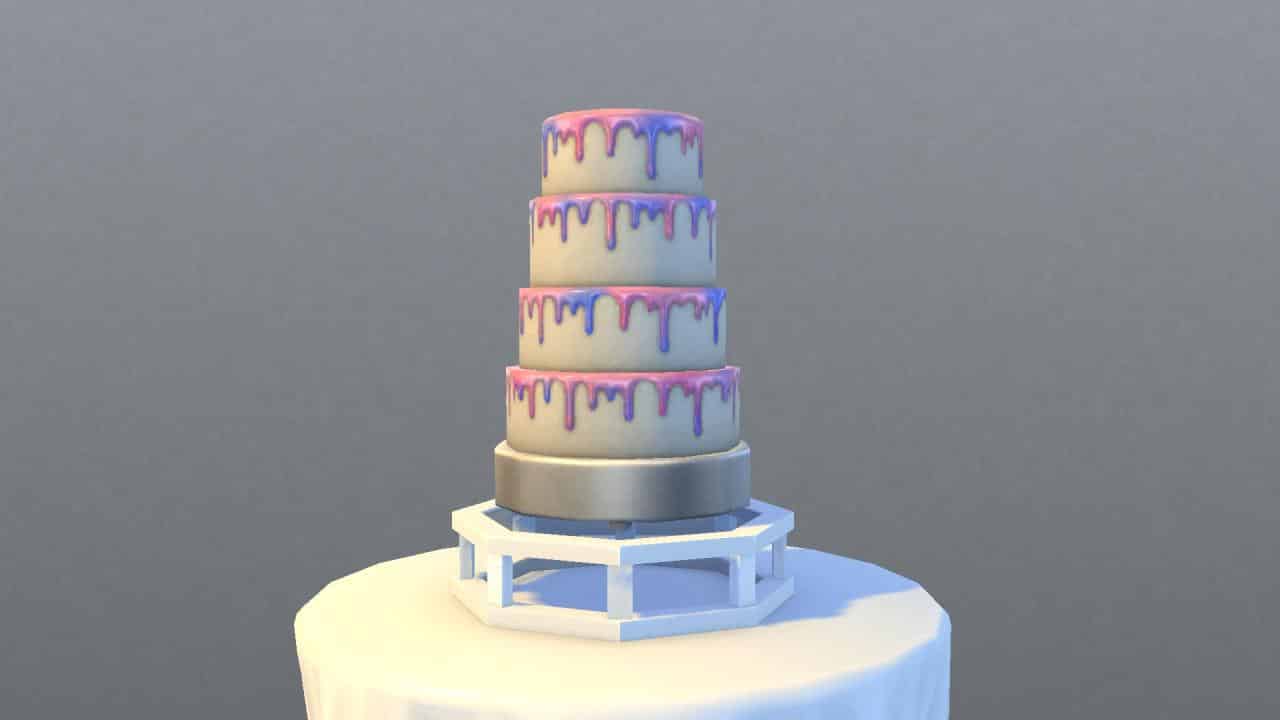
Buying a wedding cake is very simple. As stated above, a limited selection of cakes can be purchased at the patisserie stand but wedding cakes can also be ordered through the computer. Unlike the patisserie stand, all 56 flavours of cake in all 9 shapes will be available for purchase online. Wedding Cakes are a new subcategory under the Order category on computers.

When you purchase a wedding cake, it will appear immediately in your Sim’s inventory. If your Sim is currently engaged, they can click on the cake and select “Select as Wedding Cake.” The cake will disappear and you’ll get a notification informing you that the cake will be ready for you on the big day. When we first wrote this article, we had problems with the cake actually being at the ceremony afterwards but this doesn’t seem to be a problem for us anymore. Our wedding cakes appear in our Sim’s inventory at the start of the wedding event for us to place down as intended! Hurray!

Below are the prices for each style of cake:

  • Beachy Wedding Cakes – $175
  • Cupcake Wedding Cake Displays – $75
  • Floral Wedding Cakes – $150
  • Heart Wedding Cakes – $175
  • Hexagon Wedding Cakes – $225
  • Pillow Wedding Cakes – $225
  • Round Wedding Cakes – $200
  • Square Design Round Wedding Cakes – $150
  • Square Wedding Cakes – $200

Baking Your Own Wedding Cake

The Ultimate Cake Guide for The Sims 4 My Wedding Stories (UPDATED)
If your Sim is a skilled gourmet chef, they can also make their own wedding cakes. To bake your own wedding cakes, your Sim must first have unlocked the Gourmet Cooking skill by reaching level 5 of the Cooking skill. Once your Sim has learned the Gourmet Cooking skill, a new interaction on the fridge called Cook Wedding Cake will become available.

Making wedding cakes comes with new cooking animations. Sims will mix up the batter and pour it into a cakepan in the oven like other types of cakes and desserts. Instead of the cake popping out of the oven fully decorated, Sims will spend some time decorating the cake after they take it out of the oven.

Sims can only make wedding cakes they are skilled enough for. At level one of the Gourmet Cooking skill, they will only be able to make the cupcake displays but other types of wedding cakes will open up at higher skill levels.

Below are the skill levels required to make all 9 cake styles:

  • Cupcake Wedding Cakes – 1
  • Floral Wedding Cakes – 5
  • Square Design Round Wedding Cakes – 5
  • Heart Wedding Cakes – 6
  • Beachy Wedding Cakes – 6
  • Square Wedding Cakes – 7
  • Four-Tiered Round Cakes – 7
  • Hexagon Wedding Cakes – 8
  • Pillow Wedding Cakes – 8

Wedding Cake Closeups

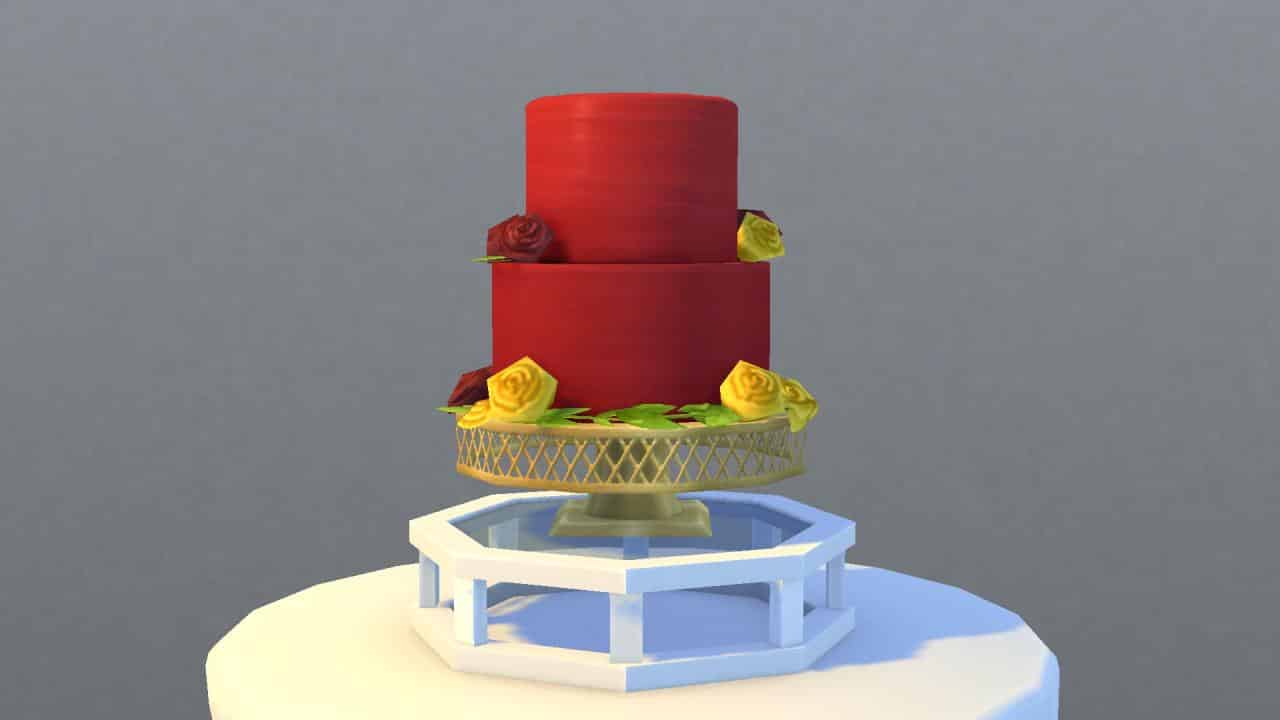
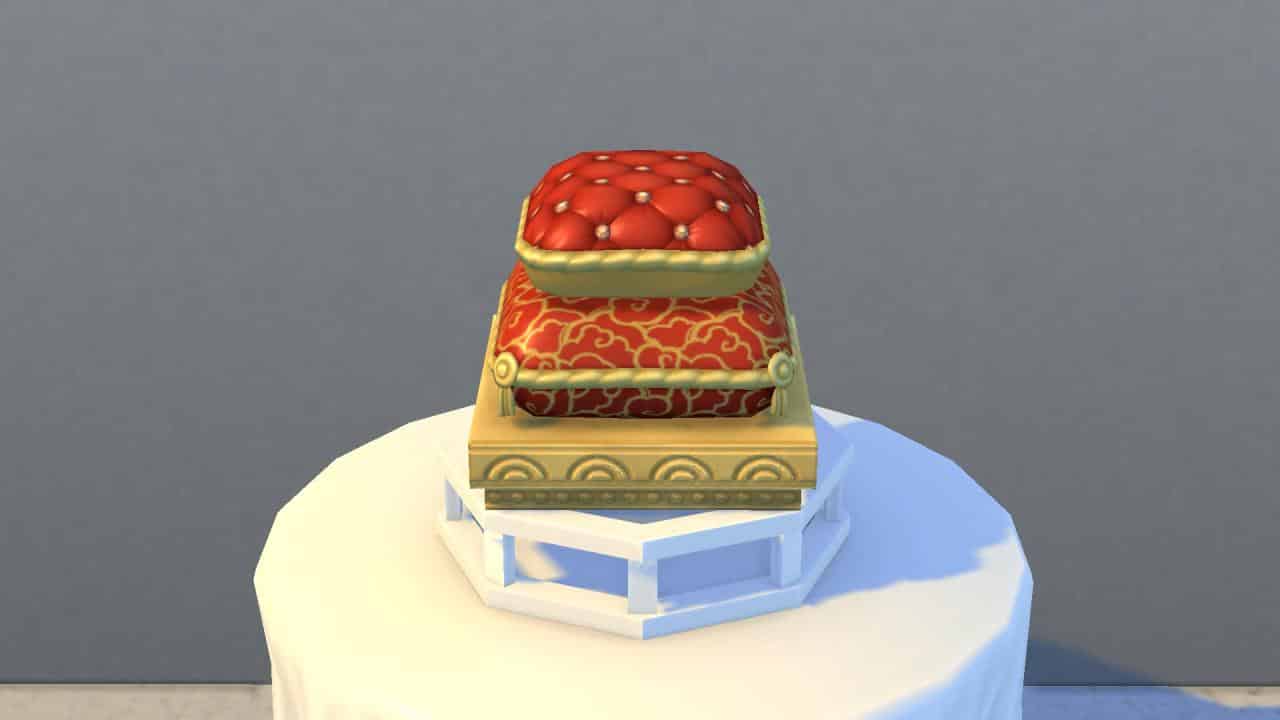
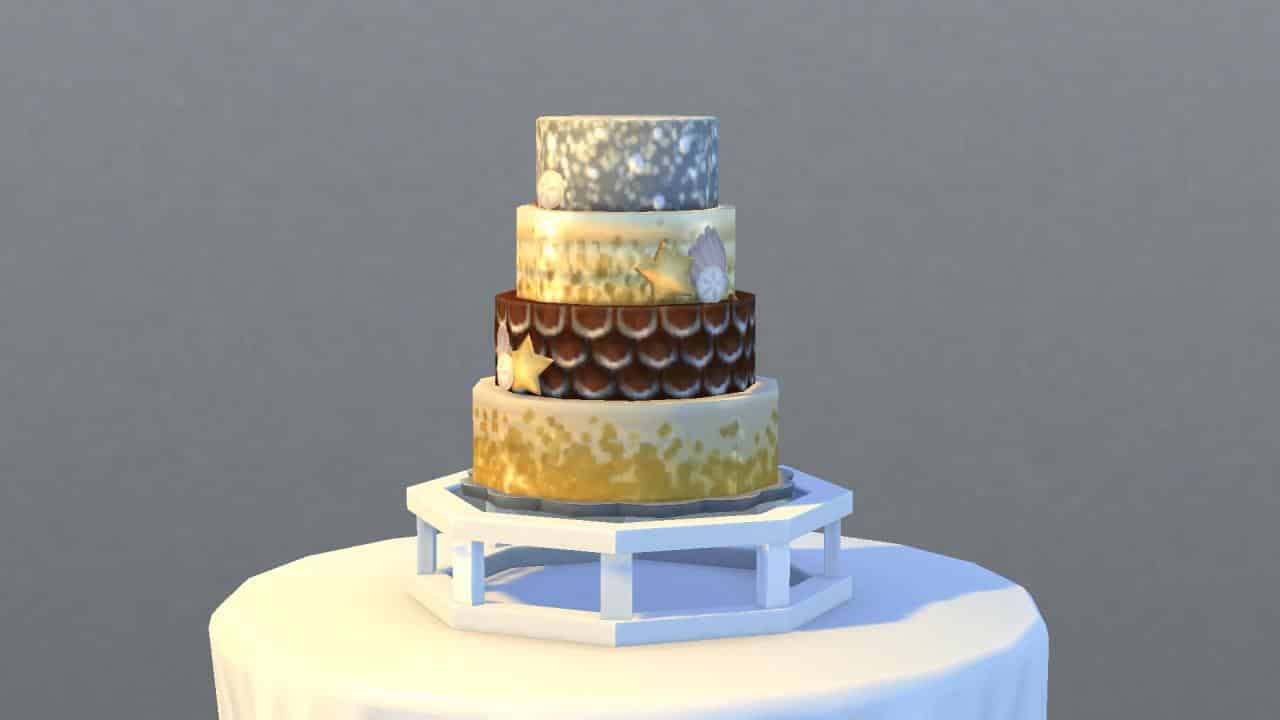
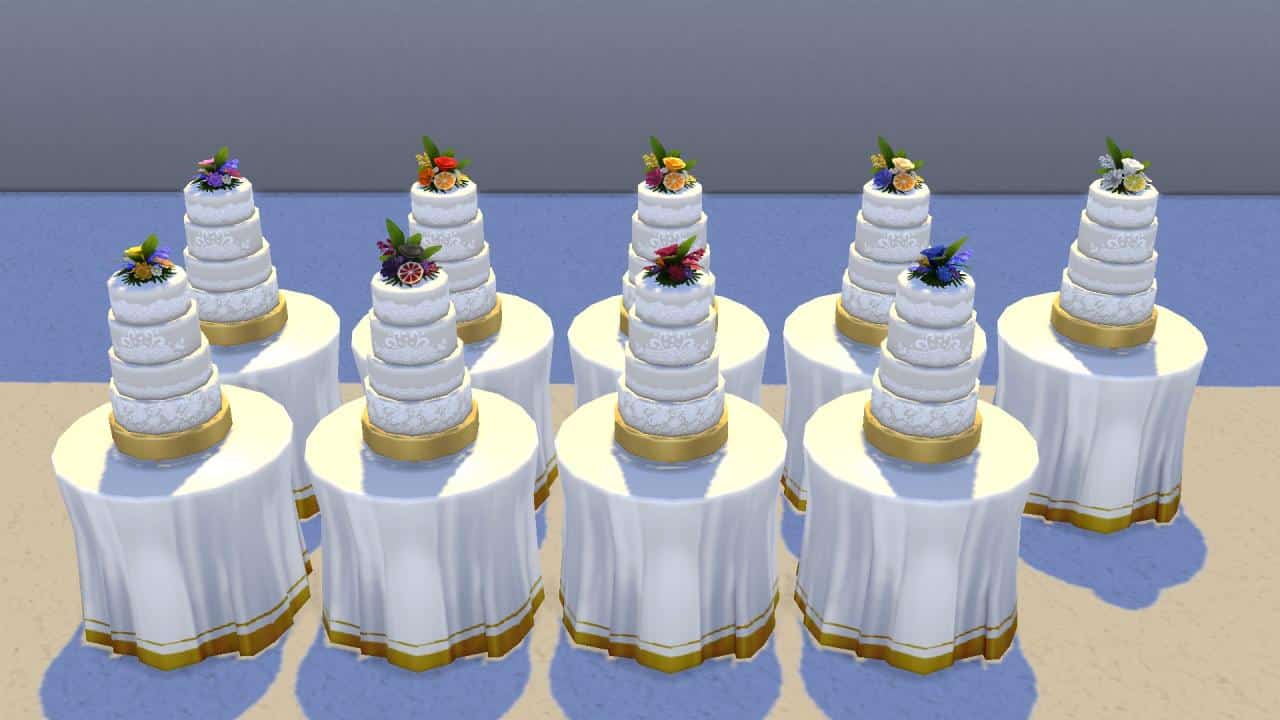
Below is a closeup of each cake in all 56 colours and 9 styles. There are a couple cakes designed for occults as well, such as the Sixam cake for aliens and the plasma drip cake for vampires.

Three-Tiered Hexagonal Cakes

Two-Tiered Heart Cakes

Four-Tiered Round Cakes

Two-Tiered Round Cakes

Three-Tiered Square Cakes

Two-Tiered Pillow Cakes

Four-Tiered Round Cakes with Square Design

Beachy Four-Tiered Round Cakes

Cupcake Displays

Cake Interiors

We’ve included pictures of what each cake looks like as an individual slice. This should help you match the full size cake to the individual slice samples available at the patisserie stand when you’re taste testing cakes. As you can see, many of the cakes have their own unique flavour and colours inside, as well as different shapes to match the shape of the overall cake.

Note: In our original article, the Silver and Gold Beachy Four-Tiered Round Cake was glitched. Sims could not interact with it and would just T-pose and reset themselves every time you directed them to interact with the cake. We weren’t able to show a slice of the inside as a result. We tested this cake again and we’re happy to report it is no longer glitched! Here’s a picture of the cake with a slice of the inside below.

The Ultimate Cake Guide for The Sims 4 My Wedding Stories (UPDATED)

Cake Toppers

There are a total of 96 different toppers in 11 styles available for wedding cakes. To select a topper for your wedding cake, click on a finished wedding cake and choose Select New Cake Topper to bring up the topper selection menu. You can use the filters to help you find the topper you’re looking for faster.

It doesn’t cost anything to add a topper to your wedding cake. Cake toppers can be inscribed and kept after the wedding as a keepsake.

Cake Topper Pictures

Below are all 96 cake toppers in their 11 different styles. You’ll notice there are many traditional ones, like roses and flowers with script, a well as fun ones like bats, ghosts, and cowplants. There are also a variety of LGBTQIA+ toppers as both rainbows and mini-Sims.

And that’s everything you need to know about wedding cakes in The Sims 4 My Wedding Stories! Complete with both original and updated information! Make sure to bookmark us and follow us on social media to stay updated about all the latest news, updates, and changes made to the game!

The Sims 4: NEW UPDATE! (April 1st, 2022)

The Sims 4: NEW UPDATE! (April 1st, 2022)

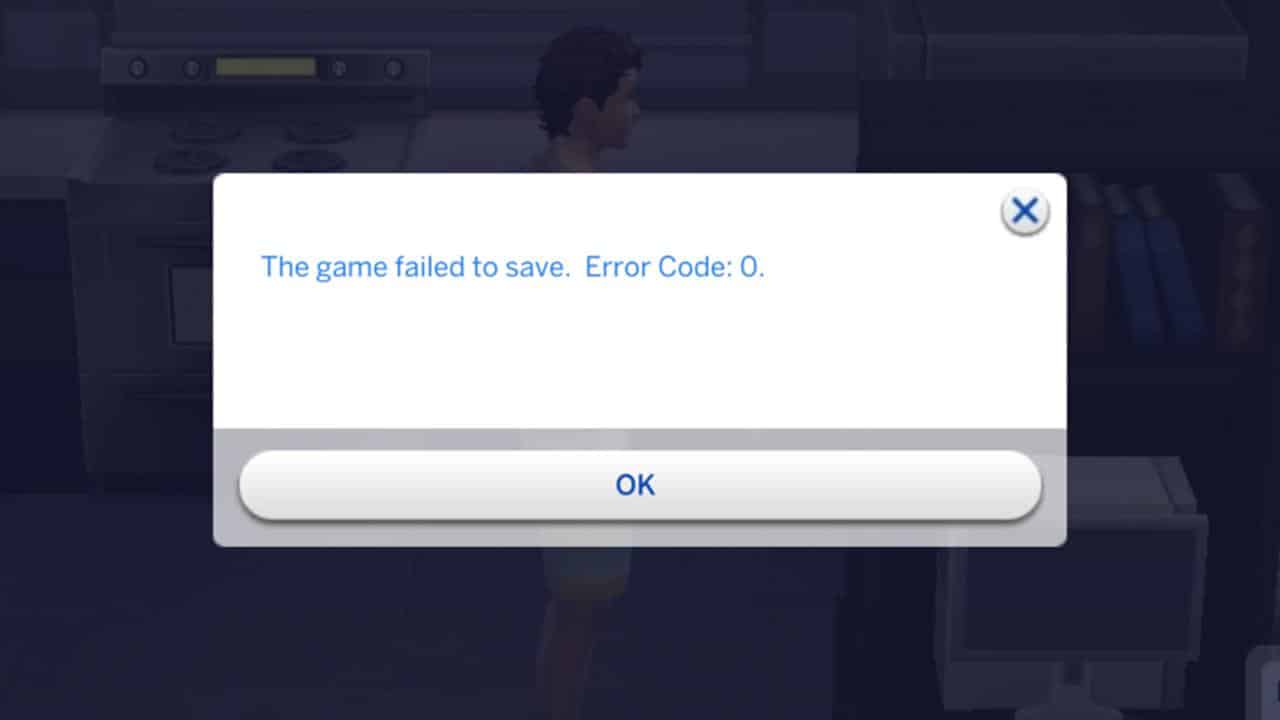
The Save Game Error 0 Update

The Sims Team has released a brand new update for The Sims 4 on PC, Mac, Xbox One and PS4!

IMPORTANT: Because it takes time to rollout a fresh fix on third party platforms such as Playstation and Xbox (not owned by EA), the hot fix update needs to be approved by those companies first. Which is why the update, as of now, isn’t available on Consoles. We’ll make sure to let you know when it is!

The Sims Team has released an official statement, saying that the update is coming to Consoles “early next week”.


To download the latest version of The Sims 4, simply open your Origin program and if the game doesn’t update automatically, right click on The Sims 4 and select ”Update”.

In case you have Mods or Custom Content, the game will automatically disable them for you after first launching The Sims 4 after the update. To re-enable all your Mods and Custom Content, select the Settings option in the Menu and select Settings. Under the ”Other” section you’ll find the ”Enable Custom Content and Mods” option. Check it and restart your game in order for it to take effect!

Patch Notes

PC: 1.86.166.1030 / Mac: 1.86.166.1230   

Console: Version 1.57.2

Sul sul, Simmers!

This update consists of two fixes addressing “Error Code: 0” some of you might be encountering when trying to save. If you still run into this error after updating, please let us know on Answers HQ.

As always, thank you for your continued support and feedback.

–  SimGuruKuxiku

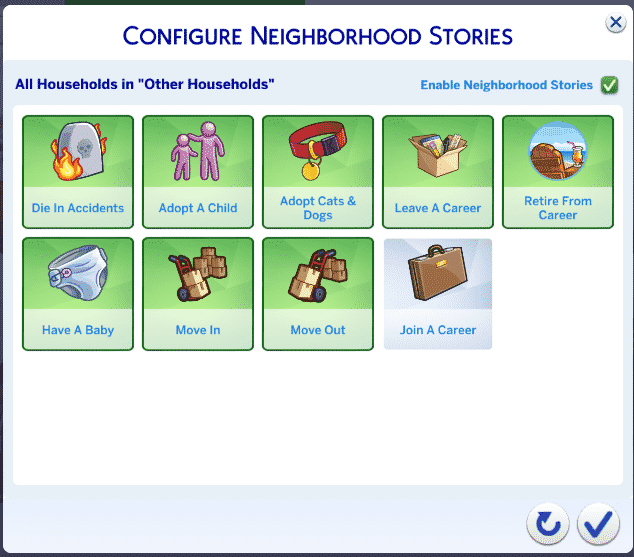
The Sims 4
  • Games with Neighborhood Stories configured to enable neighbors to “Join a Career” now should be able to save normally. If you had disabled this option to avoid the issue, you now should be able to play with it.
My Wedding Stories
  • Couples marrying now consistently can enjoy their big day with a cake.

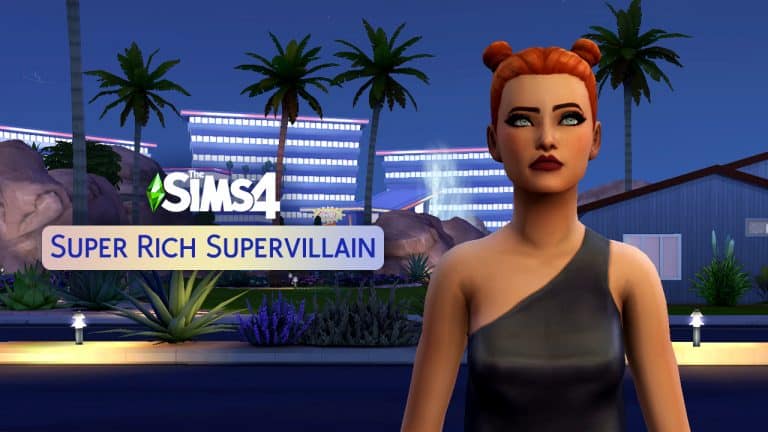
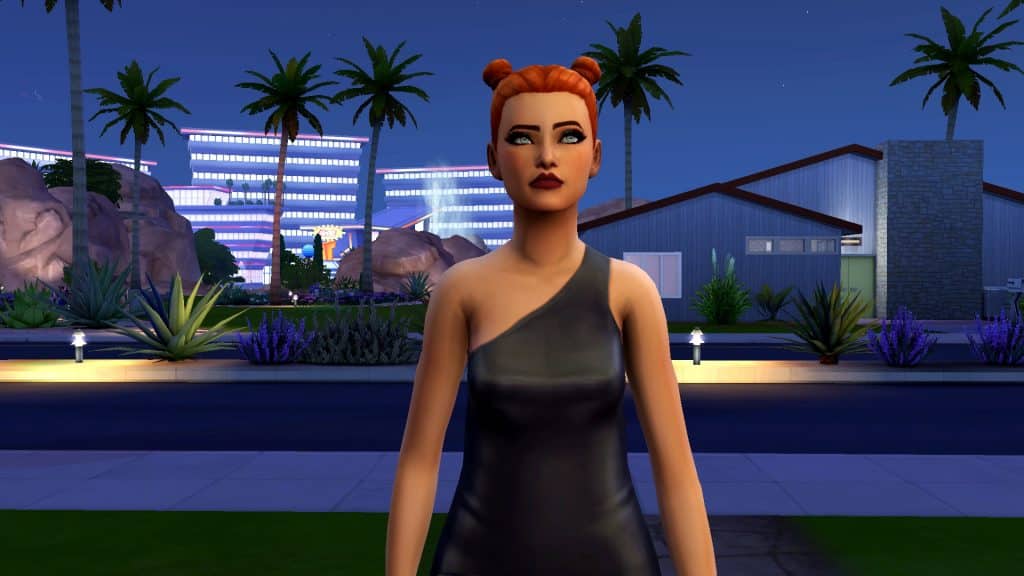
The Sims 4 Scenario Playthrough: Super Rich Supervillain

The Sims 4 has added so many new scenarios to the game recently that we’re still working our way through them all! The scenario we played through this time, Super Rich Supervillain, is a permanent scenario that’s here to stay for good, so start it anytime you like!

Here’s how our Super Rich Supervillain scenario went!

Getting Started

The Sims 4 Scenario Playthrough: Super Rich Supervillain
You’ll notice the scenarios have gotten a bit of a revamp. Along with lots more new scenarios, there are now difficulty ratings on each scenario to give you an idea of the time and effort it will take players to complete them. The Super Rich Supervillain scenario is listed as an Intermediate scenario.

This is a permanent scenario so there’s no need to rush to start it before a certain date. It will be available in the game forever so start it whenever you like!

The scenario description states that your Sim has become cynical working in the Secret Agent career but has come to enjoy the luxurious lifestyle it offers. They aspire to have $500,000 and get promoted to the Villain branch of the Secret Agent career. You’ll also start with $0 in household funds when you begin the scenario.

The Sims 4 Scenario Playthrough: Super Rich Supervillain
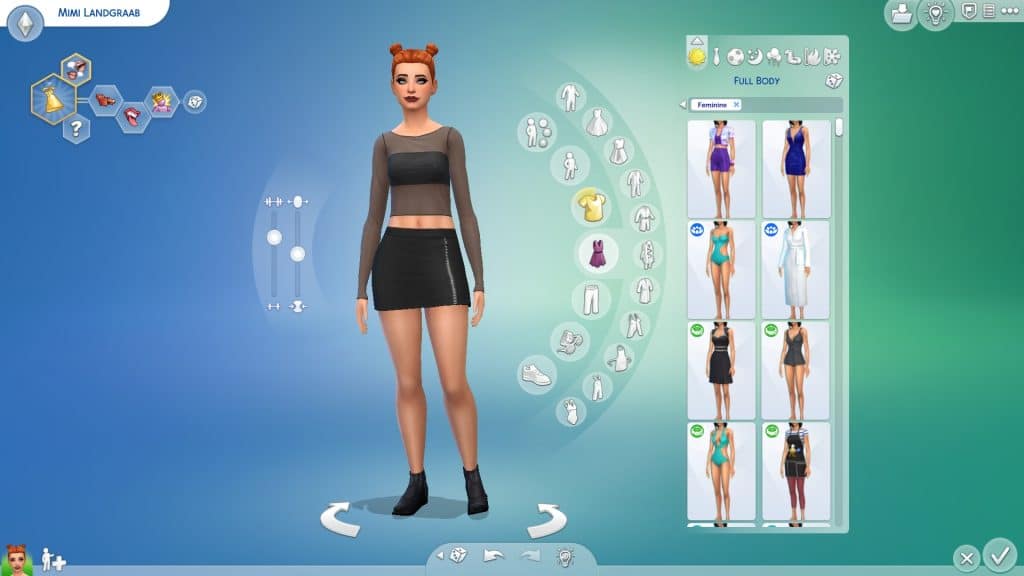
We felt like having a bit of fun with this scenario so we brought in none other than Mimi Landgraab! You can find Mimi in Maxis’ catalogue on the Gallery.

On the Road to Fortune and Infamy

We got Mimi set up in the middle class neighbourhood of Oasis Springs in a trendy but tiny starter home. We had a plan going into this scenario; earning $500,000 from her career was going to take forever so Mimi would be supplementing her income with money trees. Lots of money trees. The only snag with that is a money tree seed costs 5,000 satisfaction points. Mimi would need to complete an aspiration to earn her first money tree.

The Sims 4 Scenario Playthrough: Super Rich Supervillain
She came with the Party Animal aspiration which is luckily one of the easiest aspirations to complete fairly quickly, so we stuck with that. We used the tried-and-true photography hack to immediately become good friends with the entire Roomies household when they came over for the Welcome Wagon. They didn’t seem very enthused with Mimi’s weird desire to take photos of them but it did the trick. Zoe, Gavin, Mitchell, and J were all friends with Mimi by the time the welcome wagon ended, which completed one goal of her aspiration. She also did a lap around the neighbourhood introducing herself to 6 more Sims to finish the first milestone.

We couldn’t totally ignore her career, though. She started at level 6 of the Secret Agent career with all the necessary skills for that level but that meant we still needed two more promotions to pick a branch and go down the Villain path. When Mimi wasn’t chilling with her newfound friends, she was browsing Intelligence on her laptop and struggling to understand the rules of chess.

The Sims 4 Scenario Playthrough: Super Rich Supervillain
It’s not easy to juggle a hopping social life and a demanding government job. Mimi spends her nights getting hammered with her neighbours at keg parties in her front yard and ends up dragging herself to work exhausted and smelly, making her career progress slow. We know, we know, you might think why waste time doing this aspiration at all? It’s not part of the scenario but trust us. The detour will be worth it when she has those money trees.

A Grim Phone Call

The Sims 4 Scenario Playthrough: Super Rich Supervillain
But little did we know the game was about to hit Mimi hard… and then mock her. Thanks to the new Neighbourhood Stories, poor Mimi got a call in the middle of the night informing her that her friend Gavin had tragically died from laughter! Losing a good friend so suddenly and unexpectedly set Mimi back even further. She was so sad, she couldn’t focus on anything and she would cry in the shower all the time. So when the Lottery came around, we thought “Why not?” It’s not that much money to buy a ticket and if we win, not only would it cheer Mimi up but it would save us the trouble of having to party our way to a money tree!

Well, we didn’t win. Who did win, you ask?

The Sims 4 Scenario Playthrough: Super Rich Supervillain
… GRANDMA?!?!?!?! Oh come on! You’re already rich, why do you even need to play the lottery, Gran?! This is just adding insult to injury…

The Sims 4 Scenario Playthrough: Super Rich Supervillain
Well, Mimi couldn’t sit around moping forever. The best way to get over the tragic death of a friend and being humiliated by your own grandmother? Throw a party, obviously! It was time to gather what was left of her friend circle and live it up! Mimi partied at her friends’ house, she partied at the park, at the museum, at the chalet, just about anywhere she could throw a party to satisfy her next aspiration goal.

Eventually, Mimi managed to make it to the last milestone of the Party Animal career and get herself a promotion. About time! Ironically, the last milestone of this aspiration is the easiest. You have to throw 10 parties and attend 15 parties but only 2 of those parties need to be gold level. The other 13 parties can be flops. So you can complete the last milestone in a few minutes just by starting and immediately cancelling 13 parties back to back. Which is exactly what Mimi did!

Completing the Party Animal aspiration gave Mimi just under 5k satisfaction points so we switched over to the Fabulously Wealthy aspiration to get the last few points she needed. Finally! Mimi had her money tree seed planted! We stuck with the Fabulously Wealthy aspiration since completing it would give Mimi weekly interest payments based on her household income.

Villainy and Money Trees

The Sims 4 Scenario Playthrough: Super Rich Supervillain
Shortly after getting her first money tree, Mimi also got promoted to the Villain branch of the Secret Agent career! That was one goal down and the other one almost finished; she just needed more money trees to mature. Since Mimi had finished her career goal, we went ahead and bought her the Professional Slacker reward trait so we wouldn’t have to focus on her career anymore; she would never be demoted or fired no matter what she did. We wanted to focus all our efforts on caring for Mimi’s money trees.

The Sims 4 Scenario Playthrough: Super Rich Supervillain
When her first money tree matured, we didn’t harvest from it. Instead, we put it in the household inventory which spawned 5 more money tree seeds. We then put the tree back and planted the other five seeds. We did this again the next day to give us a total of 12 money tree seeds growing in Mimi’s front yard. A Normal quality money tree produces $8,000 a day in all seasons. It will produce much more at higher qualities but with 12 Normal money trees, Mimi would still make $96,000 from them every day. She’d be extremely wealthy in no time!

The Sims 4 Scenario Playthrough: Super Rich Supervillain
Once all the other money trees matured and started producing simoleons, it only took Mimi a few days to make $500,000 and complete the scenario. In total, it took us 25 days to complete this scenario. We’re glad we took the extra time to focus on aspirations at the beginning; otherwise, it would have taken us much longer to get that kind of money from her career alone.

The Sims 4 Scenario Playthrough: Super Rich Supervillain
See Grandma? We didn’t need you and your lottery winnings after all! So HA!

Our Thoughts

We liked this scenario a lot! It’s a challenging one that takes some time and effort but there are so many ways to make money in The Sims 4 apart from careers that there’s a lot of room to play this one your own way and put your own twist on it. We had fun helping Mimi become a Super Rich Supervillain. The curveballs the game threw at us, both sad and hilarious, kept us on our toes and forced us to adjust our strategy a bit throughout the scenario.

If you enjoy a decent challenge and think the Secret Agent career sounds interesting to play, we definitely recommend this one!


Credits

The Critical “Save Game” Error for The Sims 4 is getting fixed really soon

0

Turns out The Sims 4 Patch Notes weren’t as precise…

Yesterday’s update for The Sims 4 – which consisted of only major fixes for the My Wedding Stories Game Pack – has also touched on the subject of Save Game Errors.

In case you missed out on the news, over the course of March 2022 players have noticed a significant increase in Errors when trying to save their game.

The “Save” feature in the Game Options would sometimes cause the game to display an Error Code: 0 message. Sometimes the game would be transparent to let the player know that the Save feature doesn’t work, and sometimes players would just lose progress altogether without even knowing if the game saved properly.

The Critical “Save Game” Error for The Sims 4 is getting fixed really soon

The Sims Team has swiftly acknowledged the issue and stated that they will be releasing a fix for the issue soon. For the time being they also published an official workaround which seems to have solved most of the issues until the official fix!

The latest Sims 4 Patch Notes were a little bit…discouraging about the issue to say the least.

We are aware of the Error 0 Save Bug, are actively investigating and we will provide an update in the coming weeks. Please continue to report issues you might be experiencing via AnswersHQ.

Many were left wondering on how many weeks would it take for a critical issue like this to officially be resolved across platforms.

Luckily SimGuruNinja shared reassuring words and reasoning behind the wording in the Patch Notes:

With that being said – we should be expecting the issue to be resolved “a lot faster” than expected. Stay tuned!

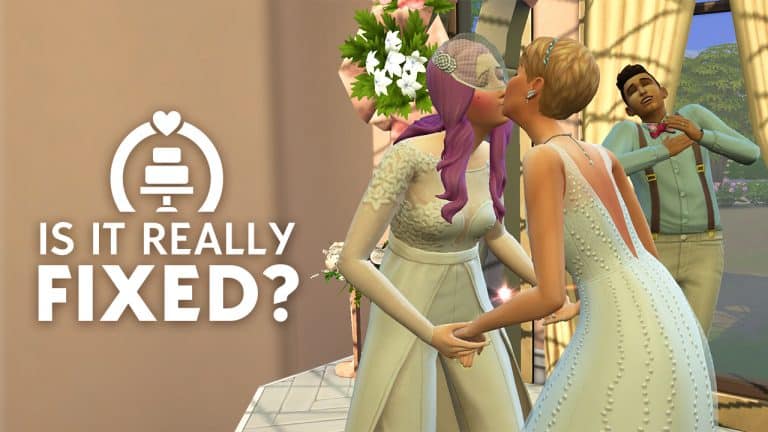
Is My Wedding Stories Really Fixed? We Decided to Find Out!

Is it fixed for real? The Sims 4 My Wedding Stories Edition…

The completely busted My Wedding Stories game pack has finally been fixed in a big update today! Or has it? The patch notes describe a long list of large fixes mostly focused on repairing broken autonomy at wedding events, particularly wedding ceremonies. This is great news but given The Sims 4’s history of “fixes” that didn’t really fix anything, we weren’t about to just trust their word for it. We wanted to hop in game ourselves and see if the patch really does fix everything that it promises to.

Please note we are playing on PC with an empty Mods folder and a cleared cache to eliminate any potential conflicts with mods. This is purely our own experience while playing; since everyone plays the game on different hardware and platforms, it’s possible that your experience with bugs may not be the same as ours. Because of this, we still recommend testing these features yourself before diving into them with a family you’re attached to.

Wedding Ceremonies

Do Sims walk down all aisle lengths properly now?

Is My Wedding Stories Really Fixed? We Decided to Find Out!
Yes!

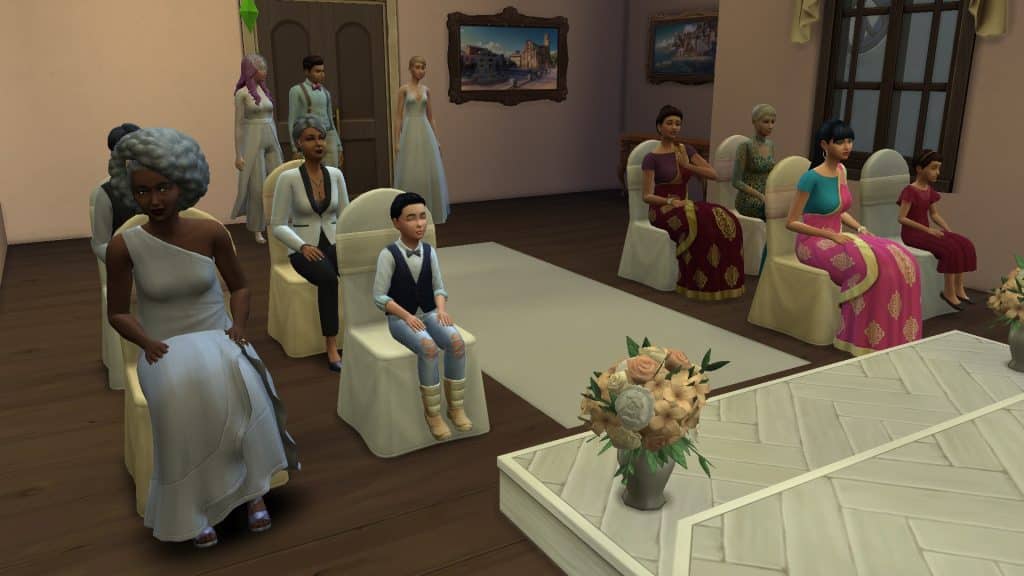
Our Sims did indeed all walk down the aisle perfectly when they were told to do so. The only issue we had was some Sims chose to stand in awkward spots, like in the middle of the aisle, after they were finished walking down the aisle. We noticed that they attempted to route away from it to stand off to the side but there was too much seating in the way. We recommend holding your wedding ceremony is a large area with lots of space around the arch so Sims can route to where they need to go more easily.

Does your Sim’s partner actually show up to their own wedding?

Is My Wedding Stories Really Fixed? We Decided to Find Out!
Yes!

Both our brides showed up to their wedding! No cold feet here!

Do Sims walk down the aisle with their bouquet instead of putting it down right before?

Is My Wedding Stories Really Fixed? We Decided to Find Out!
Yes!

When directed to walk down the aisle alone, our brides both held their bouquets as they did so. Keep in mind that you have to instruct your Sim to hold their bouquet before sending them down the aisle. Sims won’t hold bouquets if walking down the aisle in pairs, either.

Are Ring Bearers and Flower Pals responsive to commands, including Walk Down the Aisle?

Is My Wedding Stories Really Fixed? We Decided to Find Out!
Yes!

Our Ring Bearer and Flower Pal had no issues getting up from their seats to walk down the aisle when we told them to. What well-behaved children!

Do Guests and Officiants gather at the aisle when told?

Is My Wedding Stories Really Fixed? We Decided to Find Out!
Yes!

Everyone gathered exactly where they were supposed to for the ceremony, making it easier to instruct everyone to sit down in the right place.

Do Officiants actually do their job instead of standing around staring into space?

Is My Wedding Stories Really Fixed? We Decided to Find Out!
Yes!

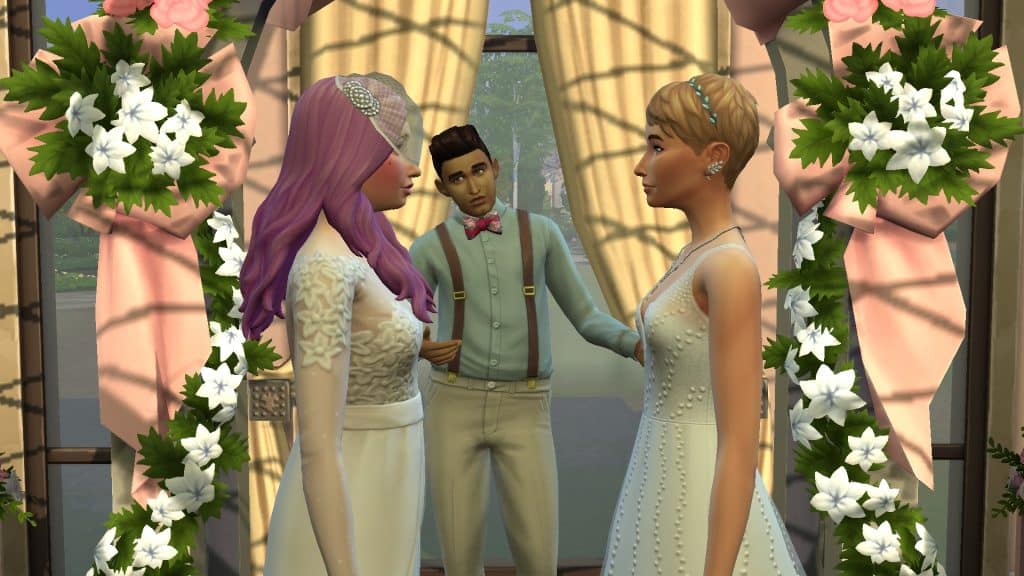
Our Officiant wasn’t the most experienced public speaker but he did do his job and did not get distracted midway through. He even took the initiative to go stand under the arch without being told right after our Flower Pal walked down the aisle! Good job, buddy!
Does the Spousal Kiss work properly?

Is My Wedding Stories Really Fixed? We Decided to Find Out!
Yes!

Our brides did not forget to kiss at the end of their vows and while they did have a bit of a mishap and bonk their heads together on the first attempt, it was actually adorable this time and not frustrating since the rest of the ceremony had gone really well.

Does cutting the cake with your spouse function as it should?

Is My Wedding Stories Really Fixed? We Decided to Find Out!
Yes!

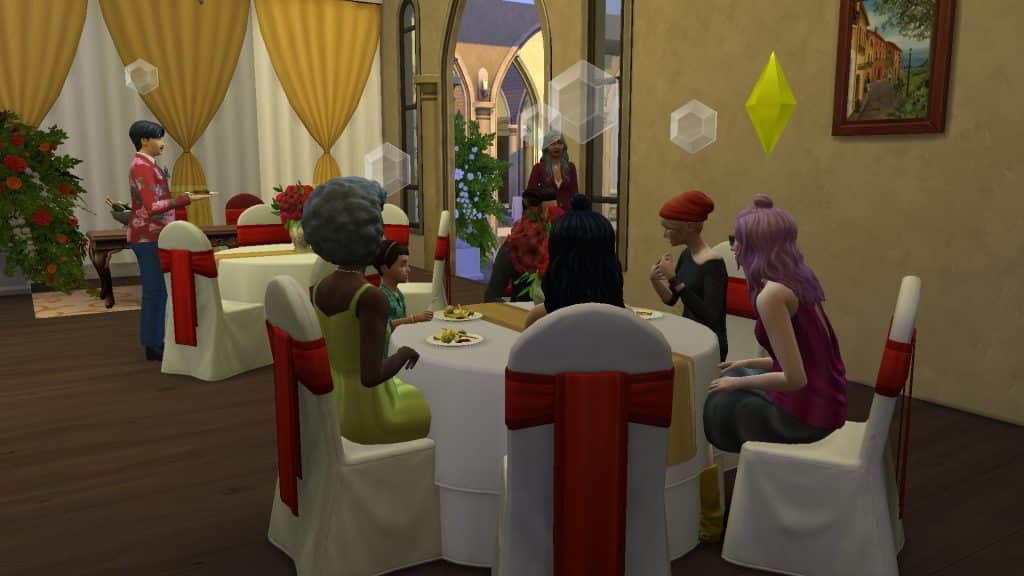
Assuming you picked out a cake and assigned it as your wedding cake before the ceremony, it will be in your inventory when the ceremony starts. All you need to do is place it in the centre of a dining table and instruct your newlyweds to cut the cake together after telling the guests to gather for cake. Our brides cut the cake together without any trouble and guests were pretty attentive during the cake cutting. Everyone autonomously grabbed a slice afterwards and our brides fed each other without any prompting from us. Oh, and wedding cakes take a day and a half to spoil now instead of 9 hours.

Do Guest lists show everyone both engaged Sims know?

Is My Wedding Stories Really Fixed? We Decided to Find Out!
Yes!

Everyone both of our brides knew were available to be invited as guests. No one got uninvited later on when the other bride decided to edit the event plans.

Do dress code requirements work as intended?

Is My Wedding Stories Really Fixed? We Decided to Find Out!
Yes!

We told our brides to show up in the wedding outfits we selected for them and they did. We told the guests to show up in polished clothing and they all did! No issues here!

Can Sims get up from their seats to perform other player-directed actions after being told to take their seats?

Is My Wedding Stories Really Fixed? We Decided to Find Out!
Yes!

Our Sim of Honour, Flower Pal, and Ring Bearer had no issues at all getting back out of their seats to perform their ceremonial duties after we told them to take their seats. All guests got up from their seats with no trouble when we instructed them to gather for other wedding activities.

Do Guests pay attention to toasts and speeches now?

Is My Wedding Stories Really Fixed? We Decided to Find Out!
Not really…

The toasts and speeches themselves worked just fine but it was kind of hit or miss for us as to whether everyone paid attention or not even though we did tell them to gather for those activities. Some listened. Some didn’t at all. Everyone did raise their glasses at the end of the toast, though.

Does the First Dance interaction function as intended?

Is My Wedding Stories Really Fixed? We Decided to Find Out!
Yes and No…

Our brides had a lovely first dance together but it’s a shame nobody watched it because they were too busy listening to the stereo behind them. That wasn’t exactly what we had in mind when we told everyone to gather for the first dance…

Does the bouquet toss work as intended?

Is My Wedding Stories Really Fixed? We Decided to Find Out!
Nope…

Yeah this still doesn’t really work. At all. Our bride did take out her bouquet and acted as if she was going to throw it but not everyone gathered for the bouquet toss. At one point, our bride seemed to grow impatient waiting for everyone to get the memo and walked over to where the guests were still dining to call them over. Only a few people took the hint and got up but there wasn’t enough space in the area to do a bouquet toss so the guests kept rearranging themselves while the bride continued to act as if she was going to throw the bouquet but never actually did. There wasn’t an option to call guests to a specific area for the bouquet toss so we couldn’t really move the bouquet toss back to the open area we initially started the toss at. We think this feature would work much better if a Call Guests for Bouquet Toss option was available when clicking on the ground to direct everyone to an open area.

Engagement Dinners

Do Sims wear their party attire for this event type now?

Is My Wedding Stories Really Fixed? We Decided to Find Out!
Yes!

Not all of our Sims at our Engagement Dinner had party attire that was appropriate for this event but now that we know what outfit category to expect our guests to show up in, we can easily customize this in CAS beforehand if we need to.

General

Are there less rainy days in Tartosa for players who own Seasons?

Is My Wedding Stories Really Fixed? We Decided to Find Out!
Yes!

We played in the Spring season and experienced much more partly cloudy days than rainy days. We imagine there would be a lot more sunny days in the summer season.


So what’s the final verdict from us? Thirteen (13) things that we consider to be fully fixed, two (2) things we consider partially fixed, and one (1) thing we can’t consider to be fixed at all. If we assign a half point (0.5) to the partially fixed things, that gives My Wedding Stories a final score of 14/16!

While we dearly hoped to give it a 16/16, a score of 87.5% is still pretty great, especially considering the whole pack was a 0 out of everything when it launched.

So is My Wedding Stories fixed? For real? We say… yeah!

The Sims 4: NEW UPDATE + Patch Notes! (March 31st, 2022)

The Sims 4: NEW UPDATE + Patch Notes! (March 31st, 2022)

The My Wedding Stories Update

The Sims Team has released a brand new update for The Sims 4 on PC, Mac, Xbox One and PS4!

To download the latest version of The Sims 4, simply open your Origin program and if the game doesn’t update automatically, right click on The Sims 4 and select ”Update”.

In case you have Mods or Custom Content, the game will automatically disable them for you after first launching The Sims 4 after the update. To re-enable all your Mods and Custom Content, select the Settings option in the Menu and select Settings. Under the ”Other” section you’ll find the ”Enable Custom Content and Mods” option. Check it and restart your game in order for it to take effect!

Patch Notes

Update 3/31/2022
PC: 1.86.157.1030 / Mac: 1.86.157.1230
Console: Version 1.56.20

Sul Sul, Simmers –

Since the release of the My Wedding Stories Game Pack, our team has been working on a patch update to address the issues you have raised. We are grateful for the feedback and have worked to get these improvements to you as soon as possible.

Our focus has been improving the gameplay surrounding wedding ceremonies. Some of the behavioral systems we’re working through in this pack are quite complex across platforms, and we know that your Sims don’t always behave the way you expect them to. This is part of what makes The Sims special, but we understand it can also be frustrating.

We are aware of the Error 0 Save Bug, are actively investigating and we will provide an update in the coming weeks. Please continue to report issues you might be experiencing via AnswersHQ.

Simmers deserve the best and it’s our goal to provide you with experiences you love from the moment you start the game. We continue to evaluate and improve on the best way we can deliver those experiences to the quality you expect.

We value your passion for this game and want to thank you for your continued support.

Stay safe and healthy,

The Sims Team

What’s New?

Nothing new in this update, just fixes.

Bug Fixes

My Wedding Stories

  • We fixed some issues with Ceremony Activities not working properly during Vow Renewal, Reception & Wedding Ceremony parties.
  • Sims will be able to go up and down short, medium and long aisles now during the Gather at Aisle interaction.
  • Partners will show up for wedding events now.
  • Center park – Myshuno Meadows is listed among the venues in the wedding event planner now besides other additional venues.
  • Sims will no longer set their bouquet aside before walking down the aisle.
  • Ring Bearers and Flower Pals will no longer refuse to walk down the aisle after running any interaction from the “Ceremony activities.”
  • We adjusted our recipe for wedding cakes so they should last much longer. And we made them Vegetarian-safe!
  • Everyone will be excited for Cake and Dessert at Wedding Ceremonies now.
  • Wedding Guests and Officiants will “Gather at the aisle” properly now.
  • The “Cut Cake with <Sim>” interaction is no longer available on cakes that were already cut.
  • Officiants will not just stand there any longer, but will actually do their officiant job.
  • Sims who bend to their spouse when performing a “Spousal kiss” will no longer rub their ear into the other Sims face, but will use their lips to kiss their spouse instead.
  • Some curtains have been updated to cast a slightly less dramatic shadow when placed indoors.
  • Sims will react more appropriately when running romantic socials while Slow Dancing going forward.
  • We added some clarity to the tooltip of Wedding Cakes by including further details about eligible spots for wedding cakes to be placed in.
  • Sims will receive the “Not selected as a sim of honor” or “Wasn’t invited to wedding” sentiments only when appropriate moving forward.
  • “Let’s Get Drinks” is no longer available for Child and Teen Sims on Bars during Rehearsal Dinner, Family Gathering, or Engagement Dinner parties.
  • Engaged couples will no longer be able to perform Wedding related actions on Wedding Cakes they do not own.
  • Sims will cut their wedding cakes even if it has a cake topper; Sims will simply remove the topper from the cake and place it in their inventory before cutting the cake with their couple Sim.
  • We also fixed an issue with Cake Toppers floating above Cakes after Sims “Take a Piece.”
  • When selecting guests in the Wedding Event Planner it will show all the sims that are related to both individuals of the couple now. So guests should no longer get uninvited after editing the guest list with a Sim who was not the original host for the event – both couple Sims will be considered the host now.
  • Guests attire Dress Code and Color will no longer reset after editing a Wedding event.
  • Simmers will be able to choose which aisle Sims should gather at and Sims “Gathering For Recessional” will be able to go up and down the aisles without issues now.
  • We taught Sims some manners so they will pay proper attention to Toasts now and will stop chattering.
    • We know it’s a big day and everyone’s excited, but that’s no reason to be rude.
  • Sims with a larger backside will no longer experience their derriere to clip through ymTop_GP11Casual.
  • When Engaged Sims perform the “Exchange vows and Kiss” or the “Exchange Vows with Officiant and Kiss” Ceremony event, Sims will complete both interactions now and will no longer forget about the Spousal Kiss.
  • We made some tweaks so you can expect more sunshine in Tartosa moving forward.
  • Officiant Sims will now give the wedding couple their full attention and avoid talking to other sims during their speech.
  • Sims will wear their existing formal outfit for weddings if it is appropriately colored.
  • For Engagement Dinners Sims will wear their party outfits and for wedding reception and the vow renewals events guest Sims will wear their formal outfit moving forward.
  • We caught some mischievous gnomes who added super glue to wedding chairs, causing Sims to be unable to get up after taking their seats. We cleaned those chairs meticulously and advised gnomes to be more prudent so Sims will be able to get up to do other wedding related actions after sitting down.
  • We added some musical backdrop to accentuate important wedding moments.
  • Also, we improved an issue with arms clipping during Paired Dancing.

This Mod for The Sims 4 Makes Retail Businesses More Efficient

Retail Reloaded!

We love to cover game-changing mods here at Sims Community to make your playing experience more immersive and today we’re covering another gameplay improvement mod by Carl, talented modder and guide writer!

This new mod is called Retail Reloaded and it’s main purpose is to make running a retail business with Get To Work a smoother experience! Since this mod tweaks existing gameplay, we thought the best way to show you what the mod does is by playing with a retail business ourselves and sharing our experience with it.

This Mod for The Sims 4 Makes Retail Businesses More Efficient
When I first installed this mod, I did wonder what was so wrong with Get To Work’s retail system that it required an overhaul. I had always enjoyed the retail portion of Get To Work for the most part and didn’t usually experience any serious trouble with it. However, I am a huge fan of Carl’s and was very interested to see how he was able to streamline the retail experience. As usual, he didn’t disappoint!

We quickly randomised a Sim and gave him some funds to purchase the Paddywack’s Emporium retail lot in Magnolia Promenade. Then it was time to hire an employee to help out and open up the business! It didn’t take us very long at all to notice a huge difference in the way things functioned! Most notably, how the customers behaved.

This Mod for The Sims 4 Makes Retail Businesses More Efficient
Customers were overall more self-sufficient and less needy. Typically when running a retail business, you’d have to baby the customers and work for every sale. Customers were very unlikely to buy anything without you or an employee chatting them up to promote your stock. While a nice idea in theory to challenge players, it was a bit exhausting. It took a very long time to convince a single customer to purchase something, leaving you too busy to help any other customers or take care of other retail duties. While there are retail perks to help speed things along, it never quite felt like enough of a bonus to be worth the points you spent on them. That wasn’t the case here. Carl’s Retail Reloaded mod made customers much more likely to make purchases on their own and their sales bars increased more quickly. Our Sim could still talk up customers to make sales and earn retail points of course but it felt like less of a burden to do so.

This Mod for The Sims 4 Makes Retail Businesses More Efficient
At first, we were underwhelmed by our employee, who seemed to do nothing she was told no matter how many times we assigned her a task or scolded her for slacking off. All she did was sit outside doing her university coursework and ignoring her job completely. That’s when it occurred to us that maybe hiring a university student maybe wasn’t the best idea so we fired her and replaced her with Eric Lewis. Eric was a much more diligent employee, taking care of his assigned duties in a timely manner and staying focused on his tasks. We attribute this to the mod as well but we definitely recommend avoiding hiring university students as retail employees.

This Mod for The Sims 4 Makes Retail Businesses More Efficient
It was amazing to us how just these small changes in autonomy alone made such a big impact on our overall retail experience. Things ran much more smoothly, our Sim could choose to be as involved or as hands-off with the customers as we wanted him to be, we made more sales and restocked more efficiently thanks to having employees who actually stayed focused on the tasks they were given. Even though we wouldn’t say the retail system was bad before, this mod still does a great job at giving it a subtle but effective polish to make it even better!

I went into this mod thinking retail stores didn’t need any big improvements but what I underestimated was how small improvements can have a big impact on my overall playing experience! I highly recommend this mod to any aspiring business owners out there!

Carl’s Retail Reloaded mod is currently in early access but you can follow him on Patreon to receive updates on the mod’s progress and when it will be released to the public!

The Sims 4 Scenario Playthrough: Extraterrestrial Researcher

The truth is out there, Scully…

The Sims 4 has added so many new scenarios to the game recently that we’re still working our way through them all! The scenario we played through this time, Extraterrestrial Researcher, is a permanent scenario that’s here to stay for good, so start it anytime you like!

Here’s how our Extraterrestrial Researcher scenario went!

Getting Started

The Sims 4 Scenario Playthrough: Extraterrestrial Researcher
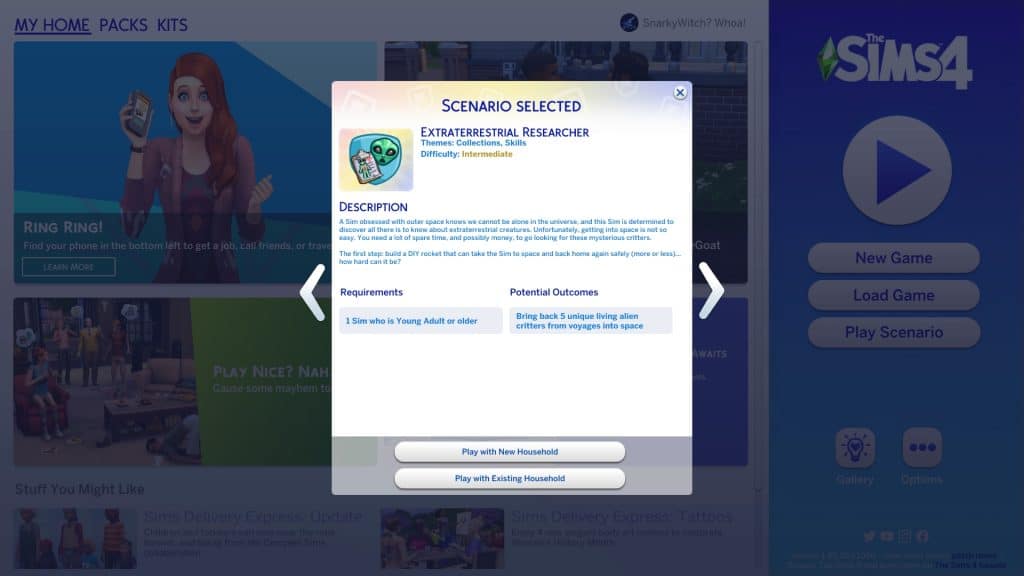
You’ll notice the scenarios have gotten a bit of a revamp. Along with lots more new scenarios, there are now difficulty ratings on each scenario to give you an idea of the time and effort it will take players to complete them. The Extraterrestrial Researcher scenario is listed as an Intermediate scenario.

This is a permanent scenario so there’s no need to rush to start it before a certain date. It will be available in the game forever so start it whenever you like!

The scenario description states that your Sim has a fascination with outer space and truly believes that there is extraterrestrial life out there to be found. They want to be the one to find it and take it back to Earth. You’ll need to build a rocket ship and collect five unique living alien specimens from your space missions. The household requirements are simple; you just need one Young Adult or older Sim.

The Sims 4 Scenario Playthrough: Extraterrestrial Researcher
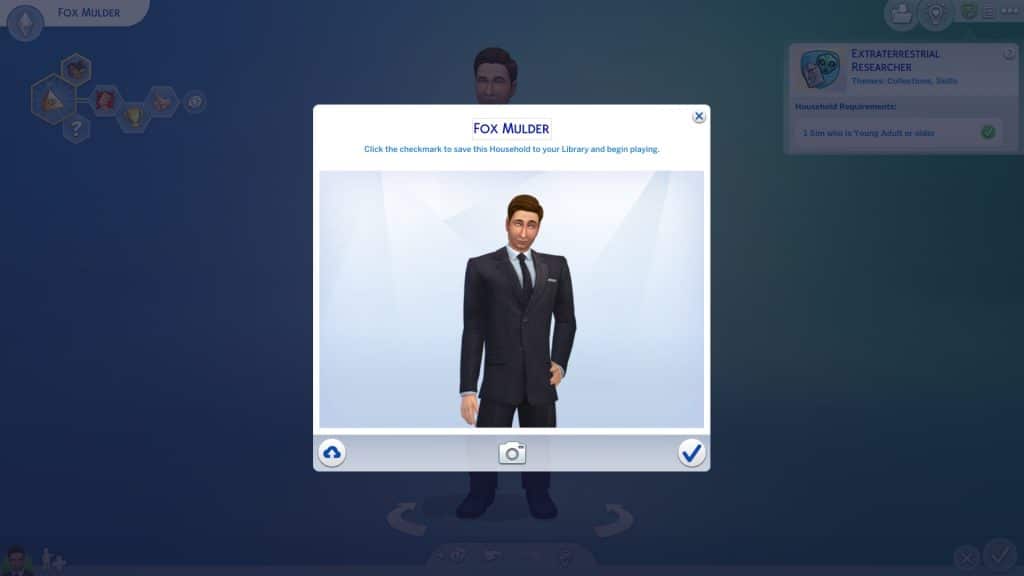
We just couldn’t bring ourselves to randomise any old Sim for this scenario. This time, we needed to call in Agent Fox Mulder! We downloaded an amazingly realistic Fox Mulder from ErenSparkles in the Gallery for our playthrough!

The Truth is Out There

We knew the perfect place to get Mulder all set up. In StrangerVille. In a seedy roadside motel. To make things harder on ourselves and provide more of a challenge, Mulder would be renting the motel and wouldn’t be able to work while “vacationing” in StrangerVille. How long can he chase his dreams of discovering alien life before his funds run out? We’ll have to see!

We did cheat a tiny bit just to unlock the motel for editing so we could place a rocket ship pad on it. Otherwise, this playthrough was cheat-free.


IMPORTANT!

Currently, the rocket ship is bugged. Sims cannot start building the rocket. The action cancels itself every time, sometimes resulting in the Sim doing a T-pose before resetting themselves. We had to use a mod fix by simvasion to do this scenario. You can download the fix from their website.


First order of business was to get the rocket built. Mulder ended up spending two full days working on the rocket, only stopping when he was smelly and exhausted. He went right back to the rocket as soon as he took care of his motives. Once the rocket was built, it wasn’t quite time to rush into space, yet. The rocket needed at least two specific upgrades just to make it worth our while to traverse space in the first place. Installing landing stabilizers will lower the chances of Mulder coming back to Earth in a crash landing… and potentially dying in a fiery inferno. He needs the extra help there considering his low Rocket Science skill. If he’s going to be bringing back aliens, he’s going to need to expand the cargo bay, too. Otherwise he won’t be bringing back much of anything from his space missions.

The Sims 4 Scenario Playthrough: Extraterrestrial Researcher
So another couple of days goes by for Mulder as he works on getting the most essential upgrades on his rocket. By this point, it’s been almost a week, his vacation is due to end soon, and he still hasn’t even gone on one space mission. He’s also already almost out of money after sinking so much into building and upgrading the rocket. He won’t be able to afford to stay another week.

The Sims 4 Scenario Playthrough: Extraterrestrial Researcher
There’s also the problem of his social motive. He’s resorted to chatting with Erwin Pries to avoid becoming so lonely that he can’t function. Mulder might be in trouble…

I Want to Believe

The Sims 4 Scenario Playthrough: Extraterrestrial Researcher
Until he got the phone call! Come on, it’s not really a Sims Community scenario playthrough without a marriage for inheritance money, right? The small amount from asking about the conditions wouldn’t have been enough to keep Mulder afloat so it was time to say I Do! But just anyone wouldn’t be good enough for someone as iconic as Fox Mulder! It was clear who he needed to call.

The Sims 4 Scenario Playthrough: Extraterrestrial Researcher
Enter Agent Dana Scully! Yes, the entire X-Files fandom is going to see its favourite ship sail. This spot-on recreation of Scully was created by TheSimEmporium in the Gallery! We added her to the household and Mulder made his way over to put the moves on her. Except… she wasn’t exactly impressed with him at first, which is hilariously fitting for them if you’re familiar with the TV show. It was time to help Mulder out a bit. We had Mulder and Scully freshen up in the motel lobby’s mirror and added the Romantic Aura trait to the lot. Ah yes, a dirty motel with a crime scene in one of the rooms. So romantic.

The Sims 4 Scenario Playthrough: Extraterrestrial Researcher
Well, it must do the trick for them because they were head over heels for each other quickly after that. We don’t have time to plan a fancy wedding. We have aliens to find, so Mulder and Scully eloped in their PJs in their grungy motel room, putting about 10k in Mulder’s pockets. Ah, love…

The Sims 4 Scenario Playthrough: Extraterrestrial Researcher
Okay, now it was finally time to go into space! Mulder waves goodbye to Earth as he blasts off… and finds absolutely nothing. And blasts off again… and again… and again… Nothing. Or more accurately, lots of things that are not aliens. Several more days go by, Mulder extends his vacation, and manages to collect a cowberry, a UFO plant, and plenty of upgrade parts but no aliens.

The Sims 4 Scenario Playthrough: Extraterrestrial Researcher
Until he comes back from one of his space missions with an alien! A… dead one. Great, that won’t work. Or will it!? The goal for this scenario clearly states that the aliens Mulder brings back must be alive but this dead alien still counted towards the goal. Interesting. Hey, we’ll take it. Mulder hasn’t been having the best of luck and could use a break. He later brought back his second dead alien that somehow still counted towards the goal.

Speaking of Mulder not having the best luck, one of his missions went terribly wrong and he came back to Earth in a pile of fiery rubble. Thankfully he survived the crash landing but now he had to rebuild his rocket and start over from scratch. Oh well, at least he has Scully to help him out this time. Things go much faster with an extra pair of hands on board and Mulder is back in outer space before long!

The Sims 4 Scenario Playthrough: Extraterrestrial Researcher
At long last, the universe decided to be nice to Mulder and he collected the rest of the aliens needed to complete the scenario in 8 days! Funnily enough, only one out of his five alien specimens were alive even though he was supposed to find five live ones.

The Sims 4 Scenario Playthrough: Extraterrestrial Researcher
Our Thoughts

We had a lot of fun with this scenario, especially since we tied The X-Files into it. It added an extra layer of amusement to the whole thing but the only reason we could play this scenario at all is because we downloaded a mod to fix the rocket ship glitch. Console players who can’t use mods won’t be able to make any progress at all on this scenario until EA fixes that glitch. It does make us wonder why they released this scenario at all knowing it can’t be played right now.

As far as the actual scenario itself goes, we enjoyed it. Space travel and completing the aliens collection is a base game feature a lot of players haven’t really explored in-depth so it’s a good way to get out of your comfort zone and play a different way you might not have immersed yourself in before. Your Sim doesn’t start with any skills or a career so having to figure out how to fund your space missions adds a nice element of challenge to the scenario.


Credits

  • Fox Mulder Sim by ErenSparkles in the Gallery
  • Dana Scully Sim by TheSimEmporium in the Gallery
  • Seedy Roadside Motel available in my Gallery under the ID SnarkyWitch
  • Reshade by sunflowersyrup

Casual CC Clothing for The Sims 4

36 laid back and casual pieces for The Sims 4; this is the Unify CC Collection!

The Unify Collection is the latest Custom Content Collection from Nucrests!

Featuring thirty-six new items for both feminine and masculine Sims, this collection adds sixteen new tops, sixteen new bottoms and four overlay accessories. It really has everything your Sims need to create a number of causal and laid back looks! The best part is that the whole collection is Base Game compatible too!

Casual CC Clothing for The Sims 4

Let’s take a closer look at what is part of the Unify Collection!

Click on each of the images to take a closer look at the new Create A Sim items from Nucrests!

Feminine

Tops

Bottoms

Masculine

Tops

Bottoms

Overlay Accessories – Unisex

How to Download

You can download the mod by clicking the button below. You’ll be taken to Nucrests’ Patreon, where you can immediately download the .zip file. Simply extract the contents to Electronic Arts > The Sims 4 > Mods folder and ensure you have Mods / CC enabled in your game options.

[mks_button size=”large” title=”Click Here to Download” style=”squared” url=”https://www.patreon.com/posts/64247108″ target=”_blank” bg_color=”#4e62ac” txt_color=”#FFFFFF” icon=”” icon_type=”” nofollow=”0″]

Want to find more custom content creations from Nucrests? Check out the links below!

Blockbuster, but for The Sims 4

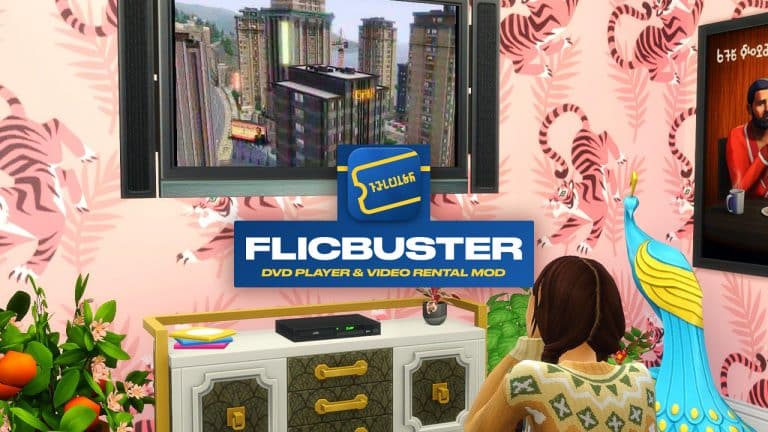
Enjoy old-school movie streaming and DVD renting with the FlicBuster Mod for The Sims 4!

For many of us, I’m sure will have fond memories of visiting our local Blockbuster store to rent movies and video games over the years. Even though Blockbuster is a distant memory, it’s legacy still lives on. Now, you can continue that legacy in The Sims 4 thanks to the FlicBuster DVD Player and Video Rental Mod from Lot 51 CC!

Note: You will need to own The Sims 4 Movie Hangout Stuff Pack to watch movies, however all other objects are Base Game compatible!

What is FlicBuster?

Our Sims have always had their entertainment at their fingertips, but with a blast from the 2000s, DVDs and your favorite blue & yellow video store are back in style!

Purchase a CasaVue DVD Player to enjoy cinema quality stereo sound, and hundreds of colors right on your own home TV! Rent your favorite flicks from FlicBuster Video Rentals through the mail, or stop by a blue Express Box out on the street. Drag and drop the discs onto your Player to get started. – Lot 51 CC

Blockbuster, but for The Sims 4

Renting A Movie

The first thing you will need to do is find one of the iconic FlicBuster Express Boxes. From here you can obtain your exclusive FlicBuster Club Card! A new membership will cost you $35.

Once your Sims have an active membership, they will be able to rent movies online or from one of the Express Boxes, providing you own The Sims 4 Movie Hangout Stuff Pack.

Blockbuster, but for The Sims 4

Movies cost $1 to rent, and you can keep them for up to four days. You can rent up to three movies at a time, anyone time. Just make sure your Sims return them in time, as you may start to build up overdue fees.

Returns are easy, simply post them back either by the Express Box or Mailbox.

You Are A Pirate?

If your Sims are feeling rebellious, they can download movies and create bootleg discs. Once they have been created, these discs can be sold in either a retail store or a craft table.

Blank discs can be found in Build Buy, and you’ll also find a new interaction on the computer called Burn Bootleg DVD.

Build Buy

The FlicBuster mod comes with several new items.

  • CasaVue DVD Player – $199
  • Discs – $15
  • FlicBuster Express Box – $2,000

Note: The discs are stackable and are available in six different colour swatches. They can also be used as clutter around the home or to burn movies.

Blockbuster, but for The Sims 4

How to Download FlicBuster

Are your Sims ready for a truly nostalgic movie renting experience with FlicBuster’s? Then make sure you take a look at this mod from Lot51 CC!

You can download the mod by clicking the button below. You’ll be taken to Lot51 CC’s FlicBuster page, where you can immediately download the .zip file. Simply extract the contents to Electronic Arts > The Sims 4 > Mods folder and ensure you have Mods / CC enabled in your game options. Make sure you do not place a file more than one sub-folder deep, either!

[mks_button size=”large” title=”Click Here to Download” style=”squared” url=”https://lot51.cc/mods/flicbuster” target=”_blank” bg_color=”#4e62ac” txt_color=”#FFFFFF” icon=”” icon_type=”” nofollow=”0″]

Blockbuster, but for The Sims 4

Our Thoughts

I’ve loved having the FlicBuster mod in my game recently! It’s been great fun organizing movie nights for my Sims and having a similar in-game experience to the one that I know myself and many others grew up with. I can’t wait to try out the FlicBuster mod along with more of Lot51 CC’s creations again soon!

Be sure to check out more of Lot51 CC’s creation, including Simzlink by following the links below!

Modder has fixed the “Error Code 0” Save Game Issue in The Sims 4

If you’re playing on PC / Mac you can prevent this issue from ever happening before the official fix!

Over the last few days we reported on the Save Game issue that’s been happening with The Sims 4. Basically players would report that they would receive an “Error Code 0” message after using the “Save” feature in the Game Options.

Modder has fixed the “Error Code 0” Save Game Issue in The Sims 4

SimGuruNick, Quality Analyst working on The Sims 4 has explained that The Sims Team is working actively on resolving the issue. While we wait for the solution the team has come up with a universal solution for both PC and Console players that lets you prevent it from ever happening. The Official Workaround involves disabling the “Join A Career” option in Configure Neighborhood Stories menu, as well as making sure you don’t have a Wedding Cake at your wedding. You can read more about the Official Workaround here!

Modder has fixed the “Error Code 0” Save Game Issue in The Sims 4

If you do want Sims in your Neighborhoods to join new Careers and enjoy their wedding cakes when planning a Wedding with The Sims 4 My Wedding Stories – there’s a mod solution! That’s of course if you’re a PC/Mac player.

TwistedMexi has swiftly came up with a Mod that will prevent the Save Game Error from ever happening in your game. This is a Temporary Fix Solution that will ensure you never stumble across this issue. This is a perfect solution for PC / Mac players to ensure all your Save Game progress remains with a clear conscience until The Sims Team releases an official fix.

You can download the mod by clicking the button below. You’ll be taken to TwistedMexi’s Patreon Page where you can immediately download the .zip file. Simply extract the contents to Electronic Arts > The Sims 4 > Mods folder and ensure you have Mods / CC enabled in your game options.

Good luck and let’s hope the official fix is soon ahead!

[mks_button size=”large” title=”DOWNLOAD!” style=”squared” url=”https://www.patreon.com/posts/64331493″ target=”_blank” bg_color=”#1e73be” txt_color=”#FFFFFF” icon=”” icon_type=”” nofollow=”0″]

Builder Creates a Giant Disco Ball in The Sims 4 out of Tables

The main attraction of this Karaoke Bar is made out of tens of different End Tables!

Del Sol Valley is bringing back its glam through the power of talented Builders.

Creator MAIA Makes is excellent at making short and sweet tutorials on all the Build Mode tricks that they use for their brilliant builds. Here’s just one of many great tutorials that they’ve made:

In their next big project, they’ve put in the talents of Building, excellent tricks with the TOOL mod and video editing!

The Glam Karaoke Bar by MAIA Plays is a huge Karaoke Bar for the Malibu Barbie Community Collaboration. Check out the trailer that features a full blown Stop Motion Build Segment of the Karaoke Bar, as well as a cinematic trailer tour of the Bar at the end of the video.

https://www.youtube.com/watch?v=RH3aTzVhlq4

The creator has also shared a stop-motion clip of a very important object they’ve created using TwistedMexi’s TOOL – the Disco Ball. The entire process of creating the Disco Ball is just mesmerizing – see for yourself:

We had to check out the build ourselves in the game!

The Glam Karaoke Bar has a huge round area on the corner of the Lot. On the first story there’s a huge Bar while on the second there’s a Karaoke Lounge for your Sims to sing their hearts out.

However, the main focus of this Build is the main Dance Stage area of the lot that spans out through two floors. The Giant Disco Ball is placed right in the center, with a huge Dance Floor right below it. Check out some of the screenshots!

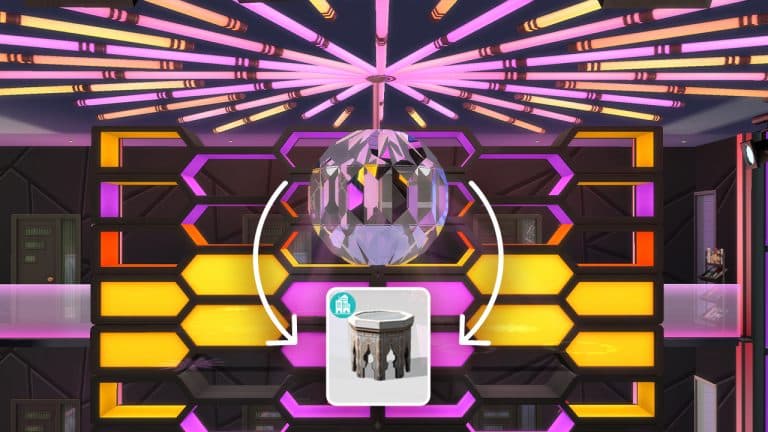
We know that the Disco Ball is made out of a Table from the stopmotion video. Still, the sceptic in me had to use the Eyedropper tool. Turns out the Ball is made out of tens of FullBright Bow End Tables placed together at slightly different angles!

Builder Creates a Giant Disco Ball in The Sims 4 out of Tables

NOTE: Zooming in too close to the Disco Ball might cause a framerate drop, considering that the Reflection will be turned on – drawing a lot of graphical power from your platform!

Builder Creates a Giant Disco Ball in The Sims 4 out of Tables

Ready for a night out under the giant Disco Ball? You can find the Glam Karaoke Bar on The Gallery under the MAIAmakes Origin ID!

Builder Creates a Giant Disco Ball in The Sims 4 out of Tables

…or, would you like to just have the giant Disco Ball on your favorite lot? Not to worry – the creator has uploaded the individual versions of the Disco Balls. The 1M version is for one story rooms, while the 2M version is for two story rooms.

Builder Creates a Giant Disco Ball in The Sims 4 out of Tables