Home Blog Page 143

EA Publisher Sale: Save BIG on The Sims Games (PC & Consoles)

Both The Sims 3 and The Sims 4 games are on sale right now – check out the hot deals!

Electronic Arts has just published their latest Publisher Sale where you can save big on their titles.

The Publisher Sale spans out across both PC, Xbox and Playstation Platforms. For The Sims 4 you have sales on titles across platforms, while for The Sims 3 games you can save up on Origin and Steam – both PC/Mac only.

Wondering what titles are included in this sale? Let’s break it down platform by platform, game by game!

The Sims 4 Games – PC and Mac (Origin & Steam)

  • The Sims 4 Base Game – 88% off
  • The Sims 4 Expansion Packs – 50% off
  • The Sims 4 Game Packs – 30% off (My Wedding Stories excluded)
  • The Sims 4 Stuff Packs – 30% off
  • The Sims 4  Origin and Steam Pre-Made Bundles – from 20% to 75% off

The Sims 4 Games – Playstation Store

  • The Sims 4 Base Game – 88% off
  • The Sims 4 Expansion Packs – 50% off
  • The Sims 4 Game Packs – 30% off (My Wedding Stories excluded)
  • The Sims 4 Stuff Packs – 30% off

The Sims 4 Games – Microsoft Store

  • The Sims 4 Base Game – 88% off
  • The Sims 4 Expansion Packs – 50% off
  • The Sims 4 Game Packs – 30% off (My Wedding Stories excluded)
  • The Sims 4 Stuff Packs – 30% off

The Sims 3 Games – Origin

  • The Sims 3 Starter Pack – 50% off
  • The Sims 3 Expansion Packs – 50% off
  • The Sims 3 Stuff Packs – 50% off
  • The Sims 3 Worlds – 50% off (Roaring Heights excluded)

The Sims 3 Games – Steam

  • The Sims 3 Expansion & Stuff Packs Super Collection – 82% off (only $66.50)
  • The Sims 3 Base Game – 50% off
  • The Sims 3 Expansion Packs – 50% off
  • The Sims 3 Stuff Packs – 50% off

Want to learn how to purchase The Sims 3 Packs Collection and have it in your Origin Game Library? Click here!

The sale is active right now and will last across platforms until March 31st, 2022 at 10AM Pacific Time.

EA Publisher Sale: Save BIG on The Sims Games (PC & Consoles)

The Sims 4 CC: Rush Hour Platform Boots

Uplift your footwear fashion!

Have you been looking to expand your Sims footwear selection but with something a little different? Well, we may have the perfect thing for you!

Inspired by the Shaker-52 shoes by Demonia, Trillyke has created the Rush Hour Platform Boots.

The Sims 4 CC: Rush Hour Platform Boots

The Base Game compatible boots come in twenty different swatches and also work with custom sliders.

Take a look at all twenty swatches below!

The Sims 4 CC: Rush Hour Platform Boots

The Sims 4 CC: Rush Hour Platform Boots

You may also notice the small star and moon accessory that come as part of the Rush Hour Platform Shoes, this can be found in the Rings section of Create A Sim.

The Sims 4 CC: Rush Hour Platform Boots

Trillyke’s Rush Hour Platform Shoes are available now to download! Click the button below for more information and to download the Rush Hour Platform Boots!

[mks_button size=”large” title=”Click Here to Download” style=”squared” url=”https://trillyke.tumblr.com/post/677877123274391552/rush-hour-platform-boots-i-am-happy-to-share-my” target=”_blank” bg_color=”#4e62ac” txt_color=”#FFFFFF” icon=”” icon_type=”” nofollow=”0″]

Be sure to check out more of Trillyke’s Custom Content Creations here!

The Sims 4 Scenario Playthrough: Troublemaker

We tried to turn our troubled teen into a well-adjusted individual. Key word being “tried.”

Look what we have here. Another scenario playthrough! When there’s new scenarios, Sims Community is there to check them out with a playthrough! Today’s scenario? Troublemaker! This seemed like a really promising scenario and we were having a lot of fun with it… until it glitched out on us. Again. Yeah. We’re getting tired of this, too.

Anyway, here’s how our Troublemaker scenario went until we ran into trouble finishing it…

Getting Started

The Sims 4 Scenario Playthrough: Troublemaker
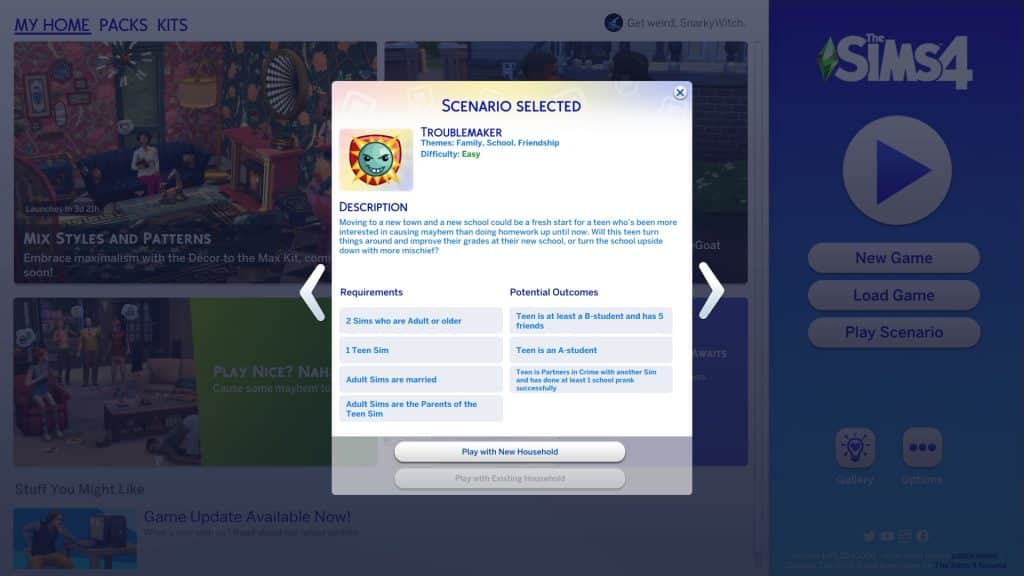
You’ll notice the scenarios have gotten a bit of a revamp. Along with lots more new scenarios, there are now difficulty ratings on each scenario to give you an idea of the time and effort it will take players to complete them. The Troublemaker scenario is listed as an Easy scenario. Well, it probably would have been if we’d been able to finish it but we’re getting ahead of ourselves.

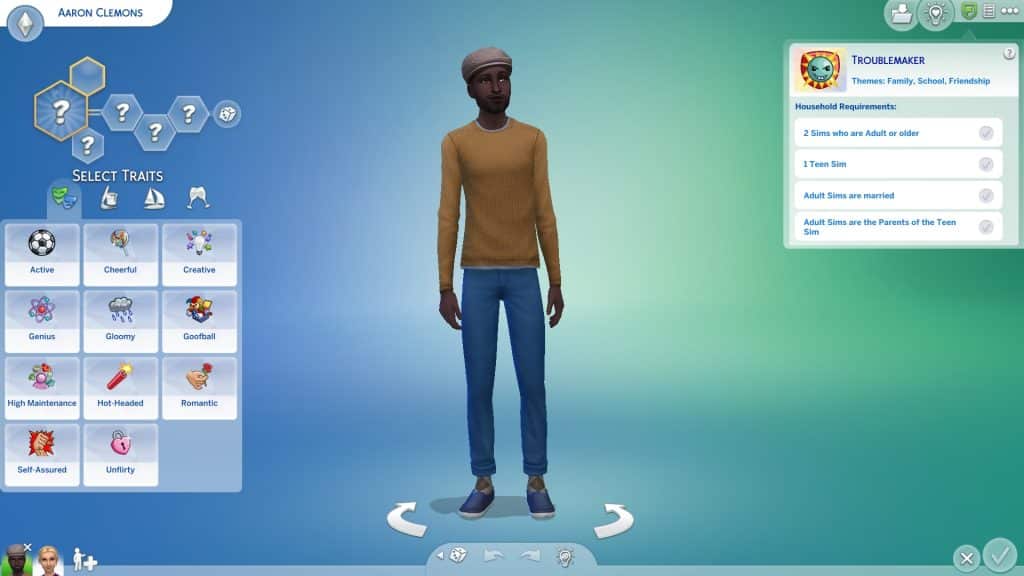
The scenario description states that your teen Sim has recently moved to a new school after getting into too much trouble at their old school. Will this fresh start be an opportunity for them to turn things around or will they just get up to their old tricks again?  You need a household with two Adult Sims who are married to each other and a Teen Sim who is the child of the Adult Sims. There are three ways to complete the scenario. Your troublemaking teen can become an A student, become partners in crime with someone and pull off a successful school prank, or they can find a healthy balance between fun and success by becoming a B student with 5 friends.

The Sims 4 Scenario Playthrough: Troublemaker
We randomised some Sims and spent a short amount of time customising them in CAS before moving them to the Arts District of San Myshuno. We thought the big city would be the perfect place for a teenager to get up to mischief.

Off To A Rocky Start

The Sims 4 Scenario Playthrough: Troublemaker
Right away when we started the scenario, both our teen’s parents were at level 4 of the writer career with some relevant skills. Our troubled teen, Shayne, started off as an F student with some Mischief skill. He also disliked both his parents and had the Festering Grudge sentiment towards both of them. Yikes! Looks like we had our work cut out for us! Even though it would have been entertaining to have our teen pull a prank at school with a partner in crime, we thought having to balance grades with friends would be a bigger challenge in terms of gameplay so we went that route. Or attempted to, anyway.

The Sims 4 Scenario Playthrough: Troublemaker
Shayne had a rough start trying to get his life back on track. He was often too tense to do homework due to his parents always being around. Whenever they tried to help or encourage him, it just made things worse. He could only do his homework after his parents went to bed which meant he had to stay up late every night to get it all done. That meant he’d wake up tired for school with no energy left in the evenings to do his homework.

The Sims 4 Scenario Playthrough: Troublemaker
To make matters worse, he was having horrible luck at school. Nothing he chose in the chance card pop ups seemed to be the right option and he’d be punished with detention and lose all the school performance he’d worked so hard to raise back up. This scenario was turning out to be more challenging than the Easy rating it was given in the main menu.

The Sims 4 Scenario Playthrough: Troublemaker
Oh and he was attacked in his sleep by a vampire. So there’s that.

Things Start Looking Up

The Sims 4 Scenario Playthrough: Troublemaker
But just when we were about to give up on a redemption arc and just have Shayne become a professional class clown, he met some friends his own age around the city! Namely, Luna Villareal and Cassandra Goth! Both good students from prestigious, wealthy families. Maybe Shayne’s new friends would be a good influence on him and encourage him to stick with his efforts after all.

The Sims 4 Scenario Playthrough: Troublemaker
The girls started coming over to his apartment to help him with school projects. Having people around that he actually liked and had positive sentiments with really lifted Shayne’s mood! Because he wasn’t so tense all the time, he was able to get his homework done earlier which meant he had more time to sleep at night. He could go to school well-rested and have enough energy to work on homework and projects after school with Luna and Cassandra. It wasn’t long before Kyoshi Ito, another wealthy and well-rounded teenager, joined their little clique, too.

Word must have spread around school about Shayne’s new reputation he was building for himself because the Paragons reached out to him to offer him a place in their club! We’re sure Luna probably had something to do with this, seeing as she’s also in the Paragons. Shayne figured joining such an elite club would be good for the new image he was trying to create for himself and accepted the offer. He went from being the bad boy in school to hanging out with all the preppy kids he used to make fun of, all because he happened to say hi to a girl named Luna one day. Life was funny, wasn’t it?

The Sims 4 Scenario Playthrough: Troublemaker
It wasn’t hard for him to fit in with his new group of friends. All the Paragons did was hang out at the public pool, drinking coffee, trying on clothes, and picking fights with the Renegades. Y’know, the type of people Shayne used to hang out with back at his old school. Ironically, swimming was not one of their club activities even though their club hangout was at a pool. Swimming is like, sooo pedestrian.

The Sims 4 Scenario Playthrough: Troublemaker
It turned out that the Paragons had another well-off teenager in it named Sofia Bjergsen and Shayne ended up making friends with another girl named Greta Laurent. By the weekend, Shayne had managed to hoist himself up from an F to a C in school and he had four friends; Luna, Cassandra, Kyoshi, and Greta. All he needed to do was go up one more grade level and get to know Sofia more and we’d have a finished scenario!

Game Over?!

The Sims 4 Scenario Playthrough: Troublemaker
Or… not?! When we went to Manage Worlds to place down a fun hangout spot for our group of teenagers, we were greeted with this depressing popup when we returned to Shayne’s household.

Game over?! What do you mean, Game Over?! We were SO close to finishing what was (up until now) a really fun scenario we were getting invested in! What the heck happened?! Weren’t these scenarios supposed to have been cleaned up and fixed so this kind of stuff didn’t keep happening? Guess not…

Our Thoughts

Well there’s not much to say here, is there? We would have recommended this scenario to players if we’d been able to finish it. Until we got a Game Over for absolutely no good reason, we were having a lot of fun and were becoming very invested in Shayne’s story.
But we couldn’t finish it so we can’t recommend this one. Pass.

Maxis, studio behind The Sims and SimCity, is rebranding

4

Maxis is growing rapidly – and now they have a new design and message to show it!

Maxis – the game development Studio behind all of the big simulation games including The Sims, SimCity, Spore and other Sim-related titles now has an entirely new look!

In case you’re not familiar with the original logo, it features the Maxis font with the planet revolving around it.

Maxis, studio behind The Sims and SimCity, is rebranding

The original Maxis logo only had a few minor changes to the font after 2012, but essentially the main essence of it remained the same. To make things more interesting, the Maxis logo change happened shortly before the announcement of SimCity (2013).

Maxis, studio behind The Sims and SimCity, is rebranding

Since 1987 the Maxis Logo had the most drastic change to date. Check out the first look:

Maxis, studio behind The Sims and SimCity, is rebranding

The teaser of the new branding was hinted first in The Sims 4 a few months ago after one of the updates changed the design of The Sims 4’s Gallery:

Maxis, studio behind The Sims and SimCity, is rebranding

The change and rebranding of the Maxis logo came with an entirely new site design (and message) for the Maxis Studio. Now, the Maxis Studio proudly boasts different offices around the world. As we reported before, Maxis has opened up video game studios across the world. Maxis is now a video game development studio located in:

  • Redwood City, California
  • Austin, Texas
  • Kitchner, Ontario
  • Across United States and Europe

Maxis, studio behind The Sims and SimCity, is rebranding

In the rebranding of Maxis the game development studio now has an entirely new video spotlighting the studio and what they do. Check it out:


Interestingly enough, the Maxis website is now encouraging, now more than ever, new people to join their team. The biggest emphasis on this recruitment is that the team is “leveraging next-gen technology to build their future”.

Maxis, studio behind The Sims and SimCity, is rebranding

As we reported already, Maxis is now able to work on multiple projects as they’ve started recruiting more people. As of now we have information that they are working on the following:

Coincidentally, the image below features two key colors of Maxis. Green, which is significant for The Sims. And now purple, which could be related to Lost Astral.

In case you don’t know, the first information about the Lost Astral IP came from Nvidia’s leaked code through their API. The code leak had been proven multiple times over the last couple of months to be correct as it was able to forecast multiple titles that haven’t even been announced yet, but were listed.

Lost Astral, which was written to be developed by Maxis and published by EA, was one of them. And listed for a 2022 release.

Maxis, studio behind The Sims and SimCity, is rebranding

All of that is of course subject to change since nothing has been officially announced yet. That includes the name of the IP as well as its release.

Please note that all of the talk regarding Lost Astral can still be considered as speculation until proven otherwise. But until then, it’s no secret that Maxis is rapidly growing its studio. With multiple locations around the world. With multiple titles (including unnaounced ones) being in development.

Tip: @PattonKieran

At least the Wedding Arch Dilemma in The Sims 4 is now solved!

My Wedding Stories got updated with a small, yet useful feature.

By now, it’s no secret that My Wedding Stories is… broken. Although The Sims Team has promised that big fixes will be coming, the pack is still broken for the time being. However, it does seem like My Wedding Stories received some small tweaks in the March 15th patch because players have noticed a new detail that doesn’t seem to have previously been there.

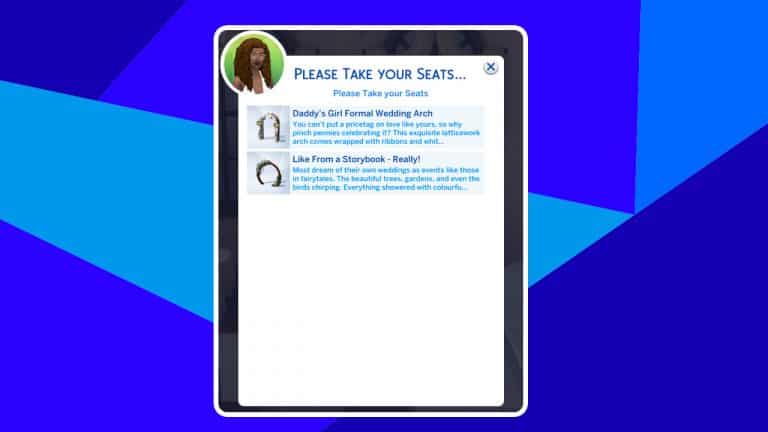
kaiwryplays on Twitter noticed that she was able to choose which wedding arch she wanted her wedding guests to sit near. The wedding venue in the new world of Tartosa has two wedding arches; one outside and one inside so your special day will be able to go ahead rain or shine. The only problem is that your Sims would have no idea which arch to sit in front of when you told them to take their seats.

When we played with the early access of My Wedding Stories, this feature was not in the pack. We would click one arch and select Please Take Your Seats with no popup appearing like Kaiwry shows us here. The result? Sims would wander about and sit in whatever random seat they found, whether it was the reception tables out in the courtyard or the other arch way on the other side of the lot. Our wedding guests ended up scattered throughout the entire venue and once they were seated, it was impossible to make them get up to sit somewhere else.

After the patch on release day that was “supposed” to have fixed the pack but didn’t, we still didn’t have this feature when we tried to throw wedding ceremonies. So it does appear that this is a new feature that was sneakily added in the most recent game patch. We’re not sure why this important detail was left out of the patch notes but we appreciate having this option in the game. Hopefully our Sims will be smarter about where they choose to sit at wedding ceremonies now.

A big thank you to Kaiwry for being the first to spot this and let the Simming community know about it!

The Sims 4 My Wedding Stories will get an important Patch later this month addressing the main broken features and bugs in the game. Check out the Laundry List!

Modder creates Realistic Childbirth for The Sims 4

0

Is The Sims 4’s original solution to childbirth too futuristic for you?

With The Sims 4 Get to Work players are able to send their Sims off to the Hospital and witness the birth of a whole new life!

That, of course, is with The Sims 4’s own twist. Pregnant Sims who are ready to give birth at the Hospital will eventually end up in a special contraption. A contracption where the doctor controls the “mechanical hands” and pulls out the baby from the hole in the machine. Yeah, those words are a lot…

Modder creates Realistic Childbirth for The Sims 4

Screen via Shades302

The baby then gets pulled out and put into a bassinet, all while being folded into a blanket wrapper that makes it look like the baby is in a burrito.

To make the Hospital Childbirth look more realistic, modder PandaSama has put the matter into their hands and created a Realistic Childbirth Mod for The Sims 4!

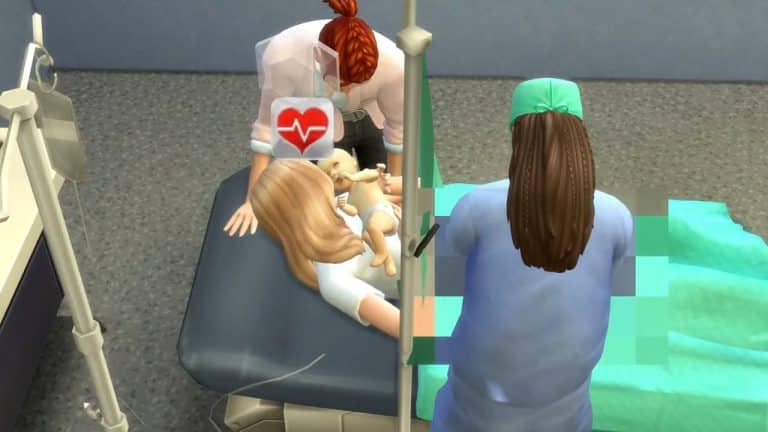
In a preview shared by the modder, there are two ways with the Mod that lets you have a Realistic Childbirth. The first one is “natural” with the help of a Doctor and Spouse to help push through that baby.

Explicit areas are all covered in pixels so you don’t have to worry about the game rating unofficially going up!

The modder also included an option to have a baby via C-Section, which has an entirely new set of animations. Don’t worry, the open stomach is pixelated!

The modder shared the news through a special video and the link to their Early Access of the Mod (going live to Public in 3 weeks).

[mks_button size=”large” title=”Realistic Childbirth Early Access” style=”squared” url=”https://www.patreon.com/posts/63905668″ target=”_blank” bg_color=”#1e73be” txt_color=”#FFFFFF” icon=”” icon_type=”” nofollow=”0″]

They’ve also shared that this is only the first iteration of the Mod, and that we should expect more features soon.

We did a full in-game coverage of the Realistic Childbirth Mod. Click here to check out the Full Walkthrough!

The Sims 4 Scenario Playthrough: Unlucky Chef

We became a Celebrity Chef by pretending to know how to cook. No, really.

We’re back with another scenario playthrough! This time, we’ll be diving into the Unlucky Chef scenario where our aspiring chef was certainly unlucky in every way… except in cooking thanks to her impressive ability to avoid stoves and ovens throughout her entire career.

Getting Started

The Sims 4 Scenario Playthrough: Unlucky Chef
You’ll notice the scenarios have gotten a bit of a revamp. Along with lots more new scenarios, there are now difficulty ratings on each scenario to give you an idea of the time and effort it will take players to complete them. The Unlucky Chef scenario is listed as a Hard scenario but we’re veteran Simmers, we ain’t scared of no scenarios!

The scenario description states that your Sim aspires to be a world-famous chef but their unlucky talent for starting fires might get in the way of their dream. You need a household with one Young Adult or older Sim and there are two ways to complete the scenario. Your Sim can either reach the top of the chef branch of the Culinary career despite the danger or reach the top of the Mixology branch, instead, as a safer option.

We spent minimal time in CAS customising our Sim and moved her into a starter home in Tartosa. After all, a setting based on Italy is perfect for a budding chef. Italy is known for its rich cuisine.

Starting from the Bottom

The Sims 4 Scenario Playthrough: Unlucky Chef
Your Sim will be starting out unemployed with no skills so they’ll have to get to the top of the Culinary career starting from the very bottom. This was going to take some time but we were up for the challenge. We quickly got our Sim, Claire, a job in the Culinary career and got to work making some dishes. The dishes in question? Garden salads. We wanted to see just how far our Sim could make it in the Culinary career without actually using a stove or oven, given her habit of starting fires. Yes, our plan was to fake it ’till we make it.

Things went without a hitch at first. She got a few promotions, she completed the first milestone of the Master Chef aspiration, and she was building both Cooking and Gourmet Cooking skills impressively fast despite the fact that she only ever made garden salad, caprese salad, onigiri, and fruit and yogurt parfaits.

The Sims 4 Scenario Playthrough: Unlucky Chef
Then came the inheritance phone call. This seems to happen to us in every scenario playthrough, doesn’t it? Well, we could have asked Under What Conditions to get a smaller payout immediately but where’s the fun in that? Of course we chose MONEY MONEY MONEY and ended up having to find a spouse in 7 days. We want the big payout! The trouble was, the only people she knew in town were her new friends, the Markovics, who were engaged to each other. Time to be a homewrecker, we guess.

The Sims 4 Scenario Playthrough: Unlucky Chef
Long story short, Claire seduced Lucia’s fiancé, Mateo, convinced him to break up with Lucia and then quickly married him. And yes, My Wedding Stories is still broken so we didn’t actually throw a wedding. We just got them dressed up and sent them to the wedding venue to marry under the arch without any events attached. Claire was rewarded with over $15,000 for her efforts. Not bad! Oh and there’s also the fact that Mateo took every last simoleon from his ex-fiancée when he left. That helped, too.

Unlucky in Unlikely Ways
The Sims 4 Scenario Playthrough: Unlucky Chef
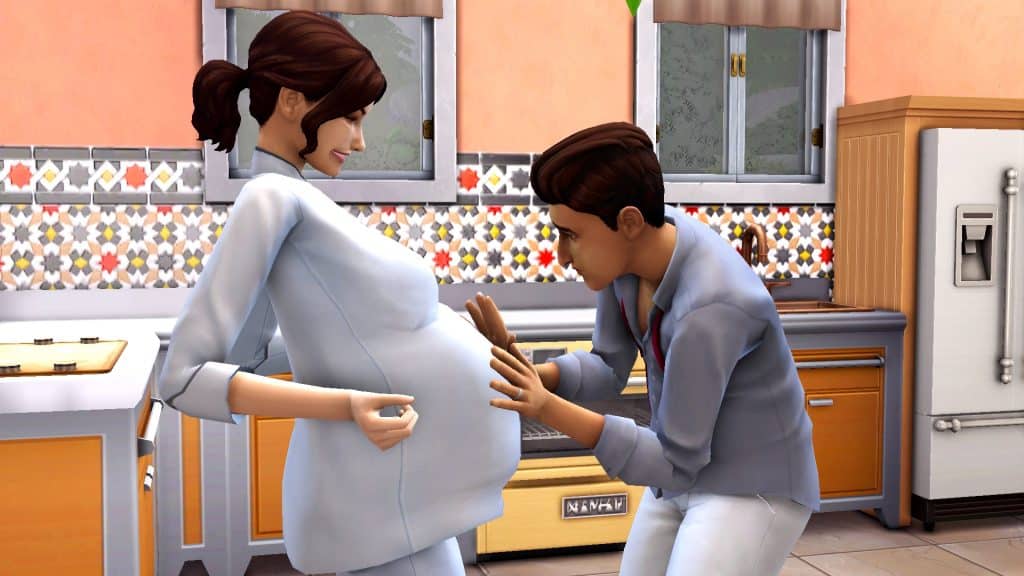
For a time, Claire and Mateo were happy. Mateo seemed to be a good husband and he was at a high level in the Entertainer career which was helpful for household income. They had enough money to expand the house a bit and redecorate which was a good thing because shortly after the wedding, Claire and Mateo were expecting a baby!

Her new life as a wife and mom meant her career progress slowed down a bit but Claire kept chugging along, anyway, and was still gaining promotions, just a little slower than before. When their son, Camden Markovic, was born, it seemed this family had found its happily-ever-after. But Claire’s marriage was short-lived.

The Sims 4 Scenario Playthrough: Unlucky Chef
Right after Camden was born, Claire threw herself back into her career and aspiration, which meant dinner parties. Dinner parties where all that was on the menu was salad and yogurt, of course. But there was a problem. Lucia, Mateo’s ex-fiancée. She just couldn’t let go of Mateo and hung around outside the house day and night like a creep. Nothing they did deterred Lucia for long. She was always there. And she was outside the house during Claire’s dinner party.

While Claire was distracted with her guests inside, Mateo disappeared outside. We wanted to know what he was up to when we were shocked to see him offering a rose to Lucia! He snuck out of the house while his wife was busy to go flirt with his ex-fiancée! Claire was understandably furious and let him have it right there in the yard before kicking him out of the house in a messy divorce. Mateo ended up going right back to Lucia and Claire was left a single mother to their son. She kept all his money and stuff, though, which was a small consolation.

Fake It ‘Till You Make It
The Sims 4 Scenario Playthrough: Unlucky Chef
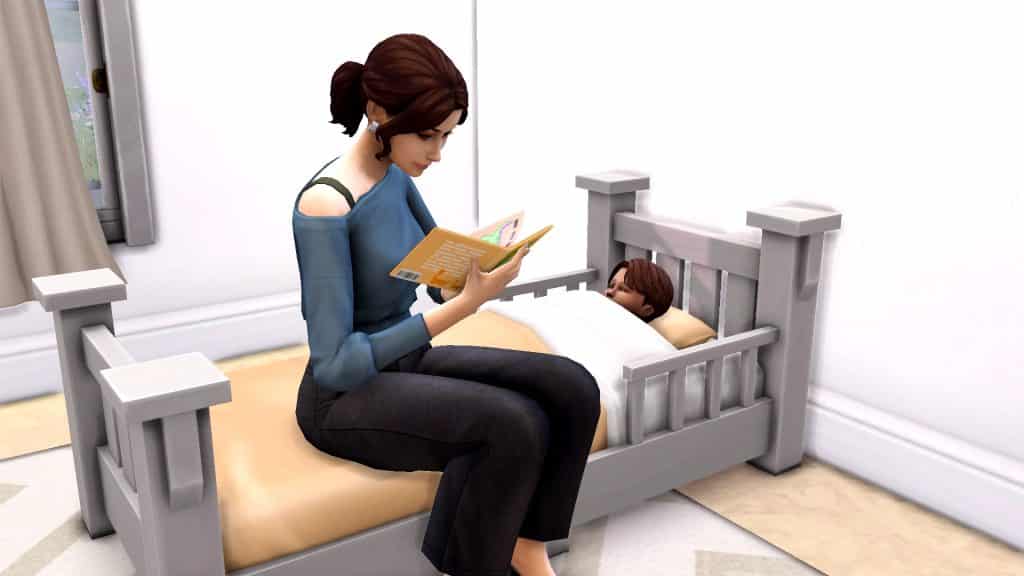
That messy but short detour once again threw a wrench in Claire’s culinary aspirations but she was determined. She went right back to work and hired a nanny to care for her son while she was out of the house. Soon, she hit her stride and found a good balance between work and caring for Camden and the promotions started rolling in quickly again. Somehow, she still managed to make steady progress in her career as her son grew from a baby, to a toddler, to the worst behaved child we’ve ever had the misfortune of raising in The Sims 4. Camden spent the majority of his childhood grounded from everything.

At long last, Claire made it to level 8 of the Culinary career, specialising in the Chef branch just like she always wanted. She still hadn’t started a single fire thanks to her salad-making skills. She was so close to the top but she did complete the Master Chef aspiration, allowing her to purchase reward traits to help her with her career even more. She moved on to the Super Parent aspiration and thanks to her son’s talent for getting into trouble, she progressed through that aspiration quickly, too.

Ironically, despite living off of salad, Claire had put on some weight over the years so she took up jogging and plumboomba dance routines in her spare time to get back to her pre-mom bod. Oh, and she got another one of those inheritance calls but Claire’s wiser this time and was smart enough to ask about the conditions. She’ll take the money without the unfaithful husband, thanks.

At this point, Claire had mastered both Cooking and Gourmet Cooking without ever actually cooking anything. We found it hysterically funny that she had made it so far while bluffing so hard. Claire must be Sim-living proof that you can, in fact, fake it until you make it because she did become a Celebrity Chef, which completed the scenario in a whopping 30 days.

The Sims 4 Scenario Playthrough: Unlucky Chef
But of course, we had to play it risky just one time before we said goodbye to Claire. Yes. It was finally time to use the stove and oven. Holding our breath, we instructed Claire to make one of the most complex dishes you can make in The Sims; the iconic lobster thermidor. And… she made it perfectly without starting a fire! This was simultaneously anti-climactic and hilarious. Well played, Claire.

The Sims 4 Scenario Playthrough: Unlucky Chef
Our Thoughts

This scenario was challenging, engaging, funny, and full of unexpected drama that we didn’t plan. We ran into no glitches regarding the scenario, it worked the way it was supposed to and traveling to different lots didn’t auto-complete it. We were also able to add and remove household members without breaking the scenario, although we had to do this through the Manage Households menu. We got a popup warning us we would end the scenario if we did this in-game.

We highly recommend this scenario to experienced Simmers who want a good challenge and a decently long scenario playthrough. We did this scenario with no cheats so our time is similar to what you can expect in your own game. Can you beat our time? Let us know in the comments!


credit: reshade by sunflowersyrup

Builder makes a Giant Toilet House in The Sims 4

DrGluon is back with another life sized build!

A few days ago, we shared DrGluon’s life sized hamster cage build, however, he is back with another creation. This time it is a liveable, life sized toilet. Now if this was any other game this would definitely seem a bit of a weird post to write, but this is The Sims 4, so it feels somewhat normal to share creations like this!

Entitled The Most Amazing Build on The Gallery, the life sized toilet comes with everything that your Sims need to live their day-to-day lives.

Let’s take a look at what there is to offer in this one of a kind home!

Kitchen

Hidden away quietly in the bathroom draw, you’ll find the Kitchen. It has everything needed to make your basic meals and maybe even a cake or two!

Builder makes a Giant Toilet House in The Sims 4

Dining Area

With a birds eye view of the Kitchen, you’ll find a small dining area. Not only does it give you a lovely view of the kitchen, but also a lovely view of the outside world too!

Builder makes a Giant Toilet House in The Sims 4

Bedroom & Bathroom

Located on an upper area of the life sized toilet, you’ll find a fully functioning bathroom and bedroom space. Conveniently, the bathroom is cleverly disguised as a tissue box.

Builder makes a Giant Toilet House in The Sims 4

Bar & Upper Patio

On the very top level of the life sized toilet is a small bar and patio area. With it being right out of the way, depending on which lot you place DrGluon’s build, your Sims could be in for a real treat with some incredible views! It is also the perfect place for your Sims to stop and relax after a long day!

Builder makes a Giant Toilet House in The Sims 4

Pool & Lower Patio

Probably the most stand out feature of the life sized toilet happens to be the pool and lower patio. The unique placement of the pool and accompanying patio may be questionable to some but in The Sims, it is completely normal!

Builder makes a Giant Toilet House in The Sims 4

Want to know more about The Most Amazing Build, or even have your Sims take up the challenge of living here? Then take a look at The Gallery information below!

Builder makes a Giant Toilet House in The Sims 4

[mks_button size=”medium” title=”Click Here to Download” style=”rounded” url=”https://www.ea.com/games/the-sims/the-sims-4/pc/gallery/11AC7A16A2A411EC812FF7CA3216AB03?category=lots&searchtype=ea_origin_id&sortby=newest&time=all&searchquery=drgluon&max=50&maxis=false” target=”_blank” bg_color=”#4aa500″ txt_color=”#FFFFFF” icon=”fa-arrow-down” icon_type=”fa” nofollow=”0″]

Would you have your Sims live here? Let us know in the comments below!

This Mod Will Enhance Your Neighbourhood Stories in The Sims 4!

Find out what’s happening in your Neighborhood through meaningful interactions!

Many Simmers were very pleased with yesterday’s addition to Neighbourhood Stories. It’s a much-improved version of story progression from The Sims 3 that allows us to really customise what can and can’t happen to our households from a global scale right down to individual households. This is much more versatile than an all-or-nothing global on and off toggle in the game settings (although this is an option, too).

Still, modders are always finding ways to take new features of the game and elevate them to new heights. It didn’t take long for modders to tweak the new Neighbourhood Stories updates and make it a little more integrated into gameplay. MissyHissy has released a mod called Gossip About Neighbourhood Stories which will allow your Sims to find out about what’s going on in the world through socialising with other Sims.

This Mod Will Enhance Your Neighbourhood Stories in The Sims 4!
Without this mod, you can click on the mailbox to find out what’s been happening in other households which is nice but MissyHissy thought this feature should be more gameplay-oriented (and we agree). You can still click the mailbox to find out about the neighbourhood changes but you can also get these updates though socialising and checking social media now.

Whenever your Sims use one of the following socials in conversation, you’ll get a Neighbourhood Story popup informing you of something that’s happened in the neighbourhood recently.

  • Gossip
  • Gossip About Neighbours
  • Discuss Neighbourhood Changes

Sims can also check their social media timeline on their phone to receive updates on Neighbourhood Stories.

This Mod Will Enhance Your Neighbourhood Stories in The Sims 4!
This is a small change in the game but one that adds a lot of depth and meaning to the everyday conversations that Sims can have with each other. It also gives them more of an incentive to check their social media even if they don’t have a career that relies upon it. The mod is base game compatible but does require the latest Neighbourhood Stories patch. The best part? It’s free for the public to download right now!

You can grab this handy mod from MissyHissy’s Patreon right now. Just click the download button below to go to her Patreon and download the mod! If you’re new to installing mods and CC and need extra instructions, see our article, Getting Started with Mods and CC!

[mks_button size=”medium” title=”Download” style=”rounded” url=”https://www.patreon.com/posts/63865294″ target=”_blank” bg_color=”#4aa500″ txt_color=”#FFFFFF” icon=”fa-arrow-down” icon_type=”fa” nofollow=”0″]

Broken (and Updated) Mods for The Sims 4

The UI Cheats Extension and MC Command Center have already been updated!

The latest Update for The Sims 4 has quite stirred the pot when it comes to Mods in the simming community.

Some of the crucial, gameplay Mods for The Sims 4 have all been “disturbed” by the latest update for Neighborhood Stories. Naturally since the feature is so big it’s no surprise that some Mods have lost their functionality…or have broken the game entirely.

Broken (and Updated) Mods for The Sims 4

The latest update for The Sims 4 does automatically Disable Mods & CC, but those who play on PC / Mac and like their game non-vanilla then here’s the situation: Custom Content is not affected while some of the gameplay mods (especially the ones that modify Live Mode) are broken.

Thankfully the Sims community member @luthsthings has already started working on a full list of Broken and Fixed Mods that have been affected with the latest update.

Here’s a list of just some top ones that they’ve added, including:

Mod Updates

[mks_button size=”large” title=”FULL LIST of Broken/Updated Mods” style=”squared” url=”https://forums.thesims.com/en_US/discussion/998330/broken-updated-mods-cc-march-15-2022-neighborhood-stories-patch/p1?new=1″ target=”_blank” bg_color=”#319e36″ txt_color=”#FFFFFF” icon=”” icon_type=”” nofollow=”0″]

We also have Mods Support and Discussions over on our official Discord if you want to join in!

Here are some useful articles to help ensure a stabile CC / Mods experience after updating The Sims 4:

Preview of New Objects coming with The Sims 4 Décor to the Max Kit

6

List of all of the new objects coming with the Kit!

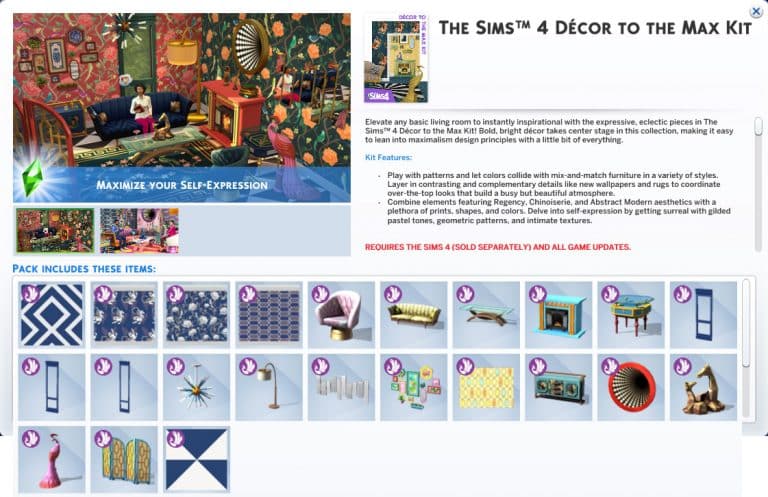
The latest update for The Sims 4 has allowed for players to unlock the objects preview for the upcoming Kit – Décor to the Max Kit!

The Kit comes with new Maximalist Décor and furniture in Build Mode, including:

  • Wallpapers and Flooring
  • New Seating and Surfaces
  • A brand new Fireplace!
  • 3D optical illusion mirror
  • New Sculptures and Lights
  • Modular Wainscoting / Wall Trims
  • Rugs

Check out the full list of new objects in the screen preview below:

Preview of New Objects coming with The Sims 4 Décor to the Max Kit

Note that, just like with previous DLC releases, we only get to see one swatch in the previews. Stay tuned on the Kit release date (March 21st) on our website for a full swatch breakdown!

Tip: anadius

Initial Reaction to The Sims 4 Decor to the Max Kit!

This Kit is so hideous. I love it.

When The Sims Team officially revealed the first screens from the upcoming Decor to the Max Kit, my eyes just about bugged out of my head. There was SO much going on in one picture that my brain had trouble finding a focal point to rest on. I have to hand it to them; they said they were going for a maximalist look and it’s uh… certainly that.

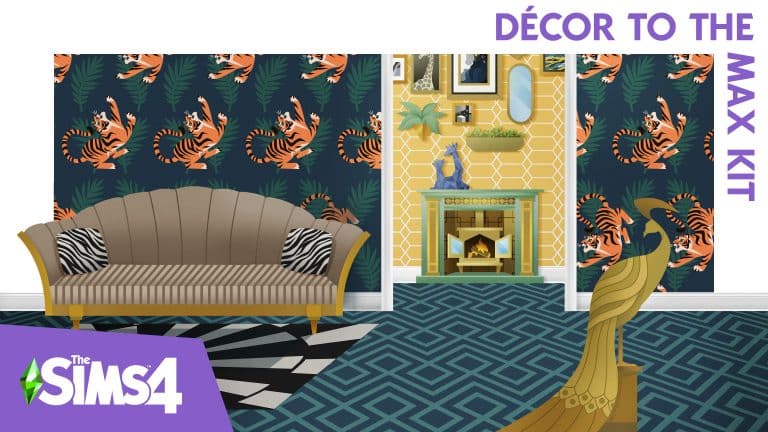
Nonetheless, my eyes eventually focused and started examining individual items in all that busy chaos. I quickly realised that a lot of these pieces are actually pretty nice. Don’t get me wrong; everything just screams tacky from the rooftops but as a Simmer who loves that kind of campy, eclectic style that harkens back to 1920s glamour, I found it all tacky in the most delightful way. Let’s take a closer look at the currently released screens to go over some notable details that made me feel some type of way, shall we?

Initial Reaction to The Sims 4 Decor to the Max Kit!
First and foremost, I have to point out how much I appreciate new wallpaper! The last several build kits neglected to include any wallpaper or flooring which to me, is unacceptable for a build kit. I’ve been extremely underwhelmed by a lot of the recent build kits for numerous reasons but the lack of new walls and flooring was a big issue for me. I’m also a huge sucker for floral patterns and print wallpaper so this is wallpaper heaven for me.

Next, let’s discuss that obnoxious, gaudy peacock sculpture in the corner. It’s SO ugly and I love it SO much. Fight me, I don’t care. That peacock and I care not for your negativity. At first, the fireplace made me raise my eyebrows; it looks exactly the same as the Paranormal Stuff fireplace at first glance… except it’s not! A closer look reveals that it’s actually a cast iron wood burning fireplace inside of a larger fireplace frame. I’ve never seen this design before but it’s really cool and distinctly different from the Paranormal Stuff fireplace. Some other décor pieces that stand out to me are the rug, the room divider, the pictures on the walls, and… whatever that thing is above the fireplace. It’s bizarre but I want it.

Initial Reaction to The Sims 4 Decor to the Max Kit!
We see this strange optical illusion… thing, again in the second screen, as well as my new friend, the peacock, in a different swatch. Wait a minute… ARE THOSE TIGERS ON THE WALLS?! Yes, yes they are. I know the more subtle hexagon patterns on the walls around it are technically classier but heck, just give me campy tiger themed stuff, please. Love the matching tiger pillow and print on that couch. Hideously wonderful. And oh my gosh, look at that gorgeous black and pastel print on the accent table.

Initial Reaction to The Sims 4 Decor to the Max Kit!
Oh, and there’s this nifty detail. Modular wainscoting to match all three wall heights. This is something completely new we haven’t seen before in The Sims series, ever, and I really appreciate that. I’ve been criticizing the kits for bringing nothing new to the table for a long time now and it was refreshing to see a detail like this that genuinely adds new customization options. Apparently, these can also be used as mirror and window frames so kudos to The Sims Team for making such a simple and versatile new object for us to enjoy. I’ll be using these a lot.

My final thoughts on what we’ve seen so far of this kit? Oh my Watcher, I have not seen such unashamed tackiness since the golden toilet in Get Famous. Every single thing in this kit is gaudy, obnoxious, and over-the-top in every sense of the word and I want all of it in my game like… yesterday, please! Would I smash all this stuff together in an eye-bleeding display of visual chaos like in these screenshots? Probably not but you can bet I will be using every single thing in this kit somewhere in my builds!

The Sims 4: Guide to Neighbourhood Stories Customisation

Everything you need about the Updated Neighborhood Stories in The Sims 4

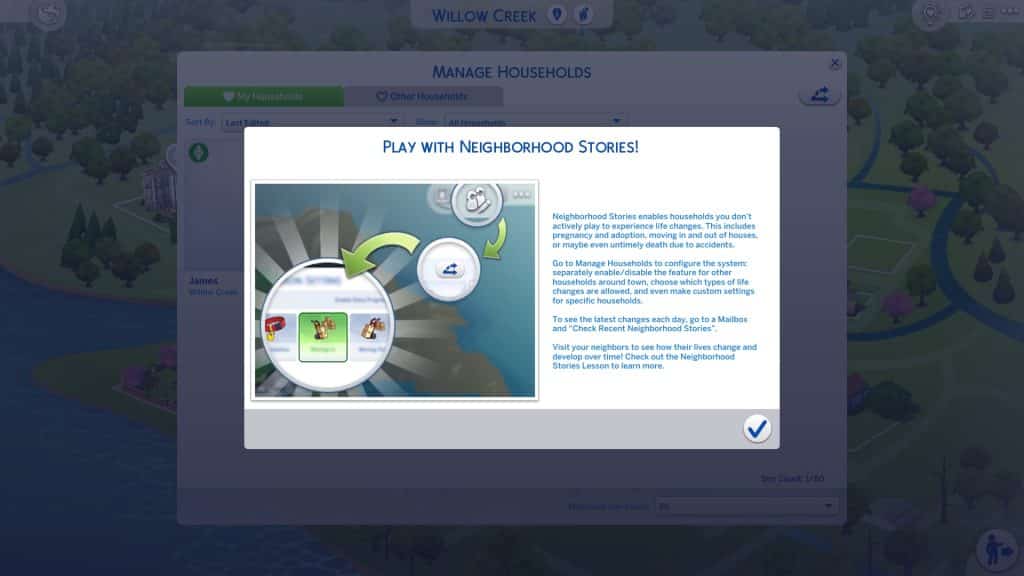
Today saw a pretty impressive new update to The Sims 4 that expands upon last November’s addition of Neighbourhood Stories. As a refresher, Neighbourhood Stories is a system that influences the lives of Sims you are not currently playing. It’s The Sims 4’s version of Story Progression from The Sims 3, but with more options to tailor the system to your individual preferences.

What’s Different?

The Sims 4: Guide to Neighbourhood Stories Customisation
In the original update, progression was restricted to phone calls your Sims might receive from friends, relatives, and acquaintances in other households. Only certain changes were available, like career changes and having a baby if the Sims were already in a relationship. Sims would not get married unless they were already engaged and would not adopt children or pets, either. Only Sims your active household knew would make these changes and only if you encouraged them to do so through conversation or phone calls.

Today, Neighbourhood Stories has gotten a huge expansion in a free update! Now, Sims can autonomously decide to make big life decisions without the input of your active Sims, regardless of whether they know your active Sims or not. There are many more types of life changes that Sims can make as well, such as adopting children or pets and even dying prematurely in various types of accidents! Of course, this update also comes with detailed customisation so you get to pick and choose what happens to your Sims when you’re not playing with them.

Customisation

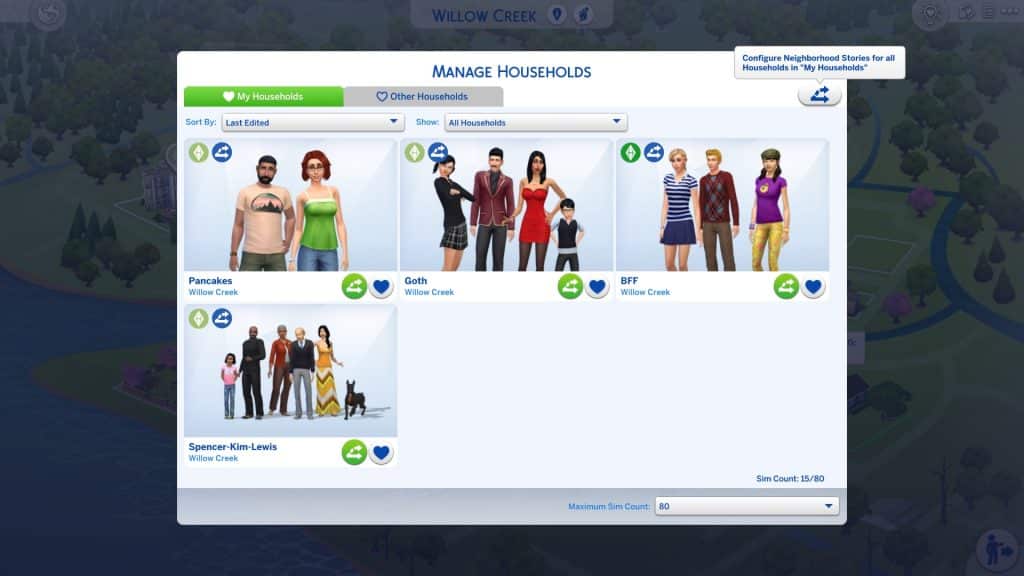
Most of the customisation options can be found within the Manage Households screen. By default, Neighbourhood Stories will be enabled for the Other Households tab and disabled for the My Households tab so you don’t need to worry about any of your played Sims being affected by changes you don’t want.

The Sims 4: Guide to Neighbourhood Stories Customisation
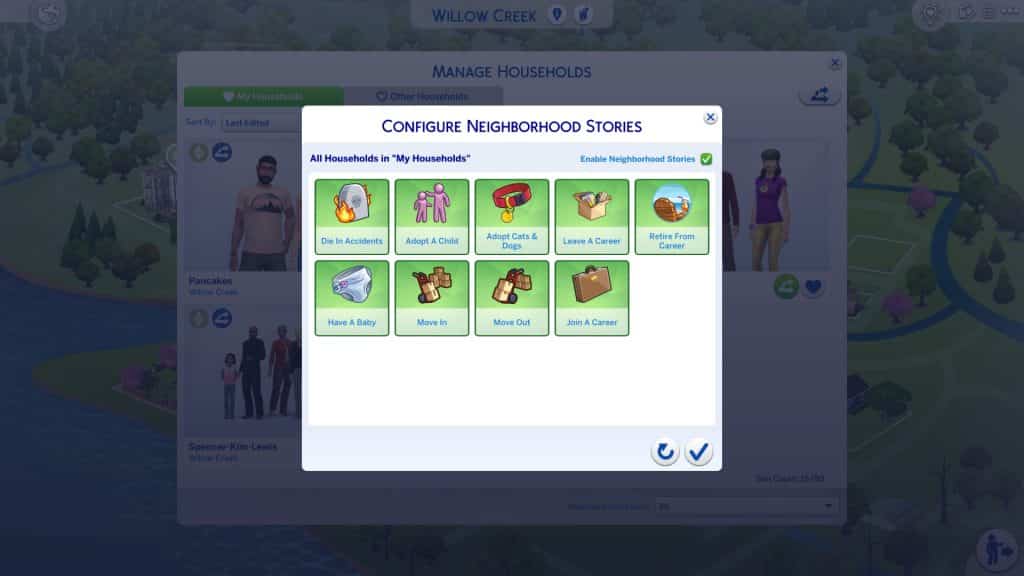
However, you can customise this if you do want your played Sims to progress in life when you are not actively playing with them. At the top of each tab in Manage Households, there is a new icon for Neighbourhood Stories settings. Click on it and checkmark the Enable Neighbourhood Stories box in the menu that comes up. This will enable all potential life changes for all households within that tab but you can customise this, too.

The Sims 4: Guide to Neighbourhood Stories Customisation
Let’s say you would like your Sims to have and adopt children and pets, join new careers, and retire when they become elders but you don’t want to risk them dying in accidents or leaving any current careers you already have them in. You can deselect Die in Accidents and Leave a Career but leave the other options enabled. Now all of those households are set up exactly the way you like them!

But wait! There’s more! What if you have specific households within the My Households or Other Households tab that you want different settings for? For example, what if the Goths and the Pancakes are under the same tab in Household Management and you want Bob and Eliza to have children but you think two kids is enough for Bella and Mortimer? Well, you can customise all of that, too. Individual households can have their own settings that override the general My/Other Households tab settings.

The Sims 4: Guide to Neighbourhood Stories Customisation
Click on the new Neighbourhood Stories icon on any specific household to adjust the settings for only that household. Households with individually customised story settings will have a Neighbourhood Stories symbol in their portraits so you can keep track of which households have individual customisations.

The Sims 4: Guide to Neighbourhood Stories Customisation
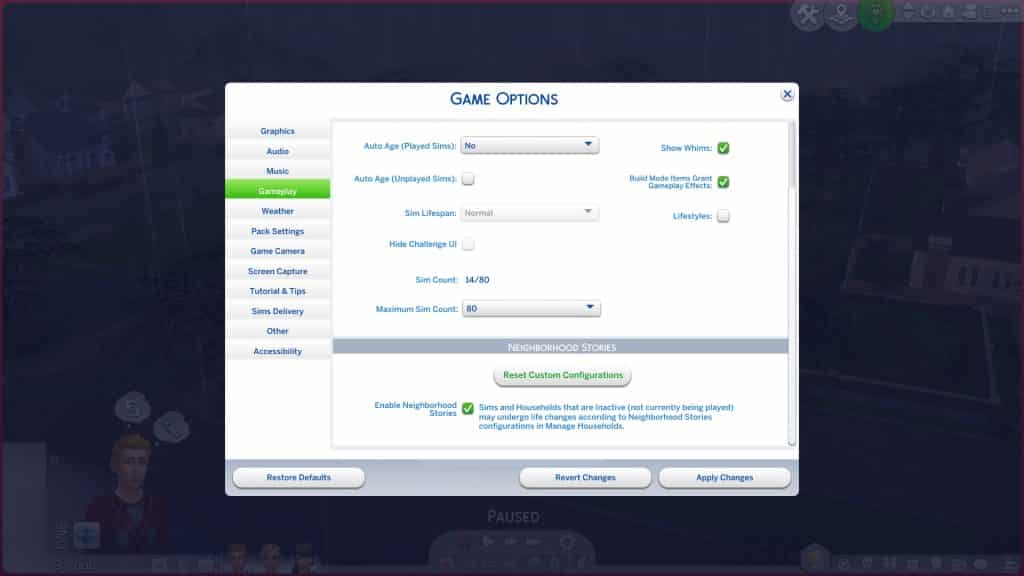
Hate everything about all of this and don’t want anything to do with Neighbourhood Stories at all in your game? If you liked things exactly the way they were before where no one progressed without your say-so, there is a global setting in the Game Options under the Gameplay tab that will let you disable Neighbourhood Stories for the entire save. Please note that you will still occasionally receive phone calls from Sims asking for your input on life decisions but Sims will not make any life decisions without your encouragement.

You can also reset all your custom configurations in this tab.

Seeing Neighbourhood Stories in Action

The Sims 4: Guide to Neighbourhood Stories Customisation
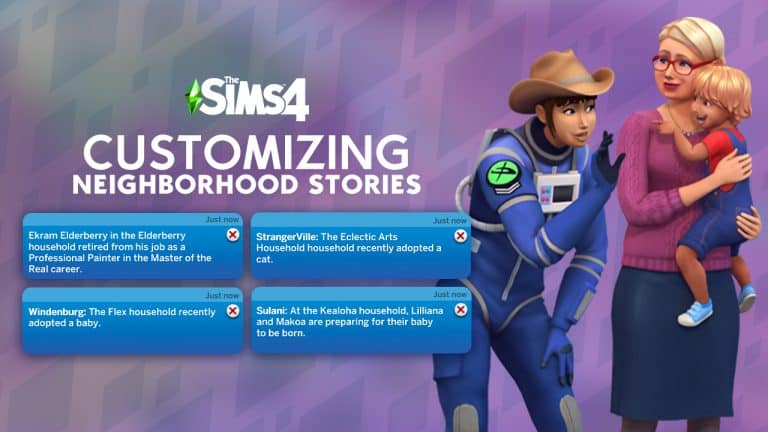
Since your Sims may not know every other Sim in your worlds, it’s likely that a lot of life changes will be happening in the background as you play without your Sims being any the wiser. Still, you as the player might be curious about what’s going on in the wider world. Whenever you want an update about some of the things that have been happening in your other households, click the mailbox and choose the new Check Recent Neighbourhood Stories option. You’ll get a popup about something that’s happened recently. You can continue to click this option until there are no new changes if you want to see everything. We hope this will be adjusted in the future so that all recent stories will pop up when you select this option. We don’t want to have to click it a dozen times if it’s been a while since the last time we checked the mailbox.

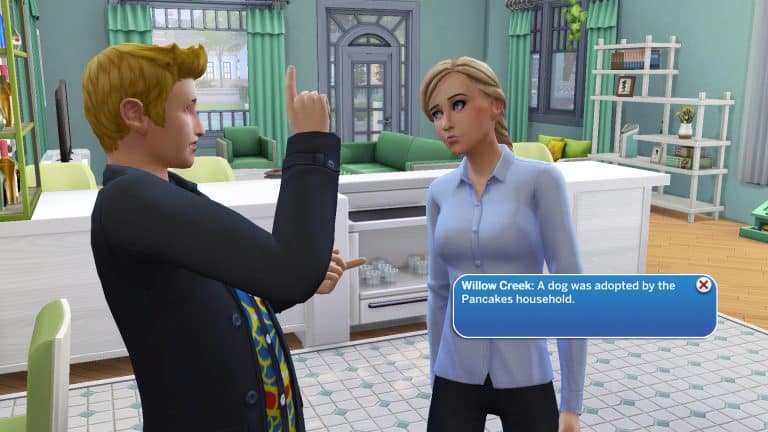
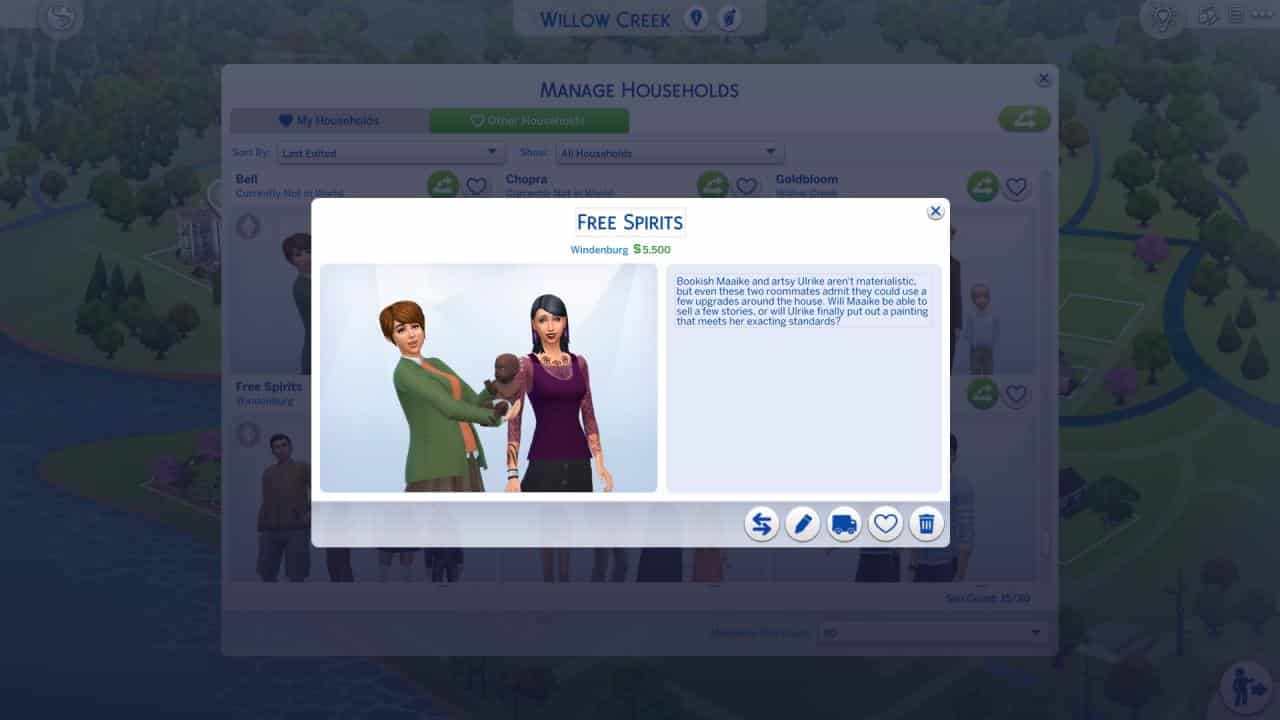
While we were playing with the BFF household, some interesting changes we found out about through the mailbox included the Calientes adopting a child, the Spencer-Kim-Lewis household adopting a dog, Jacques Villareal retiring from his career and the Free Spirits household adopting a baby.

Sure enough, when we went back to Manage Households, there was a dog in the Spencer-Kim-Lewis household, a baby in the Free Spirits household, and a child in the Caliente household.


How will you use the new Neighbourhood Stories feature? Will you let chaos reign or will you carefully curate what can happen to your Sims? Let us know in the comments!

EA Play Live has been cancelled for 2022

3

The Live Press Gaming Event won’t be making a return this year

EA Play, an event which usually accompanied E3 since 2016 has been a platform for Electronic Arts to announce new games and products from their studios.

Since the pandemic in 2020 Electronic Arts has moved the platform from an actual event in Hollywood, LA to a Gaming Livestream. Eventually since 2021 the event was also renamed to EA Play Live – to make a difference from their already existing, rebranded subscription service EA Play.

In 2020 we had a groundbreaking reveal of The Sims 4 Star Wars: Journey to Batuu Game Pack. Last year in 2021 there was a smaller feature from The Sims 4 Cottage Living, and this year there won’t be an event at all.

In response to IGN, EA has stated the following:

We love EA Play Live as it’s our way of connecting with our players and sharing what’s new with all of you. However, this year things aren’t lining up to show you everything on one date. We have exciting things happening at our world-class studios and this year we’ll reveal much more about these projects when the time is right for each of them. We look forward to spending time with you throughout the year!

The Sims 4’s biggest presence at EA Play was during EA Play 2019, when The Sims Team revealed Island Living, Realm of Magic and Moschino Stuff Pack!

New (and Improved) Scenarios in The Sims 4

The latest update for The Sims 4 has brought in SEVEN new and improved Scenarios!

The new update for The Sims 4 focuses heavily on the first iterations of new features we’ve gotten last year. The Sims Team has put a heavy spotlight on the new Story Progression features (and rightfully so), however there’s a big revamp going on with Scenarios as well! Let’s dive into the new Scenarios and changes that The Sims Team has made.

Scenario Difficulty

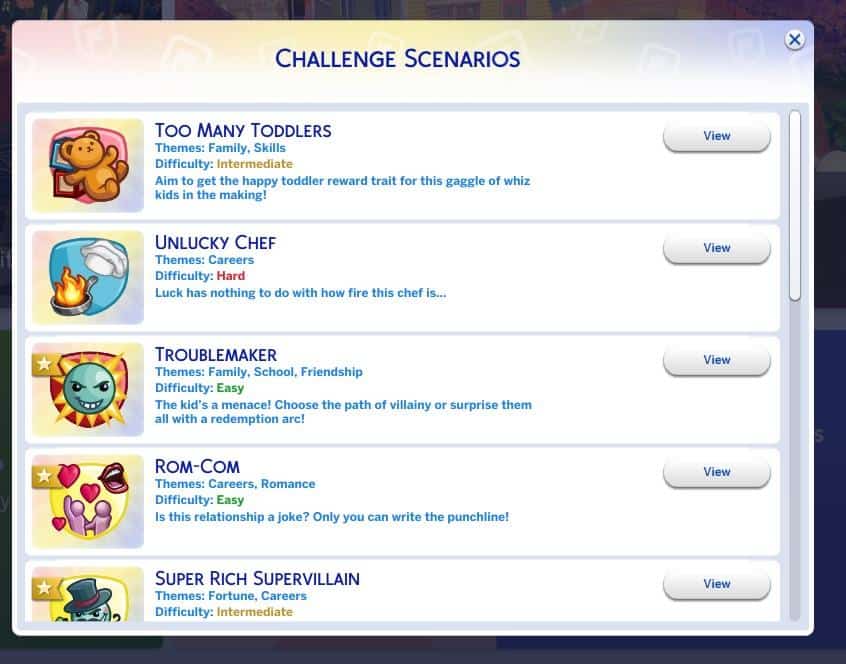
Each Scenario in The Sims 4 is now tagged with an according difficulty that will let you know how difficult each scenario is. There are 3 difficulty levels, including:

  • Easy
  • Intermediate
  • Hard

Check out what they look like now in-game:

New (and Improved) Scenarios in The Sims 4

Play Scenario with Existing Household!

Previously this feature has allowed you to start a Scenario of your choice only through a New  Household. The latest update for the game allows you to incorporate your existing Household and Start a Scenario using your favorite Household!

To do so select a Scenario of your choice, select View > Play with Existing Household.

Please note that there are some Scenarios in the game that only let you begin through an entirely new Household. However, you are still able to Start a Scenario through any Save Game of your choice if you’d like to do so.

When selecting Play with Existing Household you’ll be immediately taken to a new screen that lets you Manage Households and choose which Household you want to start a Scenario with.

New (and Improved) Scenarios in The Sims 4

New Scenarios

There’s a bunch of Permanent New Scenarios added into The Sims 4 with the latest update! Scenarios such as Too Many Toddlers and Troublemaker have also gotten a refresh with some new ground rules and outcomes. Let’s break it down:

TOO MANY TODDLERS

Master the art of parenting to score the happy toddler reward trait – now with more than 3 toddlers!

Toddlers can be a handful! They need tons of care and attention to become the best versions of themselves. But what if there are too many to handle?? To all the brave Simmers out there, can your Sim figure out how to give more than three toddlers all they need to reach level three in four skills so they can get the Happy Toddler Reward Trait on their birthdays?

New (and Improved) Scenarios in The Sims 4

SUPER RICH SUPERVILLAIN

Become your best self-interested baddie

Working as a Secret Agent can make a Sim cynical about the world, but it also means they get to strut around in glamorous clothing, playing high-stakes poker and being very picky about how drinks are prepared. That luxurious lifestyle sure is appealing. Why settle for just acting rich when your Sim can start living as their best villainous self?

New (and Improved) Scenarios in The Sims 4

UNLUCKY CHEF

Klutzy in the kitchen

Your Sim may dream they will become a world-famous chef, however there’s just one little problem: this Sim is WAY more likely to accidentally start fires while cooking. They have some freakish bad luck. Can your Sim survive the dangerous journey to culinary excellence? Or, will they decide that playing with fire isn’t for them, and making fancy drinks seems like the safer route to success?

New (and Improved) Scenarios in The Sims 4

TROUBLEMAKER

Old Habits or Fresh Start?

Who doesn’t remember those good ol’ teenage years? Energy we didn’t know where to channel, hormones dancing Tango with our mood and for some, the unshakable feeling of being invincible. Will your menace teenage-Sim use that energy to get into more trouble in their new school or will they surprise everyone with a fresh start?

New (and Improved) Scenarios in The Sims 4

EXTRATERRESTRIAL RESEARCHER

Is anyone out there? Let’s go find out!

We’ve heard there are billions of planets in the Milky Way alone. Who can blame your Sim for thinking that there has to be more life out there? Help your Sim on their mission to space on the search for extraterrestrial life. First step: building a rocket! We wish your crew the best of luck for this courageous endeavor.

New (and Improved) Scenarios in The Sims 4

ROM-COM

Is this relationship a joke? Only you can write the punchline!

Without a doubt, laughter is one of the best ingredients for a happy relationship. This is also true for your aspiring comedian-Sim and their fiance. But ever since their romance died, “it’s complicated” doesn’t even begin to describe their relationship. Will your Sim be able to bring back the humor, make it big in showbiz, AND keep their personal life from falling apart?

New (and Improved) Scenarios in The Sims 4

NO SKILLS NO PROBLEM

Time to prove your street smarts!

You better have skills in this world to thrive and survive. Good thing there’s plenty of skills your Sims can acquire: Gardening, Painting, Programming, Baking, to name just a few. But what if things just don’t come easy to your Sim who cannot seem to ever get more skillful at… well, anything! Can your unskilled Sim figure out how to hack life and earn some sweet Simoleons?

New (and Improved) Scenarios in The Sims 4