Home Blog Page 145

The Sims 4 Scenario Playthrough: Frog Fanatic

Scared of frogs? Don’t be – at least not in The Sims 4!

The latest SDX drop for The Sims 4 has added a new scenario to the game called Frog Fanatic! This limited-time scenario is all about collecting and breeding lots of different types of frogs!

We’re going to walk you through how to complete this scenario!

Getting Started

The Sims 4 Scenario Playthrough: Frog Fanatic

You’ll notice the scenarios have gotten a bit of a revamp. Along with lots more new scenarios, there are now difficulty ratings on each scenario to give you an idea of the time and effort it will take players to complete them. The Frog Fanatic scenario is listed as an Intermediate scenario.

This is a limited time scenario that runs until May 24th, 2022, so players have just under a month to start this scenario before it’s gone. In-progress scenarios can still be played after their cut off date so if you’re pressed for time this month, just make sure you start this scenario before May 24th. You’ll be able to go back to it anytime after.

The scenario description states that your Sim is obsessed with frogs and is on a personal mission to collect and breed as many different types of frogs as they can. The household requirements are simple; you just need one Young Adult or older Sim. When you start the scenario, your Sim will start out with a small amount of Cooking and Fishing skill.

Like the Plant-A-Sim Scenario, the goals on the info screen are weirdly vague but once you get in-game, you’ll see that there is a pretty extensive list of specific goals your Sim will need to complete. Your Sim must complete all the goals to finish the scenario:

  • Catch a frog from a log
  • Catch a frog from a pond
  • Catch a frog from a water pump
  • Breed 9 frogs
  • Cook Boiling Frog Hot Pot
  • Fish while using a frog as bait
  • Catch or breed 8 unique Common frogs
  • Catch or breed 6 unique Uncommon frogs
  • Catch or breed 4 unique Rare frogs

We recommend using a Sim with the Geek, Creative, Loves Outdoors traits, and The Curator aspiration. The Geek trait and the Collector trait that comes with the aspiration will help your Sim find rare frogs more often. The Creative trait will make your Sim Inspired often which will boost their Cooking skill. The Loves Outdoors trait will provide your Sim with a Happy buff to help keep their mood high while they’re fishing.

Catching Frogs

The Sims 4 Scenario Playthrough: Frog Fanatic

We couldn’t help ourselves. We decided to troll you guys just a little longer and use the infamous Callia Maebey (aka: Ring Ring Girl) for this scenario. We’d say we’re sorry. If we were. But we’re not.

Starting this scenario is easy enough. Just get out there and start catching frogs! You won’t be able to breed the rest of the frogs you’re missing until you’ve caught a decent variety out in the wild to breed with, first.

The Sims 4 Scenario Playthrough: Frog Fanatic

You’ll need to catch a frog from a pond, a log, and a water pump so you might as well start there. Logs can be found all over Willow Creek and water pumps can be found around Oasis Springs, particularly around the Desert Bloom park. Searching a log or a water pump guarantees a frog but logs disappear after being searched and water pumps have a cooldown where you can’t search them again for a while, so you won’t be able to get unlimited amounts of frogs from them.
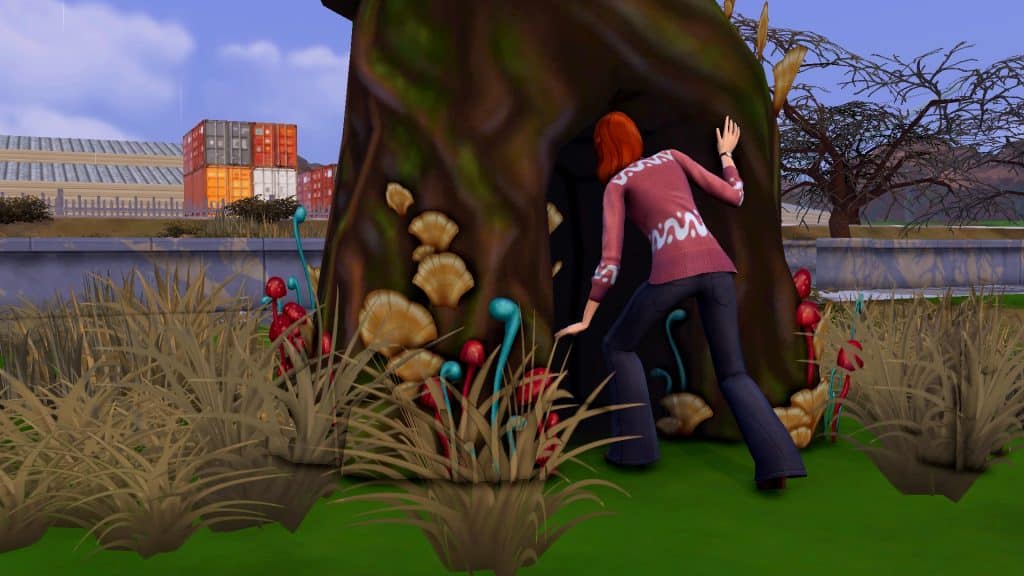
There is a pond located both at Magnolia Blossom park in Willow Creek and Desert Bloom park in Oasis Springs. There is also a pond in the Sylvan Glade, a secret location you can reach by interacting with the mysterious tree in Willow Creek’s Foundry Cove neighbourhood. It’s the large gnarled tree with mushroom growth next to the Crick Cabana house.

Your Sim can catch frogs at any of these ponds but they are slippery creatures and your Sim is not guaranteed to find one every time. There is no cooldown for catching frogs from ponds so you can stack up the interaction and do it repeatedly. You can theoretically complete the entire frog collection this way but it’s actually easier to breed the ones you’re missing after you’ve caught a decent variety to use as breeding stock. Plus, you will have to breed to complete all the scenario goals.

Cooking and Fishing with Frogs

The Sims 4 Scenario Playthrough: Frog Fanatic

Before you get into breeding, there are some more straight-forward goals to focus on, first. One is to cook Boiling Frog Hot Pot. The other is to fish using a frog as bait. They’re both easy to accomplish but do require you to invest some time into skill building.

Boiling Frog Hot Pot is a level 7 Cooking recipe. Your Sim starts with Cooking skill level 2, so you’ll need to spend some time in the kitchen. You can boost your skill gain by adding the Homey lot trait to your home and adding objects to the kitchen with an Inspiring aura. Cloudgazing, Stargazing, and watching the Cooking Network are also easy, quick activities to put Sims in an Inspired mood. Once your Sim is skilled enough, just have them cook Boiling Frog Hot Pot using one of their frogs to complete that scenario goal.

The Sims 4 Scenario Playthrough: Frog Fanatic

Fishing with frog bait is easier, since you can fish with bait at Fishing level 3. Your Sim starts with Fishing level 1 so they only need to go up two skill points to do this. Just click any fishing spot, select Fish With Bait.. and choose a frog from your inventory. You don’t even need to actually catch a frog. Just casting your line with frog bait is enough to complete this goal.

Frog Breeding
The Sims 4 Scenario Playthrough: Frog Fanatic

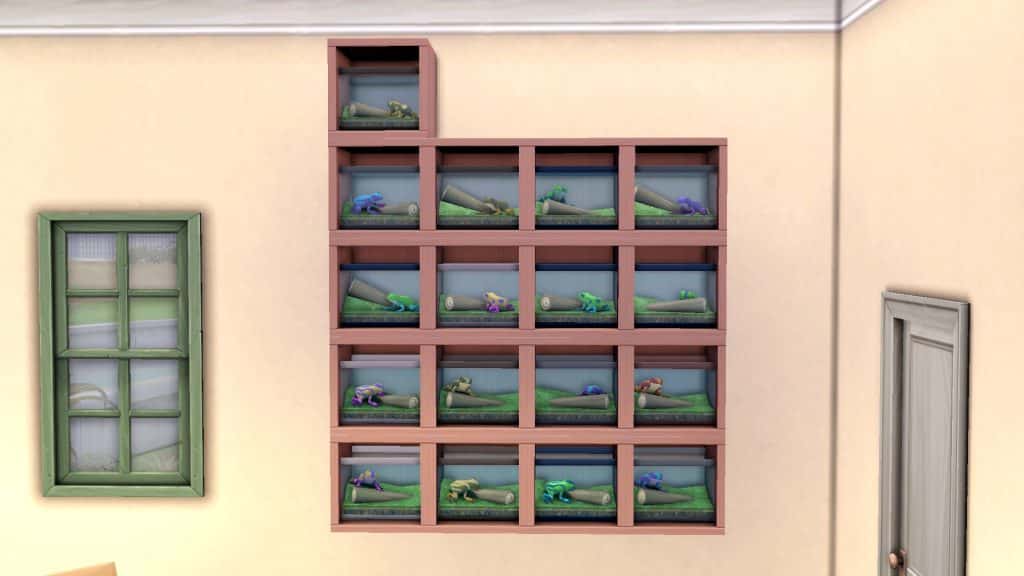
This is likely what’s going to eat up most of your time in this scenario. You need to breed a lot of frogs. Not only do you need to breed 9 frogs in total but you also need to breed (or catch) a total of 18 different frogs of specific rarities. To breed your frogs, you must have at least two frogs in your inventory. Click on one frog and select Breed Frog, then pick the frog you want to breed with. You will instantly get another full grown frog in your inventory. You can only breed frogs once every 4 in-game hours.

The Sims 4 Scenario Playthrough: Frog Fanatic

This is where strategy comes into play. Frogs have a fairly detailed genetic system that determines what kind of frog you will get from any pairing. Carl’s Guide does an excellent job of breaking the whole thing down in-depth, complete with a breeding chart, but we’ll summarize in simple terms here, too.

There are a total of 5 types of frogs (Dirt, Leaf, Eggplant, Sunflower, and Heart) and 4 attributes (Spotted, Striped, Surfer, and Whirl). Most of the frogs have an attribute attached to them except for the base frog of each type which has no attribute. You will need to pair up frogs that either have the type you want or the attribute you want.

The Sims 4 Scenario Playthrough: Frog Fanatic

To give an example, if I wanted to breed a Sunsurfer frog (Sunflower x Surfer), I would need to pair up a frog of the Sunflower type with a frog of the Surfer attribute. Any Sunflower and Surfer frog has a chance of giving me a Sunsurfer frog when bred together.

For the purposes of completing the scenario, these are the rarities of each frog attribute:

  • Base (no attribute), Spotted – Common
  • Striped, Surfer – Uncommon
  • Whirl – Rare

All five types of frogs with those attributes will be of the corresponding rarity so focus on breeding different types of frogs with attributes of the rarity you’re looking for.

Frog Master
The Sims 4 Scenario Playthrough: Frog Fanatic

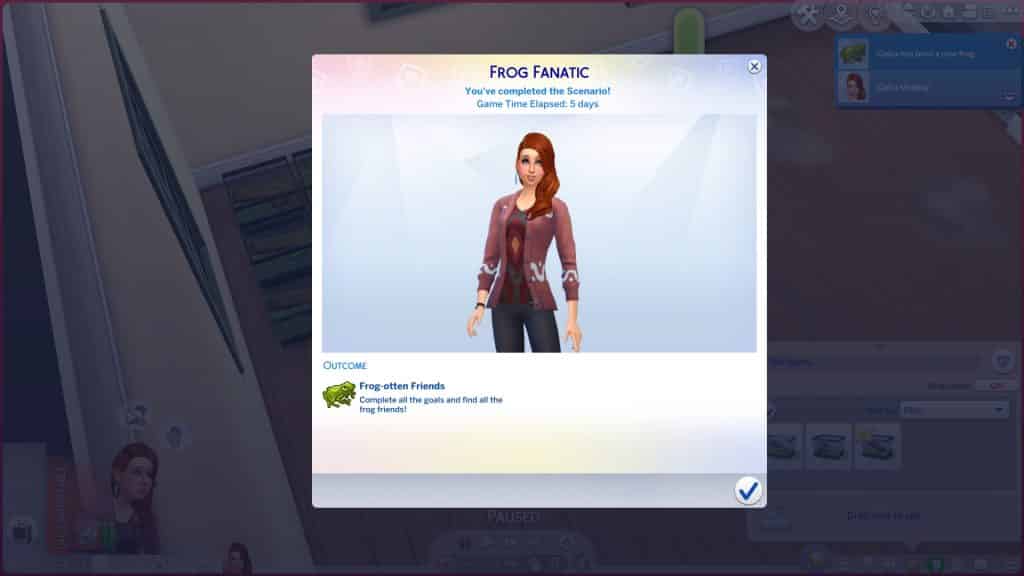
Our terrifying resident Ring Ring Girl finished this scenario in 5 days, but we expect it will take players much longer than this. We cheated her skills and motives to speed the process along.

By the time she finished the scenario, she almost had a completed frog collection. She was only missing 3 out of the 25 frogs in the collection.

Our Thoughts

We think this is a pretty cool scenario! We’re partial to scenarios that introduce players to lesser-known aspects of the game they might not have explored before. Many players are completely unaware about the frog breeding system and this scenario pushes them to really dive in and explore the mechanics of that.

As for the difficulty rating, we’d agree with an Intermediate label. It’s fairly time consuming between the skill building and breeding and there’s some strategy involved in breeding the frogs but it’s not necessarily a hard scenario once you’ve figured out the breeding mechanics.

Our main criticism is that it’s a limited-time scenario. In our opinion, limited-time scenarios should be reserved for themed scenarios that revolve around holidays and other seasonal cultural/social events. We don’t see any reason why a scenario like this should be time-locked. It can easily be enjoyed year-round.


Credits

The Sims 4 Delivery Express: NEW DELIVERY! (April 27th, 2022)

There’s a brand new earthy SDX drop!

The Sims Team has just dropped a brand new delivery into The Sims 4 Base Game!

The latest SDX drop adds a variety of new items to The Sims 4, following the themes of Arab Culture and Earth Day. There’s new recipes, a top in CAS, a brand new Scenario and more that we’ve shown below!

Through Sims Delivery Express you are able to download new Create A Sim Content, Build Mode Content and small bug fixes and improvements into your game straight through The Sims 4. Simply open up The Sims 4 and your game should automatically check for new content.

If not, go into Game Options > Sims Delivery and Check for new Content. This method of bringing new content into your game works both on PC and Consoles! Note that you will have to restart your game in order to obtain new content. You can select “Yes, Restart Now” for the game to restart automatically for you.

The Sims 4 Delivery Express: NEW DELIVERY! (April 27th, 2022)

Sims Delivery Express – April 27th, 2022 Content

Quick Breakdown

The latest SDX delivery features new items, including:

  • Earth Love Tank Top

  • Night-Blooming Cereus Plant
  • Zaatar Manaeesh and Knafeh Recipes
The Sims 4 Delivery Express: NEW DELIVERY! (April 27th, 2022)

New Scenario

There’s a brand new Limited Time Scenario in The Sims 4 called Frog Fanatic!

The latest scenario starts right now, and will be available until May 24th, 2022.

A Sim is frantically trying to gather all the frog facts of the world. After all, frogs are ribbiting creatures that can be used for a whole slew of things…even breeding! This frog fanatic toad-ally cannot wait to hop right into the nearest pond and collect all the frog friends.

The Sims 4 Delivery Express: NEW DELIVERY! (April 27th, 2022)

New Plant

There’s a cute new medium sized plant in Build Mode! The Night-blooming Cereus plant can be yours for just 120 Simoleons in 5 different pot variants.

The Sims 4 Delivery Express: NEW DELIVERY! (April 27th, 2022)

New Recipes

This SDX drop is bringing some new Arab cuisine to the game! There are two new Arab recipes with this drop, including:

Zaatar Manakeesh

The Sims 4 Delivery Express: NEW DELIVERY! (April 27th, 2022)

Knafeh

The Sims 4 Delivery Express: NEW DELIVERY! (April 27th, 2022)

New Tank Top

To celebrate Earth Day the game now has a cute Earth Day tank top for Adult Feminine and Masculine Sims!

The Sims 4 Delivery Express: NEW DELIVERY! (April 27th, 2022)

The Sims 4 adds a Quick Start in Main Menu

7

Want to Resume right where you left off and skip through an additional Loading Screen? Now you can!

The Sims 4 had a brand new update yesterday for PC and Mac. The Main focus of this update was to breathe in some new life into the game’s Main Menu.

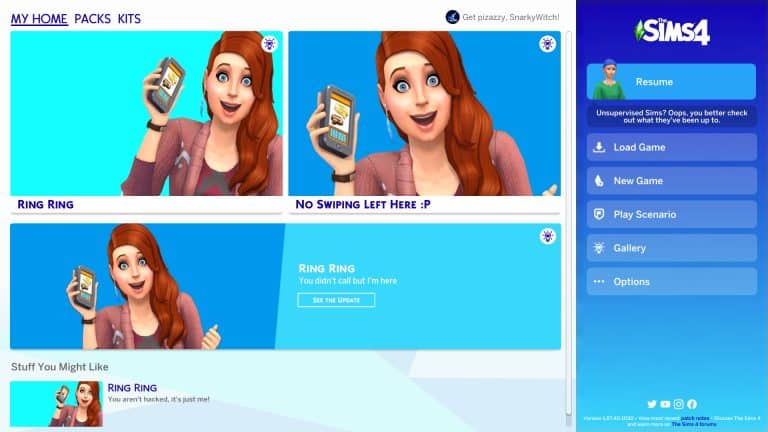
As you can see in the preview below, the Main Menu now features promotional graphics and text that open up through a hover dropdown. However, the important change done with this update was on the right side of the Main Menu.

It features all of the same elements as the game did before including New / Load Game, Scenarios, The Gallery and Options.

The novelty in this update lies within the “Resume” button:

The Sims 4 adds a Quick Start in Main Menu

See the Katy Perry Sim on the top? Well, that’s my last played Household – and the last Sim I interacted with before I opened up my game!

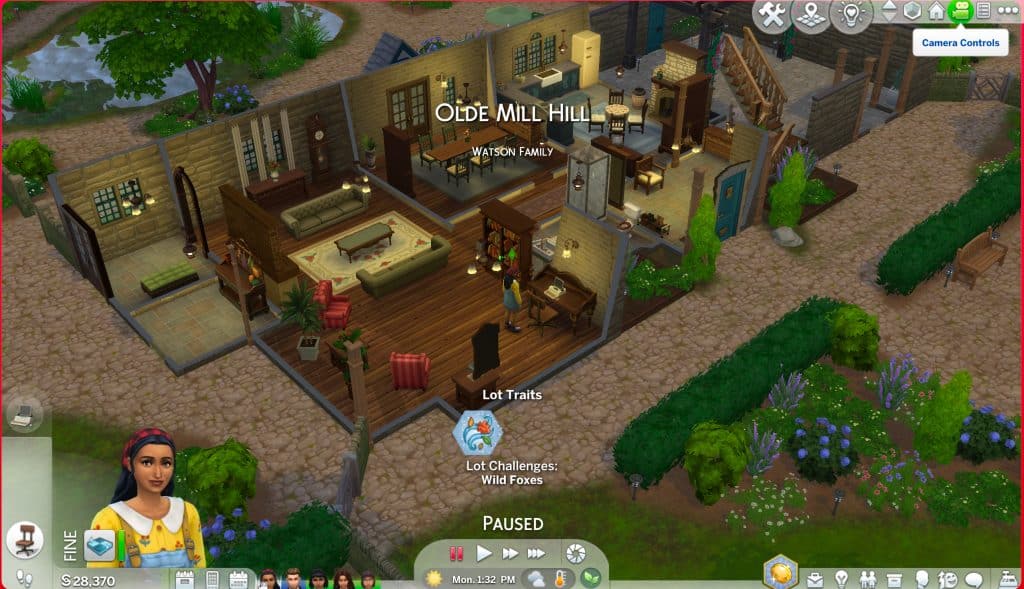
In the preview from the Featured Image I played with a different Household – the Watson Family from Henford-on-Bagley. After last playing with Rahmi Watson I saved the game and went back to the Main Menu. The Sim that was last showing on the Resume button was Rahmi.

After clicking the Resume button you’ll now be immediately loaded into the last Sim you played during your last play Session you saved. This will trigger a loading screen…

The Sims 4 adds a Quick Start in Main Menu

…Which will then immediately take you to the Sim you last played!

The Sims 4 adds a Quick Start in Main Menu

The Resume button lets you jump straight into your last session. This cuts down the extra loading step you get from Loading a Game that loads up Manage Worlds, makes you select your last Household you played and then load up the game again until you’re in Live Mode.

The functionality that takes you to Manage Worlds first remains the same when choosing “Load Game”. The Resume button is a new functionality that lets you jump straight into Live Mode. Which is really useful for both PC, and especially Console players.

How to Encourage Twins and Triplets in The Sims 4

How to Encourage Twins and Triplets in The Sims 4

The Dos (and Don’ts) of having twins and triplets in The Sims 4!

Players who like playing with big families may find themselves wanting to speed the process along by having their Sims give birth to twins or triplets. The trouble is, twins and triplets are almost as rare in The Sims as they are in real life. Your chances of conceiving multiples naturally are rather low.

The good news is that there are a few different ways you can greatly increase the chances of having twins or triplets and they don’t involve cheats or mods. We’re going to break them down for you today. We’re also going to bust a bunch of myths about how to conceive multiples. There are several rumours floating around that are completely false so we’ll save you the effort of bothering with methods that don’t work.

The Fertile Reward Trait

How to Encourage Twins and Triplets in The Sims 4

The Fertile reward trait is available in the base game so players don’t need any packs to use it. Any young adult or older Sim can purchase this trait from the rewards store for a hefty 3,000 satisfaction points. Sims with this trait have higher conception odds when Trying for a Baby and a higher chance of conceiving multiples. If both parents have this trait, those odds are further increased; the effect stacks.

We’ll warn you that while the Fertile trait does increase the odds of multiples, the difference is not massive. It’s only a slight increase in odds at best which is rather disappointing considering how much it costs. If you only own the base game, it’s your best bet but if you have other packs with ways to increase fertility, then the Fertile trait isn’t really worth the points you’d spend on it.

On Ley Line/On a Dark Ley Line Lot Traits

Players who own either City Living or Vampires can virtually guarantee twins with these lot traits. The On Ley Line trait comes with City Living and the On a Dark Ley Line trait comes with Vampires. If you add this lot trait to your home lot, your Sims will have twins almost 100% of the time. In our experience, these lot traits seem to only produce twins the vast majority of the time so getting triplets using these lot traits is very unlikely.

But beware! Using the On a Dark Ley Line lot trait has a high chance of resulting in the babies being born vampires even if both parents are human.

Fertility Massages

How to Encourage Twins and Triplets in The Sims 4

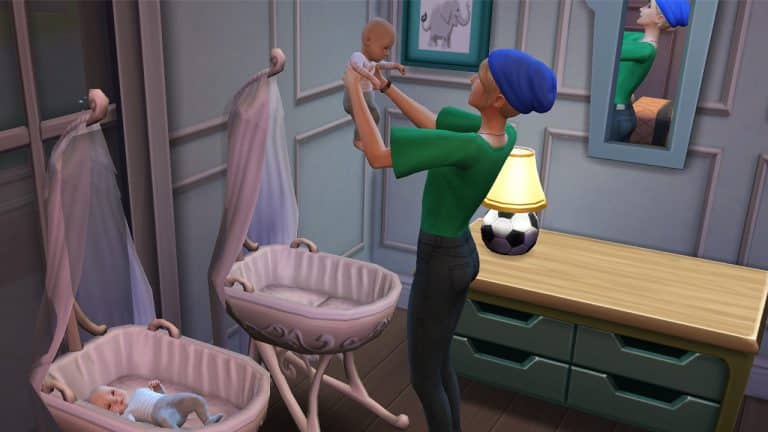
Fertility massages come with the Spa Day game pack. Your Sims can visit the spa and purchase a Fertility Massage from one of the spa specialists working there. Getting a Fertility Massage will give your Sim a Flirty moodlet which will increase their chances of conceiving and moderately increase their chances of conceiving multiples. We tested the Fertility Massage more times than we can count and our Sim wound up pregnant with twins maybe 30% of the time and conceived triplets once or twice.

The Wishing Well

How to Encourage Twins and Triplets in The Sims 4

The wishing well comes with the Romantic Garden Stuff pack. It has the power to grant your Sims all kinds of wishes but it also has the power to torment your Sims and even kill them, so use with caution.

Sims can wish for a child at the wishing well with several possible outcomes ranging from overwhelmingly negative to overwhelmingly positive. You of course don’t want the negative outcomes but the positive outcomes won’t be of use to you, either. The positive outcomes are a free adoption or a child-aged Sim magically appearing in your household. It’s the neutral outcome that you actually want. The neutral outcome will give your Sim a moodlet that will boost their fertility.

To ensure a neutral outcome, make sure you’re making a wish on a brand new wishing well when the face above it has a neutral expression. Do not give an offering to the well, as that will change its expression (and potential outcomes). You should get the fertility moodlet.

Like the fertility massage, the odds of multiples are only moderately increased so don’t expect to be guaranteed twins or triplets.

Myths Busted

We’ve shown you how to increase the odds of having twins or triplets. Now it’s time to debunk some of the myths out there. We personally tested all of these methods extensively dozens upon dozens of times with the exact same result every time so we can bust these with 100% confidence.

Listening to Kids Radio/Watching Kids Network

How to Encourage Twins and Triplets in The Sims 4

This myth probably arose due to The Sims 3, in which listening to kids music or watching kids TV would greatly increase your chances of having twins or triplets. Not so in The Sims 4. You can do nothing but listen to Kids Radio and watch the Kids Network (even at the same time) 24/7 throughout your entire pregnancy and it will not change the number of babies your Sim will have.

If you tried this and your Sim happened to have twins or triplets… it was definitely a lucky coincidence.

Listening to Kids Radio While Reading

How to Encourage Twins and Triplets in The Sims 4

This is a weird one and we’re really not sure where it came from but this doesn’t work, either. For good measure, we read a children’s book while listening to Kids Radio nonstop for 24 in-game hours straight while pregnant. Single baby every single time.

Consider this myth busted.

Eating Strawberries or Carrots

How to Encourage Twins and Triplets in The Sims 4

We can see where people might have gotten this idea. Strawberries and carrots do play a role in determining your baby’s gender in The Sims 4… but not the number of babies your Sim will have.

For those interested, eating strawberries during pregnancy increases the chances of having a girl. Eating carrots increases the odds of having a boy. If you want your baby to be born a specific gender, this is an excellent way to influence that.

But as for encouraging twins and triplets? No effect whatsoever.

Ring Ring! The Sims 4 is Trolling us with the Stuff of Nightmares

7

Maxis has fully embraced the Phone Girl Meme

You might be familiar with Callia Maebey (haha very punny), better known as Ring Ring Girl. She is the terrifying figure on the main menu screen holding a cell phone with an absolutely possessed expression on her face. Her soulless eyes bore into your very core, feeding on all your deepest darkest fears. Her maniacal grin is something out of a paranormal movie… or StrangerVille.

In fact, Ring Ring Girl is so unsettling, players have been begging the Sim Gurus to remove her from the main menu.

How did The Sims respond to our desperate pleas? With violence.

Ring Ring! The Sims 4 is Trolling us with the Stuff of Nightmares

Today, Maxis uploaded this demon from the depths of the underworld to the Gallery so she can haunt not just our nightmares, but our virtual world as well. As if this wasn’t cruel enough, they then proceeded to laugh in the face of our suffering by plastering the face of evil all over the new main menu screen in a surprise game update today (which otherwise looks very nice, by the way).

Ring Ring! The Sims 4 is Trolling us with the Stuff of Nightmares

Oh, and it’s not just in the game. Ring Ring Girl has taken over The Sims’ social media.

Ring Ring! The Sims 4 is Trolling us with the Stuff of Nightmares

What provoked this unwarranted display of aggression from our beloved Sim Gurus? We’d like to know. We just logged on to have a good time today and we’re honestly feeling so attacked right now. Truly, the audacity is a spectacle to behold. Unless Ring Ring Girl is holding them hostage and they, too, are victims of her evil plans. Are you okay, Sim Gurus? Blink twice if you need us to rescue you!

Anyway, in case you wanted to get up close and personal with the demon from your nightmares, Ring Ring girl can be yours to run in terror from forevermore.

[mks_button size=”medium” title=”Download Ring Ring Girl. (Why?)” style=”rounded” url=”https://www.ea.com/games/the-sims/the-sims-4/pc/gallery/71337B31C57B11EC8F4C7A088609793C” target=”_blank” bg_color=”#4aa500″ txt_color=”#FFFFFF” icon=”fa-arrow-down” icon_type=”fa” nofollow=”0″]

The Sims 4: NEW UPDATE! (April 26th, 2022)

The Sims 4: NEW UPDATE! (April 26th, 2022)

The “Fresh Look” Update

The Sims Team has released a brand new update for The Sims 4 on PC, Mac, Xbox One and PS4!

To download the latest version of The Sims 4, simply open your Origin program and if the game doesn’t update automatically, right click on The Sims 4 and select ”Update”.

In case you have Mods or Custom Content, the game will automatically disable them for you after first launching The Sims 4 after the update. To re-enable all your Mods and Custom Content, select the Settings option in the Menu and select Settings. Under the ”Other” section you’ll find the ”Enable Custom Content and Mods” option. Check it and restart your game in order for it to take effect!

Patch Notes

PC: 1.87.40.1030 / Mac: 1.87.40.1230

Console: Version 1.58


Hello Simmers!

Can you believe that we are already approaching the end of the first quarter of 2022? Where does the time go? We hope you have been enjoying Neighborhood Stories and are looking forward to everything that is coming through the rest of the year. 

To round out the first four months of the year, this update brings with it a number of bug fixes including some which have been high on your lists, and a new Main Menu which is more focused on you and your Sims. 

Let’s take a look and see what’s been updated with this release.

– The Sims Team

New look Main Menu

We have a new look Main Menu and it isn’t just aesthetics.

First thing you will probably notice is the new launch panel on the right, not only does it look different, it has new modular features built in to personalize your experience.

If you are a new Simmer, you’ll notice that the New Game button includes some motivational messages underneath it to help you with your first game experience.

If you have been with The Sims 4 for long enough to create a Saved Game then you’ll notice the Resume button is no longer a giant play icon and instead displays a profile picture of your last active Sim from your last saved session. Your Sim will have a little something to share or say!


Surveys

These little surveys will appear periodically on the Main Menu and can be completed without leaving the game. Some of these surveys will be fun while others could help shape the future of The Sims 4 based on your feedback.

If you prefer to control when you see or don’t see surveys in-game, you can toggle your setting in Game Options > Other under the “Enable in-game surveys”

New Packs Filters

On occasion, when checking out the latest Packs, you might notice a new entry in the Pack filters at the top of the screen. Be sure to check these out when you see them, there could be something new to discover that you might have otherwise missed.

Dynamic Main Menu Panels

Some of the information panels on the Main Menu come with expanding information panels. Simply hover over a panel and the details will present themselves, move off the panel and the information box will collapse down again.

BUG FIXES

 
The Sims 4
  • Starting a Scenario and attempting to move your household in with an existing household will no longer silently end your Scenario. Now, you will need to complete or cancel your active Scenario before merging households.
  • Fingernails should no longer clip into the fingers and look distorted while creating a Young Adult Female Sim in CAS. We are continuing to review distorted nails in other situations so keep an eye out for additional fixes in this area in future updates.
  • For Simmers on PlayStation and Xbox running into an issue with dropping walls and moving between floors with the D-Pad, we have good news! We have implemented a fix which should restore your D-Pad functionality. If you continue to run into issues please reach out to us on Answers HQ.
  • Simmers that chose to cancel the process of saving a built up lot to My Library while the Lot thumbnails were being generated could find themselves temporarily locked out of navigating the Lot or would experience graphical flickering. This performance impact should now be resolved and the thumbnails will no longer generate behind the scenes after canceling the Save Lot process.
  • We have tidied up the Game Options menu a little by removing the Fill In Empty Lots option. This particular option has been superseded with Neighborhood Stories and the “Move In” functionality.
  • Pulling a prank and breaking the toilet is all fun and games, until you can’t repair it which is exactly what happened to the Sweet Escapes Country Toilet. The toilet is now repairable by your skilled Sims or by calling in a repair service.
  • While planning an event, jumping between Invite Sims and Select a Place tabs will be accurately reflected in the tab icons.
  • The Origin In-Game overlay on PC should resize to the correct resolution if it was open during game client resolution changes.
  • Selecting the button on a video window before the video finished playing was leaving some players with a gray screen. This should no longer happen.
Discover University
  • University can be tough but re-enrolling after being suspended shouldn’t be one of those difficulties. Now when you get your acceptance letter in the mail your Sim will be able to head back and complete their higher education journey.
Outdoor Retreat
  • NPC’s were getting so stressed that they would make the De-stressing Decoction on the grill and then finish it on the stove. Now, they will no longer split their creation of this concoction between grills and stoves.
Décor to the Max
  • The Circle of Infinity wall sculpture comes with plenty of warnings, but after getting lost staring into the circle of infinity, we went and sorted out that infinity frame, which didn’t accurately represent the lighting from the environment around it.
 

Here’s a Preview of what the Main Menu looks like now!

The Sims 4: NEW UPDATE! (April 26th, 2022)

Redefine the looks of PlantSims in The Sims 4 with this CC!

Bring back retro PlantSims or add new spins with this Custom Content!

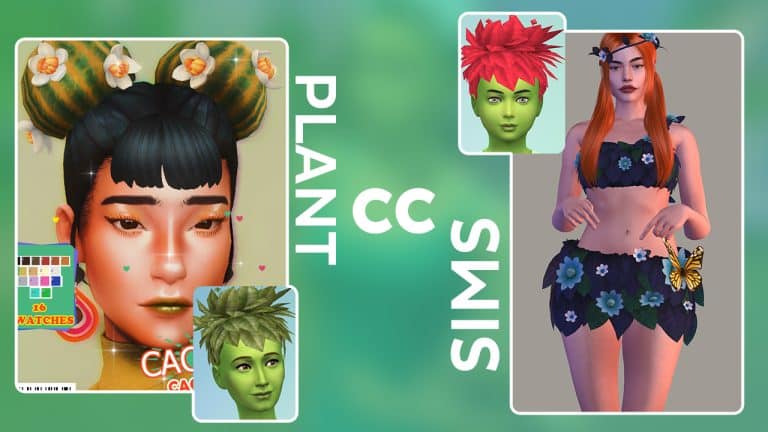
Since the Plant-A-Sim scenario was added to The Sims 4 in a recent SDX drop, PlantSims have seen a renewed interest from Simmers. Many Simmers want to see PlantSims get an overhaul and become a fully fleshed out life state like other occult Sims (we second this!) but for now, we’ll have to be content with community creations to at least give our PlantSims a more plant-like appearance.

Here’s some fantastic PlantSim CC from the community to improve your PlantSims!

All the listed Custom Content for PlantSims shown down below are linked in the heading title of each one.

Sims 2 PlantSim Hair

Redefine the looks of PlantSims in The Sims 4 with this CC!

Creator: Esmeralda

If you’re feeling nostalgic for Sims 2 PlantSims, this set of PlantSim hair for children-elders will help take you back to the good ol’ days.

Sims 3 PlantSim Conversion

Redefine the looks of PlantSims in The Sims 4 with this CC!

Creator: CepZid

Or how about some Sims 3 nostalgia? This set of PlantSim outfit and hair conversions from The Sims 3 University has you covered!

Of the Earth PlantSim Stuff

Redefine the looks of PlantSims in The Sims 4 with this CC!

Creator: PYXIS

This stunning set of skin, vines, overlay, and hair will bring your PlantSims to life and truly make them look like they’re of the earth.

Flower Hawk Hair

Redefine the looks of PlantSims in The Sims 4 with this CC!

Creator: spiderfires

This lovely mohawk made from colourful blossoms is perfect for both male and female PlantSims!

Dead or Alive Colour of Love Poem Outfit

Redefine the looks of PlantSims in The Sims 4 with this CC!

Creator: astya96

Give your female PlantSims a more sultry look with these leaves and vines.

Cactus Buns

Redefine the looks of PlantSims in The Sims 4 with this CC!

Creator: spiderfires

These adorable cactus buns are perfect to add a touch of cuteness to any PlantSim!

Dead or Alive Outfits

Redefine the looks of PlantSims in The Sims 4 with this CC!

This cute ruffled two piece made of leaves, flowers, and butterflies will give your PlantSims a dreamy, ethereal look. The download also includes a flower crown.

Changeable Hair for PlantSims Mod

Redefine the looks of PlantSims in The Sims 4 with this CC!

Creator: G1G2

If you plan to download any custom hair for PlantSims, make sure you download this mod, too. I’ve been using it in my own game and can confirm it’s still working as of April 2022.

A quest to make *those* chairs from My Wedding Stories functional

Making the Debug Chairs from The Sims 4 My Wedding Stories usable!

When the My Wedding Stories game pack came out, one particular build item caught the eye of builders: this chair from the debug menu.

A quest to make *those* chairs from My Wedding Stories functional

It sits in the middle of the Tartosa town square surrounded by charming Mediterranean apartments. So what’s the catch? You can’t sit on them.

A lot of players expressed their dismay over this unplayable item. Some have tried to find a workaround to make it functional by placing a chair over it or turning it into custom content.

However, there’s only one foolproof method to make it work and it’s this tutorial! You don’t need any custom content, just the new game pack and base game.

Make sure you type in the cheat ‘bb.moveobjects’ before getting started!


First off, debug items like these still block your Sims’ path. The only way to clear out these obstructions is to cheat the game by putting it on a different floor level.

A quest to make *those* chairs from My Wedding Stories functional

Place the debug chair and a normal dining chair on the same spot. Avoid free placing them with the Alt key since you will have a hard time adjusting them later. If the limited grid placement doesn’t work for you, click on Shift + F5 to unlock more precise grid slots.

A quest to make *those* chairs from My Wedding Stories functional

Size down the dining chair with the ‘[’ key once. Make sure that the dining chair you use has a cushioned backrest to act as a pillow. If you don’t want that sticking out, you can size it down another time as long as a part of the chair is seen and clickable.

A quest to make *those* chairs from My Wedding Stories functional

Second, make a room directly below your chair. It can be a basement or just one floor level down.

A quest to make *those* chairs from My Wedding Stories functional

Now drag the debug chair to that lower level. Raise it with Ctrl+9 until the green square of the item shows at the top of the room.

A quest to make *those* chairs from My Wedding Stories functional

Take note of where you originally put the dining chair since it has to be aligned with the debug chair. If a part of the dining chair sticks out oddly, you can now use the Alt key to hide it and scooch it over.

Once they are aligned to your liking, you can delete the room below by using the arrow sliders to minimize the room. Don’t just select and click Delete because it will also delete the debug chair you placed!

A quest to make *those* chairs from My Wedding Stories functional

You could also make a complete dining set with both the debug chair and debug table. Start by placing the debug table on a grid slot. Find a dining table with a single middle leg and size it down to the smallest possible size. Place it in the middle of the debug table. Add the dining chairs and repeat the process of placing the debug chairs on a lower floor.

A quest to make *those* chairs from My Wedding Stories functional

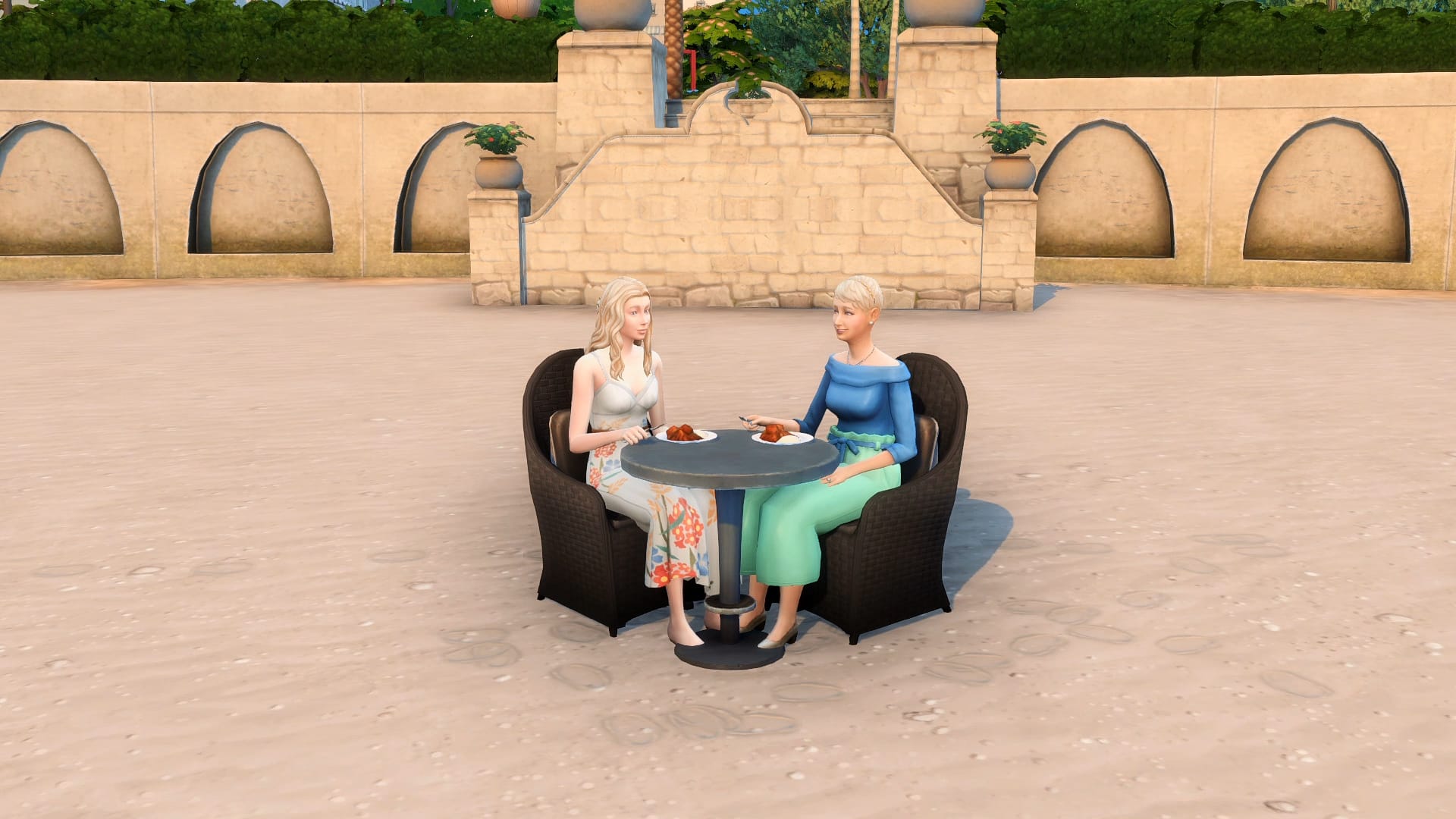
Go to Live mode to playtest it and it should work perfectly! This works on any kind of chair, including living room chairs. Different kinds of chairs look like different swatches of pillows on this debug chair which you can place outdoors by the beach or inside your home.

Now that you know this trick, where do you plan to use this gorgeous piece of furniture?

You can check out a video tutorial on this Chair Hack here!

– Written by MAIA Makes

A New Multiplayer Life Simulation Game has been Announced

16

Will Vivaland be able to deliver the promised features and meet the players’ expectations?

As many of us know, The Sims franchise has continued to lead the way when it comes to life simulation games. Over the years, we have seen a number of different life simulation games aim to take what we know and love and put a new, fresh twist on it.

Now, while not all the proposed games reach an actual release, we have seen the likes of Paralives most recently gain notability within the community. There was also Project Vie but, yeah… We don’t talk about Project Vie anymore.

Now a new life simulation game is starting to get some attention. This latest in-development life simulation game comes under the name of Vivaland.

What is Vivaland?

Vivaland has been described as the first simulation game built with multiplayer in mind from the very start. Each and every household in Vivaland in controlled by players from around the world.

Curious to know more? Take a look at reveal trailer below!

Features

  • Multiplayer Gameplay for up to eight people.
  • Unique Viva characters
  • Explore and create your own stories in Vivaland
  • Design your dream home with powerful customization tools & features.

Create unique characters
A variety of virtual humans (we call them Vivas) are yours to personalize! Create their appearances, style of clothing, and even their unique personality traits & life goals.

Experience life in Vivaland
Turn your hobbies into fruitful careers as a writer, artist, or gardener. Explore a wide range of unique relationships, bond over hobbies by having a buddy or a mentor, find true love, or get a frenemy. Create your family to raise generations, party, socialize, develop your skills, and much more. You’ll have plenty of freedom to simulate the story of your dreams.

Build your dream houses and worlds
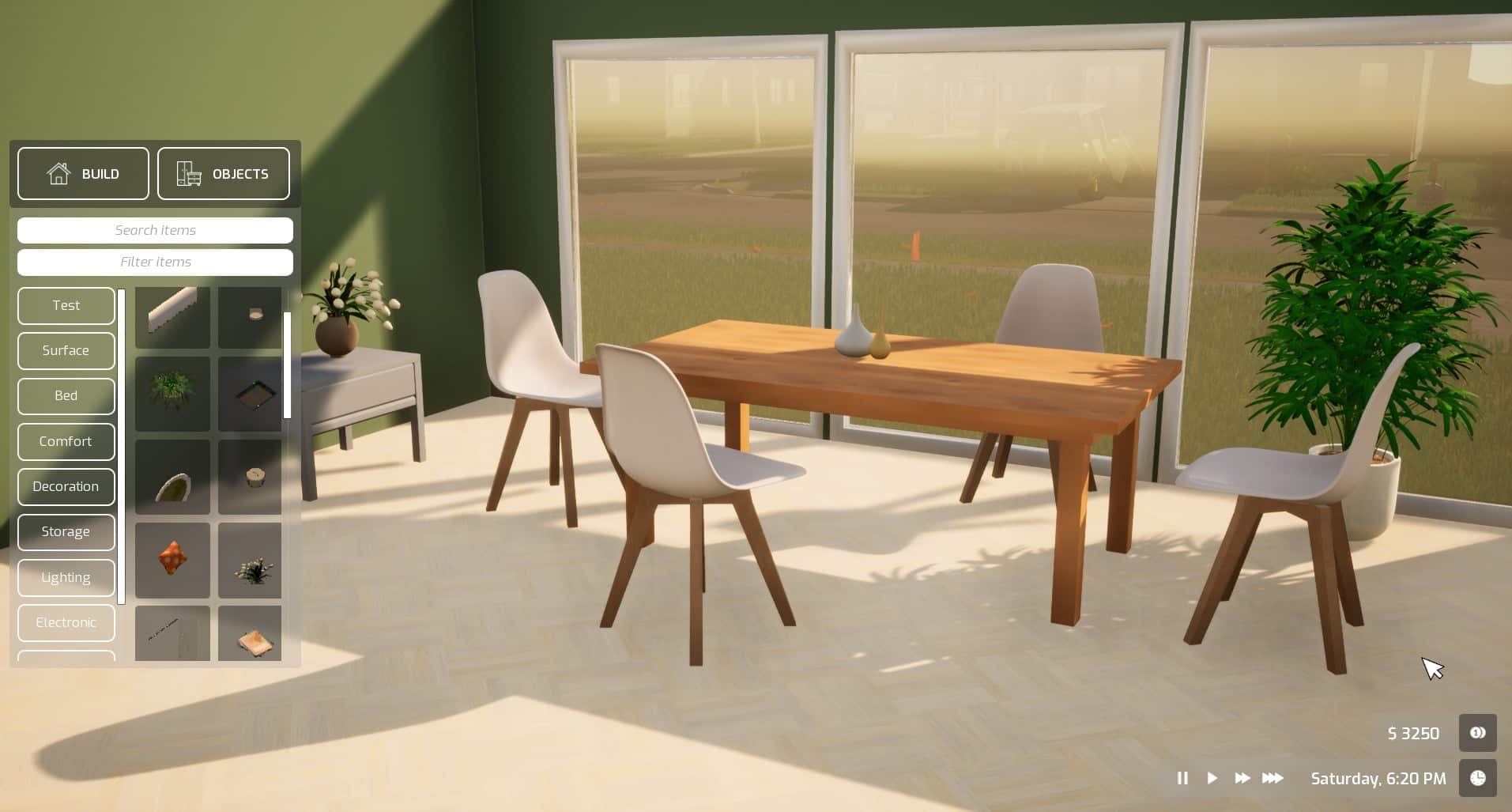
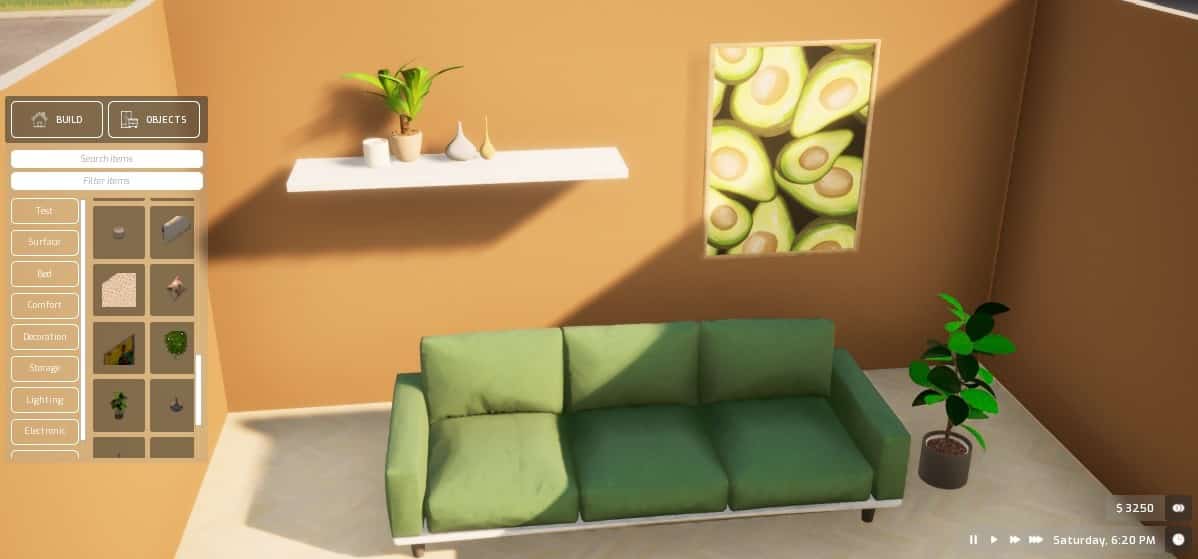
Design your home together with friends in real-time multiplayer, change the color of objects, use our mood board feature and forget the grid forever! With the powerful customization features, you will feel like an architect or interior designer who brings imagination to life.

Improve your skills, find your calling
As you make your way from a toddler to adult Viva, you’ll develop your skills and find your Viva’s favorite hobbies, like painting, writing, gardening, cooking, playing instruments, repairing objects, and more. You might even discover their unique talent along the way. As you progress, you’ll learn new cooking and crafting recipes, unlock new actions to explore, and discover new objects in-game.

– Vivaland Steam Listing

What does a multiplayer life simulation game look like, though? How does it work? Trust us, we have many questions too! Take a look at the most recent video from the Vivaland team for a closer look at what the multiplayer aspect of the game looks like.

What else do we know about Vivaland?

While the team have not revealed all the features and tools coming in Vivaland, here are some more things that we spotted from the two YouTube videos.

  • Freeplacement of all objects
  • Seamless and smooth building
  • In depth Object menu
  • Colourwheel
  • Multiple players can work within the same room at the same time
  • The game has been created using Unreal Engine

It appears to be early days for Vivaland, and it will be interesting to see how the game progresses over the coming months!

Vivaland has a planned release for 2023. However, to find out more about Vivaland follow the links below!

Let us know your thoughts on this new multiplayer life simulation in the comments below!

When The Sims 4 Meets Dragon Age

This player turned The Sims 4 into an astonishing Dragon Age playground!

It always blows me away with just how talented our community is, and this selection of Dragon Age inspired builds from KawaiiFoxita are no exception!

Now, if you haven’t heard of Dragon Age before or aren’t too sure what it’s about, the game is a fantasy role-playing game that is developed by BioWare and published by EA.

Want to know more about the Dragon Age games? Take a look at the trailer for Dragon Age Inquisition here!

KawaiiFoxita has shared a variety of screenshots on social media that are full of detail and inspired by different locations from the Dragon Age games. They are honestly beautiful and makes us want to explore more of the world of Dragon Age in The Sims 4!

Check out more screenshots from Kawaii’s Dragon Age inspired builds below!

Why not take a closer look at the Elven Ruins build here?

Be sure to follow KawaiiFoxita via the links below for more of her detailed and incredible builds!

The Sims 4 Katy Perry Sweet Treats CC Pack is now Public!

The amazing recreation of a 10-year old Limited Stuff Pack is now available for everyone!

A couple of weeks ago history was made. At least in my eyes. All with the announcement from the Custom Content creator Littledica about the community project to bring The Sims 3 Katy Perry Sweet Treats Stuff Pack into The Sims 4!

The Custom Content Collection released by the creator has been in the Early Access period for 3 weeks now. Which means that as of today, everyone who plays The Sims 4 on PC and Mac can momentarily download this Custom Content collection.

If you’re wondering what’s included with The Sims 4 Katy Perry Sweet Treats CC, we have an extensive Overview of the CC Pack. Yup, that also includes the official Lots and Sims featured in the promotional images from the creators!

This Community CC Stuff Pack has been made in collaboration between Littledica, who initiated the project and designed most of the items. With the help of other community members such as:

  • LuddySimmer created the art for some of the objects (bed candy drawing, bookcase drawing ecc) the pack promotional material and designed some new items concept art.
  • Luumia did the trailer.
  • Simmatically did the album covers in simlish for the stack of CDs object
  • Ravasheen created the tuning (the code) of some of the objects including the Functional candy jars with new candy, the Kitty Purry and gingerbread man statue working as toys that you can talk to and made the microphone functional


The Custom Content Pack is now available to download right away from the creator’s Patreon Page. Simply select the .zip file of your choice and extract the contents to Documents > Electronic Arts > The Sims 4 > Mods folder. Also, ensure you have Mods and CC enabled in your Game Options!

Ready to explore colorful, sweet objects in The Sims 4? Click here to get the CC Pack!

sweettreatsscreen

The Sims 4 Story Starter Kit: Backseat Wedding Planners

Will you be able to overcome all the obstacles and turn this Wedding into a success story?

Welcome to our seventh entry in our Story Starter Kits series! If you missed all the info on Story Starter Kits, you can read more about what they are and how they work in our introductory article!

This month, we’re bringing you a newly engaged couple who can’t wait to plan their wedding… if they can wrestle control back from their overbearing families.

Backseat Wedding Planners
The Sims 4 Story Starter Kit: Backseat Wedding Planners

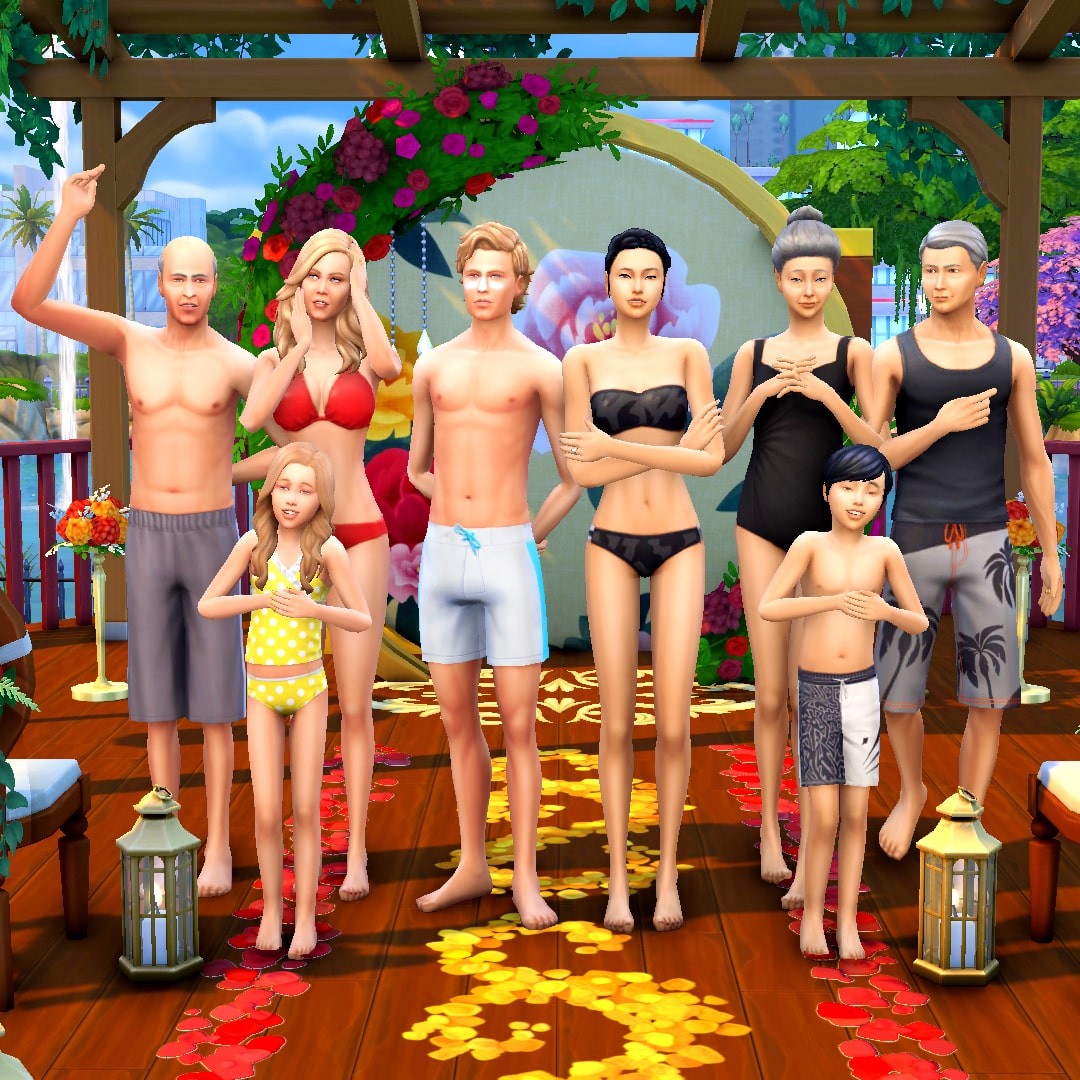
Hugh and Hao have been fierce rivals in the competitive world of business for many years now. Despite the rivalry, they’ve always gotten along just fine in their professional relationship so when a possible merger was put on the table, Hugh and Hao weren’t so quick to dismiss the idea. Merging their highly successful companies together could give them the funds and resources they needed to acquire smaller businesses and ultimately take a large portion of the market for themselves but the shareholders weren’t convinced it was a viable long-term move. After all, Hugh and Hao are elderly and about to retire. Who will run such a huge company in the future?

That’s when they came up with a brilliant idea: Hao’s daughter, Jun, and Hugh’s son, Sean, were both being prepared to take over their parents’ companies. They each had intimate knowledge of the inner workings of their respective companies. Together, they could co-run the merged company, but a strictly professional relationship could prove flimsy over time. They needed to cement Jun and Sean as lifelong partners to make such a risky business move work. A marriage between the two would surely accomplish that! Well… if Jun and Sean ended up liking each other, of course.

To their parents’ delight, Jun and Sean did like each other from the moment they were introduced. In fact, they fell completely in love with no extra encouragement from anyone. When Sean proposed to Jun, business strategy was the furthest thing from his mind. He knew Jun was the person he wanted to raise a family and grow old with. Jun felt the same about Sean and accepted his proposal without a moment’s hesitation. She knew she’d found her forever partner, too.

Both families were thrilled with the news but the warm fuzzy feelings eroded fast when the wedding planning got underway. Two very different cultures clashed; Jun’s parents insisted upon a traditional Chinese wedding with a formal tea ceremony. Sean’s parents wanted a big, flashy, North American style wedding. Jun’s mother, Meng, wanted to make the cake and food for the wedding but Sean’s mother, Elsie, wanted to go with the most expensive catering business in town that routinely did celebrity weddings. Elsie insisted she be the one to design Jun’s wedding gown and the whole wedding party’s attire; her vision was high end couture. Meng was appalled by Elsie’s tacky taste. To make matters worse, Sean’s little sister, Delilah, has made it her mission to be the most badly behaved brat in existence; she’s always been spoiled and is jealous of all the attention her brother’s getting. And Jun’s brother, Jian, keeps trying to sneak his Nintendo Switch into all the wedding events.

Sean and Jun don’t even feel like this is their wedding anymore. It’s become a war between tradition and spectacle, not a celebration of love. They still want to get married but neither of them want to walk down the aisle in the middle of all this conflict. That’s no way to begin a marriage. Can the soon-to-be-newlyweds talk sense into their squabbling families and take back control of their own wedding or would they be better off eloping at City Hall?

Other Info:

Sean Jameson
  • Age: Young Adult
  • Traits: Ambitious, Family Oriented, Outgoing, Domestic
  • Aspiration: Big Happy Family
  • Likes: Red, World Music, Writing
  • Dislikes: Brown, Hip Hop Music, Video Gaming
  • Skills: Charisma (4), Writing (4), Logic (3)
  • Career: Business (5)
  • Relationships: Hugh Jameson (Father), Elsie Jameson (Mother), Delilah Jameson (Sister), Jun Chen (Fiancée), Hao Chen (Father-In-Law), Meng Xia (Mother-In-Law), Jian Chen (Brother In-Law)
  • Packs Used: Get Famous, My Wedding Stories, Romantic Garden Stuff, Vintage Glamour Stuff
Delilah Jameson
  • Age: Child
  • Traits: Mean
  • Aspiration: Social Butterfly
  • Likes: Yellow, Pop Music, Mischief
  • Dislikes: Blue, Classical Music, Fitness
  • Skills: Social (4)
  • Career: Grade School C Student
  • Relationships: Hugh Jameson (Father), Elsie Jameson (Mother), Sean Jameson (Brother), Jun Chen (Sister In-Law), Jian Chen (Acquaintance), Hao Chen (Acquaintance), Meng Xia (Acquaintance)
  • Packs Used: Get Famous, My Wedding Stories, Romantic Garden Stuff, Vintage Glamour Stuff
Elsie Jameson
  • Age: Adult
  • Traits: Snob, Materialistic, Self-Absorbed, Business Savvy
  • Aspiration: Mansion Baron
  • Likes: Pink, Baroque Music, Mixology
  • Dislikes: Brown, Alternative Music, Cooking
  • Skills: Writing (5), Charisma (4), Mixology (4), Painting (3), Photography (2)
  • Career: Style Influencer (6 – Trend Setter Branch)
  • Relationships: Hugh Jameson (Husband), Sean Jameson (Son), Delilah Jameson (Daughter), Jun Chen (Daughter-In-Law), Jian Chen (Acquaintance), Hao Chen (Acquaintance), Meng Xia (Acquaintance)
  • Packs Used: Get Famous, My Wedding Stories, Romantic Garden Stuff, Vintage Glamour Stuff
Hugh Jameson
  • Age: Elder
  • Traits: Self-Assured, Family Oriented, Hot-Headed, Domestic
  • Aspiration: Successful Lineage
  • Likes: Blue, Classical Music, Fishing
  • Dislikes: Pink, Pop Music, Gardening
  • Skills: Logic (5), Charisma (4), Fishing (3)
  • Career: Business (7 – Investor Branch)
  • Relationships: Elsie Jameson (Wife), Sean Jameson (Son), Delilah Jameson (Daughter), Jun Chen (Daughter-In-Law), Jian Chen (Acquaintance), Hao Chen (Acquaintance), Meng Xia (Acquaintance)
  • Packs Used: Get Famous, My Wedding Stories, Romantic Garden Stuff, Vintage Glamour Stuff
Jun Chen
  • Age: Young Adult
  • Traits: Self-Assured, Romantic, Family-Oriented, Alluring
  • Aspiration: Soulmate
  • Likes: Red, Romance Music, Violin
  • Dislikes: White, Hip Hop Music, Handiness
  • Skills: Logic (4), Violin (4), Charisma (3)
  • Career: Business (5)
  • Relationships: Hao Chen (Father), Meng Xia (Mother), Jian Chen (Brother), Sean Jameson (Fiancé), Hugh Jameson (Father-In-Law), Elsie Jameson (Mother-In-Law), Delilah Jameson (Sister-In-Law)
  • Packs Used: Get Famous, My Wedding Stories, Romantic Garden Stuff, Vintage Glamour Stuff
Jian Chen
  • Age: Child
  • Traits: Geek
  • Aspiration: Whiz Kid
  • Likes: Black, Kids Radio Music, Video Gaming
  • Dislikes: Green, Spooky Music, Violin
  • Skills: Mental (4)
  • Career: Grade School C Student
  • Relationships: Hao Chen (Father), Meng Xia (Mother), Jun Chen (Sister), Sean Jameson (Brother-In-Law), Hugh Jameson (Acquaintance), Elsie Jameson (Acquaintance), Delilah Jameson (Aquaintance)
  • Packs Used: Get Famous, My Wedding Stories, Romantic Garden Stuff, Vintage Glamour Stuff
Meng Xia
  • Age: Elder
  • Traits: Good, Foodie, Art Lover, Gregarious
  • Aspiration: Neighbourhood Confidante
  • Likes: Red, World Music, Cooking
  • Dislikes: White, Blues Music, Fishing
  • Skills: Cooking (5), Gourmet Cooking (3), Charisma (3)
  • Career: Culinary (6 – Chef Branch)
  • Relationships: Hao Chen (Husband), Jun Chen (Daughter), Jian Chen (Son), Sean Jameson (Son-In-Law), Hugh Jameson (Acquaintance), Elsie Jameson (Acquaintance), Delilah Jameson (Aquaintance)
  • Packs Used: Get Famous, My Wedding Stories, Romantic Garden Stuff, Vintage Glamour Stuff
Hao Chen
  • Age: Elder
  • Traits: Perfectionist, Bookworm, Neat, Business Savvy
  • Aspiration: Fabulously Wealthy
  • Likes: Brown, Baroque Music, Handiness
  • Dislikes: White, Electronica Music, Cooking
  • Skills: Charisma (5), Logic (4), Handiness (3)
  • Career: Business (7 – Management Branch)
  • Relationships: Meng Xia (Wife), Jun Chen (Daughter), Jian Chen (Son), Sean Jameson (Son-In-Law), Hugh Jameson (Acquaintance), Elsie Jameson (Acquaintance), Delilah Jameson (Aquaintance)
  • Packs Used: Get Famous, My Wedding Stories, Romantic Garden Stuff, Vintage Glamour Stuff

Household Notes:

  • Since this story kit does not come with a residential lot, the Jamesons and Chens have a total of $2,000,000. You can split them off into two households with $1,000,000 each to purchase any nice home of your choosing.

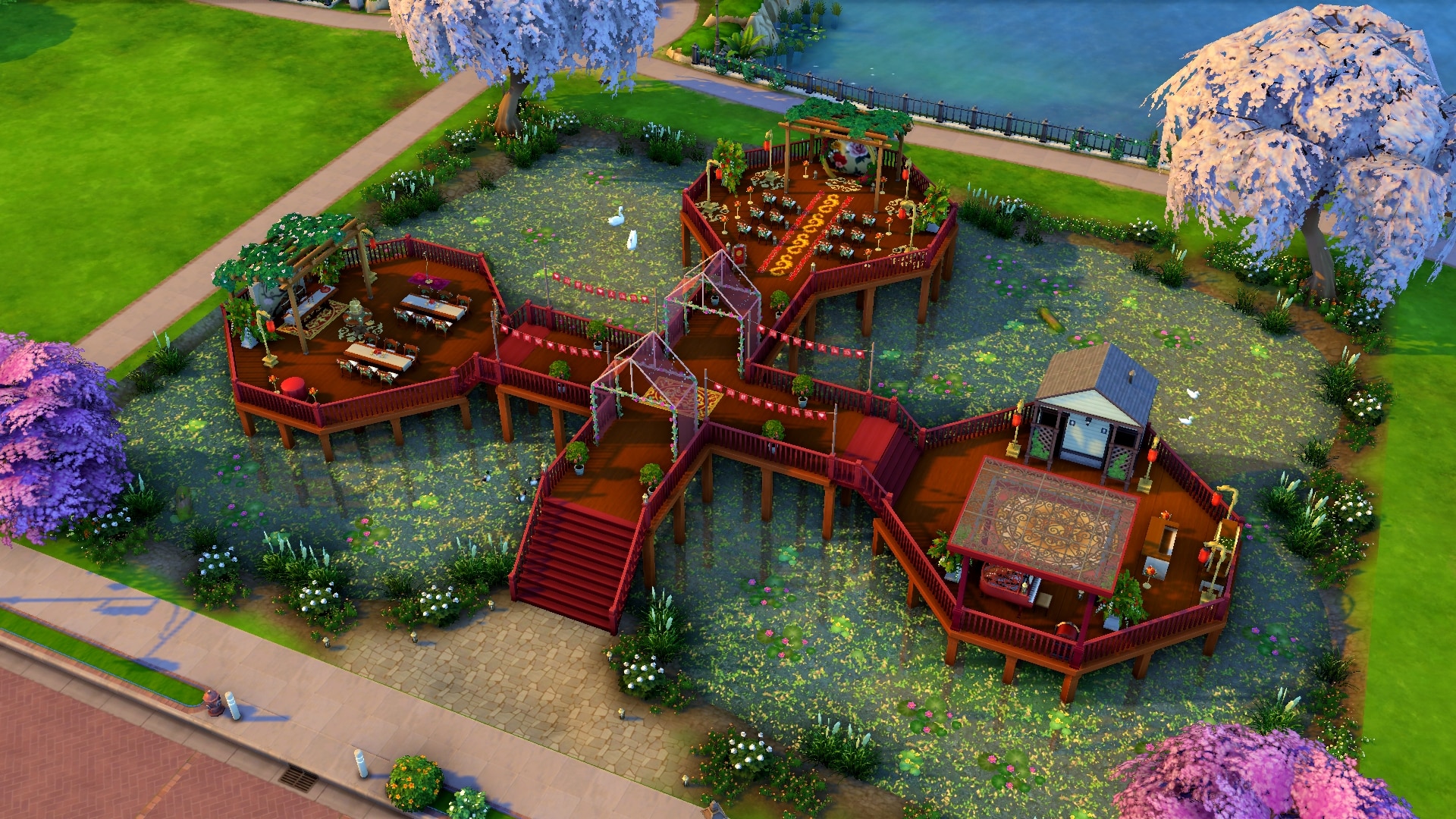
In Perfect Unity

This serene, tranquil wedding venue sits on a two-tiered deck overlooking a natural pond brimming with picturesque wildlife. Red and gold flowers and décor create a rich, colourful atmosphere to say your vows and three distinct platforms for each portion of your special day create a sense of harmony and unity. This kind of peace and balance is the ideal way to get a lifelong marriage off to the right start.

Lot Info:

  • Lot Type: Wedding Venue
  • Price: §67,636
  • Size: 50×40
  • Beds: 0
  • Baths: 1
  • Lot Traits: Convivial
  • Packs Used: Get Famous, My Wedding Stories

Your Story Starter Kit is waiting for you! Get The Household and The Lot by downloading them from the official Gallery Website linked on the buttons below. Or, follow SnarkyWitch in the Gallery and look for Backseat Wedding Planners and In Perfect Unity!


Credits

The Sims 4: Oak and Concrete Patio CC Kit

Redecorate your Patio with 26 unique objects!

Today we’re showcasing a new CC patio set for your Sims’ homes! Or any lot type, in fact! The Oak and Concrete Patio Kit was created by S-imagination and comes with a total of 26 objects to add a trendy industrial look to your patios.

What really stood out to us about this kit is that all items are base game compatible, including the heat lamp and sectional sofa! Players who don’t own Dine Out or Dream Home Decorator can still download and enjoy the heat lamp and sectional seating that comes with this CC patio kit.

As the title suggests, the Oak and Concrete Patio Kit is a collection of patio furnishings made from oak and concrete. There are many different swatches to customise the shade of both the wood and concrete of all the objects and there is lots of trendy décor to supplement the furniture. There are a wide variety of different plants, candles, sculptures, and other clutter, such as magazines with a wide-brimmed hat on top of them and a pitcher serving set.

Here is the full list of items from S-imagination’s tumblr:

  • Pergola, 12 swatches
  • Sectional Sofa, 60 swatches
  • Loveseat, 60 swatches
  • Living Chair, 60 swatches
  • Dining Chair, 60 swatches
  • Dining Table, 24 swatches
  • Dining Table With Fire, 12 swatches
  • Counter, 12 swatches
  • Coffee Table, 35 swatches
  • End Table, 14 swatches
  • Grill, 5 swatches
  • Medium Lantern, 12 swatches
  • Big Lantern, 12 swatches
  • Tree Stamp Table, 7 swatches
  • Tray WIth Mirror, 10 swatches
  • Plant On Books, 6 swatches
  • Big Plant, 7 swatches
  • Monstera Leafs, 10 swatches
  • Magazines, 6 swatches
  • Small Plant, 3 swatches
  • Heating Lamp, 35 swatches
  • Hanging Fern, 7 swatches
  • Concrete Sculpture, 7 swatches
  • Wood Candle, 8 swatches
  • Concrete Candle, 7 swatches
  • Books On Wood, 5 swatches
The Sims 4: Oak and Concrete Patio CC Kit

As you can see from the photos taken by S-imagination, there are a lot of ways to use these items to decorate the perfect patio for your Sims! You can download the set for free from S-imagination’s Patreon by clicking the download button below!

Origin Spring Sale: Save big on The Sims 4 and The Sims 3 Games!

Both collections of The Sims 4 and The Sims 3 are on a huge sale over at Origin!

Origin is having a new Awesome April Sale where you can save big on the current EA titles, including The Sims Games.

There’s an entire collection of The Sims 4 Games on a discount (well, excluding the latest Game Pack and Kits) as well as The Sims 3 Games.

To make things easier for you we’ve included an entire breakdown of the new deals over at Origin. Let’s check it out:

The Sims 4 Origin Deals

  • The Sims 4 Base Game – 80% off
  • The Sims 4 Expansion Packs – 50% off
  • The Sims 4 Game Packs (My Wedding Stories excluded)30% off
  • The Sims 4 Stuff Packs – 30% off
  • The Sims 4 Origin Pre-Made Bundles – 20% off

The Sims 3 Origin Deals

  • The Sims 3 Starter Pack – 50% off
  • The Sims 3 Expansion Packs – 50% off
  • The Sims 3 Stuff Packs – 50% off
  • The Sims 3 Worlds (excluding Roaring Heights)50% off

The sale is active right now and will last until May 3rd, 2022 at 10AM Pacific Time. You can click here to check out the deals on Origin!

Origin Spring Sale: Save big on The Sims 4 and The Sims 3 Games!

Building your own Computer Desk in The Sims 4

Using nothing but official objects in the game!

Hi Simmers! I’m here today with a bite sized mini-tutorial for you today that’s going to walk you through how to build your own custom desk setup using some build cheats and shelves. This setup is completely functional and requires no custom content or mods. You can use any combination of computer/chair/desk/shelving you like but I’ll be using base game objects to show that this can be done with just the base game.

For console players, you can safely use these build cheats without disabling your trophies/achievements.

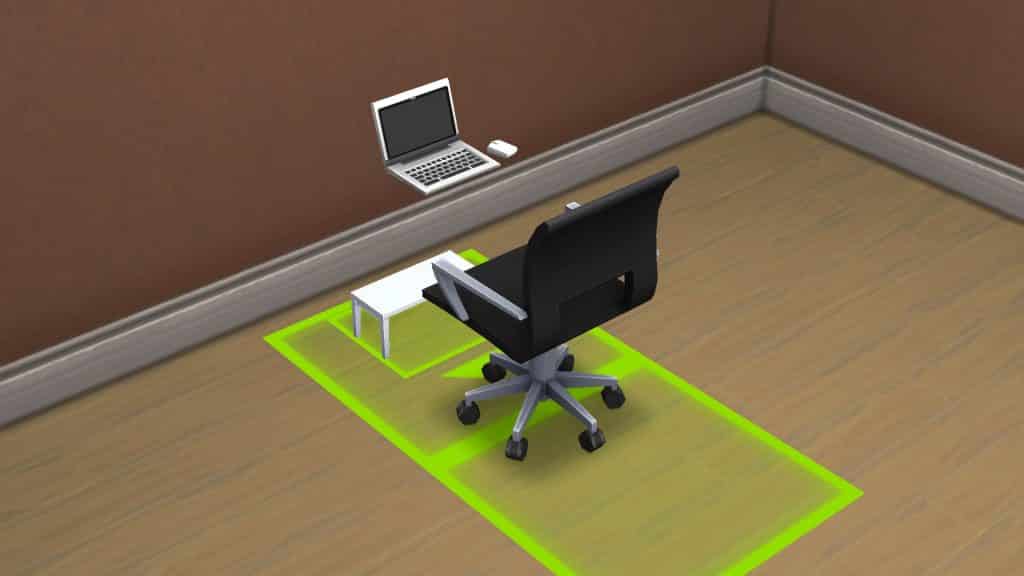
  • To start, find a desk, desk chair, and computer you like and place them against a wall, snapping the computer and chair to the desk like normal.

Building your own Computer Desk in The Sims 4

  • Enter the cheat bb.moveobjects on

Building your own Computer Desk in The Sims 4

  • Select the desk and press the [ key to size the desk down to its smallest size. For consoles, press both triggers and left on the d-pad.

Building your own Computer Desk in The Sims 4

  • Choose a wall shelf you like and press Alt while placing to match it to the height of the computer. For consoles, toggle between full tile, half tile, and free placement with L2/LT. You may need to move the original desk forward so the computer rests on the shelf. You can also do this with Alt/LT/L2. Make sure you’re moving the desk, not the chair or computer.

Building your own Computer Desk in The Sims 4

  • To cover up the small desk underneath, you can either pull it forward to hide it in the wall or size down small cabinets/decor to cover it up. I chose to hide it in the wall.
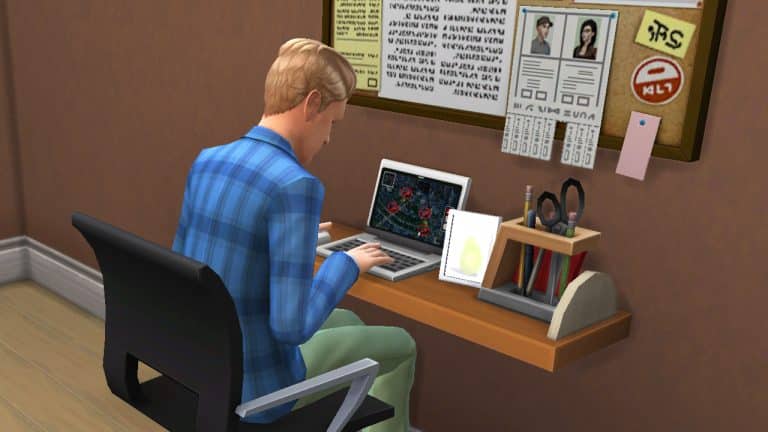
  • Decorate the rest of the shelf and surrounding area however you like! You now have a custom desk setup that looks unique and saves some space.

Building your own Computer Desk in The Sims 4

  • This setup is functional but has a small catch; you need to tell your Sim to sit first, then use the computer.

Happy Simming!