Home Blog Page 174

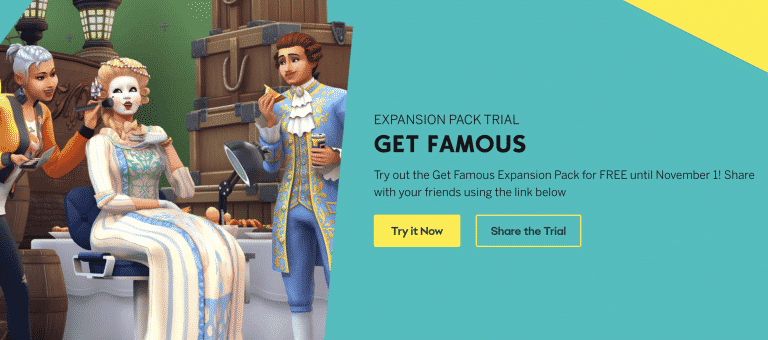
The Sims 4 Get Famous is on a FREE Trial this week!

0

The Sims Team has just announced that The Sims 4 Get Famous Expansion Pack is going on a FREE Trial – starting TODAY!

If you’re a PC/Mac player you’ll be able to download The Sims 4 Get Famous (if you don’t have it already) and test it out during the weekend.

The free trial starts today, October 28th and will last until November 1st, 2021 at 10AM Pacific Time.

You can get the Free Trial of Get Famous HERE!

Screenshot 2021 10 28 at 18.56.35

Frequently Asked Questions

ABOUT THE TRIAL

When does The Sims 4 Get Famous Trial take place?

The Sims 4 Get Famous Trial will be available between the following dates and times:

  • Start:
    October 28, 2021
    10:00AM PDT / 17:00 UTC
  • End:
    November 1, 2021
    10:00AM PDT / 17:00 UTC

During this time, you will be able to play as much Get Famous as you like.

What do I need to know about the Get Famous Trial?

There are a few prerequisites to using the Get Famous Trial.

You must:

  • Have the most up to date version of The Sims 4 installed on your PC/Mac
  • Have the most up to date version of Origin installed on your PC/Mac. EA app is not currently supported by the Get Famous trial.
  • Claim the Get Famous Trial through the Origin client, Origin.com or from The Sims 4 Main Menu.

What can I use in The Sims 4 Get Famous Expansion Pack during the Trial?

You will be able to use every part of Get Famous including Del Sol Valley where you can build your Sims aspirations as an actor or livestream your every moment as an influencer until your Sim is the talk of the town with their very own diamond on Starlight Boulevard. If you are more of a creative Simmer then all of the pack content is available to you in CAS and Build mode.

SUPPORTED PLATFORMS & ENVIRONMENTS

Can I run The Sims 4 Get Famous Expansion Pack Trial on my PC/Mac?

If you have the latest version of Origin and your PC or Mac meets The Sims 4 minimum and recommended system requirements then you can take part in the Get Famous Trial

Can I play The Sims 4 Get Famous Expansion Pack Trial on PlayStation or Xbox consoles?

Currently our DLC Trials are only compatible with the Origin client for PC and Mac.

Can I play The Sims 4 Get Famous Expansion Pack Trial with an EA Play subscription?

Yes. If you have an active EA Play or EA Play Pro subscription for PC, you can download The Sims 4 from Origin, claim the Get Famous Trial and play with the pack content.

Can I play The Sims 4 Get Famous Expansion Pack Trial with The Sims 4 Legacy Edition?

No, The Sims 4 Legacy Edition does not support pack Trials. You must have the latest version of The Sims 4 and Origin to take part in the Trial.

Can I play The Sims 4 Get Famous Expansion Pack Trial with The Sims 4 Trial?

Yes. If you do not currently own The Sims 4 and haven’t previously used The Sims 4 Trial, you can claim the 48 hour trial from Origin and the Get Famous Trial and try out everything in one go.

SAVE FILES

Why does it ask me to Restart The Sims 4 when switching between Trial Saves and my existing Saves?

The Sims 4 will ask you if you want to restart your game so that it can include or exclude the Get Famous Trial from your current session.

Selecting to restart when going back to a non-trial save will keep the Get Famous Trial on your PC/Mac for when you want to come back to the trial later. When you want to play with Get Famous again, load a saved game or start a new trial save and you’ll be asked to restart the game so that Get Famous can be included in your session for as long as the trial is available.

Can I use my saves with the Trial?

Yes. If you want to put Get Famous into saved games you have already created, you can. Simply select your Save from the LOAD screen on the Main Menu and when asked if you want to PLAY WITH TRIAL? Select Yes, Start as New Trial Save. Once you do that, The Sims 4 will make a copy of your save to use with the trial and lets you save your progress without affecting your original saved game files.

I created a new Trial save based on my existing save, how do I tell the difference?

If you load an existing save while using the Get Famous Trial, we will copy your save and rename it for you so that it can be identified as a Trial save. Once you have loaded your save, you can hit Save to finish applying the Trial to your save game. If you do not save your session, you will still have a Trial save but it will not use Get Famous and you will be able to use the save without the Trial content.

What happens to my Trial Saved Games when the trial ends?

Your saves created while using the Get Famous Trial will still be available after the trial ends. If you choose to add Get Famous to your collection, you will be able to pick up where your saves left off.

AFTER THE TRIAL

The Trial has ended. Now what?

Get Famous will stay installed on your machine and if you purchase Get Famous, you will be ready to start playing with your content straight away.

If you have decided that you do want to remove Get Famous Trial from your PC/Mac follow these quick steps.

PC Steps

  • Find your The Sims 4 installation directory (Default C:Program Files (x86)Origin GamesThe Sims 4)
  • Look for a directory called EP06
  • Select the directory, Right Click and select Delete
  • This will move Get Famous to your Recycle Bin
  • Right click on Recycle Bin and select Empty Recycle Bin to free up disk space
  • If you decide to purchase Get Famous in the future, you will need to re-download the pack from Origin or EA app.
Mac Steps

  • Find your The Sims 4 Packs directory (usually located in the same place as The Sims 4.app, which is located in ~/Applications by default)
  • Look for a directory called EP06
  • Select the directory, Right Click and select Move to Trash
  • This will move Get Famous to your Trash
  • Right Click on the Trash, and select Empty Trash to free up disk space
  • If you decide to purchase Get Famous in the future, you will need

The Sims Community Challenge: November

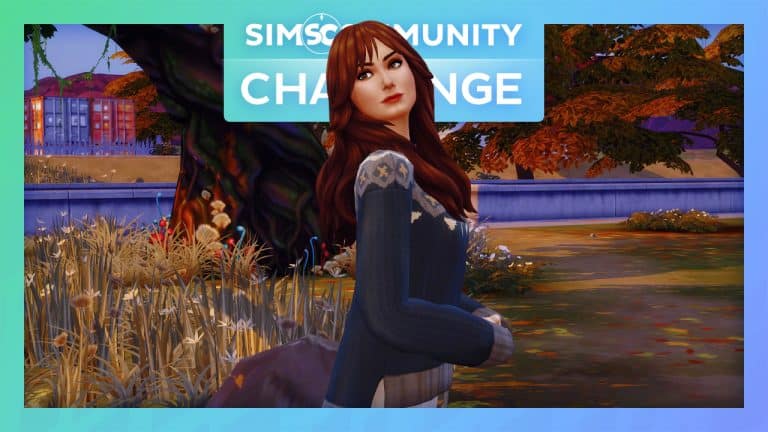
We’re getting to that time of year when the weather starts to get colder and the leaves are falling. Pumpkin Spice has made a reappearance and cosy nights in wrapped up in your favourite blanket have returned. It can only mean that for many of us we are now entering Fall.

For November, we will be hosting another Create A Sim Challenge and will be following the same format as our October Challenge. You can also check out the October Showcase post here.

Find out everything you need to know below!

Part One

Create the Ultimate Fall Look! This can be for an individual Sim, two Sims or your current family. Any Sim that you want to use! Just no more than eight Sims in total.

Part Two

Take your best Fall screenshot!

The Sims Community Challenge: November

Challenge Rules

  • One entry per person
  • Custom Content is allowed
  • Poses & Reshade may be used for your screenshot
  • Screenshots must be family friendly

Once you have completed both of these steps, you can submit your entries by one of the following ways.

Twitter – upload your image to Twitter using the hashtag #SCFallLook!

Discord – head over to our Discord server and head to the Fall Looks Channel, which you can find under the Announcements & News category. Upload your image with the caption #SCFallLook!

Click the button below to join The Sims Community Discord 

[mks_button size=”large” title=”Sims Community Discord” style=”squared” url=”https://discord.gg/6kRVv4h2je” target=”_blank” bg_color=”#4e62ac” txt_color=”#FFFFFF” icon=”” icon_type=”” nofollow=”0″]

Closing date for entries: Tuesday 9th November 2021 at 10am PST/6pm GMT/ 7PM CET. The Spotlight post will be released a few days after entries have closed. 

If you have any questions, feel free to ask them in the comments below, or head over to our The Sims Community Challenge channel on our Discord server! If you aren’t a member of our Discord Server, you can click here to join.

Good luck, have fun, and we can’t wait to see your Fall inspired creations!

Credits

The Sims 4 Custom Content: World Traveller Aspiration Overview

A custom Aspiration for The Sims 4 that caught my attention recently is the World Traveller Aspiration by KiraSims4Mods. It reminded me of The Sims 3 World Adventures and when you would take your Sims to explore around the world. However, this time it would be some popular locations in The Sims 4 universe instead, some of which I haven’t visited in a long time.

The aspiration itself has four levels to complete, each with four different tasks. As the Custom Aspiration focuses on several different locations in The Sims 4, you will need to own The Sims 4 Snowy Escape, City Living and Island Living expansion packs as well as The Sims 4 Jungle Adventure and Outdoor Retreat.
Once you have created your Sim in Create A Sim or changed an existing Sims Aspiration, you will find the World Traveller Aspiration under the Location Category.

To find out more about Kira’s Custom Aspirations, click here.

With my Sim ready it was time to get started on the Aspiration!

Explore Mt. Komorebi

  • Make a Wish
  • Write a Wish
  • Go Hiking in Mt. Komorebi
  • Perform Snow Activities

The Sims 4 Custom Content: World Traveller Aspiration Overview

Explore San Mysuno

  • Attempt the Spice Curry Challenge
  • Explore Space at GeekCon
  • Buy Object at Flea Market
  • Ask Romance Guru about Romantic Destiny

The Sims 4 Custom Content: World Traveller Aspiration Overview

Explore Sulani

  • Throw a Kava Party
  • Attend a Sulani Fetival
  • Explore the Beach Cave
  • Dive for Treasure

The Sims 4 Custom Content: World Traveller Aspiration Overview

Explore Vacation Worlds

  • Reach Level 2 in Selvadoradian Culture
  • Vacation in Granite Falls
  • Reach Level 5 in Selvadoradian Culture
  • Dance the Rumbasim

The Sims 4 Custom Content: World Traveller Aspiration Overview

Rewards

Once your Sim has completed the World Traveller Aspirations, they will be awarded $2,000, the Great Storyteller and Worldly Knowledge Reward Traits.

  • Great Storyteller – Great Storytellers always succeed at telling bigger and better stories!
  • Worldly Knowledge – These Sims are better at socializing during Social Events and enjoy ordering food from market stalls. They also can “Negotiate a Discount” at market stalls, which gives them an advantage over other bargaining techniques.

Whims

Kira has also included a variety of new Whims for your Sims to earn Aspiration Points from as part of the World Traveller Aspiration. Here are just a few of the new Whims you will find in game.

  • Drink Sakura Tea
  • Ask about Omiscan Ruins
  • Harvest Produce at Festival
  • Go on Vacation in Granite Falls
  • Buy a Flea Market Object

Download & Install

To install this custom aspiration, simply extract all the .package files to Electronic Arts > The Sims 4 > Mods folder. Make sure you have Mods / CC enabled in your game options!

[mks_button size=”large” title=”DOWNLOAD!” style=”rounded” url=”https://kiarasimsfourmodshome.wpcomstaging.com/2021/09/26/world-traveler-aspiration/” target=”_blank” bg_color=”#5eb237″ txt_color=”#FFFFFF” icon=”fa-arrow-down” icon_type=”fa” nofollow=”0″]

Make sure to follow Kira for more great custom aspirations, traits, careers and more via the links below!

The World Traveller aspiration is out now and free to download via the link above.

Is your Sim ready to travel the world on a new adventure? Let us know in the comments below!

The Community Reacts To The Upcoming Scenarios Feature

6

In the latest Inside Maxis Livestream, we were introduced to scenarios. This is a brand-new feature for The Sims 4 that will be landing in game next week for all players.

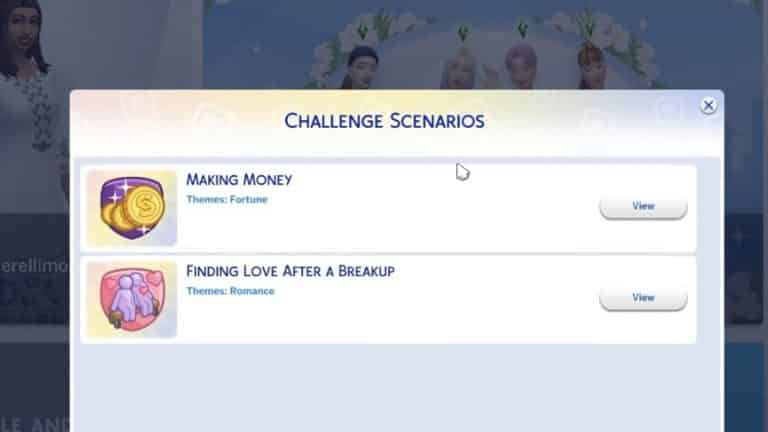
If you missed the Livestream yesterday or don’t know what these new scenarios are, they are official, pre-made Challenges created by The Sims Team. While, we will be starting with two scenarios next week, these being “Making Money” and “Finding Love After a Breakup.” We will also see a variety of new scenarios, including “limited-time” scenarios, added in the future.

You find out more in-depth information about the upcoming scenarios feature as well as check out the replay from the Inside Maxis Livestream here.

The Community Reacts To The Upcoming Scenarios Feature

If we were to look back to mid-September, The Sims Team revealed the Season of Selves. Along with the image featured above, the community was given an insight into what was planned to be coming to The Sims 4 over the next several months. The image hinted about something that would add dimensions to our Sims’ lives, more ways for us to customize spaces with colour, and unlock new ways to play. While there was a lot of speculation as to what this could be, a number of players thought that we may see the addition of the Colour Wheel in some form or a new feature we haven’t seen before in The Sims 4. This speculation continued up until the most recent Inside Maxis Livestream.

Now that we know that the feature described is in fact the new scenarios, the community appeared to have mixed reactions to the reveal. While a number of players seemed to welcome the new feature, there were many players who remained undecided and some who felt that the new feature would be similar to some of the well-known community created challenges.

Just to recap, during the livestream, the first two scenarios were discussed with “Making Money” being showcased, but we also were told that the next two scenarios would be titled “Too Many Toddlers” and “Perfectly Well-Rounded.” Although we currently don’t know any more information about the latter of the two. It appears that The Sims Team have plans for adding new scenarios on a regular basis going forward.

The Community Reacts To The Upcoming Scenarios Feature

Here’s a look at some of the thoughts and opinions that the community had after the new scenarios feature was announced.

Simsontherope also made an interesting thread sharing his thoughts on Scenarios.

As well as Chani_ZA who also shared her thoughts on yesterday’s announcement in another thread.

With such a variety of different thoughts and opinions on the topic, it will be interesting to see how The Sims Team progress with scenarios, as well as what additional ideas they have for future scenarios.

There are definitely a number of positives, negatives and even just being unsure about scenarios at the moment. This is still a fresh announcement where we all have questions that need answering but are still waiting for many of those answers.

Let us know what you think about the new scenarios in the comments below or over on social media!

The Sims 4: The Best Places to take Halloween Screenshots

With Halloween on the horizon, I thought it would be fun to explore some of my favourite and best places in game to take some spooky screenshots with my Sims!

So get your costumes ready and grab your Sims, it’s time to take some Halloween screenshots!

Forgotten Hollow

While this might seem like an obvious choice, especially at night, Forgotten Hollow is a great starting place. Whether it is outside Vlad’s Mansion or over at the lookout, there are a number of locations where you can take the perfect spooky screenshot!

The Sims 4: The Best Places to take Halloween Screenshots

Glimmerbrook

Again, Glimmerbrook is another obvious choice when it comes to taking screenshots. The world itself is full of magic, mystery and even has a bit of a Twilight feel to it. With the added option of travelling to the Magic Realm, there are countless places you can go to take the perfect shot!

The Sims 4: The Best Places to take Halloween Screenshots

Sylvan Glade

Hidden within the Willow Creek neighbourhood, Sylvan Glade is pretty in pink as well as mystical! The perfect place for taking some less spooky screenshots but still really helps to create fantastic fairy themed screenshots instead!

The Sims 4: The Best Places to take Halloween Screenshots

Windenburg

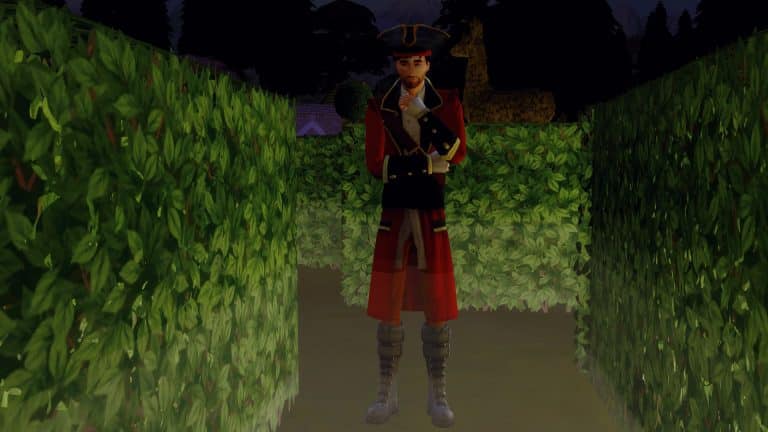
In the dead of night, the Hedge Maze located by the Von Haunt Estate comes to life! With the added fog, it makes the perfect mysterious location! Who knows what or who you might run into while you’re here!

The Sims 4: The Best Places to take Halloween Screenshots

Or why not visit Ancient Ruins or The Bluffs instead?

There are so many places that would be the perfect backdrop for some spooky Halloween photoshoots with your Sims!

Let us know what some of your favourite locations in The Sims 4 are for taking screenshots in the comments below.

Credits

Origin Halloween Sale: Save up to 75% off on select The Sims 4 Games

0

Origin is currently having a huge sale where you can save big on multiple EA franchises – including The Sims 4 and all of its pack types!

Although the sale is up to 75% off – only The Sims 4 Base Game is slashed with this discount. Other Pack Type sales include:

  • The Sims 4 Expansion Packs (5o% off – Cottage Living is 25% off)
  • The Sims 4 Game Packs (25% off)
  • The Sims 4 Stuff Packs (20% off)
  • The Sims 4 Pre-Made Origin Bundles (20% off)

The sale is active right now and is only available for PC / Mac players who play via the Origin platform. You can take advantage of these offers until November 2nd, 2021 at 10AM Pacific Time.

Origin Halloween Sale: Save up to 75% off on select The Sims 4 Games

The Sims 4 to continue adding content from Paid DLC to Base Game

6

In yesterday’s official Inside Maxis Livestream The Sims Team has revealed that they’ll continue their tradition of adding small bits of content from previous DLCs into The Sims 4 Base Game.

This type of think is particularly nothing new and has been practiced by The Sims Team for years now. However it was important for the team to disclose why they’re doing this and how they plan to continue this trend moving forward.

Check out what they had to say in the livestream:

Why does The Sims release content from Packs into the Base Game?

We have heard feedback that there are hairs currently gated behind DLC or a Pack that offer more in representation that those include within the Base Game. We want to make sure that they are available for everybody. We love creating Packs that offer cohesive and immersive scenes and experiences, but we are also commited to ensuring access to our full catalogue of character elements that are for representation purposes. We want to make sure that everybody has a chance to represent themselves in the game. So that is one reason why we do that.

We’re continuing to research and select a small number of hairstyles form previously released Packs. We would be adding them to the game for the benefit of Simmers. It is something we’re balancing out but expect to have more of that soon.

In the Livestream they’ve also revealed that this Toddlers Hairstyle will make its way into the Base Game for free in an upcoming update:

The Sims 4 to continue adding content from Paid DLC to Base Game

Do you prefer small bits of content from previous packs being added for free later or would you prefer the team focuses more on creating unique assets? Let us know in the comments!

Industrial Loft Kit Promo Window coming to The Sims 4 Base Game in November

0

Back in late August there was a mishap about a Window featured in a promotional render for The Sims 4 Industrial Loft Kit. The window featured in the graphic never got into the Kit.

Industrial Loft Kit Promo Window coming to The Sims 4 Base Game in November

The Sims Team acknowledged the situation and said that they will release it in an “upcoming patch update”.

In today’s Inside Maxis Livestream the developers have shared that the Window will be released for free to everyone who has The Sims 4 Base Game. They’ve shared a time window of “late November”, which leaves us waiting about another 30 days for this Window.

Since The Sims Team is now also introducing a new way to Update The Sims 4, that could explain why we waited for this window to come out for so long.

EA introduces The Sims 4 SDX (Sims Delivery Express)

6

In today’s Inside Maxis Livestream The Sims Team has revealed a new Update Type for The Sims 4 called Sims Delivery Express. Through these Sims Deliveries you’ll be able to instantly receive game content, small bug fixes and more without having to update your entire The Sims 4 Base Game.

Check out what the team had to say about SDX coming to The Sims 4 soon:

Sims 4 SDX: Sims Delivery Express Intro

Sims Delivery Express (SDX) will be a system that will deliver free content to your Base Game as a complimentary, and a little bit more spontaneous sibiling than our regular Game Updates. You won’t need to do a full Patch to get content through this system. Hopefully it’s a seamless companion to our Game Updates.

A Sim Delivery could be a Build Mode asset, or a Create A Sim asset. It can be a clothing, a hair, an accessory or a combination of those. It can be something in Build Mode or a couple of things in Build Mode. It could be tiny little fixes that don’t need a Base Game update to apply to your game. Something that’s not complex so that we can potentially get them in your game that way.

Whenever Sims Deliveries are out all you need to do is launch your game as per usual and your game will check to see if there’s new content available. You won’t need to do much to know what’s going on. If there’s content available – you’ll download it and restart your game after the download is completed. It’s seamless in that way.

SDX will be available on PC, Mac, Playstation and Xbox. We’ll have a full peak at this system in the next Inside Maxis as it’s not coming in the next Game Update but in a future one.

This content will be free for all players and this content should not negatively impact Mods or CC content so they should not be disabled when this content comes downloaded into your game.

Sims Delivery Express won’t cover major bug fixes, giant updates. We’re not releasing Worlds or anything big content-wise in that nature. We’re not releasing Packs via this system or any changes to the User Interface. It’s just a sister companion to the Base Game Updates.

As a note for Console players – you’ll need to link your Console Account to an EA Account to be able to use SDX when it comes available.

Every Sims Delivery, either previously downloaded or not downloaded by a player will be included in a future Game Update after. Except when there’s limited content. We’ll try to incorporate those in a future Game Update so that if you miss it – you’ll eventually have it.

We are super excited to be bringing these type of content to The Sims 4 Base Game and beyond. We have so much going on and so much planned for The Sims 4. Keep an eye out for our updates because stuff is happening…

You can check out the full official segment from Inside Maxis that we transcribed down below:

What are your thoughts on the new Update Mechanism coming to The Sims 4? Let us know in the comments!

The Sims 4 is getting a Scenarios Feature Next Week!

The Sims 4 is getting official in-game Challenges!

During the official Inside Maxis Livestream that happened just a few moments ago, The Sims Team revealed a brand new feature coming to The Sims 4 called Scenarios!

This feature is going to allow players to start a new game in The Sims 4 with an official, pre-made Challenge put out by The Sims Team.

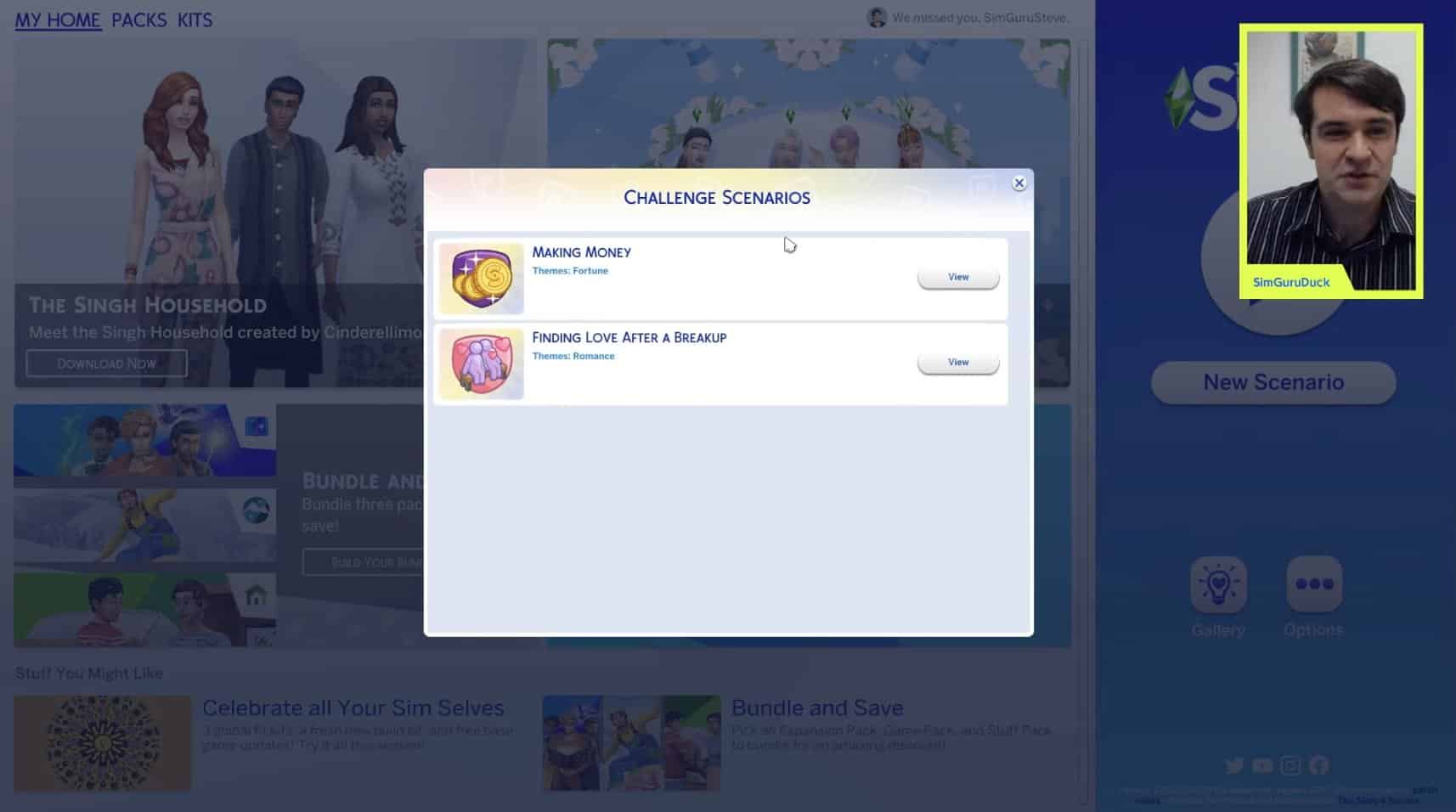
For next week’s update for The Sims 4 there are only going to be two Scenarios called “Making Money” and “Finding Love After a Breakup”.

The Sims 4 is getting a Scenarios Feature Next Week!

Each Challenge Scenario will have its own set of rules and pre-made conditions set to your household. For the very simple Making Money Scenario, you’ll be starting out with 0 Simoleons on a lot on your choice and work your way up to a million Simoleons.

The Sims 4 is getting a Scenarios Feature Next Week!

You’ll have a reminder on the top left corner of what your Scenario goal is. The rewards for completing a Scenario? Major Satisfaction Points that you can use to spend in the in-game Rewards Store.

The Sims 4 is getting a Scenarios Feature Next Week!

This is only a first round of scenarios that The Sims Team will release and we can expect a lot more in the future. There are also going to be “limited-time” scenarios in the game. SimGuruDuck revealed that there will also be these limited-time Scenarios coming soon to The Sims 4 shortly after the feature launch:

  • Too Many Toddlers
  • Perfectly Well-Rounded

You can check out the Scenarios Feature in action in the livestream replay below:

With that being said, what do you think about The Sims 4 Scenarios? Let us know in the comments below!

The Sims Community Challenge: October Showcase

Welcome to a spooky edition of The Sims Community Challenge Showcase!

With Halloween fast approaching, we tasked the community with creating their best spooky screenshot, and we were not disappointed!

Click here to take a look at what was involved for the October challenge otherwise, you can jump straight in and take a look at all the spooktacular screenshots below!

To enlarge a screenshot, simply click on the image of your choice!

Thank you to everyone who shared their spooky Sims for our October Challenge. Stay tuned as our November Challenge is right around the corner!

Don’t forget to join in the conversation over on our Discord, where you will also find a variety of Build and Create A Sim Challenges throughout the week alongside our monthly Sims Community Challenge!

Click the button below to join The Sims Community Discord 

[mks_button size=”large” title=”Sims Community Discord” style=”squared” url=”https://discord.gg/6kRVv4h2je” target=”_blank” bg_color=”#4e62ac” txt_color=”#FFFFFF” icon=”” icon_type=”” nofollow=”0″]

The Sims 4 Official Livestream: Inside Maxis (October 26th, 2021)

0

The Sims Team is doing an official Inside Maxis Livestream today – October 26th, 2021!

As you can see in the agenda below, the team will be covering multiple segments during the stream, including special appearances from Creators, Hot Topics and a Sneak Peek at what’s to come in the upcoming update for The Sims 4!

The Sims 4 Official Livestream: Inside Maxis (October 26th, 2021)

The livestream is set to begin at 11AM Pacific Time. To make things easier we’ve included a countdown below that counts to the exact moment to the beginning of this stream!

You can find the official livestream right below the countdown. We’ll also be covering all the information shared from the stream right here on Sims Community so stay tuned!

[janky target_time=”1635271200″ color=”#065bff”]

new Twitch.Player(“twitch-embed”, {
channel: “thesims”
});

The Sims 4: Haunted House Showcase

Beware of things that go bump in the night!

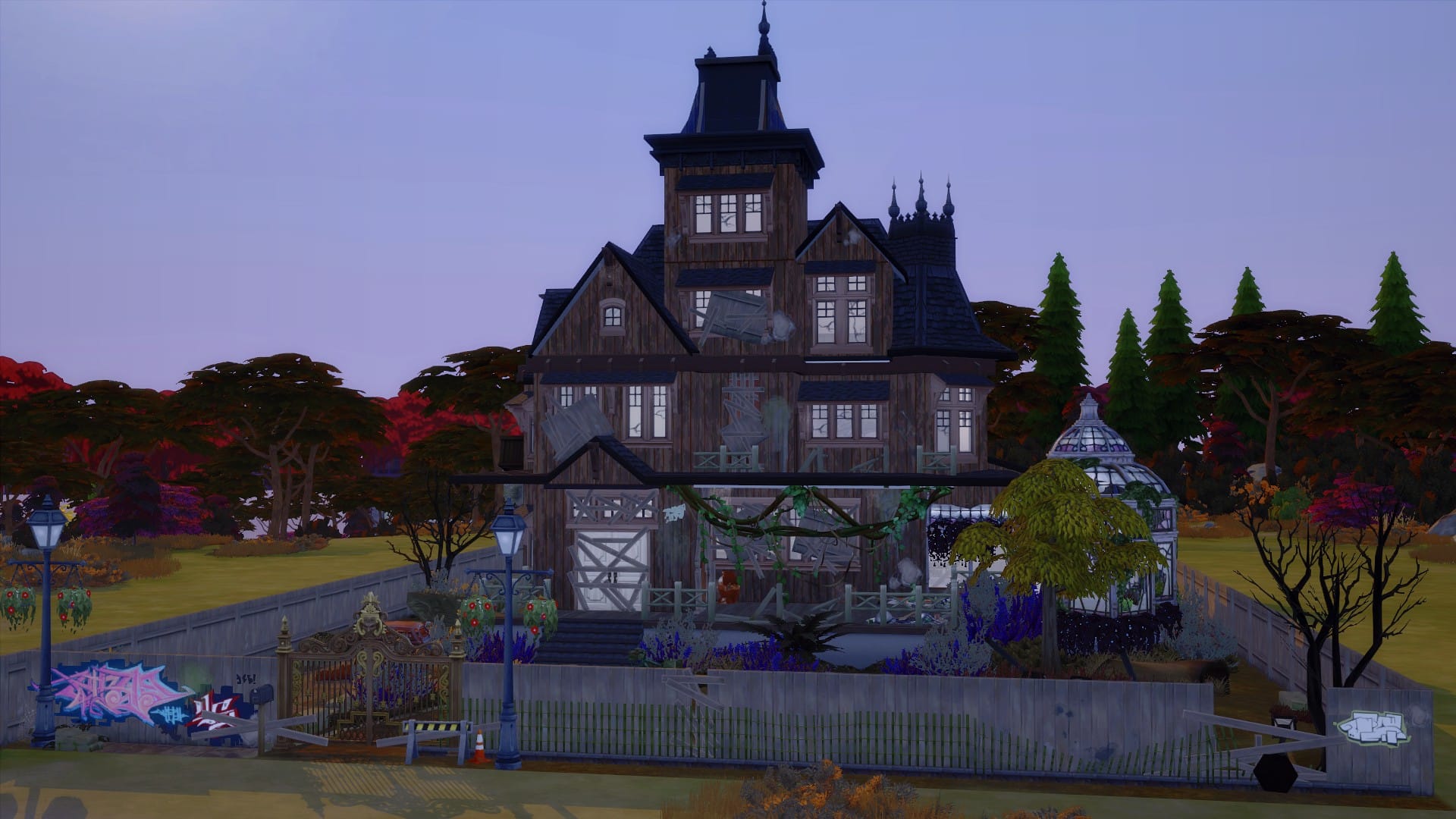
Halloween is creeping up fast, and what better way to prepare your Sims then adding a Haunted House to your game? Whether your Sims are just going Trick or Treating or actually living in the Haunted House, here are five spooktacular builds you can download from The Gallery right now!

Gothic Haunted House by Bonnibelle_Blue

The Sims 4: Haunted House Showcase

  • Lot Size: 30×30
  • Lot Value: $375,554
  • 3 Bedrooms, 3 Bathrooms
  • Click here to download from The Gallery

Halloween Haunted House by Solistra00

The Sims 4: Haunted House Showcase

  • Lot Size: 40×30
  • Lot Value: $209,574
  • 2 Bedrooms, 2 Bathrooms
  • Click here to download from The Gallery

Abandoned Haunted House by SimmerJet

The Sims 4: Haunted House Showcase

  • Lot Size: 40×30
  • Lot Value: $66,869
  • 3 Bedrooms, 2 Bathrooms
  • Click here to download from The Gallery

Head over to the next page for more haunted houses!

The Sims 4: Eloping in a Destination World

0

Are you tired of planning elaborate weddings in The Sims 4? Are you done with spending hours planning outfits and decorating and hiring caterers and entertainers just to have all the guests dancing in the aisle during the vows and the hired staff stand around doing nothing for the entire event? Yeah, me too. Weddings in The Sims 4 kind of… suck, to put it bluntly.

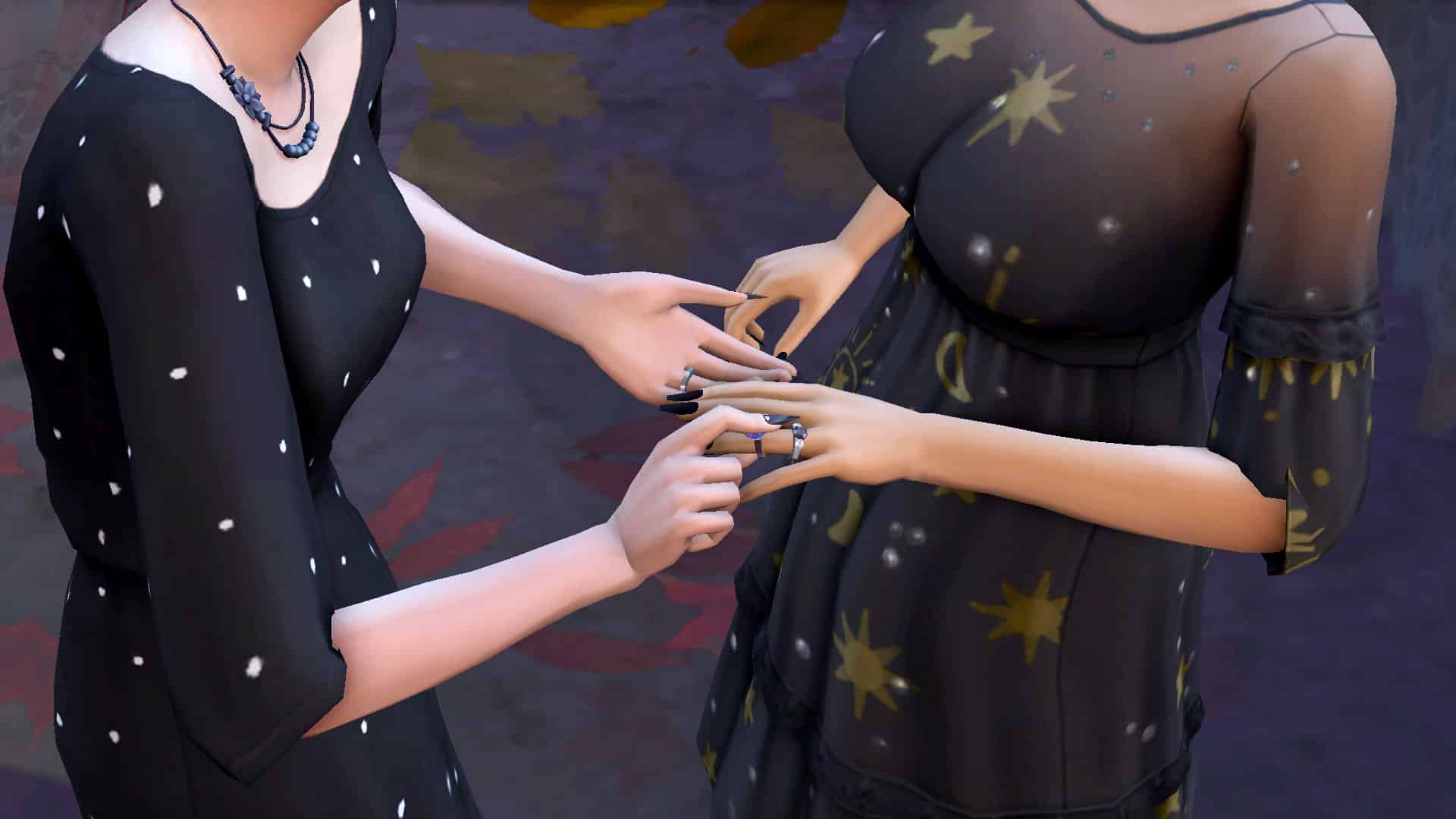
Of course, you could always just have your Sims elope immediately wherever they happen to be standing in whatever clothes they’re in. No event planning, no hassle. Just boom! Married! But that’s always felt a little anticlimactic to me. It doesn’t feel very special or romantic to exchange a pair of rings in a flooded bathroom in your underwear. Just saying.

I wanted a no-stress, no-hassle wedding for my Sims that still felt special and romantic. That’s when it hit me; a destination wedding!

The Sims 4: Eloping in a Destination World

While we cannot hold a wedding social event while on vacation, our Sims can elope anywhere. Wouldn’t it be romantic to run off somewhere secluded on a trip and tie the knot in secret? Well, that’s exactly what my Sims did! It was super easy and stress-free with no annoyingly useless staff or rude guests. Just my Sims saying their vows somewhere idyllic and peaceful. I was able to have the romantic and special moment I wanted for my Sims without all of the hassle of a big formal event, which was perfect for these two.

The Sims 4: Eloping in a Destination World

Getting things started was as easy as booking a vacation. I opted to take a short trip to Granite Falls where my Sims rented a cozy and romantic honeymoon cabin. If you’d like to read about how I built the cabin, check out my other article, Let’s Build a Romantic Getaway Cabin.

Once my soon-to-be-married couple arrived at their cute little cabin, the hot tub was the perfect place to get cuddly and put them both in the mood for romance. This wedding was not planned in advance; it was supposed to be just a small weekend trip to alleviate some stress going on at home but one thing leads to another and my Sim gets down on one knee to propose! The proposal is eagerly accepted and still on that vacation high, these two lovers run off into the woods together to get married in secret.

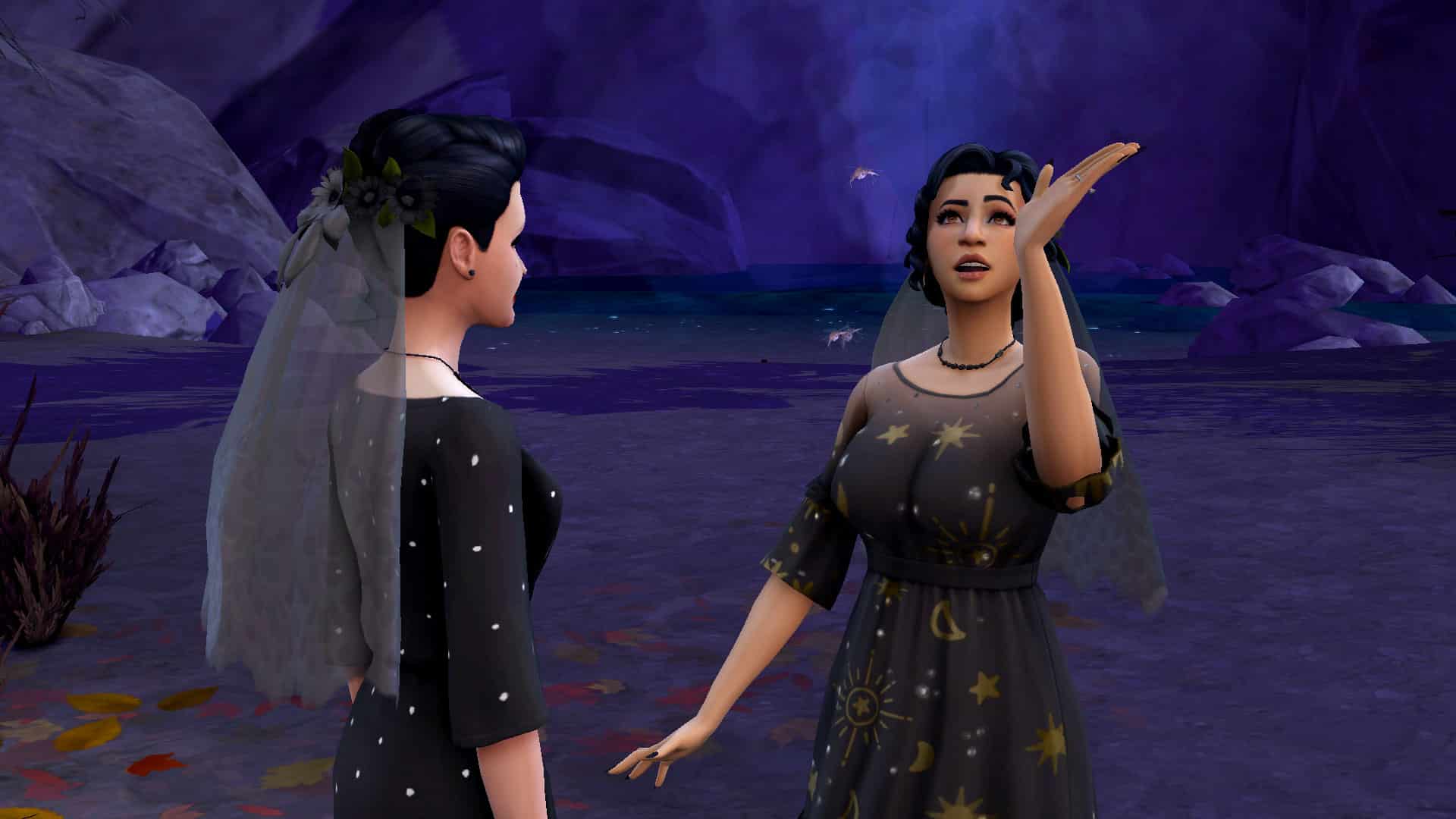
I gave them some flowery veils that I imagine they made from picking wildflowers in Granite Falls and put them in semi-casual dresses they might have already had packed for their trip and sent them deep into the woods where the hermit lives. They picked a beautiful spot by the waterfall at night underneath twinkling stars and that’s where I picked the Elope Immediately option.

The Sims 4: Eloping in a Destination World

It’s amazing what something as simple as a change of location can do to elevate a moment and make it feel more meaningful. It was one of the most intimate, romantic wedding ceremonies I’ve ever held in The Sims and there wasn’t a single wedding guest anywhere. In fact, there wasn’t a single Sim at all in the area except for my two Sims. Just them by a beautiful waterfall underneath the stars and their love for each other. It was truly a special moment. Absolutely perfect in every way and zero stress involved.

Well… perfect apart from a few mosquitos.

The Sims 4: Eloping in a Destination World

So if you’re like me and have grown tired of traditional weddings but still want a special and meaningful ceremony for your Sims, give an impromptu destination wedding a try!


CC Credits

  • Poses by Mystelise and SnarkyWitch
  • Hair by MLys
  • Veils by candycottonchublack swatch added by me but not released as I did not get permission to share it; it was just for my own personal use
  • Cabin Gallery art (no CC) by FruitLoops40
  • Reshade by sunflowersyrup

The Sims 4 Cottage Living Has Been Nominated For A Golden Joystick Award!

The Sims 4 Cottage Living has been nominated for Best Game Expansion in this year’s Golden Joystick Awards! It is nominated alongside DOOM Eternal: The Ancient Gods – Part Two, Super Mario 3D World + Bowser’s Fury, The Outer Worlds: Murder on Eridanos, Ghost of Tsushima: Iki Island Expansion and Final Fantasy 7 Remake: Intergrade – INTERmission.

Voting is open right now and ends on 5th of November 2021!

To find out more about the Golden Joystick Awards and to vote for The Sims 4 Cottage Living, click the image below!

The Sims 4 Cottage Living Has Been Nominated For A Golden Joystick Award!

Click here to vote for the Golden Joystick Awards