Home Blog Page 2

Review Of The Sims 4 SimSearch Features: Enjoy Being A (BETA) Tester

New ways to search the gallery have arrived in-game; say hello to the Sims 4 SimSearch features. Let’s put it to the test and see if it’s a worthy addition to the game.

The feature was officially announced a few days ago with a blog post explaining in detail what the Sims 4 SimSearch features entail. There are two additional ways for you to search gallery items, Cross-Language and Text-to-Image.

Both of these features are still in their beta phase, so enjoy being an unpaid beta tester for EA.

  • Cross-Language (Beta)
    • This search option combines and expands on the Item Name and Hashtag searches by also integrating Description text for any matches. As well as looking through different text fields, the search will look at other supported languages to return results where the creator may not speak your set language. This means that if you were to search for “Big Red House,” you would also see results such as Spanish – “Gran Casa Roja,” French – “Grande Maison Rouge,” and German – “Großes Rotes Haus,” all without needing to know additional languages yourself. This allows us to surface more of the creativity on The Gallery which may have been hidden to you in previous searches.
    • Results will also be appended by related results acting as “things you may also like” which will open up discoverability for Simmer uploads that may be of interest to you but that you didn’t specifically search for.
  • Text-to-Image (beta)
    • Initially, this search is limited to Lots and Rooms. Households will not be available while we continue to work on the feature.
    • This new search function goes beyond text matching your search criteria with the image you see in The Gallery. If you were to search for “fireplace” you should see results where there is a fireplace or a camp fire within the images. For best results in this example, you can then use the Lots and Rooms filters to narrow in on more suitable results for your needs.

Cross-Language Search

First up we have the least interesting of the Sims 4 SimSearch features, Cross-Language Search. This feature sounds great in theory. Allowing users to search and see items across all different languages is a great way to bring the spotlight to players whose language might not have as large a player base.

Sadly, it doesn’t seem to make a difference at all.

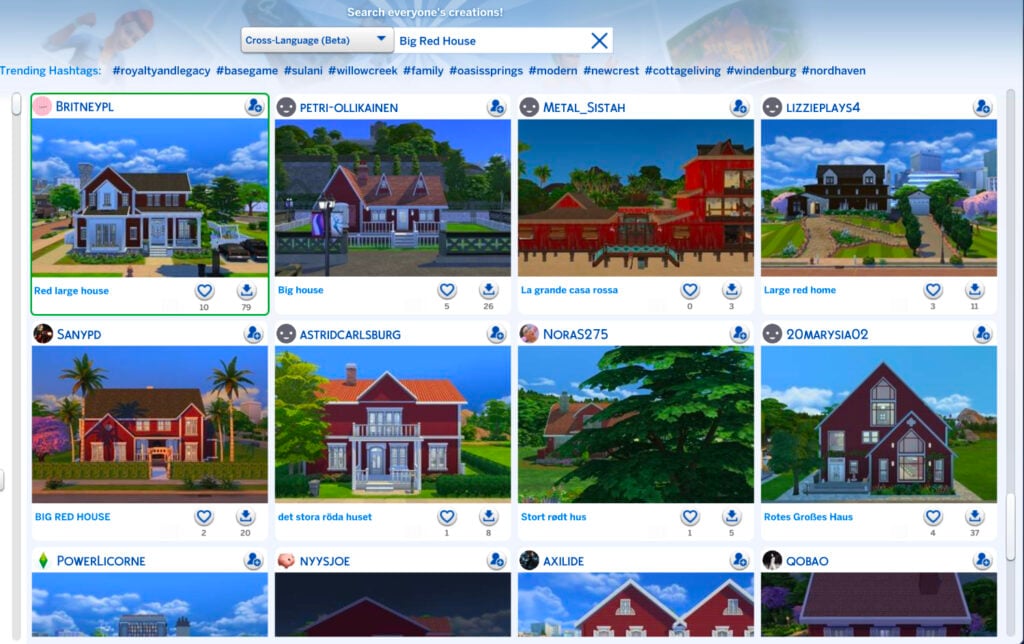
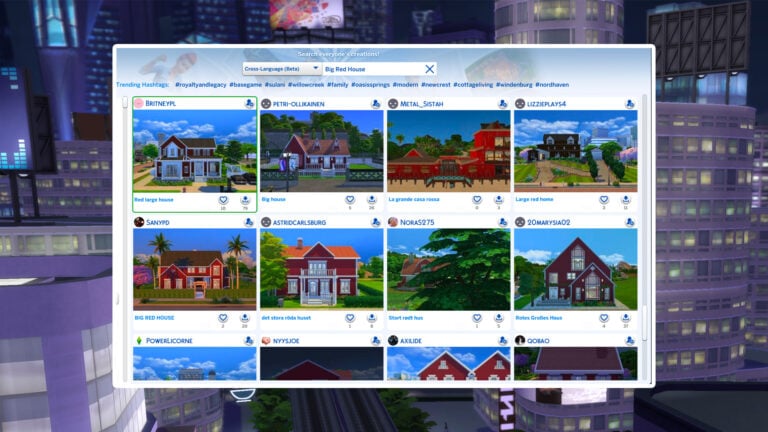
I started my testing using the example from the announcement blog post, “Big Red House.” I had to scroll 15 lines before I saw a single lot that wasn’t English. This was true for sorting by Most Popular and Most Recent.

Big Red House Sims 4 SimSearch features results

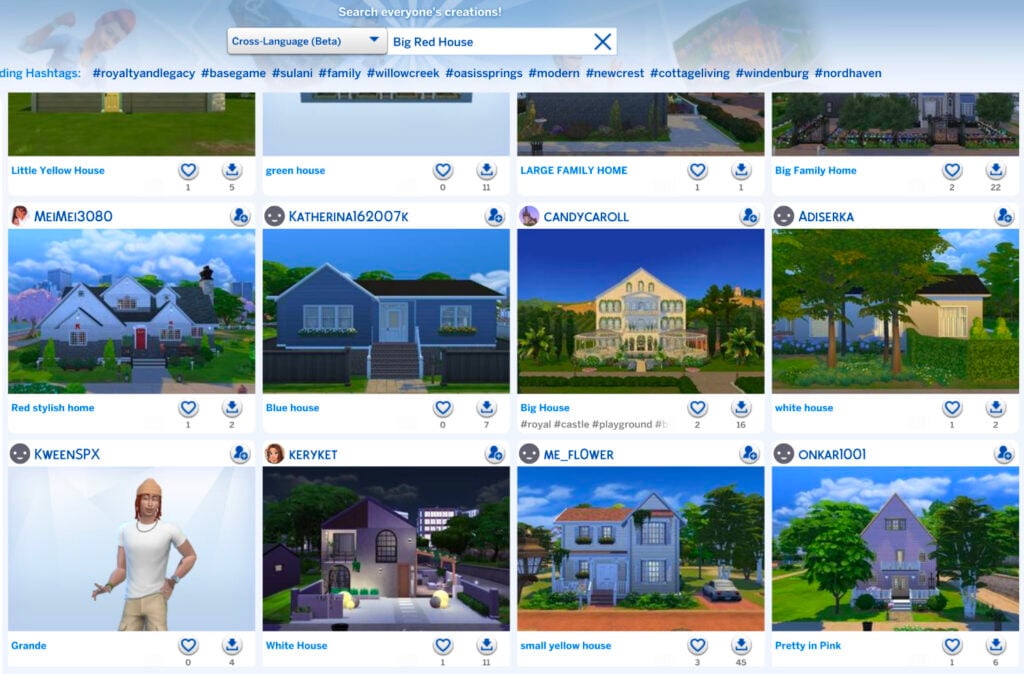
Even more interesting, and sad, is that the results were actually spitting out all kinds of results, in English, or completely different color houses. Some examples included below for the search results of Big Red House include: Little Yellow House, Green House, Blue House, White House, White House, Small Yellow House, and Pretty in Pink.

Houses of all different colors

I tried several other searches as well for various lot types such as Floral Garden and Royal Palace, but none of the results included any from a language other than English after scrolling continuously for quite some time.

As I said, it’s a great feature in theory, but if results are going to be overwhelmingly in a player’s native language where they need to scroll for several pages, it’s not really doing much. Even worse is that it’s not even giving results of what is being searched for in the first place.

If the Sims 4 SimSearch features can’t even produce positive results with the literal example given by EA, is the feature really worthy of being implemented for the players? I’d have to personally say no.

Text-to-Image Search

The Text-to-Image concept of the Sims 4 SimSearch features intrigues me, mostly because I’m unsure how beneficial it can actually be for players. The idea is simple, you search for a word or concept and it gives you results that include that item in the screenshots of the lot. The unfortunate part is that most gallery listings have terrible auto-generated photos.

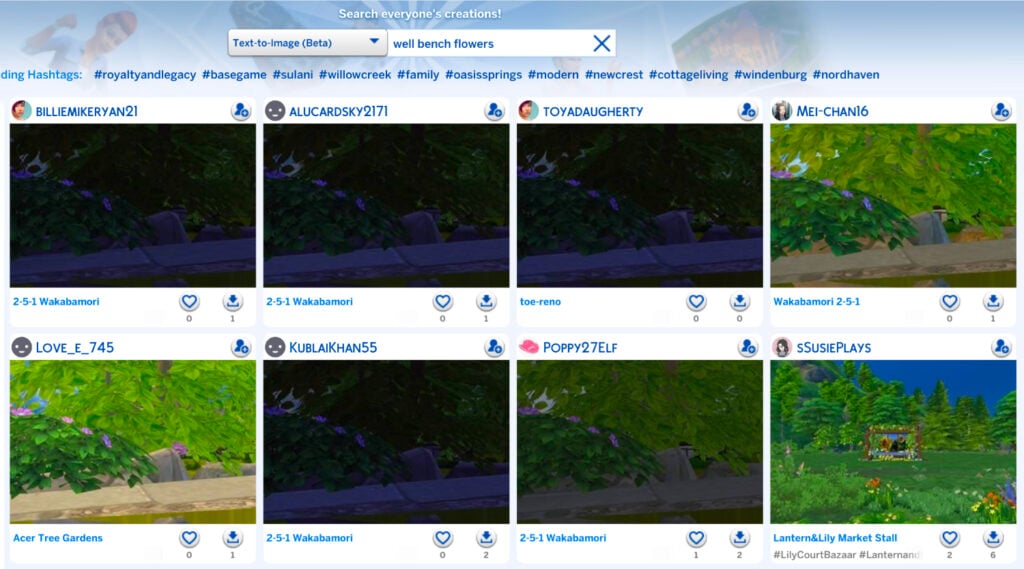
Case in point: My search of “Well Bench Flowers.”

Well Bench Flowers search results

Not only are these results tragic because of the trees covering everything in the default photo, but on further inspection, none of these lots had a visible well aside from the bottom right. For a majority of the results, it didn’t even give me what I had asked for.

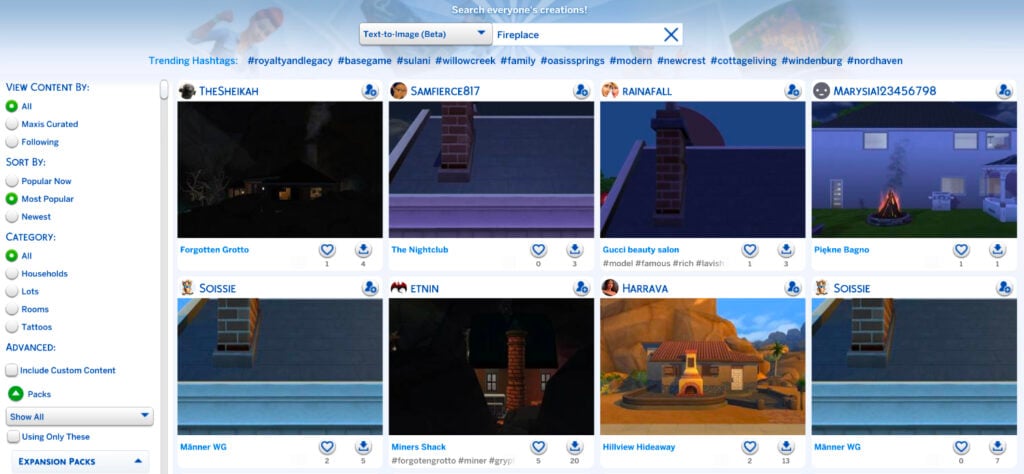
I decided to again use their example from the blog post and searched for “Fireplace.” Thankfully, I was actually given results for lots that included fireplaces. So, I guess that’s a win? I’m unsure how beneficial this will be to players, though, because I can’t fathom who is going to download a house they can barely see just because it includes a close-up of a chimney.

Fireplace search results

I decided to push further and do some comparisons between the different types of searches to see if the text-to-image function of the Sims 4 SimSearch features produced better results than the original search types.

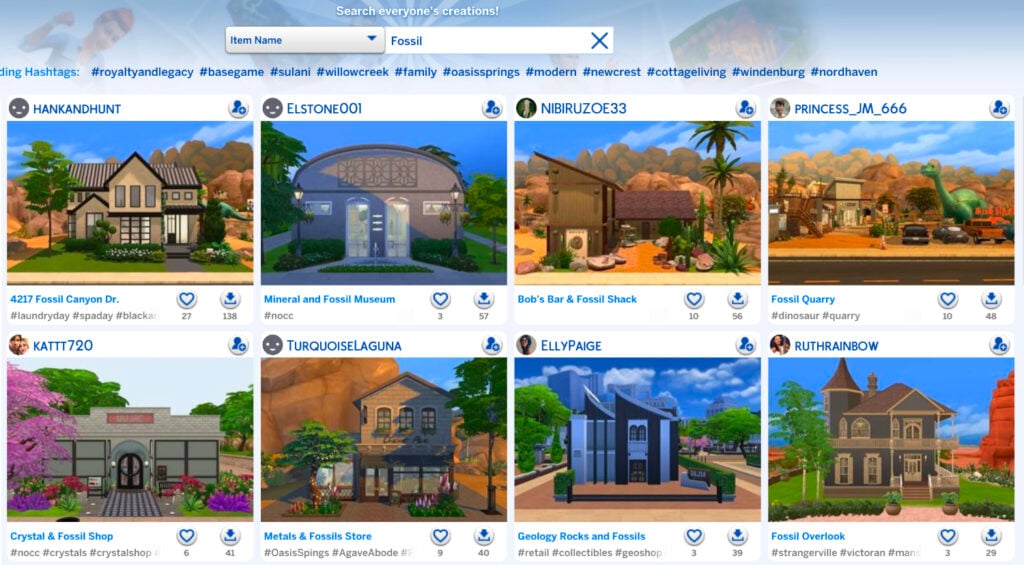
First, I searched “Fossil” with the Item Name feature. I think the results are pretty great.

Fossil Item Name results

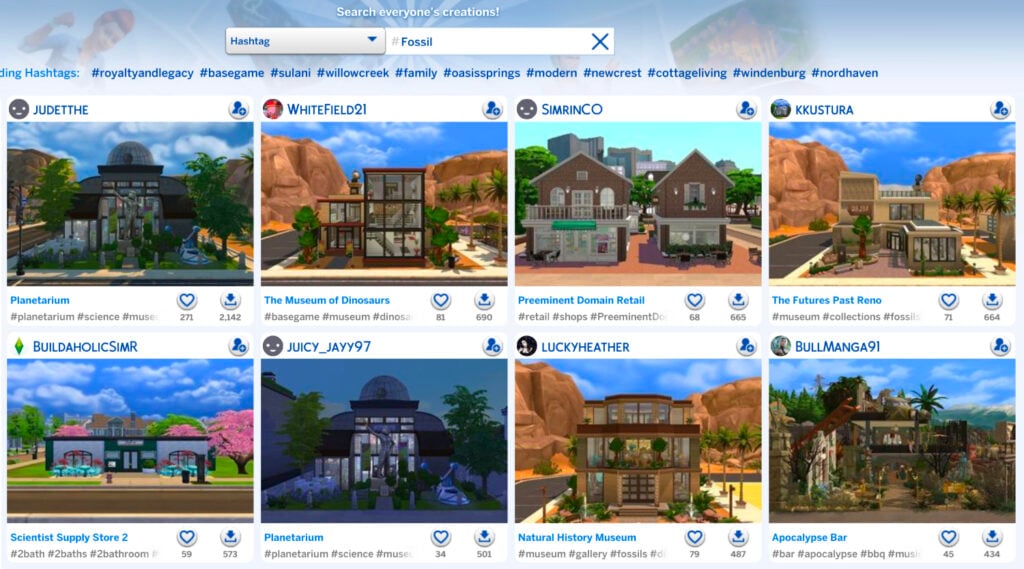
I then did the same search of “Fossil” with the Hashtag function. Again, great results.

HashtagFossil

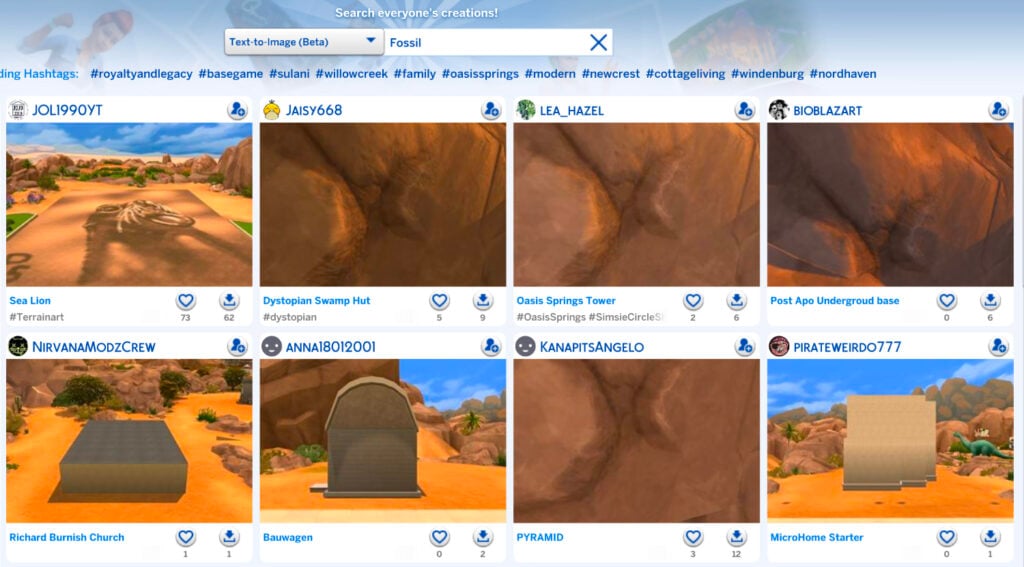
Lastly, I used the text-to-image function for “Fossil” and the results are… these.

Text-to-image fossil results

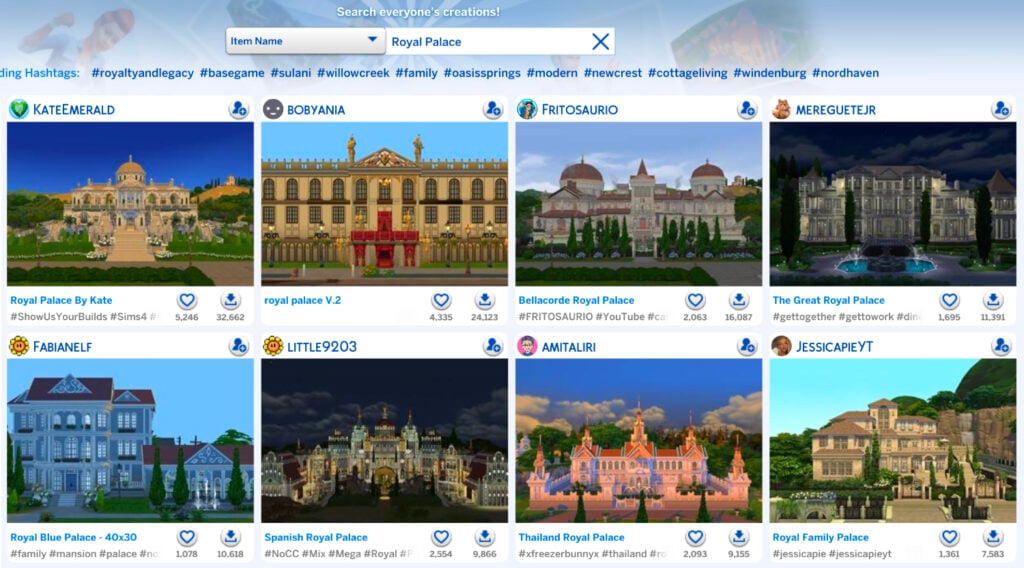
Maybe my search was too uninspired. I decided to try “Royal Palace” like I did for the Cross-Language function.

The results for “Royal Palace” by item name are as expected.

Royal Palace Item Name results

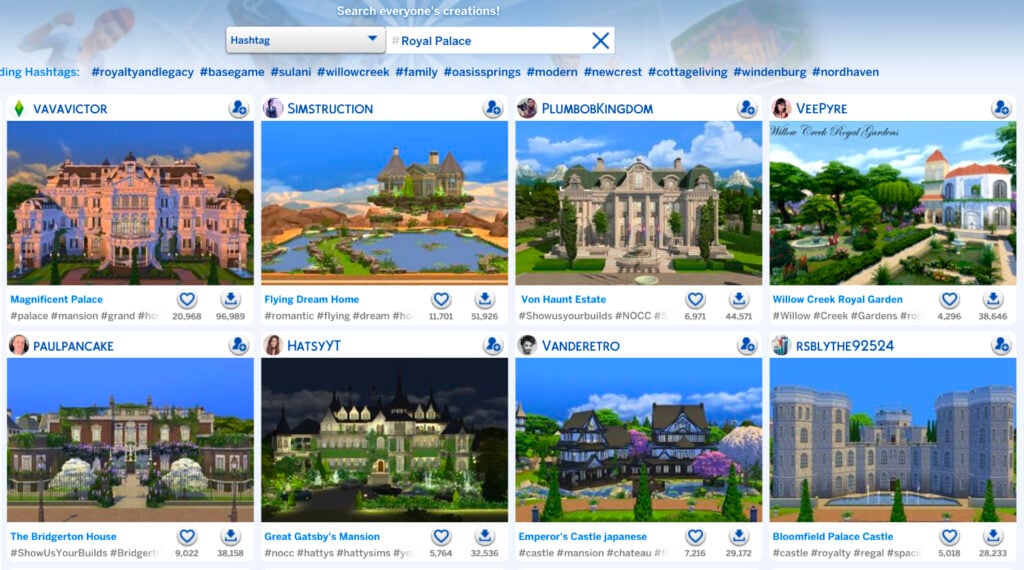
The Hashtag function for “Royal Palace” as essentially the same.

Hashtag Royal Palace results

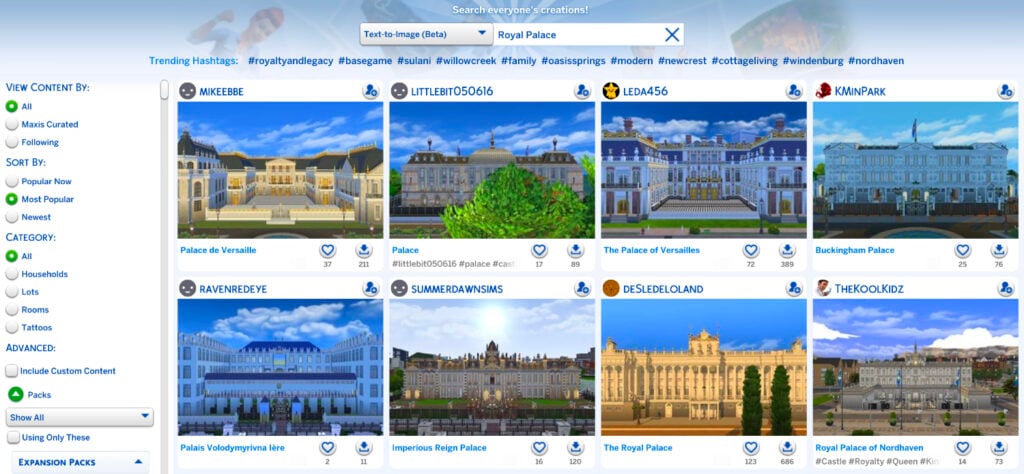
It was time for the moment of truth. “Royal Palace” by way of text-to-image.

Text-to-Image results

Well, would you look at that. Those are the best results so far for any of the Sims 4 SimSearch features. Maybe there’s hope for it after all.

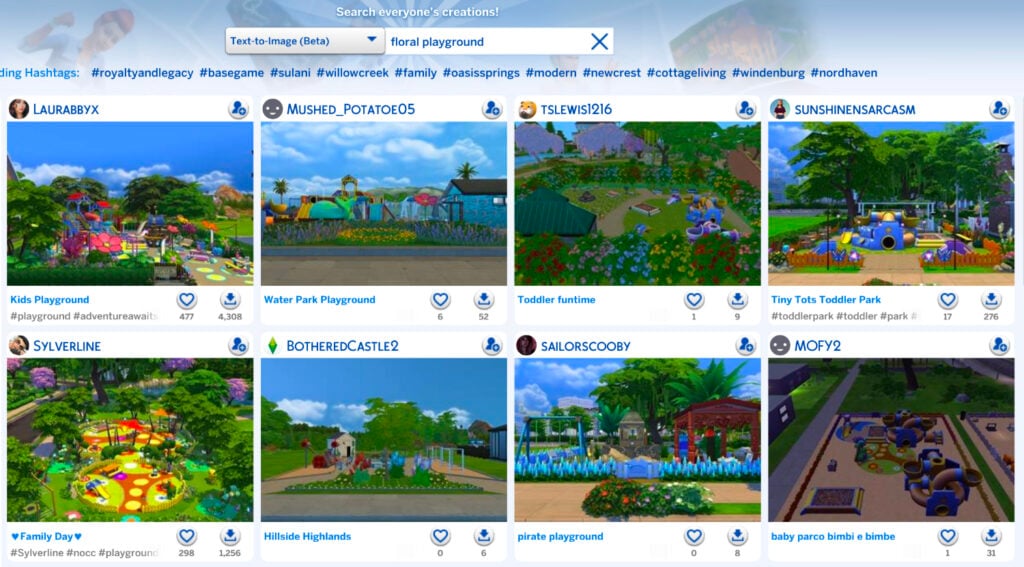
One of the biggest drawbacks of the text-to-image search, however, is the 25 character limit. Your searches can’t be descriptive, wordy, or include several different items because you’ll run out of characters before you’re done. Simple searches only, like when I searched “Floral Playground.”

Floral Playground results

As it stands, the Sims 4 SimSearch features aren’t the greatest. They’re great in theory and rough in execution. As mentioned, they’re still in their beta phase, so they have tons of room to grow. We’ll see what the future has in store for the Sims 4 SimSearch features as they move beyond their infancy.

What do you think? Are these features you’ll be using or do you find them lacking? Do you see a future for them with improvements or are they a lost cause? Let us know what you think below.


For even more news and coverage about all things Sims 4, head over here.

Today’s The Sims 4 Marketplace Release: Crusty New Eyelashes Available For 2 Dollars

At least we’re slowing down the momentum of The Marketplace releases!

It’s the day that everyone’s been eagerly waiting for – the day of a new Sims 4 Marketplace Release. Today on the menu: A pair of 10 eyelashes for 2 dollars – or 200 Moola.

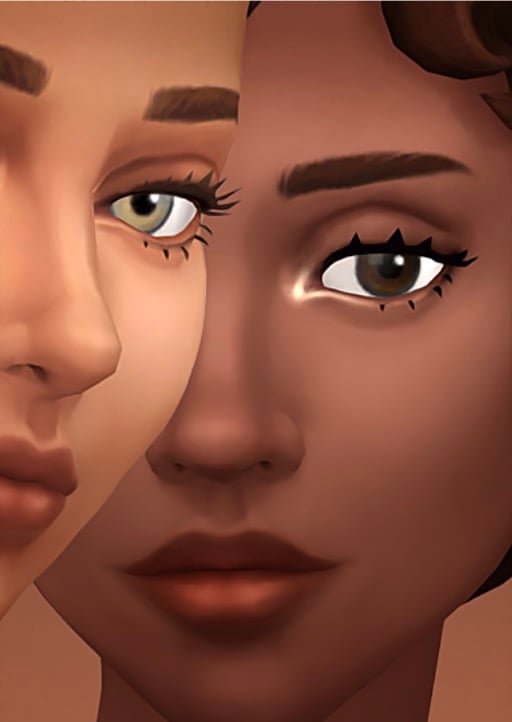
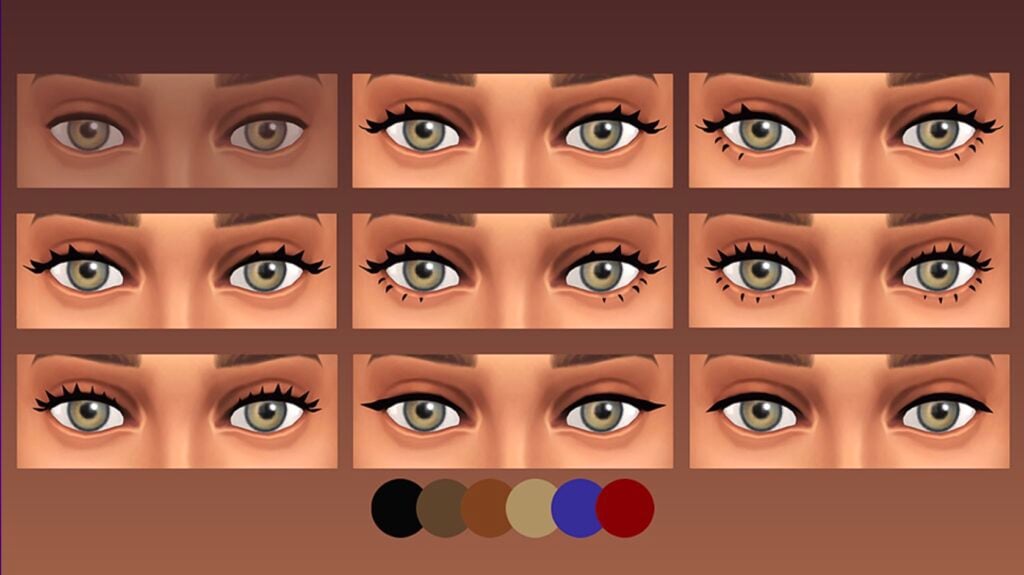
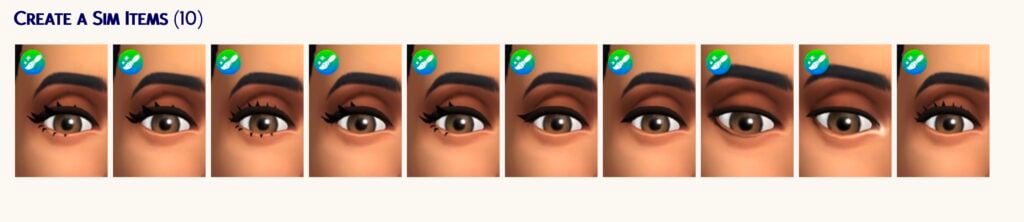
There are 6 eyelashes to choose from: bat wings, swoop lashes and ones that we can’t tell the difference from the free Base Game release. There are also 4 eyeliners and highlights included as well.

Hurry up now – it’s just 200 Moola and it’s a great favor for Sims 4 Console players.

See the full official Sims 4 marketplace release set overview below:

The Sims 4 Essential Lashes

Screenshot 2026 05 28 at 19.14.38

Official Features

Essential Lashes is a versatile collection of 3D lashes and eyeliners. Go for a natural style using brown lashes and soft highlights, or create something more defined with thicker lashes and a smoky or colorful liner. The inner-corner and waterline highlights are perfect for adding a touch of detail and glam to everyday looks.

EYELASHES

A variety of eyelashes that all come in six swatches.

Screenshot 2026 05 28 at 19.15.45

EYELINER AND HIGHLIGHTS

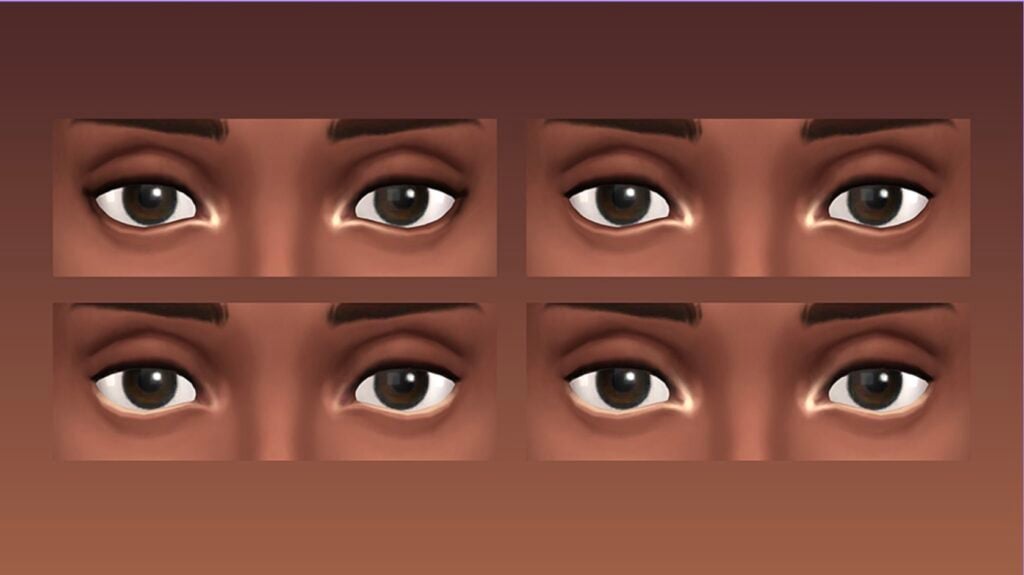
A very soft, dark eyeliner paired with an inner-corner highlight; the highlight on its own; a white waterline liner; and finally, the last two combined.

Screenshot 2026 05 28 at 19.16.49

SMOKEY EYELINER

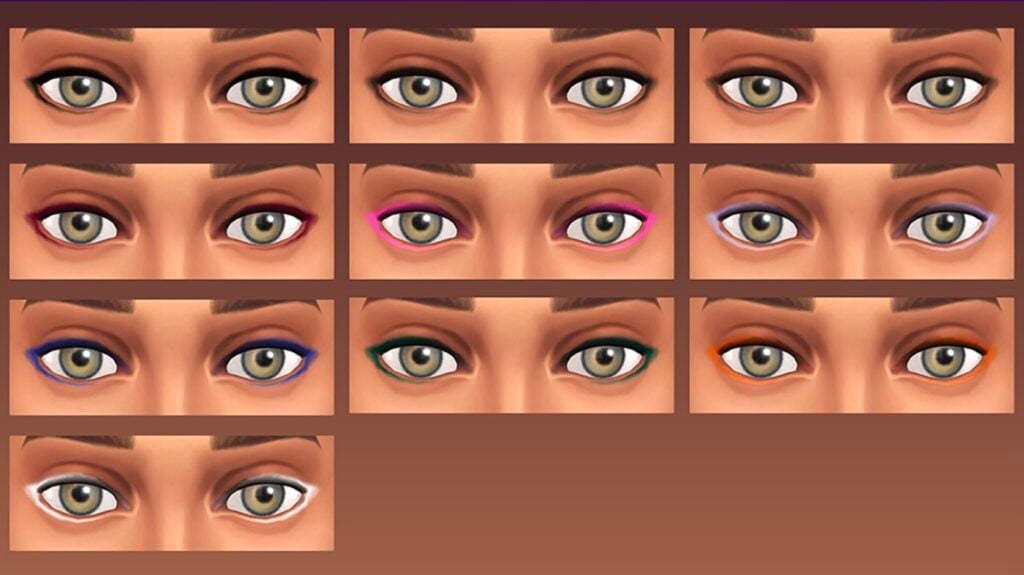
The smokey eyeliner comes in ten swatches and pairs perfectly with the lashes.

Screenshot 2026 05 28 at 19.17.07

Items Preview

Screenshot 2026 05 28 at 19.17.57

Price: 200 Moola


What do you think about the latest Sims 4 Marketplace release? Let us know in the comments below!

For more information on The Sims Franchise (and more) – stay tuned to Sims Community.

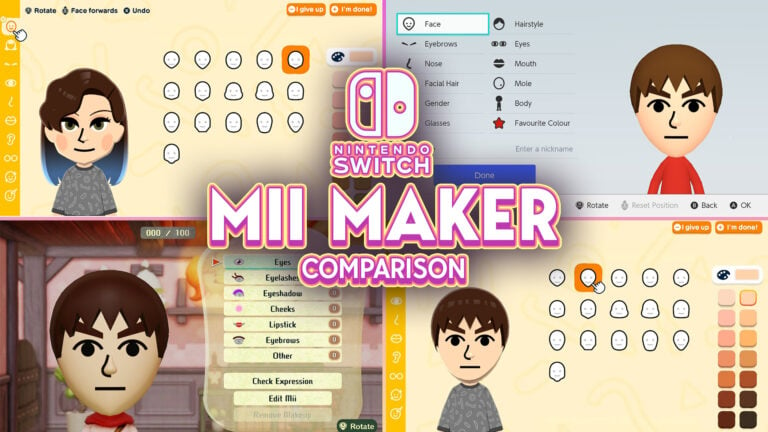
Mii Maker Comparison: From Miitopia to Tomodachi Life

Let’s take a look at how Nintendo expanded Tomodachi Life’s Mii Maker compared to others on Nintendo Switch.

As Tomodachi Life: Living the Dream is a Mii-focused game by Nintendo, it introduces new Mii customization options that builds on Miis. However, instead of sticking with clothing and voice, one of the biggest additions in the game is the improved Mii Maker, which allows even more customization than the system’s Mii Maker. Let’s take a look at how it compares with Nintendo Switch’s Mii Maker.

Looking into the System’s Mii Maker

Before looking into what’s new in Tomodachi Life’s Mii Maker, let’s take a look at what the system’s Mii Maker introduced.

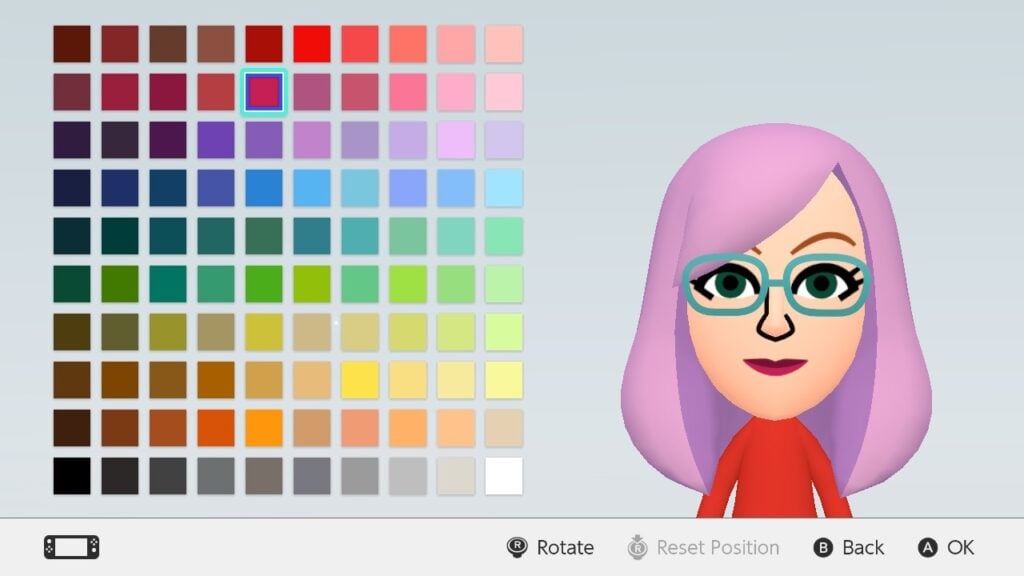
The Mii Maker for Switch and Switch 2 can be found in the System Settings. Its main improvement is expanded color options for Mii parts, such as hair, eyebrows, eyes, mouth, facial hair, and glasses (with the exception of skin color). Instead of choosing from a limited amount of colors tailored to the part, players can expand the options to 100 different colors. In addition, there are also some new skin colors and glasses.

Showcase of expanded color options on Switch 1's Mii Maker.

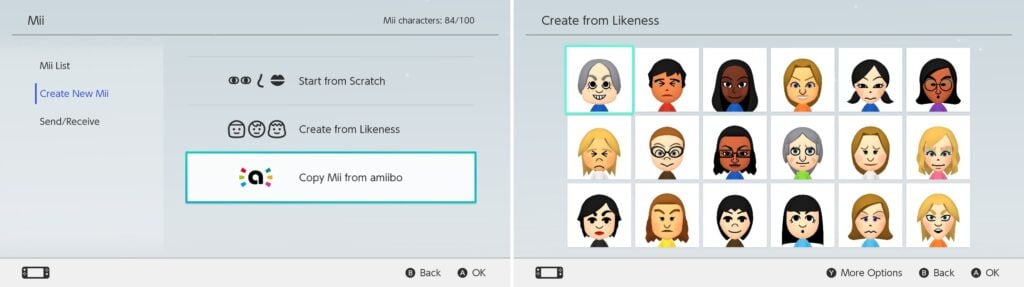
Upon starting to create a new Mii, players can choose between Start from Scratch, Create from Likeness, and Copy Mii from amiibo. When creating from likeness, the player is prompted to choose a gender/style, after which 18 randomly generated Miis are presented. If none of them look good, the player can press the Y button to refresh the choices. After choosing one, you’ll be taken to the Mii Maker. Copy Mii from amiibo will copy the Mii set as the owner of the amiibo figurine. This is the only way to transfer Miis from Wii U and 3DS consoles though.

Pictures showing Mii creation options, alongside with Mii selection in Create from Likeness.

In Switch 2, the only change made was renaming gender to style. However, as all other options remain the same, Switch 2 Miis are essentially the same as Switch 1 Miis as they can be transferred between the consoles easily.

Some things lost however are the birthday date and sharing settings. In addition, moving the Mii Maker from the Home Menu into the System Settings has made many Switch owners overlook it. However, as system settings no longer require you to close the game, some games allow you to create a Mii from the Mii Maker before continuing. The application also lacks music (unless activated through a game).

Miis made on the system can be transferred to Tomodachi Life: Living the Dream by ‘Create from Mii on Console’ button. They can also be shared to other Switch and Switch 2 owners locally.

Miitopia’s Innovations for Miis

Miitopia is a 3DS port released for Switch on 21th of May 2021. It’s the first Mii-centered game on Switch, being an RPG that uses some Tomodachi Life elements like relationships and unpredictability of Miis. When creating a new Mii in the game however, you will be taken to the system’s Mii Maker first. However, more options open up after the character is created.

One of the new features in the port is Wigs and Makeup. This allows more expanded customization options like Tomodachi Life does. However, make-up allows customization of each part individually, making them work with the parts better than Tomodachi Life’s drawings.

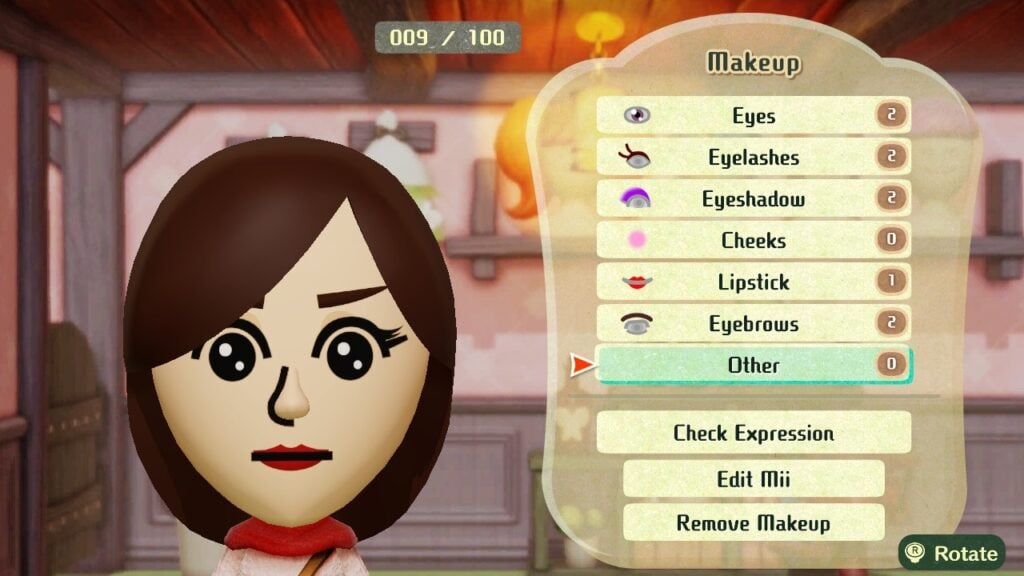
In Makeup, after choosing a category, you can add new makeup elements to your Mii, from pre-sets to simple shapes. After adding one, options to edit makeup (position, size, rotation, and color), delete makeup, and change layering become available. For makeup that gets mirrored like eyes, it is possible to edit each side separately. Under Other category, it is possible to change the color of the face, nose, and eyes separately (unlike Tomodachi Life, Miitopia allows heterochromia). For glasses and eyebrows, the game allows you to remove the original Mii part, giving you an empty canvas to work on these.

There are limits however. While each category can have multiple makeup elements, overall each Mii can have up to 100 makeup elements. Due to mirroring, eyes, eyelashes, eyeshadows, and eyebrows will count as two. And there are times when Miis are shown in game without make-up, for example when looking through the Monster collection.

Miitopia's Makeup menu

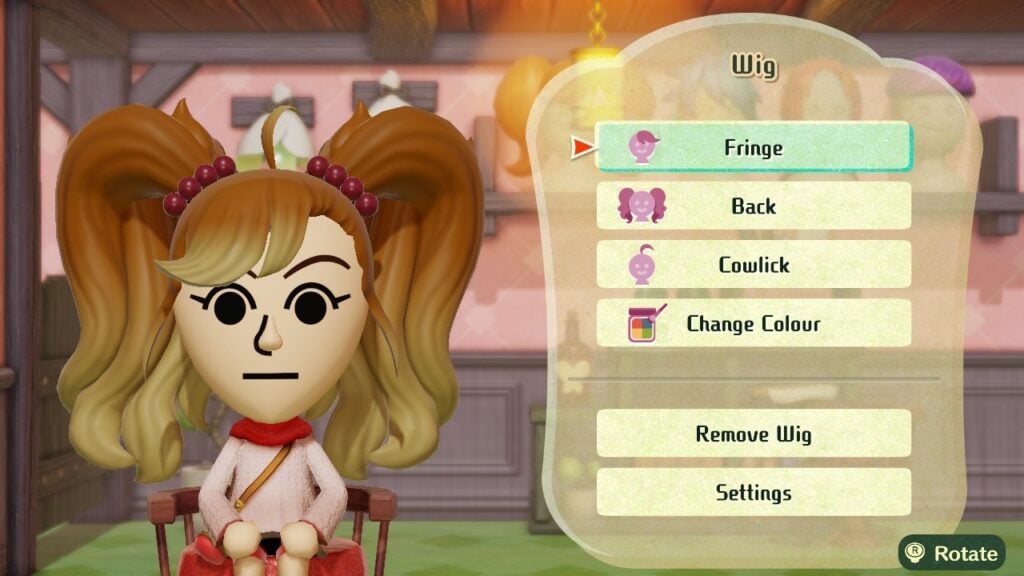
However, wigs are a separate customizable ‘hat’ for Miis that look like animated hair. However, wigs are customizable in three parts: bangs, back, and cowlick. These have some limitations though. Miis wearing wigs can’t wear hats in-game, with a setting to remove the wig when the Mii is out on an adventure. In addition, status effects that affect the hair color (like aging) won’t change the wig’s color.

Miitopia's Wig menu

While Miis made on Miitopia can’t be directly brought to Tomodachi Life, they can be added to System’s Mii Maker (removing their make-up and wigs in the process). However, Miitopia allows Mii sharing with Access Codes, allowing people to share their Miis and download others’ over the internet (Nintendo Switch Online membership required).

Tomodachi Life Improvements

Tomodachi Life: Living the Dream brought some big improvements to Miis. So big that the game features its own Mii Maker complete with music to create new Miis, though system’s Miis can be imported there. However, due to Mii improvements, Miis in Tomodachi Life cannot be brought to the system’s Mii Maker.

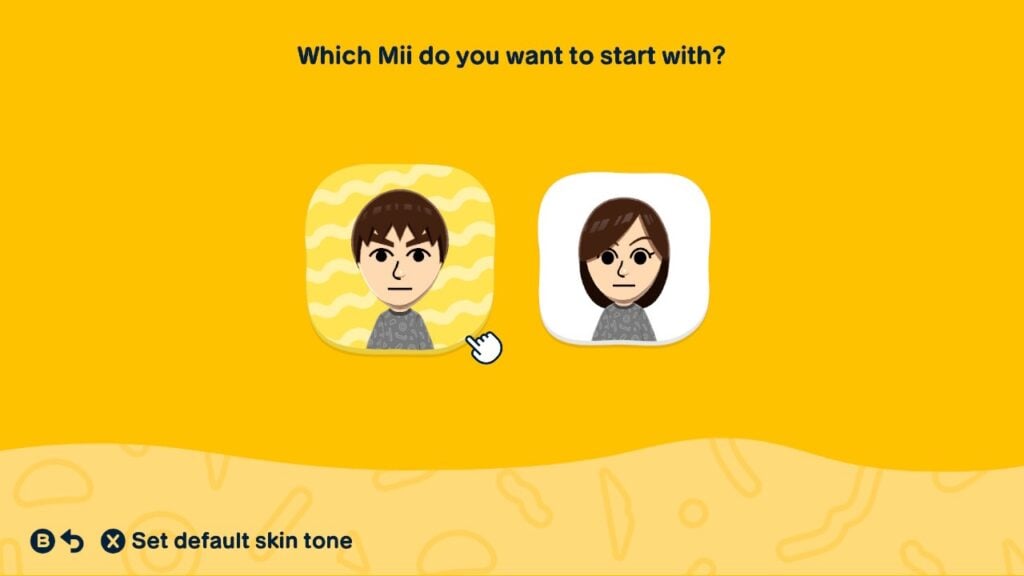
When beginning, players are given 4 choices: using prompts, from scratch, create from Mii on console, and create based on existing island Mii. Creating from scratch begins from choosing a default Mii to start from, with now an option to change the default skin tone.

Creating from Scratch in Tomodachi Life: Living the Dream's Mii Maker

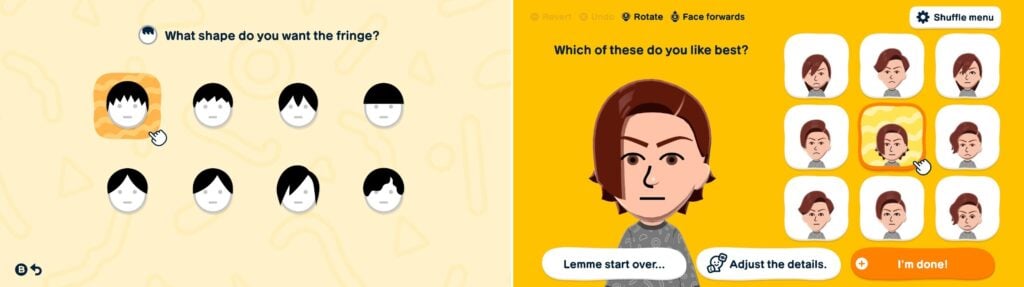
Creating using prompts will have the game ask the players questions on the features. After questions are answered, a Mii is generated, with an option to start over, tweak it, or go with it. When choosing to tweak, other similar faces are presented, akin to Wii’s ‘Choose from a lookalike’ option. In addition, certain parts can also be locked from the Shuffle menu. To enter the usual Mii maker, simply select Adjust the details button.

Pictures showcasing creating a Mii using prompts option.

There are a lot of new options in each part. Here’s the count of how many parts were added into each category alongside with the picture showing it:

Part CategoryAmount of New PartsAdded ModifiersPicture of New Parts
Face Shapes4More skin colors with 4 extra natural colorsImage of 4 new face shapes for Tomodachi Life: Living the Dream
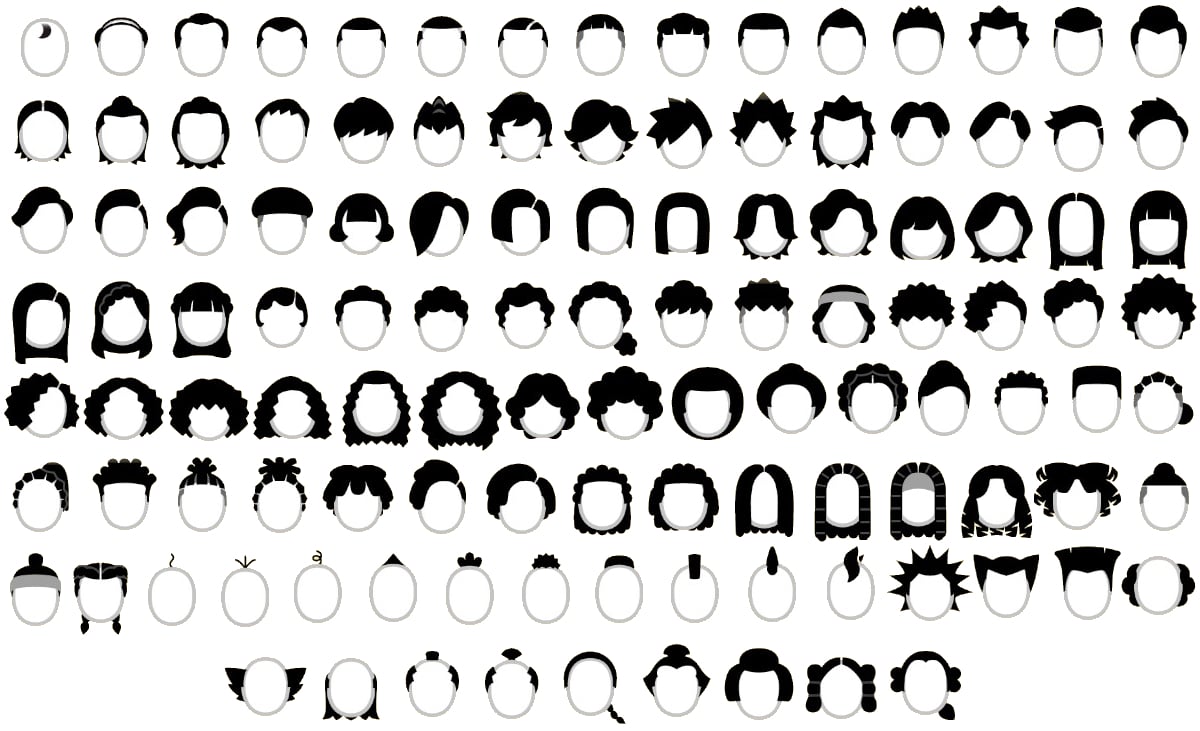
Hairstyles115
(2 with hats removed)
Sub-colors
Fringe and back
Tying style for Back
Image of 115 new full hairstyles for Tomodachi Life: Living the Dream
Eyebrows19Image of 19 new eyebrows for Tomodachi Life: Living the Dream
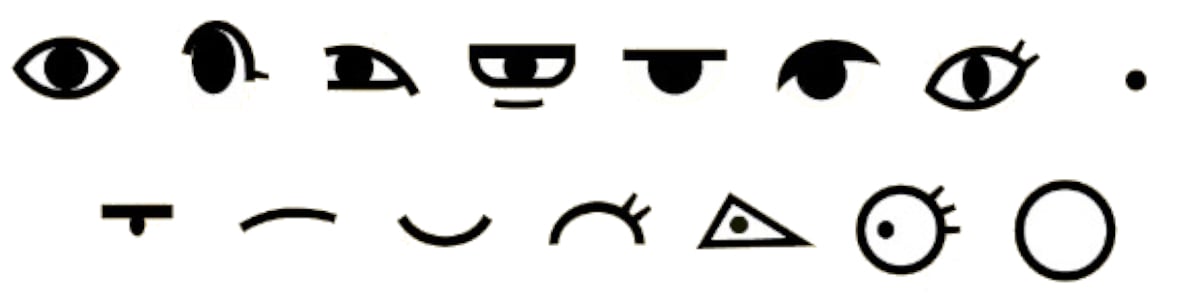
Eyes15
(+ None)
Eye customization optionsImage of 15 new eyes for Tomodachi Life: Living the Dream
Noses13
(+ None)
Image of 13 new noses for Tomodachi Life: Living the Dream
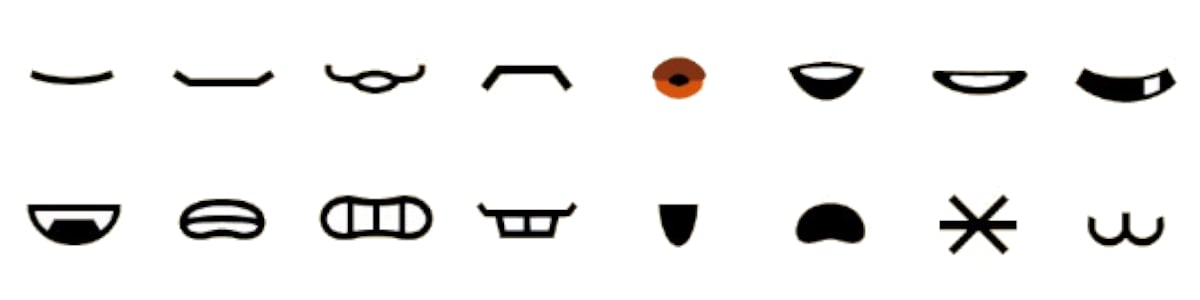
Mouths16
(+ None)
Rotation
Add/Remove Lipstick
Image of 16 new mouths for Tomodachi Life: Living the Dream
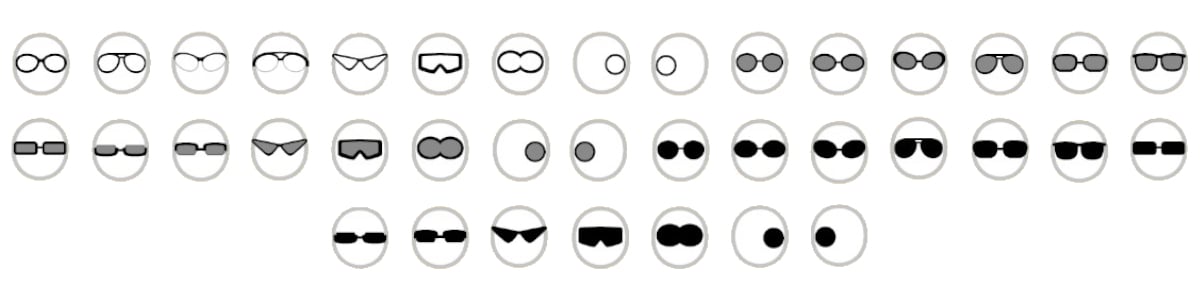
Glasses38Frame color (for sunglasses)
Stretch/Shrink
Image of 38 new glasses for Tomodachi Life: Living the Dream
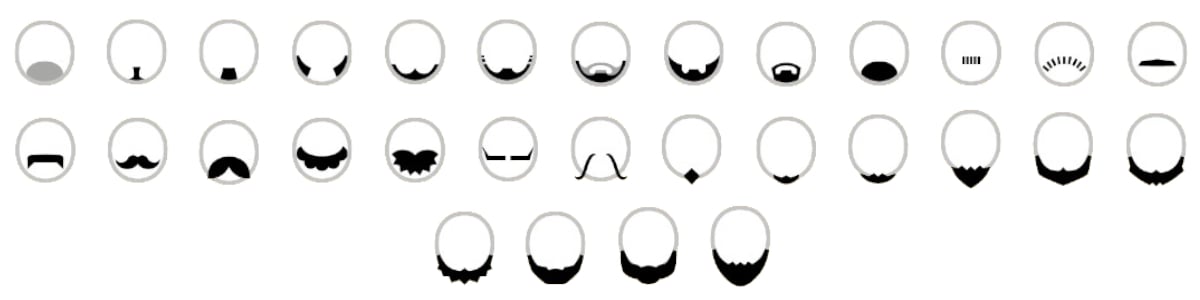
Facial Hair30
(2D & 3D separated)
Flip
Stretch/Shrink
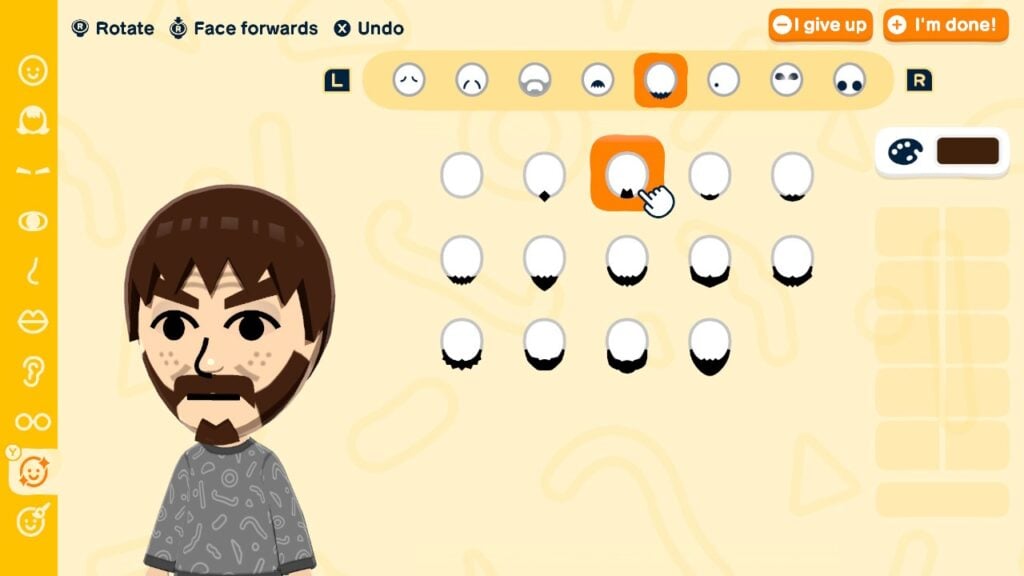
Image of 30 new facial hair options for Tomodachi Life: Living the Dream
Wrinkles10
(+ 1 set separated)
Change Position
Change size
Stretch/Shrink
Image of 10 new wrinkle options for Tomodachi Life: Living the Dream
Facial Details6
(Sets separated)
Change Color
Change Position
Change size
Stretch/Shrink
Image of 6 new facial detail options for Tomodachi Life: Living the Dream

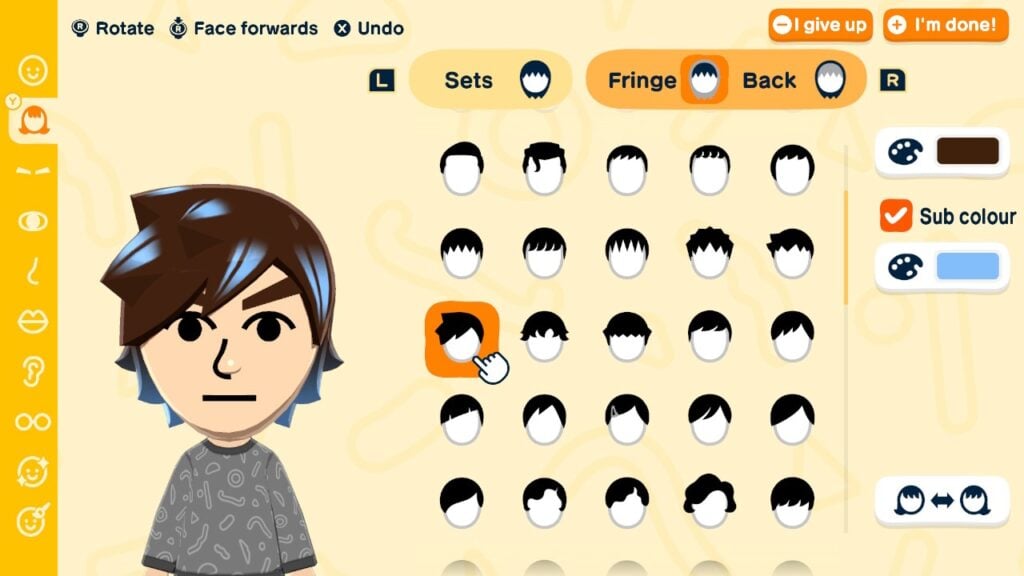
Hairstyles have received a visual overhaul, with texture and movement added to it. While all the original hairstyles (except the two variants with hats) are in the game, there are more hairstyles to choose from, with an additional ability to create a new hairstyle by choosing a fringe and a back separately. There are 83 fringes and 111 backs to choose from, with some backs allowing you to change the tying style.

Sub colors can also be added to hairs, changing the color of the accessory (hair tie, headband, ribbon etc) or adding highlights to the hairstyle. If customized with a fringe and back, both of these can have the sub color toggled separately, but they always share the color chosen.

Showcase of hairstyle customization in Tomodachi Life: Living the Dream's Mii Maker.

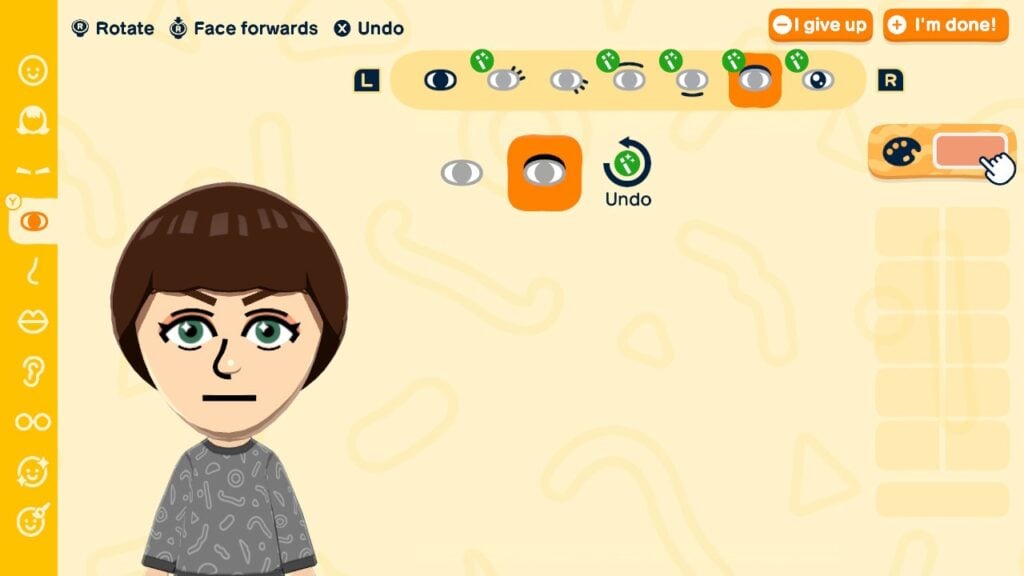
Eyes have received further customization options. After choosing an eye, you can further edit the eyelashes, eyebags, eyeshadows, and even add a sparkle to the eye. Some eyes already come with these details, which can now be removed from there, unlocking more eye shapes. Eyeshadows’ color can now also be changed. While mouths get a simple lipstick toggle, this effectively doubles the mouth shapes availabe.

An example of customized eyes in Tomodachi Life: Living the Dream's Mii Maker.

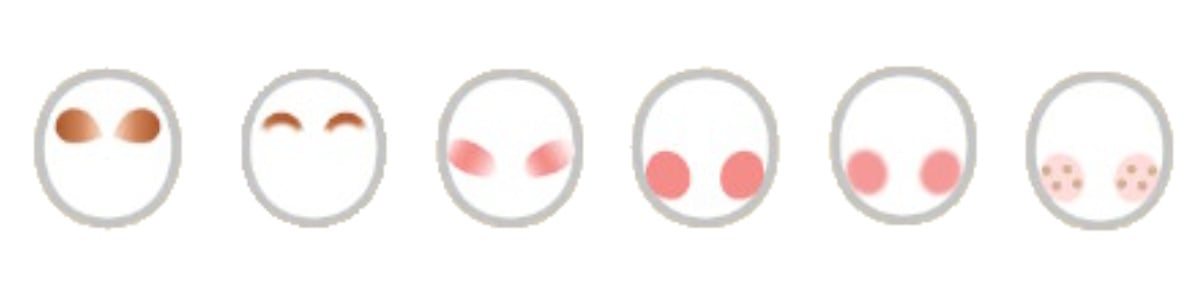
Facial details have been overhauled into a one separate category. For most of them, it is finally possible to change their size and position. Wrinkles are now contained in two categories: upper wrinkles and lower wrinkles. Facial hair is in three categories: stubble (2D beard), beard (3D beard), and mustache (which has been in a separate category before). Finally, upper make-up and lower make-up categories have been added, even allowing players to change their colors.

An example of facial details in Tomodachi Life: Living the Dream's Mii Maker.

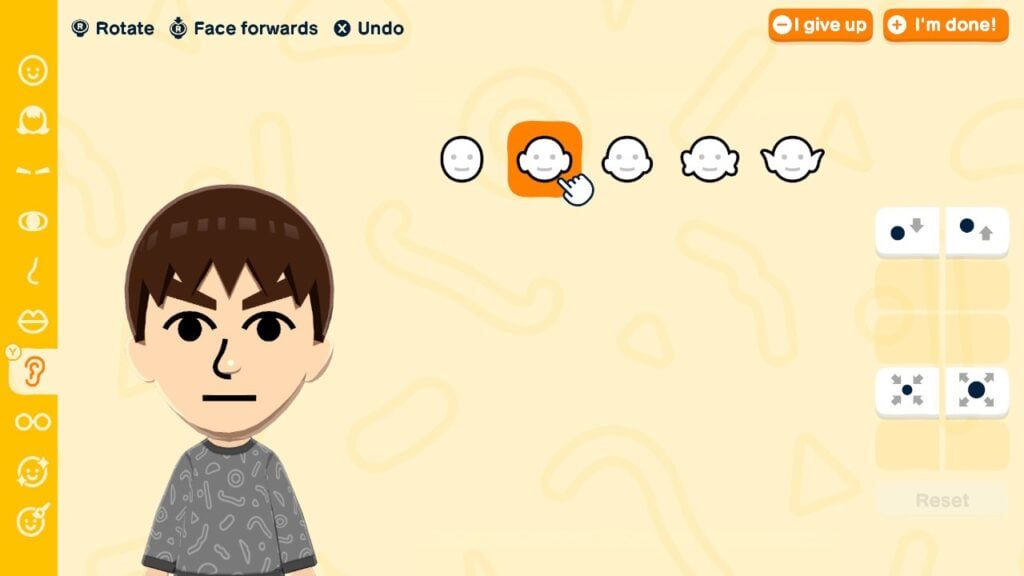
The brand new part category are the ears. Miis were shown with ears in Wii Sports pre-release footage and in Nintendo World attractions. Yet with Tomodachi Life, players are finally able to add them. There are 4 options to choose from, with players being able to change their height (8 options) and size (5 sizes).

The ear category in Tomodachi Life: Living the Dream's Mii Maker.

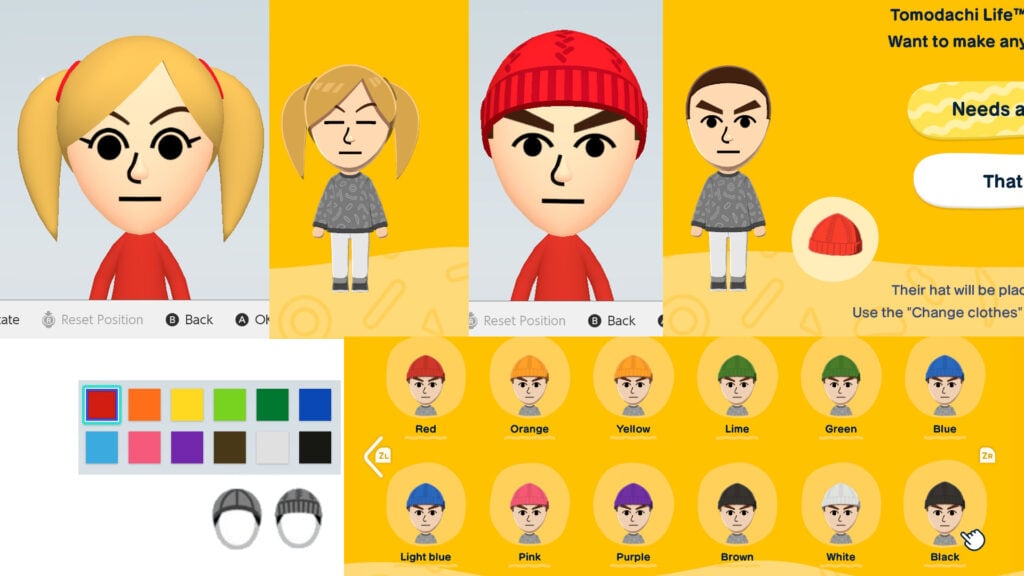
There is one feature removed however: favorite color. This used to determine the color of clothing and equipment Mii would use in games. However, it also affects the color of hair accessories, be it hats or hair ties. If you import such Mii to Tomodachi Life: Living the Dream, the hair appearance will change. Hair ties will take the same color as the hair and Miis with hats will get a free hat in their clothing inventory (Plain baseball cap or Plain beanie), which may not match the Mii’s favorite color. Below is the picture which favorite color translates to which hat color.

Image showcasing how favorite color gets removed from hairstyles when transferring Miis to Tomodachi Life: Living the Dream.

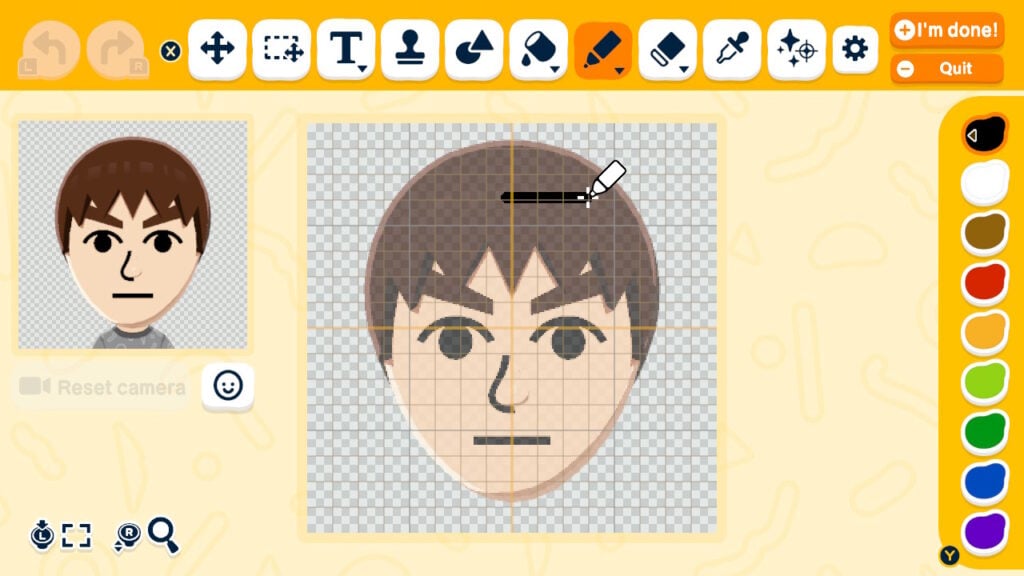
Finally, face paints have been added, allowing further customization by drawing. For inspiration on what to draw, check out this article. It is worth keeping in mind that these parts aren’t animated.

Face drawing feature in Tomodachi Life: Living the Dream.

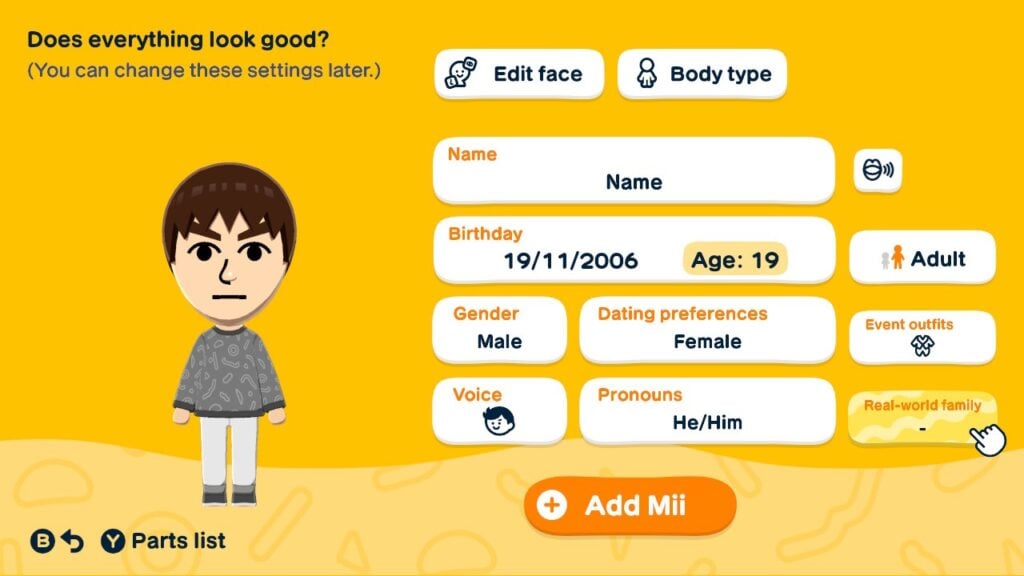
After the face is done, body type selection remains the same. The character limit for Mii’s name has been increased from 10 to 31, though if the name won’t fit into the bubble inputted in, fewer letters can be entered. Birthdays make a comeback, alongside with some other Tomodachi Life staples like voice and personality. Relations can also be set between any Mii, rather than the first Mii in the previous games.

The final improvement is the gender and dating preference. After creating a Mii, you can choose their gender from 3 options. If you import from Mii Maker, the gender is pre-set, but can be changed. This will affect the initial dating preference, event outfits, and pronouns. Dating preferences can be changed by pressing X in the gender selection, while the others can be changed after choosing the personality. The gender and dating preference can also now be changed anytime during the gameplay, though it will end the incompatible relationships if done so, reverting the couple back to friends.

Additional Mii info in Tomodachi Life: Living the Dream.

Miis created in Tomodachi Life: Living the Dream can only be shared locally. Miis shared that way will also retain phrases, quirks, and clothing given by the player.

Conclusion

Tomodachi Life: Living The Dream’s Mii Maker is a huge step towards modernizing and improving Mii characters, be it creating human or non-human characters. While this removes the option to transfer Miis from Tomodachi Life: Living the Dream to the system, there still remains a question: when will the possibilities become available to the system’s Mii Maker? Whether it’ll come with Switch 2 update or in the next console, only the time will tell.

So what do you think about the Mii improvements? Would you like to see Tomodachi Life: Living the Dream’s possibilities in the system’s Mii Maker? Share your opinions down below and stay tuned to Sims Community for more original LifeSim articles.

EA Announces The Sims 4 SimSearch For The Gallery

The first beta version of SimSearch for The Sims 4 Gallery is here.

EA has announced today the first iteration of The Sims 4 Simsearch feature for The Gallery. Introducing a new way of using text-to-image and cross-language search filters to look for the creation you want more quickly.

We first reported about SimSearch coming to The Sims 4 back in November 2025, when some of the first features accidentally leaked to the public. Now, we have a first official introduction to how the feature works:

clipboard sc

Sul Sul, Simmers!

Today, when you head into The Gallery, you may notice new search functionality. SimSearch introduces two new features, Cross Language and Image Search, designed to improve how you search and discover content. These new features are currently in Beta so we’re still fine tuning the experience, but starting today, they are available for Simmers who want to try them out.

  • Cross-Language (Beta)
    • This search option combines and expands on the Item Name and Hashtag searches by also integrating Description text for any matches. As well as looking through different text fields, the search will look at other supported languages to return results where the creator may not speak your set language. This means that if you were to search for “Big Red House,” you would also see results such as Spanish – “Gran Casa Roja,” French – “Grande Maison Rouge,” and German – “Großes Rotes Haus,” all without needing to know additional languages yourself. This allows us to surface more of the creativity on The Gallery which may have been hidden to you in previous searches.
    • Results will also be appended by related results acting as “things you may also like” which will open up discoverability for Simmer uploads that may be of interest to you but that you didn’t specifically search for.
  • Text-to-Image (beta)
    • Initially, this search is limited to Lots and Rooms. Households will not be available while we continue to work on the feature.
    • This new search function goes beyond text matching your search criteria with the image you see in The Gallery. If you were to search for “fireplace” you should see results where there is a fireplace or a camp fire within the images. For best results in this example, you can then use the Lots and Rooms filters to narrow in on more suitable results for your needs.
clipboard image 1 1779898697004 1

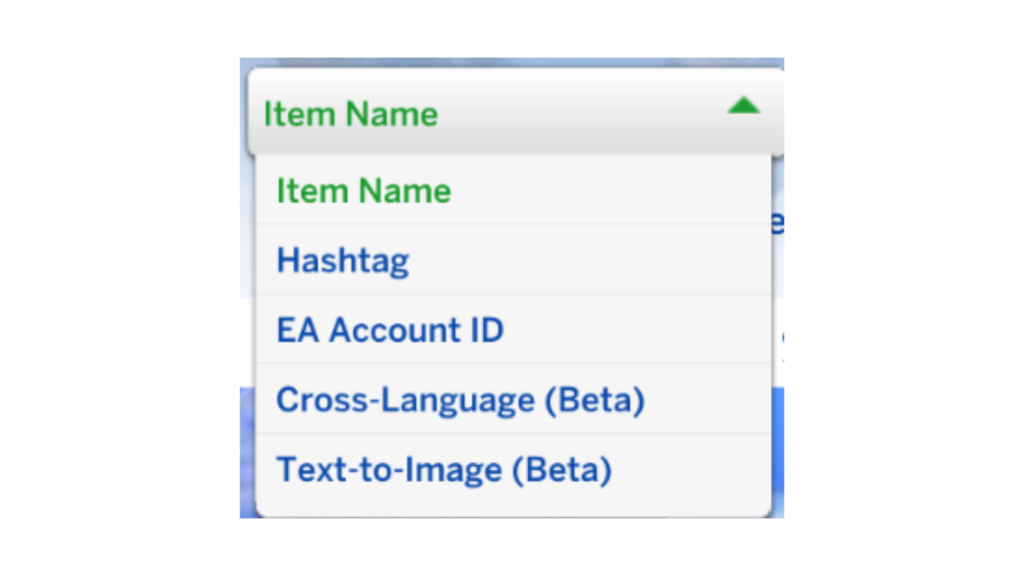
These new options are currently in “Beta” as we test the functionality. As such, there may be results in the new searches that do not meet your expectations or desired results which we would love to hear from you about to improve the results. While we are in Beta, the new search options will be available only in The Sims 4 game client while we gather your feedback and hear about your experiences. Eventually we will look to add the search options to the Web Gallery for a seamless searching experience. The new searches are in addition to the existing Item Name, Hashtag and EA Account ID searches that you currently see in the Gallery.

Some areas we are working on while in Beta, and taking on your feedback, for these new search options include:

  • The Sort By section in the Gallery does not work against the two new search options. This is due to how we are running our queries and the order we get the results in. This does have the added benefit of potentially exposing results from new creators and uploads you may never have seen before.
  • The Text-to-Image search currently uses an OR operator so you will get better results from single word searches. We are looking to expand this to an AND operator in the future. This means that at launch if you were to search for Cozy Fireplace, you would get results representing Cozy and results representing Fireplace mixed together. In the future, Cozy Fireplace could be combined in the search to get more precise and  customizable results.

Head to the EA Forums or Discord to share your feedback. As SimSearch is in Beta, we will continue to refine the feature over time and we would love to hear your input. 

If you are ever browsing in-game or on the Gallery webpage and encounter any inappropriate content or comments, report it by selecting the flag icon. For more information on content guidelines and how to flag Gallery content, head over to EA Help.


What do you think about The Sims 4 Simsearch feature being introduced to The Gallery? Let us know your thoughts in the comments below and stay tuned for more Sims News!

Paralives Personalities: Foolproof Guide To Levelling Up

In Paralives personalities are heavily impacted by a lot of different things, and will evolve with them as time goes on, as you are able to complete more of their wants, goals, and tasks around town.

Learn all about the different Paralives personality traits in this handy guide, as well as how to level up your Parafolk.

Personality Vibes

If you want Paralives personalities to be varied, that means selecting different vibes for each Parafolk.

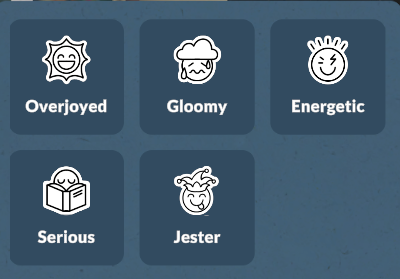
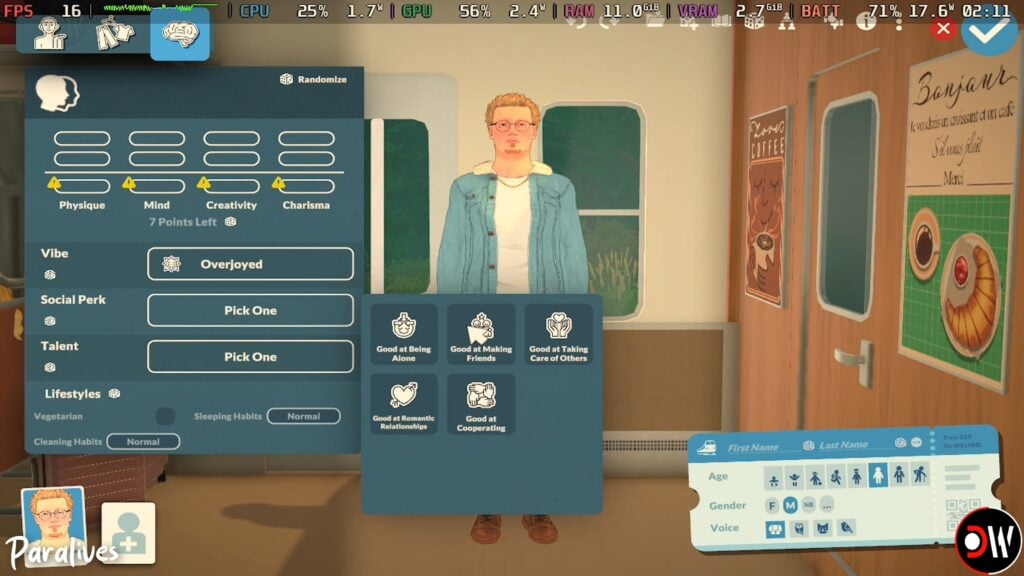
There are five different vibes for you to choose from in Paramaker: Overjoyed, Gloomy, Energetic, Serious, and Jester.

Screenshot 2026 05 24 090907

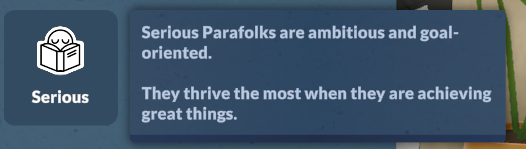
Serious

Screenshot 2026 05 22 135012

Having a Para with a serious vibe will unlock unique together cards, like “introduce yourself in a serious manner” when meeting someone new.

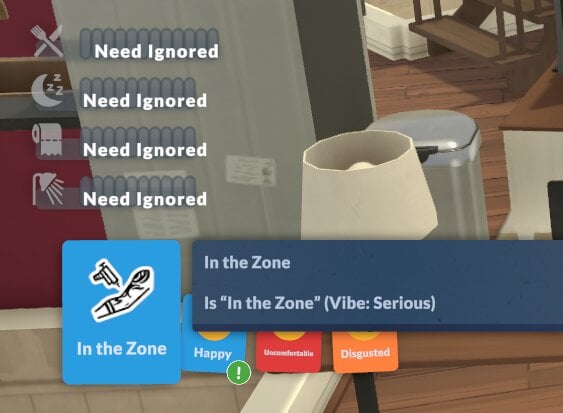
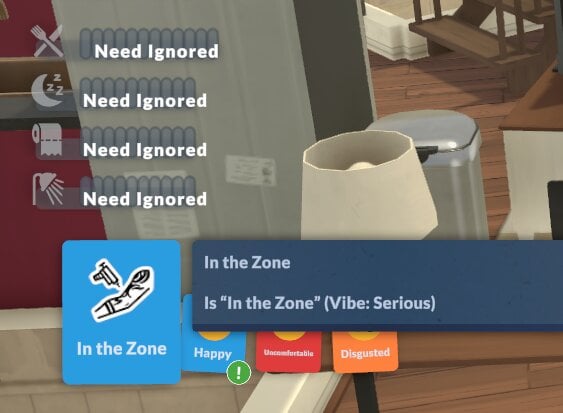
Serious Parafolk can also benefit from the “in the zone” buff, where you will be able to ignore all your needs while levelling up a skill for a short period of time. It also increases your learning speed slightly.

in the zone

Jester

Screenshot 2026 05 22 135018

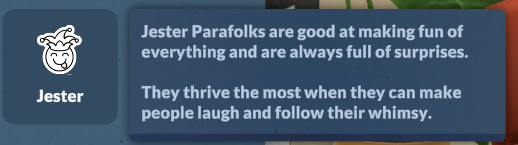
Parafolk with the jester personality love cracking jokes, and can make other Parafolk feel amused more successfully.

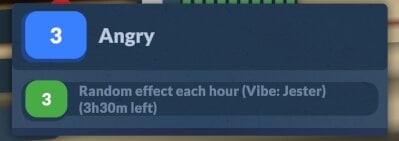
They are also prone to mood swings, however, and will feel the effects of a random emotion every so often, which will last a few in-game hours. Sometimes they can also get a huge ten-point bonus to their learning speed, which can be really helpful!

Screenshot 2026 05 26 174226

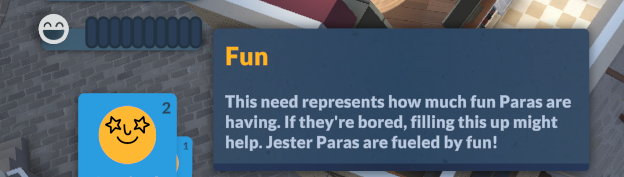
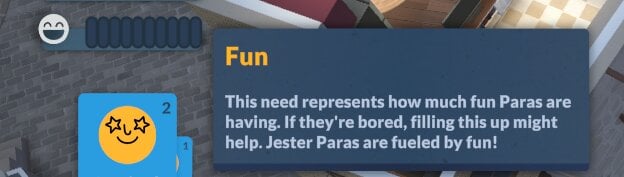
As well as random emotion bonuses, these Parafolk will also have a fun need. There aren’t any negative consequences of having low fun, but having a full fun bar will make them much happier and less bored.

Screenshot 2026 05 22 142520

Energetic

Screenshot 2026 05 22 135006

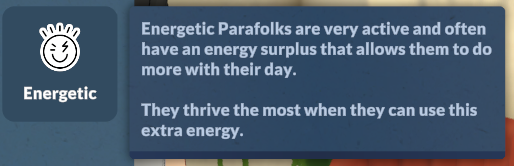
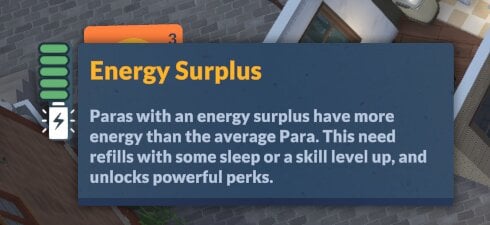
Energetic Paras will have an energy surplus, which means they get tired less quickly than other Parafolk.

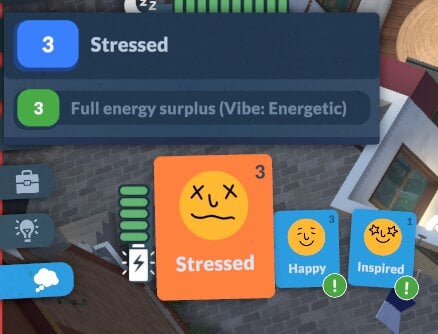
However, having a surplus of energy will make them stressed, so you need to give them outlets for it.

Gloomy

Screenshot 2026 05 22 135000

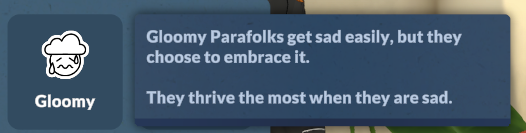
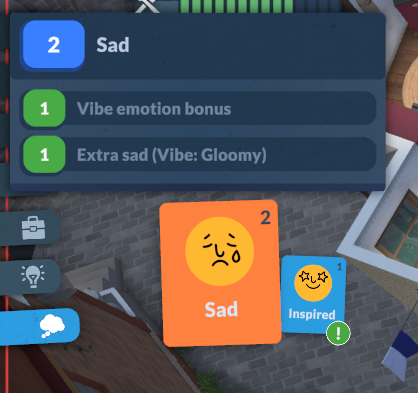
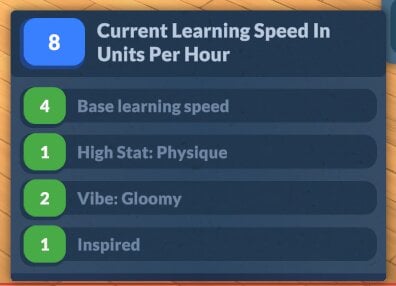
Gloomy Parafolk are sad more often than they are happy, or any other emotion for that matter. The big perk here is that when they do get sad it doesn’t negatively affect things like their skill gain or performance – in fact, it actually will give them a learning boost.

Overjoyed

Screenshot 2026 05 22 134953

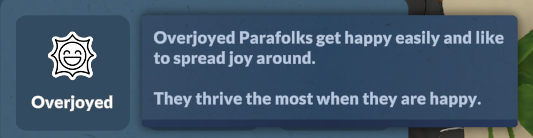
Out of all the Paralives personalities, overjoyed provides the most bonuses overall.

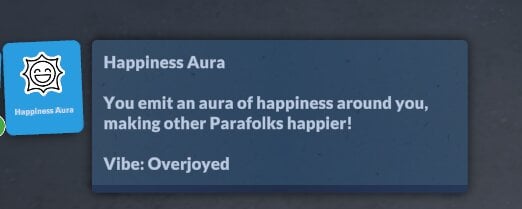
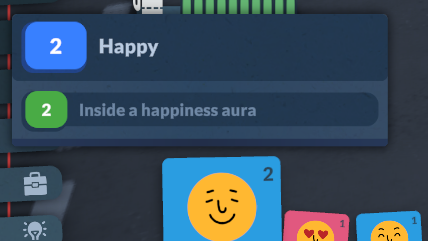
They will be happier much more often, can make other Parafolk happy more often through together cards, and they also produce a happiness aura that impacts the people around them, even when they aren’t interacting with them.

Personality Perks

As well as vibes, Paralives personalities come with unique perks for you can use these to customise your Parafolk even further.

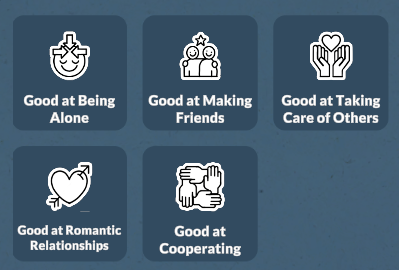
The five main perks are: Good at Being Alone, Good at Making Friends, Good at Taking Care of Others, Good at Romatic Relationships, and Good at Cooperating.

paralives personalities perks menu

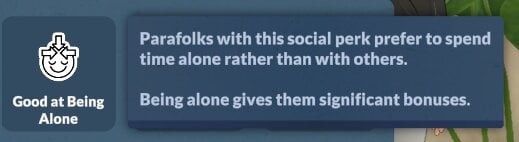
Good at Being Alone

Screenshot 2026 05 22 134908

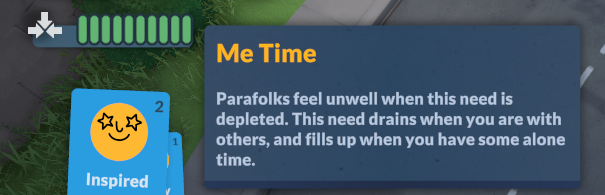
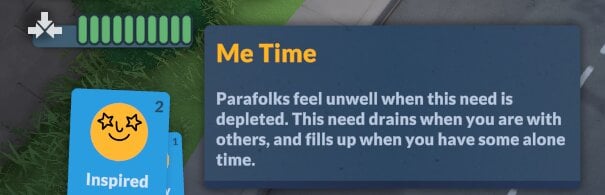
As the name suggests, Parafolk with this perk thrive when they’re alone. They will also get a unique “Me Time” need metre which goes up when they spend time by themselves/not in a group.

Screenshot 2026 05 22 142131

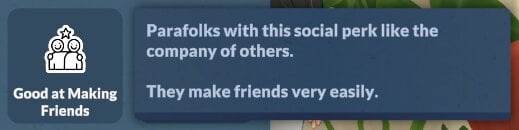
Good at Making Friends

Screenshot 2026 05 22 134916

These Parafolk have much more successful and positive interactions, and build friendship levels faster.

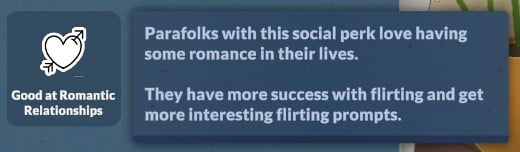
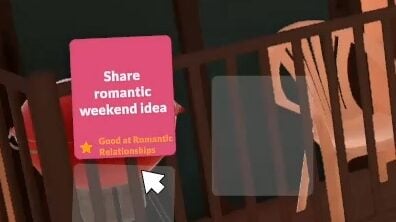
Good at Romantic Relationships

Screenshot 2026 05 22 134935

Like the name suggests, these Parafolk will have better chances with romantic interactions and will get unique romantic together cards when talking to love interests.

romantic relationships edited

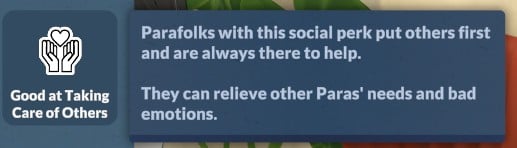
Good at Taking Care of Others

Screenshot 2026 05 22 134924

Having a Para with this personality perk in your household is a great way to help manage the needs of others, they’ll be able to offer comfort to others and try and reduce their negative emotions.

It doesn’t necessarily make them more autonomous when it comes to caring for young Parafolk, you will still need to encourage them to manage babies and toddlers needs.

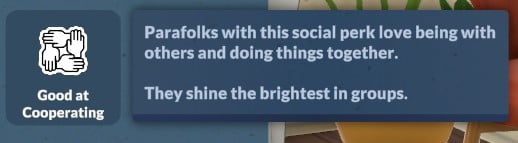
Good at Cooperating

Screenshot 2026 05 22 134942

This personality perk will make Parafolk happier when doing things in groups.

Special Talents

Special talents are a big part of Paralives personalities, and are one of the things which you can level up once you have enough points.

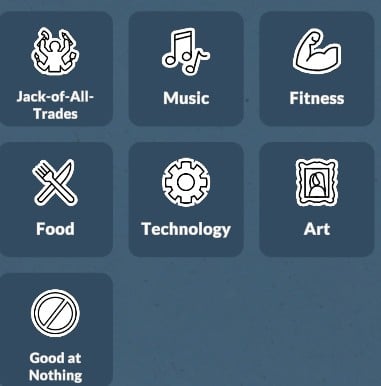
There are seven talents you can choose from: Jack-of-all-trades, Music, Fitness, Food, Technology, Art, and Good at Nothing

talents

Music

Screenshot 2026 05 22 134739

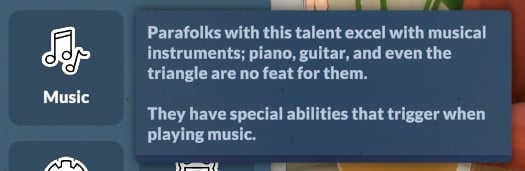
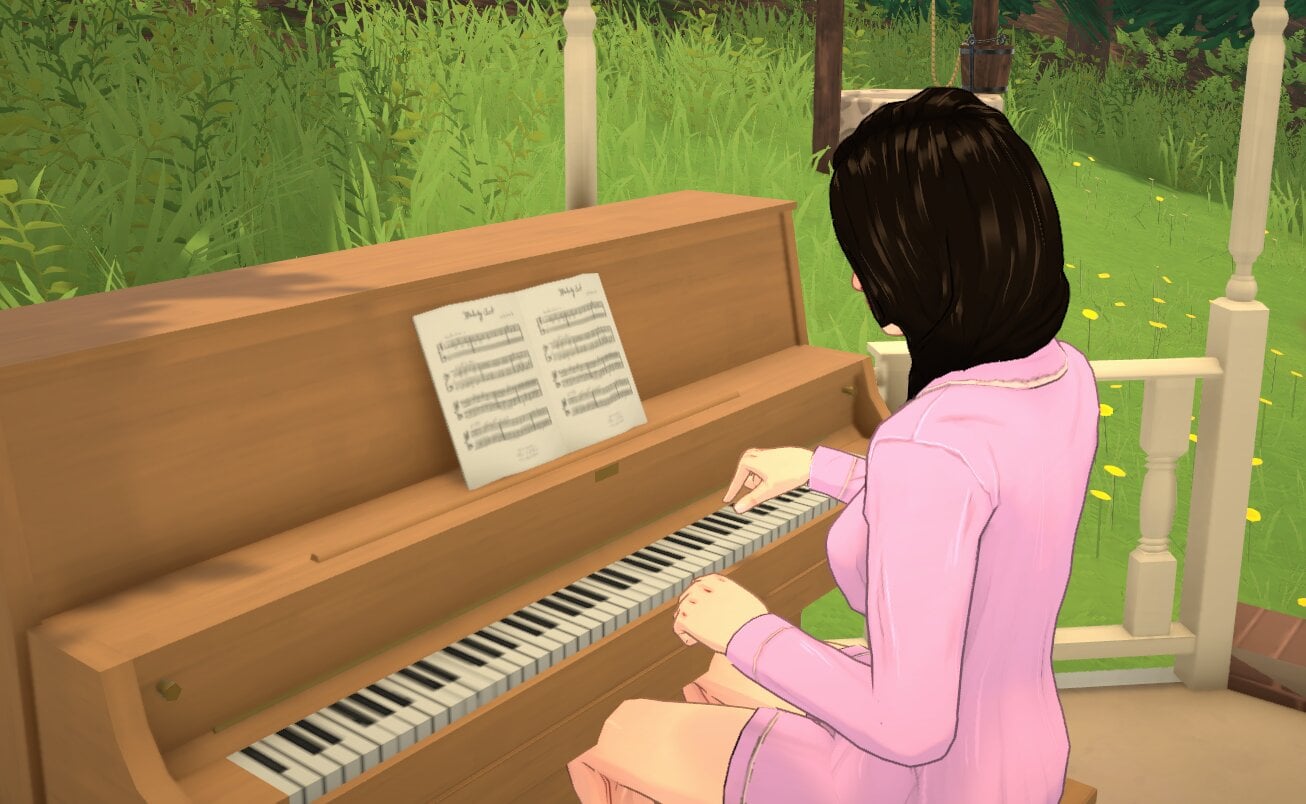
The Parafolk with the music special talent will learn musical instruments and music theory faster than others without this talent, especially as they level up.

They also start out at a higher music level, meaning they also have higher application points to get a job in the music sector when starting out.

Screenshot 2026 05 27 155403

Good at Nothing

Screenshot 2026 05 22 134758 1

A good choice if you want a challenge!

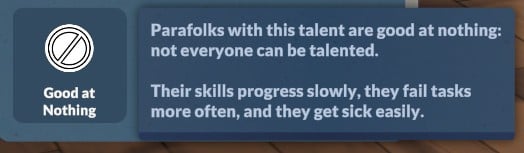
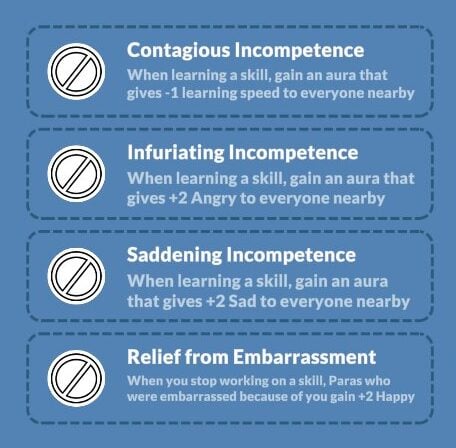
Not only do Parafolk with the Good at Nothing trait fail at doing things more often, but as they level up, you will also be able to upgrade their personality to make their incompetence impact the skill gains and mood of the people around them.

Fitness

Screenshot 2026 05 22 134747

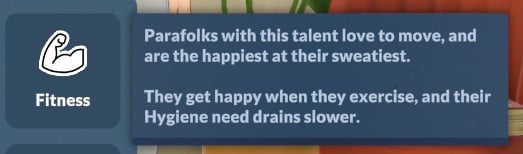
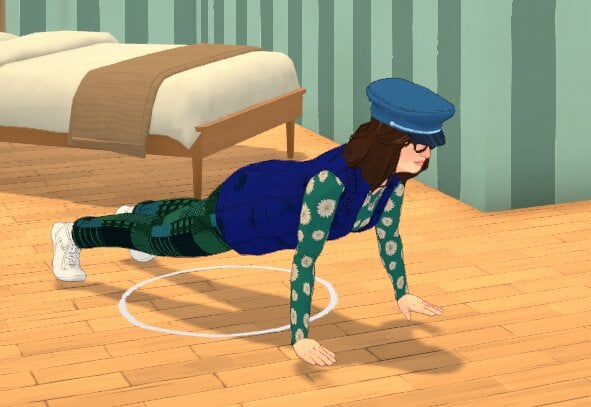
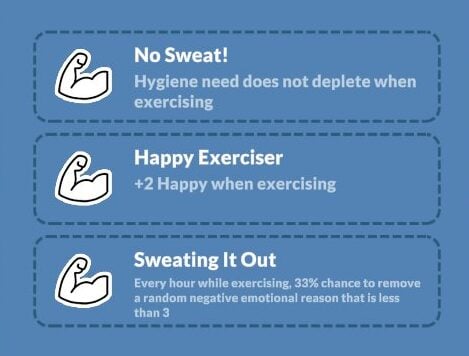
Parafolk with the fitness talent adore exercise, and their hygiene needs decay more slowly than other Parafolk. You’ll unlock more fitness benefits as they level up to help them with their gains.

They will also experience exercise-related wants to relieve their sadness, like levelling up in a fitness skill, and start with a fitness level of three instead of one.

Screenshot 2026 05 27 155209

Jack-of-All-Trades

Screenshot 2026 05 22 134728 1

Variety is the key in Paralives for anyone with the Jack-of-all-trades talent; they want a broad, versatile skill set rather than deep expertise in a single area.

As the saying goes, “Jack of all trades, master of none”.

Technology

Screenshot 2026 05 22 134706

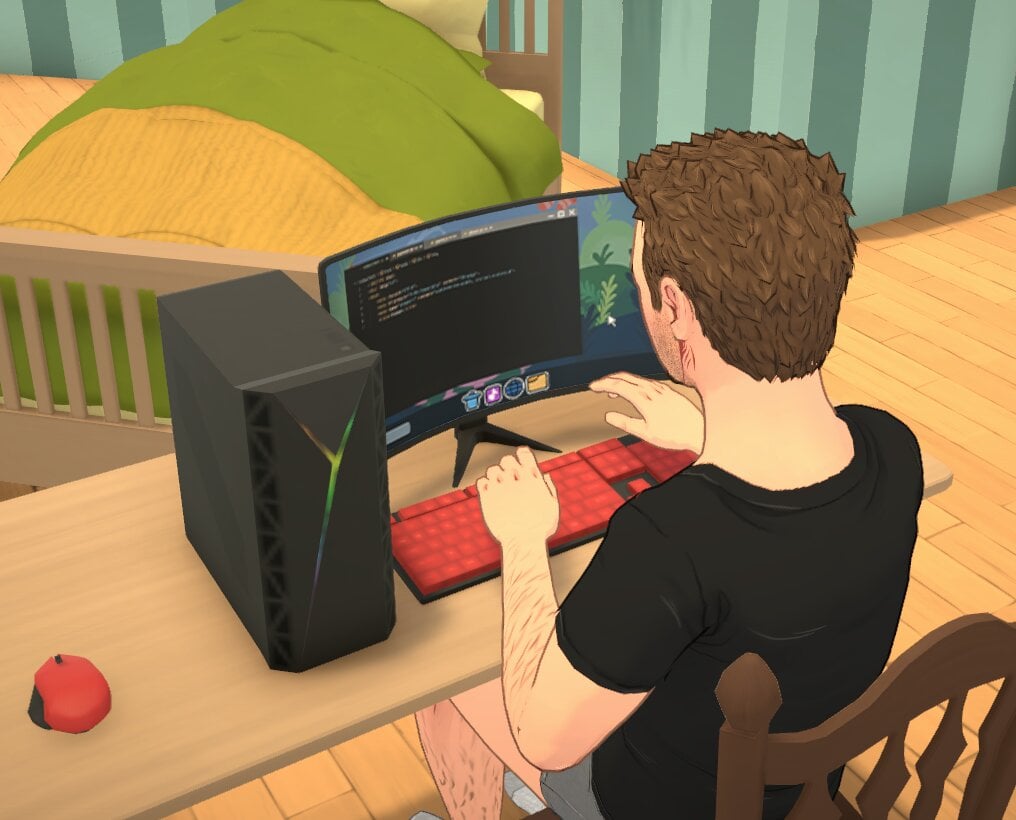
Tech-loving Parafolk are happiest when they’re in front of a computer screen and enhancing their skills like programming, and will excel in careers which involve technology, like software development.

Parafolk will start with a base level of three instead of one in the technology skill with this talent.

Screenshot 2026 05 27 154836

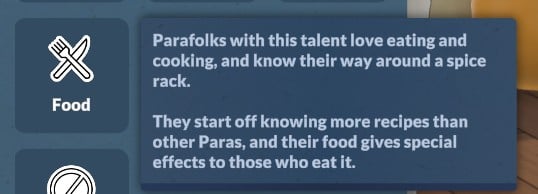
Food

Screenshot 2026 05 22 134717

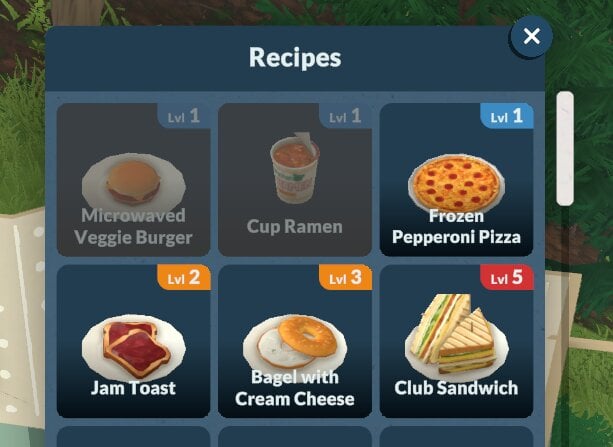
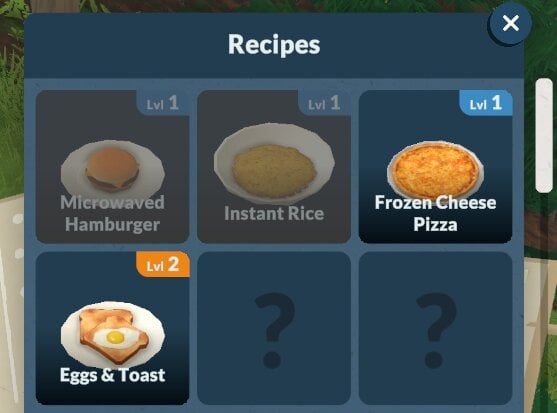
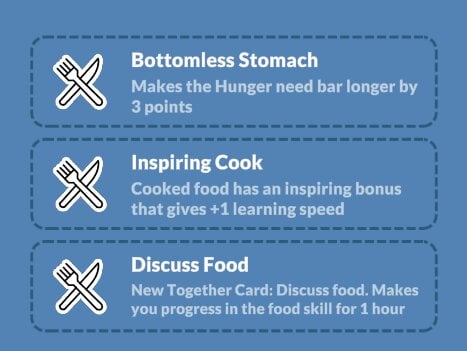
Parafolk with the food talent have a natural knack for cooking, and that shows right from the start as they begin having more recipes than other Parafolk.

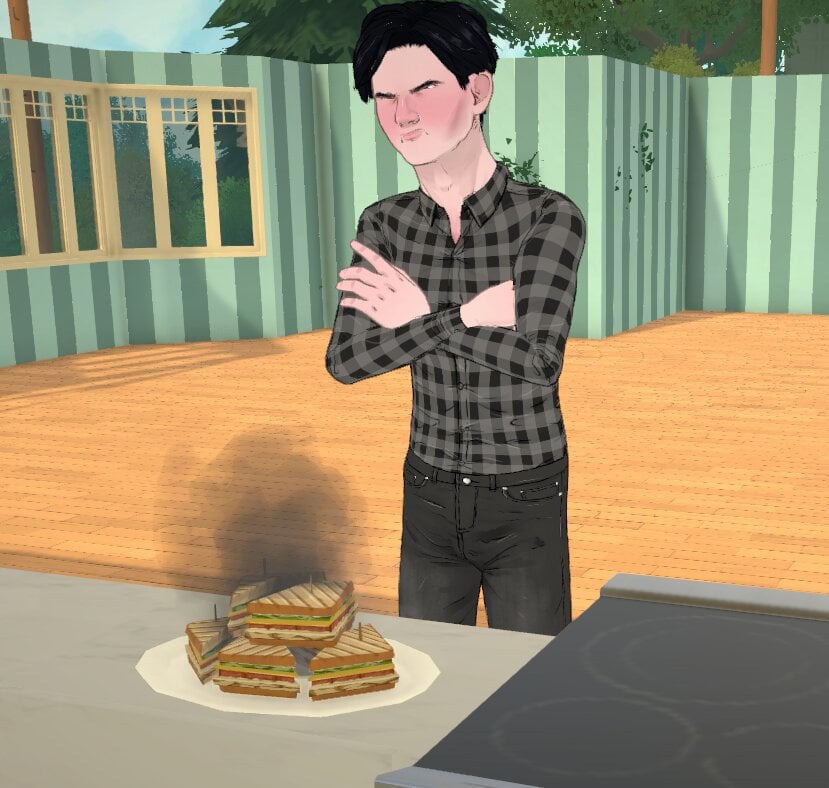
They are also less likely to fail at cooking a recipe (but get really angry when they do).

Screenshot 2026 05 27 143643

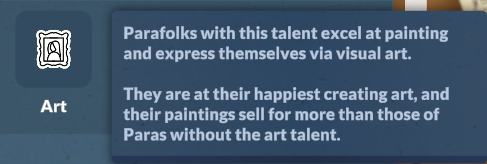
Art

Screenshot 2026 05 27 155759

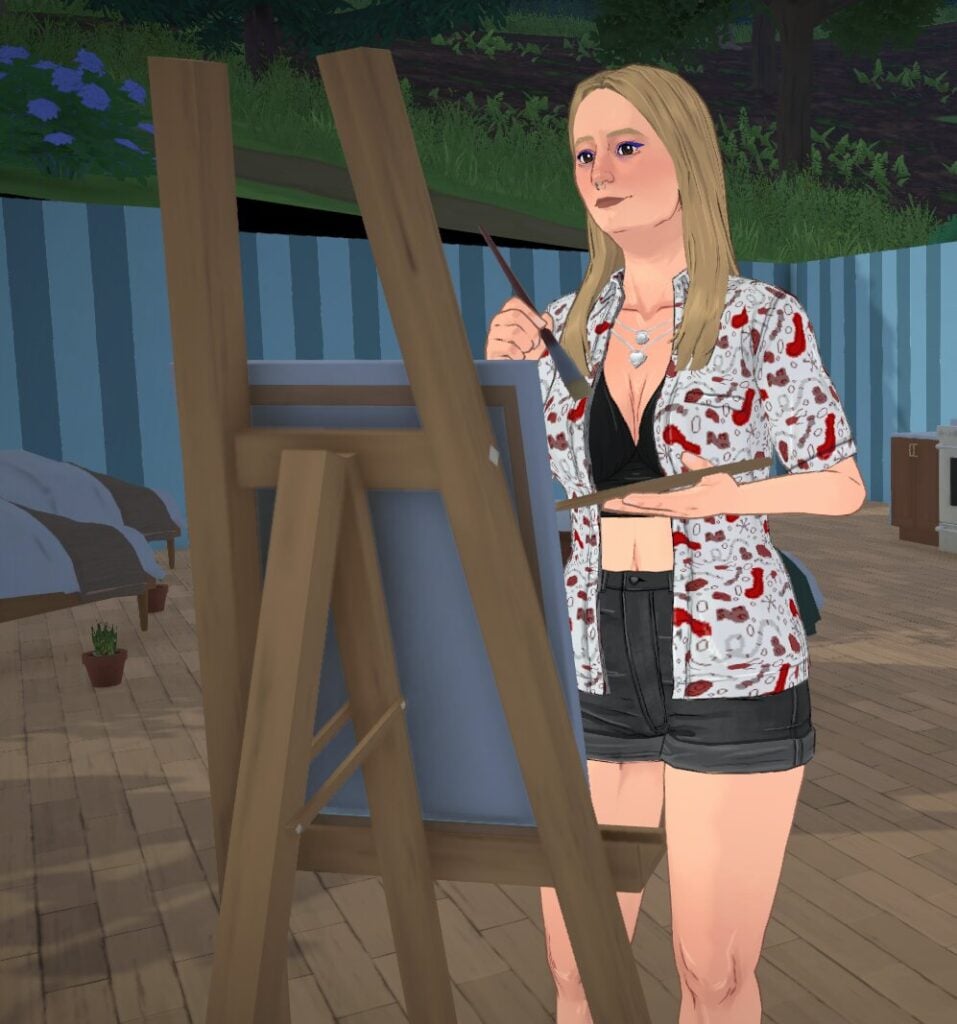
Artistic Parafolks love painting and being creative, and will start with a higher art skill than other Parafolk.

If you’re looking for the perfect talent to complement a rags-to-riches challenge, these Parafolk create artwork that also sells at a higher price than others.

Screenshot 2026 05 27 154439

Level Up Your Parafolk

In Paralives, the personalities of your Parafolk change and grow just as they do, and one reason for this is the levelling up feature that came with the game.

Screenshot 2026 05 27 143026

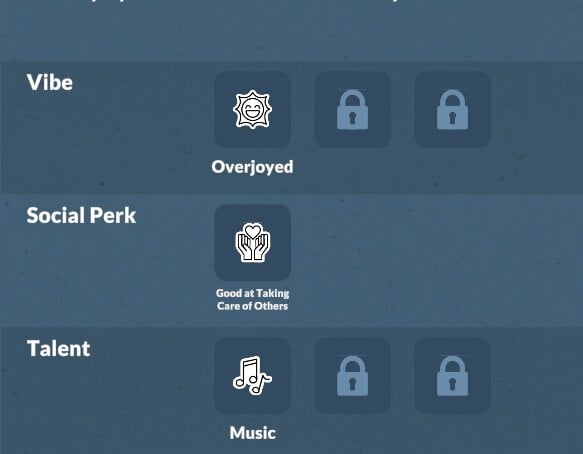
Looking at your starting stats at level one, you’ll see two slots for levelling up your Paralives personalities via their talent and vibe.

Levelling up your Parafolk and their personality starts with gaining enough XP to increase your level.

Gaining XP

Gaining XP can be done by completing wants, completing long-term goals, and also by completing tasks around town – these can all be found on the noticeboard, and they change daily, not all will offer an XP bonus.

Screenshot 2026 05 27 143347

Once you gain enough points, you’ll get the notification that you can now level up!

Once you choose to level up your Parafolk, you’ll be given three different options to choose between, all of which will link to either your vibe, perk, or special talent. The first time you level up, the options will always link to your talent.

Although you will be ‘levelling up’ your personality, not all of them will be positive! For example, levelling up your Good at Nothing perk will actually make you more incompetent, and give you an aura that impacts everyone around you.

Screenshot 2026 05 27 145258 e1779891255495

Have you played Paralives yet? What kind of Paralives personalities will you be curating? Let us know below.

We have a lot of unique Paralives guides available now and will be adding more as early access continues. Browse all of our Paralives updates and guides here.

Paralives Q&A With Developers: Full Summary Of New Information

14

Here’s all the fun new statements from the Paralives team following the game’s release.

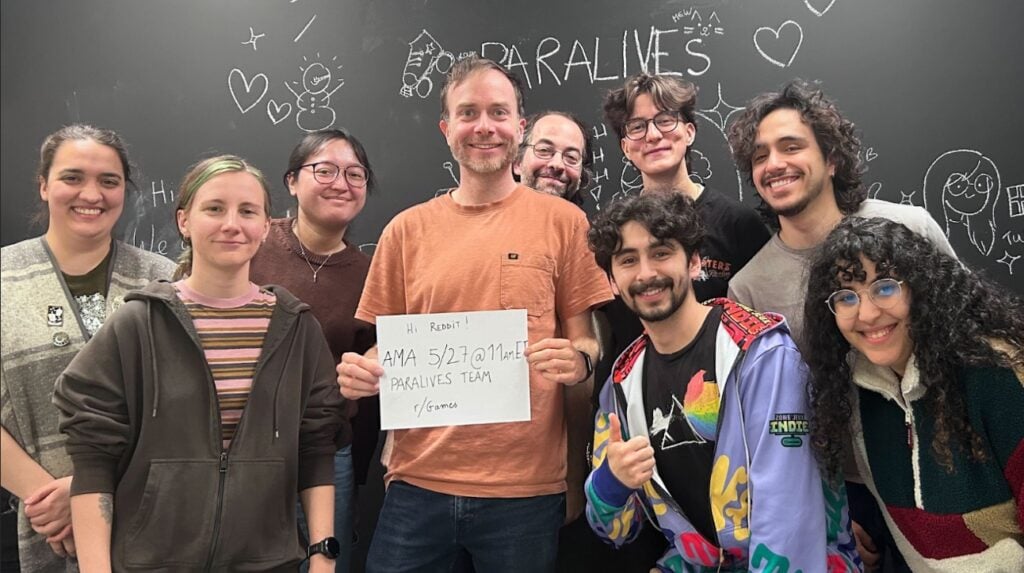
The indie team at Paralives hosted their very first Paralives Q&A, or more specifically a Reddit AMA thread. The team answered some hot burning questions from Paralives players, more affirming about the game’s future, free DLC and Updates and more.

TALKING PATTERN

Hi Reddit!

We are the Paralives team, a small indie studio working on Paralives, a new life simulation game out in Early Access on May 25th on Steam.
We’re very excited to chat about our development and Paralives’ story, from a 2019 solo dev project to a 15 people team entirely supported by community funding!

About two thirds of the team will be here in r/Games to answer your questions, come join us 😄

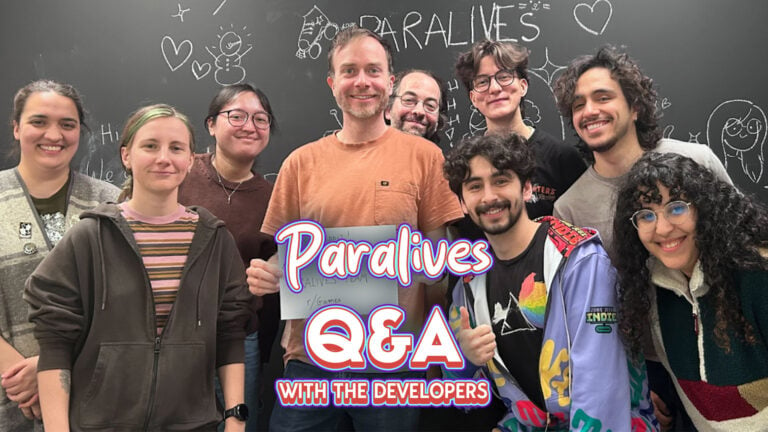
Pictured from left to right:
Charlotte – Quality Assurance
Anna – Programmer & Game Designer
Carina – Community Manager
Alex – Founder & Lead Developer
Jérémie – Programmer & Game Designer
Gab – Comms & Marketing
Alejandro – Programmer & Game Designer
Andrei – Music Composer & Audio Designer
Sonia – Game Artist

paralives qa reddit ama screen

Source: Reddit

During the Paralives Q&A the indie team also revealed that they plan on slowly expanding their team size…but not too much.


Here’s the full collection of all the new information shared in the first Paralives Q&A session:

CONVERSATION 2

Question: My question is about the future – even though we can’t predict it.

You said “Paralives will never have paid DLCs,” and that’s beyond amazing, but how do you intend to keep development active? It’s a risk, I believe. Do you plan to offer merchandise, partnerships, or any paid content? (Not a DLC per se, but perhaps a special bundle?)

Furthermore, I’ve seen some people confused about “never having paid DLCs,” questioning whether this will only be the case during early access. Will this continue after Early Access?

Alex: There will never be paid DLCs, only free updates! Even after the Early Access. As life sim fans, we wanted to make a game we would like to play ourselves without the need to purchase a lot of extra content and we are happy to deliver that

Because the team is small (only 15 people) the sales we made so far will sustain us for many years, even if we increase the size of the team so we’re safe and really grateful for that!

Question: What is your stance on adult content being modded into the game? Cause games like these tend to be very popular for that sort of thing.

Alex: Regarding adult content on the Steam Workshop, so long as it follows Steam’s guidelines on user-uploaded content and is properly tagged as adult content, it is OK! We also only moderate mods inside of the Steam Workshop, so anything out of there will be out of our jurisdiction so to speak.

Thanks for the question ! :- )

Question: How do you guys plan to make free DLCs a sustainable business model? I also recall you saying you’re taking down the Patreon after the game launches, or am I mistaken?

Alex: Yes, the Patreon is being closed this week and the sales we made from the game so far will sustain our small team of 15 for many years so we are happy to be able to offer free-only updates in the future because it’s what we would like as life sim fans ourselves

Questions:

  1. Do you plan on adding farming/gardening/ranching? I was always a huge fan of the Cottage Living EP from Sims 4 and would love something similiar. I feel like it would fit the aestethic pretty well and I already spotted some wheat (probably) and the cow+hay at the store.
  2. In Q4 we’ll get the first content update you said. I know you probably can’t tell much about it and it’s pretty early but can you give a hint about what content we get? 👉👈

Carina: Basic gardening is planned as a feature during Early Access, but we will see if we can consider other types like farming and ranching based on how our players like it!

We’ll keep this a secret for now, but we do want to add a lot more content in that update, like together cards, for example!

Question: I think it was mentioned before, but are y’all planning on adding occults? I love playing with occults in sims, my favorites were the mermaids… so are y’all planning on adding mermaids at any point?

Carina: It’s not planned for now, but it’s a really cool idea to be considered in the future!

Question: Do you plan to hire more people to the team now that the budget has grown with sales? that could potentially accelerate the game development!

Alex: Hi! We’re now 15 people and it’s very possible we recruit a few more people to help soon! However, we like working as a small team so we don’t plan to grow the team too much

Question: Is there or will there be a way to “close” lots we’ve visited to optimise game performance?

Jérémie: They are currently “closed” if you visit another lot. We think that having one lot open isn’t that bad, performance wise, having an option to close them manually could be neat tho! Maybe in the future!

Question: Will we eventually get non-wormhole schools and work?

Carina: It’s not planned for now, but the idea is really interesting to us!

Question: My question is will we get fireworks? I think it would be fun if our Parafolks can buy and light fireworks and see firework shows in the park.

Sonia: That’s a good idea! It’s not on our list of additions at the moment, but it’s something we could make work in the game. Perhaps in a future patch!

Question: When interacting with other Paras, there seems to be a mix of direct input interactions (kissing, hugging, etc.) and the more “random”, less agentic cards. In my experience, this sometimes feels like it strips the potential for storytelling away as conversations are mostly inanely waiting for the bar to fill up and choosing a mostly random card instead of building a narrative through specific actions, even though the systems are in place for direct user input.

Is this aspect set in stone and a core part of the design philosophy? Or can we expect more agency when choosing how our Paras interact in the future?

Jérémie: At the moment we are pretty happy with how the Together Cards work out, instead of having to manually queue a bunch of interaction from a huge list you can choose the next step from time to time and we’ll keep on adding more cards, both for different types of gameplays and contexts. We also believe that because you can do interactions as a group, level up skills and the like, you do not need to just sit there and wait while the bar fills up. Some cards do unlock interactions that you can perform afterwards as well, and we might add more in the future.

It’s pretty core to our design philosophy I would say!

Question: I was wondering if steam achievements are planned to be added in the future, and if so, is there any estimate on when they might appear?

Gab: We do plan on adding Steam achievements at some point during the Early Access period. We can’t confirm an exact timeframe yet as we’re currently focused on bug fixing and improving the bigger issues that players are sending our way. We’re excited to look into it!!

Question: What was the best part of developing this game?

Alex: Having so many people supporting us and looking forward to play the game! Working on a project when you know that people are eager to try it is a lot of pressure, but also, very motivating

Question: I have a very short and simple question, I want to know if you are planning on adding pet bunnies and maybe some wild rabbits, and some other rabbit themed stuff like plushies and outfits, but mainly in the future can I have a pet rabbit in Paralives?

Carina: During Early Access, we plan to add dogs, cats and horses as pets but will consider adding other types of pets in the future 🙂

Questions: I have a couple questions about Relationships, Music, and Animation:

Lastly: how is the team feeling?? was the launch what you expected?? has the launch changed the team’s approach to developing this game? You all have done an incredible job! I can’t wait for the game to grow <3

Relationship Roadmaps: Will there be a visual roadmap showing us all the relationship possibilities we could have with Paras? Right now, I am levelling up “Friends” without an idea on how far the level can go, and if there is any benefit to it? I would love to know how the team plans to make these interactions meaningful to the gameplay.

Lack of music/sound in the world: There is minimal noise/sounds in the world. Does the team have plans to add atmospheric music (for example, depending on the time of day), or locational/scenic music (for example, specific music at the beach) when the Paras are nearby? It would add more life to the game.

Lack of animations: How important is adding more interactions and animations for the team? and how soon can we expect them? From playing for hours, the lack of actions became obvious and negatively impacted how great Live Mode could be.

Anna:

  1. A visual roadmap is not something we have planned right now, but there is definitely work to do on relationship! The friend label level doesn’t do much for now. Adding more relationship labels and unlocking new interactions, together cards or perks linked to the label levels is definitely on our to do list for early access.
  2. For now, there is some music in live mode depending on the Para’s mood, or via the radios on some of the lots (shops). We might add more in the future!
  3. It is definitely important to add content in general, just like for relationships and really all parts of the game, that’s what early access is for! The number of interactions and animations will increase with patches and updates. For now (the upcoming weeks/months), our main focus is to fix important bugs and crashes that impact the gameplay negatively. We are planning to release more content later this year though!
  4. It’s been unreal to be honest! I feel like we’re in a very weird space right now because there is so much things to do and so much

Question: Is adult-leaning mod content generally allowed in the modding ecosystem, or will modding be fully open as long as it doesn’t break other guidelines?

Charlotte: Regarding mods that have adult content, so long as they follow guidelines of their chosen platform and are properly tagged as adult content, they’re allowed ! We also only moderate the Steam Workshop, so anything outside of that won’t be moderated by us.

Question: Do you have any plans on creating a massive lot size for palaces, government buildings, etc for the next expansions? There are massive and growing fanbases for political simulation game, especially during feudal, regency and Victorian times. What about forbidden city or Versailles sized lot??

Sonia: We plan on increasing and adding more customisation to lots in future updates. Have more options for building items to create historic and impressive buildings.
Political gameplay, is not on our list of priorities; we’re more focused on a smaller scope of the life simulation for now.
As for other cities, it’s not on our roadmap for now, but it would definitely be nice to have!

Questions:

  1. Other than the sims, what other games was your inspiration for Paralives?
  2. How long will this game be under EA? Personally I never purchased a game under EA – I can play other games while the dev cooks.
  3. Your company is small, do you implement any type of AI assistance at all?

Gab:

  1. We’re big fans of The Sims games and they were a big source of inspiration for us! We were also inspired by a lot of games of all kinds; building games, cozy games, and even RimWorld for our Storyteller feature!
  2. For now, we plan on being in Early Access for about 2 years, or until major bugs are fixed and we’ve implemented all the features we’ve previously announced 🙂
  3. No AI was used in the development of Paralives.

Question: Will you be expanding your team thanks to the new revenue you are getting? Preferably are you hiring staff that will expand more on the live mode where the game has the biggest weakness?

Alex: We would like to expand the team a bit without becoming too big because we like working as a small team! In any case, we will be working on fixing bugs and improving the live mode gameplay in the coming months and the following major updates!

Question: I know we are on very early access so expecting a fully fledged non buggy game is just unrealistic but I would love to know how and when do you guys expect to improve the relationship system. How do you plan to make relationships more dynamic? I find the card system can be a little bit constraining. Will there be more card options to choose from in the future aside from the default three? Will there be an option to choose different “decks” (romantic, friendship, mean, etc.) before starting an interaction depending on how we would like to interact with a Para?

We currently are pretty happy with the together cards system, it’s true that you can’t pick up an option from a list of a million things to do, but the goal is also to make these choices more meaningful. We’ll keep on adding and tweaking cards to make them more relevant and interesting as the game develops, but ultimately we think that picking one option from a small list can also lead to interesting and dynamic stories.

Jérémie: There are already a few ways to influence the kind of cards your Para will get; for instance if you read romantic fanfiction and get a flirty emotion boost, you have more chance to get romantic together cards, if you make yourself angry by kicking something, you might get mean/angry cards. It’s always something we can improve, of course!

Questions: -When new features come out, such as pools and vehicles, will modding menus for those be added to the control panel? By the way, will NPCs be moddable?
-Will TV Channels eventually become a modding possibility?
-Could you potentially add vertical wall curving so we could create buildings such as quonset huts? Also, Triangular buildings ought to be possible for either the Great Pyramids of Giza and the Luxor Hotel in Vegas.
-Can you add the ability to duplicate/clone Control Panel elements? It makes it easier than creating new elements and then painstakingly copying all the settings from the original.

Alejandro: Hi!
– Yes, all features will have settings that will be added to the control panel! Also, NPCs should be moddable, you can mod their autonomy, their look and where they live.
– They are moddable now, it is through the skin system, so it is a bit more complicated that other systems.
– That is something that is not in the plans for the future, maybe one day we can explore the idea!
– Some elements have the duplicate feature, but some don’t as it has to be made by hand, and the sheer amount of elements in the game we could not do them all, we could try to add them little by little, and also some elements are very complex so duplicating them is hard.

Question: Do you plan to do more collabs? If so, I would highly recommend Stardew Valley when you finally have a gardening/farming update soon.

Gab: We actually do have a new collab coming up soon.. stay tuned 👀 We had a lot of fun setting up these collabs, it would definitely be cool to do more of them when we have more time 🙂

Question: Hey devs, there will be fantasy paras? Like vampires, mermaids, etc

Jérémie: “Official” occults are not planned to be considered before the end of early access 🙂

Question: will we be able to upload our own wallpaper patterns in future?

Jérémie: Adding new wallpapers is something that can be done via the mod system; It makes less sense to do it via the same system that picture frames use! Thank you for the question!

Question: How was the music composition process handled? And how much of the inspiration, or the desire to differentiate yourselves, came from the classic Sims OST?

Andrei: Hey! That’s a great question! We spent a whole year figuring out the musical direction making different demos with different approaches. We definitely wanted to have something different from other games but at the same time have the spirit of old classics like Sims 2. We took also a lot of inspiration from other indie soundtracks such as TOEM and Dorf Romantik. Thanks so much! 🙂

Question: I just made a post in the subreddit asking about teen romance. My teen paras can’t romance each other. Is this a bug or is it coming soon? Thanks so much! I’m having so much fun!

Jérémie: Howdy! Teen romancing each other is definitely something we want to add in future. It’s something missing to our romance mechanics for sure! Thank you for the question and kind words!

Questions:

  • do you have a timeline on adding in cloud saves for Steam?
  • do you have plans to work on Steam deck verification in the future?

Gab: We plan on adding Steam Cloud in the near future, we just need to tweak a few things on the technical side first before we can confirm a specific timeline 🙂

Steam Deck verification would be super cool and is definitely something we are considering. We’ll look into it later during Early Access though, when we’ll be considering porting the game to consoles and different platforms!

Question: Can we get more masculen outfits?

Alex: Yes, we do plan to add more and more outfits and clothing items through future updates!

Question: How did you feel about the official congratulations from The Sims team (on Twitter)?

Alex: It was a really nice gesture and we were pretty happy about it, as fans of The Sims ourselves!

Gab: We’re big fans of The Sims ourselves so we’re super flattered to have received their congratulations 😊

Question: Will we get nightclubs?

Answer: We do have the Story Nook pub with a dance floor in the basement! We would like to improve gameplay around that in the future though!

Question: Late to the party, sorry 😅. I played a few hours and I’m a bit confused by the career stuff. Is choosing a new perk for your job (not adding to your rank) supposed to increase the skill requirements? I saw the perks as something you shuffle around constantly so after doing this for a few days I need level 13 in programming in my rank 2 job which is weird. Is this a bug or aren’t you supposed to change perks so often? 😅

Either way, I like where you’re going with this. But either way, you should definitely see the changes of your skill requirements before you rank up or choose a perk do you can prepare 😉.

Anna: Thank you for your feedback! The skill requirement goes up every time you use an upgrade point for your job, whether it is for a perk or an extra rank. You’re right that it might not be very clear for now, so we should add more information so it is clearer to the player. We’re also keeping an eye on those feedbacks to see if it needs balancing!

Question: Would it be possible to add a grid in build mode?

Alex: Yes, the grid is only for walls for now! For items like windows and counters, there is snapping though to help you align items together. It could be nice to have a grid for items in the future!

Question: Hello! I have been following the game’s development for years and so happy for the release, and want to congratulate you all!  My question is, will you add more languages? I want my friends&family to enjoy the game too, but since Turkish isn’t in the game, it’s kinda impossible. I was wondering if there is a way for the fans to help translate the game? As someone with 7 years of voluntary translation work on youtube, I’d love to help out. 

Gab: Paralives is currently available in 8 official languages, we’d love to add more in the future but can’t confirm more details at this time.

In the meantime, we’ve seen that some community members are already working on their own translation mods to bridge these needs and share them on the Steam workshop!

Question: I loveeeee the idea of being able to adjust the windows and curtains to whatever size fits best, but there doesn’t seem to be many options when it comes to adjusting the exterior doors! I love a giant front door, so this would be awesome to be able to adjust those as well

Answer: For now, doors are not resizable because there was the extra technical challenge of having to resize to rotating part of the door as well! Maybe we can tackle that in the future though, it would be nice!

Question: Will there be an empty world where we can totally customize it in the future? I’d love to be able to build out a whole city or small farm town!

Alex: Right now, when you press New Game from the main menu, you can select the “Simple Terrain” map which is an empty terrain to build on. In the future, we plan to release tools to let players draw lot perimeters, place roads and more to create their own towns

Question: What improvements do you hope to make for Paralives autonomy in the next few months? Thanks!

Anna: We want to add more autonomous interactions and improve their balancing, also have more autonomous interactions linked to the personality and other contextual aspects of the characters.

Question: Will you consider (in time) adding a lot more socialization actions in a pop up menu beyond the together cards and/or finding a way to make them work together?

Like maybe after you’ve gotten the introduction and first impressions out of the way? I love the sims 3 and some of the options it gives, like being able to choose when you can talk about your plans to take over the world, or telling your kids to do their homework/clean up.

I’ve also heard people say the together cards got very repetitive fast (I haven’t had a chance to buy yet) and that they felt they got in the way of choosing some basic socialization options. I feel like it could maybe be nice to choose certain conversation topics from the go that could have an affect on things/actions and/or special animations maybe to keep it interesting.


Jérémie: At the moment we do not plan to have a parallel system to together cards, you currently can do certain interactions from the menu after you have performed them via together cards.

We certainly need more cards, just in general and for specific contexts, and we need more ways for parafolks to “prime” themselves to be in some specific moods so you have more cards of a type you want, but we are happy with the Together Card system! Thanks!

Question: Saw someone already got an answer to a similar question to mine, so here is another more fun one! What are some bugs you find really funny that have come up during development and/or early access? 🙂 I had my Para pick up the counter instead of their burger when going to eat, so that was kind of amusing!

Alex: Haha! The bug where we called the repair services and when the person came to our house, they started to draw on the floor with crayons like a child!

Question: Hi! Do you have any plans you can share about the deaths of paras? As in what happens to the paras after they die? Right now I think they straight up disappear XD

Alex: Hi! We didn’t find the time but we do want to make the moment where Paras die more important in the future! Maybe people reacting to the deaths, having a ceremony, an urn, etc

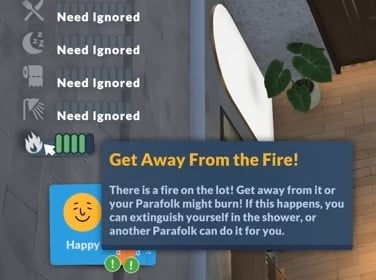
Question: I was wondering, how much will a Para’s personality or background actually affect how they react to emergencies? For example, if a fire breaks out, will a brave Para try to put it out while a more anxious one just panics and runs away?

Jérémie: It could be fun to have more autonomous reactions be based on personality traits, yes! That being said, sometimes they’re not super easy to map to all situations (it would be difficult to know how a Overjoyed para versus a Gloomy para would react to a fire, for instance!)

Question: My main ask will be: will/are you working on a multitasking system? Being able to eat while watching tv sat down etc?

Anna: That’s not planned for now since it is quite challenging technically, but we are keeping it as a potential option for a future update!

Question: any plans for further disability aids? 🙂 be it in Paramaker or objects. On that note as well, would the team want to try making things like wheelchairs and canes functional later down the line? I get that maybe there may be limitations (like stairs possibly forcing all Paras to be ambulatory users of mobility aids) but I think many people would appreciate that later down the line 🫶

Anna: There’s no specific plan for now, but we are considering making them functional! There are definitely some technical challenges linked to pathfinding and locomotion for mobility aids, but it’s something we are considering for a future update.

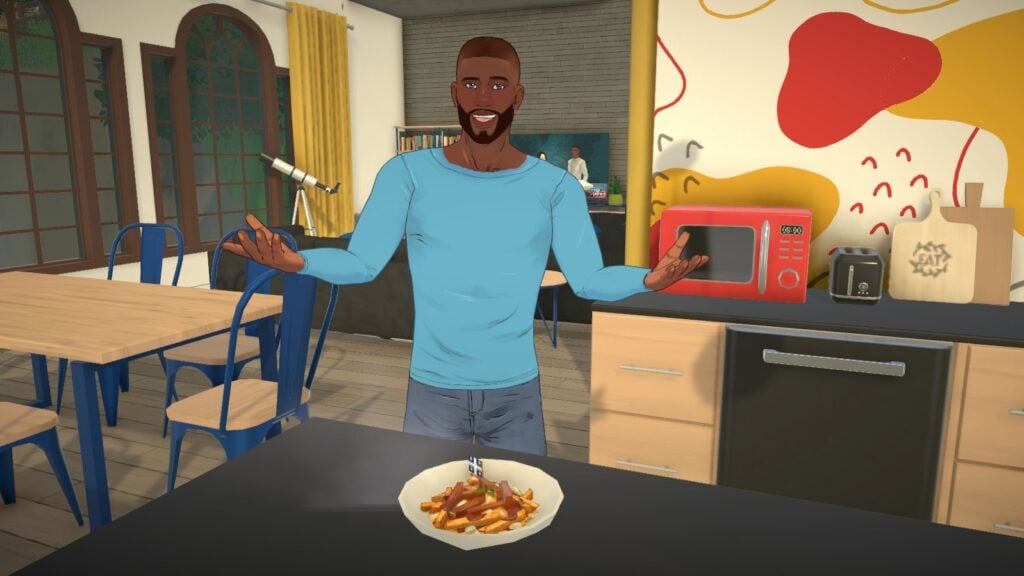
Question: Do you plan on adding vegetarian poutine to the game? I would love to see this as a vegetarian who loves poutine

Anna: I agree with you! It’s not planned yet but I’ll definitely bring this back once we add more recipes in the game haha

Question: Can you give us any info about the content of the major update in Q4 2026?

Carina: We’ll keep this a secret for now, but it will add more content to continue fleshing out live mode!

Question: Is there any possibility that other playable species or creatures will be added to the game in the far, far away future? (Werewolves, robots, vampires, ghosts, plantParas, witches, mermaids, etc.) that would be awesome

Carina: Supernaturals are currently being considered for the future, only after we leave the Early Access period 🙂

Question: Will this game ever be updated to work on laptops with lower specs than the current minimum? 

Alejandro: We are optimizing the game right now to better meet our minimum requirements. Because we have so much to do still optimizing for lower specs is not our future plans unfortunately but we will be working on optimizing the game throughout the years.

Questions:

I would like to ask about the conversation system between Paras. I understand the idea behind using conversation cards, and I can see how it could make interactions more dynamic. However, I am a little concerned that this system may take away some control from the player. For players who like to carefully guide what happens step by step, being dependent on randomly available cards may feel limiting, especially when the cards that appear do not match the direction the player wants the conversation to take. Are there any plans to add an alternative option, for example allowing players to choose whether they want to use conversation cards or a more direct/free interaction selection system? Oh! And will there be any negative options? It would be so great to make enemies, but for now we bearly can be mean for others :c

I know this question was droped a few Times, but.. Occults and Supernatural stuff. I know It can be added by mods. But when developers adds It as DLC or part of the game It just feels like It belonged there. So my question is if you are planing any supernatural stuff (fairies, aliens, ghosts, Grim Reaper or other afterlife guide), would it most likely be added as part of the base game, or as a separate DLC?

Jérémie: Having two parallel methods of managing conversations would be quite messy at this point, so currently we do not plan to have another system besides Together Cards. In any case, we’re pretty happy with the current system at the moment. We will improve that system by adding more options and adding more ways for the Parafolks to gain specific cards that they want. More mean or negative cards will certainly be coming in the future!

Supernaturals in an “official” fashion would have to be after early access so we’ll ponder about that when we get there!

Question: Andrei, The music is so beautiful, we need more!! Can you add the demo, “Outside the box” you posted on Patreon back in 2022? I love it so much!!

Andrei: Hey there! I’m so glad you liked the music thank you! I love “Outside the Box” too. Once we get to do more music, we might revisit it for inspiration! Thanks again!

Question: Will you be adding controller support? It’s a HUGE accessibility feature a lot of folks, including myself, would love to have!

Alejandro: Yes, we are planning to release the game on consoles one day, so controller support would be the first step! We are unsure yet when and how long it will take as it will require a whole new design for the UI and how the game behaves. But it will happen!

Question: How many bug reports have you gotten since EA release? Can you give us some pointers on how to make the reports easier or more useful for you? The do and do-nots essentially of bug reporting.

Carina: We received over 100,000 bug reports so far (thank you to everyone!) and we’re slowly making our way through them all, putting emphasis on ones that were reported frequently. For now, what helps us the most is details! The more information you have to give us about your computer’s specs, what you were doing when you encountered the bug, and any screenshots and videos helps!

Question: Hi! My question is will it be/is it possible to convert cc intended for certain other life sims to Paralives? Such as, say.. items for pointy ears, clothes, horns, static tails, accessories. While it’s possible to make new ones, I have a few things id like to port over for personal use, and not being able to make my D&D ocs (main reason I play other games) is currently my only sticking point on buying Paralives. If there’s a way to convert the files to be compatible even if a bit janky, that would 1000% sell it for me! Also, are/will fantasy skintones be an option? =) 

Sonia: I’m sure it’s possible if you already have an obj/fbx file.

You might have to do a few retakes on the UVs and skinning of your items, but we gave the blender files that we use, so you can start from there!

Question: I wanted to ask if you have any plans to bring Paralives to GeForce NOW in the future? A lot of people don’t have gaming PCs powerful enough to run the game, and cloud gaming would make it accessible to many more players. I’d personally love to play it on my phone or iPad through GeForce NOW.

Jérémie: We would love to support GeForce NOW but we need Cloud Saves to work beforehand and that means figuring out some optimization issues beforehand. So we’re a few steps away from having that at the moment, but we would love to do it!

Question: I would love to know If middle name and nickname will be an opioni for new born baby’s in the future? Because I want to give my para baby a middle name and nickname but it’s not a opinion. I hope you will add it. 🤞

Jérémie: Oh! You’re right. You can select the middle name and nickname for a Para in the Paramaker, but not in the “Baby is born” UI. You can always use the EDITCHARACTER cheat to open the PAM and edit your baby, but we might tweak that in the future, yeah!

Question: How are you going to fix and tweak autonomy in the game? I really think it should be a priority considering its a life simulation game and the Para’s just stand there doing nothing when not being talked to / interacted with (or on their phones).

Anna: Autonomy is definitely a big core feature of the game that needs more love, more balancing, and especially more content. The characters are on their phone a lot mainly because those interactions can be done without targeting any other character or item, so these are the “easiest” and most common thing they can do. Adding more autonomous actions and more interactions in general during early access will help, it should make the characters do more various things!

Question: Hello, I really love the inclusivity in the game, especially as a disabled gamer. I was wondering if there were plans to make any of the disability items functional in the game? Or add any others? Or add disabilities as a feature? I’m a rollator and mobility scooter user. I think it would be great to have items like these, especially for elder Paras.

Anna: There is no definite plans but we are considering making them functional in the future. There are some technical challenges linked to pathfinding, locomotion and interactions being adaptable to wheelchairs and other mobility aids, so for now it’s not something we are focusing on, but it might come as an update at some point!

Question: How high are the chances for a console release? Specifically on PS5?

Alex: For now, we will focus on fixing bugs, improving the performance and improving the gameplay but later on, we would like to work on console versions!

Question: will there be cars and garage

Sonia: Yes, we plan to add them during early access!

Question: Have you ever thought about adding personality traits like the sims 3/4 in? I know vibes exist, but to me, they feel more like sims 2 aspirations than personality traits, and the problem sims 2 had is that every sim of the same aspiration basically was the same.

Jérémie: Our personality trait system is a constant work in progress and we will add and tweak more vibes, talents and social perks as time goes on. Our long-term goals aren’t tied 100% to personalities (you have to get them from storytellers) but I see what you mean.

We have to balance the number of traits and having enough content for them to be meaningful in the game, so adding an evil para means having evil evolutions and evil interactions and evil together cards and the like, which is a fair bit of work 🙂

Question: you started Paralives as a solo project. How far did you get in development just on your own?

Alejandro: He was solo for 6 months! After that, little by little he hired 10 people during the year that followed!

Question: Would we be able to remove the different height restriction in build mode? I would love to build multi level decks and add fences but I am getting the error that I can connect different height walls.

I love the game so far, the build mode is fantastic otherwise. I suppose in the future we can have rooms to move around and move the whole house if needed.

Alejandro: Unfortunately no, as the walls are made dynamically it is not possible. However, a work around would be half-walls and platforms, you can create pretty complex builds with those tools.
And thank you! We are glad you are enjoying the game so far! Moving rooms in the future is something we want to add for sure! However, moving the whole house is possible, by the moving lot tool. It moves everything including the trees.


We’ll keep updating the article with new answers from the Paralives Q&A as they surface.

What are your thoughts on everything shared from the latest Paralives AMA with the team? Let us know your opinion in the comments section below and stay tuned for more Paralives News and Updates!

Paralives Photo Mode: Everything You Need To Know About Capturing Quality Screens

The ability to capture in-game screenshots to remember the best moments of your gameplay is a very important mechanic to have n life simulation games. Paralives has an exclusive mode dedicated entirely to this, allowing you not only to take in-game screenshots but also to craft the scene and let your imagination run free.
Let’s take a look at the Paralives Photo Mode!

PhotoMode34

What is Photo Mode?

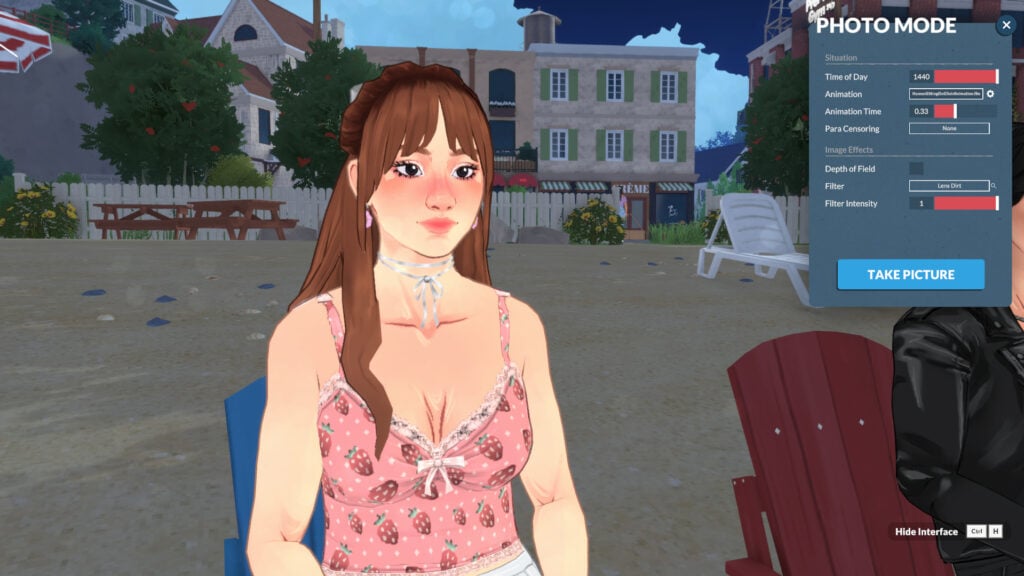
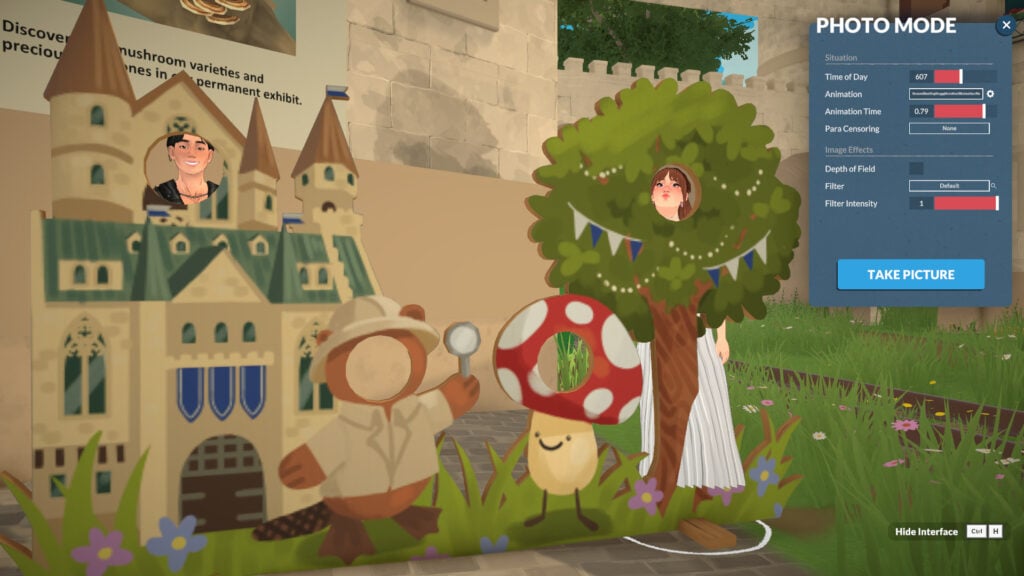
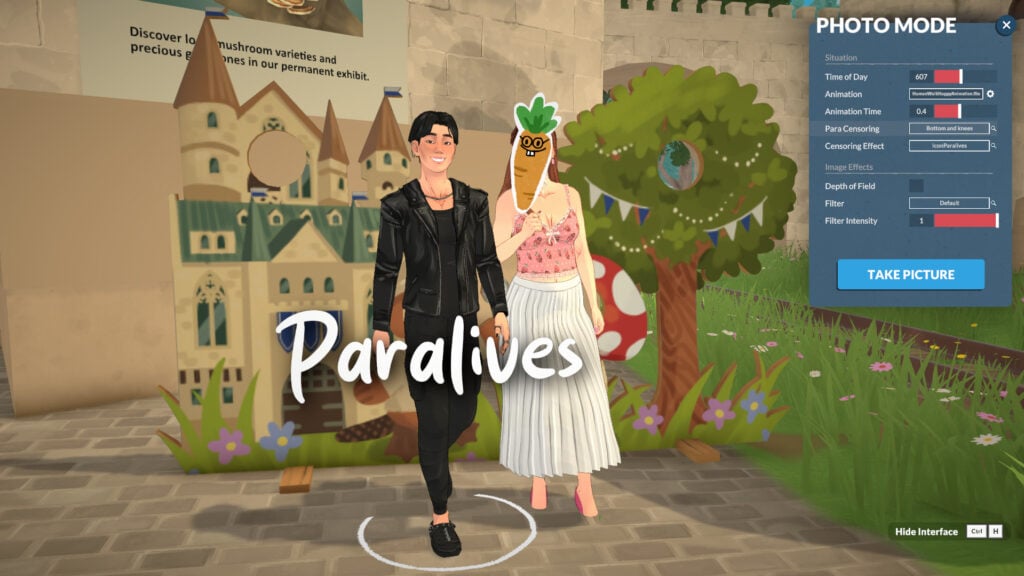
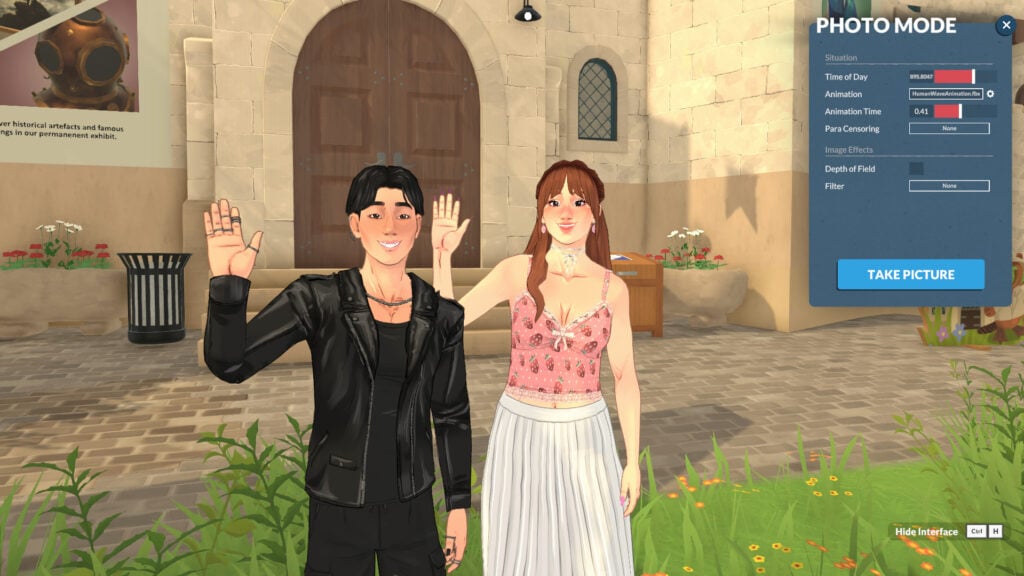
Photo mode does exactly what it sounds like: it helps you take better in-game pictures. While in photo mode, time stops, and you can freely move your Paras, apply filters, select poses, set the time of day, and much more!
How to access the Photo Mode in Paralives

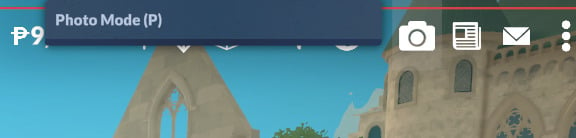
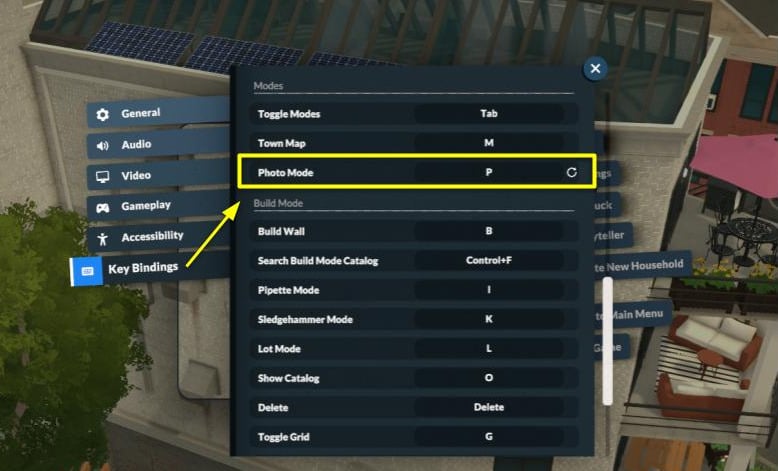
Using photo mode is pretty simple. Photo mode is already integrated into the game, and you can open it with the camera icon at the top of the screen, press the P key, or rebind it to any key you prefer (more on that in the next topic).
CameraMenu1

How to rebind keys for Photo Mode in Paralives

The first thing I adjusted in my game was the photo mode key binding. It’s set to P by default, but I’m so accustomed to using P to pause that I had to remap it. Luckily, the devs considered this, and rebinding is simple.

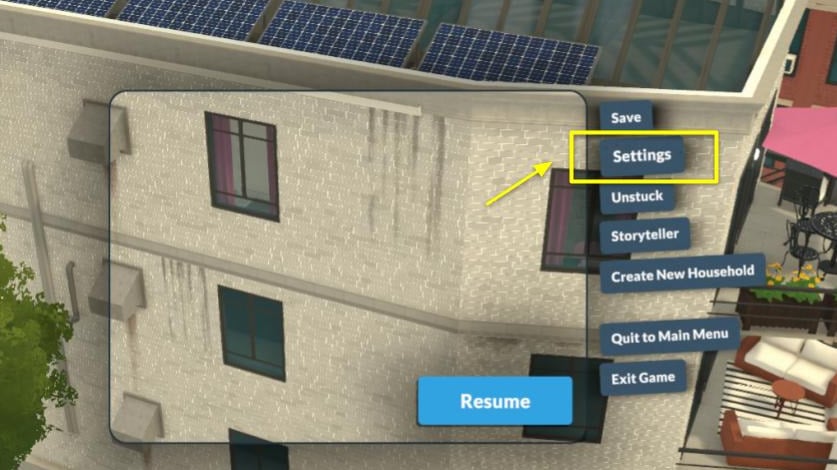
When in live mode, open the “…” (Options Menu) and click on Settings:

KeyBindings0

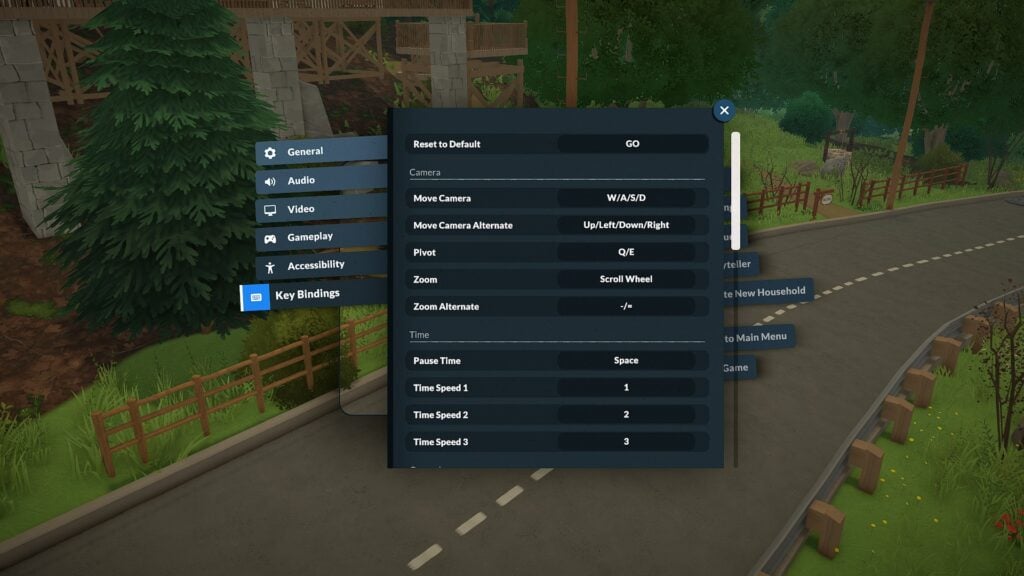
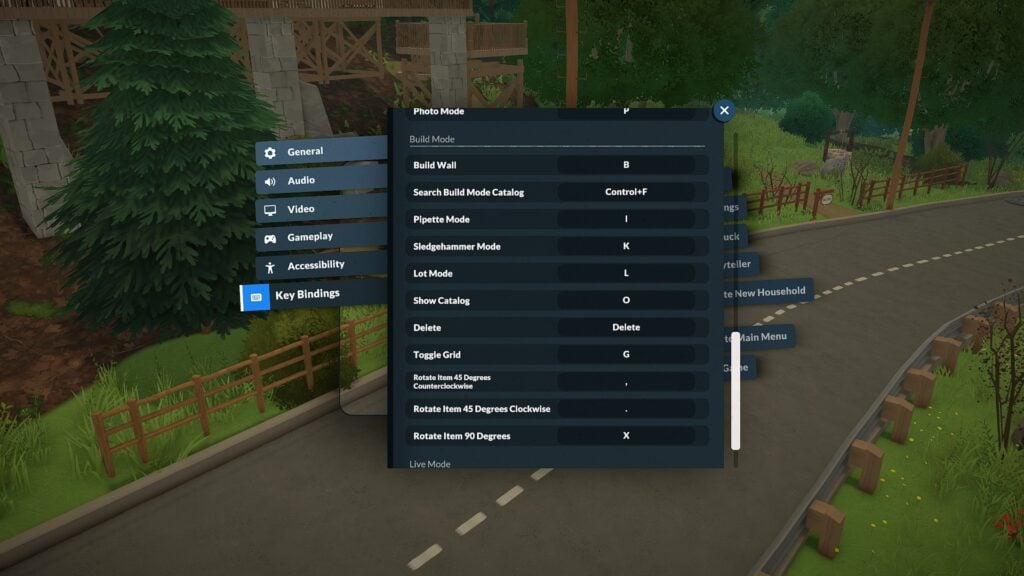
Then go to the “Key Bindings” tab and look for “Photo Mode.” Click on the current key binding, and a pop-up saying “Key Rebinding” will appear. You can enter whatever key you want, just be careful not to assign the same key to multiple functions.

KeyBindings1

And that’s it!

Key Features of Paralives Photo Mode

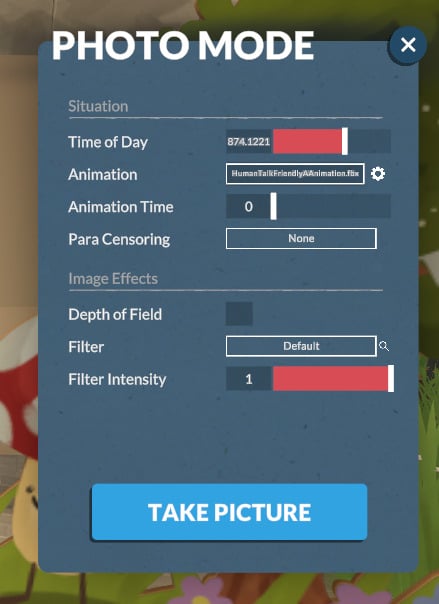
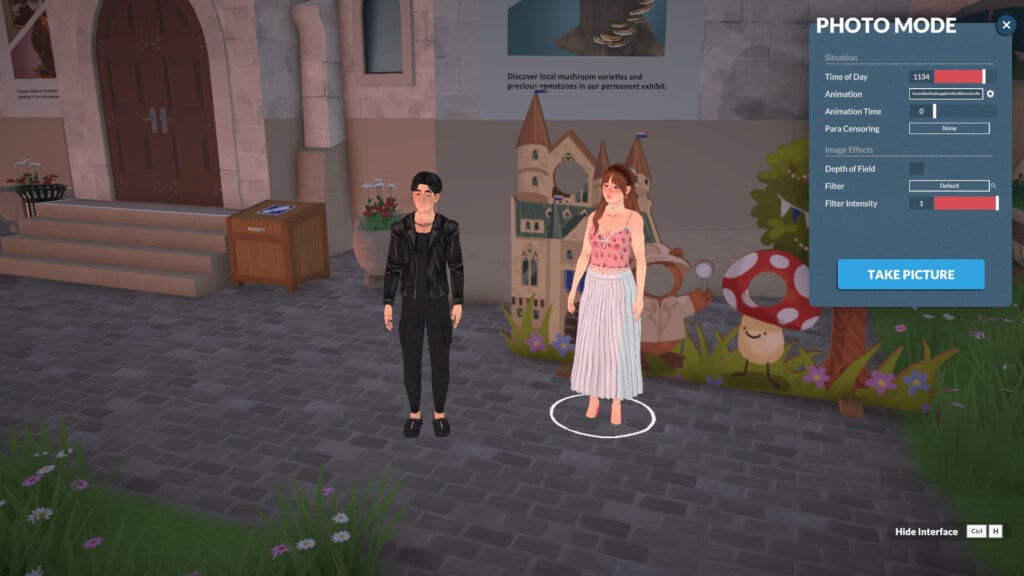
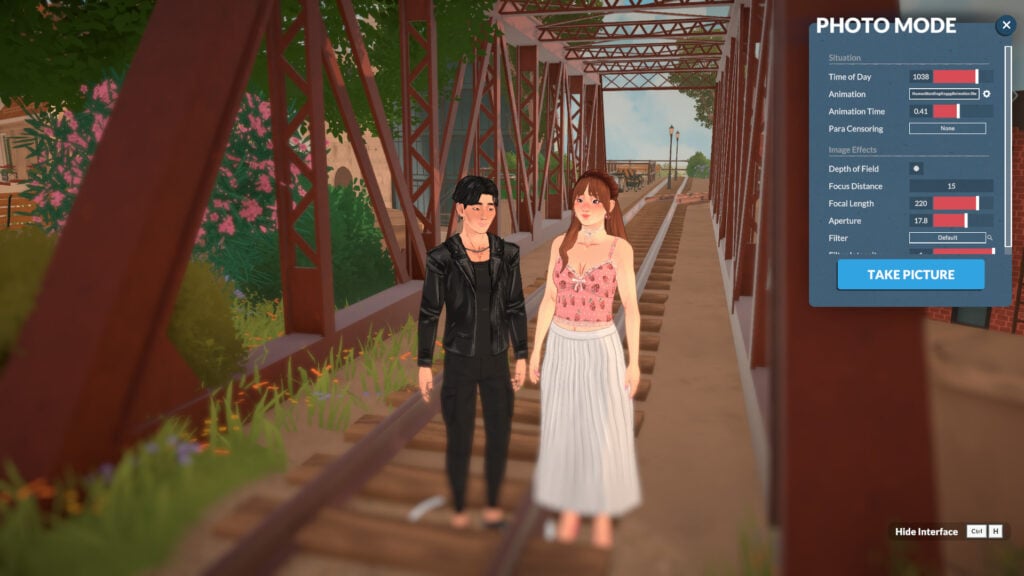
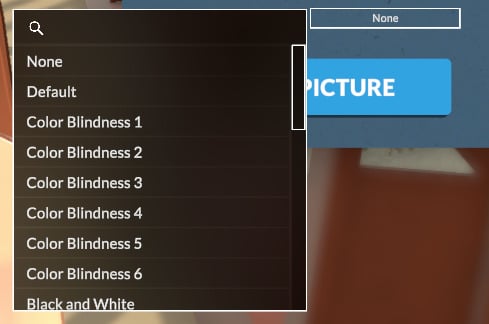
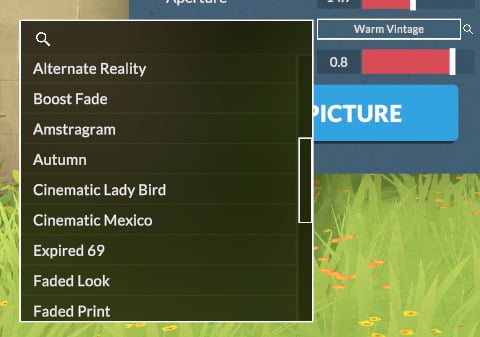
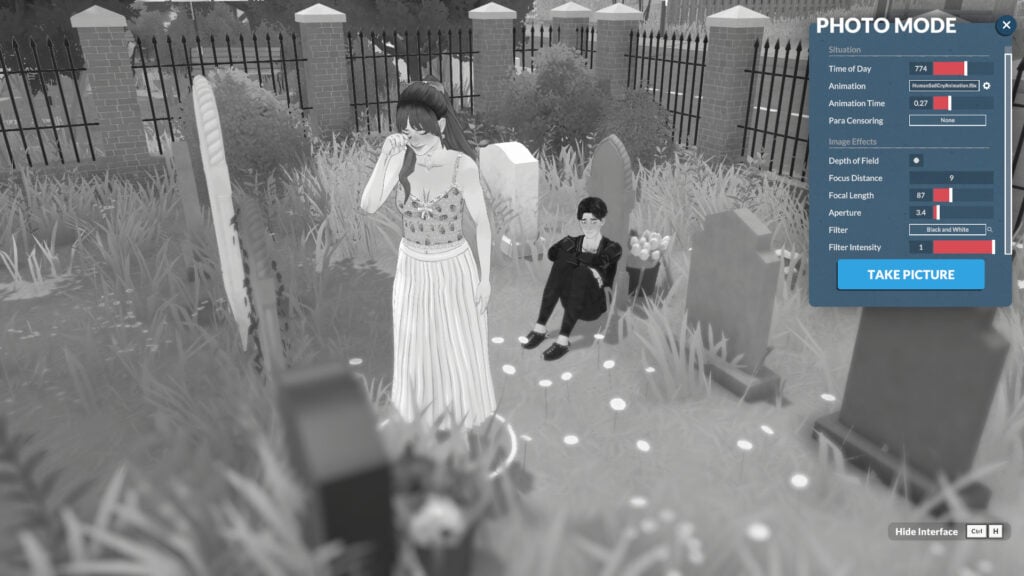
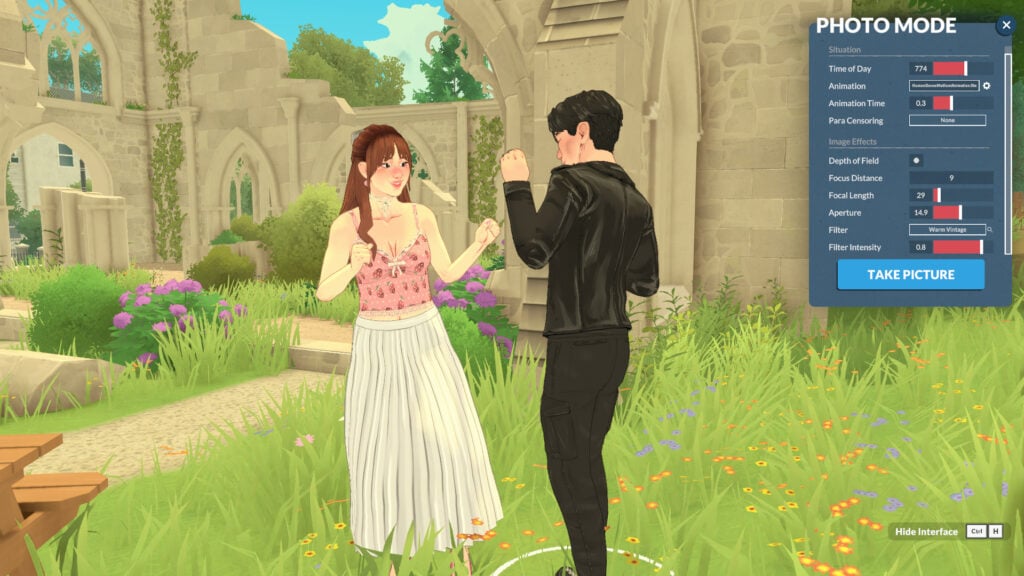
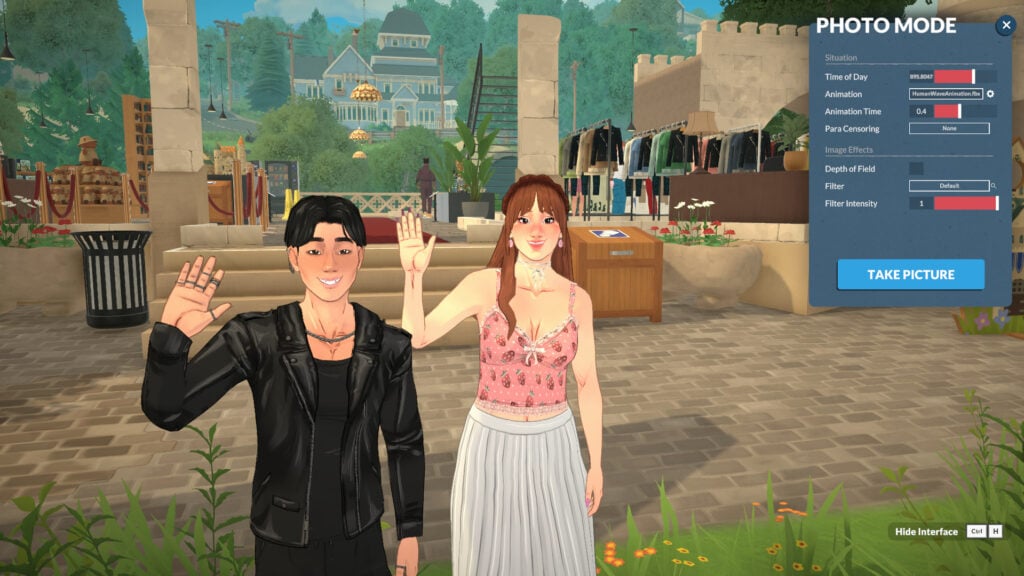
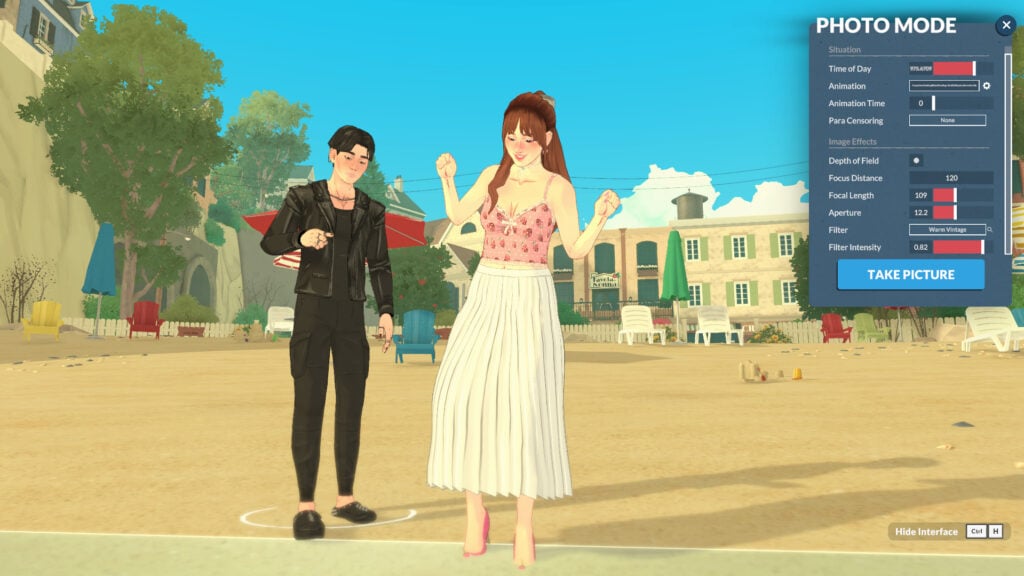
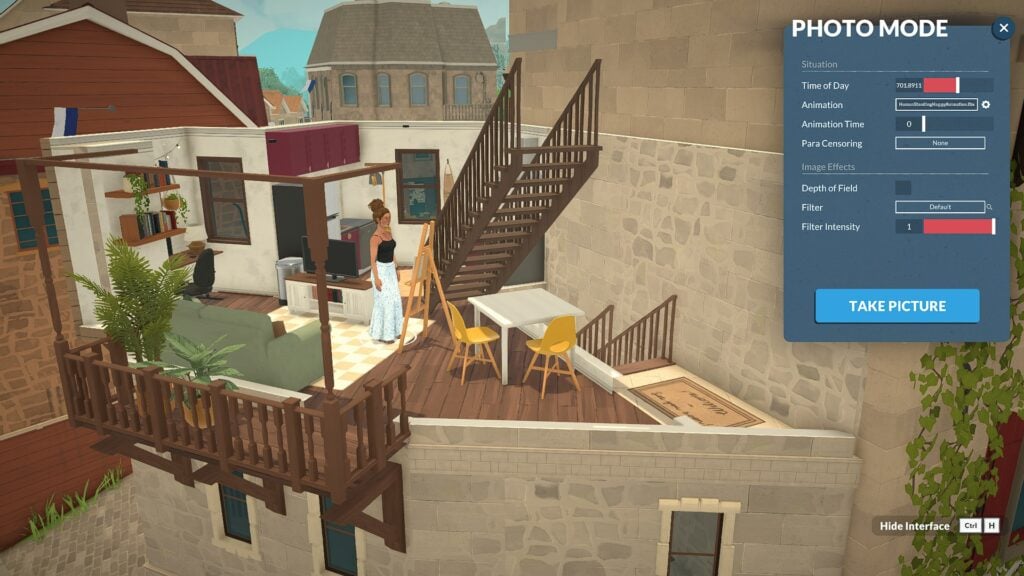
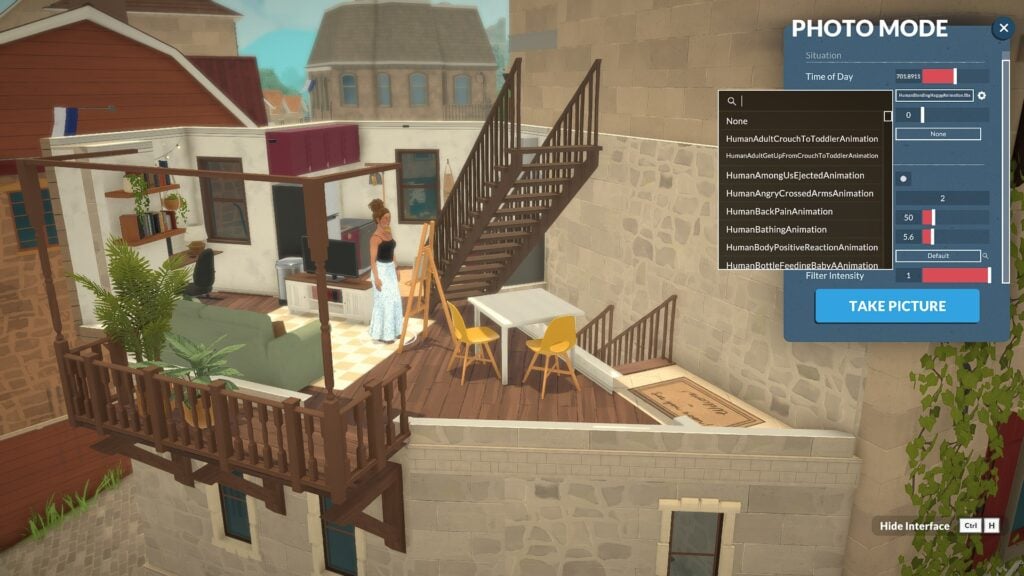
Photo Mode’s key features are divided into two categories: “Situation” and “Image Effects”. “Situation” lets you adjust: Time of Day, Animation, Animation Time, and Para Censoring. “Image Effects” gives you control over Depth of Field, Filter Type, and Filter Intensity.

PhotoMode0

How to use Paralives Photo Mode

Using Paralives photo mode is very intuitive. In this section, we’ll show you how each category in photo mode works.

Situation Category

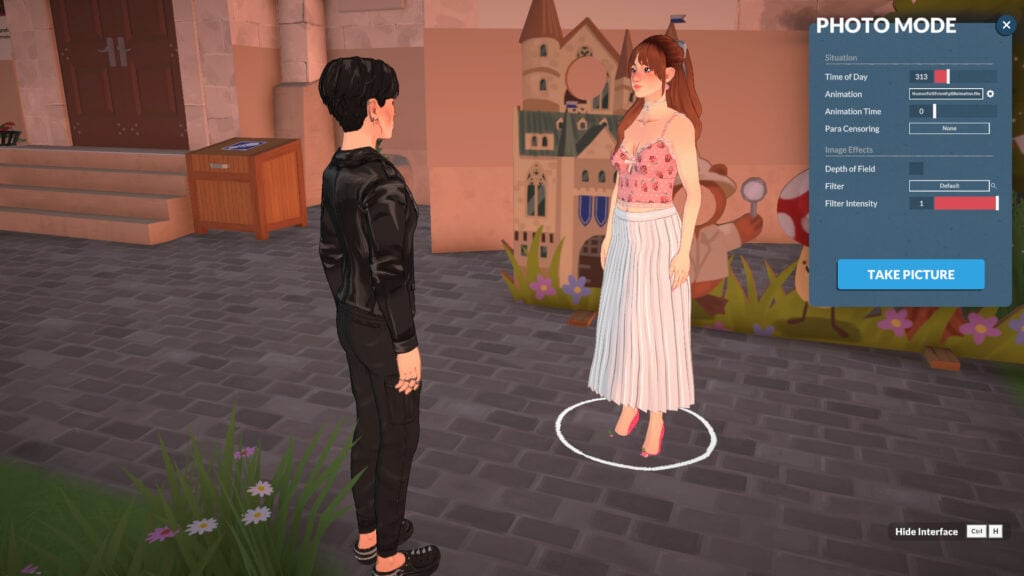
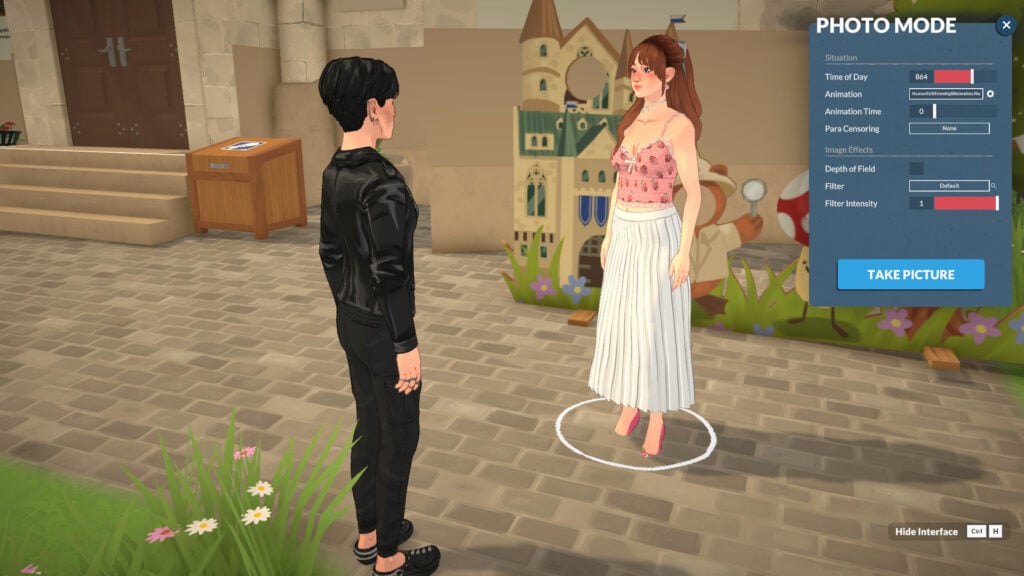
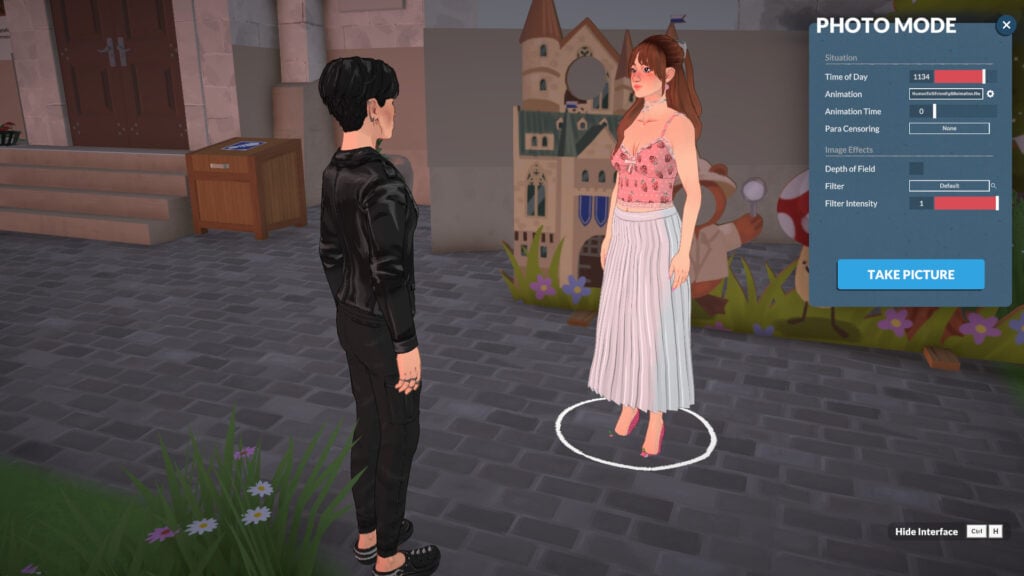
When entering photo mode, you’ll notice that the characters stop their animations and become static, with no expressions. This happens because photo mode resets their current animations to the first frame. But don’t worry! You’ll be able to adjust everything. In the Situation category, you’ll be able to change the Time of Day, Animation, Animation time, and Para Censoring.

PhotoMode1

Time of Day

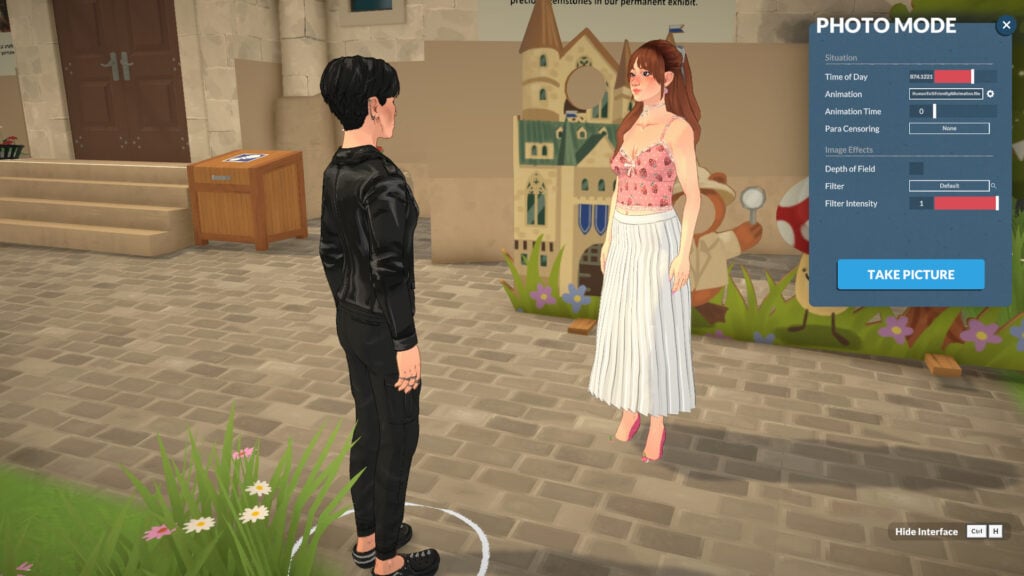
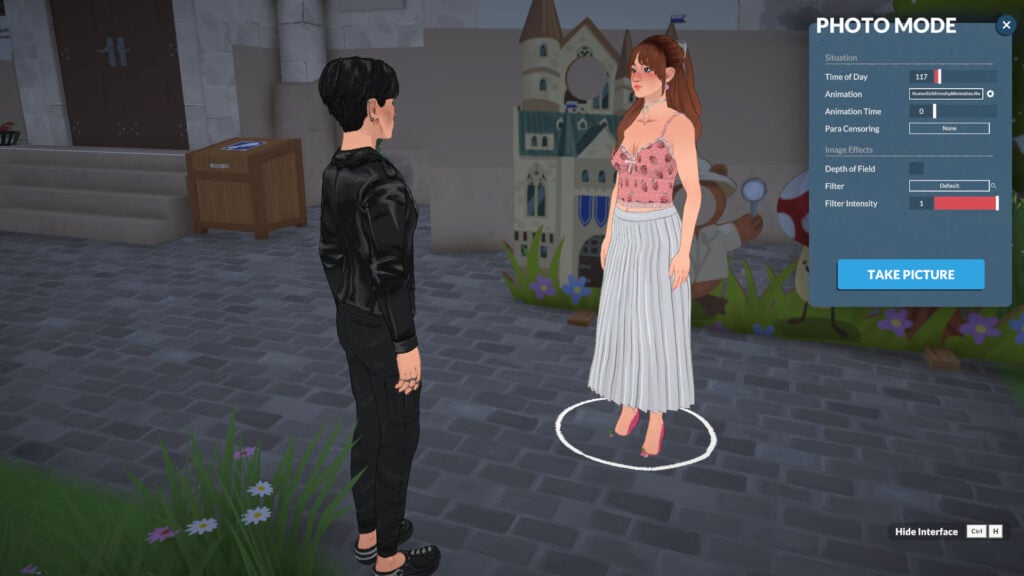
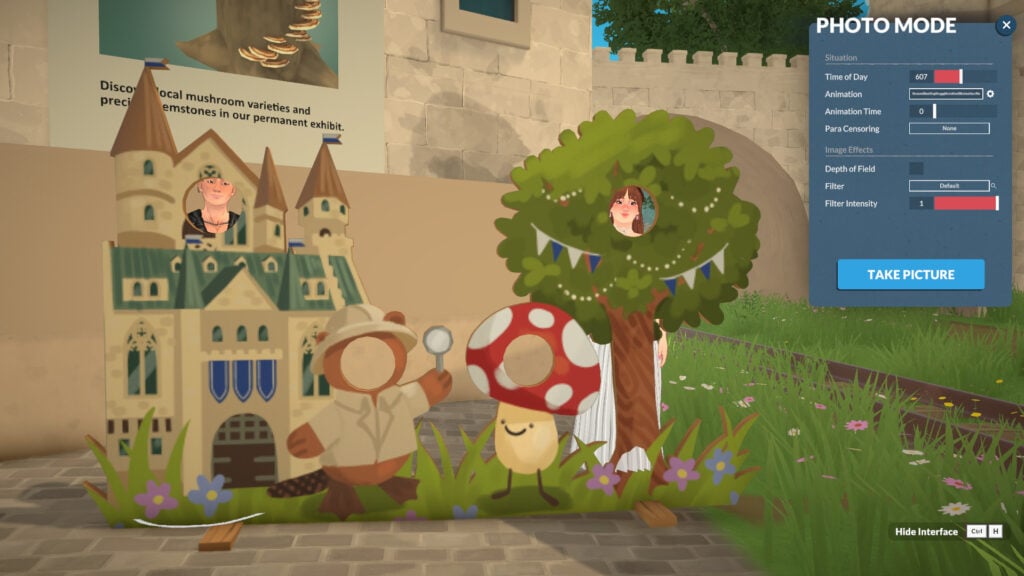
To start learning about Photo Mode, you can begin by adjusting the time of day you want the picture to be set in.

Animation

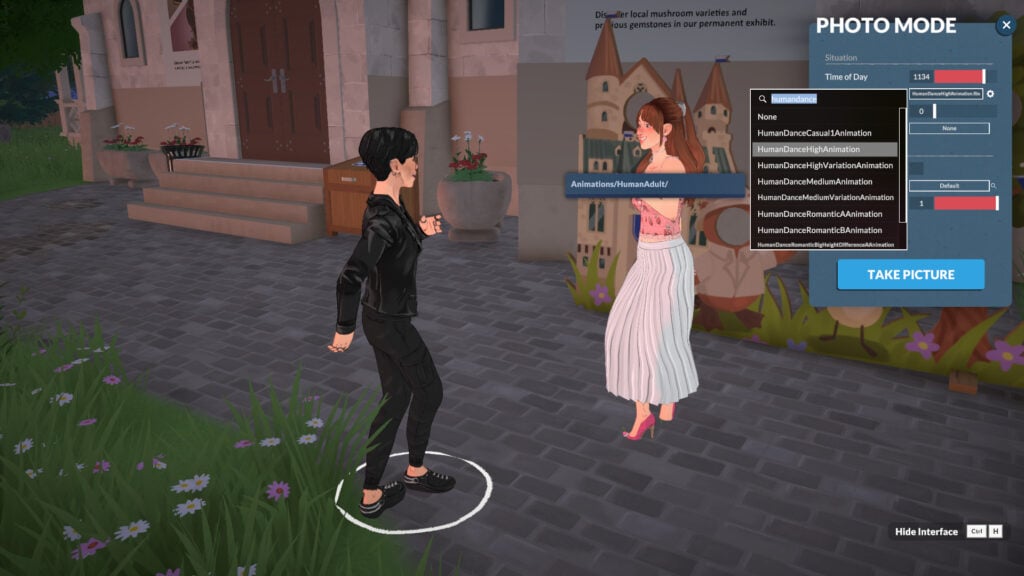
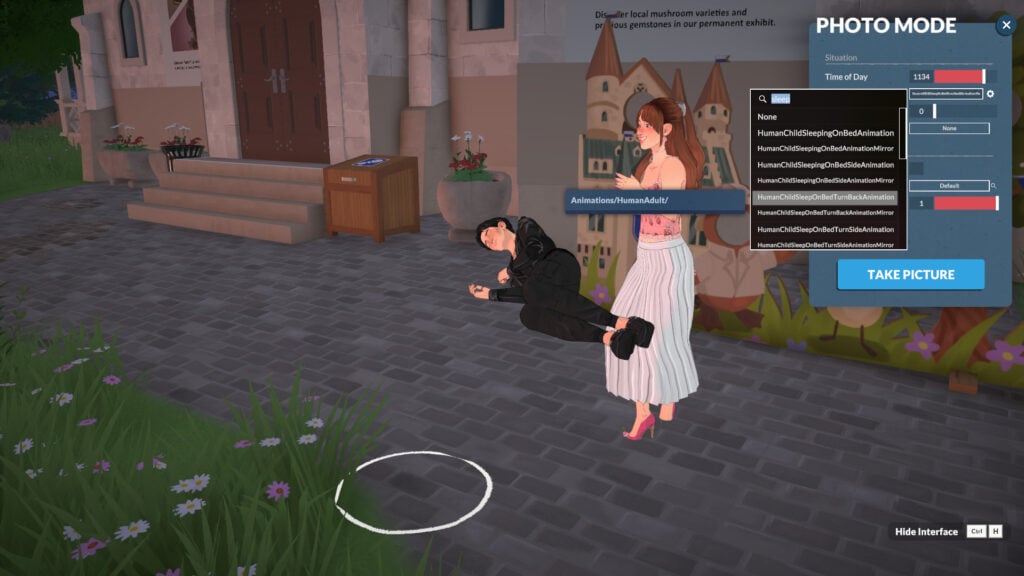
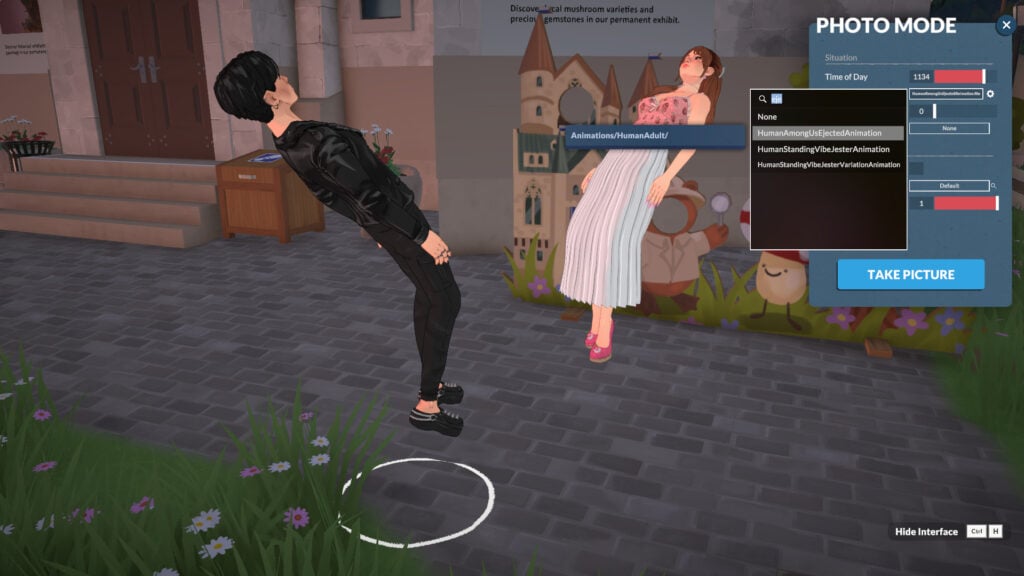
Select a character (by clicking on it) and choose an “Animation” for them. If you leave it unset, they’ll continue with their current default animation. All the in-game animations are present, so you can choose any you want!

PhotoMode6

Changing your Parafolk’s Location

You can adjust your Parafolk’s location by clicking on them once. This way, you can drag them wherever you want to fit your picture!

Animation Time

You can adjust the animation by changing the “Animation Time” in the photo mode menu. This allows you to take more control over your intended picture.

PhotoMode11

Bring more people in!

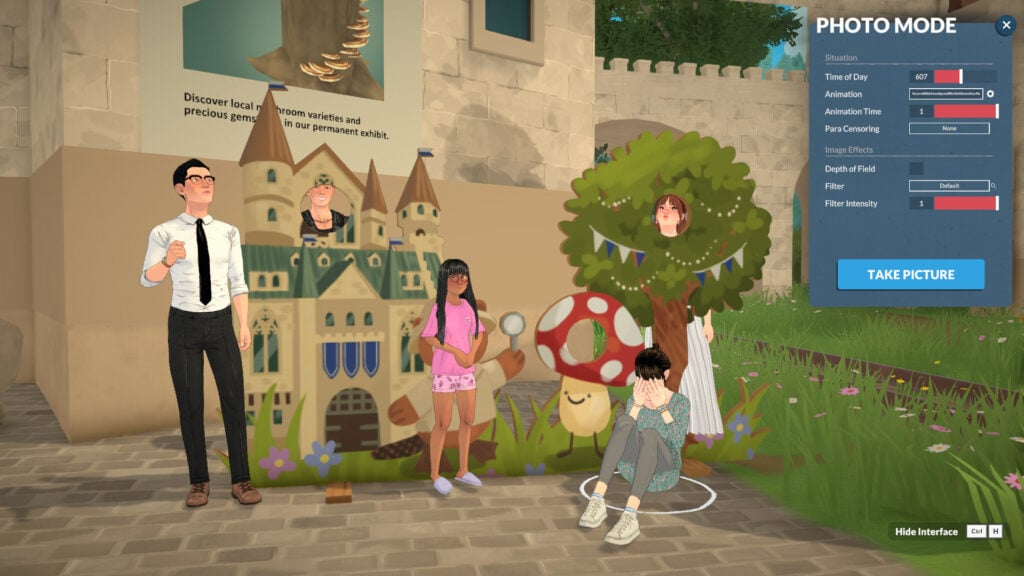
You can drag any Parafolk in the area into your picture and also choose any animation for them.

PhotoMode12

Para Censoring & Censoring Effects

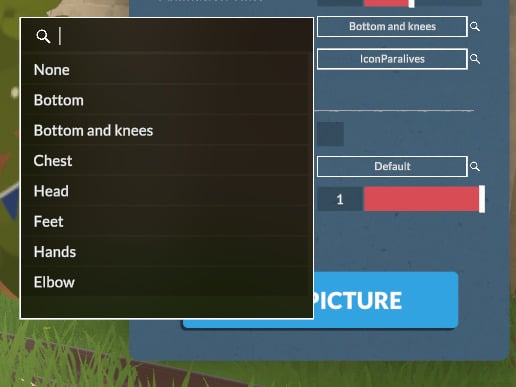
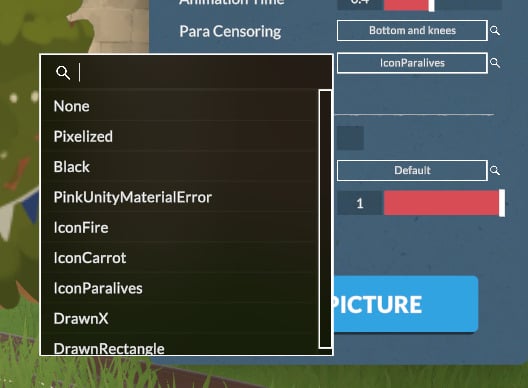
To finish the “Situation” category, you can also select “Para Censoring” to introduce censoring into the screenshot. It works not only by pixelating but also by allowing you to select different types of stickers to censor your Parafolk. You can choose the censoring location in “Para Censoring” and the type of censoring in “Censoring Effects”, which will appear after you select any “Para Censoring” option.

PhotoMode14 1

Image Effects Category

You will find much more to customize your photos with the Image Effects category, without needing external software. In the Image Effects category, you’ll be able to adjust the Depth of Field, Filter, and Filter Intensity. Let’s take a look!

Depth of Field

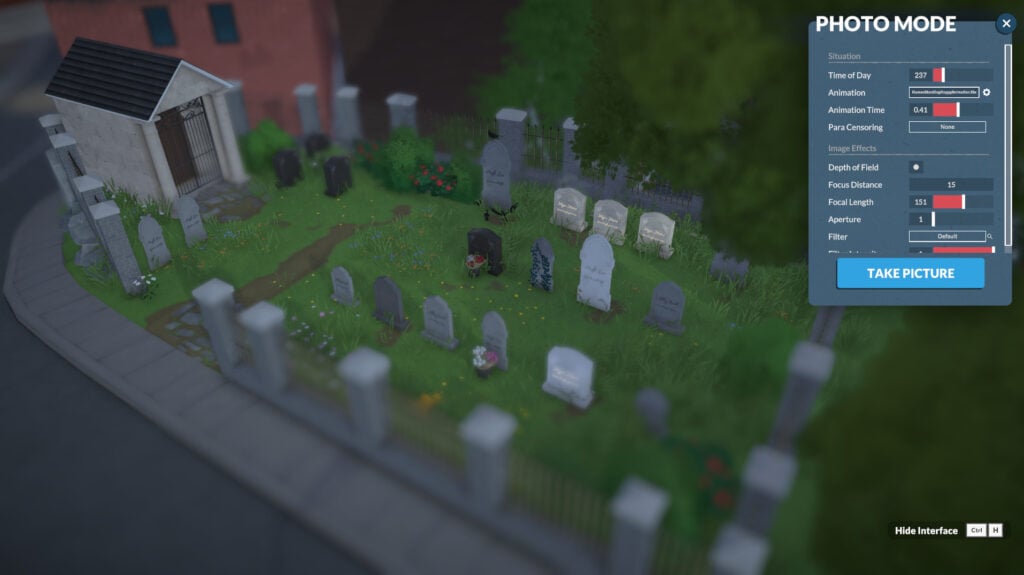
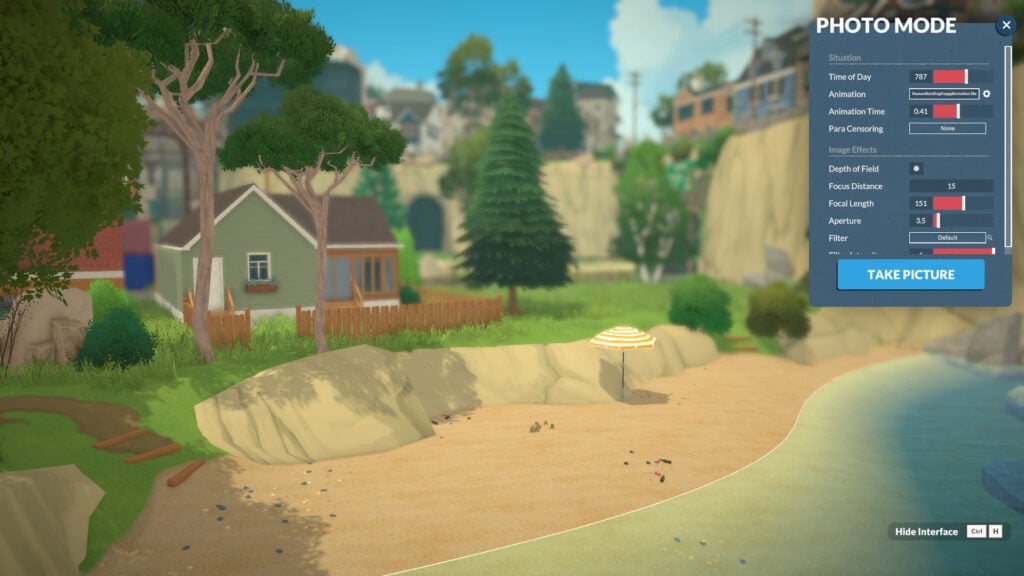
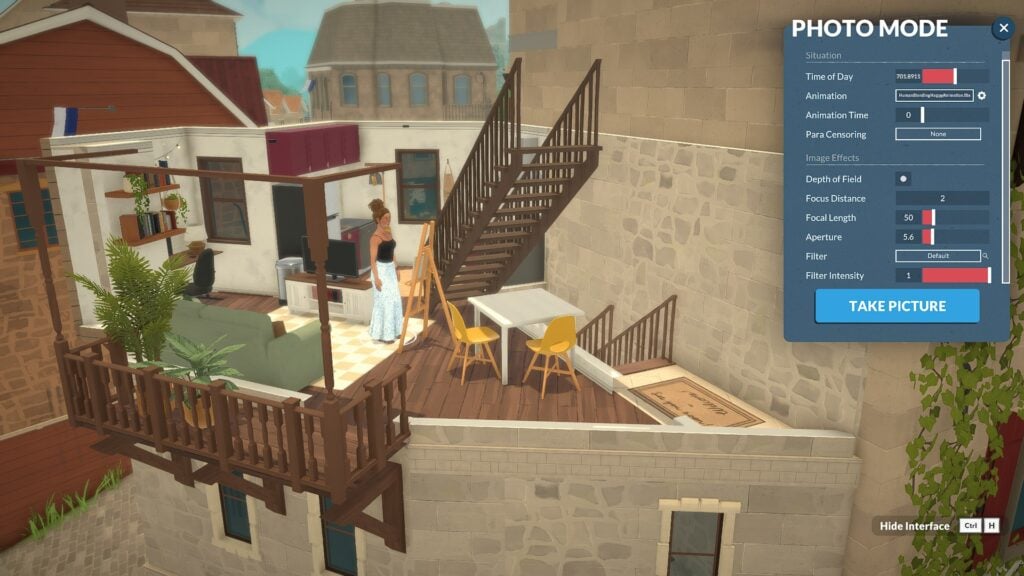
Under Image Effects, Depth of Field controls the sharpness range around your focus point. Once activated, you can fine-tune it with Focus Distance, Focal Length, and Aperture to get the perfect in-game shot with no external editing needed!

PhotoMode20

Filter & Filter Intensity

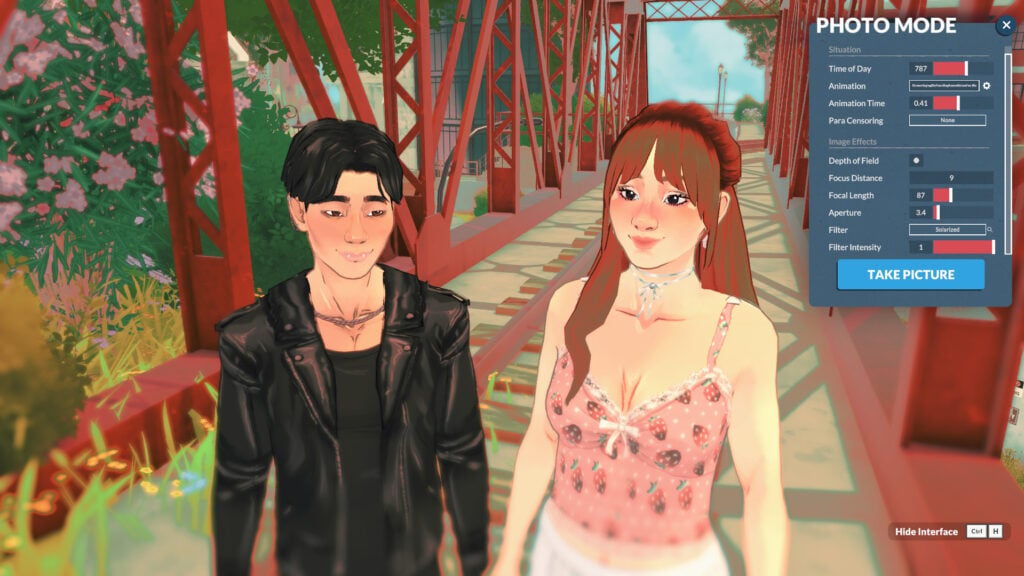
There are also many filters built into the game that you can use to enhance your storytelling.

How to locate Photo Mode pictures in your local files

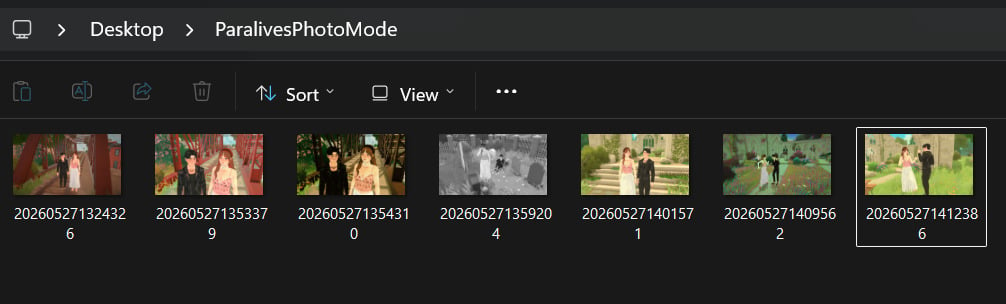
The photos you took with photo mode are for now being saved on your desktop in a folder named “ParalivesPhotoMode“.

PhotoMode30

Other tips for taking in-game screenshots

Hide Interface

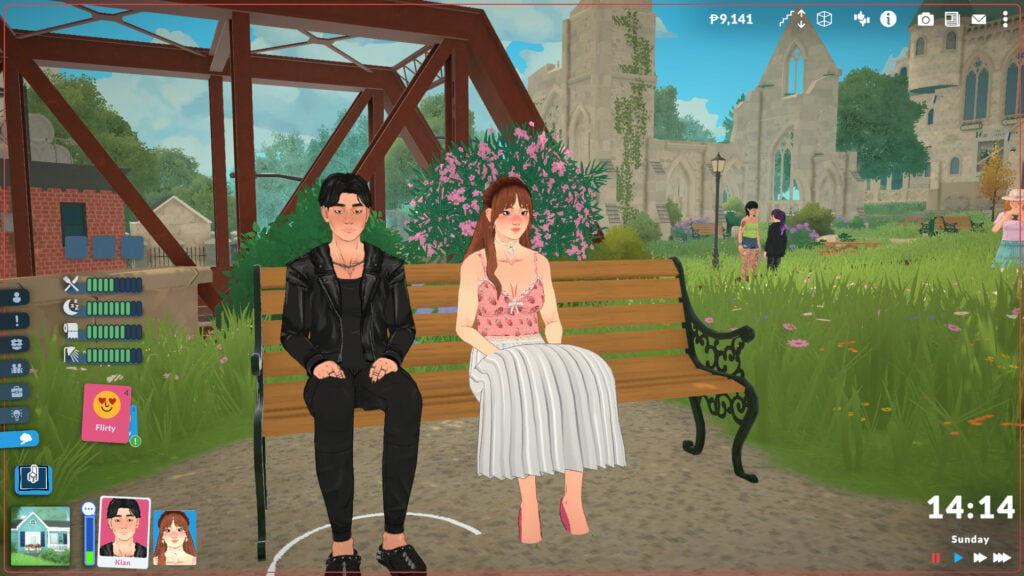
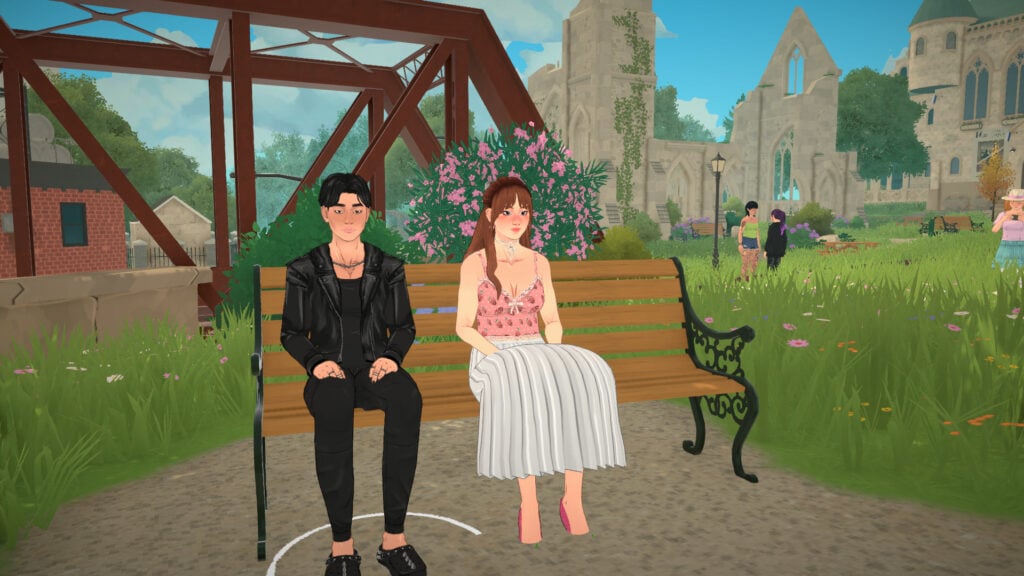
You can remove the interface with Ctrl+H to take cleaner screenshots in live mode and capture real moments from your Parafolk without needing to open Photo Mode!

Getting in style! Change outfits for your pictures

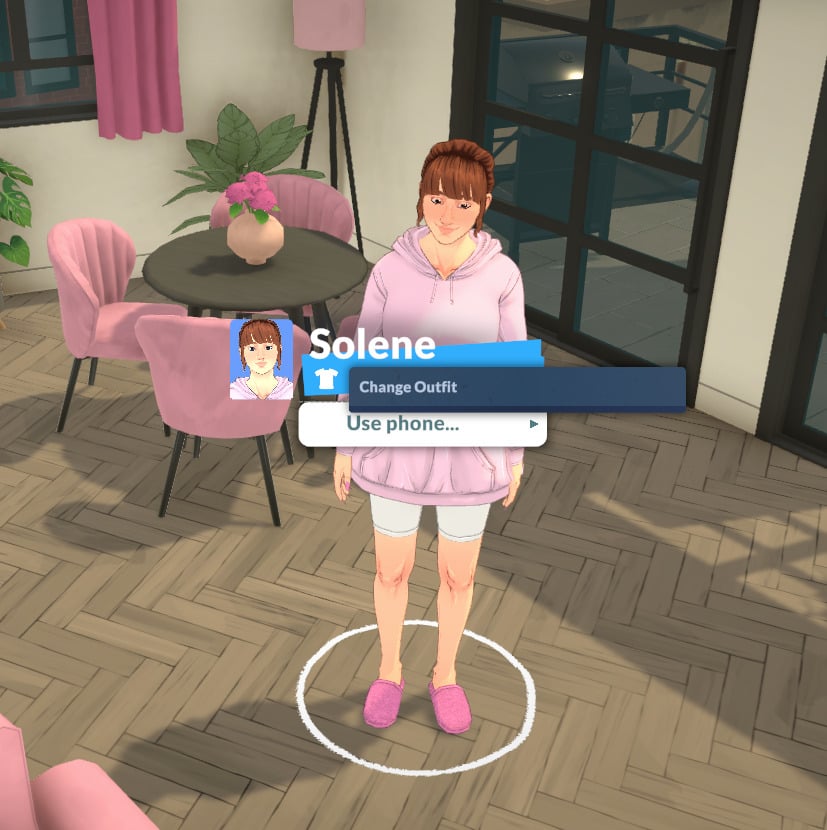
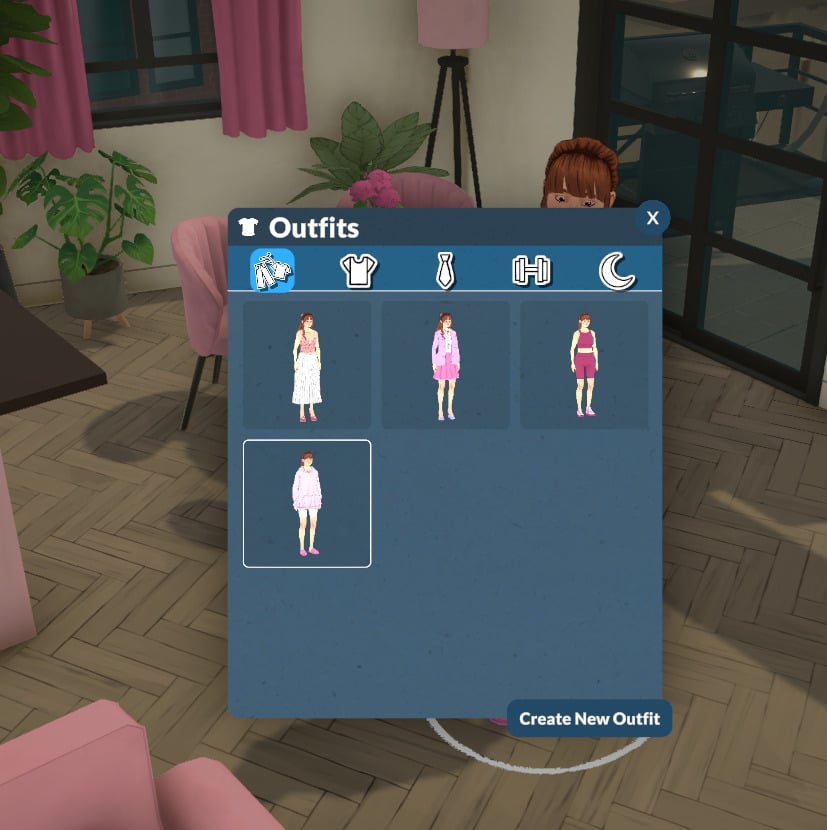
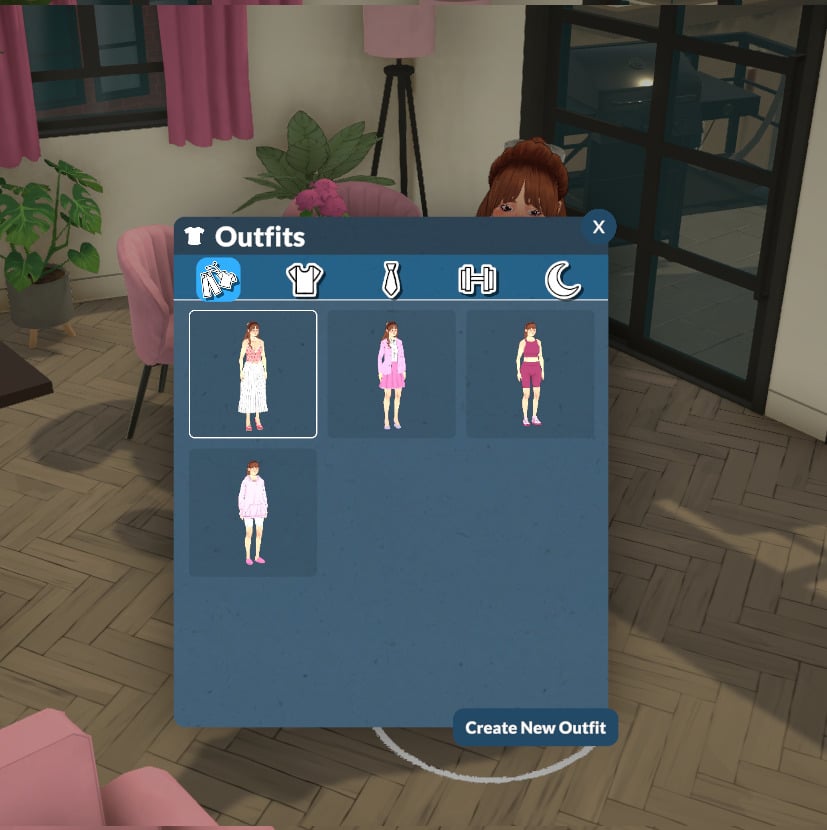
Don’t forget to change your Parafolk’s outfit before starting to take pictures! The easiest way is to simply click on your Parafolk and select “Change Outfit”.

Get the walls up when taking pictures

In Paralives, after loading into a lot, players typically toggle the walls down. For photo mode, though, remember to raise the walls for a more realistic look in your screenshots!

Wrapping it up!

The photo mode is a thoughtful addition by the Paralives team, allowing players to capture better screenshots without external software. You can move your Parafolk, pose them, apply filters, and more, all with in-game features!

PhotoMode32 1

Now we want to hear from you! What do you think about photo mode? Are you using it during your gameplay? Let us know in the comments! And don’t forget to check out the Paralives section for more about the game!

The Sims Team Congratulated Paralives On Game Release…And Then Quickly Removed The Post (UPDATE)

5

The Sims Team sends their congratulations to Paralives.

ARTICLE UPDATE #2: The Paralives Team has responded with an image reply of their plate offering with the following caption:

the more the merrier! tiku 🫶

HJWanDFXoAIEvgF

ARTICLE UPDATE: A new tweet reply from The Sims Team to the Paralives Team was sent out 3 hours ago. It appears the original tweet was deleted because the social media manager seemingly used the same graphic.

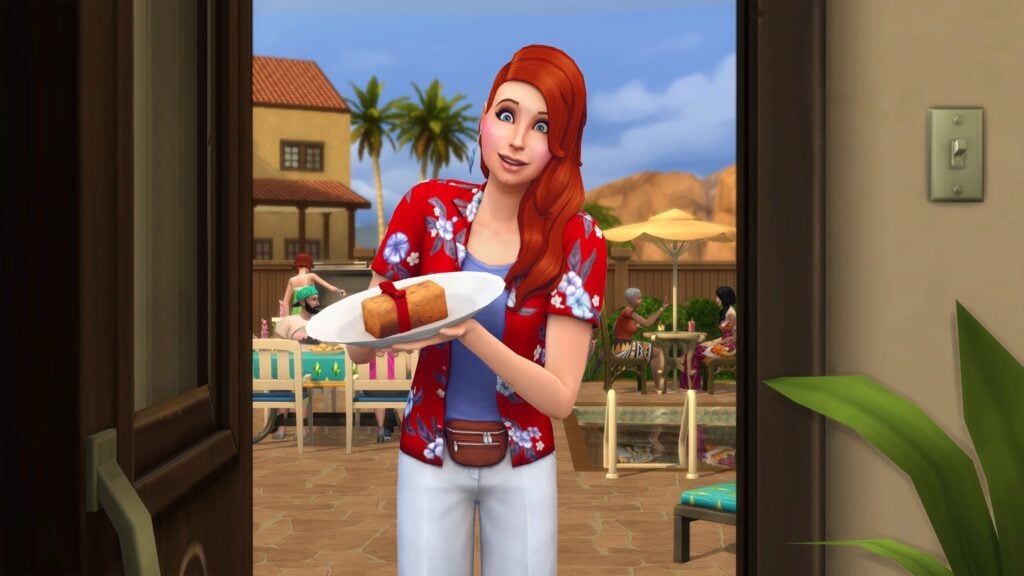
The newest graphic features more summer clothes to fit the season with the following caption:

Life sim fans are eating good! Gratzaloo on Launch!

HJSV0HjbYAAQVjL
Source: The Sims

Let’s hope The Sims Team is offering the full Fruitcake and not just 30% of it.

Another reply from The Sims Team was made on an announcement from Paralives that they sold 250K copies in 8 hours, with “Congratulations” written in Simlish:

All snark about the current bad infrastructure of The Sims Franchise aside, it’s nice to see a long-standing, genre-introducing Intellectual Property acknowledge an indie project like Paralives.
This also confirms our original suspicions on why the original tweet was removed – The Sims social media team simply wanted to use a fresh new graphic for a fresh new Life Sim game coming out.


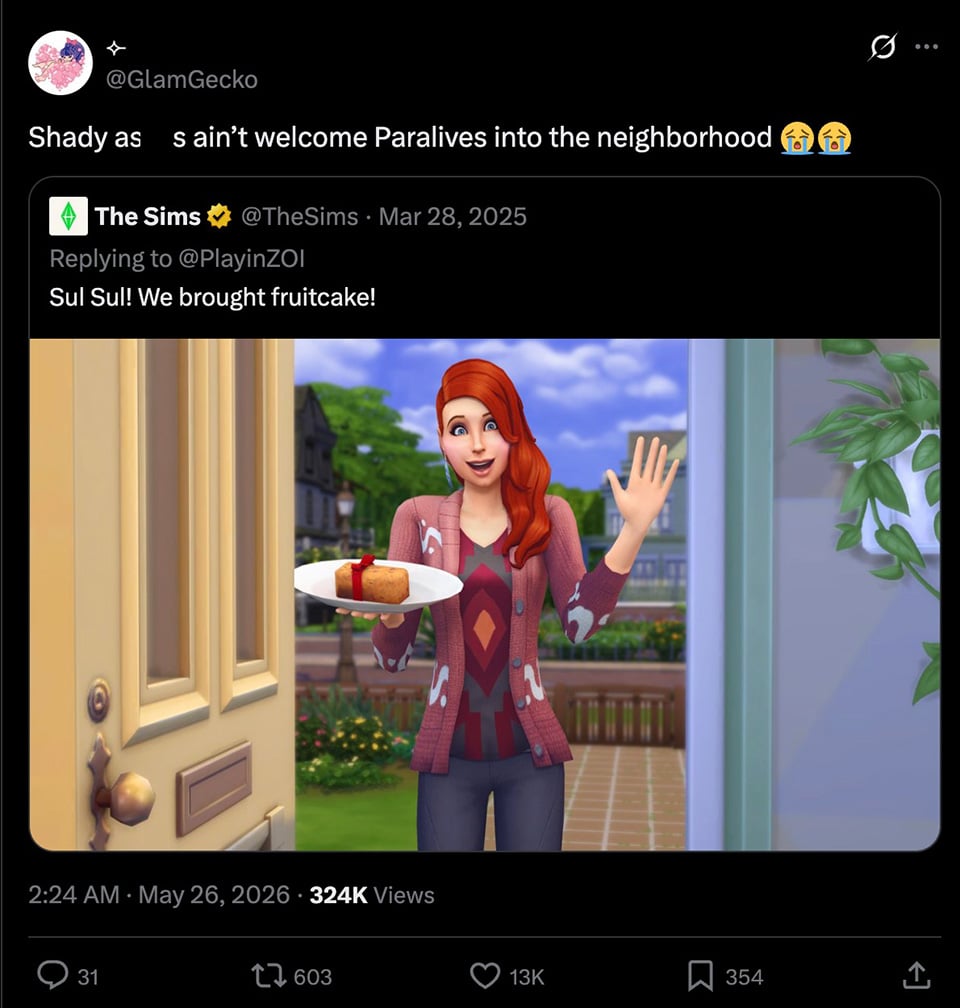
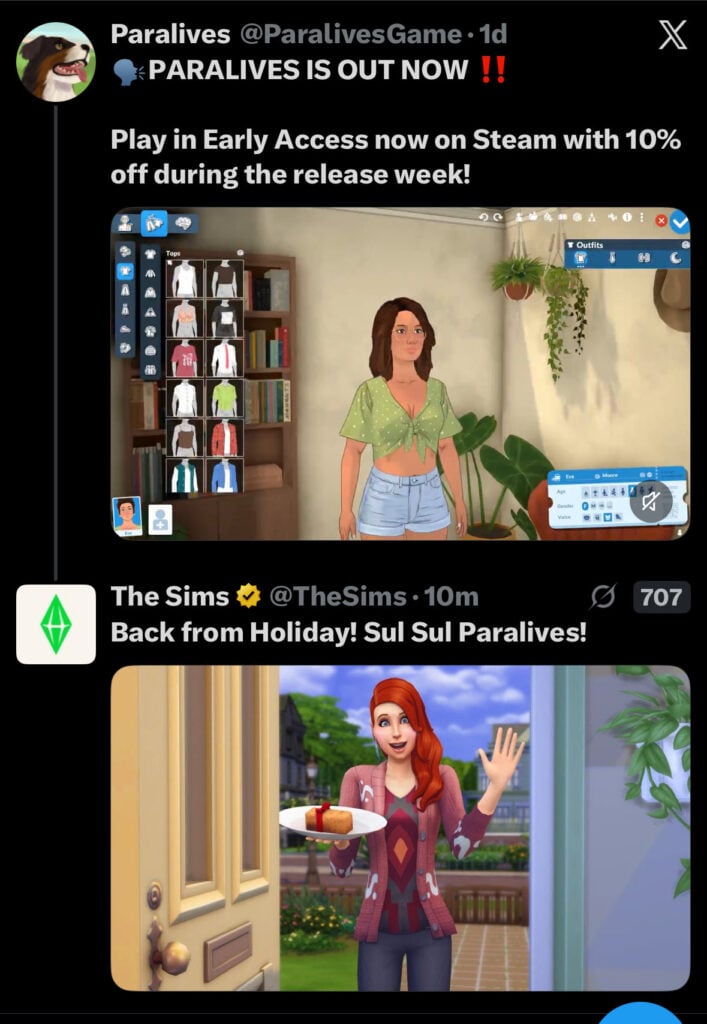
A somewhat weird scenario happened on the X social network 3 hours ago. The Sims Team was under fire recently for not having congratulated the team at Paralives for launching their game, in similar passion like they did with InZOI just last year:

sims cnesor tweet 1
Full tweet (uncensored)

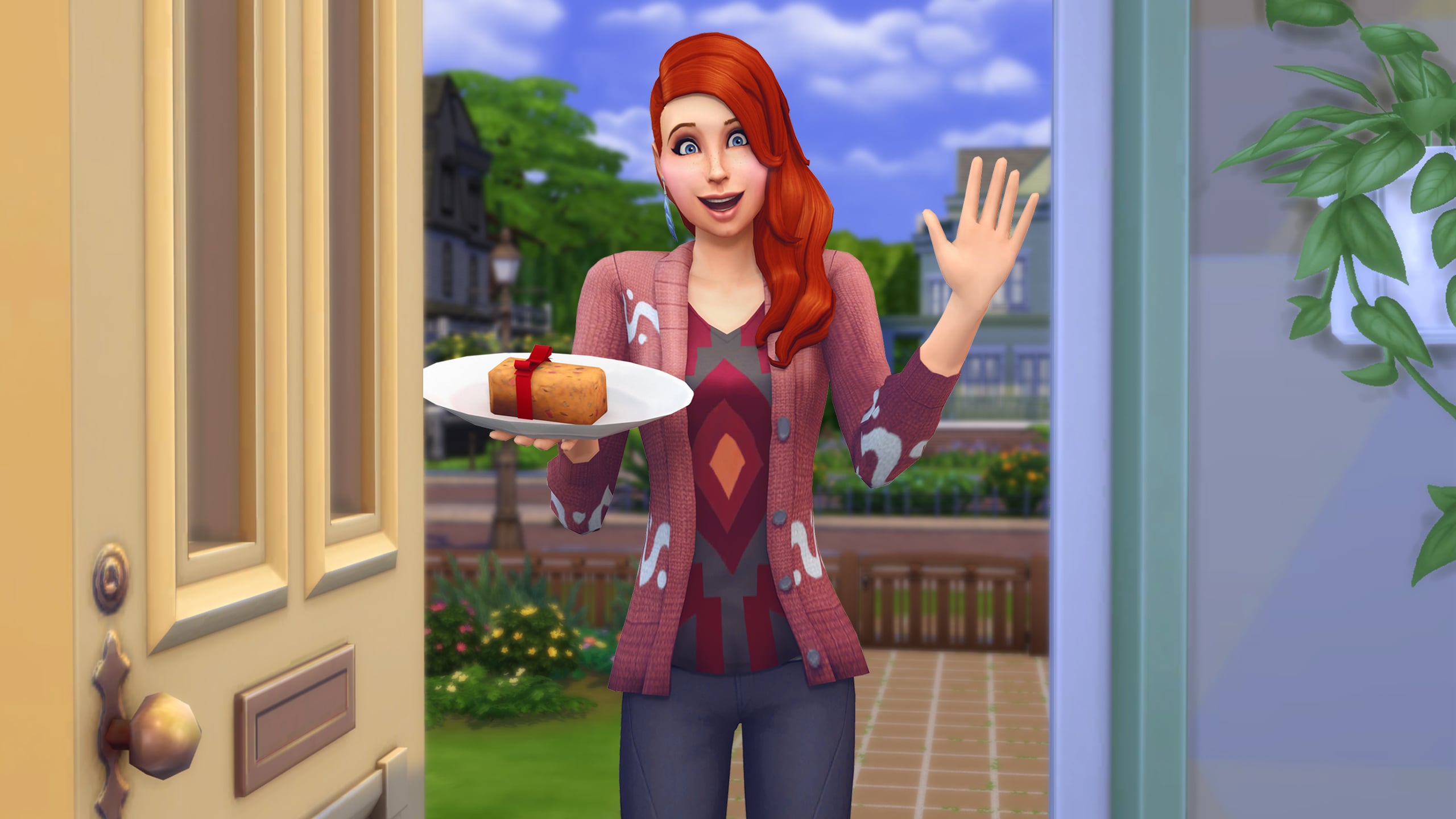
In case you don’t know, The Sims Team congratulated InZOI’s Early Access release last year with a fruitcake and the “Phone Girl” NPC Sim holding it, stating: “Sul Sul! We brought fruitcake!”

GnFuv5ZbgAQ2zNw 1

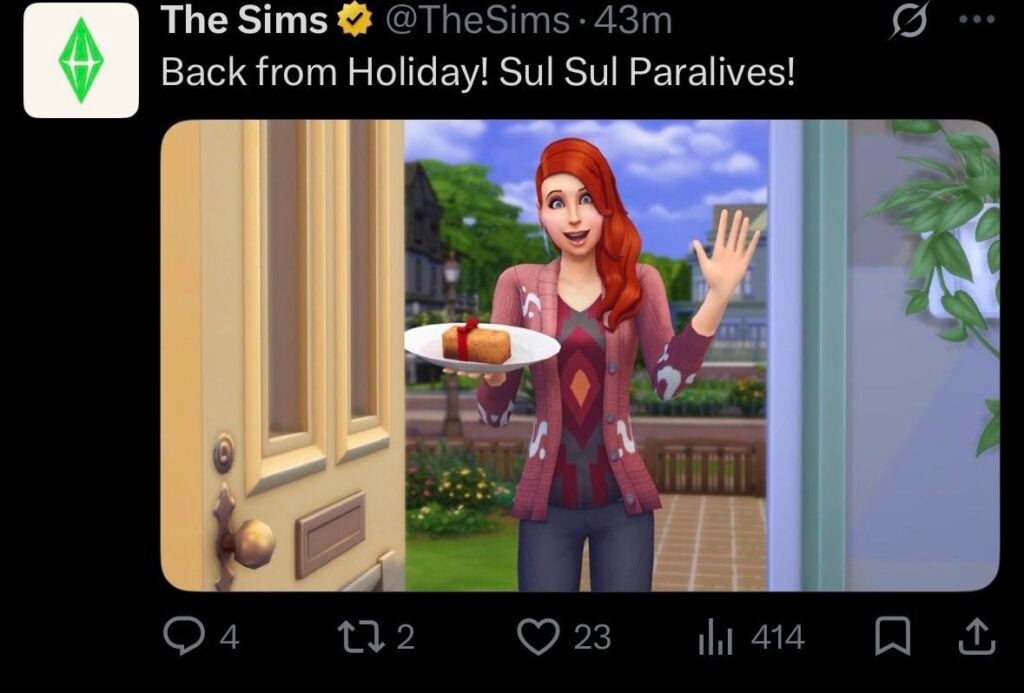
Just a few hours ago the same picture was used in a reply to a tweet from Paralives stating that they’ve released the game.

In all fairness to the social media manager behind The Sims – yesterday was “Memorial Day” – a public US Holiday.

back from holiday the sims tweet
Image source: @LadyHope_RP

What’s interesting is that the congratulations were up only for a few hours, until The Sims Team decided to take the tweet reply down.

HJQlHswWoAEeMQX
Image source: @seafoamsim

As of the moment of writing this article there hasn’t been a new tweet reply from The Sims Team to Paralives. In defense (again) to The Sims Social media manager, this could be an error with wrong time schedule for publishing, wrong image used or something else.

What are your thoughts on this weird exchange attempt from The Sims? Let us know in the comments down below and stay tuned to Sims Community for more game coverage!

Paralives Bugs: Official Release Of Known Issues Getting Fixed

3

Get to know the Paralives issues that the team has just acknowledged!

The first list of known issues with Paralives bugs has just been shared by the Paralives indie team. 1 day into the game’s release the team acknowledges several different game issues, including Interface and Saving, Live Mode and Paramaker, as well as various performance issues.

Interestingly, the team already acknowledged a new Paralives Patch which whould also fix various issues with crashing and freezes.

Here’s everything they’ve shared down below:

clipboard sc

Paralives Bugs: Known Issues

Performance

  • Crashes and freezes
    • The next patch should help reduce these
    • Make sure your computer meets the minimum specs listed on our Steam page
  • Game bootup is long and can hang
    • Keep waiting, it will eventually load to the main menu (to be improved soon)
  • Stutters in live mode
    • We will be working on more optimizations to reduce these lag spikes over the next few months
paralives bugs known issues1

Live Mode + Paramaker

  • Issues with fire
    • We are now fixing bugs around fire spreading and extinguishing as well as firefighters
  • Critical needs preventing Paras from doing the interactions to relieve them
    • Should be fixed soon
  • Motion sickness in the Paramaker
    • Curtains will be added to help reduce motion sickness while editing Parafolks in the train
paralives bugs known issues3

Interface + Saving

  • Can’t close some interface windows
    • A fix is coming. For now, reload the game or speed up the time to fix it
  • Save file not loading
    • We are investigating and working on a fix

Thanks for your patience and for the bug reports, it’s truly appreciated! We are also working more bug fixes and performance optimizations as we go!

paralives bugs known issues2

The last Paralives Update was released just yesterday with the game’s release, bringing Day 0 improvements and fixes.


What are your thoughts on the first Paralives Bugs report from the team? Drop a comment below and stay tuned for more Paralives News on Sims Community!

Paralives Needs: How To Take Care Of Your Parafolk

Just like any other life simulation game, Parafolk have basic needs which have to be met. This guide will help you get to grips with all of the Paralives needs and go over how they differ between each Parafolk in your household.

Relieving Needs

You will know if a need is being addressed by a small green smiley face that shows up next to the relevant bar

Screenshot 2026 05 19 214928 1

Basic Paralives Needs

Every Parafolk will have these four needs: hunger, sleep, bathroom, and hygiene.

needs bar

Hunger

Relieve low hunger needs by having a snack or cooking a meal.

If your hunger need gets into the danger zone whilst you are away from home, look out for either the town market or one of the vending machines which are spread around town.

Letting your Parafolk’s hunger go down completely will mean they die from hunger, so be careful!

paralives needs guide screens og2

Bladder

Fairly self explanatory, you can solve this by using the bathroom.

To make sure it doesn’t get too low and your Para is caught short whilst at work, you can turn on the feature to automatically use the toilet at work.

Hygiene

Washing hands, brushing teeth, and bathing will improve your Parafolk’s hygiene need.

paralives needs guide screens og1

Sleep

Having a nap and sleeping will solve any low sleep needs. Be careful though, Parafolk will die rather than just pass out if their sleep need depletes completely!

image 7

Other Needs

As well as the basic four, there are some other Paralives needs to look out for.

Fun

Jester Parafolk will have a fun need that needs to be maintained. There is no penalty for it going down to zero, but having it full will give them lots of benefits.

Screenshot 2026 05 22 142520 1

Me Time

Parafolks that are Good at Being Alone will have a Me Time need, which when full will make them much happier. Having this need low can also sometimes give them a want to spend time alone.

Screenshot 2026 05 22 142131 1

Get Away From The Fire!

If a fire breaks out in your Parafolk’s home, you’ll get a new temporary need called Get Away From The Fire, and all your other needs will be ignored for a while while this is active.

needs during a fire

Paralives Babies & Toddlers Needs

Babies and toddlers have different needs and ways to relieve them than other Parafolk.

Sleep

Babies and toddlers need a lot of sleep, so make sure they’re able to fulfil this need by putting them in the crib and then selecting Go to sleep. They can also sleep on the floor if needed.

Screenshot 2026 05 26 174544

Hunger

Bottle feeding or breastfeeding babies is the only way to raise their hunger need.

Screenshot 2026 05 26 175454

Toddlers can also eat food in the high chair.

Screenshot 2026 05 26 174705

Hygiene

Give toddlers a bath to raise their hygiene need.

Screenshot 2026 05 26 175239

You can’t bathe babies, so the only way to raise their hygiene need is by changing their diaper. You’ll know when it needs changing because your Parafolk will get a negative emotion and also you’ll see the green stink lines rise off the baby!

Screenshot 2026 05 24 092329 1

Bathroom

Babies will use their diapers whenever their bathroom need gets too low autonomously.

While toddlers can use diapers, they will also use the potty if you give them one. This will raise their potty skill too.

Screenshot 2026 05 26 175934

Affection

No baby or toddler likes being alone! Having them in a group with your other Parafolk doing things together, or being held, will raise their affection need.

Being left alone too long will make them be sent to daycare.

Screenshot 2026 05 26 173933

Showing Distress

Babies can show distress at having low needs in conversation/group activities, and this will make the other Parafolk in a group with them stressed.

Screenshot 2026 05 24 091934

Need Caps & Ignoring Needs

Life Stage Needs Cap

Not only do babies and toddlers have different needs to be met, they also have a cap on how high their needs bar can go. You can see what that cap will be by hovering over the need bar.

Getting A Higher Needs Cap

If your Parafolk have a personality trait which is higher than 1, they will be able to have a higher needs cap than others.

For example, someone with a high physique personality trait will be able to increase their hunger need above the standard ten.

Screenshot 2026 05 26 174815

Getting Unwell

If your Parafolk get a virus causing them to be unwell, they will ignore their hunger need, and also they will have their other needs capped at 5, meaning they won’t be fully rested until the virus has gone, and their hygiene and bladder needs will get critical quicker.

paralives needs ignored

Getting In The Zone

Serious Parafolk will ignore all of their needs when they get in the zone. It’s a really handy perk when you need to level up a skill fast but you’re having some negative emotions impact your learning speed!

Screenshot 2026 05 24 092534 1

Hopefully with this handy guide to Paralives needs systems, you can avoid any untimely demises or angry Parafolks.

We have lots of Paralives guides available now on our site, which you can find here.

Have you found any other ways to meet Paralives needs which are not mentioned above? Let us know.

Paralives Controls Guide: Keyboard Shortcuts, Camera Controls, and Keybindings

Paralives already offers a surprisingly robust range of customizable controls during Early Access, giving players the ability to fully rebind keyboard shortcuts, adjust camera sensitivity, and fine-tune gameplay settings to match their preferred playstyle. From Build Mode hotkeys to Photo Mode tools, this Paralives Controls guide covers the current keyboard shortcuts, camera settings, and gameplay keybindings available in-game.

Paralives controls general settings menu with camera sensitivity, edge scrolling, and gameplay customization options

Paralives Keyboard Controls and Camera Settings

One of the most helpful discoveries during testing is that Paralives includes a fully customizable Key Bindings menu directly inside the settings panel. Players can reassign controls for camera movement, Build Mode shortcuts, time controls, and more.

Paralives controls menu displaying keyboard shortcuts for camera movement, zoom, and gameplay navigation

The default camera controls currently include:

ActionKeyboard Shortcut
Move CameraW / A / S / D
Alternate Camera MovementArrow Keys
Pivot CameraQ / E
ZoomScroll Wheel
Alternate Zoom– / =

Players can also customize:

  • Camera move sensitivity
  • Camera zoom sensitivity
  • Camera rotation sensitivity
  • Edge scrolling
  • Inverted camera controls

The game’s settings menu additionally includes accessibility options such as interface scaling, tooltip delay adjustments, camera shake intensity, and color filters.

Paralives Time Controls and Live Mode Shortcuts

Live Mode shortcuts currently focus on quickly navigating between gameplay systems and controlling time progression.

ActionKeyboard Shortcut
Pause TimeSpace
Time Speed 1 (x1)1
Time Speed 2 (x5)2
Time Speed 3 (x15)3
Toggle ModesTab
Open Town MapM
Open Photo ModeP
Center Camera on ParaF

Players can also quickly select all Parafolks in a household using:

  • Control + U

Paralives Build Mode Controls

Paralives Build Mode keyboard shortcuts for object rotation, grid toggle, build tools, and lot editing controls

Build Mode currently includes several useful keyboard shortcuts that make decorating and lot editing significantly smoother. Paralives also includes advanced object placement options such as vertical movement controls, free placement snapping overrides, and an advanced placement widget for more precise object positioning.

ActionKeyboard Shortcut
Build WallB
Search Build CatalogControl + F
Pipette ToolI
Sledgehammer ToolK
Lot ModeL
Show CatalogO
Toggle GridG
Rotate Item 45° Counterclockwise,
Rotate Item 45° Clockwise.
Rotate Item 90°X
Toggle Advanced Widget*
Disable SnapAlt
Move VerticallyShift
Cancel PlacementEsc
Sell ObjectDelete

Note: The “Toggle Advanced Widget” shortcut currently appears to require the numeric keypad * key rather than the standard Shift + 8 asterisk on some keyboards.

Several additional controls tested correctly during gameplay, including floor navigation shortcuts and undo/redo commands.

ActionKeyboard Shortcut
UndoControl + Z
RedoControl + Y
Floor UpPage Up
Floor DownPage Down
Quick SaveF5

Paralives Photo Mode Controls

One of the most impressive surprises in Paralives so far is the built-in Photo Mode system.

Accessible through the P keyboard shortcut or the Photo Mode icon in the top-right corner of the UI, the feature already includes a large number of cinematic tools and screenshot customization options.

Current Photo Mode settings include:

  • Time of day controls
  • Animation posing
  • Animation timeline adjustments
  • Depth of field
  • Focus distance
  • Focal length
  • Aperture settings
  • Filters and filter intensity
  • Interface hiding shortcuts

Players can even browse a surprisingly large animation library for posing Parafolks during screenshots, making it much easier to create cinematic scenes and storytelling moments without needing additional mods.

Screenshots captured through Paralives Photo Mode are automatically saved to a dedicated screenshots folder on PC. During Early Access testing, the folder appeared directly on the desktop after exiting the game, making it easy to quickly locate and organize captured images.

While the current camera system can feel somewhat restrictive at certain angles, the modding community has already started creating solutions. TwistedMexi recently released a “Sensible Camera Control” mod that removes several camera limitations and expands viewing angles for more flexible screenshot composition.

Paralives Accessibility and Gameplay Customization

Beyond keyboard shortcuts, Paralives already offers a wide variety of gameplay and accessibility settings during Early Access.

Paralives accessibility settings menu featuring interface scaling, tooltip delay, and camera shake customization

Players can currently customize:

  • UI scale
  • Audio sliders
  • Graphics settings
  • Camera sensitivity
  • Camera shake intensity
  • Autonomy settings
  • Build Mode pause behavior
  • Path visibility
  • Environmental rendering distance

If you’d like a deeper breakdown of the available gameplay menus and settings, you can also check out our earlier guide: Navigate The Paralives Tutorial And Game Settings Like A Pro

Final Thoughts

Although Paralives is still in Early Access, the game already includes an impressive amount of keyboard customization and gameplay flexibility. Between rebindable controls, detailed camera settings, and an unexpectedly powerful Photo Mode, players have plenty of ways to personalize their experience from the very beginning.

As development continues, additional controls and settings will likely evolve alongside community feedback and future updates.


For more information about Paralives, upcoming features, and additional Early Access coverage, readers can visit the Sims Community Paralives Section for the latest news and updates.

Paralives CC On Launch Day: Paramaker and Build Showcase

Not even a day after release we already have thousands of items, mods, families and homes for Paralives available for download in the Steam workshop, including lots of custom content for both Build/Buy and Paramaker.

All of the Paralives CC featured in the article is working at the time of publish, but as always with custom content, it’s a good idea to check before installing if any errors have been reported.

How To Install Paralives Custom Content

If you haven’t used Steam workshop before, all you have to do to install it is click on the green subscribe button on the item preview or information page, and it will be installed into your game.

You can even do it while your game is still open!

Paramaker Custom Content

There are a lot of Paralives CC items made for the Paramaker, these are just a small selection of the items available.

To download any of the Paralives CC mentioned, click on the button below the listing to open it in the Steam workshop.

Knotless Braids by Cosmolojay

A gorgeous new braid hairstyle perfect for any Parafolk. It also comes with four new colours made by Cosmolojay.

Screenshot 2026 05 26 142921 1

Isego’s Hair by

A stunning short hairstyle that looks good in any colour.

Screenshot 2026 05 26 143908

Viking Braid by babygee180

A short Viking braid with shaved sides. the braids and their intricacy can be clearly seen in any colour.

Screenshot 2026 05 26 152930

Favourite inks by myshunosun

The popular modder for The Sims 4 has brought us some Paralives custom content, converting some of their favourite Sims 4 tattoo CC to the game.

Heart Sunglasses by LéaParalives’s

A simple but gorgeous set of sunglasses perfect for any Parafolk that want to protect their eyes in style.

Screenshot 2026 05 26 141835 1

Superhero Costume by LéaParalives’s

Keep Melino free of crime with this outfit!

Screenshot 2026 05 26 142007 1

Hugh Morris Jester Hat by WannabeGarystu

Ported over from Tomodachi Life: Living The Dream, this jester hat will make any Parafolk the life of the party and comes in a variety of colours.

Screenshot 2026 05 26 144443

Ninth House Skull Paint by TheVoidIsBees

This full face makeup paralives cc comes in 9 variations and matches the game style seemessly.

Screenshot 2026 05 26 153752

Fun Patterns Collection by Deadliest Meme

With the Paramaker having its own pattern system, it was only a matter of time before some Paralives CC creators made their own pattern to go with it.

This mod adds 8 new patterns to the style maker and all colours can be customised.

Star Heels by MargaritaMamba

A stunning pair of heels guaranteed to add whimsy to any Parafolk’s outfits.

Screenshot 2026 05 26 142110

Sneaker Heels by MargaritaMamba

Shoes that let you be sporty yet stylish.

Screenshot 2026 05 26 142131

Lophi’s Skeleton Tattoo by welcome to funny

A spooky scary tattoo.

Screenshot 2026 05 26 141647

Build/Buy Mode Custom Content

As well as Paramaker, a large amount of Build/Buy mode items and clutter objects are available in the Steam workshop.

To download any of the Paralives CC mentioned, click on the button below the listing.

Kidi Furniture Items by ChloeParalives 

This stunning playroom or kids bedroom set is perfect for any family home.

This custom content set comes with 1 kid’s bed/pillow fort, 1 bench, 1 armchair/bean bag and 1 canopy.

Screenshot 2026 05 26 150100

CD Rom Mirror by ParaPuff Girl

This mirror comes in three swatches and is perfect for any room you want to give a retro vibe.

Screenshot 2026 05 26 154343

Rococo Bedroom Items by ChloeParalives 

A perfect bedroom set for the days where you want to feel like royalty.

This download includes: 1 bed, 1 vanity/desk, 1 side table, 1 chair and 1 rug. 

Screenshot 2026 05 26 150631

Carti Table by ParaPuff Girl

Taking card table to a whole other level, this is the perfect edition to a playful Parafolk’s home or kids bedroom/playroom.

Screenshot 2026 05 26 155057

Vegan Clutter Items by ChloeParalives 

Some really simple kitchen clutter custom content that matches the Paralives style perfectly. This comes with one almond milk carton, one maple syrup jar and spoon, and one almond milk bottle.

Screenshot 2026 05 26 145724

Teripi Lounge Chair by ChloeParalives 

A lovely lounge chair that would be at home in either a nice apartment or a therapist’s office. It comes in ten colours.

Japanese Living Room Items by ChloeParalives 

A gorgeous edition to the game, this custom content features all you need to have an authentic Japanese living room, and includes 1 kotatsu coffee table, 2 floor seatings options, 2 lamps, and 1 tansu dresser.

Screenshot 2026 05 26 150451

Boba Table by ParaPuff Girls

A pretty flower table made from glass and wood, which comes in lots of different wood tones.

Screenshot 2026 05 26 145957


What do you think of the Paralives CC offering available so soon after the game’s launch? Are there any objects you like that we didn’t feature? Let us know below.

We have been covering lots of Paralives news and content during the early access period, which you can find here.

The Paralives Original Soundtrack Is Out Now On Streaming Platforms

0

1 hour and 12 minutes of Paralives game soundtrack can now be streamed!

The Paralives Original Soundtrack has just been released on major streaming platforms – including Spotify, Apple Music and YouTube.

There are 16 tracks in the full game soundtrack release, with 1 hour and 12 minutes of full album playtime. The soundtrack comes from various gameplay moments and features such as Build Mode, Paramaker and other Menu, Town and Live Mode scenarios.

Take a listen below:

Spotify

Apple Music

YouTube


What are your thoughts on the Paralives Original Soundtrack? Drop a comment down below and stay tuned for more Paralives News and Updates!

The Sims 4 Origins Mod Guide: Discover Your Sims Identity & Roots

The Sims 4 Origins Mod Guide: Find Out Your Sims Native World

Has it ever occurred to you where your Sims are actually coming from? With The Sims 4 Origins Mod created by Ellesimsworld you’ll be able to find out more about your Sims roots and culture than ever before. Where did your Sim grow up, do they have any cultural preferences, and wait, they can have their own accent now?

Sims 4 Origins Mod
Photo made by ellesimsworld

Where is My Sim Coming From?

A total of 30 new traits are added to the game with The Sims 4 Origins Mod, all inspired by the different worlds we have in The Sims 4, except Batuu. You can choose for example a trait called San Myshuno Native or Willow Creek Native. These traits decide where they come from and shape their cultural background and identity. To be able to pick your Sims native you have to enable the cheat code testingcheats on, and then Shift + Click on your Sim to access the Origins Pie Menu.

Cultural Families

The cultural families are grouped based on the different worlds. Normally, every Sim speaks Simlish, but not anymore. Depending on your Sims native world, they now have their own Regional Identity. For example, Sims from Windenburg are called Windenburgian, Sims from Sulani are Sulanese, and Sims from Nordhaven identify as Nordic.

SC Screenshot 44

Accents

Just like in real life, your Sims will develop different accents depending on where they come from. How cool is that? There are 17 unique accents in total, including the Del Sol Valley Girl Accent, Selvadoran Accent, Bagley Simlish Accent, Innish Accent, Standard Britechester Simlish Accent, and many more. You can even choose your Sims accent preferences, meaning they can either love or dislike certain accents.

SC Screenshot 45

Genetics Test

What if you don’t know where your Sim is coming from? Don’t worry Simmer, ElleSimsWorld got you covered here as well. There’s an option to take a genetics test called 23andSul which you can order through the computer, it costs 200§ and arrives in your inventory right away. When you have taken the test you take it to the mailbox, and your Sims result will be back after 24 hours. To be able to see your result you need to activate an account on the 23&Sul website through the computer before the tests are back. There’s 30 different result combinations and they’re all random. These results can make your Sim feel Happy, Tense, Angry and so on.

SC Screenshot 50 1

Social Interactions

Depending on your Sims preferences there will show a positive/negative buff whether they like the nearby accent or not. But if you do find an accent attractive you can compliment the other Sim for it. Some can even charm other Sims through the Flirtation option. On the other hand, if your Sim doesn’t feel comfortable with their own accent, they can practice Code Switching in the mirror to change the way they speak, and temporarily pretend to be someone they’re not by masking their accent…

SC Screenshot 48

Study Abroad

You Sims teenagers life are about to change. They can study abroad with SimGlobal Study Abroad Program and bring a Study Abroad Partner. The requirement for this amazing opportunity is to be an A Student and write a Personal Statement. After you’ve applied you’ll get an answer within a few hours. If accepted you have to pay a 5000§ application fee.

SC Screenshot 52

Once you’ve picked your Study Abroad Destination you are required to purchase a Simternational Insurance (1,000§) and an e-Sim Visa (400§). After this your Sim is ready to travel. If you click on them there’s an option saying Go on Study Abroad Trip, and later on you can pick a study abroad destination out of these examples: Britechester, Ciudad Enamorada, Sulani, Gibbi Point, Mt. Komo, Innisgreeen, Nordhaven, Ondarion, Gibbi Point, Selvadora, Tomarang, Tartosa, and Windenburg. Your Teen will be gone for three days. When they’re coming back home again they’ll have a positive/negative buff, and a souvenir!

SC Screenshot 54

Do I Need a Passport Now?

You can apply and order your own Passport depending on where you are coming from, they are more for decorative and storytelling purposes but very fun to have. They cost 200§ and arrives within 24 hours.

SC Screenshot 51

How Do I Change My Native & Accent?

If you have the cheat testingcheats true on you can just Shift + Click on your Sim and you’ll see the option Origins in the Pie Menu. You can randomize your Sims native type as well. You can also find other related cheats under the Origin option.

SC Screenshot 53

Download the Mod

You can download The Sims 4 Origins Mod through the link below. Hope you’ll have fun exploring your Sims roots!

Sims 4 Origins Mod
Photo made by ellesimsworld

What do you think about realistic mods like The Sims 4 Origins Mod? Are there any other storytelling mods you recommend? Keep up with our latest news on Sims Community and our mod guides here.

First Look At Paralives Steam Deck Performance

0

After a smashing success of a first day with over 250k copies sold in 8 hours, Paralives is getting heavily tested on a wide range of PC set ups, including some handhelds and Linux set ups! Handhelds like the Steam Deck, ROG Ally, Lenovo Legion, and others are being tested by players across the internet to find a sweet spot for performance and to find the best control settings.

Paralives Steam Deck Performance First Look: Is it Playable?

A Youtube Channel named Deck Wizard, who primarily tests games on the Steam Deck and other handhelds like the Lenovo Legion, ROG Ally, and the Nintendo Switch, did a Paralives performance test. Swapping between modes of the game, as well as setting presets and types with monitors for frame rate and general performance. The settings options were from Low and on Handheld up to the Highest possible settings, with a variety of areas including the Intro Train Tutorial, Live Mode in the city of Melino, Build Mode, and the Paramaker as well as connected to a separate monitor.

Low Settings (Handheld + 2X FPS Lossless Scaling)

The lowest settings while handheld and with 2X FPS Lossless Scaling were primarily played in Live Mode in Melino. The Low Settings graphic preset meant the game ran at around 25-30 frames per second with some frame rate drops and dips that happened somewhat inconsistently. This varied by area and most notably happened when heading into busier areas, like the center of town where more Parafolk and buildings are present.

Low Setting swith 2X FPS Lossless Scaling did improve the performance with frame rates quite notably, where the game sat between 40-60 FPS with some dips into the 20s/30s when loading new lots and at random, which is still something that has be addressed with the game entirely across systems.

Low settings on a separate connected monitor, rather than handheld, was steady at around 25-30 FPS with some dips depending on the area. It ran similar to the handheld experience, especially without the Lossless 2X FPS scaling.

The settings available on the Steam deck are the exact same as those available on PC.

New Game Train Intro

As the intro and tutorial set on the train to Melino has a lot of moving parts, this is one area of the game that can be easily impacted by the frame rate issues many players are experiencing. In Deck Wizard’s video, this section of the game maxed out at 30 FPS with some dips into the 20s/10s in between cut scenes.

The tutorial section showing the player controls did run fairly consistently at 25-30 FPS, though as previously stated, did experience a few dips into the 10s.

Train Intro Paramaker

While the Paramaker tends to be a less graphically intensive area and tends to run fine for most players, the Intro Paramaker set on the train (rather than in the still background of the standard Paramaker) did experience some graphical issues since it does not have a static, unmoving background. The frames were more inconsistent, jumping because 13-16 FPS up to 25-30 FPS, with significant drops at random to 5-10 FPS. The biggest drops were noticeable when swapping between categories or sections of the Paramaker, as well as when adjusting the outfits and features of the Para.

Medium Settings

Based on Deck Wizard’s video, it is possible that Medium settings may be a good sweet spot for handhelds; Frames rates sit steady at around 30 FPS but can jump up to 35-45, with dips mainly going as low as 15-25 at certain areas. There is more visible detail and shading without high performance costs.

High Settings

High settings have the strongest lighting system and shading, with the graphics being visibly improved, but the performance does take a decent hit. The game will hit 30 FPS but very inconsistently. Most of the time, it sits between 20-25 with some parts dropping below that and leading to some visible stuttering issues. There was some improvement when it was night time since the game did not have to render proper sunlight and shadows as much, with it staying between 25-30 FPS fairly consistently.

Build Mode

Although build mode can be a bit intensive with everything being so modular and customizable, it actually ran pretty good! It generally sat between 25-35 FPS, with some dips and jumps, but ran fairly steady. The biggest performance drops were most noticeable when areas were heavily cluttered or larger.

Paralives on Steam Deck Reddit Thread

One user on Reddit decided to reach out to Paralives community members who were or planned on playing on the Steam Deck, which is Valve’s handheld gaming system. While size-wise and portability, it is comparable to a Nintendo Switch, it tends to be a more graphically strong device with access to games that can run on Windows, meaning it is not limited to games under Nintendo or only sold by Nintendo.

“So I know many of us are about to try Paralives out on their steam decks and I am one of them! I thought it would be nice to have a thread in which we can discuss best settings and give a review of how the game runs on the device for others. Please feel free to share any other related tips and tricks!”

Paralives on Steam deck thread
by u/Bitter_Resist_7530 in Paralives

The thread had quite a bit of variety. One major complaint by players is that, even on high-end PCs, the game does have some performance issues and frame rate drops. While this is something being actively worked on and will likely be updated soon to correct these issues and optimize the game’s performance, Steam deck players experienced the same thing. Inconsistent frame rates primarily, and the game typically sat between 30-45 FPS.

Some players were also able to get it working on Linux and other handhelds, like the ROG Ally. While it is not yet Steam Deck optimized by the developers, it seems to be a promising option for players!


We want to know what you think! Have you played or do you plan on playing on a handheld system like the Steam Deck? What has been your experience so far? Let us know!

Paralives is now available on Steam and retails for $39.99 USD, but currently has a 10% off discount until June 1st, 2026. Make sure to keep up with The Sims Community as we will keep you up to date on news, updates, and fun things coming from the blooming Paralives community!