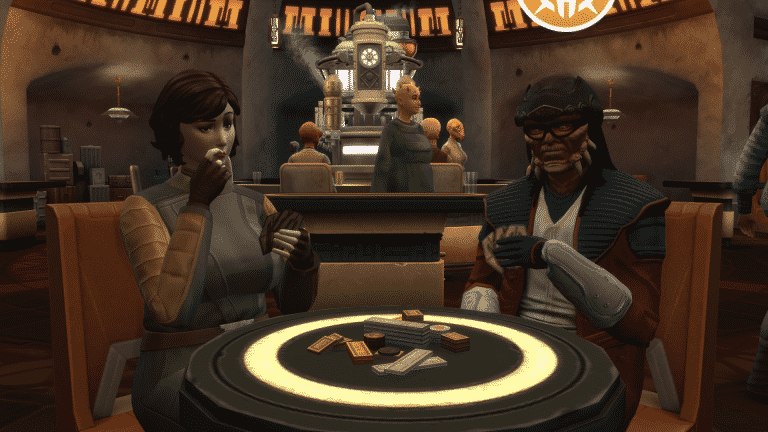
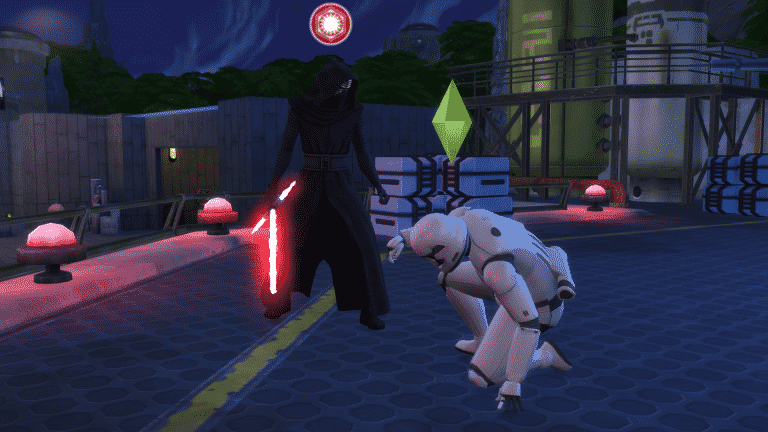
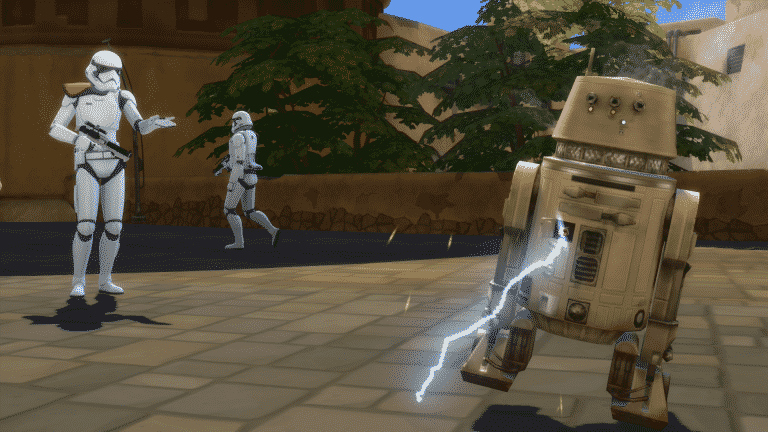
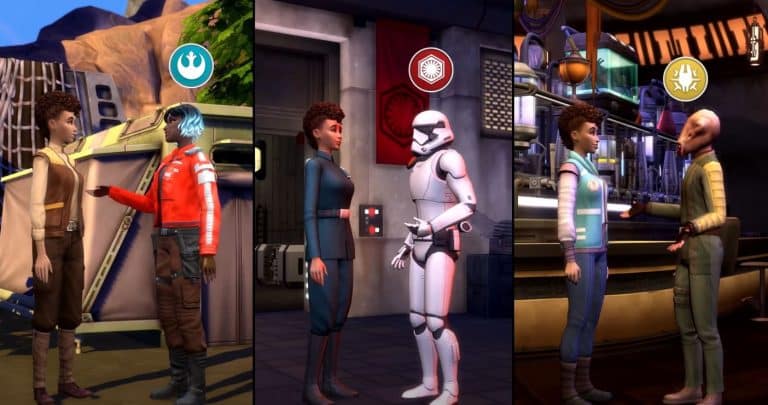
In The Sims 4 Star Wars: Journey to Batuu, your Sim will find themselves caught in the middle of three factions at odds with each other in Batuu; The First Order, Resistance, and Scoundrels. Each faction controls a different sector of the city and who you support is entirely up to you. Each faction has five ranks your Sim can progress through by completing missions for them. Each rank brings new rewards and unlockables, but beware; becoming friendly with one faction could make other factions hostile towards you.
This overview covers the Scoundrel ranks. Talk to Hondo Ohnaka in Black Spire Outpost to receive Scoundrel missions and begin rising in their ranks. He can often be found in Oga’s Cantina. It’s the only building in this district you can physically enter (ie: not a rabbithole).
Gaining ranks with the Scoundrels will not affect your status with any other factions. The Scoundrels like whoever they can make a profit off of. Due to the Scoundrels’ neutral stance on the First Order vs. Resistance conflict, your Sim can be part of the First Order or the Resistance and still work with the Scoundrels.
First Order Basic Info
Receive Missions From: Hondo Ohnaka
Batuu Location: Black Spire Outpost
Ship: Millennium Falcon
Main Hangout: Oga’s Cantina
Rank 1: Rookie
Rewards:
Galactic Credits
Swindle interaction
New Purchasable Items from Honda Ohnaka:
Dataspike
Other Notes:
Dataspikes can be used to slice into control panels. They are a one-time use and can get costly to purchase, so save all the ones you get as rewards for when you need them. You will be slicing into control panels frequently on missions. Alternatively, you can use a droid to slice into control panels if you have one.
Rank 2: Runner
Rewards
Galactic Credits
Scoundrel Uniform
Scoundrel Banner
Bribe interaction
New Purchasable Items from Hondo Ohnaka:
Thermal Detonator
Other Notes:
The Scoundrel Banner won’t be usable on Batuu. When you travel back home, they will be in your Sim’s inventory and you can drag them onto the walls to display them.
The Thermal Detonator can be used on spacecraft explorations in Batuu. It can also be displayed as decor when you return home.
Scoundrel Uniform – Unlocked at Rank 2 of the Scoundrels
Rank 3: Rogue
Rewards:
Galactic Credits
Skim Credit interaction
Tell Exciting Tales of Smuggling interaction
New Purchasable Items from Hondo Ohnaka:
Comlink
DL-44 Blaster
Model TD2.3 Electrobinoculars
Other Notes:
The Comlink can be used on spacecraft explorations in Batuu.
The DL-44 Blaster can be used on spacecraft explorations in Batuu. It can also be displayed as wall decor when you return home.
The Electrobinoculars can be used on spacecraft explorations in Batuu. They can also be displayed as decor when you return home.
Rank 4: Bandit
Rewards:
Galactic Credits
Scoundrel Outfit
Purple Kyber Crystal
Lightsaber Hilt
Enthuse About Galactic Credit Skimmers interaction
New Purchasable Items from Holotable:
Fake ID Card
Other Notes:
Having both the Purple Kyber Crystal and the Lightsaber Hilt will allow you to combine them and create the Mighty Elemental Nature Lightsaber, which you can use to duel with other Sims on Batuu.
The Fake ID Card can be used on spacecraft explorations in Batuu. You may also be able to avoid arrest when a First Order member checks your ID if you have a Fake ID Card in your inventory, but confirmation is needed about this.
Scoundrel Outfit – Unlocked at Rank 4 of the Scoundrels
Rank 5: Outlaw
Rewards
Galactic Credits
White Kyber Crystal
Millennium Falcon Replica
Millennium Falcon Explore interaction
New Purchasable Items from Hondo Ohnaka:
None
Other Notes:
The White Kyber Crystal can be swapped with the Purple Kyber Crystal in your Lightsaber Hilt. There doesn’t appear to be any noticeable difference between the two lightsabers. The type of hilt appears to matter more than the type of crystal used to power it; however, I am still gathering info on this and will update this guide if I make any new discoveries about this.
The Millennium Falcon Replica is a decorative statue you can display in your Sim’s house when they return to their homeworld.
Will your Sim be falling in with the Scoundrels on Batuu? Let us know in the comments or come chat with us on social media!
In The Sims 4 Star Wars: Journey to Batuu, your Sim will find themselves caught in the middle of three factions at odds with each other in Batuu; The First Order, Resistance, and Scoundrels. Each faction controls a different sector of the city and who you support is entirely up to you. Each faction has five ranks your Sim can progress through by completing missions for them. Each rank brings new rewards and unlockables, but beware; becoming friendly with one faction could make other factions hostile towards you.
This overview covers the Resistance ranks. Talk to Any Resistance Member in the Resistance Encampment to receive your first Resistance mission and begin rising in their ranks. After gaining their trust by completing a few missions, you will meet Vi Moradi. After that point, you can receive all your Resistance missions directly from her. She can often be found near the X-wing ship.
Gaining ranks in the Resistance will decrease your reputation with the First Order. Sims who are part of the First Order will be hostile towards you.
First Order Basic Info
Receive Missions From: Any Resistance Member, Vi Moradi
Batuu Location: Resistance Encampment
Ship: X-wing
Main Hangout: Resistance Outpost (embedded in a rockface between two clusters of tents)
Gaining the Trust of the Resistance
The first Resistance mission you will need to complete to earn their trust
Unlike the First Order and Scoundrels, you won’t be able to waltz right into Resistance territory and start getting missions from them straight away. The Resistance are suspicious of outsiders and won’t let you become one of them until you’ve proven yourself to be their ally. In fact, they won’t even introduce you to their leader at all until you’ve completed a few test missions for them to prove where your loyalties lie.
To get started, ask Any Resistance Member about the Resistance. They will tell you that using the phrase “Ignite the Spark” with a Resistance member will yield more information. Speak to any Resistance member and use the “Ignite the Spark” social on them. They will offer you a mission called Leap of Faith. Accept the mission.
Mission 1: Leap of Faith
Objectives
Talk to First Order Stormtroopers
Analyze the TIE echelon
Survey First Order Supply Crates
Report Back to any Resistance Member
Walkthrough
Head to the First Order District and do a Friendly Introduction on two Stormtroopers in the area. Then head to the TIE echelon ship in the same area and analyze it. Make sure there aren’t any First Order members on the ship platform when you do this or you’ll be issued a warning. Next, head to the First Order Cargo Hold and survey the supply crate located around back near the small circular garden. This supply crate is out of the way so there is less chance of getting caught by a First Order member, but Stormtroopers still like to patrol this little nook so wait for them to walk away before you survey the crate. Report back to the Resistance member you received the mission from to complete this mission.
Mission 2: Risks and Rewards
After completing Leap of Faith, talk to Any Resistance Member in the encampment and use the “Ignite the Spark” social again. You’ll get a new mission called Risks and Rewards. Nope, you haven’t earned their trust, yet. Get cracking on that mission!
Objectives
Acquire a Dataspike from the Scoundrel Contact
Obtain Comm Tower Access Codes
Disrupt First Order Transmission
Report back to any Resistance Member
Walkthrough
Head to Oga’s Cantina in the Black Spire Outpost and look for the Sim with the “Scoundrel Contact” role above their heads when you scroll over them. It might take them a while to spawn so wait around a bit. They’ll hand over the Dataspike easily when you ask. Then go to the First Order District and find any control panel. They look like apartment intercom boxes stationed outside many of the doors. Click directly on the panel (the casing isn’t clickable for whatever odd reason) to analyze it. Keep analyzing the control panel until one of the slicing options available has a green thumbs up next to it, then use that method to slice into it. Slicing the control panel will use up the Dataspike you got from the Scoundrel Contact. After successfully slicing the control panel, click it again to get the Comm Tower Access Codes. Next, go to the Comm Tower near the Droid Depot. It’s the control panel embedded into a large pole with wires and cloth strung from the top of it. Select Disrupt First Order Transmission on the control panel, then head back to the Resistance Encampment to report back and complete the mission.
Mission 3: Forest Flight
The Resistance now trusts you, but their leader wants to see you in action for herself to make sure you’re the real deal. Find Vi Moradi in the Resistance Encampment to receive your next mission, Forest Flight.
Objectives
Meet Vi Moradi
Scramble First Order Starfighter Traffic Monitoring Systems
Replace X-wing Parts
Fly Distraction Mission
Walkthrough
Find Vi Moradi in the Resistance Encampment and choose Meet Vi Moradi under the Resistance options. She’ll give you the rest of your mission objectives. Then head over to the First Order District and go back to the Comm Tower near the Droid Depot to scramble the Starfighter Traffic Monitoring Systems. Next, ask Any Resistance Member about X-wing parts. They’ll tell you to buy the parts from Scoundrels at Oga’s Cantina. Go there and start chatting up a Scoundrel. You’ll need to get your friendship bar filled roughly 1/3 before the option to purchase X-wing parts becomes available. Each X-wing part costs 100gc (Galactic Credits) and you need 5 X-wing parts, so you’ll be spending 500gc in total. You should have enough credits from the last two missions so this isn’t an issue. You can purchase all 5 X-wing parts from the same Scoundrel. After obtaining all 5 X-wing parts, go back to the Resistance Encampment and replace the parts on the X-wing. Then select the X-wing to fly the distraction mission. Click through the adventure popups until you return to Batuu, then report back to Vi Moradi to complete the mission.
Now that you’ve impressed Vi herself, your Sim is officially welcomed into the Resistance! From now on, you can get all your Resistance missions directly from Vi Moradi.
Resistance Ranks
You’ll already have gotten to Rank 1 of the Resistance by the time you complete the three missions to gain their trust. See below for a breakdown of each rank’s rewards and unlockables.
Rank 1: Sympathizer
Rewards:
Galactic Credits
Resistance Parka
Hatch Elaborate Plan interaction
New Purchasable Items from Holotable:
Dataspike
Model TD2.3 Electrobinoculars
Other Notes:
Dataspikes can be used to slice into control panels. They are a one-time use and can get costly to purchase, so save all the ones you get as rewards for when you need them. You will be slicing into control panels frequently on Resistance missions. Alternatively, you can use a droid to slice into control panels if you have one.
The Electrobinoculars can be used on spacecraft explorations in Batuu. They can also be displayed as decor when you return home.
Resistance Parka – Unlocked at Rank 1 of the Resistance
Rank 2: Recruit
Rewards
Galactic Credits
X-wing Pilot Outfit
Resistance Banners
Recruit interaction
Access through the Resistance Security Door
New Purchasable Items from Holotable:
Thermal Detonator
Other Notes:
The Resistance Security Door is located in the Resistance Outpost in the Resistance Encampment on Batuu. It’s tricky to find as it is partially concealed in the side of a rockface. The door leads to the Resistance Holotable, which has a variety of useful functions for Resistance members, including the ability to buy various goods you may need on your missions.
The Resistance Banners won’t be usable on Batuu. When you travel back home, they will be in your Sim’s inventory and you can drag them onto the walls to display them.
The Thermal Detonator can be used on spacecraft explorations in Batuu. It can also be displayed as decor when you return home.
X-wing Pilot Outfit – Unlocked at Rank 2 of the Resistance
Rank 3: Lieutenant
Rewards:
Galactic Credits
Tell Tales of Galactic Adventure interaction
New Purchasable Items from Holotable:
DL-44 Blaster
Fake ID Card
Other Notes:
The DL-44 Blaster can be used on spacecraft explorations in Batuu. It can also be displayed as wall decor when you return home.
The Fake ID card can be used on spacecraft explorations in Batuu. You may also be able to avoid arrest when a First Order member checks your ID if you have a Fake ID Card in your inventory, but confirmation is needed about this.
Rank 4: Specialist
Rewards:
Galactic Credits
Blue Kyber Crystal
Lightsaber Hilt
Resistance Jacket
Resistance Vest
Resistance Hat
Enthuse About Stopping the First Order interaction
New Purchasable Items from Holotable:
Comlink
Other Notes:
Having both the Blue Kyber Crystal and the Lightsaber Hilt will allow you to combine them and create the Sturdy Protection and Defense Lightsaber, which you can use to duel with other Sims on Batuu.
The Comlink can be used on spacecraft explorations in Batuu.
Although the notification lists a vest, jacket, and hat separately as rewards for this rank, I was only able to find a full-body outfit and a matching hat as new CAS unlocks after reaching this rank.
Resistance Outfit – Unlocked at Rank 4 of the Resistance
Rank 5: Sergeant
Rewards
Galactic Credits
X-wing Replica
Yellow Kyber Crystal
X-wing Explore interaction
New Purchasable Items from Holotable:
None
Other Notes:
The Yellow Kyber Crystal can be swapped with the Blue Kyber Crystal in your Lightsaber Hilt. There doesn’t appear to be any noticeable difference between the two lightsabers. The type of hilt appears to matter more than the type of crystal used to power it; however, I am still gathering info on this and will update this guide if I make any new discoveries about this.
The X-wing Replica is a decorative statue you can place in your house back in your home world.
Will your Sim be joining the Resistance on Batuu? Let us know in the comments or come chat with us on social media!
In The Sims 4 Star Wars: Journey to Batuu, your Sim will find themselves caught in the middle of three factions at odds with each other in Batuu; The First Order, Resistance, and Scoundrels. Each faction controls a different sector of the city and who you support is entirely up to you. Each faction has five ranks your Sim can progress through by completing missions for them. Each rank brings new rewards and unlockables, but beware; becoming friendly with one faction could make other factions hostile towards you.
This overview covers the First Order ranks. Talk to Lt. Agnon in the First Order District to receive First Order missions and begin rising in their ranks. He can often be found near the First Order’s Cargo Hold. It’s the only building in this district you can physically enter (ie: not a rabbithole).
Gaining ranks in the First Order will decrease your reputation with the Resistance. Sims who are part of the Resistance will be hostile towards you.
First Order Basic Info
Receive Missions From: Lt. Agnon
Batuu Location: First Order District
Ship: TIE echelon
Main Hangout: First Order Cargo Hold
Rank 1: Supporter
Rewards:
Galactic Credits
First Order Outfit
Check ID interaction
New Purchasable Items from Holotable:
Dataspike
Other Notes:
Dataspikes can be used to slice into control panels. They are a one-time use and can get costly to purchase, so save all the ones you get as rewards for when you need them. You will be slicing into control panels frequently on First Order missions. Alternatively, you can use a droid to slice into control panels if you have one.
First Order Outfit – Unlocked at Rank 1 of the First Order
Rank 2: Recruit
Rewards
Galactic Credits
TIE Shuttle Outfit
First Order Banners
Recruit interaction
Access Through the First Order Security Door
New Purchasable Items from Holotable:
None
Other Notes:
The First Order Security Door is located in the First Order Cargo Hold in the First Order District on Batuu. The door leads to the First Order Holotable, which has a variety of useful functions for First Order members, including the ability to buy various goods you may need on your missions.
The First Order Banners won’t be usable on Batuu. When you travel back home, they will be in your Sim’s inventory and you can drag them onto the walls to display them.
TIE Shuttle Outfit – Unlocked at Rank 2 of the First Order
Rank 3: Trooper
Rewards:
Galactic Credits
Stormtrooper Outfit
Tell Tales of Galactic Conquest interaction
New Purchasable Items from Holotable:
F-11D Blaster
Other Notes:
The F-11D Blaster can be used on spacecraft explorations in Batuu. They can also be displayed on the wall as decor when you return home.
Stormtrooper Outfit – Unlocked at Rank 3 of the First Order
Rank 4: Operative
Rewards:
Galactic Credits
TIE Pilot Outfit
Red Kyber Crystal
Lightsaber Hilt
Enthuse About Crushing the Resistance interaction
New Purchasable Items from Holotable:
Comlink
Other Notes:
Having both the Red Kyber Crystal and the Lightsaber Hilt will allow you to combine them and create the Fateful Order and Control Lightsaber, which you can use to duel with other Sims on Batuu.
The Comlink can be used on spacecraft explorations in Batuu.
The TIE Pilot Outfit comes in one piece that includes both the body and headgear. It is not two separate pieces like the previous outfits.
TIE Pilot Outfit – Unlocked at Rank 4 of the First Order
Rank 5: Sergeant
Rewards
Galactic Credits
Stormtrooper Pauldron Outfit
TIE echelon Replica
Black Kyber Crystal
TIE echelon Explore interaction
New Purchasable Items from Holotable:
None
Other Notes:
The Black Kyber Crystal can be swapped with the Red Kyber Crystal in your Lightsaber Hilt. There doesn’t appear to be any noticeable difference in appearance or abilities between the two lightsabers. The type of hilt appears to matter more than the type of crystal used to power it; however, I am still gathering info on this and will update this guide if I make any new discoveries about this.
The Stormtrooper Pauldron outfit uses the same headpiece as the standard Stormtrooper Outfit unlocked at rank 3. You just unlock a new full-body outfit that features a variation of the Stormtrooper Outfit that has an orange shoulder piece.
Stormtrooper Pauldron Outfit – Unlocked at Rank 5 of the First Order
Will your Sim be joining the ranks of the First Order on Batuu? Let us know in the comments or come chat with us on social media!
So, you want your Sim to have a companion while they explore the world of Batuu? Well, you are in luck because your Sim can have either a BB Unit or an R Unit as a companion!
You will need to head over to the First Order District and just around the corner from where your Sim spawns into the neighborhood, you’ll find Mubo and the Droid Depot.
Here you will find everything you need for your Sims’ BB and R Unit companion.
Getting Started
Firstly, once you have made your way over to the Droid Depot, you will be given an option to order either a BB or R Unit. Each unit costs 1,000 Galactic Credits.
Once you have chosen what kind of Unit you would like, you can go ahead and choose a head, body, and colour scheme. You will be able to see all the options in all the different colours in the body panel. You are also able to own multiple BB and R Units so you can have a variety of different ones to choose from.
BB Unit
R Unit
Don’t forget you can also name your Droid on this screen or via the pie-menu after you have purchased them.
Droid Maintenance
Of course, you will want to keep your Droid well maintained during your adventures in Batuu and this is really easy to do. Simply click on your Droid and select the Droid maintenance submenu.
Sometimes, interactions might not quite go to plan and backfire for your Droid. Don’t worry! Simply click on your Droid and you will be able to repair them.
Personality Chips
Personality chips can also be bought from the Droid Depot. You will find that the faction you belong to determines which Personality Chips you can buy. The Chips allow your Droid to have a new voice as well as a new personality and cost 175 Galactic Credits. Once installed, you are good to go!
What else can you buy from the Droid Depot?
Your Sims can also purchase toys and scrap from Mubo. Prices range from 75 Galactic Credits to 350 Galactic Credits depending on what you buy. You can also purchase Toy BB Units and R Units to take home and decorate your Sims home.
What Next?
There are a few things you can do with your Droid companion but how do you take the time to get to know them and build up that relationship? You will be going on some adventures with them!
Your Droids have the ability to follow your Sim around but you can also ask them to wait in a specific place, cause a distraction, unlock supply crates and even shock other Sims.
Your Droid companion is also able to play music from two new radio stations. Batuu and DJ R-3X Radio are available to listen to while out and about!
Droids at Home
Droids are not just limited to Batuu. While you can’t ask your Droid to follow you or cause a distraction, you can continue to listen to the Batuu radio stations and all of the normal radio stations and also play with your Droid. You are still able to replace Personality Chips that you have in your inventory and tinker with your droid as well.
What kind of Droid are you going to build while in Batuu? Let us know in the comments or come chat with us on social media!
The world of Batuu is different from previous worlds we’ve seen added to the game previously. While there are no buildable lots for players to use (unless you wish to use cheats to have some aspects of building) there is still a variety of locations your Sims can visit.
Batuu is split into three districts, Black Spire Outpost, First Order District, and the Resistance Encampment. When you first travel to Batuu you will start off in the Black Spire Outpost but will then have the option to travel to the other two districts.
Black Spire Outpost
“This is the central hub of Batuu. Here you can find The Dwelling, Oga’s Cantina, Dok-Ondar’s Den of Antiquities, and a number of food and drink options.”
Docking Bay 7 – Food & Drink
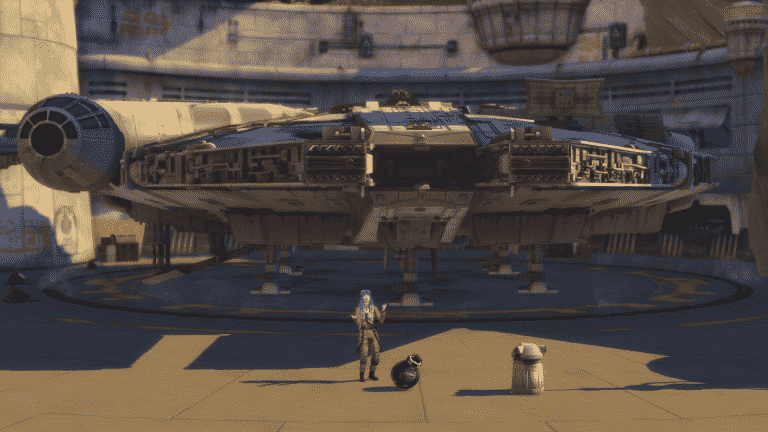
Millennium Falcon
Go exploring or take part in a Kessel run with the Millennium Falcon.
Oga’s Cantina
Take a seat and grab a drink or play a game or two of Sabacc.
Dok-Ondar’s Den of Antiquities
Here you can purchase a variety of different items including Porg and Ewok plush toys, Sith and Jedi Holocron’s, Kyber Crystals, and more!
Savi’s Lightsaber Workshop
Kyber Krystals, display cases, and Lightsaber Hilts. Savi’s shop is the place for all things Lightsaber related. You can also ask for Lightsaber Challenges here too.
The Dwelling
Whether you Sim needs to sleep, freshen up or change up their Batuu outfit, this is the place to go.
Ronto Roasters – Food & Drink
First Order District
“This is the First Order occupied sector of Batuu. Here you can find Lt. Agnon as well as the Droid Depot if you are looking to acquire your very droid companion.”
First Order Headquarters
Here you will find everything you need while climbing up the ranks with the First Order.
Droid Depot
Your one-stop-shop for everything Droid related in Batuu!
Resistance Encampment
“The Resistance Encampment is located deep in the forests of Batyy. Rumour has it you can find Vi Moradi, the famous Resistance spy. However, you will need to ear the trust of the Resistance before they will accept you with open arms.”
Resistance Camp
The main hub of the Resistance Encampment. Talk with other members of the Resistance or take a quick sleep ahead of your next adventure.
T-70 X-wing
Jump in and go and explore with the T-70 X-wing!
While you may not be able to properly explore every location in Batuu they do help provide a backdrop for when your Sim is completing missions for one of the factions. Don’t forget to keep a lookout for some of the mission locations while on your travels too.
The Sims 4 Star Wars: Journey to Batuu Game Pack has just been released on PC! The rollout for Steam and Consoles is expected to begin at 10AM Pacific Time today.
You can get this Game Pack for $19.99 on the following platforms and consoles:
We’ve checked out all of the objects that come in Build Mode with The Sims 4 Star Wars: Journey to Batuu Game Pack! Included in the overview are also objects from the BuyDebug category. Check it out!
In today’s official announcement The Sims Team has stated a couple of things regarding the future of The Sims 4 and what they’re working on. Among the statement that they’re planning to update The Sims 4’s skin tones and addressing some of the community requested features, they’ve also stated that they’ll be announcing a brand new Expansion Pack for The Sims 4 “in just a matter of few weeks”.
To set the expectations for the community, they’ve stated that some of the currently requested features such as babies, farming, cars and bunk beds won’t be a part of this Expansion Pack.
In just a matter of weeks we’ll be sharing more about our next Expansion Pack, which we’ve been working on since last year. I want to set expectations now, though, that cars, babies, farms and bunk beds are not part of this EP. We understand how important these features are to you but we want to be honest that they are not part of this upcoming pack.
The last expansion pack for The Sims 4 – Eco Lifestyle was released on June 5th. With some of the “foundation” Expansion Packs already being released such as Pets, Seasons, University and others, the next Expansion Pack could be a surprise. Personally I’m hoping for a return of Hobbies and more activities for my Sims that will flesh out their personalities even more, but time will tell.
The Sims Team has issued a letter talking about some of their future plans for The Sims 4, as well as how they plan to address community feedback.
In the letter, the team announced skin tone improvements by the end of this year, upcoming content expectations, new Expansion Pack announcement in a few weeks and better transparency plans. Check out the full letter below:
Hi Simmers –
We want you to know we’ve been seeing all your feedback and we hear you. As we always have been, we’re committed to growing The Sims as a game and as a community, so instead of trying to respond to a variety of tweets we wanted to consolidate some thoughts and updates in one place:
We are working on adding significantly more skin tones before the end of the year, and will share news on our progress soon. Beyond that, we’re committed to continuing to expand representation in The Sims 4. This is not one step, but a journey.
On upcoming content – when we consider something for addition to the game we consider what it will take to update it meaningfully. This is just as true for babies as it would be for cars, bunk beds or any other number of feature requests. Sometimes there is foundational technology we need to work through and sometimes we need to dig into designs more deeply to make sure we understand your expectations. This work takes time, and we don’t update you on these projects until they become more real. Game development in general can feel like a long process and, like most of the world, we are adjusting to a continued state of working from home.
In just a matter of weeks we’ll be sharing more about our next Expansion Pack, which we’ve been working on since last year. I want to set expectations now, though, that cars, babies, farms and bunk beds are not part of this EP. We understand how important these features are to you but we want to be honest that they are not part of this upcoming pack.
As a team, we are going to make more of an effort to communicate what’s coming with more regularity and transparency so that you continue to feel in the loop about new features, experiences, packs, and general information.
That’s it for now, and you’ll be hearing more from us soon. In the meantime, all we ask of you is to be kind, engage in constructive conversations with each other, and continue to celebrate what makes the Sims special to YOU. And I can assure you that we will continue to listen, continue to invest in The Sims 4 and continue to engage with you. We could not do what we do without our players.
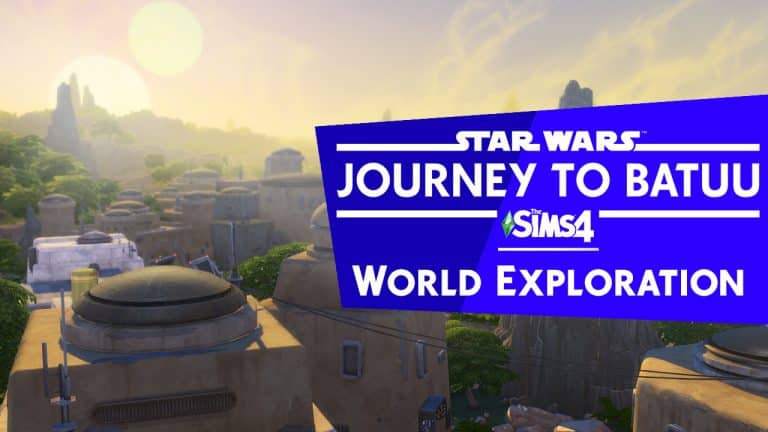
In our latest video overview I’ve managed to capture all 3 neighborhoods that come in the world of Batuu – a brand new Destination World that you get with The Sims 4 Star Wars: Journey to Batuu Game Pack. In this video I’ll be showcasing all the locations and what they have to offer. Check it out!
The Sims Team has released a brand new Update for The Sims 4 on PC, Mac and Consoles!
To download the latest version of The Sims 4, simply open your Origin program and if the game doesn’t update automatically, right click on The Sims 4 and select ”Update”.
In case you have Mods or Custom Content, the game will automatically disable them for you after first launching The Sims 4 after the update. To re-enable all your Mods and Custom Content, select the Settings option in the Menu and select Settings. Under the”Other” section you’ll find the ”Enable Custom Content and Mods” option. Check it and restart your game in order for it to take effect!
Patch Notes
Update 9/3/2020
PC: 1.66.139.1020 / Mac: 1.66.139.1220
Console: Version 1.31
Hello Simmers!
We are super excited for the upcoming release of The Sims™ 4 Star Wars™: Journey to Batuu, so today we have an important update for you to address a couple of critical issues as well as a few updates to some existing features.
Have your Sims ever dreamed of a jungle-themed wedding escapade? Or a quiet yet elegant wedding in the woods? Sims can now elope in any of the Destination Worlds. Picture this… a warm sunny day in Selvadorada, your Sim and their loved one accompanied by the bustling sounds of Puerto Llamante… it is like the best premise for one of Russkii’s telenovelas.
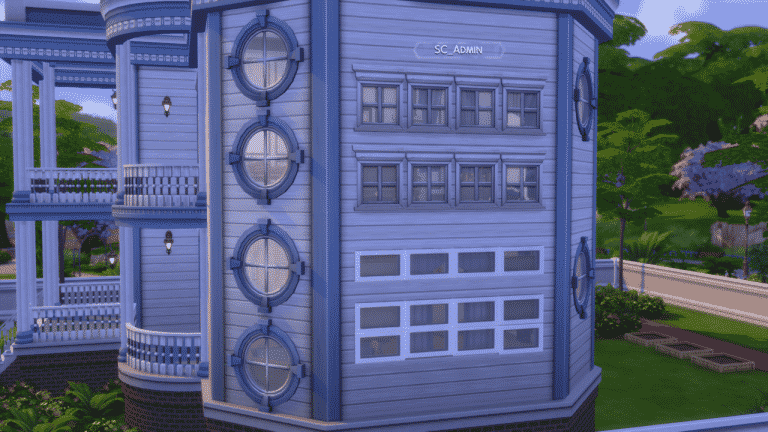
Besides letting… I mean, encouraging Sims to elope to Destination Worlds, we have made windows a little more dynamic if you will. You can now place windows by stacking them above each other without the use of the bb.moveobjects cheat. Which may seem small but we hope builders enjoy this addition!
For Playstation 4 players, we checked around and we found some additional memory. This should help those Simmers who were unfortunate enough to crash during travel and transitioning in and out of Build Buy on some of their more built-up saves.
Last but not least, we have also made a change for PC and Mac in which there will be a new folder auto-generated in DocumentsElectronic ArtsThe Sims 4 called “ConfigOverride”. Inside this folder, players can place a copy of Default.ini, GraphicsCards.sgr, and/or GraphicsRules.sgr which will override these files where the game is located. So, if you edited these files before, you can now edit them in the new folder.
Happy Simming,
-SimGuruRomeo Ft. SimGuruRusskii
Now onto the fixes:
Sims 4
Mouse hovering over purchased traits will no longer display the text “Not available for Robots.” We understand that Robots are sentient beings, but unfortunately, these traits are not robot compliant.
Fixed an issue in which Lots with applied Terrain Manipulation were being placed backwards when downloaded from The Gallery. Where’s the door? Is this the front or the back? Order has been restored at last.
Fixed an issue in which Terrain Paint did not apply correctly under trees or foundations.
The UI team did some housekeeping and have fixed some background stretching happening in career panels.
Blinking shadows no longer appear when placing windows in basement levels that are of the same variant. I do admit that was a bit spooky, not the time windows… not the time.
Color swatches for Build Mode item “Large Dancing Water Emitter” have been fixed.
Staircases will no longer get cut through trims when there is no landing. Safety first!
Discover University
Some flowers and trees in Gibbs Hill will no longer appear to be floating as Sims walk by. To be honest, the idea of floating flora is quite appealing to me.
Eco Lifestyle
Civil Designer Sims will no longer come home after work wearing random footwear. I’m all for putting your feet up after work, but switching footwear in the middle of things and coming home from work in a completely different state as you went out, is kinda suspicious.
Fixed an issue that caused some color swatch glitches on Civil Designer outfits.
Realm of Magic
Fixed an issue with thumbnails generated in The Gallery for Toddlers that generated not only their Sim form but also included their Spellcaster form. We can only contain the cuteness so much!
Nifty Knitting
What’s that? Did you still hear the sounds of knitting when cancelling knitting interactions? <singsongy voice> Not a problem anymore.
Fixed an issue with asset cfHair_SP17LocsLong that made it display all adult color swatches.
The Sims 4’s upcoming Base Game Update will expand upon the Free Window Placement tool that we’ve gotten a few months ago and let you do even more! When placing down the windows, not only will you be able to place the windows wherever you want while pressing down the alt key, but you’ll also be able to stack multiple windows one on top of another as much as you like!
You can check out the example from the screenshot below that I’ve taken from The Sims 4’s Early Alpha Build – thanks to the EA Game Changers program!
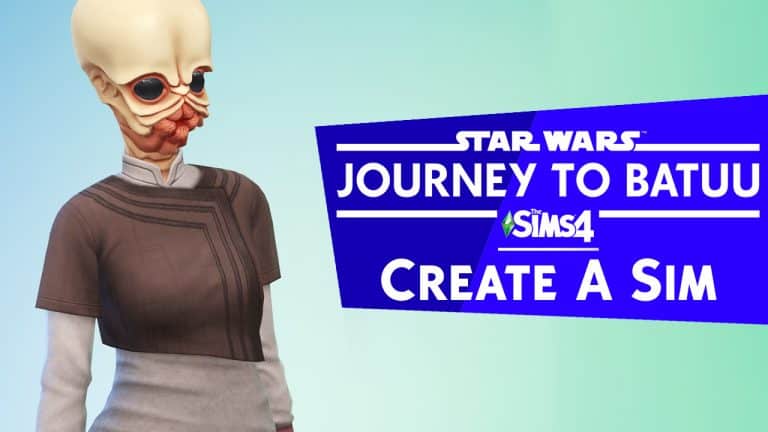
Over the last couple of days I got a chance to get my hands on The Sims 4 Star Wars: Journey to Batuu Game Pack. In the first video you can spot all the new CAS additions, clothing, hairstyles, unlockables and…alien masks? Find out what the pack has to offer in the video above!
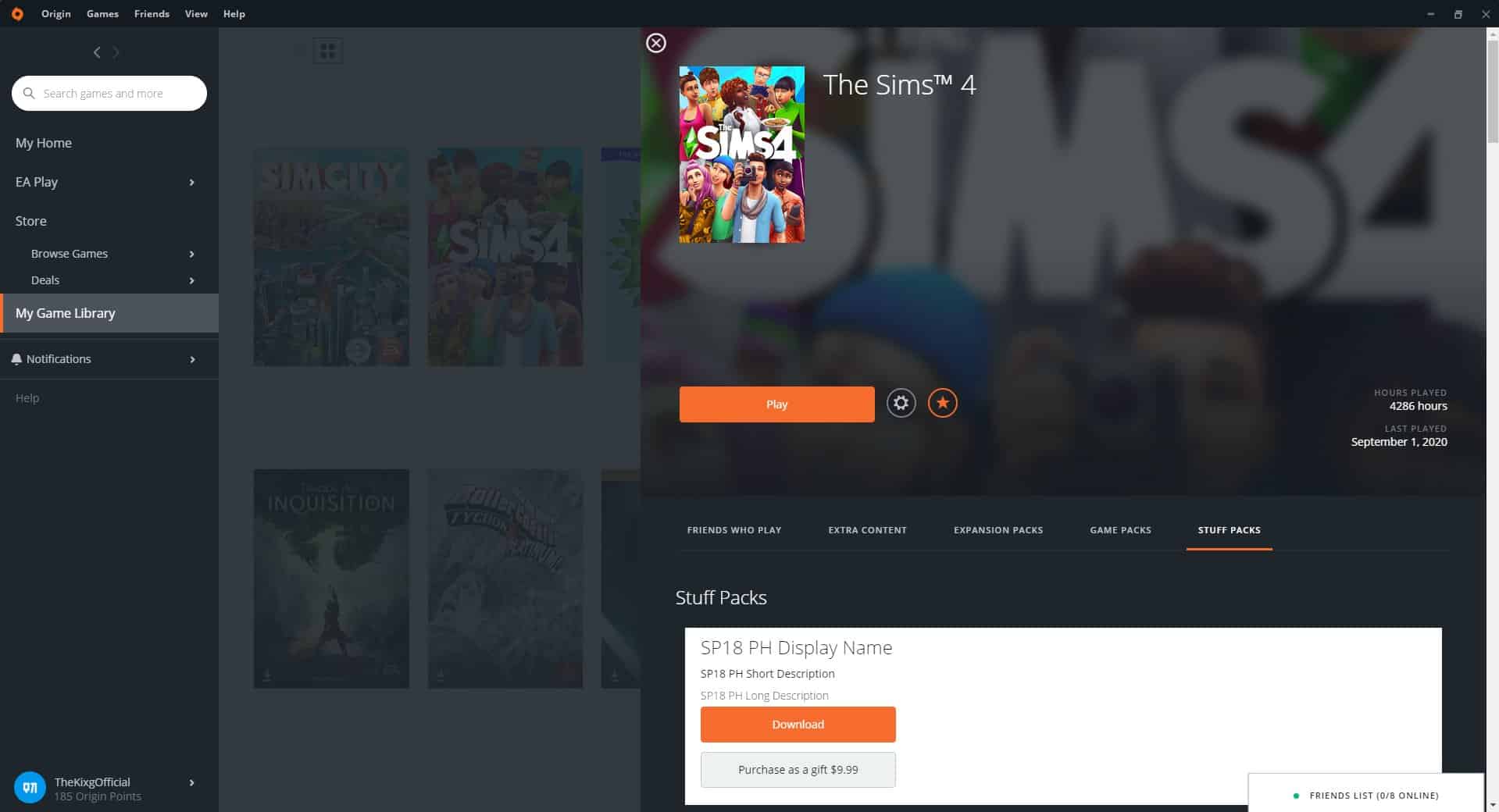
This time around Origin has listed the 18th Stuff Pack for The Sims 4, which by the look of how it leaked, was a complete accident on their end. The leak didn’t reveal anything related to what the theme of this Stuff Pack could be as it was titled under the “SP18 PH Display Name” which is just a placeholder.
The leak was reported by many Simmers in the community saying they’ve found the SP18 listed under the Stuff Packs category in The Sims 4 Game Library. This listing was only public for a couple of hours until it got removed by Origin.
You can check out the screencap of this listing down below, provided by @TheKixg:
What do you think the next Stuff Pack is all about? Let us know in the comments!