

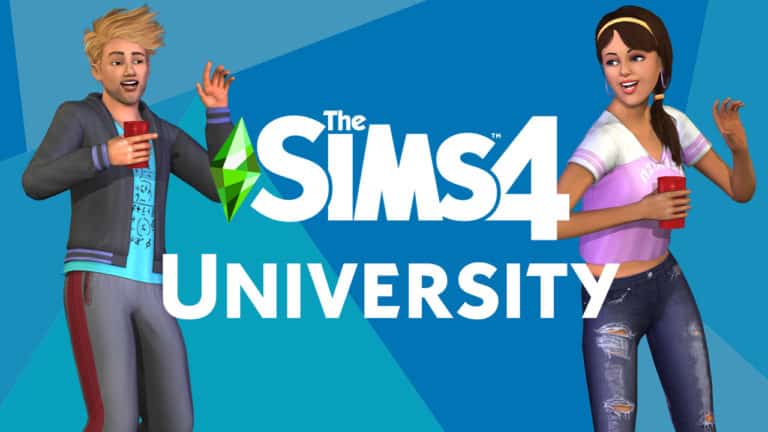
The Sims Team has released a brand new image and a new video GIF to tease tomorrow’s full reveal of The Sims 4 Discover University Expansion Pack!
Check them out:


The Sims Team has released a brand new image and a new video GIF to tease tomorrow’s full reveal of The Sims 4 Discover University Expansion Pack!
Check them out:
The announcement is finally happening!
In a letter sent out to select EA Game Changers (including us but ours is stuck in transit until tomorrow lol), The Sims Team has teased a full announcement of The Sims 4 Discover University Expansion Pack!
UPDATE: There’s a second letter talking more about the Foxbury Institute. Check out the second letter and the information it contains – courtesy of @DeeSimsYT:
It is my great pleasure to inform you that you have been accepted into the Foxbury Institute. Please accept my personal congratulations on your achievement!
Foxbury Institute was established only half a century ago with the help of a donation from the generous Landgraab family. Today, Foxbury Institute has established itself as a premier place of higher learning.
Foxbury Institute boasts a striking modern campus, impressive labs and facilities, and a litany of alumni who have gone on to storied careers of innovations. Foxbury Institute sets out to inspire future generations, while teaching students to aim high and dream big.

The English Simmer has shared a screenshot of her “University of Brichester acceptance letter” which contains some new information as well as the fact that the full reveal of Discover University is happening tomorrow – October 22nd at 8AM PT on The Sims’ Official YouTube Channel!
The letter reads:
Congratulations on your admission to the University of Britechester! I am delighted at the prospect of you joining our community this fall.
With nearly a millennium of history and tradition, the University of Britechester is the oldest university still teaching today. Originally built as a private academy for vacationing royal families, the University of Britechester has kept many of the original building details that Princess Cordelia helped design, along with a collection of her diaries about staying at the nearby castle.
Today, the University of Britechester aims to fulfill its mission: molding students into well-rounded, upstanding Sims.
Please join us at YouTube.com/TheSims on October 22 at 8AM PT for your online orientation. We can’t wait to meet you!
Sincerely,
Professor Pearson
Stay tuned to our website for all the latest news and updates regarding the upcoming expansion!
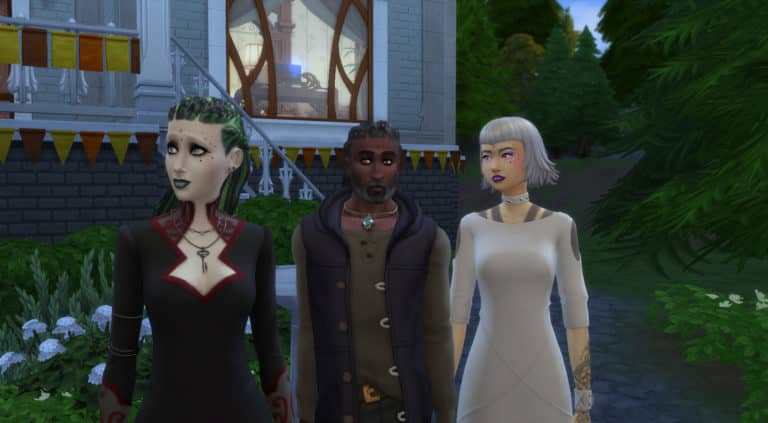
The Sims team has uploaded three new families to The Gallery for players to download and add to their games.
First up we have the MOSCHINO x The Sims Family who happen to be a photographer and several fashion subjects who appeared in The Sims 4: Moschino Stuff Pack Trailer.

Next up we the three Sages from the Realm of Magic trailer.

And finally, we have another family consisting of Kiernan Shipka and her dog Frankie!

Each of these families can be download from The Gallery and can be found by searching for the Maxis account.
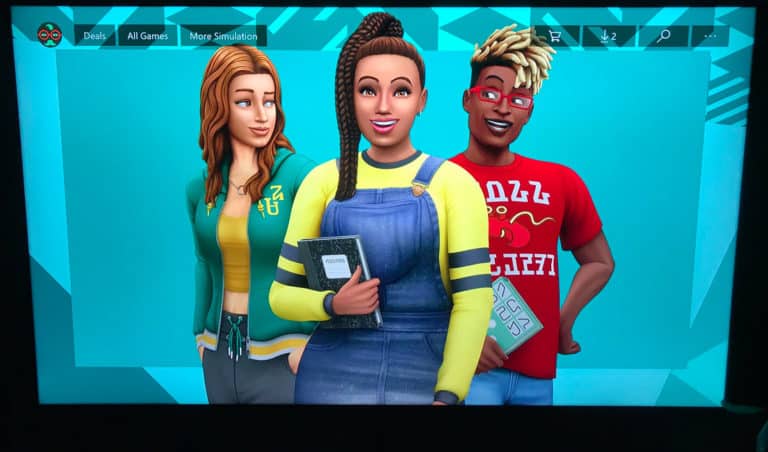
It would appear the Microsoft accidentally revealed a listing for The Sims 4: Discover University earlier today. Now this wasn’t just any old listing. This was a listing with more information than what we had previously seen. However it does look like Microsoft has removed the listing after realising their error.
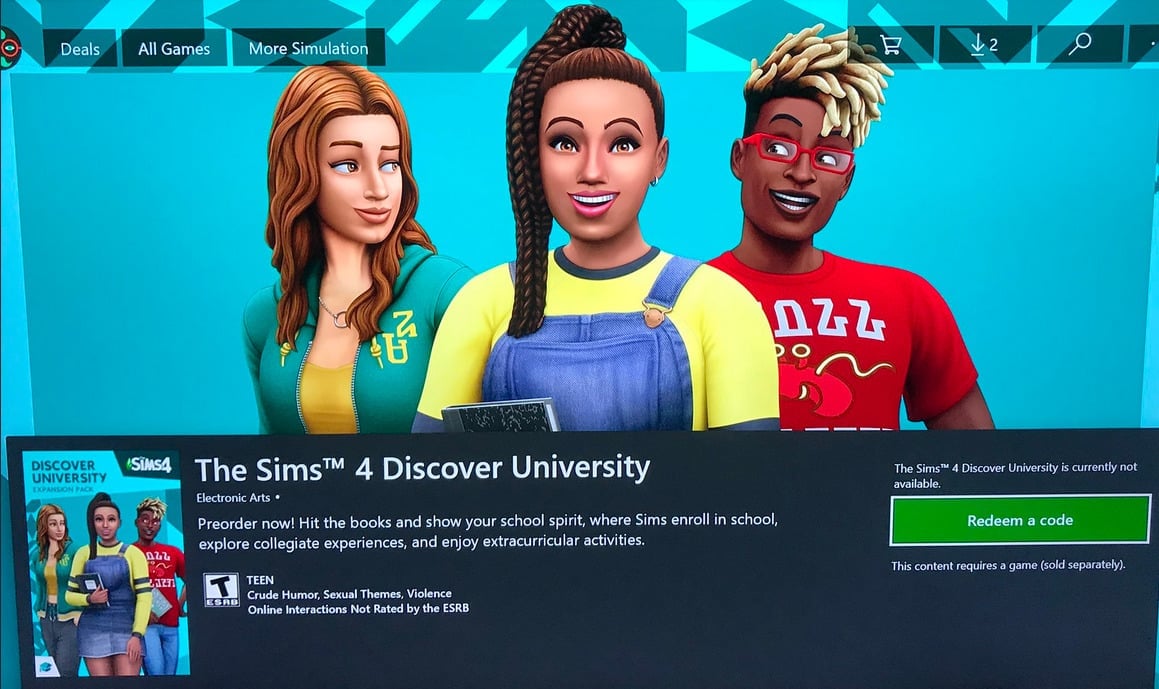
It would appear that the listing is geared towards the console release of the game as a release date of the 17th December 2019 has been found in this listing. While it is not confirmed that this is the true console release date, if both listed dates for PC/Mac and Console are correct it definetly falls in line with how the more recent releases have been scheduled. The leaked date for PC / Mac release is November 15th, 2019.
One of the newest bits of information that has come with this particular listing is the expansion pack features.
With a new world named Britechester to explore, mumerous classes, extracurricular activities and more to explore it would appear that The Sims 4 Discover University will have plenty to offer!
Settle into School – Welcome to Britechester! Begin a new chapter for your Sim when they enroll in the historical University of Britechester or modern Foxbury Institute. Live in a dorm or off-campus, explore Britechester on a bicycle, spend time in the student commons, and have a study session at the library. Cheer on the student body at a school spirit event and wear school colors to show your Sim’s pride.
Stay Classy – Sims enroll in the University that piques their interest, finding classes in biology, computer science, art history, and even villainy. Attend a lecture or work on term papers and presentations – the more your Sim learns, the better they will be in careers like teaching, law, and engineering. Going to classes or blowing them off will affect your Sim’s grades, so time management is a must.
Meet, Mingle, and Explore – How your Sim embraces college life is up to them. They can study all night to complete homework or chill out and sleep in. And, with activities like juice pong, juggling a soccer ball, and hanging out with roomates, taking a break has never been so fun! Plus, your Sim can join school organizations like robotics, debate, art, or even a mysterious secret society. As the school year progresses, Sims beome their best selves and discover who they are meant to be.
Express Your Campus Style – Make your Sim’s space cozy with dorm room decor that reflects their personality with objects like posters and a mini-fridge. Then, develop their personal style in any way you choose, whether wearing late for-class-sweatpants or their best-self slacks, there’s always a way to show school spirit or impress a classmate.
Did we mention it looks like we will be seeing the return of bikes, roommates and more?!
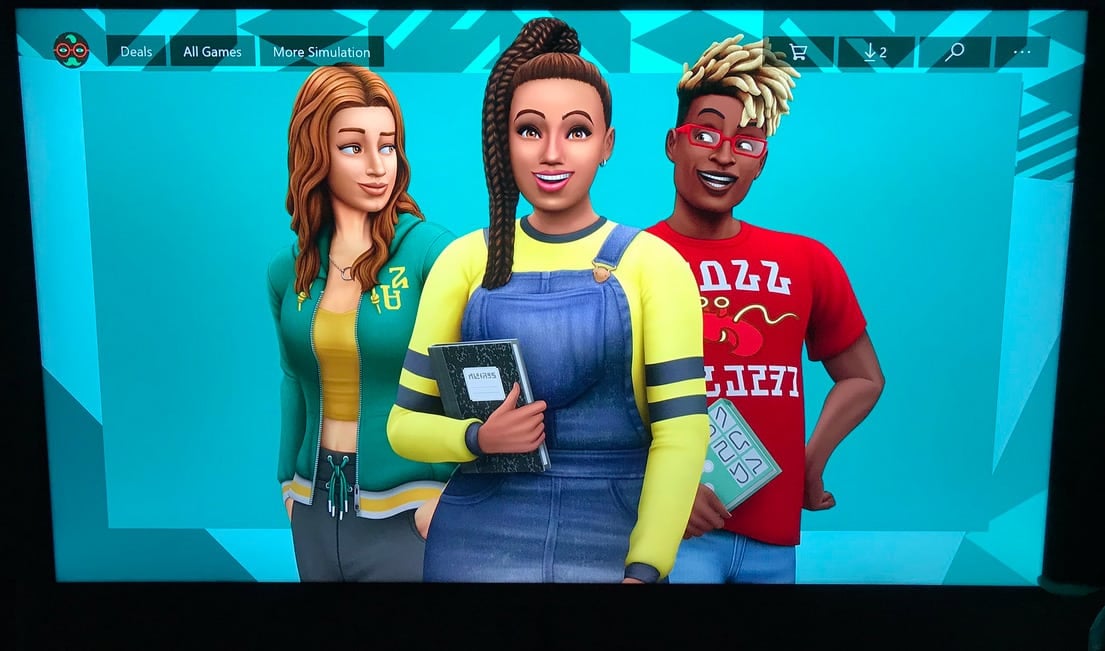
Tip & source: Nando_aze, asairi_art_gallery, CaptureTheCosmo

The Sims 4 Realm of Magic Game Pack has just been released to consoles!
You can get it from the official stores for 20USD, including:


EA_David has shared some important information regarding changes to The Sims 3 when Apple release their new operating system, Catalina.
Please take a look at the post from the EA Answers HQ below.
via EA Answers HQ

PLEASE NOTE: This post is purely speculation and doesn’t contain any official confirmation (yet) about the theme or content of The Sims 4’s upcoming pack.
A few weeks ago we shared an article about the possibility of The Sims 4 Discover University (EP8) being the next expansion pack. There was also talk that it could be launched as early as November 15th, 2019. Again at this time, the information that the community has seen is all speculation and nothing has been officially confirmed by EA.
You can read the previous article here.
However, another listing has appeared online. This time it is from the retailer LiveKaarten.

The listing itself doesn’t give us any information about what we could see in the potential upcoming expansion pack or a glimpse at the official box art either. It does, however, give us the same November 15th, 2019 release date as well as the same The Sims 4 Discover University name. The pricing also seems to be roughly in line with the normal expansion pack pricing also.
That’s not all. It would appear that a second listing has also appeared over on JoyBuggy.dk with the same information. Despite the box art being different from the previous listing the release date and expansion name are also the same.

After seeing the information about these two new listings, I decided to explore the internet myself to see if anything else came up. I was in luck and discovered that what appears to be a sister site to LiveKaarten, LiveCards.co.uk also had a listing for the new expansion pack.

UPDATED: 15th October 2019:
Since this article was originally posted, we have come across another listing for The Sims 4: Discover University online. This time it is from the digital retailer CDKEYS. Again the rumored expansion is available for pre-order and also releases on 15th November 2019.

Out of all of the information that has been seen so far over the last few weeks, the two things that have been consistent for each listing is the expansion pack name and the release date. While each listing currently has a placeholder image for the box art.
Hopefully, we won’t have to wait too long until we see an official announcement from The Sims team!
Let us know what you think about these new listings for the possible new expansion pack in the comments below.

The Sims Team has released a brand new Update for The Sims 4 for Console devices – Xbox One and PS4!
Now, with just a few days until Realm of Magic releases on PlayStation 4 and Xbox One we bring you this update with new features that are available to all Simmers. Configurable stairs, new clothing and build objects, as well as some spooky new additions.
What’s New?
Configurable Stairs
There’s magic in the air, and the candle summoning circles you’ve been sending us via Twitter in an effort to will new types of stairs into existence has worked! Configurable stairs have been added to the game, giving you the ability to create stairs that are L-shaped, U-shaped, and more! Excited to try them out? Simply place any set of stairs down in build mode, and you’ll notice a new widget that appears… it’s a box with two arrows attached to it. Grab onto that with your cursor and drag, and suddenly your stairs will be bent 90°! Keep dragging, and the stairs will bend 180°. Once you’ve bent your stairs, you’ll see another two widgets appear. A diagonal arrow above the newly-added landing will let you adjust the height of the landing within the staircase. A curved arrow at the base of the stairs will allow you to continue to rotate the direction of the stairs beneath the landing. For times when a single landing just isn’t enough, you can keep adding additional bends to your stairs–as long as they’re tall enough to have room for another one. I think that just about covers the basics; so get in there and try it out, experiment, and create some amazing new builds!
The Sims 4 – 5th Anniversary
Even though The Sims 4 has been on PlayStation 4 and Xbox One for nearly 2 years, we couldn’t let you Simmers go without The Sims 4 – 5th Anniversary content that released for PC and Mac. As SimGuruRomeo and SimGuruGraham described it for the Anniversary PC and Mac release “It’s already been five years since The Sims 4 released; whew–time flies when you’re simming! In celebration of this milestone, we’ve added a set of end-of-summer content so that your Sims can join in the festivities. Invite some friends and family over, fire up the grill, and enjoy a backyard get together with this new content. (FYI – the new stilted foundation is perfect for creating a backyard deck!) You’ll even spot some patterns with nods to famous icons of The Sims…”
New Clothing
- Men’s Long Blazer
- Women’s Summer Party Full Body Outfit
- Boy’s Polo Rugby Top
- Girl’s Knee-Length Leggings
New Build Content
- Fence: “Fence”
- Railing: “Stair Railing”
- Stair: “Stairs”
- Foundation: “Stilt Foundation”
- Foundation: “Canvas”
New Objects
- Light: “Outdoor Ground Light”
- Plant: “Plant Potted Floor”
- Living Chair: “Outdoor Seat”
- Lounge Chair: “Outdoor Lounger”
- Dining Table: “Outdoor Table”
- End Table: “Outdoor End Table”
- Pedestal: “Upside Down Gnome Decor”
Muslim-Inspired Clothing and Architecture
To help even more of our players express themselves and create Sims that are relevant to their everyday lives, we’ve introduced a set of Muslim-inspired clothing and architecture.
New Clothing
- Women
- Hijab
- Belted Dress
- Jacket with Long Skirt
- Modest Athletic Wear / Swimsuit
- Athletic Hijab
- Men
- Knitted Kufi
- Buttoned Shirt
- Children
- Girl’s Pleated Dress
- Boy’s Buttoned Shirt
New Build Content
- Window: “Window 1 Wide Version Angular”
- Window: “Window 1 Wide Version Rectangular”
- Window: “Window 2 Wide Version Angular”
- Door: “Door 1 Wide”
- Door: “Door 2 Wide”
- Arch: “Arch Door”
- Arch: “Arch E”
- Tile Wall Pattern: “2 Tone Wall Without Wainscoting or Trim”
Futuristic Spooky Costume
It’s that time of year where we all dress up for those cobweb draped parties and too much candy. The Sims aren’t immune and have a new robot costume to greet those Trick or Treat visitors. Take me to your candy, squishy human!!!!
New Look+
In the last update we brought the new look to The Sims 4 but a couple of items still needed updating. Those are all updated now to include the updated look from start to finish.
General Issues
- Mouse and Keyboard Simmers will have their last used camera preference saved so your preferred camera mode is active if you switch back and forth between control schemes. New saves will default to The Sims 4 camera mode.
- Switching trait categories in CAS will no longer cause your Sim to switch outfits.
- The camera won’t zoom out when placing objects high on walls and opening the color swatch.
- Basements will not create irremovable flooring between levels.
- Fixed an issue that caused weighting for names, clothing, facial features, and skin tones to skew heavily in specific directions if City Living or Island Living were installed.
- Solved the problem where showers were playing a sound even after deleted.
- Solved an issue where skin details vanish after randomizing traits, voice, or clothing.
- Toddlers now learned how to drink from sippy cups again. Not sure why they were so resistant in the first place; those things are great!
- Sims have regained the ability to gradually fill empty homes! If the option for it is enabled that is.
- If you want Sims to fill empty homes, go to Game Options -> Gameplay -> and check the “Fill Empty Homes” option.
- Fixed various save load issues when loading specific households.
- Sims are now able to drown again if you do not have Island Living installed!
- Floor trims on exterior walls will no longer be cut away when a staircase is placed adjacent to the trim on the interior side of the wall.
- Fixed a couple of layering issues with tight pants and boots.
- Re tuned the values for comfort, decor, fun, hygiene, comfort on several objects.
- Fixed various typos.
City Living
- Teen Sims that are Unflirty can now make out with other teens.
Cats and Dogs
- When putting your cuddly friends up for adoption you will no longer be faced with inaccessible UI.
- Now your pets will be able to fully complete obstacle courses with Stand Platforms.
Seasons
- Fixed a visual issue with foundation decorations being placed next to a pool.
Get Famous
- Skills/Tasks are now displayed for every gig and audition in the career panel.
- Certain auditions will stop being spammed in the gigs panel.
- Teen Sims can no longer run romantic socials with celebrities.
Island Living
- She sells seashells, but only if they don’t stack on top of each other. That shouldn’t occur anymore, but nature finds a way.
- Fishing in Sulani now counts towards the “Fish in 3 Spots” Goal.
- Players now have the ability to trigger volcanic eruptions with cheats: volcanic_eruption small and volcanic_eruption large!
- Children can now drown.
- Sims can now drown while riding an Aqua Zip!
- Island counters have been added to your Build catalog!
Vampires
- Fixed an issue where Vampires were exhibiting their old weaknesses even though they were not applied.
Moschino
- When your subject matter asks for you to photograph their best side, they don’t usually mean straight on. Simmers that prefer the controller can now rotate around the subject matter as well as raise and lower the tripod with the left analog stick.
- Photographs that you submit for approval now get sent back to you. Why we are sending our only physical copy in this digital age is still a mystery.
- Fixed some photo approval issues for the Photography Career.
Xbox One
- The Sims 4 just got more colorful on the Razer Turret for Xbox One. With Xbox Dynamic Lighting support, your keyboard and mouse will reflect the moods of your selected Sims, colors that match the theme of the secret worlds and more. You can enable the Xbox Dynamic Lighting from Game Options > Other.
We have brought over new builds from The Sims 4 Community which you’ll find in My Library. The builds span different packs and come in all sizes from the smallest of homes to the grandest of mansions.
– SimGuruLegacy

The Sims Team has released a brand new Update for The Sims 4 on PC and Mac!
To download the latest version of The Sims 4, simply open your Origin program and if the game doesn’t update automatically, right click on The Sims 4 and select ”Update”.
In case you have Mods or Custom Content, the game will automatically disable them for you after first launching The Sims 4 after the update. To re-enable all your Mods and Custom Content, select the Settings option in the Menu and select Settings. Under the”Other” section you’ll find the ”Enable Custom Content and Mods” option. Check it and restart your game in order for it to take effect!
PC 1.56.49.1020 / Mac 1.56.49.1220
We have a couple new costumes for your Sims collection! An adult male and female robot costume are now available in Create a Sim.
In addition we have a couple of issues that we addressed, that we hope will improve your game experience.
-SimGuruGnome
General Issues
- Inward facing doors set to “Lock Door For All” will now actually lock.
- Attempting to place a room while using the Sims 3 Camera Mode should no longer inform players that “Roofs can’t be placed in enclosed rooms.”
- Sims will no longer become jealous when sims with the Player trait perform romantic interactions with other Sims in front of them.
- The cheat “clock._set_milliseconds_per_sim_second” should no longer crash the game. If you know what this cheat does, feel free to let SimGuruNinja know.
City Living
- We addressed an issue that was allowing non greeted Sims to enter your apartment uninvited.
Get Famous
- Sims in the Actor career on a gig that have cancelled the “Tell director ready to perform” interaction, will no longer find themselves blocked by being unable to initiate the interaction.
Island Living
- Sims should no longer get the Sudden Chill moodlet after drinking several Kava beverages.
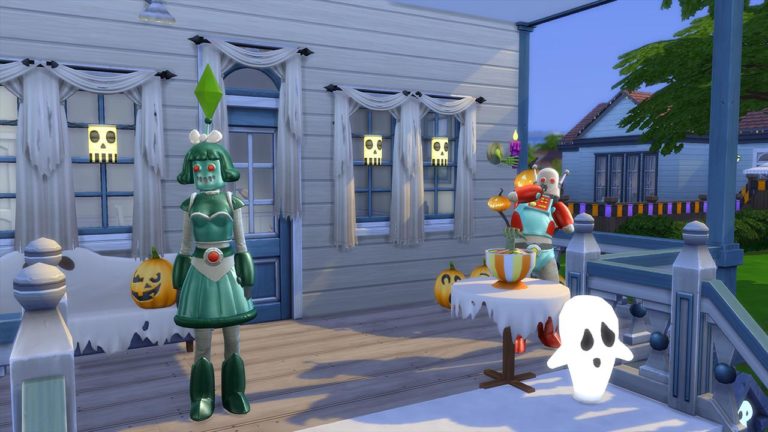
SimGuruFrost has shared a preview of tomorrow’s update for The Sims 4 on PC / Mac! The update, along with some bug fixes and improvements will also include one male and one female robot costume in celebration of Halloween!
Stay tuned to our website for full patch notes coming tomorrow!


Happy October, Simmers!
The September challenges may be over, but there are more challenges to check out, this month. I’ve been rummaging around the gallery to find a few October CAS challenges and I’ve manage to spots some that you’ll like, one of them looks rather spooky.
Base Game Sim Challenge – Hosted by Cypriano3

Cypriano3 is putting up a Base Game Sim challenge. It’s pretty simple, just create a sim, male or female, and then add clothing and hairstyles from the base game. No CC, No packs, just the base game itself. You can also submit your sim up to two entries. Hurry, The Base Game Sims Challange ends on October 7th.
The Halloween Challange – Hosted by Popee2017 and Stephiecat123

With the horror hoilday just around the corner, Popee2017 has teamed up with StephieCat123 to host a Halloween themed challenge. To enter, make a sim or more and dress them up in scary, cute or weird costumes. CC are also allowed. The Halloween Challenge ends on November 1st.
Show your Stripes Challange – Hosted by AmanteMorte
 Party with you’re favourite stripy top with AmanteMorte’s Show your Stripes challenge. Just create a sim as normal with one rule, one clothing part that has stripes on it in each outfit (execpt Cold Weather) and CC aren’t allowed for this challenge.
Soulmate for Stevie Challenge – Hosted by BumblingJuicebox

BumblingJuice is having a lot of fun with Realm of Magic since it’s release. They’re running a challenge centred around their sim, Stevie a 4 star celebrity spell caster and is looking for the love of her life. To enter just simply create a sim, any gender and tag #SoulmateforStevie on the description. CC are not allowed for this one. Soulmate for Stevie Challenge ends on October 21st.
Spellcaster Sim Self Challenge – Hosted by StarrySkyYT

For those who love Realm of Magic, StarrySky has started up a game pack themed challenge. To join you must create a spellcaster of your sim self and you must own The Realm of Magic game pack first. Spellcaster Sim Self Challenge ends on October 23rd.
No Humans Allowed Challenge – Hosted by LukasCreates
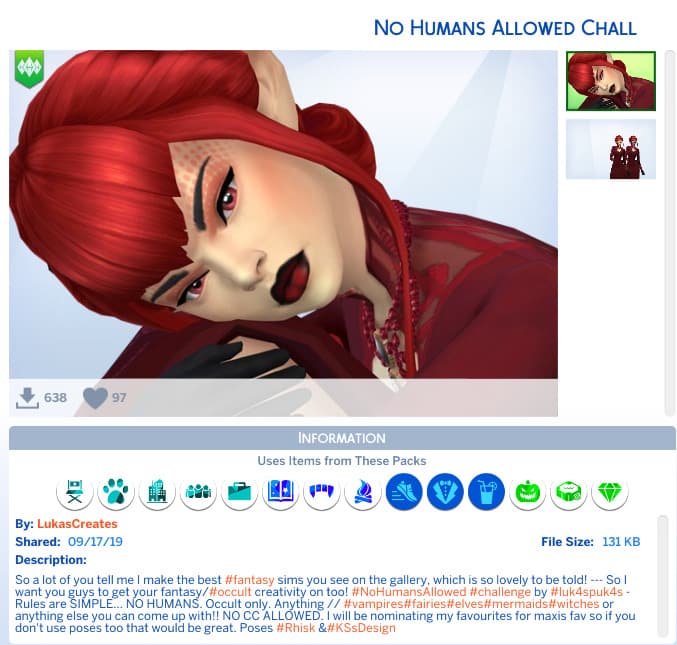
LukasCreates presents The No Humans Allowed Challenge. Just create a occult sim or just make up a supernatural sim that hasn’t been put in the official game yet such Elves, Fairies, etc.

On Thursday 3rd October 2019, a new patch will be released which will see the support of the macOS Lion 10.7 come to an end. EA_David has shared a Q&A over on Answers HQ which answers most common questions and also lets you know what to do to prevent the game from updating and keeping it playable on macOS Lion.
Please note: This is only for those who play The Sims 4 on a macOS Lion system.
You can read EA_David’s full post below.
Dear Simmers,
We hope you’re all doing well. If you are a Mac user, please read the below!
If you currently play The SimsTM 4 and run macOS Lion (10.7) there will be important changes you need to know about. Starting next month, we will be unable to support macOS Lion (10.7). On October 3, 2019 we will release a patch update that will no longer support The Sims 4 on that operating system.
If you wish to continue playing the game while running macOS Lion (10.7), do not update The Sims 4 with the October 3 patch, or any future game patches. To prevent the update, you will need to disable automatic updates on Origin. This will allow you to continue playing the game, however, you will not receive any future updates for the base game or be able to play any additional packs released after October 3.
macOS Lion (10.7) Q&A
How do I disable automatic updates on Origin?
To disable Auto-Update in the Origin 9 client:
- Go to the “Origin” drop-down menu and select “Preferences”
- In the “General” section, under “Updates,” un-check the “Automatically keep my games up to date” option
This will prevent automatic updates from being applied to any Origin games you own. You will still be notified when updates are available, but you will need to manually choose to download updates. Make sure not to manually download The Sims 4 updates.
Will I have access to the Gallery if I don’t get any additional updates?
Yes, you will continue to have access to the Gallery where you can both upload and download content.
WIll my progress be saved if I don’t get updates?
Yes, your existing game-saves will be preserved.
Will I be able to continue playing with all the packs I own?
Yes, all packs that you have purchased and installed will still be installed. Any packs you have purchased and have not yet installed will still be available for download from the Origin client.
Which packs will I be able to play?
You will be able to play all released packs up to and including Realm of Magic.
The Sims Team has released a brand new Update for The Sims 4 on PC and Mac!
To download the latest version of The Sims 4, simply open your Origin program and if the game doesn’t update automatically, right click on The Sims 4 and select ”Update”.
In case you have Mods or Custom Content, the game will automatically disable them for you after first launching The Sims 4 after the update. To re-enable all your Mods and Custom Content, select the Settings option in the Menu and select Settings. Under the”Other” section you’ll find the ”Enable Custom Content and Mods” option. Check it and restart your game in order for it to take effect!
Update 9/17/2019 – PC 1.55.108.1020 / Mac 1.55.108.1220
Hello Simmers!
We wanted to swiftly address some unintentional issues that popped up following our last game update.
Thanks for your patience, and now onto the fixes…
- Did you know that one of the Island Living Counter swatches had an inconsistent color and texture compared to their Counter Island that was added later? It was a silly gaffe on our part that we felt compelled to fix as quickly as possible.
- There also happened to be a crash that was occurring when exiting CAS in the middle of a spellcaster idle animation. It was an issue that required unlucky timing to trigger and we missed it during testing. T’was Dark Magic I say! The darkest of magics. Worry not, brave wanderer; the issue has since been defeated.
- One other important fix coming: Columns were being forced to be medium wall height; no matter the actual wall height. Kind of lame, huh? Well, *wand waggle* *spellcast* *poof* FIXED! Columns now watch your wall height. Ahhhh – that’s better.
-SimGuruNinja

The Sims Mobile Sweet Treat Event style seems to be staying so in this article, I’ll be sharing the dos and don’ts that myself and some players find helpful. To help understand it better this article is separated into two parts, which are Sweet Treat Showdowns and the general event.
Don’t: Stack your Attempts
The challenges can be stacked up to three attempts. After using one attempt, there will be an 8 hours cooldown timer that will start instantly. It’s best to avoid stacking up so that it will constantly refresh with new attempts. You can decide to stack up your attempts but once it stacks until the third attempt, no new attempts will regenerate causing the timer to stop.
Do: At Least Three Sweet Treat Showdowns
The challenges cooldowns are designed so that you can do at least three attempts a day. One in the morning, afternoon and night.
Don’t: Use Sugar Cubes for the First Two Rounds
If the first two rounds in the challenge are 90% and above, avoid using sugar cubes. You’ll need to save as much of sugar cubes you can get since there’re only 30 sugar cubes.
Do: Check all the Interactions
It’s best to check all the interactions so that you can plan wisely and save on sugar cubes.
Do: Use Sugar Cubes or Simoleons
Avoid using Simcashs and Cupcakes as they’re quite expensive to get back. Sugar Cubes always regenerate 30 Cubes when a new challenge begins while Simoleons are the easiest currency to get in the game.
Don’t: Bake it! Below 90%
It’s best to avoid “Bake it!” under 90% but if you want to take a risk, it’s all up to you.
Do: Stop When You Run Out of Sugar Cubes
You need at least two Sugar Cubes for each round. If you run out before the next round, collect and quit. You’ll get all the rewards you worked hard for. If you decided to go the next round without sugar cubes, it’s most likely you might fail and you only get the consolation prize which doesn’t define your hard work.
Do: Quick Event
Throughout the course of the Sweet Treat Event, normal events (Career, Hobby, Relationship) has a chance of coming with Sweet Treat Tokens. To take advantage of this, always do the quick events because even you do a long event, it will give you the same amount of 25 Sweet Treat Tokens.
Don’t: Do Llamazooms
They don’t give you anything. Just don’t.
Do: Start the Event Immediately After Its Cooldown.
Like Sweet Treat Showdown, the Flavor Lab, Posh Pastry Class are designed to be done twice a day while then Home Sweet Home Baking is designed to be done once a day.
Do: Use Only One Cupcake
By giving your Sim a cupcake during the Flavor Lab, Posh Pastry Class, or Home Sweet Home Baking Event, your Sims will earn an additional 90 Sweet Treat Tokens.
Do: Watch Ads When Collecting Rewards
This may be the most boring and money-sucking thing to do. But it gives some additional bonuses such as 3 more Sweet Treat Tokens and an extra Royal Sweet Tokens (only applies to Home Sweet Home Baking Event)
Well, I hope these tips and tricks will help you in becoming the next best Sims Pastry Chef!
Please note that this post contains no official information / confirmation from The Sims Team and is only based on online findings.
It seems that the community’s cry for a Sims 4 University Expansion Pack are finally being heard. A Target employee @Christophuck has posted an image of what seems to be Target inventory information containing the name of The Sims 4’s next expansion pack and its release date.
The image lists The Sims 4 EP 8 (Expansion Pack 8) – Discover University and a street release date set for November 15th, 2019.
okay but peep what was found at work. 👀 #TheSims4 pic.twitter.com/CyRaSKbALu
— CUPID 🥵 || LIL GRASSBLADE (@Christophuck) September 13, 2019
This leak could very much be true considering all of the information we’ve gotten in the last couple of months that have hinted towards the next expansion pack for The Sims 4 being released this year.
First, we’ve gotten information from EA’s careers listing that they’re prepping up a new Expansion Pack for The Sims 4 that should be out by the end of this year. This basically confirms the leak considering that the release date for the pack is set for November 15th, 2019 – all according to the image above.
Then, we’ve also gotten some official hints from The Sims Team in July from their official households that are hinting at University.
Combine all of this information with the leak above and it’s very likely that The Sims 4 University is the next Expansion Pack that we’re getting!
Tip: Pixelade

