Home Blog Page 313

The Sims Mobile: Issue with time not passing away and how to fix it

Plenty of Simmers, us included, are experiencing a weird issue in The Sims Mobile where the time won’t pass for events after closing the app.

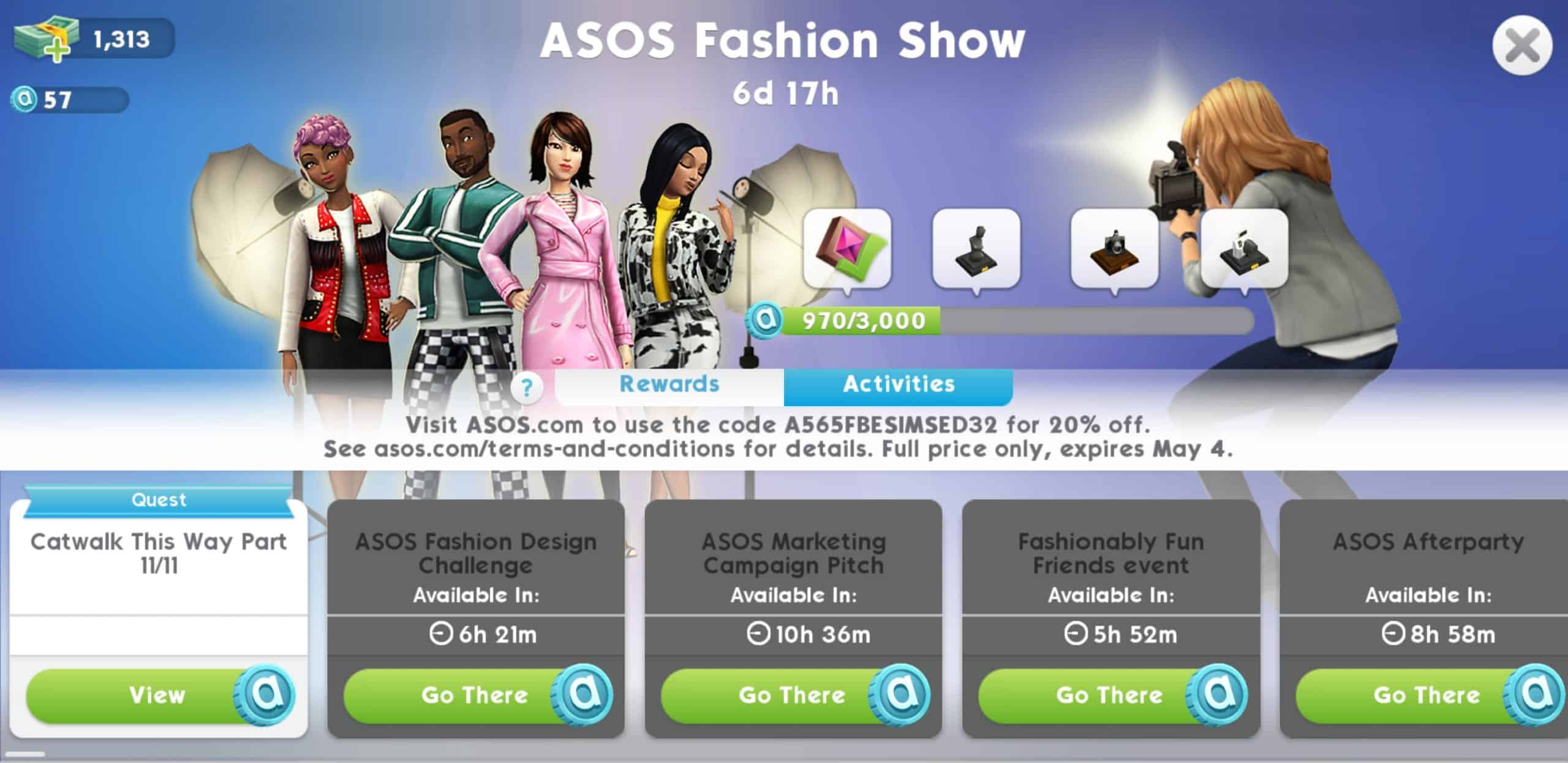
For example, I gave my Sims some events to finish before going to bed. After checking the app in the morning I noticed that the energy bar hasn’t been refilled and that all of the events I gave my Sims to complete haven’t progressed even one bit. On top of all that the ASOS Fashion Events unlock period seemed to be doubled down, leaving me to wait more than 10 hours for the ASOS Marketing Campaign Pitch Event to be unlocked, among other events which were doubled in waiting times.

The Sims Mobile: Issue with time not passing away and how to fix it

However, there is a temporary solution to this problem. Here’s how you can solve it on both Android and iOS:

Android

Go to App Settings, find The Sims Mobile and select the Force Stop option to end all background actions ran by The Sims Mobile. Opening The Sims Mobile again after doing this will result in time going back to normal.

You can also stop the application process by going into the recently opened apps menu and swiping The Sims Mobile left / right.

The Sims Mobile: Issue with time not passing away and how to fix it

iOS

For iOS devices just double click on the home button, find The Sims Mobile app (if you’ve recently used it) and swipe up to close it completely.

The Sims 2 Ultimate Collection has received a Small Update on Origin

14

If you have The Sims 2 Ultimate Collection in your Origin Library then you’ve probably noticed that there’s been a small update for the game.

According to a Reddit member wallewatz, the update was released to further improve the stability of the game for people running the game on the Windows 10 operating system.

The Sims 2 Ultimate Collection was temporarily released for free in July 2014 as a part of a special Origin promotion. Even though the game was available to be claimed for only a week, people are reporting to this day that they’re able to get the game completely free of charge from EA Customer Support.

Multiple Packs have been registered for The Sims 4 Console

Other than the new registration of The Sims 4 Cats & Dogs for Xbox One and PS4 on the Entertainment Software Rating Board (ESRB), there seems to be a few more packs which have just been registered on the website for The Sims 4 Console, and those include:

  • The Sims 4 Kids Room Stuff Pack
  • The Sims 4 Parenthood Game Pack
  • The Sims 4 Cats & Dogs Expansion Pack

Multiple Packs have been registered for The Sims 4 Console

ESRB also has registered The Sims 4 Toddler Stuff Pack for Xbox One and PS4 – but way back in September 2017.

The fact that these 3 various Packs have been registered on ESRB at the same time could mean that The Sims Team is preparing their 3rd Pack Bundle for The Sims 4 Console. Considering that the first bundle focuses on nightlife and that the second bundle focuses on running a business, it could mean that the third bundle for The Sims 4 Console will focus solely on the family aspect, judging by the packs that have just been registered.

SPECULATION: Fresh Concept Art of The Sims 4 CAS has surfaced, showing New Tools & Assets

24

Please note that this post is pure speculation until proven otherwise!

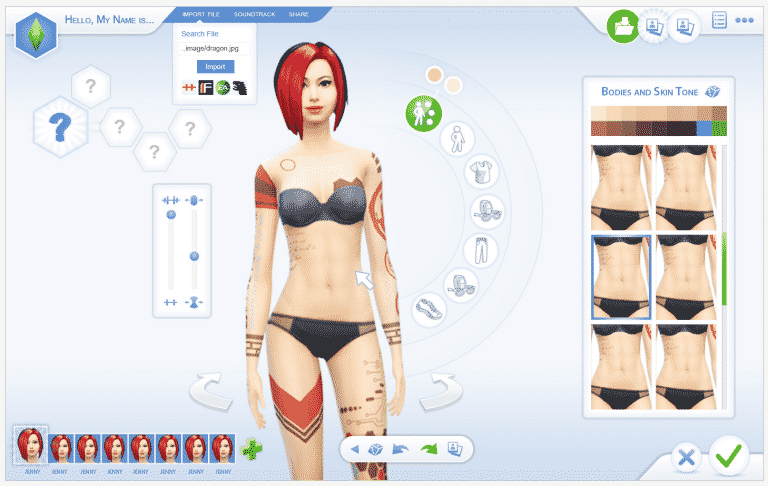
Alfredo Hernandez, one of the UI Artists and Designers working at Electronic Arts has published an interesting Concept Art piece featuring some never-before-seen tools and assets in Create A Sim.

The image shared by Alfredo on his portfolio features a mockup UI with some new assets and features including the Import File, Soundtrack and Share options, as well as tattoos which never surfaced in The Sims 4 to this date. The hairstyle that’s being rocked by the Sim below also seems to have suffered a minor change.

SPECULATION: Fresh Concept Art of The Sims 4 CAS has surfaced, showing New Tools & Assets

I would’ve treated this as an old concept art piece, but given the fact that it features new assets and also an icon in the user interface next to the EA logo which is a symbol of faction rallies in Destiny 2 (a game launched just a few months ago) I have a reason to believe that this concept was created just recently.

The user interface could just be a mockup since it’s completely redesigned, but the entire concept art could serve a purpose to show how the possible new tools could function in the game.

Personally I’m completely confused by this concept art piece and I hope we get more clarification soon.

The entire CAS UI design shared by Alfredo

SPECULATION: Fresh Concept Art of The Sims 4 CAS has surfaced, showing New Tools & Assets

The Sims 4 Cats & Dogs has been registered for Xbox One & PS4

The Sims 4 Cats & Dogs Expansion Pack has just been registered on the official website of Entertainment Software Rating Board (ESRB) for Xbox One and PS4 gaming consoles.

The Sims 4 Cats & Dogs has been registered for Xbox One & PS4

This means that the release of this Expansion Pack for The Sims 4 on Consoles probably isn’t far off. This is the first time an Expansion Pack has been rated in advance for The Sims 4 for Xbox One and PS4, meaning that The Sims Team is getting ready to announce and release the pack for consoles soon.

SimGuruDuke, one of the developers who worked on The Sims 4 Console also confirmed that he’ll be attending EA Play this June, meaning that there could be an announcement of Cats & Dogs coming to Consoles during the event.

The Sims Mobile: ASOS Fashion Event Tips, Tricks & Information

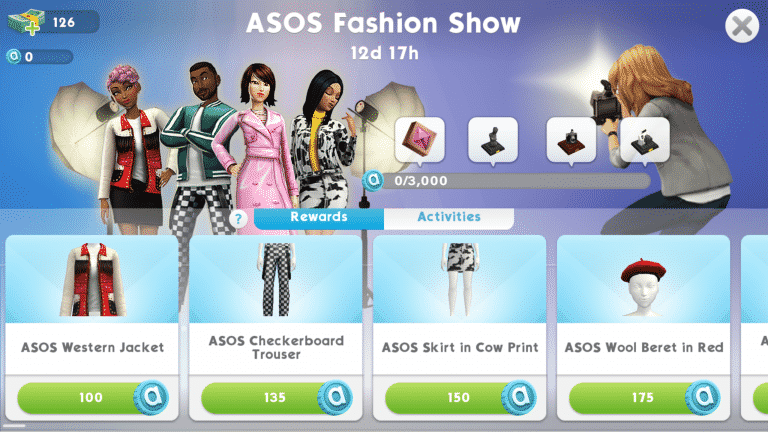
With a little over 7 days left for the ASOS Fashion Show event, many players are trying to find the best ways to unlock all of the new event items in time. We are going to go over all of the new unlockable items and the best ways to obtain the ASOS Tokens to purchase these new event items.

*Note: You must be at least level 6 to start the ASOS Fashion Show event.

ASOS Fashion Show Event Clothing Rewards

The Sims Mobile: ASOS Fashion Event Tips, Tricks & InformationThe Sims Mobile: ASOS Fashion Event Tips, Tricks & InformationThe Sims Mobile: ASOS Fashion Event Tips, Tricks & Information

ASOS Fashion Show Prize Tracker Rewards

The Sims Mobile: ASOS Fashion Event Tips, Tricks & Information

As you purchase the event clothing rewards you will progress the prize tracker, as pictured above.

  • The first reward is 10 Fashion Gems, to be used in Izzy’s Fashion Workshop. You will need to speed 500+ ASOS Tokens to unlock this item.
  • The second reward is an heirloom that will unlock a new Fashion Story for your sims. You will need to spend 1200+ ASOS Tokens to unlock this item.
  • The third reward is an heirloom that will unlock a new Photographer Carrier for your sims. You will need to spend 2000+ ASOS Tokens to unlock this item.
  • The fourth and final reward is an heirloom that will unlock a new Photography Story for your sims. You will need to spend 3000 ASOS tokens to unlock this item.

How to obtain ASOS Tokens

What are ASOS Tokens? ASOS Tokens are the new event currency used to buy all of the new rewards.

The Sims Mobile: ASOS Fashion Event Tips, Tricks & Information

They are not used for anything else in the game, other than the event. So no need to worry about saving them! Spend them on all the items you would like from the event rewards!

There are many ways to obtain the ASOS tokens, let’s go over the ways to get them and the best routes to take to maximize your tokens per time.

Event Activities

The first way to obtain the ASOS Tokens is to do the event activities. You can check out these events by clicking the ASOS logo on the top right hand corner of your game, then clicking the Activities tab next to the rewards tab. There are 4 different event activities you can do.

The Sims Mobile: ASOS Fashion Event Tips, Tricks & Information

  • Activity 1: ASOS Spring Fashion Show –  Location: Market Square – ASOS Tokens: 40
  • Activity 2: ASOS Fashion Design Challenge – Location: Market Square – ASOS Tokens: 10
  • Activity 3: ASOS Marketing Campaign Pitch – Location: Downtown – ASOS Tokens: 10
  • Activity 4: Fashionably Fun Friends Event – Location: Home – ASOS Tokens: 10

The only downside to the event activities is they have quite a long cool down timer before you can repeat them again. So you would have to wait for the timer or rush it with SimCash.

Event Quests

There are also 11 quests to complete as you go that will reward you 110 ASOS Tokens, 11 SimCash, and 252 experience once all 11 quests are completed. The quests are as follows:

The Sims Mobile: ASOS Fashion Event Tips, Tricks & Information

  • Catwalk This Way, Part 1/11 — Complete the next event at the ASOS Fashion Show
  • Catwalk This Way, Part 2/11 — Complete the next event at the ASOS Fashion Show
  • Catwalk This Way, Part 3/11 — Complete the Fashionably Fun event with a friend
  • Catwalk This Way, Part 4/11 — Purchase some ASOS clothing for your Sims
  • Catwalk This Way, Part 5/11 — Complete the ASOS Fashion Designer Challenge event
  • Catwalk This Way, Part 6/11 — Complete the next event in the ASOS Fashion Show
  • Catwalk This Way, Part 7/11 — Complete the next event at the ASOS Fashion Show
  • Catwalk This Way, Part 8/11 — Buy a pieve of ASOS Clothing from the ASOS Prize Store
  • Catwalk This Way, Part 9/11 — Complete the next event at the ASOS Fashion Show
  • Catwalk This Way, Part 10/11 — Complete the ASOS Marketing Campaign Pitch event at the Agency
  • Catwalk This Way, Part 11/11 — Earn the Photography Career from the ASOS prize store

Other ways to earn ASOS Tokens

There are other things you can do to still earn ASOS Tokens while you wait on the Event Activities cool downs.

Such as Hobby Practice Sessions, Relationship Events, and Working a Shift in your sims career. You can earn anywhere from 0 to 10 ASOS Tokens for each of these.

The best part about earning the ASOS tokens this way, is that there is no cool down on these actions. So as soon as you finish you can jump right in and do them again!

You will not get more ASOS Tokens for longer activities, so it is best to do the “Quick” options that only take a max of 1 hour to finish. This way you can collect more tokens quickly.

The Sims Mobile: ASOS Fashion Event Tips, Tricks & Information

The Sims Mobile: ASOS Fashion Event LIVE Playthrough

0

We’re going LIVE playing The Sims Mobile’s latest event – the ASOS Fashion Event!

We’re beginning the event from scratch, meaning that we’ll be capturing everything related to the event in this and the next few livestreams this week, depending on how long it’s going to take us to complete the event.

The livestream begins on April 24th at 9PM CET / 8PM BST / 12PM PDT.

The Sims 4 Console: Bundle Pack 2 Now Available

6

The Sims 4’s second Bundle for PS4 and Xbox One has just been released, featuring The Sims 4 Get to Work Expansion Pack, The Sims 4 Dine Out Game Pack and The Sims 4 Cool Kitchen Stuff Pack.

Purchasing these packs individually would cost you $70, but with this bundle you’ll be saving $20 as the price of this bundle is $49.99.

You can get it on the official stores linked below:

The Sims 4 Console: Bundle Pack 2 Now Available

Maxis & The Sims are far from over, according to the EA Careers Website

After our recent report that EA is laying off some of their veteran employees working at Maxis, it seems that new positions have opened up on the EA Careers website, talking offering opportunities to work on The Sims 4, “The Sims”, The Sims Mobile and Maxis’ yet-to-be-announced HD & Mobile titles. Here are the current openings on their website, with a highlight on certain aspects mentioned on each career opportunity that talk about the present and the future of The Sims and Maxis in general.

In case you don’t know (and you’ll need this information as it’s going be mentioned a few times in the listings below), HD titles are PC titles and Mobile titles, are, well, mobile titles.

Director, Analytics – Maxis

You will manage our team of analysts to improve gameplay and product performance, as well as support business planning and strategy for the studio.    You will support multiple products, from currently live titles like The Sims 4, The Sims Mobile, and yet unannounced major HD and mobile game launches.

Senior Brand Manager, HD Product & Brand Lead – Maxis

The Maxis Marketing team is looking for a dynamic, highly motivated Senior Brand Manager to serve as the Maxis Marketing HD Product & Brand Lead for The Sims and shape the future of a world-renowned, interactive entertainment brand that has entertained hundreds of millions of people around the globe for more than eighteen years. There will also be opportunities to manage other famous Maxis brands such as SimCity in this role and Maxis-wide initiatives such as Brand Partnerships.

System Designer (Contract) – Maxis

As a System Designer on The Sims, you’ll be working with a large (but tight-knit) team of enthusiastic industry professionals from all walks of life. Your job will be to design and create user-facing content for the Sims using our internal scripting tools.

EA is also looking for a new Global Community Mananger for The Sims – a position which was previously ran by SimGuruDrake.

Considering that there’s talks for both announced titles (The Sims 4, The Sims Mobile), and unannounced titles (“The Sims”, unannounced major HD and Mobile releases), as well as the fact that they’re looking into completely changing their marketing strategy and shaping the future of Maxis, it seems that The Sims, and Maxis in general, are far from over.

The Sims FreePlay: Kids Party Update (New Events + Reruns Schedule)

5

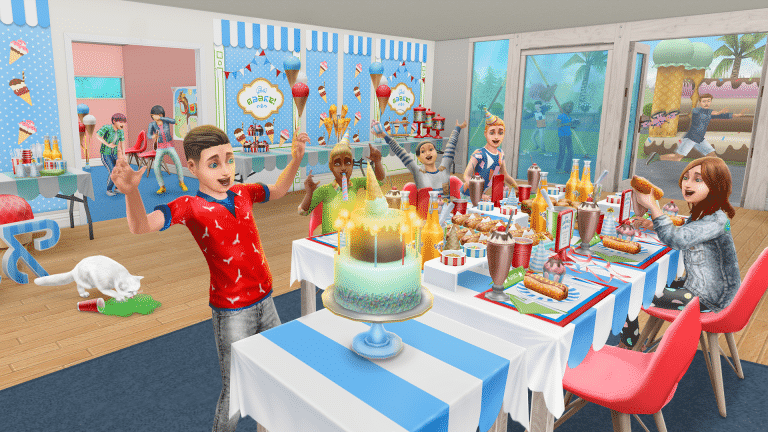
The Sims FreePlay Team has released an official schedule of new events and reruns that will be taking place in The Sims FreePlay throughout the end of April, May and the first 6 days of June. Check out their official announcement of the new events and their dates down below!

The Sims FreePlay Kids Party Update

Hip, hip, hooray! Get ready to have some serious fun, because the latest update has everything you need to throw the ultimate kids’ party.

Live the ultimate childhood extravaganza as you tap into your inner child during the Inner Child’s Play Seasonal Quest and unlock a fantastic kids treehouse, large enough for even you most grown-up Sims to enjoy!

Party bags, junk food, and a wheelhouse of games! Create the perfect pre-teen party in the Kids Party Live Event, revealing a bounty of dazzling decorations along the way. Complete the live event to unlock the grand prize: a dream Kids Party House Template with an enormous bouncy castle!

In-Game Event Dates:

  • Inner Child’s Play Seasonal Quest: 7-day event starting April 24
  • Kids Party Live Event: 9-day event available to start between May 1-4
  • Prom Hobby Event (Rerun): 6-day event starting May 15
  • Laundry Live Event (Rerun): 5-day event available to start between May 20-21
  • Time Capsule Seasonal Quest (Rerun): 6-day event starting May 28
  • Sleepwear Hobby Event (Rerun): 10-day event starting May 26
  • Hair Salon Live Event (Rerun): 10-day event available to start between June 4-6

The Sims FreePlay: Kids Party Update (New Events + Reruns Schedule)

The Sims 4 Console is getting a New Bundle

1

GAME UK has just revealed that The Sims 4 for Xbox One and PS4 will be receiving another Bundle Pack, featuring these 3 packs:

  • The Sims 4 Get to Work Expansion Pack
  • The Sims 4 Dine Out Game Pack
  • The Sims 4 Cool Kitchen Stuff Pack

The bundle is set to release on April 24th according to the website, with a price of £44.99 – the exact same price like the first bundle we’ve gotten for The Sims 4 Console. This means that the bundle will probably have the same pricing in the US like the first bundle did, which is $49.99.

The Sims 4 Console is getting a New Bundle

The first bundle for The Sims 4 Console also featured 1 Expansion Pack, 1 Game Pack and 1 Stuff Pack (City Living, Vampires and Vintage Glamour Stuff).

REPLAY: We’re talking Sims with Christine Sydelko

0

UPDATE: The livestream has ended. You can catch the replay down below!


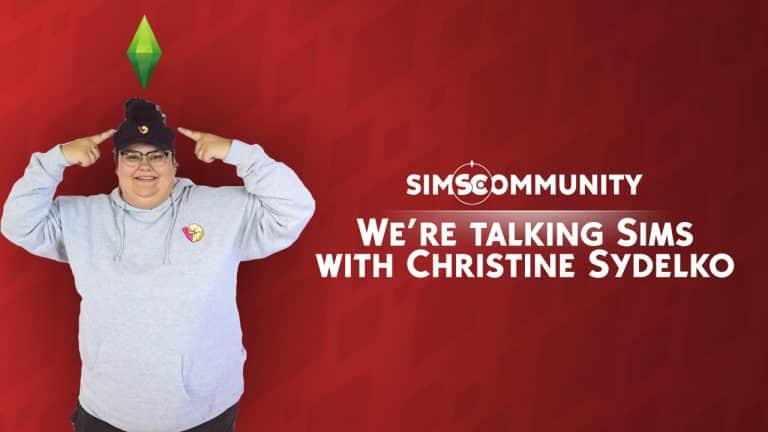
We’re starting a new series on our channel where we’ll be talking about The Sims with a wide variety of simmers. The first person we’re talking Sims with is Christine Sydelko, a YouTube comedian and a long time Sims fan.

The livestream begins at 10PM CET / 9PM BT / 1PM PST and you can catch it down below. Make sure you join the live chat in the stream below as we’ll have your chat messages featured during the stream!

Redeeming Free Rewards for The Sims 4 & The Sims Mobile

The Sims Team has launched a new promotion where you can get free rewards in both The Sims 4 and The Sims Mobile!

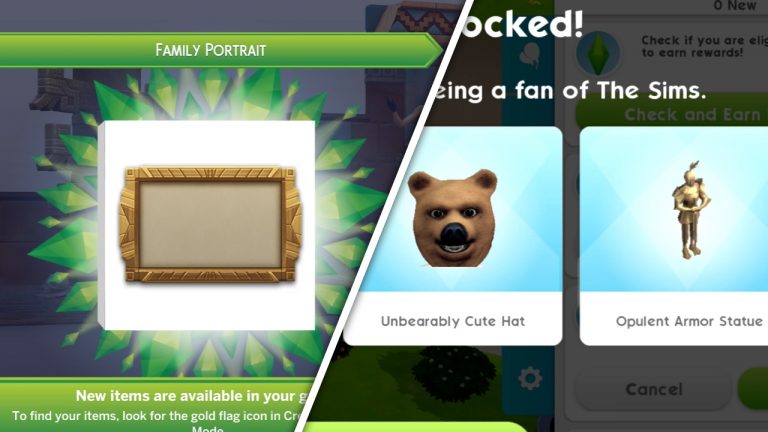
All that’s required for you is to type in the phone number in The Sims 4 Main Menu and you’ll unlock the brand new Interactive Family Portrait. For more information about unlocking the family portrait and the interactions that come with it, check out the video below.

Redeeming the Family Portrait in The Sims 4 will also give you new rewards in The Sims Mobile. Follow the video down below to learn how to redeem the Loyalty Rewards in The Sims Mobile:

The Sims Mobile: ASOS Fashion Show Event Walkthrough

A new event for The Sims Mobile is here! Outfit your Sims in the coolest ASOS fashions by completing quests and events to earn ASOS tokens, then exchange them for exclusive, limited-time ASOS clothing pieces. Can you complete the entire fashion collection?

The Sims Mobile: ASOS Fashion Show Event Walkthrough

After updating your game, check out your quests. There will be a gold, limited-time event quest called Catwalk This Way, which has 11 parts. To kick off the event, complete this quest by going to the Market Square to promote the upcoming ASOS fashion show that will be taking place soon.

Whoah! The Market Square looks different. A fashion show has taken over the area, but it looks like they’re not set up, yet. Everything is covered in sheets. Tap the pink ASOS icon in this area to begin the promotional event for the fashion show. Just like any other event, you can complete this event by performing various actions, or you can let your Sim do the event on their own and come back later to collect your rewards.

The Sims Mobile: ASOS Fashion Show Event Walkthrough

Cool, you got some ASOS tokens from promoting the fashion show and completing the first part of the event quest. What do you do with those tokens? Spend them on hot new fashions, of course! Tap the ASOS icon in the top-right corner of your screen at any time during this event to be taken to the ASOS event page. On this page, you’ll be able to exchange your ASOS tokens for new clothing pieces under the Rewards tab. Under the Activities tab, you can see all the activities your Sims can participate in to earn ASOS tokens during the event.

If you’re not really the fashion-forward sort, you’ll be happy to know that the new event isn’t just about clothes! Progressing in the event unlocks brand new career stories and will even allow you to unlock the new Photography career early! You’ll have to dive into everything the ASOS Fashion Show offers to discover these exciting new gameplay rewards, however, so get questing and strut your stuff on the catwalk!

The Sims Mobile: ASOS Fashion Show Event Walkthrough

If you’ve run out of limited-time quests and aren’t sure what to do, check the Activities tab on the event screen. Remember, you can get there at any time during the event by tapping the ASOS icon in the top-right corner of your screen. The Activities tab will show you all the events you can participate in to earn more ASOS tokens.

How are you enjoying the ASOS Fashion Show? Are you more excited for the clothes or new career gameplay? Let us know in the comments!

The Sims 4 Spring Sale: Save up to 50% Off on Origin

Origin is currently having a Spring Sale for The Sims 4 on their website, offering a variety of different Sims 4 games for a price cut up to 50%!

Here are all The Sims 4 Games included in the offer:

  • The Sims 4 Base Game (50% off)
  • The Sims 4 + Cats & Dogs Bundle (50% off)
  • The Sims 4 Expansion Packs (50% off)
  • The Sims 4 Outdoor Retreat (50% off)
  • The Sims 4 Bundles (20% off)

Better act quick on this sale because it ends on April 26th at 10AM PT!

The Sims 4 Spring Sale: Save up to 50% Off on Origin