
Home Blog Page 316

The Sims 4 Console: New Update + Patch Notes! (March 15th, 2018)

12

The Sims 4 Console: New Update + Patch Notes! (March 15th, 2018)

The Sims Team has released a brand new Update for The Sims 4 for Console devices – Xbox One and PS4!

Patch Notes

Update: 03/15/2018 – v1.05

Mighty Simmers, on the Ides of March I present to you another exciting update! A turning point in your Simming journey, and control by which you do it. In agreement with Julius Caesar — experience is the teacher of all things.

What’s New?

We heard that the camera and virtual cursor movement was too quick, so we put the speed of the controls in your hands with new camera and virtual cursor speed adjustments. Change to your liking in the Game Options. Not only can you select how fast the cursor moves, you can adjust how much it accelerates to get the control scheme more to your liking.

Someone also told us in quiet whispers that you like to place multiples of things without having to select it from the Build / Buy window each time. Be really quiet about it; but now you can use our new and improved clone stamp feature to place the same object over and over and over and over.

General Issues

  • Sometimes the UI got a little ahead of itself. Sometimes the part of the game you thought you were controlling wasn’t necessarily the thing the UI thought you wanted to control. So, we sat the UI down and told it to do as it is told. That means you should find yourself having to back out of UI elements less often. Unless you enjoy backing out of them, of course.
  • The Grim Guitar now gets its own limelight on the Main Menu. You can check out how cool it is without even needing to load into a World. Plus, if you haven’t linked your account you can do that from the Main Menu to claim the Grim Guitar for yourself.
  • Talking of the UI, there were some sneaky UI elements that chose to remain hidden until you found them. Those hidden bits of UI should now only show when you want them to.
  • While we want you to know that adjusting the Sim count can affect your game, we won’t lock you behind a warning screen when you set it to Unlimited anymore.
  • Some things can be so good that they name it twice, but that shouldn’t count the songs you write. While we aren’t dismissing the quality of your songs, we think you should only need to name them once before you can license them.
  • Transferring Sims between households is great, but we heard that being limited to just the played households didn’t give you the options you’d like. Well, now you can show un-played households during transfers.
  • If you worked through the Personality Panel tutorial, you might be wondering how it ends. Well with the addition of Tip 7 of 7 you can complete your tutorial journey.
  • When navigating the Options Menu, the number of options could be overwhelming, with little to no information about what the options did. We found the tool tips for the Options hiding away and have put them back in their place, so now you can see what each option will do before you adjust it.
  • Rotating roof tops might be limited to musical chimney sweeps but the ghost previews are not something everyone should see, so we dealt with them accordingly.
  • Placing your family into a lot can be a tough choice and the first lot you pick might not be the one you want. Backing out of the lot will now let you pick another lot rather than deselecting your entire family.
  • My Library felt a little too small with a limit of just 50 items, which feels more like a book shelf than a library. We knocked together some more shelving space from our neighborhood flat pack store and now it truly is a My Library to be proud of!
  • When you are super proud of your creations, you want to describe them in detail for My Library to show. You can now scroll those extra-long descriptions rather than reading just the first part on replay.
  • Whims can be so whimsical but that doesn’t mean you don’t want to pin them, all of them at times. Now you can do exactly that.
  • Talking of Whims, if your Sim is out exploring the world or working you won’t get the hover tips for their Whims until they return to the active lot.

Dine Out

  • Business decisions are important and occasionally you might get cold feet and want to backout. Previously the Sims selling you a business wouldn’t let you back out of your purchase. The authorities didn’t appreciate this, so now you can back out on the World selection screen if the purchase doesn’t feel right.
  • Purchasing a restaurant in Live Mode will no longer cause graphical issues.
  • Sims can now plan a social event while dining without causing you to watch the UI panel with no way out.
  • Editing your Host Outfit in CAS no longer leaves the menu active on screen.

City Living

  • City apartments will no longer obstruct your view of the city when you decide to leave the apartment view.
  • When you move to the big city you generally want to take your kids with you, at least until they reach adulthood, without losing functionality. While we addressed the functionality problem, we can’t help your kids get a job and move out even if they are in their 30’s.
  • Sims can answer the call to work in the city without leaving you stuck answering the phone unless you have a chatty boss.
  • Tooltips will no longer appear over the UI icons allowing you to see what you are selecting.
  • The Spire Apartment no longer hides a secret hidden UI, we know you appreciate your Sims secrets, but this wasn’t one of them.

Learnings from PC and Mac will continue to make their way into your hands, and various cleaned up bits and bobs from PC and Mac are now yours.

My friends go off and learn, grow, and conquer. Enjoy!
-SimGuruCleaningLady
The Sims Mobile: All About Households

One of the most important things to know about The Sims Mobile is that households do not work the same way as they do in The Sims 4.

When you start the game, you have two possible household slots for Sims, with two more being purchasable with SimCash. This might lead some players to think that you’re forced to spend real money to have a household of more than two Sims, but this is not true. Your Sims can have multiple children and grow large families even with just two household slots.

The Sims Mobile: All About Households

The household slots represent Sims that are playable by you, not necessarily Sims that live in the home. More than four Sims can live in the home at a time, but you can only directly control up to two of them. If you choose to spend SimCash, you can control up to four of them, but this is not necessary to play the game the way it was intended.

Here’s a breakdown of how household slots work when it comes to marriage and children:

Marriage

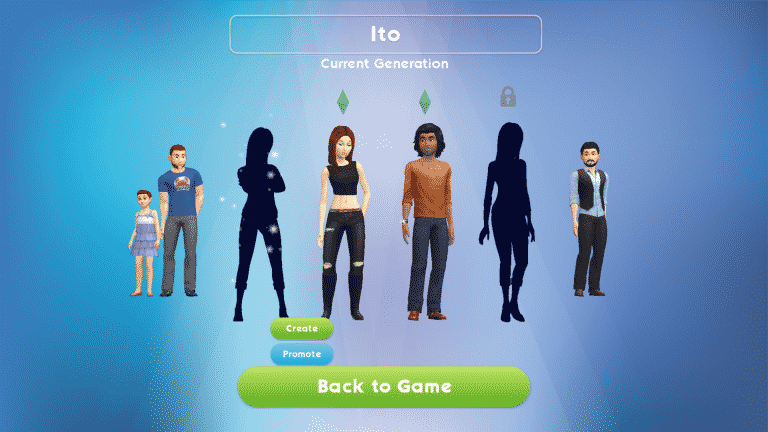
When your Sim gets married, their spouse will move into the house with you. If you have a free household slot, you will have the option to make their spouse playable in the family portrait. Making your Sim’s spouse playable will use up a free household slot.

If you do not have any free household slots available when your Sim gets married, you will not be able to make their spouse playable, but they will still move into the home. Your Sim can still interact with them the same way they interact with any other Sim. You just cannot directly control the spouse’s actions.

The Sims Mobile: All About Households

The exception to this is marrying a Sim that is being played by another player. Read on to find out how relationships with other players’ Sims work.

TIP: After unlocking the second household slot, the game will prompt you to create a new Sim to move into the household as a playable Sim. This Sim will take up the second household slot. Many players prefer having their initial Sim marry this second Sim. Your second Sim is already playable and living in the house, so marrying them is the most straightforward choice.

Children

Children cannot be made into playable Sims until they become adults, so even if you have an extra household slot free when you have a baby, you won’t be able to assign them that slot. This means you don’t need to have any available household slots in order to have children. It also means you can have more than two children if you’d like.

When a child becomes an adult, you’ll be able to promote them to a playable Sim through the family portrait. Promoting an adult child will take up a household slot and that child will become playable. If you have no available household slots for them, you will have to wait until your current Sims become elderly and retire in order to free up a household slot.

The Sims Mobile: All About Households

Extra adult children that you don’t want to make playable or have hanging around can be moved out, instead. If you have more than four children, you’ll have no choice but to move out some of them when they become adults, since you cannot have more than four playable Sims at a time.

Other Players’ Sims

Understanding how relationships with other players’ Sims work is very important. They don’t follow the same rules as NPC Sims do.

Your Sims can marry the Sims of other players, but since these Sims belong to another player, this means they will have to leave that player’s household to join yours. When you ask another player’s Sim to move in with you, the other player will receive a request, asking them if they would like to send their Sim to your household. If the other player accepts, the Sim will leave the house and they will lose control of the Sim. By asking another player’s Sim to move in with you, you are essentially asking that player to transfer ownership of that Sim to you.

If you accept a request to have your Sim move away to someone else’s household and have no other Sims left in your household, you’ll be taken to the CAS screen and see a notification informing you that a long lost cousin has come to live in the home. You will be able to customise this Sim to your liking just like any other Sim in your playable household.

The Sims Mobile: All About Households

TL;DR Version

All of that can seem confusing, so to break it all down more simply:

  1. Household slots are playable Sims, not necessarily Sims that live in the house.
  2. You can have more Sims living in the house than household slots.
  3. Your playable Sims can still interact with other Sims living in the house.
  4. Only adult Sims can become playable Sims.
  5. Other players’ Sims can be married and moved into your household, but keep in mind this means that the other player will lose control of their Sim.

Thank you to our reader, Erick, for providing some helpful information about building relationships with other players’ Sims.

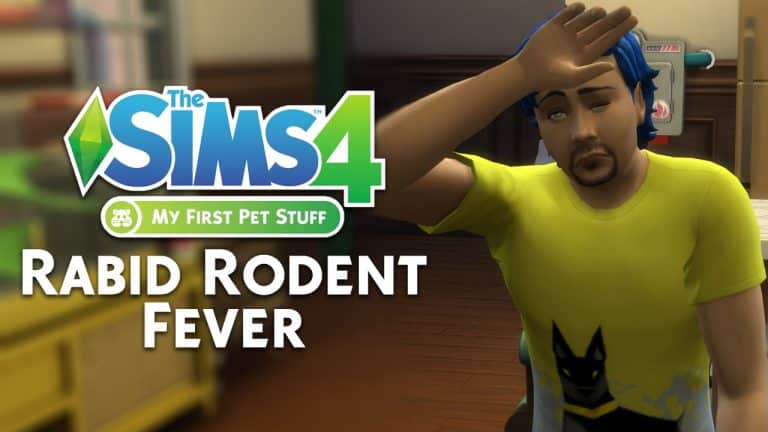
The Sims 4 My First Pet Stuff: All About The Rabid Rodent Fever

Many Simmers will remember the terrifying and deadly Guinea Pig Disease from The Sims: Livin’ Large. Well fast forward to the new My First Pet Stuff stuff pack and the deadly disease is back. Appropriately named Rabid Rodent Fever this article will take you through the various stages of the disease, what you can do to protect your Sims from becoming a victim of it and how to ultimately avoid death!

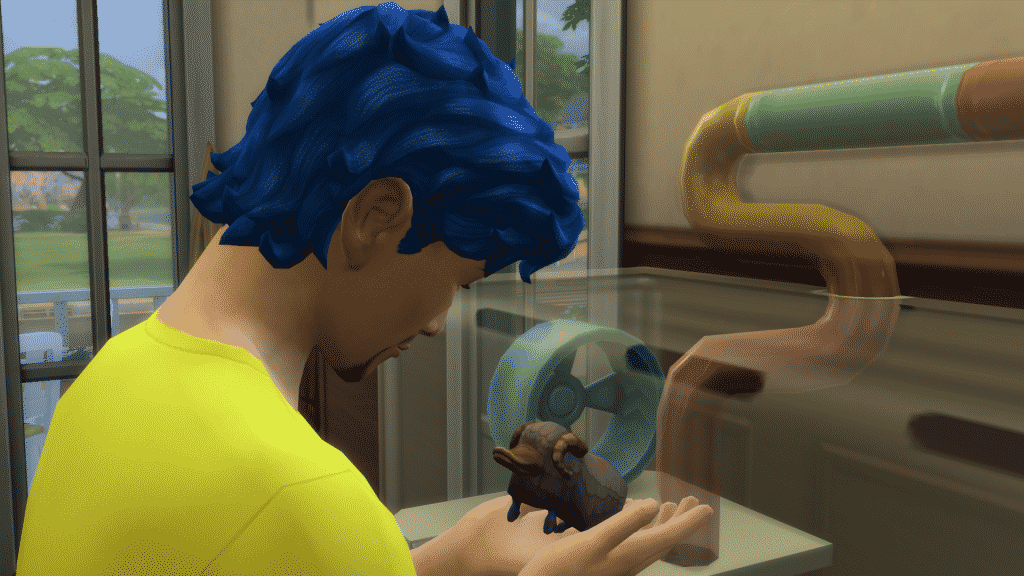
So your Sims have recently purchased a new friendly family rodent and you’re excited to have them in your home but you may be wondering how does Rabid Rodent Fever occur and how do you prevent your Sims from getting it. The simplest way to put it is if you don’t look after your little friend and don’t clean their cages then they will bite you and then it is a matter of Sim hours until your Sim starts to show symptoms.

The Sims 4 My First Pet Stuff: All About The Rabid Rodent Fever

Waiting for your rodent’s cage to become dirty can take a while. Once the cage is dirty, I found that the easiest way to get bitten by your rodent friend is to have a negative relationship with them and then to interact with them by playing with them. It can sometimes take a few interactions with your pet before you become bitten.

Now that you’ve been bitten by your pet you start the waiting game. You’ll initially get a Tense +1 moodlet stating that you’ve been bitten and it usually lasts for around two Sim hours before turning into a Transmissible Rodent Disease.

Day One:

Feeling Fuzzy: “Your Sim doesn’t feel so good… Their head is pounding and they can’t shake this cough” Becomes Fuzzy Fever in: 22 Hours (Uncomfrotable +1)

Once the Tense moodlet has run out you are presented with a new Uncomfortable +1 moodlet and also a notification stating that your Sim has contracted a serious sickness. This new moodlet will last for twenty-four hours before turning into the next stage of the fever. At this stage, it is important to note that if your Sim heads over to the computer they can research about Rabid Rodent Fever and help prevent it and find a treatment. You’ll also notice that your Sim will be coughing and sneezing and their needs still managable.

The Sims 4 My First Pet Stuff: All About The Rabid Rodent Fever

Day Two:

Fuzzy Fever: “Your Sim’s cough has turned into a full blown fever. Those dizzy spells can’t be a good sign, and they are losing control of their bladder. They should research their fever on a computer to find a cure” Becomes Rabid Rodent Fever in: 23 Hours (Uncomfortable +2)

Although day two is very similar to the first twenty-four hours of the disease you will notice that your Sim is more uncomfortable and this is due to the Uncomfortable +2 moodlet. You will also notice that your Sims bladder and hygiene needs will decreaser a lot quicker than normal. You Sim will notcibly be coughing, sneezing and have some dizzy spells.

The Sims 4 My First Pet Stuff: All About The Rabid Rodent FeverDay Three:

Rabid Rodent Fever: “It’s a full blown outbreak of Rabid Rodent Fever! Your Sim looks delirious, and they are dangerously contagious. Their condition is rapidly deteriorating; they should use a computer to research their illness or consult with a veterinarian immediately. Failure to seek help could result in grave consequences…” Death in 24 Hours (Dazed +2)

The final twenty-four hours you will find that your Sim is highly contagious and other Sims (Teen, Young Adult, Adult and Elder) can contract the deadly disease. There is still time to treat any Sims that have the disease whether this is via the computer or visiting a Vet Clinic. Without treatment a visit from our favourite Grim Reaper is certain!

Your Sims will still be sneezing, coughing, feeling dizzy, feeling very hot and being sick. Their needs will be tricky to control and you’ll find them in the bathroom very often.

The Sims 4 My First Pet Stuff: All About The Rabid Rodent FeverAftermath:

The Death its self is pretty horrifying the first time, to be honest. You’ll get the notification that your Sim has passed away due to Rabid Rodent Fever and you will then find them foaming at the mouth before falling to the floor. You will, of course, get a visit from the Grim Reaper. Grim may allow you to come back as a somewhat terrifying Ghost Hamster who will also be foaming at the mouth. Don’t worry though you’ll be able to turn your Sim back into a ‘Normal Ghost Sim’ by drinking the inoculation serum that you can purchase via the computer.

Tips to Avoid Rabid Rodent Fever:

  • Keep your Pet’s cage clean.
  • Be nice to your Pet, interact with them and don’t forget to feed them.
  • If your Sim gets bitten and it starts to turn into a fever reasearch it as soon as you can on a computer.
  • If a Sim becomes contagious because of Rabid Rodent Fever make sure they are not around other Sims.
  • You can order an inoculation for Rabid Rodent Fever which will permanently protect your Sim from getting the disease.

The Sims Mobile: New Update! (March 13th, 2018)

5

The Sims Mobile has a brand new update! The latest Sims Mobile update fixes a few issues as well as prepares simmers for the upcoming Hot Tub Dreams Event which starts this Thursday.

WHAT’S NEW – Version 9.2.0

Beginning March 15, play the Hot Tub Dreams Event! Complete quests and participate in events to get Hot Tub Goody Bags filled with exclusive hot tub items and swimwear. Stand out at your next party or even when friends drop by your house. Plus, we’ve made some behind-the-Sims updates to keep the party going. Thanks for playing!

The Sims Mobile: New Update! (March 13th, 2018)

Get The Sims 4 My First Pet Stuff for £2 Cheaper on Amazon UK

3

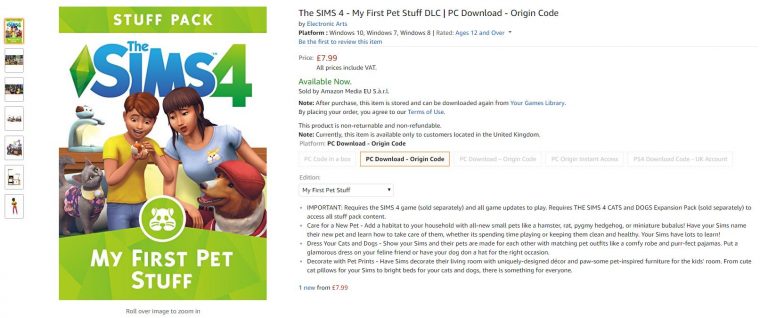
If you live in United Kingdom and already have in plan to get The Sims 4 My First Pet Stuff Pack then we have some good news. Despite the fact that Origin in the UK has been affected by the recent price changes it seems that Amazon UK is currently offering this Stuff Pack £2 cheaper – meaning that you can get it for £7.99 on Amazon instead of £9.99 on Origin.

Click below to get the game via Amazon UK!

Get The Sims 4 My First Pet Stuff for £2 Cheaper on Amazon UK

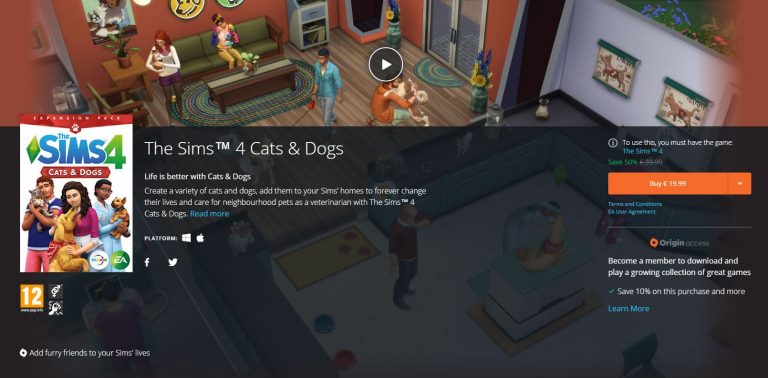
The Sims 4 Cats & Dogs is 50% off on Origin

The Sims Team is putting The Sims 4 Cats & Dogs Expansion Pack on sale on Origin as a way to promote the launch of The Sims 4 My First Pet Stuff Pack.

The Sims 4 Base Game Plus Cats & Dogs Bundle is also on sale for 50% off.

The Sims 4 Cats & Dogs is 50% off on Origin

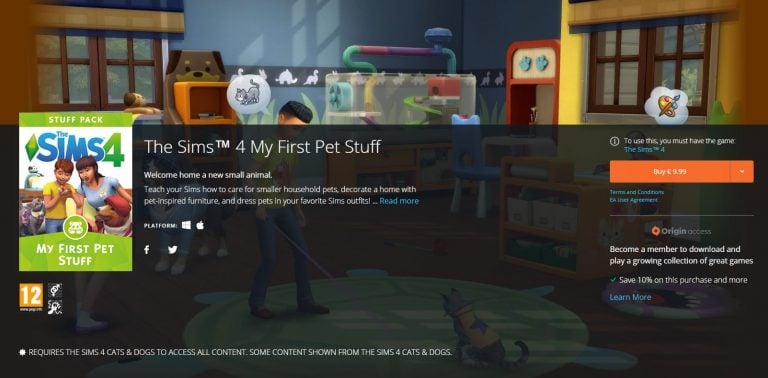
The Sims 4 My First Pet Stuff Now Available on Origin

The Sims 4 My First Pet Stuff Pack has been released! You can now get it on Origin by clicking the image below.

The Sims 4 My First Pet Stuff Now Available on Origin

The Sims 4 Console is getting an Issue-Resolving Update Soon

0

SimGurus have confirmed that The Sims 4 for PS4 and Xbox One is about to get an update, which is supposed to fix plenty of issues that are currently present in the game.

We can expect The Sims 4 Console’s new update to release this week, considering that the game needs to be prepared for the launch of Get to Work Expansion Pack for Consoles.

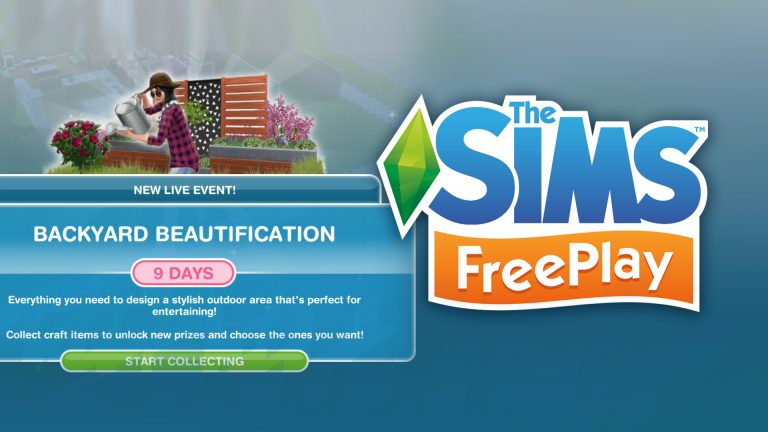
The Sims FreePlay: Backyard Beautification Live Event Walkthrough

1

In our latest video we take you through The Sims FreePlay’s latest Live Event – Backyard Beautification!

Listen to The Sims Mobile’s Full Soundtrack

0

Silas Hite, the genius mastermind behind The Sims Mobile Soundtrack has uploaded all of his music he made for the game to his Soundcloud profile.

In case you don’t know Silas has also worked on plenty of original soundtrack pieces for The Sims 2 as well which is why Mobile’s soundtrack may give you plenty of nostalgic feels.

You can listen to the soundtrack down below!

The Sims Mobile: Giving and Receiving Stickers

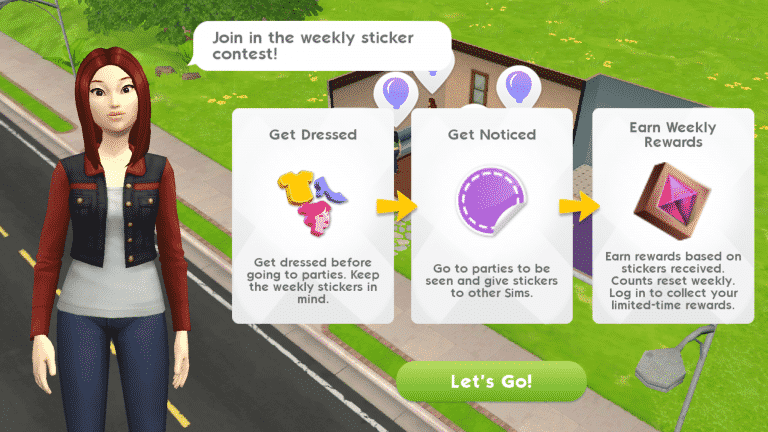
If you’ve been playing The Sims Mobile for a little while, you might have noticed that you can give out stickers to some of the Sims you meet around town, but what purpose do they serve?

The Sims Mobile: Giving and Receiving Stickers

Stickers are a small aspect of the game, but a fun one, nonetheless. They’re a great way to earn Fashion Gems to redeem at Izzy’s Fashion Shop. Every day, you’ll get a task to give out three stickers in your To-Do List which will reward you with 2 Fashion Gems when completed. Participating in Weekly Sticker Contests will also give you Fashion Gems to spend at Izzy’s Fashion Shop. Don’t worry about running out of stickers; you’ll get new ones every day when you log in, so don’t be afraid to be generous with your stickers.

Not all Sims can be given stickers. You can only give stickers to Sims who belong to other players. Game-generated townies cannot be given stickers. It’s easy to tell the difference; Sims made by other players will have a blue plumbob above their heads. These Sims can both give and receive stickers.

Parties are a great place to go on a sticker-giving spree because there will be lots of Sims dressed up in their best outfits in one place, but you can give stickers to Sims absolutely anywhere; at work, around town, walking past your house, you name it. If you ever run into a player-made Sim that you think looks really cool, go ahead and give them a sticker.

Giving stickers is fairly straight forward, but how do you receive stickers? You won’t be able to tell when someone gives you a sticker, but when you log in the next day, you’ll get to see any stickers that other players gave your Sims the previous day. This is a good setup because sticker-giving is anonymous. This means that stickers can’t be used as currency or bartering tools. They are given solely out of the kindness of other players’ hearts.

The Sims Mobile: Giving and Receiving Stickers

The best way to get stickers is to attend lots of parties and to stand out from the crowd. You don’t necessarily have to spend lots of SimCash on premium clothes, but you should be updating your look frequently and utilising any clothing pieces you’ve acquired from Izzy’s Fashion Shop. Pay attention to the theme of the Weekly Sticker Events; if the theme is retro, do your best to make your Sims’ style fit that theme for the week. You’re more likely to get stickers from other Sims if you’re keeping your wardrobe unique while fitting in with the week’s theme.

The Sims Mobile: Giving and Receiving Stickers

Don’t forget; stickers mean Fashion Gems. Fashion Gems mean more cool clothes from Izzy. More cool clothes from Izzy means more stickers. Stickers mean… well, you get the pattern. It’s all one big trendy circle, so get out there and start impressing your fellow players with your cutting edge style. Remember to give out lots of stickers, too.

The Sims 4 My First Pet Stuff has content that actually belongs to Cats & Dogs Expansion

The Sims 4 My First Pet Stuff Pack is getting a lot of attention and for all the bad reasons. However, the negative community feedback and bad reviews aren’t the only thing that make the My First Pet Stuff Pack one of the worst in the series.

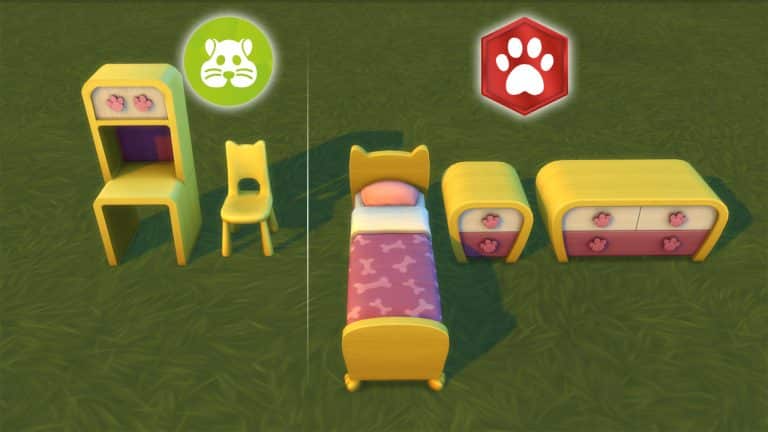
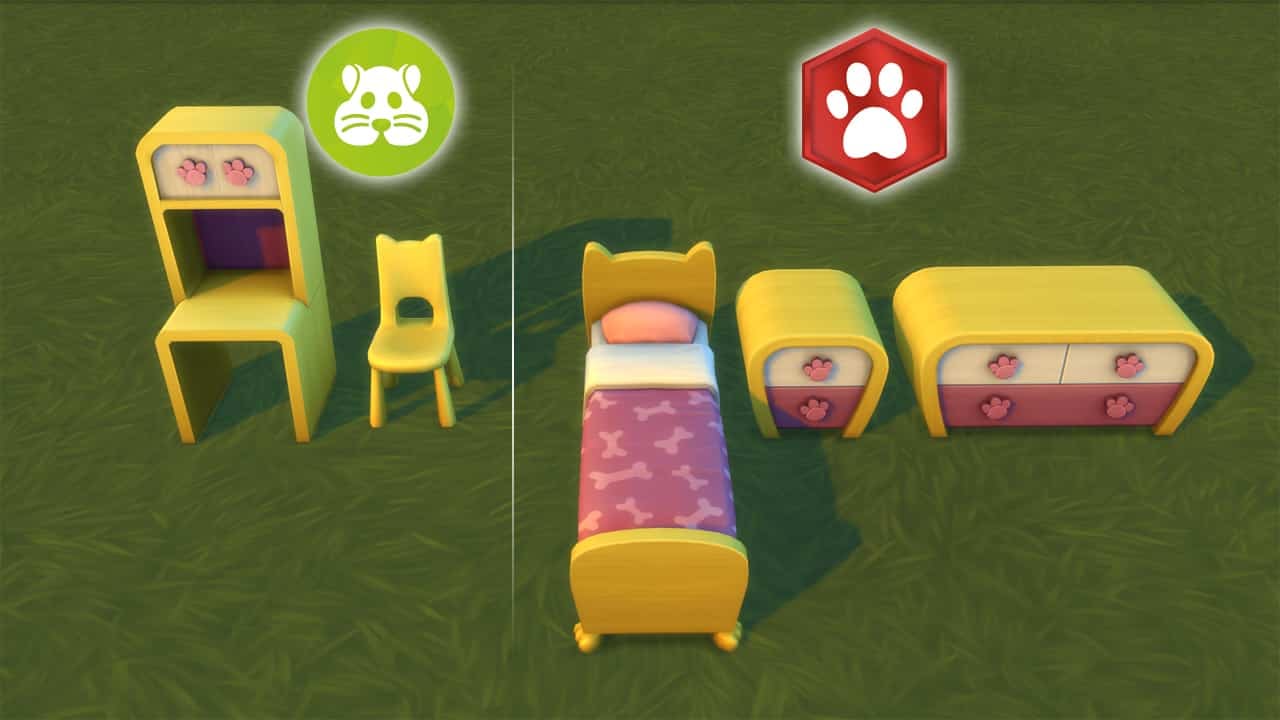
Simmer Andrew Arcade pointed out the fact that My First Pet Stuff Pack seems to build on and add items that are exactly the same style as the items in The Sims 4 Cats & Dogs Expansion Pack. For example, you have an image down below showcasing some of the items that you get in My First Pet Stuff Pack and the items that you get in Cats & Dogs Expansion Pack.

They’re literally of the same style and have the same swatches.

The Sims 4 My First Pet Stuff has content that actually belongs to Cats & Dogs Expansion

This could be the first case in The Sims Franchise where another pack finishes a set of items from a previous pack.

The Sims 4 My First Pet Stuff Review

The Sims 4 My First Pet Stuff Pack is the 14th Stuff Pack in the series which adds a little bit for Toddlers, Kids, Adults and..um…Pets?

That’s right. The My First Pet Pack is the first Pack in The Sims Franchise which requires another Pack (in this case the Cats & Dogs Expansion Pack) in order to unlock this pack’s full potential. Does all of this complexity make the pack worth it? Find out in our review!

Game Review Standards

This review is based on 5+ hours of gameplay.  Even though I was given an early review copy by EA to test the game, I am not by any means paid or bribed to state positive (or negative) opinions about this game pack.  I will give my honest opinion of the stuff pack; its content and what it brings to the game.

Create A Sim

My First Pet Stuff Pack offers new CAS items for Sims (and Pets) of all ages.

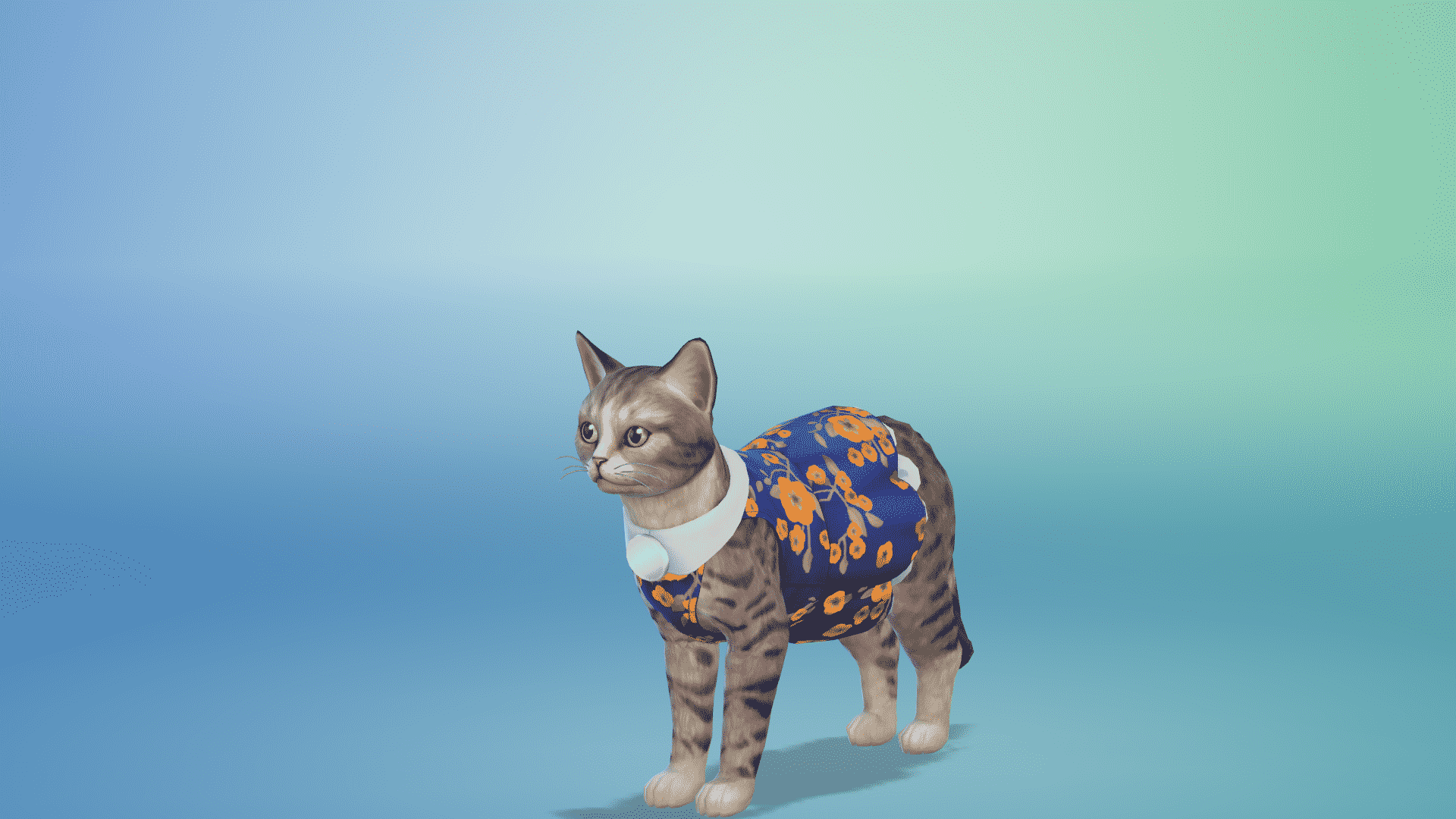
First off, there are several new outfits and hats that you can put on your Cats & Dogs. They’re cute, but almost all of the new items are pretty much conversions from Base Game outfits for Sims but made for Pets. The content that’s available for both Cats and Dogs looks like something that a modder could’ve converted in a matter of few weeks and, beside the new banana outfit for dogs and a bee outfit for cats, everything else looks pretty much the same in terms of originality. Yeah, it’s fun to dress up your Cat or a Dog to match with your Sim’s outfit but that idea could’ve been left for modders and custom content creators to figure out while The Sims Team decides to create more original outfits for Pets. However, that isn’t the case and you get more of the same.

I was deeply disappointed by the new additions for Sims as well. Other than 2 new hairstyles, a hamster onesie and a sweatshirt with a hamster hoodie there isn’t anything unique or particular that makes it stand out. There aren’t even new Styled Looks for Adult Sims and only 1 Styled Look for Toddlers and Children (both of which are unisex) which proves that there isn’t anything unique in CAS. Even the Styled Looks that you get are basically one outfit applied to your Toddler / Child.

Check out the full CAS Overview here!

Build Items

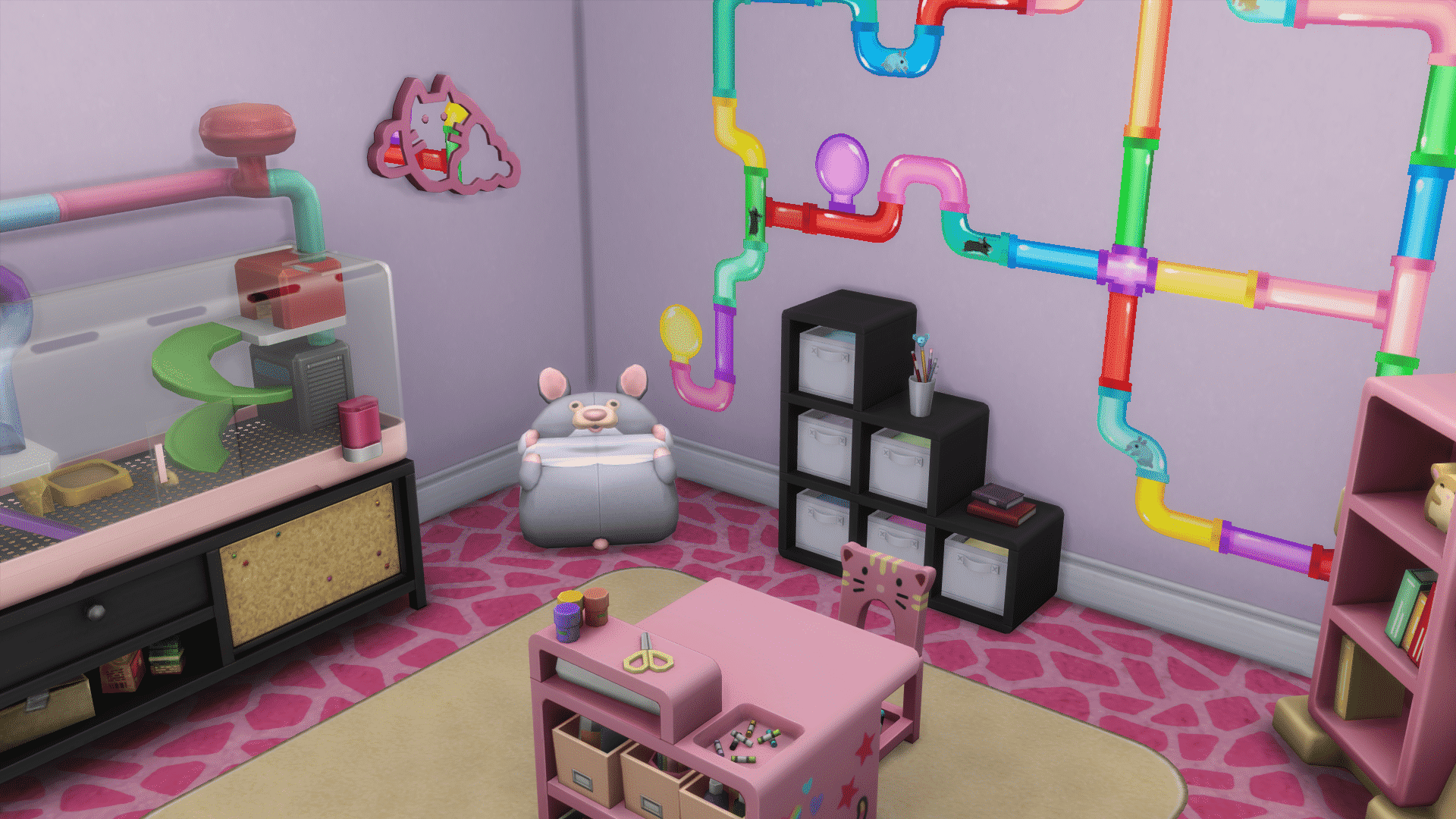
The new build items in The Sims 4 My First Pet Stuff Pack are underwhelming. The minute I went through the My First Pet catalog I immediately felt like I was going through a Kids Room / Toddler Stuff Pack catalog which definitely doesn’t sound too good. My First Pet tries to blend the playful elements and colors that you’ve seen in those 2 packs and combined you get…uhm…Kids Room / Toddler Stuff but for your pets?

Too bad that’s not the case either because of the fact that there are only so little items for pets that definitely makes me doubt why did The Sims Team pull this risky move and tried to crossover a Stuff Pack with an Expansion Pack. You only get a few new beds for your Pets, a litter box, a food bowl, toy chest and modern pet doors. You’d expect that Cats and Dogs would be treated with a new interactive item – considering that the pack does require Cats & Dogs to play and considering that, once again, this is a risky move from The Sims Team – but nope. All your Pets get are the same items from Cats & Dogs but done a little bit differently.

The only thing I truly admire in this pack is the Aquarium Coffee Table. I’d totally love if there were more aquatic items in this Stuff Pack like this one.

Check out the full Build Items Overview here!

Gameplay

This Stuff Pack solely focuses on Hamsters. Well, rodents to be more exact because you get 4 types of rodents and those are Mice, Hedgehogs, Bubalus and Hamsters. All of them are pretty much the same and care for one thing only – your Sim’s attention.

Just like with Cats and Dogs you take care of them, socialize with them, feed them and make sure they don’t die. Sims can also build a relationship with them, unlocking new interactions as they progress in the relationship.

They’re fun to observe and focus on from time to time – especially during 1AM when these rodents usually live their life to the fullest by throwing a dance party, blasting off in a rocket or doing top secret stuff in their lab.

My favorite addition is the homage to the Guinea Pig disease from The Sims 1 Livin Large. If your Sim gets bitten by a rodent they have a chance to eventually get worse, leading it up to more sickness including sneezing and throwing up. Sims near your Sim also have a chance to get infected by this disease so you need to be really careful who’s around your ill Sim. If you decide not to treat your Sim by purchasing the medicine from the Computer the Sim will die after 3 days. It’s a new death type and, even though the ghost looks really hilarious it doesn’t bring anything new in terms of gameplay.

The rodents are a cute addition but it’s definitely something we could’ve seen in Cats & Dogs Expansion Pack instead as it doesn’t really make me say “Wow, there’s so much unique gameplay for rodents that I’m glad it’s in a standalone Stuff Pack”.

The Verdict

I had high expectations from this Stuff Pack considering it requires Cats & Dogs Expansion Pack in order to unlock its full potential. Sure, you can also install and use the pack without this Expansion Pack but even with Cats & Dogs installed and everything set up there’s still originality that’s missing from this Stuff Pack. Previous Stuff Packs had a clear theme and goal – they mostly focus on one age group and one theme of items. The Sims 4 My First Pet Stuff Pack tries to satisfy simmers with new content for Toddlers, Kids, Adults, Cats and Dogs with a theme of objects which have already been seen in previous Stuff Packs such as Kids Room and Toddler Stuff – resulting in a very random set of items full of recolors and conversions.

[wp-review id=””]

The Sims 4 My First Pet Stuff: Build Items Overview

Early Access provided by EA

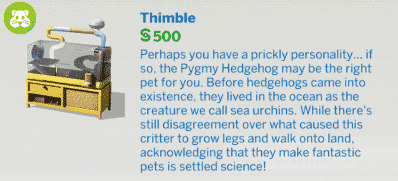
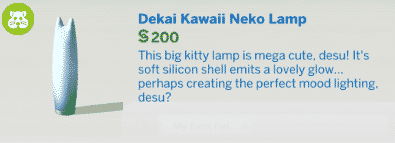
The Sims 4 My First Pet Stuff Pack brings new objects in Build Mode for both Sims and Pets. Those include new sofas, tables, wall decals, hamster cages and objects for pets.

In order for Pet objects to have functionality you’ll need The Sims 4 Cats & Dogs Expansion Pack installed. Without this pack you’ll still be able to place down pet objects except for the fact that they’ll serve no other purpose than for decoration.

You can check out the full overview of the new items below.

New Objects (35)

Styled Rooms (3)

Video

The Sims 4 My First Pet Stuff: Create A Sim Overview

Early Access provided by EA

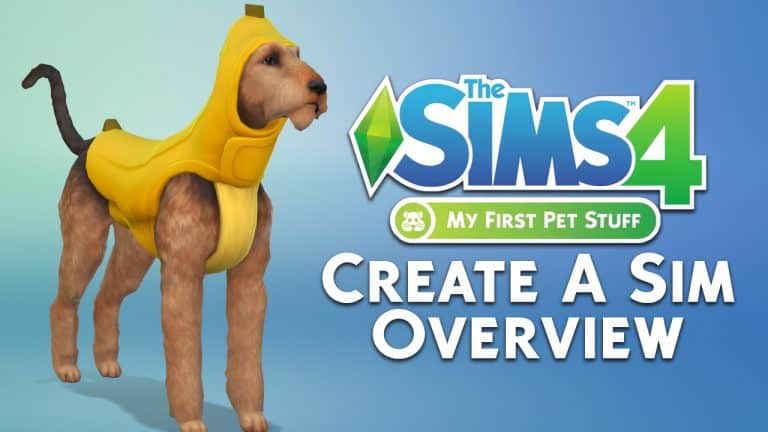
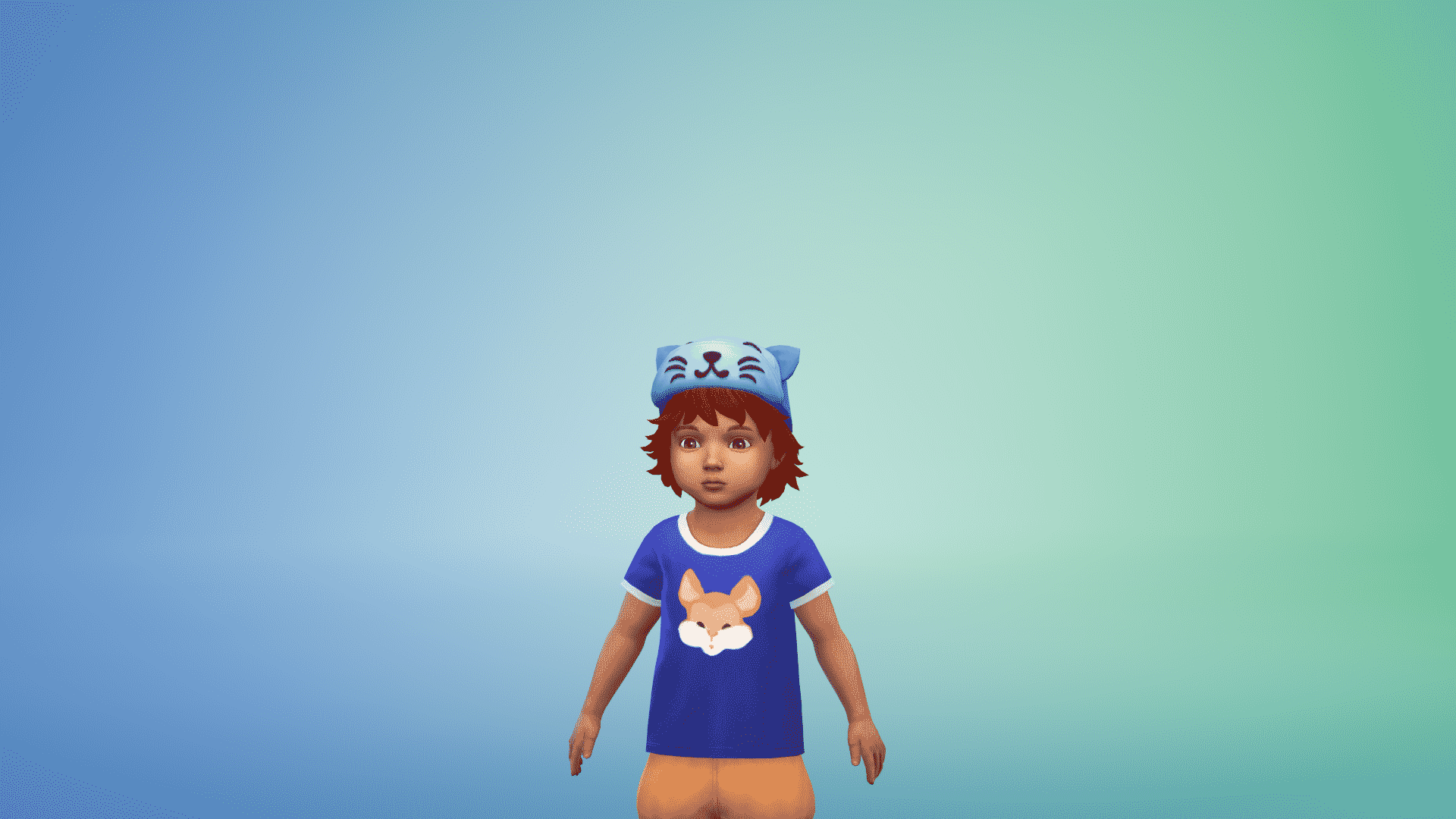
The Sims 4 My First Pet Stuff Pack brings new items for both your Sims and Pets. When it comes to new items for Sims there are a few new available for Toddlers, Children and Adult Sims. There are also new outfits for Small Dogs, Large Dogs and Cats (which requires The Sims 4 Cats & Dogs Expansion Pack for you to access it).

You can find the full overview of the new items in Create A Sim down below.

Adult Feminine

Hairstyles (3)

The Sims 4 My First Pet Stuff: Create A Sim Overview The Sims 4 My First Pet Stuff: Create A Sim Overview The Sims 4 My First Pet Stuff: Create A Sim Overview

Tops (1)

The Sims 4 My First Pet Stuff: Create A Sim Overview

Adult Masculine

Hairstyles (1)

The Sims 4 My First Pet Stuff: Create A Sim Overview

Tops (1)

The Sims 4 My First Pet Stuff: Create A Sim Overview

Adult Unisex

Outfits (1)

The Sims 4 My First Pet Stuff: Create A Sim Overview

Child Feminine

Tops (1)

The Sims 4 My First Pet Stuff: Create A Sim Overview

Outfits (1)

The Sims 4 My First Pet Stuff: Create A Sim Overview

Child Masculine

Tops (1)

The Sims 4 My First Pet Stuff: Create A Sim Overview

Outfits (1)

The Sims 4 My First Pet Stuff: Create A Sim Overview

Child Unisex

Styled Looks (1)

The Sims 4 My First Pet Stuff: Create A Sim Overview

Toddler Unisex

Hats (1)

The Sims 4 My First Pet Stuff: Create A Sim Overview

Tops (1)

The Sims 4 My First Pet Stuff: Create A Sim Overview

Outfits (1)

The Sims 4 My First Pet Stuff: Create A Sim Overview

Styled Looks (1)

The Sims 4 My First Pet Stuff: Create A Sim Overview

Small Dogs

The Sims 4 My First Pet Stuff: Create A Sim Overview The Sims 4 My First Pet Stuff: Create A Sim Overview The Sims 4 My First Pet Stuff: Create A Sim Overview The Sims 4 My First Pet Stuff: Create A Sim Overview

Large Dogs

The Sims 4 My First Pet Stuff: Create A Sim Overview The Sims 4 My First Pet Stuff: Create A Sim Overview The Sims 4 My First Pet Stuff: Create A Sim Overview The Sims 4 My First Pet Stuff: Create A Sim Overview The Sims 4 My First Pet Stuff: Create A Sim Overview The Sims 4 My First Pet Stuff: Create A Sim Overview The Sims 4 My First Pet Stuff: Create A Sim Overview

Cats

The Sims 4 My First Pet Stuff: Create A Sim Overview The Sims 4 My First Pet Stuff: Create A Sim Overview The Sims 4 My First Pet Stuff: Create A Sim Overview The Sims 4 My First Pet Stuff: Create A Sim Overview The Sims 4 My First Pet Stuff: Create A Sim Overview

Video